
Intel ®  Teach Program Essentials Course Module 4: Creating Samples of Learning
Where We Were Module 1: Teaching with Projects Project-based learning and unit design Module 2: Planning My Unit Curriculum-Framing Questions and ongoing student-centered assessment Module 3: Making Connections  The Internet to support teaching and learning
Where We Are Essential Question How can technology be used most effectively to support and assess  student learning? Module Questions How can the creation of a student sample help me clarify my unit expectations and improve my instructional design? How can I ensure students will achieve the learning objectives when creating their student projects? Outcomes:   Identify strategies to ensure safe, responsible, and appropriate student Internet use Create sample student publication, presentation, wiki, or blog to demonstrate student learning Draft Instructional Procedures for unit Self-assess student sample Reflect on learning in your blog Focus:   Project outcomes from a student perspective Module 4: Creating Samples of Learning
Where We Are Going Module 5: Assessing Student Projects  Formative and summative assessment Module 6: Planning for Student Success  Student support and self-direction Module 7: Facilitating with Technology  Teacher as facilitator Module 8: Showcasing Unit Portfolios  Sharing learning
Module 4: Creating Samples of Learning Pair and Share Incorporating the Internet into Units  (4.01) Share your ideas on how you plan to incorporate the use of the Internet in your unit. What is your unit about?  What are your Curriculum-Framing Questions? How will you incorporate the use of the Internet in your unit for research, collaboration, and communication? How will the use of the Internet help students develop  21st century and higher-order thinking skills? What feedback or additional ideas are you looking for during this time?
Module 4: Creating Samples of Learning Pedagogical Practices Ensuring Safe and Responsible Use of the Internet  (4.02) How do you ensure students create appropriate Internet content and interact constructively with others? Discuss ways to promote safe, responsible, and appropriate student use of the Internet.
Module 4: Creating Samples of Learning  Activity 1 Examining Student Samples   (4.03) View a student sample presentation, newsletter/newspaper, poster, wiki, or blog of interest on the  Module 4, Activity 1  folder of the Curriculum Resource CD. Open and review the associated Unit Plan and assessment. Discuss the questions on page 4.03. View additional samples, if time is available.
Module 4: Creating Samples of Learning   Activity 2 Planning My Student Sample Step 1: Answering the Big Questions  (4.05) Consider how your Curriculum-Framing questions will be answered, at least in part, in the student sample. Step 2: Considering the Learning Goals for My Student Sample  (4.06) What do students need to include and how do you want them to demonstrate their learning? Use the prompts on page 4.06 to help you plan your student sample. Step 3: Reviewing Project Design  (4.06) Think about how a project-approach to learning can help your students  meet the learning goals identified in Step 2. (use the questions on pages 4.06–4.07.)
Module 4: Creating Samples of Learning   Activity 2 Planning My Student Sample Step 4: Brainstorming the Best Tool for the Job  (4.07) How will your students demonstrate their learning?  What tools will they use to demonstrate their learning?  Think about the strengths of the technology tools and the type of content best served by each. Which technology tools are you considering for your students' use in your unit? (use the tables on pages 4.08–4.10.)
Module 4: Creating Samples of Learning Activity 3 Looking at Learning from a Student Perspective Planning the Content  (4.11) Open the Portfolio Rubric in the  Portfolio Assessment  folder on the Curriculum Resource CD. Review the sections on Integration of Technology and Student Learning. Open and review the checklist and storyboard templates of interest in the  Module 4, Activity 3  folder on the Curriculum Resource CD. Review the technology steps for the desired option, depending on which tool you identified as most appropriate for your unit: • Option 1:  Creating a student sample presentation (page 4.12) • Option 2:  Creating a student sample publication (page 4.13) • Option 3:  Creating a student sample wiki (page 4.14) • Option 4:  Creating a student sample blog (page 4.14)
Module 4: Creating Samples of Learning Activity 4 Revisiting My Unit Plan  (4.15) Open your Unit Plan. Open the Unit Plan Checklist in the  unit_plan  folder of your Portfolio folder and review the Instructional Procedures section. Draft the Instructional Procedures sections of your Unit Plan. Review your list of standards and consider whether additional standards are now being met. Review the Objectives section and, if needed, modify the student learning objectives.
Module 4: Creating Samples of Learning Activity 5 Reflecting on My Learning   (4.16) Step 1: Reviewing the Module Module 4 Key Points Planning and developing a student product requires: Answering the unit's Curriculum-Framing Questions Demonstrating understanding of concepts, skills, and knowledge Demonstrating higher-order and 21st century skills Creating real-world connections for students Using technology appropriately and effectively The decision to use a particular technology should be based on its strengths in supporting the desired content and learning objectives. Examples of tools appropriate for student projects are: Presentations—for oral presentations, enhanced with pictures, graphs, charts, sounds, video, and hyperlinks to other resources Publications—for text-based communication, enhanced with pictures, graphs, and charts Wikis—for web-based, text-oriented content that allows multiple editors Blogs—for web-based, text-oriented journals that encourage responses from readers
Module 4: Creating Samples of Learning Activity 5 Reflecting on My Learning   (4.16) Step 2: Blogging My Journey Reflect on the activities, skills, and approaches addressed in this module in your own personal blog. Reflect on how the focus of this module has helped you plan and create your unit: Essential Question:  How can technology be used most effectively to support and assess student learning? How can the creation of a student sample help me clarify unit expectations and improve my instructional design? How can I ensure students will achieve the learning objectives when creating their student projects? Consider how the knowledge you gained from this module will impact your teaching and your students’ learning. Record your insights, key learnings, and questions or concerns in your reflection.
Module 4: Creating Samples of Learning Planning Ahead Activity 1  Reflecting on My Student Sample  (4.18) Reflect on your student sample to ensure that it aligns with the targeted standards. Does the integration of technology help students to effectively demonstrate their learning? Does your student sample address the Essential and Unit Questions? Is it possible to implement the activity in your classroom with the resources you have available? Use the self-assessment on page 4.19.
Module 4: Creating Samples of Learning Planning Ahead Activity 2  Reviewing My Standards and Objectives  (4.20) Review the standards you chose and refine the list to those you  wish to specifically target: Review standards. Review the Standards and Objectives Rubric on page 2.31. Open your Unit Plan and refine your standards to fully meet the criteria in the rubric. Include only those that you intend to: Assess Address in the Instructional Procedures section of your Unit Plan Have students meet by the end of your unit 4. If needed, refine objectives based on the targeted standards, the Standards and Objectives Rubric, and your assessment of your student sample in the previous activity.
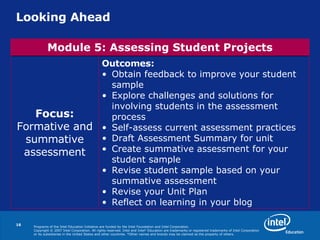
Looking Ahead Outcomes:   Obtain feedback to improve your student sample Explore challenges and solutions for involving students in the assessment process Self-assess current assessment practices Draft Assessment Summary for unit Create summative assessment for your student sample Revise student sample based on your summative assessment Revise your Unit Plan Reflect on learning in your blog Focus: Formative and summative assessment Module 5: Assessing Student Projects
Programs of the Intel Education Initiative are funded by the Intel Foundation and Intel Corporation.   Copyright © 2007 Intel Corporation. All rights reserved. Intel and Intel   Education are trademarks or registered trademarks of Intel Corporation or its subsidiaries in the United States and other countries.  *Other names and brands may be claimed as the property of others.

P T Module 4

  • 1.
    Intel ® Teach Program Essentials Course Module 4: Creating Samples of Learning
  • 2.
    Where We WereModule 1: Teaching with Projects Project-based learning and unit design Module 2: Planning My Unit Curriculum-Framing Questions and ongoing student-centered assessment Module 3: Making Connections The Internet to support teaching and learning
  • 3.
    Where We AreEssential Question How can technology be used most effectively to support and assess student learning? Module Questions How can the creation of a student sample help me clarify my unit expectations and improve my instructional design? How can I ensure students will achieve the learning objectives when creating their student projects? Outcomes: Identify strategies to ensure safe, responsible, and appropriate student Internet use Create sample student publication, presentation, wiki, or blog to demonstrate student learning Draft Instructional Procedures for unit Self-assess student sample Reflect on learning in your blog Focus: Project outcomes from a student perspective Module 4: Creating Samples of Learning
  • 4.
    Where We AreGoing Module 5: Assessing Student Projects Formative and summative assessment Module 6: Planning for Student Success Student support and self-direction Module 7: Facilitating with Technology Teacher as facilitator Module 8: Showcasing Unit Portfolios Sharing learning
  • 5.
    Module 4: CreatingSamples of Learning Pair and Share Incorporating the Internet into Units (4.01) Share your ideas on how you plan to incorporate the use of the Internet in your unit. What is your unit about? What are your Curriculum-Framing Questions? How will you incorporate the use of the Internet in your unit for research, collaboration, and communication? How will the use of the Internet help students develop 21st century and higher-order thinking skills? What feedback or additional ideas are you looking for during this time?
  • 6.
    Module 4: CreatingSamples of Learning Pedagogical Practices Ensuring Safe and Responsible Use of the Internet (4.02) How do you ensure students create appropriate Internet content and interact constructively with others? Discuss ways to promote safe, responsible, and appropriate student use of the Internet.
  • 7.
    Module 4: CreatingSamples of Learning Activity 1 Examining Student Samples (4.03) View a student sample presentation, newsletter/newspaper, poster, wiki, or blog of interest on the Module 4, Activity 1 folder of the Curriculum Resource CD. Open and review the associated Unit Plan and assessment. Discuss the questions on page 4.03. View additional samples, if time is available.
  • 8.
    Module 4: CreatingSamples of Learning Activity 2 Planning My Student Sample Step 1: Answering the Big Questions (4.05) Consider how your Curriculum-Framing questions will be answered, at least in part, in the student sample. Step 2: Considering the Learning Goals for My Student Sample (4.06) What do students need to include and how do you want them to demonstrate their learning? Use the prompts on page 4.06 to help you plan your student sample. Step 3: Reviewing Project Design (4.06) Think about how a project-approach to learning can help your students meet the learning goals identified in Step 2. (use the questions on pages 4.06–4.07.)
  • 9.
    Module 4: CreatingSamples of Learning Activity 2 Planning My Student Sample Step 4: Brainstorming the Best Tool for the Job (4.07) How will your students demonstrate their learning? What tools will they use to demonstrate their learning? Think about the strengths of the technology tools and the type of content best served by each. Which technology tools are you considering for your students' use in your unit? (use the tables on pages 4.08–4.10.)
  • 10.
    Module 4: CreatingSamples of Learning Activity 3 Looking at Learning from a Student Perspective Planning the Content (4.11) Open the Portfolio Rubric in the Portfolio Assessment folder on the Curriculum Resource CD. Review the sections on Integration of Technology and Student Learning. Open and review the checklist and storyboard templates of interest in the Module 4, Activity 3 folder on the Curriculum Resource CD. Review the technology steps for the desired option, depending on which tool you identified as most appropriate for your unit: • Option 1: Creating a student sample presentation (page 4.12) • Option 2: Creating a student sample publication (page 4.13) • Option 3: Creating a student sample wiki (page 4.14) • Option 4: Creating a student sample blog (page 4.14)
  • 11.
    Module 4: CreatingSamples of Learning Activity 4 Revisiting My Unit Plan (4.15) Open your Unit Plan. Open the Unit Plan Checklist in the unit_plan folder of your Portfolio folder and review the Instructional Procedures section. Draft the Instructional Procedures sections of your Unit Plan. Review your list of standards and consider whether additional standards are now being met. Review the Objectives section and, if needed, modify the student learning objectives.
  • 12.
    Module 4: CreatingSamples of Learning Activity 5 Reflecting on My Learning (4.16) Step 1: Reviewing the Module Module 4 Key Points Planning and developing a student product requires: Answering the unit's Curriculum-Framing Questions Demonstrating understanding of concepts, skills, and knowledge Demonstrating higher-order and 21st century skills Creating real-world connections for students Using technology appropriately and effectively The decision to use a particular technology should be based on its strengths in supporting the desired content and learning objectives. Examples of tools appropriate for student projects are: Presentations—for oral presentations, enhanced with pictures, graphs, charts, sounds, video, and hyperlinks to other resources Publications—for text-based communication, enhanced with pictures, graphs, and charts Wikis—for web-based, text-oriented content that allows multiple editors Blogs—for web-based, text-oriented journals that encourage responses from readers
  • 13.
    Module 4: CreatingSamples of Learning Activity 5 Reflecting on My Learning (4.16) Step 2: Blogging My Journey Reflect on the activities, skills, and approaches addressed in this module in your own personal blog. Reflect on how the focus of this module has helped you plan and create your unit: Essential Question: How can technology be used most effectively to support and assess student learning? How can the creation of a student sample help me clarify unit expectations and improve my instructional design? How can I ensure students will achieve the learning objectives when creating their student projects? Consider how the knowledge you gained from this module will impact your teaching and your students’ learning. Record your insights, key learnings, and questions or concerns in your reflection.
  • 14.
    Module 4: CreatingSamples of Learning Planning Ahead Activity 1 Reflecting on My Student Sample (4.18) Reflect on your student sample to ensure that it aligns with the targeted standards. Does the integration of technology help students to effectively demonstrate their learning? Does your student sample address the Essential and Unit Questions? Is it possible to implement the activity in your classroom with the resources you have available? Use the self-assessment on page 4.19.
  • 15.
    Module 4: CreatingSamples of Learning Planning Ahead Activity 2 Reviewing My Standards and Objectives (4.20) Review the standards you chose and refine the list to those you wish to specifically target: Review standards. Review the Standards and Objectives Rubric on page 2.31. Open your Unit Plan and refine your standards to fully meet the criteria in the rubric. Include only those that you intend to: Assess Address in the Instructional Procedures section of your Unit Plan Have students meet by the end of your unit 4. If needed, refine objectives based on the targeted standards, the Standards and Objectives Rubric, and your assessment of your student sample in the previous activity.
  • 16.
    Looking Ahead Outcomes: Obtain feedback to improve your student sample Explore challenges and solutions for involving students in the assessment process Self-assess current assessment practices Draft Assessment Summary for unit Create summative assessment for your student sample Revise student sample based on your summative assessment Revise your Unit Plan Reflect on learning in your blog Focus: Formative and summative assessment Module 5: Assessing Student Projects
  • 17.
    Programs of theIntel Education Initiative are funded by the Intel Foundation and Intel Corporation.  Copyright © 2007 Intel Corporation. All rights reserved. Intel and Intel  Education are trademarks or registered trademarks of Intel Corporation or its subsidiaries in the United States and other countries.  *Other names and brands may be claimed as the property of others.