Large-scale logging
made easy
Aliaksandr Valialkin, CTO at VictoriaMetrics
Open source
monitoring conference
2023
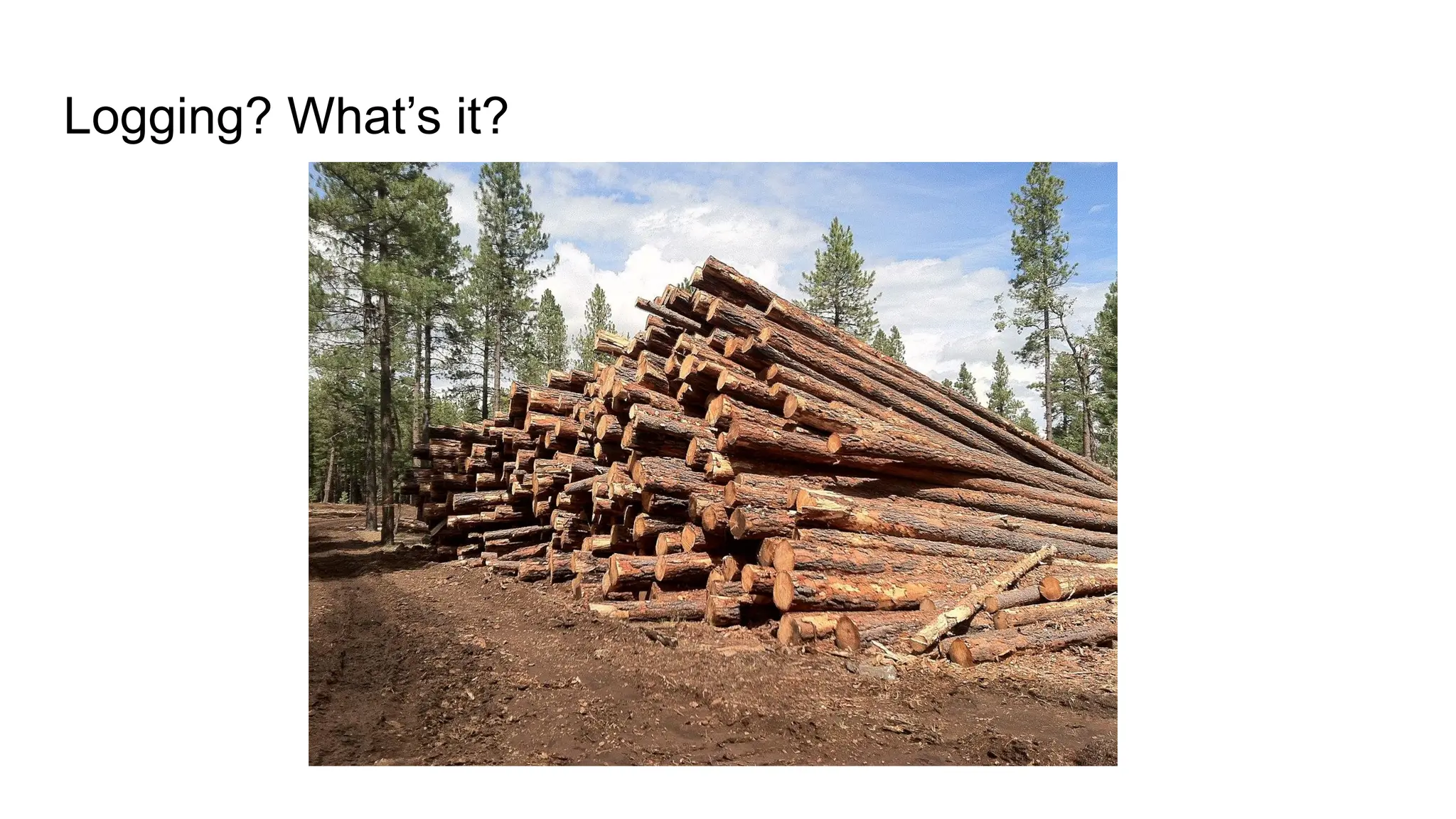
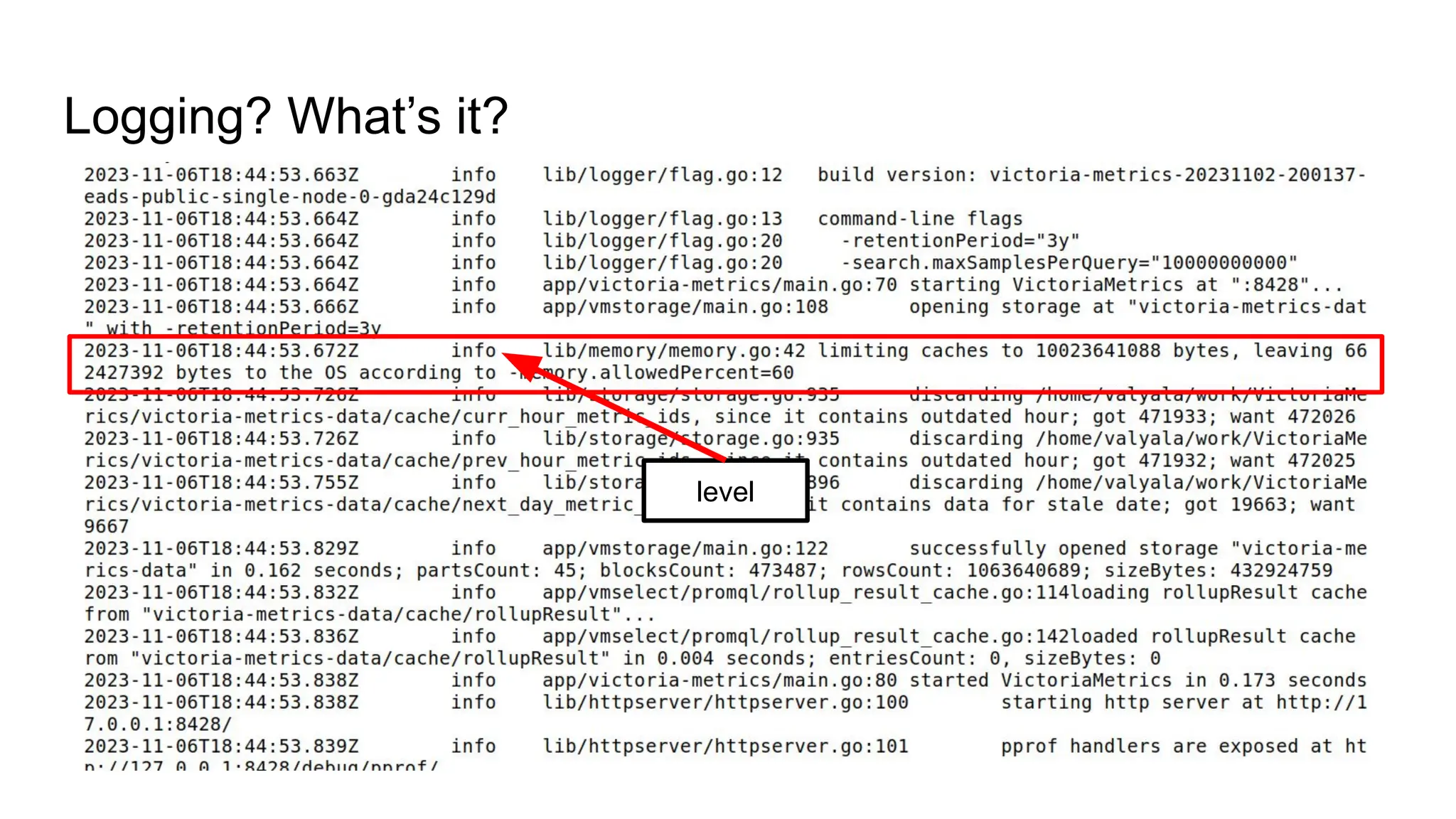
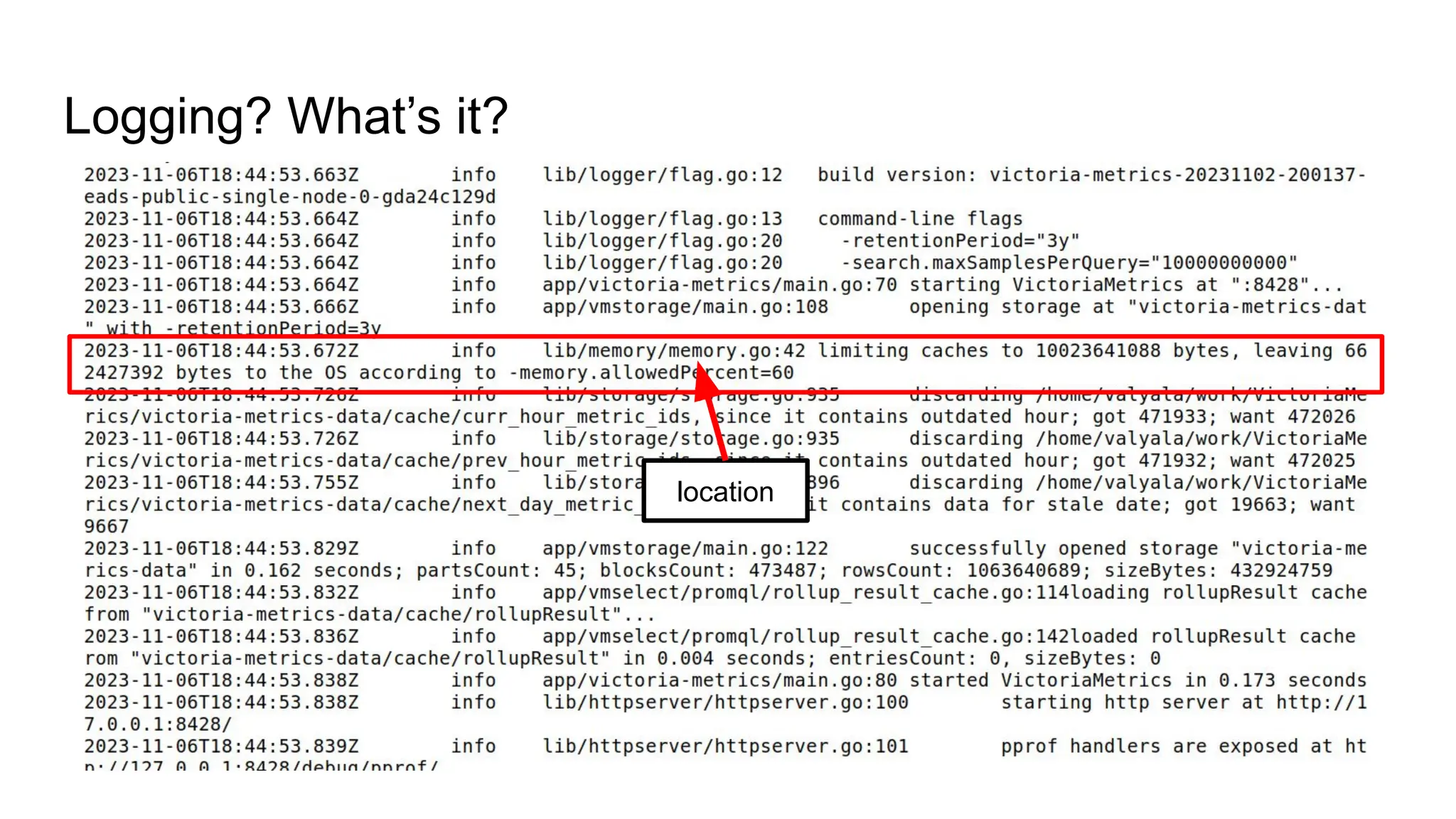
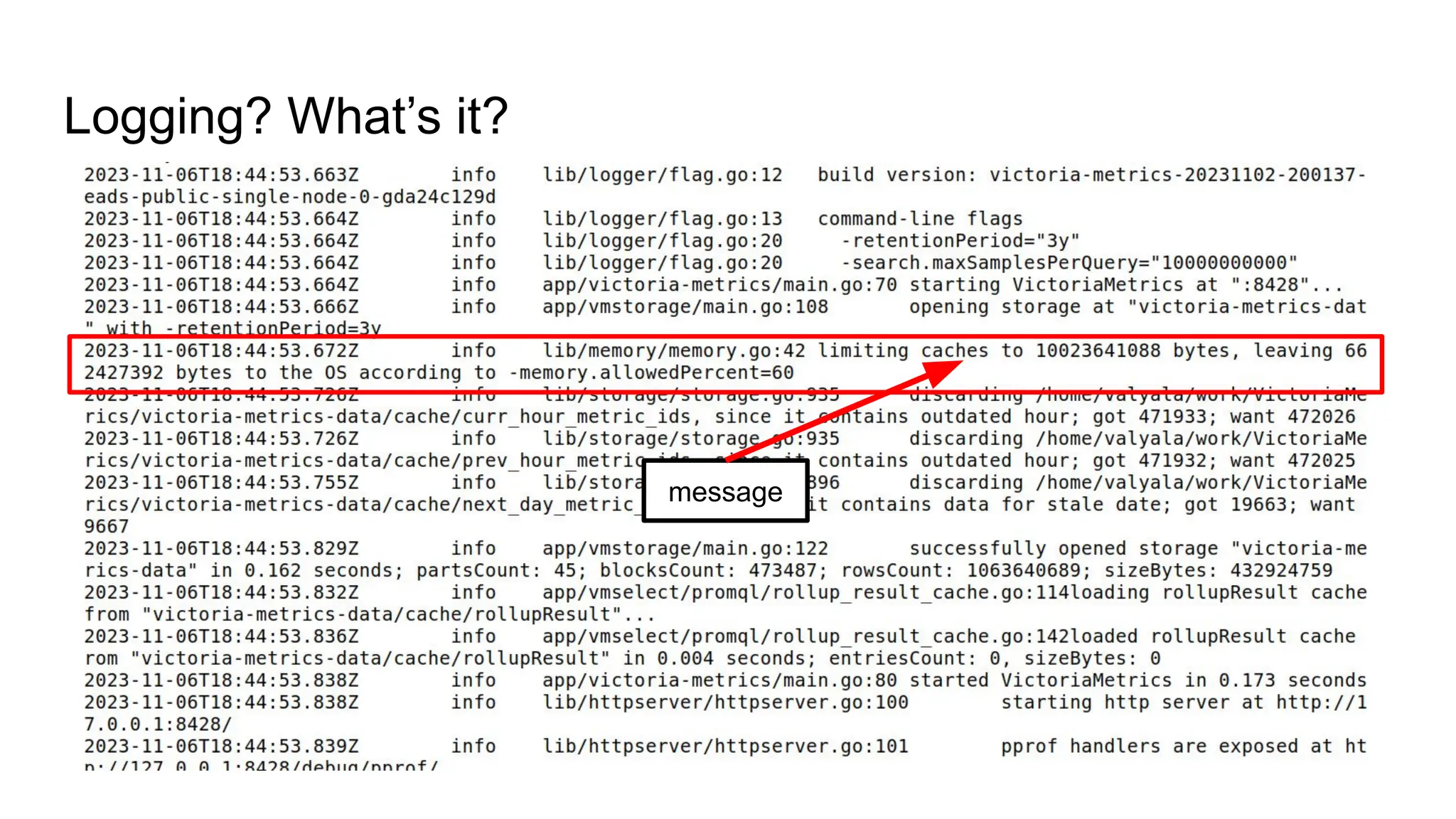
Logging? What’s it?
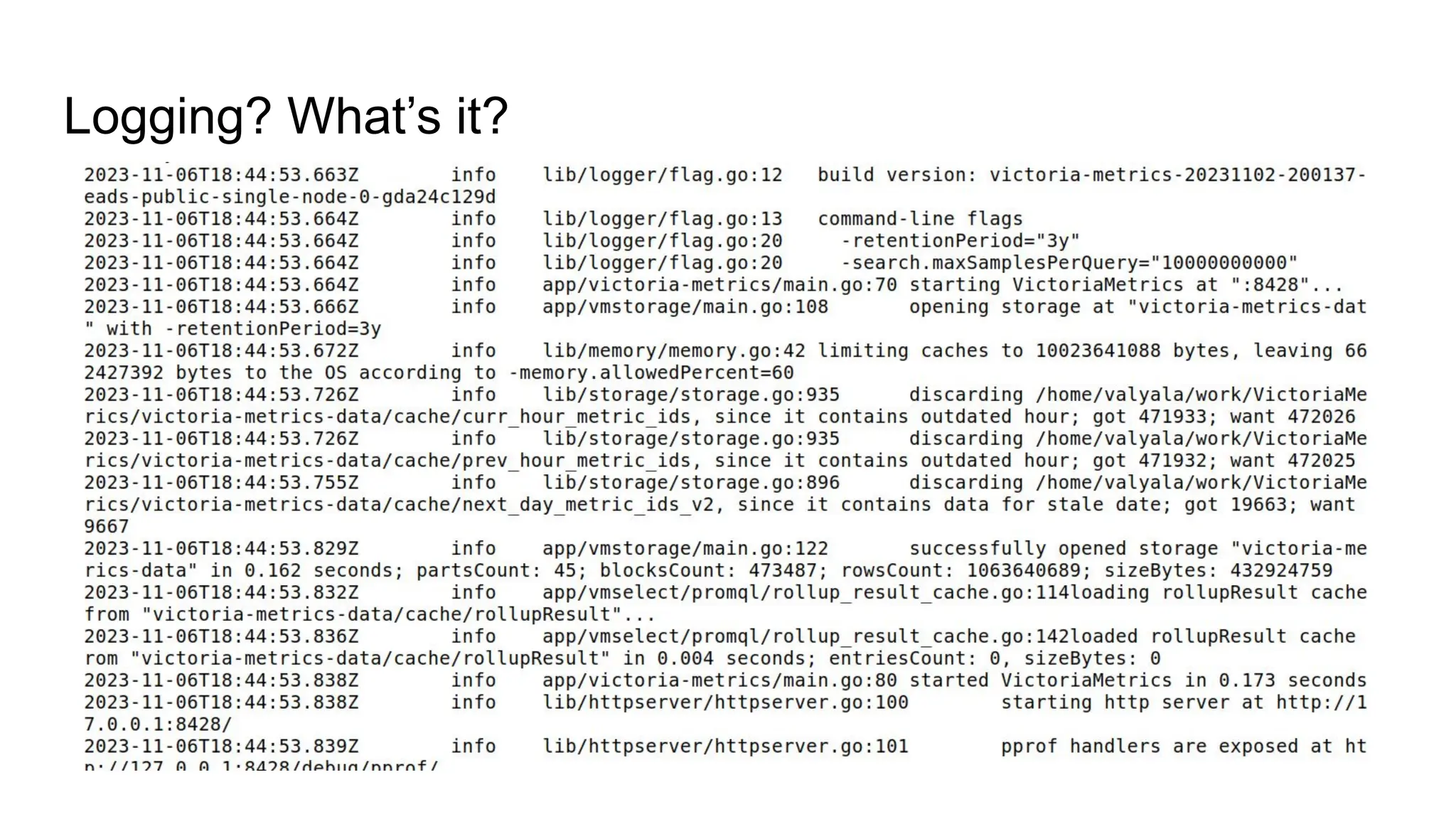
Logging? What’s it?
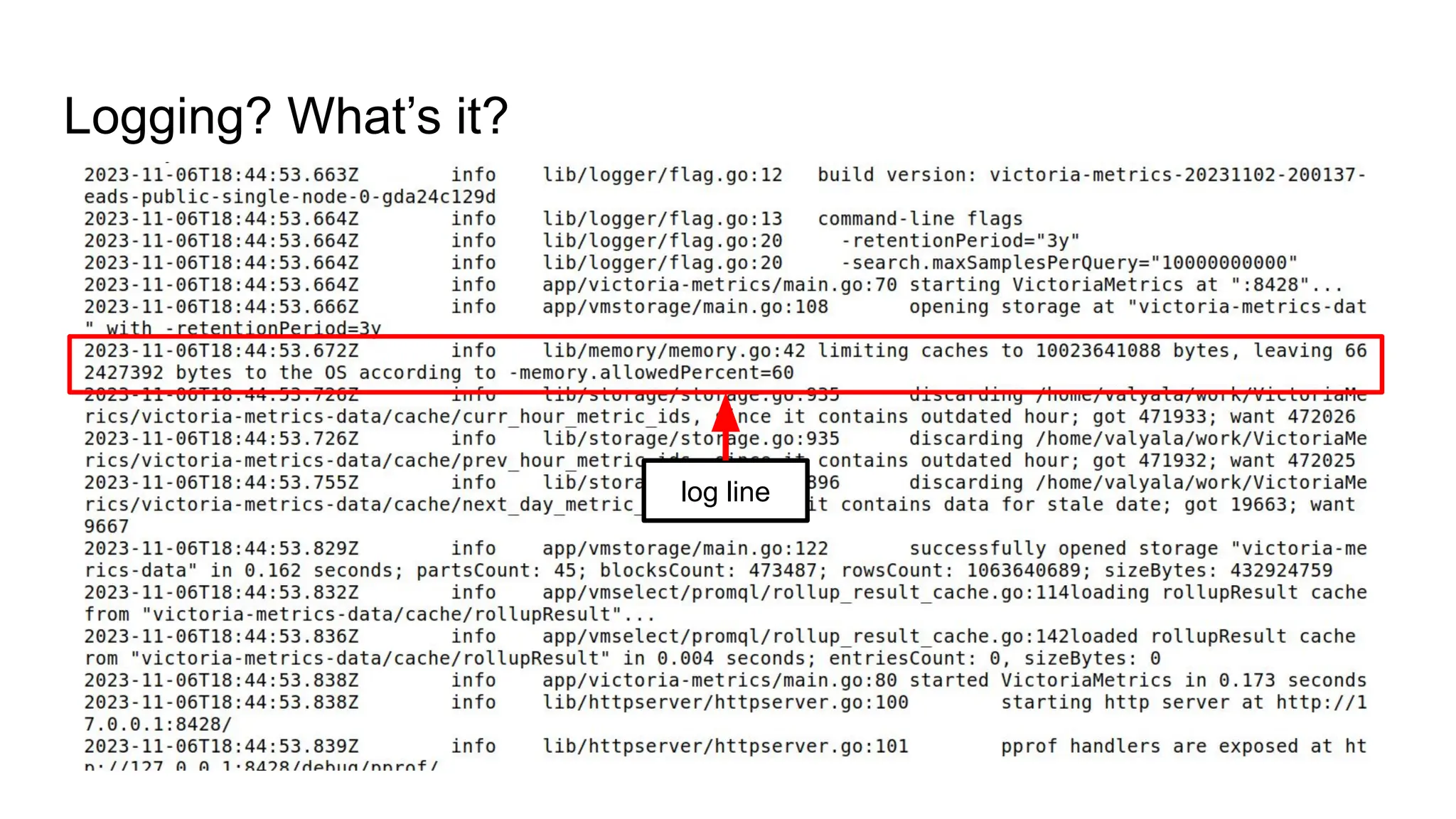
Logging? What’s it?
log line
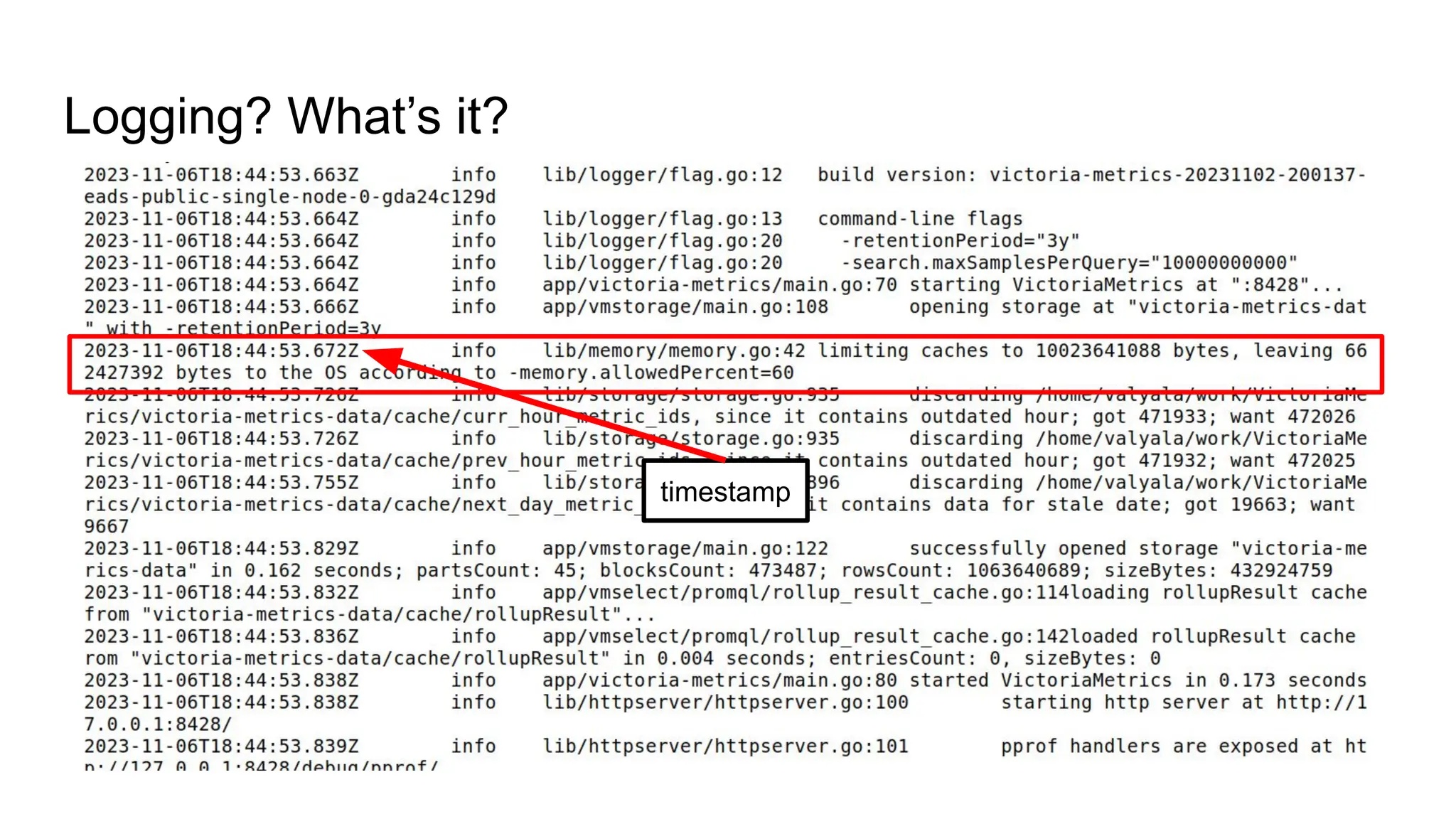
Logging? What’s it?
timestamp
Logging? What’s it?
level
Logging? What’s it?
location
Logging? What’s it?
message
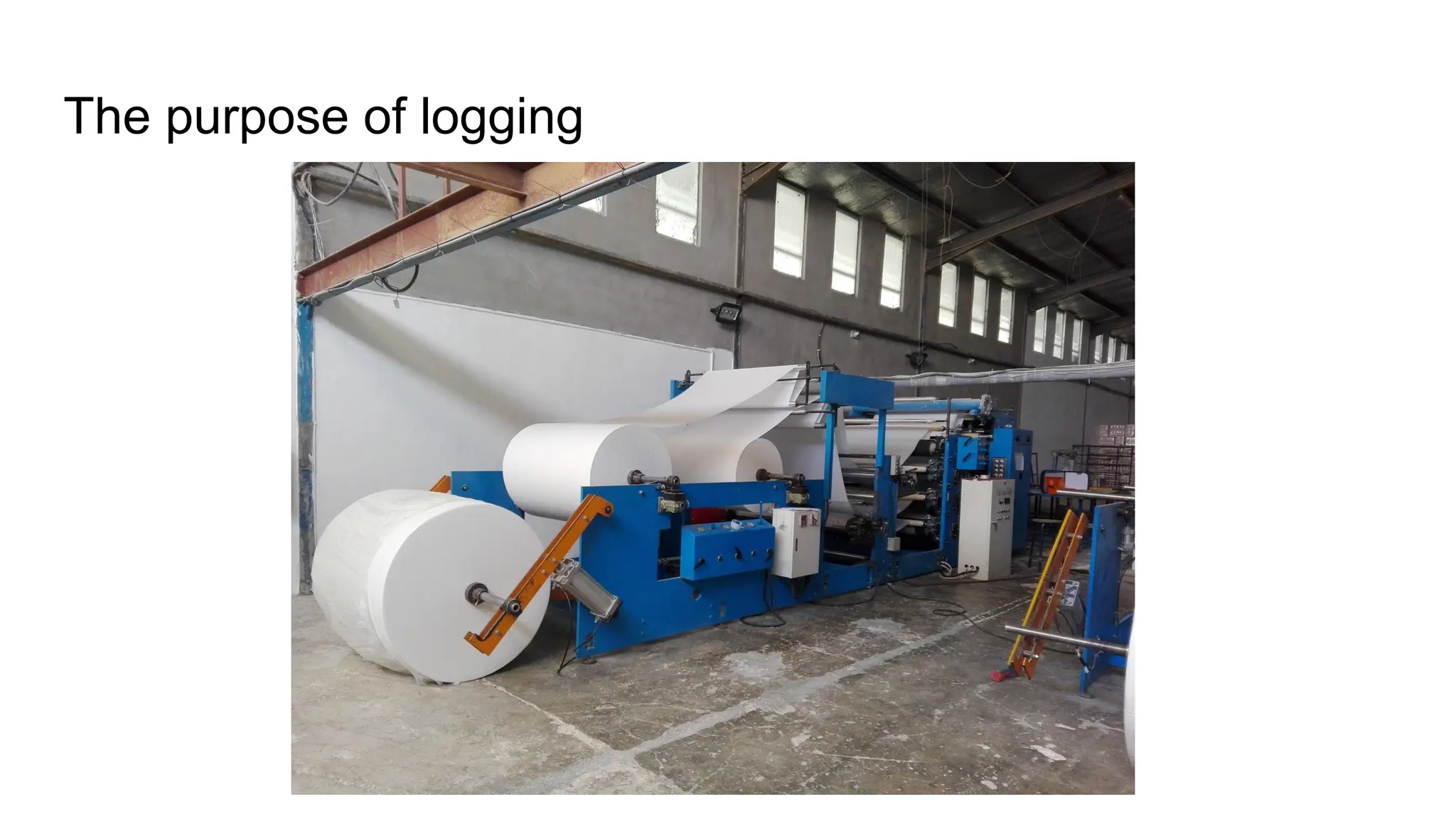
The purpose of logging
The purpose of logging: debugging
● Which errors have occurred in the app during the last hour?
The purpose of logging: debugging
● Which errors have occurred in the app during the last hour?
● Why the app returned unexpected response?
The purpose of logging: debugging
● Which errors have occurred in the app during the last hour?
● Why the app returned unexpected response?
● Why the app wasn’t working correctly yesterday?
The purpose of logging: debugging
● Which errors have occurred in the app during the last hour?
● Why the app returned unexpected response?
● Why the app wasn’t working correctly yesterday?
● What the app was doing at the particular time range?
The purpose of logging: security
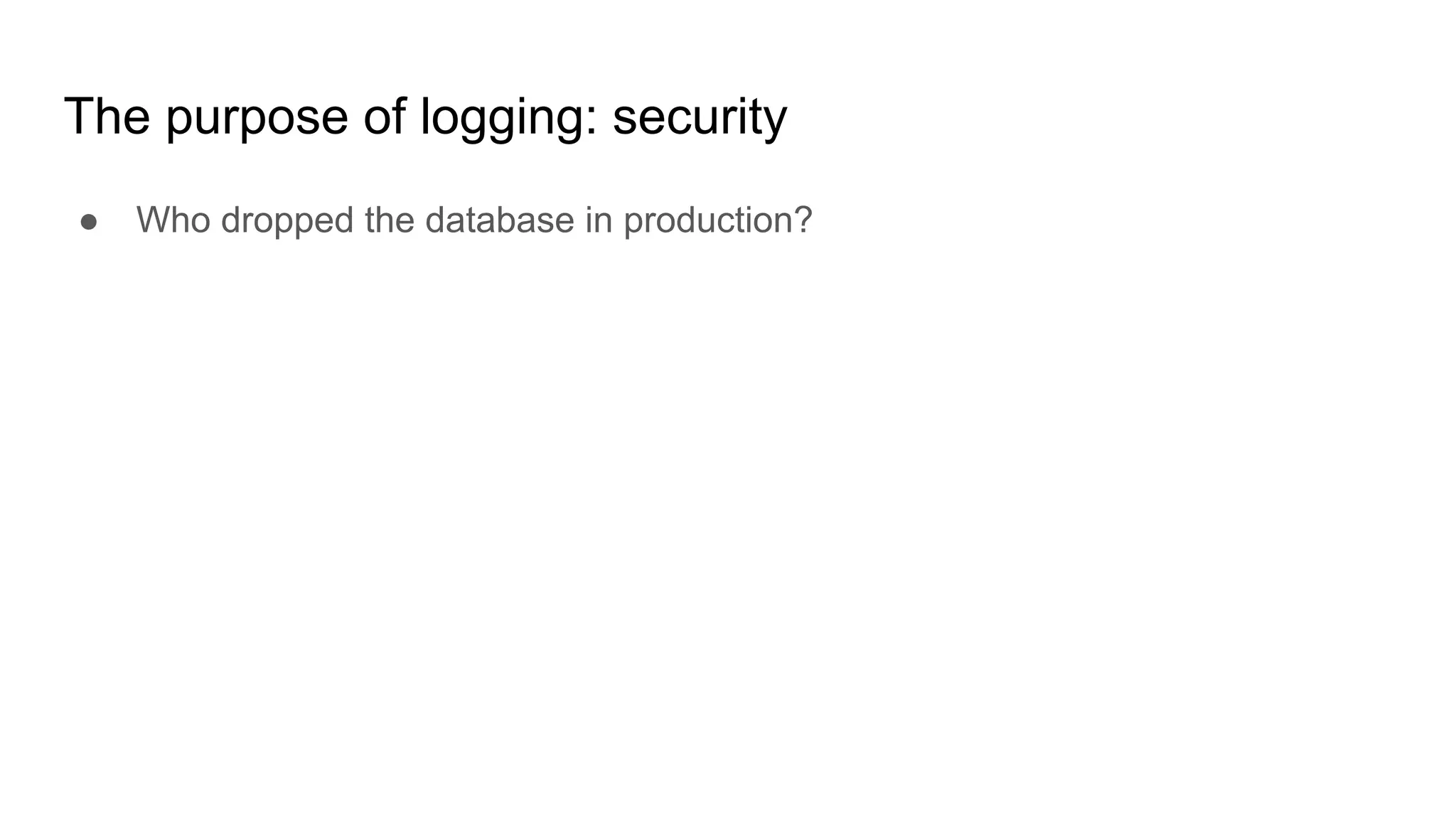
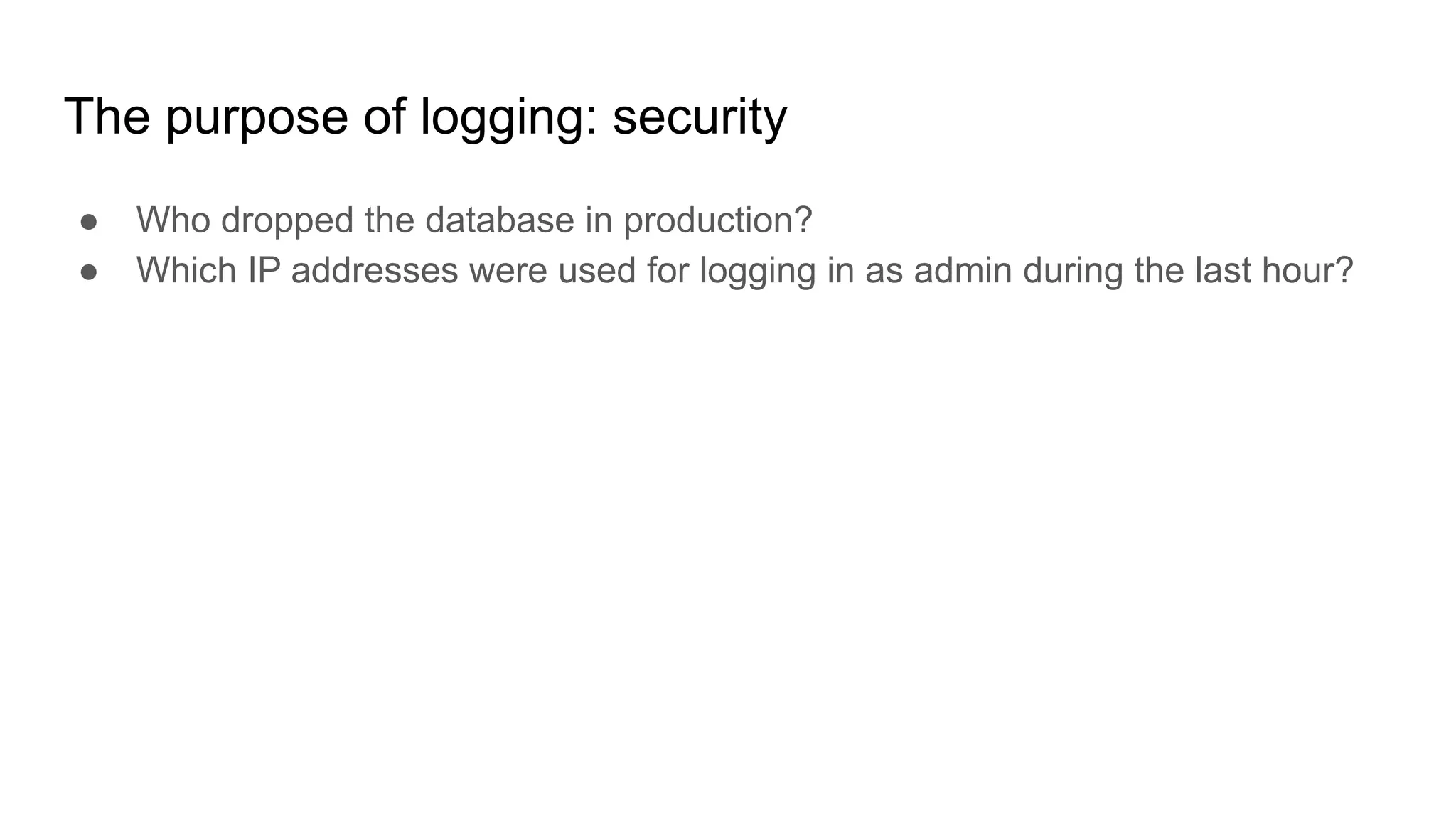
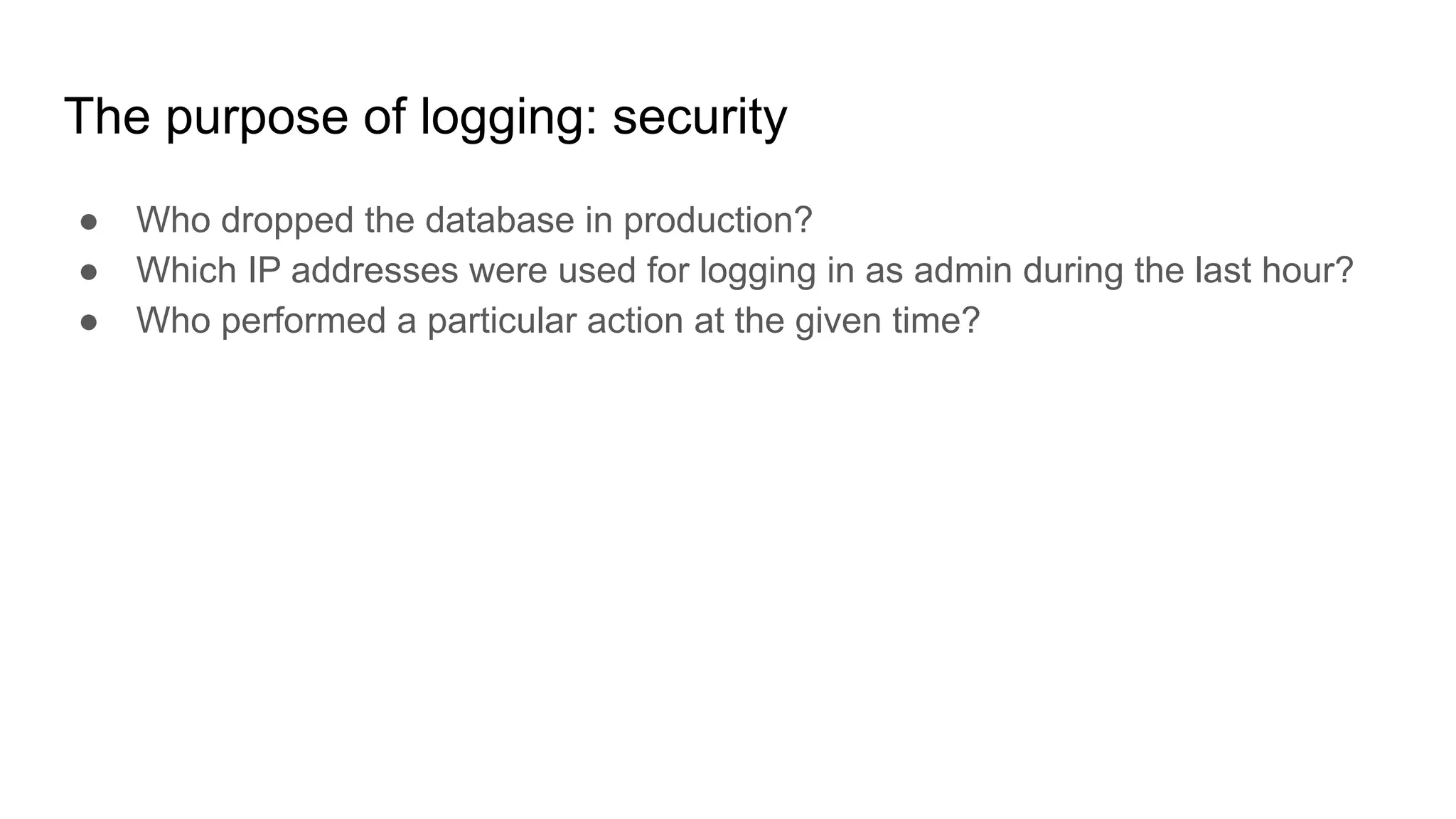
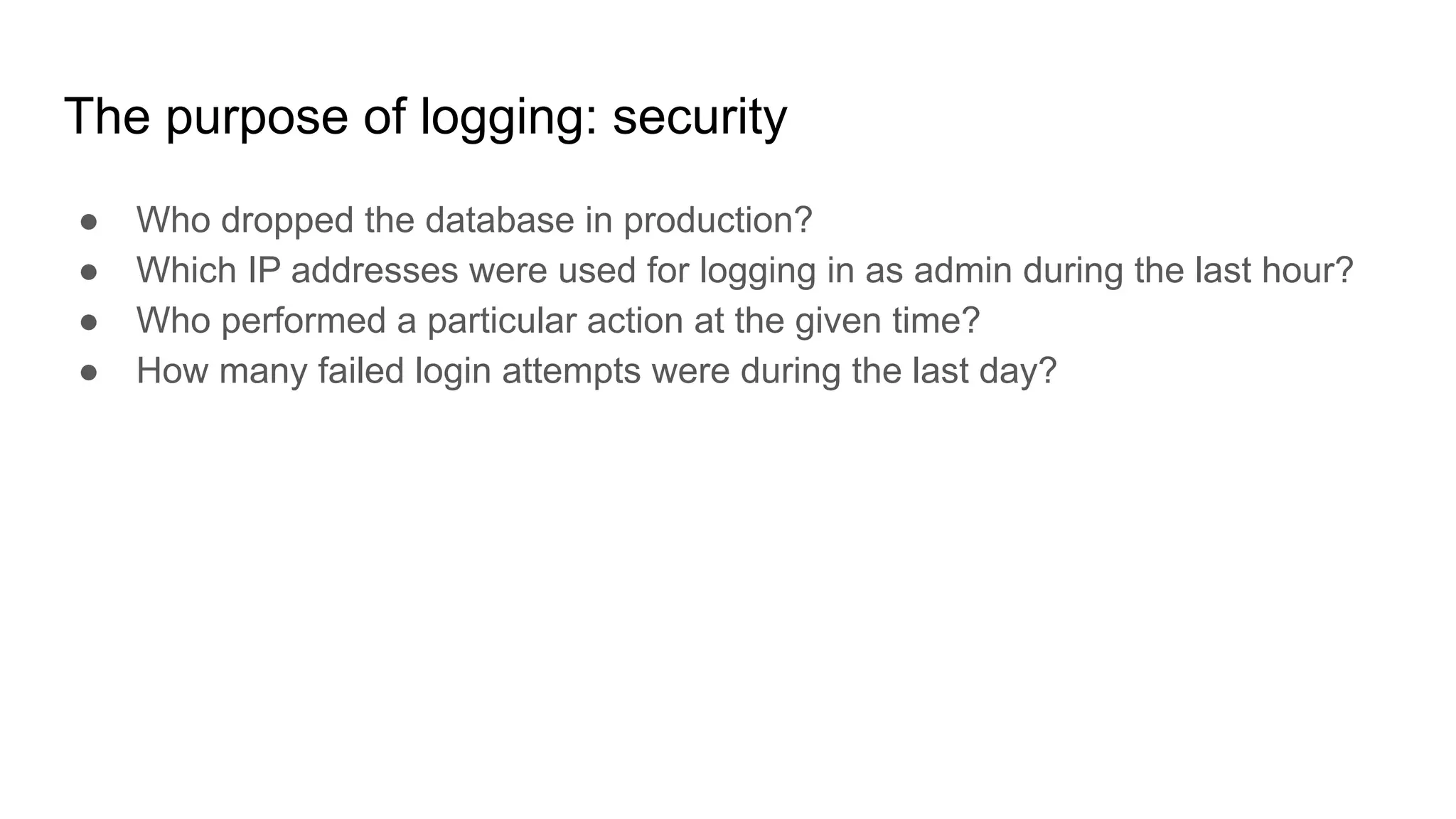
● Who dropped the database in production?
The purpose of logging: security
● Who dropped the database in production?
● Which IP addresses were used for logging in as admin during the last hour?
The purpose of logging: security
● Who dropped the database in production?
● Which IP addresses were used for logging in as admin during the last hour?
● Who performed a particular action at the given time?
The purpose of logging: security
● Who dropped the database in production?
● Which IP addresses were used for logging in as admin during the last hour?
● Who performed a particular action at the given time?
● How many failed login attempts were during the last day?
The purpose of logging: stats and metrics
● How many requests were served per hour during the last day?
The purpose of logging: stats and metrics
● How many requests were served per hour during the last day?
● How many unique users were accessing the app during the last month?
The purpose of logging: stats and metrics
● How many requests were served per hour during the last day?
● How many unique users were accessing the app during the last month?
● How many requests were served for a particular IP range yesterday?
The purpose of logging: stats and metrics
● How many requests were served per hour during the last day?
● How many unique users were accessing the app during the last month?
● How many requests were served for a particular IP range yesterday?
● What percentage of requests finished with errors during the last hour?
The purpose of logging: stats and metrics
● How many requests were served per hour during the last day?
● How many unique users were accessing the app during the last month?
● How many requests were served for a particular IP range yesterday?
● What percentage of requests finished with errors during the last hour?
● What was the 95th percentile of request duration for the given web page
yesterday?
Traditional logging
Traditional logging
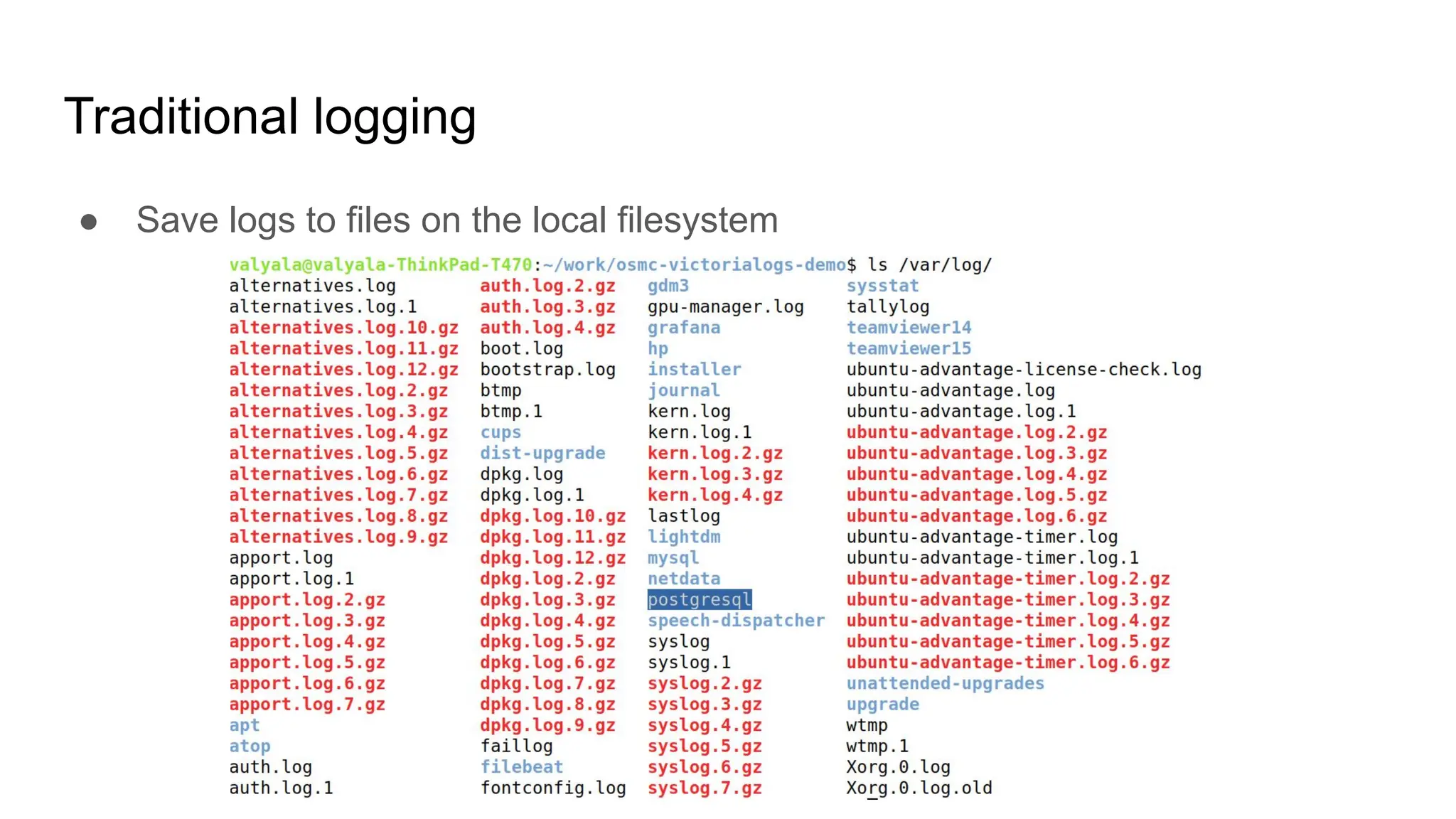
● Save logs to files on the local filesystem
Traditional logging
● Save logs to files on the local filesystem
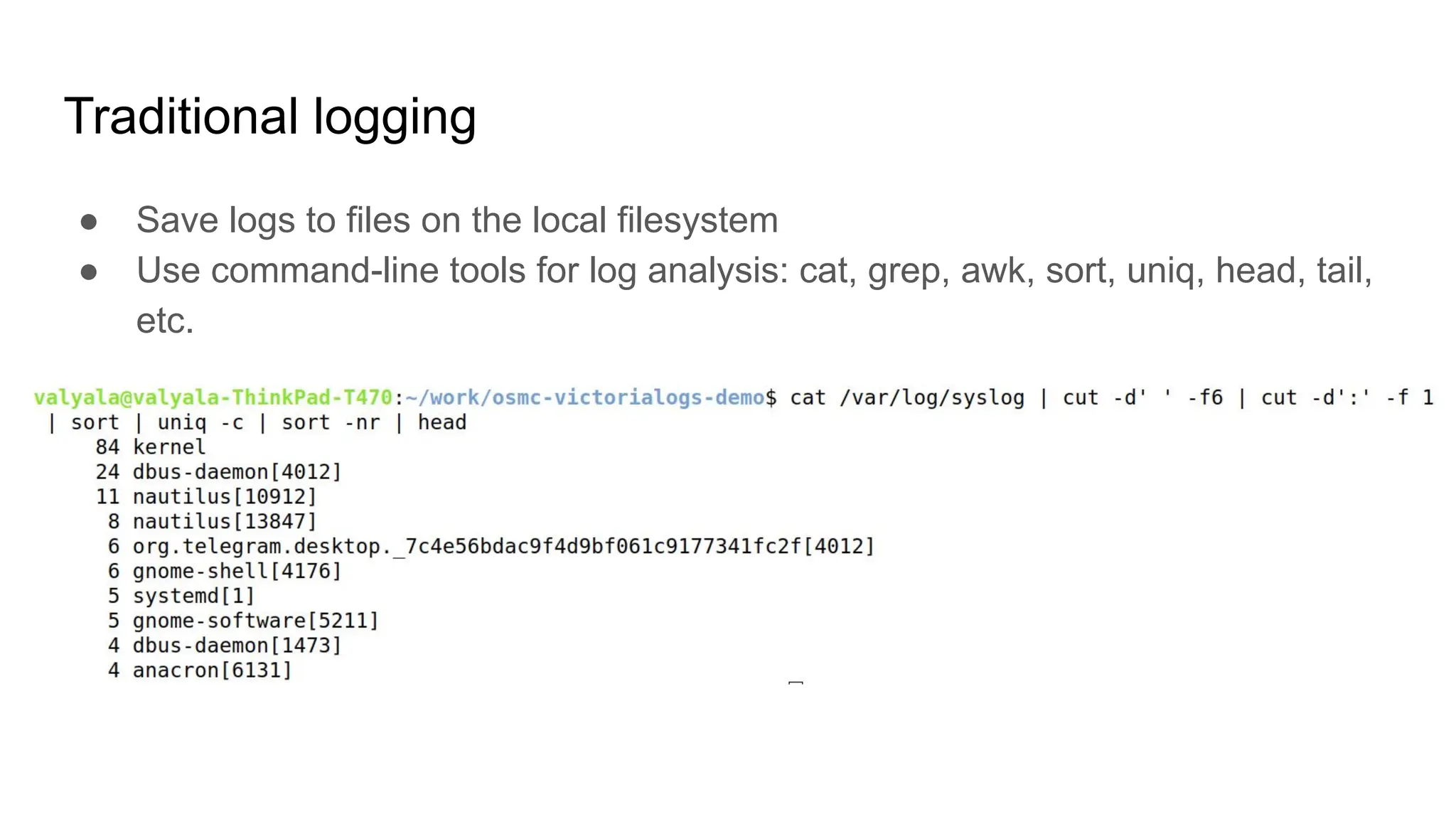
● Use command-line tools for log analysis: cat, grep, awk, sort, uniq, head, tail,
etc.
Traditional logging: advantages
● Easy to setup and operate
Traditional logging: advantages
● Easy to setup and operate
● Easy to debug
Traditional logging: advantages
● Easy to setup and operate
● Easy to debug
● Easy to analyze logs with command-line tools and bash scripts
Traditional logging: advantages
● Easy to setup and operate
● Easy to debug
● Easy to analyze logs with command-line tools and bash scripts
● Works perfectly for 50 years (since 1970th)
Traditional logging: disadvantages
● Hard to analyze logs from hundreds of hosts
Traditional logging: disadvantages
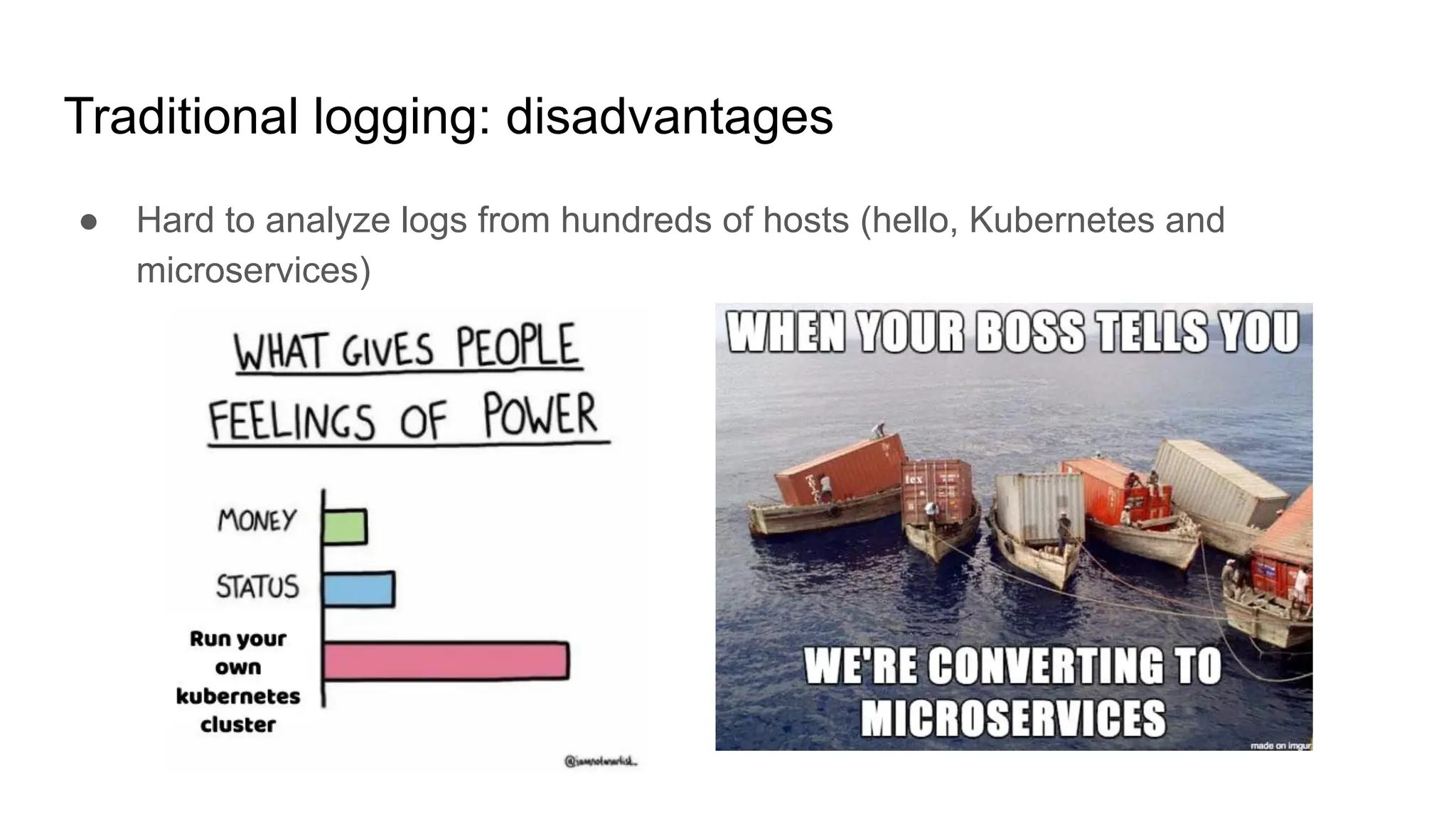
● Hard to analyze logs from hundreds of hosts (hello, Kubernetes and
microservices)
Traditional logging: disadvantages
● Hard to analyze logs from hundreds of hosts (hello, Kubernetes and
microservices)
● Slow search speed over large log files (e.g. 1TB log file may require a hour to
scan)
Traditional logging: disadvantages
● Hard to analyze logs from hundreds of hosts (hello, Kubernetes and
microservices)
● Slow search speed over large log files (e.g. 1TB log file may require a hour to
scan)
● Imperfect support for structured logging (e.g. logs with arbitrary labels)
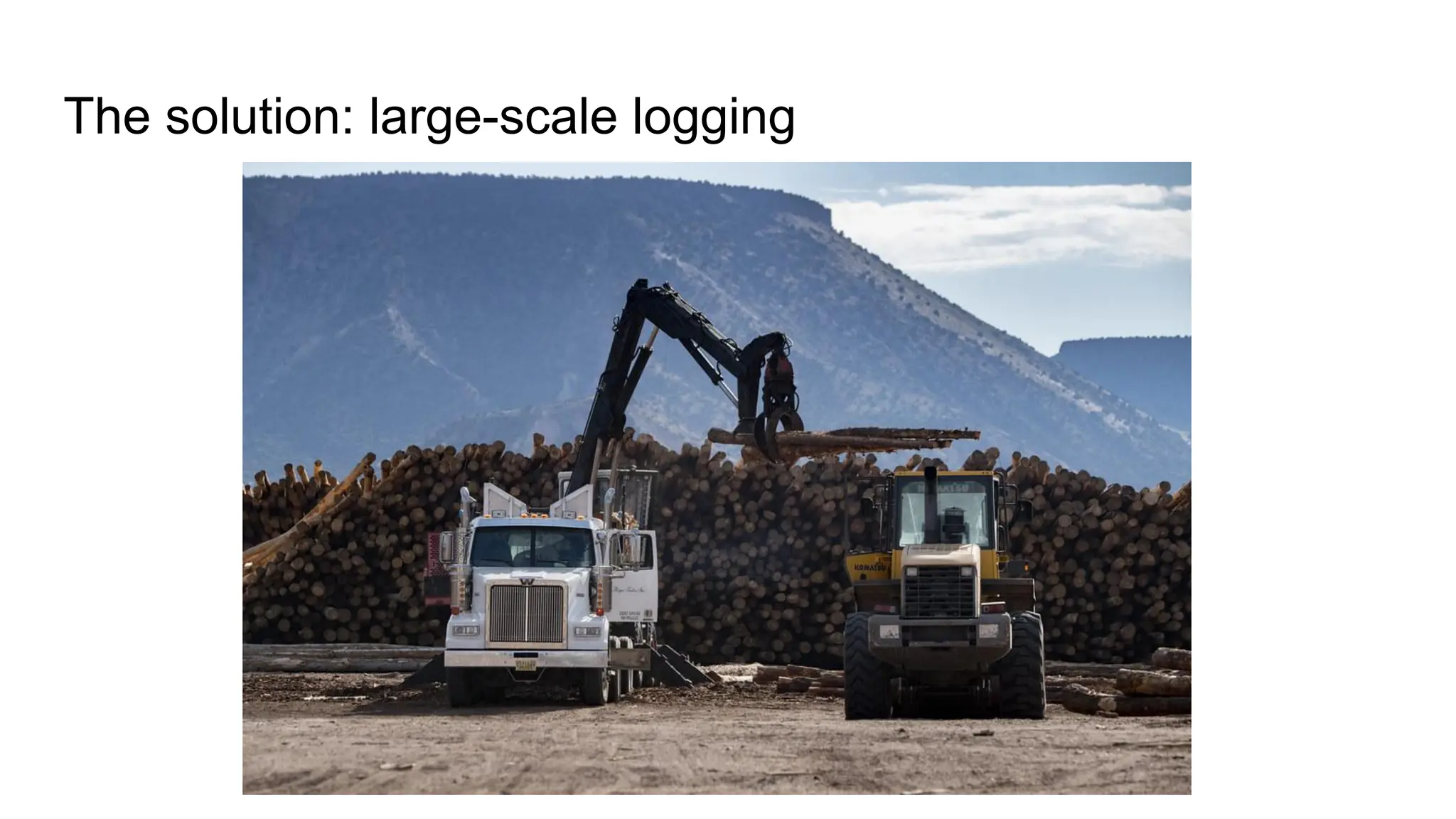
The solution: large-scale logging
Large-scale logging: core principles
● Push logs from large number of apps to a centralized system
Large-scale logging: core principles
● Push logs from large number of apps to a centralized system
● Provide fast queries over all the ingested logs
Large-scale logging: core principles
● Push logs from large number of apps to a centralized system
● Provide fast queries over all the ingested logs
● Support structured logging
Large-scale logging: solutions
● Cloud (DataDog, Sumo Logic, New Relic, etc.)
Large-scale logging: solutions
● Cloud (DataDog, Sumo Logic, New Relic, etc.)
● On-prem (Elasticsearch, OpenSearch, Grafana Loki, VictoriaLogs, etc.)
Large-scale logging: cloud vs on-prem
Large-scale logging: operational complexity
● Cloud: easy - cloud provider operates the system
Large-scale logging: operational complexity
● Cloud: easy - cloud provider operates the system
● On-prem: harder - you need to setup and operate the system
Large-scale logging: security
● Cloud: questionable - who has access to your logs?
Large-scale logging: security
● Cloud: questionable - who has access to your logs?
● On-prem: good - your logs are under your control
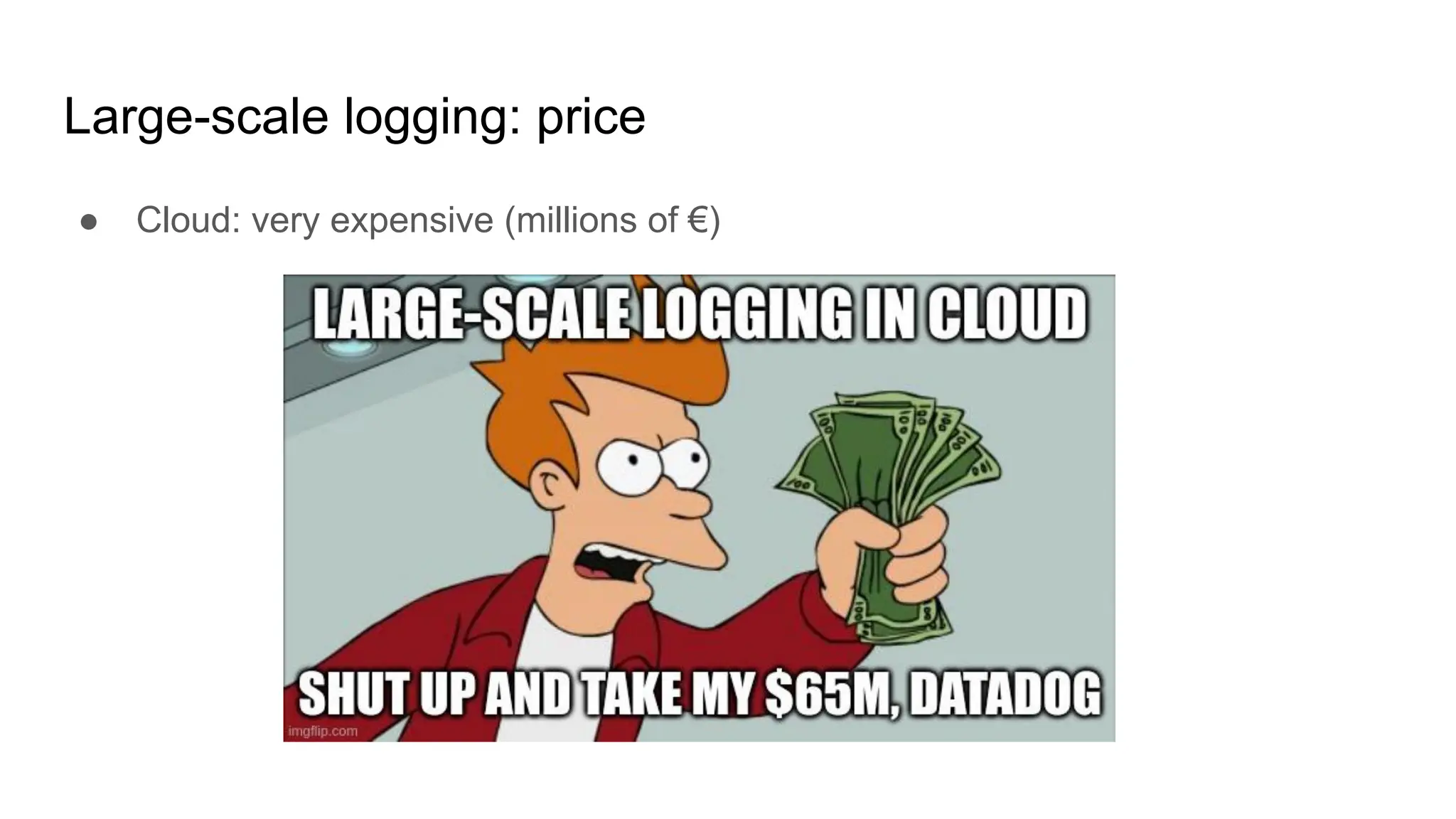
Large-scale logging: price
● Cloud: very expensive (millions of €)
Large-scale logging: price
● Cloud: very expensive (millions of €)
● On-prem: depends on the cost efficiency of the used system
Large-scale logging: on-prem comparison
Large-scale logging: on-prem: setup and operation
● Elasticsearch: hard because of non-trivial indexing configs for logs
Large-scale logging: on-prem: setup and operation
● Elasticsearch: hard because of non-trivial indexing configs for logs
● Grafana Loki: hard because of microservice architecture and complex configs
Large-scale logging: on-prem: setup and operation
● Elasticsearch: hard because of non-trivial indexing configs for logs
● Grafana Loki: hard because of microservice architecture and complex configs
● VictoriaLogs: easy because it runs out of the box from a single binary with
default configs
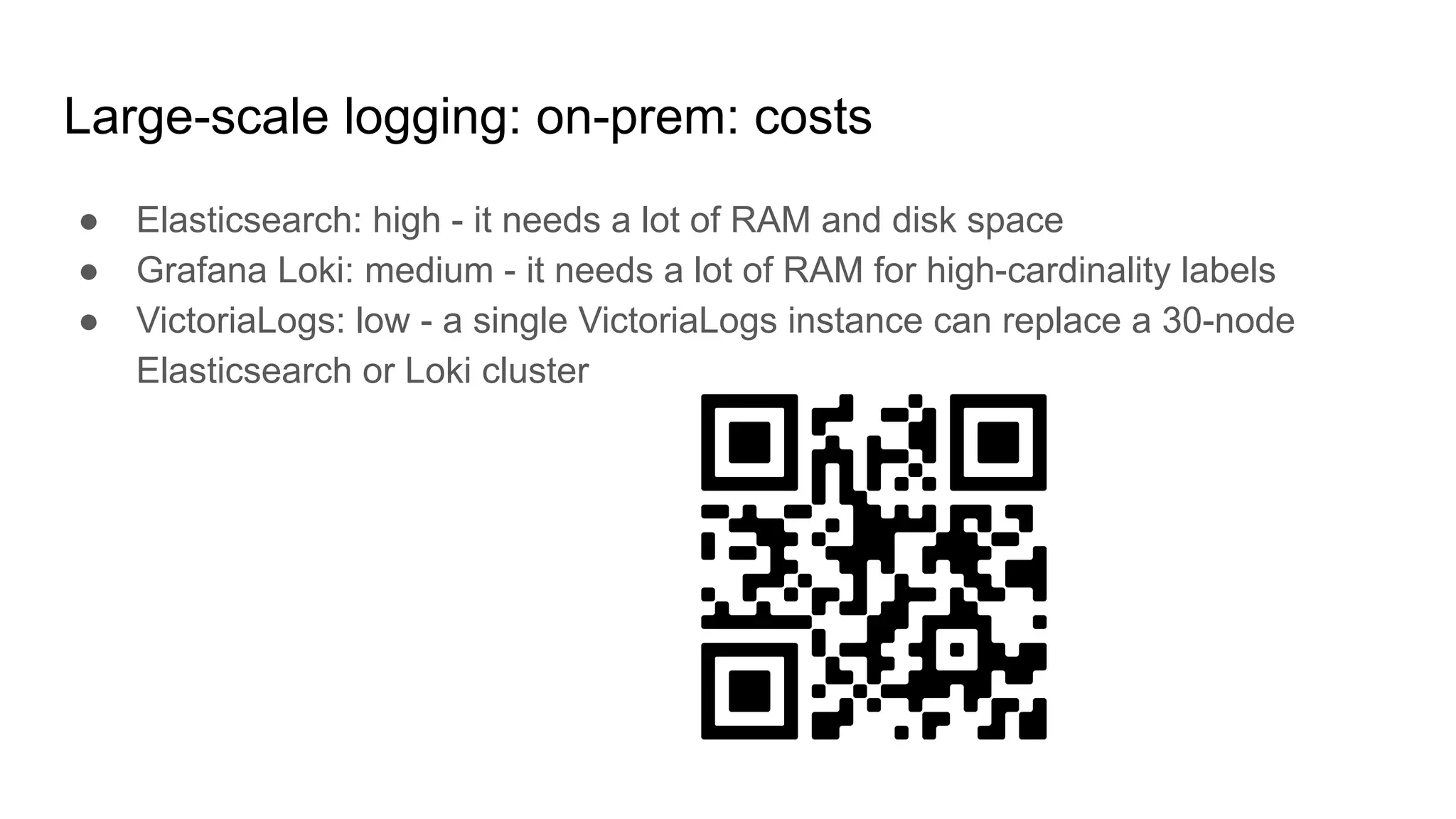
Large-scale logging: on-prem: costs
● Elasticsearch: high - it needs a lot of RAM and disk space
Large-scale logging: on-prem: costs
● Elasticsearch: high - it needs a lot of RAM and disk space
● Grafana Loki: medium - it needs a lot of RAM for high-cardinality labels
Large-scale logging: on-prem: costs
● Elasticsearch: high - it needs a lot of RAM and disk space
● Grafana Loki: medium - it needs a lot of RAM for high-cardinality labels
● VictoriaLogs: low - a single VictoriaLogs instance can replace a 30-node
Elasticsearch or Loki cluster
Large-scale logging: on-prem: full-text search support
● Elasticsearch: yes, but needs proper index configuration
Large-scale logging: on-prem: full-text search support
● Elasticsearch: yes, but needs proper index configuration
● Grafana Loki: yes, but very slow
Large-scale logging: on-prem: full-text search support
● Elasticsearch: yes, but needs proper index configuration
● Grafana Loki: yes, but very slow
● VictoriaLogs: yes, works out of the box for all the ingested log fields and
labels without additional configs
Large-scale logging: on-prem: how to efficiently query
100TB of logs?
● Elasticsearch: to run a cluster with 200TB of disk space and 6TB of RAM.
Infrastructure costs at GCE or AWS: ~€50K/month
Large-scale logging: on-prem: how to efficiently query
100TB of logs?
● Elasticsearch: to run a cluster with 200TB of disk space and 6TB of RAM.
Infrastructure costs at GCE or AWS: ~€50K/month
● Grafana Loki: impossible because the query will take hours to execute
Large-scale logging: on-prem: how to efficiently query
100TB of logs?
● Elasticsearch: to run a cluster with 200TB of disk space and 6TB of RAM.
Infrastructure costs at GCE or AWS: ~€50K/month
● Grafana Loki: impossible because the query will take hours to execute
● VictoriaLogs: to run a single node with 6TB of disk space and 200GB of RAM.
Infrastructure costs at GCE or AWS: ~€2K/month
Large-scale logging: on-prem: integration with CLI tools
● Elasticsearch: poor
Large-scale logging: on-prem: integration with CLI tools
● Elasticsearch: poor
● Grafana Loki: poor
Large-scale logging: on-prem: integration with CLI tools
● Elasticsearch: poor
● Grafana Loki: poor
● VictoriaLogs: excellent
VictoriaLogs for large-scale logging
● Satisfies requirements for large-scale logging
○ Efficiently stores logs from large number of distributed apps
○ Provides fast full-text search
○ Supports both structured and unstructured logs
VictoriaLogs for large-scale logging
● Satisfies requirements for large-scale logging
○ Efficiently stores logs from large number of distributed apps
○ Provides fast full-text search
○ Supports both structured and unstructured logs
● Provides traditional logging features
○ Ease of use
○ Great integration with CLI tools - grep, awk, head, tail, less, etc.
VictoriaLogs: CLI integration
with demo
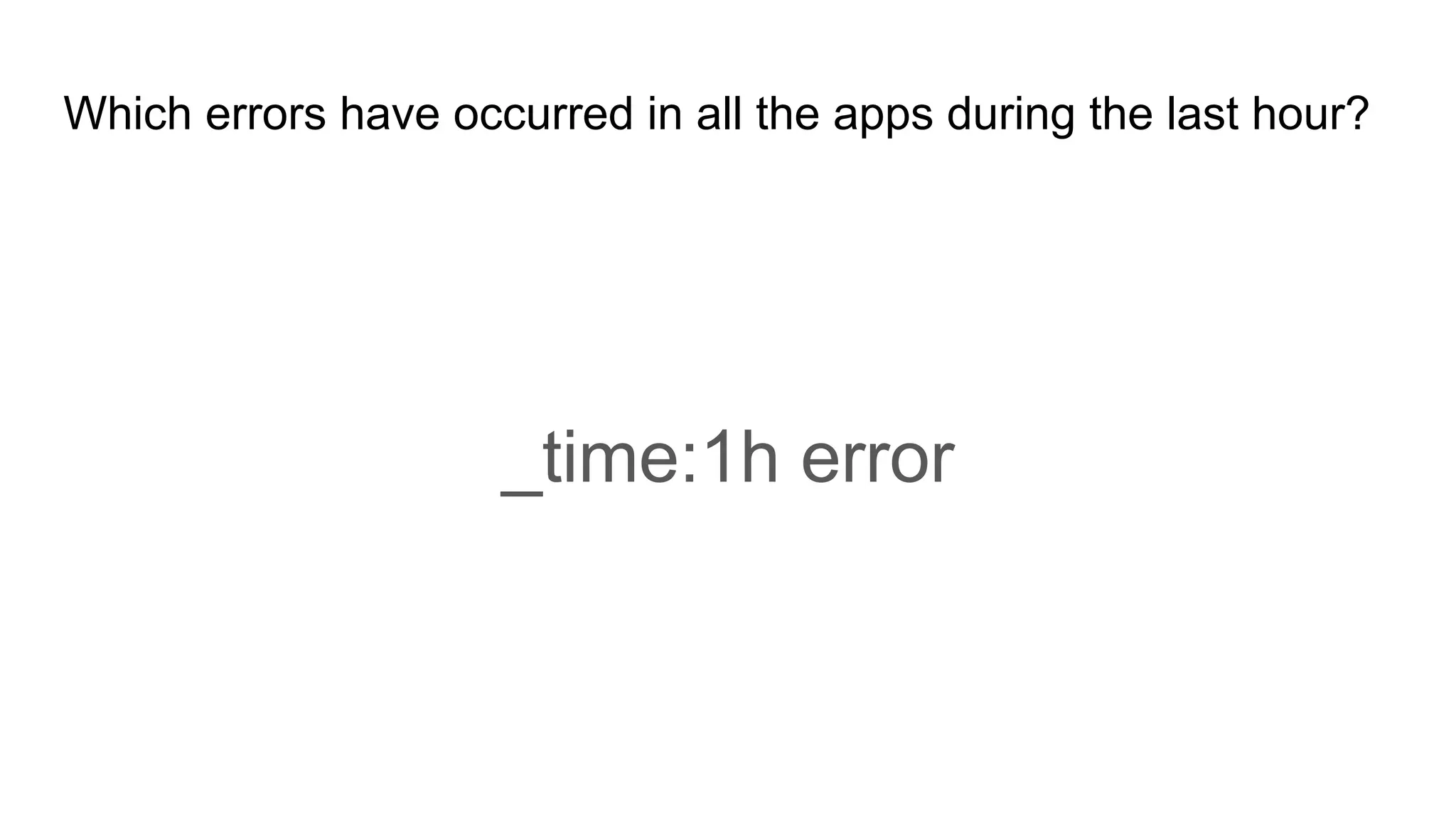
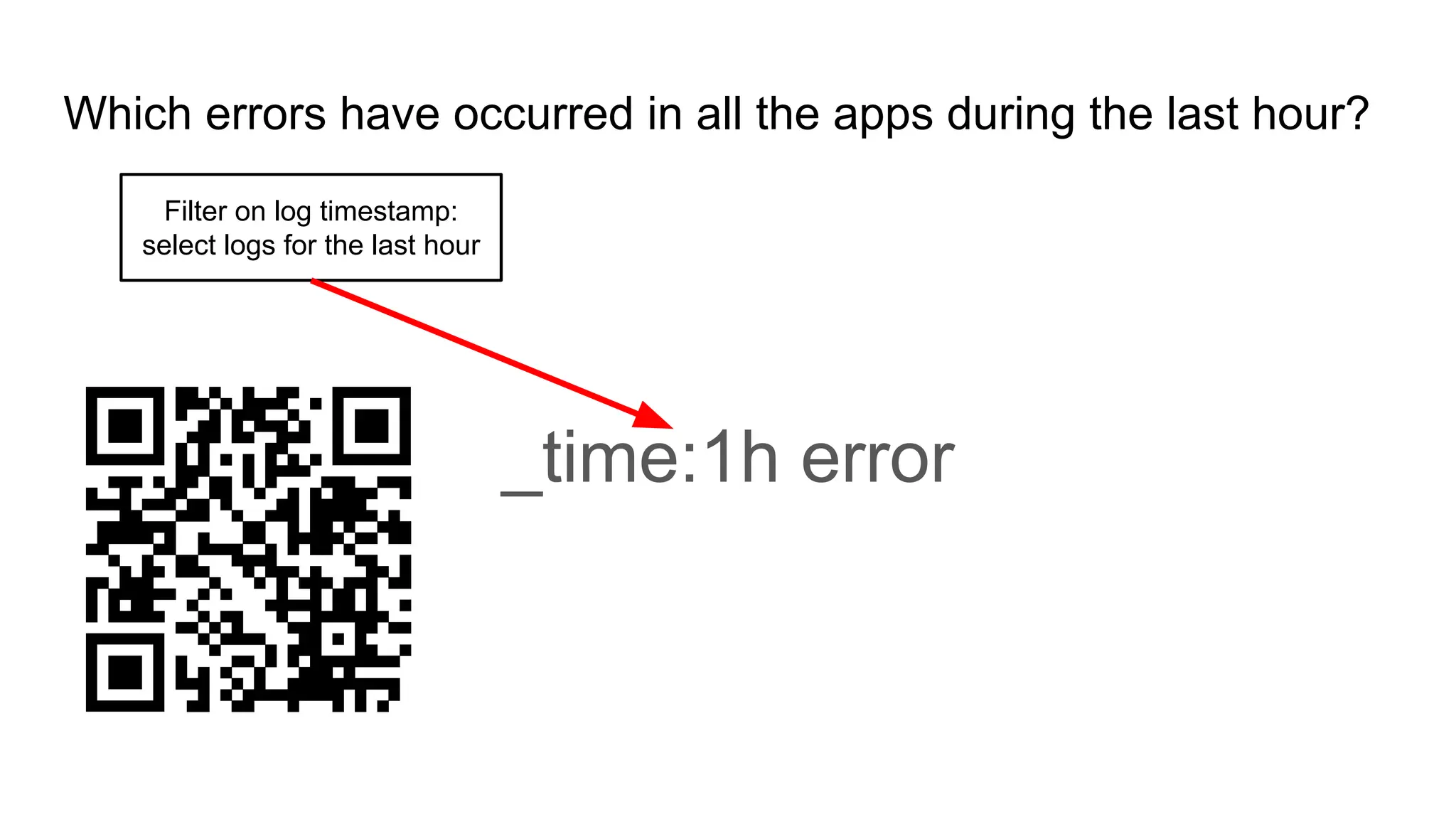
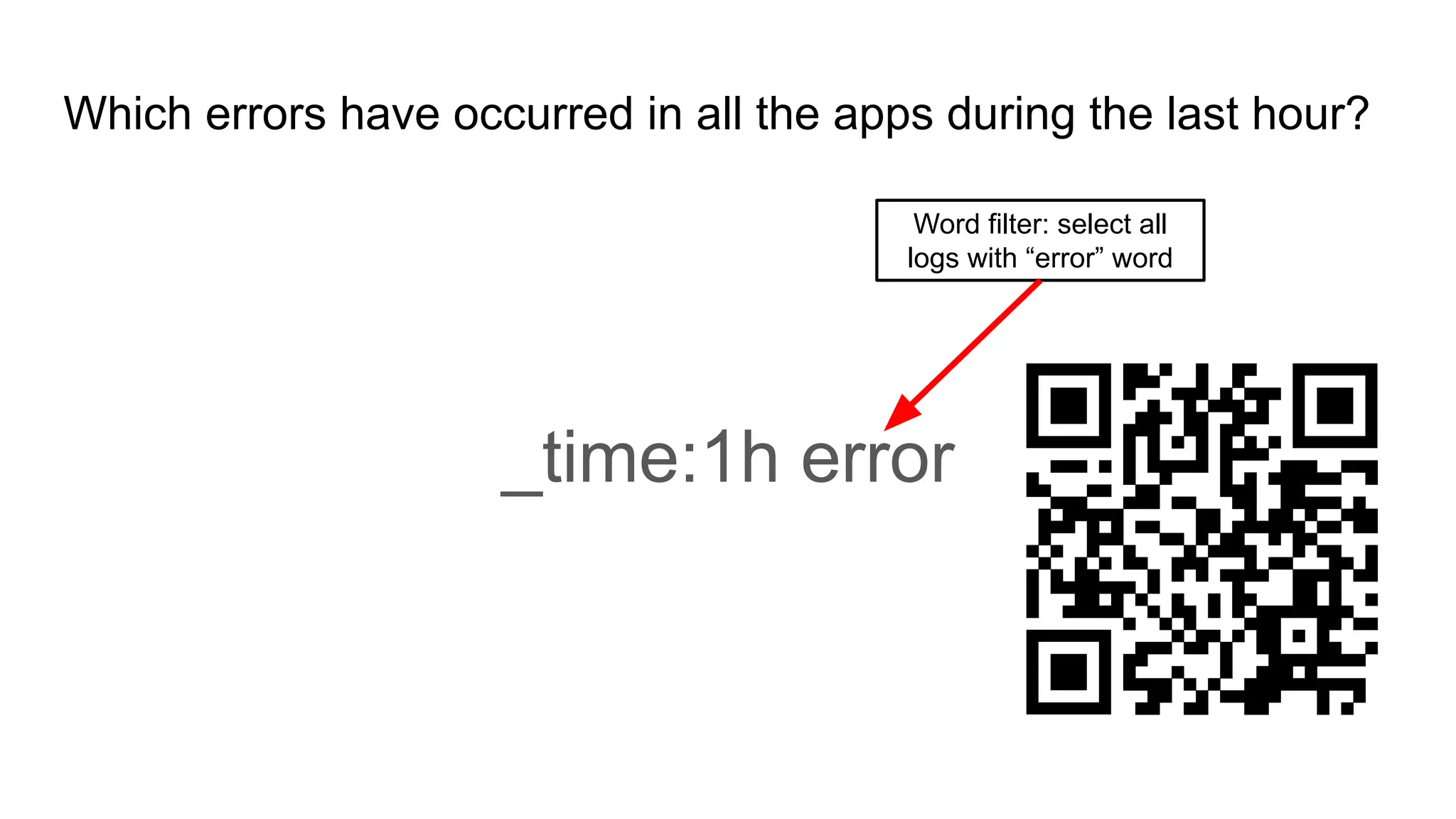
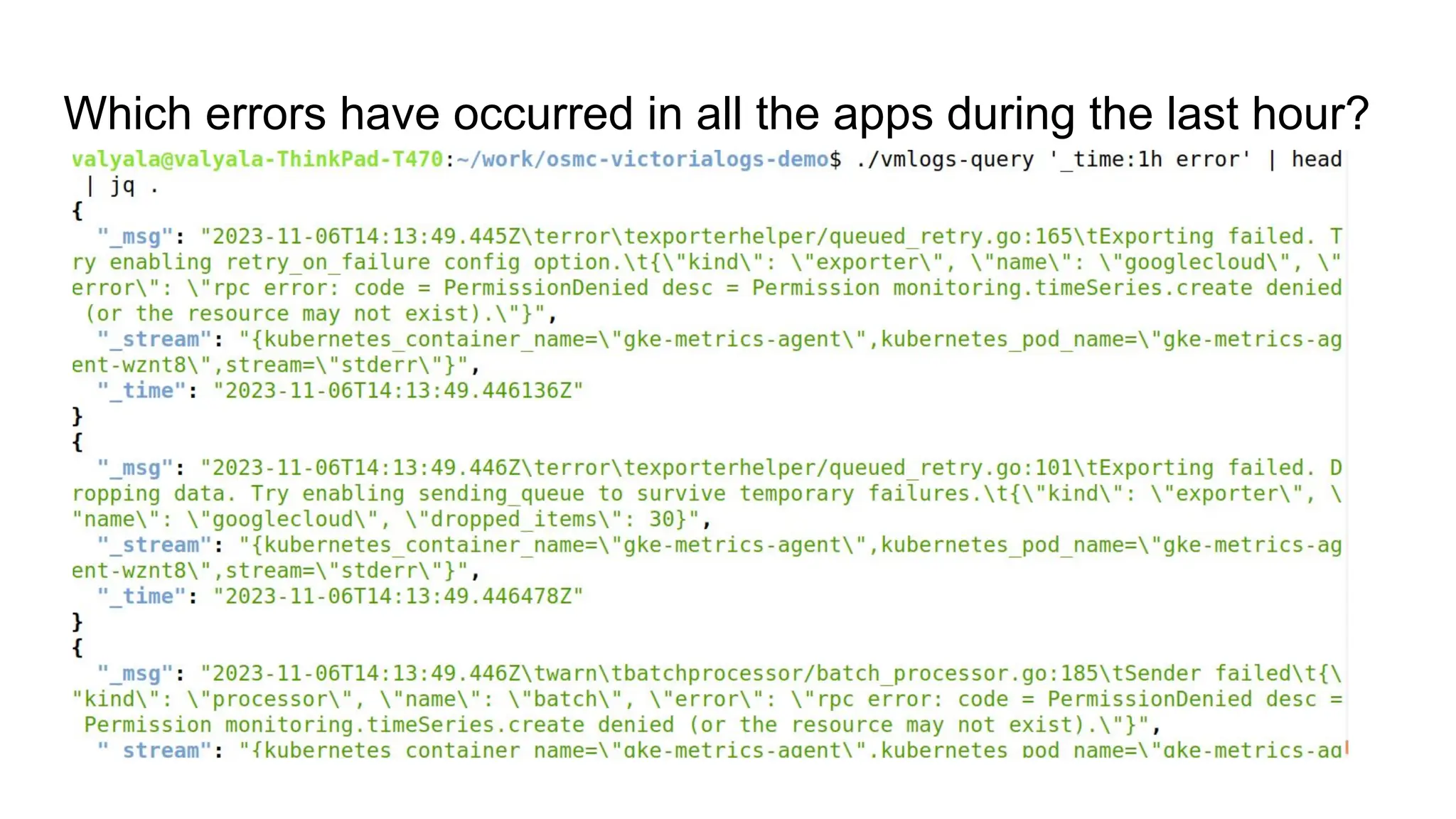
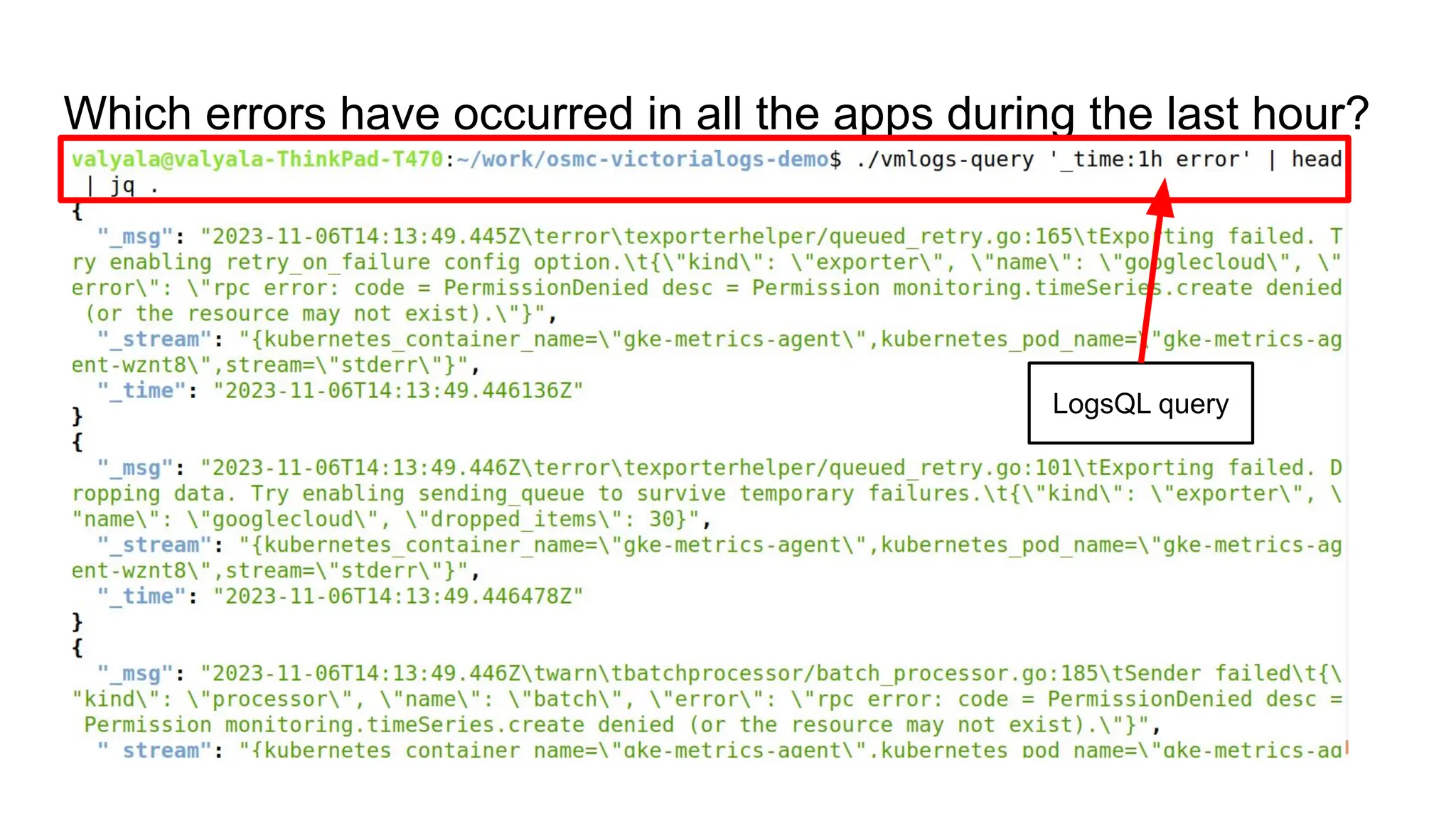
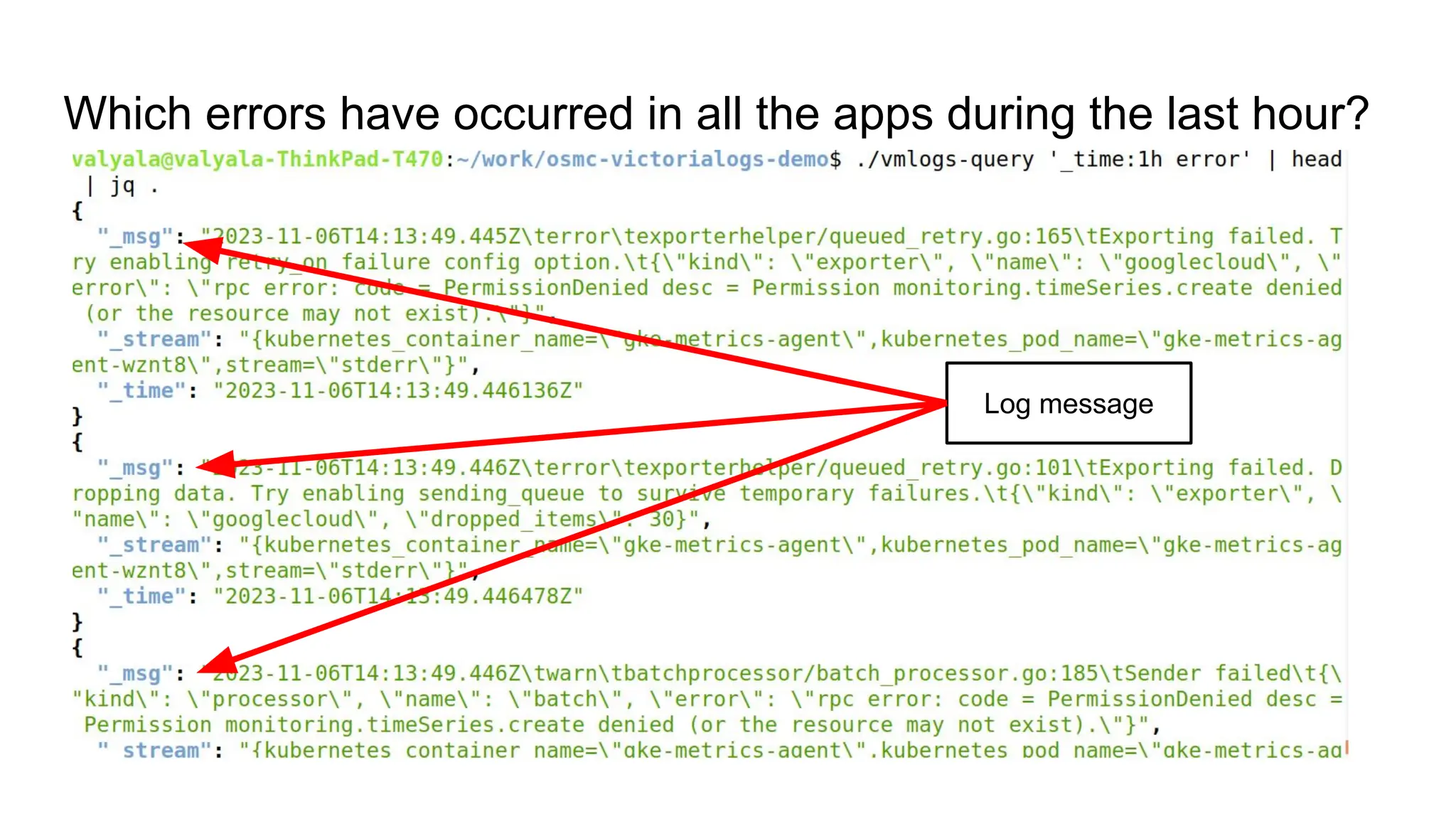
Which errors have occurred in all the apps during the last hour?
_time:1h error
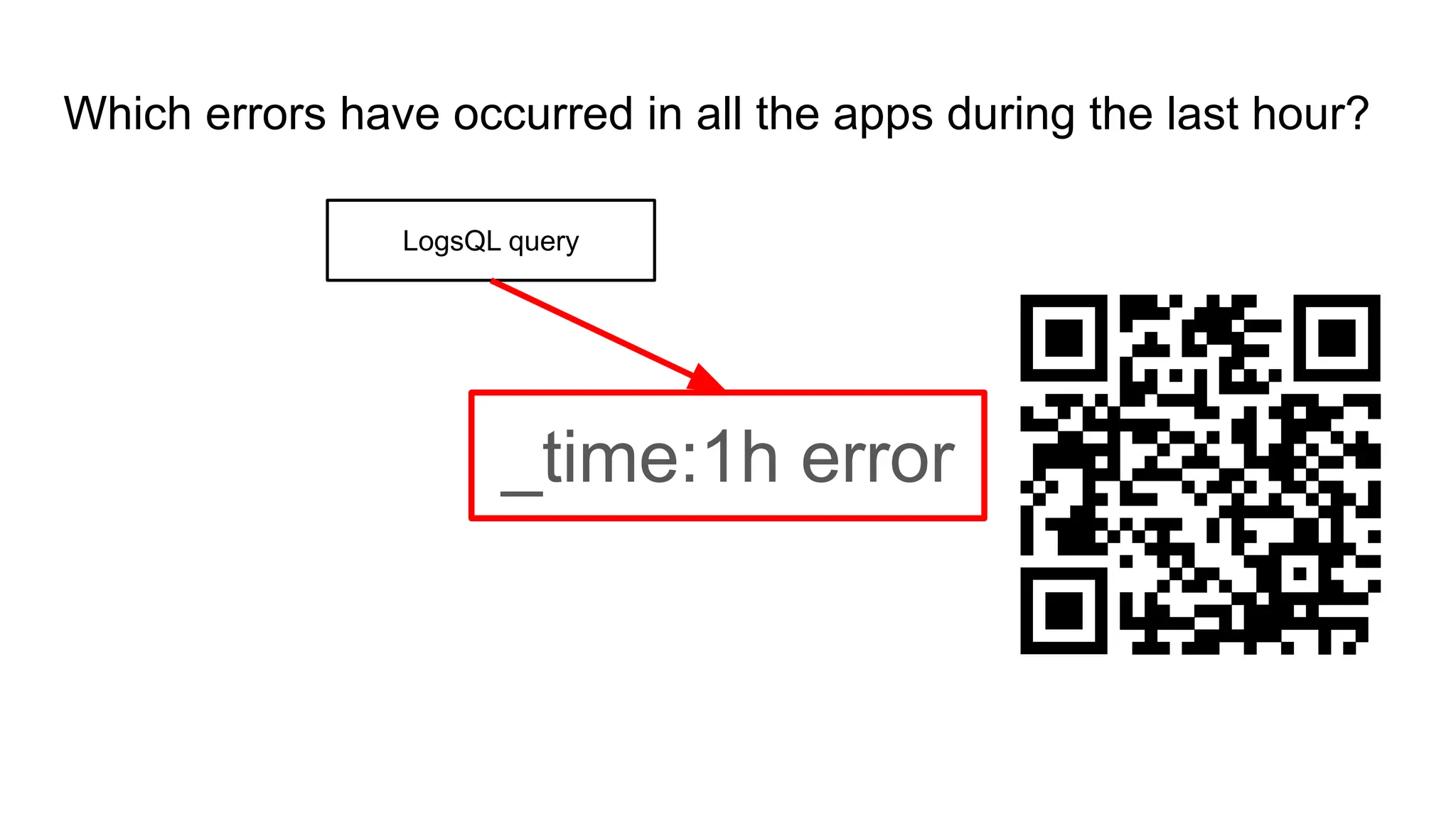
Which errors have occurred in all the apps during the last hour?
_time:1h error
LogsQL query
Which errors have occurred in all the apps during the last hour?
_time:1h error
Filter on log timestamp:
select logs for the last hour
Which errors have occurred in all the apps during the last hour?
_time:1h error
Word filter: select all
logs with “error” word
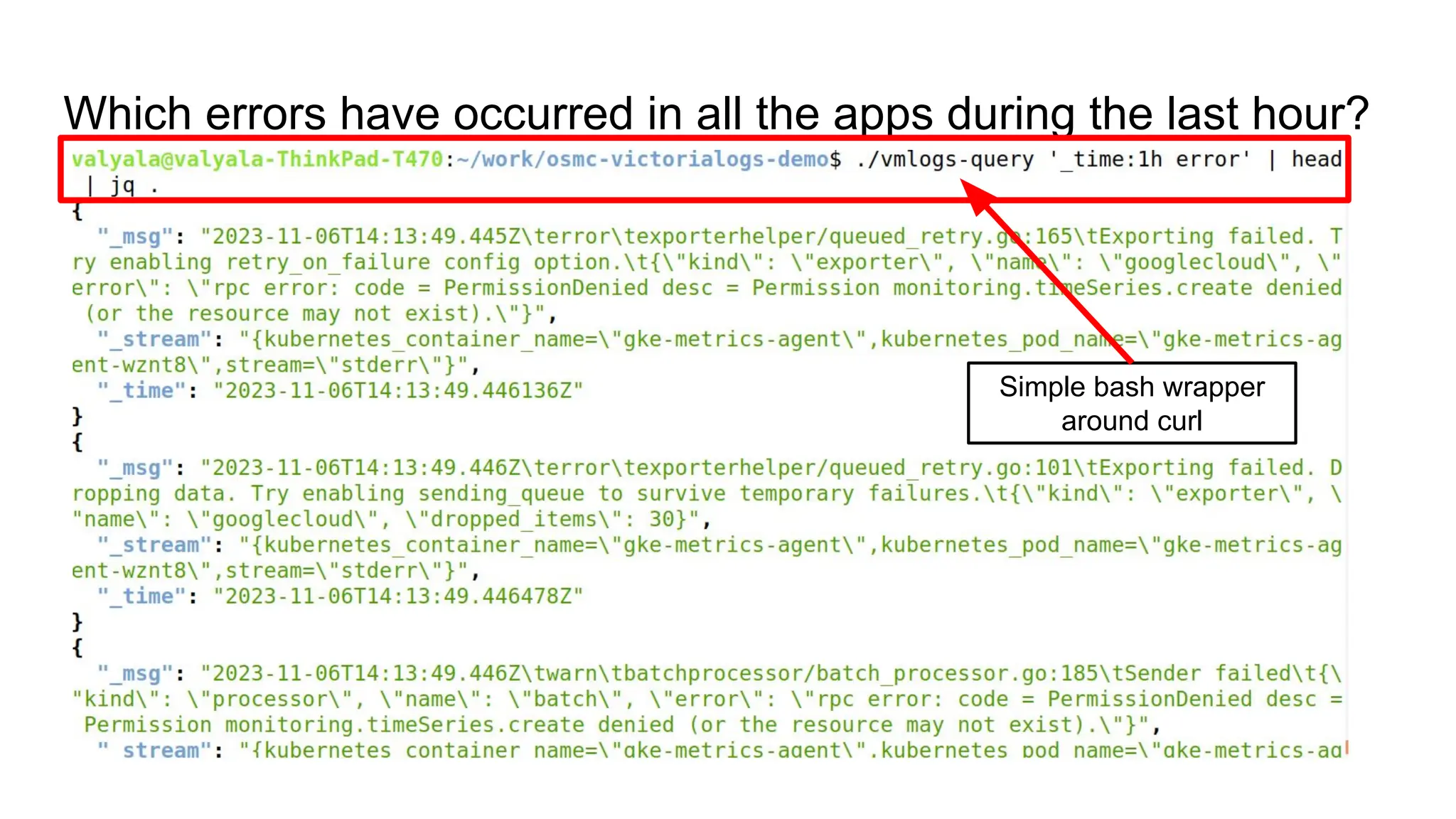
Which errors have occurred in all the apps during the last hour?
Simple bash wrapper
around curl
Which errors have occurred in all the apps during the last hour?
LogsQL query
Which errors have occurred in all the apps during the last hour?
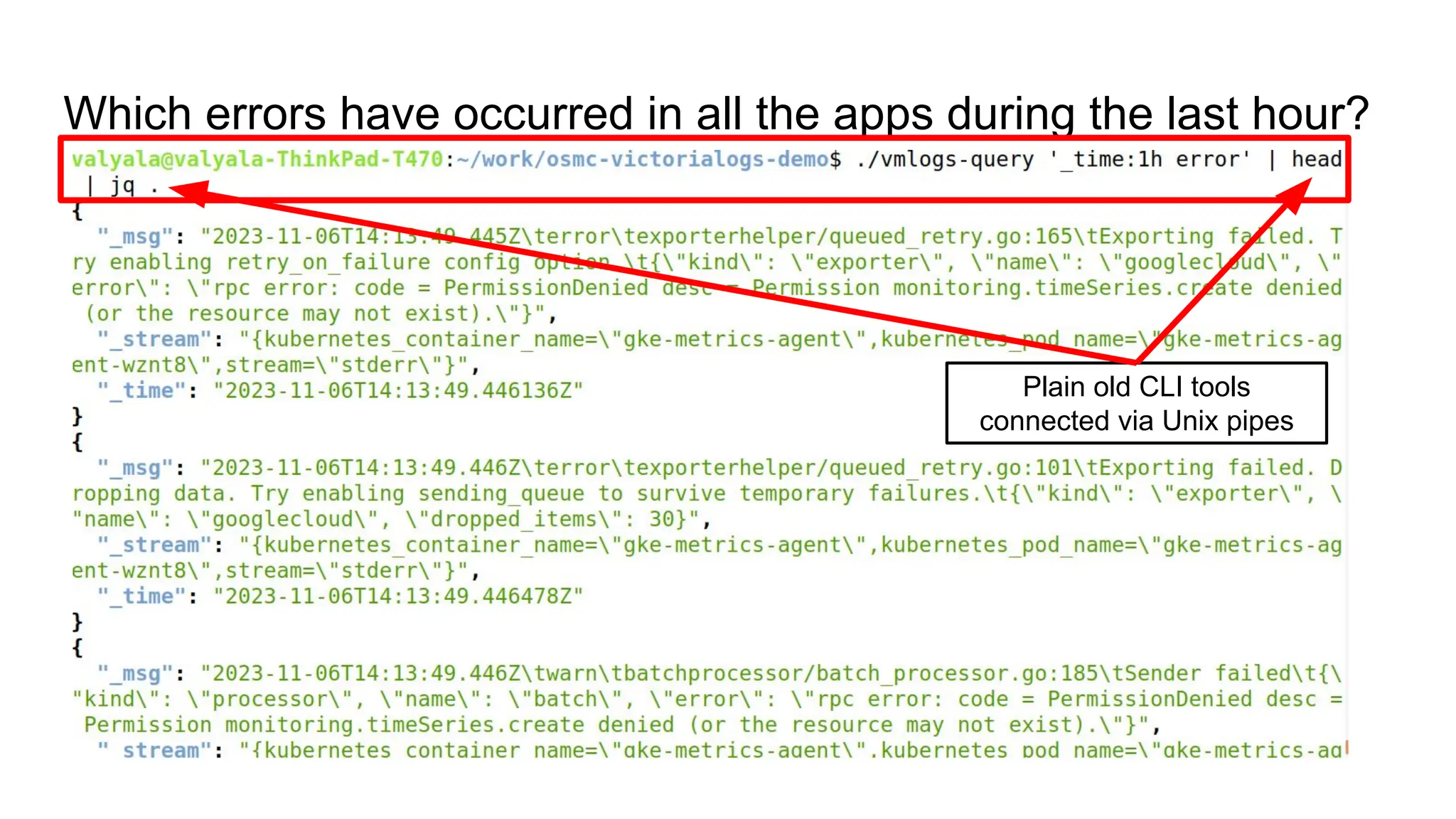
Plain old CLI tools
connected via Unix pipes
Which errors have occurred in all the apps during the last hour?
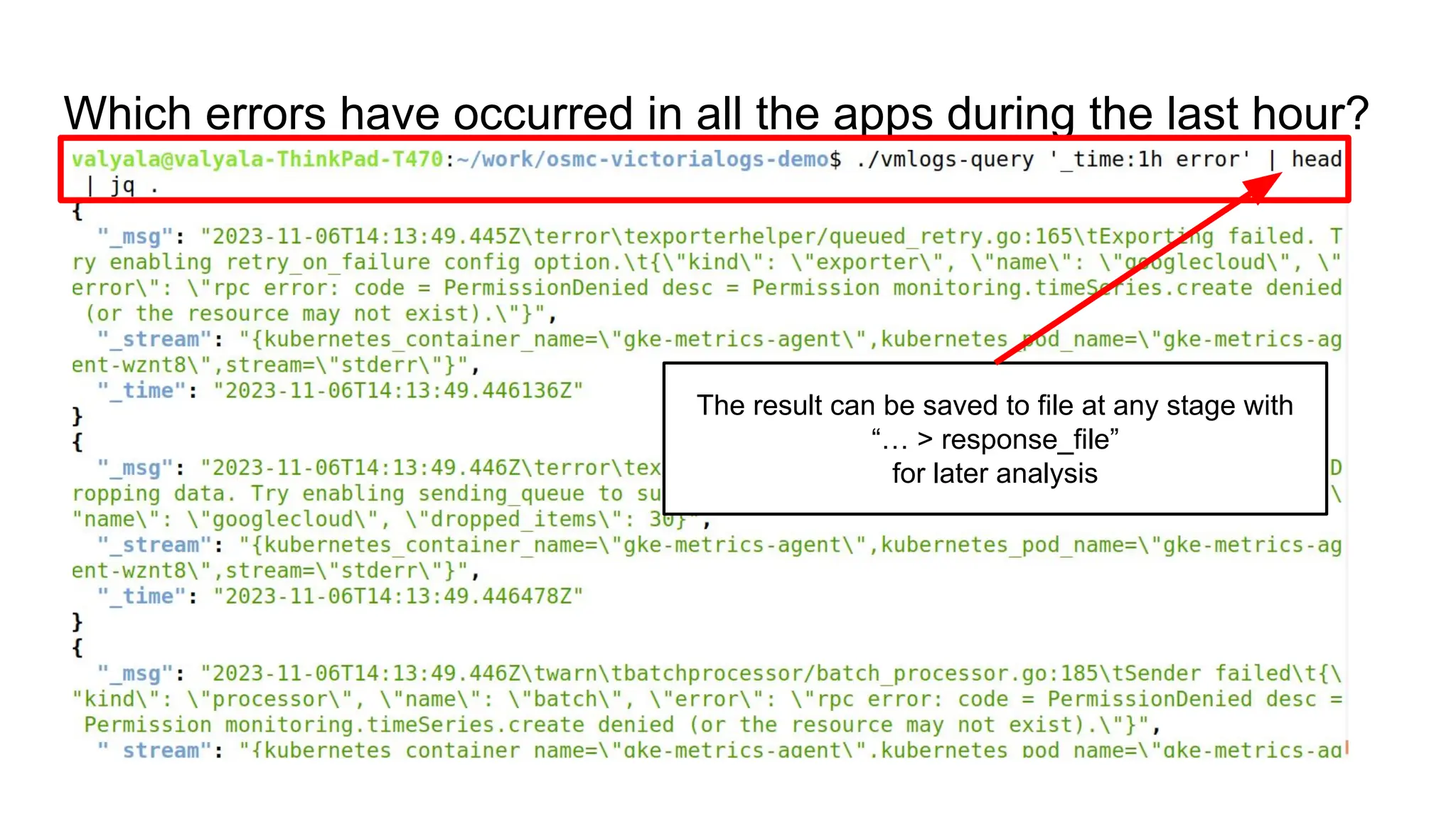
The result can be saved to file at any stage with
“… > response_file”
for later analysis
Which errors have occurred in all the apps during the last hour?
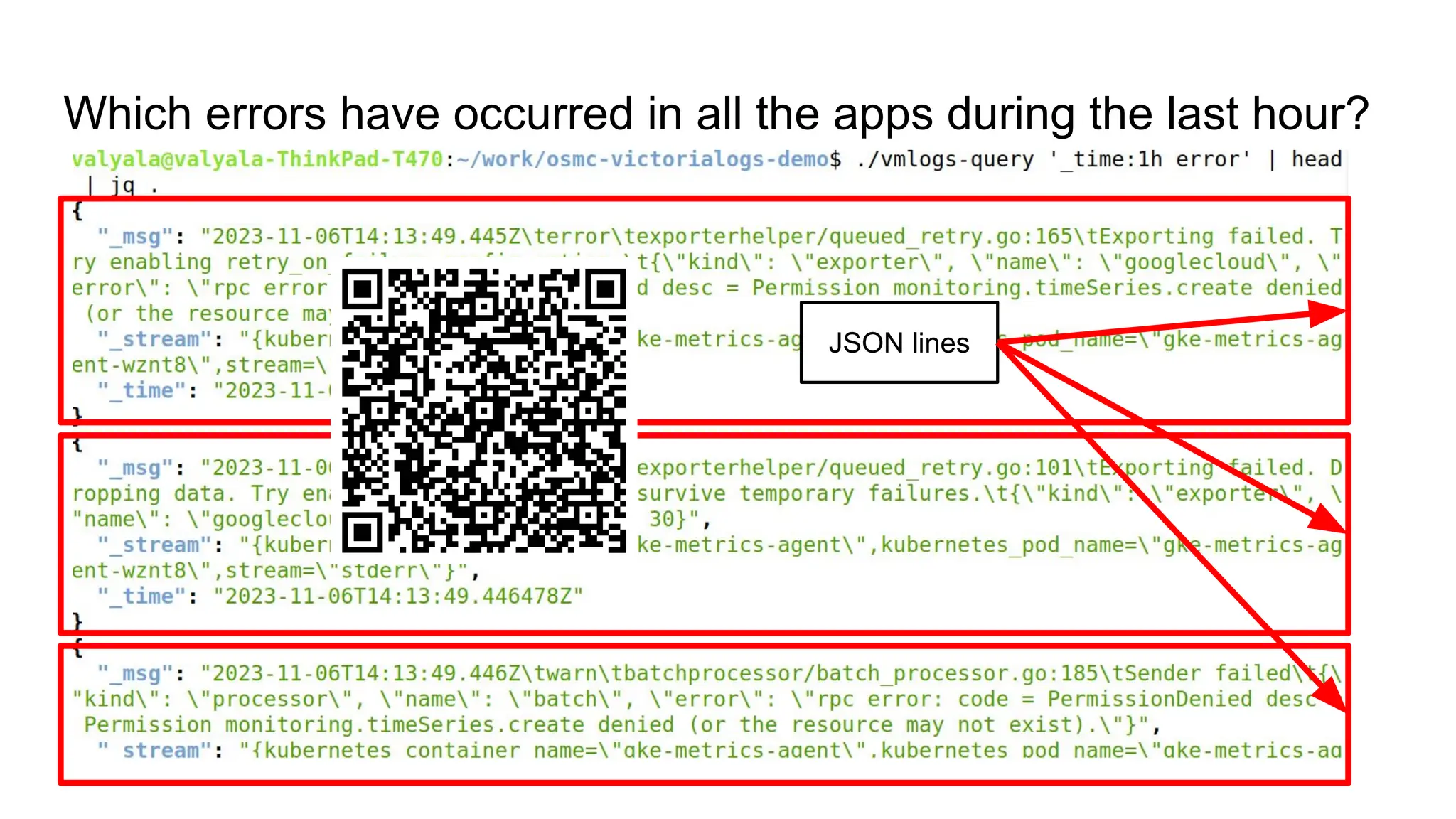
JSON lines
Which errors have occurred in all the apps during the last hour?
Log message
Which errors have occurred in all the apps during the last hour?
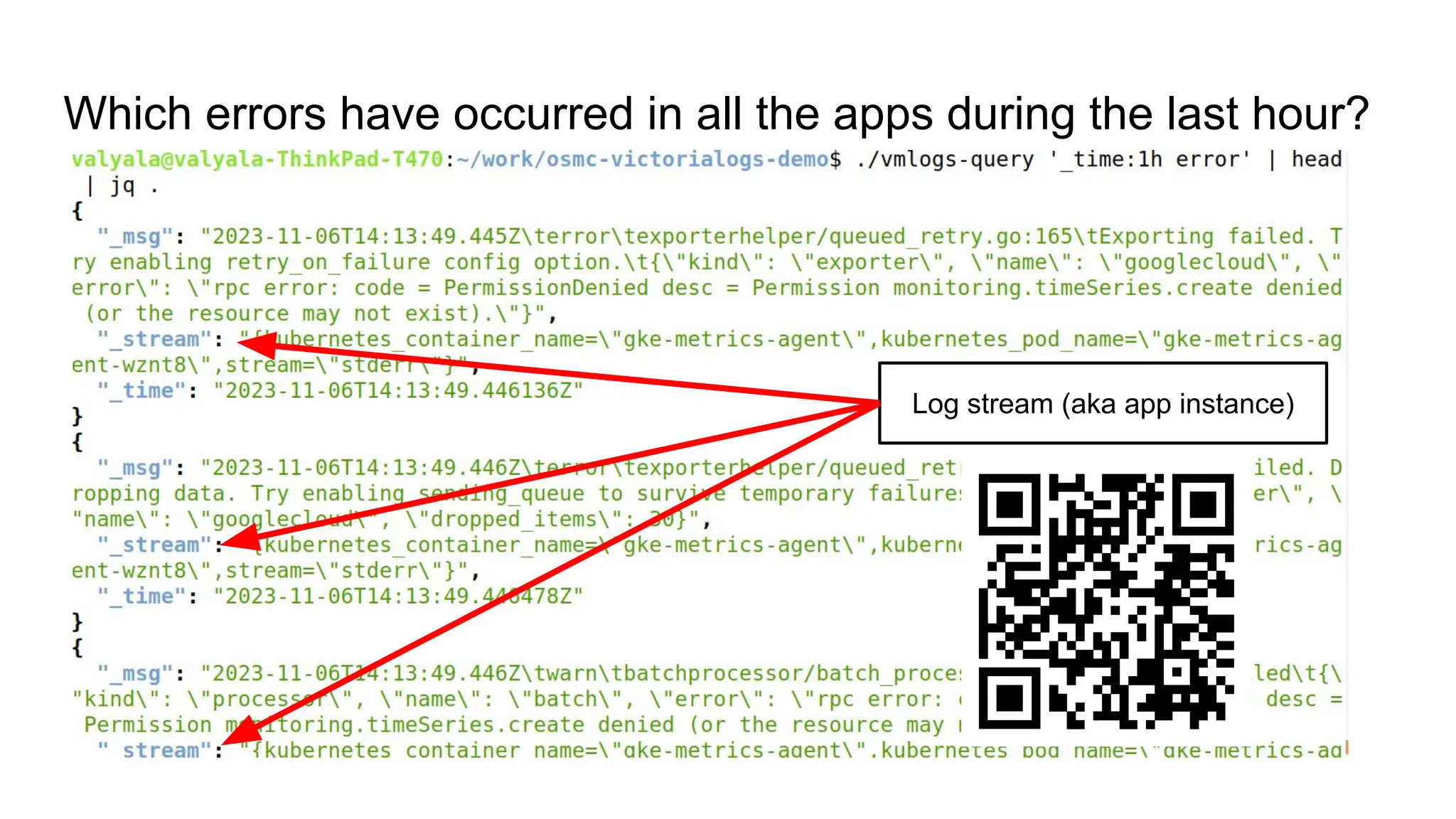
Log stream (aka app instance)
Which errors have occurred in all the apps during the last hour?
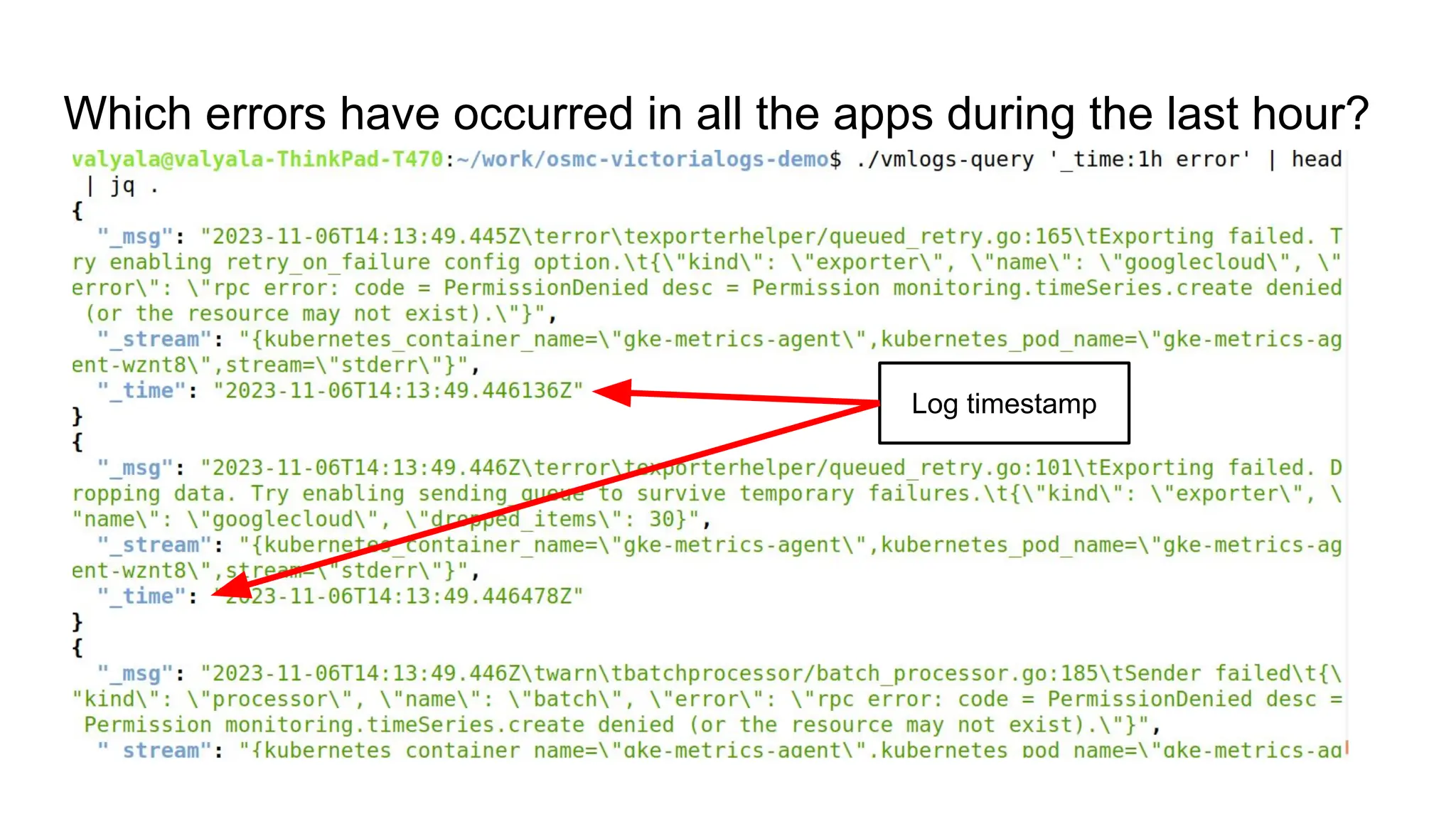
Log timestamp
Which errors have occurred in all the apps during the last hour?
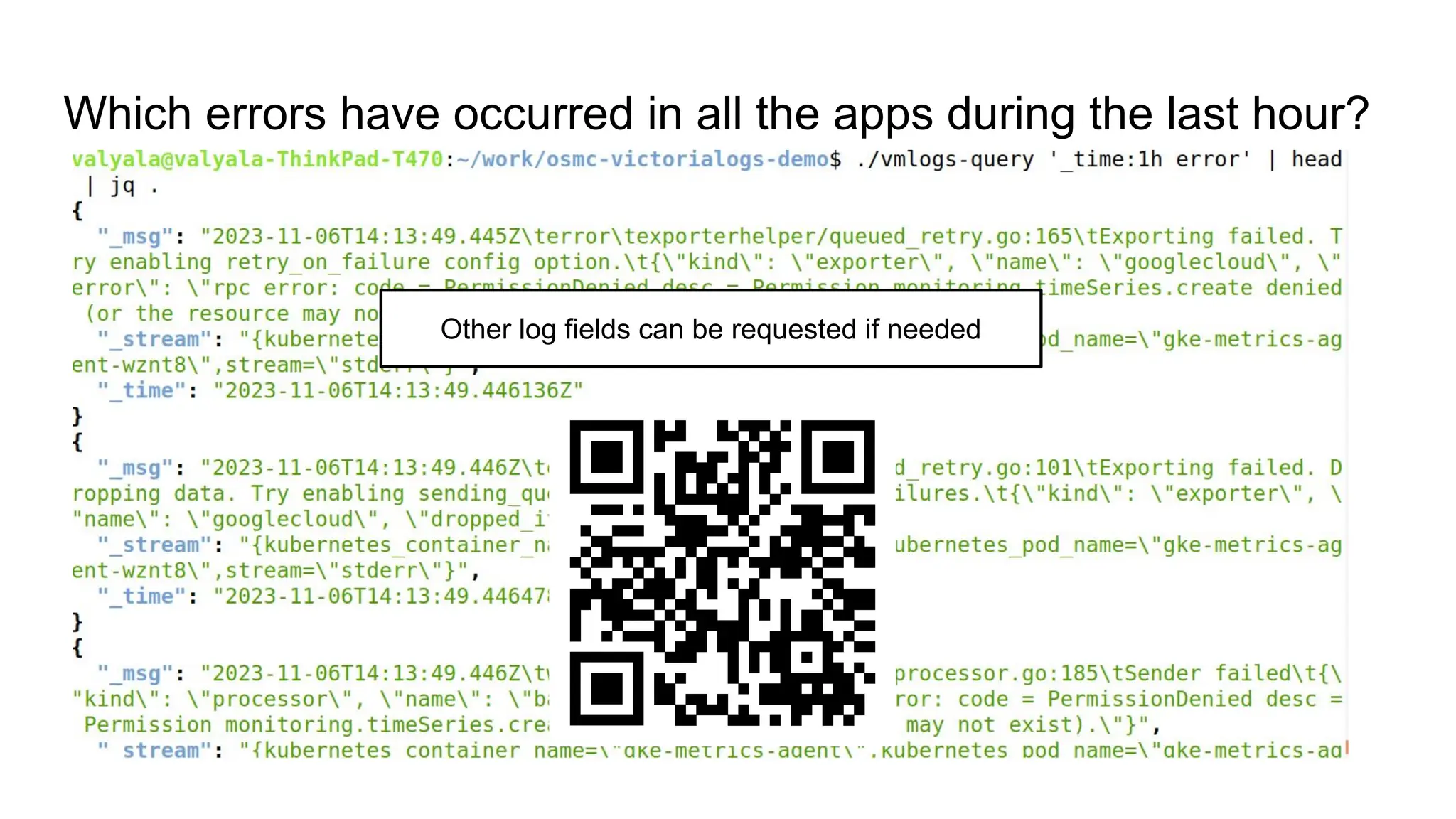
Other log fields can be requested if needed
Which errors have occurred in all the apps during the last hour?
DEMO
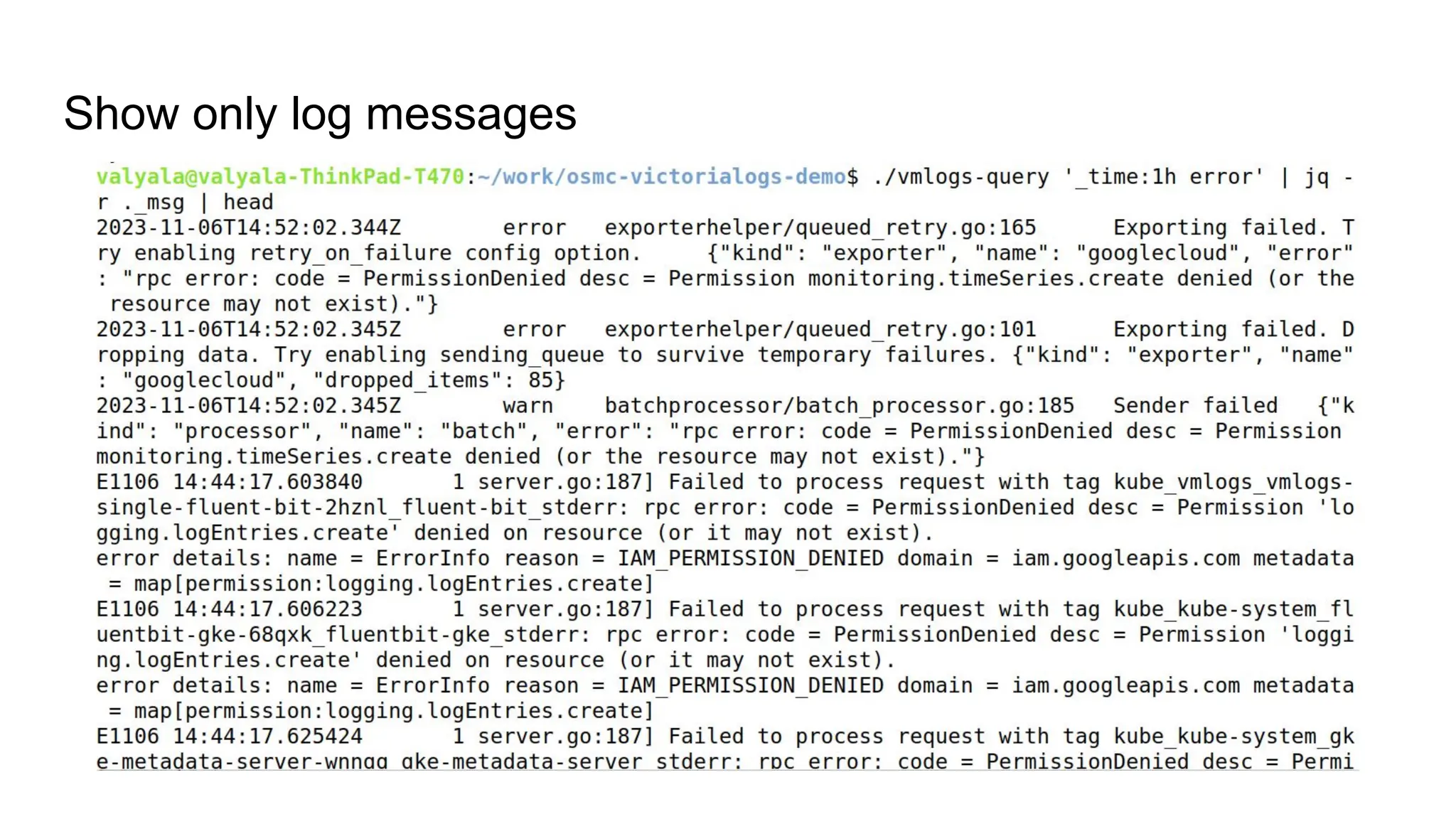
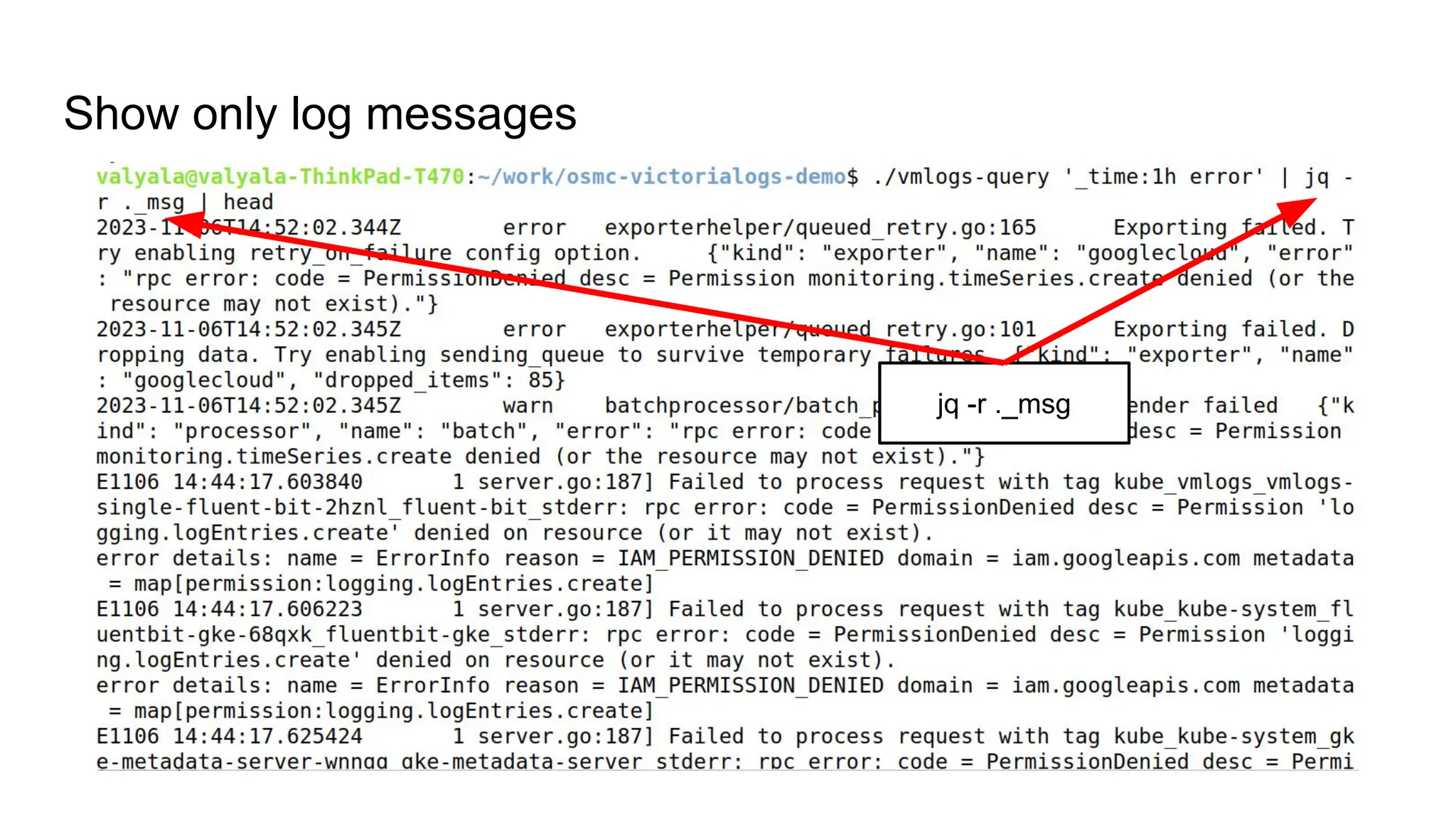
Show only log messages
jq -r ._msg
Show only log messages
DEMO
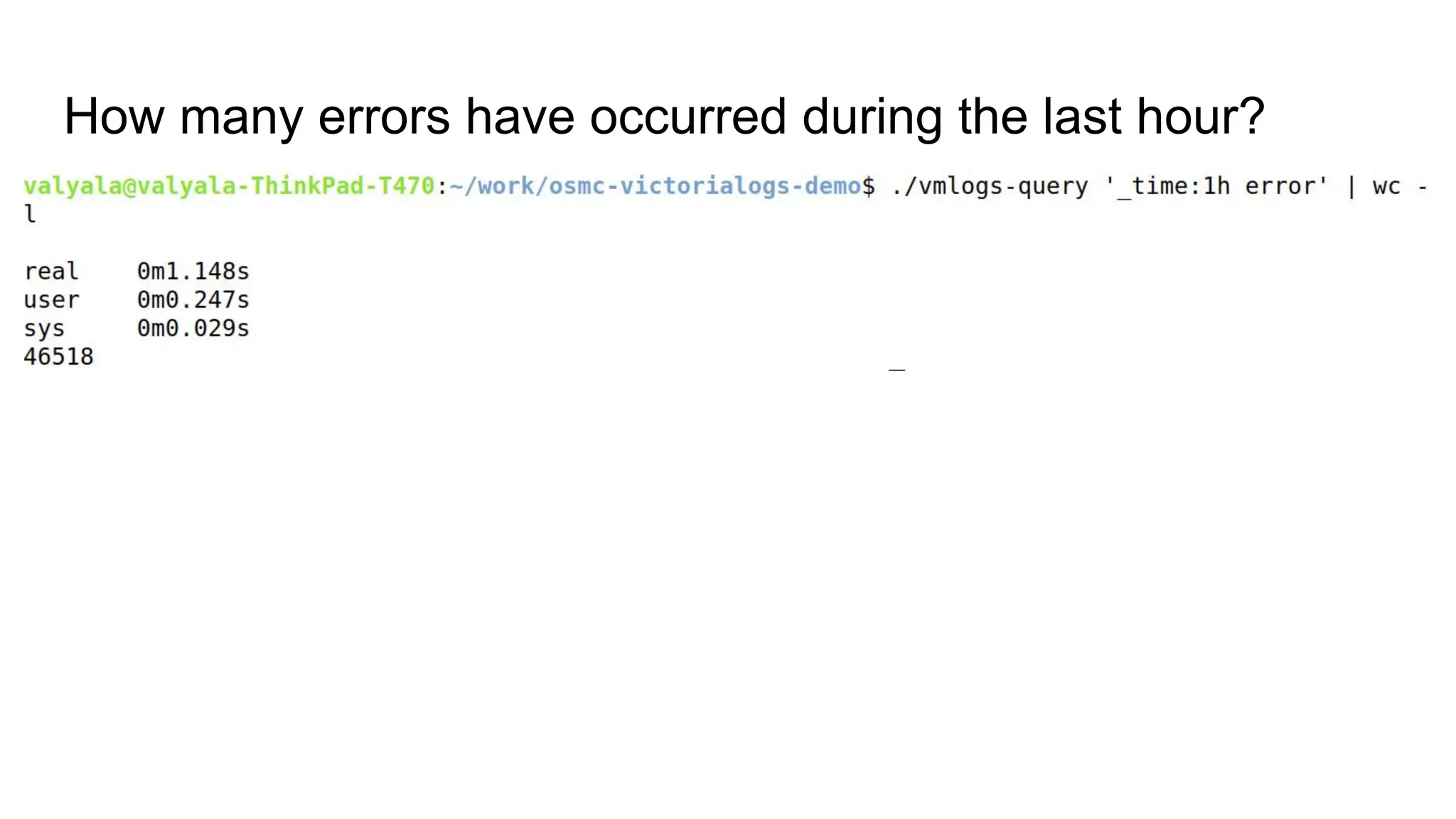
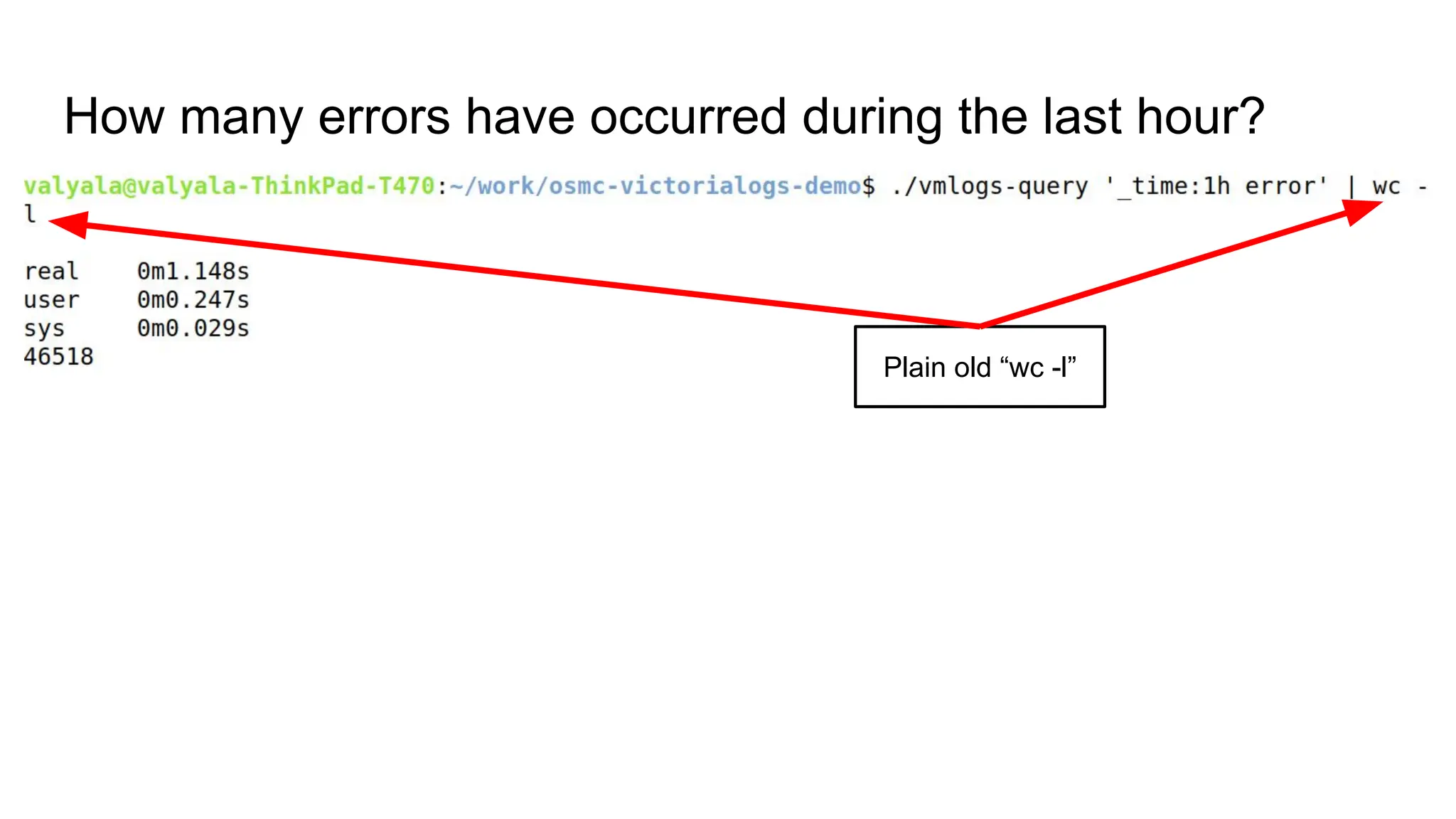
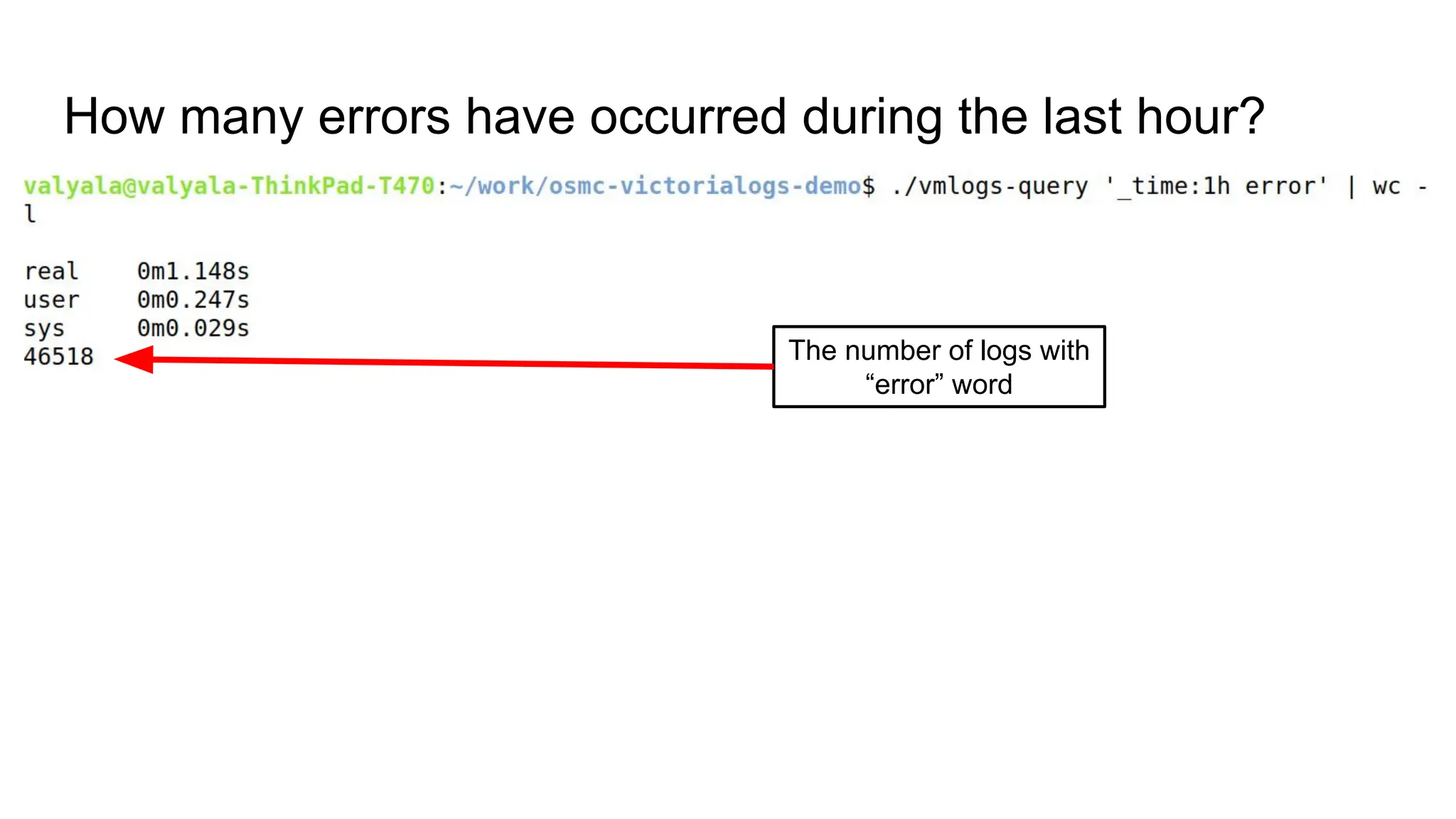
How many errors have occurred during the last hour?
Plain old “wc -l”
How many errors have occurred during the last hour?
The number of logs with
“error” word
How many errors have occurred during the last hour?
DEMO
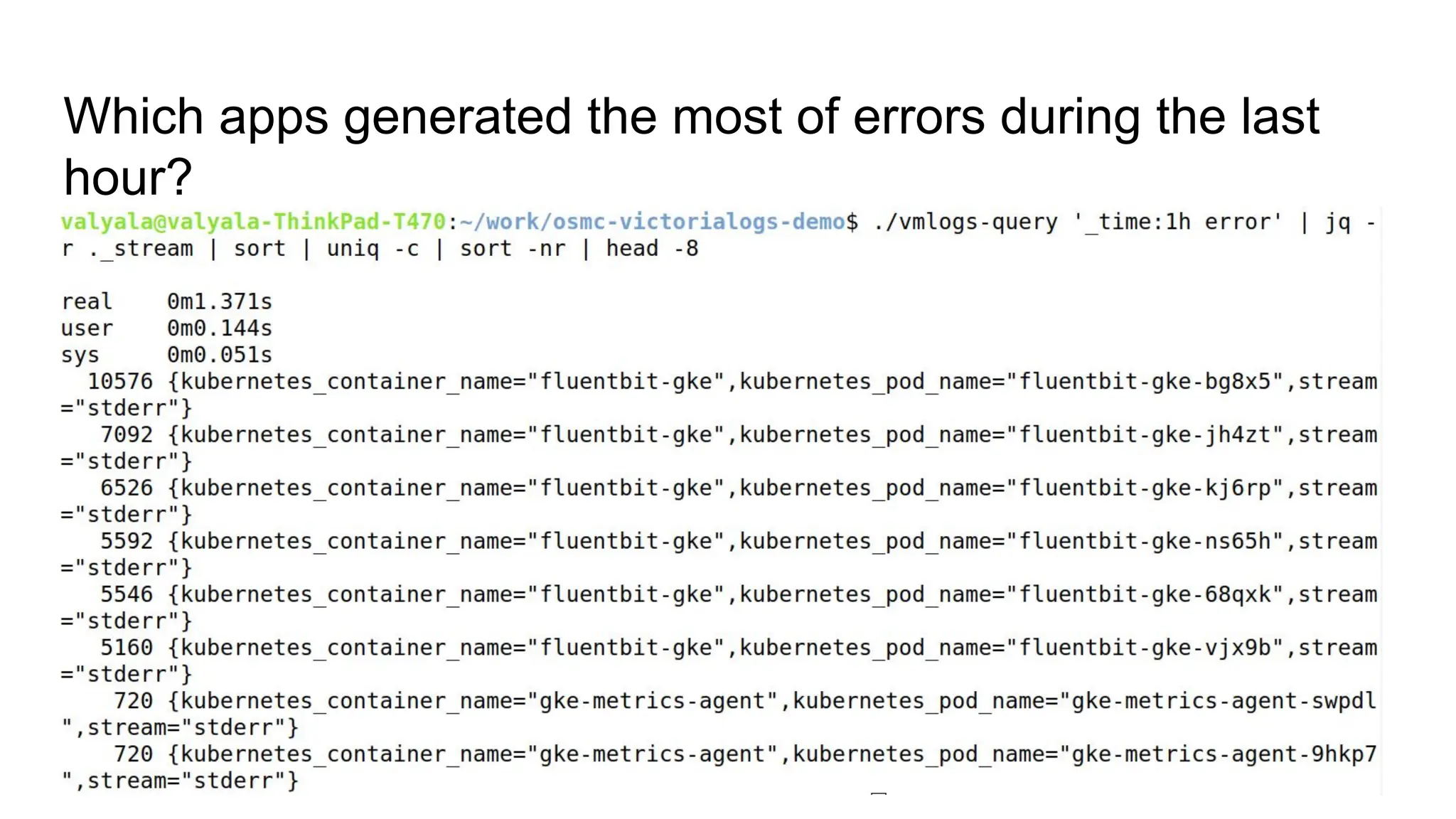
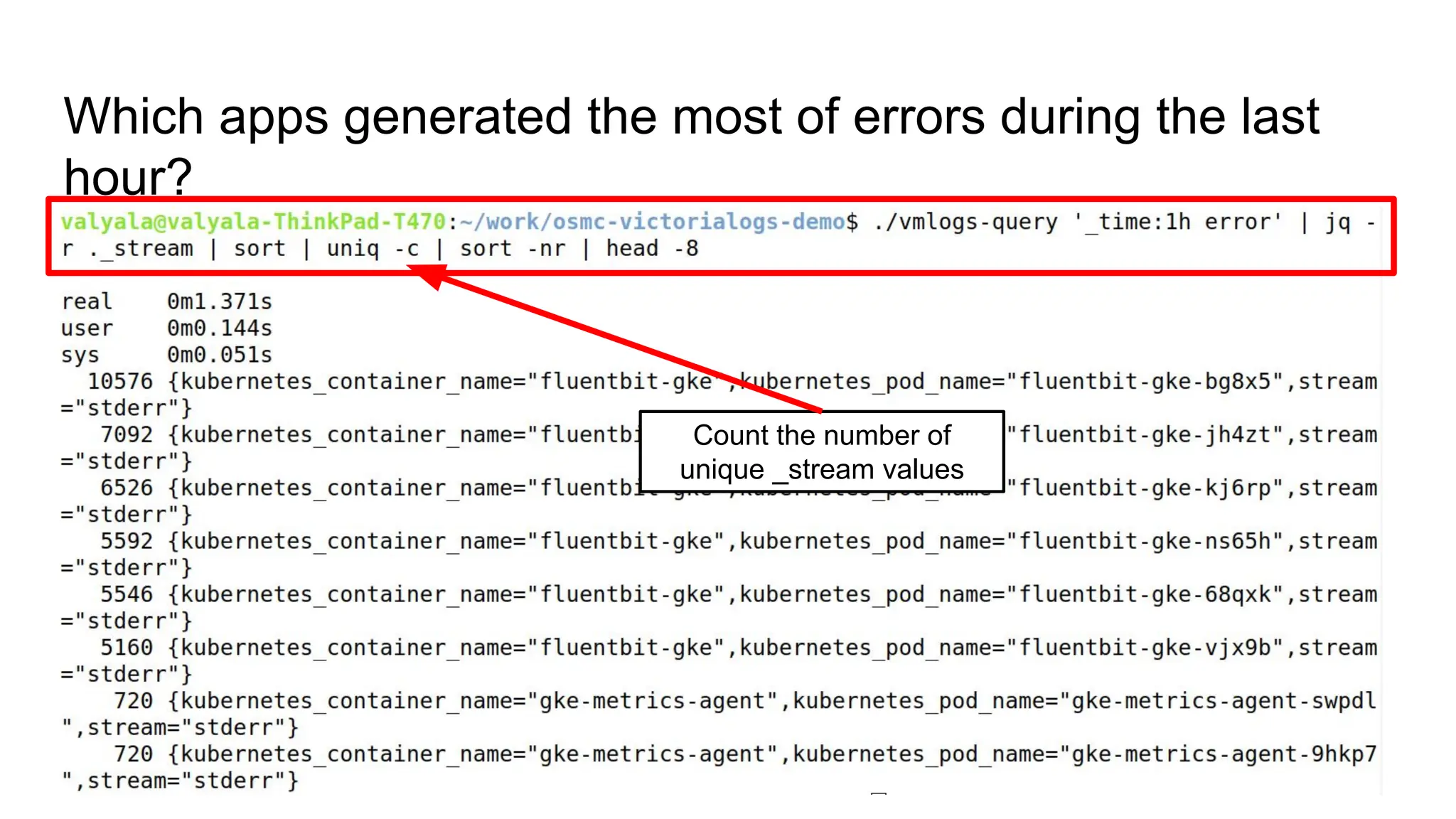
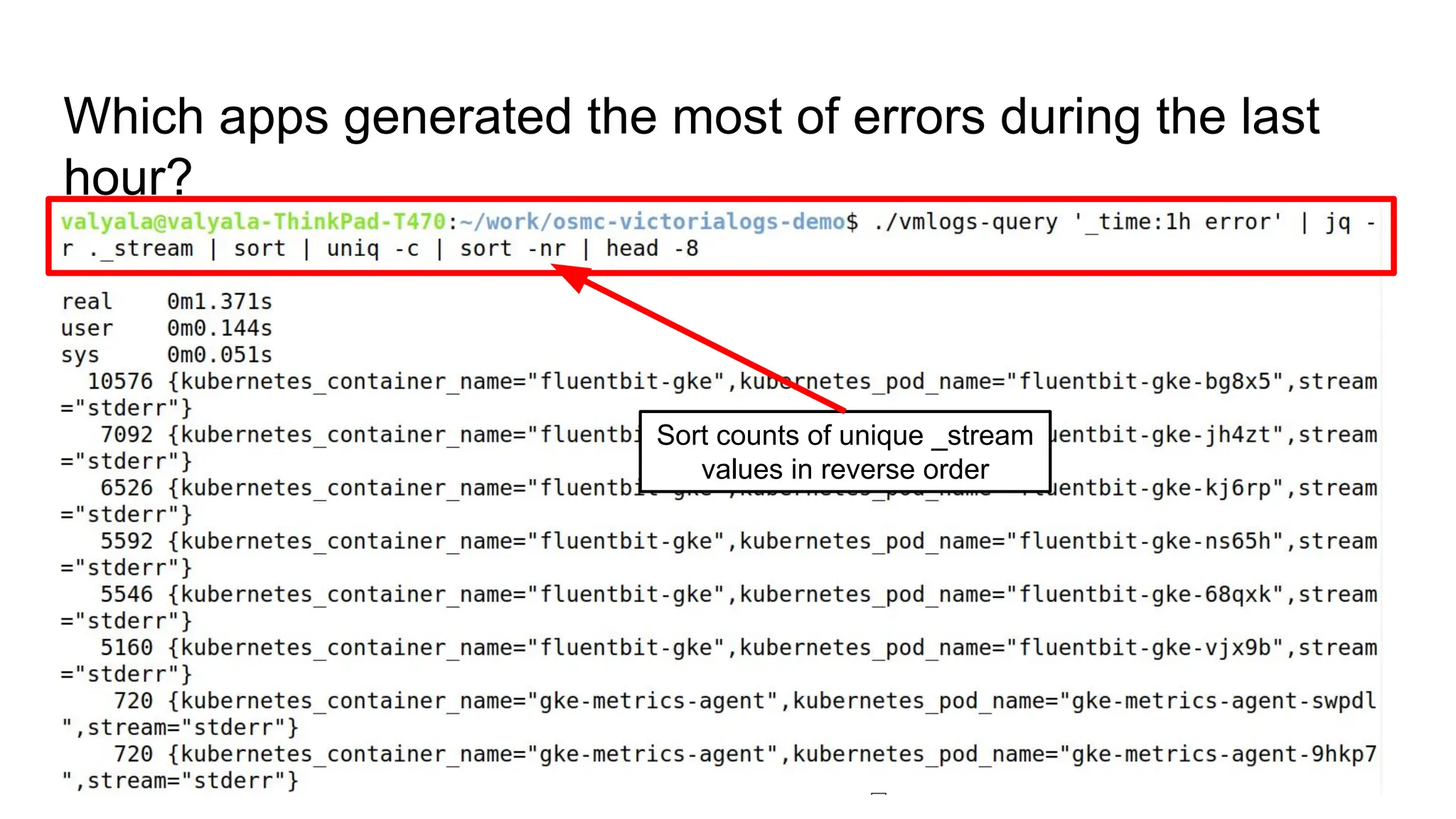
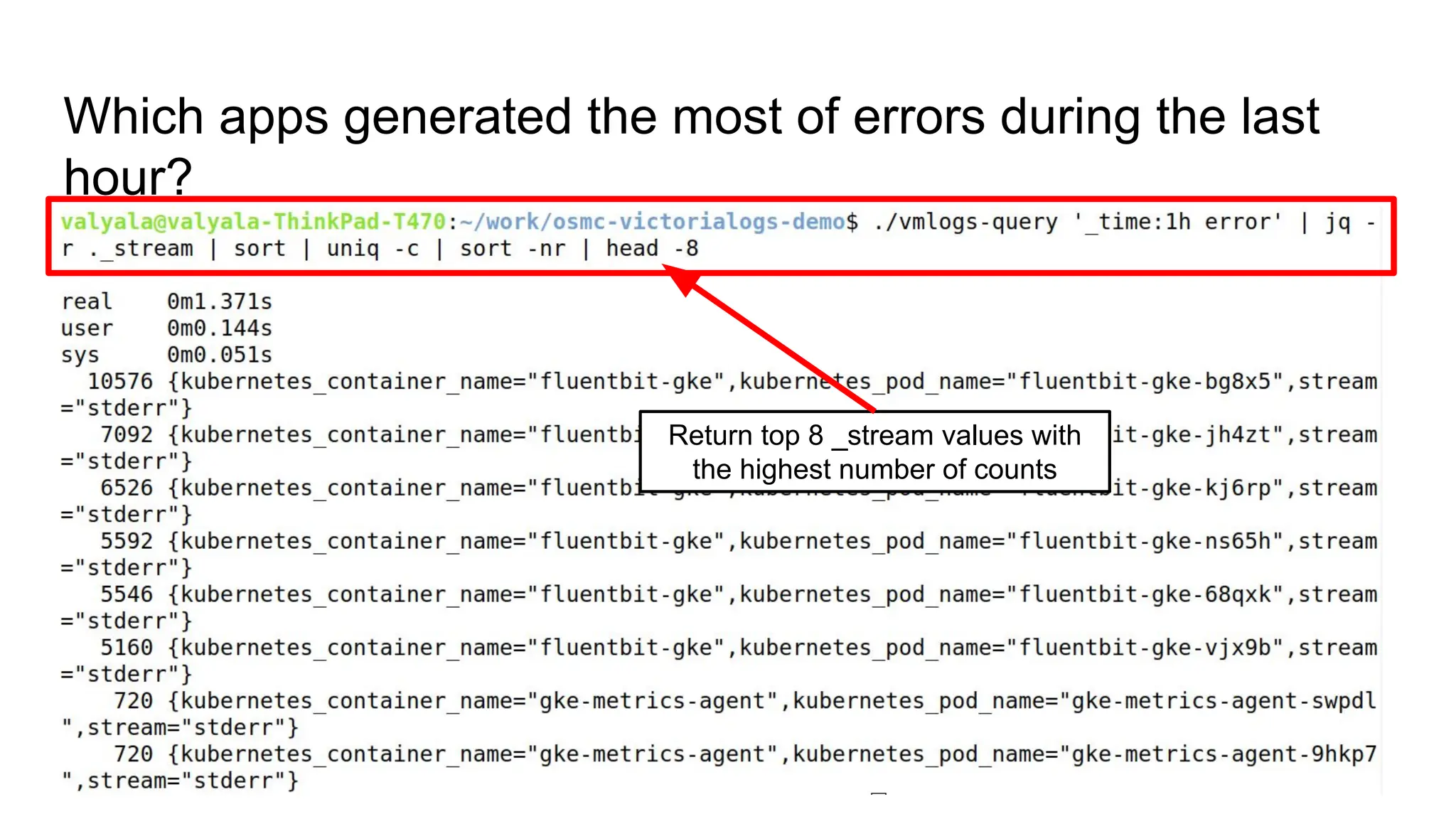
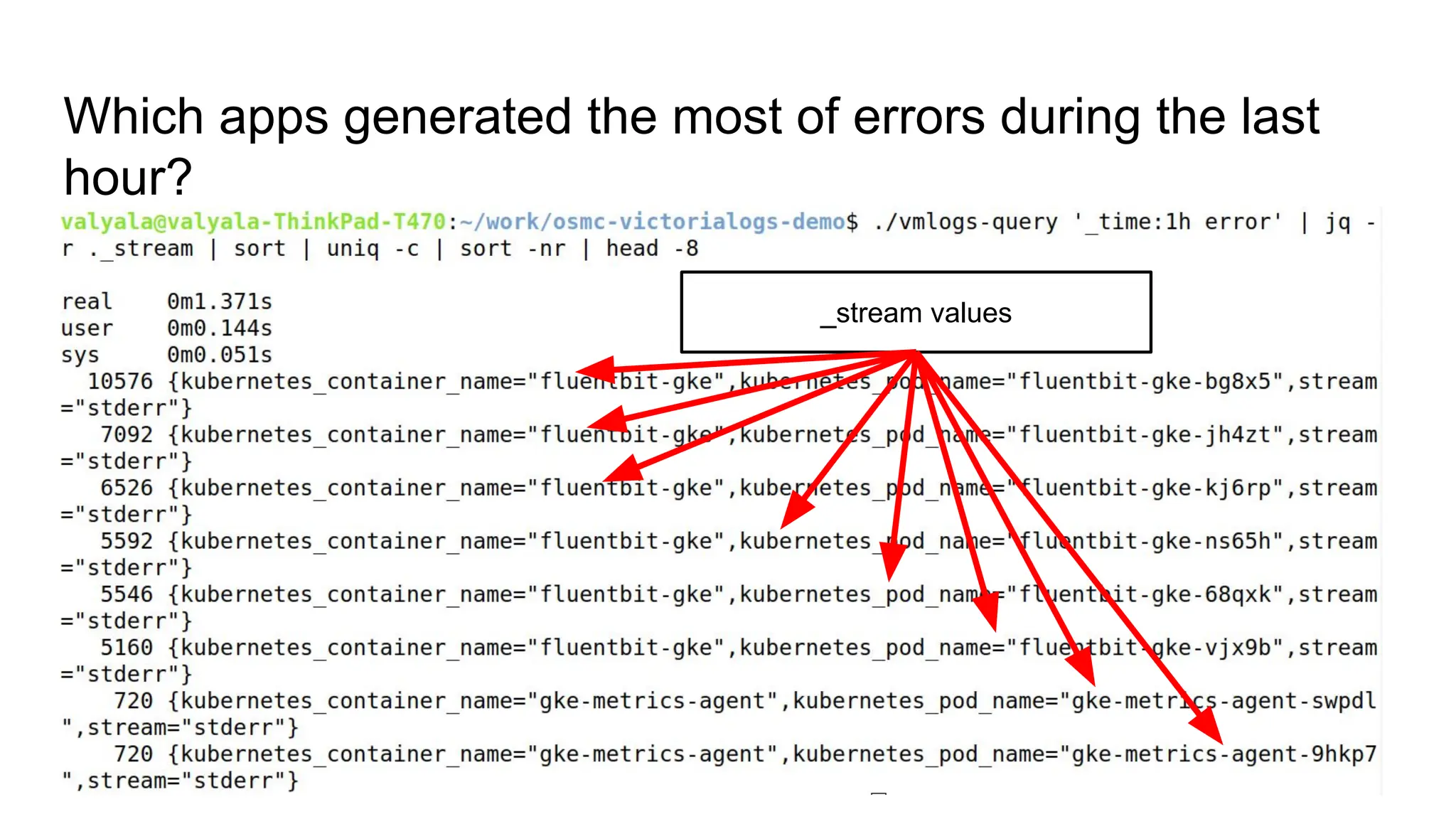
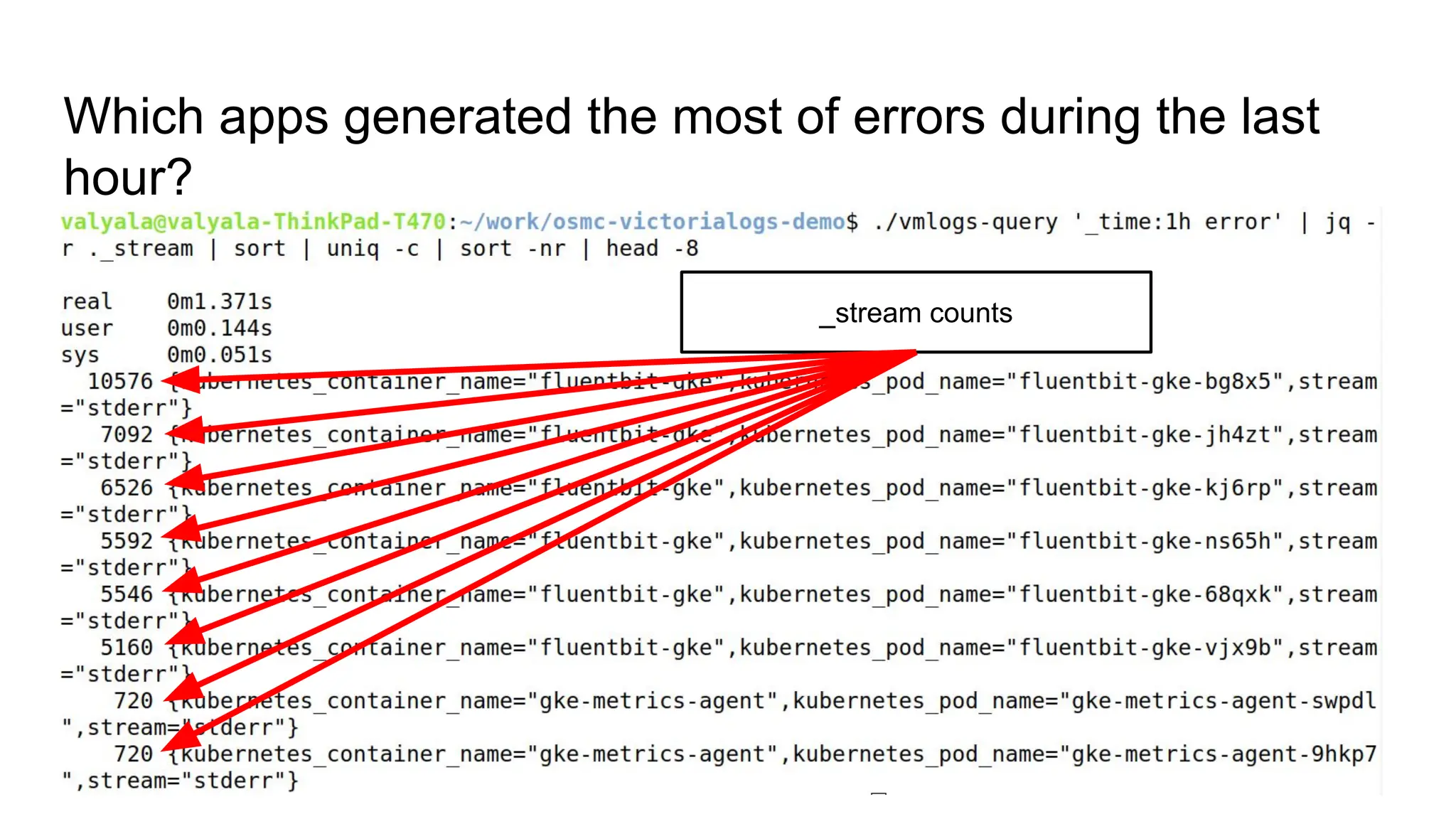
Which apps generated the most of errors during the last
hour?
Which apps generated the most of errors during the last
hour?
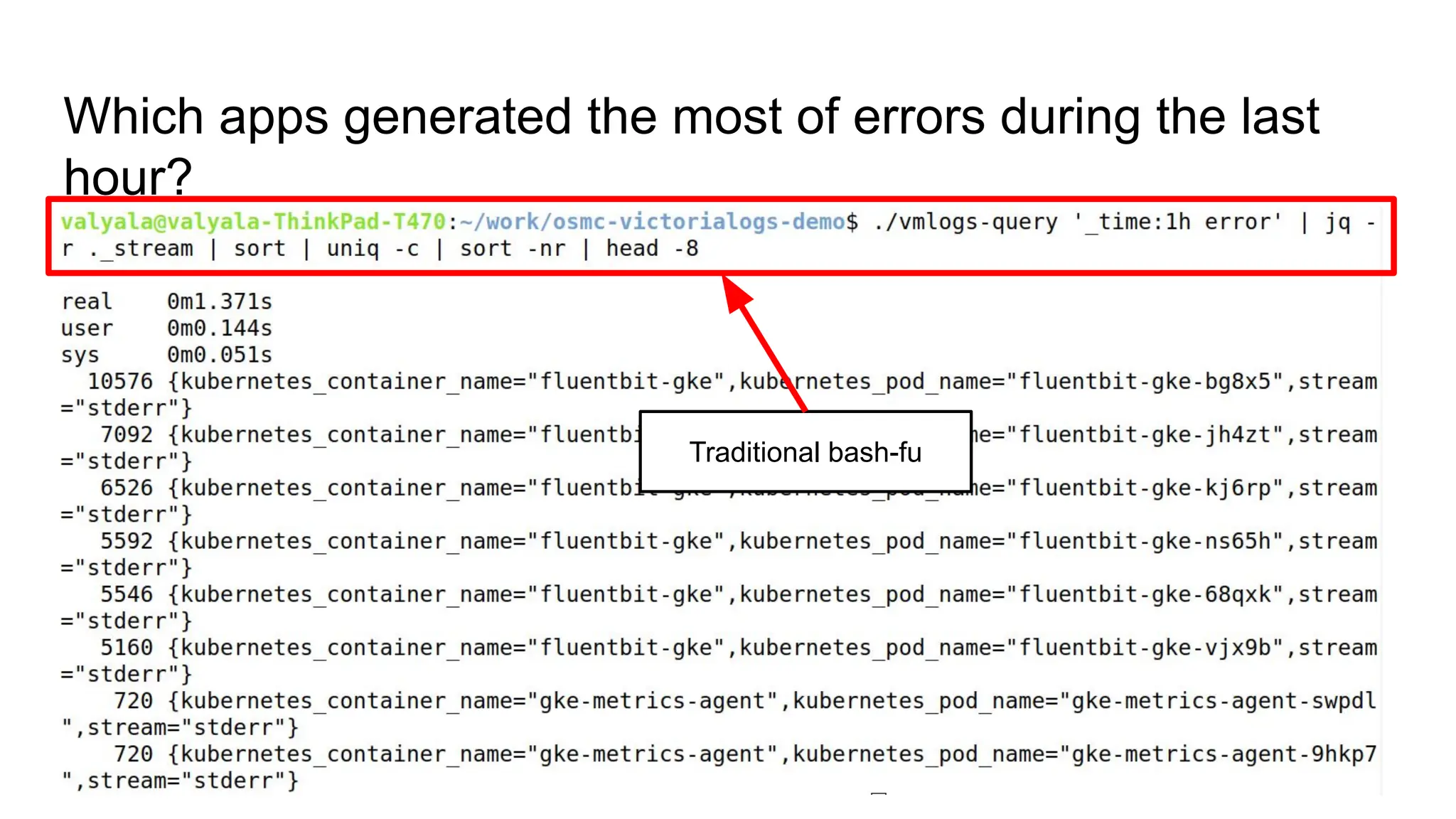
Traditional bash-fu
Which apps generated the most of errors during the last
hour?
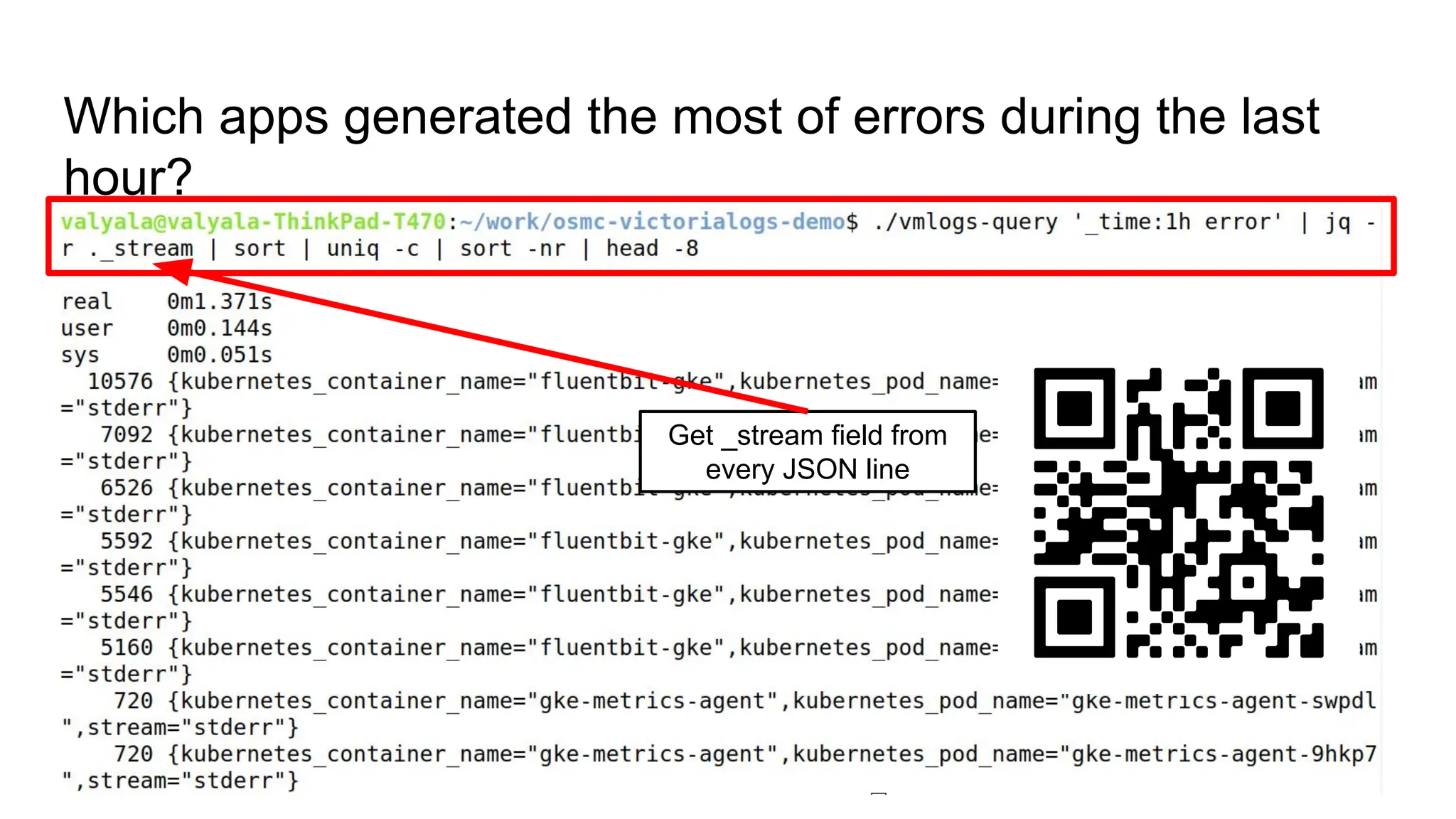
Get _stream field from
every JSON line
Which apps generated the most of errors during the last
hour?
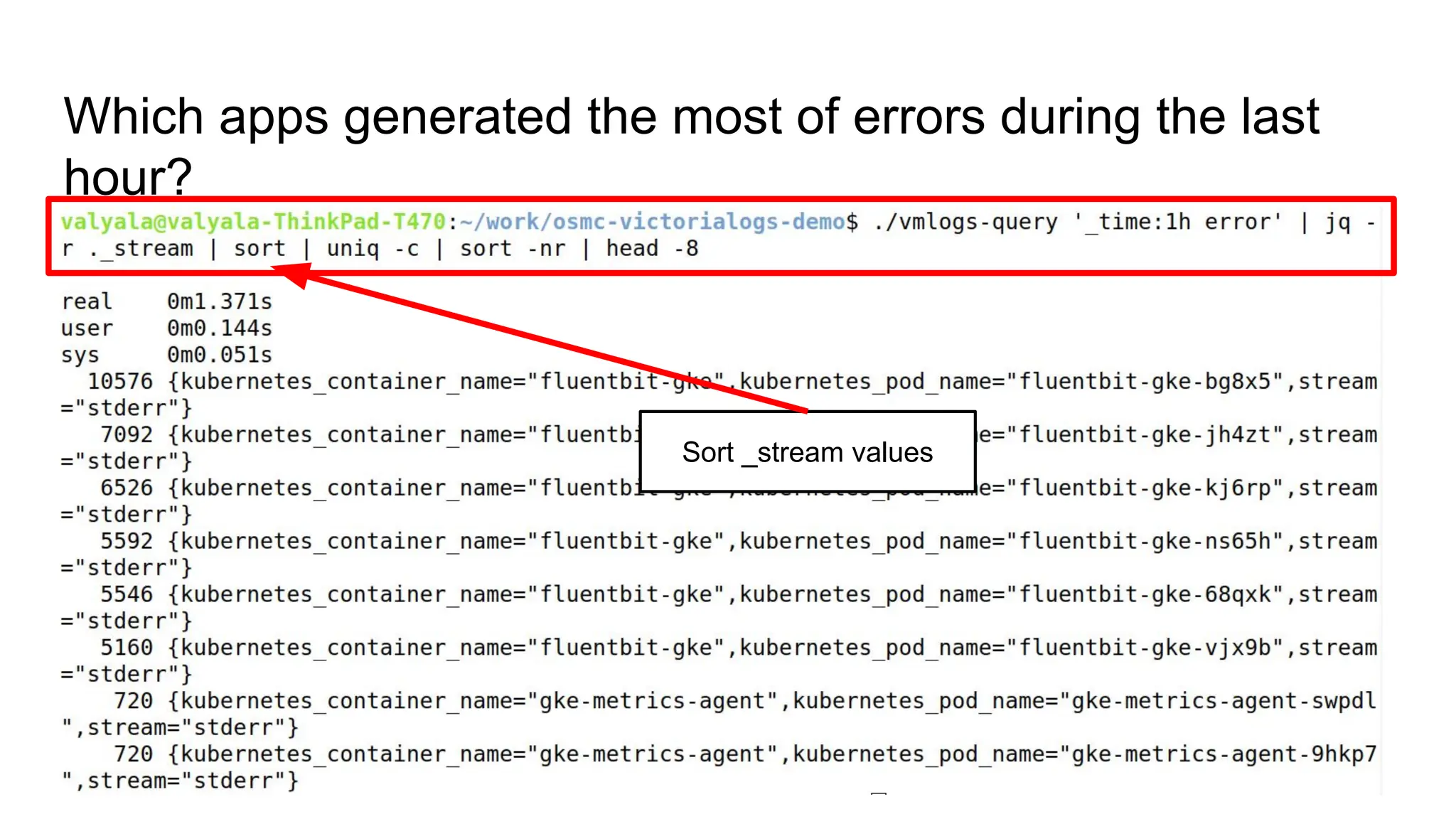
Sort _stream values
Which apps generated the most of errors during the last
hour?
Count the number of
unique _stream values
Which apps generated the most of errors during the last
hour?
Sort counts of unique _stream
values in reverse order
Which apps generated the most of errors during the last
hour?
Return top 8 _stream values with
the highest number of counts
Which apps generated the most of errors during the last
hour?
_stream values
Which apps generated the most of errors during the last
hour?
_stream counts
Which apps generated the most of errors during the last
hour?
DEMO
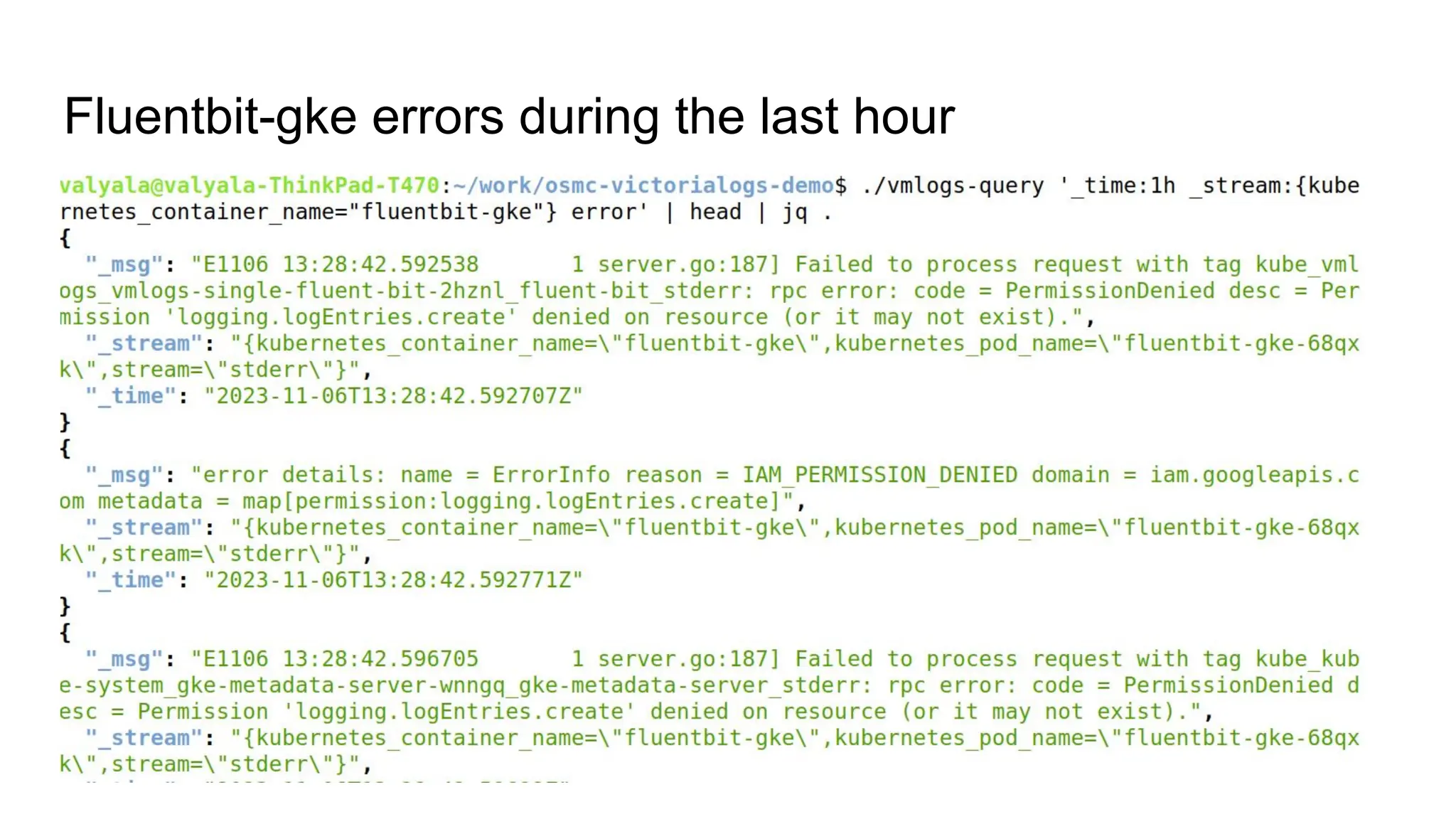
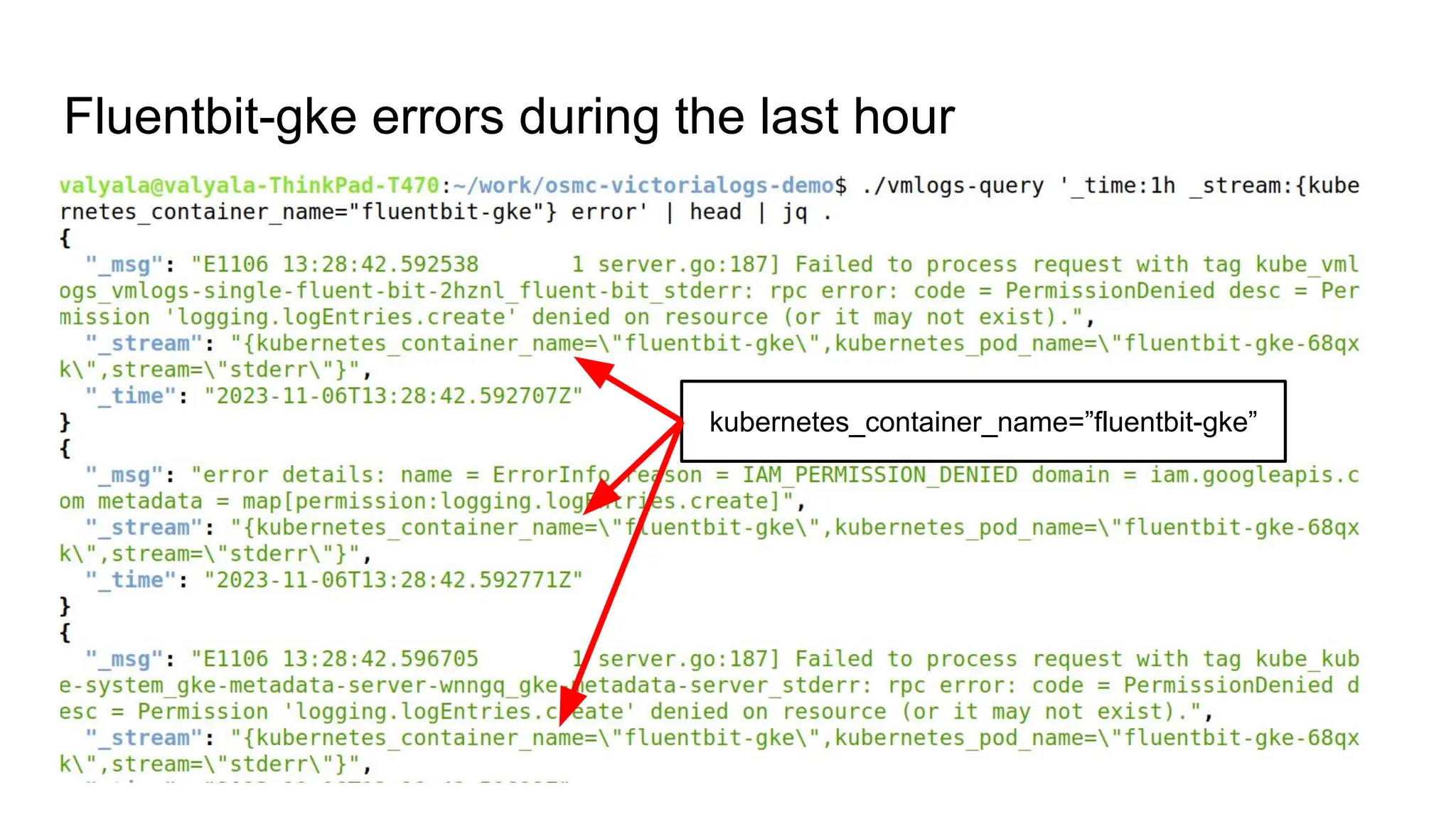
Fluentbit-gke errors during the last hour
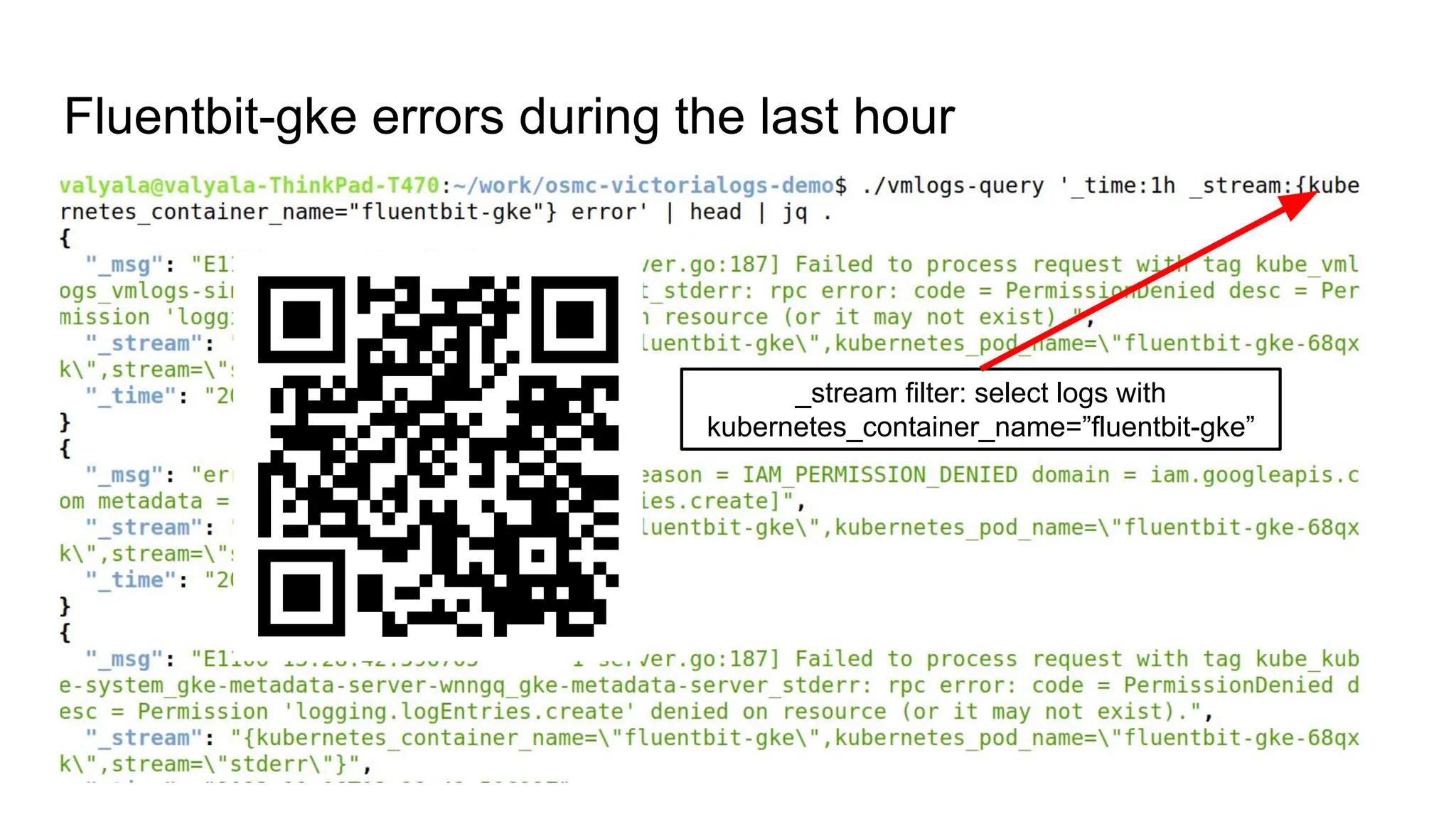
_stream filter: select logs with
kubernetes_container_name=”fluentbit-gke”
Fluentbit-gke errors during the last hour
kubernetes_container_name=”fluentbit-gke”
Fluentbit-gke errors during the last hour
DEMO
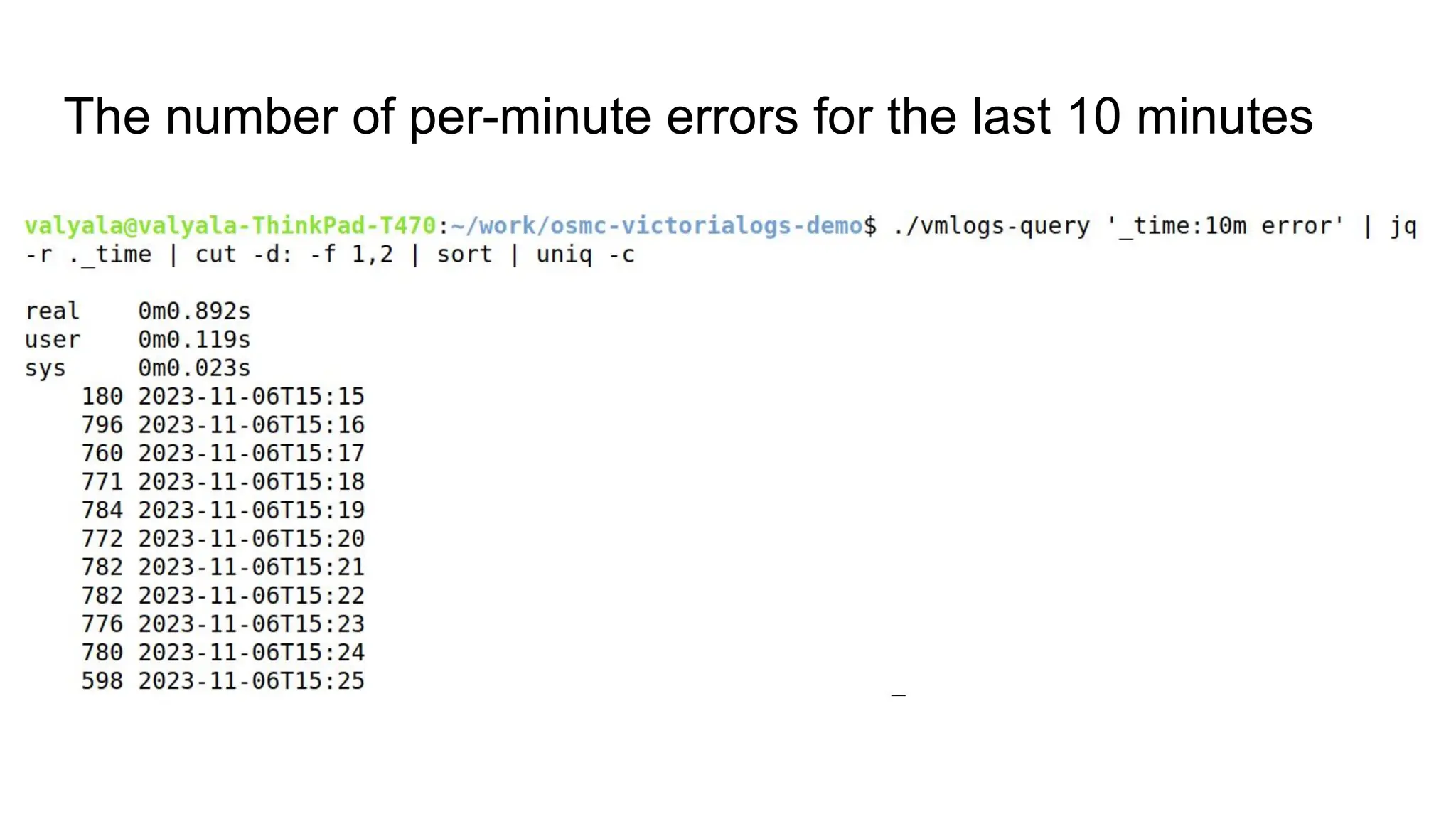
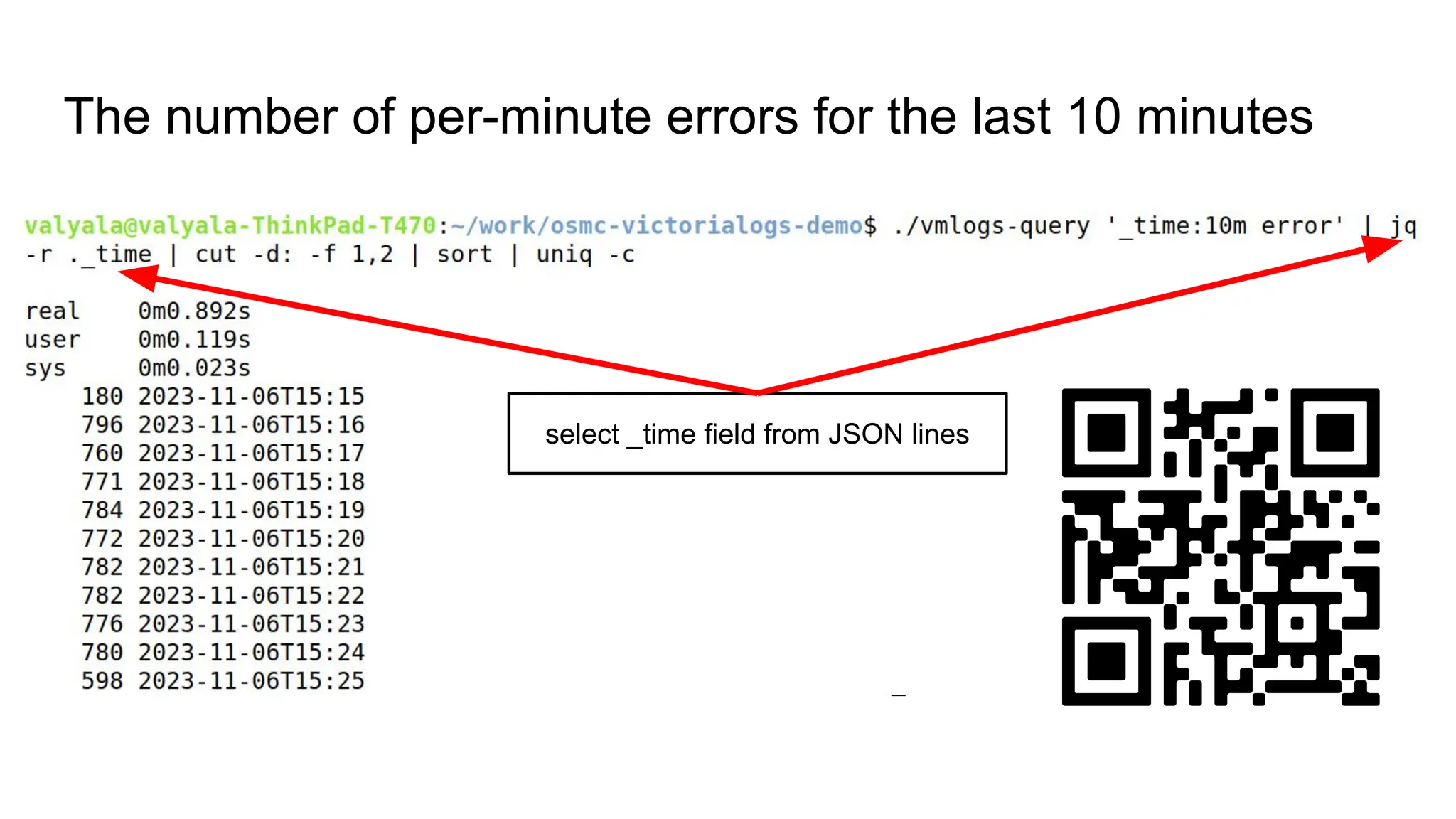
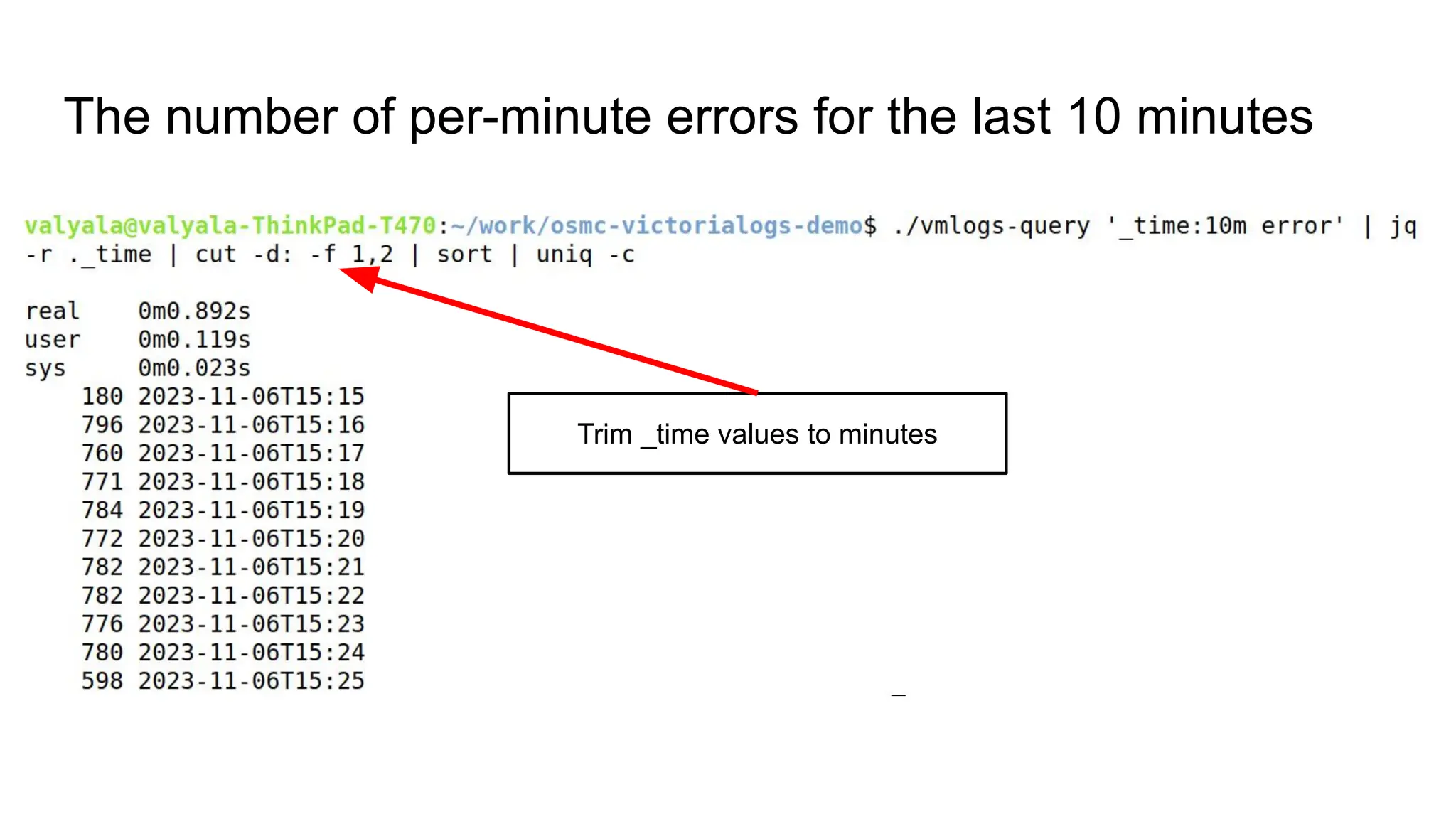
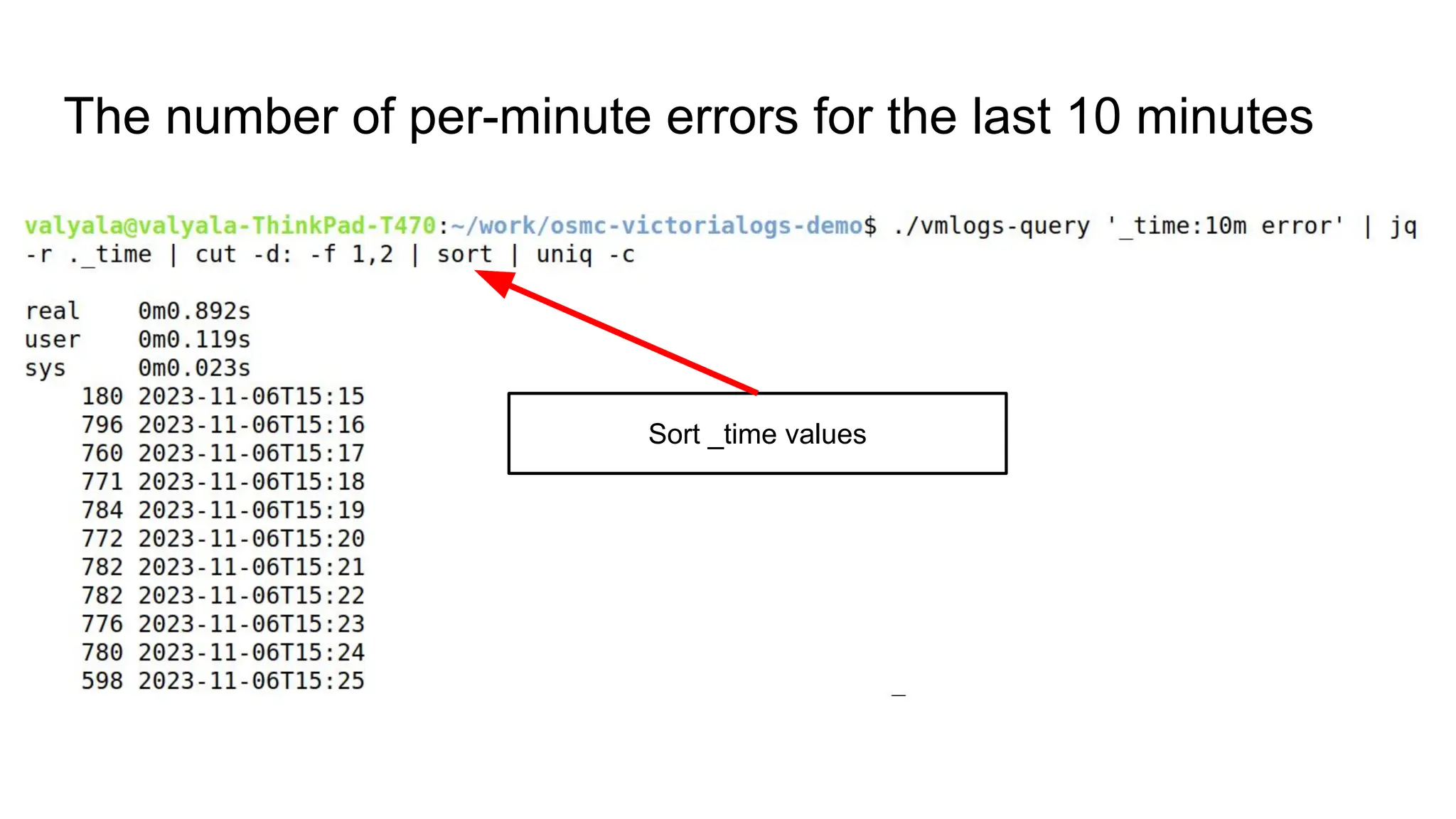
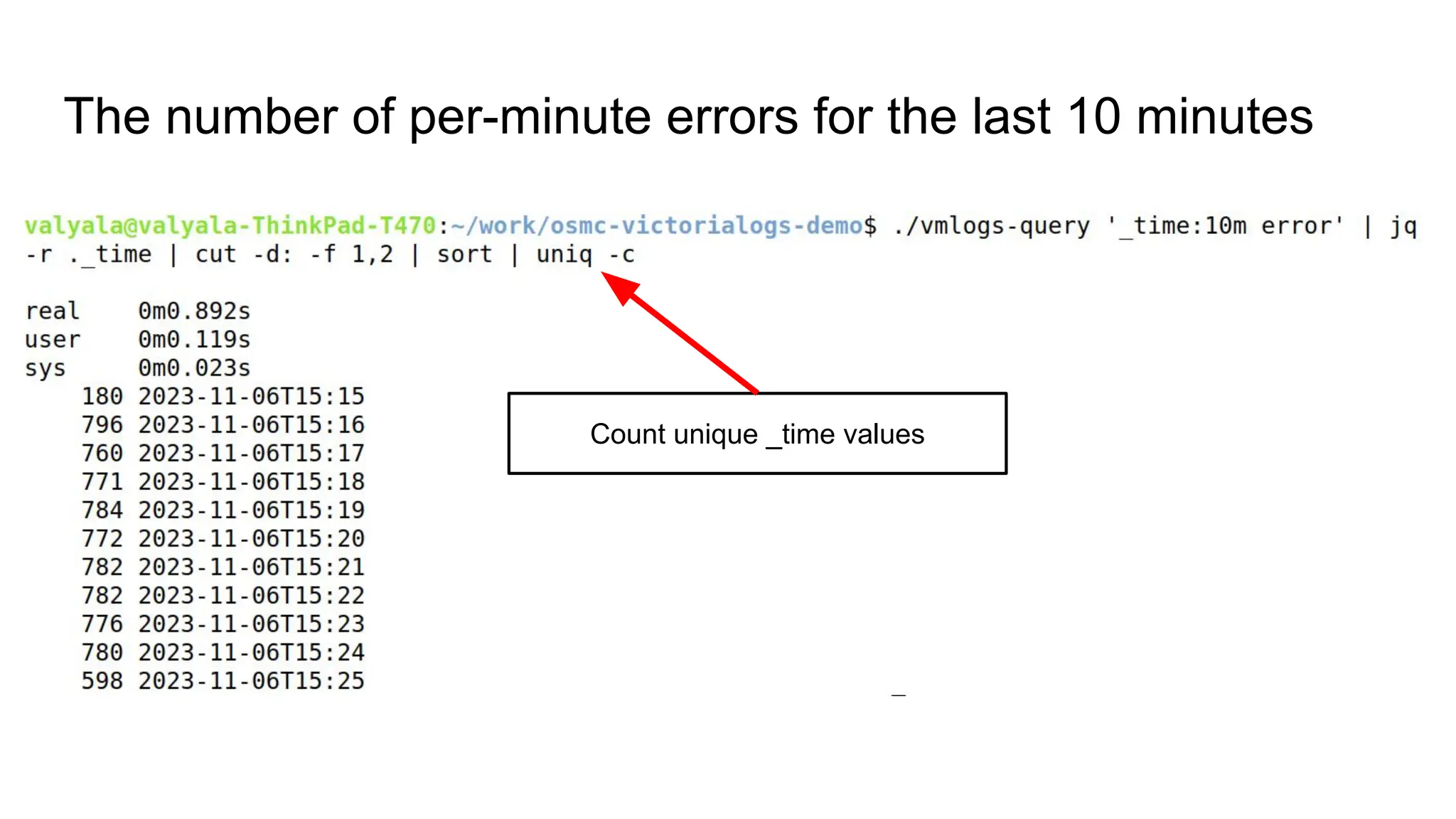
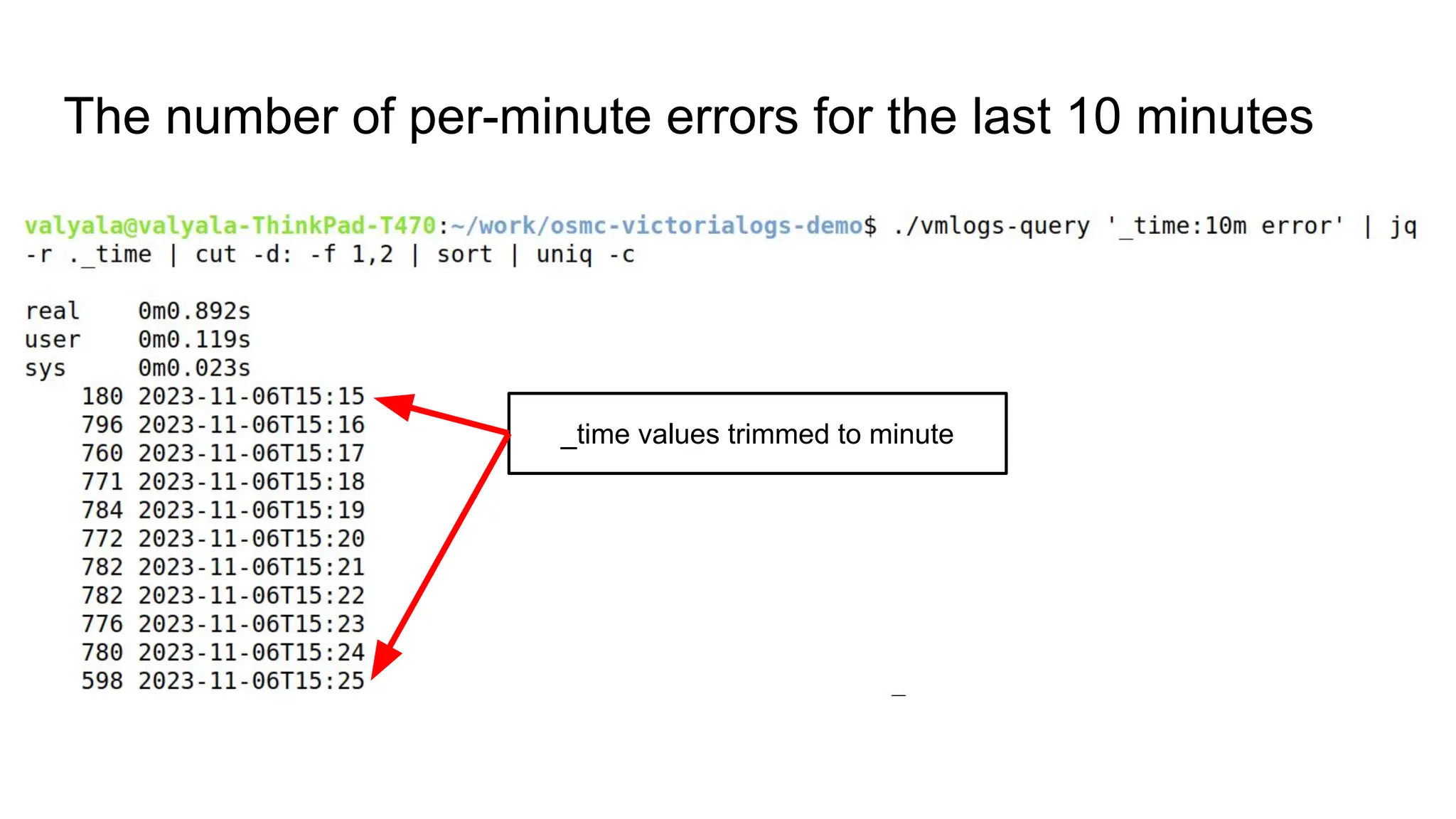
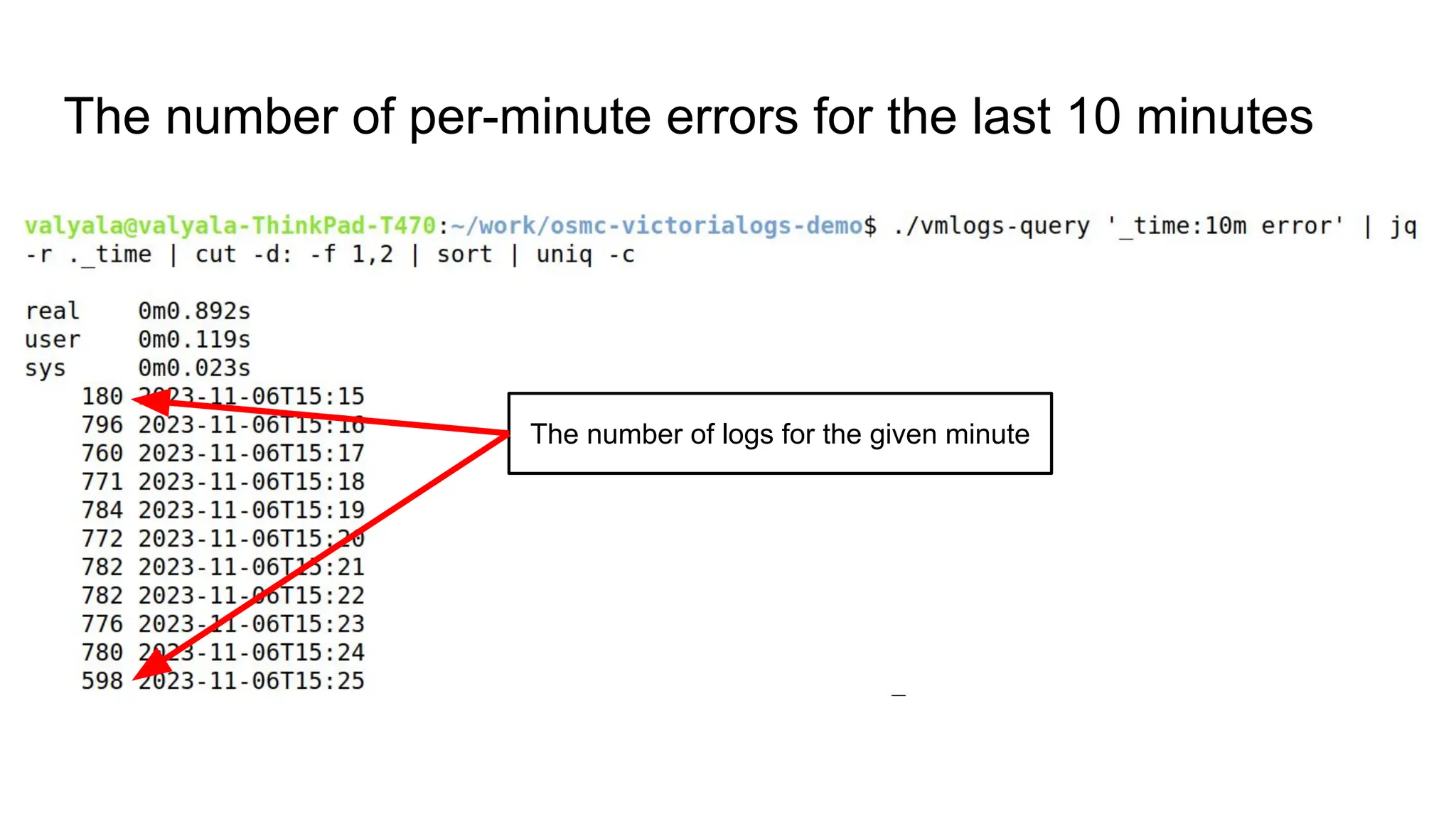
The number of per-minute errors for the last 10 minutes
select _time field from JSON lines
The number of per-minute errors for the last 10 minutes
Trim _time values to minutes
The number of per-minute errors for the last 10 minutes
Sort _time values
The number of per-minute errors for the last 10 minutes
Count unique _time values
The number of per-minute errors for the last 10 minutes
_time values trimmed to minute
The number of per-minute errors for the last 10 minutes
The number of logs for the given minute
The number of per-minute errors for the last 10 minutes
DEMO
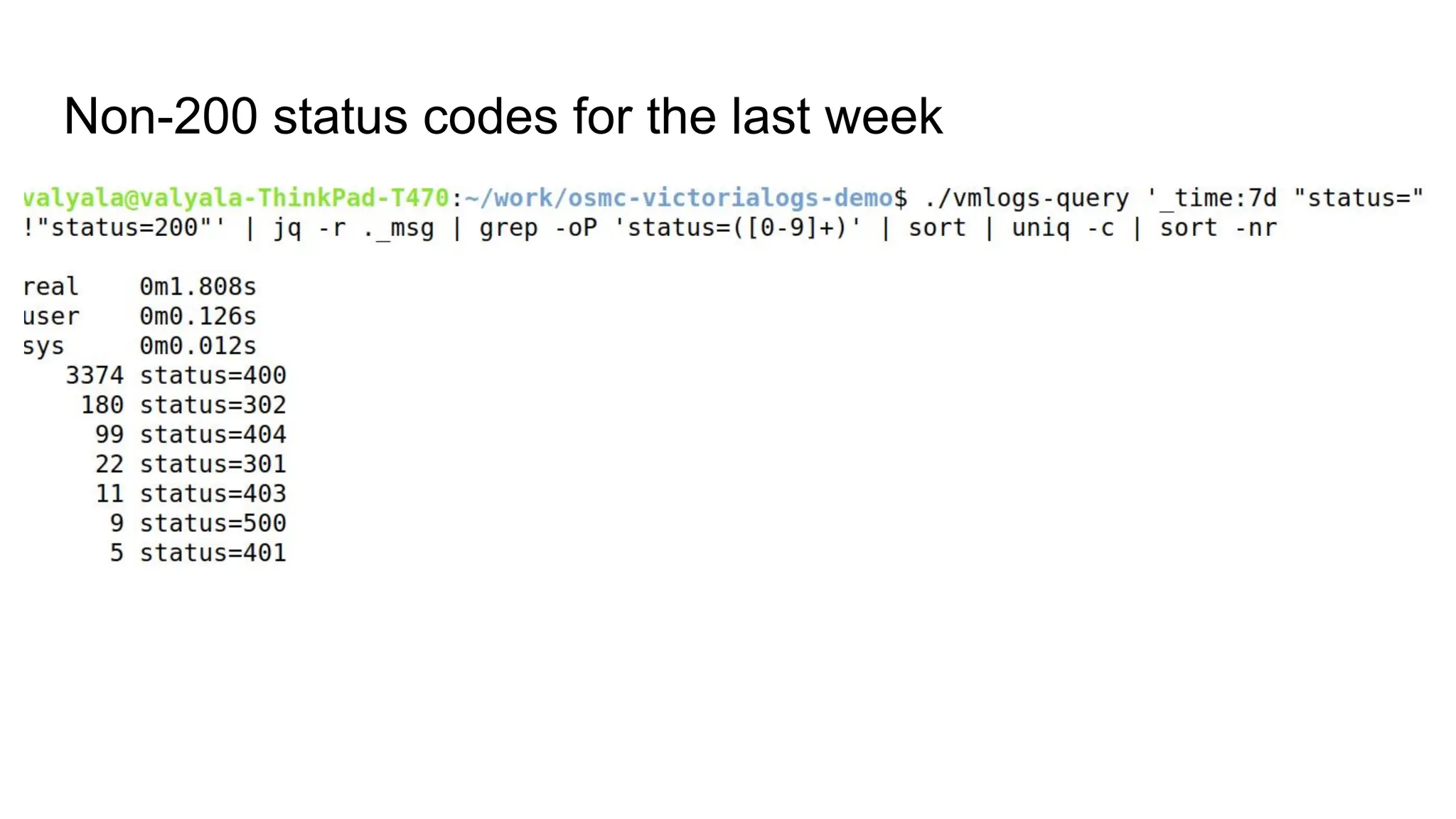
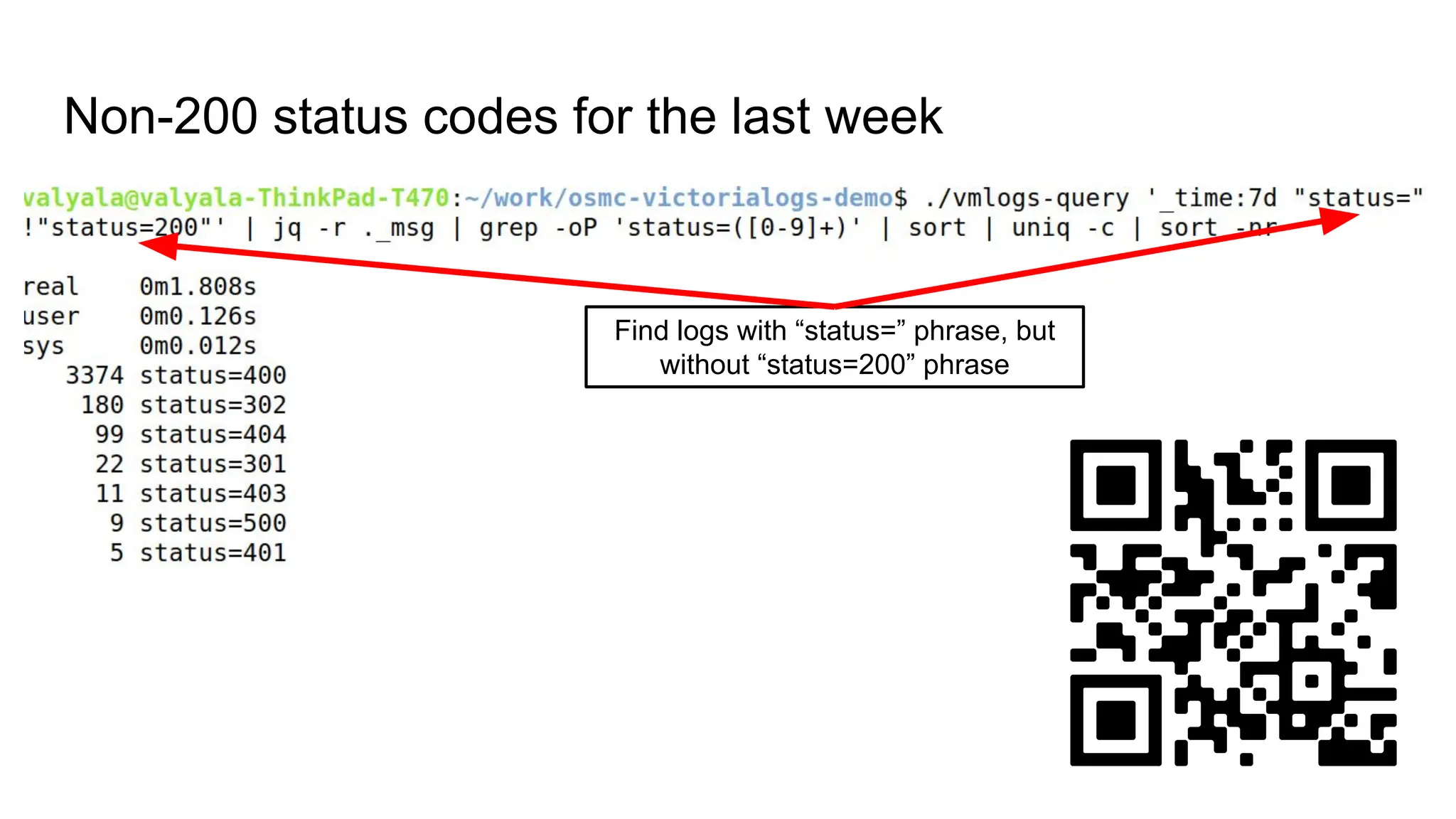
Non-200 status codes for the last week
Find logs with “status=” phrase, but
without “status=200” phrase
Non-200 status codes for the last week
DEMO
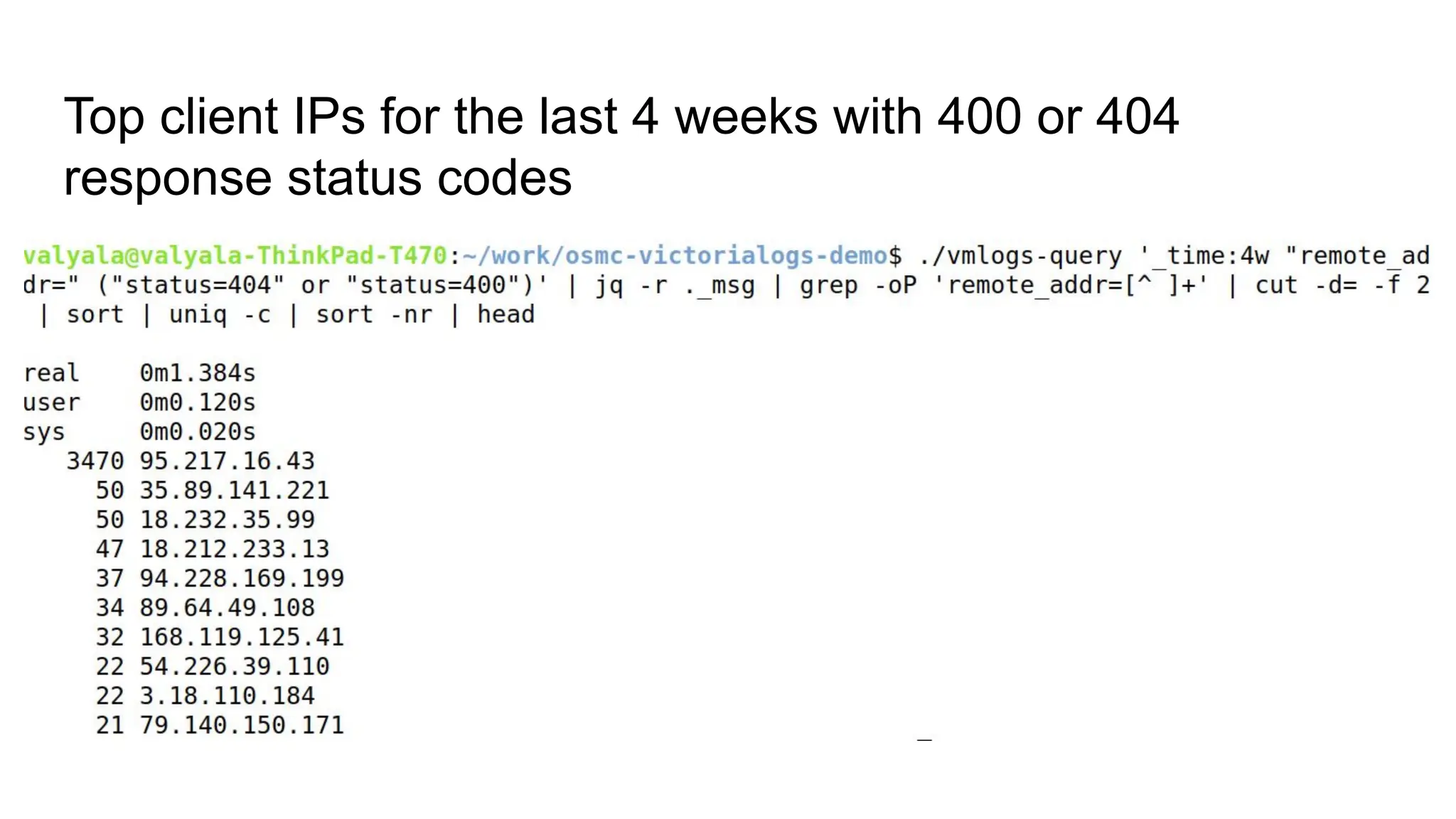
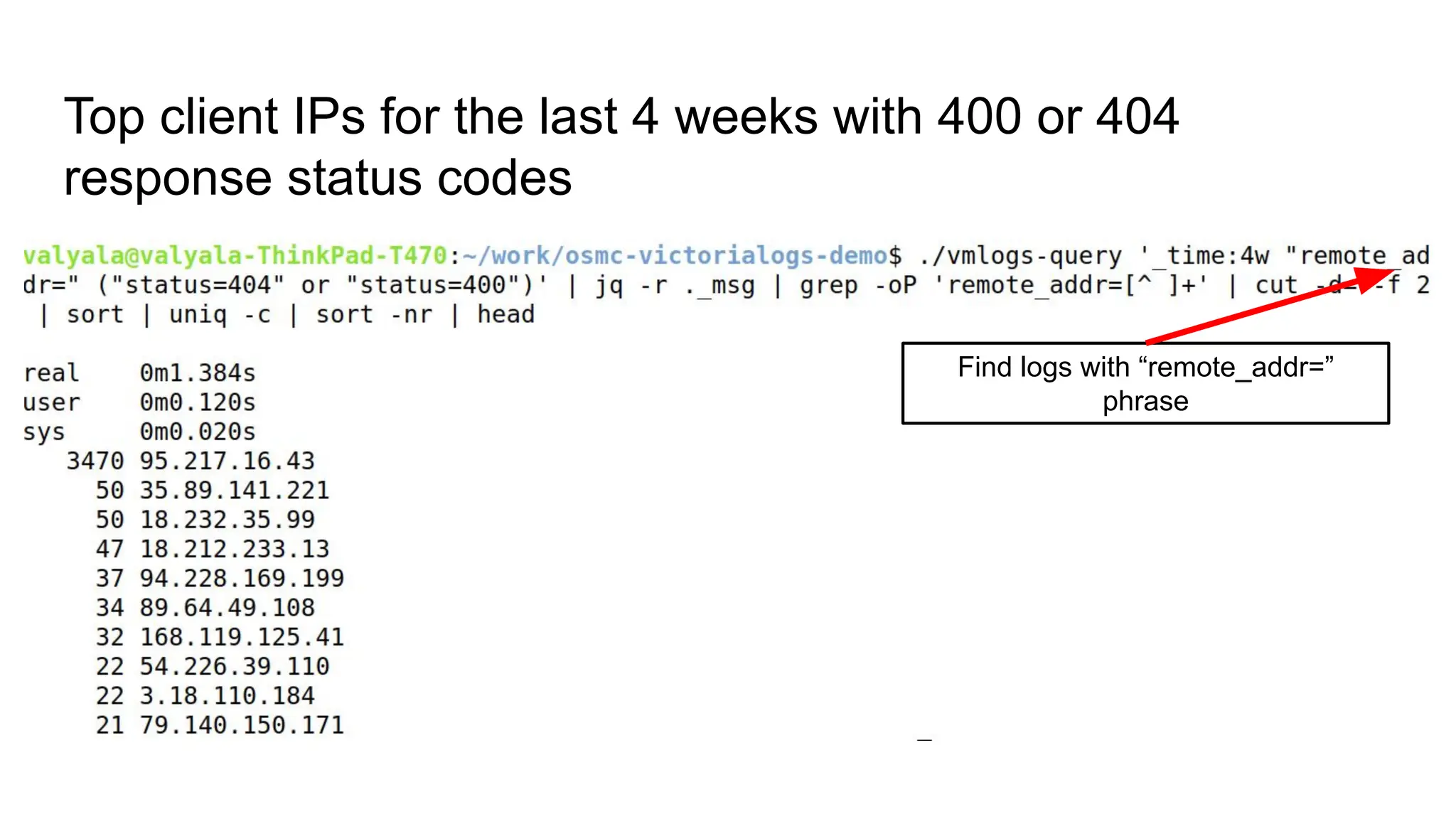
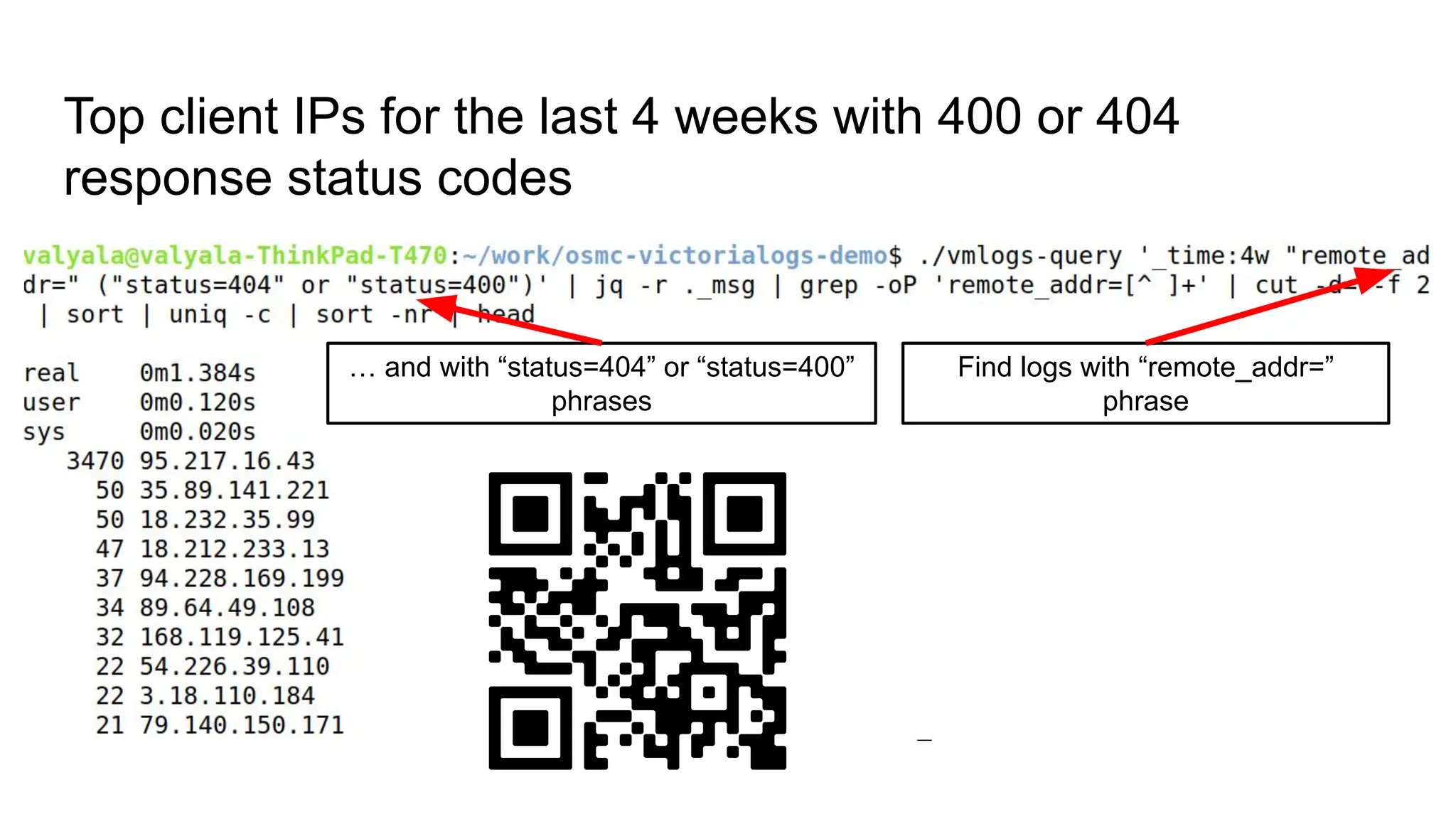
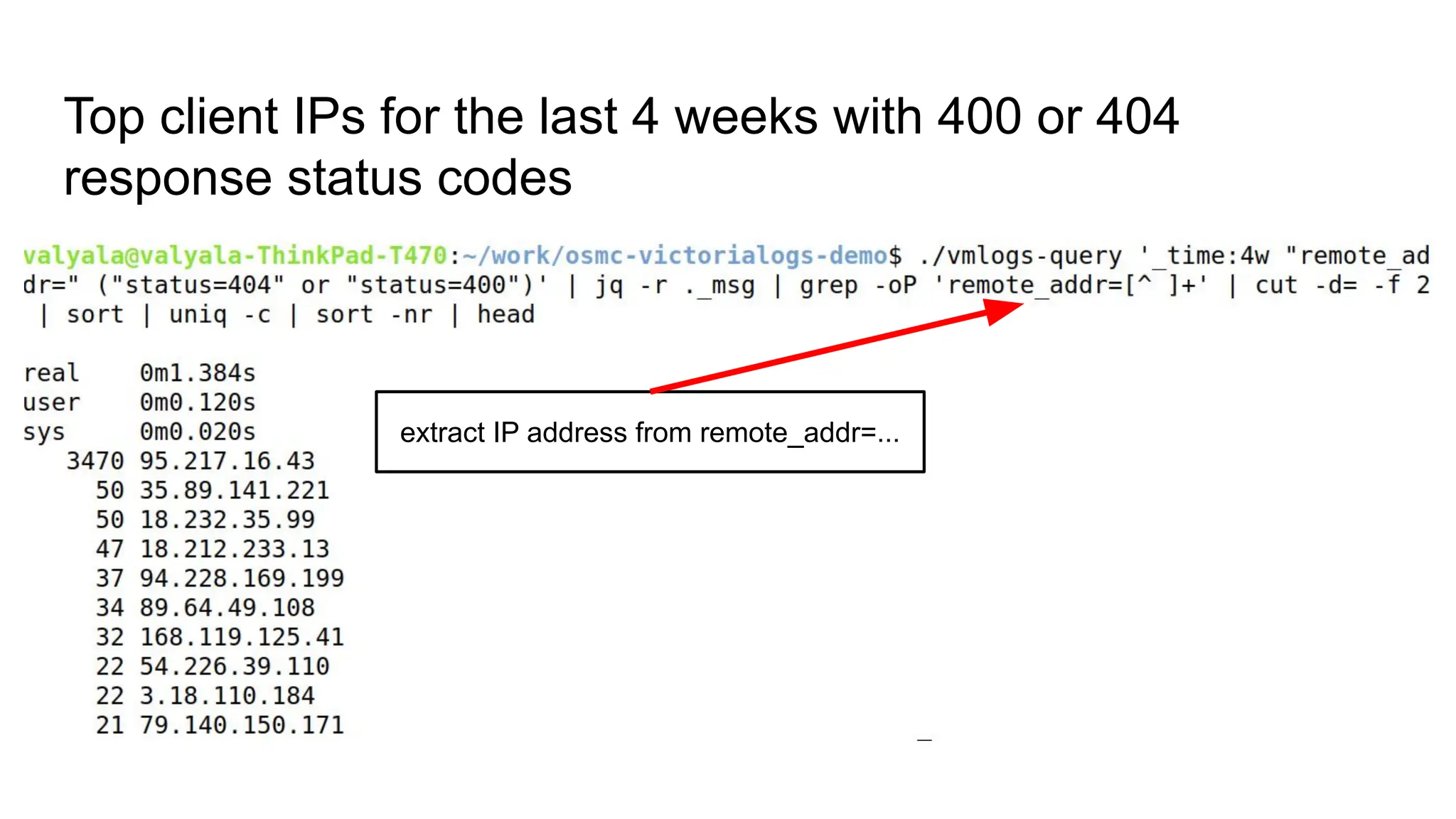
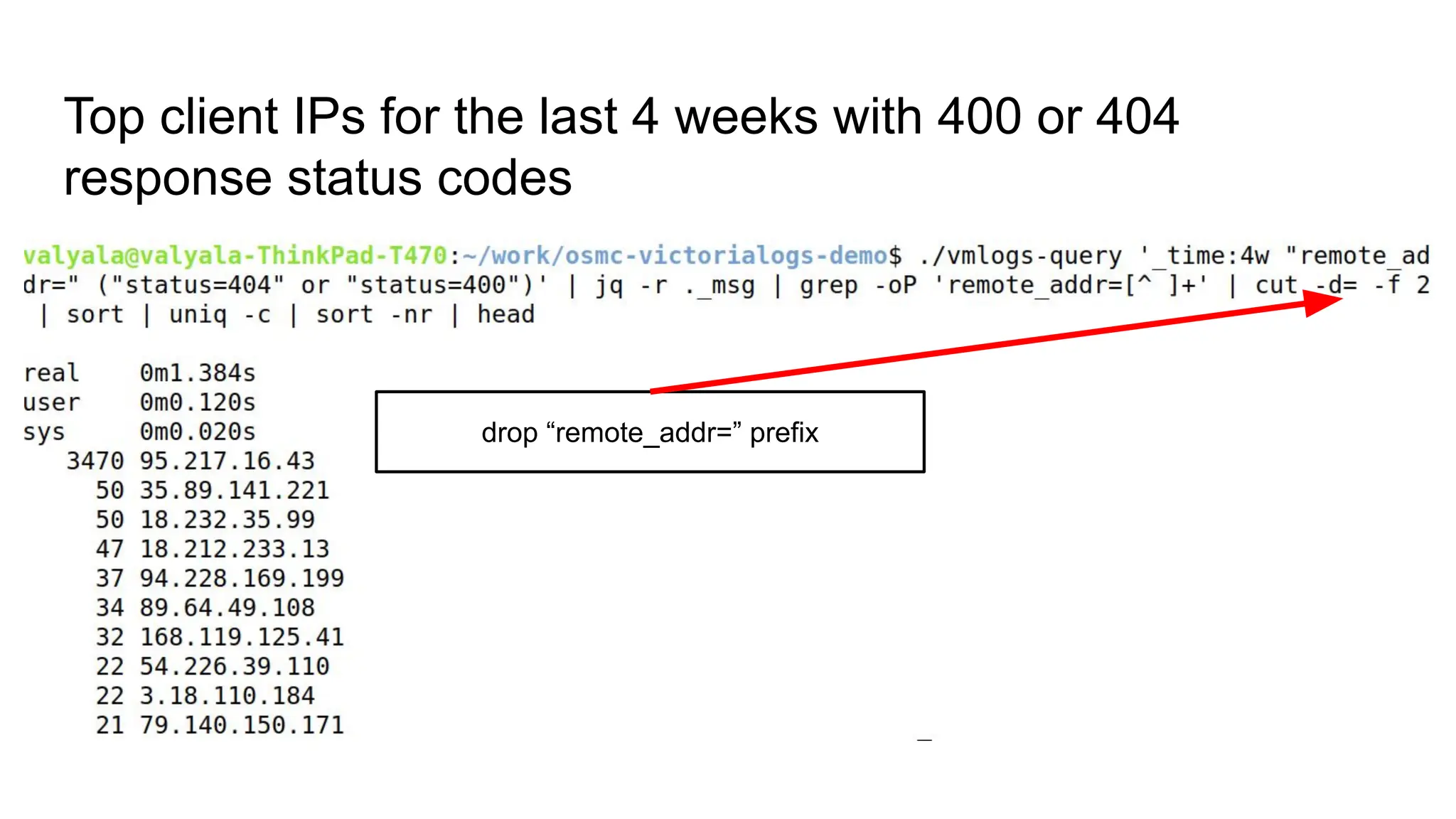
Top client IPs for the last 4 weeks with 400 or 404
response status codes
Top client IPs for the last 4 weeks with 400 or 404
response status codes
Find logs with “remote_addr=”
phrase
Top client IPs for the last 4 weeks with 400 or 404
response status codes
Find logs with “remote_addr=”
phrase
… and with “status=404” or “status=400”
phrases
Top client IPs for the last 4 weeks with 400 or 404
response status codes
extract IP address from remote_addr=...
Top client IPs for the last 4 weeks with 400 or 404
response status codes
drop “remote_addr=” prefix
Top client IPs for the last 4 weeks with 400 or 404
response status codes
DEMO
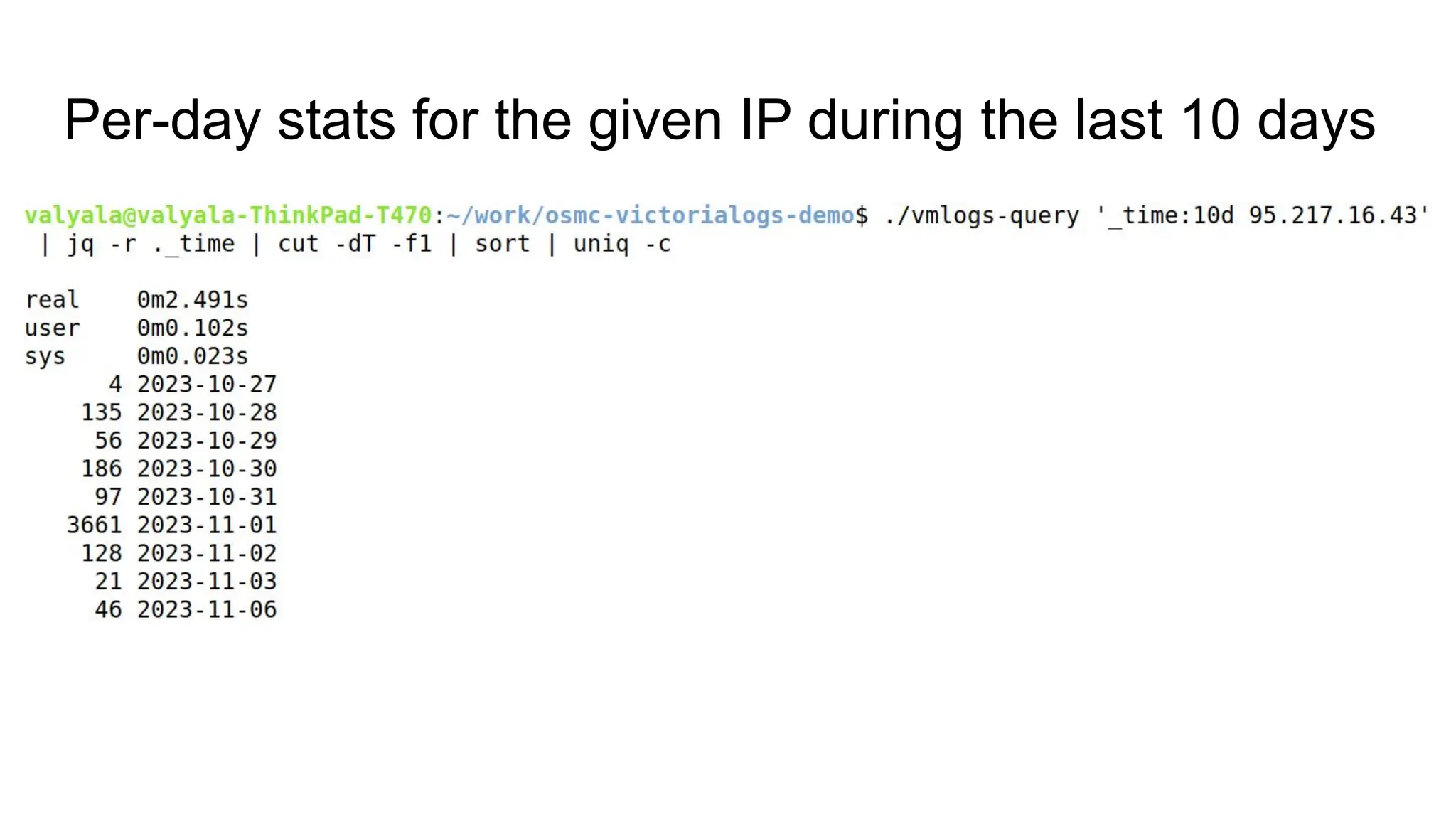
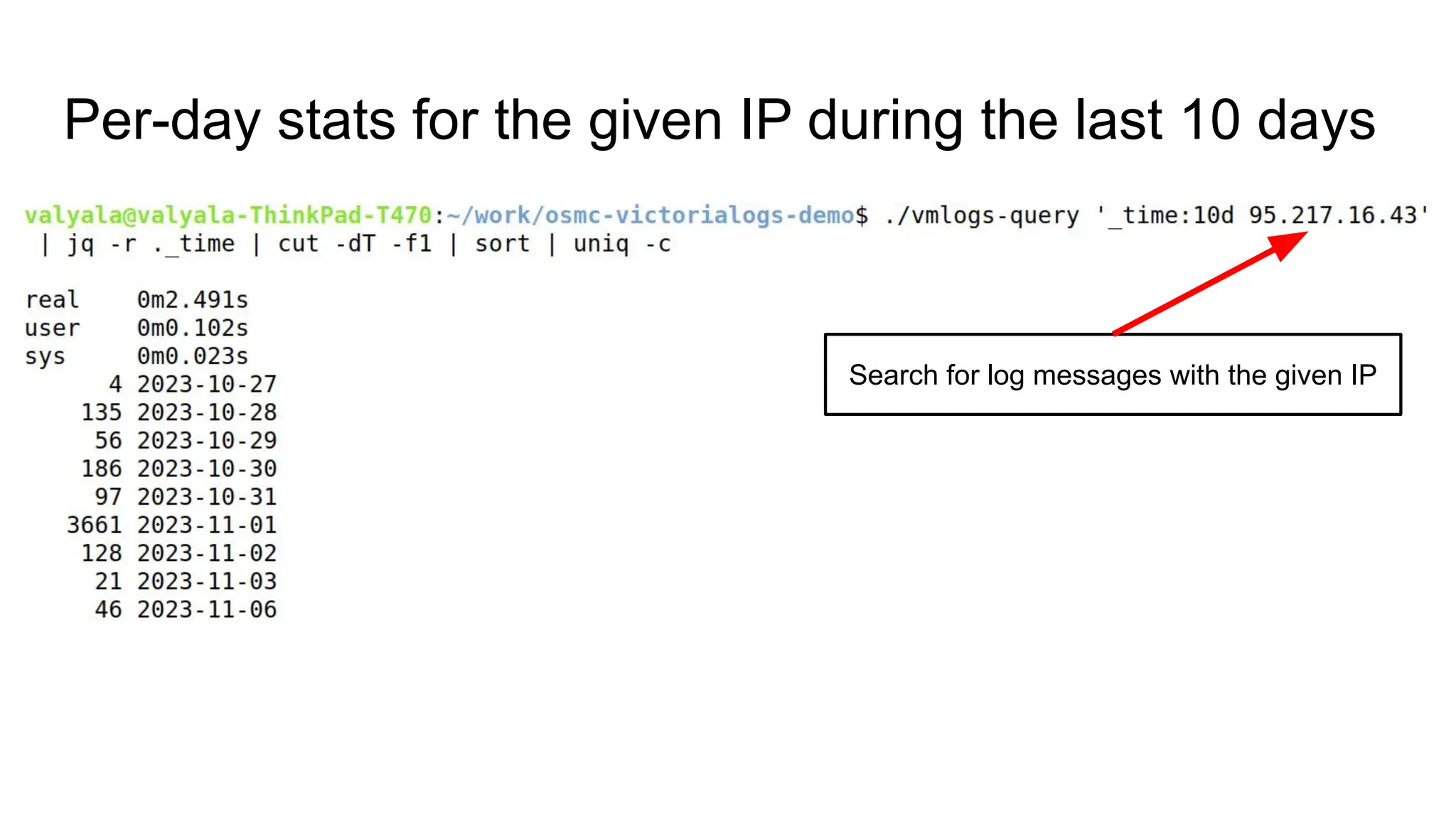
Per-day stats for the given IP during the last 10 days
Search for log messages with the given IP
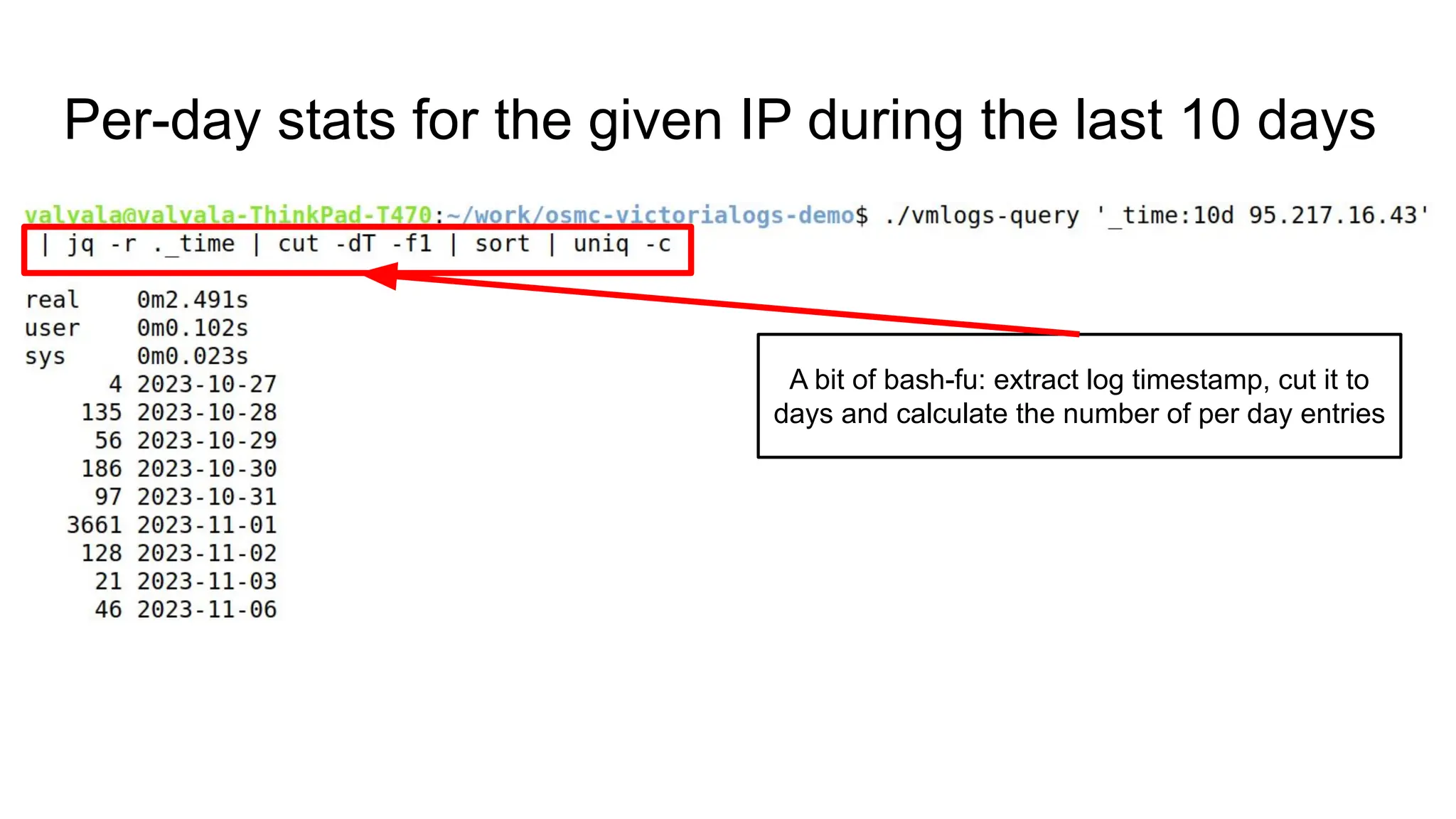
Per-day stats for the given IP during the last 10 days
A bit of bash-fu: extract log timestamp, cut it to
days and calculate the number of per day entries
Per-day stats for the given IP during the last 10 days
DEMO
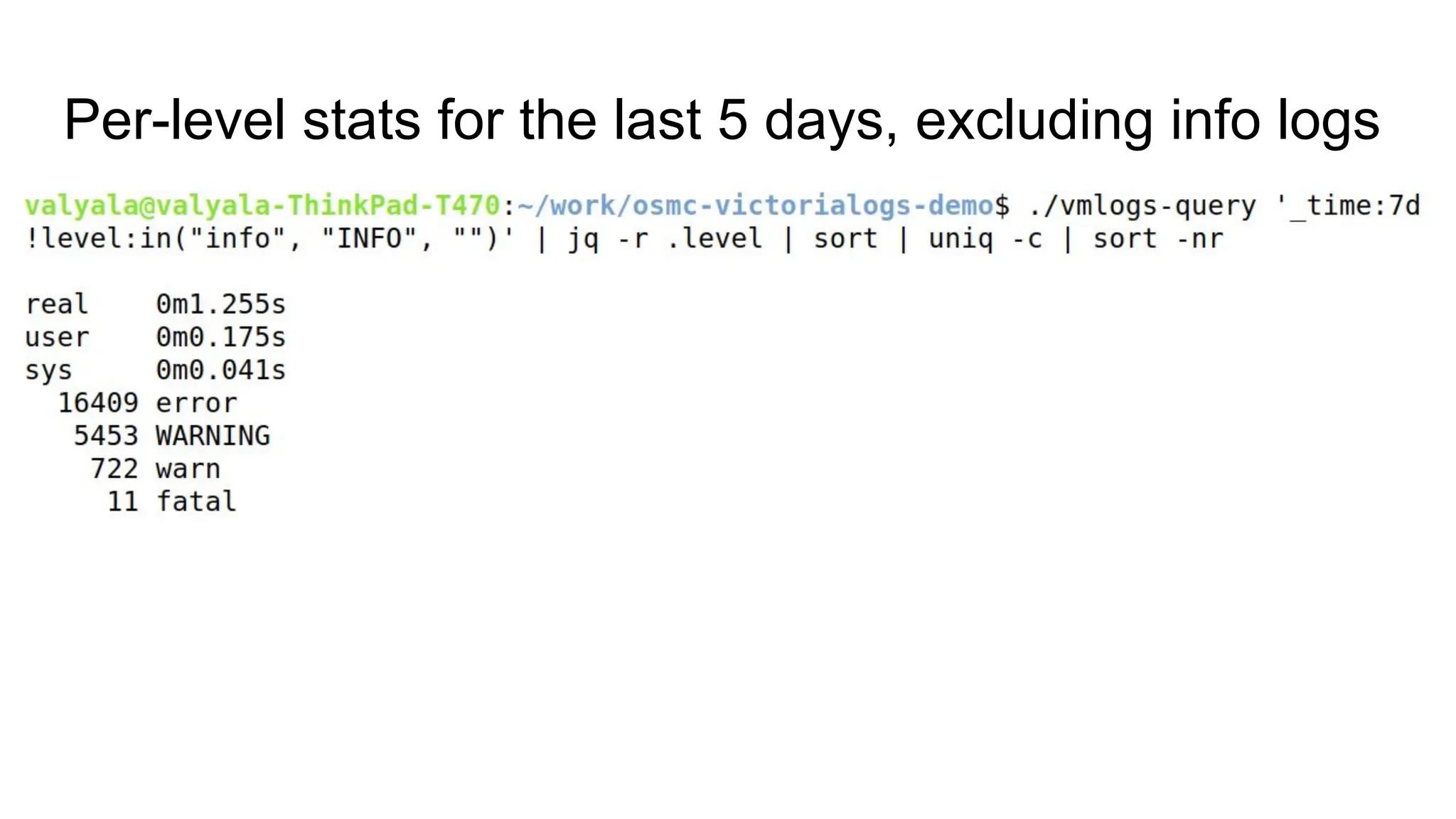
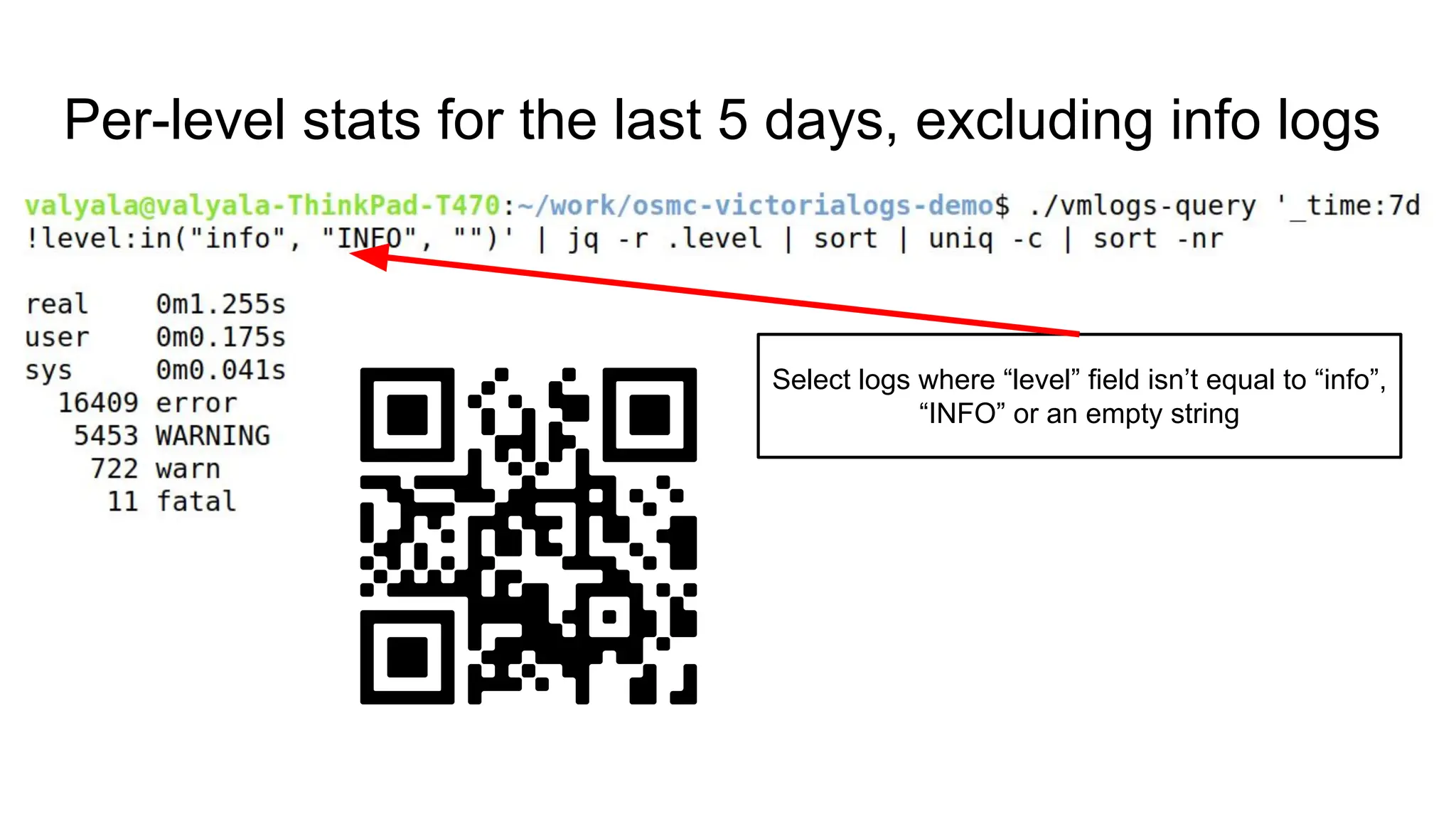
Per-level stats for the last 5 days, excluding info logs
Select logs where “level” field isn’t equal to “info”,
“INFO” or an empty string
Per-level stats for the last 5 days, excluding info logs
DEMO
System for large-scale logging
MUST provide
excellent CLI integration
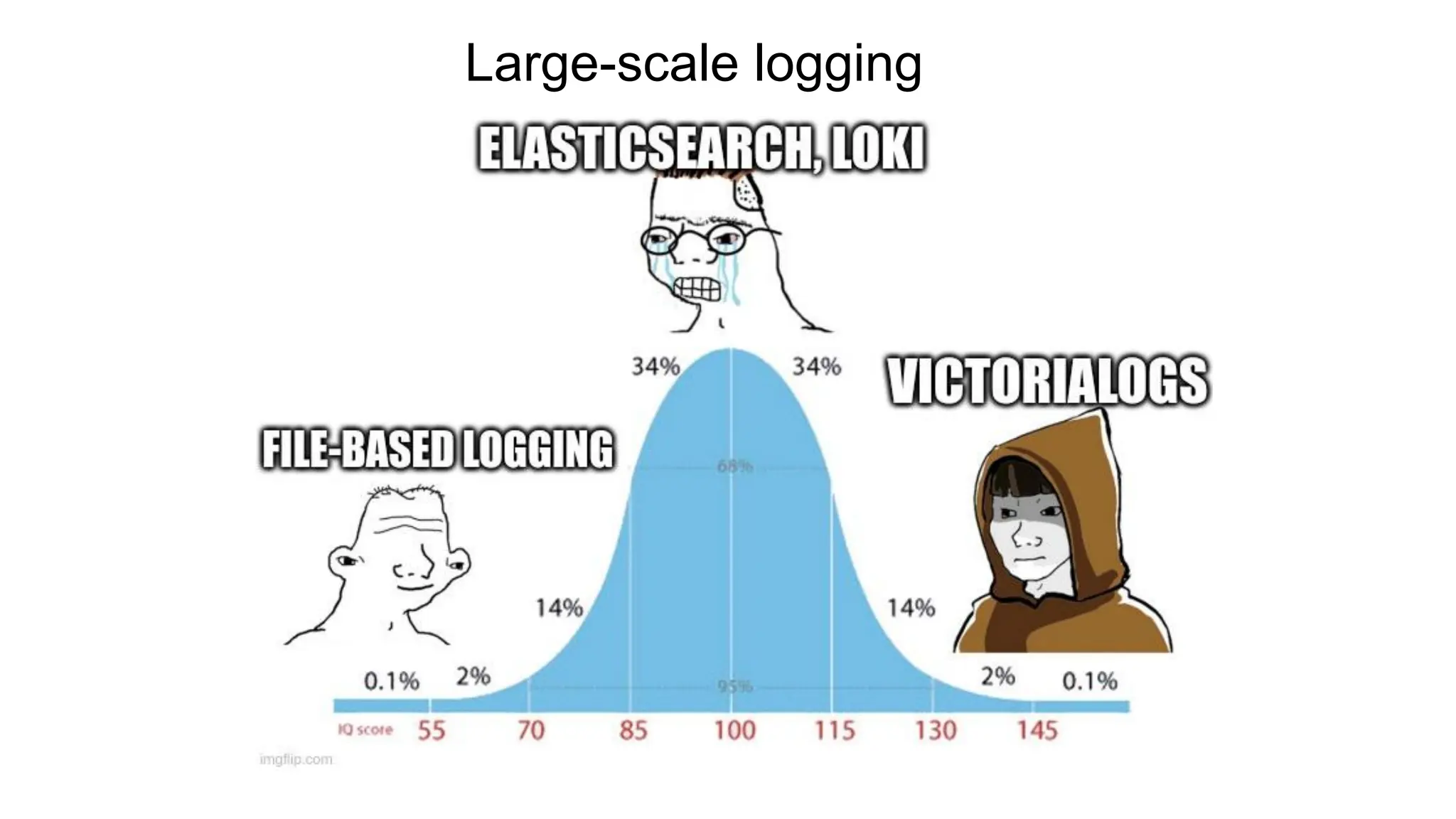
Large-scale logging
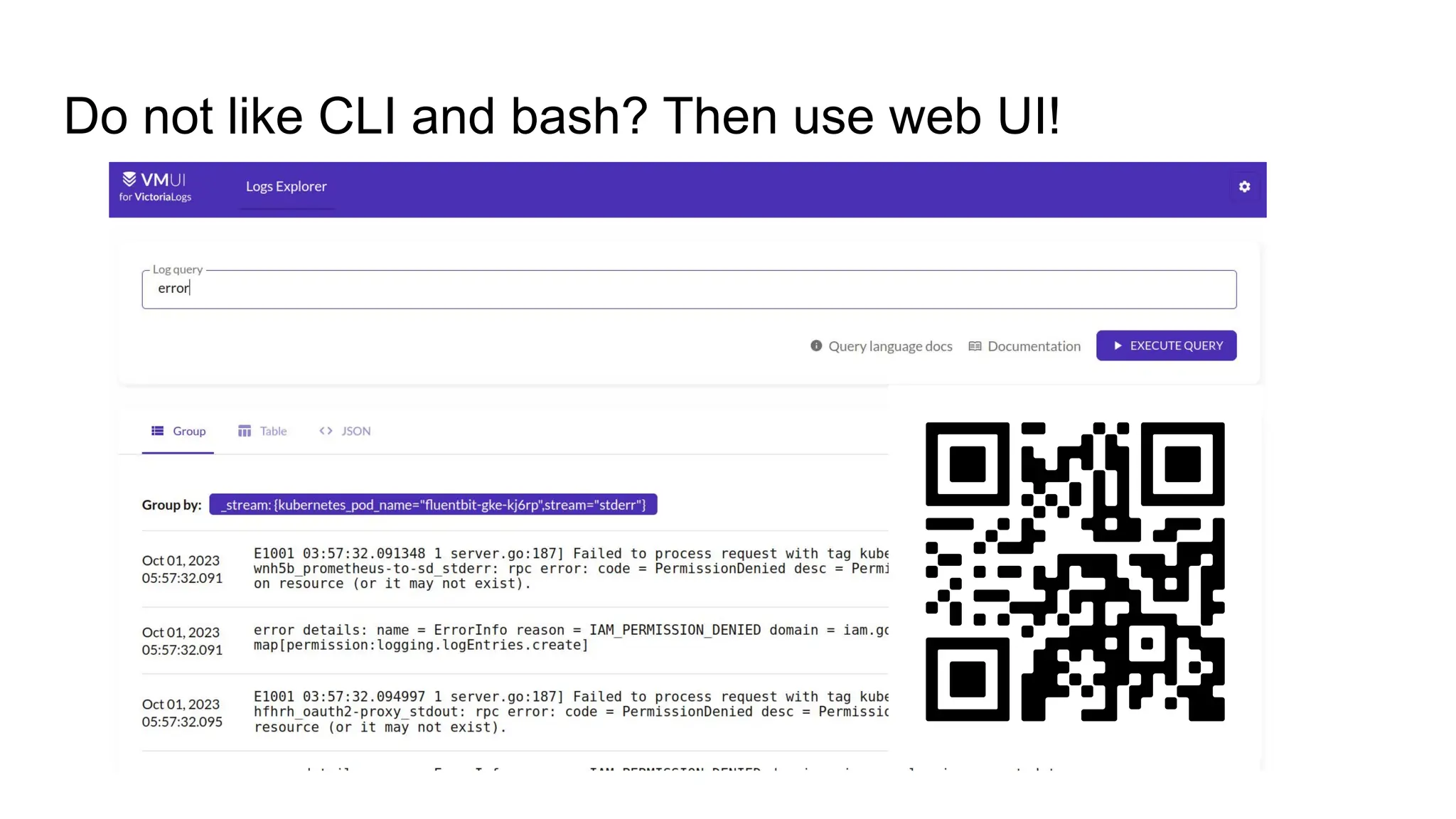
Do not like CLI and bash? Then use web UI!
VictoriaLogs: (temporary) drawbacks
● Missing data extraction and advanced stats functionality in LogsQL
VictoriaLogs: (temporary) drawbacks
● Missing data extraction and advanced stats functionality in LogsQL (but it can
be replaced with traditional CLI tools as we seen before)
VictoriaLogs: (temporary) drawbacks
● Missing data extraction and advanced stats functionality in LogsQL (but it can
be replaced with traditional CLI tools as we seen before)
● Missing cluster version
VictoriaLogs: (temporary) drawbacks
● Missing data extraction and advanced stats functionality in LogsQL (but it can
be replaced with traditional CLI tools as we seen before)
● Missing cluster version (but a single-node VictoriaLogs can replace a 30-node
Elasticsearch or Loki cluster)
VictoriaLogs: (temporary) drawbacks
● Missing data extraction and advanced stats functionality in LogsQL (but it can
be replaced with traditional CLI tools as we seen before)
● Missing cluster version (but a single-node VictoriaLogs can replace a 30-node
Elasticsearch or Loki cluster)
● Missing integration with Grafana
VictoriaLogs: (temporary) drawbacks
● Missing data extraction and advanced stats functionality in LogsQL (but it can
be replaced with traditional CLI tools as we seen before)
● Missing cluster version (but a single-node VictoriaLogs can replace a 30-node
Elasticsearch or Loki cluster)
● Missing integration with Grafana (but there is own web UI, which is going to
be better than Grafana for logs)
VictoriaLogs: recap
● Easy to setup and operate
VictoriaLogs: recap
● Easy to setup and operate
● The lowest RAM usage and disk space usage (up to 30x less than
Elasticsearch and Grafana Loki)
VictoriaLogs: recap
● Easy to setup and operate
● The lowest RAM usage and disk space usage (up to 30x less than
Elasticsearch and Grafana Loki)
● Fast full-text search
VictoriaLogs: recap
● Easy to setup and operate
● The lowest RAM usage and disk space usage (up to 30x less than
Elasticsearch and Grafana Loki)
● Fast full-text search
● Excellent integration with traditional command-line tools for log analysis
VictoriaLogs: recap
● Easy to setup and operate
● The lowest RAM usage and disk space usage (up to 30x less than
Elasticsearch and Grafana Loki)
● Fast full-text search
● Excellent integration with traditional command-line tools for log analysis
● Accepts logs from all the popular log shippers (Filebeat, Fluentbit, Logstash,
Vector, Promtail)
VictoriaLogs: recap
● Easy to setup and operate
● The lowest RAM usage and disk space usage (up to 30x less than
Elasticsearch and Grafana Loki)
● Fast full-text search
● Excellent integration with traditional command-line tools for log analysis
● Accepts logs from all the popular log shippers (Filebeat, Fluentbit, Logstash,
Vector, Promtail)
● Open source and free to use!
VictoriaLogs: useful links
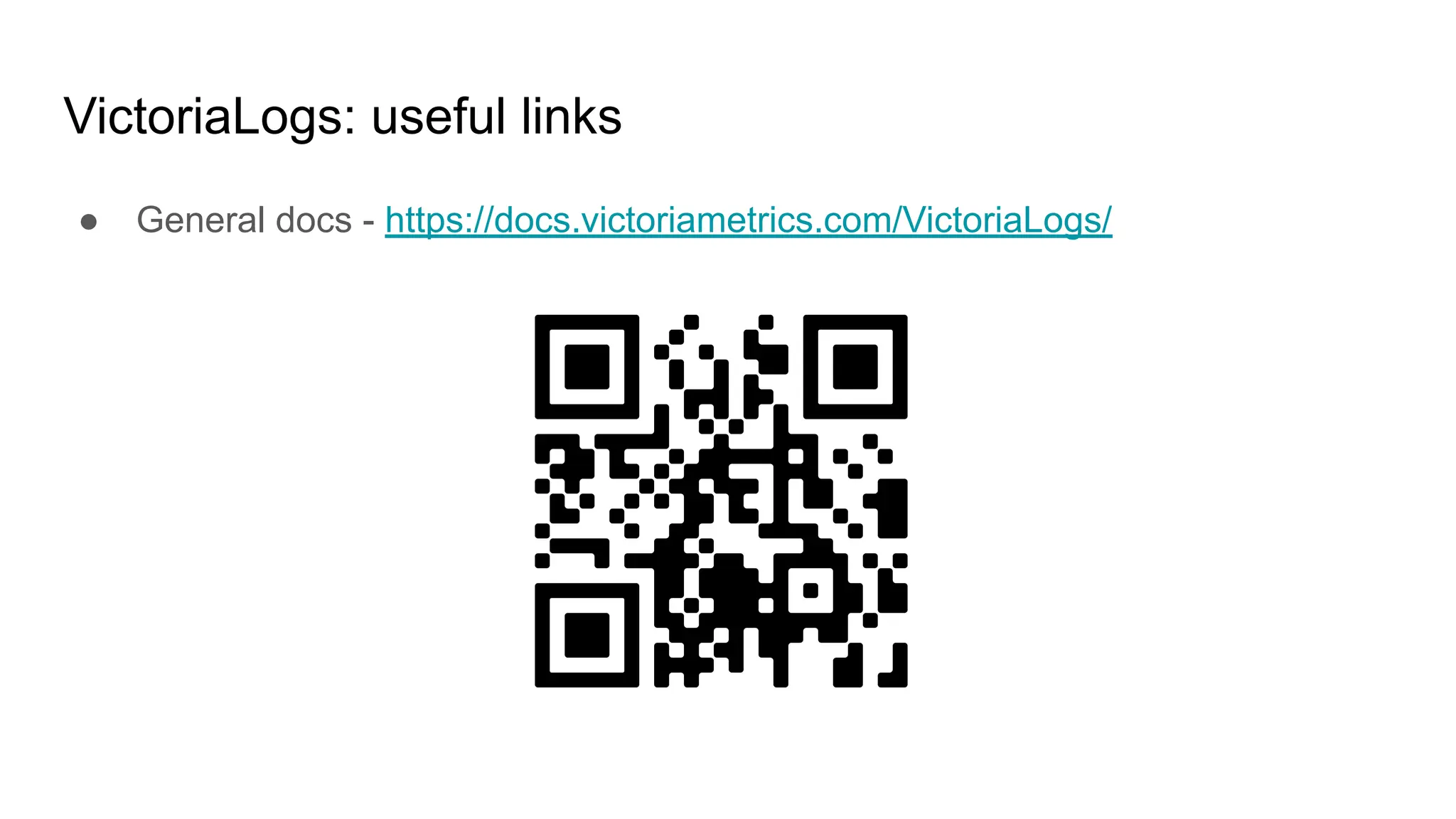
● General docs - https://docs.victoriametrics.com/VictoriaLogs/
VictoriaLogs: useful links
● General docs - https://docs.victoriametrics.com/VictoriaLogs/
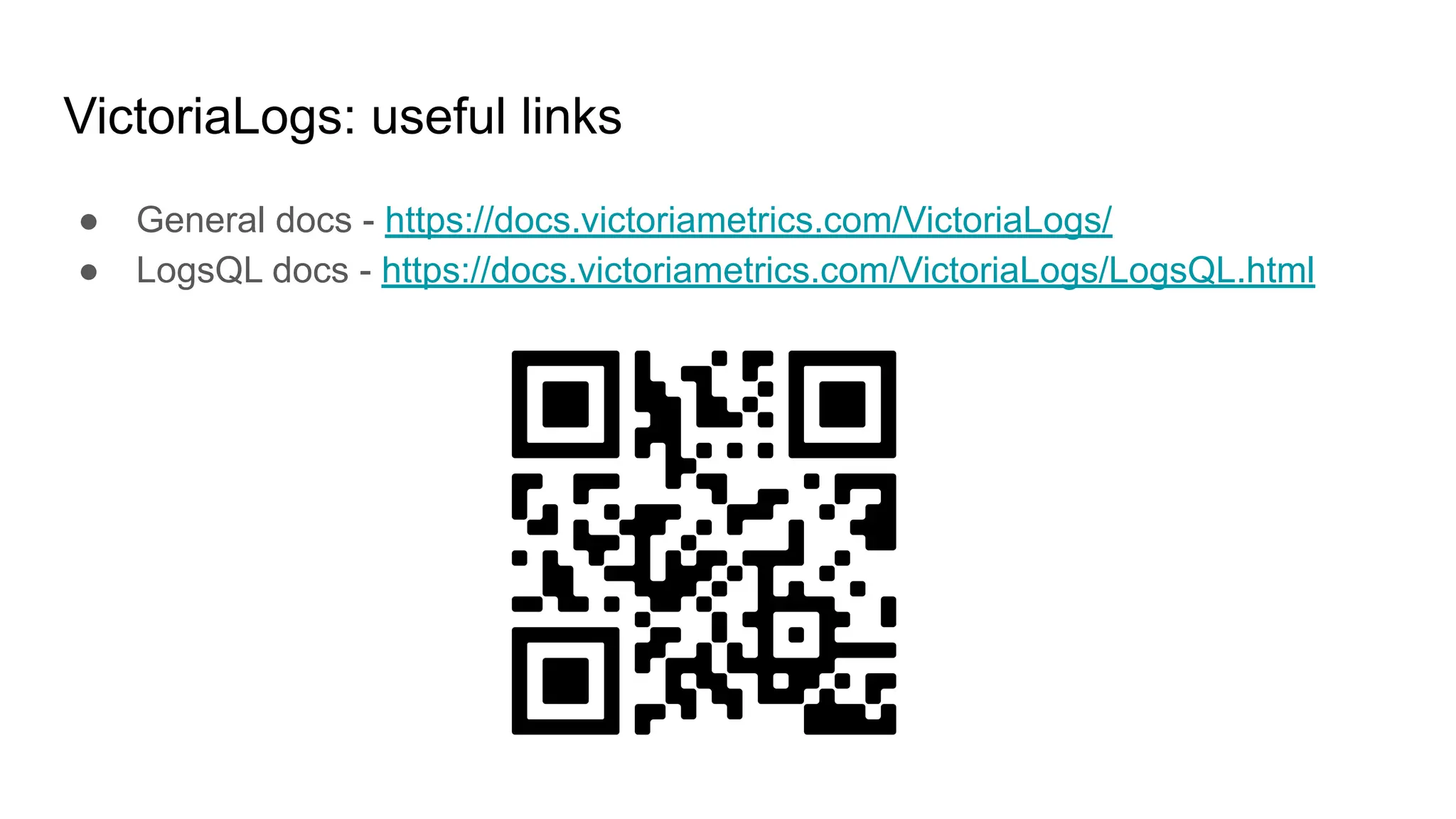
● LogsQL docs - https://docs.victoriametrics.com/VictoriaLogs/LogsQL.html
Questions?

OSMC 2023 | Large-scale logging made easy by Alexandr Valialkin

  • 1.
    Large-scale logging made easy AliaksandrValialkin, CTO at VictoriaMetrics Open source monitoring conference 2023
  • 2.
  • 3.
  • 4.
  • 5.
  • 6.
  • 7.
  • 8.
  • 9.
  • 10.
    The purpose oflogging: debugging ● Which errors have occurred in the app during the last hour?
  • 11.
    The purpose oflogging: debugging ● Which errors have occurred in the app during the last hour? ● Why the app returned unexpected response?
  • 12.
    The purpose oflogging: debugging ● Which errors have occurred in the app during the last hour? ● Why the app returned unexpected response? ● Why the app wasn’t working correctly yesterday?
  • 13.
    The purpose oflogging: debugging ● Which errors have occurred in the app during the last hour? ● Why the app returned unexpected response? ● Why the app wasn’t working correctly yesterday? ● What the app was doing at the particular time range?
  • 14.
    The purpose oflogging: security ● Who dropped the database in production?
  • 15.
    The purpose oflogging: security ● Who dropped the database in production? ● Which IP addresses were used for logging in as admin during the last hour?
  • 16.
    The purpose oflogging: security ● Who dropped the database in production? ● Which IP addresses were used for logging in as admin during the last hour? ● Who performed a particular action at the given time?
  • 17.
    The purpose oflogging: security ● Who dropped the database in production? ● Which IP addresses were used for logging in as admin during the last hour? ● Who performed a particular action at the given time? ● How many failed login attempts were during the last day?
  • 18.
    The purpose oflogging: stats and metrics ● How many requests were served per hour during the last day?
  • 19.
    The purpose oflogging: stats and metrics ● How many requests were served per hour during the last day? ● How many unique users were accessing the app during the last month?
  • 20.
    The purpose oflogging: stats and metrics ● How many requests were served per hour during the last day? ● How many unique users were accessing the app during the last month? ● How many requests were served for a particular IP range yesterday?
  • 21.
    The purpose oflogging: stats and metrics ● How many requests were served per hour during the last day? ● How many unique users were accessing the app during the last month? ● How many requests were served for a particular IP range yesterday? ● What percentage of requests finished with errors during the last hour?
  • 22.
    The purpose oflogging: stats and metrics ● How many requests were served per hour during the last day? ● How many unique users were accessing the app during the last month? ● How many requests were served for a particular IP range yesterday? ● What percentage of requests finished with errors during the last hour? ● What was the 95th percentile of request duration for the given web page yesterday?
  • 23.
  • 24.
    Traditional logging ● Savelogs to files on the local filesystem
  • 25.
    Traditional logging ● Savelogs to files on the local filesystem ● Use command-line tools for log analysis: cat, grep, awk, sort, uniq, head, tail, etc.
  • 26.
    Traditional logging: advantages ●Easy to setup and operate
  • 27.
    Traditional logging: advantages ●Easy to setup and operate ● Easy to debug
  • 28.
    Traditional logging: advantages ●Easy to setup and operate ● Easy to debug ● Easy to analyze logs with command-line tools and bash scripts
  • 29.
    Traditional logging: advantages ●Easy to setup and operate ● Easy to debug ● Easy to analyze logs with command-line tools and bash scripts ● Works perfectly for 50 years (since 1970th)
  • 30.
    Traditional logging: disadvantages ●Hard to analyze logs from hundreds of hosts
  • 31.
    Traditional logging: disadvantages ●Hard to analyze logs from hundreds of hosts (hello, Kubernetes and microservices)
  • 32.
    Traditional logging: disadvantages ●Hard to analyze logs from hundreds of hosts (hello, Kubernetes and microservices) ● Slow search speed over large log files (e.g. 1TB log file may require a hour to scan)
  • 33.
    Traditional logging: disadvantages ●Hard to analyze logs from hundreds of hosts (hello, Kubernetes and microservices) ● Slow search speed over large log files (e.g. 1TB log file may require a hour to scan) ● Imperfect support for structured logging (e.g. logs with arbitrary labels)
  • 34.
  • 35.
    Large-scale logging: coreprinciples ● Push logs from large number of apps to a centralized system
  • 36.
    Large-scale logging: coreprinciples ● Push logs from large number of apps to a centralized system ● Provide fast queries over all the ingested logs
  • 37.
    Large-scale logging: coreprinciples ● Push logs from large number of apps to a centralized system ● Provide fast queries over all the ingested logs ● Support structured logging
  • 38.
  • 39.
    Large-scale logging: solutions ●Cloud (DataDog, Sumo Logic, New Relic, etc.)
  • 40.
    Large-scale logging: solutions ●Cloud (DataDog, Sumo Logic, New Relic, etc.) ● On-prem (Elasticsearch, OpenSearch, Grafana Loki, VictoriaLogs, etc.)
  • 41.
  • 42.
    Large-scale logging: operationalcomplexity ● Cloud: easy - cloud provider operates the system
  • 43.
    Large-scale logging: operationalcomplexity ● Cloud: easy - cloud provider operates the system ● On-prem: harder - you need to setup and operate the system
  • 44.
    Large-scale logging: security ●Cloud: questionable - who has access to your logs?
  • 45.
    Large-scale logging: security ●Cloud: questionable - who has access to your logs? ● On-prem: good - your logs are under your control
  • 46.
    Large-scale logging: price ●Cloud: very expensive (millions of €)
  • 47.
    Large-scale logging: price ●Cloud: very expensive (millions of €) ● On-prem: depends on the cost efficiency of the used system
  • 48.
  • 49.
    Large-scale logging: on-prem:setup and operation ● Elasticsearch: hard because of non-trivial indexing configs for logs
  • 50.
    Large-scale logging: on-prem:setup and operation ● Elasticsearch: hard because of non-trivial indexing configs for logs ● Grafana Loki: hard because of microservice architecture and complex configs
  • 51.
    Large-scale logging: on-prem:setup and operation ● Elasticsearch: hard because of non-trivial indexing configs for logs ● Grafana Loki: hard because of microservice architecture and complex configs ● VictoriaLogs: easy because it runs out of the box from a single binary with default configs
  • 52.
    Large-scale logging: on-prem:costs ● Elasticsearch: high - it needs a lot of RAM and disk space
  • 53.
    Large-scale logging: on-prem:costs ● Elasticsearch: high - it needs a lot of RAM and disk space ● Grafana Loki: medium - it needs a lot of RAM for high-cardinality labels
  • 54.
    Large-scale logging: on-prem:costs ● Elasticsearch: high - it needs a lot of RAM and disk space ● Grafana Loki: medium - it needs a lot of RAM for high-cardinality labels ● VictoriaLogs: low - a single VictoriaLogs instance can replace a 30-node Elasticsearch or Loki cluster
  • 55.
    Large-scale logging: on-prem:full-text search support ● Elasticsearch: yes, but needs proper index configuration
  • 56.
    Large-scale logging: on-prem:full-text search support ● Elasticsearch: yes, but needs proper index configuration ● Grafana Loki: yes, but very slow
  • 57.
    Large-scale logging: on-prem:full-text search support ● Elasticsearch: yes, but needs proper index configuration ● Grafana Loki: yes, but very slow ● VictoriaLogs: yes, works out of the box for all the ingested log fields and labels without additional configs
  • 58.
    Large-scale logging: on-prem:how to efficiently query 100TB of logs? ● Elasticsearch: to run a cluster with 200TB of disk space and 6TB of RAM. Infrastructure costs at GCE or AWS: ~€50K/month
  • 59.
    Large-scale logging: on-prem:how to efficiently query 100TB of logs? ● Elasticsearch: to run a cluster with 200TB of disk space and 6TB of RAM. Infrastructure costs at GCE or AWS: ~€50K/month ● Grafana Loki: impossible because the query will take hours to execute
  • 60.
    Large-scale logging: on-prem:how to efficiently query 100TB of logs? ● Elasticsearch: to run a cluster with 200TB of disk space and 6TB of RAM. Infrastructure costs at GCE or AWS: ~€50K/month ● Grafana Loki: impossible because the query will take hours to execute ● VictoriaLogs: to run a single node with 6TB of disk space and 200GB of RAM. Infrastructure costs at GCE or AWS: ~€2K/month
  • 61.
    Large-scale logging: on-prem:integration with CLI tools ● Elasticsearch: poor
  • 62.
    Large-scale logging: on-prem:integration with CLI tools ● Elasticsearch: poor ● Grafana Loki: poor
  • 63.
    Large-scale logging: on-prem:integration with CLI tools ● Elasticsearch: poor ● Grafana Loki: poor ● VictoriaLogs: excellent
  • 64.
    VictoriaLogs for large-scalelogging ● Satisfies requirements for large-scale logging ○ Efficiently stores logs from large number of distributed apps ○ Provides fast full-text search ○ Supports both structured and unstructured logs
  • 65.
    VictoriaLogs for large-scalelogging ● Satisfies requirements for large-scale logging ○ Efficiently stores logs from large number of distributed apps ○ Provides fast full-text search ○ Supports both structured and unstructured logs ● Provides traditional logging features ○ Ease of use ○ Great integration with CLI tools - grep, awk, head, tail, less, etc.
  • 67.
  • 68.
    Which errors haveoccurred in all the apps during the last hour? _time:1h error
  • 69.
    Which errors haveoccurred in all the apps during the last hour? _time:1h error LogsQL query
  • 70.
    Which errors haveoccurred in all the apps during the last hour? _time:1h error Filter on log timestamp: select logs for the last hour
  • 71.
    Which errors haveoccurred in all the apps during the last hour? _time:1h error Word filter: select all logs with “error” word
  • 72.
    Which errors haveoccurred in all the apps during the last hour?
  • 73.
    Which errors haveoccurred in all the apps during the last hour? Simple bash wrapper around curl
  • 74.
    Which errors haveoccurred in all the apps during the last hour? LogsQL query
  • 75.
    Which errors haveoccurred in all the apps during the last hour? Plain old CLI tools connected via Unix pipes
  • 76.
    Which errors haveoccurred in all the apps during the last hour? The result can be saved to file at any stage with “… > response_file” for later analysis
  • 77.
    Which errors haveoccurred in all the apps during the last hour? JSON lines
  • 78.
    Which errors haveoccurred in all the apps during the last hour? Log message
  • 79.
    Which errors haveoccurred in all the apps during the last hour? Log stream (aka app instance)
  • 80.
    Which errors haveoccurred in all the apps during the last hour? Log timestamp
  • 81.
    Which errors haveoccurred in all the apps during the last hour? Other log fields can be requested if needed
  • 82.
    Which errors haveoccurred in all the apps during the last hour? DEMO
  • 83.
    Show only logmessages
  • 84.
    Show only logmessages jq -r ._msg
  • 85.
    Show only logmessages DEMO
  • 86.
    How many errorshave occurred during the last hour?
  • 87.
    How many errorshave occurred during the last hour? Plain old “wc -l”
  • 88.
    How many errorshave occurred during the last hour? The number of logs with “error” word
  • 89.
    How many errorshave occurred during the last hour? DEMO
  • 90.
    Which apps generatedthe most of errors during the last hour?
  • 91.
    Which apps generatedthe most of errors during the last hour? Traditional bash-fu
  • 92.
    Which apps generatedthe most of errors during the last hour? Get _stream field from every JSON line
  • 93.
    Which apps generatedthe most of errors during the last hour? Sort _stream values
  • 94.
    Which apps generatedthe most of errors during the last hour? Count the number of unique _stream values
  • 95.
    Which apps generatedthe most of errors during the last hour? Sort counts of unique _stream values in reverse order
  • 96.
    Which apps generatedthe most of errors during the last hour? Return top 8 _stream values with the highest number of counts
  • 97.
    Which apps generatedthe most of errors during the last hour? _stream values
  • 98.
    Which apps generatedthe most of errors during the last hour? _stream counts
  • 99.
    Which apps generatedthe most of errors during the last hour? DEMO
  • 100.
  • 101.
    Fluentbit-gke errors duringthe last hour _stream filter: select logs with kubernetes_container_name=”fluentbit-gke”
  • 102.
    Fluentbit-gke errors duringthe last hour kubernetes_container_name=”fluentbit-gke”
  • 103.
    Fluentbit-gke errors duringthe last hour DEMO
  • 104.
    The number ofper-minute errors for the last 10 minutes
  • 105.
    The number ofper-minute errors for the last 10 minutes select _time field from JSON lines
  • 106.
    The number ofper-minute errors for the last 10 minutes Trim _time values to minutes
  • 107.
    The number ofper-minute errors for the last 10 minutes Sort _time values
  • 108.
    The number ofper-minute errors for the last 10 minutes Count unique _time values
  • 109.
    The number ofper-minute errors for the last 10 minutes _time values trimmed to minute
  • 110.
    The number ofper-minute errors for the last 10 minutes The number of logs for the given minute
  • 111.
    The number ofper-minute errors for the last 10 minutes DEMO
  • 112.
    Non-200 status codesfor the last week
  • 113.
    Non-200 status codesfor the last week Find logs with “status=” phrase, but without “status=200” phrase
  • 114.
    Non-200 status codesfor the last week DEMO
  • 115.
    Top client IPsfor the last 4 weeks with 400 or 404 response status codes
  • 116.
    Top client IPsfor the last 4 weeks with 400 or 404 response status codes Find logs with “remote_addr=” phrase
  • 117.
    Top client IPsfor the last 4 weeks with 400 or 404 response status codes Find logs with “remote_addr=” phrase … and with “status=404” or “status=400” phrases
  • 118.
    Top client IPsfor the last 4 weeks with 400 or 404 response status codes extract IP address from remote_addr=...
  • 119.
    Top client IPsfor the last 4 weeks with 400 or 404 response status codes drop “remote_addr=” prefix
  • 120.
    Top client IPsfor the last 4 weeks with 400 or 404 response status codes DEMO
  • 121.
    Per-day stats forthe given IP during the last 10 days
  • 122.
    Per-day stats forthe given IP during the last 10 days Search for log messages with the given IP
  • 123.
    Per-day stats forthe given IP during the last 10 days A bit of bash-fu: extract log timestamp, cut it to days and calculate the number of per day entries
  • 124.
    Per-day stats forthe given IP during the last 10 days DEMO
  • 125.
    Per-level stats forthe last 5 days, excluding info logs
  • 126.
    Per-level stats forthe last 5 days, excluding info logs Select logs where “level” field isn’t equal to “info”, “INFO” or an empty string
  • 127.
    Per-level stats forthe last 5 days, excluding info logs DEMO
  • 128.
    System for large-scalelogging MUST provide excellent CLI integration
  • 129.
  • 130.
    Do not likeCLI and bash? Then use web UI!
  • 131.
  • 132.
    VictoriaLogs: (temporary) drawbacks ●Missing data extraction and advanced stats functionality in LogsQL
  • 133.
    VictoriaLogs: (temporary) drawbacks ●Missing data extraction and advanced stats functionality in LogsQL (but it can be replaced with traditional CLI tools as we seen before)
  • 134.
    VictoriaLogs: (temporary) drawbacks ●Missing data extraction and advanced stats functionality in LogsQL (but it can be replaced with traditional CLI tools as we seen before) ● Missing cluster version
  • 135.
    VictoriaLogs: (temporary) drawbacks ●Missing data extraction and advanced stats functionality in LogsQL (but it can be replaced with traditional CLI tools as we seen before) ● Missing cluster version (but a single-node VictoriaLogs can replace a 30-node Elasticsearch or Loki cluster)
  • 136.
    VictoriaLogs: (temporary) drawbacks ●Missing data extraction and advanced stats functionality in LogsQL (but it can be replaced with traditional CLI tools as we seen before) ● Missing cluster version (but a single-node VictoriaLogs can replace a 30-node Elasticsearch or Loki cluster) ● Missing integration with Grafana
  • 137.
    VictoriaLogs: (temporary) drawbacks ●Missing data extraction and advanced stats functionality in LogsQL (but it can be replaced with traditional CLI tools as we seen before) ● Missing cluster version (but a single-node VictoriaLogs can replace a 30-node Elasticsearch or Loki cluster) ● Missing integration with Grafana (but there is own web UI, which is going to be better than Grafana for logs)
  • 138.
    VictoriaLogs: recap ● Easyto setup and operate
  • 139.
    VictoriaLogs: recap ● Easyto setup and operate ● The lowest RAM usage and disk space usage (up to 30x less than Elasticsearch and Grafana Loki)
  • 140.
    VictoriaLogs: recap ● Easyto setup and operate ● The lowest RAM usage and disk space usage (up to 30x less than Elasticsearch and Grafana Loki) ● Fast full-text search
  • 141.
    VictoriaLogs: recap ● Easyto setup and operate ● The lowest RAM usage and disk space usage (up to 30x less than Elasticsearch and Grafana Loki) ● Fast full-text search ● Excellent integration with traditional command-line tools for log analysis
  • 142.
    VictoriaLogs: recap ● Easyto setup and operate ● The lowest RAM usage and disk space usage (up to 30x less than Elasticsearch and Grafana Loki) ● Fast full-text search ● Excellent integration with traditional command-line tools for log analysis ● Accepts logs from all the popular log shippers (Filebeat, Fluentbit, Logstash, Vector, Promtail)
  • 143.
    VictoriaLogs: recap ● Easyto setup and operate ● The lowest RAM usage and disk space usage (up to 30x less than Elasticsearch and Grafana Loki) ● Fast full-text search ● Excellent integration with traditional command-line tools for log analysis ● Accepts logs from all the popular log shippers (Filebeat, Fluentbit, Logstash, Vector, Promtail) ● Open source and free to use!
  • 144.
    VictoriaLogs: useful links ●General docs - https://docs.victoriametrics.com/VictoriaLogs/
  • 145.
    VictoriaLogs: useful links ●General docs - https://docs.victoriametrics.com/VictoriaLogs/ ● LogsQL docs - https://docs.victoriametrics.com/VictoriaLogs/LogsQL.html
  • 146.