View
WHAT IS VIEW
A View in Oracle and in other database systems is simply
the representation of a SQL statement that is stored in
memory so that it can easily be re-used.
It prevents all users from accessing all columns of a table.
It reduces redundant data to the minimum possible.
It is stored only as a definition in Oracle’s system
catalogue. When a reference is made to a View, its
definition is scanned, the base table is opened and the
View is created on the top of the table.
Read-only View is used only for looking at table data.
Updateable View can be used to look at table data as
well as Insert, Update and Delete table data.
WHY VIEW
When data security is required.
When Data redundancy is to be kept to the minimum while
maintaining data security
PRACTICAL
Create
Read-only and Updatable view
Destroy
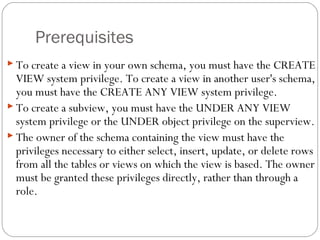
Prerequisites
 To create a view in your own schema, you must have the CREATE
VIEW system privilege. To create a view in another user's schema,
you must have the CREATE ANY VIEW system privilege.
 To create a subview, you must have the UNDER ANY VIEW
system privilege or the UNDER object privilege on the superview.
 The owner of the schema containing the view must have the
privileges necessary to either select, insert, update, or delete rows
from all the tables or views on which the view is based. The owner
must be granted these privileges directly, rather than through a
role.
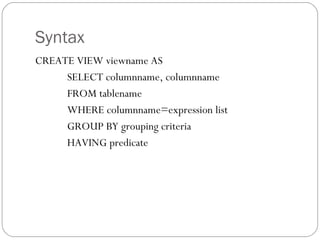
Syntax
CREATE VIEW viewname AS
SELECT columnname, columnname
FROM tablename
WHERE columnname=expression list
GROUP BY grouping criteria
HAVING predicate
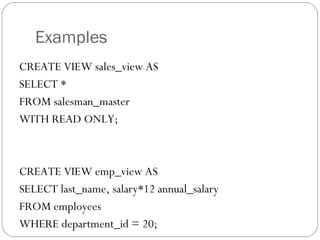
Examples
CREATE VIEW sales_view AS
SELECT *
FROM salesman_master
WITH READ ONLY;
CREATE VIEW emp_view AS
SELECT last_name, salary*12 annual_salary
FROM employees
WHERE department_id = 20;
Updateable View
 For a view to be updateable, it should meet the following criteria:
1. Views defined from Single table:
 If the user wants to INSERT records with the help of a view, then the
PRIMARY KEY column/s and all the NOT NULL columns must be
included in the view.
 The user can UPDATE, DELETE records with the help of a view
even if the PRIMARY KEY column and NOT NULL column/s are
excluded from the view definition.
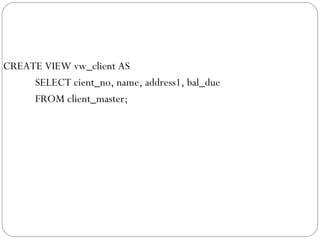
CREATE VIEW vw_client AS
SELECT cient_no, name, address1, bal_due
FROM client_master;
2. Views defined from Multiple tables (Which have no
Referencing clause)
 If a view is created from multiple tables, which were not created
using a ‘Referencing clause’, then though the PRIMARY KEY
column/s as well as the NOT NULL columns are included in the
View definition the view’s behavior will be as follows:
 The INSERT, UPDATE or DELETE operation is not allowed.
3. Views defined from Multiple tables (Which have been
created with a Referencing clause)
 If a view is created from multiple tables, which were created
using a ‘Referencing clause’, then though the PRIMARY KEY
column/s as well as NOT NULL columns are included in the
View definition the view’s behavior will be as follows:
 An INSERT operation is not allowed.
 The DELETE or MODIFY operations do not affect the Master table.
 The view can be used to MODIFY the columns of the detail table
included in the view.
 If a DELETE operation is executed on the view, the corresponding
records from the detail table will be deleted.
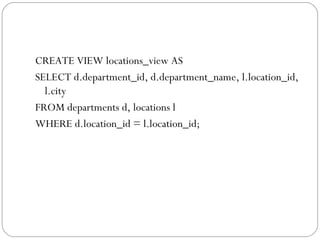
CREATE VIEW locations_view AS
SELECT d.department_id, d.department_name, l.location_id,
l.city
FROM departments d, locations l
WHERE d.location_id = l.location_id;
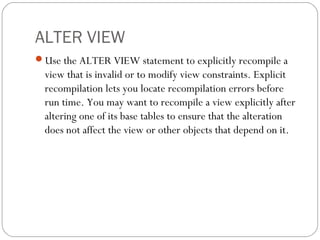
ALTER VIEW
Use the ALTER VIEW statement to explicitly recompile a
view that is invalid or to modify view constraints. Explicit
recompilation lets you locate recompilation errors before
run time. You may want to recompile a view explicitly after
altering one of its base tables to ensure that the alteration
does not affect the view or other objects that depend on it.
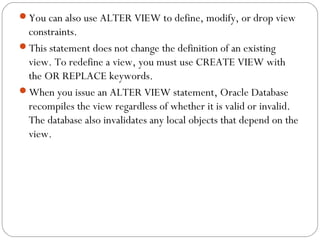
You can also use ALTER VIEW to define, modify, or drop view
constraints.
This statement does not change the definition of an existing
view. To redefine a view, you must use CREATE VIEW with
the OR REPLACE keywords.
When you issue an ALTER VIEW statement, Oracle Database
recompiles the view regardless of whether it is valid or invalid.
The database also invalidates any local objects that depend on the
view.
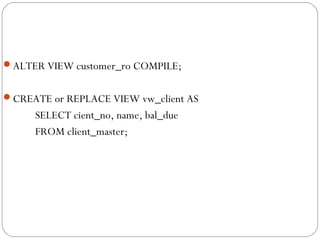
ALTER VIEW customer_ro COMPILE;
CREATE or REPLACE VIEW vw_client AS
SELECT cient_no, name, bal_due
FROM client_master;
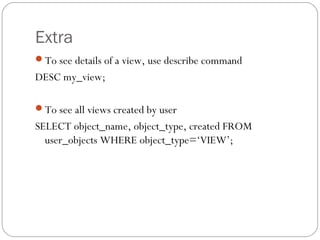
Extra
To see details of a view, use describe command
DESC my_view;
To see all views created by user
SELECT object_name, object_type, created FROM
user_objects WHERE object_type=‘VIEW’;
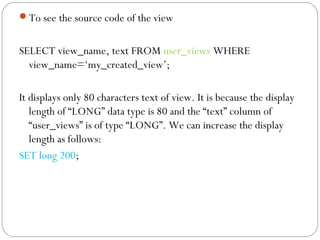
To see the source code of the view
SELECT view_name, text FROM user_views WHERE
view_name=‘my_created_view’;
It displays only 80 characters text of view. It is because the display
length of “LONG” data type is 80 and the “text” column of
“user_views” is of type “LONG”. We can increase the display
length as follows:
SET long 200;

Oracle view

  • 1.
  • 2.
    WHAT IS VIEW AView in Oracle and in other database systems is simply the representation of a SQL statement that is stored in memory so that it can easily be re-used. It prevents all users from accessing all columns of a table. It reduces redundant data to the minimum possible.
  • 3.
    It is storedonly as a definition in Oracle’s system catalogue. When a reference is made to a View, its definition is scanned, the base table is opened and the View is created on the top of the table. Read-only View is used only for looking at table data. Updateable View can be used to look at table data as well as Insert, Update and Delete table data.
  • 4.
    WHY VIEW When datasecurity is required. When Data redundancy is to be kept to the minimum while maintaining data security
  • 5.
  • 6.
    Prerequisites  To createa view in your own schema, you must have the CREATE VIEW system privilege. To create a view in another user's schema, you must have the CREATE ANY VIEW system privilege.  To create a subview, you must have the UNDER ANY VIEW system privilege or the UNDER object privilege on the superview.  The owner of the schema containing the view must have the privileges necessary to either select, insert, update, or delete rows from all the tables or views on which the view is based. The owner must be granted these privileges directly, rather than through a role.
  • 7.
    Syntax CREATE VIEW viewnameAS SELECT columnname, columnname FROM tablename WHERE columnname=expression list GROUP BY grouping criteria HAVING predicate
  • 8.
    Examples CREATE VIEW sales_viewAS SELECT * FROM salesman_master WITH READ ONLY; CREATE VIEW emp_view AS SELECT last_name, salary*12 annual_salary FROM employees WHERE department_id = 20;
  • 9.
    Updateable View  Fora view to be updateable, it should meet the following criteria: 1. Views defined from Single table:  If the user wants to INSERT records with the help of a view, then the PRIMARY KEY column/s and all the NOT NULL columns must be included in the view.  The user can UPDATE, DELETE records with the help of a view even if the PRIMARY KEY column and NOT NULL column/s are excluded from the view definition.
  • 10.
    CREATE VIEW vw_clientAS SELECT cient_no, name, address1, bal_due FROM client_master;
  • 11.
    2. Views definedfrom Multiple tables (Which have no Referencing clause)  If a view is created from multiple tables, which were not created using a ‘Referencing clause’, then though the PRIMARY KEY column/s as well as the NOT NULL columns are included in the View definition the view’s behavior will be as follows:  The INSERT, UPDATE or DELETE operation is not allowed.
  • 12.
    3. Views definedfrom Multiple tables (Which have been created with a Referencing clause)  If a view is created from multiple tables, which were created using a ‘Referencing clause’, then though the PRIMARY KEY column/s as well as NOT NULL columns are included in the View definition the view’s behavior will be as follows:  An INSERT operation is not allowed.  The DELETE or MODIFY operations do not affect the Master table.  The view can be used to MODIFY the columns of the detail table included in the view.  If a DELETE operation is executed on the view, the corresponding records from the detail table will be deleted.
  • 13.
    CREATE VIEW locations_viewAS SELECT d.department_id, d.department_name, l.location_id, l.city FROM departments d, locations l WHERE d.location_id = l.location_id;
  • 14.
    ALTER VIEW Use theALTER VIEW statement to explicitly recompile a view that is invalid or to modify view constraints. Explicit recompilation lets you locate recompilation errors before run time. You may want to recompile a view explicitly after altering one of its base tables to ensure that the alteration does not affect the view or other objects that depend on it.
  • 15.
    You can alsouse ALTER VIEW to define, modify, or drop view constraints. This statement does not change the definition of an existing view. To redefine a view, you must use CREATE VIEW with the OR REPLACE keywords. When you issue an ALTER VIEW statement, Oracle Database recompiles the view regardless of whether it is valid or invalid. The database also invalidates any local objects that depend on the view.
  • 16.
    ALTER VIEW customer_roCOMPILE; CREATE or REPLACE VIEW vw_client AS SELECT cient_no, name, bal_due FROM client_master;
  • 17.
    Extra To see detailsof a view, use describe command DESC my_view; To see all views created by user SELECT object_name, object_type, created FROM user_objects WHERE object_type=‘VIEW’;
  • 18.
    To see thesource code of the view SELECT view_name, text FROM user_views WHERE view_name=‘my_created_view’; It displays only 80 characters text of view. It is because the display length of “LONG” data type is 80 and the “text” column of “user_views” is of type “LONG”. We can increase the display length as follows: SET long 200;

Editor's Notes

  • #8 http://download.oracle.com/docs/cd/B19306_01/server.102/b14200/statements_8004.htm#i2102873
  • #14 1126
  • #15 http://docs.oracle.com/cd/B19306_01/server.102/b14200/statements_4004.htm