Database Systems Lab
IT[244]
Lab #:10
FACULTY OF CS & IT
UNIVERSITY OF GUJRAT
SQL Views
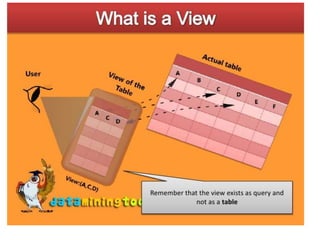
• A view in SQL is just a saved SQL query.
• The view is a virtual table. It does not physically
exist. Rather, it is created by a query joining one or
more tables.
• A view contains rows and columns, just like a real
table
• The fields in a view are fields from one or more real
tables in the database
SQL Views
• The main use of view is the security that its offer. A
third party may restricted to views only a portion of
database , While hiding the rest of sensitive data.
• View can be used as a mechanism to implement the
row and column level security.
• Reduce the data complexity
Creating a view
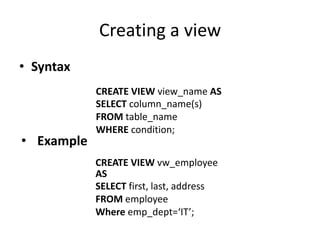
• Syntax
• Example
CREATE VIEW view_name AS
SELECT column_name(s)
FROM table_name
WHERE condition;
CREATE VIEW vw_employee
AS
SELECT first, last, address
FROM employee
Where emp_dept=‘IT’;
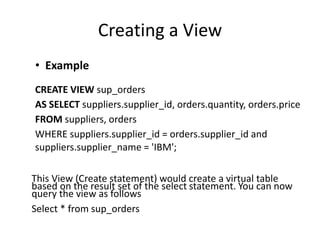
Creating a View
• Example
CREATE VIEW sup_orders
AS SELECT suppliers.supplier_id, orders.quantity, orders.price
FROM suppliers, orders
WHERE suppliers.supplier_id = orders.supplier_id and
suppliers.supplier_name = 'IBM';
This View (Create statement) would create a virtual table
based on the result set of the select statement. You can now
query the view as follows
Select * from sup_orders
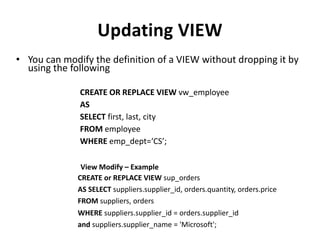
Updating VIEW
• You can modify the definition of a VIEW without dropping it by
using the following
CREATE OR REPLACE VIEW vw_employee
AS
SELECT first, last, city
FROM employee
WHERE emp_dept=‘CS’;
View Modify – Example
CREATE or REPLACE VIEW sup_orders
AS SELECT suppliers.supplier_id, orders.quantity, orders.price
FROM suppliers, orders
WHERE suppliers.supplier_id = orders.supplier_id
and suppliers.supplier_name = 'Microsoft';
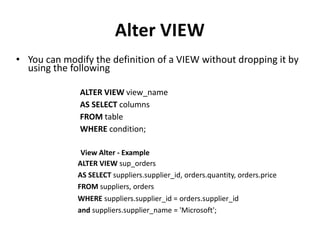
Alter VIEW
• You can modify the definition of a VIEW without dropping it by
using the following
ALTER VIEW view_name
AS SELECT columns
FROM table
WHERE condition;
View Alter - Example
ALTER VIEW sup_orders
AS SELECT suppliers.supplier_id, orders.quantity, orders.price
FROM suppliers, orders
WHERE suppliers.supplier_id = orders.supplier_id
and suppliers.supplier_name = 'Microsoft';
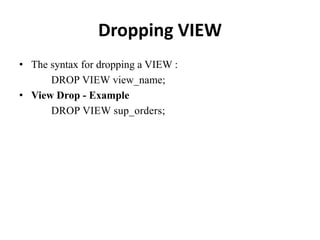
Dropping VIEW
• The syntax for dropping a VIEW :
DROP VIEW view_name;
• View Drop - Example
DROP VIEW sup_orders;
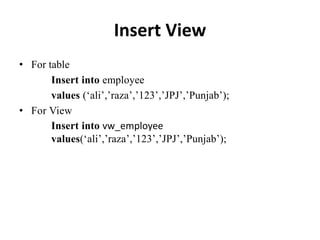
Insert View
• For table
Insert into employee
values (‘ali’,’raza’,’123’,’JPJ’,’Punjab’);
• For View
Insert into vw_employee
values(‘ali’,’raza’,’123’,’JPJ’,’Punjab’);
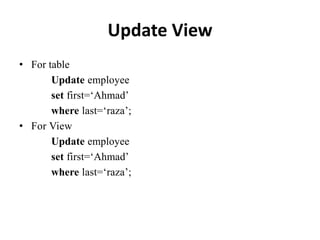
Update View
• For table
Update employee
set first=‘Ahmad’
where last=‘raza’;
• For View
Update employee
set first=‘Ahmad’
where last=‘raza’;
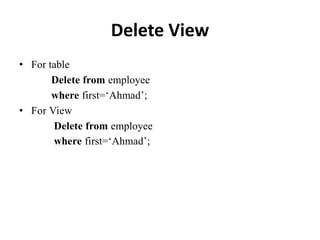
Delete View
• For table
Delete from employee
where first=‘Ahmad’;
• For View
Delete from employee
where first=‘Ahmad’;

SQL lab number 10 in database system ppt

  • 1.
    Database Systems Lab IT[244] Lab#:10 FACULTY OF CS & IT UNIVERSITY OF GUJRAT
  • 2.
    SQL Views • Aview in SQL is just a saved SQL query. • The view is a virtual table. It does not physically exist. Rather, it is created by a query joining one or more tables. • A view contains rows and columns, just like a real table • The fields in a view are fields from one or more real tables in the database
  • 3.
    SQL Views • Themain use of view is the security that its offer. A third party may restricted to views only a portion of database , While hiding the rest of sensitive data. • View can be used as a mechanism to implement the row and column level security. • Reduce the data complexity
  • 5.
    Creating a view •Syntax • Example CREATE VIEW view_name AS SELECT column_name(s) FROM table_name WHERE condition; CREATE VIEW vw_employee AS SELECT first, last, address FROM employee Where emp_dept=‘IT’;
  • 6.
    Creating a View •Example CREATE VIEW sup_orders AS SELECT suppliers.supplier_id, orders.quantity, orders.price FROM suppliers, orders WHERE suppliers.supplier_id = orders.supplier_id and suppliers.supplier_name = 'IBM'; This View (Create statement) would create a virtual table based on the result set of the select statement. You can now query the view as follows Select * from sup_orders
  • 7.
    Updating VIEW • Youcan modify the definition of a VIEW without dropping it by using the following CREATE OR REPLACE VIEW vw_employee AS SELECT first, last, city FROM employee WHERE emp_dept=‘CS’; View Modify – Example CREATE or REPLACE VIEW sup_orders AS SELECT suppliers.supplier_id, orders.quantity, orders.price FROM suppliers, orders WHERE suppliers.supplier_id = orders.supplier_id and suppliers.supplier_name = 'Microsoft';
  • 8.
    Alter VIEW • Youcan modify the definition of a VIEW without dropping it by using the following ALTER VIEW view_name AS SELECT columns FROM table WHERE condition; View Alter - Example ALTER VIEW sup_orders AS SELECT suppliers.supplier_id, orders.quantity, orders.price FROM suppliers, orders WHERE suppliers.supplier_id = orders.supplier_id and suppliers.supplier_name = 'Microsoft';
  • 9.
    Dropping VIEW • Thesyntax for dropping a VIEW : DROP VIEW view_name; • View Drop - Example DROP VIEW sup_orders;
  • 10.
    Insert View • Fortable Insert into employee values (‘ali’,’raza’,’123’,’JPJ’,’Punjab’); • For View Insert into vw_employee values(‘ali’,’raza’,’123’,’JPJ’,’Punjab’);
  • 11.
    Update View • Fortable Update employee set first=‘Ahmad’ where last=‘raza’; • For View Update employee set first=‘Ahmad’ where last=‘raza’;
  • 12.
    Delete View • Fortable Delete from employee where first=‘Ahmad’; • For View Delete from employee where first=‘Ahmad’;