In orderto enable Workflow notificationsthroughemail ,youhave totake the followinginyour
consideration:(SetupPre-Requisites)
1. Oracle Appsserverisable to pingthe mail server(byhostname orIPaddress),inCase of Linux
OS (include the mail serverhostname andIPaddresstoyourhost file).
2. Email ServermustsupportSMTP & IMAP (OracleWorkflowmailer supportIMAP version 4.0 (IMAP4)
complaintmail servers).
 The Mail ServermustsupportIMAP inorderto processinbounde-mailswhichcome
throughthe purchasingapproval process(i.e.the usercanapprove PO& PR from hise-
mail,Noneedtobe authenticatedwiththe Oracle Apps).
 The Mail ServermustsupportSMPT in orderto processoutbounde-mails
3. Create account inthe email server,This accountwill be usedbyWFmailerto receive andsend
e-mail messages, Three Foldersmustbe createdunderthe account(INBOX,PROCESS,DISCARD)
4. Configure the Workflow maileronthe applicationside (8steps)
NavigationSteps:
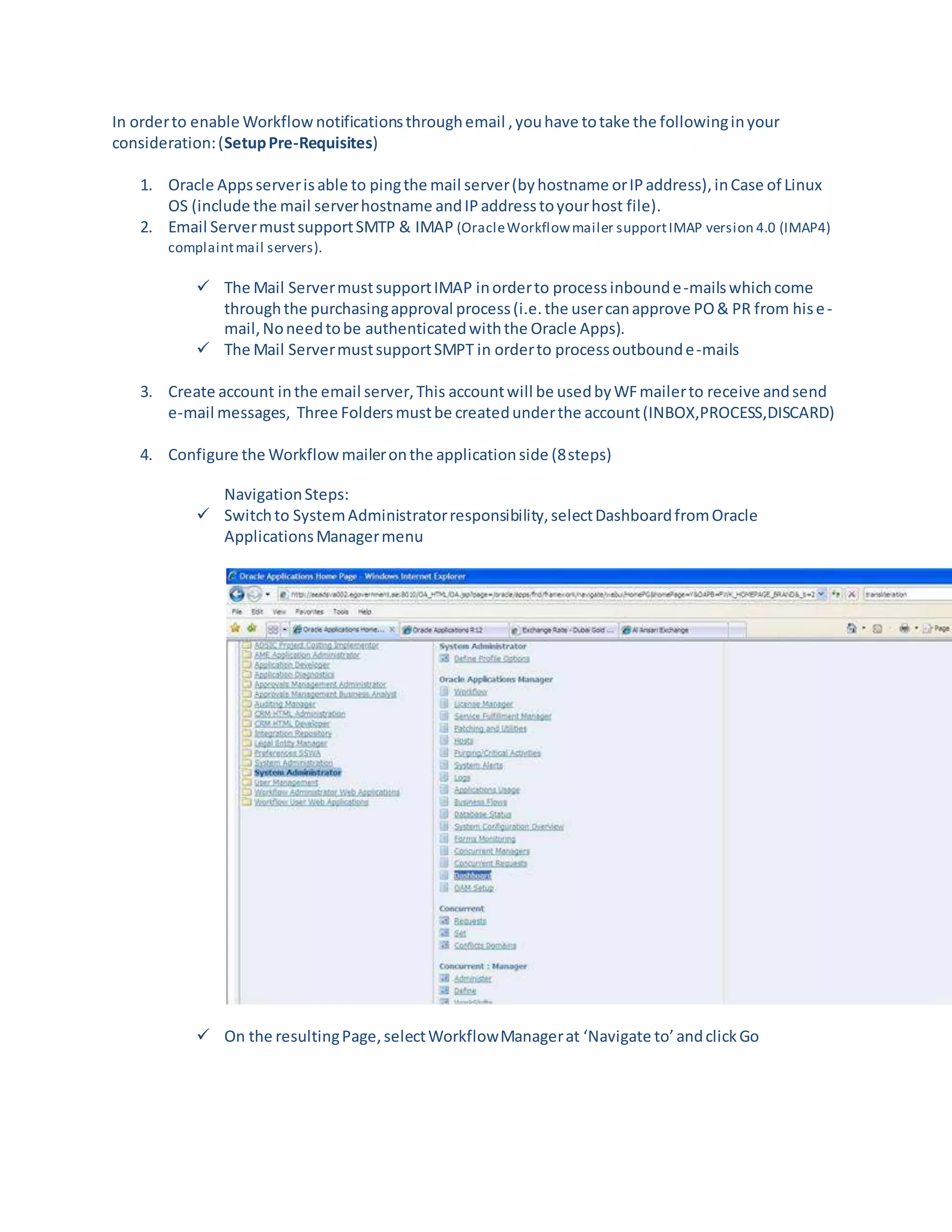
 Switchto SystemAdministratorresponsibility,selectDashboardfromOracle
ApplicationsManagermenu
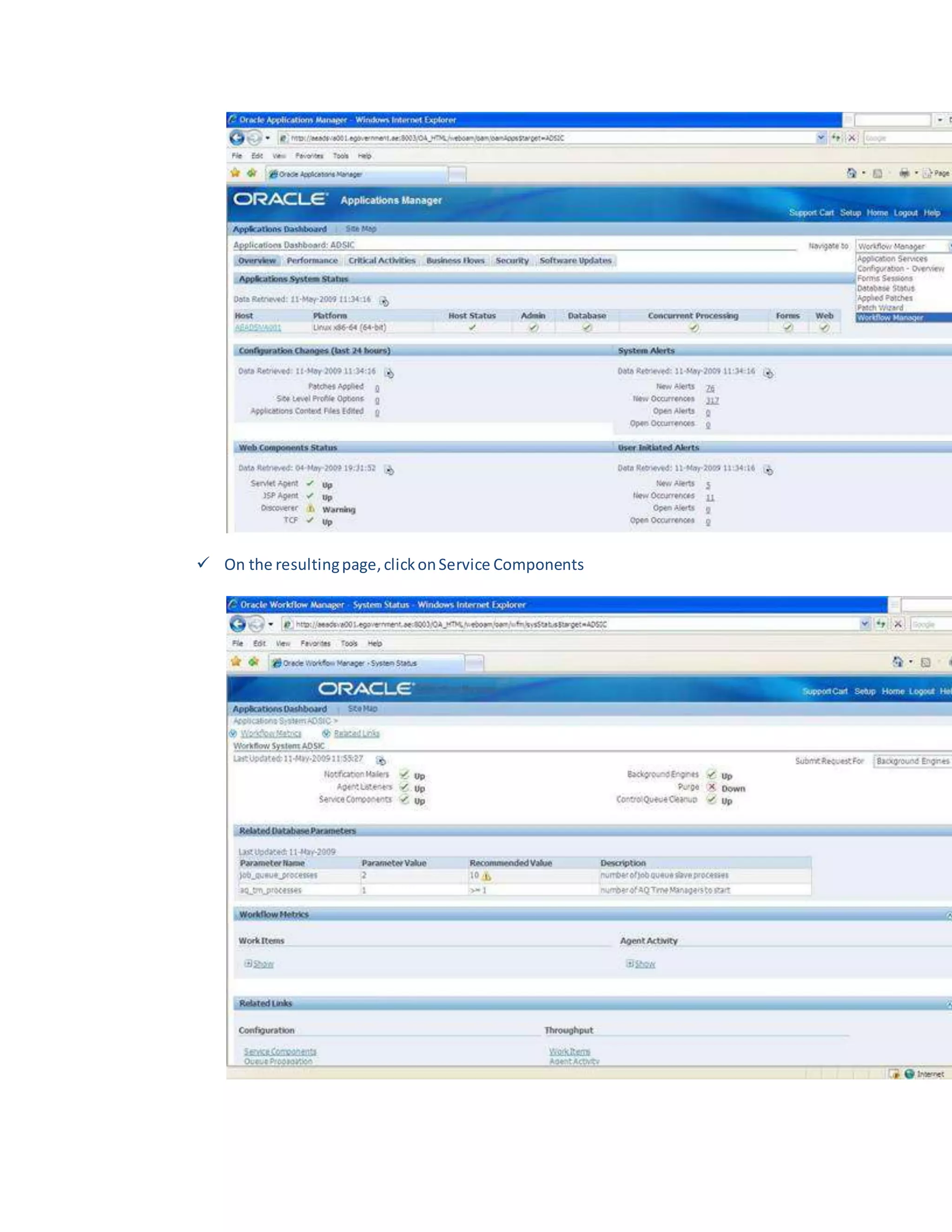
 On the resultingPage,selectWorkflowManagerat ‘Navigate to’andclickGo
 On the resultingpage,clickonService Components
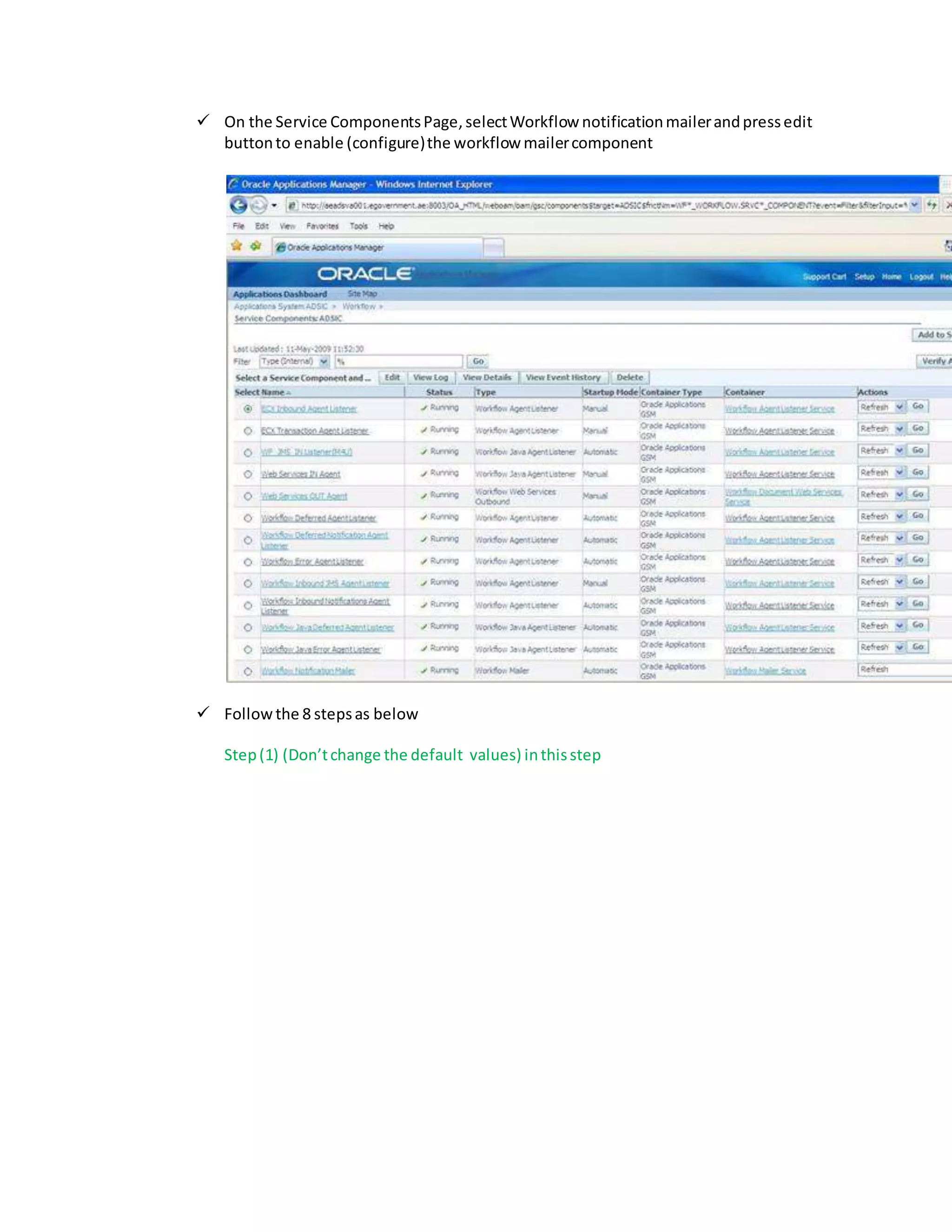
 On the Service ComponentsPage,selectWorkflow notificationmailerandpressedit
buttonto enable (configure)the workflow mailercomponent
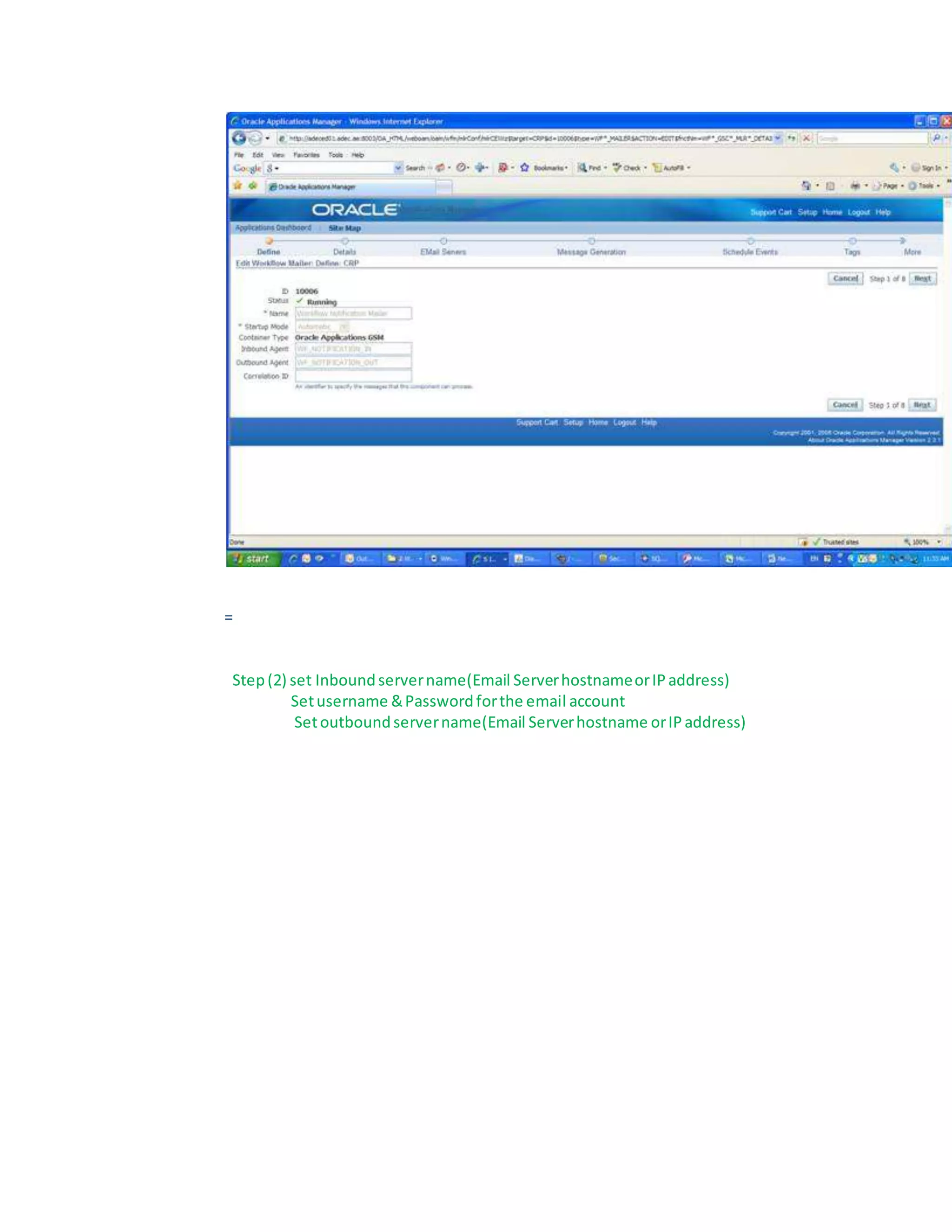
 Followthe 8 stepsas below
Step(1) (Don’tchange the default values) inthisstep
=
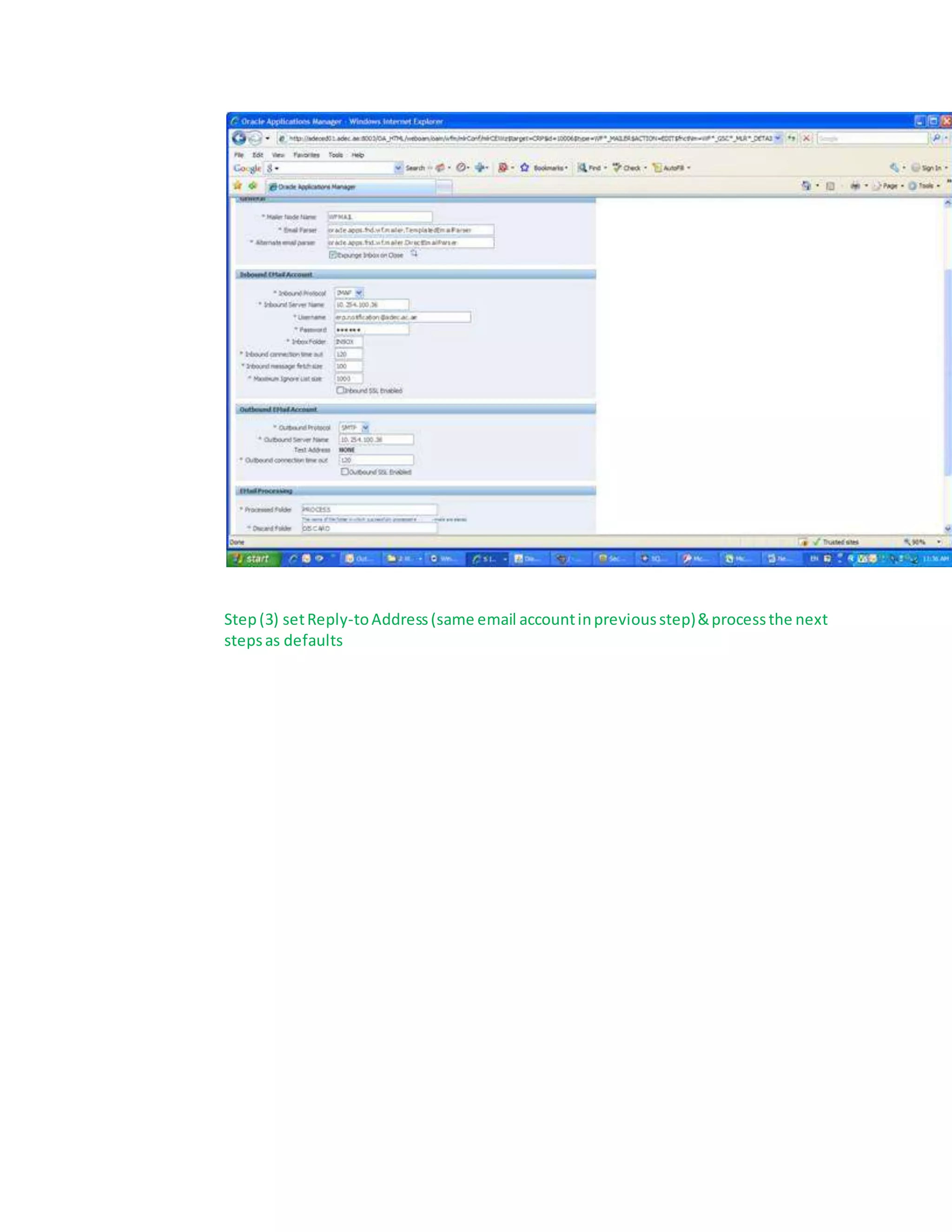
Step(2) set Inboundservername(Email ServerhostnameorIPaddress)
Setusername &Passwordforthe email account
Setoutboundservername(Email Serverhostname orIPaddress)
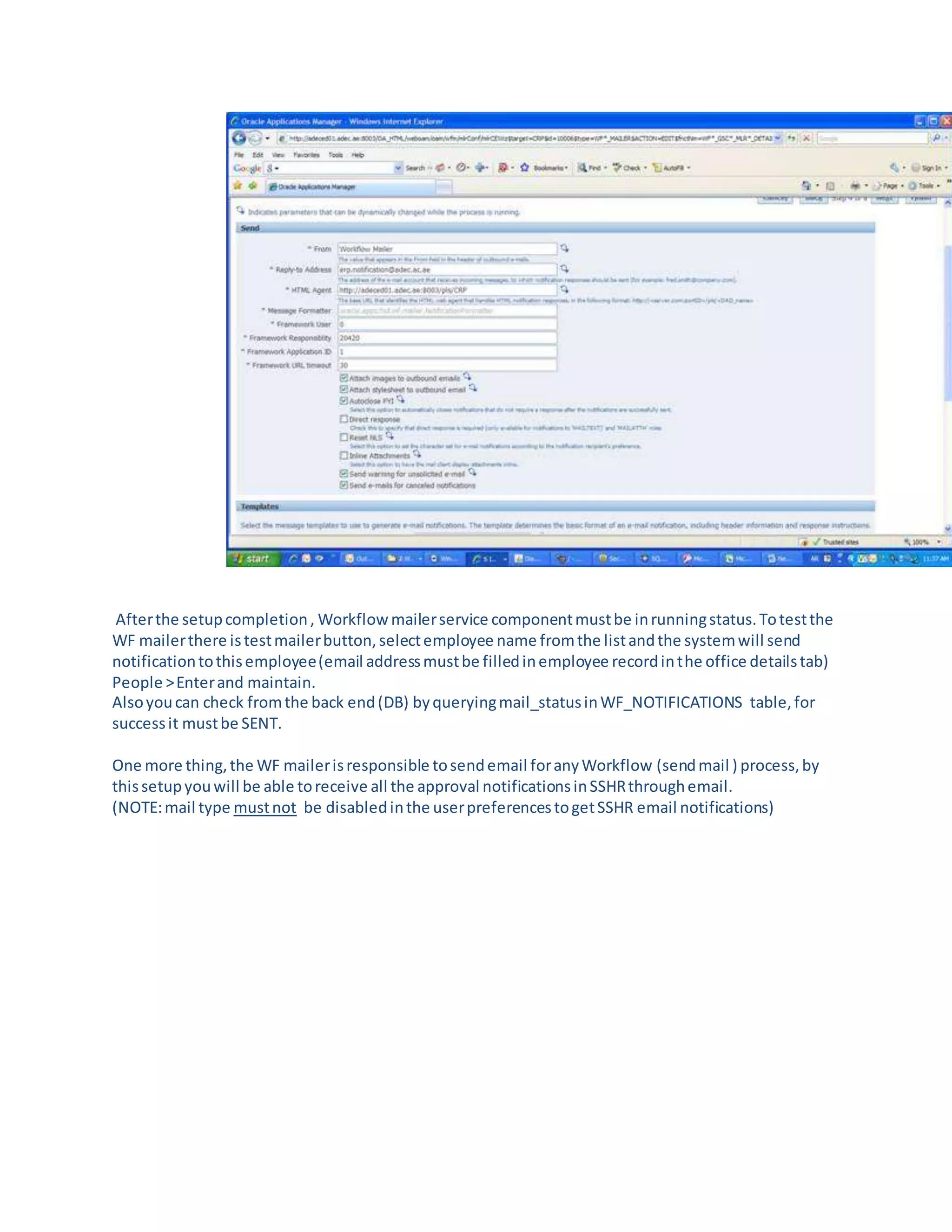
Step(3) setReply-toAddress(same email accountinpreviousstep)&processthe next
stepsas defaults
Afterthe setupcompletion, Workflowmailerservice componentmustbe inrunningstatus.Totestthe
WF mailerthere istestmailerbutton,selectemployee name fromthe listandthe systemwill send
notificationtothisemployee(email addressmustbe filledinemployee recordinthe office detailstab)
People >Enterand maintain.
Alsoyoucan check fromthe back end(DB) byqueryingmail_statusinWF_NOTIFICATIONS table,for
successit mustbe SENT.
One more thing,the WF mailerisresponsible tosendemail foranyWorkflow (sendmail ) process,by
thissetupyouwill be able toreceive all the approval notificationsinSSHRthroughemail.
(NOTE:mail type mustnot be disabledinthe userpreferencestogetSSHR email notifications)

Oracle HCM Email notification

  • 1.
    In orderto enableWorkflow notificationsthroughemail ,youhave totake the followinginyour consideration:(SetupPre-Requisites) 1. Oracle Appsserverisable to pingthe mail server(byhostname orIPaddress),inCase of Linux OS (include the mail serverhostname andIPaddresstoyourhost file). 2. Email ServermustsupportSMTP & IMAP (OracleWorkflowmailer supportIMAP version 4.0 (IMAP4) complaintmail servers).  The Mail ServermustsupportIMAP inorderto processinbounde-mailswhichcome throughthe purchasingapproval process(i.e.the usercanapprove PO& PR from hise- mail,Noneedtobe authenticatedwiththe Oracle Apps).  The Mail ServermustsupportSMPT in orderto processoutbounde-mails 3. Create account inthe email server,This accountwill be usedbyWFmailerto receive andsend e-mail messages, Three Foldersmustbe createdunderthe account(INBOX,PROCESS,DISCARD) 4. Configure the Workflow maileronthe applicationside (8steps) NavigationSteps:  Switchto SystemAdministratorresponsibility,selectDashboardfromOracle ApplicationsManagermenu  On the resultingPage,selectWorkflowManagerat ‘Navigate to’andclickGo
  • 2.
     On theresultingpage,clickonService Components
  • 3.
     On theService ComponentsPage,selectWorkflow notificationmailerandpressedit buttonto enable (configure)the workflow mailercomponent  Followthe 8 stepsas below Step(1) (Don’tchange the default values) inthisstep
  • 4.
    = Step(2) set Inboundservername(EmailServerhostnameorIPaddress) Setusername &Passwordforthe email account Setoutboundservername(Email Serverhostname orIPaddress)
  • 5.
    Step(3) setReply-toAddress(same emailaccountinpreviousstep)&processthe next stepsas defaults
  • 6.
    Afterthe setupcompletion, Workflowmailerservicecomponentmustbe inrunningstatus.Totestthe WF mailerthere istestmailerbutton,selectemployee name fromthe listandthe systemwill send notificationtothisemployee(email addressmustbe filledinemployee recordinthe office detailstab) People >Enterand maintain. Alsoyoucan check fromthe back end(DB) byqueryingmail_statusinWF_NOTIFICATIONS table,for successit mustbe SENT. One more thing,the WF mailerisresponsible tosendemail foranyWorkflow (sendmail ) process,by thissetupyouwill be able toreceive all the approval notificationsinSSHRthroughemail. (NOTE:mail type mustnot be disabledinthe userpreferencestogetSSHR email notifications)