Oracle Endeca 101 
High Level Overview Illustrating Development of a Simple 
Commerce Page Cartridge 
Includes Description of Facebook and Mobile device components 
Includes Documentation at end of presentation 
Focus Endeca Commerce
Content 
• What is Oracle Information Discovery? 
• Review Endeca Platform 
• Endeca for Commerce (p. 13) 
• Creating a Cartridge (p. 21) 
• A further look into guided navigation and search (p.39) 
• Endeca SEO Advantages (p.47) 
• Endeca for Mobile (p.48) 
• Endeca for Social (p.55) 
• Facebook Store Features (p.62) 
• Appendix including ‘What’s New’ (p. 68) 
• Documentation (p. 83)
What is Oracle Information Discovery? 
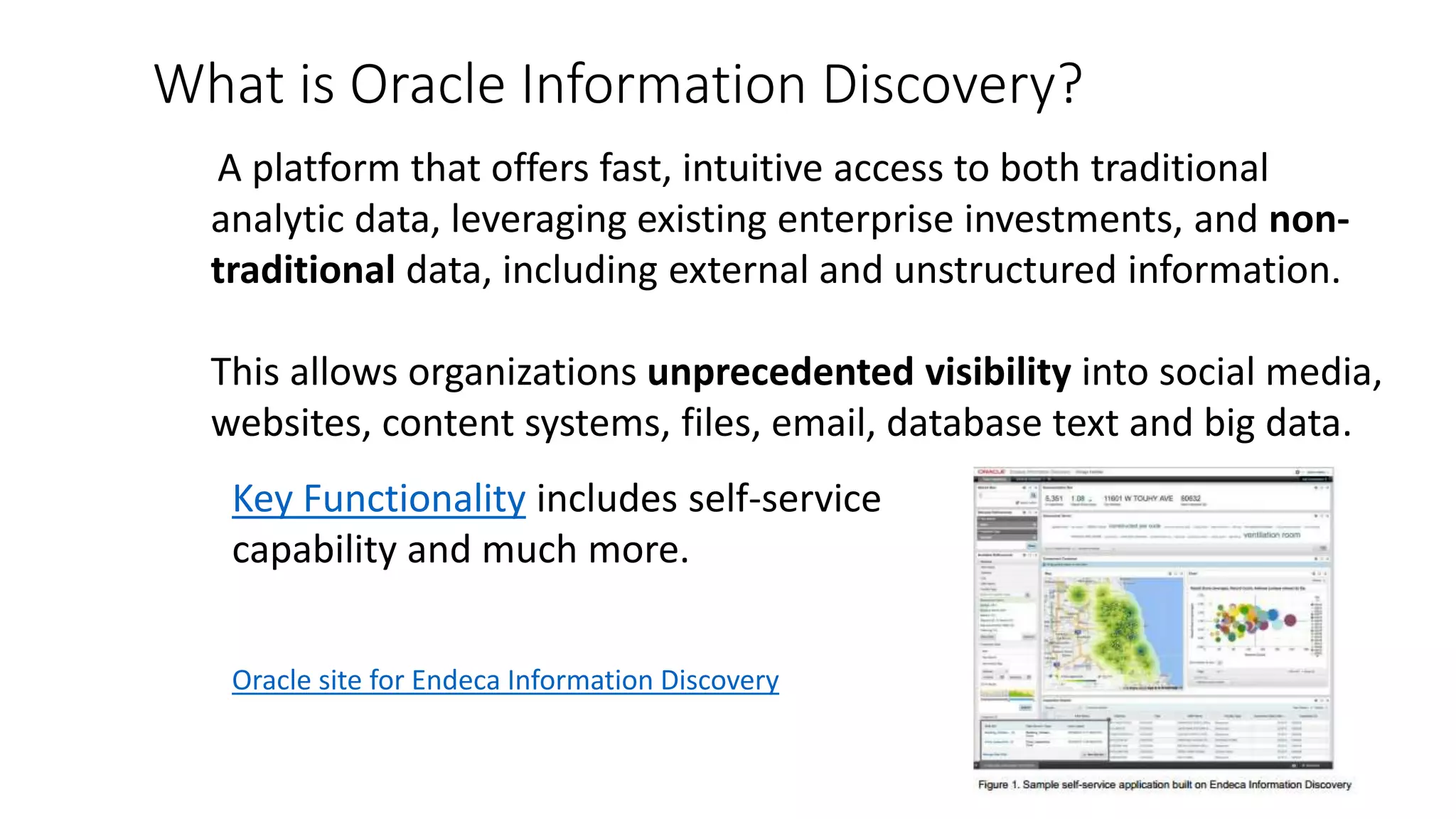
A platform that offers fast, intuitive access to both traditional 
analytic data, leveraging existing enterprise investments, and non-traditional 
data, including external and unstructured information. 
This allows organizations unprecedented visibility into social media, 
websites, content systems, files, email, database text and big data. 
Key Functionality includes self-service 
capability and much more. 
Oracle site for Endeca Information Discovery
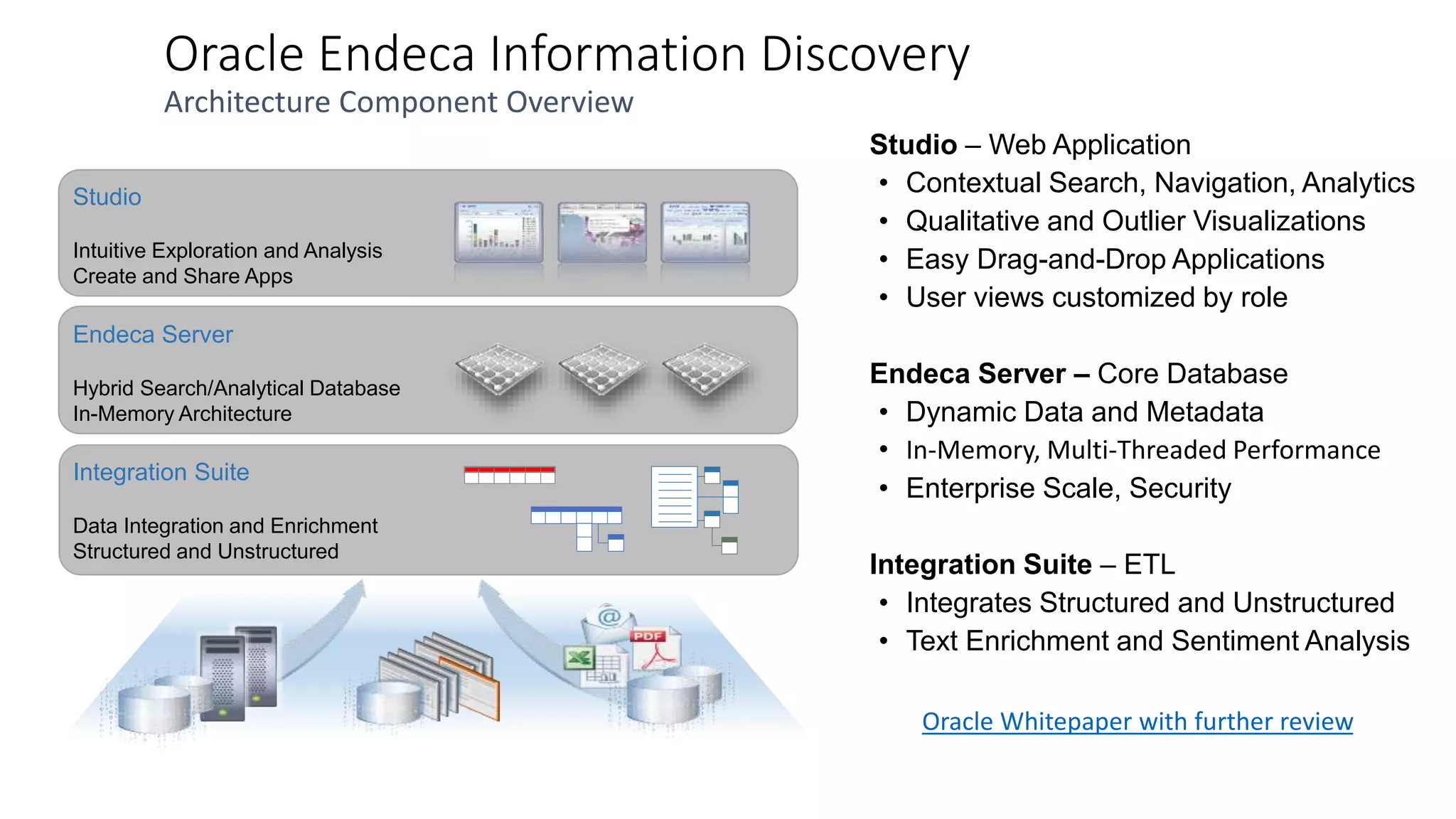
Oracle Endeca Information Discovery 
Architecture Component Overview 
Studio – Web Application 
• Contextual Search, Navigation, Analytics 
• Qualitative and Outlier Visualizations 
• Easy Drag-and-Drop Applications 
• User views customized by role 
Endeca Server – Core Database 
• Dynamic Data and Metadata 
• In-Memory, Multi-Threaded Performance 
• Enterprise Scale, Security 
Integration Suite – ETL 
• Integrates Structured and Unstructured 
• Text Enrichment and Sentiment Analysis 
Studio 
Intuitive Exploration and Analysis 
Create and Share Apps 
Endeca Server 
Hybrid Search/Analytical Database 
In-Memory Architecture 
Integration Suite 
Data Integration and Enrichment 
Structured and Unstructured 
Oracle Whitepaper with further review
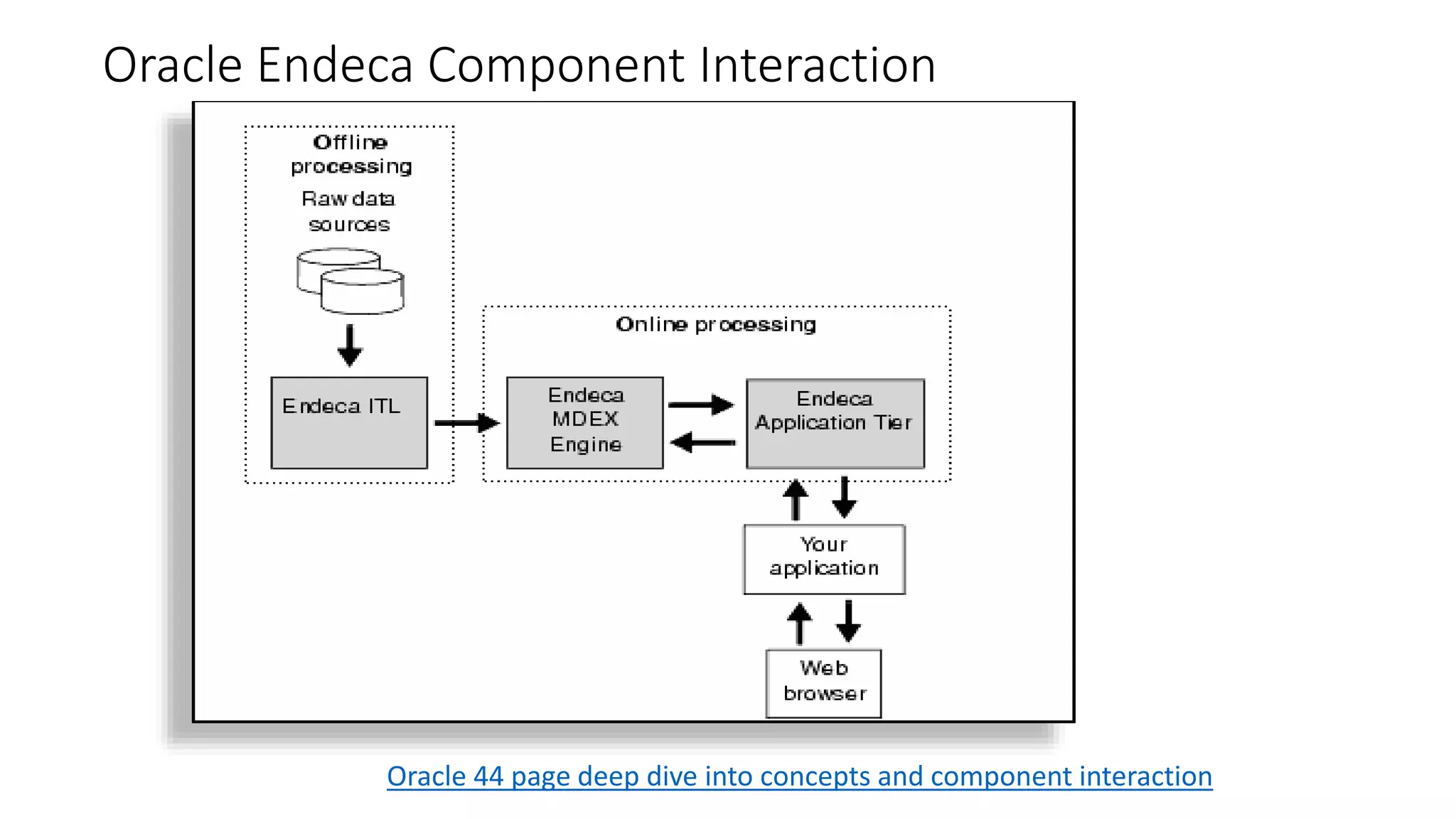
Oracle Endeca Component Interaction 
Oracle 44 page deep dive into concepts and component interaction
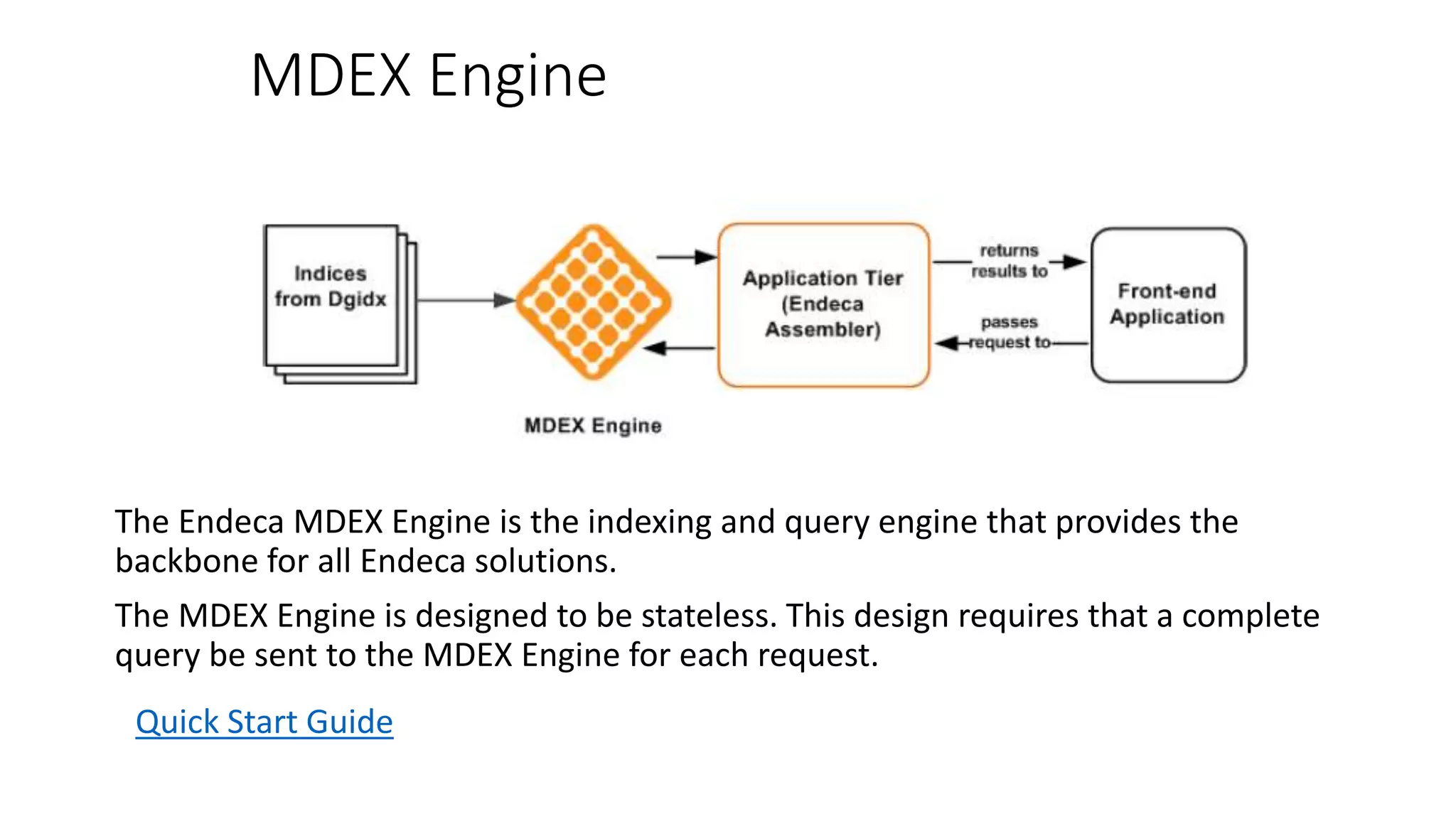
MDEX Engine 
The Endeca MDEX Engine is the indexing and query engine that provides the 
backbone for all Endeca solutions. 
The MDEX Engine is designed to be stateless. This design requires that a complete 
query be sent to the MDEX Engine for each request. 
Quick Start Guide
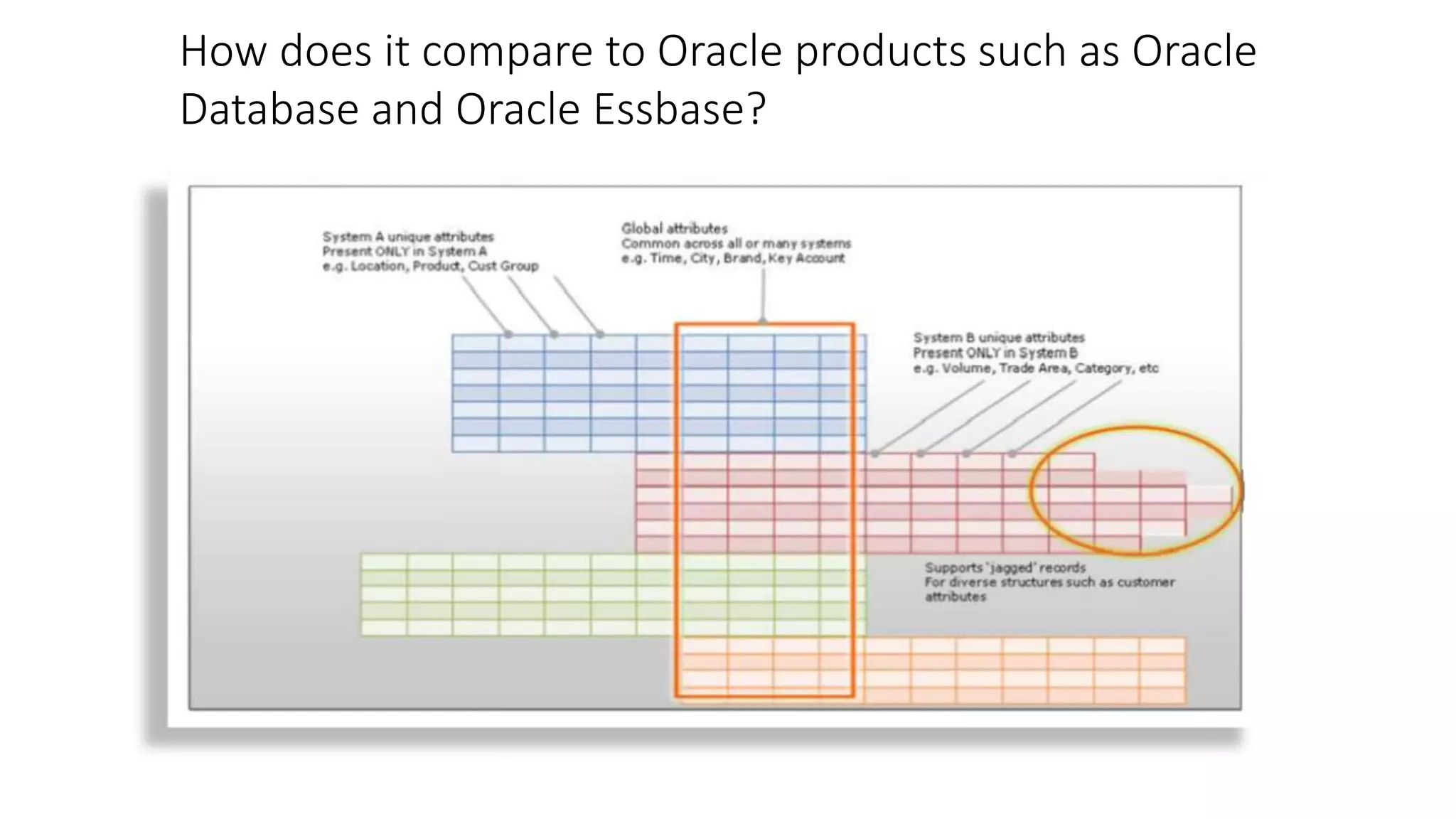
How does it compare to Oracle products such as Oracle 
Database and Oracle Essbase?
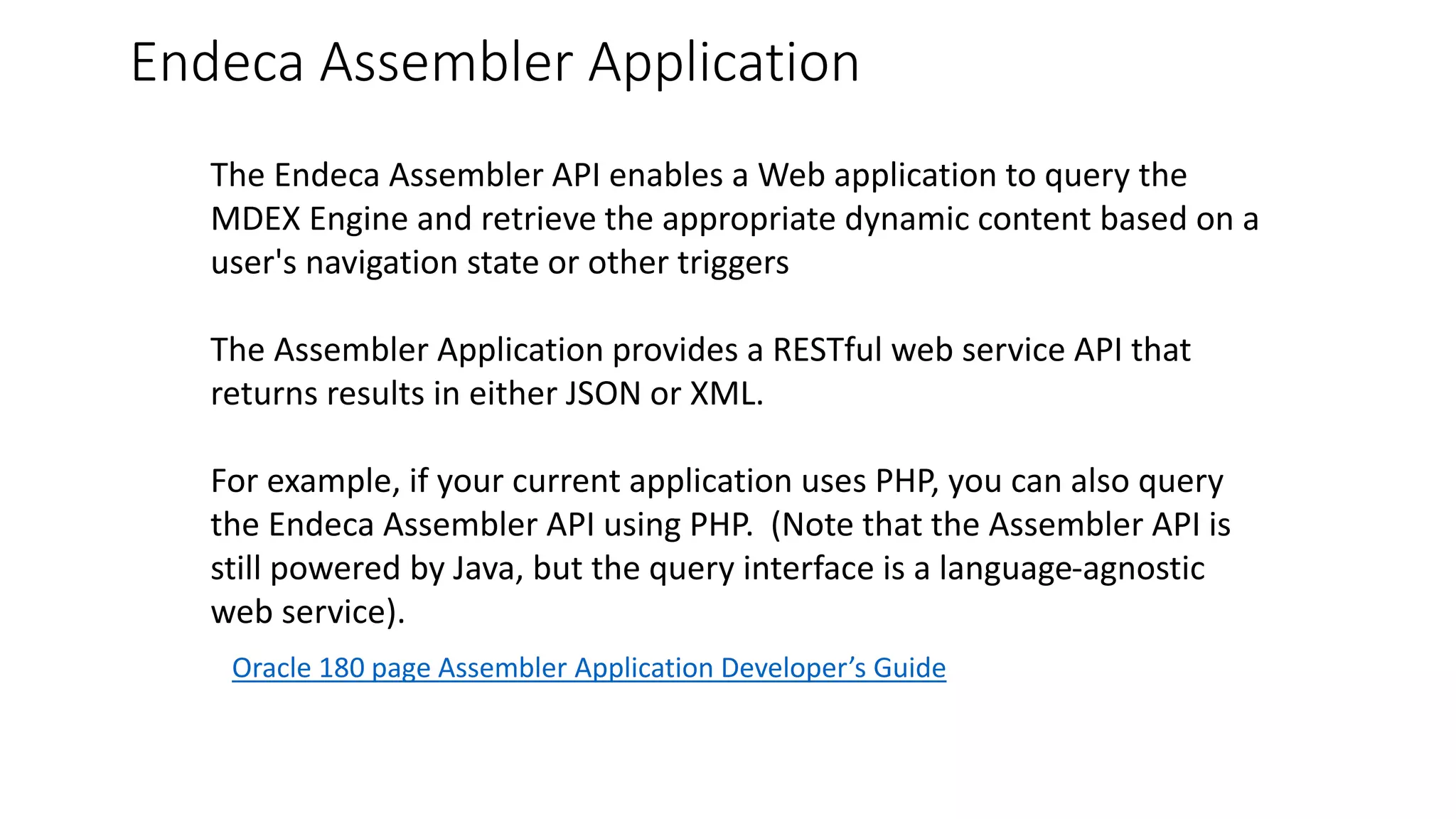
Endeca Assembler Application 
The Endeca Assembler API enables a Web application to query the 
MDEX Engine and retrieve the appropriate dynamic content based on a 
user's navigation state or other triggers 
The Assembler Application provides a RESTful web service API that 
returns results in either JSON or XML. 
For example, if your current application uses PHP, you can also query 
the Endeca Assembler API using PHP. (Note that the Assembler API is 
still powered by Java, but the query interface is a language-agnostic 
web service). 
Oracle 180 page Assembler Application Developer’s Guide
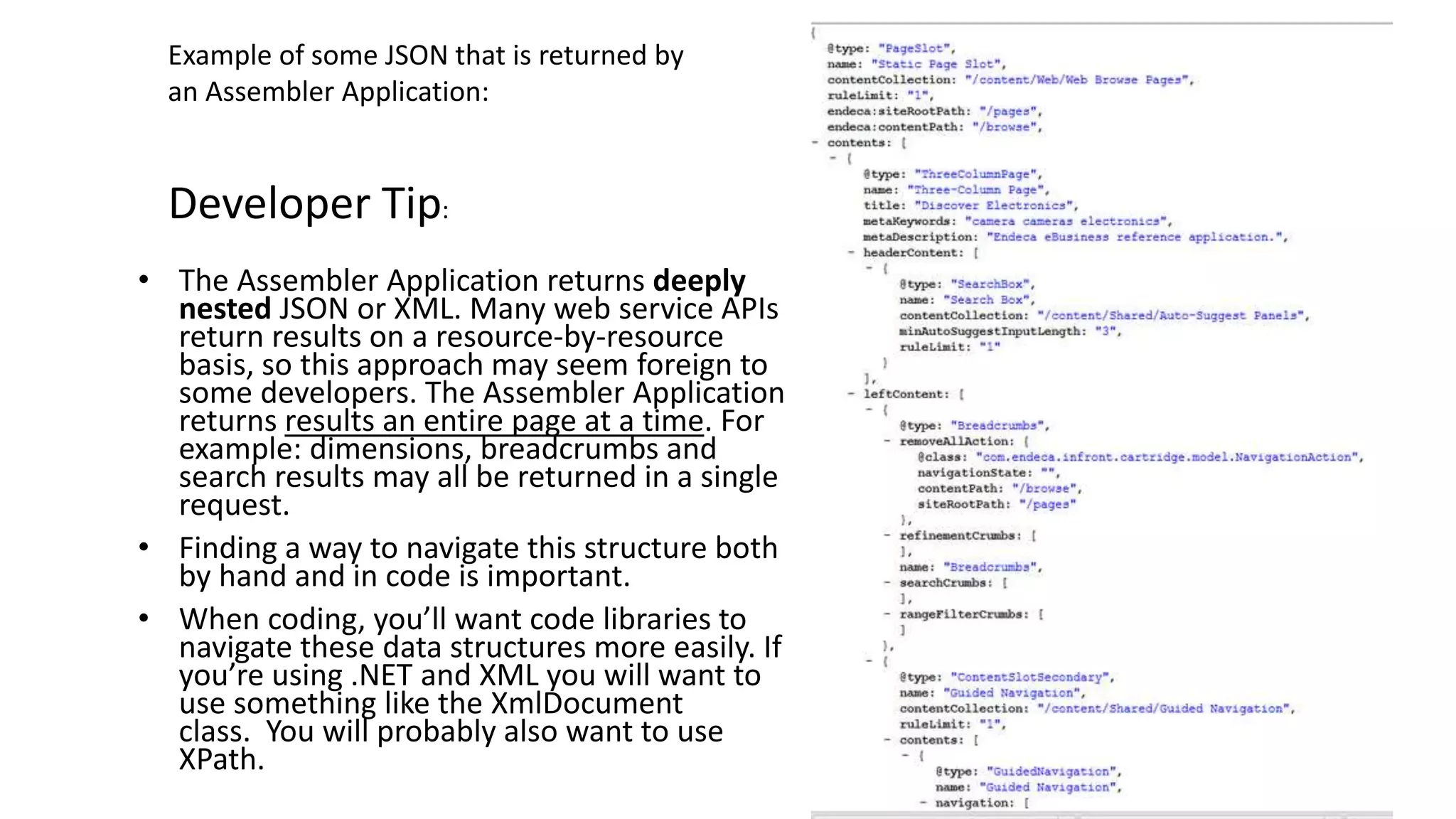
Example of some JSON that is returned by 
an Assembler Application: 
Developer Tip: 
• The Assembler Application returns deeply 
nested JSON or XML. Many web service APIs 
return results on a resource-by-resource 
basis, so this approach may seem foreign to 
some developers. The Assembler Application 
returns results an entire page at a time. For 
example: dimensions, breadcrumbs and 
search results may all be returned in a single 
request. 
• Finding a way to navigate this structure both 
by hand and in code is important. 
• When coding, you’ll want code libraries to 
navigate these data structures more easily. If 
you’re using .NET and XML you will want to 
use something like the XmlDocument 
class. You will probably also want to use 
XPath.
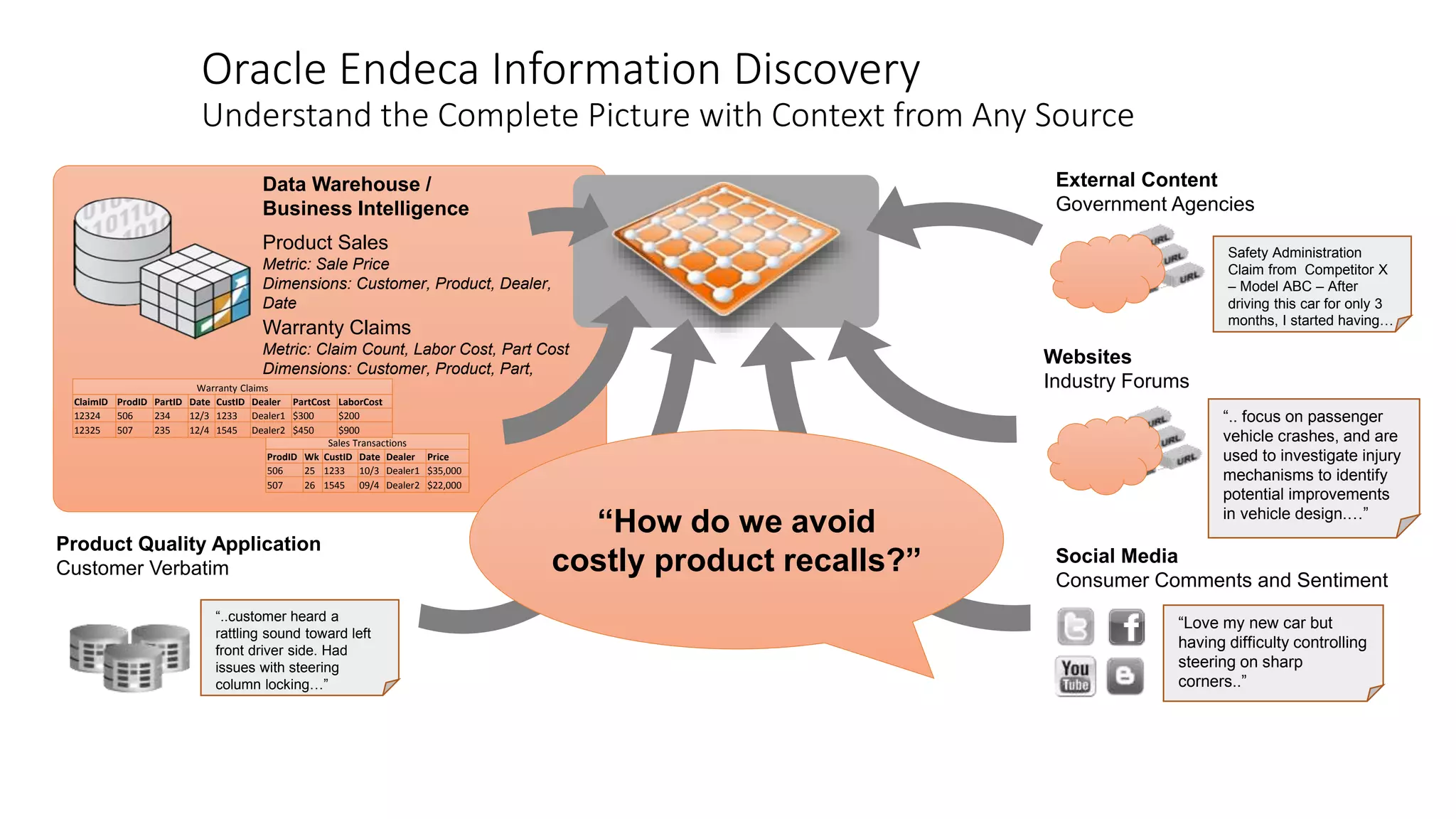
Oracle Endeca Information Discovery 
Understand the Complete Picture with Context from Any Source 
Data Warehouse / 
Business Intelligence 
Product Sales 
Metric: Sale Price 
Dimensions: Customer, Product, Dealer, 
Date 
Warranty Claims 
Metric: Claim Count, Labor Cost, Part Cost 
Dimensions: Customer, Product, Part, 
Dealer, Date 
ClaimID ProdID PartID Date CustID Dealer PartCost LaborCost 
12324 506 234 12/3 1233 Dealer1 $300 $200 
12325 507 235 12/4 1545 Dealer2 $450 $900 
Sales Transactions 
Warranty Claims 
ProdID Wk CustID Date Dealer Price 
506 25 1233 10/3 Dealer1 $35,000 
507 26 1545 09/4 Dealer2 $22,000 
Product Quality Application 
Customer Verbatim 
“..customer heard a 
rattling sound toward left 
front driver side. Had 
issues with steering 
column locking…” 
External Content 
Government Agencies 
Websites 
Industry Forums 
Safety Administration 
Claim from Competitor X 
– Model ABC – After 
driving this car for only 3 
months, I started having… 
“.. focus on passenger 
vehicle crashes, and are 
used to investigate injury 
mechanisms to identify 
potential improvements 
in vehicle design.…” 
Social Media 
Consumer Comments and Sentiment 
“Love my new car but 
having difficulty controlling 
steering on sharp 
corners..” 
“How do we avoid 
costly product recalls?”
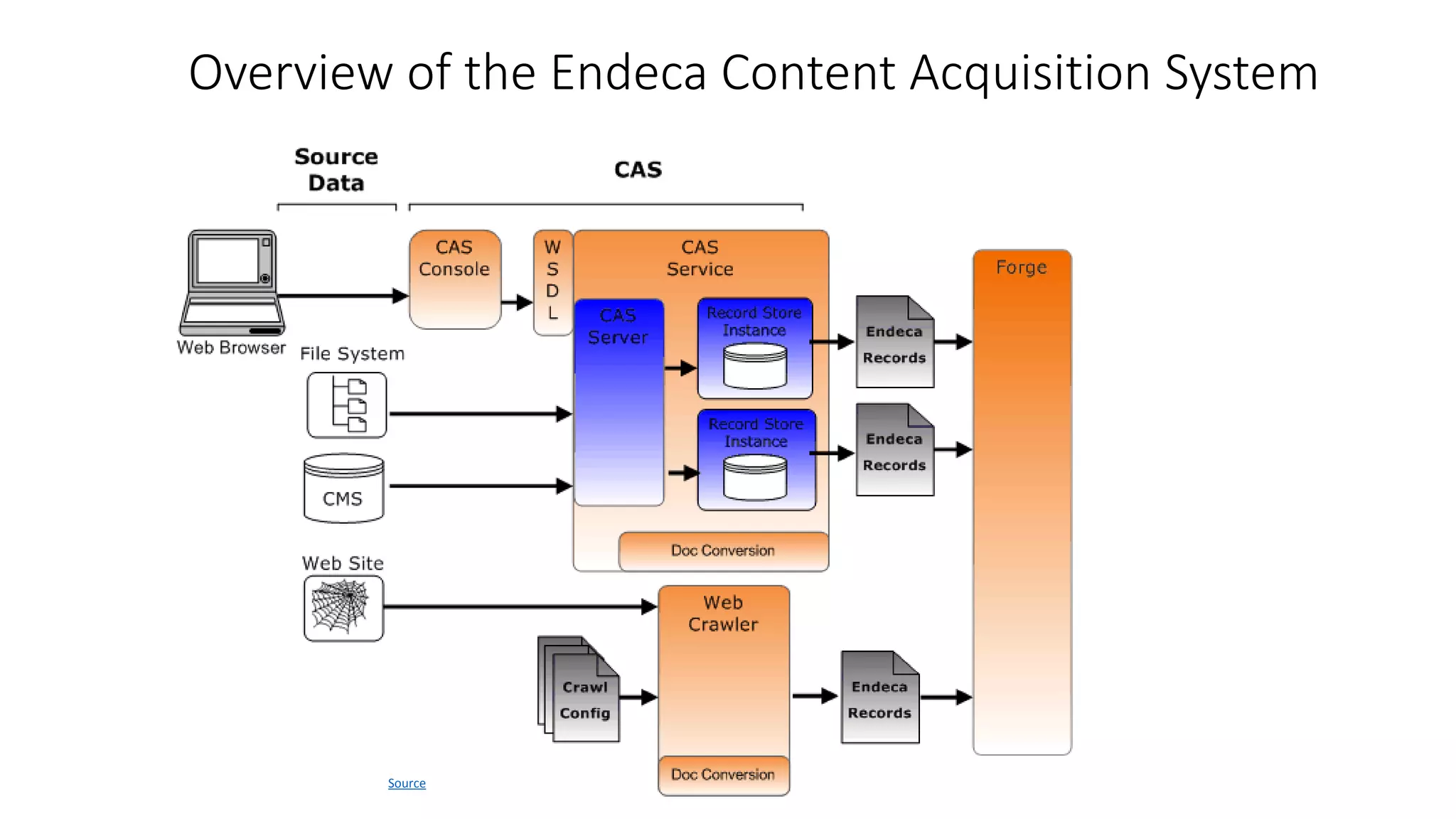
Overview of the Endeca Content Acquisition System 
Source
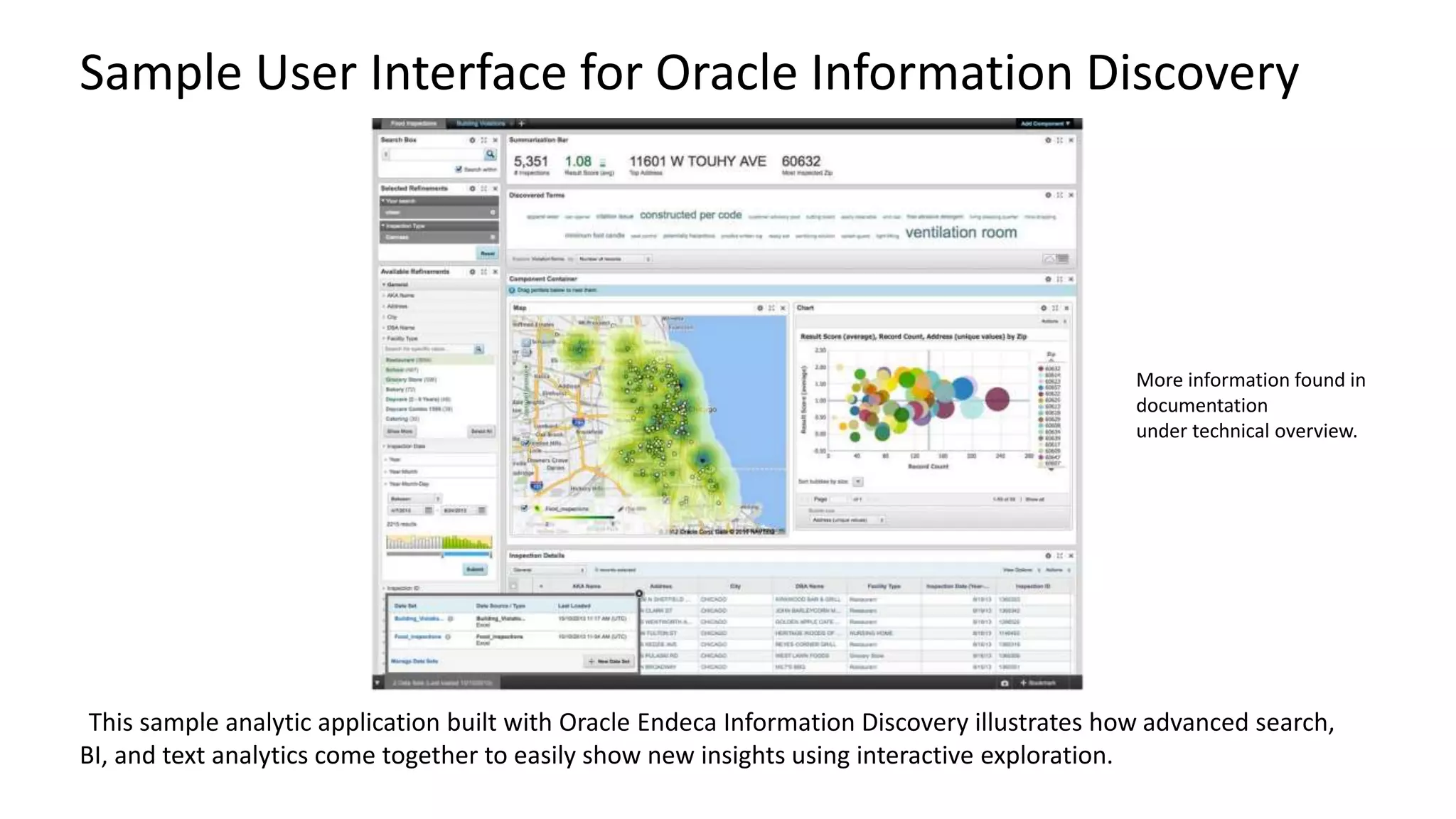
Sample User Interface for Oracle Information Discovery 
More information found in 
documentation 
under technical overview. 
This sample analytic application built with Oracle Endeca Information Discovery illustrates how advanced search, 
BI, and text analytics come together to easily show new insights using interactive exploration.
Oracle Endeca Commerce
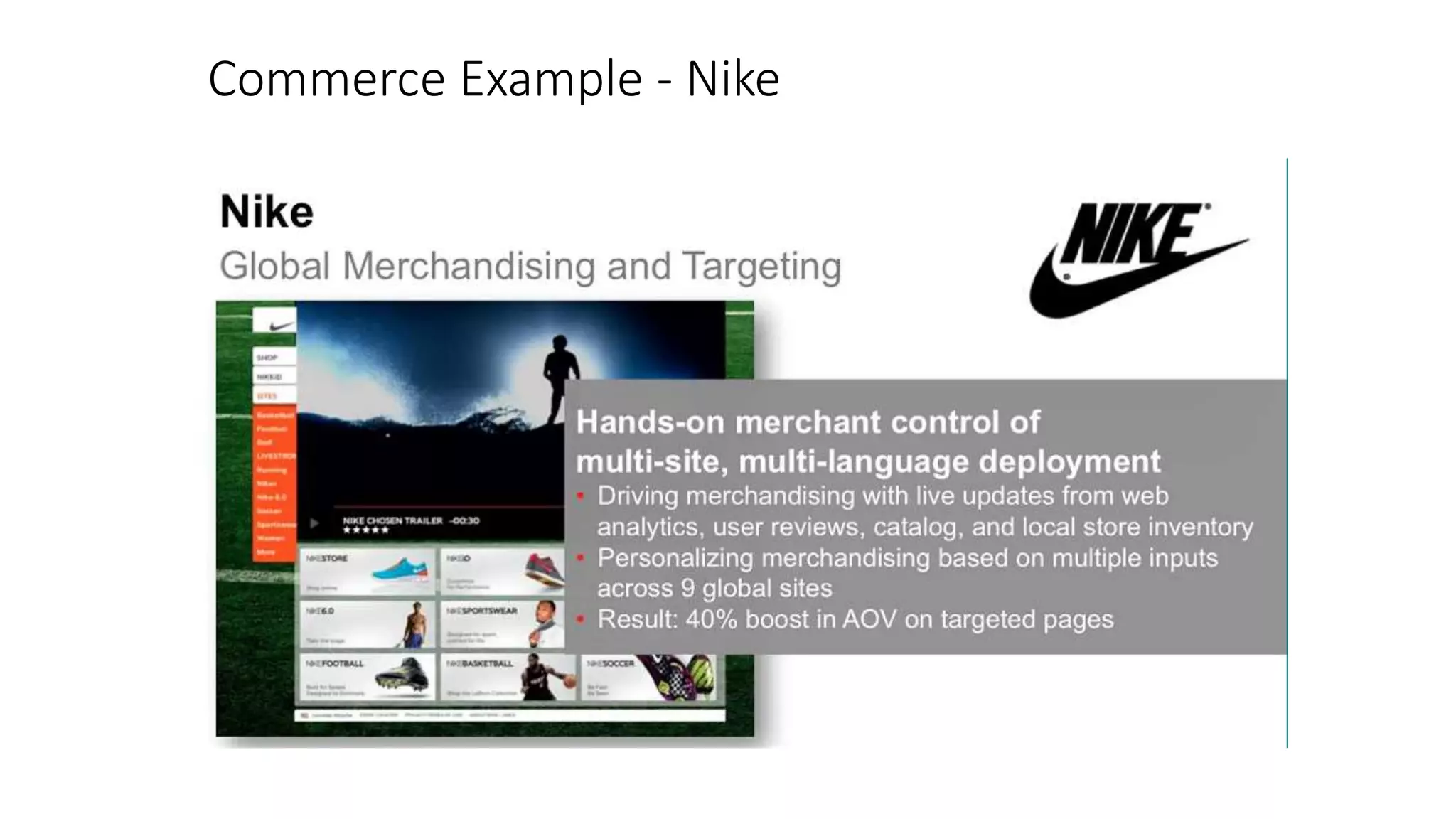
Commerce Example - Nike
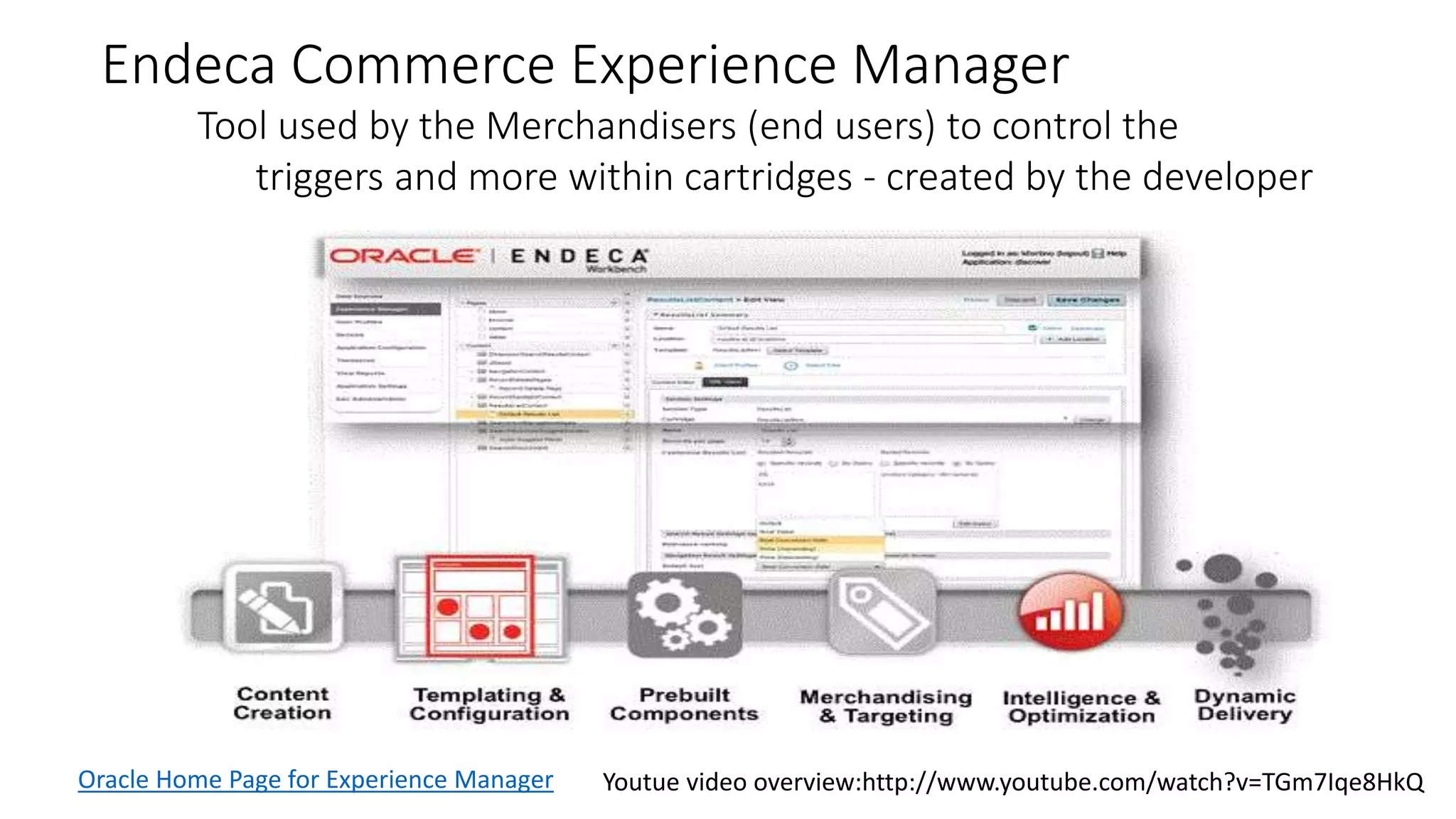
Endeca Commerce Experience Manager 
Tool used by the Merchandisers (end users) to control the 
triggers and more within cartridges - created by the developer 
Oracle Home Page for Experience Manager Youtue video overview:http://www.youtube.com/watch?v=TGm7Iqe8HkQ
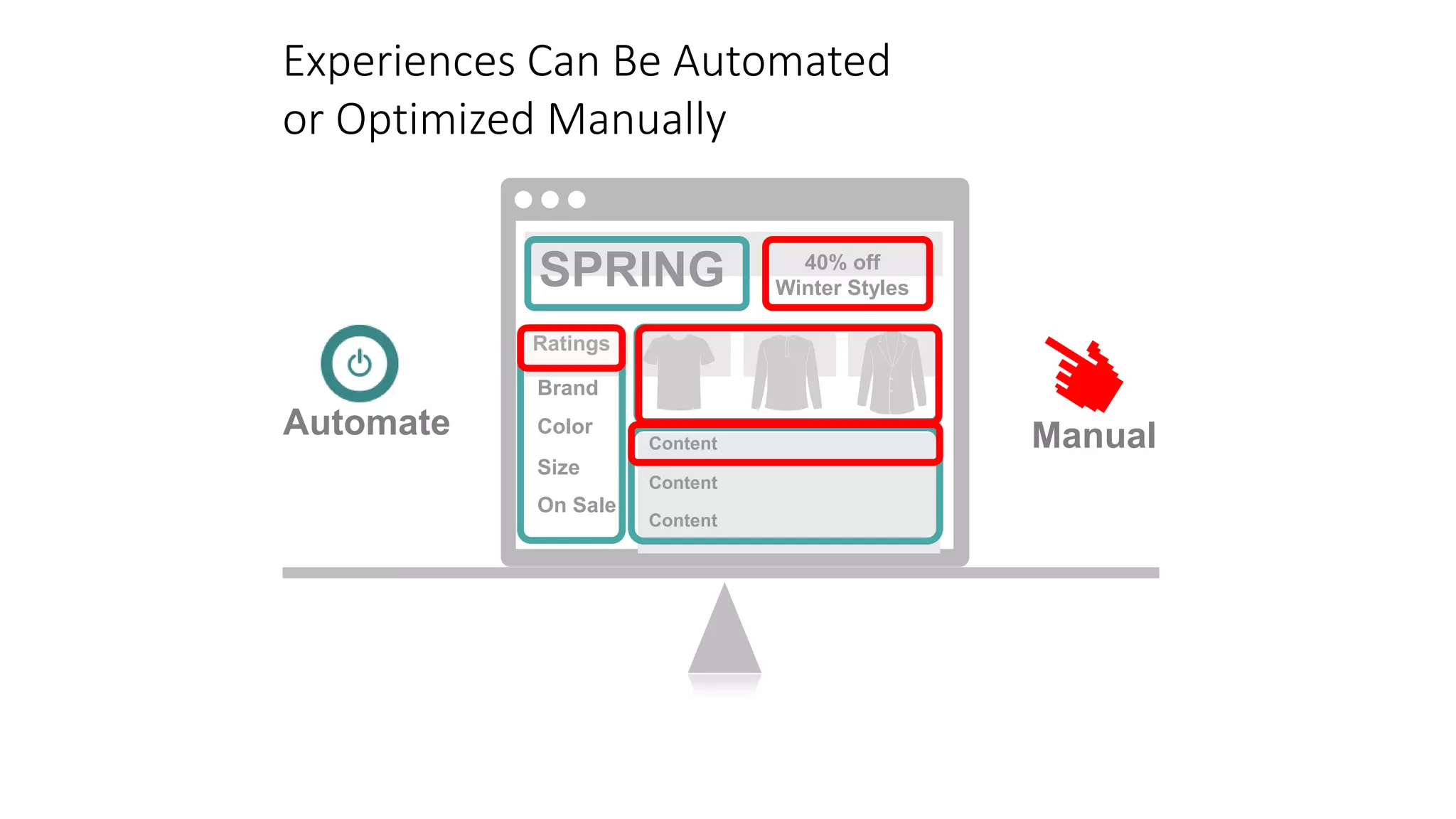
Experiences Can Be Automated 
or Optimized Manually 
SPRING 40% off 
Price 
Brand 
Color 
Automate Manual 
Size 
On Sale 
Content 
Content 
Content 
Ratings 
Winter Styles
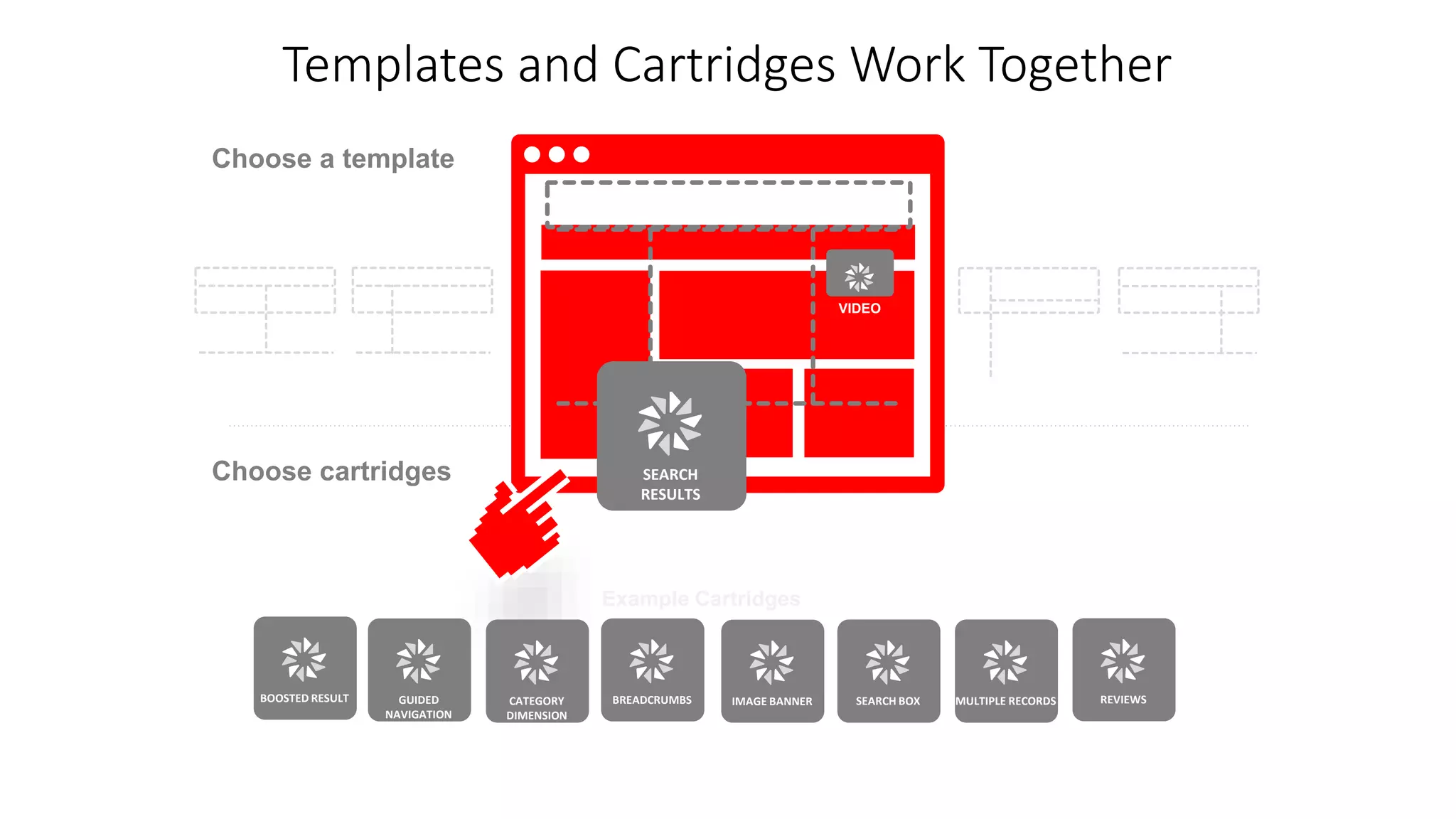
Templates and Cartridges Work Together 
SEARCH 
RESULTS 
Breadcrumbs 
Choose a template 
Choose cartridges 
Example Cartridges 
VIDEO 
BOOSTED RESULT GUIDED 
NAVIGATION 
CATEGORY 
DIMENSION 
BREADCRUMBS IMAGE BANNER SEARCH BOX MULTIPLE RECORDS REVIEWS
Templates and Cartridges Work Together 
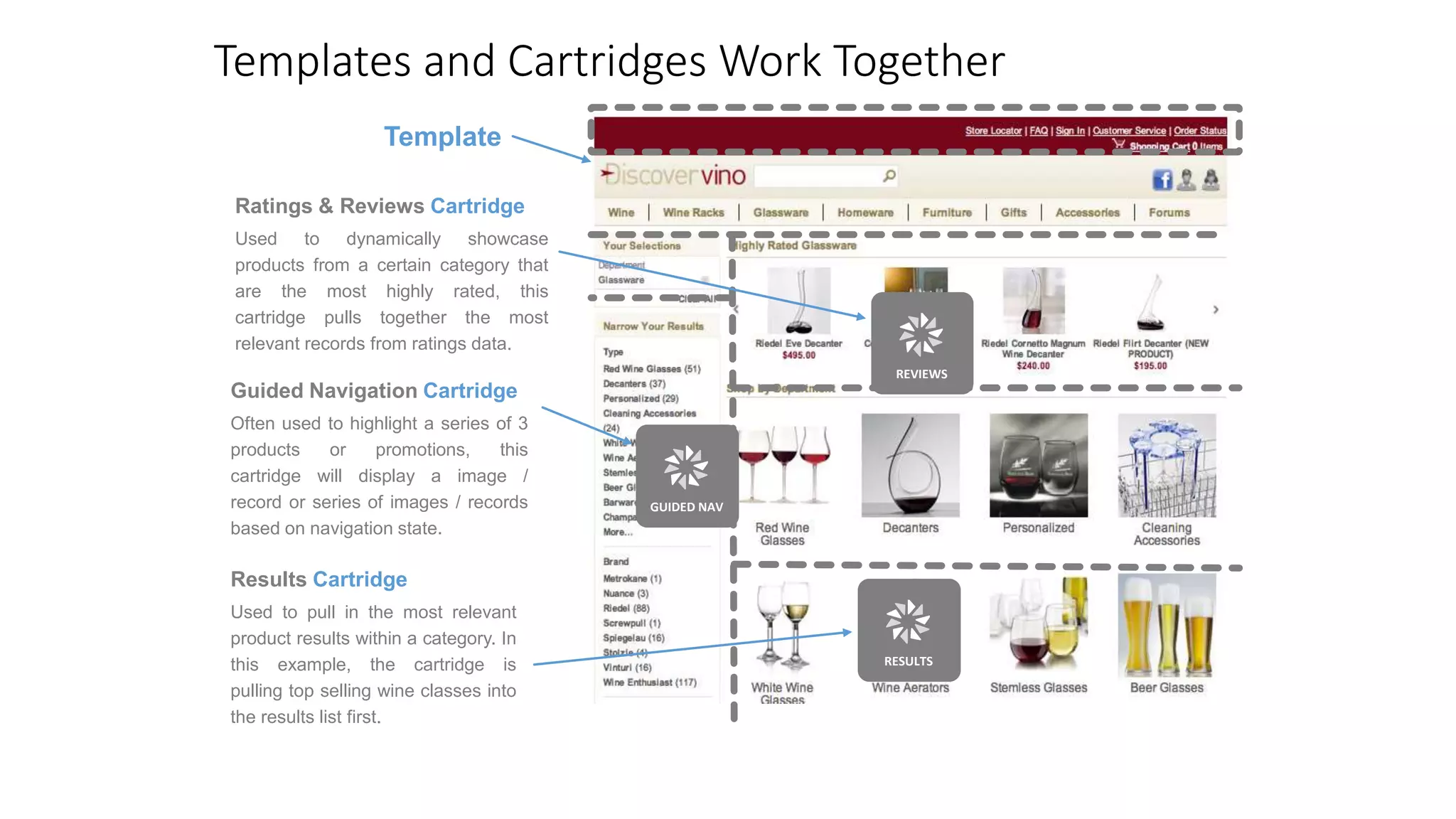
Template 
Ratings & Reviews Cartridge 
Used to dynamically showcase 
products from a certain category that 
are the most highly rated, this 
cartridge pulls together the most 
relevant records from ratings data. 
Guided Navigation Cartridge 
Often used to highlight a series of 3 
products or promotions, this 
cartridge will display a image / 
record or series of images / records 
based on navigation state. 
Results Cartridge 
Used to pull in the most relevant 
product results within a category. In 
this example, the cartridge is 
pulling top selling wine classes into 
the results list first. 
REVIEWS 
GUIDED NAV 
RESULTS
Mondavi 
Wines 
Wine Racks 
Wines 
Wine Furniture 
Sparkling 
Wines 
French Wines 
Wine Gifts 
By Occasion 
Under $50 
Region 
Wineglasses 
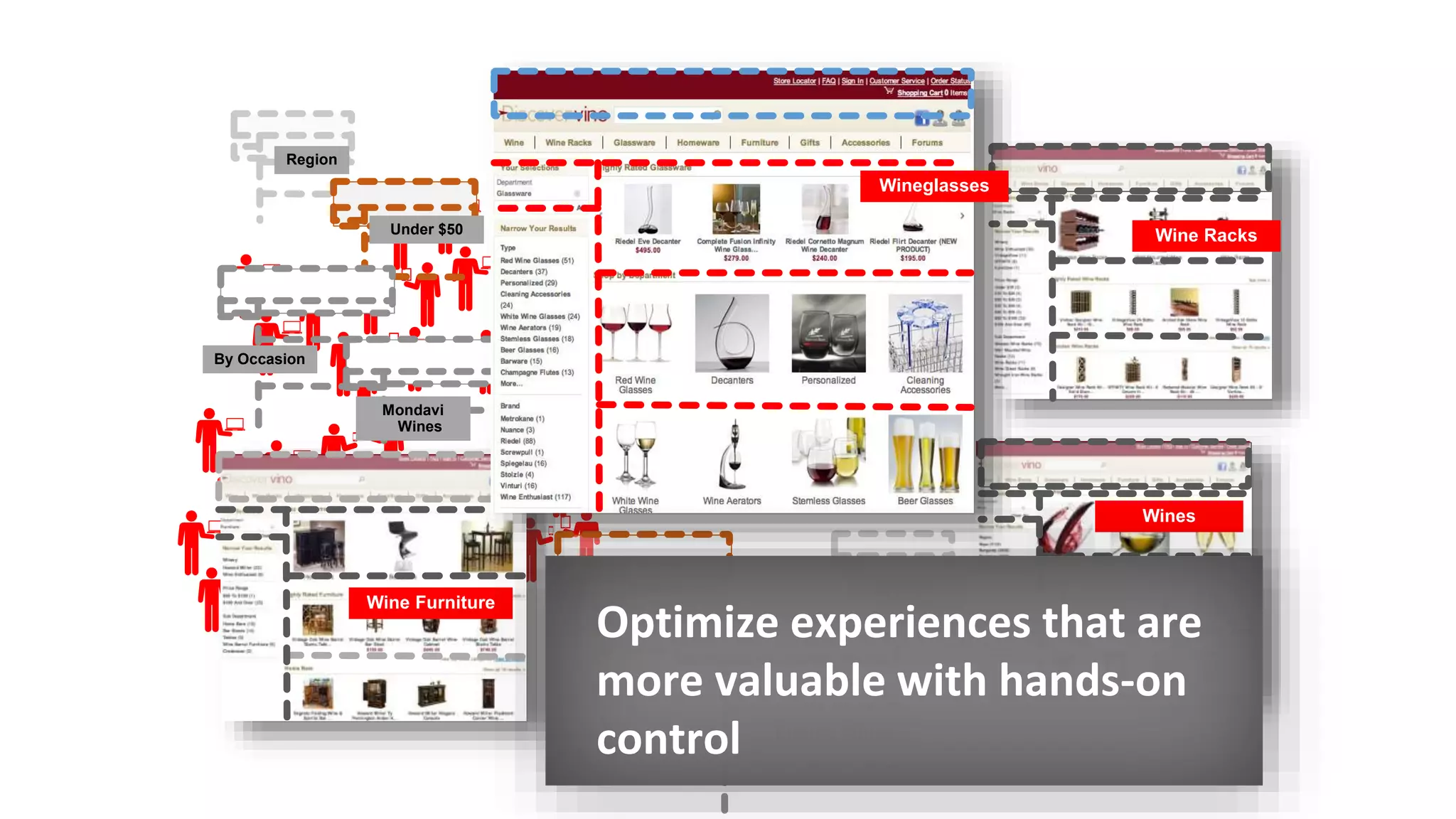
Optimize experiences that are 
more valuable with hands-on 
control
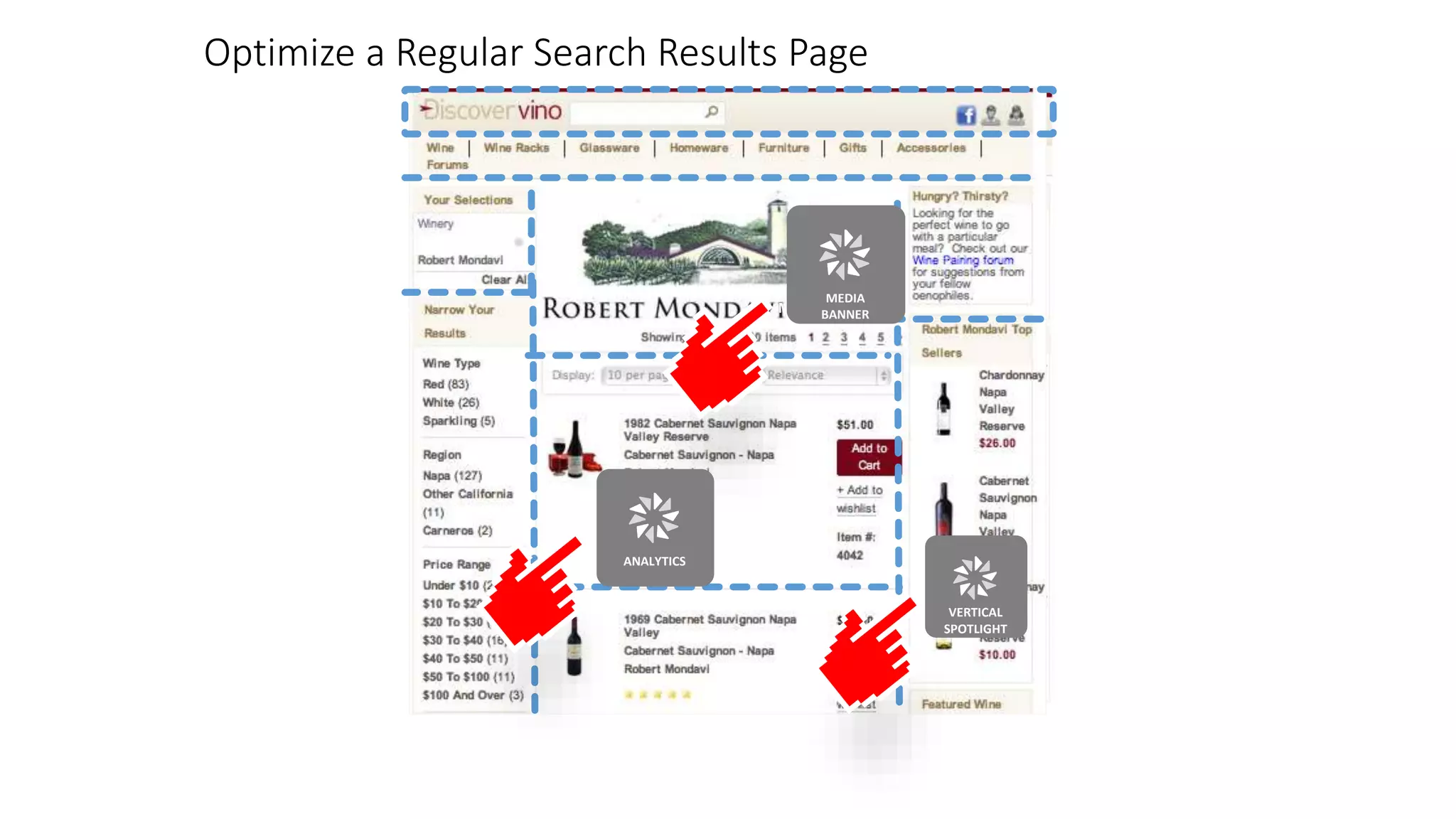
Optimize a Regular Search Results Page 
MEDIA 
BANNER 
ANALYTICS 
MEDIA 
BANNER 
VERTICAL 
SPOTLIGHT
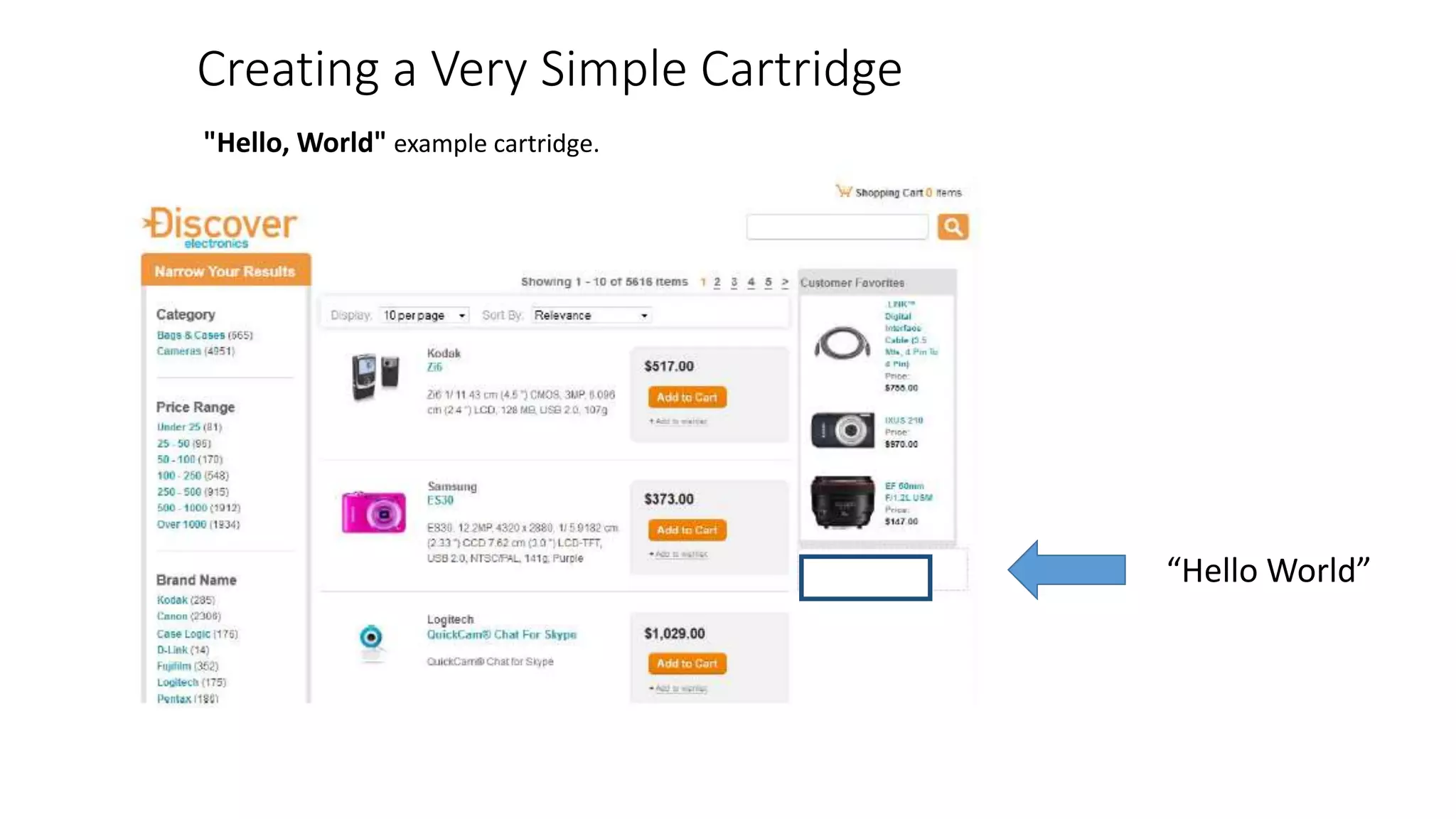
Creating a Very Simple Cartridge 
"Hello, World" example cartridge. 
“Hello World”
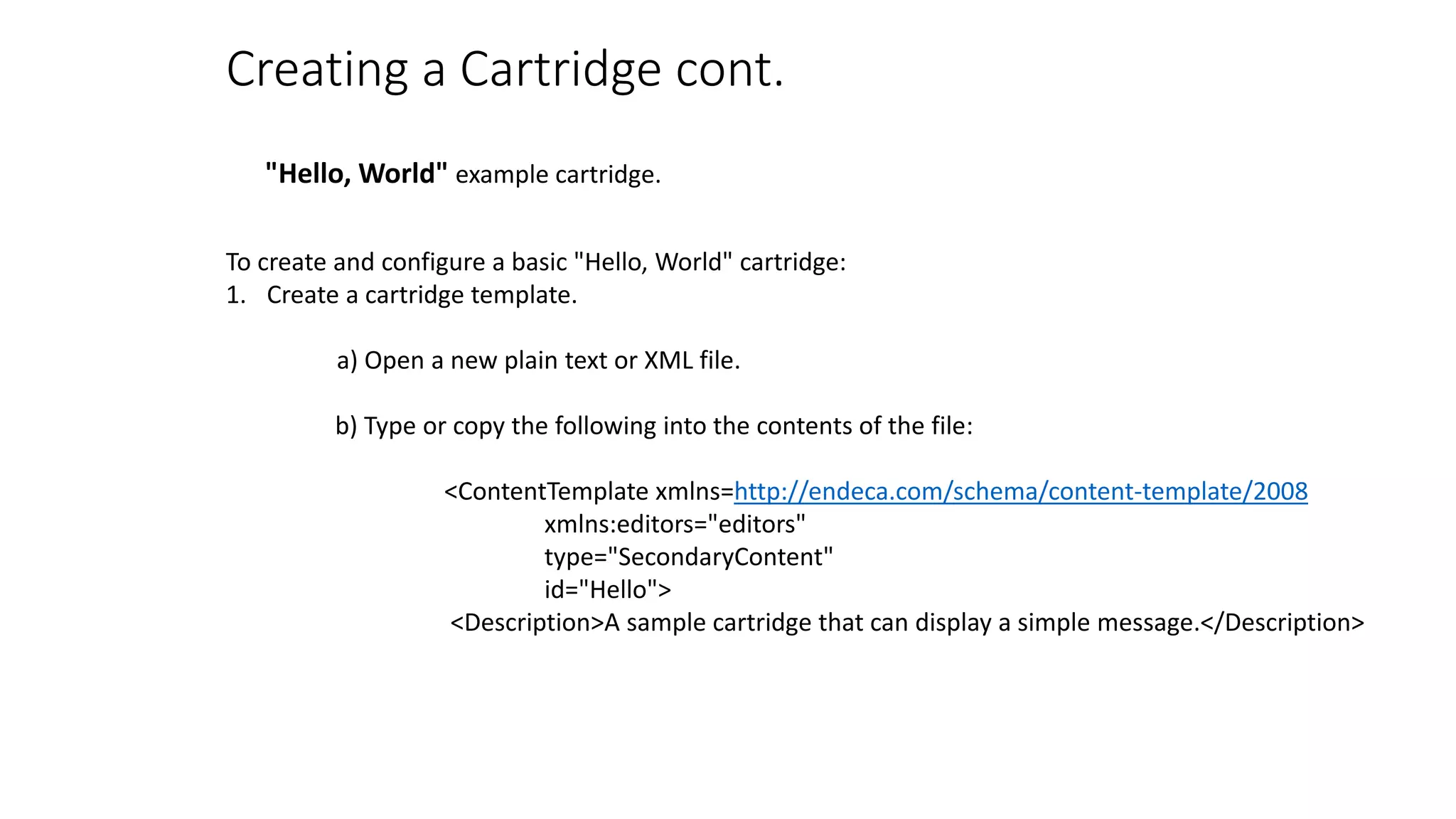
Creating a Cartridge cont. 
"Hello, World" example cartridge. 
To create and configure a basic "Hello, World" cartridge: 
1. Create a cartridge template. 
a) Open a new plain text or XML file. 
b) Type or copy the following into the contents of the file: 
<ContentTemplate xmlns=http://endeca.com/schema/content-template/2008 
xmlns:editors="editors" 
type="SecondaryContent" 
id="Hello"> 
<Description>A sample cartridge that can display a simple message.</Description>
Creating a Cartridge cont. 
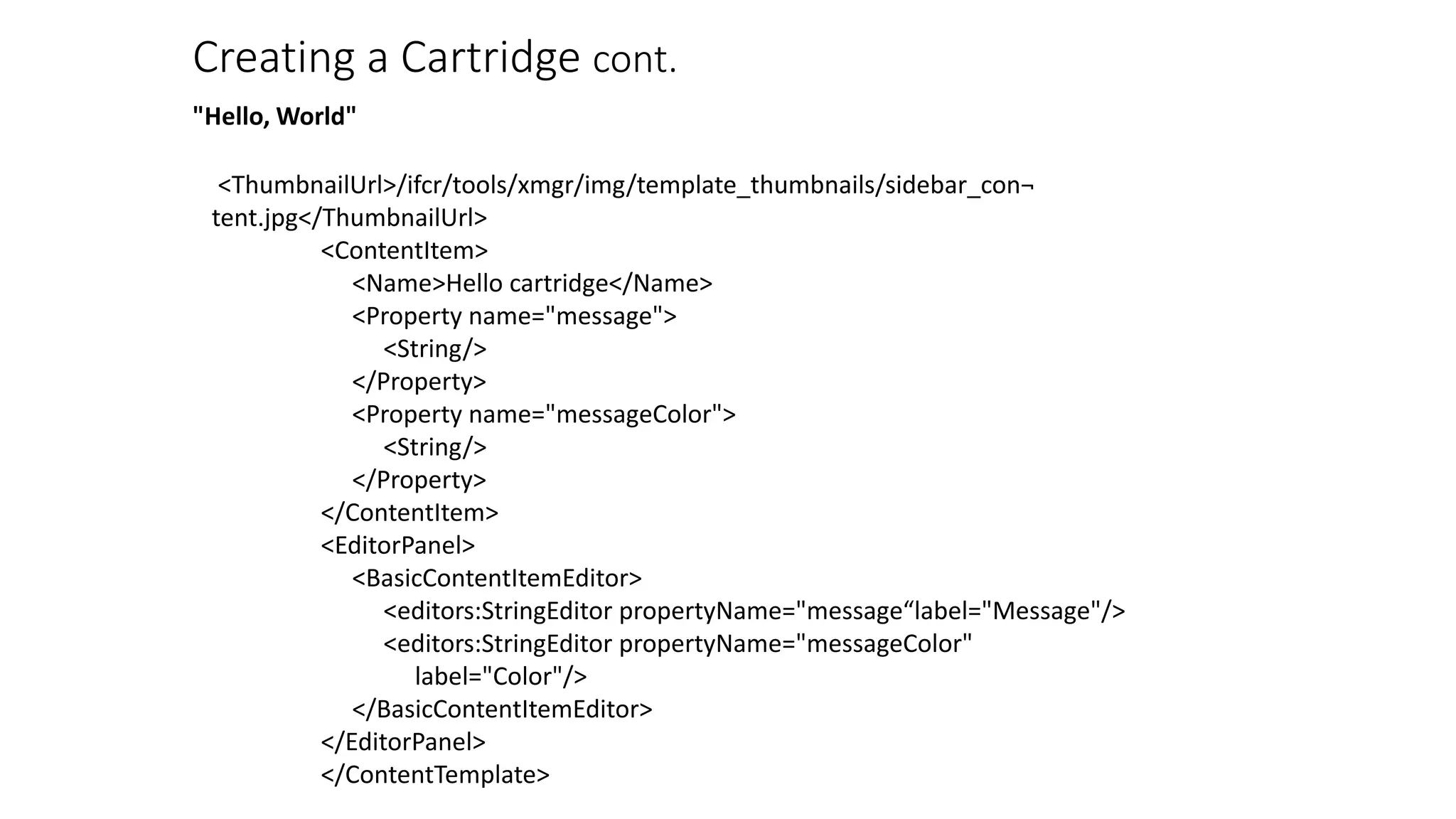
"Hello, World" 
<ThumbnailUrl>/ifcr/tools/xmgr/img/template_thumbnails/sidebar_con¬ 
tent.jpg</ThumbnailUrl> 
<ContentItem> 
<Name>Hello cartridge</Name> 
<Property name="message"> 
<String/> 
</Property> 
<Property name="messageColor"> 
<String/> 
</Property> 
</ContentItem> 
<EditorPanel> 
<BasicContentItemEditor> 
<editors:StringEditor propertyName="message“label="Message"/> 
<editors:StringEditor propertyName="messageColor" 
label="Color"/> 
</BasicContentItemEditor> 
</EditorPanel> 
</ContentTemplate>
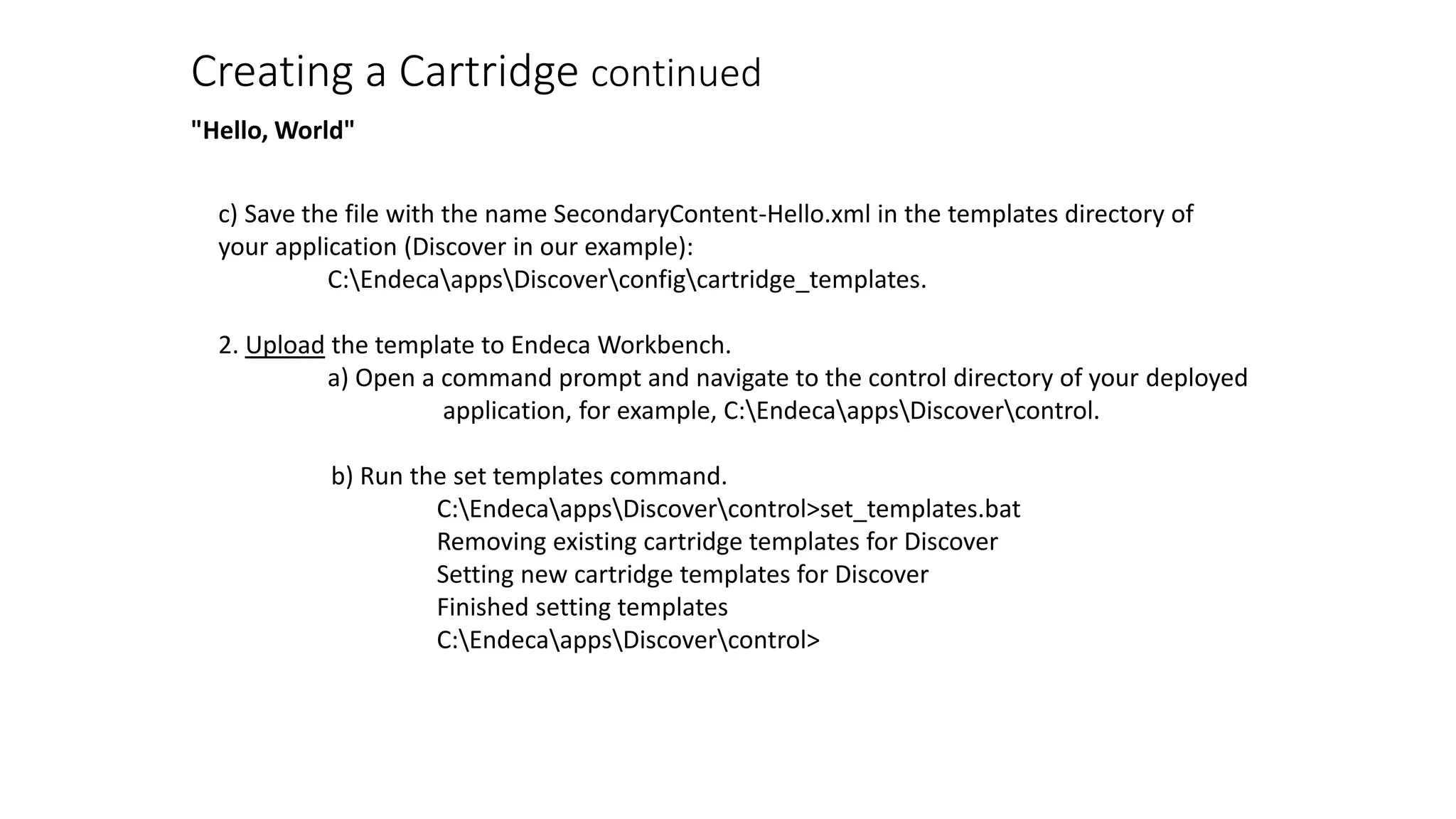
Creating a Cartridge continued 
"Hello, World" 
c) Save the file with the name SecondaryContent-Hello.xml in the templates directory of 
your application (Discover in our example): 
C:EndecaappsDiscoverconfigcartridge_templates. 
2. Upload the template to Endeca Workbench. 
a) Open a command prompt and navigate to the control directory of your deployed 
application, for example, C:EndecaappsDiscovercontrol. 
b) Run the set templates command. 
C:EndecaappsDiscovercontrol>set_templates.bat 
Removing existing cartridge templates for Discover 
Setting new cartridge templates for Discover 
Finished setting templates 
C:EndecaappsDiscovercontrol>
Creating a Cartridge cont. 
"Hello, World" 
3. Add the cartridge to a page. 
a) Open EndecaWorkbench in a Web browser. 
b) From the launch page, select Experience Manager. 
c) In the tree on the left, select Search and Navigation 
Pages under the content section, then select the Default 
Page. 
d) In the Edit Pane on the right, select the right column 
section from the Content Tree in the bottom 
left.
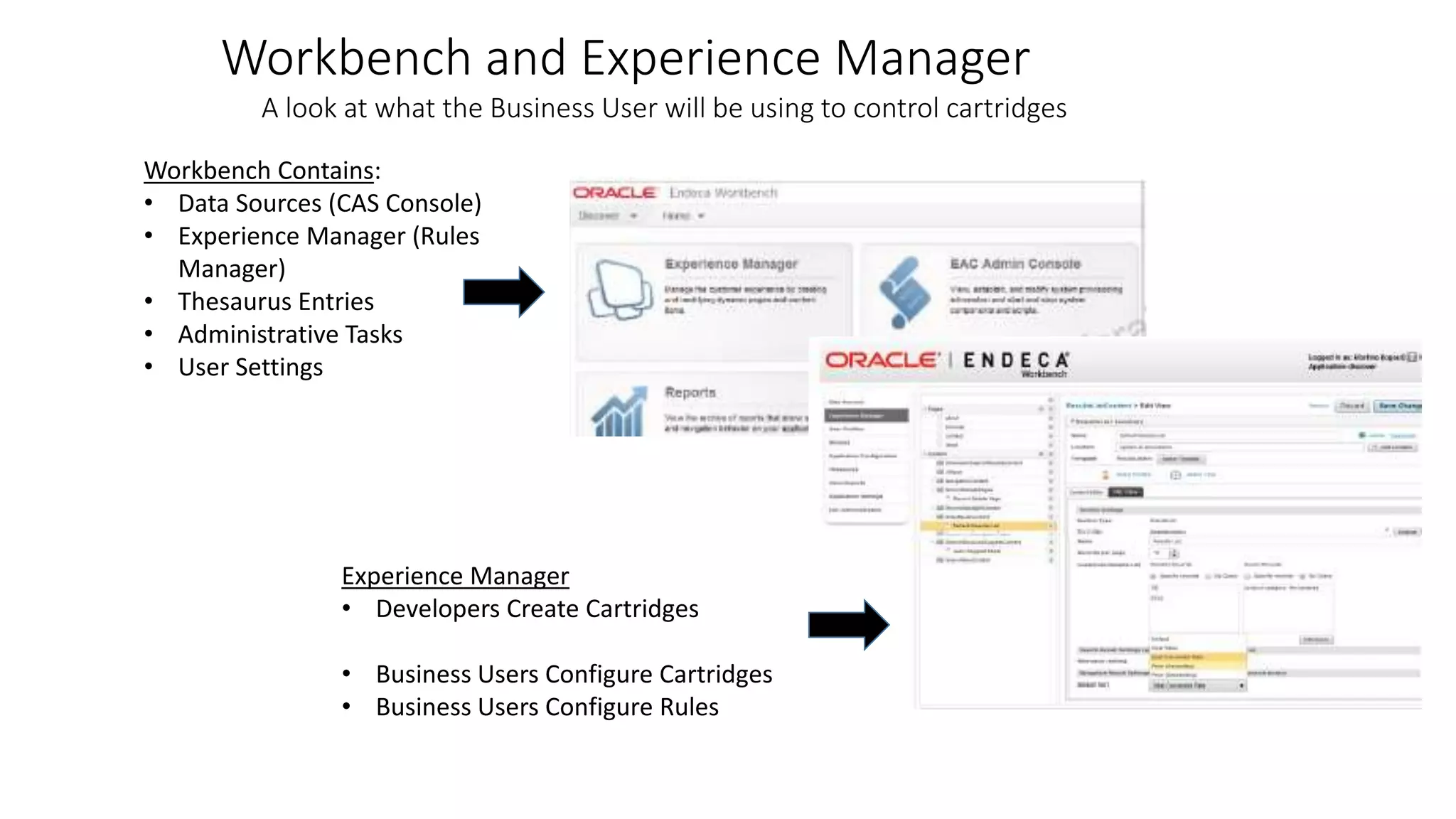
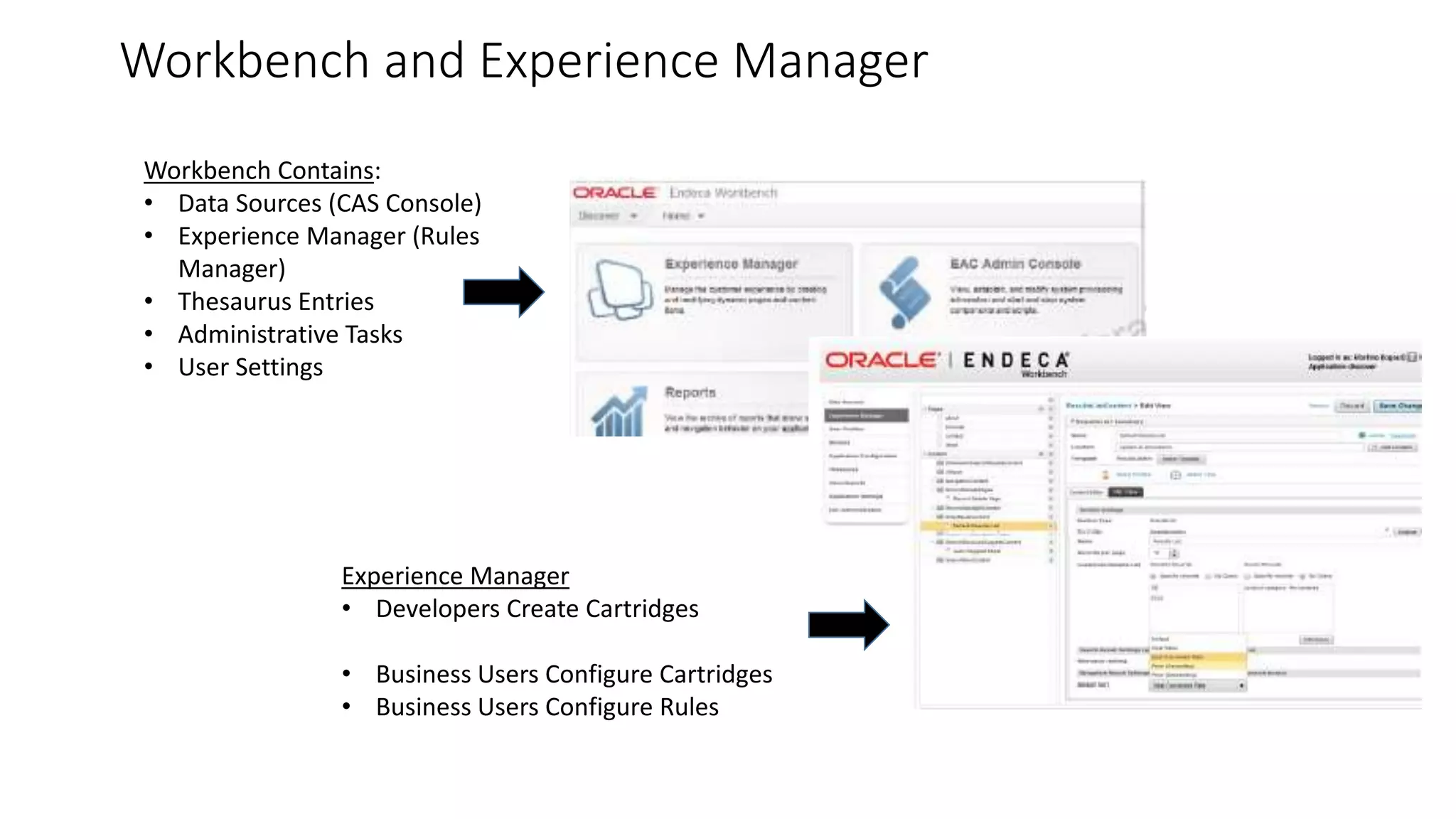
Workbench and Experience Manager 
A look at what the Business User will be using to control cartridges 
Workbench Contains: 
• Data Sources (CAS Console) 
• Experience Manager (Rules 
Manager) 
• Thesaurus Entries 
• Administrative Tasks 
• User Settings 
Experience Manager 
• Developers Create Cartridges 
• Business Users Configure Cartridges 
• Business Users Configure Rules
Creating a Cartridge continued 
"Hello, World" 
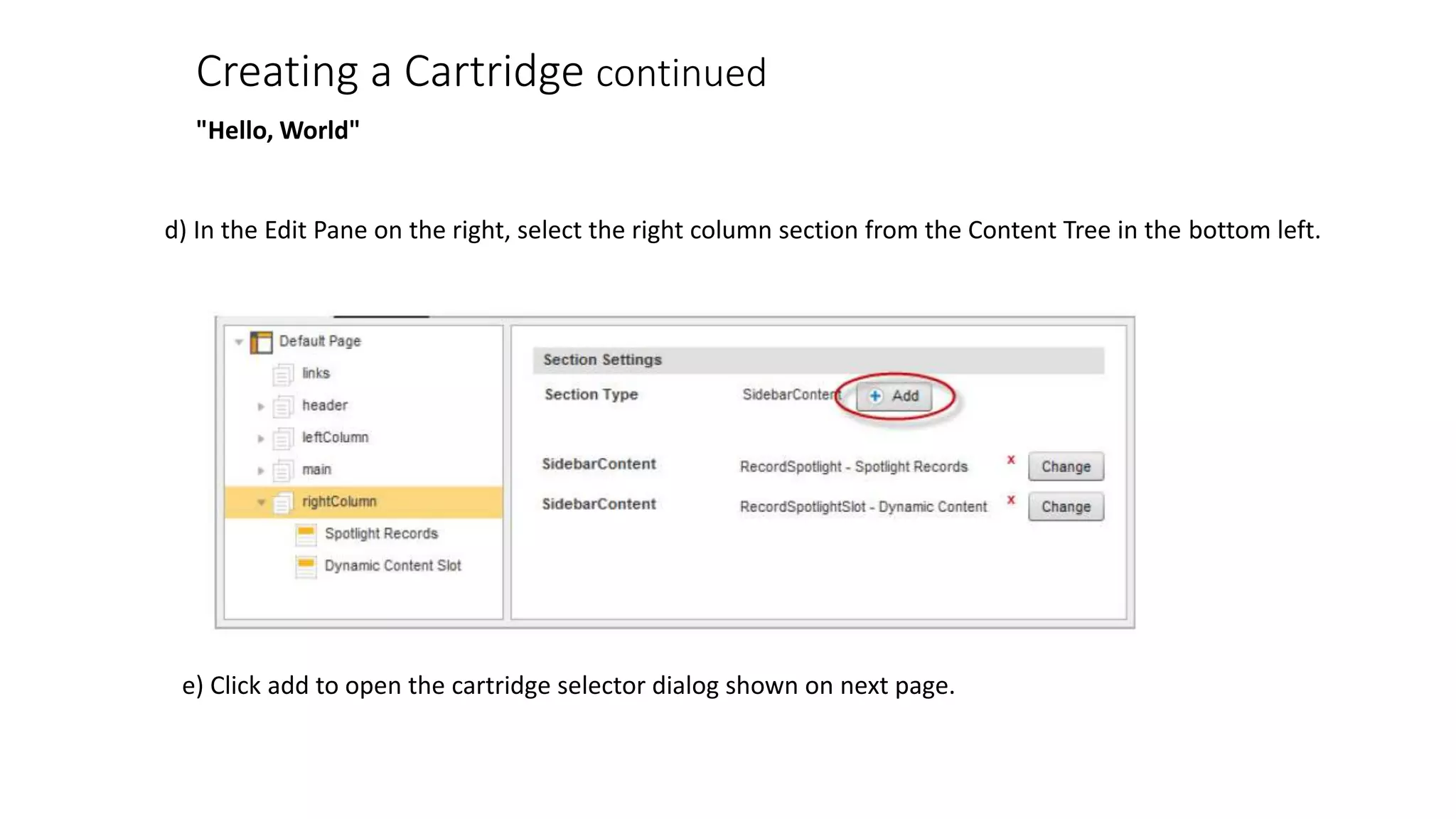
d) In the Edit Pane on the right, select the right column section from the Content Tree in the bottom left. 
e) Click add to open the cartridge selector dialog shown on next page.
Creating a Cartridge continued 
"Hello, World" 
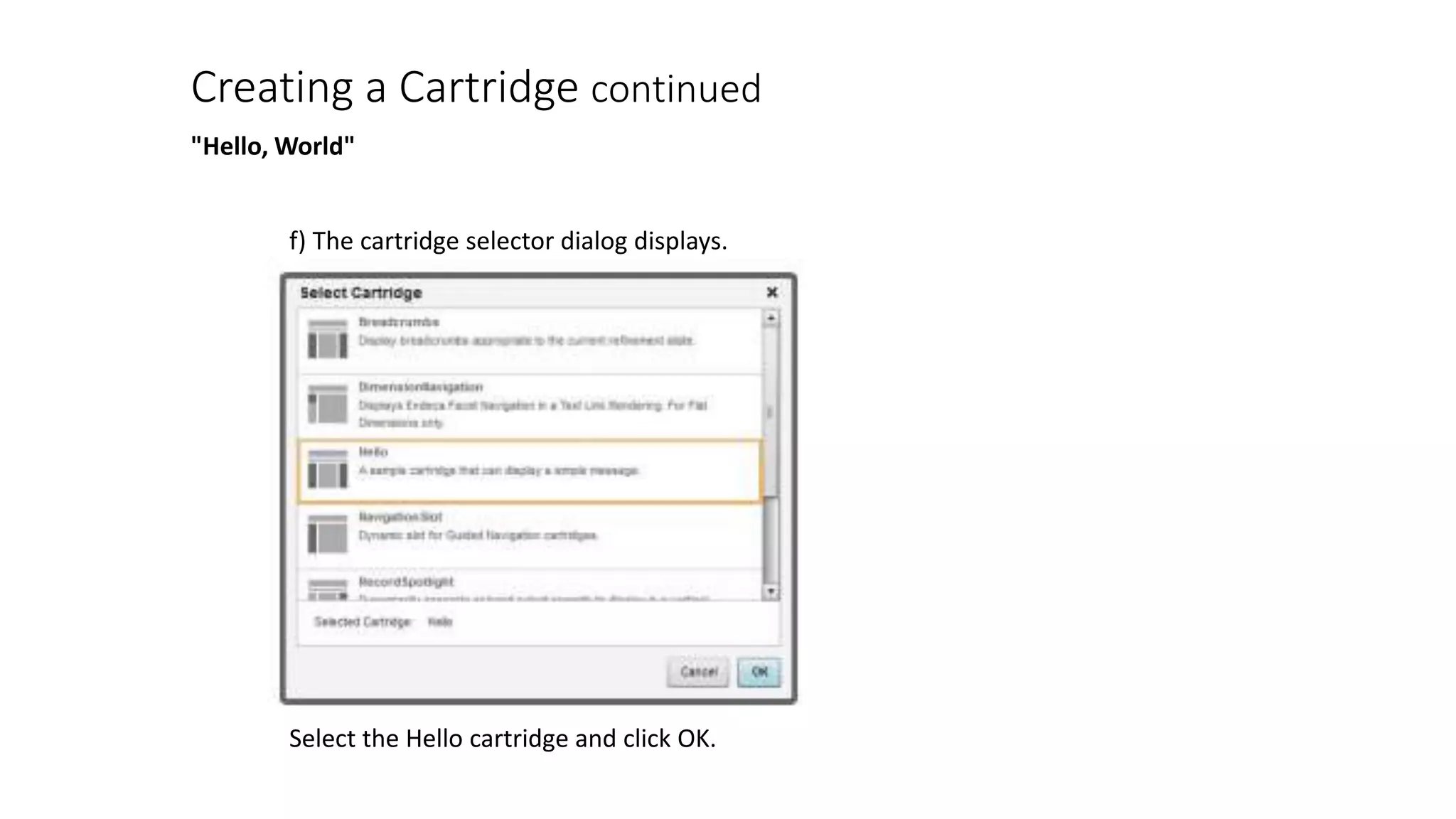
f) The cartridge selector dialog displays. 
Select the Hello cartridge and click OK.
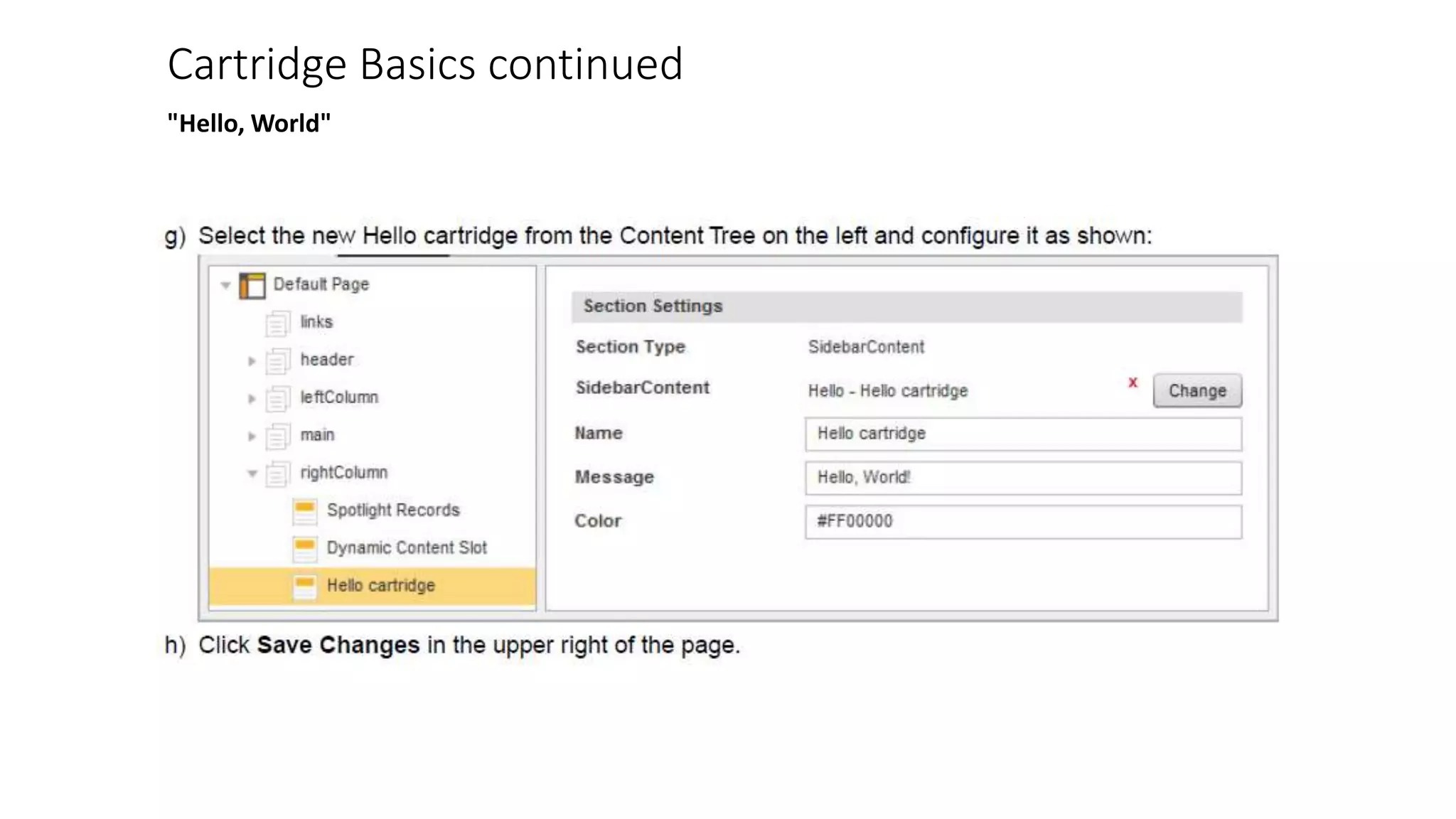
Cartridge Basics continued 
"Hello, World"
Cartridge Basics continued - (Rendering) 
"Hello, World" 
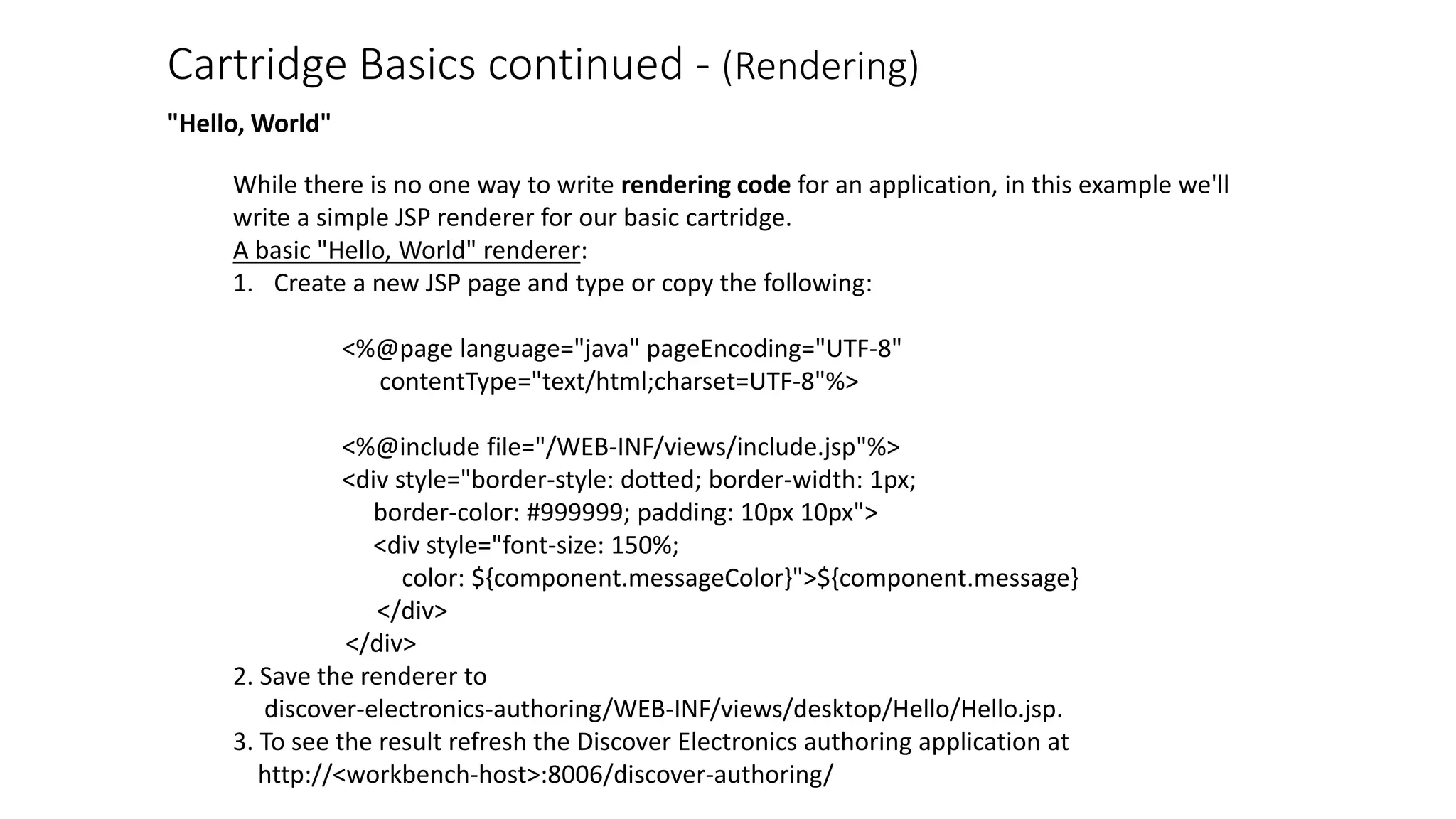
While there is no one way to write rendering code for an application, in this example we'll 
write a simple JSP renderer for our basic cartridge. 
A basic "Hello, World" renderer: 
1. Create a new JSP page and type or copy the following: 
<%@page language="java" pageEncoding="UTF-8" 
contentType="text/html;charset=UTF-8"%> 
<%@include file="/WEB-INF/views/include.jsp"%> 
<div style="border-style: dotted; border-width: 1px; 
border-color: #999999; padding: 10px 10px"> 
<div style="font-size: 150%; 
color: ${component.messageColor}">${component.message} 
</div> 
</div> 
2. Save the renderer to 
discover-electronics-authoring/WEB-INF/views/desktop/Hello/Hello.jsp. 
3. To see the result refresh the Discover Electronics authoring application at 
http://<workbench-host>:8006/discover-authoring/
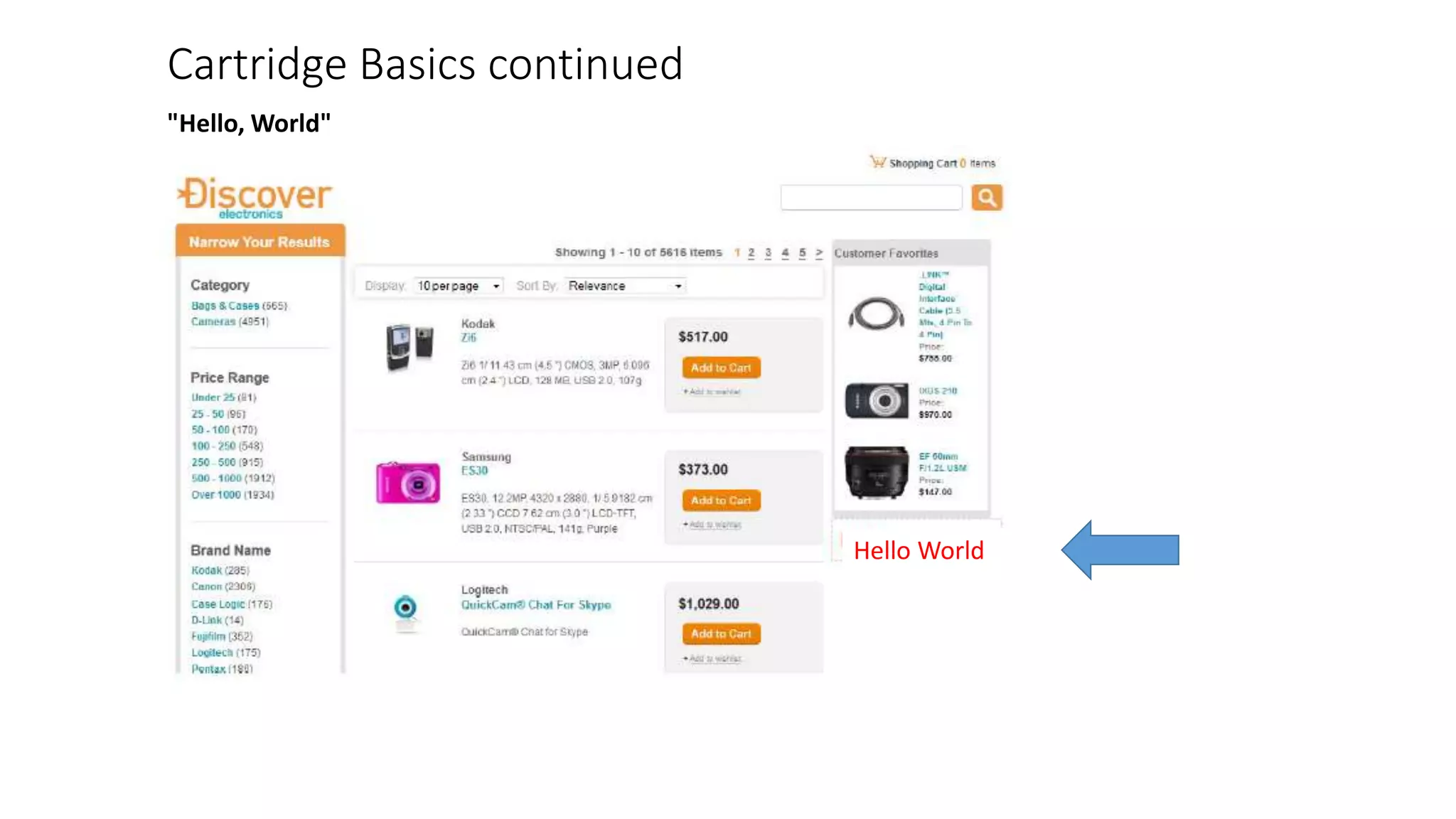
Cartridge Basics continued 
"Hello, World" 
Hello World
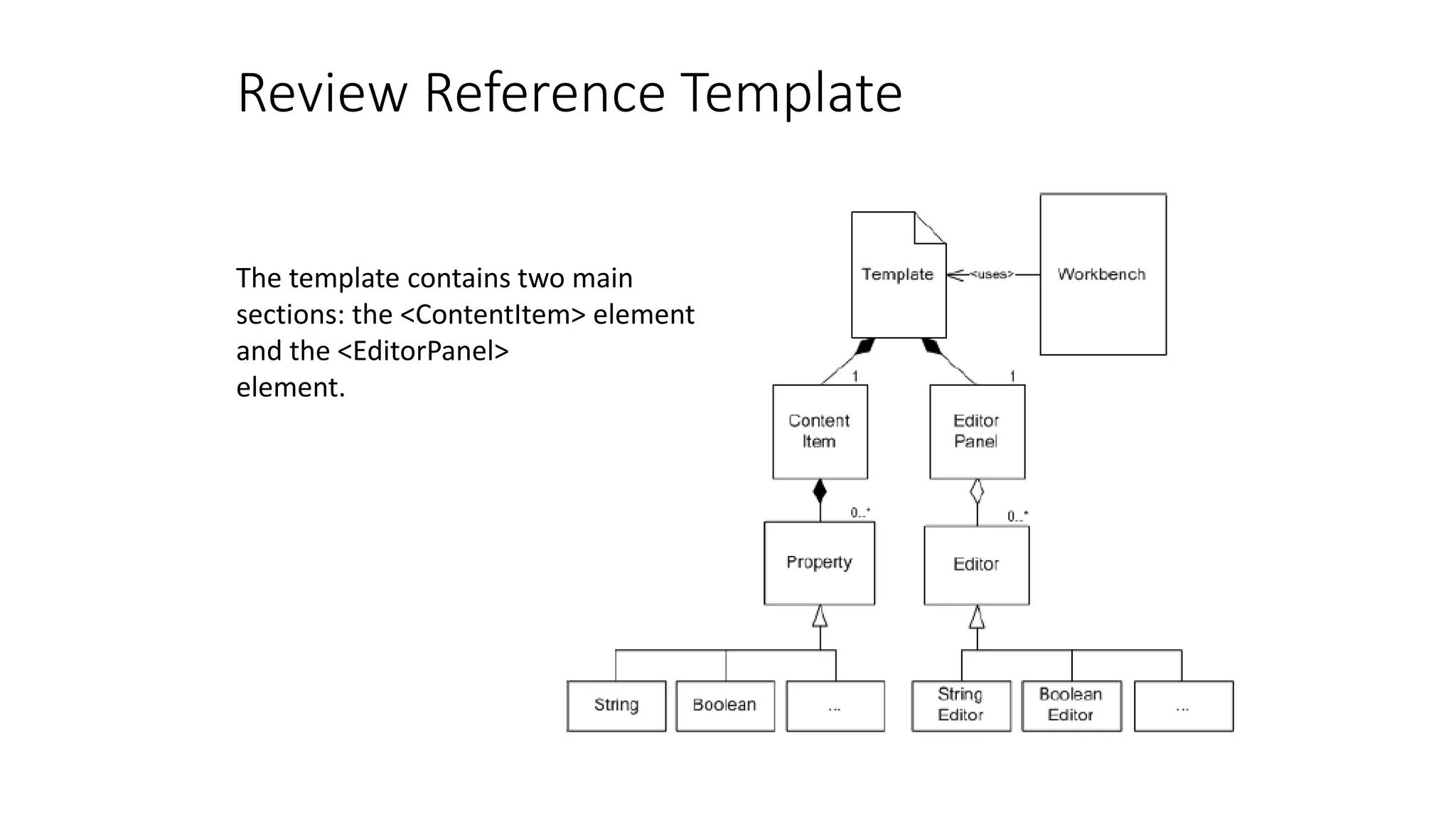
Review Reference Template 
The template contains two main 
sections: the <ContentItem> element 
and the <EditorPanel> 
element.
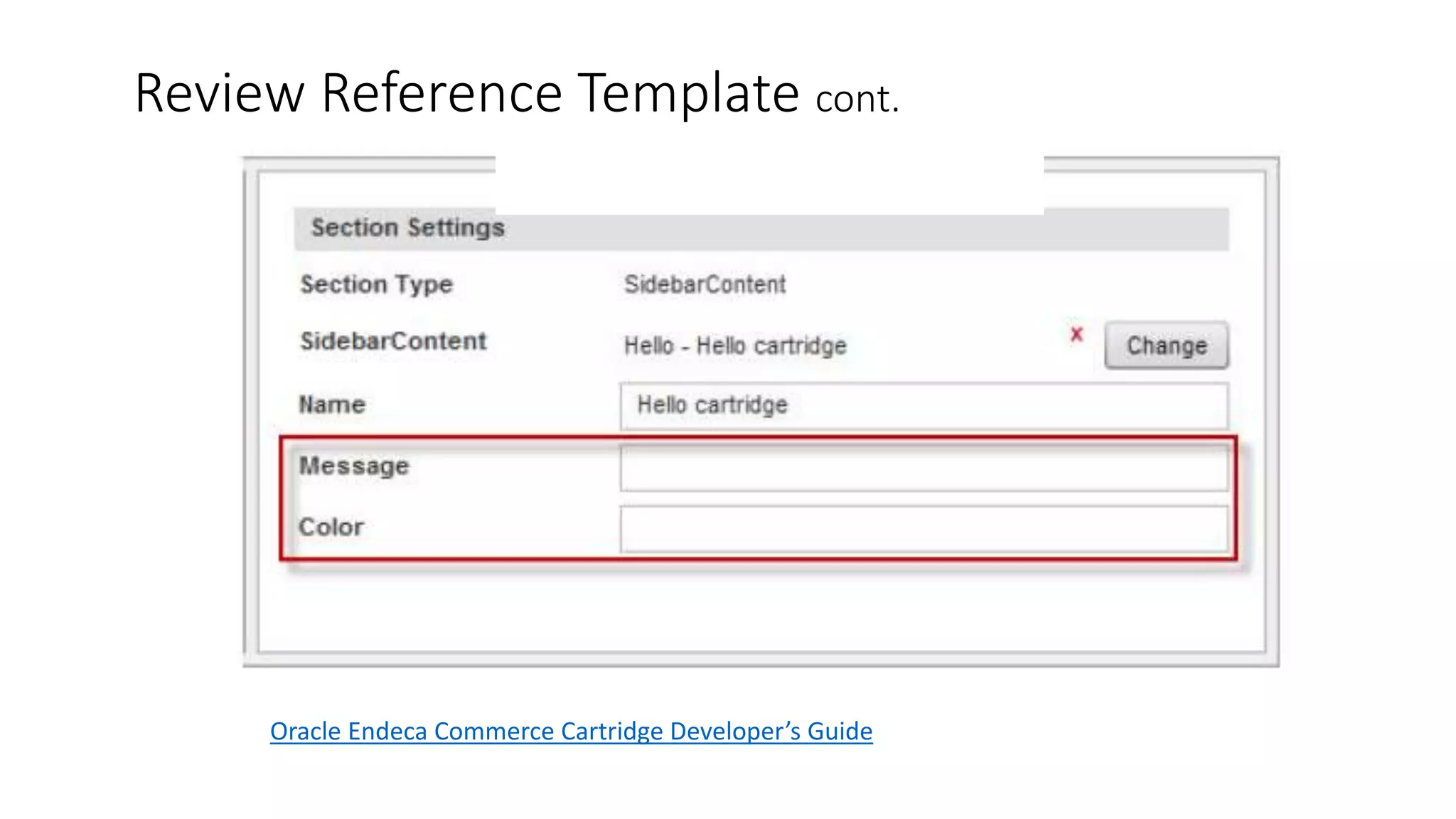
Review Reference Template cont. 
Oracle Endeca Commerce Cartridge Developer’s Guide
Site Analysis 
A Look at How Cartridges are Used on a Site
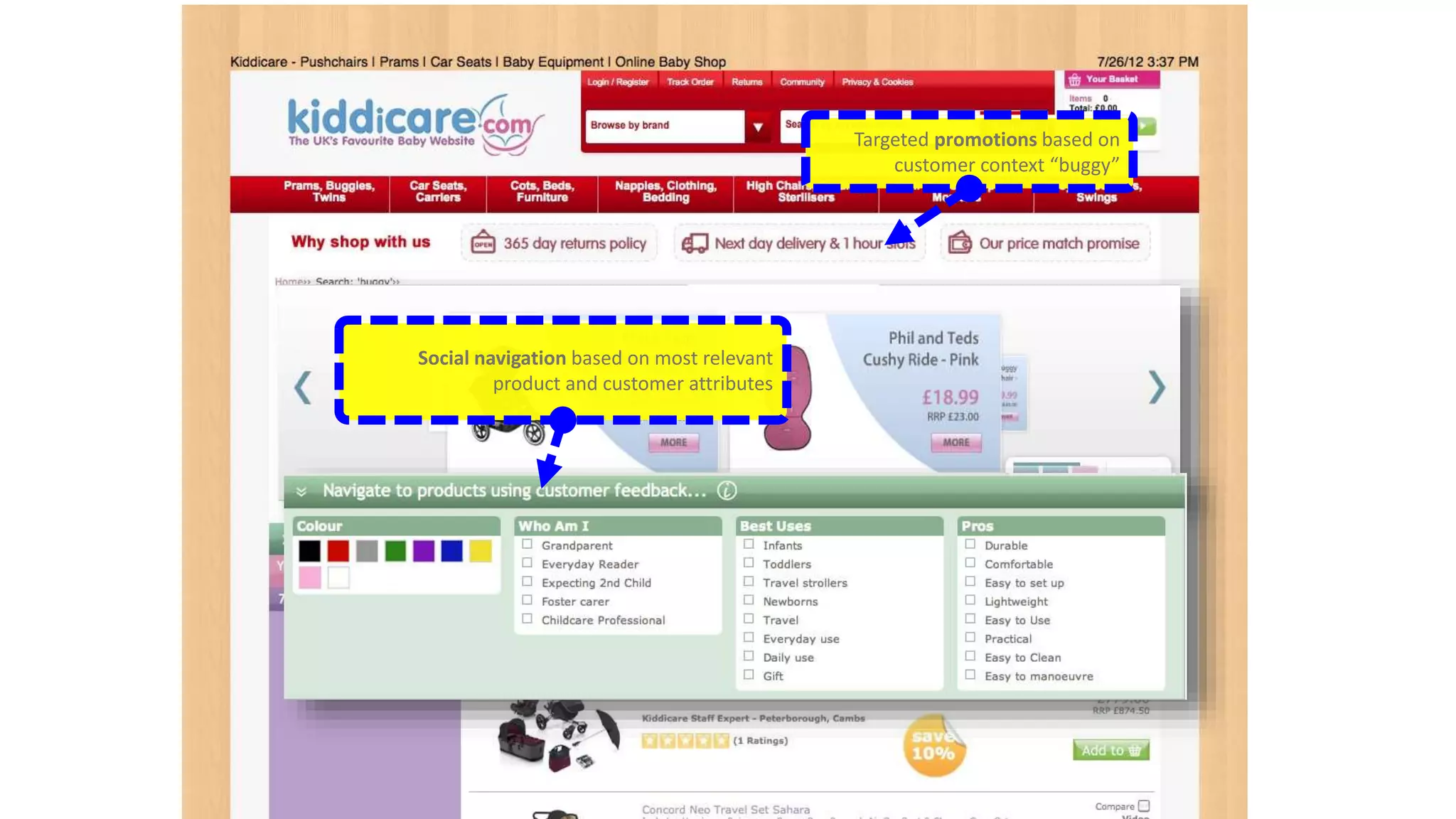
Targeted promotions based on 
customer context “buggy” 
Social navigation based on most relevant 
product and customer attributes
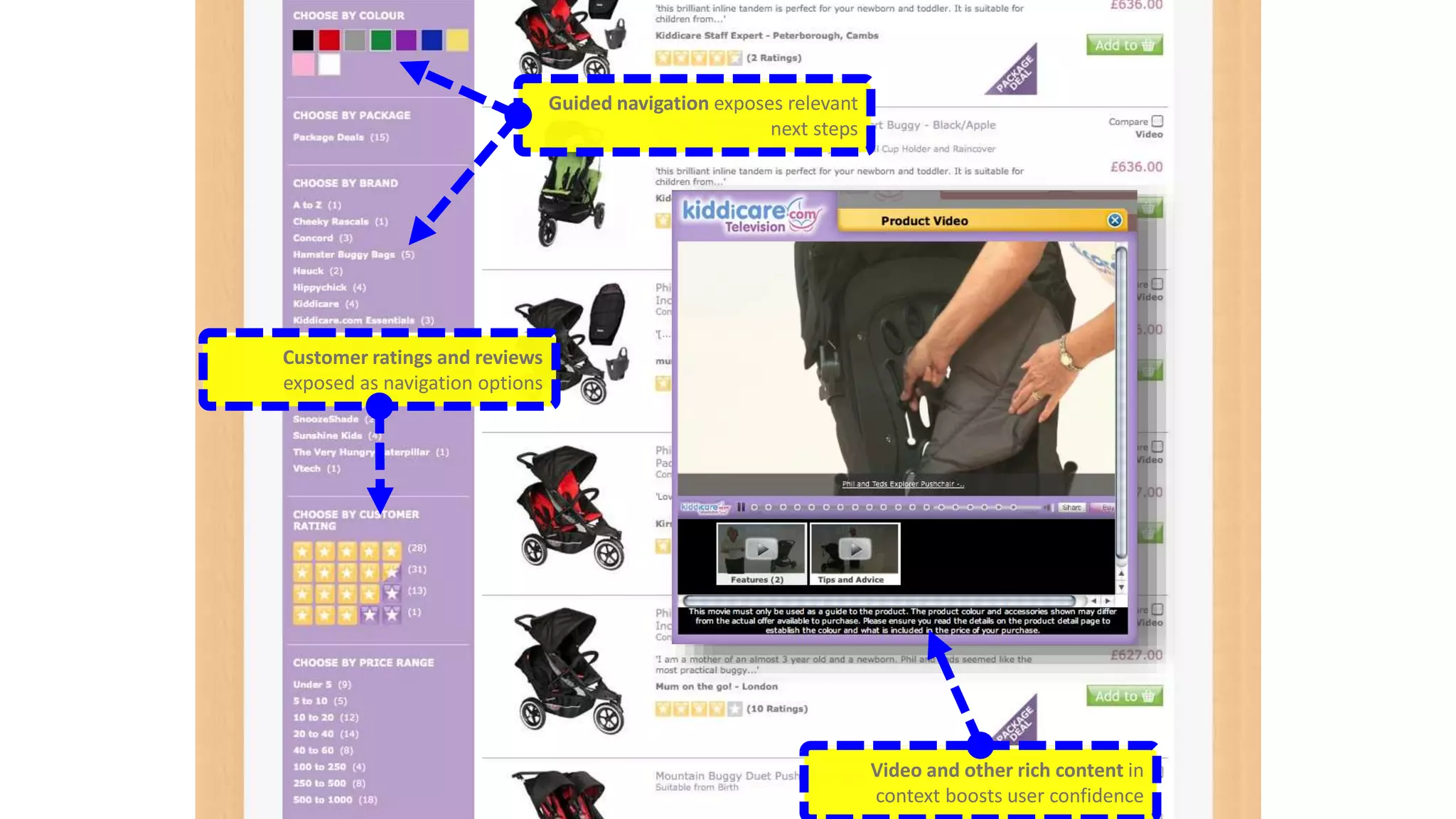
Customer ratings and reviews 
exposed as navigation options 
Video and other rich content in 
context boosts user confidence 
Guided navigation exposes relevant 
next steps
Content Spotlighting - Cartridges 
The Scenario: A company wants to sell specific Sony camera 
accessories only when a specific Sony brand is searched for. 
Endeca allows one to automatically promote contextually 
relevant information, such as related articles, promotions, or 
reviews – based on the search and navigation state of the 
visitor. 
Create a content collection which is a group of rules triggered 
in specific instances. A collection fills a slot in the template. 
A trigger is then associated with one or more locations.
Remember - Endeca Commerce is used for B2B - Clients 
Consumer Brand 
B2B Manufacturers
A further look into Endeca guided navigation and search
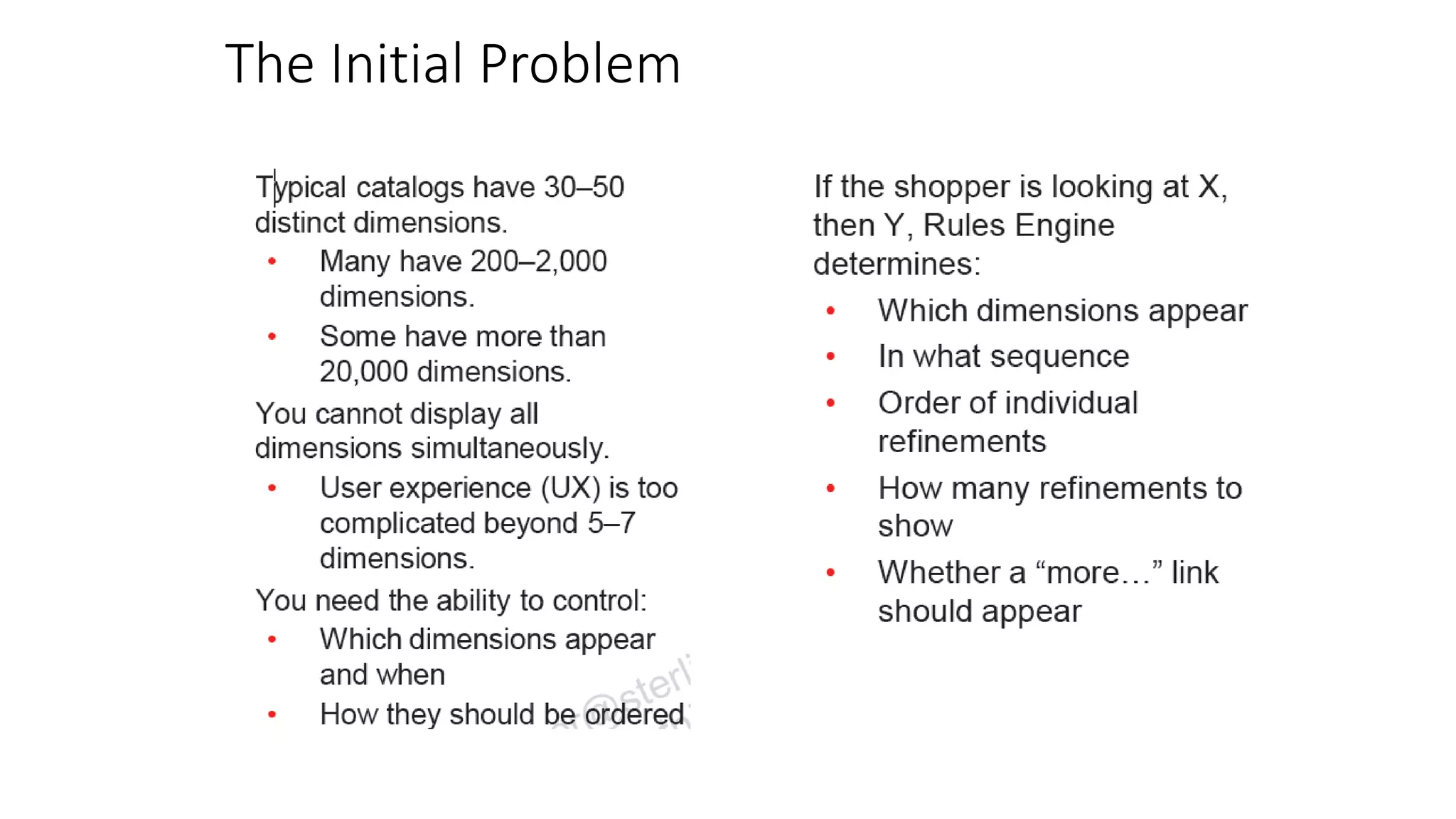
The Initial Problem
Workbench and Experience Manager 
Workbench Contains: 
• Data Sources (CAS Console) 
• Experience Manager (Rules 
Manager) 
• Thesaurus Entries 
• Administrative Tasks 
• User Settings 
Experience Manager 
• Developers Create Cartridges 
• Business Users Configure Cartridges 
• Business Users Configure Rules
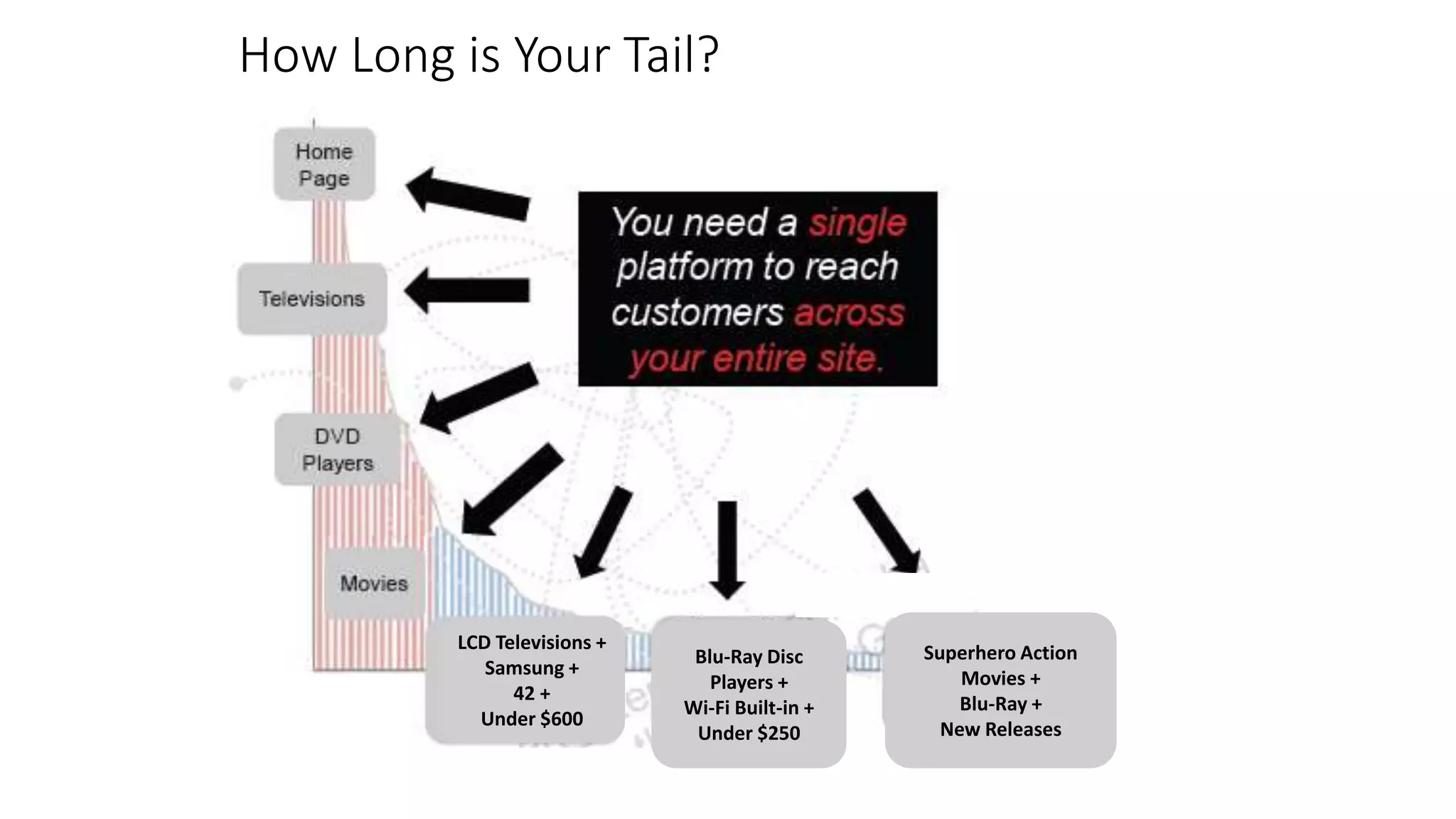
How Long is Your Tail? 
Customers spend 
more time in the 
long tail 
LCD Televisions + 
Samsung + 
42 + 
Under $600 
Superhero Action 
Movies + 
Blu-Ray + 
New Releases 
Blu-Ray Disc 
Players + 
Wi-Fi Built-in + 
Under $250
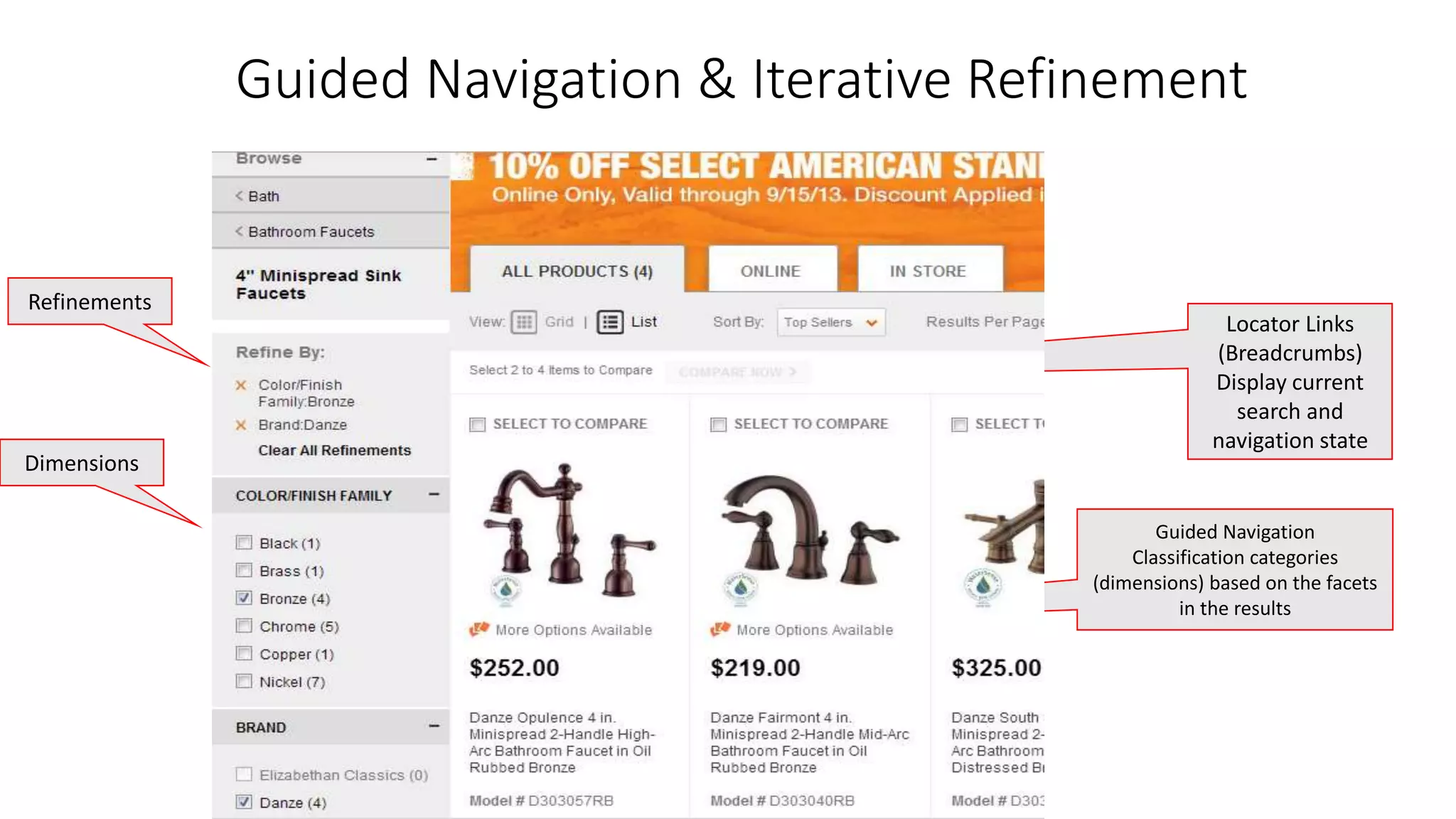
Guided Navigation & Iterative Refinement 
Locator Links 
(Breadcrumbs) 
Display current 
search and 
navigation state 
Guided Navigation 
Classification categories 
(dimensions) based on the facets 
in the results 
Refinements 
Dimensions
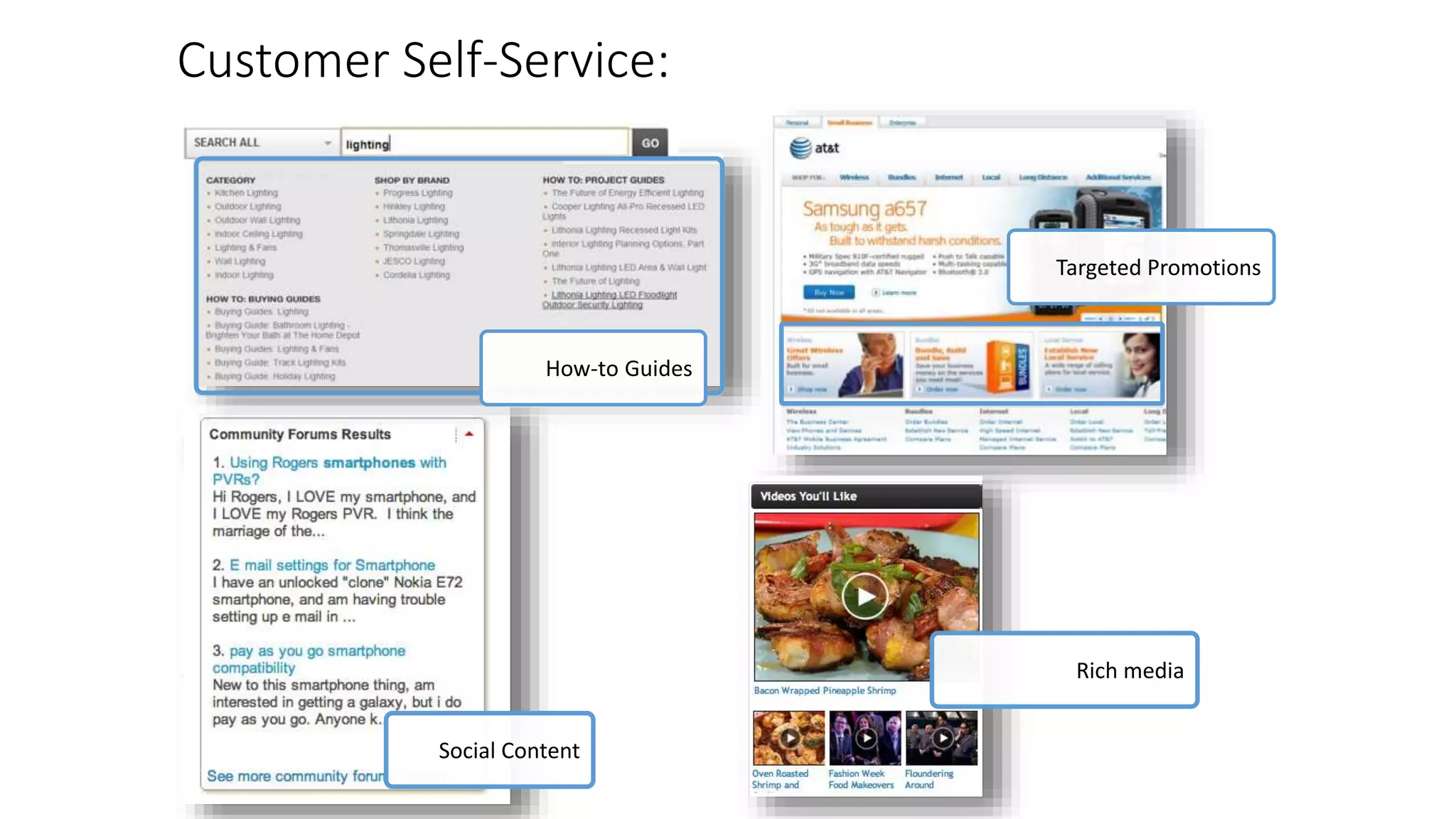
Customer Self-Service: 
How-to Guides 
Social Content 
Targeted Promotions 
Rich media
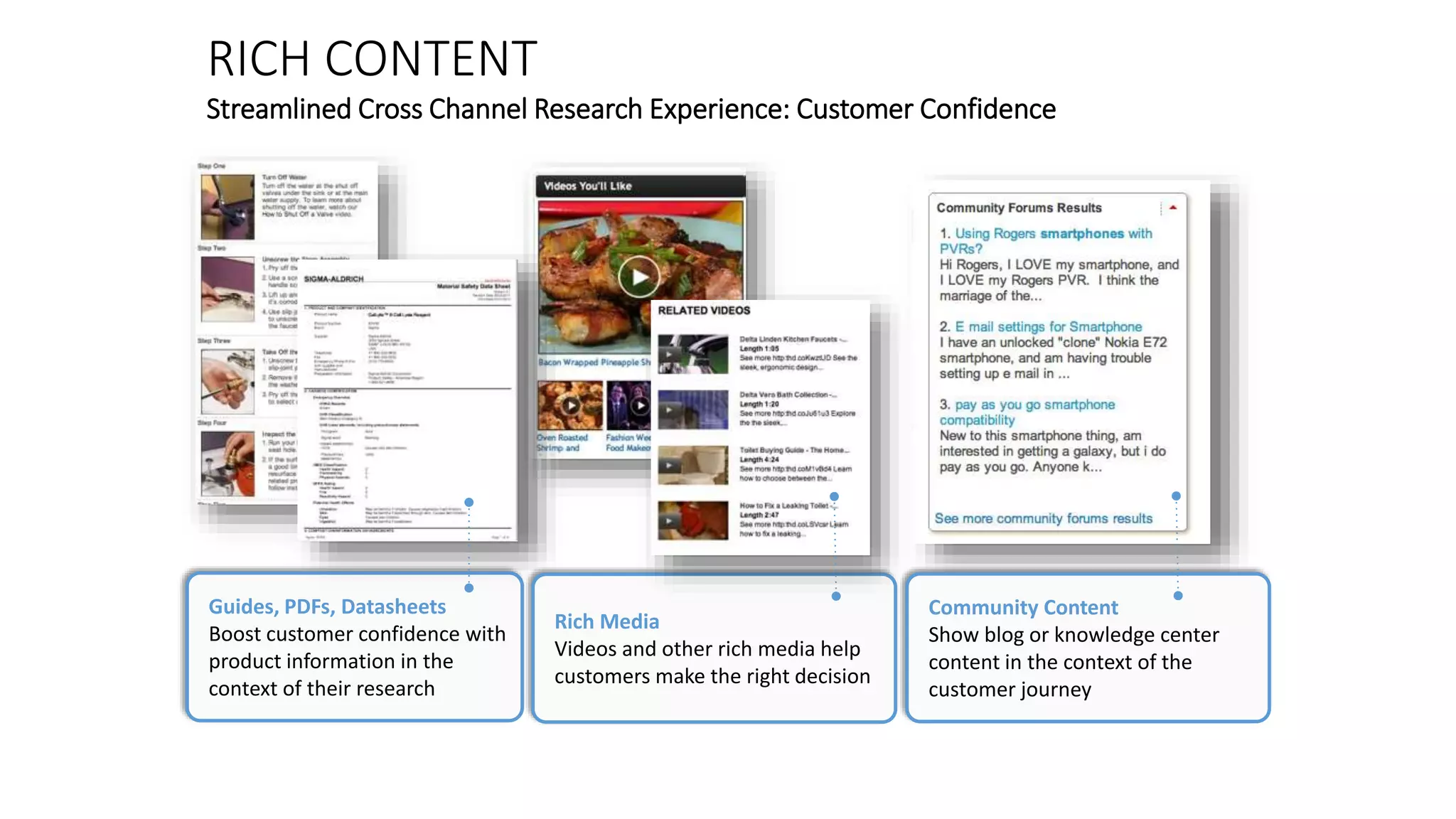
RICH CONTENT 
Streamlined Cross Channel Research Experience: Customer Confidence 
Guides, PDFs, Datasheets 
Boost customer confidence with 
product information in the 
context of their research 
Rich Media 
Videos and other rich media help 
customers make the right decision 
Community Content 
Show blog or knowledge center 
content in the context of the 
customer journey
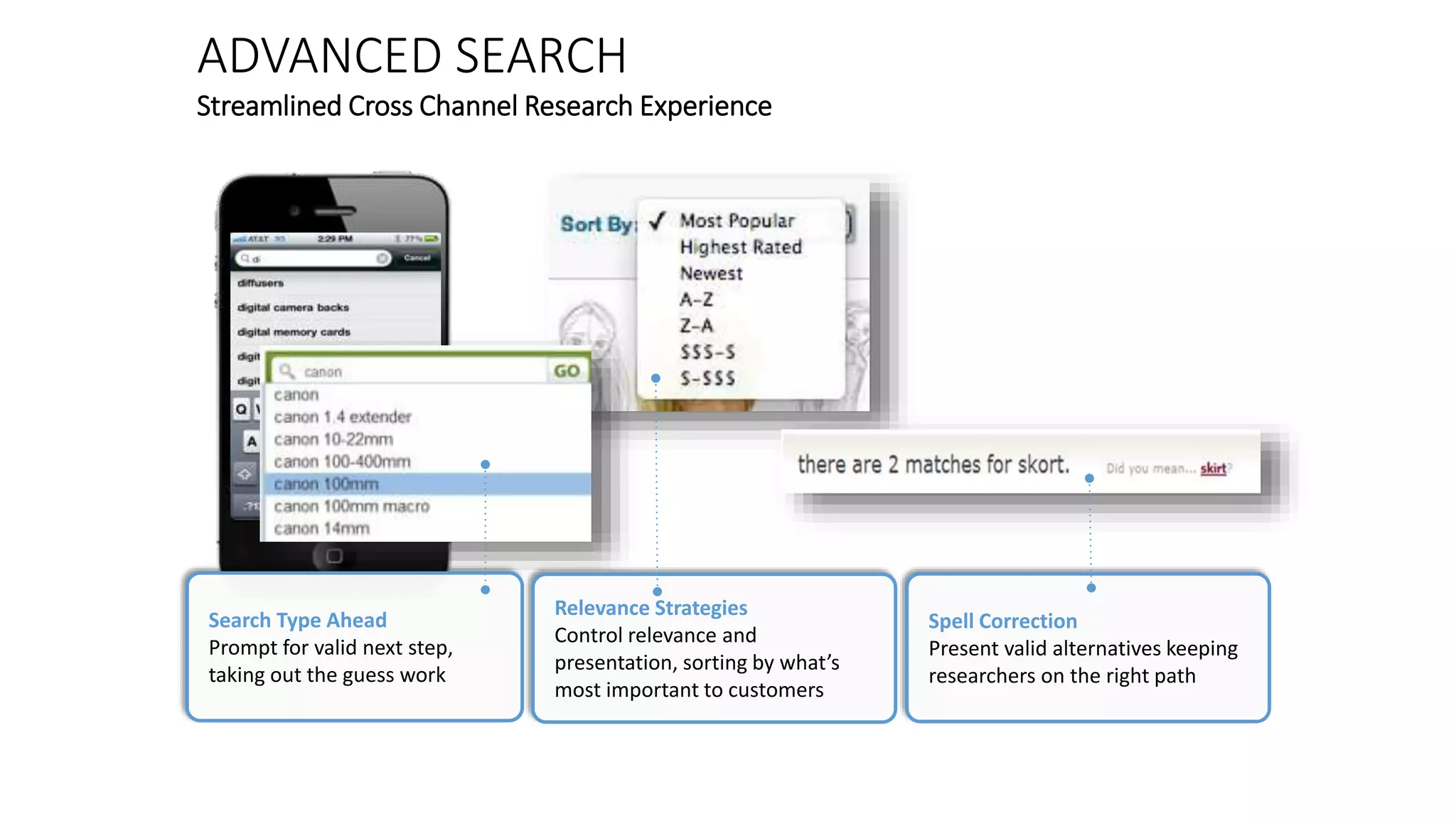
ADVANCED SEARCH 
Streamlined Cross Channel Research Experience 
Search Type Ahead 
Prompt for valid next step, 
taking out the guess work 
Relevance Strategies 
Control relevance and 
presentation, sorting by what’s 
most important to customers 
Spell Correction 
Present valid alternatives keeping 
researchers on the right path
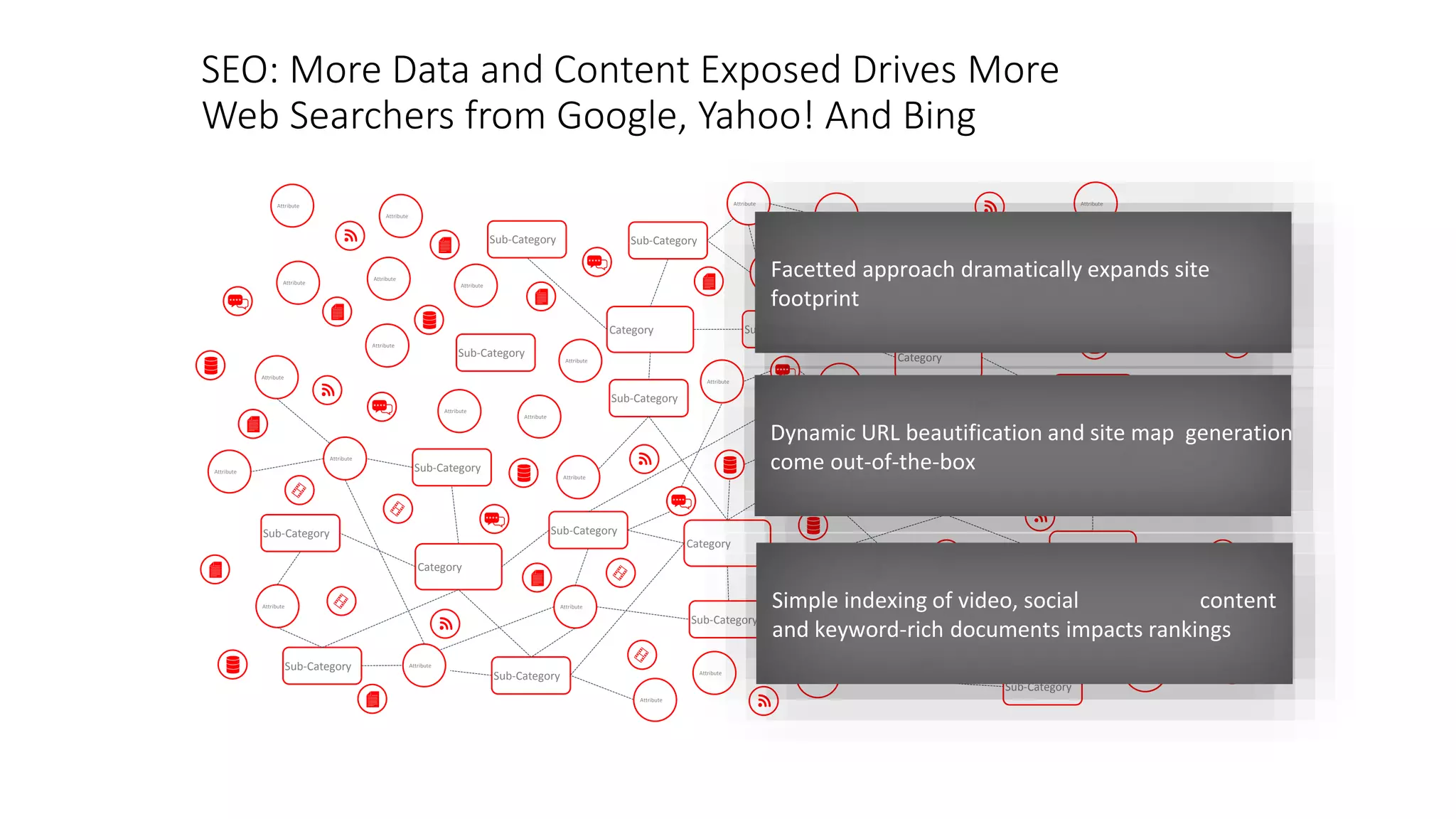
SEO: More Data and Content Exposed Drives More 
Web Searchers from Google, Yahoo! And Bing 
Category 
Sub-Category 
Attribute 
Attribute 
Attribute 
Sub-Category 
Sub-Category Sub-Category 
Attribute 
Attribute 
Attribute 
Attribute 
Attribute Attribute 
Attribute 
Sub-Category 
Category 
Sub-Category 
Sub-Category 
Sub-Category 
Sub-Category 
Category 
Attribute 
Sub-Category 
Sub-Category 
Sub-Category 
Category 
Sub-Category 
Attribute 
Sub-Category 
Sub-Category 
Category 
Sub-Category 
Attribute 
Attribute 
Attribute 
Attribute 
Attribute 
Attribute 
Attribute 
Attribute 
Attribute 
Attribute 
Attribute 
Attribute 
Attribute 
Attribute 
Attribute 
Attribute 
Attribute 
Attribute 
Attribute 
Attribute 
Sub-Category 
Sub-Category 
Facetted approach dramatically expands site 
footprint 
Dynamic URL beautification and site map generation 
come out-of-the-box 
Simple indexing of video, social content 
and keyword-rich documents impacts rankings
Endeca for Mobile
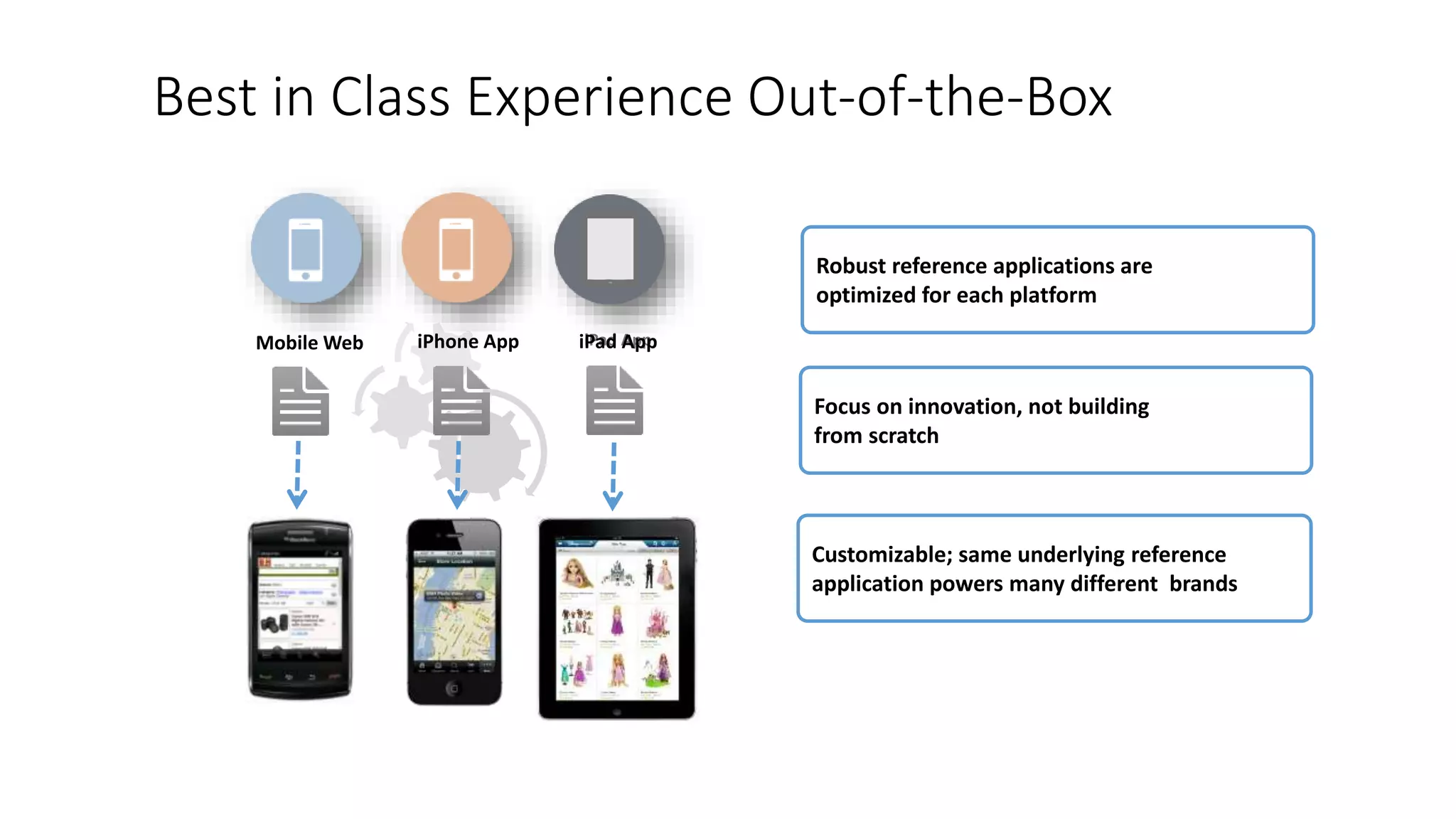
Best in Class Experience Out-of-the-Box 
Robust reference applications are 
optimized for each platform 
Focus on innovation, not building 
from scratch 
Customizable; same underlying reference 
application powers many different brands 
Mobile Web iPhone App iPiPaadd AApppp
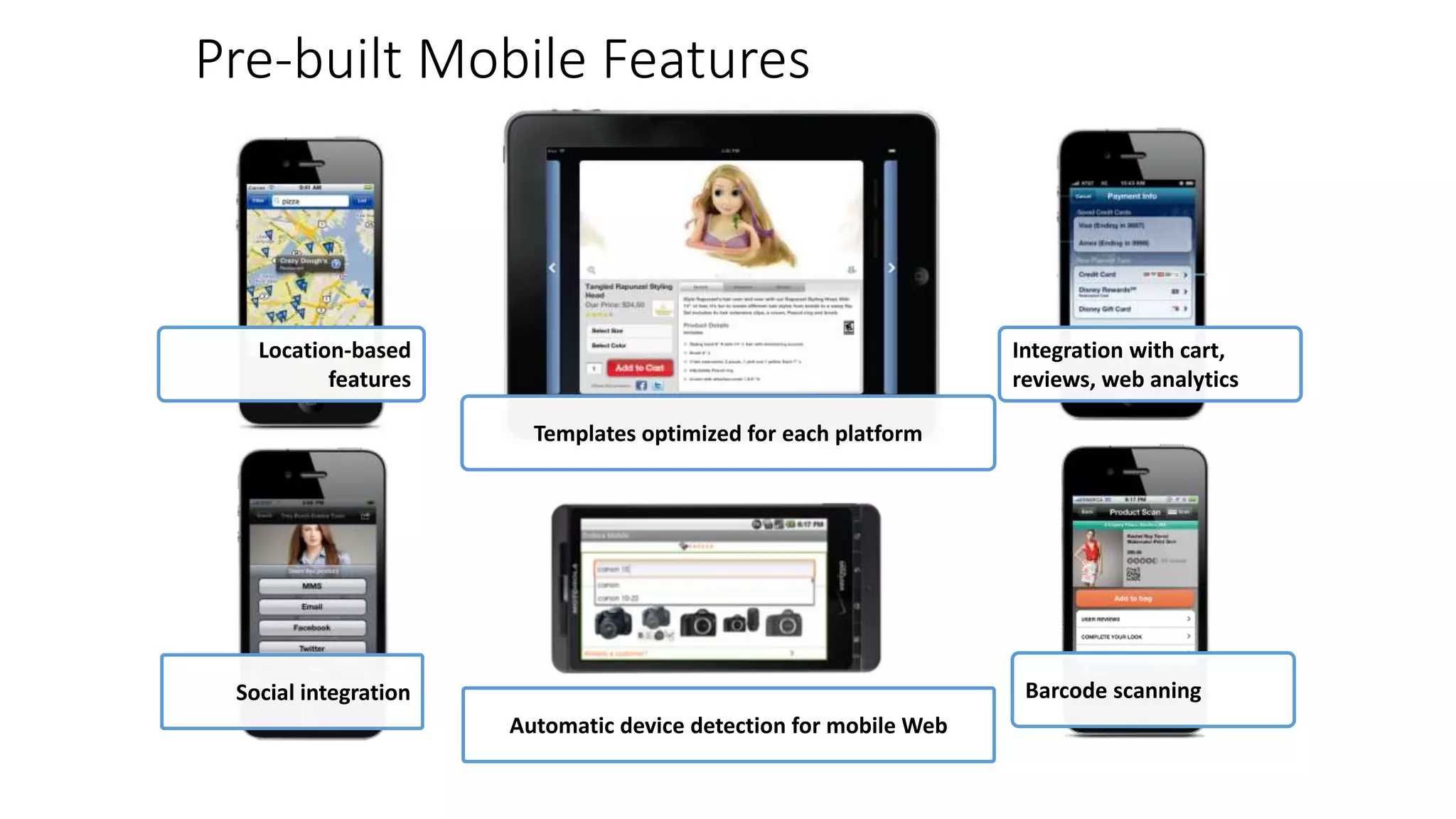
Social integration 
Templates optimized for each platform 
Automatic device detection for mobile Web 
Integration with cart, 
reviews, web analytics 
Barcode scanning 
Pre-built Mobile Features 
Location-based 
features
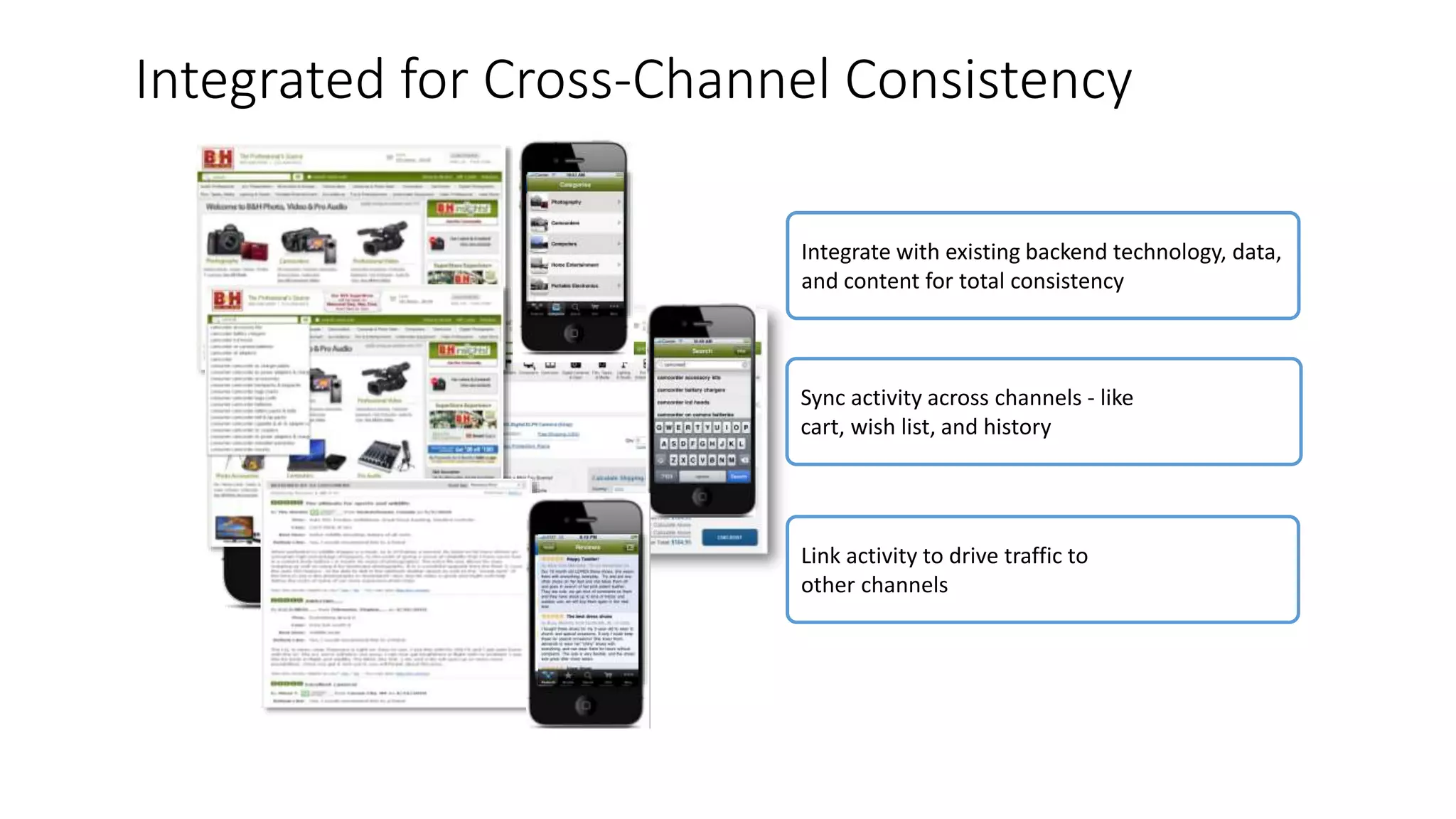
Integrated for Cross-Channel Consistency 
Integrate with existing backend technology, data, 
and content for total consistency 
Sync activity across channels - like 
cart, wish list, and history 
Link activity to drive traffic to 
other channels
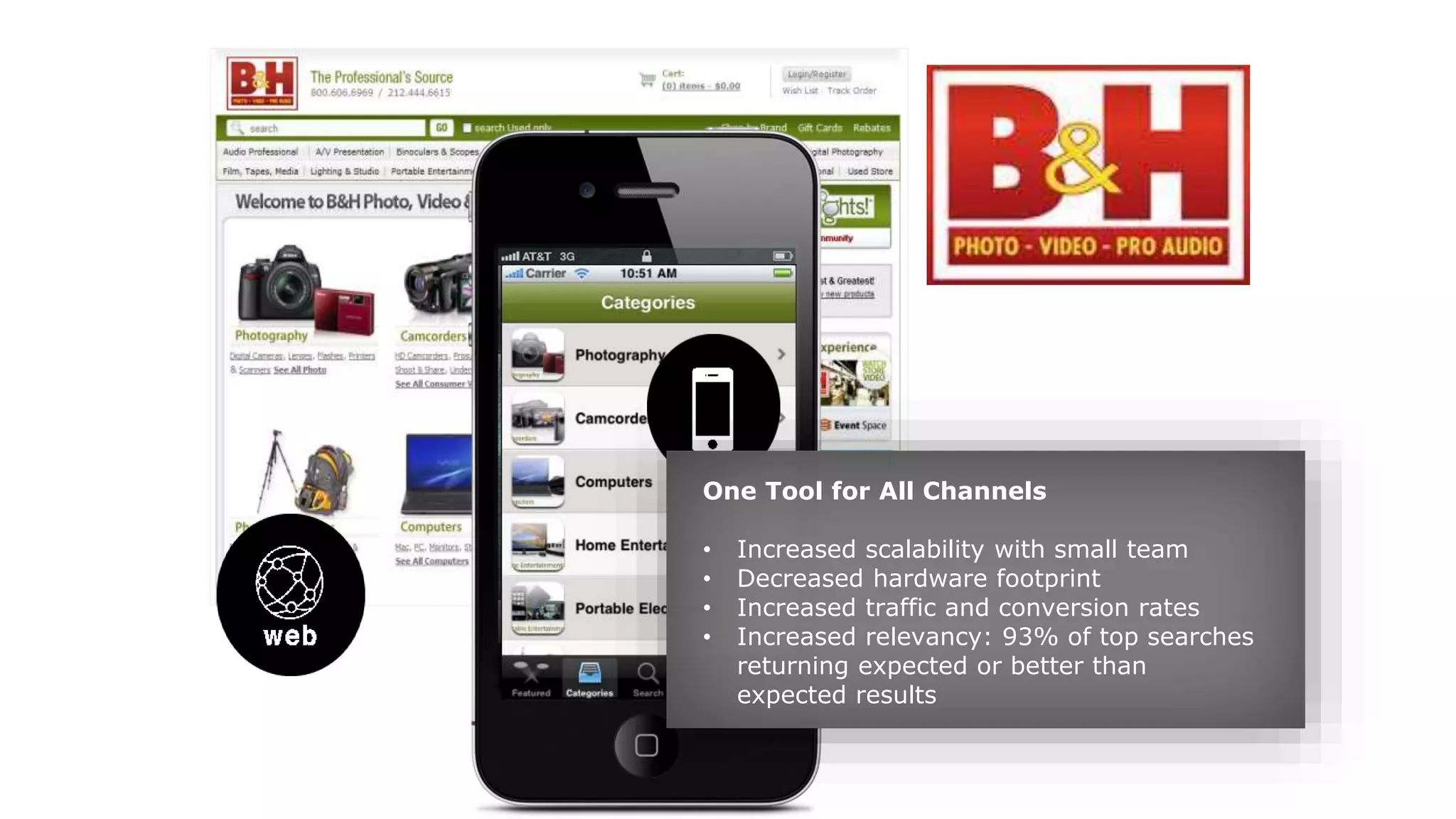
One Tool for All Channels 
• Increased scalability with small team 
• Decreased hardware footprint 
• Increased traffic and conversion rates 
• Increased relevancy: 93% of top searches 
returning expected or better than 
expected results
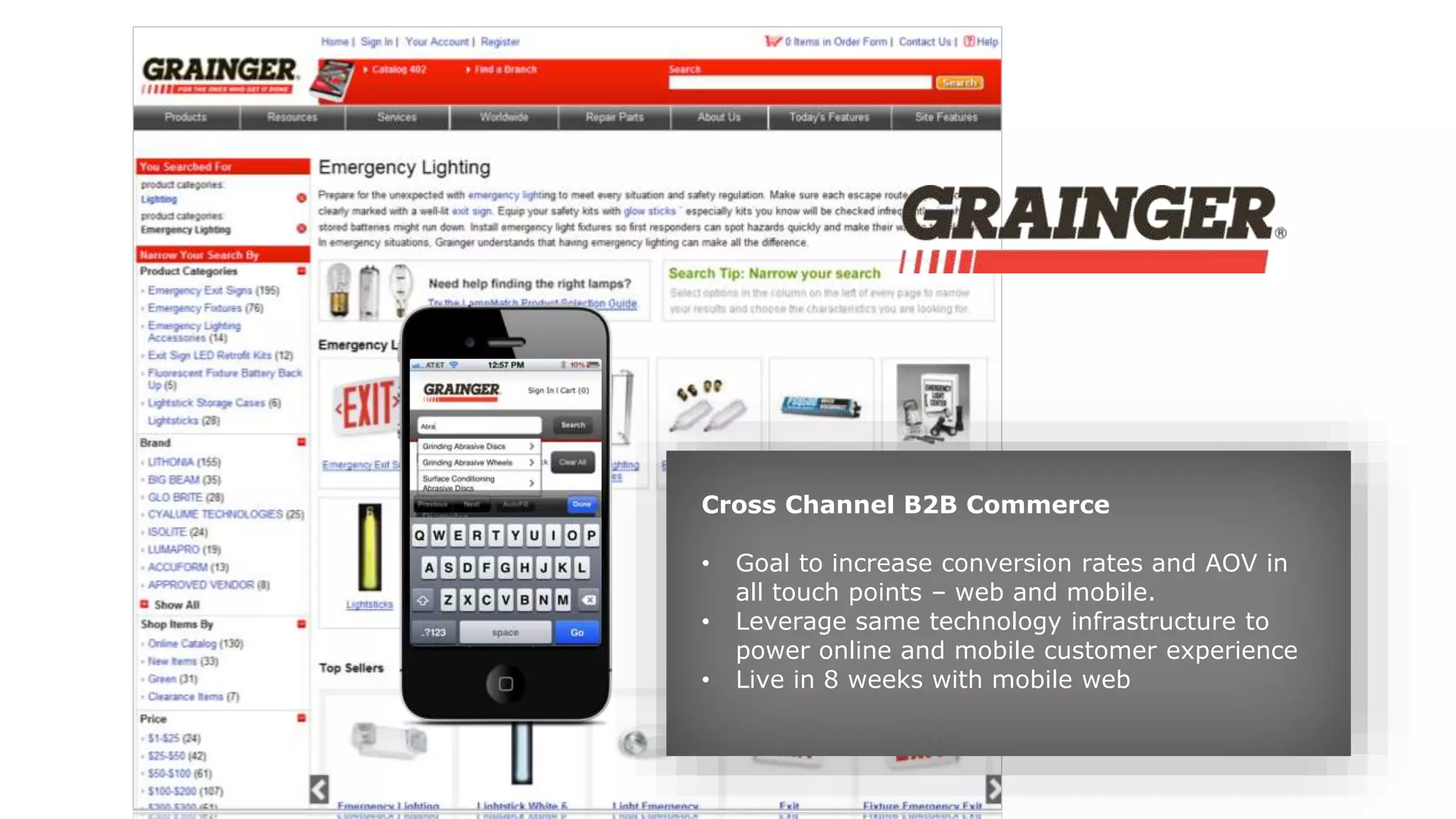
Cross Channel B2B Commerce 
• Goal to increase conversion rates and AOV in 
all touch points – web and mobile. 
• Leverage same technology infrastructure to 
power online and mobile customer experience 
• Live in 8 weeks with mobile web
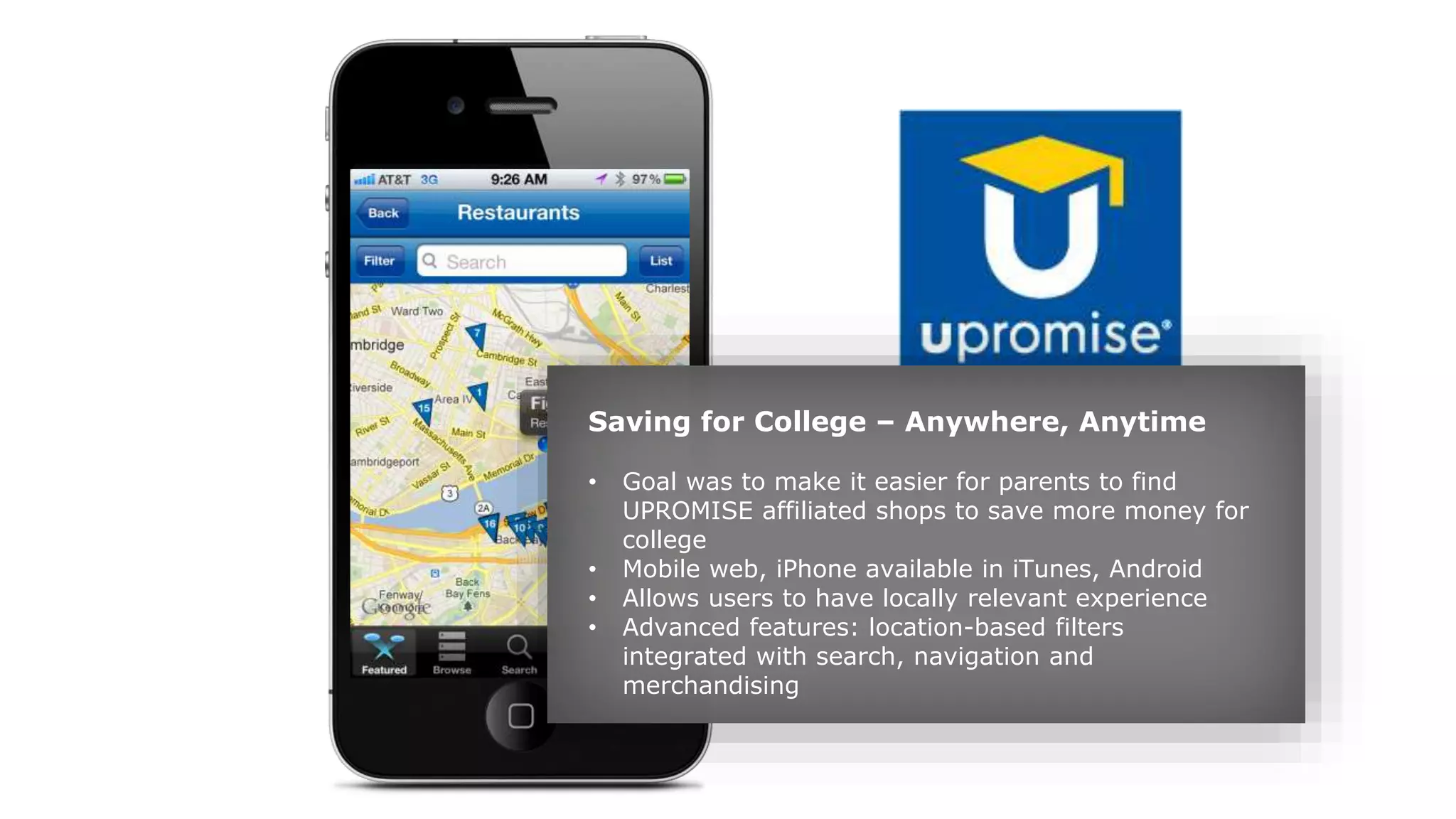
Saving for College – Anywhere, Anytime 
• Goal was to make it easier for parents to find 
UPROMISE affiliated shops to save more money for 
college 
• Mobile web, iPhone available in iTunes, Android 
• Allows users to have locally relevant experience 
• Advanced features: location-based filters 
integrated with search, navigation and 
merchandising
Endeca for Social
Endeca Puts Facebook Data into Action 
Endeca takes raw data from 
Facebook and makes it meaningful 
by putting it in the hands of the 
business user 
Facebook Insights The OpenGraph 
 Built-in Facebook analytics platform 
 Can be ingested into Endeca 
 Facebook info: 150+ metrics 
 Open source for user activity 
 Can only be accessed at run time 
 User info: location, gender, age, 
likes, comments, shares, referrals 
Endeca uses these data sources to automate personalization 
and merchandising across channels
Facebook Social Commerce 
Assumptions for getting started: 
• You have created a new application within Facebook. If not 
go to http://www.facebook.com/developers/ and setup a 
new app. 
• You are the administrator or have access to the administrator 
of your Facebook application. 
• You are familiar basic Endeca and Experience Manager 
concepts. 
• You have a working understanding of java web applications. 
For detailed information, see the Oracle Getting Started Guide – Facebook Social Commerce.
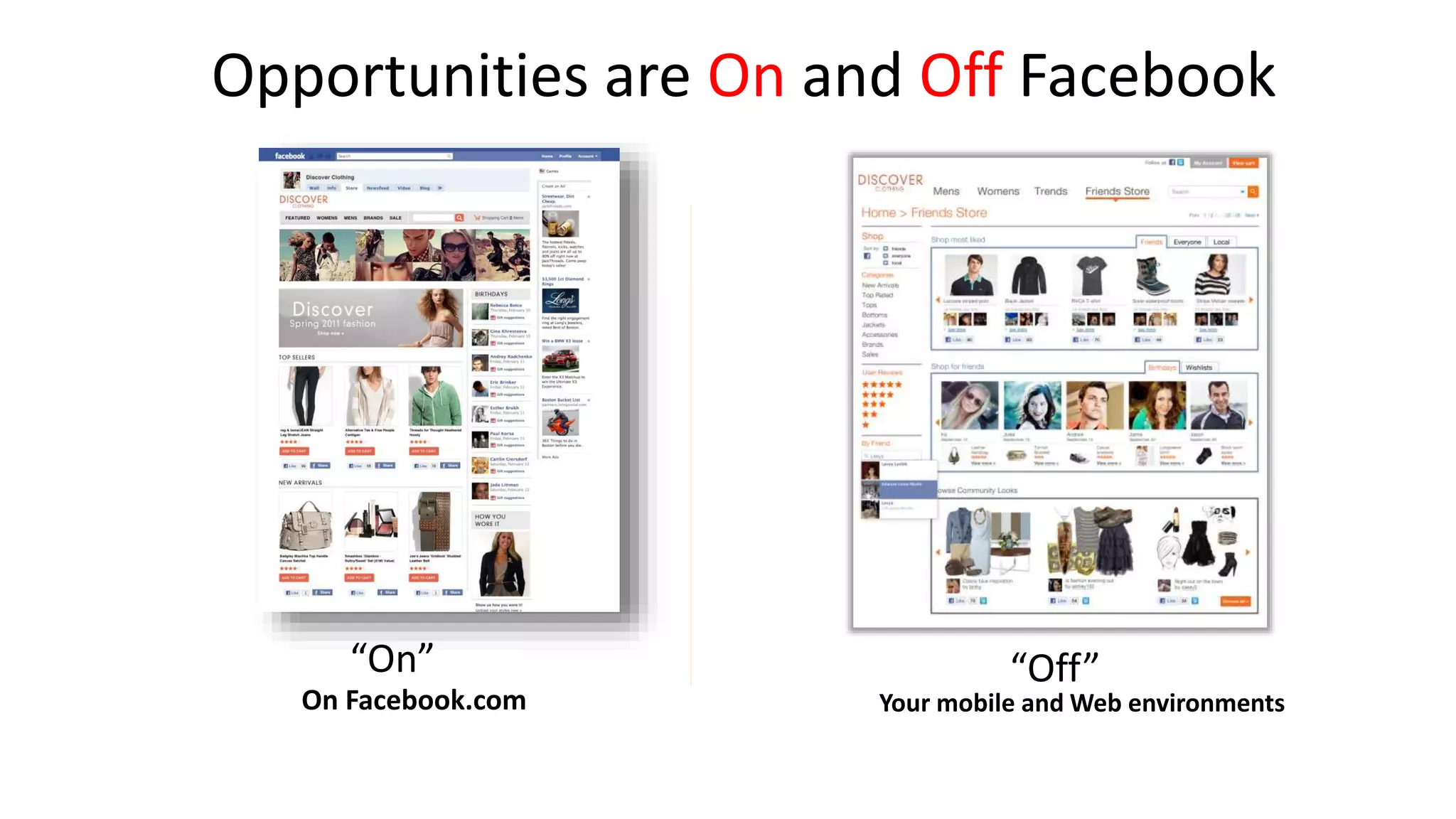
Opportunities are On and Off Facebook 
“On” 
On Facebook.com 
“Off” 
Your mobile and Web environments
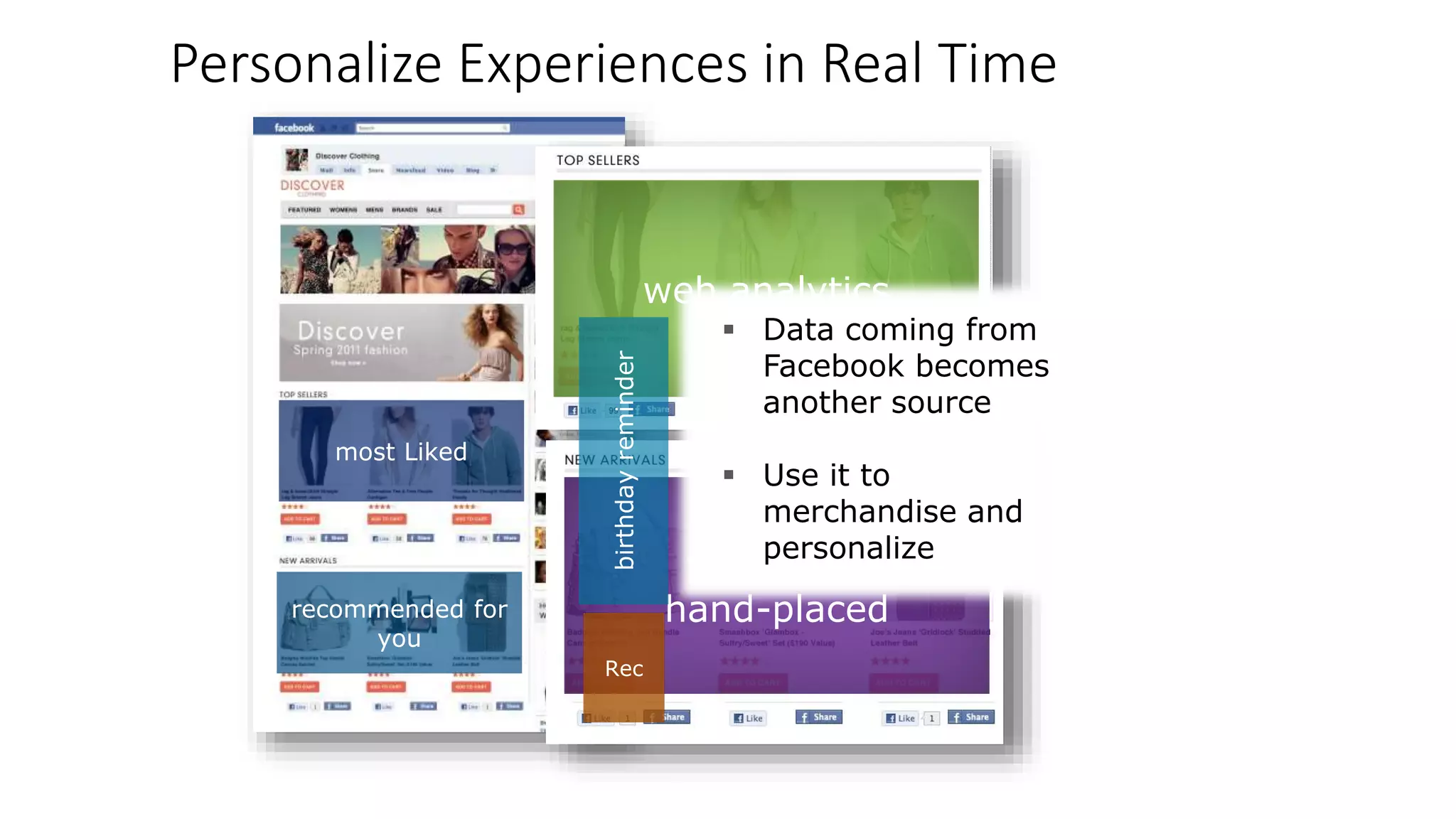
Personalize Experiences in Real Time 
most Liked 
recommended for 
you 
web analytics 
top rated, 
hand-placed 
birthday reminder 
Rec 
 Data coming from 
Facebook becomes 
another source 
 Use it to 
merchandise and 
personalize
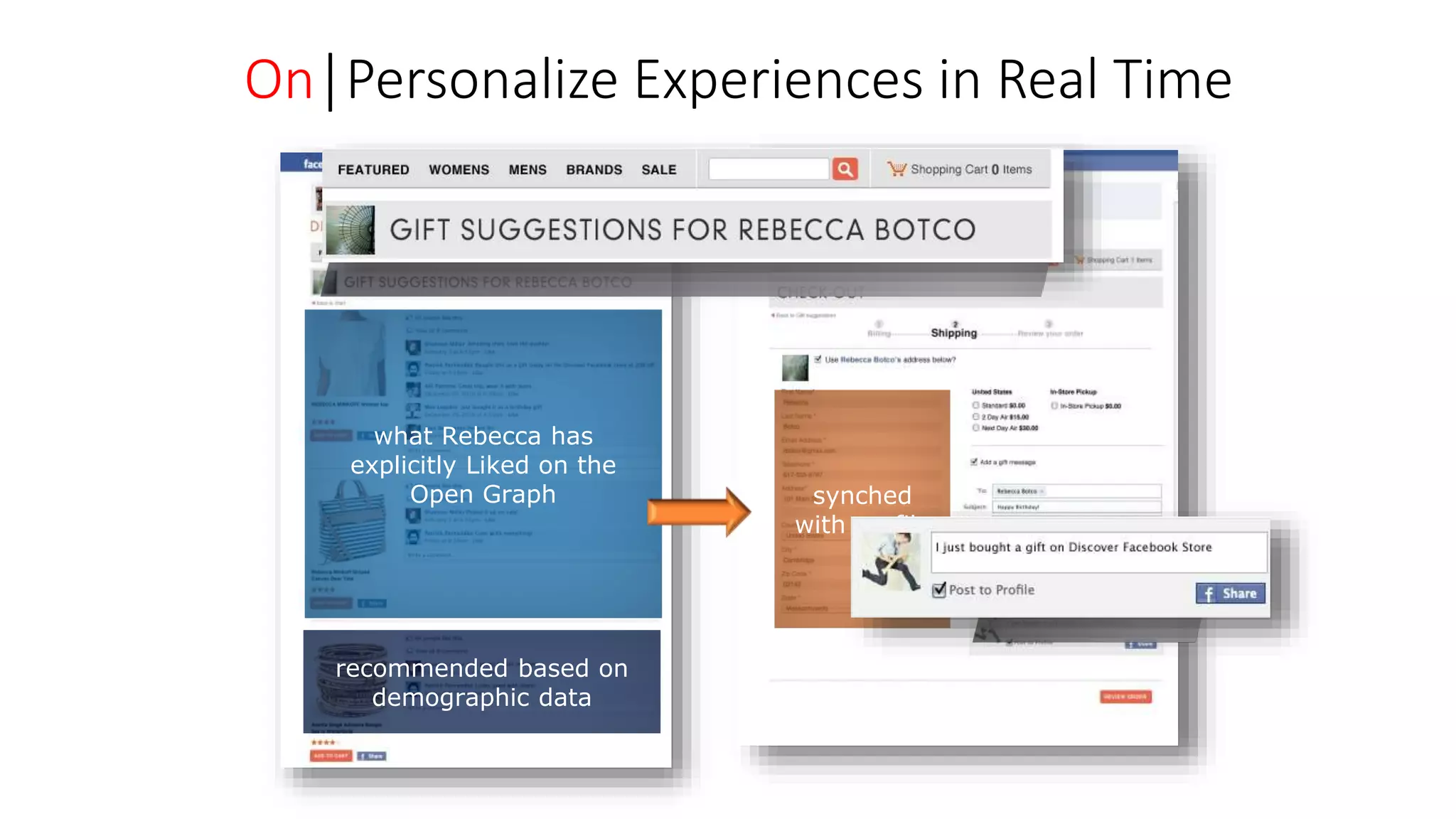
On│Personalize Experiences in Real Time 
what Rebecca has 

explicitly Liked on the 
Open Graph 
recommended based on 
demographic data 
synched 
with profile
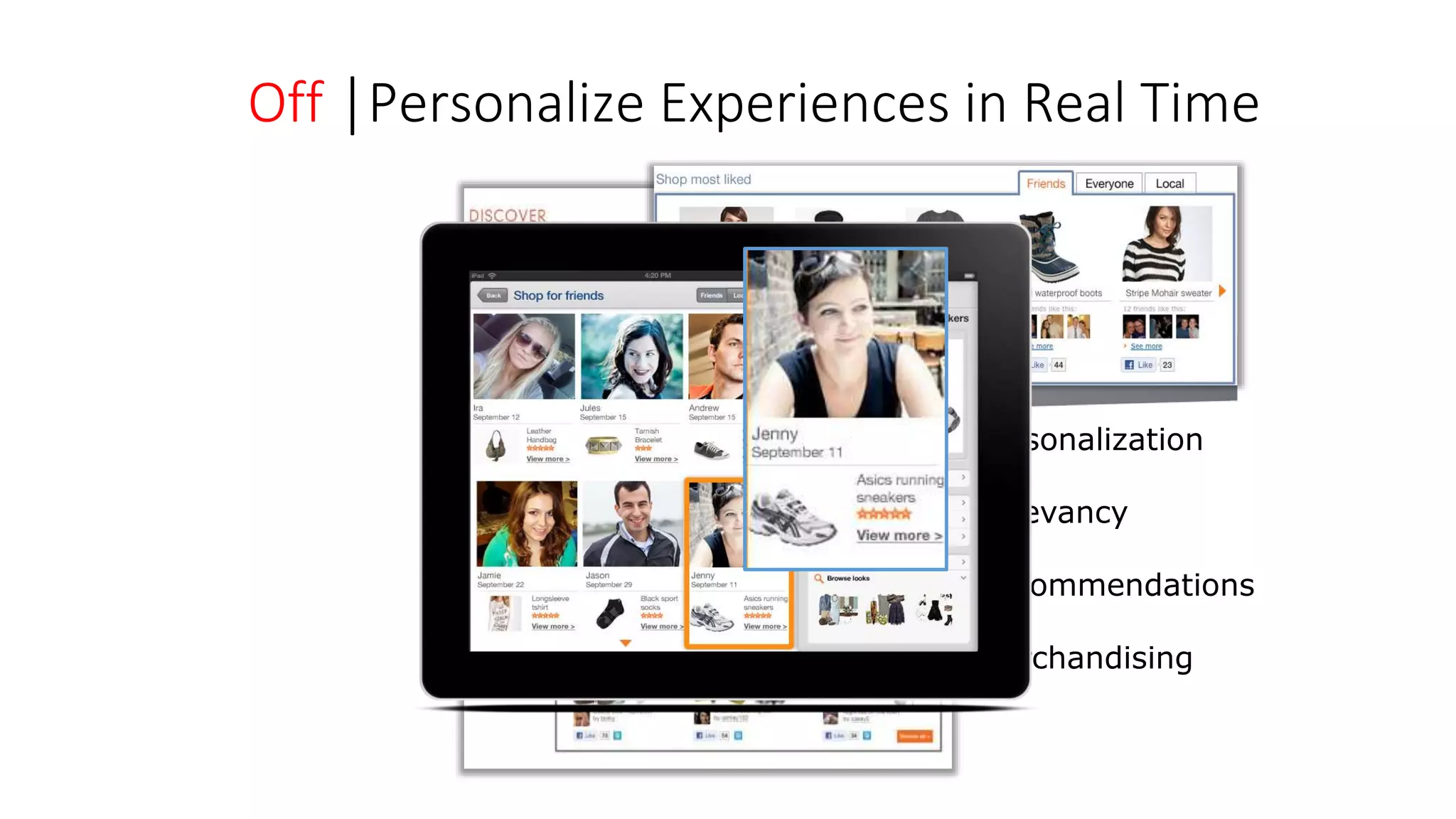
Off │Personalize Experiences in Real Time 
 Personalization 
 Relevancy 
 Recommendations 
 Merchandising
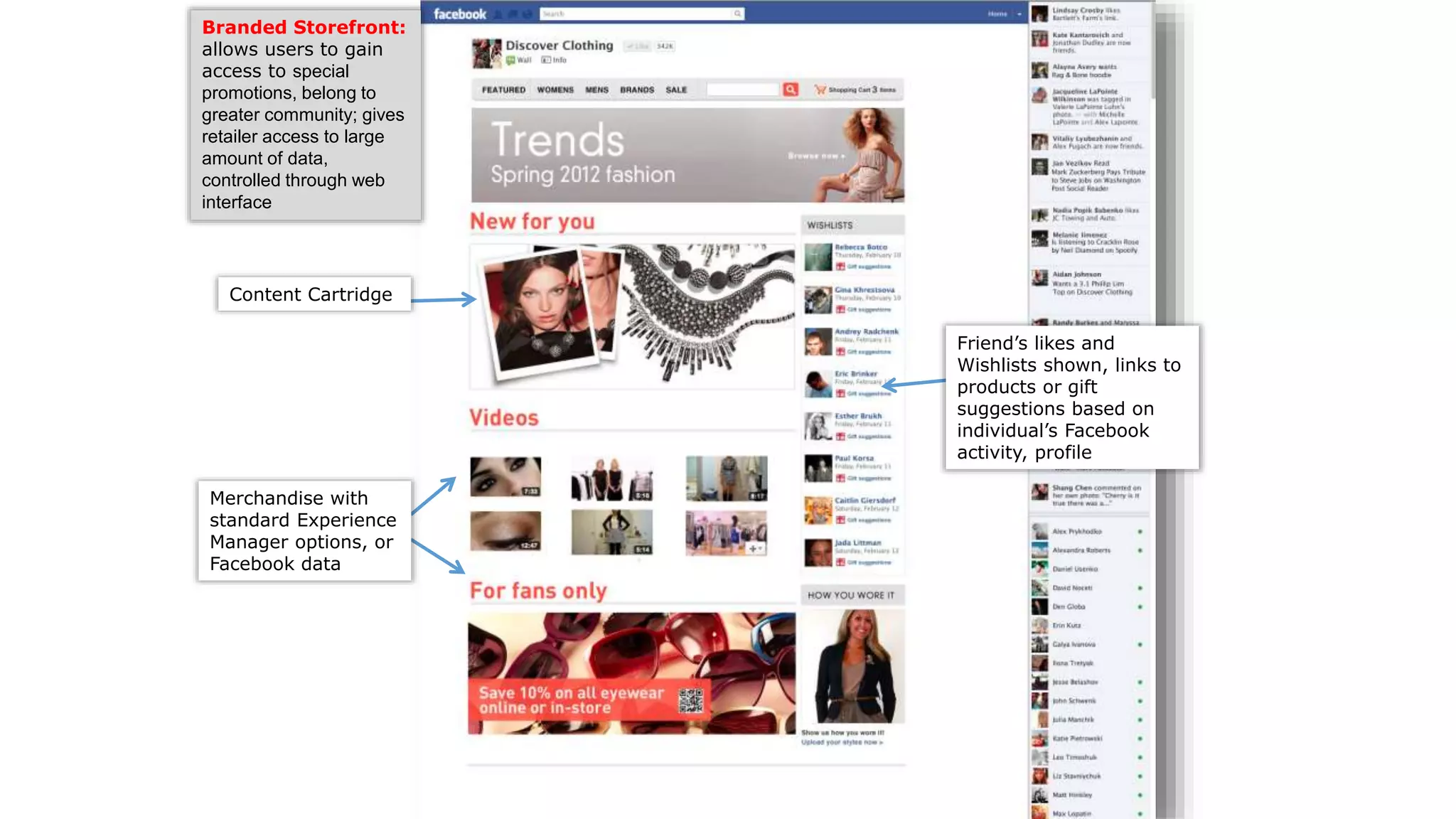
Facebook Store Features
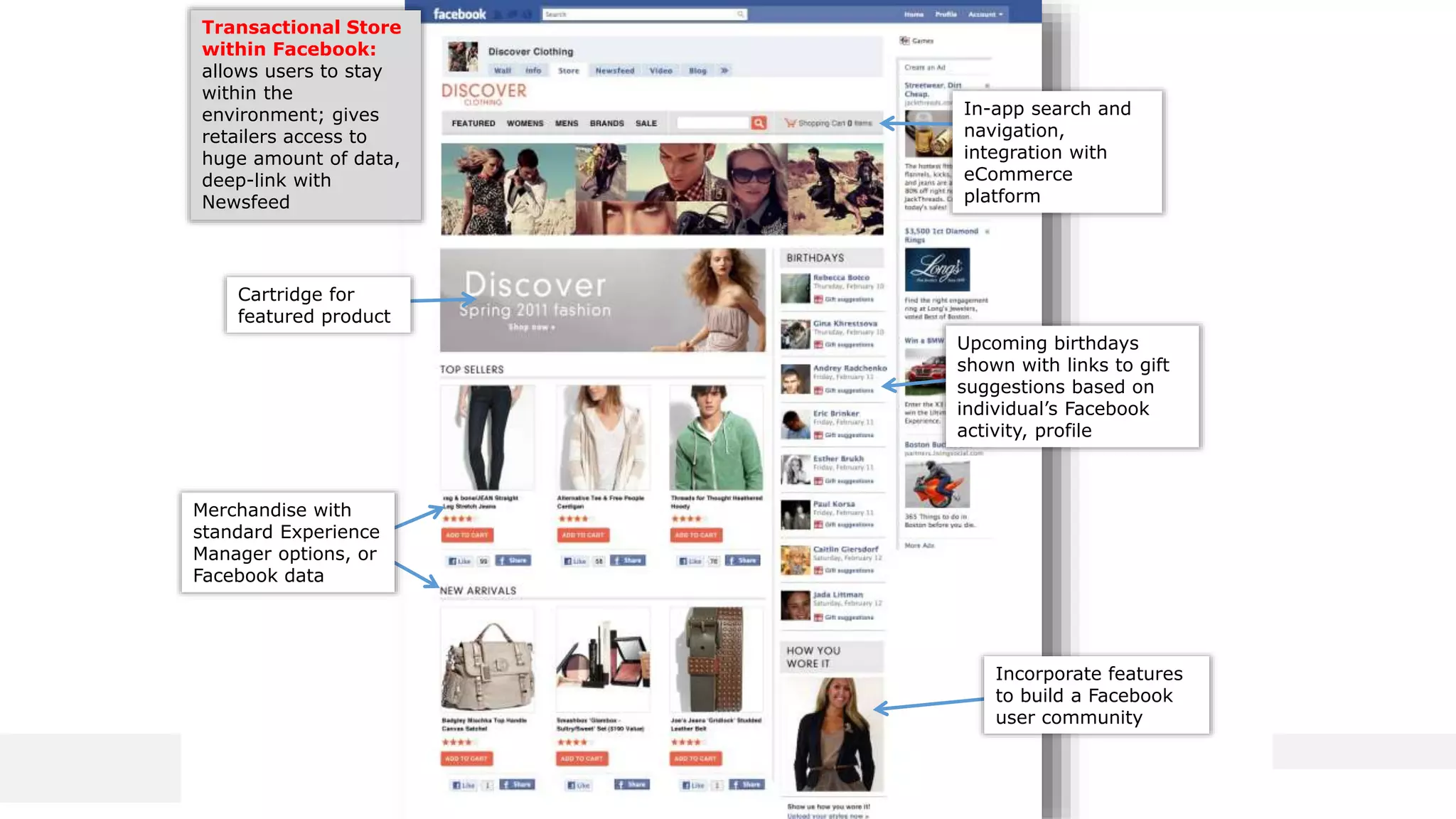
Content Cartridge 
Friend’s likes and 
Wishlists shown, links to 
products or gift 
suggestions based on 
individual’s Facebook 
activity, profile 
Branded Storefront: 
allows users to gain 
access to special 
promotions, belong to 
greater community; gives 
retailer access to large 
amount of data, 
controlled through web 
interface 
Merchandise with 
standard Experience 
Manager options, or 
Facebook data
In-app search and 
navigation, 
integration with 
eCommerce 
platform 
Transactional Store 
within Facebook: 
allows users to stay 
within the 
environment; gives 
retailers access to 
huge amount of data, 
deep-link with 
Newsfeed 
Cartridge for 
featured product 
Upcoming birthdays 
shown with links to gift 
suggestions based on 
individual’s Facebook 
activity, profile 
Incorporate features 
to build a Facebook 
user community 
Merchandise with 
standard Experience 
Manager options, or 
Facebook data 
Copyright ©2010 Endeca Technologies, Inc. All rights reserved. Proprietary and confidential.
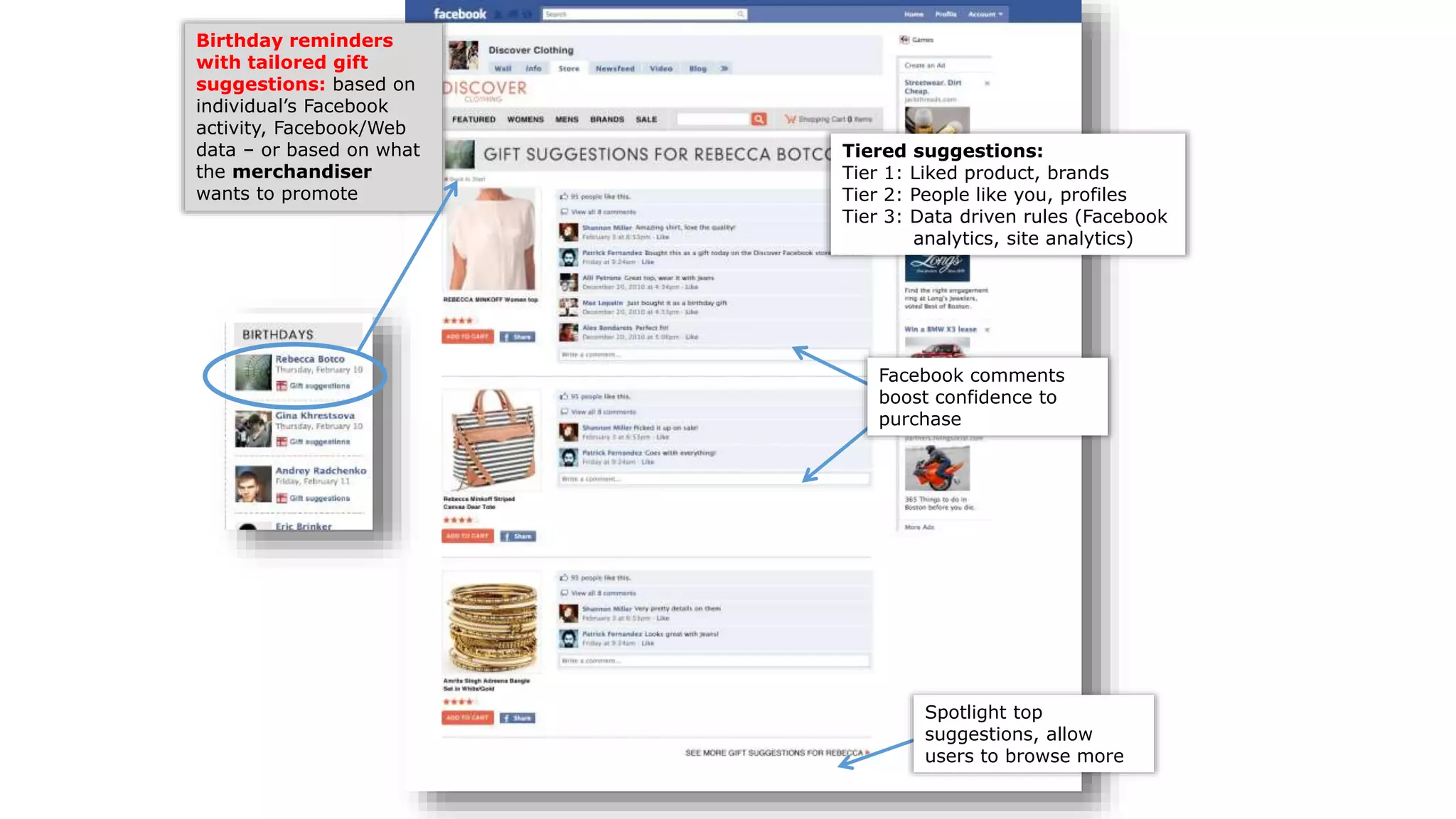
Birthday reminders 
with tailored gift 
suggestions: based on 
individual’s Facebook 
activity, Facebook/Web 
data – or based on what 
the merchandiser 
wants to promote 
Tiered suggestions: 
Tier 1: Liked product, brands 
Tier 2: People like you, profiles 
Tier 3: Data driven rules (Facebook 
analytics, site analytics) 
Facebook comments 
boost confidence to 
purchase 
Spotlight top 
suggestions, allow 
users to browse more
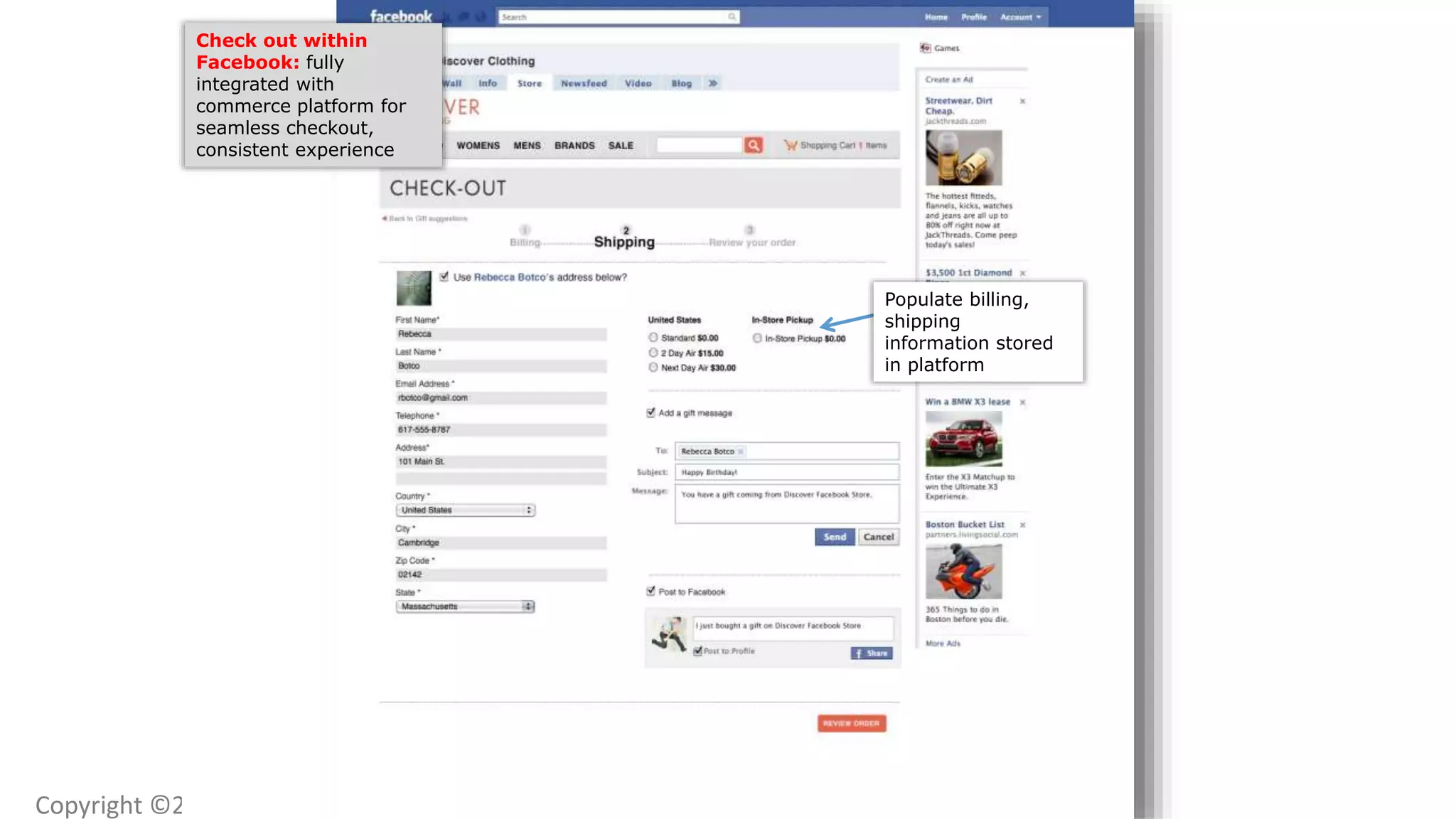
Check out within 
Facebook: fully 
integrated with 
commerce platform for 
seamless checkout, 
consistent experience 
Copyright ©2010 Endeca Technologies, Inc. 
Populate billing, 
shipping 
information stored 
in platform
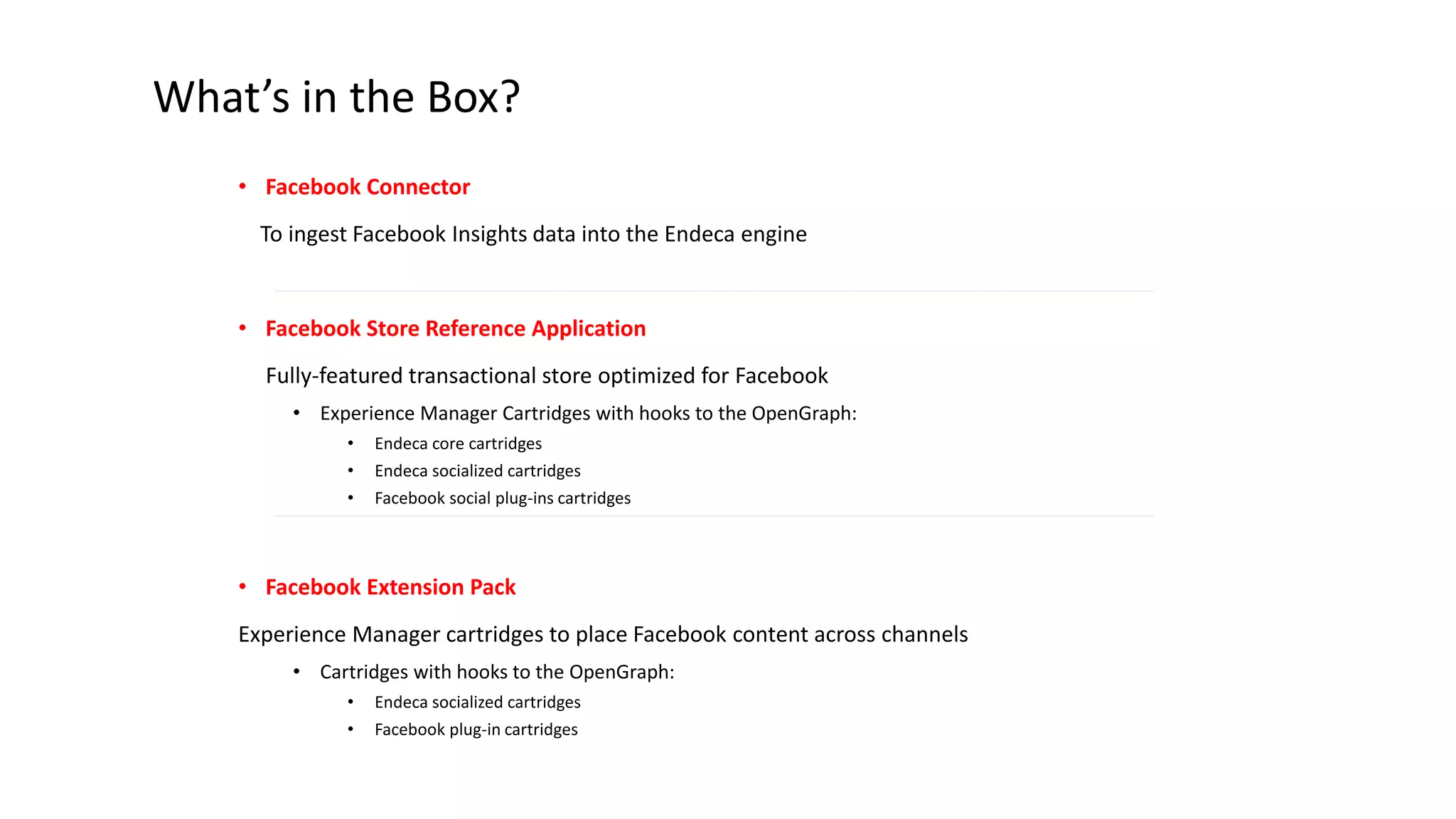
What’s in the Box? 
• Facebook Connector 
To ingest Facebook Insights data into the Endeca engine 
• Facebook Store Reference Application 
Fully-featured transactional store optimized for Facebook 
• Experience Manager Cartridges with hooks to the OpenGraph: 
• Endeca core cartridges 
• Endeca socialized cartridges 
• Facebook social plug-ins cartridges 
• Facebook Extension Pack 
Experience Manager cartridges to place Facebook content across channels 
• Cartridges with hooks to the OpenGraph: 
• Endeca socialized cartridges 
• Facebook plug-in cartridges
Appendix
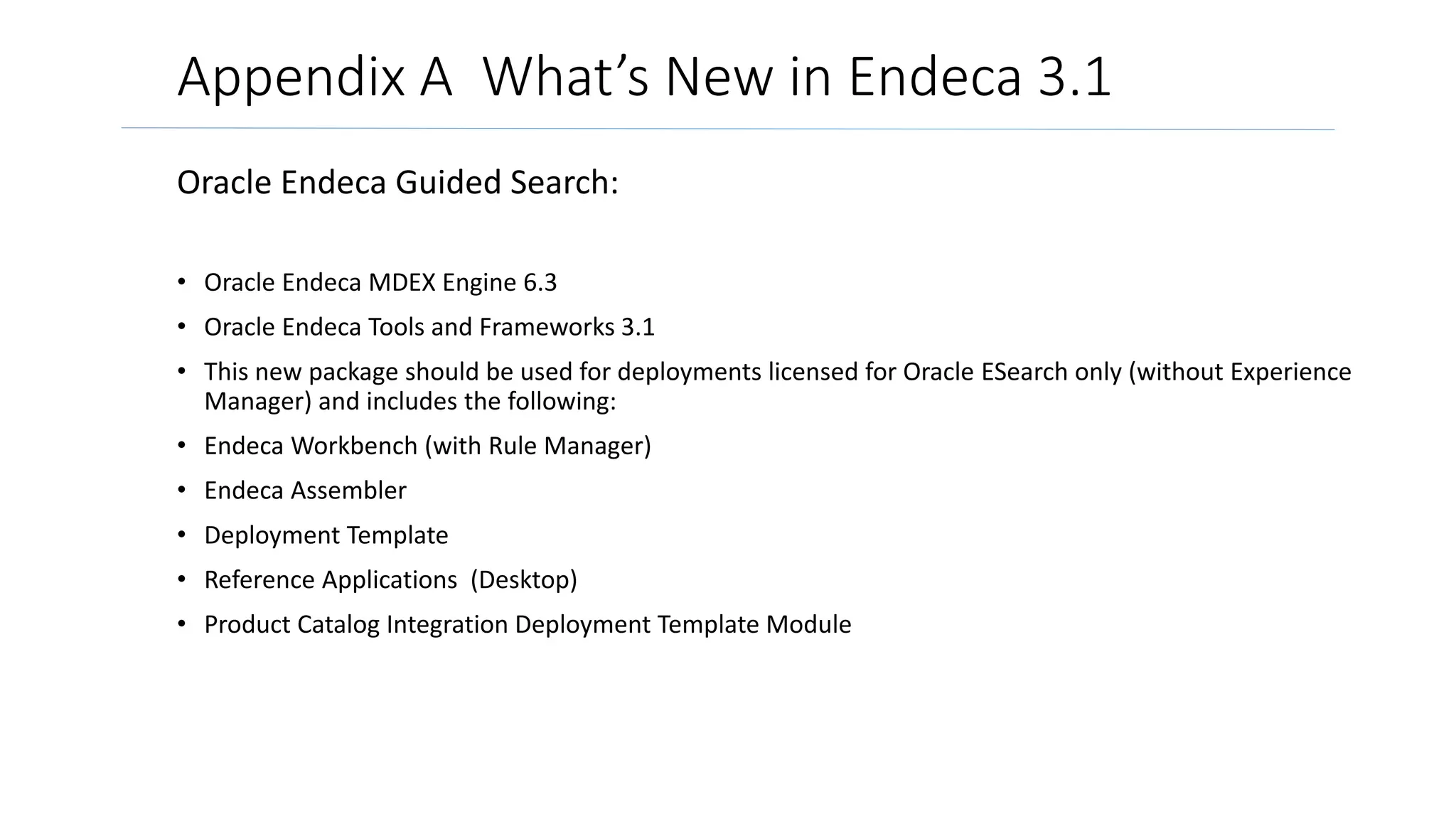
Appendix A What’s New in Endeca 3.1 
Oracle Endeca Guided Search: 
• Oracle Endeca MDEX Engine 6.3 
• Oracle Endeca Tools and Frameworks 3.1 
• This new package should be used for deployments licensed for Oracle ESearch only (without Experience 
Manager) and includes the following: 
• Endeca Workbench (with Rule Manager) 
• Endeca Assembler 
• Deployment Template 
• Reference Applications (Desktop) 
• Product Catalog Integration Deployment Template Module
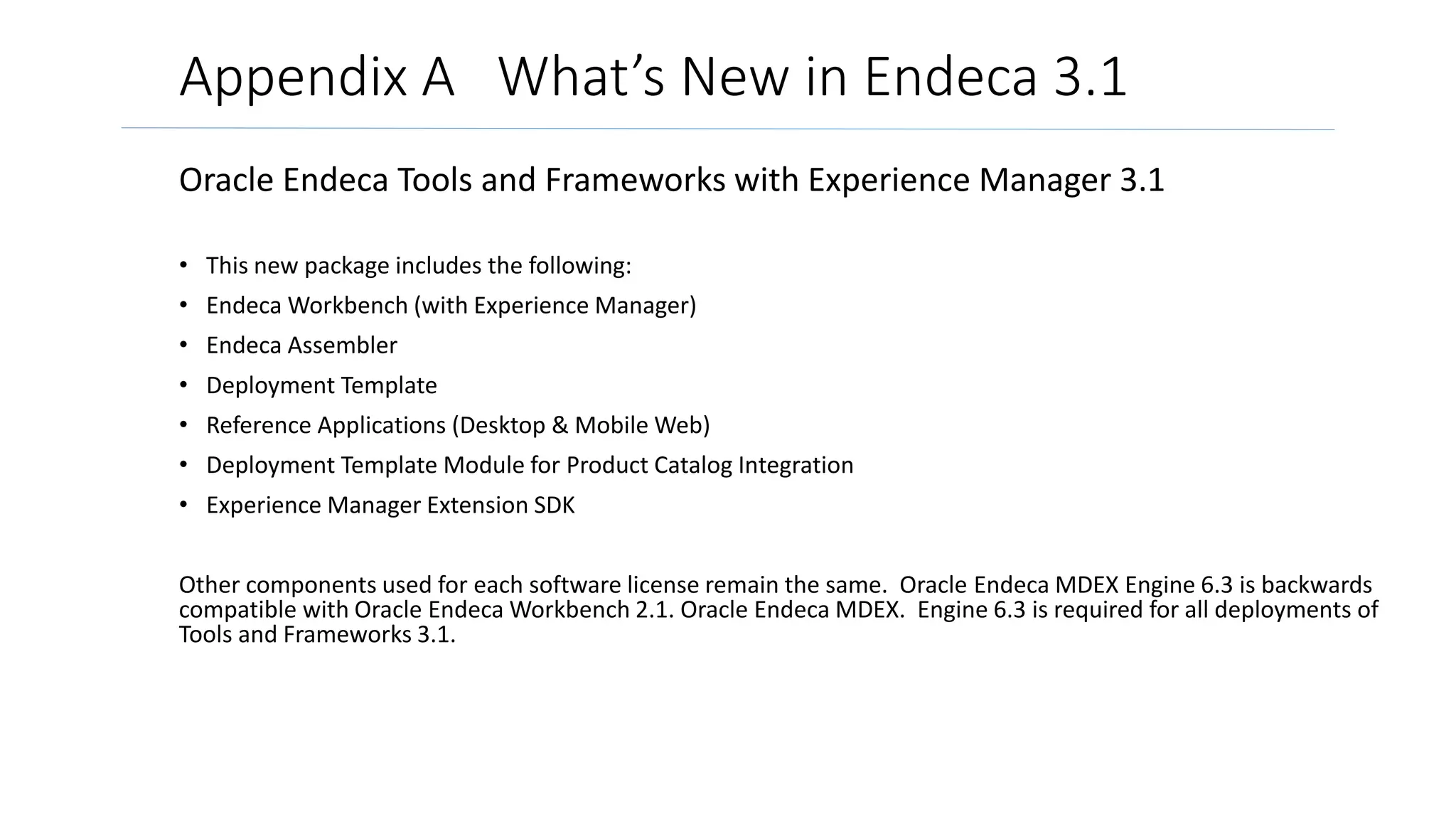
Appendix A What’s New in Endeca 3.1 
Oracle Endeca Tools and Frameworks with Experience Manager 3.1 
• This new package includes the following: 
• EndecaWorkbench (with Experience Manager) 
• Endeca Assembler 
• Deployment Template 
• Reference Applications (Desktop & Mobile Web) 
• Deployment Template Module for Product Catalog Integration 
• Experience Manager Extension SDK 
Other components used for each software license remain the same. Oracle Endeca MDEX Engine 6.3 is backwards 
compatible with Oracle EndecaWorkbench 2.1. Oracle Endeca MDEX. Engine 6.3 is required for all deployments of 
Tools and Frameworks 3.1.
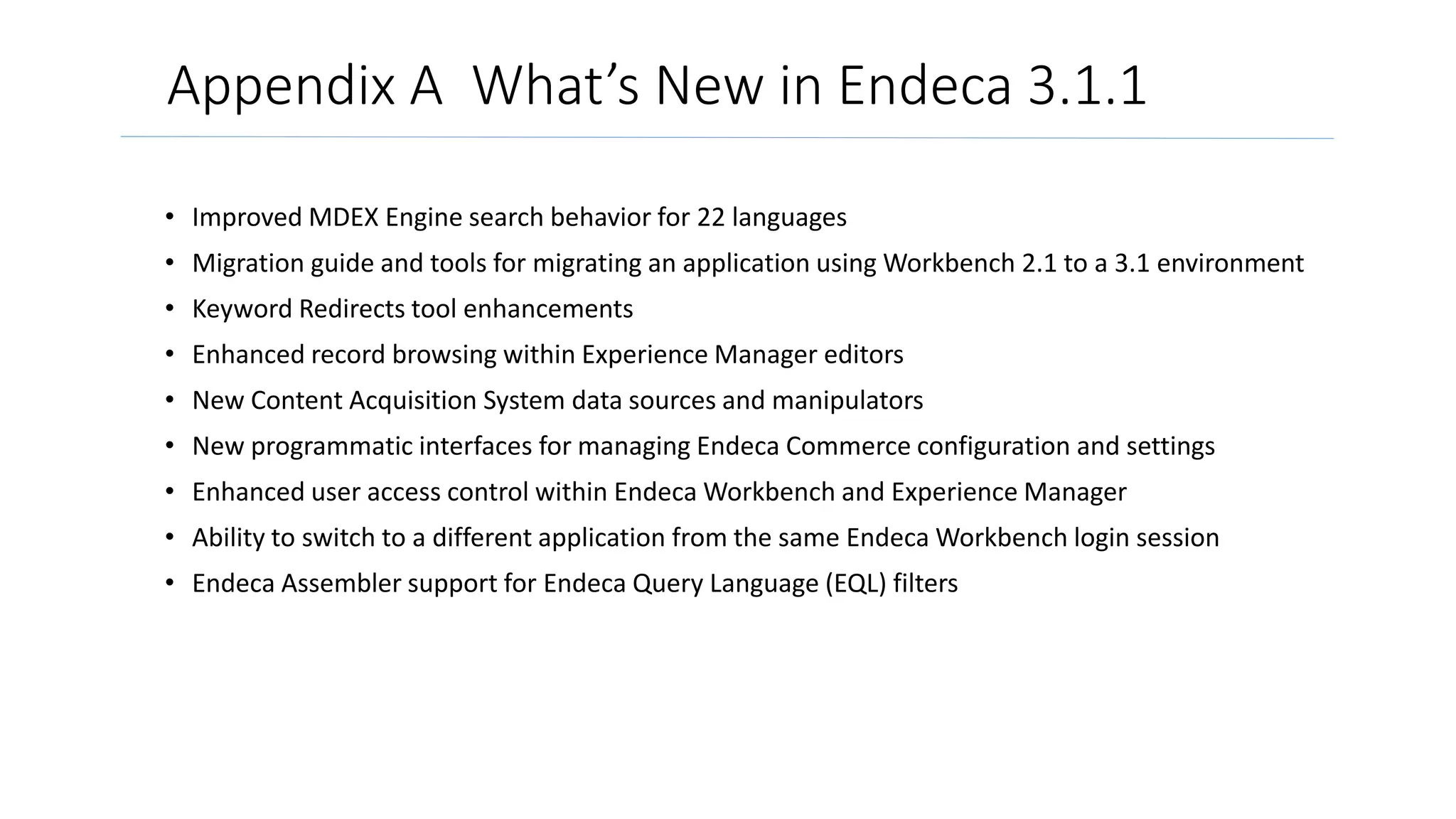
Appendix A What’s New in Endeca 3.1.1 
• Improved MDEX Engine search behavior for 22 languages 
• Migration guide and tools for migrating an application using Workbench 2.1 to a 3.1 environment 
• Keyword Redirects tool enhancements 
• Enhanced record browsing within Experience Manager editors 
• New Content Acquisition System data sources and manipulators 
• New programmatic interfaces for managing Endeca Commerce configuration and settings 
• Enhanced user access control within EndecaWorkbench and Experience Manager 
• Ability to switch to a different application from the same EndecaWorkbench login session 
• Endeca Assembler support for Endeca Query Language (EQL) filters
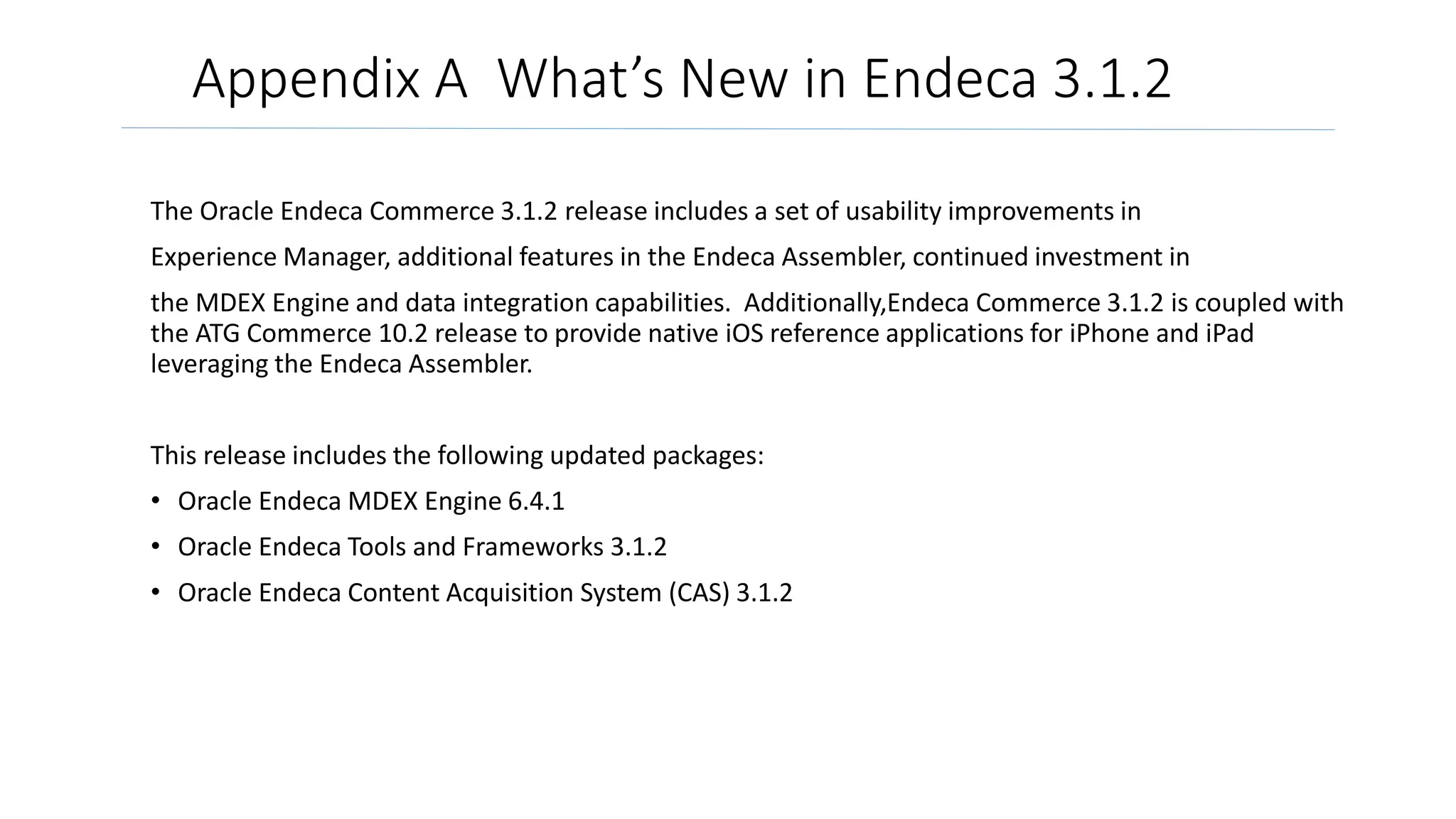
Appendix A What’s New in Endeca 3.1.2 
The Oracle Endeca Commerce 3.1.2 release includes a set of usability improvements in 
Experience Manager, additional features in the Endeca Assembler, continued investment in 
the MDEX Engine and data integration capabilities. Additionally,Endeca Commerce 3.1.2 is coupled with 
the ATG Commerce 10.2 release to provide native iOS reference applications for iPhone and iPad 
leveraging the Endeca Assembler. 
This release includes the following updated packages: 
• Oracle Endeca MDEX Engine 6.4.1 
• Oracle Endeca Tools and Frameworks 3.1.2 
• Oracle Endeca Content Acquisition System (CAS) 3.1.2
Appendix B OEID Environment 
• Windows (Windows 2008) / Linux (Oracle Linux 5, Linux RHEL 5) 
• Minimum hardware requirements 
• X64 processor 
• 1.8 GHz CPU 
• 3 GB RAM 
• 80 GB hard drive 
• Recommended hardware requirements 
• X64 processor 
• 3.0 GHz CPU 
• 8 GB RAM
Documentation 
• Oracle Endeca Information Discovery Technical Overview 
• Oracle Commerce Guided Search/Experience Manager 
Documentation 
• Oracle Commerce Platform Documentation (formerly ATG Web 
Commerce) 
• Oracle Endeca Commerce Tools and Frameworks Deployment 
Template Deployment Guide 
• Oracle Endeca Commerce Assembler Application Developer’s Guide 
• Oracle Endeca Commerce Experience Manager Developer’s Guide

Oracle Endeca 101 Developer Introduction High Level Overview

  • 1.
    Oracle Endeca 101 High Level Overview Illustrating Development of a Simple Commerce Page Cartridge Includes Description of Facebook and Mobile device components Includes Documentation at end of presentation Focus Endeca Commerce
  • 2.
    Content • Whatis Oracle Information Discovery? • Review Endeca Platform • Endeca for Commerce (p. 13) • Creating a Cartridge (p. 21) • A further look into guided navigation and search (p.39) • Endeca SEO Advantages (p.47) • Endeca for Mobile (p.48) • Endeca for Social (p.55) • Facebook Store Features (p.62) • Appendix including ‘What’s New’ (p. 68) • Documentation (p. 83)
  • 3.
    What is OracleInformation Discovery? A platform that offers fast, intuitive access to both traditional analytic data, leveraging existing enterprise investments, and non-traditional data, including external and unstructured information. This allows organizations unprecedented visibility into social media, websites, content systems, files, email, database text and big data. Key Functionality includes self-service capability and much more. Oracle site for Endeca Information Discovery
  • 4.
    Oracle Endeca InformationDiscovery Architecture Component Overview Studio – Web Application • Contextual Search, Navigation, Analytics • Qualitative and Outlier Visualizations • Easy Drag-and-Drop Applications • User views customized by role Endeca Server – Core Database • Dynamic Data and Metadata • In-Memory, Multi-Threaded Performance • Enterprise Scale, Security Integration Suite – ETL • Integrates Structured and Unstructured • Text Enrichment and Sentiment Analysis Studio Intuitive Exploration and Analysis Create and Share Apps Endeca Server Hybrid Search/Analytical Database In-Memory Architecture Integration Suite Data Integration and Enrichment Structured and Unstructured Oracle Whitepaper with further review
  • 5.
    Oracle Endeca ComponentInteraction Oracle 44 page deep dive into concepts and component interaction
  • 6.
    MDEX Engine TheEndeca MDEX Engine is the indexing and query engine that provides the backbone for all Endeca solutions. The MDEX Engine is designed to be stateless. This design requires that a complete query be sent to the MDEX Engine for each request. Quick Start Guide
  • 7.
    How does itcompare to Oracle products such as Oracle Database and Oracle Essbase?
  • 8.
    Endeca Assembler Application The Endeca Assembler API enables a Web application to query the MDEX Engine and retrieve the appropriate dynamic content based on a user's navigation state or other triggers The Assembler Application provides a RESTful web service API that returns results in either JSON or XML. For example, if your current application uses PHP, you can also query the Endeca Assembler API using PHP. (Note that the Assembler API is still powered by Java, but the query interface is a language-agnostic web service). Oracle 180 page Assembler Application Developer’s Guide
  • 9.
    Example of someJSON that is returned by an Assembler Application: Developer Tip: • The Assembler Application returns deeply nested JSON or XML. Many web service APIs return results on a resource-by-resource basis, so this approach may seem foreign to some developers. The Assembler Application returns results an entire page at a time. For example: dimensions, breadcrumbs and search results may all be returned in a single request. • Finding a way to navigate this structure both by hand and in code is important. • When coding, you’ll want code libraries to navigate these data structures more easily. If you’re using .NET and XML you will want to use something like the XmlDocument class. You will probably also want to use XPath.
  • 10.
    Oracle Endeca InformationDiscovery Understand the Complete Picture with Context from Any Source Data Warehouse / Business Intelligence Product Sales Metric: Sale Price Dimensions: Customer, Product, Dealer, Date Warranty Claims Metric: Claim Count, Labor Cost, Part Cost Dimensions: Customer, Product, Part, Dealer, Date ClaimID ProdID PartID Date CustID Dealer PartCost LaborCost 12324 506 234 12/3 1233 Dealer1 $300 $200 12325 507 235 12/4 1545 Dealer2 $450 $900 Sales Transactions Warranty Claims ProdID Wk CustID Date Dealer Price 506 25 1233 10/3 Dealer1 $35,000 507 26 1545 09/4 Dealer2 $22,000 Product Quality Application Customer Verbatim “..customer heard a rattling sound toward left front driver side. Had issues with steering column locking…” External Content Government Agencies Websites Industry Forums Safety Administration Claim from Competitor X – Model ABC – After driving this car for only 3 months, I started having… “.. focus on passenger vehicle crashes, and are used to investigate injury mechanisms to identify potential improvements in vehicle design.…” Social Media Consumer Comments and Sentiment “Love my new car but having difficulty controlling steering on sharp corners..” “How do we avoid costly product recalls?”
  • 11.
    Overview of theEndeca Content Acquisition System Source
  • 12.
    Sample User Interfacefor Oracle Information Discovery More information found in documentation under technical overview. This sample analytic application built with Oracle Endeca Information Discovery illustrates how advanced search, BI, and text analytics come together to easily show new insights using interactive exploration.
  • 13.
  • 14.
  • 15.
    Endeca Commerce ExperienceManager Tool used by the Merchandisers (end users) to control the triggers and more within cartridges - created by the developer Oracle Home Page for Experience Manager Youtue video overview:http://www.youtube.com/watch?v=TGm7Iqe8HkQ
  • 16.
    Experiences Can BeAutomated or Optimized Manually SPRING 40% off Price Brand Color Automate Manual Size On Sale Content Content Content Ratings Winter Styles
  • 17.
    Templates and CartridgesWork Together SEARCH RESULTS Breadcrumbs Choose a template Choose cartridges Example Cartridges VIDEO BOOSTED RESULT GUIDED NAVIGATION CATEGORY DIMENSION BREADCRUMBS IMAGE BANNER SEARCH BOX MULTIPLE RECORDS REVIEWS
  • 18.
    Templates and CartridgesWork Together Template Ratings & Reviews Cartridge Used to dynamically showcase products from a certain category that are the most highly rated, this cartridge pulls together the most relevant records from ratings data. Guided Navigation Cartridge Often used to highlight a series of 3 products or promotions, this cartridge will display a image / record or series of images / records based on navigation state. Results Cartridge Used to pull in the most relevant product results within a category. In this example, the cartridge is pulling top selling wine classes into the results list first. REVIEWS GUIDED NAV RESULTS
  • 19.
    Mondavi Wines WineRacks Wines Wine Furniture Sparkling Wines French Wines Wine Gifts By Occasion Under $50 Region Wineglasses Optimize experiences that are more valuable with hands-on control
  • 20.
    Optimize a RegularSearch Results Page MEDIA BANNER ANALYTICS MEDIA BANNER VERTICAL SPOTLIGHT
  • 21.
    Creating a VerySimple Cartridge "Hello, World" example cartridge. “Hello World”
  • 22.
    Creating a Cartridgecont. "Hello, World" example cartridge. To create and configure a basic "Hello, World" cartridge: 1. Create a cartridge template. a) Open a new plain text or XML file. b) Type or copy the following into the contents of the file: <ContentTemplate xmlns=http://endeca.com/schema/content-template/2008 xmlns:editors="editors" type="SecondaryContent" id="Hello"> <Description>A sample cartridge that can display a simple message.</Description>
  • 23.
    Creating a Cartridgecont. "Hello, World" <ThumbnailUrl>/ifcr/tools/xmgr/img/template_thumbnails/sidebar_con¬ tent.jpg</ThumbnailUrl> <ContentItem> <Name>Hello cartridge</Name> <Property name="message"> <String/> </Property> <Property name="messageColor"> <String/> </Property> </ContentItem> <EditorPanel> <BasicContentItemEditor> <editors:StringEditor propertyName="message“label="Message"/> <editors:StringEditor propertyName="messageColor" label="Color"/> </BasicContentItemEditor> </EditorPanel> </ContentTemplate>
  • 24.
    Creating a Cartridgecontinued "Hello, World" c) Save the file with the name SecondaryContent-Hello.xml in the templates directory of your application (Discover in our example): C:EndecaappsDiscoverconfigcartridge_templates. 2. Upload the template to Endeca Workbench. a) Open a command prompt and navigate to the control directory of your deployed application, for example, C:EndecaappsDiscovercontrol. b) Run the set templates command. C:EndecaappsDiscovercontrol>set_templates.bat Removing existing cartridge templates for Discover Setting new cartridge templates for Discover Finished setting templates C:EndecaappsDiscovercontrol>
  • 25.
    Creating a Cartridgecont. "Hello, World" 3. Add the cartridge to a page. a) Open EndecaWorkbench in a Web browser. b) From the launch page, select Experience Manager. c) In the tree on the left, select Search and Navigation Pages under the content section, then select the Default Page. d) In the Edit Pane on the right, select the right column section from the Content Tree in the bottom left.
  • 26.
    Workbench and ExperienceManager A look at what the Business User will be using to control cartridges Workbench Contains: • Data Sources (CAS Console) • Experience Manager (Rules Manager) • Thesaurus Entries • Administrative Tasks • User Settings Experience Manager • Developers Create Cartridges • Business Users Configure Cartridges • Business Users Configure Rules
  • 27.
    Creating a Cartridgecontinued "Hello, World" d) In the Edit Pane on the right, select the right column section from the Content Tree in the bottom left. e) Click add to open the cartridge selector dialog shown on next page.
  • 28.
    Creating a Cartridgecontinued "Hello, World" f) The cartridge selector dialog displays. Select the Hello cartridge and click OK.
  • 29.
  • 30.
    Cartridge Basics continued- (Rendering) "Hello, World" While there is no one way to write rendering code for an application, in this example we'll write a simple JSP renderer for our basic cartridge. A basic "Hello, World" renderer: 1. Create a new JSP page and type or copy the following: <%@page language="java" pageEncoding="UTF-8" contentType="text/html;charset=UTF-8"%> <%@include file="/WEB-INF/views/include.jsp"%> <div style="border-style: dotted; border-width: 1px; border-color: #999999; padding: 10px 10px"> <div style="font-size: 150%; color: ${component.messageColor}">${component.message} </div> </div> 2. Save the renderer to discover-electronics-authoring/WEB-INF/views/desktop/Hello/Hello.jsp. 3. To see the result refresh the Discover Electronics authoring application at http://<workbench-host>:8006/discover-authoring/
  • 31.
    Cartridge Basics continued "Hello, World" Hello World
  • 32.
    Review Reference Template The template contains two main sections: the <ContentItem> element and the <EditorPanel> element.
  • 33.
    Review Reference Templatecont. Oracle Endeca Commerce Cartridge Developer’s Guide
  • 34.
    Site Analysis ALook at How Cartridges are Used on a Site
  • 35.
    Targeted promotions basedon customer context “buggy” Social navigation based on most relevant product and customer attributes
  • 36.
    Customer ratings andreviews exposed as navigation options Video and other rich content in context boosts user confidence Guided navigation exposes relevant next steps
  • 37.
    Content Spotlighting -Cartridges The Scenario: A company wants to sell specific Sony camera accessories only when a specific Sony brand is searched for. Endeca allows one to automatically promote contextually relevant information, such as related articles, promotions, or reviews – based on the search and navigation state of the visitor. Create a content collection which is a group of rules triggered in specific instances. A collection fills a slot in the template. A trigger is then associated with one or more locations.
  • 38.
    Remember - EndecaCommerce is used for B2B - Clients Consumer Brand B2B Manufacturers
  • 39.
    A further lookinto Endeca guided navigation and search
  • 40.
  • 41.
    Workbench and ExperienceManager Workbench Contains: • Data Sources (CAS Console) • Experience Manager (Rules Manager) • Thesaurus Entries • Administrative Tasks • User Settings Experience Manager • Developers Create Cartridges • Business Users Configure Cartridges • Business Users Configure Rules
  • 42.
    How Long isYour Tail? Customers spend more time in the long tail LCD Televisions + Samsung + 42 + Under $600 Superhero Action Movies + Blu-Ray + New Releases Blu-Ray Disc Players + Wi-Fi Built-in + Under $250
  • 43.
    Guided Navigation &Iterative Refinement Locator Links (Breadcrumbs) Display current search and navigation state Guided Navigation Classification categories (dimensions) based on the facets in the results Refinements Dimensions
  • 44.
    Customer Self-Service: How-toGuides Social Content Targeted Promotions Rich media
  • 45.
    RICH CONTENT StreamlinedCross Channel Research Experience: Customer Confidence Guides, PDFs, Datasheets Boost customer confidence with product information in the context of their research Rich Media Videos and other rich media help customers make the right decision Community Content Show blog or knowledge center content in the context of the customer journey
  • 46.
    ADVANCED SEARCH StreamlinedCross Channel Research Experience Search Type Ahead Prompt for valid next step, taking out the guess work Relevance Strategies Control relevance and presentation, sorting by what’s most important to customers Spell Correction Present valid alternatives keeping researchers on the right path
  • 47.
    SEO: More Dataand Content Exposed Drives More Web Searchers from Google, Yahoo! And Bing Category Sub-Category Attribute Attribute Attribute Sub-Category Sub-Category Sub-Category Attribute Attribute Attribute Attribute Attribute Attribute Attribute Sub-Category Category Sub-Category Sub-Category Sub-Category Sub-Category Category Attribute Sub-Category Sub-Category Sub-Category Category Sub-Category Attribute Sub-Category Sub-Category Category Sub-Category Attribute Attribute Attribute Attribute Attribute Attribute Attribute Attribute Attribute Attribute Attribute Attribute Attribute Attribute Attribute Attribute Attribute Attribute Attribute Attribute Sub-Category Sub-Category Facetted approach dramatically expands site footprint Dynamic URL beautification and site map generation come out-of-the-box Simple indexing of video, social content and keyword-rich documents impacts rankings
  • 48.
  • 49.
    Best in ClassExperience Out-of-the-Box Robust reference applications are optimized for each platform Focus on innovation, not building from scratch Customizable; same underlying reference application powers many different brands Mobile Web iPhone App iPiPaadd AApppp
  • 50.
    Social integration Templatesoptimized for each platform Automatic device detection for mobile Web Integration with cart, reviews, web analytics Barcode scanning Pre-built Mobile Features Location-based features
  • 51.
    Integrated for Cross-ChannelConsistency Integrate with existing backend technology, data, and content for total consistency Sync activity across channels - like cart, wish list, and history Link activity to drive traffic to other channels
  • 52.
    One Tool forAll Channels • Increased scalability with small team • Decreased hardware footprint • Increased traffic and conversion rates • Increased relevancy: 93% of top searches returning expected or better than expected results
  • 53.
    Cross Channel B2BCommerce • Goal to increase conversion rates and AOV in all touch points – web and mobile. • Leverage same technology infrastructure to power online and mobile customer experience • Live in 8 weeks with mobile web
  • 54.
    Saving for College– Anywhere, Anytime • Goal was to make it easier for parents to find UPROMISE affiliated shops to save more money for college • Mobile web, iPhone available in iTunes, Android • Allows users to have locally relevant experience • Advanced features: location-based filters integrated with search, navigation and merchandising
  • 55.
  • 56.
    Endeca Puts FacebookData into Action Endeca takes raw data from Facebook and makes it meaningful by putting it in the hands of the business user Facebook Insights The OpenGraph  Built-in Facebook analytics platform  Can be ingested into Endeca  Facebook info: 150+ metrics  Open source for user activity  Can only be accessed at run time  User info: location, gender, age, likes, comments, shares, referrals Endeca uses these data sources to automate personalization and merchandising across channels
  • 57.
    Facebook Social Commerce Assumptions for getting started: • You have created a new application within Facebook. If not go to http://www.facebook.com/developers/ and setup a new app. • You are the administrator or have access to the administrator of your Facebook application. • You are familiar basic Endeca and Experience Manager concepts. • You have a working understanding of java web applications. For detailed information, see the Oracle Getting Started Guide – Facebook Social Commerce.
  • 58.
    Opportunities are Onand Off Facebook “On” On Facebook.com “Off” Your mobile and Web environments
  • 59.
    Personalize Experiences inReal Time most Liked recommended for you web analytics top rated, hand-placed birthday reminder Rec  Data coming from Facebook becomes another source  Use it to merchandise and personalize
  • 60.
    On│Personalize Experiences inReal Time what Rebecca has explicitly Liked on the Open Graph recommended based on demographic data synched with profile
  • 61.
    Off │Personalize Experiencesin Real Time  Personalization  Relevancy  Recommendations  Merchandising
  • 62.
  • 63.
    Content Cartridge Friend’slikes and Wishlists shown, links to products or gift suggestions based on individual’s Facebook activity, profile Branded Storefront: allows users to gain access to special promotions, belong to greater community; gives retailer access to large amount of data, controlled through web interface Merchandise with standard Experience Manager options, or Facebook data
  • 64.
    In-app search and navigation, integration with eCommerce platform Transactional Store within Facebook: allows users to stay within the environment; gives retailers access to huge amount of data, deep-link with Newsfeed Cartridge for featured product Upcoming birthdays shown with links to gift suggestions based on individual’s Facebook activity, profile Incorporate features to build a Facebook user community Merchandise with standard Experience Manager options, or Facebook data Copyright ©2010 Endeca Technologies, Inc. All rights reserved. Proprietary and confidential.
  • 65.
    Birthday reminders withtailored gift suggestions: based on individual’s Facebook activity, Facebook/Web data – or based on what the merchandiser wants to promote Tiered suggestions: Tier 1: Liked product, brands Tier 2: People like you, profiles Tier 3: Data driven rules (Facebook analytics, site analytics) Facebook comments boost confidence to purchase Spotlight top suggestions, allow users to browse more
  • 66.
    Check out within Facebook: fully integrated with commerce platform for seamless checkout, consistent experience Copyright ©2010 Endeca Technologies, Inc. Populate billing, shipping information stored in platform
  • 67.
    What’s in theBox? • Facebook Connector To ingest Facebook Insights data into the Endeca engine • Facebook Store Reference Application Fully-featured transactional store optimized for Facebook • Experience Manager Cartridges with hooks to the OpenGraph: • Endeca core cartridges • Endeca socialized cartridges • Facebook social plug-ins cartridges • Facebook Extension Pack Experience Manager cartridges to place Facebook content across channels • Cartridges with hooks to the OpenGraph: • Endeca socialized cartridges • Facebook plug-in cartridges
  • 68.
  • 69.
    Appendix A What’sNew in Endeca 3.1 Oracle Endeca Guided Search: • Oracle Endeca MDEX Engine 6.3 • Oracle Endeca Tools and Frameworks 3.1 • This new package should be used for deployments licensed for Oracle ESearch only (without Experience Manager) and includes the following: • Endeca Workbench (with Rule Manager) • Endeca Assembler • Deployment Template • Reference Applications (Desktop) • Product Catalog Integration Deployment Template Module
  • 70.
    Appendix A What’sNew in Endeca 3.1 Oracle Endeca Tools and Frameworks with Experience Manager 3.1 • This new package includes the following: • EndecaWorkbench (with Experience Manager) • Endeca Assembler • Deployment Template • Reference Applications (Desktop & Mobile Web) • Deployment Template Module for Product Catalog Integration • Experience Manager Extension SDK Other components used for each software license remain the same. Oracle Endeca MDEX Engine 6.3 is backwards compatible with Oracle EndecaWorkbench 2.1. Oracle Endeca MDEX. Engine 6.3 is required for all deployments of Tools and Frameworks 3.1.
  • 71.
    Appendix A What’sNew in Endeca 3.1.1 • Improved MDEX Engine search behavior for 22 languages • Migration guide and tools for migrating an application using Workbench 2.1 to a 3.1 environment • Keyword Redirects tool enhancements • Enhanced record browsing within Experience Manager editors • New Content Acquisition System data sources and manipulators • New programmatic interfaces for managing Endeca Commerce configuration and settings • Enhanced user access control within EndecaWorkbench and Experience Manager • Ability to switch to a different application from the same EndecaWorkbench login session • Endeca Assembler support for Endeca Query Language (EQL) filters
  • 72.
    Appendix A What’sNew in Endeca 3.1.2 The Oracle Endeca Commerce 3.1.2 release includes a set of usability improvements in Experience Manager, additional features in the Endeca Assembler, continued investment in the MDEX Engine and data integration capabilities. Additionally,Endeca Commerce 3.1.2 is coupled with the ATG Commerce 10.2 release to provide native iOS reference applications for iPhone and iPad leveraging the Endeca Assembler. This release includes the following updated packages: • Oracle Endeca MDEX Engine 6.4.1 • Oracle Endeca Tools and Frameworks 3.1.2 • Oracle Endeca Content Acquisition System (CAS) 3.1.2
  • 73.
    Appendix B OEIDEnvironment • Windows (Windows 2008) / Linux (Oracle Linux 5, Linux RHEL 5) • Minimum hardware requirements • X64 processor • 1.8 GHz CPU • 3 GB RAM • 80 GB hard drive • Recommended hardware requirements • X64 processor • 3.0 GHz CPU • 8 GB RAM
  • 74.
    Documentation • OracleEndeca Information Discovery Technical Overview • Oracle Commerce Guided Search/Experience Manager Documentation • Oracle Commerce Platform Documentation (formerly ATG Web Commerce) • Oracle Endeca Commerce Tools and Frameworks Deployment Template Deployment Guide • Oracle Endeca Commerce Assembler Application Developer’s Guide • Oracle Endeca Commerce Experience Manager Developer’s Guide

Editor's Notes

  • #15 The business benefit: Using Endeca Nike boosted average order volume by 40%
  • #16 An opportunity evolved to create a single tool to manage the entire experience for the end user. A single tool that allows you to design thousands of experiences based on exceptions. Experience Manager (page builder) that helps business users fill in xml elements such as cartridges. Once we understand experience manager a little better, you will begin to understand how site construction can be simplified.
  • #17 The templates are created in an xml editor. Every page template defines a content item that can be processed by the Assembler. A page template defines a container content item with sections that can be populated with other content items, such as the following: Typically, a section represents a physical area on the page, but it can also represent a functional grouping, including content that may not be visible to an end user. Each section has an associated content type that determines what kind of content items can be inserted in that section. An application may have multiple cartridges of each type, providing greater flexibility for the content administrator to configure the content for a specific page.
  • #18 A business user chooses a template, and populates it with different cartridges for static or dynamic content. Every cartridge must declare its type in the template. Ex. **Note: reviews is not totally out of the box, requires some custom work Cartridges are pre-built Modular componenets that pull in content and data from the Endeca engine and external systems. Cartridges expose Endeca features such as guided navigation, search, and spotlighting, image banners, boosted results By the way, 22 cartridges come with the application with the SDK. Lets create a cartridge
  • #19 Instead of manually configuring static promotions, use dynamic business rules to generate relevant promotions from your source data. In a traditional CMS scenario, if Wine A is “recommended,” it is identified as such and published onto a static page. If you need to update the list of recommended wines to remove Wine A and add Wine B to the static page, you must manually remove Wine A, add Wine B, and publish the changes. With Endeca’s dynamic rule-based merchandising, the effect is much broader and requires much less maintenance. A rule is created to promote wines tagged as “recommended,” and the search page is designed to render promoted wines when available.
  • #20 This means that merchants can spend time where it matters most, and leave the unpredictable paths to the engine. Example: I’m a merchant and I see that “Mondavi wines” is a valuable search term for my business, both coming from Google searches and on-site searches.
  • #21 This is my default search results page that I set up. It has everything a customer needs, but I want to give it a more targeted, rich feel. I use my prebuilt components to override the engine and enhance the experience. I want to create a different promotional spotlight for Mondavi Top Sellers I add a media banner so that visitors to this page recognize they’re at the Mondavi experience CLICK Next I decide I want to override default relevancy with Analytics, so that Endeca is leveraging a live feed from my web analytics provider to automatically boost top-converting products to the top, in real-time - This is just one small example of the flexibility and balance Experience Manager provides.
  • #23 Simple XML file strings
  • #26 Since we haven’t seen the Workbench or Experience Manager let’s take a look at that.
  • #27 Once we click on the navigation column in Experience Manager we will see….
  • #29 The template defines the configuration that the business user can specify in Endeca Workbench using Experience Manager. The template contains two main sections: the <ContentItem> element and the <EditorPanel> element. The content item is a core concept in Assembler applications that can represent both the configuration model for a cartridge and the response model that the Assembler returns to the client application. A content item is a map of properties, or key-value pairs. The <ContentItem> element in the template defines the prototypical content item and its properties, similar to a class or type definition.
  • #42 Again, just a quick reminder about the GUIs that assist you and the business user.
  • #43 The most difficult aspect of managing a large site is that you cannot possibly create a page for every possible location that a user could go to. Customers are spending most of their time in the long tail.
  • #44 Navigation queries return a set of records based on application-defined record characteristics (such as faucet type or color), plus any follow-on query information. Locator link at top of page displays the current search location. A refinement value can be considered a means to group or classify sets of products or any item that can be stored in the MDEX. The technical team in association with the business works out the required dimensions and refinements required to support navigation and search. A core capability of the MDEX engine is the ability to dynamically order and present the most popular refinement dimension values to the user. Dimension values can be organized by hierarchy and range values.
  • #45 Targeting the right content at the right moment with relevance rankings which controls the order in which search results are displayed, thesaurus, type ahead search
  • #46  The ‘Did-you-Mean’ feature is triggered when the number of search results for the specified terms falls below a designated threshold (default 20).
  • #47 Auto-correct spelling triggered when no results are found for the search terms entered. Instead, results are returned for the new term. Stemming considers the alternative forms of words as equivalents often desirable for singular to match plural for example.
  • #48 Google favors large sites with rich, changing data. Endeca’s facetted approach automatically expands site footprints, and our data anywhere architecture makes it simple to add rich data from many different sources. Additionally, we have out-of-the-box SEO tools like dynamic URL beautification/canonicalization, and automatic site map generation.
  • #50 Business Managers have total control over the user experience, changing content dynamically with the pre-build templates and cartridges already mentioned. By the way, as of Q1 2013, the iPAD accounted for 89% of web site visits; and iPHONE 63%.
  • #61 Customers are taken to a gift suggestion page for each friend – in this case (Rebecca). Endeca has done the work to turn birthday reminders into suggestions with specific recommendations for each friend. This could be recs based on things Rebecca herself has LIKED on Facebook or on 3rd party websites, or if Endeca doesn’t have that information, it can make real-time suggestions based on Rebecca’s demographic information coming from the Open Graph - Once I select a product and add it to the cart, customer profile information can be synched from my website – billing, shipping addresses – and things like shipping speeds and options. After customers purchase, it’s critical to implement post-purchase sharing tiffany talked about - which allows my customers to serve as brand advocates .
  • #62 Now that was an ON Facebook example – but it’s critical w/ social commerce to Think across channels! Social Commerce does not just mean on Facebook – there is an immediate opportunity to impact customer behavior where your customers are already comfortable shopping – on your website and mobile. If you’re not ready for a FB store yet – or are looking to do something quick before Q4 – you can use Endeca to drive relevancy, merchandising, personalization on your site. All of the same concepts we just walked through on the Facebook store example apply to your website. Endeca makes it simple to incorporate data from Facebook on your core website and mobile environments to deliver more personal experiences & merchandising. You can incorporate this new FB data source to create more personal shopping experiences like “most liked,” so you can see what’s popular with your friends, or can able to browse by what’s popular with friends, ppl in your area, or ppl like you. You can also give personalized gift suggestions – or allow customers to browse by what their friends have liked – or in the event no friends have liked it yet – by what’s popular with people like you – all pulling from the Open Graph in real time.
  • #65 Order of 1,2,3
  • #66 Leverage choicestream or endeca recommendations – which is configurable based on sales data/clickstream data/personas
  • #74 OEID is supported on Windows and Linux platforms This slide points out both minimum and recommended hardware requirements Minimum hardware requirements: • x64 processor, minimum 1.8 GHz • At least 3 GB of RAM, depending on the size of the application data set • 80 GB hard drive, depending on the size of the application data set Recommended hardware requirements: • x64 3.0+ GHz processors; Intel Xeon (including Nehalem) or AMD Opteron processors are recommended • 8 GB of RAM or more, depending on the size of the application data set High performance network-attached storage (for example, attached via a dedicated iSCSI or fibre channel network), or high performance locally-attached RAID storage (for example, a RAID 6 or RAID 0+1 array with battery-backed write caching, operating on 72GB or 146 GB spindles at 10k or 15k RPM spindle speed)