Optimizing Your Physical Records
Make it easier to organize, access, store and share them | Part One
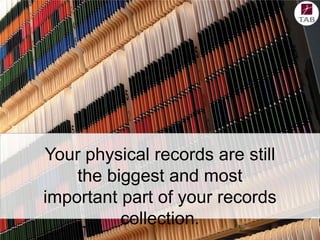
Your physical records are still
the biggest and most
important part of your records
collection.
Why?
Physical file collections have
remarkable potential to add value
to your organization!
When used efficiently and managed
cost effectively, physical records
provide informational support for
daily business activities and
potential legal evidence to defend
those activities.
Let’s look at three
steps you can take to
make it easier to
organize, access, store
and share your files:
Let’s look at three
steps you can take to
make it easier to
organize, access, store
and share your files:

1. Classificaton
2. Centralizatio
n of
Collection
3. File Tracking
Software
The Right Classification System
Functional Classification is
important because implementing
any kind of comprehensive records
and information management
program needs a common way of
naming things.

The classification system that
provides the basis for:

•compliance
•risk management
•retention periods
•security safeguards
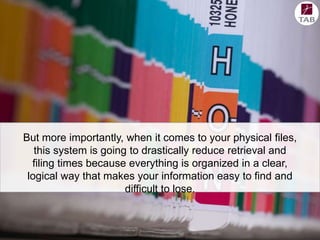
But more importantly, when it comes to your physical files,
this system is going to drastically reduce retrieval and
filing times because everything is organized in a clear,
logical way that makes your information easy to find and
difficult to lose.
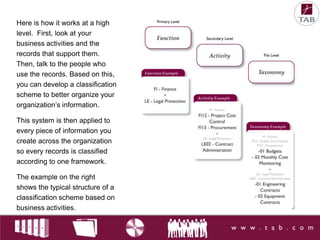
Here is how it works at a high
level. First, look at your
business activities and the
records that support them.
Then, talk to the people who
use the records. Based on this,
you can develop a classification
scheme to better organize your
organization’s information.
This system is then applied to
every piece of information you
create across the organization
so every records is classified
according to one framework.
The example on the right
shows the typical structure of a
classification scheme based on
business activities.
Centralizing File Collections
Bringing small pockets of
files together into one large
collection optimizes your
physical records by
improving:

• user efficiency
• space utilization
• security

• legislative compliance
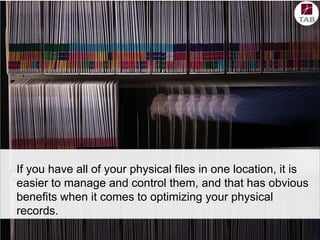
If you have all of your physical files in one location, it is
easier to manage and control them, and that has obvious
benefits when it comes to optimizing your physical
records.
However, centralization can be a
tough sell in some organizations.
Looking at some of the more popular
arguments against it is a great way
to highlight the arguments for.
Typically you’ll hear employees who
are used to keeping their own files in
their office or close by, arguing that
they don’t have time to go down the
hall every time they need a file.
They also don’t want to share files
because they worry about people
making changes to it, making the
information unreliable when it comes
down to making business decisions.
But the truth is, real world application has
shown that central filing can improve both
efficiency and reliability.
Any employee opposed to walking down the hall should consider
how much time he or she has spent over the past year phoning,
emailing or visiting colleagues to track down documents needed to
complement their own file content. Additional time may be spent
photocopying and compiling documents for inclusion in their own
desk files.
Yes, it will take several minutes to walk down the hall and sign out
a file from central storage. But over time, that small time
investment may be returned tenfold.
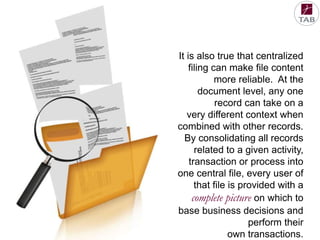
It is also true that centralized
filing can make file content
more reliable. At the
document level, any one
record can take on a
very different context when
combined with other records.
By consolidating all records
related to a given activity,
transaction or process into
one central file, every user of
that file is provided with a
complete picture on which to
base business decisions and
perform their
own transactions.
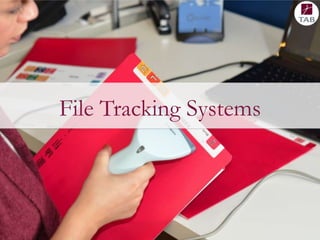
File Tracking Systems
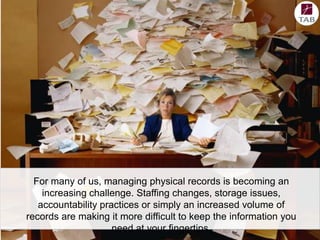
For many of us, managing physical records is becoming an
increasing challenge. Staffing changes, storage issues,
accountability practices or simply an increased volume of
records are making it more difficult to keep the information you
need at your fingertips.
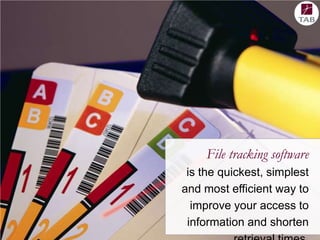
File tracking software
is the quickest, simplest
and most efficient way to
improve your access to
information and shorten
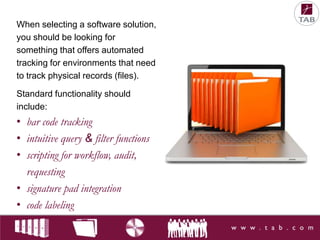
When selecting a software solution,
you should be looking for
something that offers automated
tracking for environments that need
to track physical records (files).
Standard functionality should
include:

• bar code tracking
• intuitive query & filter functions
• scripting for workflow, audit,
requesting
• signature pad integration
• code labeling
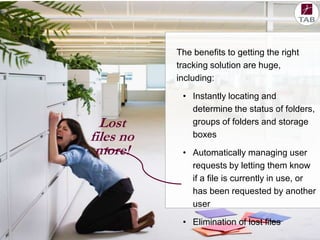
The benefits to getting the right
tracking solution are huge,
including:

Lost
files no
more!

• Instantly locating and
determine the status of folders,
groups of folders and storage
boxes
• Automatically managing user
requests by letting them know
if a file is currently in use, or
has been requested by another
user
• Elimination of lost files
In Part 2 of Optimizing
Your Physical Files, we
will cover:

• Standardizing
supplies

• Space optimization
• Getting ready to
convert to digital
For more tips on optimizing your physical file collection,

take a look at our Efficient Paper Filing Toolkit:
http://www.tab.com/Resource/Toolkits/PaperFiling/
Thank you!

Optimizing Your Physical Files Part 1

  • 1.
    Optimizing Your PhysicalRecords Make it easier to organize, access, store and share them | Part One
  • 2.
    Your physical recordsare still the biggest and most important part of your records collection.
  • 3.
  • 4.
    Physical file collectionshave remarkable potential to add value to your organization! When used efficiently and managed cost effectively, physical records provide informational support for daily business activities and potential legal evidence to defend those activities.
  • 5.
    Let’s look atthree steps you can take to make it easier to organize, access, store and share your files:
  • 6.
    Let’s look atthree steps you can take to make it easier to organize, access, store and share your files: 1. Classificaton 2. Centralizatio n of Collection 3. File Tracking Software
  • 7.
  • 8.
    Functional Classification is importantbecause implementing any kind of comprehensive records and information management program needs a common way of naming things. The classification system that provides the basis for: •compliance •risk management •retention periods •security safeguards
  • 9.
    But more importantly,when it comes to your physical files, this system is going to drastically reduce retrieval and filing times because everything is organized in a clear, logical way that makes your information easy to find and difficult to lose.
  • 10.
    Here is howit works at a high level. First, look at your business activities and the records that support them. Then, talk to the people who use the records. Based on this, you can develop a classification scheme to better organize your organization’s information. This system is then applied to every piece of information you create across the organization so every records is classified according to one framework. The example on the right shows the typical structure of a classification scheme based on business activities.
  • 11.
  • 12.
    Bringing small pocketsof files together into one large collection optimizes your physical records by improving: • user efficiency • space utilization • security • legislative compliance
  • 13.
    If you haveall of your physical files in one location, it is easier to manage and control them, and that has obvious benefits when it comes to optimizing your physical records.
  • 14.
    However, centralization canbe a tough sell in some organizations. Looking at some of the more popular arguments against it is a great way to highlight the arguments for. Typically you’ll hear employees who are used to keeping their own files in their office or close by, arguing that they don’t have time to go down the hall every time they need a file. They also don’t want to share files because they worry about people making changes to it, making the information unreliable when it comes down to making business decisions.
  • 15.
    But the truthis, real world application has shown that central filing can improve both efficiency and reliability. Any employee opposed to walking down the hall should consider how much time he or she has spent over the past year phoning, emailing or visiting colleagues to track down documents needed to complement their own file content. Additional time may be spent photocopying and compiling documents for inclusion in their own desk files. Yes, it will take several minutes to walk down the hall and sign out a file from central storage. But over time, that small time investment may be returned tenfold.
  • 16.
    It is alsotrue that centralized filing can make file content more reliable. At the document level, any one record can take on a very different context when combined with other records. By consolidating all records related to a given activity, transaction or process into one central file, every user of that file is provided with a complete picture on which to base business decisions and perform their own transactions.
  • 17.
  • 18.
    For many ofus, managing physical records is becoming an increasing challenge. Staffing changes, storage issues, accountability practices or simply an increased volume of records are making it more difficult to keep the information you need at your fingertips.
  • 19.
    File tracking software isthe quickest, simplest and most efficient way to improve your access to information and shorten
  • 20.
    When selecting asoftware solution, you should be looking for something that offers automated tracking for environments that need to track physical records (files). Standard functionality should include: • bar code tracking • intuitive query & filter functions • scripting for workflow, audit, requesting • signature pad integration • code labeling
  • 21.
    The benefits togetting the right tracking solution are huge, including: Lost files no more! • Instantly locating and determine the status of folders, groups of folders and storage boxes • Automatically managing user requests by letting them know if a file is currently in use, or has been requested by another user • Elimination of lost files
  • 22.
    In Part 2of Optimizing Your Physical Files, we will cover: • Standardizing supplies • Space optimization • Getting ready to convert to digital
  • 23.
    For more tipson optimizing your physical file collection, take a look at our Efficient Paper Filing Toolkit: http://www.tab.com/Resource/Toolkits/PaperFiling/ Thank you!