OT+SAP
changing ways together
OptimizeSAP,
archivingyour
content
anddata
solution overview
Get more from SAP
with OpenText
Get more from
SAP with OpenText
OptimizeSAP,
archivingyour
content
anddata
+
Get more from
SAP with OpenText
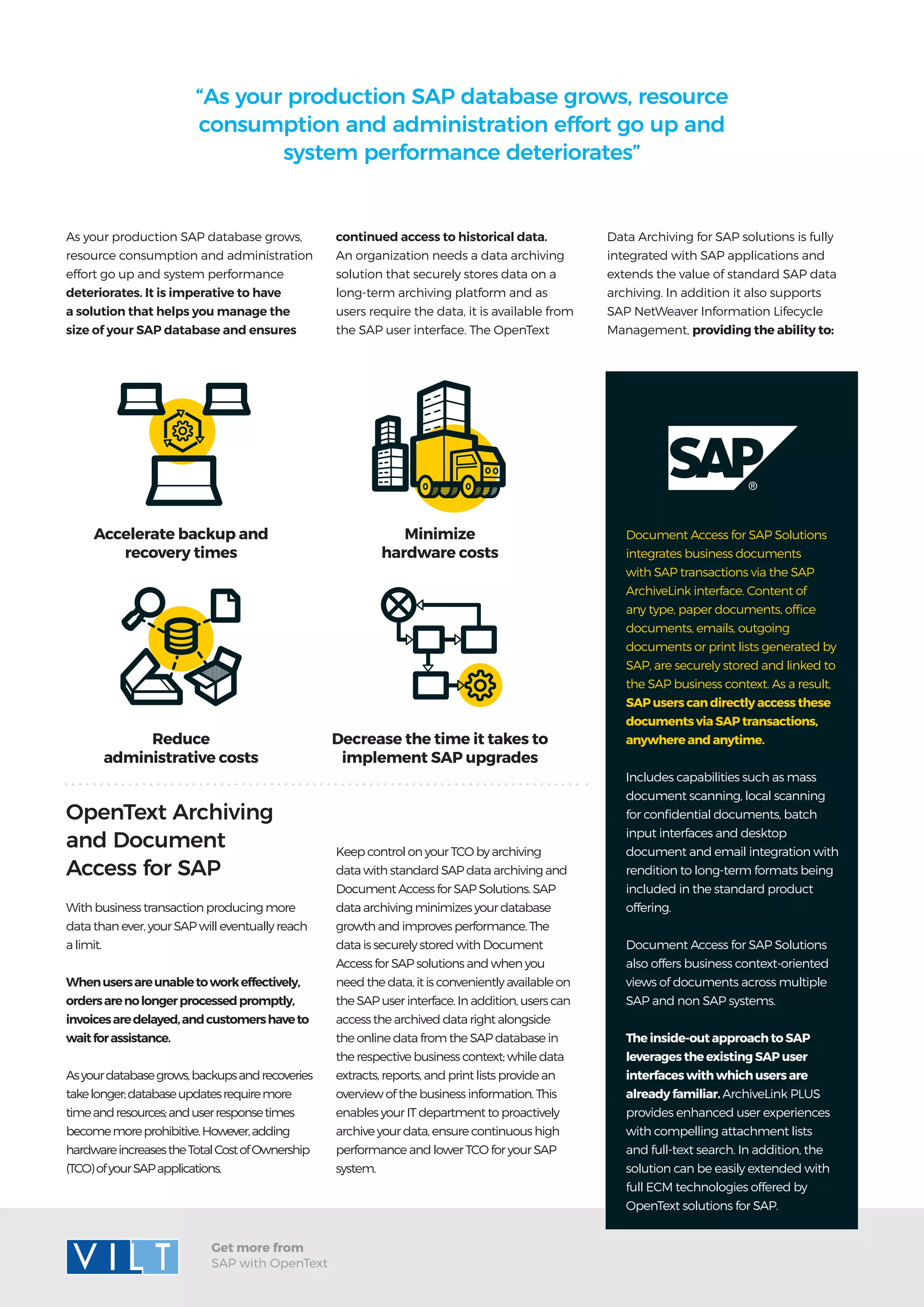
Minimize
hardware costs
Decrease the time it takes to
implement SAP upgrades
Accelerate backup and
recovery times
Reduce
administrative costs
With business transaction producing more
data than ever, your SAP will eventually reach
a limit.
Whenusersareunabletoworkeffectively,
ordersarenolongerprocessedpromptly,
invoicesaredelayed,andcustomershaveto
waitforassistance.
Asyourdatabasegrows,backupsandrecoveries
takelonger;databaseupdatesrequiremore
timeandresources;anduserresponsetimes
becomemoreprohibitive.However,adding
hardwareincreasestheTotalCostofOwnership
(TCO)ofyourSAPapplications.
As your production SAP database grows,
resource consumption and administration
effort go up and system performance
deteriorates. It is imperative to have
a solution that helps you manage the
size of your SAP database and ensures
OpenText Archiving
and Document
Access for SAP
“As your production SAP database grows, resource
consumption and administration effort go up and
system performance deteriorates”
Document Access for SAP Solutions
integrates business documents
with SAP transactions via the SAP
ArchiveLink interface. Content of
any type, paper documents, office
documents, emails, outgoing
documents or print lists generated by
SAP, are securely stored and linked to
the SAP business context. As a result,
SAP users can directly access these
documents via SAP transactions,
anywhere and anytime.
Includes capabilities such as mass
document scanning, local scanning
for confidential documents, batch
input interfaces and desktop
document and email integration with
rendition to long-term formats being
included in the standard product
offering.
Document Access for SAP Solutions
also offers business context-oriented
views of documents across multiple
SAP and non SAP systems.
The inside-out approach to SAP
leverages the existing SAP user
interfaces with which users are
already familiar. ArchiveLink PLUS
provides enhanced user experiences
with compelling attachment lists
and full-text search. In addition, the
solution can be easily extended with
full ECM technologies offered by
OpenText solutions for SAP.
continued access to historical data.
An organization needs a data archiving
solution that securely stores data on a
long-term archiving platform and as
users require the data, it is available from
the SAP user interface. The OpenText
Keep control on your TCO by archiving
data with standard SAP data archiving and
Document Access for SAP Solutions. SAP
data archiving minimizes your database
growth and improves performance. The
data is securely stored with Document
Access for SAP solutions and when you
need the data, it is conveniently available on
the SAP user interface. In addition, users can
access the archived data right alongside
the online data from the SAP database in
the respective business context; while data
extracts, reports, and print lists provide an
overview of the business information. This
enables your IT department to proactively
archive your data, ensure continuous high
performance and lower TCO for your SAP
system.
Data Archiving for SAP solutions is fully
integrated with SAP applications and
extends the value of standard SAP data
archiving. In addition it also supports
SAP NetWeaver Information Lifecycle
Management, providing the ability to:
www.vilt-group.com
Get more from SAP
with OpenText
L i s b o n | B r a g a | M a d r i d | B a r c e l o n a | S ã o P a u l o | L o n d o n | Z u r i c h | S i n g a p o r e

Optimize SAP, archiving your content and data

  • 1.
  • 2.
    Get more from SAPwith OpenText OptimizeSAP, archivingyour content anddata +
  • 3.
    Get more from SAPwith OpenText Minimize hardware costs Decrease the time it takes to implement SAP upgrades Accelerate backup and recovery times Reduce administrative costs With business transaction producing more data than ever, your SAP will eventually reach a limit. Whenusersareunabletoworkeffectively, ordersarenolongerprocessedpromptly, invoicesaredelayed,andcustomershaveto waitforassistance. Asyourdatabasegrows,backupsandrecoveries takelonger;databaseupdatesrequiremore timeandresources;anduserresponsetimes becomemoreprohibitive.However,adding hardwareincreasestheTotalCostofOwnership (TCO)ofyourSAPapplications. As your production SAP database grows, resource consumption and administration effort go up and system performance deteriorates. It is imperative to have a solution that helps you manage the size of your SAP database and ensures OpenText Archiving and Document Access for SAP “As your production SAP database grows, resource consumption and administration effort go up and system performance deteriorates” Document Access for SAP Solutions integrates business documents with SAP transactions via the SAP ArchiveLink interface. Content of any type, paper documents, office documents, emails, outgoing documents or print lists generated by SAP, are securely stored and linked to the SAP business context. As a result, SAP users can directly access these documents via SAP transactions, anywhere and anytime. Includes capabilities such as mass document scanning, local scanning for confidential documents, batch input interfaces and desktop document and email integration with rendition to long-term formats being included in the standard product offering. Document Access for SAP Solutions also offers business context-oriented views of documents across multiple SAP and non SAP systems. The inside-out approach to SAP leverages the existing SAP user interfaces with which users are already familiar. ArchiveLink PLUS provides enhanced user experiences with compelling attachment lists and full-text search. In addition, the solution can be easily extended with full ECM technologies offered by OpenText solutions for SAP. continued access to historical data. An organization needs a data archiving solution that securely stores data on a long-term archiving platform and as users require the data, it is available from the SAP user interface. The OpenText Keep control on your TCO by archiving data with standard SAP data archiving and Document Access for SAP Solutions. SAP data archiving minimizes your database growth and improves performance. The data is securely stored with Document Access for SAP solutions and when you need the data, it is conveniently available on the SAP user interface. In addition, users can access the archived data right alongside the online data from the SAP database in the respective business context; while data extracts, reports, and print lists provide an overview of the business information. This enables your IT department to proactively archive your data, ensure continuous high performance and lower TCO for your SAP system. Data Archiving for SAP solutions is fully integrated with SAP applications and extends the value of standard SAP data archiving. In addition it also supports SAP NetWeaver Information Lifecycle Management, providing the ability to:
  • 4.
    www.vilt-group.com Get more fromSAP with OpenText L i s b o n | B r a g a | M a d r i d | B a r c e l o n a | S ã o P a u l o | L o n d o n | Z u r i c h | S i n g a p o r e