Kolla Introduction
Daneyon Hansen, Software Engineer
Background
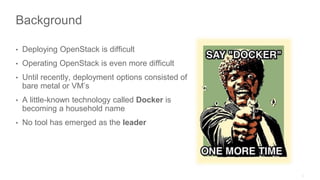
• Deploying OpenStack is difficult
• Operating OpenStack is even more difficult
• Until recently, deployment options consisted of
bare metal or VM’s
• A little-known technology called Docker is
becoming a household name
• No tool has emerged as the leader
What is Kolla?
What is Kolla?
What is Kolla?
• “Kolla” is Greek for glue
• An open source project hosted on Stackforge
• ASL2 licensed
• Mission Statement:
Kolla provides production-ready containers and
deployment tools for operating OpenStack clouds
that are scalable, fast, reliable, and upgradable
using community best practices.
Kolla
How Does Kolla Help?
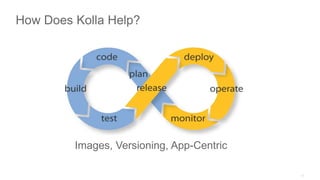
Images, Versioning, App-Centric
How Does Kolla Help?
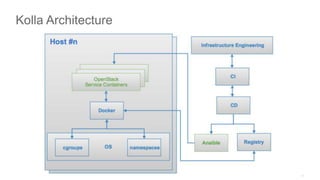
Kolla Architecture
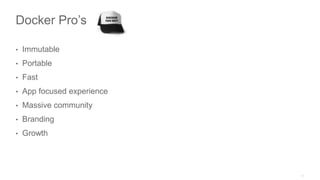
Docker Pro’s
• Immutable
• Portable
• Fast
• App focused experience
• Massive community
• Branding
• Growth
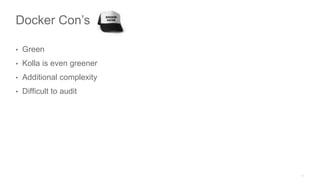
Docker Con’s
• Green
• Kolla is even greener
• Additional complexity
• Difficult to audit
Kolla
Summary
OpenStack Inside Containers =
Parting Thoughts
• The time is now
• Take advantage of the mid cycle
Thank you

OpenStack Kolla Introduction

Editor's Notes

  • #9  Talk about simplifying the deployment.
  • #10 Not only simplified deployment, but operations too
  • #11 We are using Docker as a virtualization technology for our continuous delivery/deployment pipelines. Every time we build, we want to run build scripts in their own Docker containers, perfectly isolated from other builds in other projects. There are three main reasons. ## Image Repository Docker enables image sharing through its public repository at hub.docker.com. This means that after I prepare a working environment for my application, I make an image out of it and push it to the hub. That’s it. From now on, we will use my custom Docker image with pre-installed tools and packages, in every build (merge, release, deploy, etc.) Moreover, if and when I want to add something else to the image, it’s easy to do. I just start a container from the image and install Ruby into it. Then, I push a new version of the image to the Hub. On the next build, we will pull a new image from the Hub and will use it. ## Versioning Every change to a Docker image has its own version (hash) and it’s possible to track changes. It is also possible to roll back to any particular change. With this feature, we are able to control their build configurations with much better precision. ## Application-Centric Docker, unlike LXC or Vagrant or EC2 instances, for example, is application-centric. This means that when we start a container — we start an application. With other virtualization technologies, when you get a virtual machine — you get a fully functional Unix environment, where you can login through SSH and do whatever you want. Docker makes things simpler. It doesn’t give you SSH access to container, but runs an application inside and shows you its output. This is exactly what we need. We need to run an automated build (for example Maven or Rake), see its output and get its exit code. If the code is not zero, we fail the build and report to the user. Maven starts immediately. We don’t worry about the internals of the container. We just start an application inside it. This is what application-centric is about.
  • #12 Repeatable Talk about immutable properties of containers.
  • #15 green = provided by kolla blue = provided by open source software other than Kolla Workflow: Dev pushes a change to gerrit. The changes is reviewed gerrit merges with git repo cd pipeline produces packages cd produces docker images based on the packages cd pipeline pushes image to private docker registry cd pipeline kicks off an image update on nodes ansible uses compose on each node to update the compose env and use the compose yml to launch an update update = Ansible calls compose pull and up on each container under management