1
Object Oriented Analysis and
Design: An Overview
Balaji Rajagopalan
Credits: Material for the slides is drawn from a variety of sources including Object Oriented Analysis and
Design using UML by Ali Bahrami.
2
What is Object Orientation (OO)?
• Traditional (structured) approaches viewed
software along two orthogonal axes:
Algorithms + Data Structures
• The OO centers on the object which
combines the two orthogonal views
3
Why OO?
• Higher level of abstraction
• Seamless transition among different phases
of software development
• Encouragement of good programming
(Class carefully delineates interface -what
the class can do and implementation of that
interface - How the class does what it does)
• Promotes reusability
Note that OO analysis and design does not make OO programming
language a requirement for implementation
4
The result of using the OO approach is…..
•Object-Oriented (OO) systems development
is a way to develop software by building self-
contained modules that can be more easily:
•Replaced
•Modified
•and Reused.
5
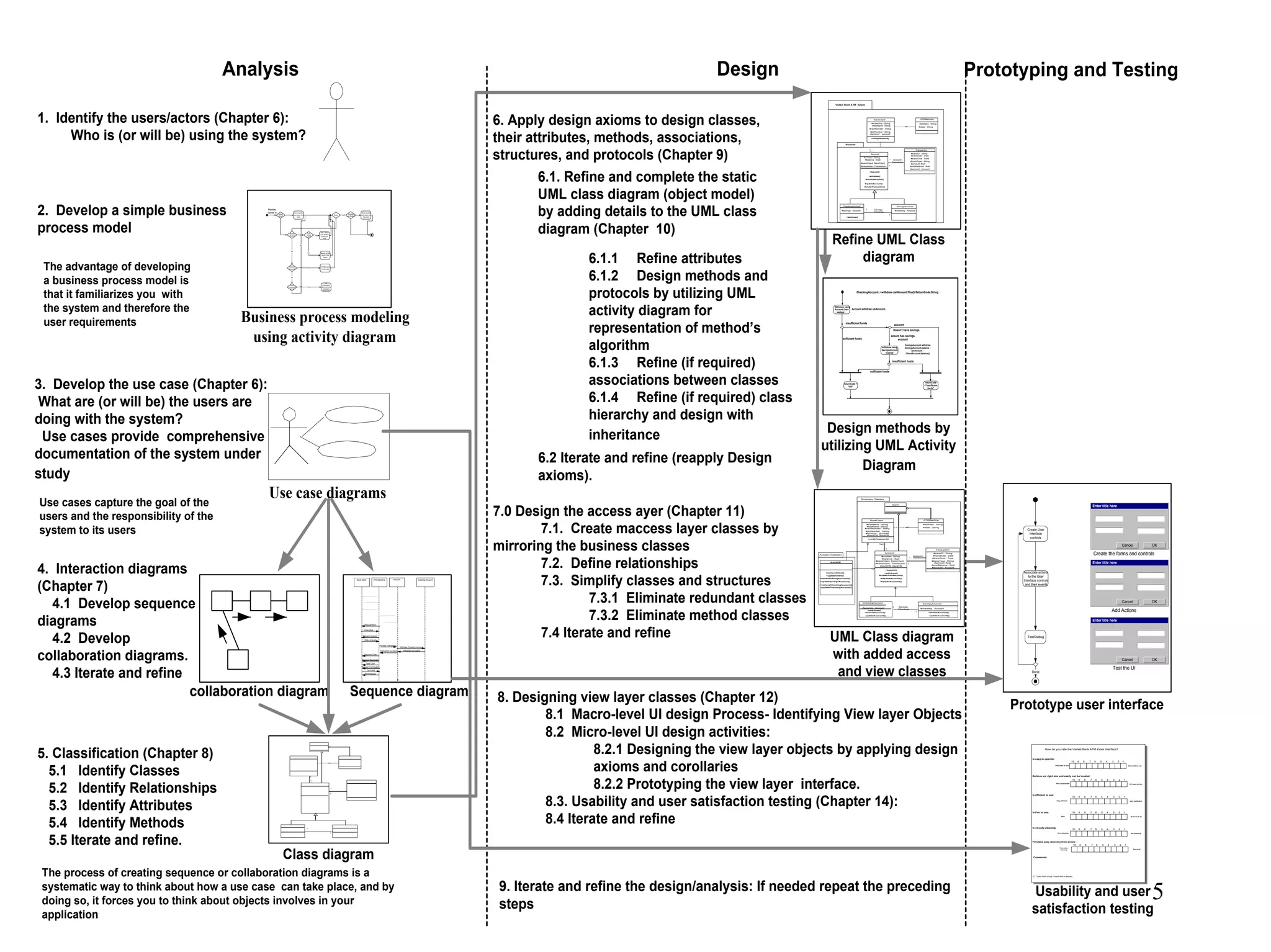
Analysis Design Prototyping and Testing
Return
Book?
Yes
Go to counter
and return the
book
Borrow
Books?
Done? Yes
Yes
No
Perform
Research?
Inter
Libray
Loan?
Yes
Inter Library
Loan Section,
check out
book
No Search for the
book in the
library
Checking
out Books?
Go to counter
and check out
the book
Yes
Do Research
on the topic
No
Read
newspaper
/books
Yes
Sit
somewhere
quiet and read
newspaper,
books, etc.
No
Member
comes in
Business process modeling
using activity diagram
Checking AccountBank Client ATM Machine Account
Withdraw Checking Account
Withdraw Successful
Request Kind
Enter Kind
Request Amount
Enter Amount
Process Transaction
Transaction succeed
Dispense Cash
Request Take Cash
Take Cash
Request Continuation
Terminate
Print Receipt
The advantage of developing
a business process model is
that it familiarizes you with
the system and therefore the
user requirements
Use case diagrams
Use cases capture the goal of the
users and the responsibility of the
system to its users
Sequence diagramcollaboration diagram
The process of creating sequence or collaboration diagrams is a
systematic way to think about how a use case can take place, and by
doing so, it forces you to think about objects involves in your
application
1. Identify the users/actors (Chapter 6):
Who is (or will be) using the system?
2. Develop a simple business
process model
3. Develop the use case (Chapter 6):
What are (or will be) the users are
doing with the system?
Use cases provide comprehensive
documentation of the system under
study
4. Interaction diagrams
(Chapter 7)
4.1 Develop sequence
diagrams
4.2 Develop
collaboration diagrams.
4.3 Iterate and refine
5. Classification (Chapter 8)
5.1 Identify Classes
5.2 Identify Relationships
5.3 Identify Attributes
5.4 Identify Methods
5.5 Iterate and refine.
*
1
1
1
1
1..
*
Class diagram
6. Apply design axioms to design classes,
their attributes, methods, associations,
structures, and protocols (Chapter 9)
6.1. Refine and complete the static
UML class diagram (object model)
by adding details to the UML class
diagram (Chapter 10)
6.1.1 Refine attributes
6.1.2 Design methods and
protocols by utilizing UML
activity diagram for
representation of method’s
algorithm
6.1.3 Refine (if required)
associations between classes
6.1.4 Refine (if required) class
hierarchy and design with
inheritance
ViaNet Bank ATM Sytem
Account
Transaction
#transDate : Date
#transTime : Time
#transType : String
#amount :float
#postBalance : float
Account
#number: String
#balance : float
CheckingAccount
#savings : Account
SavingsAccount
#checking : Account
*
1
Account-
Transaction
1
1
Savings-
Checking
1..
*
#transaction: Transaction
#account : Account
+verifyPassword()
+deposit()
+withdraw()
#retrieveAccount()
+withdraw()
#createTransaction()
#updateAccount()
BankClient
#firstName : String
#lastName :String
#pinNumber : String
#account : Account
ATMMachine
#cardNumber : String
#address : String
#state : String
#bankClient: BankClient
#transID : String
Refine UML Class
diagram
CheckingAccount::+withdraw (anAmount:Float):ReturnCode:String
insufficient funds
Withdraw using
Account class
method
Account.withdraw (anAmount)
sufficient funds
Doesn't have savings
account
withdraw using
SavingsAccount
method
SavingsAccount.withdraw
SavingsAccount.balance -
(anAmount -
CheckAccount.balance))
insufficient funds
acount has savings
account
returnCode
="Insufficient
funds"
sufficient funds
returnCode =
"OK"
Design methods by
utilizing UML Activity
Diagram
6.2 Iterate and refine (reapply Design
axioms).
7.0 Design the access ayer (Chapter 11)
7.1. Create maccess layer classes by
mirroring the business classes
7.2. Define relationships
7.3. Simplify classes and structures
7.3.1 Eliminate redundant classes
7.3.2 Eliminate method classes
7.4 Iterate and refine
8. Designing view layer classes (Chapter 12)
8.1 Macro-level UI design Process- Identifying View layer Objects
8.2 Micro-level UI design activities:
8.2.1 Designing the view layer objects by applying design
axioms and corollaries
8.2.2 Prototyping the view layer interface.
8.3. Usability and user satisfaction testing (Chapter 14):
8.4 Iterate and refine
Transaction
#transDate : Date
#transTime : Time
#transType : String
#amount :float
#postBalance : float
BankClient
#firstName : String
#lastName :String
#pinNumber : String
#account : Account
Account
#number: String
#balance : float
CheckingAccount
#savings : Account
ATMMachine
SavingsAccount
#checking : Account
BanK
*
1
Account-
Transaction
1
1
Savings-
Checking
1
1..
*
Has
#cardNumber : String
#transaction: Transaction
#account : Account
#address : String
#state : String
+verifyPassword()
+deposit()
+withdraw()
-retrieveAccount()
+withdraw()
#createTransaction()
-updateAccountt()
#bankClient: BankClient
#transID : String
BankDB
+retrieveClient()
+updateClient()
+retrieveSavingsAccount()
+updateSavingsAccount()
Access Class(es)
Business Classes
#bankDB: BankDB
#bankDB: BankDB
+retrieveCheckingAccount()
+updateCheckingAccount()
-retrieveAccount()
-updateAccountt()
#retrieveAccount()
#updateAccountt()
UML Class diagram
with added access
and view classes
9. Iterate and refine the design/analysis: If needed repeat the preceding
steps
Create User
Interface
controls
Associate actions
to the User
Interface controls
and their events
Test/Debug
Enter title here
OKCancel
Create the forms and controls
Enter title here
OKCancel
Add Actions
Enter title here
OKCancel
Test the UI
Done
Prototype user interface
10 9 8 7 6 5 4 3 2 1
Very easy to use Very Hard to use
Is easy to operate:
How do you rate the ViaNet Bank ATM Kiosk Interface?
10 9 8 7 6 5 4 3 2 1
Very appropriate Not appropriate
Buttons are right size and easily can be located:
10 9 8 7 6 5 4 3 2 1
Very efficient Very inefficient
Is efficient to use:
10 9 8 7 6 5 4 3 2 1
Very Not Fun at all
Is Fun to use:
10 9 8 7 6 5 4 3 2 1
Very pleasing Not pleasing
Is visually pleasing:
Comments:
I have more to say, I would like to see you.
10 9 8 7 6 5 4 3 2 1
Very easy
recovery Not at all
Provides easy recovery from errors:
Usability and user
satisfaction testing
6
Object Basics
•Define Objects and classes
•Describe objects’ methods,
attributes and how objects respond to
messages,
•Define Polymorphism, Inheritance,
data abstraction, encapsulation, and
protocol,
•Describe objects relationships,
•Describe object persistence,
•Understand meta-classes.
7
What is an object?
• The term object was first formally utilized in the Simula language to
simulate some aspect of reality.
• An object is an entity.
– It knows things (has attributes)
– It does things (provides services or has methods)
8
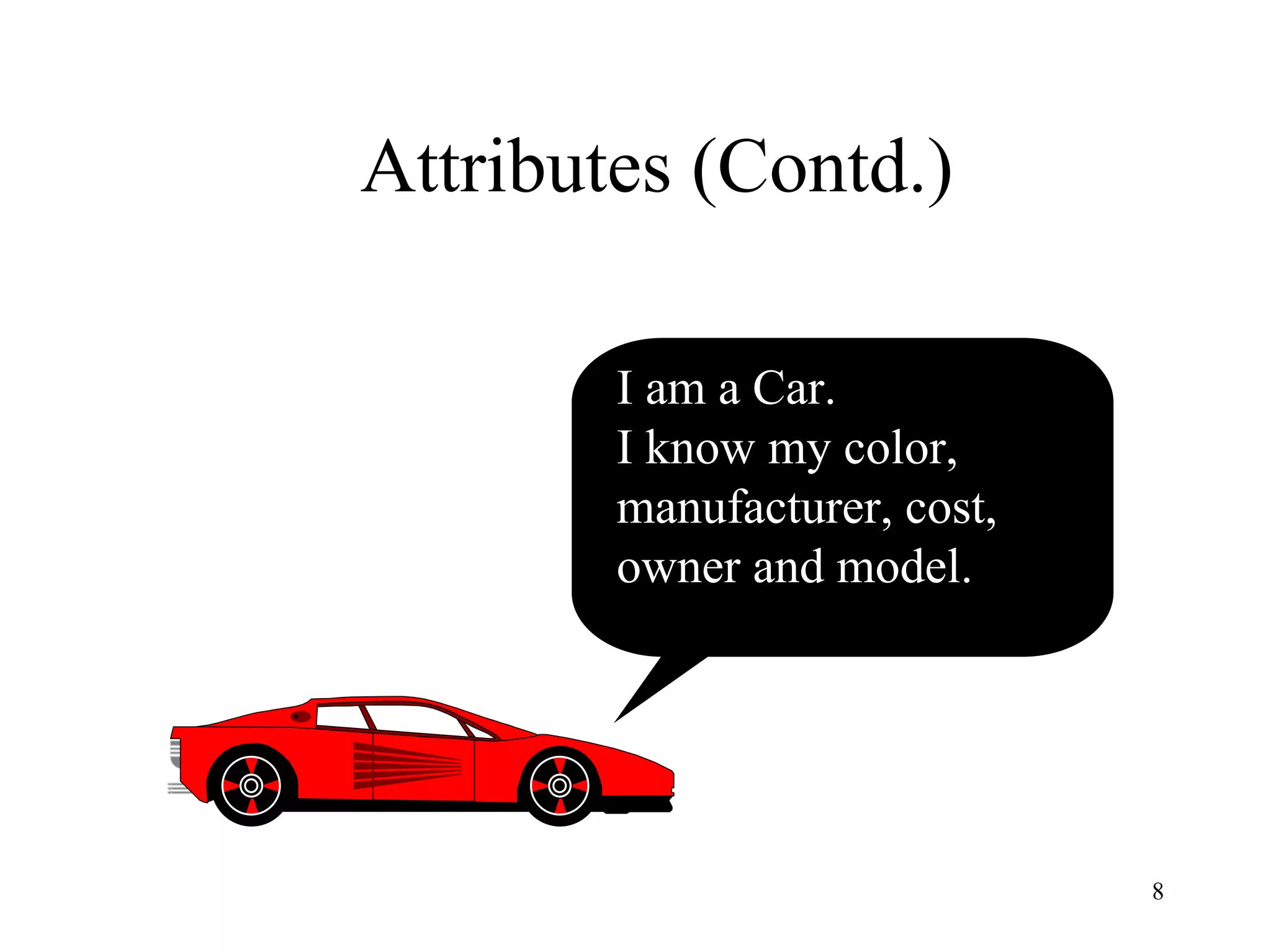
Attributes (Contd.)
I am a Car.
I know my color,
manufacturer, cost,
owner and model.
9
Attributes (Contd.)
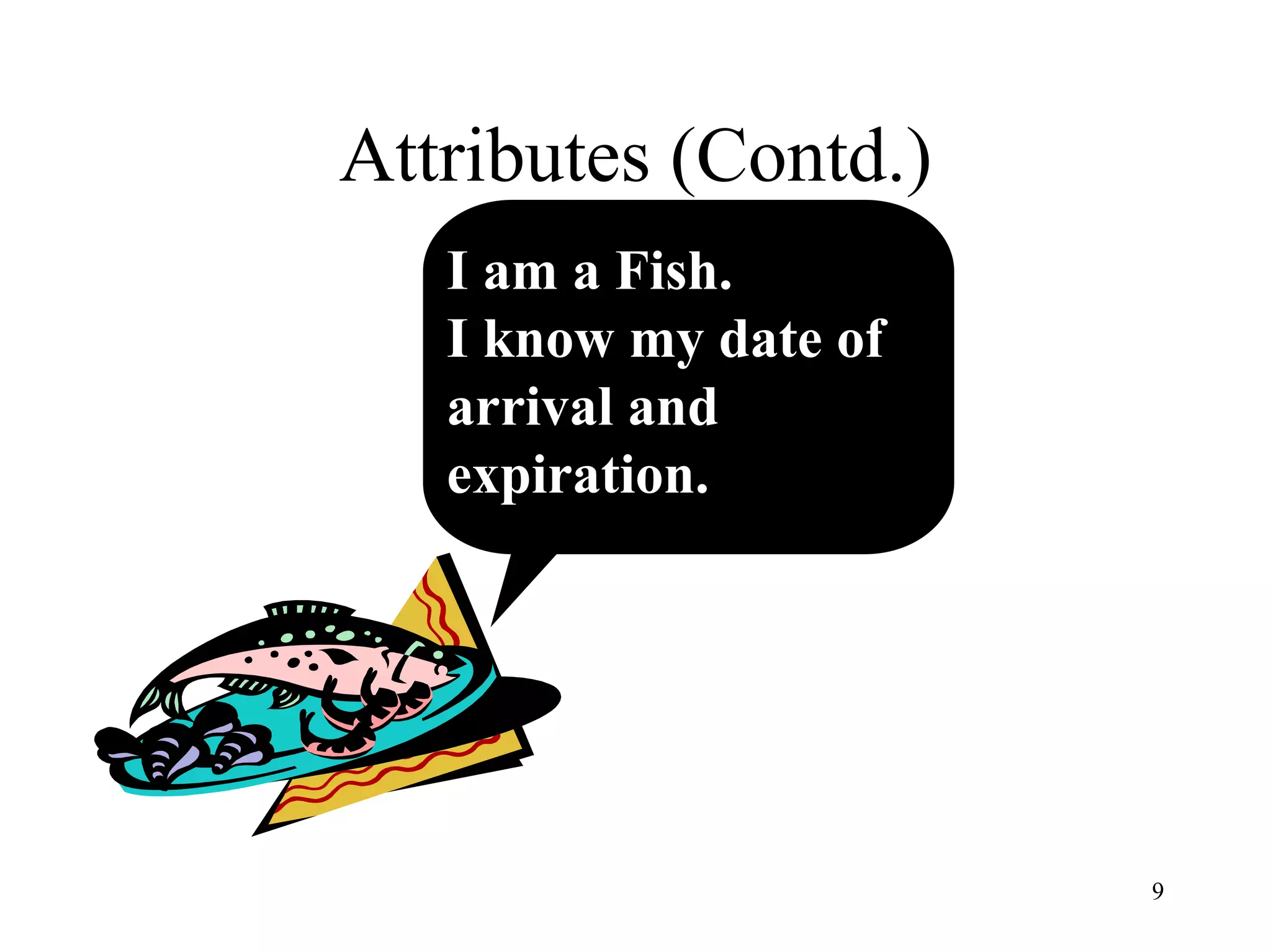
I am a Fish.
I know my date of
arrival and
expiration.
10
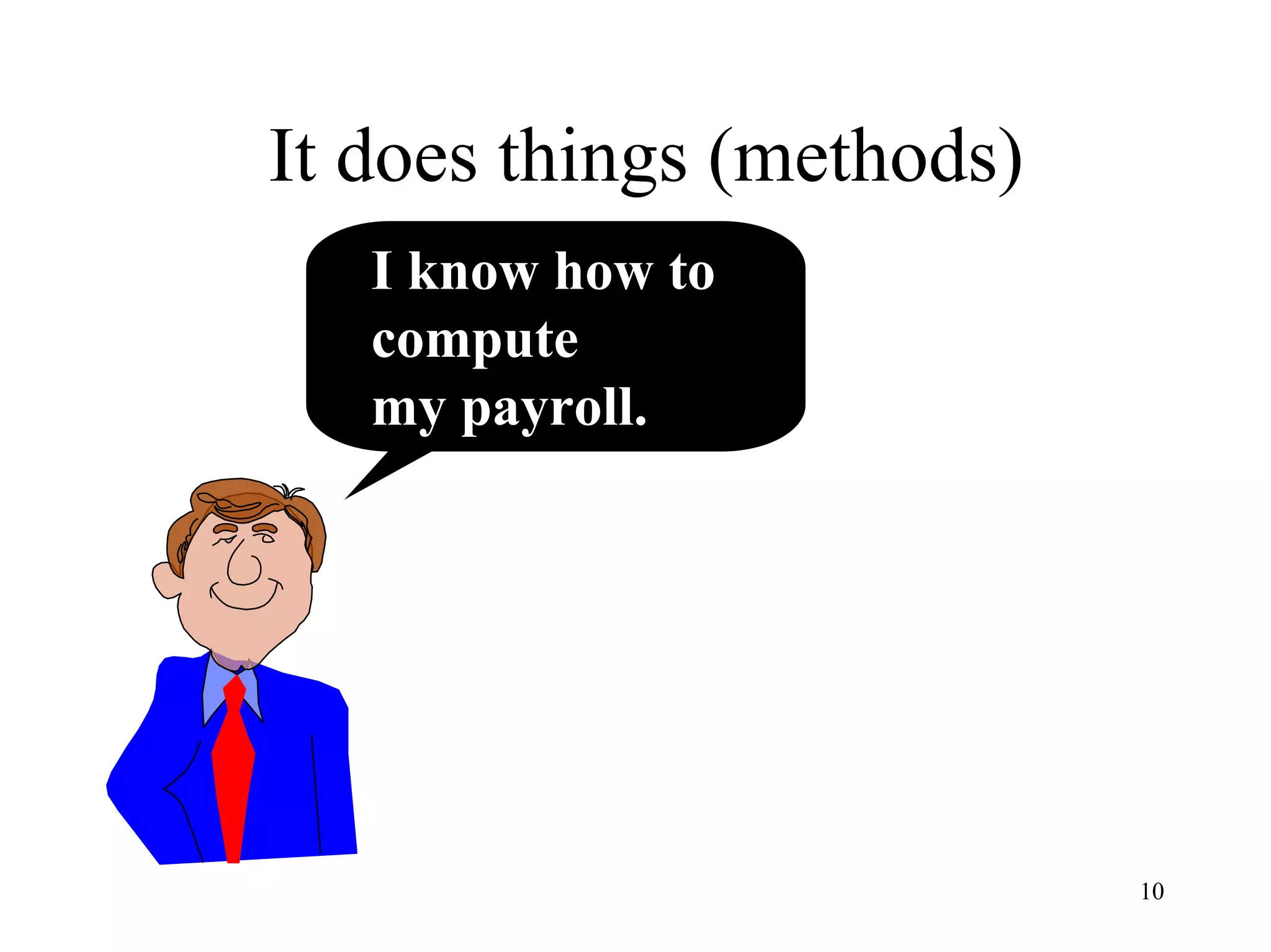
It does things (methods)
I know how to
compute
my payroll.
11
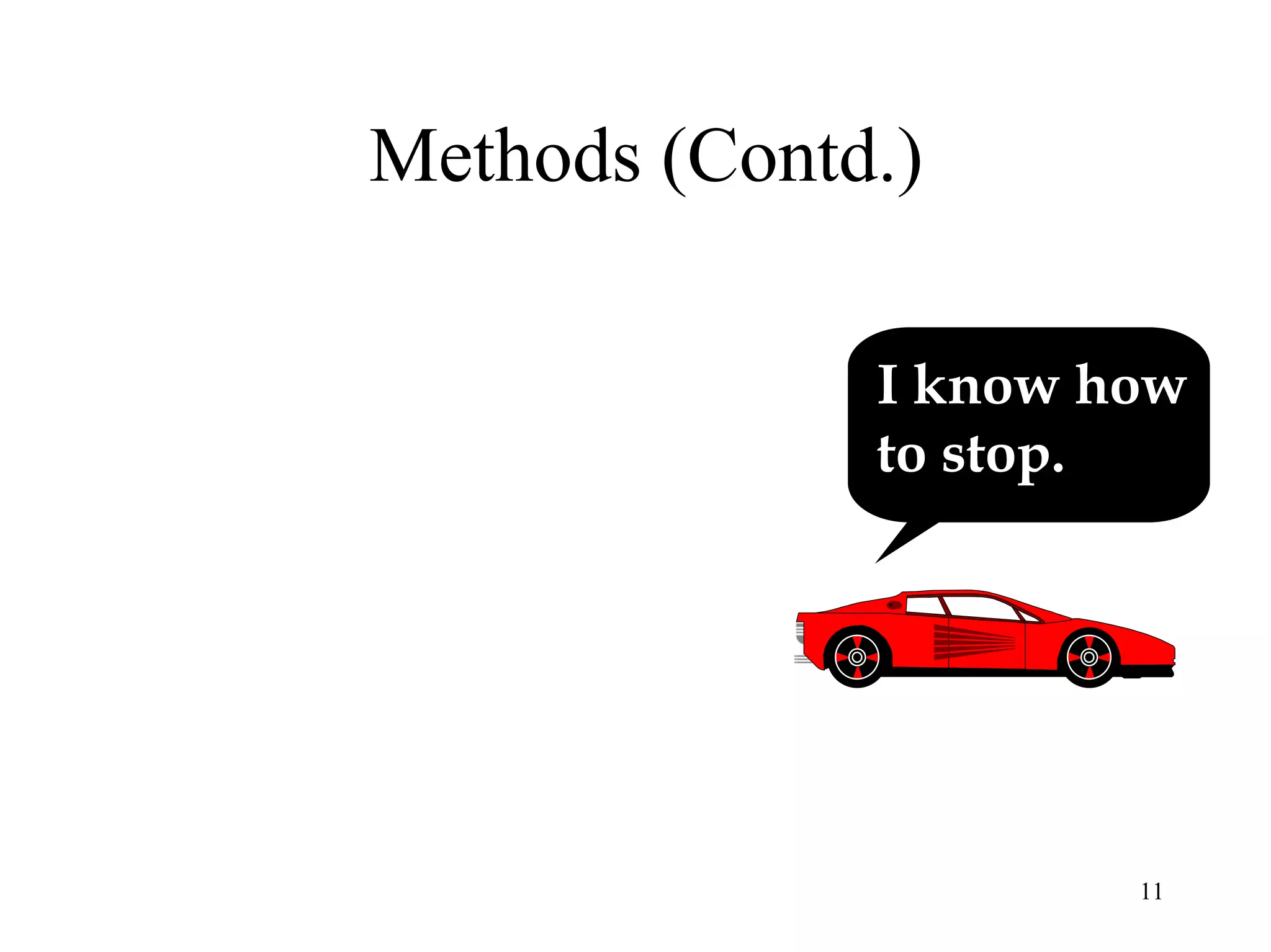
Methods (Contd.)
I know how
to stop.
12
What is an object? (Contd.)
• Attributes or properties describe object’s state (data) and
methods define its behavior.
• Object is whatever an application wants to talk about.
– For example, Parts and assemblies might be objects of bill of material
application.
– Stocks and bonds might be objects of financial investment applications.
13
Objects
• In an object-oriented system, everything is an object: numbers, arrays,
records, fields, files, forms, an invoice, etc.
• An Object is anything, real or abstract, about which we store data and
those methods that manipulate the data.
• Conceptually, each object is responsible for itself.
l A chart object is responsible for things like maintaining its data and labels,
and even for drawing itself.
l A window object is responsible for things like opening, sizing, and
closing itself.
14
Two Basic Questions
• When developing an O-O application, two
basic questions always arise.
– What objects does the application need?
– What functionality should those objects have?
15
Object’s Attributes and Methods
• Attributes
– represented by data type.
– They describe objects states.
– In the Car example the car’s attributes are:
• color, manufacturer, cost, owner, model, etc.
• Methods
– define objects behavior and specify the way in which an Object’s
data are manipulated.
– In the Car example the car’s methods are:
• drive it, lock it, tow it, carry passenger in it.
16
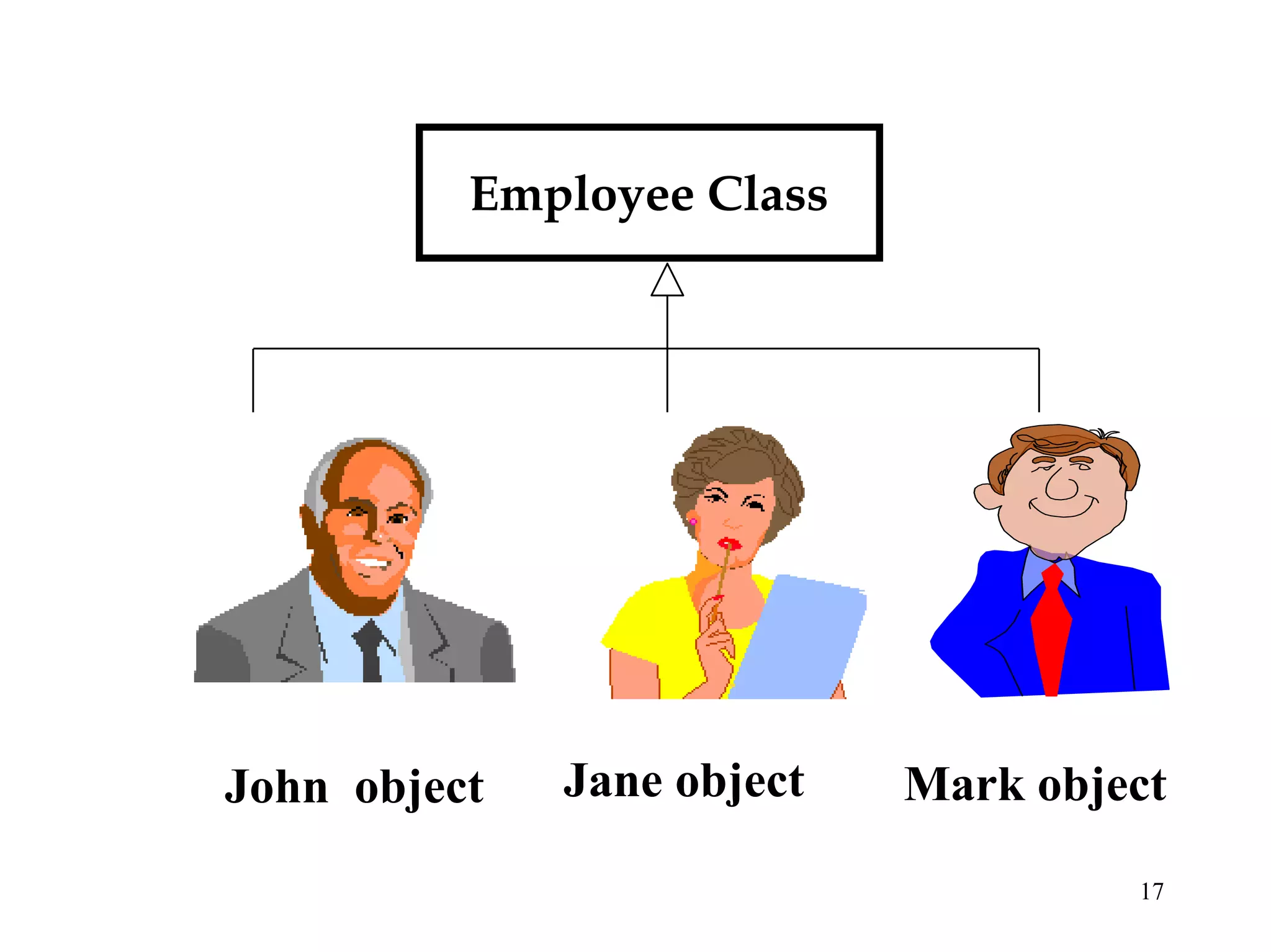
Objects are Grouped in Classes
• The role of a class is to define the attributes
and methods (the state and behavior) of its
instances.
• The class car, for example, defines the
property color.
• Each individual car (object) will have a
value for this property, such as "maroon,"
"yellow" or "white."
17
Employee Class
Jane object Mark objectJohn object
18
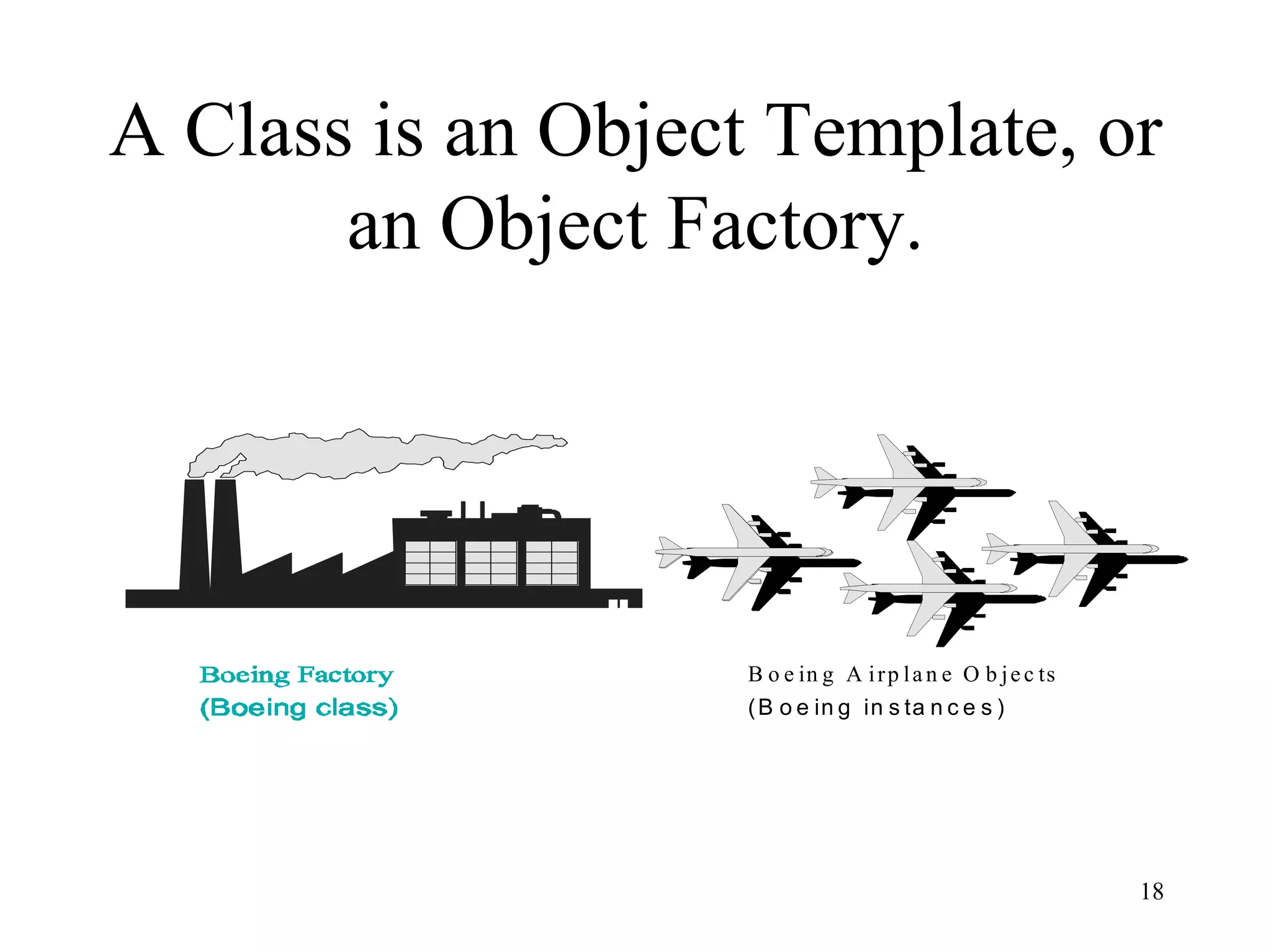
A Class is an Object Template, or
an Object Factory.
B o e in g A irp la n e O b je c ts
(B o e in g in s ta n c e s )
19
Class Hierarchy
• An object-oriented system organizes classes
into subclass-super hierarchy.
• At the top of the hierarchy are the most
general classes and at the bottom are the
most specific
20
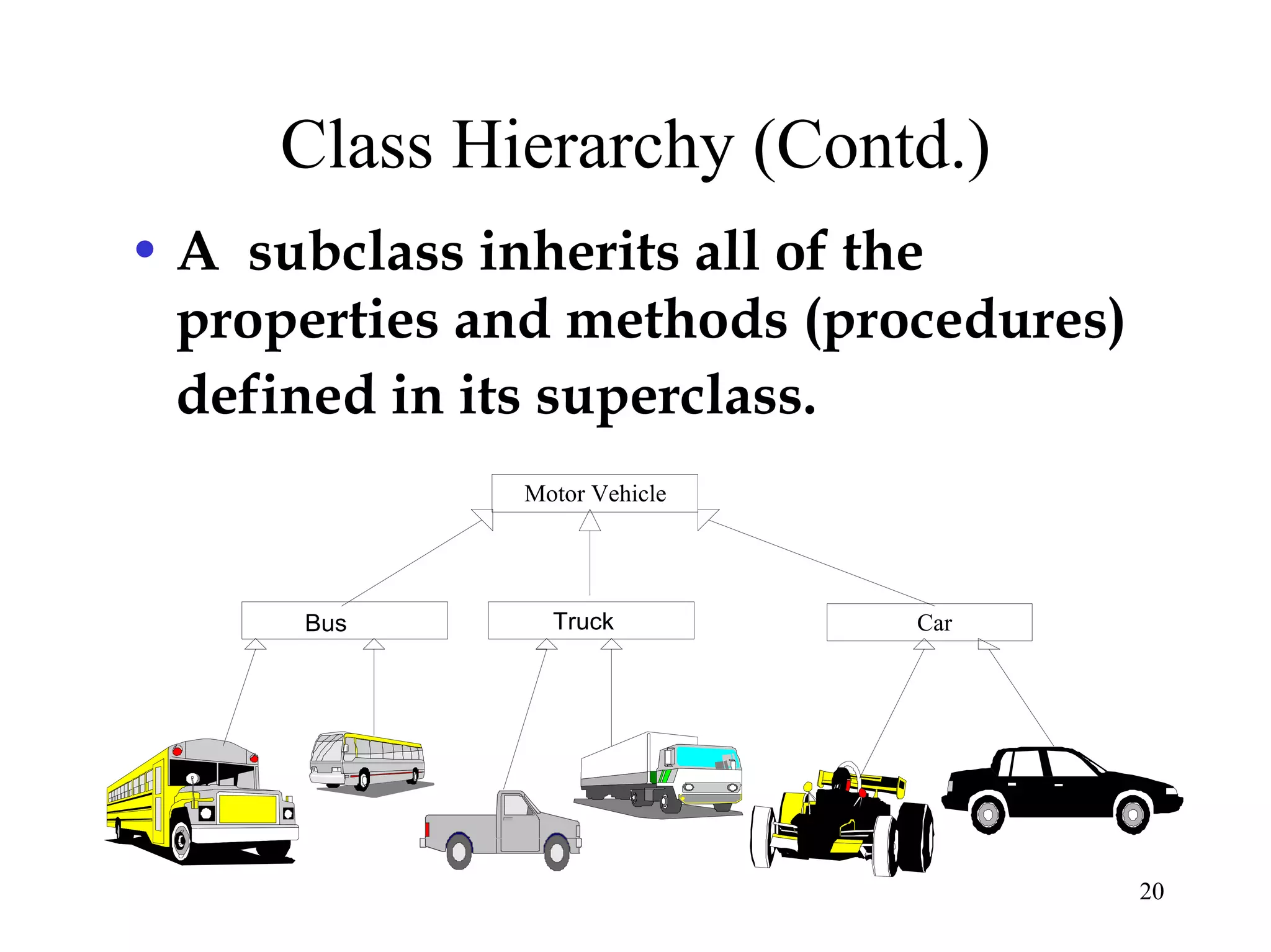
Class Hierarchy (Contd.)
• A subclass inherits all of the
properties and methods (procedures)
defined in its superclass.
Motor Vehicle
Truck CarBus
21
Inheritance
(programming by extension )
• Inheritance is a relationship between classes where
one class is the parent class of another (derived)
class.
• Inheritance allows classes to share and reuse
behaviors and attributes.
• The real advantage of inheritance is that we can
build upon what we already have and,
• Reuse what we already have.
22
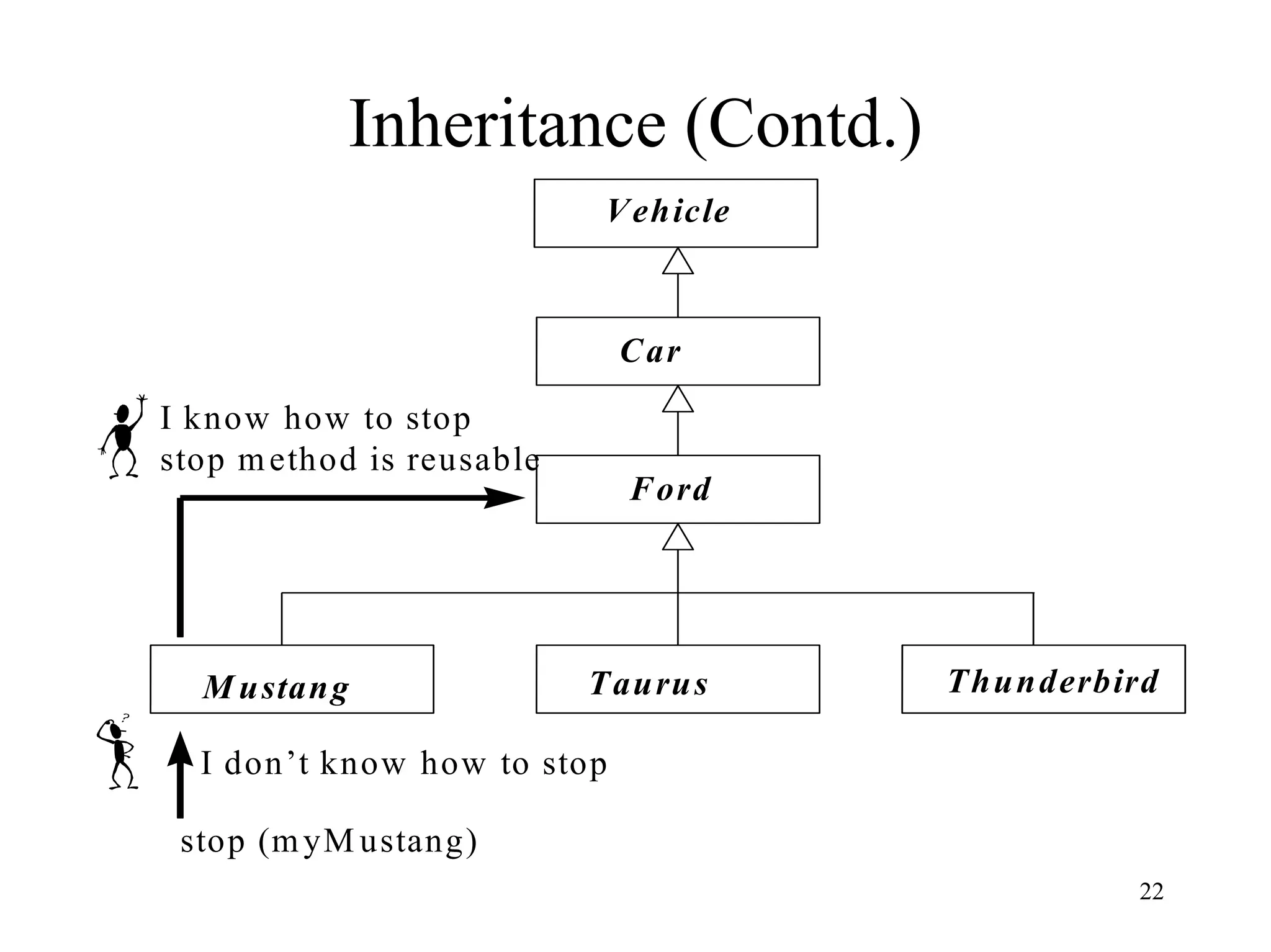
Inheritance (Contd.)
Ford
Vehicle
Car
M ustang Taurus Thunderbird
stop (myM ustang)
I don’t know how to stop
I know how to stop
stop method is reusable
23
Multiple Inheritance
• OO systems permit a class to inherit from
more than one superclass.
• This kind of inheritance is referred to as
multiple inheritance.
24
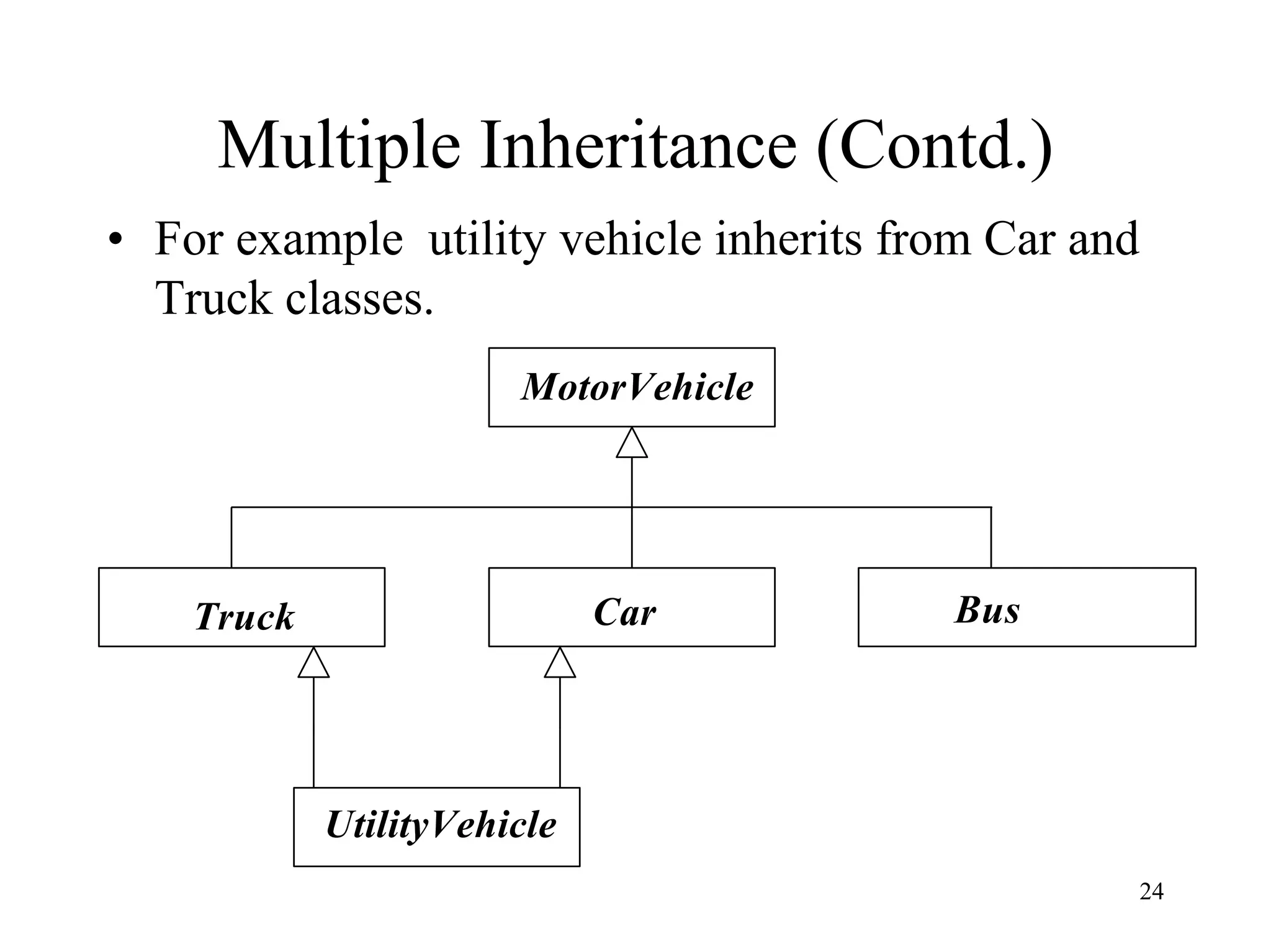
Multiple Inheritance (Contd.)
• For example utility vehicle inherits from Car and
Truck classes.
MotorVehicle
Truck Car Bus
UtilityVehicle
25
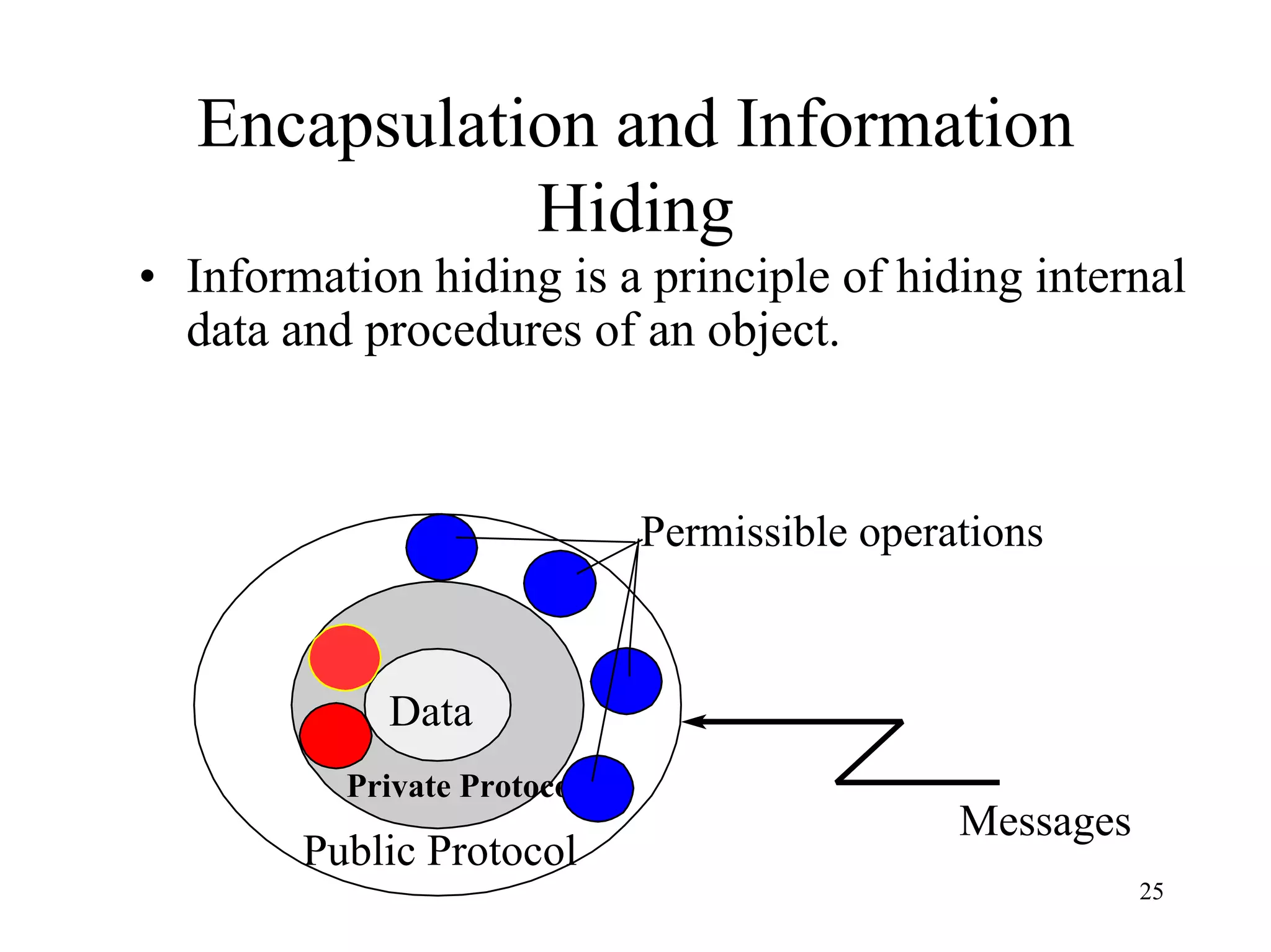
Encapsulation and Information
Hiding
• Information hiding is a principle of hiding internal
data and procedures of an object.
Private Protocol
Public Protocol
Messages
Data
Permissible operations
26
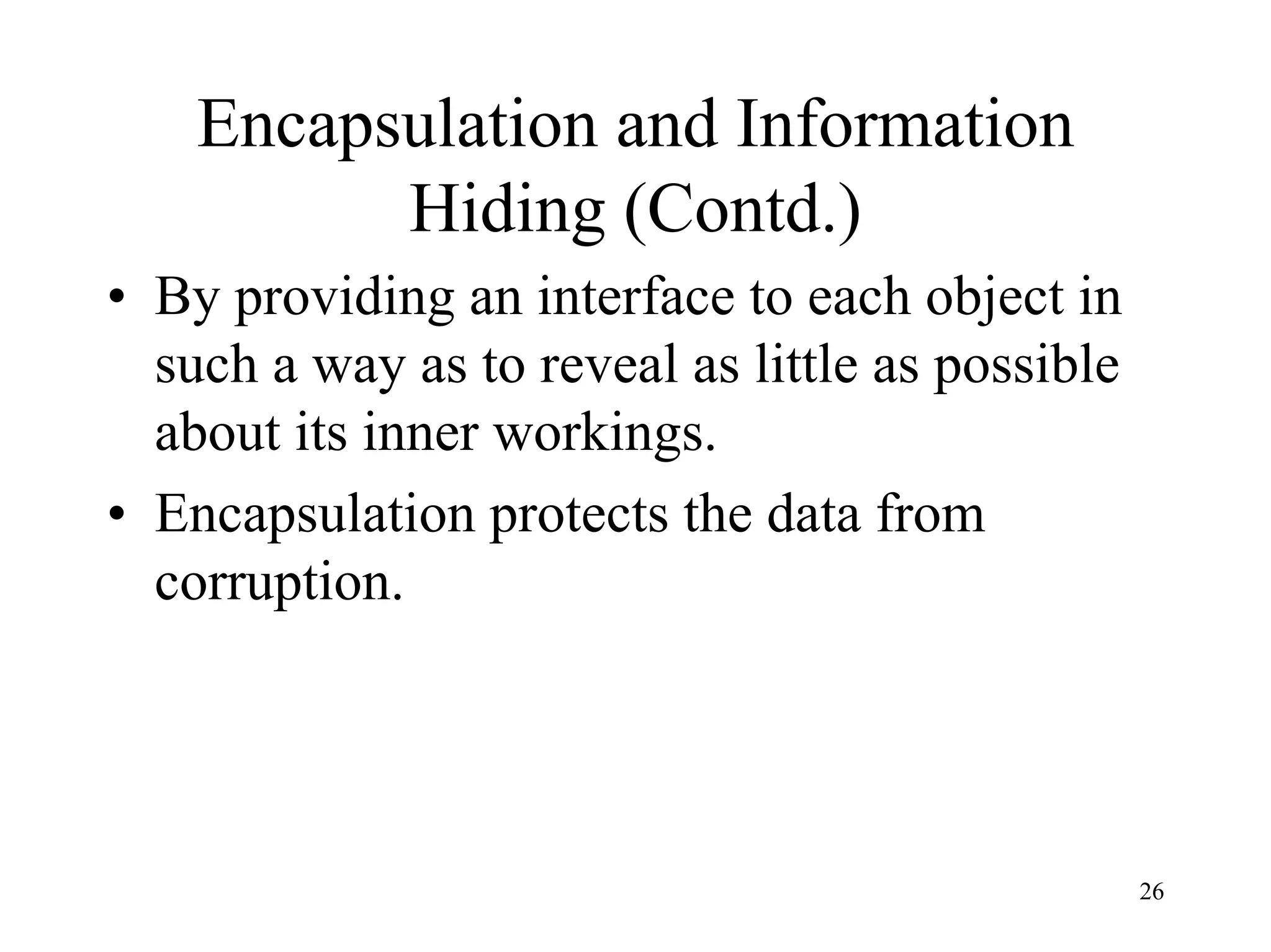
Encapsulation and Information
Hiding (Contd.)
• By providing an interface to each object in
such a way as to reveal as little as possible
about its inner workings.
• Encapsulation protects the data from
corruption.
27
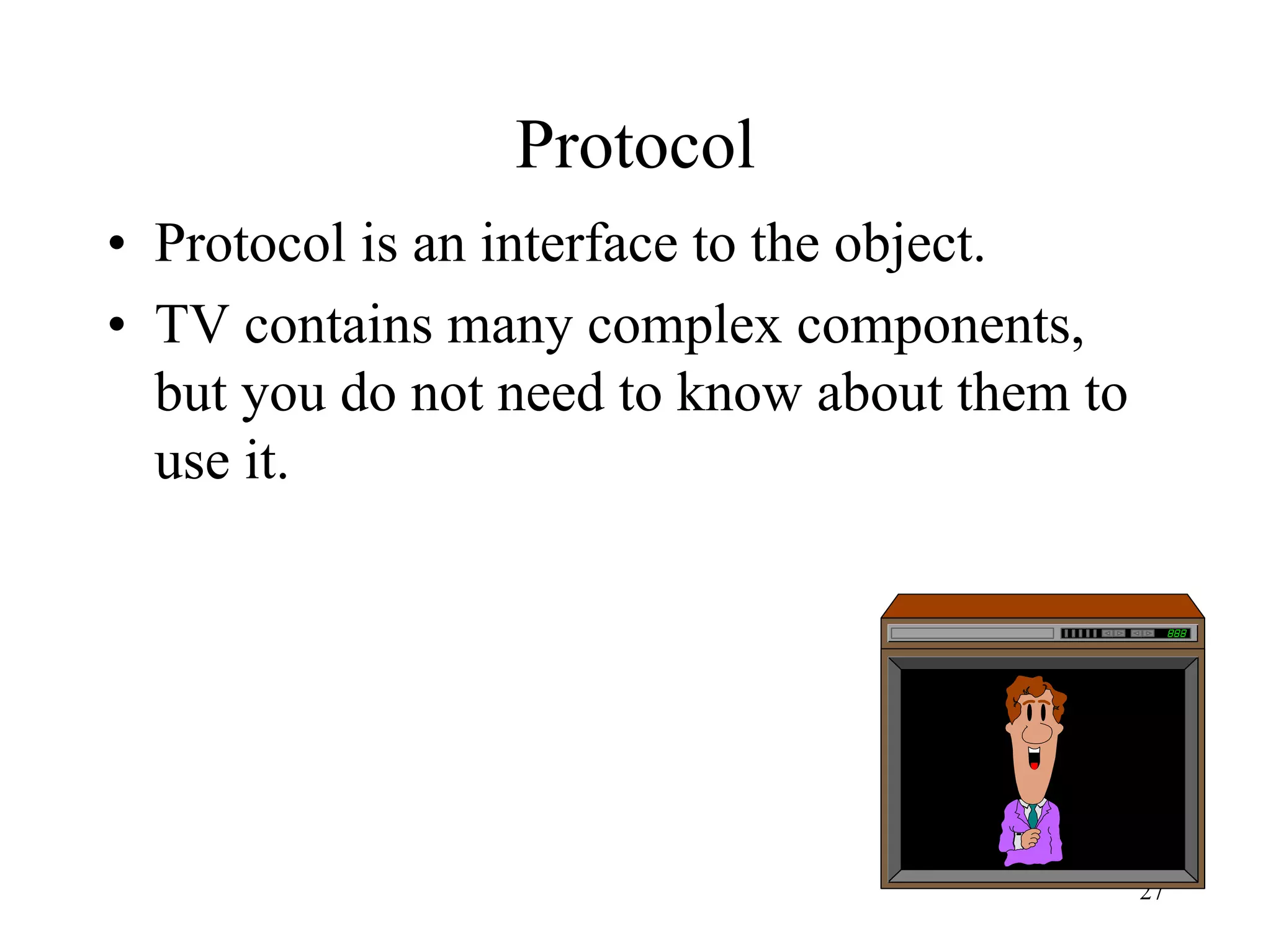
Protocol
• Protocol is an interface to the object.
• TV contains many complex components,
but you do not need to know about them to
use it.
28
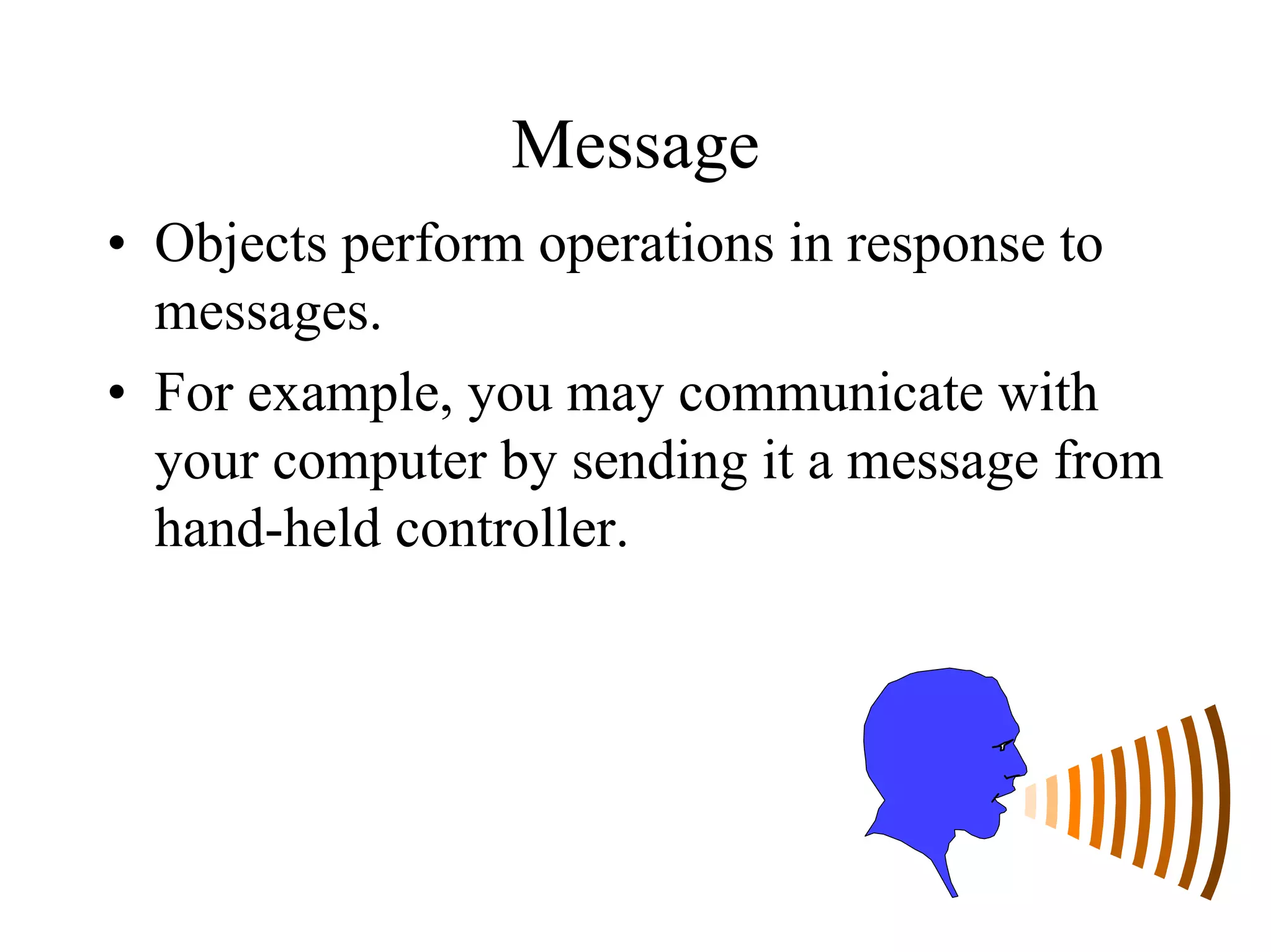
Message
• Objects perform operations in response to
messages.
• For example, you may communicate with
your computer by sending it a message from
hand-held controller.
29
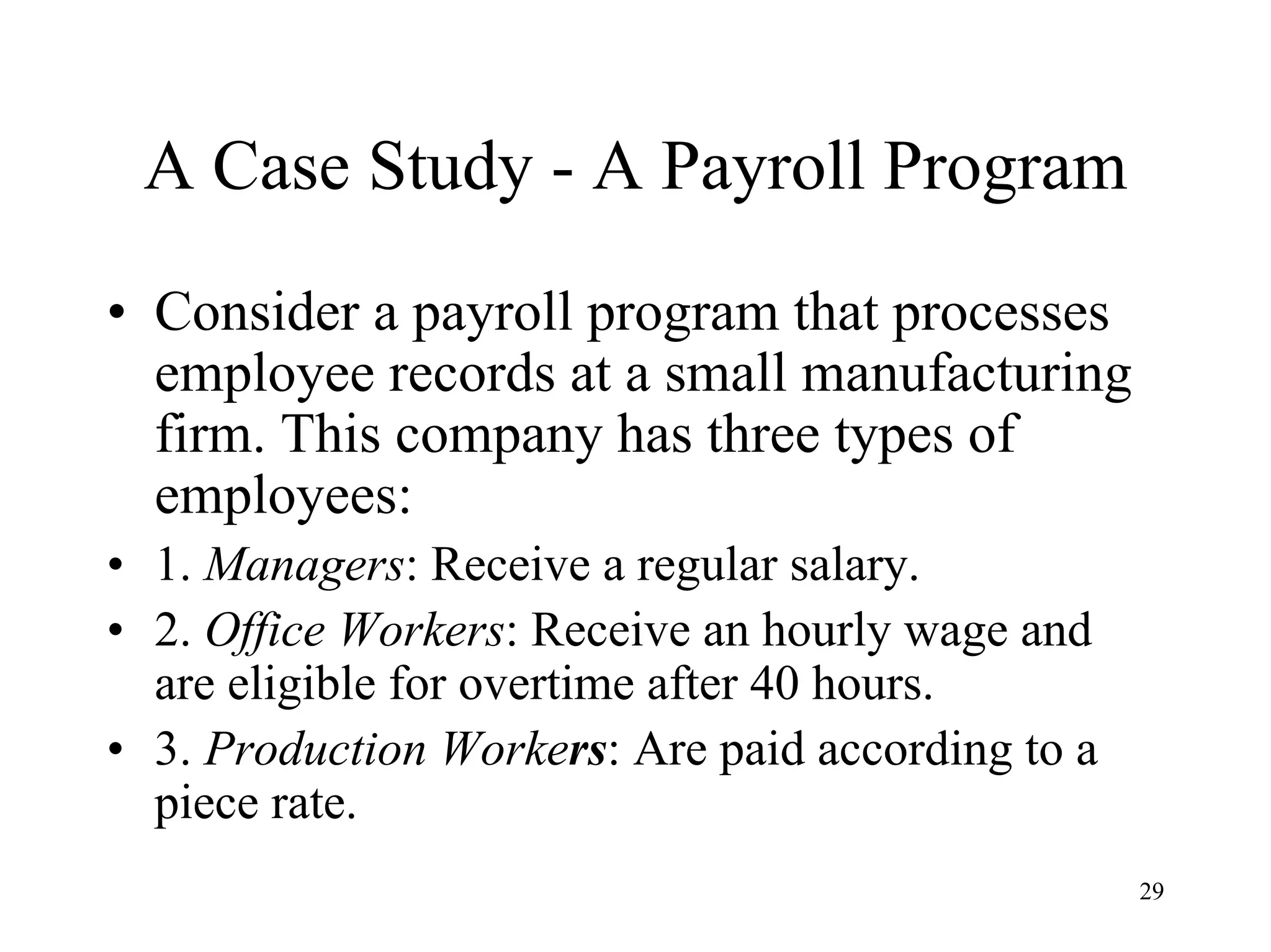
A Case Study - A Payroll Program
• Consider a payroll program that processes
employee records at a small manufacturing
firm. This company has three types of
employees:
• 1. Managers: Receive a regular salary.
• 2. Office Workers: Receive an hourly wage and
are eligible for overtime after 40 hours.
• 3. Production Workers: Are paid according to a
piece rate.
30
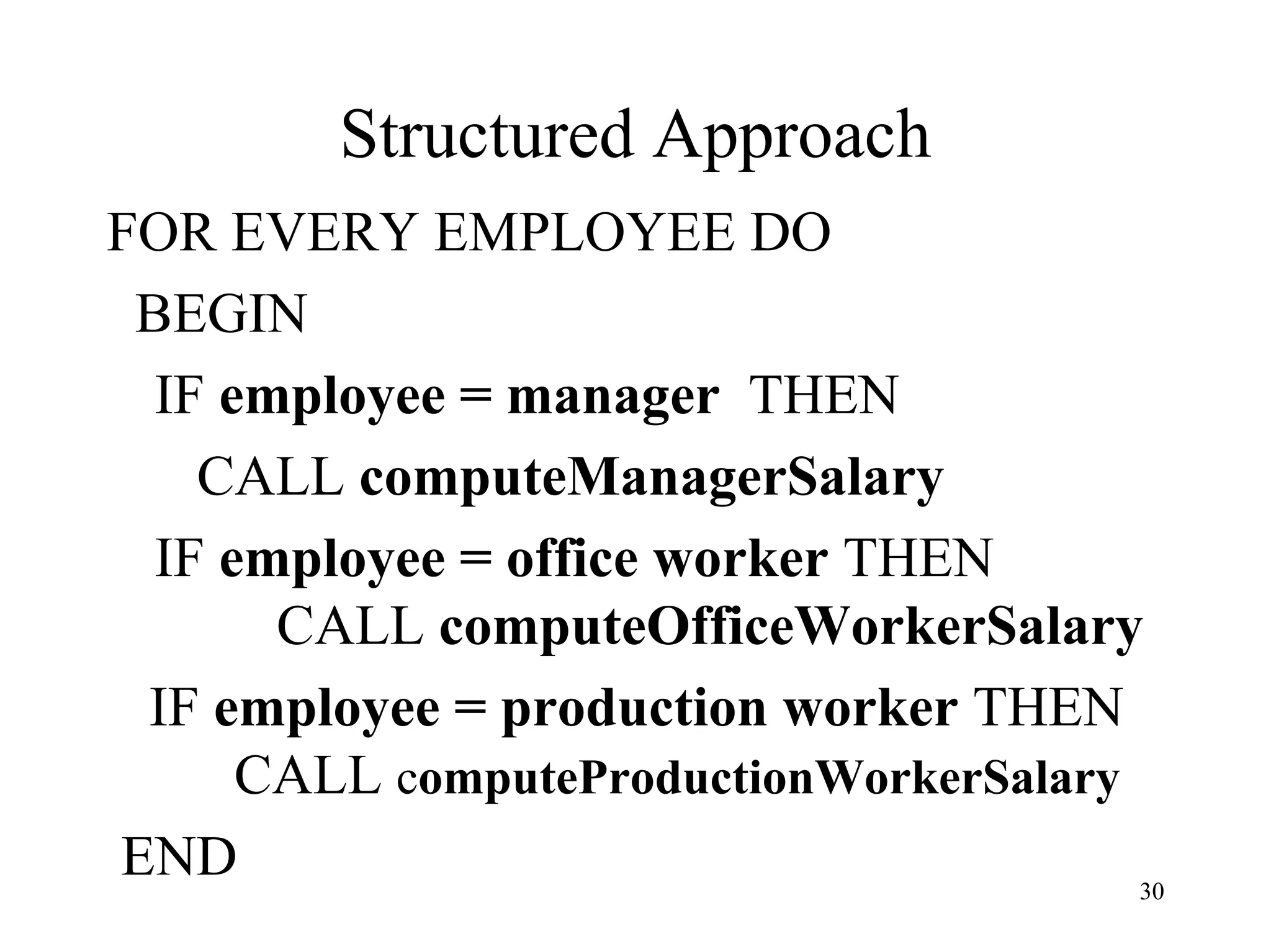
Structured Approach
FOR EVERY EMPLOYEE DO
BEGIN
IF employee = manager THEN
CALL computeManagerSalary
IF employee = office worker THEN
CALL computeOfficeWorkerSalary
IF employee = production worker THEN
CALL computeProductionWorkerSalary
END
31
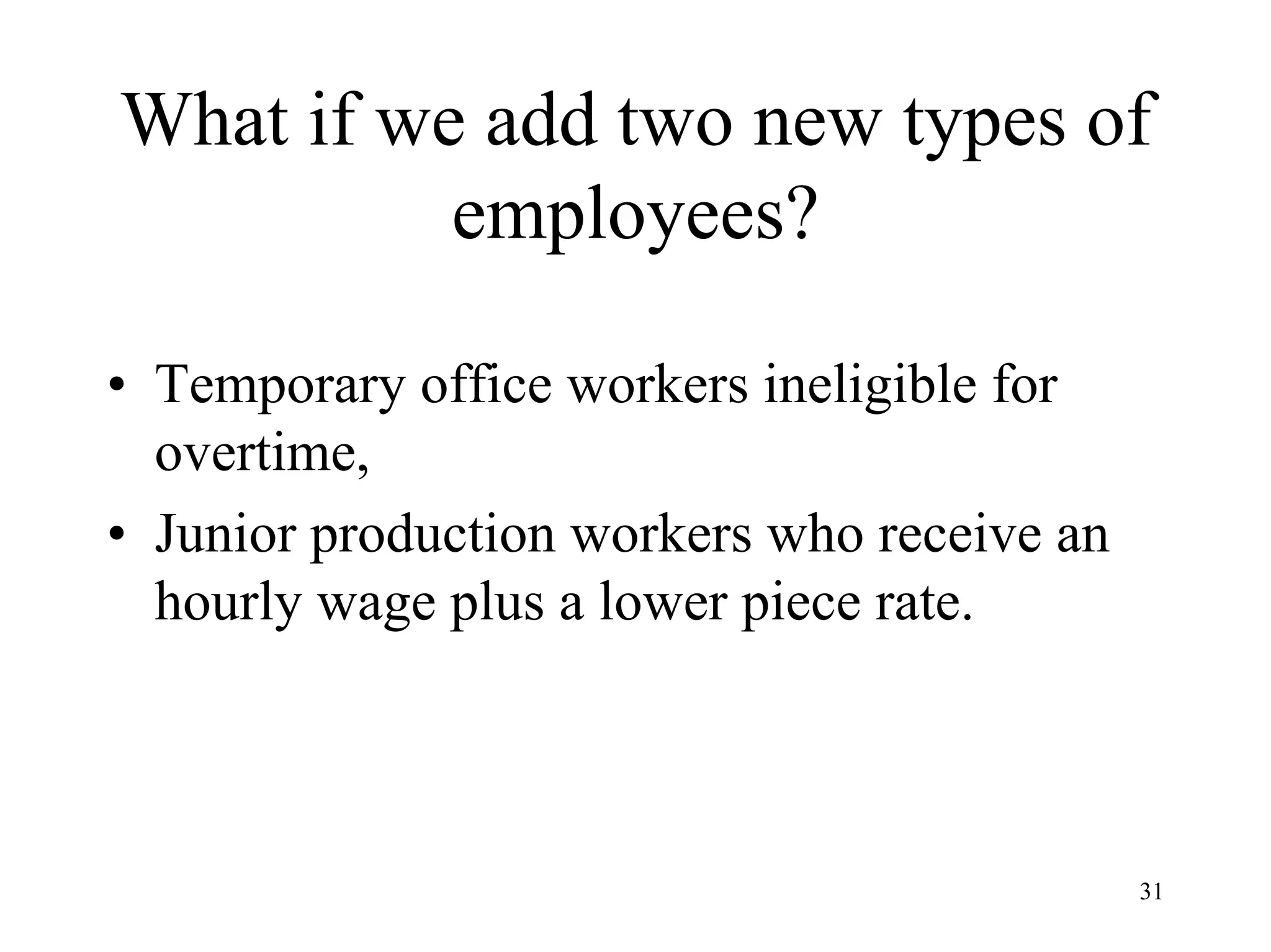
What if we add two new types of
employees?
• Temporary office workers ineligible for
overtime,
• Junior production workers who receive an
hourly wage plus a lower piece rate.
32
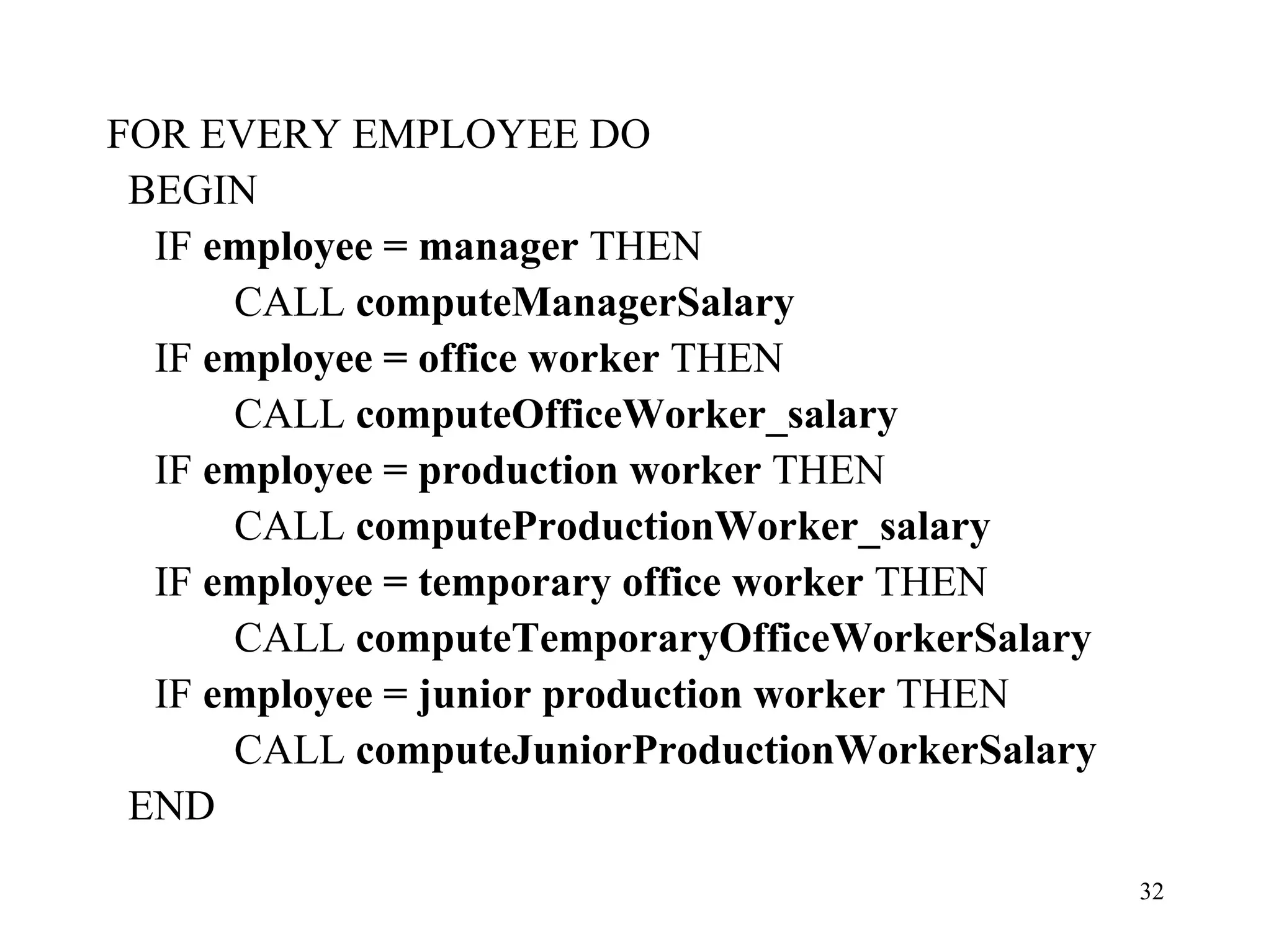
FOR EVERY EMPLOYEE DO
BEGIN
IF employee = manager THEN
CALL computeManagerSalary
IF employee = office worker THEN
CALL computeOfficeWorker_salary
IF employee = production worker THEN
CALL computeProductionWorker_salary
IF employee = temporary office worker THEN
CALL computeTemporaryOfficeWorkerSalary
IF employee = junior production worker THEN
CALL computeJuniorProductionWorkerSalary
END
33
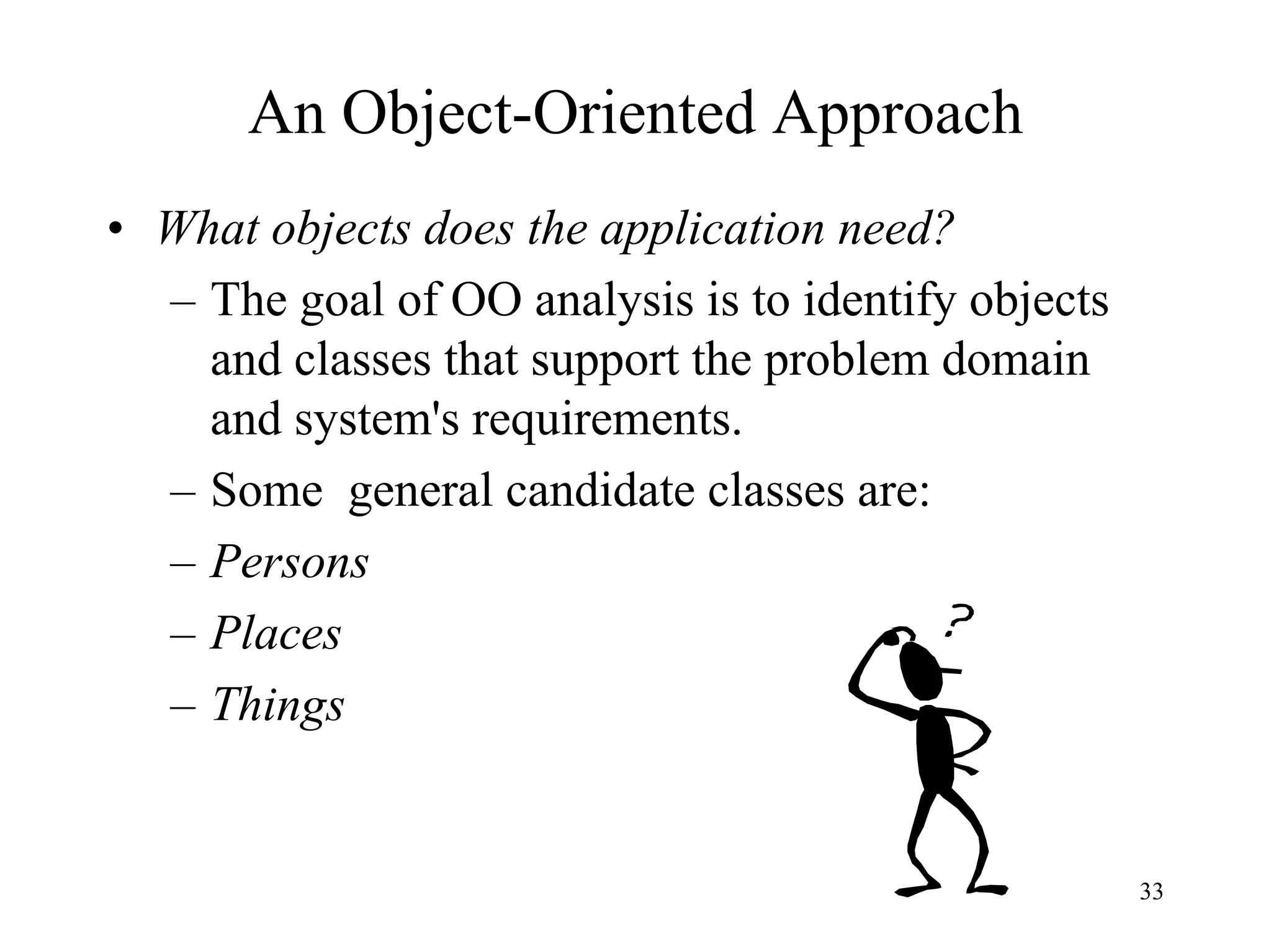
An Object-Oriented Approach
• What objects does the application need?
– The goal of OO analysis is to identify objects
and classes that support the problem domain
and system's requirements.
– Some general candidate classes are:
– Persons
– Places
– Things
34
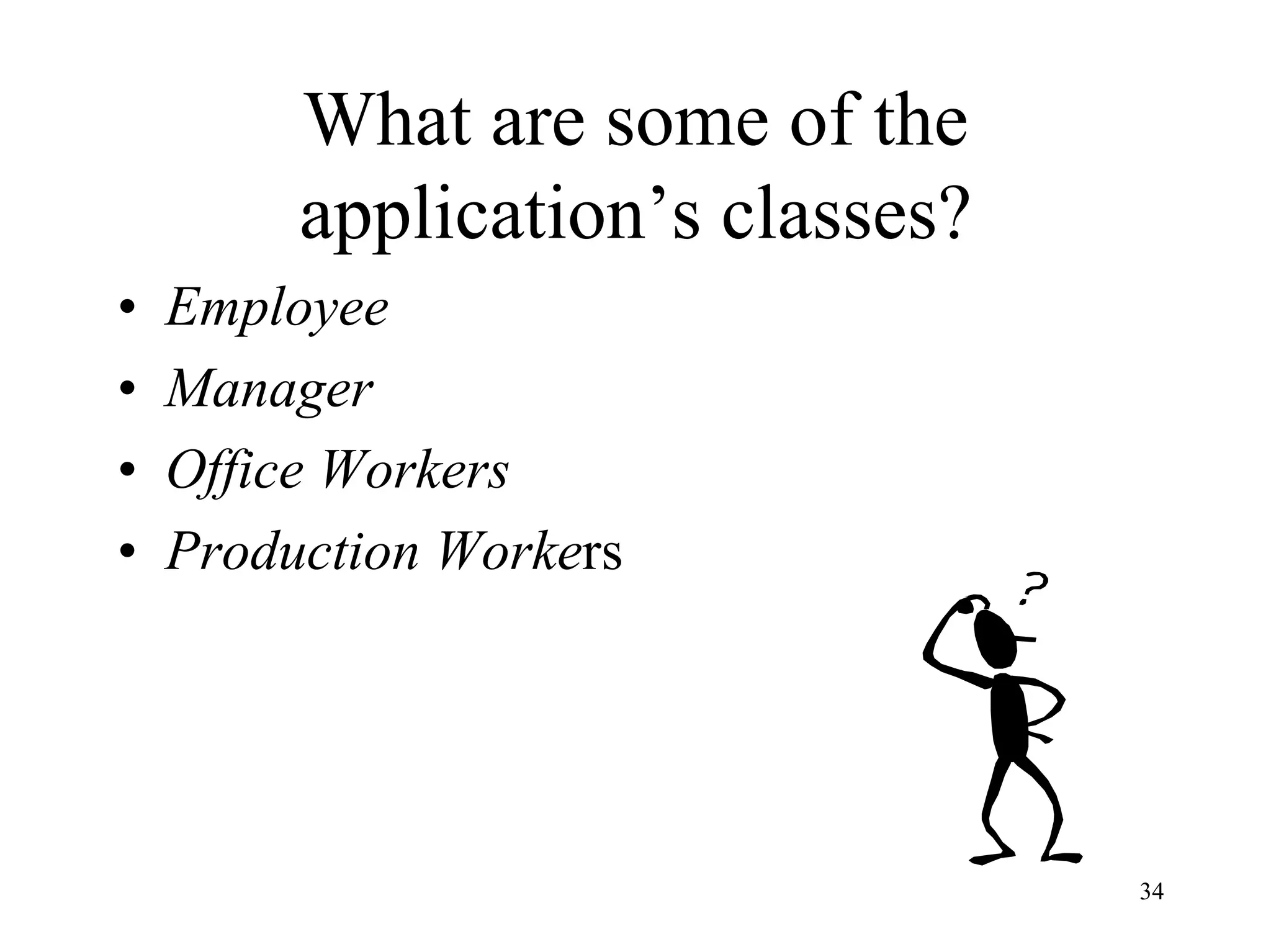
What are some of the
application’s classes?
• Employee
• Manager
• Office Workers
• Production Workers
35
Class Hierarchy
• Identify class hierarchy
• Identify commonality among the classes
• Draw the general-specific class hierarchy.
36
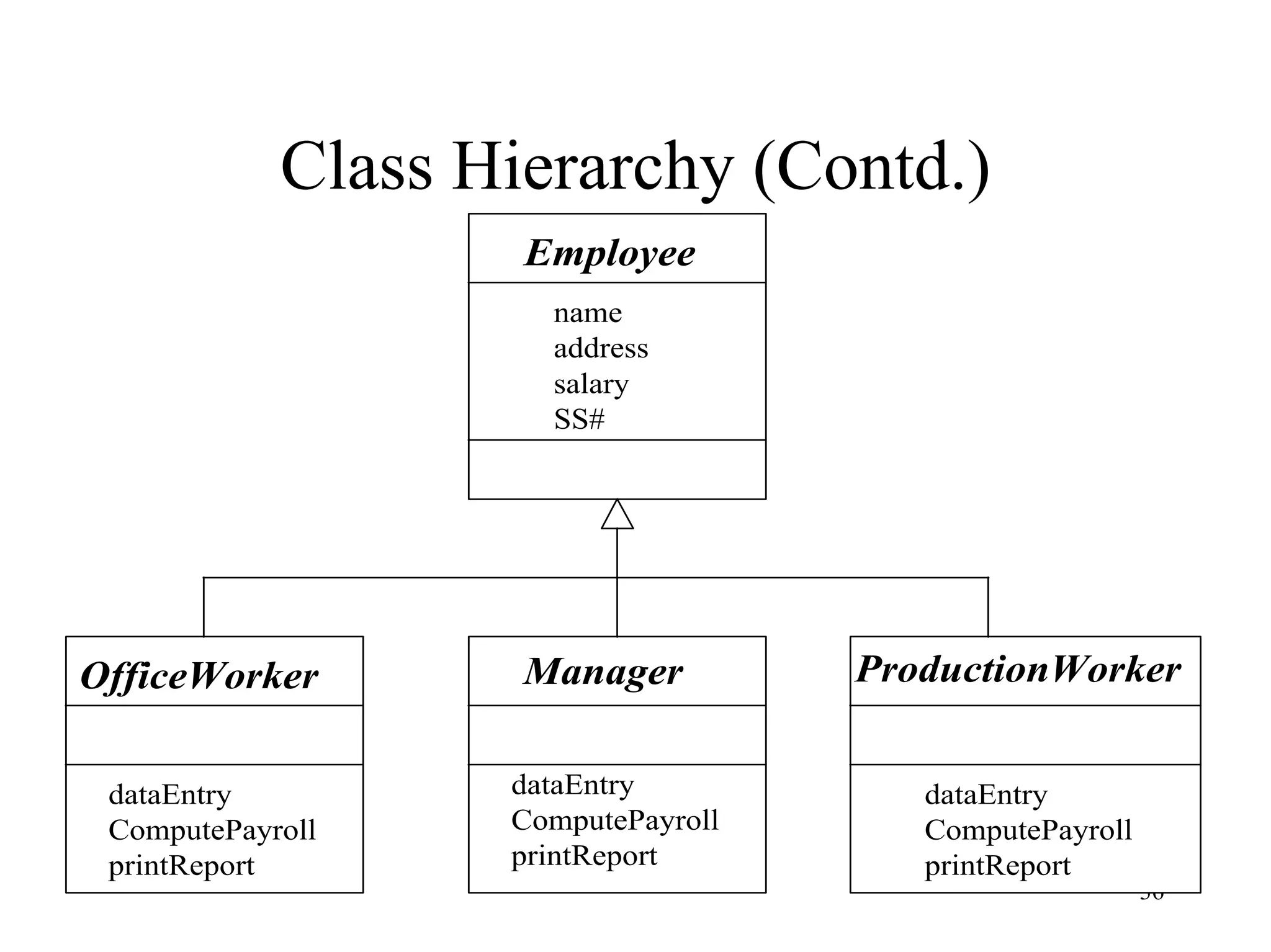
Class Hierarchy (Contd.)
Employee
OfficeWorker Manager ProductionWorker
name
address
salary
SS#
dataEntry
ComputePayroll
printReport
dataEntry
ComputePayroll
printReport
dataEntry
ComputePayroll
printReport
37
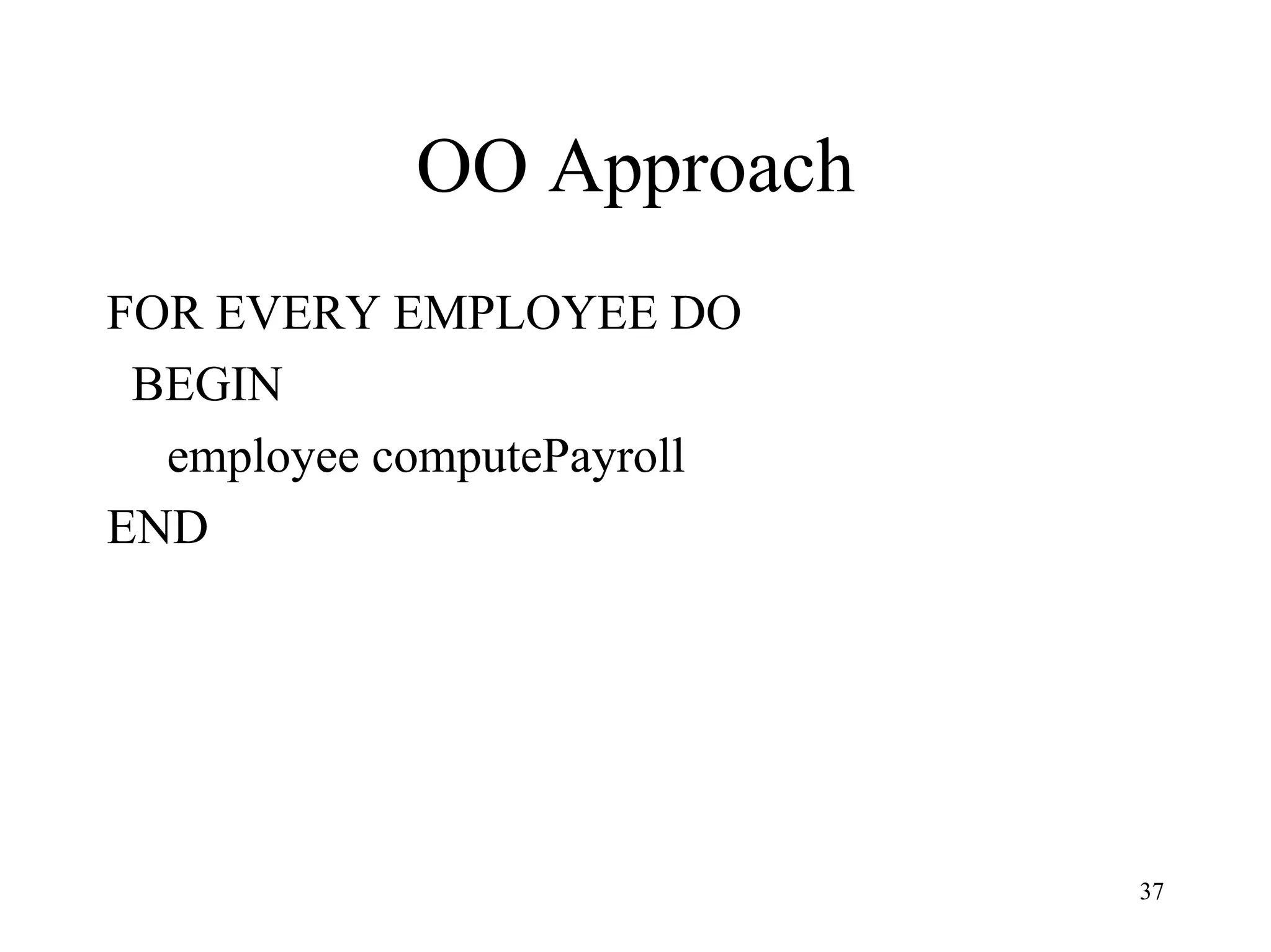
OO Approach
FOR EVERY EMPLOYEE DO
BEGIN
employee computePayroll
END
38
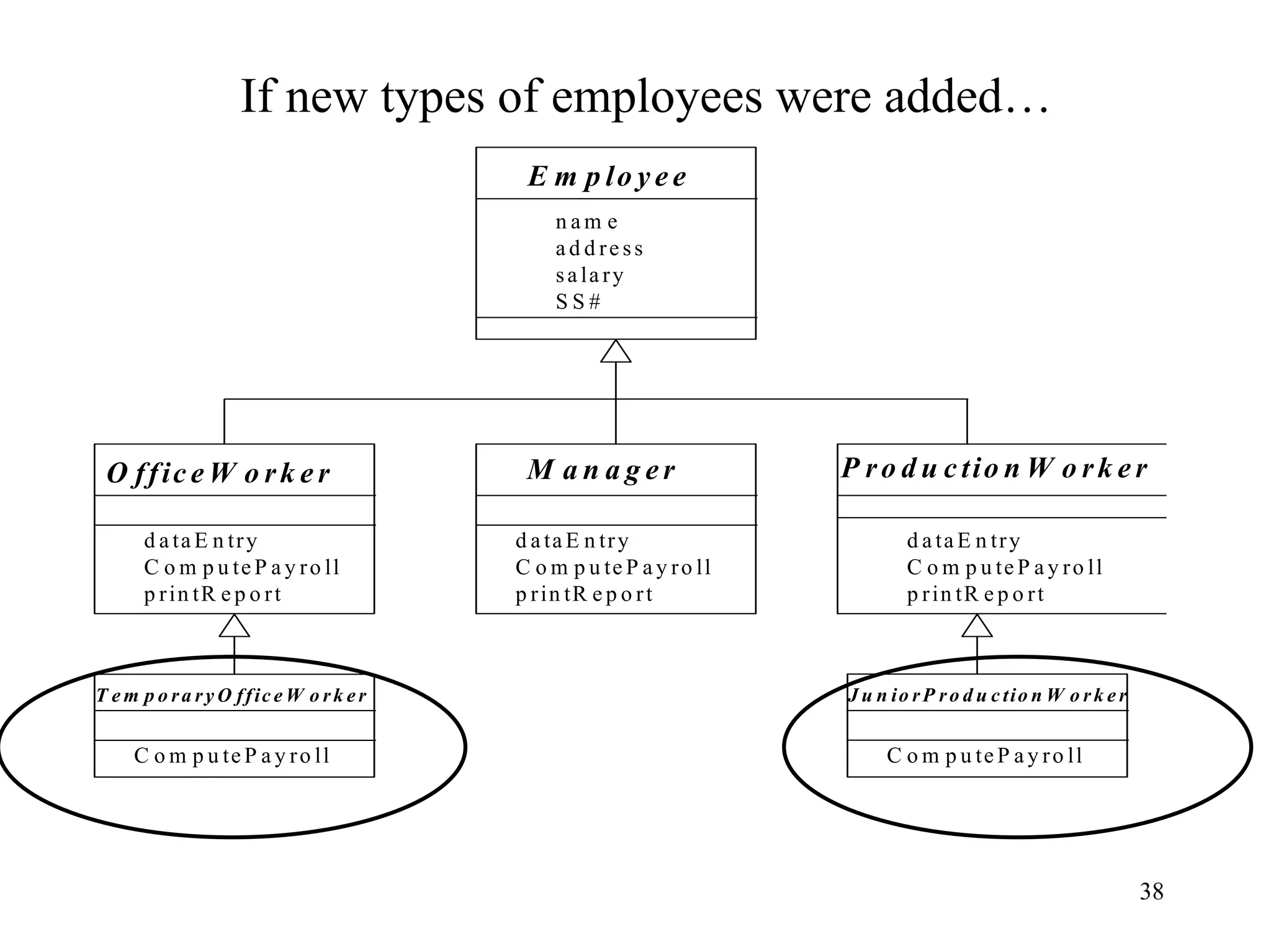
If new types of employees were added…
E m p lo y e e
O ffic e W o rk e r M a n a g e r P ro d u c tio n W o rk e r
n a m e
a d d re ss
sa la ry
S S #
d a ta E n try
C o m p u te P a y ro ll
p rin tR e p o rt
d a ta E n try
C o m p u te P a y ro ll
p rin tR e p o rt
d a ta E n try
C o m p u te P a y ro ll
p rin tR e p o rt
T e m p o ra ry O ffic e W o rk e r
C o m p u te P a y ro ll
J u n io rP ro d u c tio n W o rk e r
C o m p u te P a y ro ll
39
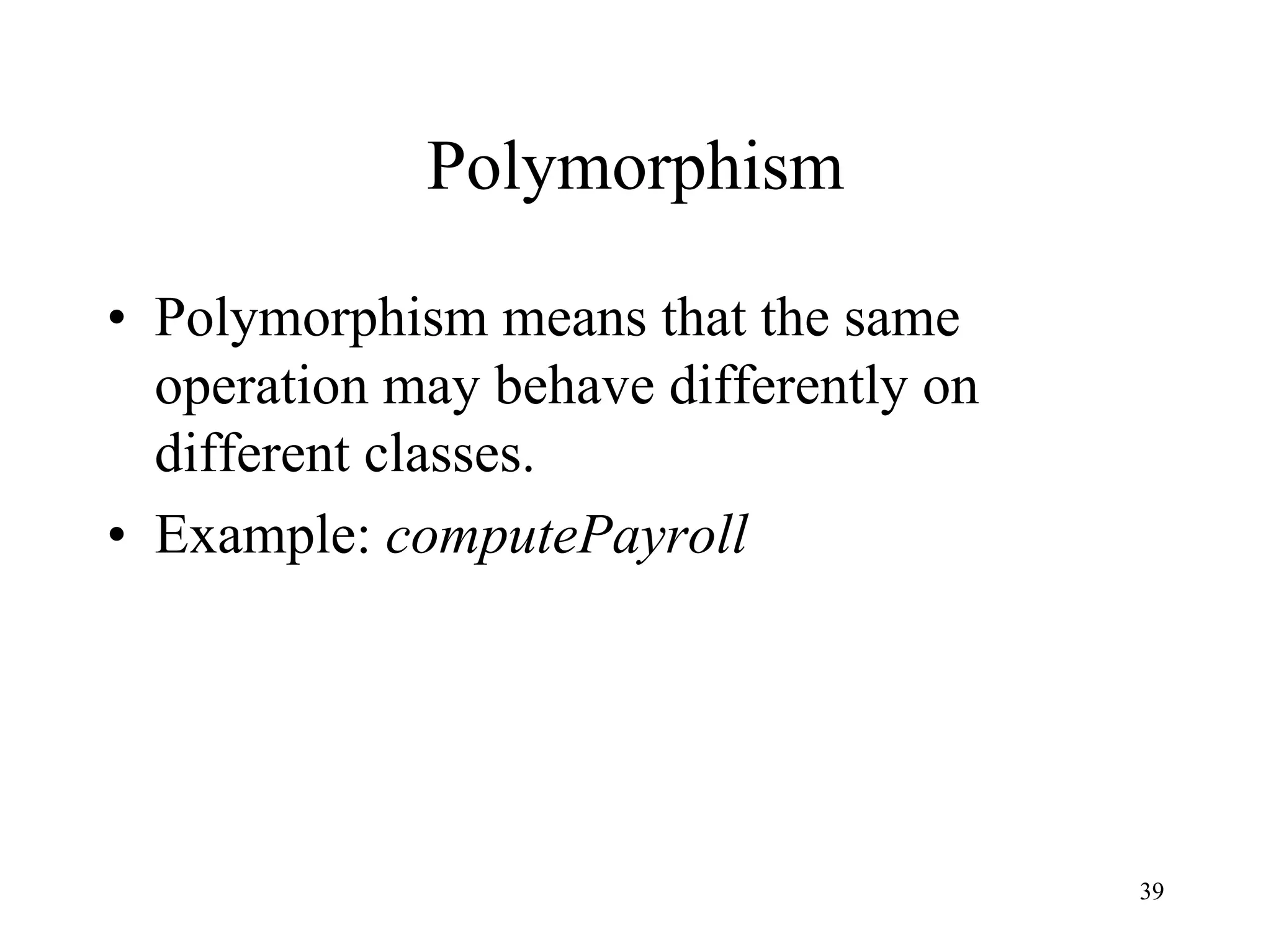
Polymorphism
• Polymorphism means that the same
operation may behave differently on
different classes.
• Example: computePayroll
40
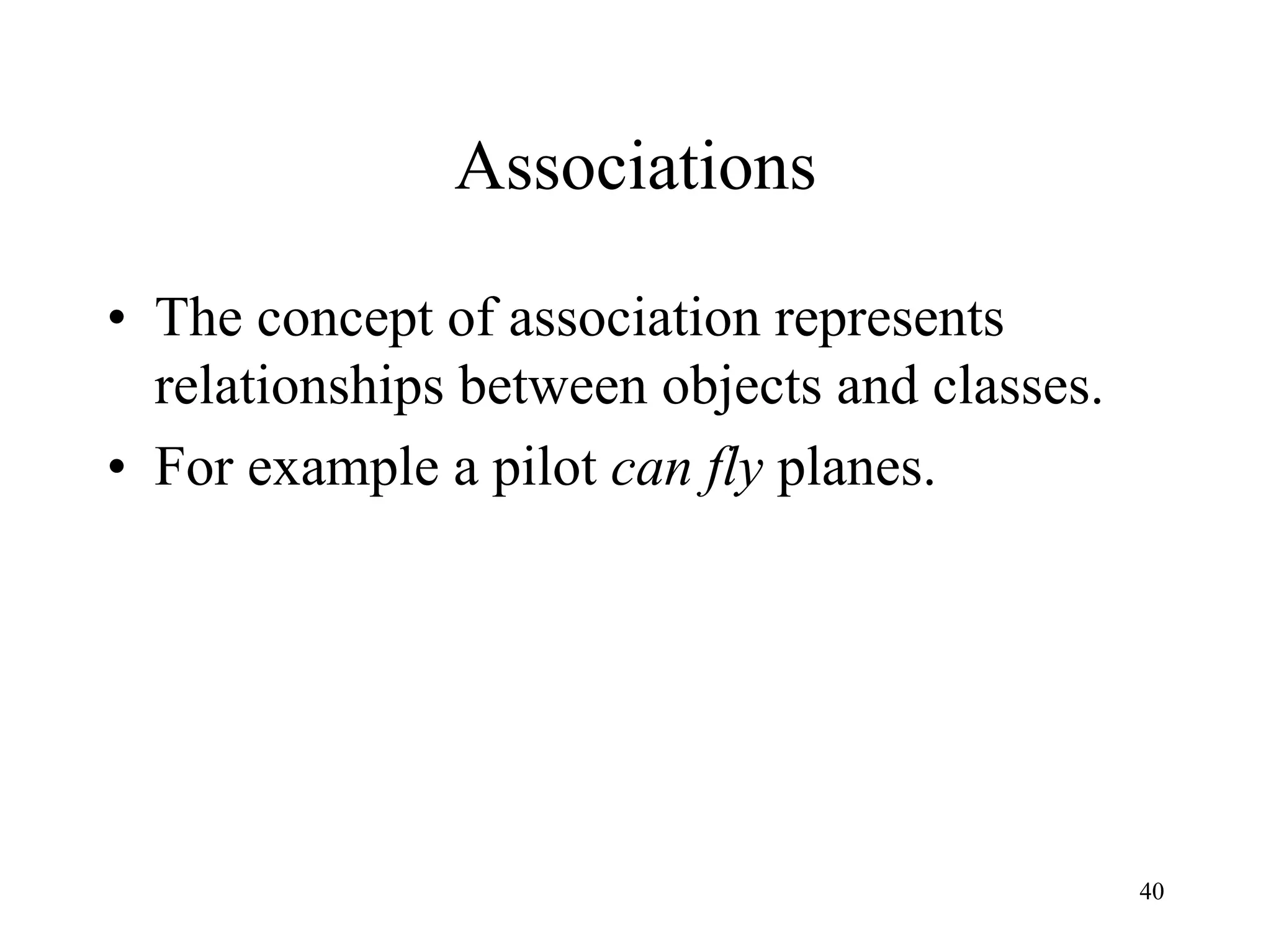
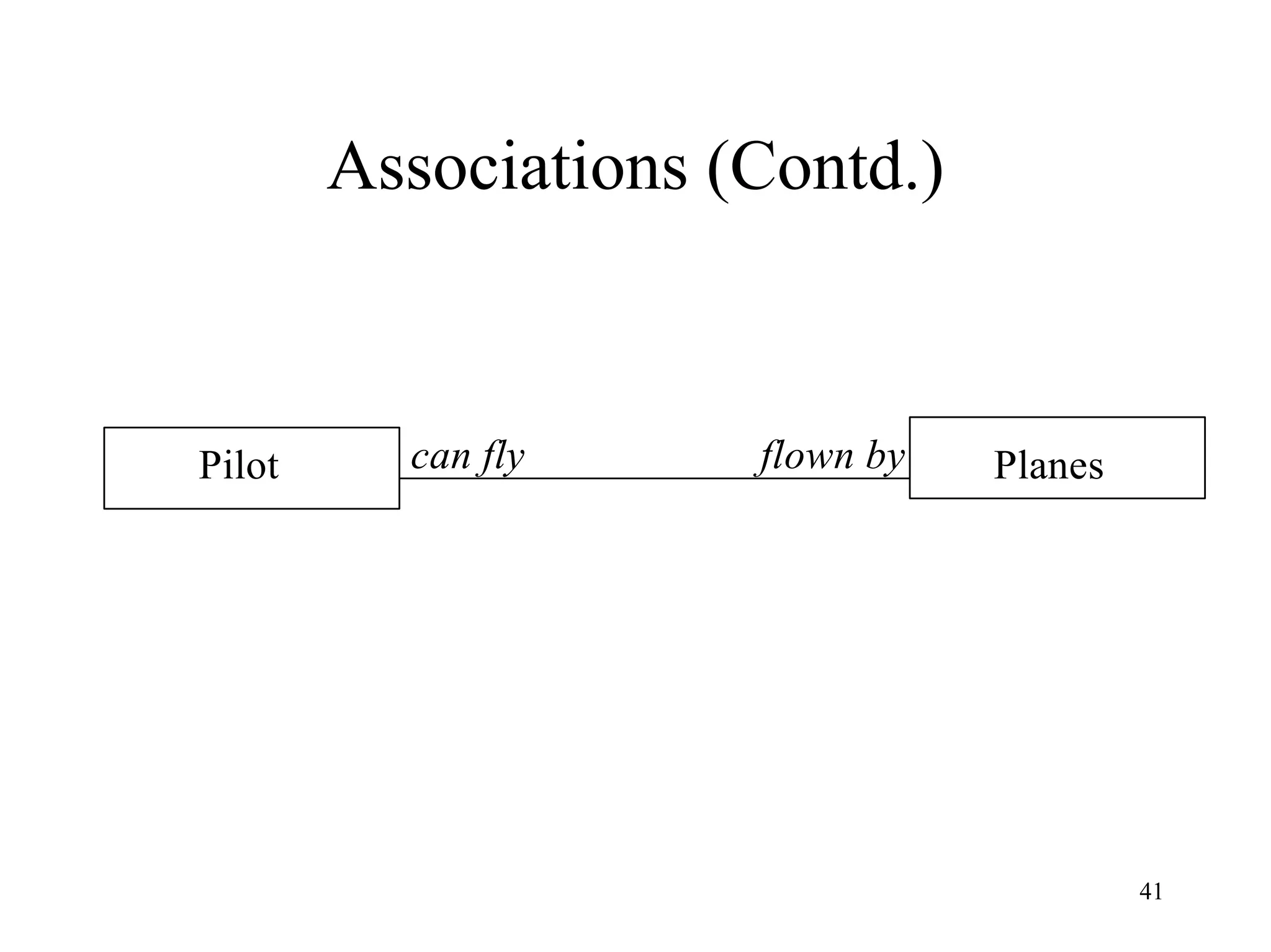
Associations
• The concept of association represents
relationships between objects and classes.
• For example a pilot can fly planes.
41
Associations (Contd.)
Pilot Planescan fly flown by
42
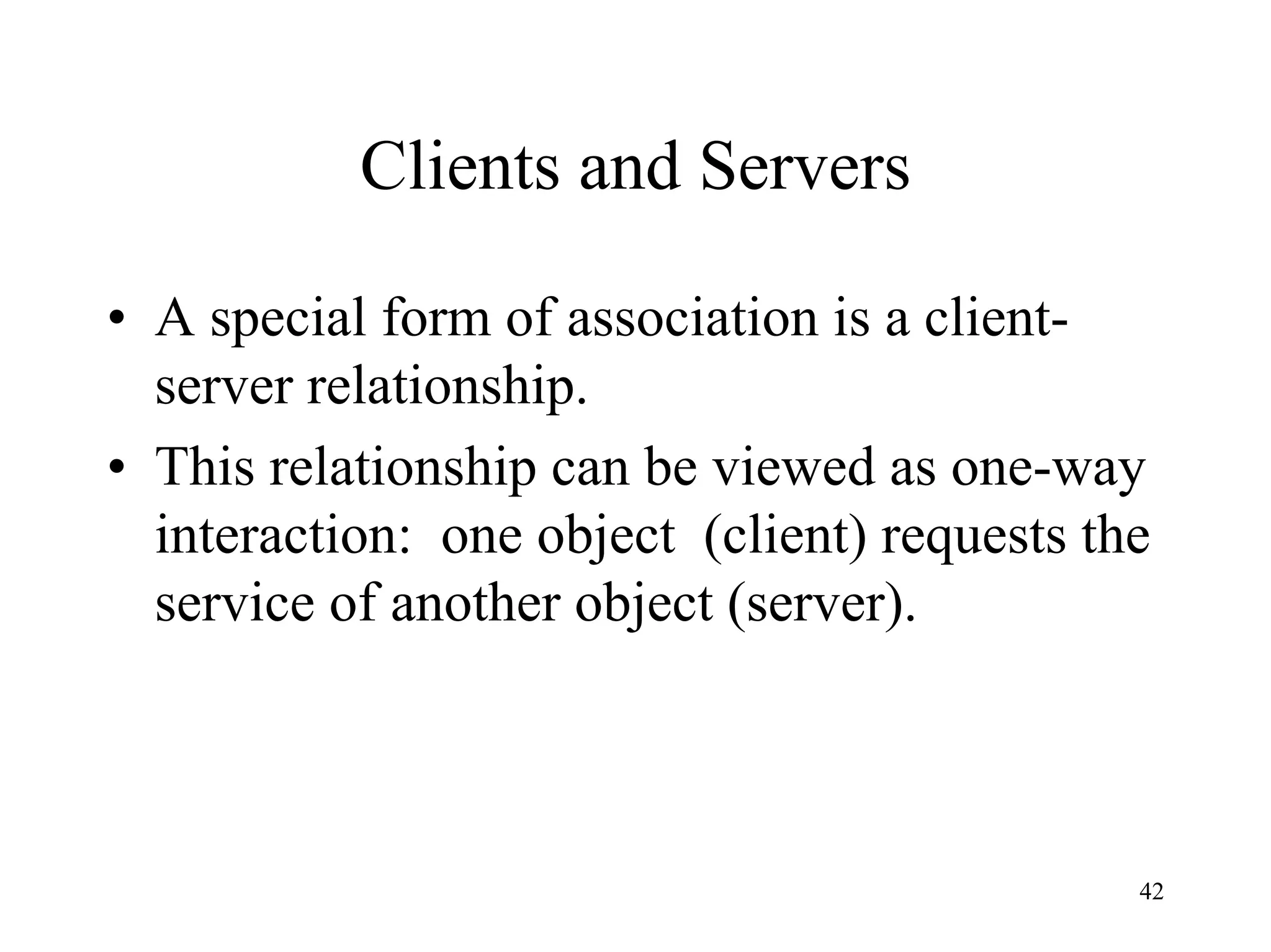
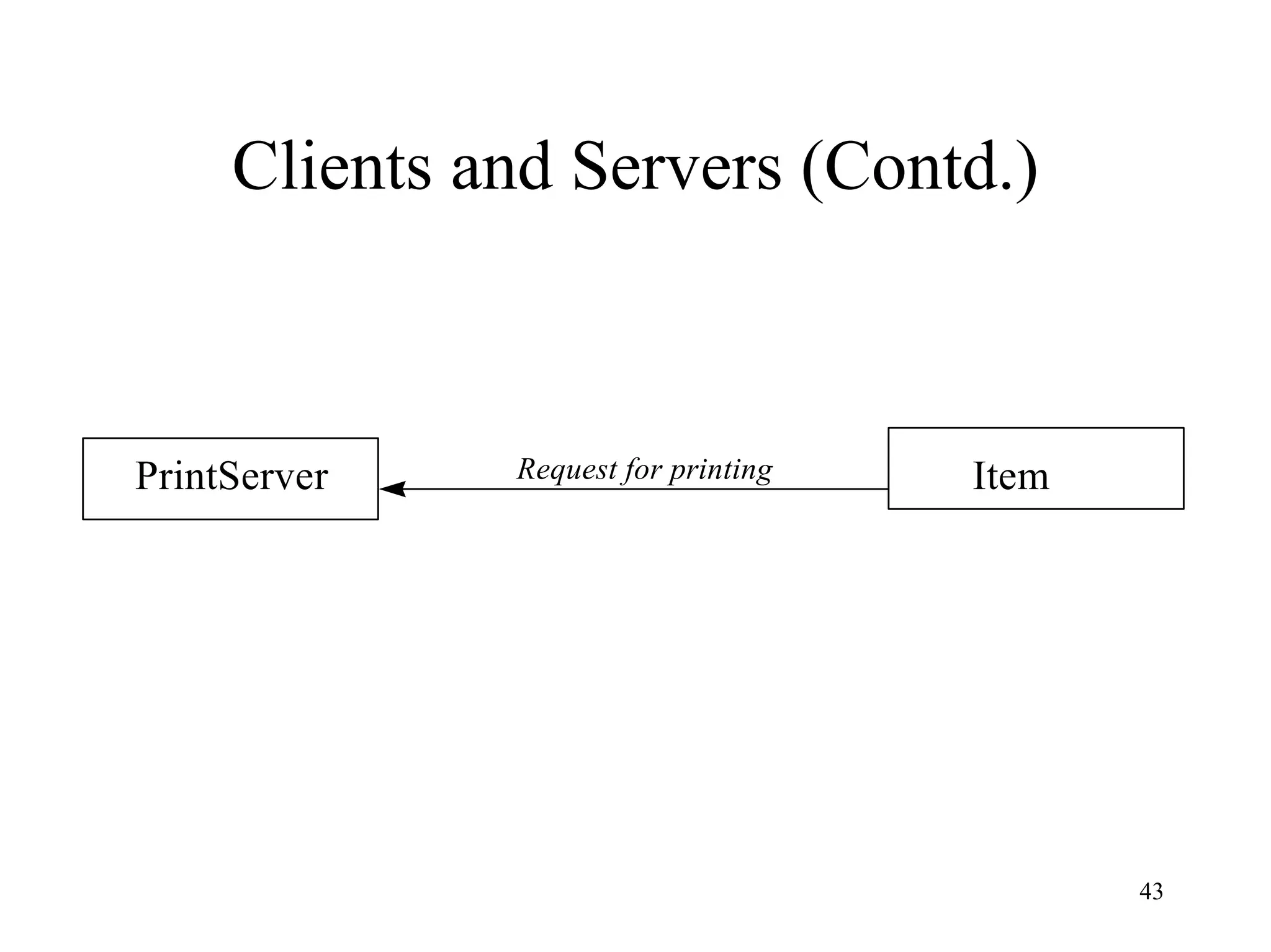
Clients and Servers
• A special form of association is a client-
server relationship.
• This relationship can be viewed as one-way
interaction: one object (client) requests the
service of another object (server).
43
Clients and Servers (Contd.)
PrintServer ItemRequest for printing
44
Objects and Persistence
• Objects have a lifetime.
• An object can persist beyond application
session boundaries, during which the object
is stored in a file or a database, in some file
or database form.
45
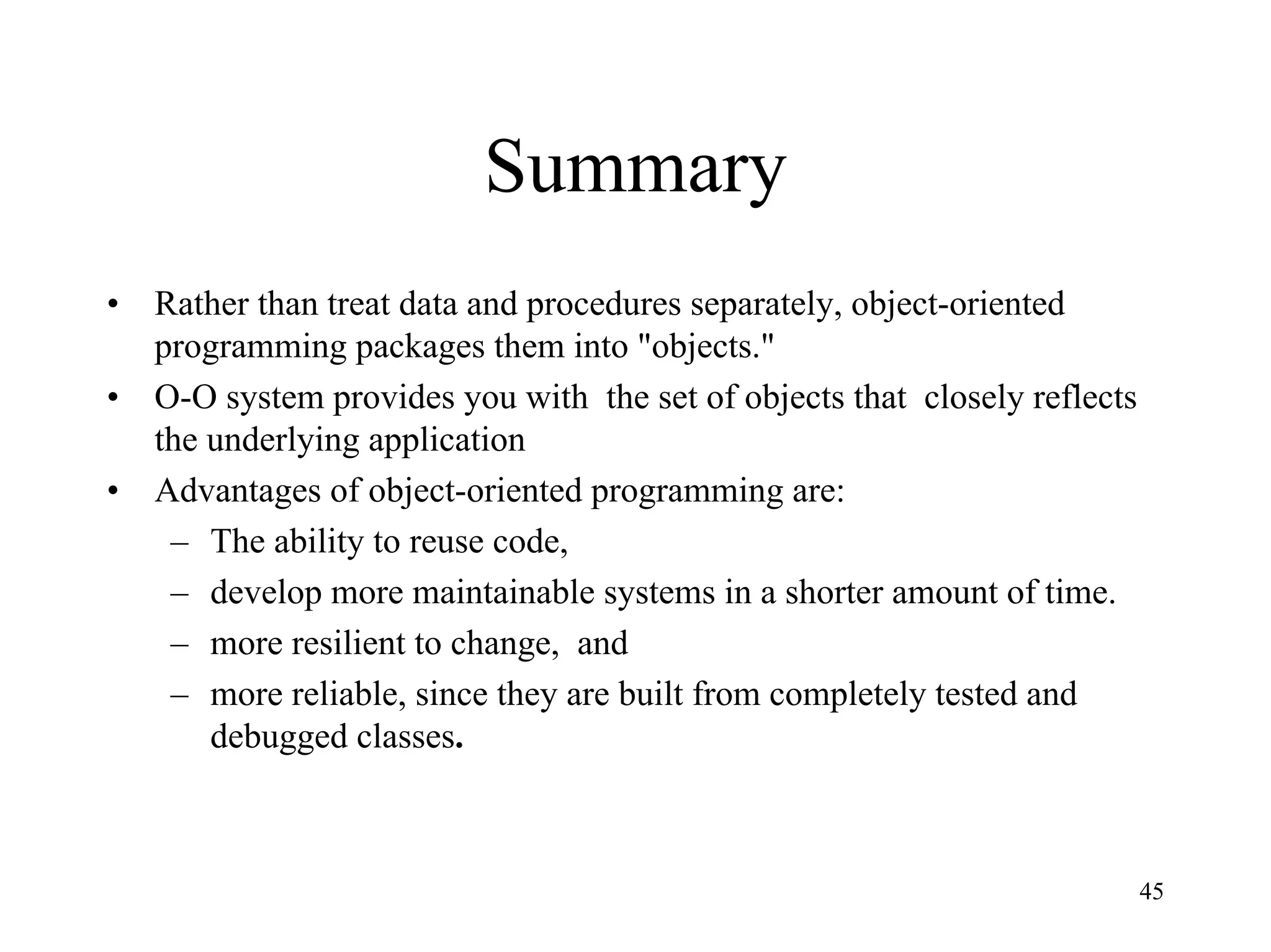
Summary
• Rather than treat data and procedures separately, object-oriented
programming packages them into "objects."
• O-O system provides you with the set of objects that closely reflects
the underlying application
• Advantages of object-oriented programming are:
– The ability to reuse code,
– develop more maintainable systems in a shorter amount of time.
– more resilient to change, and
– more reliable, since they are built from completely tested and
debugged classes.

Oo aand d-overview

  • 1.
    1 Object Oriented Analysisand Design: An Overview Balaji Rajagopalan Credits: Material for the slides is drawn from a variety of sources including Object Oriented Analysis and Design using UML by Ali Bahrami.
  • 2.
    2 What is ObjectOrientation (OO)? • Traditional (structured) approaches viewed software along two orthogonal axes: Algorithms + Data Structures • The OO centers on the object which combines the two orthogonal views
  • 3.
    3 Why OO? • Higherlevel of abstraction • Seamless transition among different phases of software development • Encouragement of good programming (Class carefully delineates interface -what the class can do and implementation of that interface - How the class does what it does) • Promotes reusability Note that OO analysis and design does not make OO programming language a requirement for implementation
  • 4.
    4 The result ofusing the OO approach is….. •Object-Oriented (OO) systems development is a way to develop software by building self- contained modules that can be more easily: •Replaced •Modified •and Reused.
  • 5.
    5 Analysis Design Prototypingand Testing Return Book? Yes Go to counter and return the book Borrow Books? Done? Yes Yes No Perform Research? Inter Libray Loan? Yes Inter Library Loan Section, check out book No Search for the book in the library Checking out Books? Go to counter and check out the book Yes Do Research on the topic No Read newspaper /books Yes Sit somewhere quiet and read newspaper, books, etc. No Member comes in Business process modeling using activity diagram Checking AccountBank Client ATM Machine Account Withdraw Checking Account Withdraw Successful Request Kind Enter Kind Request Amount Enter Amount Process Transaction Transaction succeed Dispense Cash Request Take Cash Take Cash Request Continuation Terminate Print Receipt The advantage of developing a business process model is that it familiarizes you with the system and therefore the user requirements Use case diagrams Use cases capture the goal of the users and the responsibility of the system to its users Sequence diagramcollaboration diagram The process of creating sequence or collaboration diagrams is a systematic way to think about how a use case can take place, and by doing so, it forces you to think about objects involves in your application 1. Identify the users/actors (Chapter 6): Who is (or will be) using the system? 2. Develop a simple business process model 3. Develop the use case (Chapter 6): What are (or will be) the users are doing with the system? Use cases provide comprehensive documentation of the system under study 4. Interaction diagrams (Chapter 7) 4.1 Develop sequence diagrams 4.2 Develop collaboration diagrams. 4.3 Iterate and refine 5. Classification (Chapter 8) 5.1 Identify Classes 5.2 Identify Relationships 5.3 Identify Attributes 5.4 Identify Methods 5.5 Iterate and refine. * 1 1 1 1 1.. * Class diagram 6. Apply design axioms to design classes, their attributes, methods, associations, structures, and protocols (Chapter 9) 6.1. Refine and complete the static UML class diagram (object model) by adding details to the UML class diagram (Chapter 10) 6.1.1 Refine attributes 6.1.2 Design methods and protocols by utilizing UML activity diagram for representation of method’s algorithm 6.1.3 Refine (if required) associations between classes 6.1.4 Refine (if required) class hierarchy and design with inheritance ViaNet Bank ATM Sytem Account Transaction #transDate : Date #transTime : Time #transType : String #amount :float #postBalance : float Account #number: String #balance : float CheckingAccount #savings : Account SavingsAccount #checking : Account * 1 Account- Transaction 1 1 Savings- Checking 1.. * #transaction: Transaction #account : Account +verifyPassword() +deposit() +withdraw() #retrieveAccount() +withdraw() #createTransaction() #updateAccount() BankClient #firstName : String #lastName :String #pinNumber : String #account : Account ATMMachine #cardNumber : String #address : String #state : String #bankClient: BankClient #transID : String Refine UML Class diagram CheckingAccount::+withdraw (anAmount:Float):ReturnCode:String insufficient funds Withdraw using Account class method Account.withdraw (anAmount) sufficient funds Doesn't have savings account withdraw using SavingsAccount method SavingsAccount.withdraw SavingsAccount.balance - (anAmount - CheckAccount.balance)) insufficient funds acount has savings account returnCode ="Insufficient funds" sufficient funds returnCode = "OK" Design methods by utilizing UML Activity Diagram 6.2 Iterate and refine (reapply Design axioms). 7.0 Design the access ayer (Chapter 11) 7.1. Create maccess layer classes by mirroring the business classes 7.2. Define relationships 7.3. Simplify classes and structures 7.3.1 Eliminate redundant classes 7.3.2 Eliminate method classes 7.4 Iterate and refine 8. Designing view layer classes (Chapter 12) 8.1 Macro-level UI design Process- Identifying View layer Objects 8.2 Micro-level UI design activities: 8.2.1 Designing the view layer objects by applying design axioms and corollaries 8.2.2 Prototyping the view layer interface. 8.3. Usability and user satisfaction testing (Chapter 14): 8.4 Iterate and refine Transaction #transDate : Date #transTime : Time #transType : String #amount :float #postBalance : float BankClient #firstName : String #lastName :String #pinNumber : String #account : Account Account #number: String #balance : float CheckingAccount #savings : Account ATMMachine SavingsAccount #checking : Account BanK * 1 Account- Transaction 1 1 Savings- Checking 1 1.. * Has #cardNumber : String #transaction: Transaction #account : Account #address : String #state : String +verifyPassword() +deposit() +withdraw() -retrieveAccount() +withdraw() #createTransaction() -updateAccountt() #bankClient: BankClient #transID : String BankDB +retrieveClient() +updateClient() +retrieveSavingsAccount() +updateSavingsAccount() Access Class(es) Business Classes #bankDB: BankDB #bankDB: BankDB +retrieveCheckingAccount() +updateCheckingAccount() -retrieveAccount() -updateAccountt() #retrieveAccount() #updateAccountt() UML Class diagram with added access and view classes 9. Iterate and refine the design/analysis: If needed repeat the preceding steps Create User Interface controls Associate actions to the User Interface controls and their events Test/Debug Enter title here OKCancel Create the forms and controls Enter title here OKCancel Add Actions Enter title here OKCancel Test the UI Done Prototype user interface 10 9 8 7 6 5 4 3 2 1 Very easy to use Very Hard to use Is easy to operate: How do you rate the ViaNet Bank ATM Kiosk Interface? 10 9 8 7 6 5 4 3 2 1 Very appropriate Not appropriate Buttons are right size and easily can be located: 10 9 8 7 6 5 4 3 2 1 Very efficient Very inefficient Is efficient to use: 10 9 8 7 6 5 4 3 2 1 Very Not Fun at all Is Fun to use: 10 9 8 7 6 5 4 3 2 1 Very pleasing Not pleasing Is visually pleasing: Comments: I have more to say, I would like to see you. 10 9 8 7 6 5 4 3 2 1 Very easy recovery Not at all Provides easy recovery from errors: Usability and user satisfaction testing
  • 6.
    6 Object Basics •Define Objectsand classes •Describe objects’ methods, attributes and how objects respond to messages, •Define Polymorphism, Inheritance, data abstraction, encapsulation, and protocol, •Describe objects relationships, •Describe object persistence, •Understand meta-classes.
  • 7.
    7 What is anobject? • The term object was first formally utilized in the Simula language to simulate some aspect of reality. • An object is an entity. – It knows things (has attributes) – It does things (provides services or has methods)
  • 8.
    8 Attributes (Contd.) I ama Car. I know my color, manufacturer, cost, owner and model.
  • 9.
    9 Attributes (Contd.) I ama Fish. I know my date of arrival and expiration.
  • 10.
    10 It does things(methods) I know how to compute my payroll.
  • 11.
  • 12.
    12 What is anobject? (Contd.) • Attributes or properties describe object’s state (data) and methods define its behavior. • Object is whatever an application wants to talk about. – For example, Parts and assemblies might be objects of bill of material application. – Stocks and bonds might be objects of financial investment applications.
  • 13.
    13 Objects • In anobject-oriented system, everything is an object: numbers, arrays, records, fields, files, forms, an invoice, etc. • An Object is anything, real or abstract, about which we store data and those methods that manipulate the data. • Conceptually, each object is responsible for itself. l A chart object is responsible for things like maintaining its data and labels, and even for drawing itself. l A window object is responsible for things like opening, sizing, and closing itself.
  • 14.
    14 Two Basic Questions •When developing an O-O application, two basic questions always arise. – What objects does the application need? – What functionality should those objects have?
  • 15.
    15 Object’s Attributes andMethods • Attributes – represented by data type. – They describe objects states. – In the Car example the car’s attributes are: • color, manufacturer, cost, owner, model, etc. • Methods – define objects behavior and specify the way in which an Object’s data are manipulated. – In the Car example the car’s methods are: • drive it, lock it, tow it, carry passenger in it.
  • 16.
    16 Objects are Groupedin Classes • The role of a class is to define the attributes and methods (the state and behavior) of its instances. • The class car, for example, defines the property color. • Each individual car (object) will have a value for this property, such as "maroon," "yellow" or "white."
  • 17.
    17 Employee Class Jane objectMark objectJohn object
  • 18.
    18 A Class isan Object Template, or an Object Factory. B o e in g A irp la n e O b je c ts (B o e in g in s ta n c e s )
  • 19.
    19 Class Hierarchy • Anobject-oriented system organizes classes into subclass-super hierarchy. • At the top of the hierarchy are the most general classes and at the bottom are the most specific
  • 20.
    20 Class Hierarchy (Contd.) •A subclass inherits all of the properties and methods (procedures) defined in its superclass. Motor Vehicle Truck CarBus
  • 21.
    21 Inheritance (programming by extension) • Inheritance is a relationship between classes where one class is the parent class of another (derived) class. • Inheritance allows classes to share and reuse behaviors and attributes. • The real advantage of inheritance is that we can build upon what we already have and, • Reuse what we already have.
  • 22.
    22 Inheritance (Contd.) Ford Vehicle Car M ustangTaurus Thunderbird stop (myM ustang) I don’t know how to stop I know how to stop stop method is reusable
  • 23.
    23 Multiple Inheritance • OOsystems permit a class to inherit from more than one superclass. • This kind of inheritance is referred to as multiple inheritance.
  • 24.
    24 Multiple Inheritance (Contd.) •For example utility vehicle inherits from Car and Truck classes. MotorVehicle Truck Car Bus UtilityVehicle
  • 25.
    25 Encapsulation and Information Hiding •Information hiding is a principle of hiding internal data and procedures of an object. Private Protocol Public Protocol Messages Data Permissible operations
  • 26.
    26 Encapsulation and Information Hiding(Contd.) • By providing an interface to each object in such a way as to reveal as little as possible about its inner workings. • Encapsulation protects the data from corruption.
  • 27.
    27 Protocol • Protocol isan interface to the object. • TV contains many complex components, but you do not need to know about them to use it.
  • 28.
    28 Message • Objects performoperations in response to messages. • For example, you may communicate with your computer by sending it a message from hand-held controller.
  • 29.
    29 A Case Study- A Payroll Program • Consider a payroll program that processes employee records at a small manufacturing firm. This company has three types of employees: • 1. Managers: Receive a regular salary. • 2. Office Workers: Receive an hourly wage and are eligible for overtime after 40 hours. • 3. Production Workers: Are paid according to a piece rate.
  • 30.
    30 Structured Approach FOR EVERYEMPLOYEE DO BEGIN IF employee = manager THEN CALL computeManagerSalary IF employee = office worker THEN CALL computeOfficeWorkerSalary IF employee = production worker THEN CALL computeProductionWorkerSalary END
  • 31.
    31 What if weadd two new types of employees? • Temporary office workers ineligible for overtime, • Junior production workers who receive an hourly wage plus a lower piece rate.
  • 32.
    32 FOR EVERY EMPLOYEEDO BEGIN IF employee = manager THEN CALL computeManagerSalary IF employee = office worker THEN CALL computeOfficeWorker_salary IF employee = production worker THEN CALL computeProductionWorker_salary IF employee = temporary office worker THEN CALL computeTemporaryOfficeWorkerSalary IF employee = junior production worker THEN CALL computeJuniorProductionWorkerSalary END
  • 33.
    33 An Object-Oriented Approach •What objects does the application need? – The goal of OO analysis is to identify objects and classes that support the problem domain and system's requirements. – Some general candidate classes are: – Persons – Places – Things
  • 34.
    34 What are someof the application’s classes? • Employee • Manager • Office Workers • Production Workers
  • 35.
    35 Class Hierarchy • Identifyclass hierarchy • Identify commonality among the classes • Draw the general-specific class hierarchy.
  • 36.
    36 Class Hierarchy (Contd.) Employee OfficeWorkerManager ProductionWorker name address salary SS# dataEntry ComputePayroll printReport dataEntry ComputePayroll printReport dataEntry ComputePayroll printReport
  • 37.
    37 OO Approach FOR EVERYEMPLOYEE DO BEGIN employee computePayroll END
  • 38.
    38 If new typesof employees were added… E m p lo y e e O ffic e W o rk e r M a n a g e r P ro d u c tio n W o rk e r n a m e a d d re ss sa la ry S S # d a ta E n try C o m p u te P a y ro ll p rin tR e p o rt d a ta E n try C o m p u te P a y ro ll p rin tR e p o rt d a ta E n try C o m p u te P a y ro ll p rin tR e p o rt T e m p o ra ry O ffic e W o rk e r C o m p u te P a y ro ll J u n io rP ro d u c tio n W o rk e r C o m p u te P a y ro ll
  • 39.
    39 Polymorphism • Polymorphism meansthat the same operation may behave differently on different classes. • Example: computePayroll
  • 40.
    40 Associations • The conceptof association represents relationships between objects and classes. • For example a pilot can fly planes.
  • 41.
  • 42.
    42 Clients and Servers •A special form of association is a client- server relationship. • This relationship can be viewed as one-way interaction: one object (client) requests the service of another object (server).
  • 43.
    43 Clients and Servers(Contd.) PrintServer ItemRequest for printing
  • 44.
    44 Objects and Persistence •Objects have a lifetime. • An object can persist beyond application session boundaries, during which the object is stored in a file or a database, in some file or database form.
  • 45.
    45 Summary • Rather thantreat data and procedures separately, object-oriented programming packages them into "objects." • O-O system provides you with the set of objects that closely reflects the underlying application • Advantages of object-oriented programming are: – The ability to reuse code, – develop more maintainable systems in a shorter amount of time. – more resilient to change, and – more reliable, since they are built from completely tested and debugged classes.