
Online Library Resources
Section L
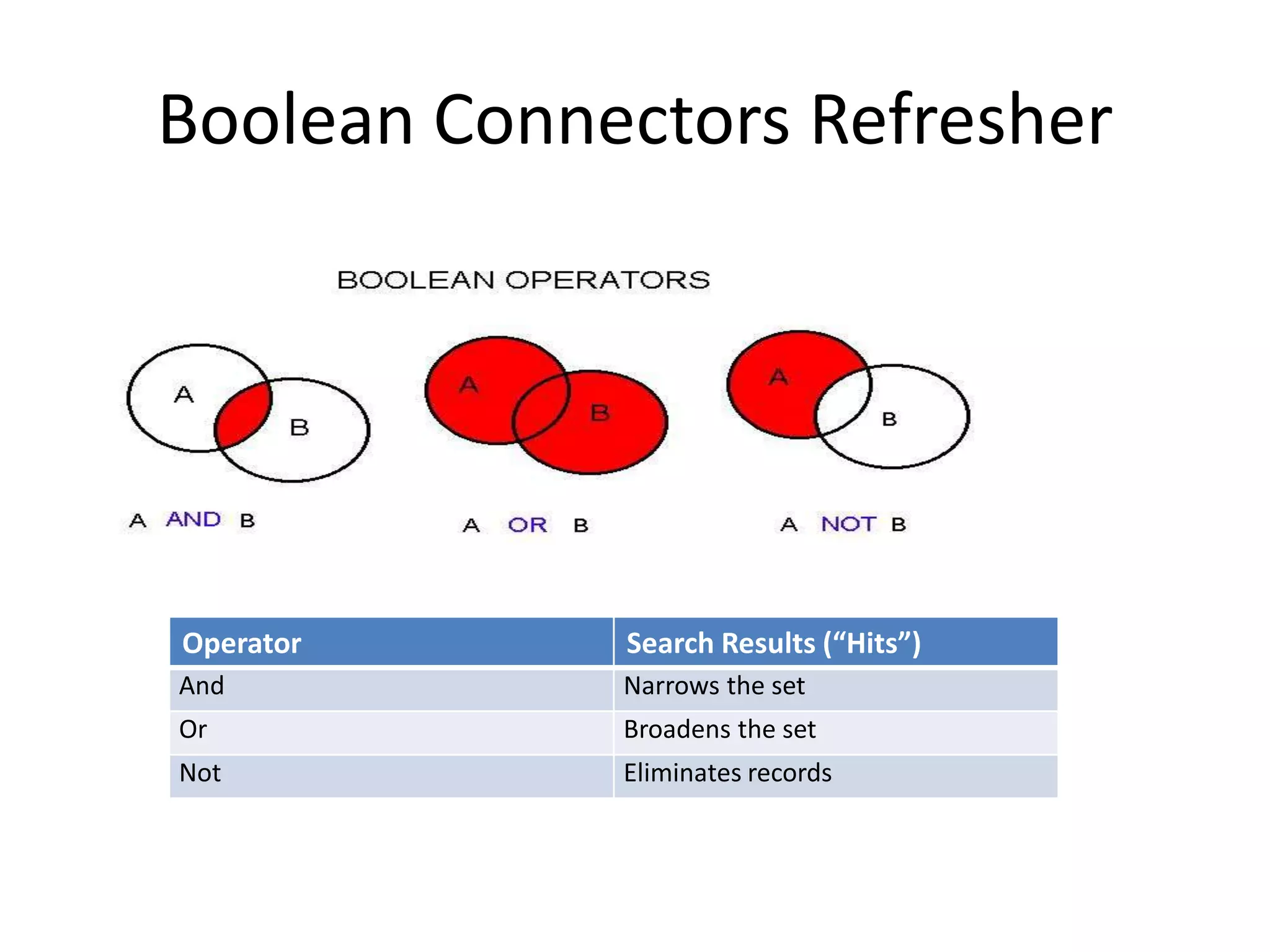
Boolean Connectors Refresher
Operator Search Results (“Hits”)
And Narrows the set
Or Broadens the set
Not Eliminates records
Boolean Searching (simple)
• Imagine that you are looking for more
information about deforestation in Africa.
Which of the following searches will bring
back the most relevant set of results?
• No problems! The majority of you chose to
search for Africa AND deforestation to find the
most relevant results for information about
deforestation in Africa.
Boolean Searching (more complex)
• Searching for two terms using Boolean
operators is fairly straightforward.
• However, If you want to search for more than
two terms, you need to group your related
terms together (e.g., bats OR birds), which is
referred to as “nesting”.
 Yes, “nesting” is applicable even when the question isn’t about
birds. 
Boolean Searching (complex)
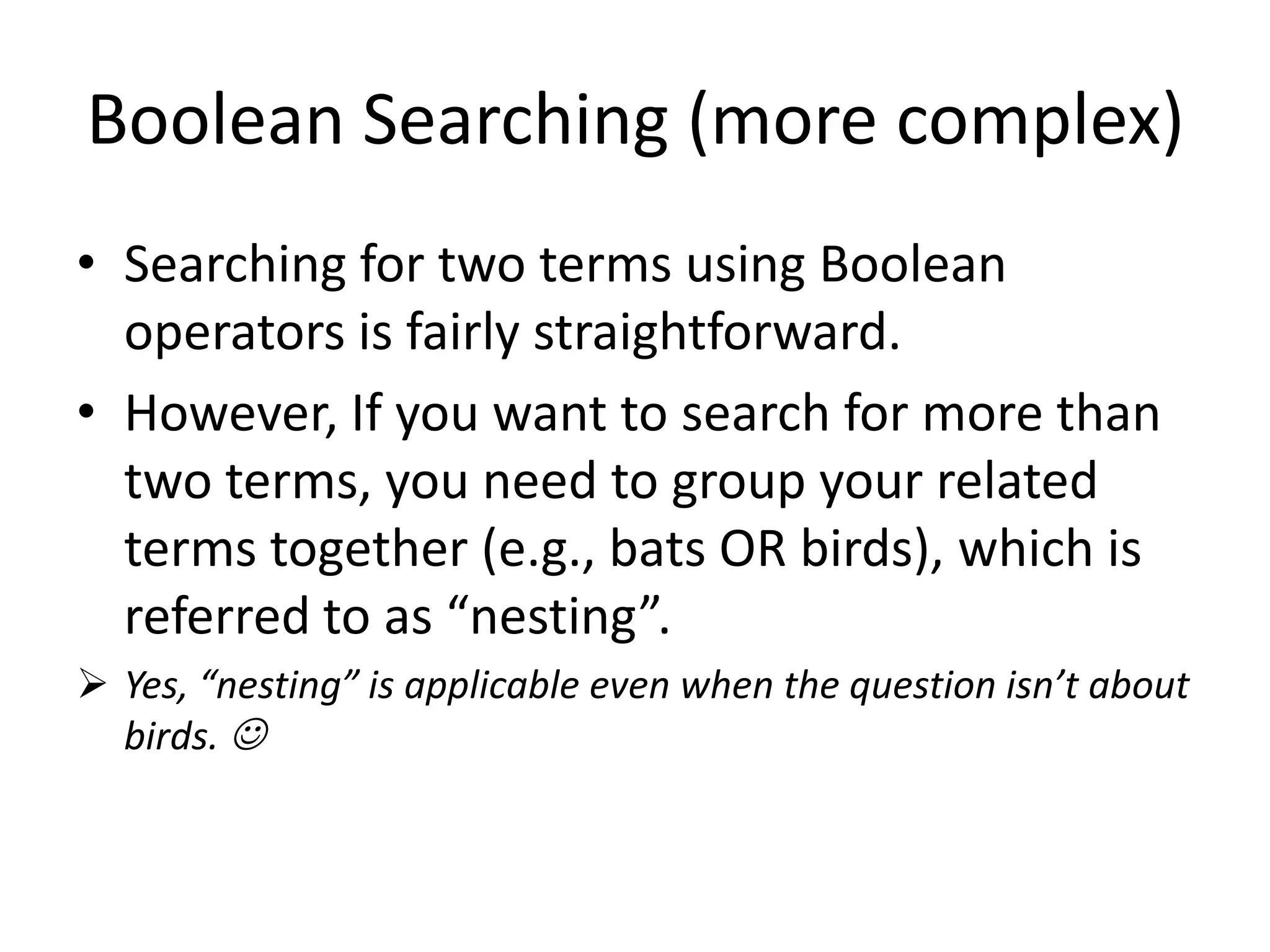
If you performed this type search
You would receive these results
(shaded in gray area)
Boolean Searching (complex)
• In the preceding search you would receive a
fairly small set of results (25), the Boolean
operators retrieve only articles that have all
three terms (in every article).
By using AND between each term, you are
unnecessarily narrowing your results to
articles that have all three terms.
Boolean Searching (complex)
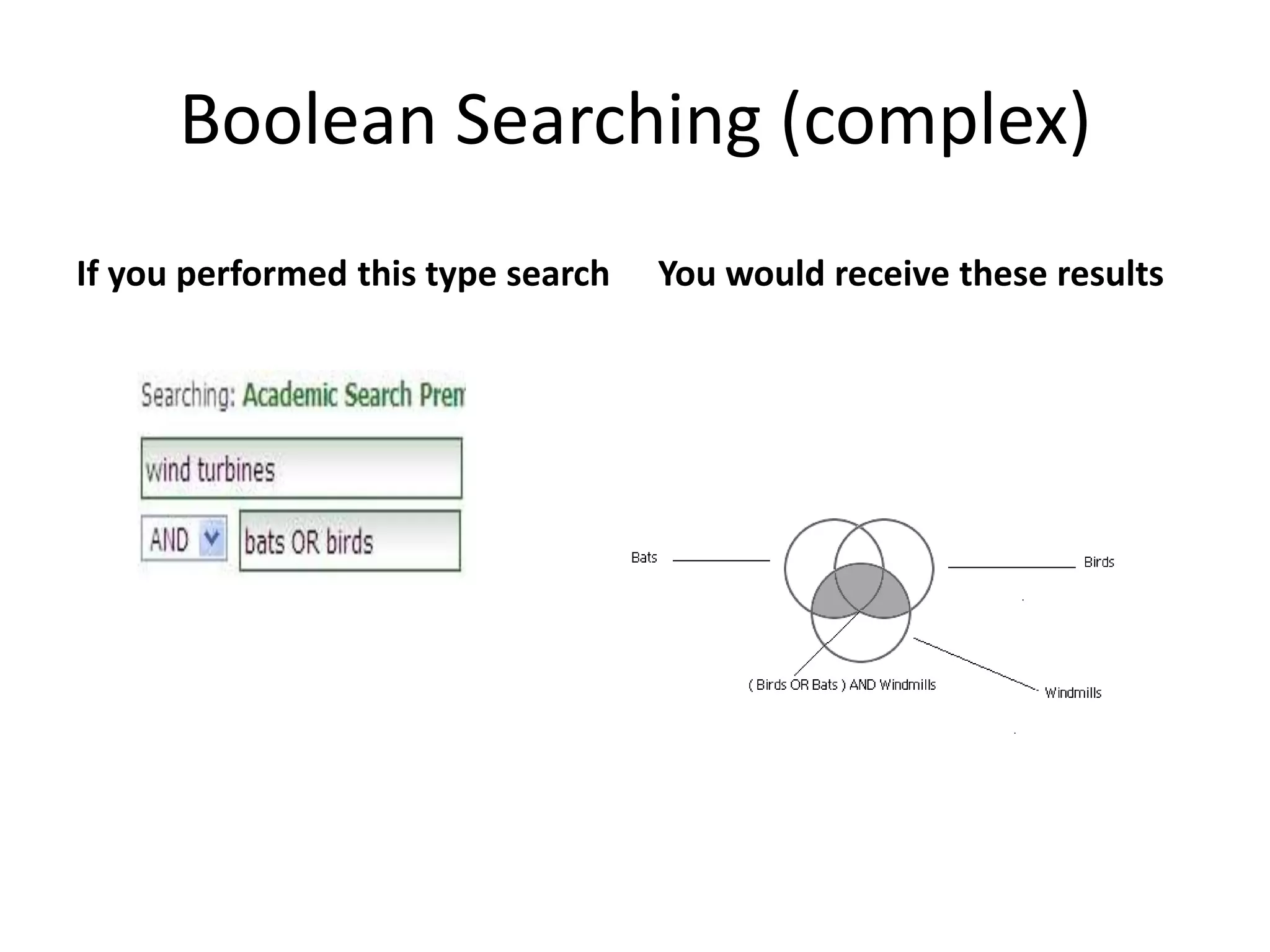
If you performed this type search You would receive these results
Boolean Searching (complex)
 In the preceeding search you will retrieve a
larger set of results (125) that find ALL of the
results about wind turbines and bats as well
as ALL of the results about wind turbines and
birds.
 A basic rule of thumb for complex searches is
to group related terms with OR and unlike
terms with AND.
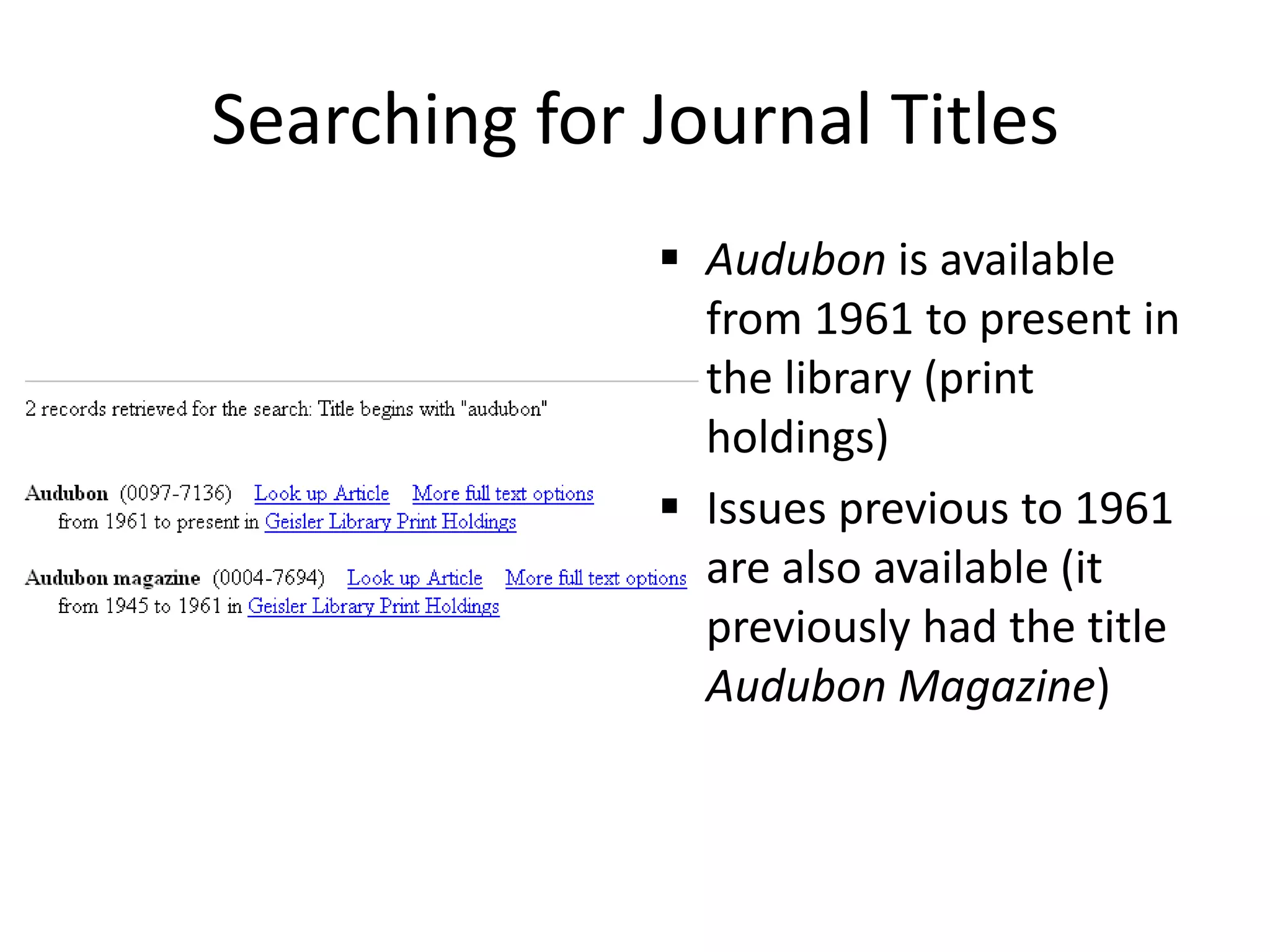
Searching for Journal Titles
 Searching for the journal Audubon – almost
half of you responded that “Audubon” isn’t
available at Geisler Library
 However, if you enter the title “Audubon” in
the Geisler Journal List, you will see the
following (next slide)
Searching for Journal Titles
 Audubon is available
from 1961 to present in
the library (print
holdings)
 Issues previous to 1961
are also available (it
previously had the title
Audubon Magazine)
Catalog, Databases, and Journals
 Academic Search Premier and databases have
many full text articles, but
 some titles such as “Audubon” you would
have to come to the library to check out or
photocopy/scan an article
 To check what coverage the library has of any
scholarly journal, popular magazine, or
newspaper just enter the title on the Geisler
Journal List.
Library FAQs
• Checkout periods
– Books: 3 weeks
– Movies: 1 day
– More information at http://guides.central.edu/policies
• Renewals
– 2 times (if a hold hasn’t been placed on item)
• Holds
– Can place holds on items which are check out

Online Library Resources

  • 1.
  • 2.
    Boolean Connectors Refresher OperatorSearch Results (“Hits”) And Narrows the set Or Broadens the set Not Eliminates records
  • 3.
    Boolean Searching (simple) •Imagine that you are looking for more information about deforestation in Africa. Which of the following searches will bring back the most relevant set of results? • No problems! The majority of you chose to search for Africa AND deforestation to find the most relevant results for information about deforestation in Africa.
  • 4.
    Boolean Searching (morecomplex) • Searching for two terms using Boolean operators is fairly straightforward. • However, If you want to search for more than two terms, you need to group your related terms together (e.g., bats OR birds), which is referred to as “nesting”.  Yes, “nesting” is applicable even when the question isn’t about birds. 
  • 5.
    Boolean Searching (complex) Ifyou performed this type search You would receive these results (shaded in gray area)
  • 6.
    Boolean Searching (complex) •In the preceding search you would receive a fairly small set of results (25), the Boolean operators retrieve only articles that have all three terms (in every article). By using AND between each term, you are unnecessarily narrowing your results to articles that have all three terms.
  • 7.
    Boolean Searching (complex) Ifyou performed this type search You would receive these results
  • 8.
    Boolean Searching (complex) In the preceeding search you will retrieve a larger set of results (125) that find ALL of the results about wind turbines and bats as well as ALL of the results about wind turbines and birds.  A basic rule of thumb for complex searches is to group related terms with OR and unlike terms with AND.
  • 9.
    Searching for JournalTitles  Searching for the journal Audubon – almost half of you responded that “Audubon” isn’t available at Geisler Library  However, if you enter the title “Audubon” in the Geisler Journal List, you will see the following (next slide)
  • 10.
    Searching for JournalTitles  Audubon is available from 1961 to present in the library (print holdings)  Issues previous to 1961 are also available (it previously had the title Audubon Magazine)
  • 11.
    Catalog, Databases, andJournals  Academic Search Premier and databases have many full text articles, but  some titles such as “Audubon” you would have to come to the library to check out or photocopy/scan an article  To check what coverage the library has of any scholarly journal, popular magazine, or newspaper just enter the title on the Geisler Journal List.
  • 12.
    Library FAQs • Checkoutperiods – Books: 3 weeks – Movies: 1 day – More information at http://guides.central.edu/policies • Renewals – 2 times (if a hold hasn’t been placed on item) • Holds – Can place holds on items which are check out