


user experience design
user experience research
app wireframing
user interface design
teaser video
demo reel
onekarte
challenge
Paper name cards are considered the fastest and easily acceptable
way of initializing a relationship with someone (exchanging
personal information). This is true, but paper has its limits as well.
In a hyper-connected, digitized society, people have maximized
the exposure of an individual through social media / internet. This
connection has now lead us to have abundant connections, but
even fewer real relationships (quantity over quality).
solution
Leverage technology with respect to the traditional business card
culture/practices.
After some research, a handful of apps offer something similar to
the company’s idea were found. The idea seems similar, but
executions vary. For the most part, they offer similar functionality
that offers impersonal solutions to the personalization that paper
cards offer. Looking at several categories such as total number of
downloads, page rankings, popularity on the app store, and other
critierias, four were picked to be given a closer look.
competitive analysis
camcard8card linkedincardfull
competitors
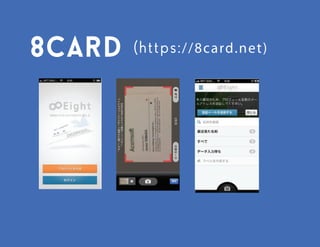
eight card
https://8card.net
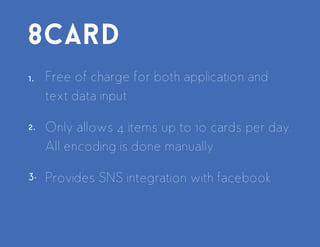
Free of charge for both application and text data input
Only allows 4 items up to 10 cards per day. All encoding is done
manually.
Provides SNS integration with facebook
some eight card screen shots
1.
2.
3.
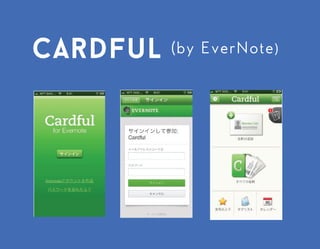
cardful
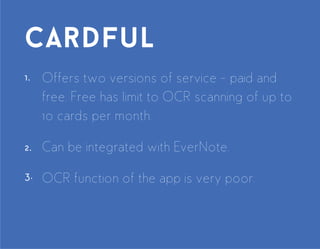
Offers two versions of service - paid and free.
Free has limit to OCR scanning of up to 10 cards per month.
Can be integrated with EverNote.
OCR function of the app is very poor.
some cardful screen shots
1.
2.
3.
1.
2.
3.
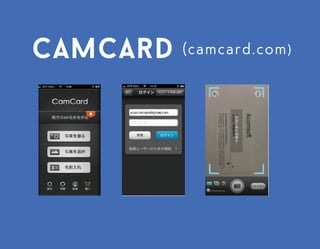
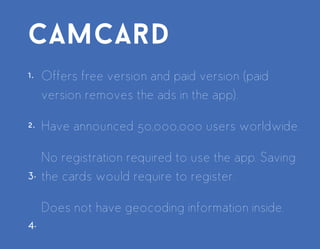
camcard
Offers free version and paid version (paid version removes the
ads in the app).
Have announced 50,000,000 users worldwide.
No registration required to use the app. Saving the cards would
require to register.
Does not have geocoding information inside.
https://www.camcard.com/
some camcard screen shots
1.
2.
3.
1.
2.
3.
Claims to have over 200 users worldwide
Considered as the largest SNS for professionals
Resumes are posted online
Bought CardMunch to get into the digital business card
market penetration
Still uses manual conversion of card information
Non-English text conversion is limited
linkedin
www.linkedin.com
some linkedin app screen shots
1.
2.
3.
A Google survey with 25 participants (17 Males, 8 Females) was
conducted to truly understand what to build and who to build
the app for.
19 questions were asked, 7 were designed as distractors.
Findings from the 12 questions were used to understand who to
build it for and what to build first.
Three user types were identified.
user research
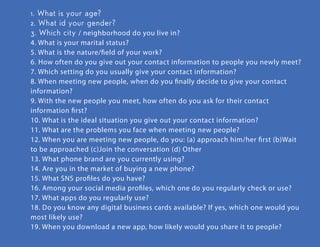
1. What is your age?
2. What id your gender?
3. Which city / neighborhood do you live in?
4. What is your marital status?
5. What is the nature/field of your work?
6. How often do you give out your contact information to people you newly meet?
7. Which setting do you usually give your contact information?
8. When meeting new people, when do you finally decide to give your contact
information?
9. With the new people you meet, how often do you ask for their contact
information first?
10. What is the ideal situation you give out your contact information?
11. What are the problems you face when meeting new people?
12. When you are meeting new people, do you: (a) approach him/her first (b)Wait
to be approached (c)Join the conversation (d) Other
13. What phone brand are you currently using?
14. Are you in the market of buying a new phone?
15. What SNS profiles do you have?
16. Among your social media profiles, which one do you regularly check or use?
17. What apps do you regularly use?
18. Do you know any digital business cards available? If yes, which one would you
most likely use?
19. When you download a new app, how likely would you share it to people?
questionnaire
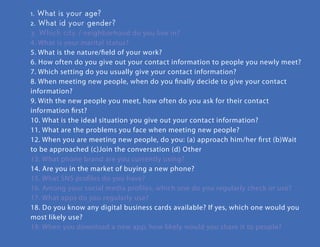
1. What is your age?
2. What id your gender?
3. Which city / neighborhood do you live in?
4. What is your marital status?
5. What is the nature/field of your work?
6. How often do you give out your contact information to people you newly
meet?
7. Which setting do you usually give your contact information?
8. When meeting new people, when do you finally decide to give your contact
information?
9. With the new people you meet, how often do you ask for their contact
information first?
10. What is the ideal situation you give out your contact information?
11. What are the problems you face when meeting new people?
12. When you are meeting new people, do you: (a) approach him/her first
(b)Wait to be approached (c)Join the conversation (d) Other
13. What phone brand are you currently using?
14. Are you in the market of buying a new phone?
15. What SNS profiles do you have?
16. Among your social media profiles, which one do you regularly check or use?
17. What apps do you regularly use?
18. Do you know any digital business cards available? If yes, which one would
you most likely use?
19. When you download a new app, how likely would you share it to people?
questionnaire
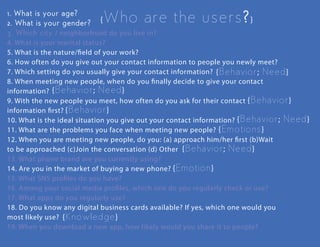
who are the users?
behavior / need / emotion
emotion
knowledge
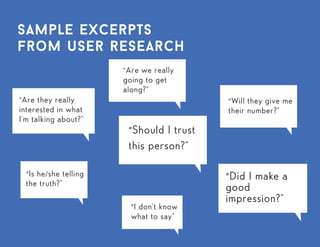
sample quotes from users
"Are they really
interested in
what I’m talking
about?”
“Is he/she telling
the truth?”
“Should I trust
this person?”
“I don’t know
what to say”
“Will they give me
their number?”
“Did I make a
good
impression?”
"Are we really
going to get
along?”
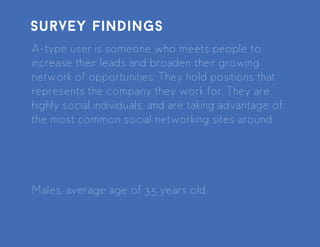
A-type user is someone who meets people to increase their leads
and broaden their growing network of opportunities. They hold
positions that represents the company they work for. They are
highly social individuals, and are taking advantage of the most
common social networking sites around.
Males, average age of 35 years old
survey findings
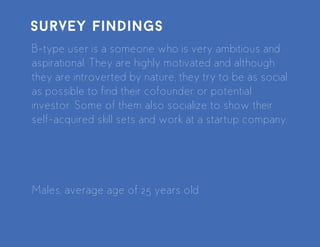
B-type user is a someone who is very ambitious and aspirational.
They are highly motivated and although they are introverted by
nature, they try to be as social as possible to find their cofounder
or potential investor. Some of them also socialize to show their
self-acquired skill sets and work at a startup company.
Males, average age of 25 years old
survey findings
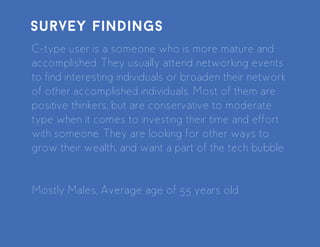
C-type user is a someone who is more mature and accomplished.
They usually attend networking events to find interesting
individuals or broaden their network of other accomplished
individuals. Most of them are positive thinkers, but are
conservative to moderate type when it comes to investing their
time and effort with someone. They are looking for other ways to
grow their wealth, and want a part of the tech bubble.
Mostly Males, Average age of 55 years old
survey findings
from the survey findings, the types of users are personified and
given life to relate to our target users
personas / archetypes
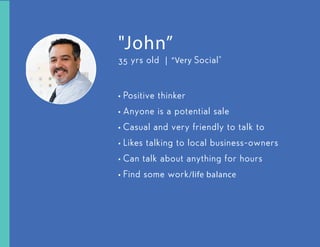
35 yrs old | “Very Social”
"John”
+ Positive thinker
+ Anyone is a potential sale
+ Casual and very friendly to talk to
+ Likes talking to local business-owners
+ Can talk about anything for hours
+ Find some work/life balance
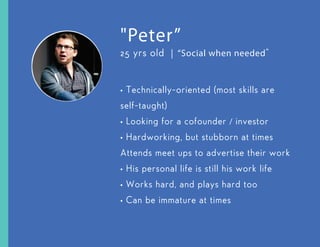
25 yrs old | “Social when needed”
"Peter”
+Technically-oriented (most skills are
self-taught)
+ Looking for a cofounder / investor
+ Hardworking, but stubborn at times
+ Attends meet ups to advertise their work
+ His personal life is still his work life
+ Works hard, and plays hard too
+ Can be immature at times
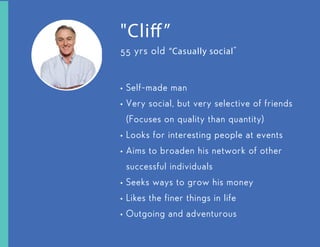
55 yrs old “Casually social”
+ Self-made man
+ Very social, but very selective of friends
(Focuses on quality than quantity)
+ Looks for interesting people at events
+ Aims to broaden his network of other
successful individuals
+ Seeks ways to grow his money
+ Likes the finer things in life
+ Outgoing and adventurous
"Cliff”
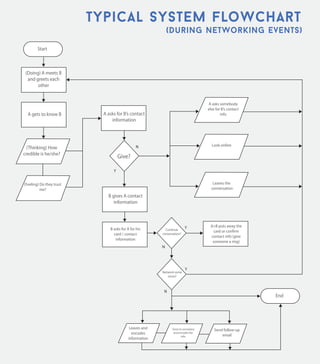
analyzing experiences on a step-by-step basis; mapping
everything that happens and see where opportunities could
present themselves
user flows
typical system flowchart
during networking events
(Doing) A meets
B and greets
each other
A gets to know B A asks for B’s
contact information
(Thinking) How
credible is
he/she?
(Feeling) Do they
trust me?
A asks somebody
else for B’s
contact info
Look online
Leaves and
encodes
information
Send follow-up
email
Gives to
secreatary and
encodes the info
Leaves the
conversation
B gives A contact
information
B asks for A for
his card / contact
information
A+B puts away the
card or confirm
contact info (give
someone a ring)
Give?
N
Y
N
Y
N
Y
Continue
conversation?
Network
some more?
Start
End
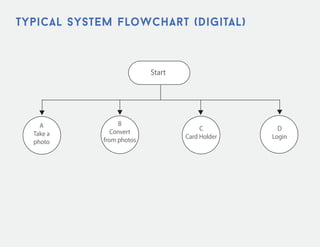
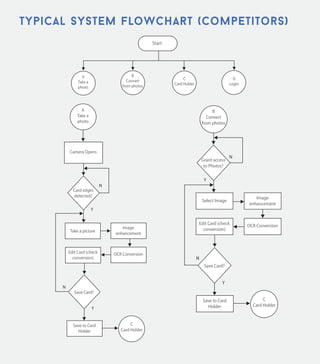
typical system flowchart
competitors in the mobile app department
Start
A
Take a
photo
B
Convert
from
photos
C
Card
Holder
D
Login
A
Take a
photo
Camera Opens
Take a picture
Image
enhancement
OCR Conversion
Save to Card
Holder
Edit Card (check
conversion)
C
Card
Holder
Card
edges
detected?
N
Y
Save Card?
N
Y
Select Image
Image
enhancement
OCR ConversionEdit Card (check
conversion)
B
Convert
from
photos
Grant
access to
Photos?
Y
N
Save to Card
Holder
C
Card
Holder
Save Card?
Y
N
typical system flowchart
continued
Start
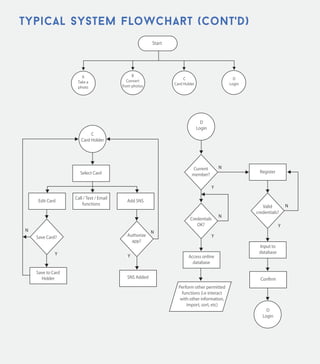
A
Take a
photo
B
Convert
from
photos
C
Card
Holder
D
Login
C
Card
Holder
Save Card? Authorize
app?
Y Y
N N
Save to Card
Holder SNS Added
Select Card
Edit Card
Call / Text /
Email functions
Add SNS
D
Login
D
Login
Register
Input to
database
Confirm
Access online
database
Current
member?
N
Y
Credentials
OK?
N
Y
Valid
credentials
?
N
Y
Perform other
permitted functions
(i.e interact with other
information, import,
sort, etc)
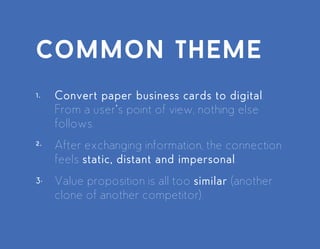
Convert paper business cards to digital. From a user’s point of
view, nothing else follows.
After exchanging information, the connection feels static, distant
and impersonal.
Value proposition is all too similar (another clone of another
competitor).
common theme
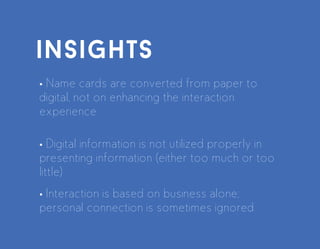
insights
Name cards are converted from paper to digital, not on
enhancing the interaction experience
Digital information is not utilized properly in presenting
information (either too much or too little)
Interaction is based on business alone; personal connection
is sometimes ignored
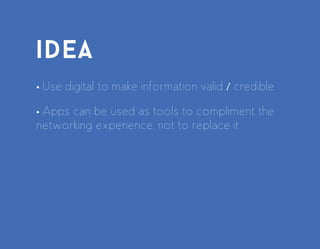
idea
use digital to make information valid / credible
apps can be used as tools to compliment the networking
experience, not to replace it
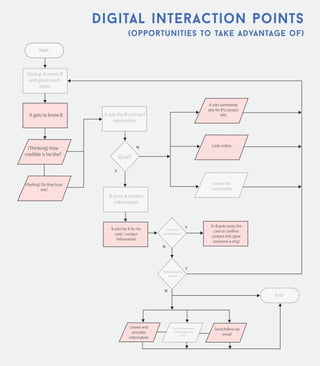
digital interaction points
(Doing) A meets
B and greets
each other
A gets to know B A asks for B’s
contact
information
(Thinking) How
credible is he/she?
(Feeling) Do they
trust me?
A asks somebody
else for B’s contact
information
Look online
Leaves and
encodes
information
Send follow-up
email
Gives to
secreatary and
encodes the info
Leaves the
conversation
B gives A contact
information
B asks for A for his
card / contact
information
A+B puts away the
card or confirm
contact info (give
someone a ring)
Give?
N
Y
N
Y
N
YContinue
conversation?
Network
some more?
Start
End
opportunities to take advantage of
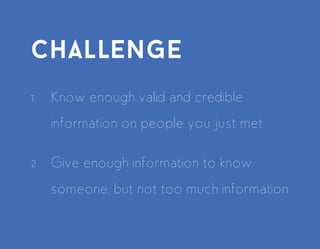
challenge
Know enough valid and credible information on people you
just met
Give enough information to know someone, but not too much
information
wireframes
from conceptualization to graphs, laying out visuals act as a
blueprint to serve as a walkthrough process of an application;
this gives the whole team a better understanding of how the end
product is going to look like from the end-user’s point of view
AT&T 11:56 AM
Dashboard
SearchExchange
Trade Contact
Information
View list of
contacts
Search name
of contacts
Business Card
This is your default card
to share with people
Contacts
AT&T 11:56 AM
My Card
Exchange
Business Card
First Name LName
Company
(123) 456 - 7899
email@email.com
job title
Edit
AT&T 11:56 AM
My Card
SearchExchange
Business Card
First Name LName
Company
(123) 456 - 7899
email@email.com
job title
Contacts
Edit
Turn On Bluetooth to Allow
Exchange of Cards?
Settings Cancel
1
2
The same could also be applied
by tapping the ‘Share’ button at
the lower left corner if the screen
once a card is selected.
Deck no. 8: Exchange Function
Low Firdelity mockups / wireframes
Bluetooth must be turned on to
make this work. Settings option
should take user to Bluetooth
settings to turn on
Tap the Exchange shortcut from
the dashboard
teaser video
30 second demo reel that explains the initial concept of onekarte
watch it now
app demo reel
beta version 0.8
watch it now

Onekarte Project: Beta version UX/UI with app demo

  • 1.
    user experience design userexperience research app wireframing user interface design teaser video demo reel onekarte
  • 2.
    challenge Paper name cardsare considered the fastest and easily acceptable way of initializing a relationship with someone (exchanging personal information). This is true, but paper has its limits as well. In a hyper-connected, digitized society, people have maximized the exposure of an individual through social media / internet. This connection has now lead us to have abundant connections, but even fewer real relationships (quantity over quality).
  • 3.
    solution Leverage technology withrespect to the traditional business card culture/practices.
  • 4.
    After some research,a handful of apps offer something similar to the company’s idea were found. The idea seems similar, but executions vary. For the most part, they offer similar functionality that offers impersonal solutions to the personalization that paper cards offer. Looking at several categories such as total number of downloads, page rankings, popularity on the app store, and other critierias, four were picked to be given a closer look. competitive analysis
  • 5.
  • 6.
    eight card https://8card.net Free ofcharge for both application and text data input Only allows 4 items up to 10 cards per day. All encoding is done manually. Provides SNS integration with facebook
  • 7.
    some eight cardscreen shots 1. 2. 3.
  • 8.
    cardful Offers two versionsof service - paid and free. Free has limit to OCR scanning of up to 10 cards per month. Can be integrated with EverNote. OCR function of the app is very poor.
  • 9.
    some cardful screenshots 1. 2. 3. 1. 2. 3.
  • 10.
    camcard Offers free versionand paid version (paid version removes the ads in the app). Have announced 50,000,000 users worldwide. No registration required to use the app. Saving the cards would require to register. Does not have geocoding information inside. https://www.camcard.com/
  • 11.
    some camcard screenshots 1. 2. 3. 1. 2. 3.
  • 12.
    Claims to haveover 200 users worldwide Considered as the largest SNS for professionals Resumes are posted online Bought CardMunch to get into the digital business card market penetration Still uses manual conversion of card information Non-English text conversion is limited linkedin www.linkedin.com
  • 13.
    some linkedin appscreen shots 1. 2. 3.
  • 14.
    A Google surveywith 25 participants (17 Males, 8 Females) was conducted to truly understand what to build and who to build the app for. 19 questions were asked, 7 were designed as distractors. Findings from the 12 questions were used to understand who to build it for and what to build first. Three user types were identified. user research
  • 15.
    1. What isyour age? 2. What id your gender? 3. Which city / neighborhood do you live in? 4. What is your marital status? 5. What is the nature/field of your work? 6. How often do you give out your contact information to people you newly meet? 7. Which setting do you usually give your contact information? 8. When meeting new people, when do you finally decide to give your contact information? 9. With the new people you meet, how often do you ask for their contact information first? 10. What is the ideal situation you give out your contact information? 11. What are the problems you face when meeting new people? 12. When you are meeting new people, do you: (a) approach him/her first (b)Wait to be approached (c)Join the conversation (d) Other 13. What phone brand are you currently using? 14. Are you in the market of buying a new phone? 15. What SNS profiles do you have? 16. Among your social media profiles, which one do you regularly check or use? 17. What apps do you regularly use? 18. Do you know any digital business cards available? If yes, which one would you most likely use? 19. When you download a new app, how likely would you share it to people? questionnaire
  • 16.
    1. What isyour age? 2. What id your gender? 3. Which city / neighborhood do you live in? 4. What is your marital status? 5. What is the nature/field of your work? 6. How often do you give out your contact information to people you newly meet? 7. Which setting do you usually give your contact information? 8. When meeting new people, when do you finally decide to give your contact information? 9. With the new people you meet, how often do you ask for their contact information first? 10. What is the ideal situation you give out your contact information? 11. What are the problems you face when meeting new people? 12. When you are meeting new people, do you: (a) approach him/her first (b)Wait to be approached (c)Join the conversation (d) Other 13. What phone brand are you currently using? 14. Are you in the market of buying a new phone? 15. What SNS profiles do you have? 16. Among your social media profiles, which one do you regularly check or use? 17. What apps do you regularly use? 18. Do you know any digital business cards available? If yes, which one would you most likely use? 19. When you download a new app, how likely would you share it to people? questionnaire who are the users? behavior / need / emotion emotion knowledge
  • 17.
    sample quotes fromusers "Are they really interested in what I’m talking about?” “Is he/she telling the truth?” “Should I trust this person?” “I don’t know what to say” “Will they give me their number?” “Did I make a good impression?” "Are we really going to get along?”
  • 18.
    A-type user issomeone who meets people to increase their leads and broaden their growing network of opportunities. They hold positions that represents the company they work for. They are highly social individuals, and are taking advantage of the most common social networking sites around. Males, average age of 35 years old survey findings
  • 19.
    B-type user isa someone who is very ambitious and aspirational. They are highly motivated and although they are introverted by nature, they try to be as social as possible to find their cofounder or potential investor. Some of them also socialize to show their self-acquired skill sets and work at a startup company. Males, average age of 25 years old survey findings
  • 20.
    C-type user isa someone who is more mature and accomplished. They usually attend networking events to find interesting individuals or broaden their network of other accomplished individuals. Most of them are positive thinkers, but are conservative to moderate type when it comes to investing their time and effort with someone. They are looking for other ways to grow their wealth, and want a part of the tech bubble. Mostly Males, Average age of 55 years old survey findings
  • 21.
    from the surveyfindings, the types of users are personified and given life to relate to our target users personas / archetypes
  • 22.
    35 yrs old| “Very Social” "John” + Positive thinker + Anyone is a potential sale + Casual and very friendly to talk to + Likes talking to local business-owners + Can talk about anything for hours + Find some work/life balance
  • 23.
    25 yrs old| “Social when needed” "Peter” +Technically-oriented (most skills are self-taught) + Looking for a cofounder / investor + Hardworking, but stubborn at times + Attends meet ups to advertise their work + His personal life is still his work life + Works hard, and plays hard too + Can be immature at times
  • 24.
    55 yrs old“Casually social” + Self-made man + Very social, but very selective of friends (Focuses on quality than quantity) + Looks for interesting people at events + Aims to broaden his network of other successful individuals + Seeks ways to grow his money + Likes the finer things in life + Outgoing and adventurous "Cliff”
  • 25.
    analyzing experiences ona step-by-step basis; mapping everything that happens and see where opportunities could present themselves user flows
  • 26.
    typical system flowchart duringnetworking events (Doing) A meets B and greets each other A gets to know B A asks for B’s contact information (Thinking) How credible is he/she? (Feeling) Do they trust me? A asks somebody else for B’s contact info Look online Leaves and encodes information Send follow-up email Gives to secreatary and encodes the info Leaves the conversation B gives A contact information B asks for A for his card / contact information A+B puts away the card or confirm contact info (give someone a ring) Give? N Y N Y N Y Continue conversation? Network some more? Start End
  • 27.
    typical system flowchart competitorsin the mobile app department Start A Take a photo B Convert from photos C Card Holder D Login A Take a photo Camera Opens Take a picture Image enhancement OCR Conversion Save to Card Holder Edit Card (check conversion) C Card Holder Card edges detected? N Y Save Card? N Y Select Image Image enhancement OCR ConversionEdit Card (check conversion) B Convert from photos Grant access to Photos? Y N Save to Card Holder C Card Holder Save Card? Y N
  • 28.
    typical system flowchart continued Start A Takea photo B Convert from photos C Card Holder D Login C Card Holder Save Card? Authorize app? Y Y N N Save to Card Holder SNS Added Select Card Edit Card Call / Text / Email functions Add SNS D Login D Login Register Input to database Confirm Access online database Current member? N Y Credentials OK? N Y Valid credentials ? N Y Perform other permitted functions (i.e interact with other information, import, sort, etc)
  • 29.
    Convert paper businesscards to digital. From a user’s point of view, nothing else follows. After exchanging information, the connection feels static, distant and impersonal. Value proposition is all too similar (another clone of another competitor). common theme
  • 30.
    insights Name cards areconverted from paper to digital, not on enhancing the interaction experience Digital information is not utilized properly in presenting information (either too much or too little) Interaction is based on business alone; personal connection is sometimes ignored
  • 31.
    idea use digital tomake information valid / credible apps can be used as tools to compliment the networking experience, not to replace it
  • 32.
    digital interaction points (Doing)A meets B and greets each other A gets to know B A asks for B’s contact information (Thinking) How credible is he/she? (Feeling) Do they trust me? A asks somebody else for B’s contact information Look online Leaves and encodes information Send follow-up email Gives to secreatary and encodes the info Leaves the conversation B gives A contact information B asks for A for his card / contact information A+B puts away the card or confirm contact info (give someone a ring) Give? N Y N Y N YContinue conversation? Network some more? Start End opportunities to take advantage of
  • 33.
    challenge Know enough validand credible information on people you just met Give enough information to know someone, but not too much information
  • 34.
    wireframes from conceptualization tographs, laying out visuals act as a blueprint to serve as a walkthrough process of an application; this gives the whole team a better understanding of how the end product is going to look like from the end-user’s point of view
  • 35.
    AT&T 11:56 AM Dashboard SearchExchange TradeContact Information View list of contacts Search name of contacts Business Card This is your default card to share with people Contacts AT&T 11:56 AM My Card Exchange Business Card First Name LName Company (123) 456 - 7899 email@email.com job title Edit AT&T 11:56 AM My Card SearchExchange Business Card First Name LName Company (123) 456 - 7899 email@email.com job title Contacts Edit Turn On Bluetooth to Allow Exchange of Cards? Settings Cancel 1 2 The same could also be applied by tapping the ‘Share’ button at the lower left corner if the screen once a card is selected. Deck no. 8: Exchange Function Low Firdelity mockups / wireframes Bluetooth must be turned on to make this work. Settings option should take user to Bluetooth settings to turn on Tap the Exchange shortcut from the dashboard
  • 36.
    teaser video 30 seconddemo reel that explains the initial concept of onekarte watch it now
  • 37.
    app demo reel betaversion 0.8 watch it now