
Project
 Project Online – Pros and Cons
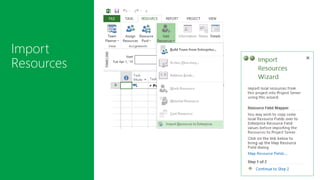
 Import Resources
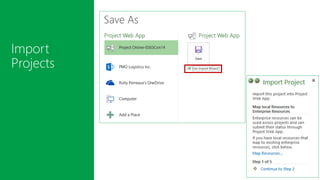
 Import Projects
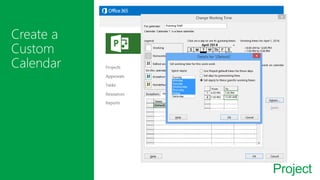
 Create a Custom Calendar
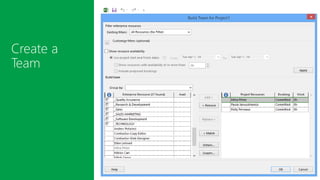
 Create a Team
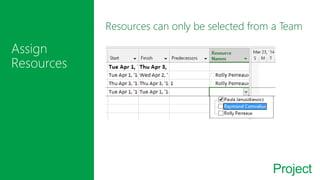
 Assign Resources
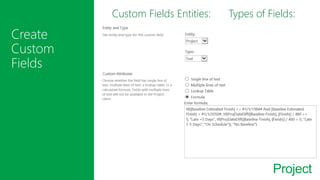
 Create Custom Field
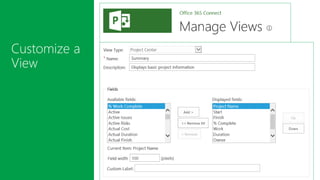
 Customize a View
 DEMO
 Announcement: Project Lite
 Questions
Project
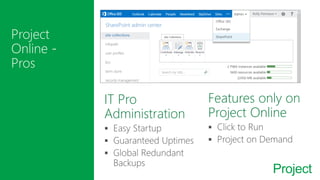
IT Pro
Administration
Features only on
Project Online
Project
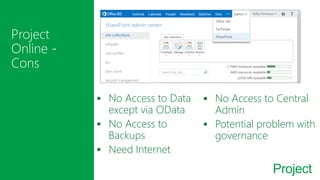
 No Access to Data
except via OData
 No Access to
Backups
 Need Internet
 No Access to Central
Admin
 Potential problem with
governance
Project
Project
Project
Project
Project
Resources can only be selected from a Team
Project
Custom Fields Entities:
 Projects
 Resources
 Tasks
Types of Fields:
 Cost
 Date
 Duration
 Flag
 Number
 Text
Project
Project Lite
$7 per user/month
Add/View/Edit Tasks
Issues/Risks
Timesheets
Update Status
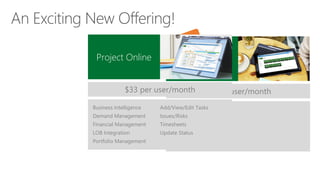
Project Online
$33 per user/month
Business Intelligence
Demand Management
Financial Management
LOB Integration
Portfolio Management
Add/View/Edit Tasks
Issues/Risks
Timesheets
Update Status
Project
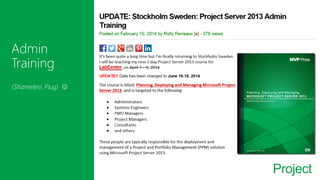
(Shameless Plug) 
Project
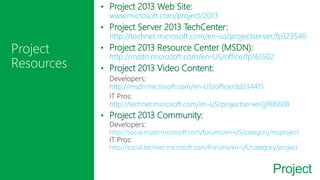
• Project 2013 Web Site:
www.microsoft.com/project/2013
• Project Server 2013 TechCenter:
http://technet.microsoft.com/en-us/projectserver/fp123546
• Project 2013 Resource Center (MSDN):
http://msdn.microsoft.com/en-US/office/fp161502
• Project 2013 Video Content:
http://msdn.microsoft.com/en-US/office/dd334415
http://technet.microsoft.com/en-US/projectserver/jj906608
• Project 2013 Community:
http://social.msdn.microsoft.com/forums/en-US/category/msproject
http://social.technet.microsoft.com/Forums/en-US/category/project
@RollyPerreaux
http://linkedin.com/in/RollyPerreaux
rolly.perreaux@pmologistics.com
http://www.mvp-press.com
http://rollyperreaux.com

O365con14 - how to manage projects using project online