




Nodebots with Arduino
Hackster.io
Monica Houston
monica@hackster.io
The ABC’s
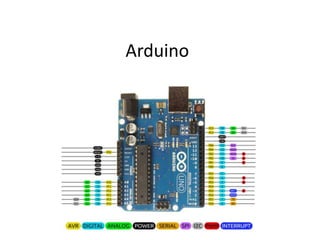
Arduino
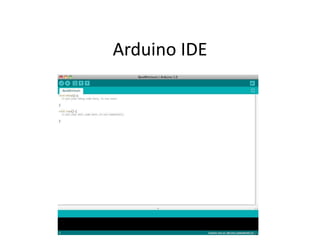
Arduino IDE
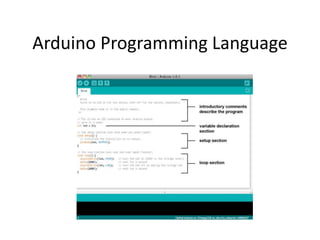
Arduino Programming Language
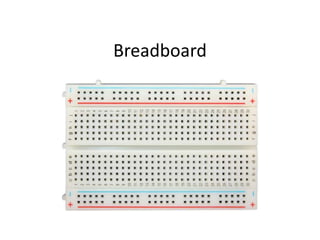
Breadboard
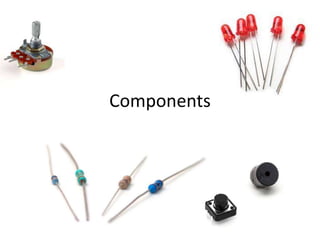
Components
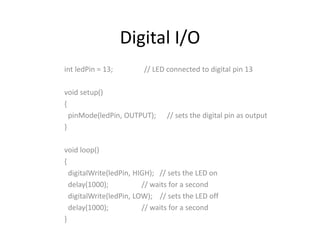
Digital I/O
int ledPin = 13; // LED connected to digital pin 13
void setup()
{
pinMode(ledPin, OUTPUT); // sets the digital pin as output
}
void loop()
{
digitalWrite(ledPin, HIGH); // sets the LED on
delay(1000); // waits for a second
digitalWrite(ledPin, LOW); // sets the LED off
delay(1000); // waits for a second
}
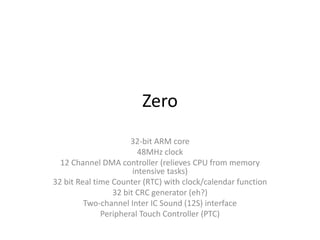
Zero
32-bit ARM core
48MHz clock
12 Channel DMA controller (relieves CPU from memory
intensive tasks)
32 bit Real time Counter (RTC) with clock/calendar function
32 bit CRC generator (eh?)
Two-channel Inter IC Sound (12S) interface
Peripheral Touch Controller (PTC)
Firmata
http://firmata.org/wiki/Main_Page
• Tons of APIs written for Node.js
• Handles requests from devices like
Sensors, beacons, and wearables
• Over 80,000 modules (including
Johnny-Five, Node-Red and Cylon.js)
JohnnyFive
Nodebots
http://nodebots.io/
Gallery of Awesome
http://nodebots.io/projects.html
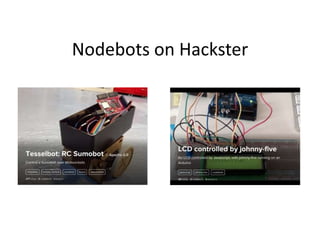
Nodebots on Hackster
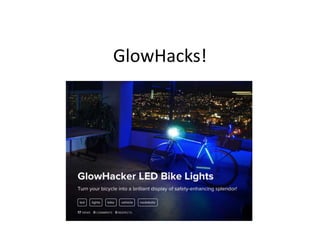
GlowHacks!
Let’s Get Started!*
*note: we do not guarantee your
success. Hardware is difficult and
quirky, and things ALWAYS go wrong.
Arduino Nodebots (Hackster CascadiaJS Workshop)

Arduino Nodebots (Hackster CascadiaJS Workshop)

Editor's Notes

  • #4 It is inexpensive, cross-platform, tool Can create interactive objects, taking inputs from switches or sensors and controlling a variety of lights, motors and other physical output.
  • #5 Walk through the IDE – Documents/Arduino – libraries File > Sketches – code files are called “sketches” File > Examples
  • #6 The basic program has a setup and a loop function Arduino.cc/en/reference/homepage There are some limitations to arduino – size and speed are two of them. Also, it can only process one task at a time It consists of simple statements (x = y) And conditional statements (if, while loops) https://www.arduino.cc/en/Reference/HomePage
  • #7 The breadboard is the artist’s sketchbook for electron
  • #8 Cly
  • #10 256KB Flash memory 32KB of SRAM 16KB of EEPROM emulation CRC = cyclic redundancy check visit the getting started guide here: https://www.arduino.cc/en/Guide/ArduinoZero Go to “boards” and select the board manager
  • #11 Firmata comes with arduino IDE. Update it Firmata_test can be used to test firmata on your board Firmata basically turns your arduino into a slave so you can control it with other code Open the code and read through it
  • #12 I’m not going to cover node.js in this tutorial. If you want to learn more about node.js, got to “learnyounode” for much win The reason node.js is so successful for working with the internet of things is: the availability of API tie-ins Just google IOT modules http://nodeschool.io/ http://postscapes.com/javascript-and-the-internet-of-things
  • #13 Cylon.js is a node module https://www.npmjs.com/package/johnny-five
  • #16 http://www.hackster.io/andreas-haugstrup/lcd-with-johnny-five?offset=1&ref=search&ref_id=nodebots