NodeJS packages #HowTo with npm
Andrii Lundiak, GlobalLogic, Twitter: @landike
Agenda
● $ npm init
● package.json + .npmrc + .npmignore
● $ npm install
● $ npm version patch|minor|major
● $ npm publish “what” “where”
● $ npm unpublish “name@vesrion”
● CLI & “bin”
● $ npm pack vs npm link
● Issues with CLI on OS
● Working with npmjs.com and issues I faced with
● Demo
package.json + .npmrc + .npmignore
● package.json + usage
○ “main”
○ “bin”
○ “scripts”
○ “engines”
● .npmrc
○ Registry
○ _auth=base64 value
○ _authToken
● .npmignore
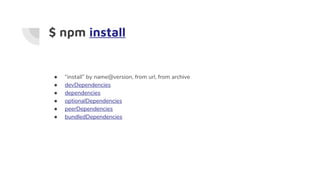
$ npm install
● “install” by name@version, from url, from archive
● devDependencies
● dependencies
● optionalDependencies
● peerDependencies
● bundledDependencies
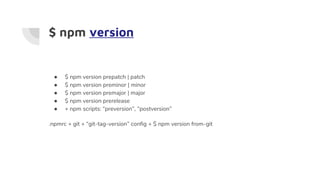
$ npm version
● $ npm version prepatch | patch
● $ npm version preminor | minor
● $ npm version premajor | major
● $ npm version prerelease
● + npm scripts: “preversion”, “postversion”
.npmrc + git + “git-tag-version” config + $ npm version from-git
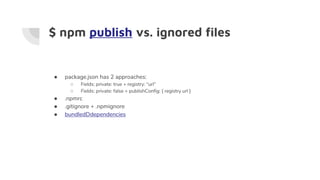
$ npm publish vs. ignored files
● package.json has 2 approaches:
○ Fields: private: true + registry: “url”
○ Fields: private: false + publishConfig: { registry url }
● .npmrc
● .gitignore + .npmignore
● bundledDdependencies
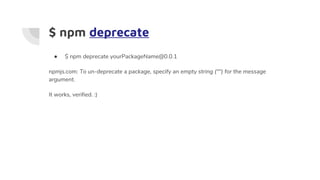
$ npm deprecate
● $ npm deprecate yourPackageName@0.0.1
npmjs.com: To un-deprecate a package, specify an empty string ("") for the message
argument.
It works, verified. :)
$ npm unpublish
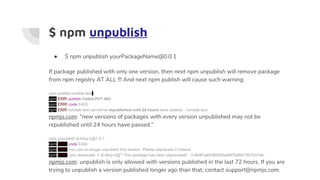
● $ npm unpublish yourPackageName@0.0.1
If package published with only one version, then next npm unpublish will remove package
from npm registry AT ALL !!! And next npm publish will cause such warning:
npm publish lundiak-test
npm ERR! publish Failed PUT 403
npm ERR! code E403
npm ERR! lundiak-test cannot be republished until 24 hours have passed. : lundiak-test
npmjs.com: “new versions of packages with every version unpublished may not be
republished until 24 hours have passed.”
npm unpublish al-feby-2@1.0.1
npm ERR! code E400
npm ERR! You can no longer unpublish this version. Please deprecate it instead
npm ERR! npm deprecate -f 'al-feby-2@*' "this package has been deprecated" : 5-9b9f1a6636690ba60f7b86015b7b37e9
npmjs.com: unpublish is only allowed with versions published in the last 72 hours. If you are
trying to unpublish a version published longer ago than that, contact support@npmjs.com.
But there is always workaround
npx force-unpublish
:) depends on owner of package
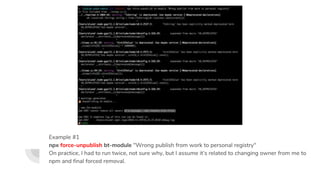
Example #1
npx force-unpublish bt-module "Wrong publish from work to personal registry"
On practice, I had to run twice, not sure why, but I assume it’s related to changing owner from me to
npm and final forced removal.
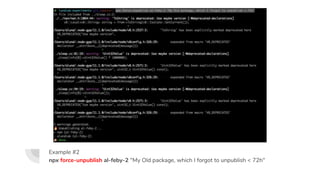
Example #2
npx force-unpublish al-feby-2 "My Old package, which I forgot to unpublish < 72h"
but...
Packages removed from https://www.npmjs.com/settings/alundiak/packages and not vissible
for search, but still alive:
https://www.npmjs.com/package/bt-module
https://www.npmjs.com/package/al-feby-2
“bin”
NPM has ability to create a bridge/link between CLI (Unix, Windows) and JavaScript files to
execute them via NodeJS.
● “bin” property
● ./node_modules/.bin
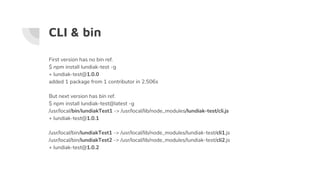
CLI & bin
First version has no bin ref.
$ npm install lundiak-test -g
+ lundiak-test@1.0.0
added 1 package from 1 contributor in 2.506s
But next version has bin ref.
$ npm install lundiak-test@latest -g
/usr/local/bin/lundiakTest1 -> /usr/local/lib/node_modules/lundiak-test/cli.js
+ lundiak-test@1.0.1
/usr/local/bin/lundiakTest1 -> /usr/local/lib/node_modules/lundiak-test/cli1.js
/usr/local/bin/lundiakTest2 -> /usr/local/lib/node_modules/lundiak-test/cli2.js
+ lundiak-test@1.0.2
$ npm pack vs npm link
“pack” - useful, when u need to test if you package well enough to be installable by other
packages, using archive file (*.tgz).
“link” - useful, when u need to use you package by other packages, using pseudo installed
mackage.
NPM Authentication + CI
$ npm adduser/login + npm publish or
● https://docs.npmjs.com/private-modules/ci-server-config
● https://github.com/postmanlabs/npm-cli-login
● https://www.npmjs.com/package/npm-profile
● https://github.com/npm/npm-registry-client
● https://www.npmjs.com/package/n-cli
● https://www.npmjs.com/package/npm-authenticate
● https://www.npmjs.com/package/node-cmd
demo
Create NPM package live ~15min
Issues with CLI on OS
Windows:
● npm whoami, npm login, npm publish
MacOS:
● If file commited from Windows in CRLF, then node will execute the file, but if file
changed on MacOS, npm can’t use it
○ Solution: autocrlf false or re-push file or
○ https://github.com/nwjs-community/nw-builder/issues/75 (:set ff-unix - not sure, but looks scary
:))
○ https://github.com/npm/npm/issues/2097#issuecomment-73801462
dngrs
● $ npm link
● $ npm unlink
● $ npm cache clean --force
● $ npm publish
● $ npm version
● If u experiment don’t forget about 24h (re-publish new) and 72h (unpublish old) rules.
npmjs.com support
npm/www github repo is moved. => https://npm.community/
● https://github.com/npm/www/issues/127
● https://github.com/npm/www/issues/128
● Not fast update of recently published version, something with cache or localStorage
Questions?
No? Really? OK :)
Andrii Lundiak, GlobalLogic, Twitter: @landike

Node js packages [#howto with npm]

  • 1.
    NodeJS packages #HowTowith npm Andrii Lundiak, GlobalLogic, Twitter: @landike
  • 2.
    Agenda ● $ npminit ● package.json + .npmrc + .npmignore ● $ npm install ● $ npm version patch|minor|major ● $ npm publish “what” “where” ● $ npm unpublish “name@vesrion” ● CLI & “bin” ● $ npm pack vs npm link ● Issues with CLI on OS ● Working with npmjs.com and issues I faced with ● Demo
  • 3.
    package.json + .npmrc+ .npmignore ● package.json + usage ○ “main” ○ “bin” ○ “scripts” ○ “engines” ● .npmrc ○ Registry ○ _auth=base64 value ○ _authToken ● .npmignore
  • 4.
    $ npm install ●“install” by name@version, from url, from archive ● devDependencies ● dependencies ● optionalDependencies ● peerDependencies ● bundledDependencies
  • 5.
    $ npm version ●$ npm version prepatch | patch ● $ npm version preminor | minor ● $ npm version premajor | major ● $ npm version prerelease ● + npm scripts: “preversion”, “postversion” .npmrc + git + “git-tag-version” config + $ npm version from-git
  • 6.
    $ npm publishvs. ignored files ● package.json has 2 approaches: ○ Fields: private: true + registry: “url” ○ Fields: private: false + publishConfig: { registry url } ● .npmrc ● .gitignore + .npmignore ● bundledDdependencies
  • 7.
    $ npm deprecate ●$ npm deprecate yourPackageName@0.0.1 npmjs.com: To un-deprecate a package, specify an empty string ("") for the message argument. It works, verified. :)
  • 8.
    $ npm unpublish ●$ npm unpublish yourPackageName@0.0.1 If package published with only one version, then next npm unpublish will remove package from npm registry AT ALL !!! And next npm publish will cause such warning: npm publish lundiak-test npm ERR! publish Failed PUT 403 npm ERR! code E403 npm ERR! lundiak-test cannot be republished until 24 hours have passed. : lundiak-test npmjs.com: “new versions of packages with every version unpublished may not be republished until 24 hours have passed.” npm unpublish al-feby-2@1.0.1 npm ERR! code E400 npm ERR! You can no longer unpublish this version. Please deprecate it instead npm ERR! npm deprecate -f 'al-feby-2@*' "this package has been deprecated" : 5-9b9f1a6636690ba60f7b86015b7b37e9 npmjs.com: unpublish is only allowed with versions published in the last 72 hours. If you are trying to unpublish a version published longer ago than that, contact support@npmjs.com.
  • 9.
    But there isalways workaround npx force-unpublish :) depends on owner of package
  • 10.
    Example #1 npx force-unpublishbt-module "Wrong publish from work to personal registry" On practice, I had to run twice, not sure why, but I assume it’s related to changing owner from me to npm and final forced removal.
  • 11.
    Example #2 npx force-unpublishal-feby-2 "My Old package, which I forgot to unpublish < 72h"
  • 12.
    but... Packages removed fromhttps://www.npmjs.com/settings/alundiak/packages and not vissible for search, but still alive: https://www.npmjs.com/package/bt-module https://www.npmjs.com/package/al-feby-2
  • 13.
    “bin” NPM has abilityto create a bridge/link between CLI (Unix, Windows) and JavaScript files to execute them via NodeJS. ● “bin” property ● ./node_modules/.bin
  • 14.
    CLI & bin Firstversion has no bin ref. $ npm install lundiak-test -g + lundiak-test@1.0.0 added 1 package from 1 contributor in 2.506s But next version has bin ref. $ npm install lundiak-test@latest -g /usr/local/bin/lundiakTest1 -> /usr/local/lib/node_modules/lundiak-test/cli.js + lundiak-test@1.0.1 /usr/local/bin/lundiakTest1 -> /usr/local/lib/node_modules/lundiak-test/cli1.js /usr/local/bin/lundiakTest2 -> /usr/local/lib/node_modules/lundiak-test/cli2.js + lundiak-test@1.0.2
  • 15.
    $ npm packvs npm link “pack” - useful, when u need to test if you package well enough to be installable by other packages, using archive file (*.tgz). “link” - useful, when u need to use you package by other packages, using pseudo installed mackage.
  • 16.
    NPM Authentication +CI $ npm adduser/login + npm publish or ● https://docs.npmjs.com/private-modules/ci-server-config ● https://github.com/postmanlabs/npm-cli-login ● https://www.npmjs.com/package/npm-profile ● https://github.com/npm/npm-registry-client ● https://www.npmjs.com/package/n-cli ● https://www.npmjs.com/package/npm-authenticate ● https://www.npmjs.com/package/node-cmd
  • 17.
  • 18.
    Issues with CLIon OS Windows: ● npm whoami, npm login, npm publish MacOS: ● If file commited from Windows in CRLF, then node will execute the file, but if file changed on MacOS, npm can’t use it ○ Solution: autocrlf false or re-push file or ○ https://github.com/nwjs-community/nw-builder/issues/75 (:set ff-unix - not sure, but looks scary :)) ○ https://github.com/npm/npm/issues/2097#issuecomment-73801462
  • 19.
    dngrs ● $ npmlink ● $ npm unlink ● $ npm cache clean --force ● $ npm publish ● $ npm version ● If u experiment don’t forget about 24h (re-publish new) and 72h (unpublish old) rules.
  • 20.
    npmjs.com support npm/www githubrepo is moved. => https://npm.community/ ● https://github.com/npm/www/issues/127 ● https://github.com/npm/www/issues/128 ● Not fast update of recently published version, something with cache or localStorage
  • 21.
    Questions? No? Really? OK:) Andrii Lundiak, GlobalLogic, Twitter: @landike

Editor's Notes

  • #2 https://github.com/kamranahmedse/developer-roadmap https://github.com/adam-golab/react-developer-roadmap/
  • #3 https://medium.freecodecamp.org/writing-command-line-applications-in-nodejs-2cf8327eee2 https://dzone.com/articles/understanding-execfile-spawn-exec-and-fork-in-node https://stackoverflow.com/questions/32874316/node-js-accessing-the-exit-code-and-stderr-of-a-system-command https://x-team.com/blog/a-guide-to-creating-a-nodejs-command/
  • #4 Feby - my NodeJS experimental package https://www.npmjs.com/package/feby
  • #10 https://stackoverflow.com/questions/36927974/how-to-delete-an-npm-package-from-the-npm-registry
  • #14 https://www.keithcirkel.co.uk/how-to-use-npm-as-a-build-tool/
  • #17 https://www.npmjs.com/package/npm-profile As an idea - create glu-publisher NPM package and maintain npm publish flow via NodeJS/JavaScript to avoid Jenkins issue. https://docs.npmjs.com/private-modules/ci-server-config https://docs.npmjs.com/getting-started/working_with_tokens https://support.sonatype.com/hc/en-us/articles/115015110067-Using-User-Token-s-with-NPM?mobile_site=true https://stackoverflow.com/questions/40016486/jenkins-2-npm-token-credential Looks like using _authToken is possible, but I tried and it doesn't work for me. https://github.com/postmanlabs/npm-cli-login This npm module looks silly but helpful. Or maybe this core NPM module? https://github.com/npm/npm-registry-client
  • #19 https://github.com/npm/npm/pull/7299 man issues?