Node Modules
Rick Chang
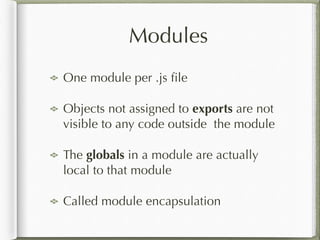
Modules
One module per .js file
Objects not assigned to exports are not
visible to any code outside the module
The globals in a module are actually
local to that module
Called module encapsulation
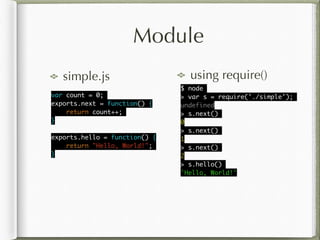
Module
simple.js using require()
var count = 0;	
exports.next = function() {	
return count++;	
}	
!
exports.hello = function() {	
return "Hello, World!";	
}
$ node	
> var s = require('./simple');	
undefined	
> s.next()	
0	
> s.next()	
1	
> s.next()	
2	
> s.hello()	
'Hello, World!'
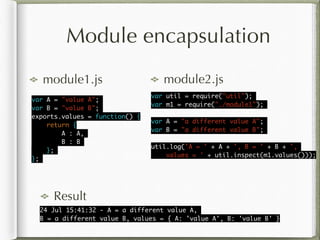
Module encapsulation
module1.js module2.js
24 Jul 15:41:32 - A = a different value A, 	
B = a different value B, values = { A: 'value A', B: 'value B' }
var util = require("util");	
var m1 = require("./module1");	
!
var A = "a different value A";	
var B = "a different value B";	
!
util.log('A = ' + A + ', B = ' + B + ', 	
values = ' + util.inspect(m1.values()));
var A = "value A";	
var B = "value B";	
exports.values = function() {	
return {	
A : A,	
B : B	
};	
};	
Result
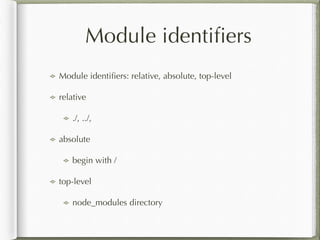
Module identifiers
Module identifiers: relative, absolute, top-level
relative
./, ../,
absolute
begin with /
top-level
node_modules directory
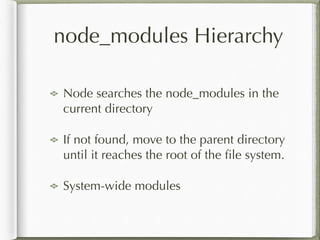
node_modules Hierarchy
Node searches the node_modules in the
current directory
If not found, move to the parent directory
until it reaches the root of the file system.
System-wide modules
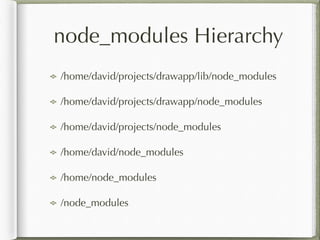
node_modules Hierarchy
/home/david/projects/drawapp/lib/node_modules
/home/david/projects/drawapp/node_modules
/home/david/projects/node_modules
/home/david/node_modules
/home/node_modules
/node_modules
System-wide modules
All system-wide modules in /$
{NODE_HOME}/lib/node_modules
Package format
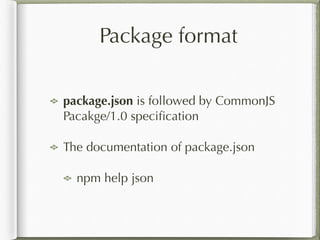
package.json is followed by CommonJS
Pacakge/1.0 specification
The documentation of package.json
npm help json
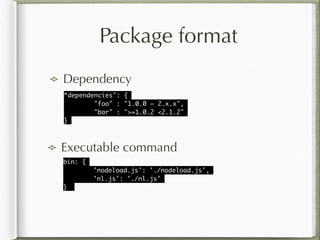
Dependency
Package format
“dependencies": {	
"foo" : "1.0.0 – 2.x.x",	
"bar" : ">=1.0.2 <2.1.2"	
}
Executable command
bin: {	
'nodeload.js': './nodeload.js',	
'nl.js': './nl.js'	
}
Package format
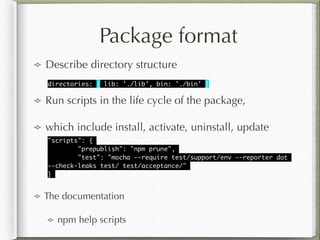
Describe directory structure
directories: { lib: './lib', bin: './bin' }
"scripts": {	
"prepublish": "npm prune",	
"test": "mocha --require test/support/env --reporter dot 	
--check-leaks test/ test/acceptance/"	
}
Run scripts in the life cycle of the package,
which include install, activate, uninstall, update
The documentation
npm help scripts
NPM
Search package
npm search [packagename]
Public package repository
https://www.npmjs.org
NPM
Show the whole package.json
npm view [packagename]
Show the specific attributes of the package.json
npm view express dependencies
npm view express author
npm view express repository.url
NPM
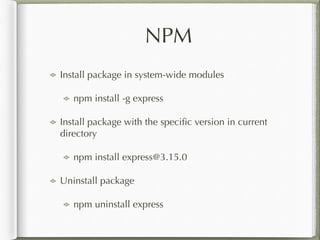
Install package in system-wide modules
npm install -g express
Install package with the specific version in current
directory
npm install express@3.15.0
Uninstall package
npm uninstall express
NPM
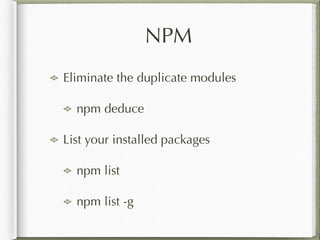
Eliminate the duplicate modules
npm deduce
List your installed packages
npm list
npm list -g
NPM
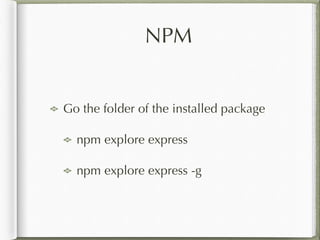
Go the folder of the installed package
npm explore express
npm explore express -g
Build your package
Initial your
package to build
the skeleton
npm init
name: (tmod2) 	
version: (0.0.0) 0.0.1	
description: this is test module	
entry point: (index.js) 	
test command: 	
git repository: 	
keywords: test, learn	
author: Rick Chang	
license: (ISC) MIT	
About to write to xxx/ch3/tmod2/package.json:	
!
{	
"name": "tmod2",	
"version": "0.0.1",	
"description": "this is test module",	
"main": "index.js",	
"scripts": {	
"test": "echo "Error: no test specified" && exit 1"	
},	
"keywords": [	
"test",	
"learn"	
],	
"author": "Rick Chang",	
"license": "MIT"	
}
Build your package
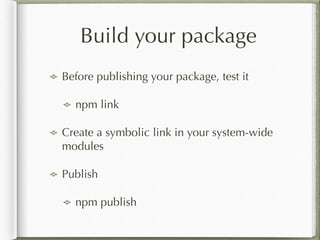
Before publishing your package, test it
npm link
Create a symbolic link in your system-wide
modules
Publish
npm publish
Configuration settings
All configuration settings are in ${HOME}/.npmrc or <Node
Install Directory>/etc/npmrc
Get the config value
npm get [key]
npm config get [key]
Change the config vale
npm set [key value]
npm config set [key value]
Configuration settings
List your configuration settings
npm config list
Delete the key
npm config delete [key]
Configuration settings
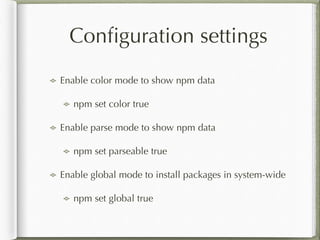
Enable color mode to show npm data
npm set color true
Enable parse mode to show npm data
npm set parseable true
Enable global mode to install packages in system-wide
npm set global true

Node Web Development 2nd Edition: Chapter3 Node Modules

  • 1.
  • 2.
    Modules One module per.js file Objects not assigned to exports are not visible to any code outside the module The globals in a module are actually local to that module Called module encapsulation
  • 3.
    Module simple.js using require() varcount = 0; exports.next = function() { return count++; } ! exports.hello = function() { return "Hello, World!"; } $ node > var s = require('./simple'); undefined > s.next() 0 > s.next() 1 > s.next() 2 > s.hello() 'Hello, World!'
  • 4.
    Module encapsulation module1.js module2.js 24Jul 15:41:32 - A = a different value A, B = a different value B, values = { A: 'value A', B: 'value B' } var util = require("util"); var m1 = require("./module1"); ! var A = "a different value A"; var B = "a different value B"; ! util.log('A = ' + A + ', B = ' + B + ', values = ' + util.inspect(m1.values())); var A = "value A"; var B = "value B"; exports.values = function() { return { A : A, B : B }; }; Result
  • 5.
    Module identifiers Module identifiers:relative, absolute, top-level relative ./, ../, absolute begin with / top-level node_modules directory
  • 6.
    node_modules Hierarchy Node searchesthe node_modules in the current directory If not found, move to the parent directory until it reaches the root of the file system. System-wide modules
  • 7.
  • 8.
    System-wide modules All system-widemodules in /$ {NODE_HOME}/lib/node_modules
  • 9.
    Package format package.json isfollowed by CommonJS Pacakge/1.0 specification The documentation of package.json npm help json
  • 10.
    Dependency Package format “dependencies": { "foo": "1.0.0 – 2.x.x", "bar" : ">=1.0.2 <2.1.2" } Executable command bin: { 'nodeload.js': './nodeload.js', 'nl.js': './nl.js' }
  • 11.
    Package format Describe directorystructure directories: { lib: './lib', bin: './bin' } "scripts": { "prepublish": "npm prune", "test": "mocha --require test/support/env --reporter dot --check-leaks test/ test/acceptance/" } Run scripts in the life cycle of the package, which include install, activate, uninstall, update The documentation npm help scripts
  • 12.
    NPM Search package npm search[packagename] Public package repository https://www.npmjs.org
  • 13.
    NPM Show the wholepackage.json npm view [packagename] Show the specific attributes of the package.json npm view express dependencies npm view express author npm view express repository.url
  • 14.
    NPM Install package insystem-wide modules npm install -g express Install package with the specific version in current directory npm install express@3.15.0 Uninstall package npm uninstall express
  • 15.
    NPM Eliminate the duplicatemodules npm deduce List your installed packages npm list npm list -g
  • 16.
    NPM Go the folderof the installed package npm explore express npm explore express -g
  • 17.
    Build your package Initialyour package to build the skeleton npm init name: (tmod2) version: (0.0.0) 0.0.1 description: this is test module entry point: (index.js) test command: git repository: keywords: test, learn author: Rick Chang license: (ISC) MIT About to write to xxx/ch3/tmod2/package.json: ! { "name": "tmod2", "version": "0.0.1", "description": "this is test module", "main": "index.js", "scripts": { "test": "echo "Error: no test specified" && exit 1" }, "keywords": [ "test", "learn" ], "author": "Rick Chang", "license": "MIT" }
  • 18.
    Build your package Beforepublishing your package, test it npm link Create a symbolic link in your system-wide modules Publish npm publish
  • 19.
    Configuration settings All configurationsettings are in ${HOME}/.npmrc or <Node Install Directory>/etc/npmrc Get the config value npm get [key] npm config get [key] Change the config vale npm set [key value] npm config set [key value]
  • 20.
    Configuration settings List yourconfiguration settings npm config list Delete the key npm config delete [key]
  • 21.
    Configuration settings Enable colormode to show npm data npm set color true Enable parse mode to show npm data npm set parseable true Enable global mode to install packages in system-wide npm set global true