


The Package Manager for Node
Disclaimer

• I'm going to talk about how npm works.
• It works the way I want it to work.
• There are a lot of trade-offs and paths.
• We can be different and still be friends.
wtf is a npm?

• If you're here, you've probably used it
• v1.0 just landed
• curl http://npmjs.org/install.sh | sh
Vision

         To increase speed:

Either push harder, or reduce friction.

      If everyone is doing one,
            do the other.
Vision

• 2009: Lots of folks pushing hard on node.
• Wanted a way to easily install the
  things people were making.
• Starting with a clean slate. Get it right.
  No dependency hell allowed!
Sources of Friction

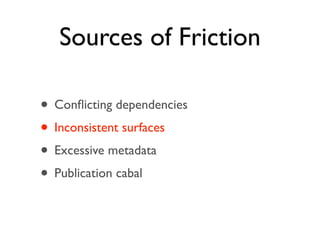
• Conflicting dependencies
• Inconsistent surfaces
• Excessive metadata
• Publication cabal
Sources of Friction

• Conflicting dependencies
• Inconsistent surfaces
• Excessive metadata
• Publication cabal
Conflicting
        dependencies
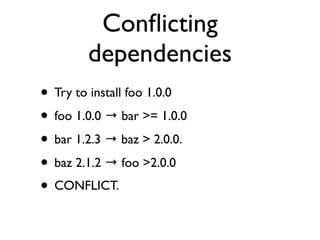
• Try to install foo 1.0.0
• foo 1.0.0 → bar >= 1.0.0
• bar 1.2.3 → baz > 2.0.0.
• baz 2.1.2 → foo >2.0.0
• CONFLICT.
Conflicting
dependencies
Sources of Friction

• Conflicting dependencies
• Inconsistent surfaces
• Excessive metadata
• Publication cabal
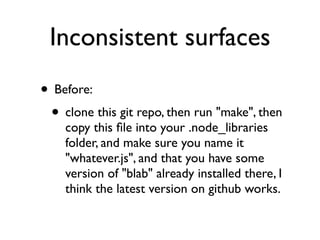
Inconsistent surfaces
• Before:
 • clone this git repo, then run "make", then
    copy this file into your .node_libraries
    folder, and make sure you name it
    "whatever.js", and that you have some
    version of "blab" already installed there, I
    think the latest version on github works.
Inconsistent surfaces

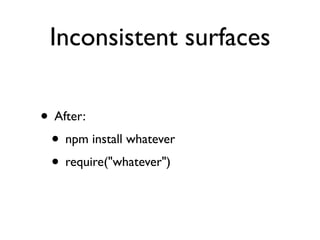
• After:
 • npm install whatever
 • require("whatever")
Inconsistent surfaces


      THIS IS EASIER.
Sources of Friction

• Conflicting dependencies
• Inconsistent surfaces
• Excessive metadata
• Publication cabal
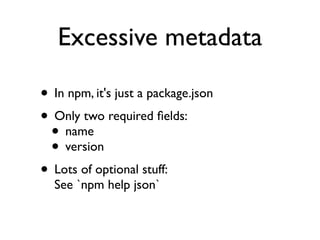
Excessive metadata

• In npm, it's just a package.json
• Only two required fields:
 • name
 • version
• Lots of optional stuff:
  See `npm help json`
Sources of Friction

• Conflicting dependencies
• Inconsistent surfaces
• Excessive metadata
• Publication cabal
Publication cabal

• aka "permission to publish"
• Sensible in the Debian world
• Not so much in Node
• Anarchic Dictatorship
convention vs
        configuration
• Popular mantra:
  Convention over Configuration
• Convention is like kids:
  It has to grow up at its own speed.
• Having it before you're ready is unwise.
convention vs
configuration
convention vs
        configuration
• Perl: 24 years old
convention vs
        configuration
• Perl: 24 years old
• Python: 20 years old
convention vs
        configuration
• Perl: 24 years old
• Python: 20 years old
• Ruby: 16 years old
convention vs
        configuration
• Perl: 24 years old
• Python: 20 years old
• Ruby: 16 years old
• Node: 2 years old
convention vs
         configuration
• Standing on the shoulders of giants, yes.
• Impressive and important, absolutely.
• Meteorically hacker-news spamming.
• But the community is still finding its voice.
convention vs
         configuration
• Be a pain-killer, not a vitamin, not surgery
• "Here's a package.json file" vs
  "Please structure your program like this."
• Patterns that make sense for Python/Ruby
  don't always make sense for Node.
convention vs
         configuration
• Better model:
  Configuration in search of convention
• Enable as much as possible,
  then bless popular patterns as they arise.
• This is a process. It is organic.
Today...

• almost 1900 projects from
  775 active package authors
• Too many to list in a lunch
  (even if you're Marak)
• ~300 new packages per month
  ~2000 updates per month
Today...


    At the next NodeConf,
I will show you that last slide.
    You will say, "So few?"
Today...


npm is valuable because of
  what you do with it.
how it works
   The $0.50 tour
The Registry

• A Couchapp:
 • http://isaacs.ic.ht/registry
 • https://github.com/isaacs/npmjs.org
• JSON: http://registry.npmjs.org/
• HTML: http://search.npmjs.org/
The Registry

• Tarballs are attachments to package docs
• "npm adduser" to auth
• "npm owner" to manage ownership
• CouchDB rocks for this.
Behind the Firewall
• Several companies running their own
  internal registries.
• "private":true
• "publishConfig" :
      {"registry":"http://internal"}
• Replicate from the public reg (if you want)
anarchic dictatorship

• If you publish it, it's yours.
• Land-grab for names.
• Authors admin their own stuff,
  simple permission scheme
anarchic dictatorship

• Packages get abandoned
• Authors go awol
• Programs can be malicious or misleading
• Having a server admin is important
  <i@izs.me> (don't be creepy)
The cache


• In ~/.npm, registry items are cached.
• ETags FTW!
new in 1.0

• *vastly* simplified folder structure
• Smarter .gitignore/.npmignore handling
  (ie, it works how you think now)
• global vs local installation
new in 1.0

• *vastly* simplified folder structure
• Smarter .gitignore/.npmignore handling
  (ie, it works how you think now)
• global vs local installation
global vs local


• Any command: add `-g` to do it globally.
• Local by default ("always bundle")
global vs local


• Global goes in /usr/local
• Local goes in $PWD/node_modules
global vs local


• Global for putting bin files in the PATH
• Local for require()
global vs local


• Global root is not in node's require path.
• Local root is.
global vs local


 Yes, this is on purpose.
global vs local


       Try it!
    You'll like it!
node_modules

• Packages are installed into node_modules
• Dependencies are nested.
• Cycles handled smartly
Scripts

• Hash of {<event>:<command>}
• npm runs scripts as "nobody" if you're root
• prefoo, foo, postfoo
• The env has all KINDS of data.
Scripts
           (The Important Ones)


• install: When your package is installed.
• start: How to start your server.
• test: Run by the `npm test` command.
• prepublish: Before publishing
Scripts

• Definitely include a "test" script.
• npat! You will super <3 this!
• (Also, tests make you look like a grown up.)
commands


• Files in npm's source as lib/<cmd>.js
• Hang on the npm object at
  npm.commands.<cmd>
commands

• Pretty big CLI app in Node.js
• npm completion
• npm install -h
• abbrev support
install

• If you only know a single npm command,
  this is the one to know.
• With no args:
  Install deps locally, run build scripts
link

• "I want to make changes to node-foo lib,
  and have all my projects always see the
  latest code."
• "I want to make changes to node-foo cli
  app, and always have `foo` run the latest
  code."
link


• See changes without re-installing.
• Read more: `npm help link`
ls
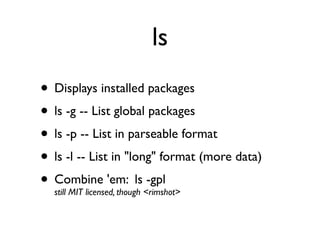
• Displays installed packages
• ls -g -- List global packages
• ls -p -- List in parseable format
• ls -l -- List in "long" format (more data)
• Combine 'em: ls<rimshot>
  still MIT licensed, though
                             -gpl
npm reusable team

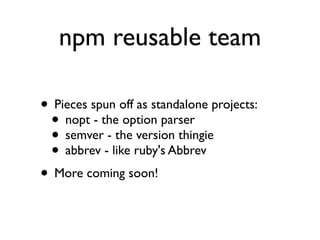
• Pieces spun off as standalone projects:
 • nopt - the option parser
 • semver - the version thingie
 • abbrev - like ruby's Abbrev
• More coming soon!
The Future
the part where I make promises
   and get myself into trouble
bindist

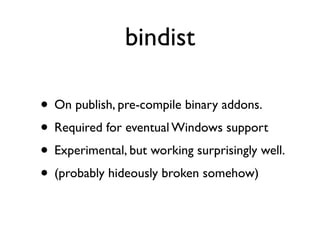
• On publish, pre-compile binary addons.
• Required for eventual Windows support
• Experimental, but working surprisingly well.
• (probably hideously broken somehow)
npat

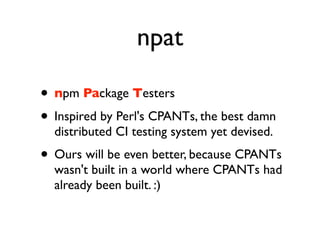
• npm Package Testers
• Inspired by Perl's CPANTs, the best damn
  distributed CI testing system yet devised.
• Ours will be even better, because CPANTs
  wasn't built in a world where CPANTs had
  already been built. :)
npat

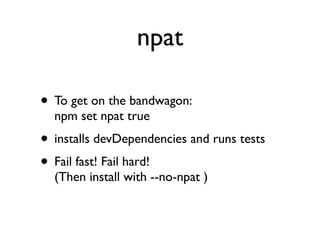
• To get on the bandwagon:
  npm set npat true
• installs devDependencies and runs tests
• Fail fast! Fail hard!
  (Then install with --no-npat )
npat

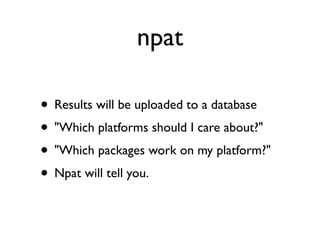
• Results will be uploaded to a database
• "Which platforms should I care about?"
• "Which packages work on my platform?"
• Npat will tell you.
Build Farms

               npat reports +
            binary distributions +
   servers in multiple operating systems =
Ultimate Package Test Integration Mega Engine
Build Farms

               npat reports +
            binary distributions +
   servers in multiple operating systems =
Ultimate Package Test Integration Mega Engine
Build Farms

               npat reports +
            binary distributions +
    vm's in multiple operating systems =
Ultimate Package Test Integration Mega Engine
Build Farms

               npat reports +
            binary distributions +
    vm's in multiple operating systems =
Ultimate Package Test Integration Mega Engine
Build Farms

               npat reports +
            binary distributions +
    vm's in multiple operating systems =
Ultimate Package Test Integration Mega Engine
Build Farms


      UPTIME!


 (It's a working title.)
Build Farms

• Build everything as it's published
• Publish bindists back to the registry
• Run tests and upload results
• Seriously, it's gonna rock
How you can help

• Keep building awesome stuff with Node
• Open-source your reusable libraries
• Publish to the npm registry
• Help out with some of that future stuff
• Provide feedback, find bugs, help n00bs
http://j.mp/nodeconf-npm                  Questions?


                           ...loves you


                                 npm loves you

Nodeconf npm 2011

  • 1.
  • 2.
    Disclaimer • I'm goingto talk about how npm works. • It works the way I want it to work. • There are a lot of trade-offs and paths. • We can be different and still be friends.
  • 3.
    wtf is anpm? • If you're here, you've probably used it • v1.0 just landed • curl http://npmjs.org/install.sh | sh
  • 4.
    Vision To increase speed: Either push harder, or reduce friction. If everyone is doing one, do the other.
  • 5.
    Vision • 2009: Lotsof folks pushing hard on node. • Wanted a way to easily install the things people were making. • Starting with a clean slate. Get it right. No dependency hell allowed!
  • 6.
    Sources of Friction •Conflicting dependencies • Inconsistent surfaces • Excessive metadata • Publication cabal
  • 7.
    Sources of Friction •Conflicting dependencies • Inconsistent surfaces • Excessive metadata • Publication cabal
  • 8.
    Conflicting dependencies • Try to install foo 1.0.0 • foo 1.0.0 → bar >= 1.0.0 • bar 1.2.3 → baz > 2.0.0. • baz 2.1.2 → foo >2.0.0 • CONFLICT.
  • 9.
  • 10.
    Sources of Friction •Conflicting dependencies • Inconsistent surfaces • Excessive metadata • Publication cabal
  • 11.
    Inconsistent surfaces • Before: • clone this git repo, then run "make", then copy this file into your .node_libraries folder, and make sure you name it "whatever.js", and that you have some version of "blab" already installed there, I think the latest version on github works.
  • 12.
    Inconsistent surfaces • After: • npm install whatever • require("whatever")
  • 13.
    Inconsistent surfaces THIS IS EASIER.
  • 14.
    Sources of Friction •Conflicting dependencies • Inconsistent surfaces • Excessive metadata • Publication cabal
  • 15.
    Excessive metadata • Innpm, it's just a package.json • Only two required fields: • name • version • Lots of optional stuff: See `npm help json`
  • 16.
    Sources of Friction •Conflicting dependencies • Inconsistent surfaces • Excessive metadata • Publication cabal
  • 17.
    Publication cabal • aka"permission to publish" • Sensible in the Debian world • Not so much in Node • Anarchic Dictatorship
  • 18.
    convention vs configuration • Popular mantra: Convention over Configuration • Convention is like kids: It has to grow up at its own speed. • Having it before you're ready is unwise.
  • 19.
  • 20.
    convention vs configuration • Perl: 24 years old
  • 21.
    convention vs configuration • Perl: 24 years old • Python: 20 years old
  • 22.
    convention vs configuration • Perl: 24 years old • Python: 20 years old • Ruby: 16 years old
  • 23.
    convention vs configuration • Perl: 24 years old • Python: 20 years old • Ruby: 16 years old • Node: 2 years old
  • 24.
    convention vs configuration • Standing on the shoulders of giants, yes. • Impressive and important, absolutely. • Meteorically hacker-news spamming. • But the community is still finding its voice.
  • 25.
    convention vs configuration • Be a pain-killer, not a vitamin, not surgery • "Here's a package.json file" vs "Please structure your program like this." • Patterns that make sense for Python/Ruby don't always make sense for Node.
  • 26.
    convention vs configuration • Better model: Configuration in search of convention • Enable as much as possible, then bless popular patterns as they arise. • This is a process. It is organic.
  • 27.
    Today... • almost 1900projects from 775 active package authors • Too many to list in a lunch (even if you're Marak) • ~300 new packages per month ~2000 updates per month
  • 28.
    Today... At the next NodeConf, I will show you that last slide. You will say, "So few?"
  • 29.
    Today... npm is valuablebecause of what you do with it.
  • 30.
    how it works The $0.50 tour
  • 31.
    The Registry • ACouchapp: • http://isaacs.ic.ht/registry • https://github.com/isaacs/npmjs.org • JSON: http://registry.npmjs.org/ • HTML: http://search.npmjs.org/
  • 32.
    The Registry • Tarballsare attachments to package docs • "npm adduser" to auth • "npm owner" to manage ownership • CouchDB rocks for this.
  • 33.
    Behind the Firewall •Several companies running their own internal registries. • "private":true • "publishConfig" : {"registry":"http://internal"} • Replicate from the public reg (if you want)
  • 34.
    anarchic dictatorship • Ifyou publish it, it's yours. • Land-grab for names. • Authors admin their own stuff, simple permission scheme
  • 35.
    anarchic dictatorship • Packagesget abandoned • Authors go awol • Programs can be malicious or misleading • Having a server admin is important <i@izs.me> (don't be creepy)
  • 36.
    The cache • In~/.npm, registry items are cached. • ETags FTW!
  • 37.
    new in 1.0 •*vastly* simplified folder structure • Smarter .gitignore/.npmignore handling (ie, it works how you think now) • global vs local installation
  • 38.
    new in 1.0 •*vastly* simplified folder structure • Smarter .gitignore/.npmignore handling (ie, it works how you think now) • global vs local installation
  • 39.
    global vs local •Any command: add `-g` to do it globally. • Local by default ("always bundle")
  • 40.
    global vs local •Global goes in /usr/local • Local goes in $PWD/node_modules
  • 41.
    global vs local •Global for putting bin files in the PATH • Local for require()
  • 42.
    global vs local •Global root is not in node's require path. • Local root is.
  • 43.
    global vs local Yes, this is on purpose.
  • 44.
    global vs local Try it! You'll like it!
  • 45.
    node_modules • Packages areinstalled into node_modules • Dependencies are nested. • Cycles handled smartly
  • 46.
    Scripts • Hash of{<event>:<command>} • npm runs scripts as "nobody" if you're root • prefoo, foo, postfoo • The env has all KINDS of data.
  • 47.
    Scripts (The Important Ones) • install: When your package is installed. • start: How to start your server. • test: Run by the `npm test` command. • prepublish: Before publishing
  • 48.
    Scripts • Definitely includea "test" script. • npat! You will super <3 this! • (Also, tests make you look like a grown up.)
  • 49.
    commands • Files innpm's source as lib/<cmd>.js • Hang on the npm object at npm.commands.<cmd>
  • 50.
    commands • Pretty bigCLI app in Node.js • npm completion • npm install -h • abbrev support
  • 51.
    install • If youonly know a single npm command, this is the one to know. • With no args: Install deps locally, run build scripts
  • 52.
    link • "I wantto make changes to node-foo lib, and have all my projects always see the latest code." • "I want to make changes to node-foo cli app, and always have `foo` run the latest code."
  • 53.
    link • See changeswithout re-installing. • Read more: `npm help link`
  • 54.
    ls • Displays installedpackages • ls -g -- List global packages • ls -p -- List in parseable format • ls -l -- List in "long" format (more data) • Combine 'em: ls<rimshot> still MIT licensed, though -gpl
  • 55.
    npm reusable team •Pieces spun off as standalone projects: • nopt - the option parser • semver - the version thingie • abbrev - like ruby's Abbrev • More coming soon!
  • 56.
    The Future the partwhere I make promises and get myself into trouble
  • 57.
    bindist • On publish,pre-compile binary addons. • Required for eventual Windows support • Experimental, but working surprisingly well. • (probably hideously broken somehow)
  • 58.
    npat • npm PackageTesters • Inspired by Perl's CPANTs, the best damn distributed CI testing system yet devised. • Ours will be even better, because CPANTs wasn't built in a world where CPANTs had already been built. :)
  • 59.
    npat • To geton the bandwagon: npm set npat true • installs devDependencies and runs tests • Fail fast! Fail hard! (Then install with --no-npat )
  • 60.
    npat • Results willbe uploaded to a database • "Which platforms should I care about?" • "Which packages work on my platform?" • Npat will tell you.
  • 61.
    Build Farms npat reports + binary distributions + servers in multiple operating systems = Ultimate Package Test Integration Mega Engine
  • 62.
    Build Farms npat reports + binary distributions + servers in multiple operating systems = Ultimate Package Test Integration Mega Engine
  • 63.
    Build Farms npat reports + binary distributions + vm's in multiple operating systems = Ultimate Package Test Integration Mega Engine
  • 64.
    Build Farms npat reports + binary distributions + vm's in multiple operating systems = Ultimate Package Test Integration Mega Engine
  • 65.
    Build Farms npat reports + binary distributions + vm's in multiple operating systems = Ultimate Package Test Integration Mega Engine
  • 66.
    Build Farms UPTIME! (It's a working title.)
  • 67.
    Build Farms • Buildeverything as it's published • Publish bindists back to the registry • Run tests and upload results • Seriously, it's gonna rock
  • 68.
    How you canhelp • Keep building awesome stuff with Node • Open-source your reusable libraries • Publish to the npm registry • Help out with some of that future stuff • Provide feedback, find bugs, help n00bs
  • 69.
    http://j.mp/nodeconf-npm Questions? ...loves you npm loves you