Luis Majano
@lmajano
@ortussolutions
www.ortussolutions.com
WHO AM I?
• Luis Majano
• Computer Engineer
• Imported from El Salvador
• CEO of Ortus Solutions
• Adobe Community Professional
• Sandals & Beaches -> ESRI -> Ortus
Legacy CFML
Modern CFML
CommandBox
Packages
ForgeBox
Collaboration
Making CFML Huuugeee Again!
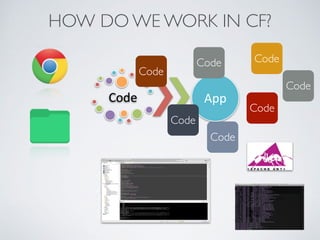
HOW DO WE WORK IN CF?
Code% App%
Code
Code
Code
Code
Code
Code
Code
IT’S ALIVE!
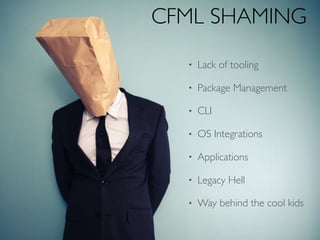
CFML SHAMING
• Lack of tooling
• Package Management
• CLI
• OS Integrations
• Applications
• Legacy Hell
• Way behind the cool kids
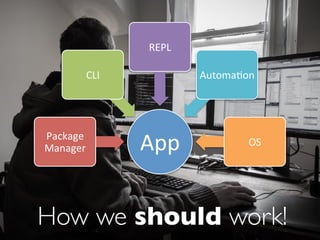
How we should work!
App#Package#
Manager#
CLI#
REPL#
Automa6on#
OS#
Take CFML Back to
The Future
Package Manager, REPL, CLI + More
3Years Now!
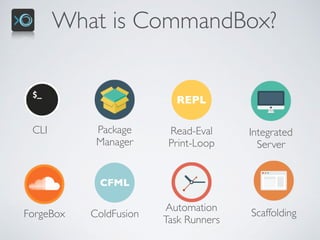
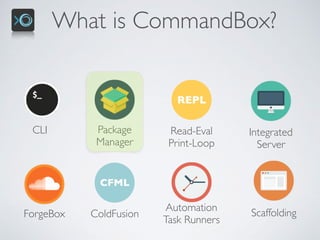
What is CommandBox?
CLI Package

Manager
REPL
Read-Eval

Print-Loop
Integrated

Server
ScaffoldingForgeBox
CFML
ColdFusion
Automation
Task Runners
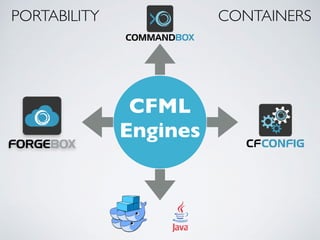
CFML
Engines
PORTABILITY CONTAINERS
https://commandbox.ortusbooks.com
CLI Package

Manager
REPL
Read-Eval

Print-Loop
Integrated

Server
ScaffoldingForgeBox
CFML
ColdFusion
Automation
Task Runners
What is CommandBox?
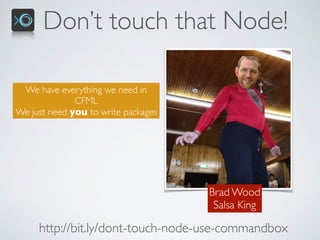
Don’t touch that Node!
Brad Wood

Salsa King
http://bit.ly/dont-touch-node-use-commandbox
We have everything we need in
CFML
We just need you to write packages
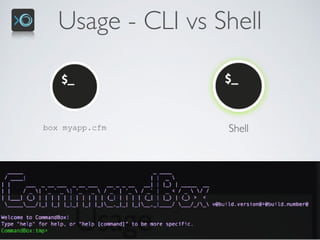
Usage - CLI vs Shell
box myapp.cfm Shell
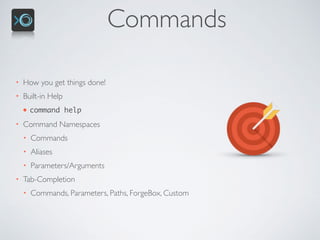
Commands
• How you get things done!
• Built-in Help
• command help
• Command Namespaces
• Commands
• Aliases
• Parameters/Arguments
• Tab-Completion
• Commands, Parameters, Paths, ForgeBox, Custom
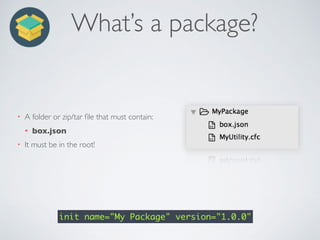
What’s a package?
• A folder or zip/tar file that must contain:
• box.json
• It must be in the root!
init name="My Package" version="1.0.0"
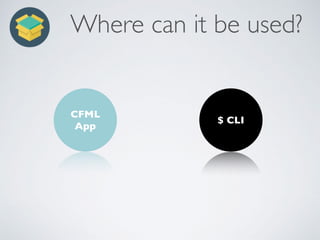
Where can it be used?
CFML 

App
$ CLI
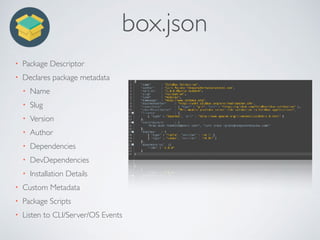
box.json
• Package Descriptor
• Declares package metadata
• Name
• Slug
• Version
• Author
• Dependencies
• DevDependencies
• Installation Details
• Custom Metadata
• Package Scripts
• Listen to CLI/Server/OS Events
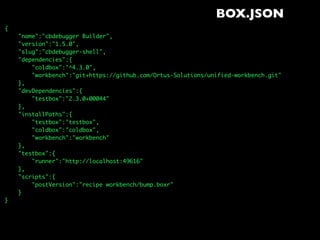
BOX.JSON
{
"name":"cbdebugger Builder",
"version":"1.5.0",
"slug":"cbdebugger-shell",
"dependencies":{
"coldbox":"^4.3.0",
"workbench":"git+https://github.com/Ortus-Solutions/unified-workbench.git"
},
"devDependencies":{
"testbox":"2.3.0+00044"
},
"installPaths":{
"testbox":"testbox",
"coldbox":"coldbox",
"workbench":"workbench"
},
"testbox":{
"runner":"http://localhost:49616"
},
"scripts":{
"postVersion":"recipe workbench/bump.boxr"
}
}
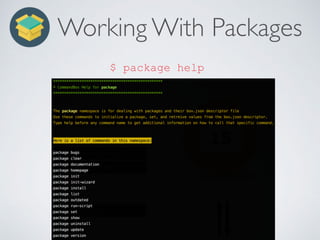
Working With Packages
$ package help
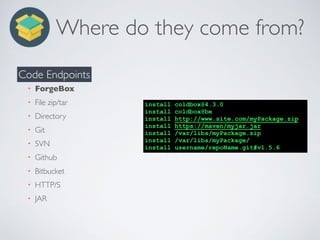
Where do they come from?
• ForgeBox
• File zip/tar
• Directory
• Git
• SVN
• Github
• Bitbucket
• HTTP/S
• JAR
Code Endpoints
install coldbox@4.3.0
install coldbox@be
install http://www.site.com/myPackage.zip
install https://maven/myjar.jar
install /var/libs/myPackage.zip
install /var/libs/myPackage/
install username/repoName.git#v1.5.6
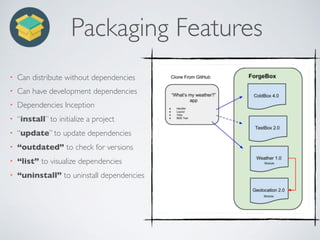
Packaging Features
• Can distribute without dependencies
• Can have development dependencies
• Dependencies Inception
• “install” to initialize a project
• “update” to update dependencies
• “outdated” to check for versions
• “list” to visualize dependencies
• “uninstall” to uninstall dependencies
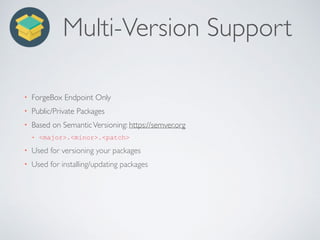
Multi-Version Support
• ForgeBox Endpoint Only
• Public/Private Packages
• Based on SemanticVersioning: https://semver.org
• <major>.<minor>.<patch>
• Used for versioning your packages
• Used for installing/updating packages
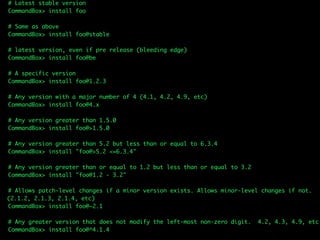
# Latest stable version
CommandBox> install foo
# Same as above
CommandBox> install foo@stable
# latest version, even if pre release (bleeding edge)
CommandBox> install foo@be
# A specific version
CommandBox> install foo@1.2.3
# Any version with a major number of 4 (4.1, 4.2, 4.9, etc)
CommandBox> install foo@4.x
# Any version greater than 1.5.0
CommandBox> install foo@>1.5.0
# Any version greater than 5.2 but less than or equal to 6.3.4
CommandBox> install "foo@>5.2 <=6.3.4"
# Any version greater than or equal to 1.2 but less than or equal to 3.2
CommandBox> install "foo@1.2 - 3.2"
# Allows patch-level changes if a minor version exists. Allows minor-level changes if not. 

(2.1.2, 2.1.3, 2.1.4, etc)
CommandBox> install foo@~2.1
# Any greater version that does not modify the left-most non-zero digit. 4.2, 4.3, 4.9, etc
CommandBox> install foo@^4.1.4
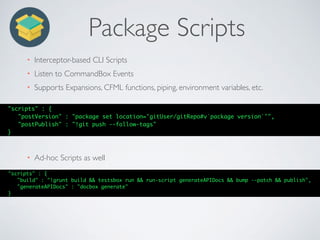
Package Scripts
• Interceptor-based CLI Scripts
• Listen to CommandBox Events
• Supports Expansions, CFML functions, piping, environment variables, etc.
"scripts" : {
"postVersion" : "package set location='gitUser/gitRepo#v`package version`'",
"postPublish" : "!git push --follow-tags"
}
• Ad-hoc Scripts as well
"scripts" : {
"build" : "!grunt build && testsbox run && run-script generateAPIDocs && bump --patch && publish",
"generateAPIDocs" : "docbox generate"
}
Artifacts
• CommandBox caches downloaded artifcacts: ~/.Commandbox/artifacts
• artifacts help
• Snapshots are always downloaded
• Packages are organized by slug and versions
• Used for disconnected installs and accelerated build processes
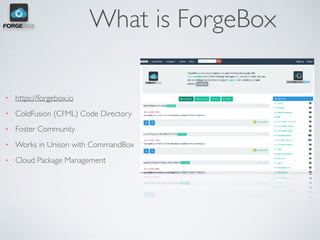
What is ForgeBox
• https://forgebox.io
• ColdFusion (CFML) Code Directory
• Foster Community
• Works in Unison with CommandBox
• Cloud Package Management
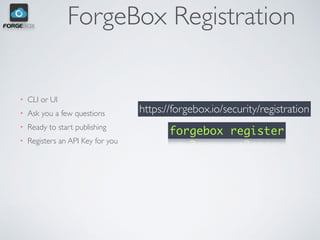
ForgeBox Registration
• CLI or UI
• Ask you a few questions
• Ready to start publishing
• Registers an API Key for you
forgebox register
https://forgebox.io/security/registration
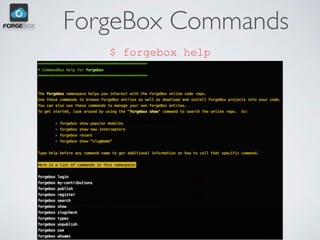
ForgeBox Commands
$ forgebox help
ForgeBox Identities
• Login from CLI
• forgebox login
• Stores your API Key
• ~user./CommandBox
• Supports multiple logins
• forgebox use username
• Supports Who you are
• forgebox whoami
ForgeBox Publish
• Publishes your public/private packages
• Reads your box.json
• Can push your readme files, changelogs, instructions
• Make sure location key is set
forgebox publish
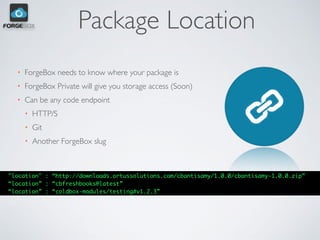
Package Location
• ForgeBox needs to know where your package is
• ForgeBox Private will give you storage access (Soon)
• Can be any code endpoint
• HTTP/S
• Git
• Another ForgeBox slug
"location" : “http://downloads.ortussolutions.com/cbantisamy/1.0.0/cbantisamy-1.0.0.zip”
“location” : “cbfreshbooks@latest”
“location” : “coldbox-modules/testing#v1.2.3”
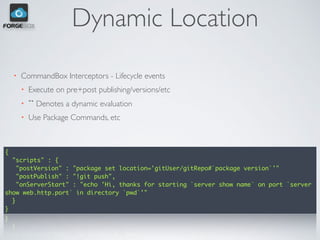
Dynamic Location
• CommandBox Interceptors - Lifecycle events
• Execute on pre+post publishing/versions/etc
• `` Denotes a dynamic evaluation
• Use Package Commands, etc
{
"scripts" : {
"postVersion" : "package set location='gitUser/gitRepo#`package version`'"
"postPublish" : "!git push",
"onServerStart" : "echo 'Hi, thanks for starting `server show name` on port `server
show web.http.port` in directory `pwd`'"
}
}
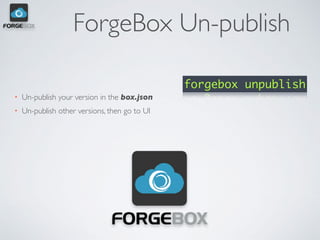
ForgeBox Un-publish
• Un-publish your version in the box.json
• Un-publish other versions, then go to UI
forgebox unpublish
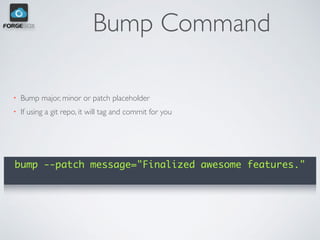
Bump Command
• Bump major, minor or patch placeholder
• If using a git repo, it will tag and commit for you
bump --patch message="Finalized awesome features."
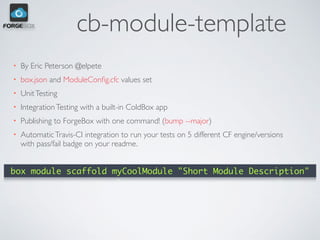
cb-module-template
• By Eric Peterson @elpete
• box.json and ModuleConfig.cfc values set
• UnitTesting
• IntegrationTesting with a built-in ColdBox app
• Publishing to ForgeBox with one command! (bump --major)
• AutomaticTravis-CI integration to run your tests on 5 different CF engine/versions
with pass/fail badge on your readme.
box module scaffold myCoolModule "Short Module Description"
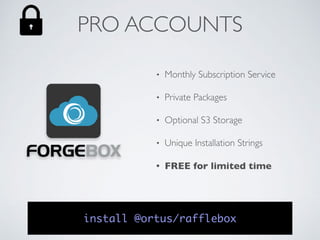
PRO ACCOUNTS
• Monthly Subscription Service
• Private Packages
• Optional S3 Storage
• Unique Installation Strings
• FREE for limited time
install @ortus/rafflebox
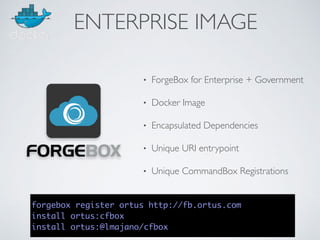
• ForgeBox for Enterprise + Government
• Docker Image
• Encapsulated Dependencies
• Unique URI entrypoint
• Unique CommandBox Registrations
forgebox register ortus http://fb.ortus.com
install ortus:cfbox
install ortus:@lmajano/cfbox
ENTERPRISE IMAGE
• Monthly Subscription Service
• Managed Containers @ Ortus Cloud
• Unique URI entrypoint
• Unique CommandBox Registrations
ENTERPRISE MANAGED
WE NEEDYOU
• Get out of legacy hell, modernize
• Build cool apps,APIs, libraries
• Collaborate with open source
• Share in forgebox.io
• Blog, present, share your knowledge
• Proud of your CFML apps again!
Gracias!
Q & A

CommandBox & ForgeBox Package Management

  • 1.
  • 2.
    WHO AM I? •Luis Majano • Computer Engineer • Imported from El Salvador • CEO of Ortus Solutions • Adobe Community Professional • Sandals & Beaches -> ESRI -> Ortus
  • 3.
  • 4.
    HOW DO WEWORK IN CF? Code% App% Code Code Code Code Code Code Code
  • 5.
  • 6.
    CFML SHAMING • Lackof tooling • Package Management • CLI • OS Integrations • Applications • Legacy Hell • Way behind the cool kids
  • 7.
    How we shouldwork! App#Package# Manager# CLI# REPL# Automa6on# OS#
  • 8.
    Take CFML Backto The Future
  • 10.
    Package Manager, REPL,CLI + More 3Years Now!
  • 11.
    What is CommandBox? CLIPackage
 Manager REPL Read-Eval
 Print-Loop Integrated
 Server ScaffoldingForgeBox CFML ColdFusion Automation Task Runners
  • 12.
  • 13.
  • 14.
  • 15.
    Don’t touch thatNode! Brad Wood
 Salsa King http://bit.ly/dont-touch-node-use-commandbox We have everything we need in CFML We just need you to write packages
  • 16.
    Usage - CLIvs Shell box myapp.cfm Shell
  • 17.
    Commands • How youget things done! • Built-in Help • command help • Command Namespaces • Commands • Aliases • Parameters/Arguments • Tab-Completion • Commands, Parameters, Paths, ForgeBox, Custom
  • 18.
    What’s a package? •A folder or zip/tar file that must contain: • box.json • It must be in the root! init name="My Package" version="1.0.0"
  • 19.
    Where can itbe used? CFML 
 App $ CLI
  • 20.
    box.json • Package Descriptor •Declares package metadata • Name • Slug • Version • Author • Dependencies • DevDependencies • Installation Details • Custom Metadata • Package Scripts • Listen to CLI/Server/OS Events
  • 21.
  • 22.
  • 23.
    Where do theycome from? • ForgeBox • File zip/tar • Directory • Git • SVN • Github • Bitbucket • HTTP/S • JAR Code Endpoints install coldbox@4.3.0 install coldbox@be install http://www.site.com/myPackage.zip install https://maven/myjar.jar install /var/libs/myPackage.zip install /var/libs/myPackage/ install username/repoName.git#v1.5.6
  • 24.
    Packaging Features • Candistribute without dependencies • Can have development dependencies • Dependencies Inception • “install” to initialize a project • “update” to update dependencies • “outdated” to check for versions • “list” to visualize dependencies • “uninstall” to uninstall dependencies
  • 25.
    Multi-Version Support • ForgeBoxEndpoint Only • Public/Private Packages • Based on SemanticVersioning: https://semver.org • <major>.<minor>.<patch> • Used for versioning your packages • Used for installing/updating packages
  • 26.
    # Latest stableversion CommandBox> install foo # Same as above CommandBox> install foo@stable # latest version, even if pre release (bleeding edge) CommandBox> install foo@be # A specific version CommandBox> install foo@1.2.3 # Any version with a major number of 4 (4.1, 4.2, 4.9, etc) CommandBox> install foo@4.x # Any version greater than 1.5.0 CommandBox> install foo@>1.5.0 # Any version greater than 5.2 but less than or equal to 6.3.4 CommandBox> install "foo@>5.2 <=6.3.4" # Any version greater than or equal to 1.2 but less than or equal to 3.2 CommandBox> install "foo@1.2 - 3.2" # Allows patch-level changes if a minor version exists. Allows minor-level changes if not. 
 (2.1.2, 2.1.3, 2.1.4, etc) CommandBox> install foo@~2.1 # Any greater version that does not modify the left-most non-zero digit. 4.2, 4.3, 4.9, etc CommandBox> install foo@^4.1.4
  • 27.
    Package Scripts • Interceptor-basedCLI Scripts • Listen to CommandBox Events • Supports Expansions, CFML functions, piping, environment variables, etc. "scripts" : { "postVersion" : "package set location='gitUser/gitRepo#v`package version`'", "postPublish" : "!git push --follow-tags" } • Ad-hoc Scripts as well "scripts" : { "build" : "!grunt build && testsbox run && run-script generateAPIDocs && bump --patch && publish", "generateAPIDocs" : "docbox generate" }
  • 28.
    Artifacts • CommandBox cachesdownloaded artifcacts: ~/.Commandbox/artifacts • artifacts help • Snapshots are always downloaded • Packages are organized by slug and versions • Used for disconnected installs and accelerated build processes
  • 30.
    What is ForgeBox •https://forgebox.io • ColdFusion (CFML) Code Directory • Foster Community • Works in Unison with CommandBox • Cloud Package Management
  • 31.
    ForgeBox Registration • CLIor UI • Ask you a few questions • Ready to start publishing • Registers an API Key for you forgebox register https://forgebox.io/security/registration
  • 32.
  • 33.
    ForgeBox Identities • Loginfrom CLI • forgebox login • Stores your API Key • ~user./CommandBox • Supports multiple logins • forgebox use username • Supports Who you are • forgebox whoami
  • 34.
    ForgeBox Publish • Publishesyour public/private packages • Reads your box.json • Can push your readme files, changelogs, instructions • Make sure location key is set forgebox publish
  • 35.
    Package Location • ForgeBoxneeds to know where your package is • ForgeBox Private will give you storage access (Soon) • Can be any code endpoint • HTTP/S • Git • Another ForgeBox slug "location" : “http://downloads.ortussolutions.com/cbantisamy/1.0.0/cbantisamy-1.0.0.zip” “location” : “cbfreshbooks@latest” “location” : “coldbox-modules/testing#v1.2.3”
  • 36.
    Dynamic Location • CommandBoxInterceptors - Lifecycle events • Execute on pre+post publishing/versions/etc • `` Denotes a dynamic evaluation • Use Package Commands, etc { "scripts" : { "postVersion" : "package set location='gitUser/gitRepo#`package version`'" "postPublish" : "!git push", "onServerStart" : "echo 'Hi, thanks for starting `server show name` on port `server show web.http.port` in directory `pwd`'" } }
  • 37.
    ForgeBox Un-publish • Un-publishyour version in the box.json • Un-publish other versions, then go to UI forgebox unpublish
  • 38.
    Bump Command • Bumpmajor, minor or patch placeholder • If using a git repo, it will tag and commit for you bump --patch message="Finalized awesome features."
  • 39.
    cb-module-template • By EricPeterson @elpete • box.json and ModuleConfig.cfc values set • UnitTesting • IntegrationTesting with a built-in ColdBox app • Publishing to ForgeBox with one command! (bump --major) • AutomaticTravis-CI integration to run your tests on 5 different CF engine/versions with pass/fail badge on your readme. box module scaffold myCoolModule "Short Module Description"
  • 40.
    PRO ACCOUNTS • MonthlySubscription Service • Private Packages • Optional S3 Storage • Unique Installation Strings • FREE for limited time install @ortus/rafflebox
  • 41.
    • ForgeBox forEnterprise + Government • Docker Image • Encapsulated Dependencies • Unique URI entrypoint • Unique CommandBox Registrations forgebox register ortus http://fb.ortus.com install ortus:cfbox install ortus:@lmajano/cfbox ENTERPRISE IMAGE
  • 42.
    • Monthly SubscriptionService • Managed Containers @ Ortus Cloud • Unique URI entrypoint • Unique CommandBox Registrations ENTERPRISE MANAGED
  • 43.
    WE NEEDYOU • Getout of legacy hell, modernize • Build cool apps,APIs, libraries • Collaborate with open source • Share in forgebox.io • Blog, present, share your knowledge • Proud of your CFML apps again!
  • 44.