NEW 7 MANAGEMENT
      TOOLS
WHY THE NEW SET OF TOOLS
To structure the brainstorming process
Simplify
Remove fear
To help create a comfort fit (minimal
dependence on statistics)
Improve penetration
Increase application
LIST OF TOOLS
Affinity Diagram

Interrelationship diagraph

Tree Diagram

Matrix Diagrams

Matrix Analysis

PDPC, process decision program charts

Arrow diagrams
AFFINITY DIAGRAM
Definition

An Affinity Diagram is a special type of
 brainstorming process that is used for
 organising large groups of information into
 meaningful categories. It helps us to clarify
 and make sense of a large or complex
 problem
AFFINITY DIAGRAM
Process

  Record each idea on cards or notes
  Look for ideas that seem to be related
  Sort cards into groups until all cards have
  been used.
AFFINITY DIAGRAM
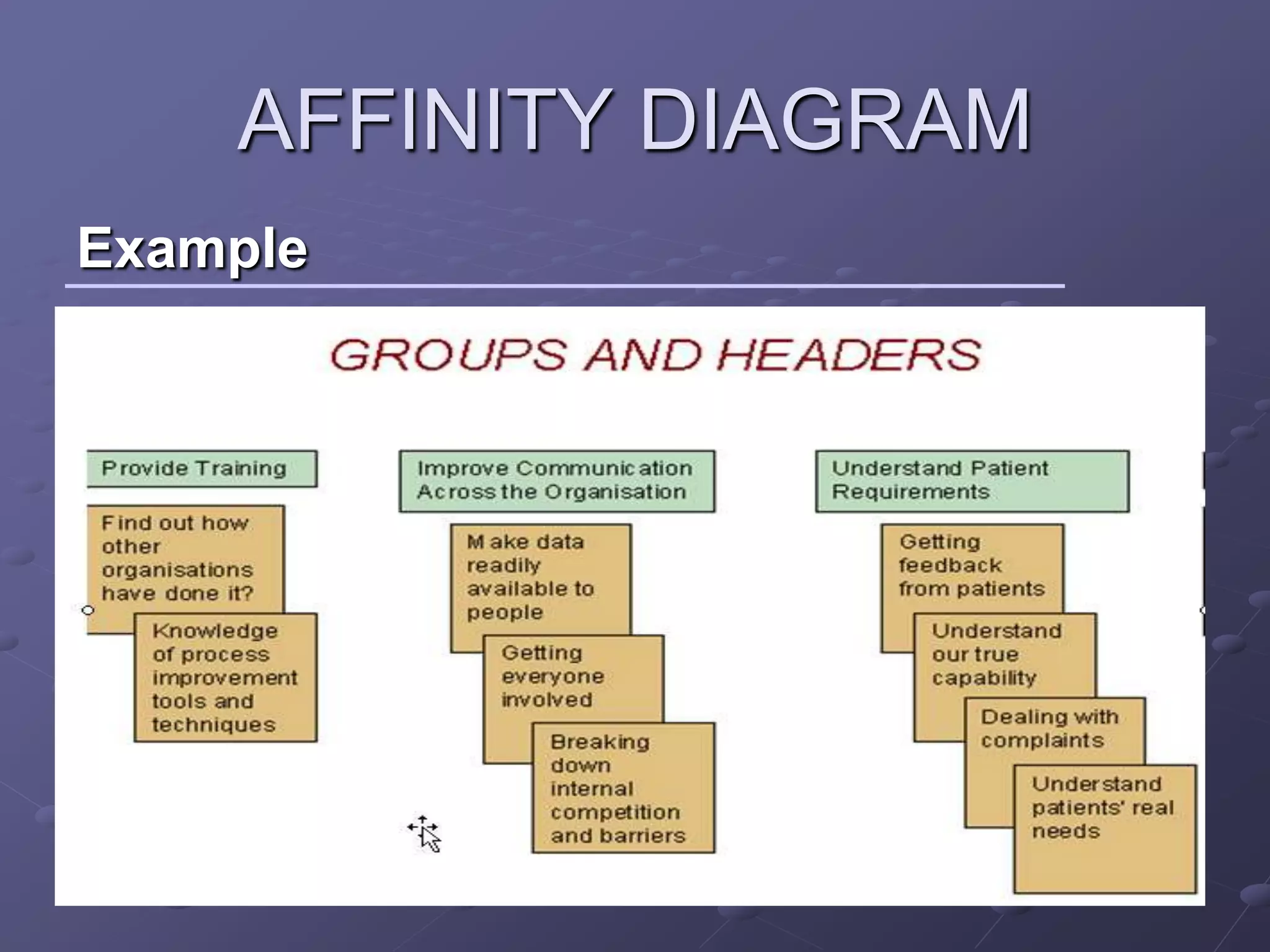
Example
INTER RELATIONSHIP
           DIAGRAPH
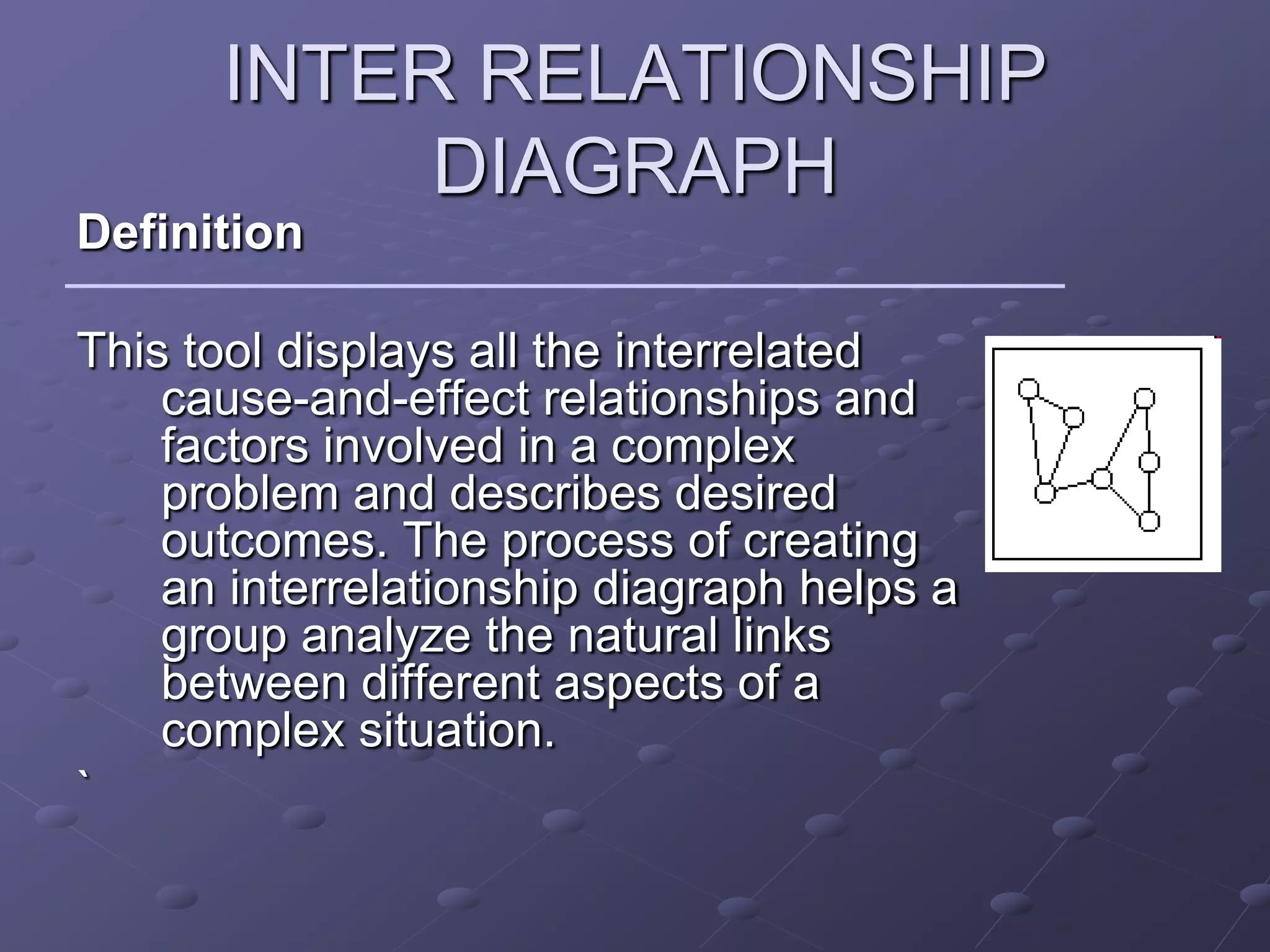
Definition

This tool displays all the interrelated
    cause-and-effect relationships and
    factors involved in a complex
    problem and describes desired
    outcomes. The process of creating
    an interrelationship diagraph helps a
    group analyze the natural links
    between different aspects of a
    complex situation.
`
INTER RELATIONSHIP
            DIAGRAPH
Process
    Agree on the issue or question.
    Add a symbol to the diagram for every element involved in the
    issue.
    Compare each element to all others. Use an "influence" arrow to
    connect related elements.
    The arrows should be drawn from the element that influences to
    the one influenced.
    If two elements influence each other, the arrow should be drawn to
    reflect the stronger influence.
    Count the arrows.
    The elements with the most outgoing arrows will be root causes or
    drivers.
    The ones with the most incoming arrows will be key outcomes or
    results.
`
INTER RELATIONSHIP
          DIAGRAPH
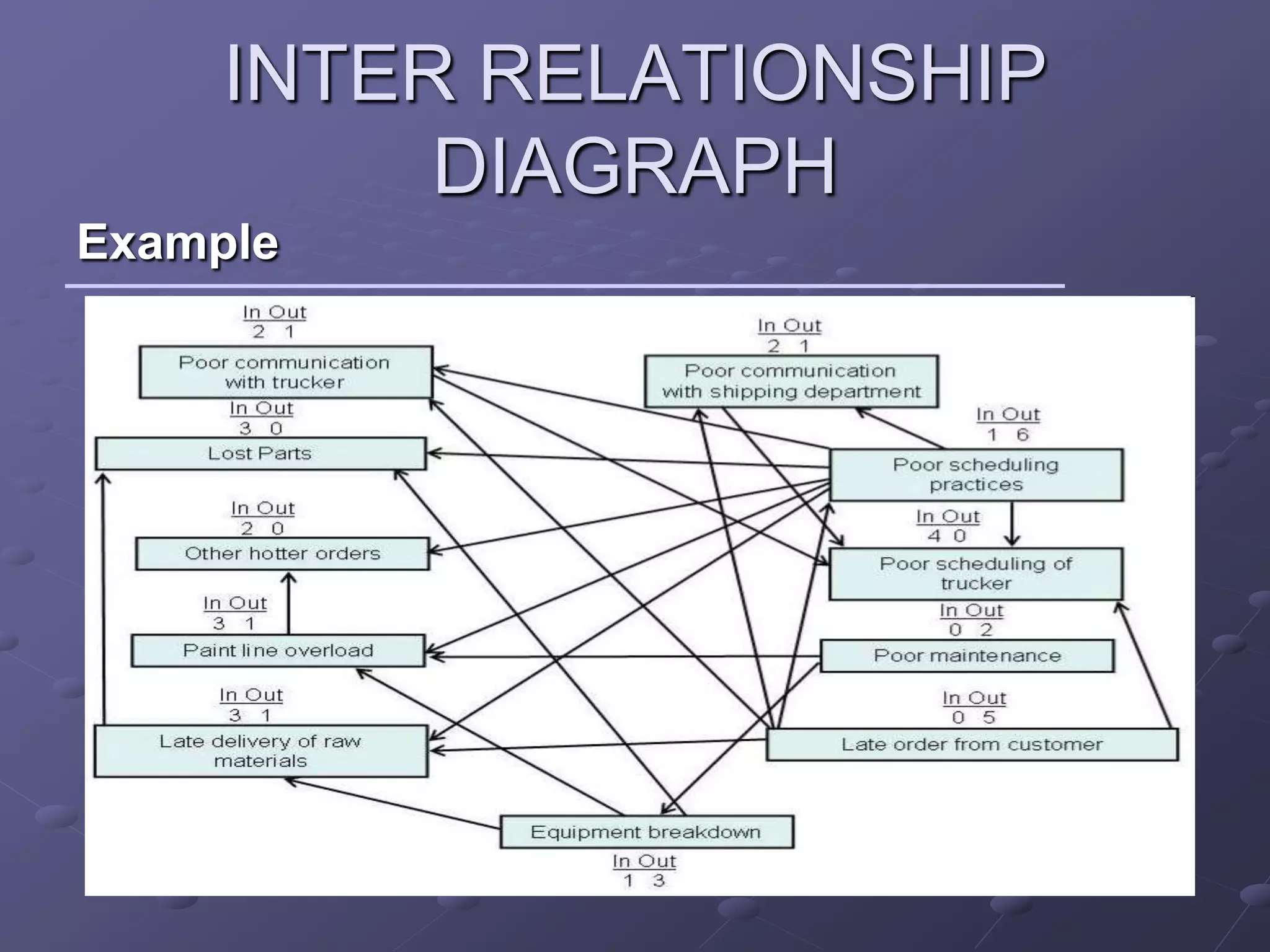
Example
INTER RELATIONSHIP
             DIAGRAPH
Example


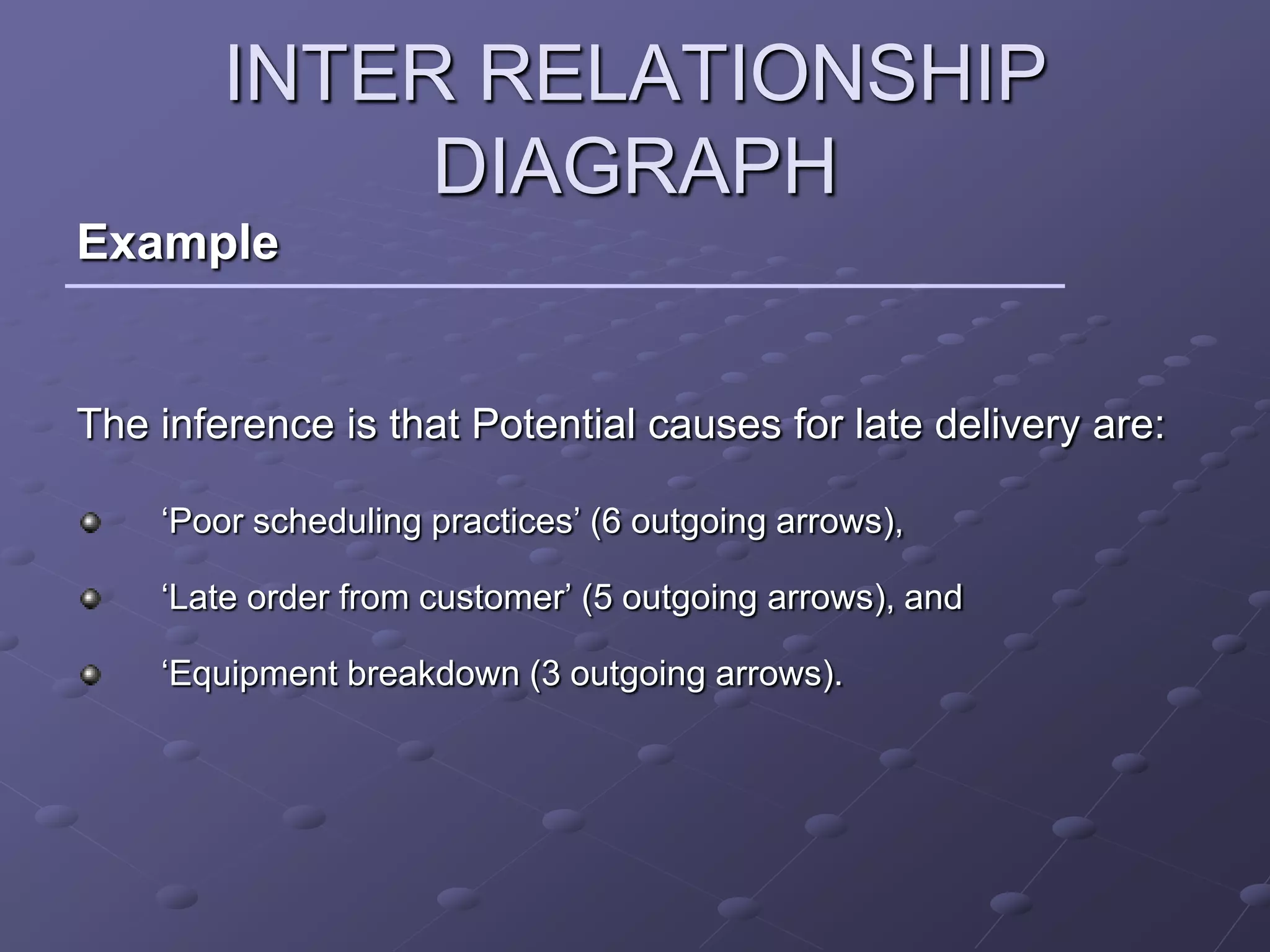
The inference is that Potential causes for late delivery are:

    ‘Poor scheduling practices’ (6 outgoing arrows),

    ‘Late order from customer’ (5 outgoing arrows), and

    ‘Equipment breakdown (3 outgoing arrows).
TREE DIAGRAM
Definition

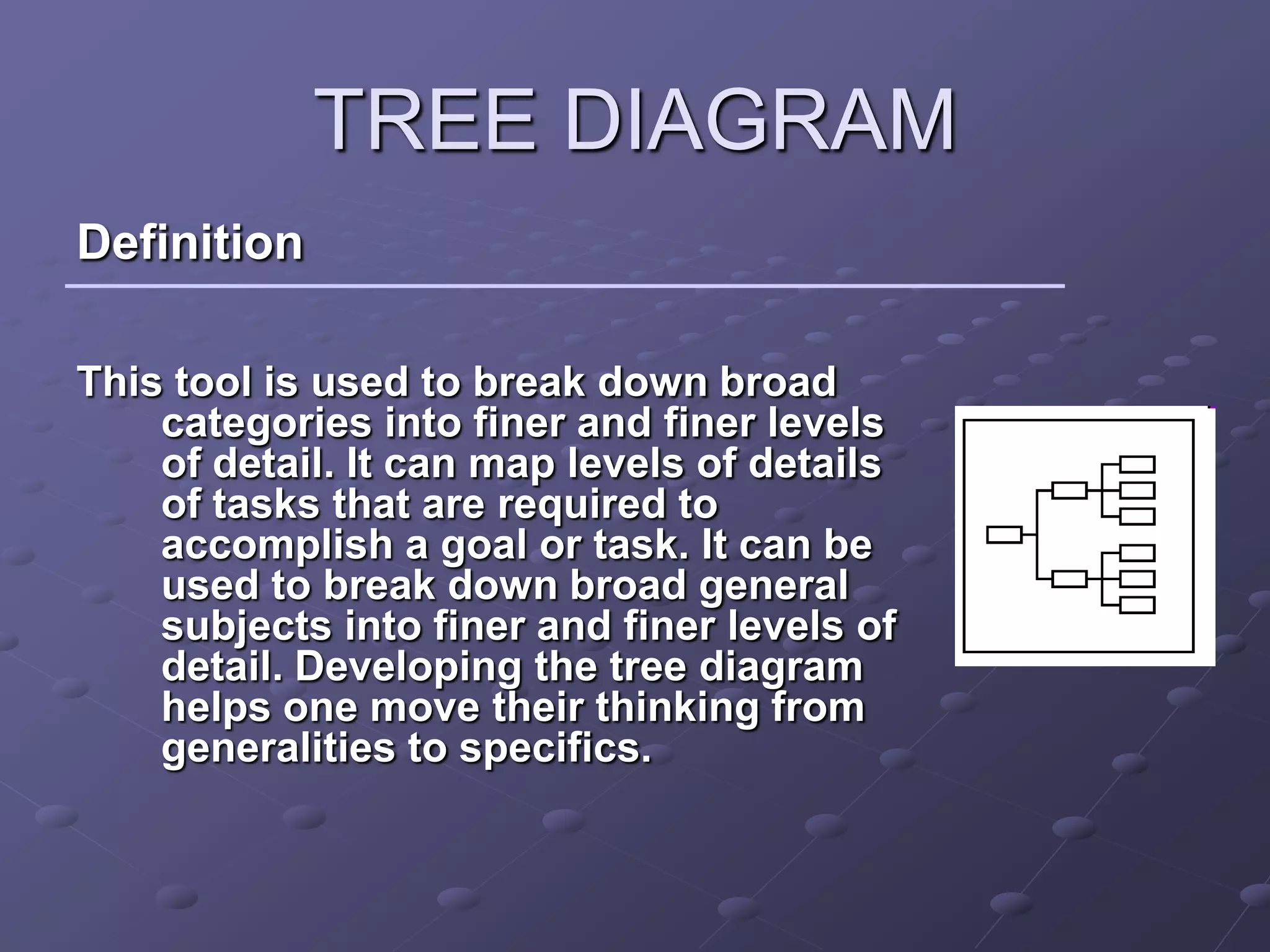
This tool is used to break down broad
    categories into finer and finer levels
    of detail. It can map levels of details
    of tasks that are required to
    accomplish a goal or task. It can be
    used to break down broad general
    subjects into finer and finer levels of
    detail. Developing the tree diagram
    helps one move their thinking from
    generalities to specifics.
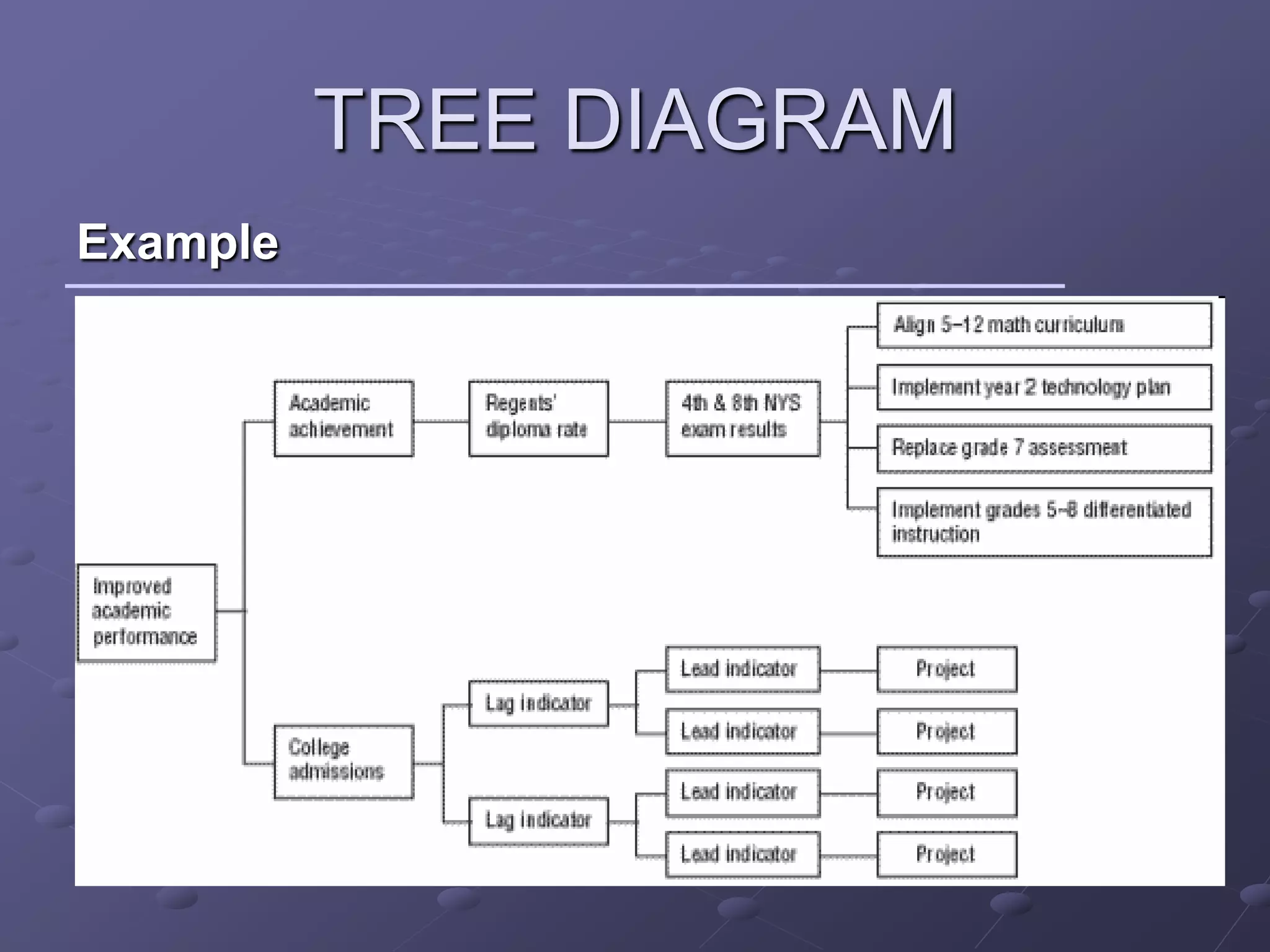
TREE DIAGRAM
Process
   Develop a statement of the goal
   Ask a question that will lead you to the next level of detail.
   Brainstorm all possible answers. Write each idea in a line below.
   Show links between the tiers with arrows.
   Do a “necessary and sufficient” check. Are all the items at this
   level necessary for the one on the level above?
   Each of the new idea statements now becomes the subject: a
   goal, objective or problem statement.
   Continue to turn each new idea into a subject statement and ask
   the question, till you reach a root cause
   Do a “necessary and sufficient” check of the entire diagram. Are
   all the items necessary for the objective?
TREE DIAGRAM
Example
MATRIX DIAGRAM
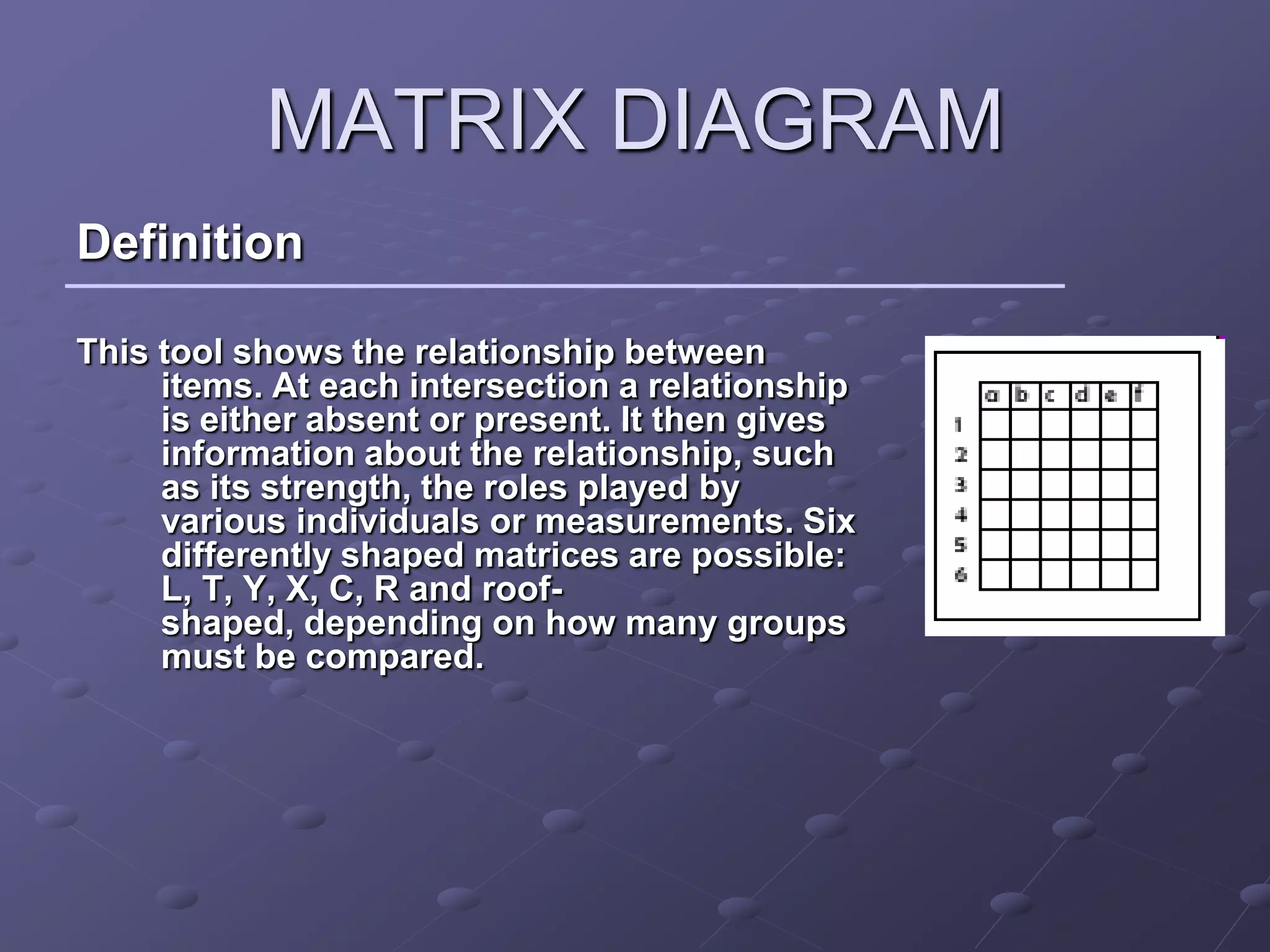
Definition

This tool shows the relationship between
     items. At each intersection a relationship
     is either absent or present. It then gives
     information about the relationship, such
     as its strength, the roles played by
     various individuals or measurements. Six
     differently shaped matrices are possible:
     L, T, Y, X, C, R and roof-
     shaped, depending on how many groups
     must be compared.
MATRIX DIAGRAM
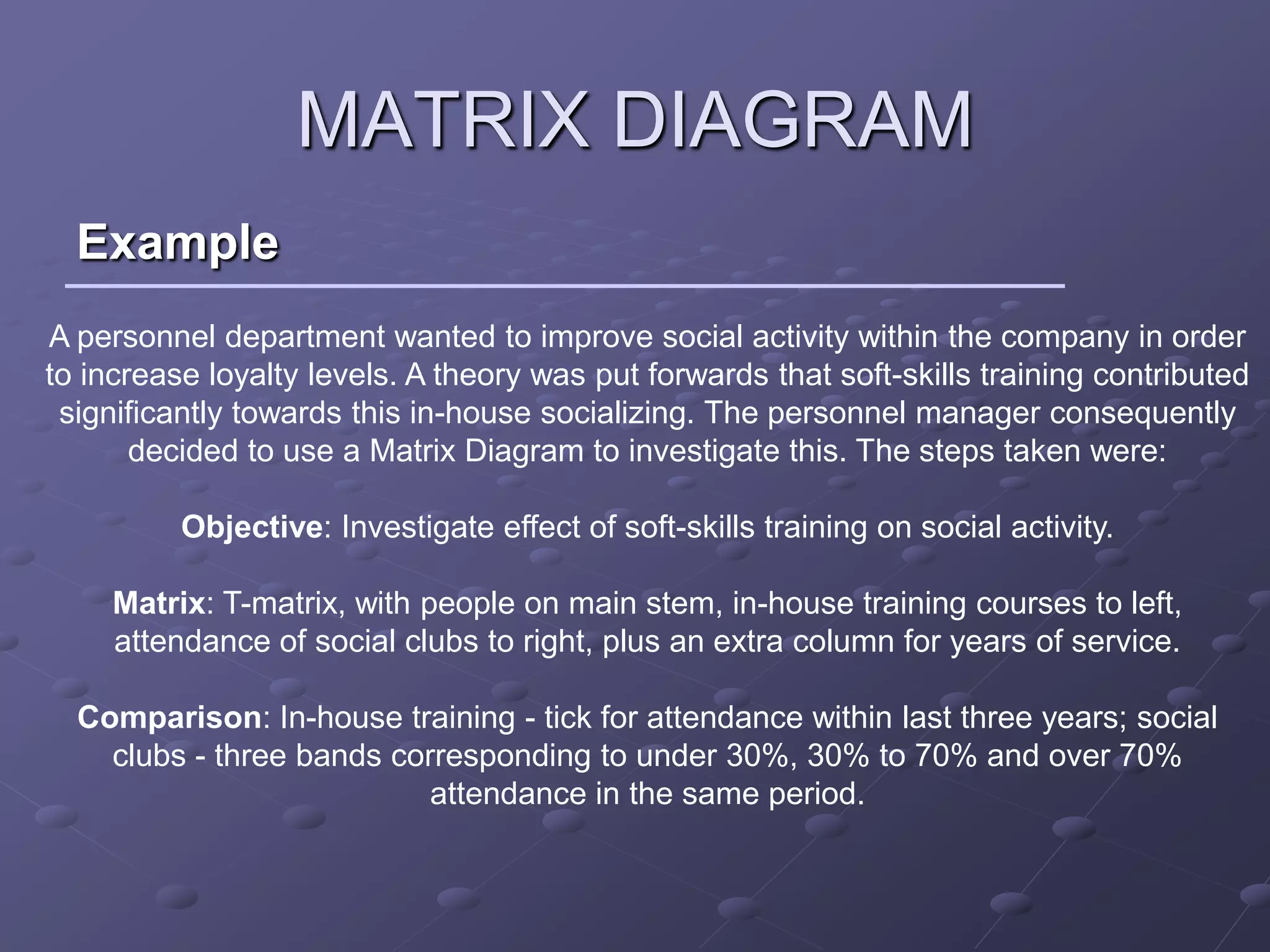
  Example
A personnel department wanted to improve social activity within the company in order
to increase loyalty levels. A theory was put forwards that soft-skills training contributed
 significantly towards this in-house socializing. The personnel manager consequently
       decided to use a Matrix Diagram to investigate this. The steps taken were:

          Objective: Investigate effect of soft-skills training on social activity.

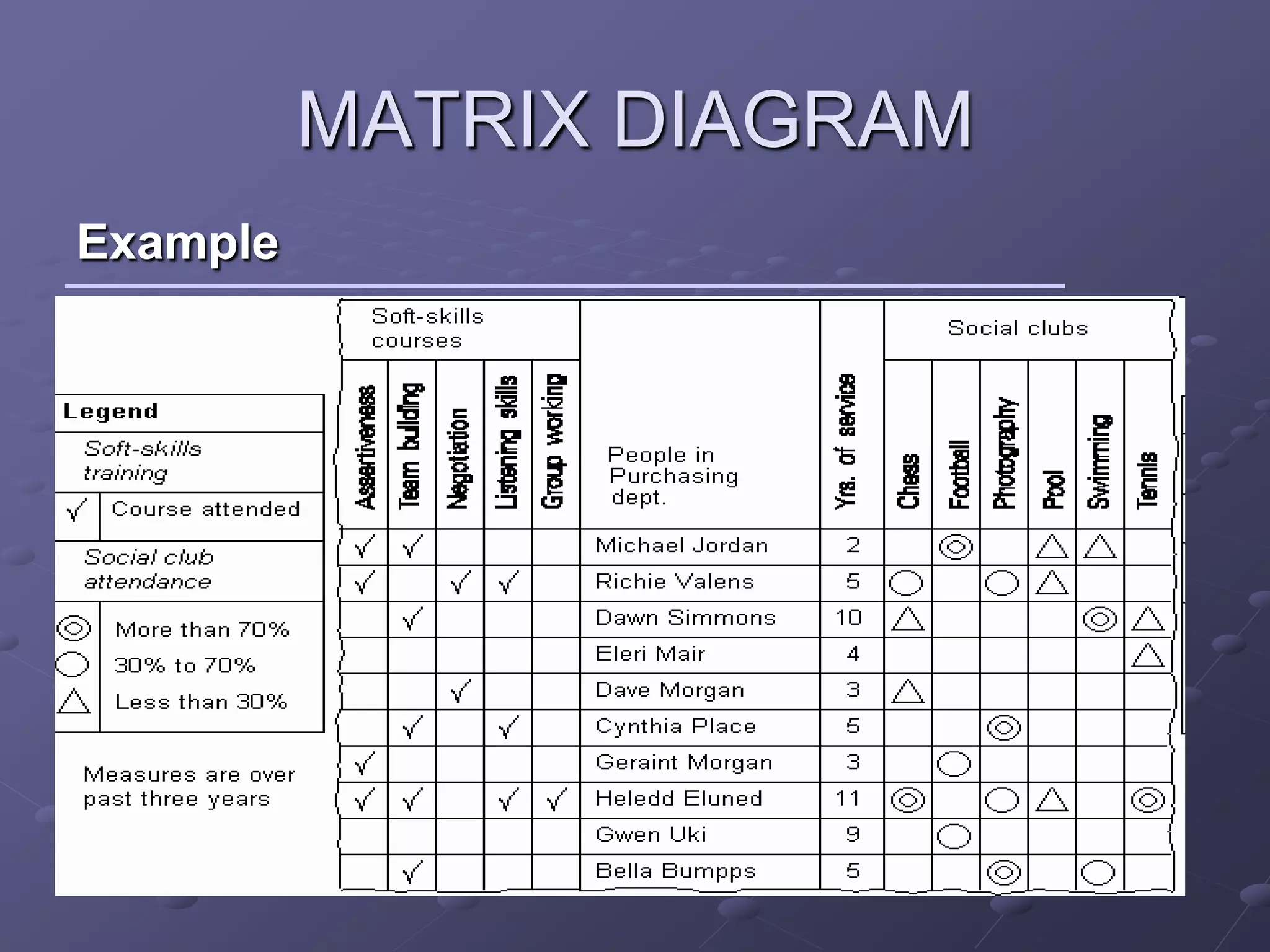
     Matrix: T-matrix, with people on main stem, in-house training courses to left,
     attendance of social clubs to right, plus an extra column for years of service.

  Comparison: In-house training - tick for attendance within last three years; social
    clubs - three bands corresponding to under 30%, 30% to 70% and over 70%
                           attendance in the same period.
MATRIX DIAGRAM
Example
MATRIX DIAGRAM
Example
The resultant matrix, showed that people with higher levels of
social training also tended to be more committed members of
social clubs. It was also noticed that there seemed to be a
particular increase in commitment after going on the team-building
course. The length of service showed no particular pattern.

 As a result, the training was expanded, and people were given
 more encouragement to attend (particularly the team-building
 course). This resulted in a steady increase in social activity and a
 reduction in attrition rates.
PRIORITISATION MATRIX
Definition

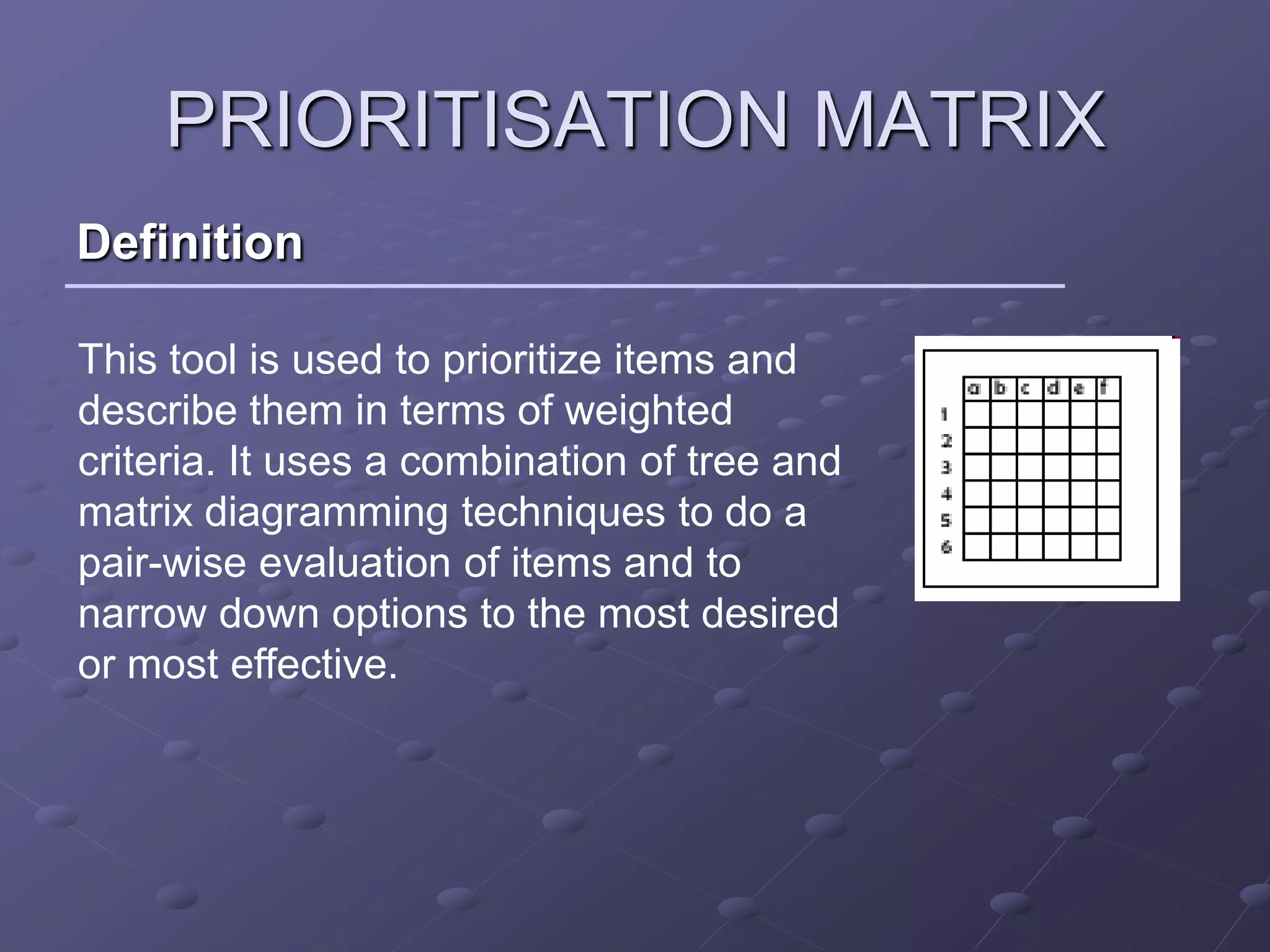
This tool is used to prioritize items and
describe them in terms of weighted
criteria. It uses a combination of tree and
matrix diagramming techniques to do a
pair-wise evaluation of items and to
narrow down options to the most desired
or most effective.
PRIORITISATION MATRIX
Example
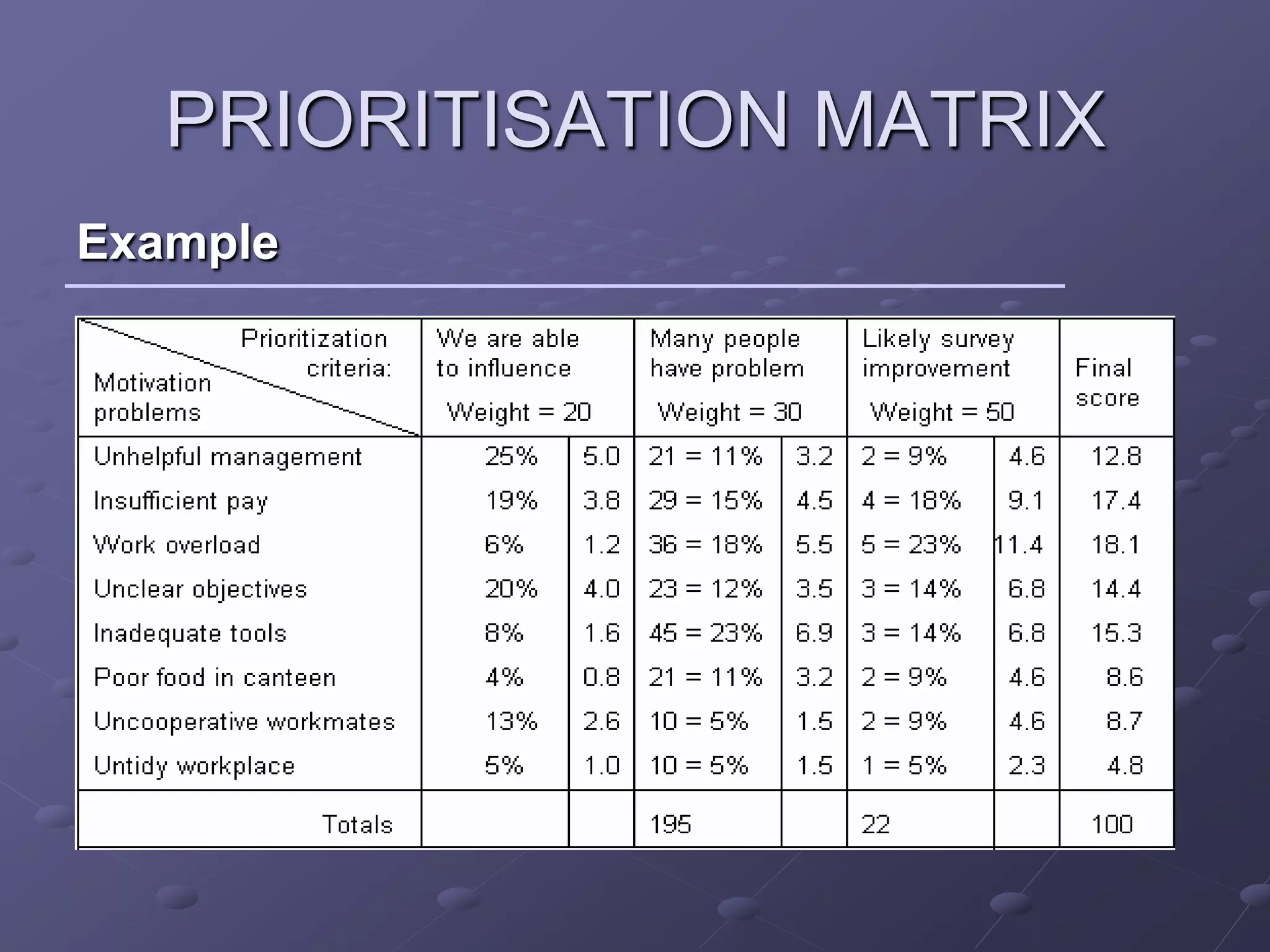
Problem

To identify the most important factors effecting motivation in
a team
PRIORITISATION MATRIX
Example
PDPC
Definition
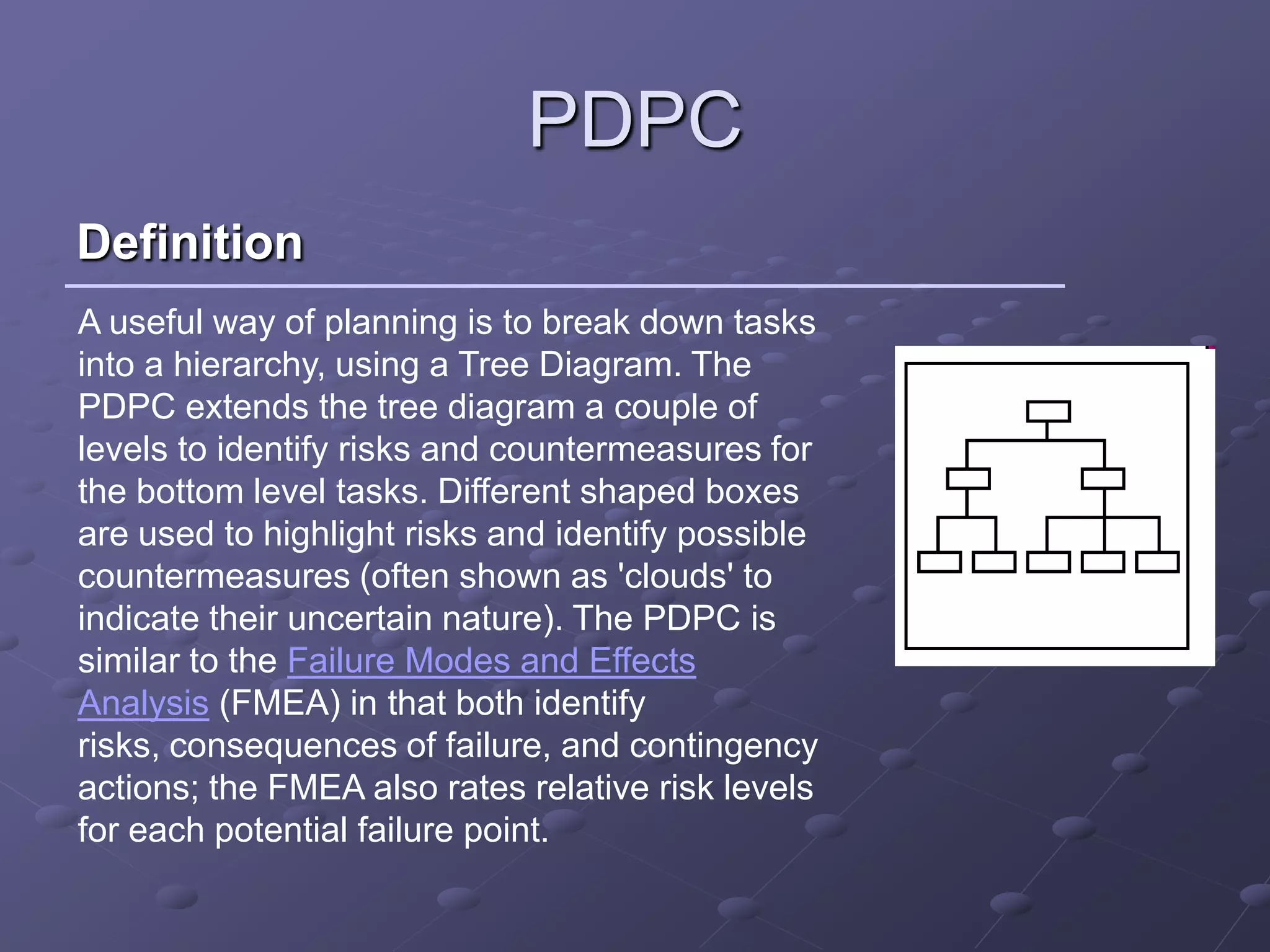
A useful way of planning is to break down tasks
into a hierarchy, using a Tree Diagram. The
PDPC extends the tree diagram a couple of
levels to identify risks and countermeasures for
the bottom level tasks. Different shaped boxes
are used to highlight risks and identify possible
countermeasures (often shown as 'clouds' to
indicate their uncertain nature). The PDPC is
similar to the Failure Modes and Effects
Analysis (FMEA) in that both identify
risks, consequences of failure, and contingency
actions; the FMEA also rates relative risk levels
for each potential failure point.
PDPC
Process

  From the bottom level of some activity box, the PDPC
                    adds levels for:

  •identifying what can go wrong (failure mode or risks)
  •consequences of that failure (effect or consequence)
  •possible countermeasures (risk mitigation action
  plan)
PDPC
Example

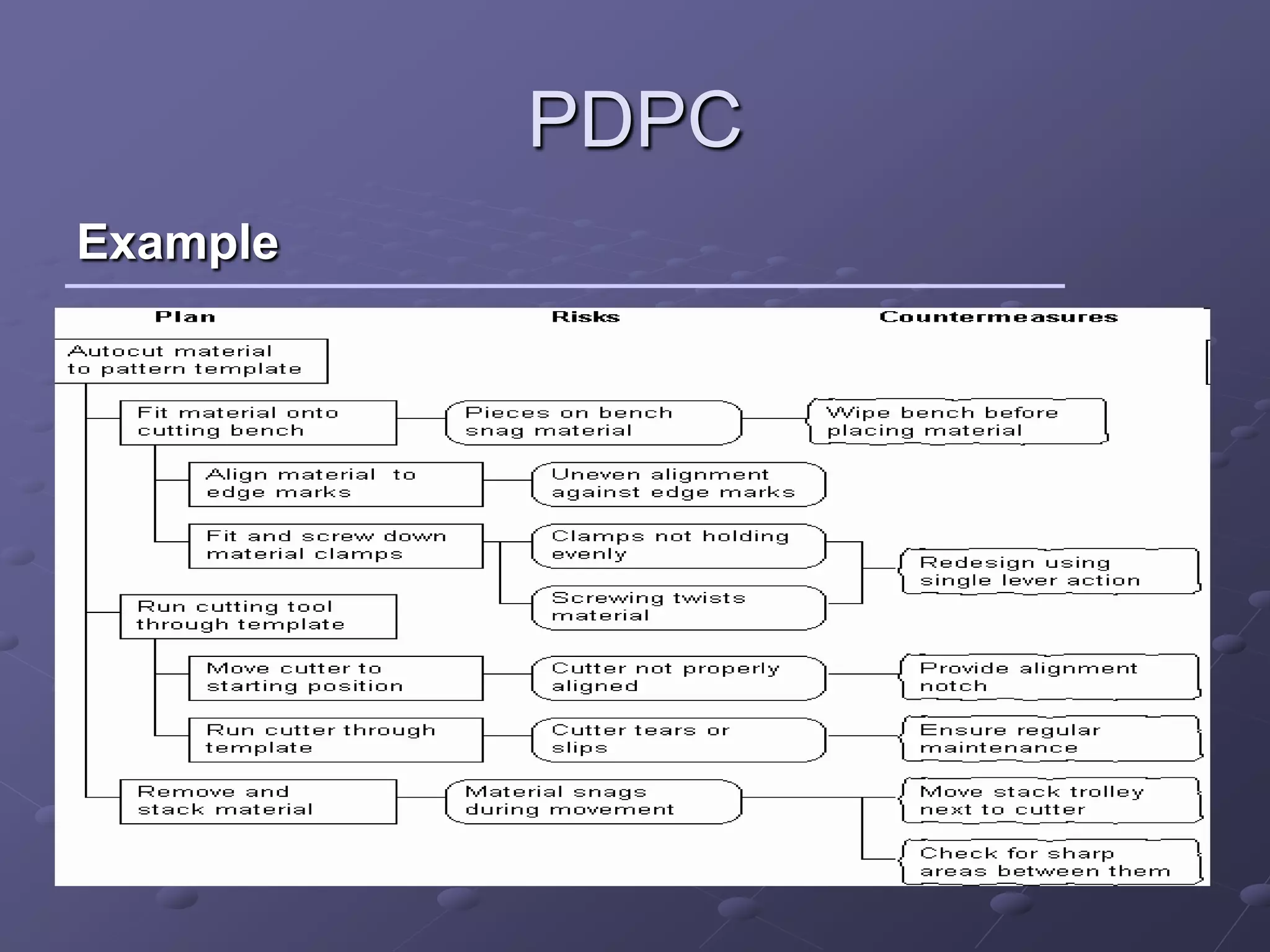
A dress production team at a clothes manufacturer was
improving the cutting-out process in order to minimize
material wastage. They decided to use PDPC on the work
breakdown structure to identify potential problems and ways
of avoiding them.

As the most expensive element is the material itself, they
defined a significant risk as, 'Anything that might cause the
cut cloth to be ruined', and viable countermeasures as,
'Anything that will reduce the risk, and which costs less than
100 pieces of cloth' .
PDPC
Example
PDPC
Example

 As a result of this, the cutting was tested on cheaper
material, resulting in the material clamp being redesigned to
prevent drag, a start notch provided for the cutter and the
general area being inspected for sharp corners to minimize
snag problems. The cutting operator was involved in the
PDPC process and the subsequent tests, resulting in her fully
understanding the process. The final cutting process
thereafter ran very smoothly with very little error.
ACTIVITY NETWORK DIAGRAM
Definition
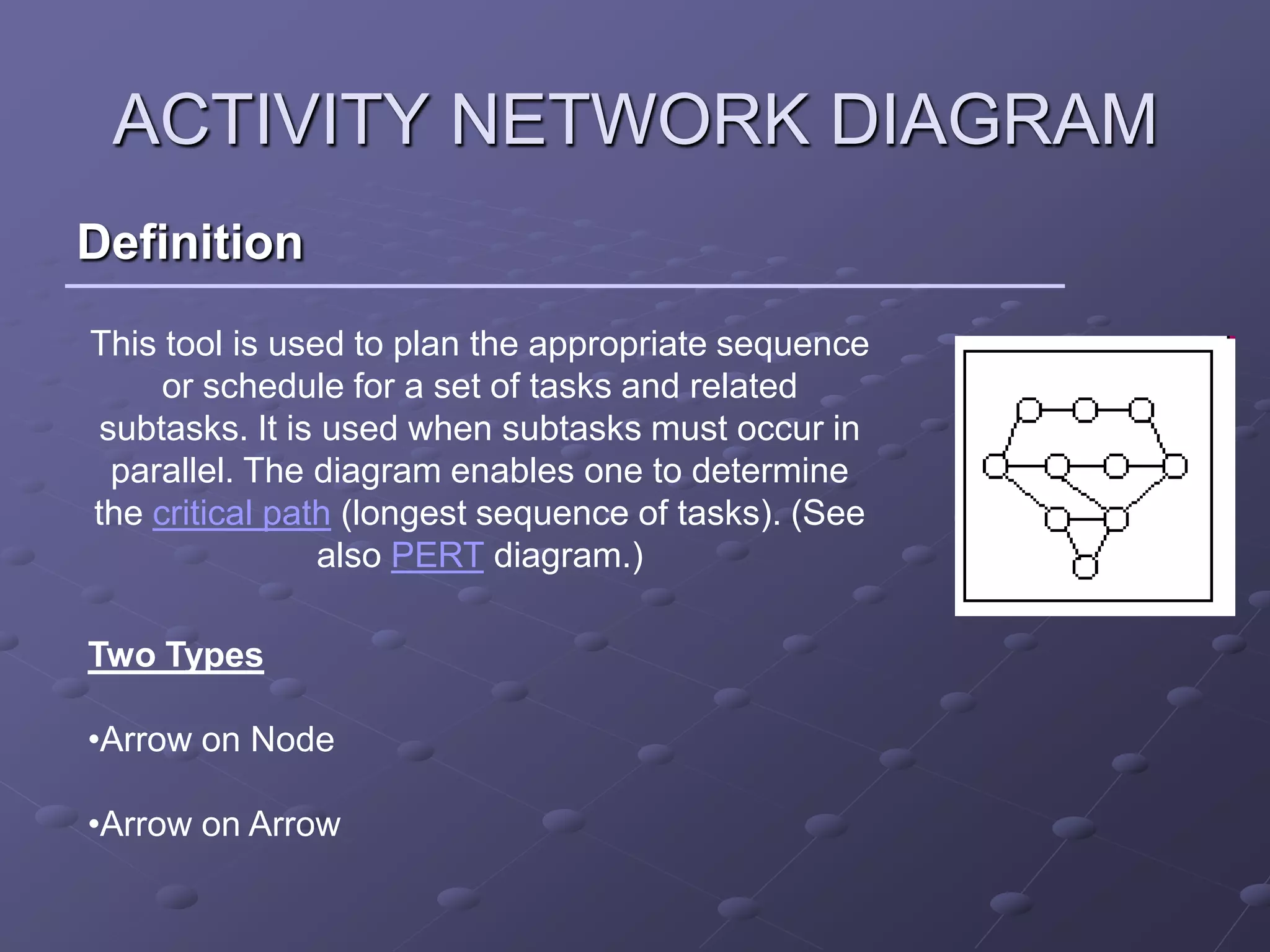
This tool is used to plan the appropriate sequence
     or schedule for a set of tasks and related
 subtasks. It is used when subtasks must occur in
  parallel. The diagram enables one to determine
the critical path (longest sequence of tasks). (See
                also PERT diagram.)

Two Types

•Arrow on Node

•Arrow on Arrow
ACTIVITY NETWORK DIAGRAM
Process

 In the activity on arrow (AOA) diagram each
 activity is represented by an arrow connecting two
 circles (nodes)
 The nodes represent transitions between activities –
 referred to as events
 The duration of an activity is written by the arrow
 representing it.
 Example shows activity (A), the duration of which is
 four days, between events 1 and 2.
ACTIVITY NETWORK DIAGRAM
  Process AOA

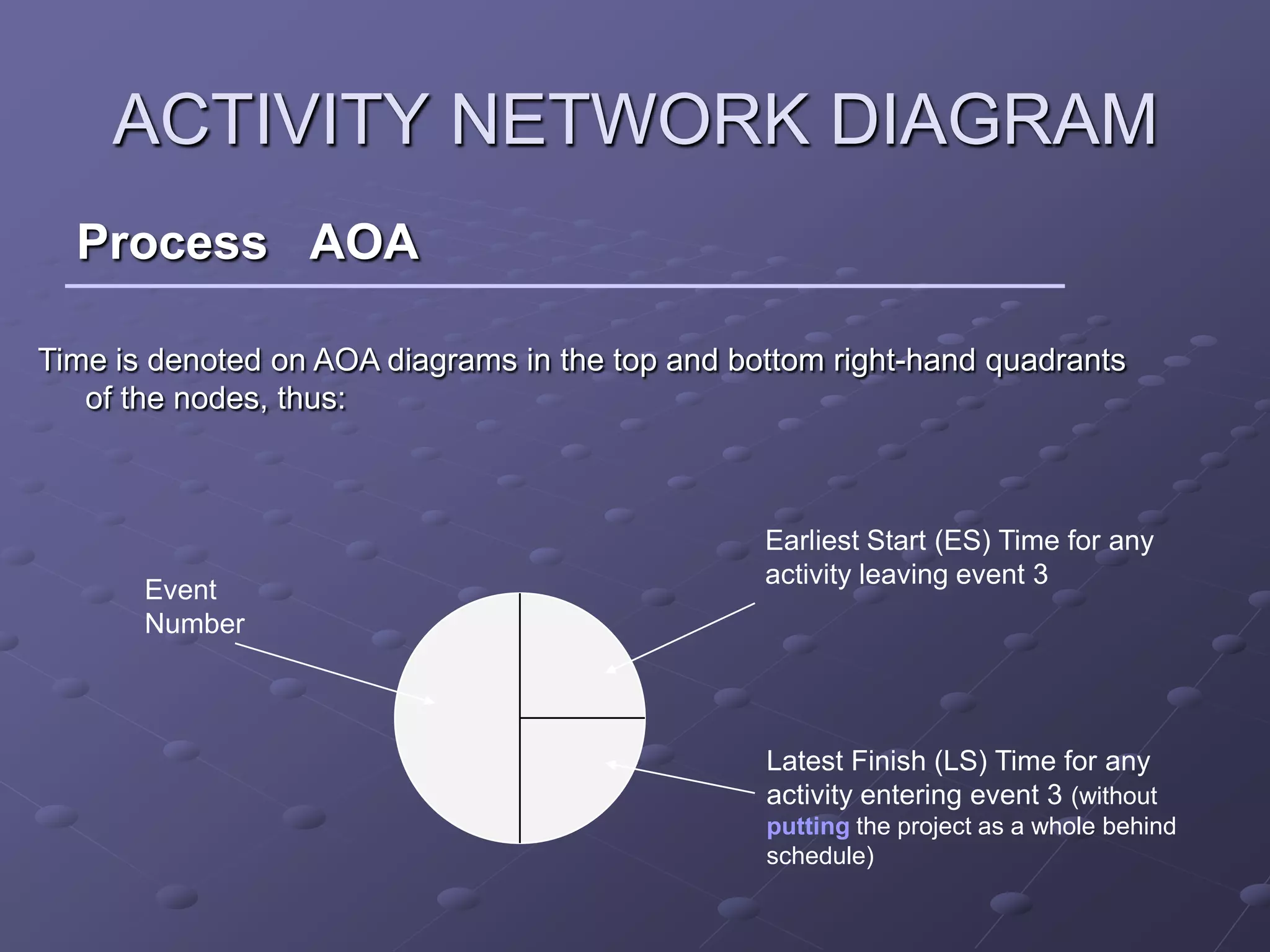
Time is denoted on AOA diagrams in the top and bottom right-hand quadrants
   of the nodes, thus:


                                                 Earliest Start (ES) Time for any
                                                 activity leaving event 3
       Event
       Number


                                                 Latest Finish (LS) Time for any
                                                 activity entering event 3 (without
                                                 putting the project as a whole behind
                                                 schedule)
ACTIVITY NETWORK DIAGRAM
Process

 In the activity on node (AON) diagram, each
 activity is represented by a rectangular box – the
 arrows merely indicate precedence.
 AON networks do not need dummies to maintain
 logic of precedence.
 More information is normally included on the
 AON diagram.
 Most computer packages for project planning
 and control tend to use AON notation.
ACTIVITY NETWORK DIAGRAM
Process AON
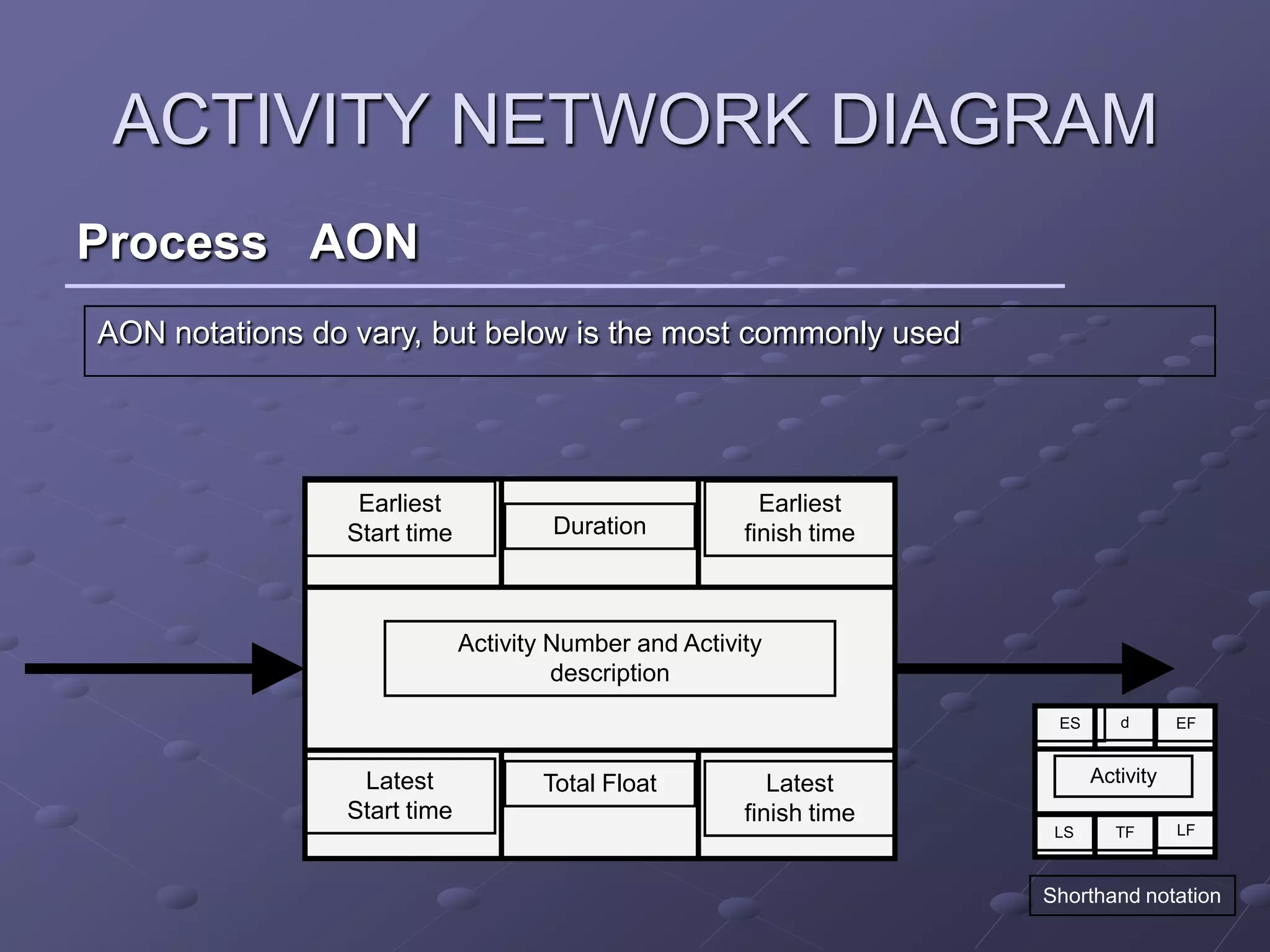
AON notations do vary, but below is the most commonly used


                 Earliest                                Earliest
                Start time           Duration          finish time


                             Activity Number and Activity
                                      description
                                                                      ES      d       EF


                 Latest             Total Float           Latest           Activity
                Start time                             finish time
                                                                      LS      TF      LF


                                                                     Shorthand notation
Thank you

New7managementtools ppt

  • 1.
  • 2.
    WHY THE NEWSET OF TOOLS To structure the brainstorming process Simplify Remove fear To help create a comfort fit (minimal dependence on statistics) Improve penetration Increase application
  • 3.
    LIST OF TOOLS AffinityDiagram Interrelationship diagraph Tree Diagram Matrix Diagrams Matrix Analysis PDPC, process decision program charts Arrow diagrams
  • 4.
    AFFINITY DIAGRAM Definition An AffinityDiagram is a special type of brainstorming process that is used for organising large groups of information into meaningful categories. It helps us to clarify and make sense of a large or complex problem
  • 5.
    AFFINITY DIAGRAM Process Record each idea on cards or notes Look for ideas that seem to be related Sort cards into groups until all cards have been used.
  • 6.
  • 7.
    INTER RELATIONSHIP DIAGRAPH Definition This tool displays all the interrelated cause-and-effect relationships and factors involved in a complex problem and describes desired outcomes. The process of creating an interrelationship diagraph helps a group analyze the natural links between different aspects of a complex situation. `
  • 8.
    INTER RELATIONSHIP DIAGRAPH Process Agree on the issue or question. Add a symbol to the diagram for every element involved in the issue. Compare each element to all others. Use an "influence" arrow to connect related elements. The arrows should be drawn from the element that influences to the one influenced. If two elements influence each other, the arrow should be drawn to reflect the stronger influence. Count the arrows. The elements with the most outgoing arrows will be root causes or drivers. The ones with the most incoming arrows will be key outcomes or results. `
  • 9.
    INTER RELATIONSHIP DIAGRAPH Example
  • 10.
    INTER RELATIONSHIP DIAGRAPH Example The inference is that Potential causes for late delivery are: ‘Poor scheduling practices’ (6 outgoing arrows), ‘Late order from customer’ (5 outgoing arrows), and ‘Equipment breakdown (3 outgoing arrows).
  • 11.
    TREE DIAGRAM Definition This toolis used to break down broad categories into finer and finer levels of detail. It can map levels of details of tasks that are required to accomplish a goal or task. It can be used to break down broad general subjects into finer and finer levels of detail. Developing the tree diagram helps one move their thinking from generalities to specifics.
  • 12.
    TREE DIAGRAM Process Develop a statement of the goal Ask a question that will lead you to the next level of detail. Brainstorm all possible answers. Write each idea in a line below. Show links between the tiers with arrows. Do a “necessary and sufficient” check. Are all the items at this level necessary for the one on the level above? Each of the new idea statements now becomes the subject: a goal, objective or problem statement. Continue to turn each new idea into a subject statement and ask the question, till you reach a root cause Do a “necessary and sufficient” check of the entire diagram. Are all the items necessary for the objective?
  • 13.
  • 14.
    MATRIX DIAGRAM Definition This toolshows the relationship between items. At each intersection a relationship is either absent or present. It then gives information about the relationship, such as its strength, the roles played by various individuals or measurements. Six differently shaped matrices are possible: L, T, Y, X, C, R and roof- shaped, depending on how many groups must be compared.
  • 15.
    MATRIX DIAGRAM Example A personnel department wanted to improve social activity within the company in order to increase loyalty levels. A theory was put forwards that soft-skills training contributed significantly towards this in-house socializing. The personnel manager consequently decided to use a Matrix Diagram to investigate this. The steps taken were: Objective: Investigate effect of soft-skills training on social activity. Matrix: T-matrix, with people on main stem, in-house training courses to left, attendance of social clubs to right, plus an extra column for years of service. Comparison: In-house training - tick for attendance within last three years; social clubs - three bands corresponding to under 30%, 30% to 70% and over 70% attendance in the same period.
  • 16.
  • 17.
    MATRIX DIAGRAM Example The resultantmatrix, showed that people with higher levels of social training also tended to be more committed members of social clubs. It was also noticed that there seemed to be a particular increase in commitment after going on the team-building course. The length of service showed no particular pattern. As a result, the training was expanded, and people were given more encouragement to attend (particularly the team-building course). This resulted in a steady increase in social activity and a reduction in attrition rates.
  • 18.
    PRIORITISATION MATRIX Definition This toolis used to prioritize items and describe them in terms of weighted criteria. It uses a combination of tree and matrix diagramming techniques to do a pair-wise evaluation of items and to narrow down options to the most desired or most effective.
  • 19.
    PRIORITISATION MATRIX Example Problem To identifythe most important factors effecting motivation in a team
  • 20.
  • 21.
    PDPC Definition A useful wayof planning is to break down tasks into a hierarchy, using a Tree Diagram. The PDPC extends the tree diagram a couple of levels to identify risks and countermeasures for the bottom level tasks. Different shaped boxes are used to highlight risks and identify possible countermeasures (often shown as 'clouds' to indicate their uncertain nature). The PDPC is similar to the Failure Modes and Effects Analysis (FMEA) in that both identify risks, consequences of failure, and contingency actions; the FMEA also rates relative risk levels for each potential failure point.
  • 22.
    PDPC Process Fromthe bottom level of some activity box, the PDPC adds levels for: •identifying what can go wrong (failure mode or risks) •consequences of that failure (effect or consequence) •possible countermeasures (risk mitigation action plan)
  • 23.
    PDPC Example A dress productionteam at a clothes manufacturer was improving the cutting-out process in order to minimize material wastage. They decided to use PDPC on the work breakdown structure to identify potential problems and ways of avoiding them. As the most expensive element is the material itself, they defined a significant risk as, 'Anything that might cause the cut cloth to be ruined', and viable countermeasures as, 'Anything that will reduce the risk, and which costs less than 100 pieces of cloth' .
  • 24.
  • 25.
    PDPC Example As aresult of this, the cutting was tested on cheaper material, resulting in the material clamp being redesigned to prevent drag, a start notch provided for the cutter and the general area being inspected for sharp corners to minimize snag problems. The cutting operator was involved in the PDPC process and the subsequent tests, resulting in her fully understanding the process. The final cutting process thereafter ran very smoothly with very little error.
  • 26.
    ACTIVITY NETWORK DIAGRAM Definition Thistool is used to plan the appropriate sequence or schedule for a set of tasks and related subtasks. It is used when subtasks must occur in parallel. The diagram enables one to determine the critical path (longest sequence of tasks). (See also PERT diagram.) Two Types •Arrow on Node •Arrow on Arrow
  • 27.
    ACTIVITY NETWORK DIAGRAM Process In the activity on arrow (AOA) diagram each activity is represented by an arrow connecting two circles (nodes) The nodes represent transitions between activities – referred to as events The duration of an activity is written by the arrow representing it. Example shows activity (A), the duration of which is four days, between events 1 and 2.
  • 28.
    ACTIVITY NETWORK DIAGRAM Process AOA Time is denoted on AOA diagrams in the top and bottom right-hand quadrants of the nodes, thus: Earliest Start (ES) Time for any activity leaving event 3 Event Number Latest Finish (LS) Time for any activity entering event 3 (without putting the project as a whole behind schedule)
  • 29.
    ACTIVITY NETWORK DIAGRAM Process In the activity on node (AON) diagram, each activity is represented by a rectangular box – the arrows merely indicate precedence. AON networks do not need dummies to maintain logic of precedence. More information is normally included on the AON diagram. Most computer packages for project planning and control tend to use AON notation.
  • 30.
    ACTIVITY NETWORK DIAGRAM ProcessAON AON notations do vary, but below is the most commonly used Earliest Earliest Start time Duration finish time Activity Number and Activity description ES d EF Latest Total Float Latest Activity Start time finish time LS TF LF Shorthand notation
  • 31.