Download as PDF, PPTX























![2. The Braintree UI continues
the transaction
Braintree *braintree = [Braintree
braintreeWithClientToken:self.clientToken];
[…]
BTDropInViewController *dropInViewController = [braintree
dropInViewControllerWithDelegate:self];
With Client Token the secure UI is created
on mobile application](https://image.slidesharecdn.com/newv-141004060657-conversion-gate02/85/Braintree-and-our-new-v-zero-SDK-for-iOS-39-320.jpg)






![- (void)viewDidLoad
{
[…]
NAFHTTPRequestOperationManager *manager =
[AFHTTPRequestOperationManager manager];
[manager POST:@“http://
url_for_getting_token”
parameters: nil
success:
^(AFHTTPRequestOperation *operation, id
responseObject)
[…]](https://image.slidesharecdn.com/newv-141004060657-conversion-gate02/85/Braintree-and-our-new-v-zero-SDK-for-iOS-49-320.jpg)

![[…]
NSString *clientToken =
[[NSString alloc]
initWithString:responseObject[@"client_token"]];
self.braintree =
[Braintree
braintreeWithClientToken:clientToken];
[…]
}](https://image.slidesharecdn.com/newv-141004060657-conversion-gate02/85/Braintree-and-our-new-v-zero-SDK-for-iOS-51-320.jpg)

![- (IBAction)tappedButton:(id)sender {
BTDropInViewController *dropInViewController =
[self.braintree dropInViewControllerWithDelegate:self];
dropInViewController.navigationItem.leftBarButtonItem
= [[UIBarButtonItem alloc]
initWithBarButtonSystemItem:UIBarButtonSystemItemCancel
target:self
action:@selector(userDidCancelPayment)];
UINavigationController *navigationController =
[[UINavigationController alloc]
initWithRootViewController:dropInViewController];
[self presentViewController:navigationController
animated:YES
completion:nil];
}](https://image.slidesharecdn.com/newv-141004060657-conversion-gate02/85/Braintree-and-our-new-v-zero-SDK-for-iOS-53-320.jpg)

![nonce = request.form[“payment_method_nonce”]
[…]
result = braintree.Transaction.sale({
"amount": "10.00",
"payment_method_nonce":"nonce-from-the-client"
})](https://image.slidesharecdn.com/newv-141004060657-conversion-gate02/85/Braintree-and-our-new-v-zero-SDK-for-iOS-55-320.jpg)
![NSString *transactionID = [[NSString alloc]
initWithString:responseObject[@"transaction_id"]];](https://image.slidesharecdn.com/newv-141004060657-conversion-gate02/85/Braintree-and-our-new-v-zero-SDK-for-iOS-56-320.jpg)


![[…]
NAFHTTPRequestOperationManager *manager =
[AFHTTPRequestOperationManager manager];
[manager POST:@“http://
url_for_getting_token”
parameters: @"clientHASH":
<theclientHASH>
success:
^(AFHTTPRequestOperation *operation, id
responseObject)
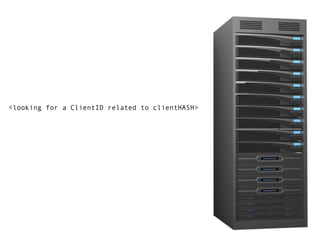
[…]](https://image.slidesharecdn.com/newv-141004060657-conversion-gate02/85/Braintree-and-our-new-v-zero-SDK-for-iOS-60-320.jpg)

![NSString *transactionID = [[NSString alloc]
initWithString:responseObject[@"transaction_id"]];](https://image.slidesharecdn.com/newv-141004060657-conversion-gate02/85/Braintree-and-our-new-v-zero-SDK-for-iOS-63-320.jpg)








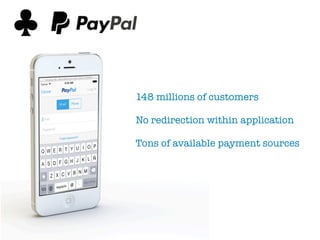
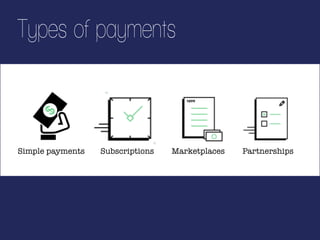
The document details the implementation of Braintree's v.zero payment integration for mobile applications, emphasizing features like security, user experience, and simplicity. It provides a step-by-step guide on utilizing client tokens and the Braintree UI for processing transactions. It also highlights various types of payments that can be facilitated, including simple payments, subscriptions, and partnerships.


![[daddly] Stripe勉強会 運用編 2016/11/30](https://cdn.slidesharecdn.com/ss_thumbnails/stripe2016113008-161201031753-thumbnail.jpg?width=640&height=640&fit=bounds)


![[ES] Battlehacks, hackatones y algún hacha](https://cdn.slidesharecdn.com/ss_thumbnails/battlehackshackatonesyalgunhacha-141030051911-conversion-gate01-thumbnail.jpg?width=640&height=640&fit=bounds)


