Produced By : ElectroTeam
Senior Developer
Eng. Mohamed Saad
Managing Director
Mrs. Alaa El Garhy
8July 2015 Courses@pamicloud.com
PamiCloud
Courses@pamicloud.com
WordPress Essentials
Build a feature-rich business website with
this step-by-step site building course
WordPressEssentials
Level 1
WordPress Developer
WordPress Quick Start Course
Target Audiance
The course is for everyone who wants to learn web technologies
for developing business on the internet. In addition to the
fundamentals, you will get a very thorough overview of WP
functionality, WP programming languages, WP technologies,
useful tools and plugins, and in-depth reviews of many popular
themes, both free and commercial. We also have Addition
sessions on search-engine optimization, video production and
distribution, mailing lists and membership systems.
- WordPress ecommerce not included in this course.
WordPressEssentials
About The Journey
WordPressEssentials
This WordPress course has been designed from a beginners
perspective to provide a step by step guide from ground up to going live
with your Word press website.
Covers
The conceptual framework of a WordPress based system.
The practical aspects of building a modern website or a blog.
what you will learn…?
 Understand The Internet Protocols.
 Create A Plan For Your Website.
 Create Website Mock ups.
 Choose And Register A Domain Name.
 Understand Web Hosting And Create A Hosting Account.
 Install And Configure WordPress.
 Introduced to HTML,CSS,JS & PHP.
 Customize The WordPress Design.
 Create Website Content.
 Launch A Website.
 Maintain Website.
WordPressEssentials
Curriculum
 HTTP & FTP Protocols.
 Plane your website.
 What Is Domain Name.
 What is web host.
 Create Free Blog on wordpress.com
 Getting to know the WordPress Dashboard.
 Creating Content:
• Posts.
• Pages.
 Using WordPress simple themes (Free).
 How to use WordPress widgets.
 How to create custom WordPress menus.
WordPressEssentials
Session 1
 Http & FTP protocols.
 What is Domain Name and what is the rules of choosing a
domain names.
 Hosting Company , evaluate price VS functionalities.
 Defining Your Business Goals & Target customers.
 Content Planning.
 Diagram Your Website.
 Create a Site Budget (Theme Cost).
WordPressEssentials
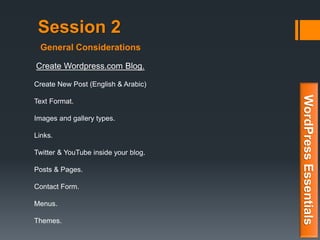
General Considerations
Session 2
Create Wordpress.com Blog.
Create New Post (English & Arabic)
Text Format.
Images and gallery types.
Links.
Twitter & YouTube inside your blog.
Posts & Pages.
Contact Form.
Menus.
Themes.
WordPressEssentials
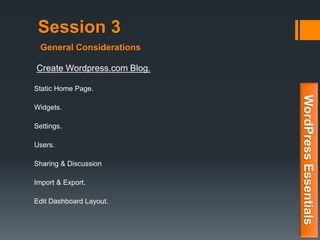
General Considerations
Session 3
Create Wordpress.com Blog.
Static Home Page.
Widgets.
Settings.
Users.
Sharing & Discussion
Import & Export.
Edit Dashboard Layout.
WordPressEssentials
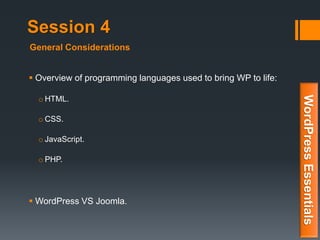
General Considerations
Session 4
 Overview of programming languages used to bring WP to life:
o HTML.
o CSS.
o JavaScript.
o PHP.
 WordPress VS Joomla.
WordPressEssentials
General Considerations
Assignment A
Wordpress.com
WordPressEssentials
Session 5
How we want our website to look. the popularity of WordPress
creates a whole new challenge — finding the right theme for
your site.
 In this Session you’ll learn more about WordPress themes and how
to find the perfect , Mobile friendly theme.
.
WordPressEssentials
Site Design with WordPress Themes
Session 5
 WordPress Themes.
 Themes: Where to Look.
 Themes: What to Look For.
 Customize Your Theme - Simple theme.
 Difference between Tags and Categories.
WordPressEssentials
Site Design with WordPress Themes
Assignment B
WordPress Quick Start Final Assignment
WordPressEssentials
WordPress Essentials
Build a feature-rich business website with
this step-by-step site building course
WordPressEssentials
Level 2
WordPress Ninja
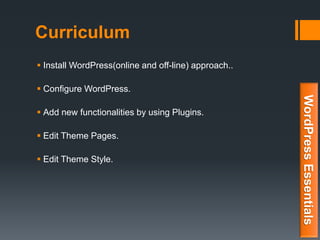
Curriculum
 Install WordPress(online and off-line) approach..
 Configure WordPress.
 Add new functionalities by using Plugins.
 Edit Theme Pages.
 Edit Theme Style.
WordPressEssentials
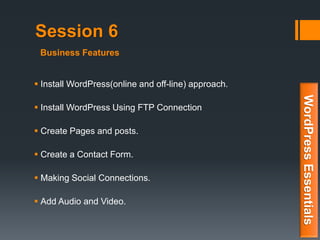
Session 6
 Install WordPress(online and off-line) approach.
 Install WordPress Using FTP Connection
 Create Pages and posts.
 Create a Contact Form.
 Making Social Connections.
 Add Audio and Video.
WordPressEssentials
Business Features
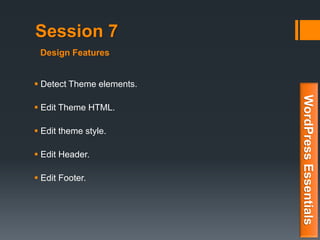
Session 7
 Detect Theme elements.
 Edit Theme HTML.
 Edit theme style.
 Edit Header.
 Edit Footer.
WordPressEssentials
Design Features
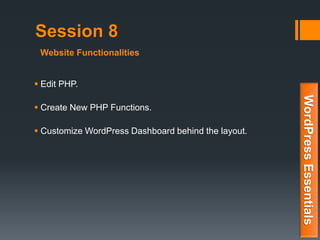
Session 8
 Edit PHP.
 Create New PHP Functions.
 Customize WordPress Dashboard behind the layout.
WordPressEssentials
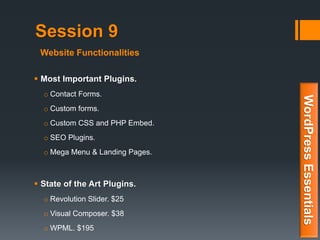
Website Functionalities
Session 9
 Most Important Plugins.
o Contact Forms.
o Custom forms.
o Custom CSS and PHP Embed.
o SEO Plugins.
o Mega Menu & Landing Pages.
 State of the Art Plugins.
o Revolution Slider. $25
o Visual Composer. $38
o WPML. $195
WordPressEssentials
Website Functionalities
Assignment C
Coding
WordPressEssentials
Session 10
Get Your Ninja Certificate.
WordPressEssentials
Mission Accomplished
WordPress Essentials
Build a feature-rich business website with
this step-by-step site building course
WordPressEssentials
Level 3
WordPress Master
Curriculum
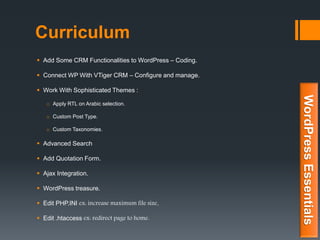
 Add Some CRM Functionalities to WordPress – Coding.
 Connect WP With VTiger CRM – Configure and manage.
 Work With Sophisticated Themes :
o Apply RTL on Arabic selection.
o Custom Post Type.
o Custom Taxonomies.
 Advanced Search
 Add Quotation Form.
 Ajax Integration.
 WordPress treasure.
 Edit PHP.INI ex: increase maximum file size.
 Edit .htaccess ex: redirect page to home.
WordPressEssentials
Final Assignment
Complete project of your choice
WordPressEssentials
Finally
 Be sure that your code in Human readable format.
 Document everything.
 Create backups (WP files & Database).
 Update Your WordPress Website & Keep your WordPress
secured.
WordPressEssentials
Packaging and Documentations
Be Advised
Home Work And Scheduled Assignment is essential to get your
certificate, but there are more…
Student with A+ [100%-95%] will get one year Hosting
account & off course a Domain Name, TOTALLY Free of
Charge, Plus all ElectroTeam online courses HD on Cd`s with
source Code. [C-panel]
Student With Grade A [94.9%-90%] will get two years 100
GByte Free Hosting service, along with Name servers to
connect External domains with your hosting space, Plus all
ElectroTeam online courses HD on Cd`s with source Code.
Student With Grade B+ [89.9%-85%] will get Free Domain
and all ElectroTeam online courses HD on Cd`s with source
Code.
Student With Grade B [84.9%-80%] will get all ElectroTeam
online courses HD on Cd`s with source Code.
Contact Us
saad@itbigdig.com
02 - 2266 9046
010 - 95 800 830
facebook.com/itbigdig
twitter.com/ITBigDig
youtube.com/c/itbigdig
plus.google.com/u/2/+Itbigdig
eg.linkedin.com/in/electroteam
PamiCloud
Courses@pamicloud.com

Wordpress course

  • 1.
    Produced By :ElectroTeam Senior Developer Eng. Mohamed Saad Managing Director Mrs. Alaa El Garhy 8July 2015 Courses@pamicloud.com PamiCloud Courses@pamicloud.com
  • 2.
    WordPress Essentials Build afeature-rich business website with this step-by-step site building course WordPressEssentials Level 1 WordPress Developer WordPress Quick Start Course
  • 3.
    Target Audiance The courseis for everyone who wants to learn web technologies for developing business on the internet. In addition to the fundamentals, you will get a very thorough overview of WP functionality, WP programming languages, WP technologies, useful tools and plugins, and in-depth reviews of many popular themes, both free and commercial. We also have Addition sessions on search-engine optimization, video production and distribution, mailing lists and membership systems. - WordPress ecommerce not included in this course. WordPressEssentials
  • 4.
    About The Journey WordPressEssentials ThisWordPress course has been designed from a beginners perspective to provide a step by step guide from ground up to going live with your Word press website. Covers The conceptual framework of a WordPress based system. The practical aspects of building a modern website or a blog.
  • 5.
    what you willlearn…?  Understand The Internet Protocols.  Create A Plan For Your Website.  Create Website Mock ups.  Choose And Register A Domain Name.  Understand Web Hosting And Create A Hosting Account.  Install And Configure WordPress.  Introduced to HTML,CSS,JS & PHP.  Customize The WordPress Design.  Create Website Content.  Launch A Website.  Maintain Website. WordPressEssentials
  • 6.
    Curriculum  HTTP &FTP Protocols.  Plane your website.  What Is Domain Name.  What is web host.  Create Free Blog on wordpress.com  Getting to know the WordPress Dashboard.  Creating Content: • Posts. • Pages.  Using WordPress simple themes (Free).  How to use WordPress widgets.  How to create custom WordPress menus. WordPressEssentials
  • 7.
    Session 1  Http& FTP protocols.  What is Domain Name and what is the rules of choosing a domain names.  Hosting Company , evaluate price VS functionalities.  Defining Your Business Goals & Target customers.  Content Planning.  Diagram Your Website.  Create a Site Budget (Theme Cost). WordPressEssentials General Considerations
  • 8.
    Session 2 Create Wordpress.comBlog. Create New Post (English & Arabic) Text Format. Images and gallery types. Links. Twitter & YouTube inside your blog. Posts & Pages. Contact Form. Menus. Themes. WordPressEssentials General Considerations
  • 9.
    Session 3 Create Wordpress.comBlog. Static Home Page. Widgets. Settings. Users. Sharing & Discussion Import & Export. Edit Dashboard Layout. WordPressEssentials General Considerations
  • 10.
    Session 4  Overviewof programming languages used to bring WP to life: o HTML. o CSS. o JavaScript. o PHP.  WordPress VS Joomla. WordPressEssentials General Considerations
  • 11.
  • 12.
    Session 5 How wewant our website to look. the popularity of WordPress creates a whole new challenge — finding the right theme for your site.  In this Session you’ll learn more about WordPress themes and how to find the perfect , Mobile friendly theme. . WordPressEssentials Site Design with WordPress Themes
  • 13.
    Session 5  WordPressThemes.  Themes: Where to Look.  Themes: What to Look For.  Customize Your Theme - Simple theme.  Difference between Tags and Categories. WordPressEssentials Site Design with WordPress Themes
  • 14.
    Assignment B WordPress QuickStart Final Assignment WordPressEssentials
  • 15.
    WordPress Essentials Build afeature-rich business website with this step-by-step site building course WordPressEssentials Level 2 WordPress Ninja
  • 16.
    Curriculum  Install WordPress(onlineand off-line) approach..  Configure WordPress.  Add new functionalities by using Plugins.  Edit Theme Pages.  Edit Theme Style. WordPressEssentials
  • 17.
    Session 6  InstallWordPress(online and off-line) approach.  Install WordPress Using FTP Connection  Create Pages and posts.  Create a Contact Form.  Making Social Connections.  Add Audio and Video. WordPressEssentials Business Features
  • 18.
    Session 7  DetectTheme elements.  Edit Theme HTML.  Edit theme style.  Edit Header.  Edit Footer. WordPressEssentials Design Features
  • 19.
    Session 8  EditPHP.  Create New PHP Functions.  Customize WordPress Dashboard behind the layout. WordPressEssentials Website Functionalities
  • 20.
    Session 9  MostImportant Plugins. o Contact Forms. o Custom forms. o Custom CSS and PHP Embed. o SEO Plugins. o Mega Menu & Landing Pages.  State of the Art Plugins. o Revolution Slider. $25 o Visual Composer. $38 o WPML. $195 WordPressEssentials Website Functionalities
  • 21.
  • 22.
    Session 10 Get YourNinja Certificate. WordPressEssentials Mission Accomplished
  • 23.
    WordPress Essentials Build afeature-rich business website with this step-by-step site building course WordPressEssentials Level 3 WordPress Master
  • 24.
    Curriculum  Add SomeCRM Functionalities to WordPress – Coding.  Connect WP With VTiger CRM – Configure and manage.  Work With Sophisticated Themes : o Apply RTL on Arabic selection. o Custom Post Type. o Custom Taxonomies.  Advanced Search  Add Quotation Form.  Ajax Integration.  WordPress treasure.  Edit PHP.INI ex: increase maximum file size.  Edit .htaccess ex: redirect page to home. WordPressEssentials
  • 25.
    Final Assignment Complete projectof your choice WordPressEssentials
  • 26.
    Finally  Be surethat your code in Human readable format.  Document everything.  Create backups (WP files & Database).  Update Your WordPress Website & Keep your WordPress secured. WordPressEssentials Packaging and Documentations
  • 27.
    Be Advised Home WorkAnd Scheduled Assignment is essential to get your certificate, but there are more… Student with A+ [100%-95%] will get one year Hosting account & off course a Domain Name, TOTALLY Free of Charge, Plus all ElectroTeam online courses HD on Cd`s with source Code. [C-panel] Student With Grade A [94.9%-90%] will get two years 100 GByte Free Hosting service, along with Name servers to connect External domains with your hosting space, Plus all ElectroTeam online courses HD on Cd`s with source Code. Student With Grade B+ [89.9%-85%] will get Free Domain and all ElectroTeam online courses HD on Cd`s with source Code. Student With Grade B [84.9%-80%] will get all ElectroTeam online courses HD on Cd`s with source Code.
  • 28.
    Contact Us saad@itbigdig.com 02 -2266 9046 010 - 95 800 830 facebook.com/itbigdig twitter.com/ITBigDig youtube.com/c/itbigdig plus.google.com/u/2/+Itbigdig eg.linkedin.com/in/electroteam PamiCloud Courses@pamicloud.com