Bhai Gurdas Institute of EngineeringBhai Gurdas Institute of Engineering
& Technology , Sangrur& Technology , Sangrur
Prepared By :-
Vishal KumarVishal Kumar
(1238755)(1238755)
Ravi RanjanRavi Ranjan
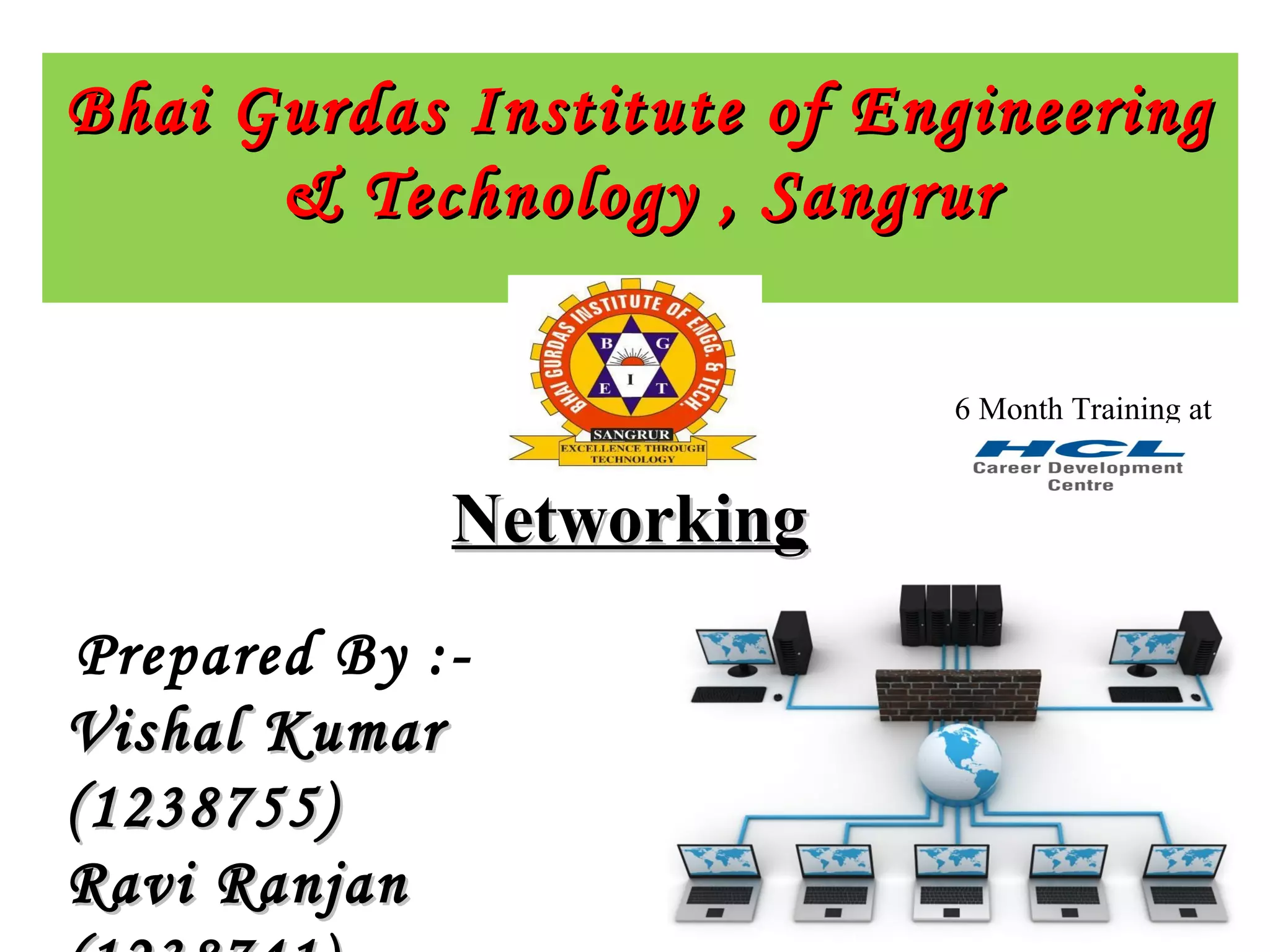
NetworkingNetworking
6 Month Training at
Company ProfileCompany Profile
• The company came into existence in 1976, became
• the largest IT company in India in 1986,launched
• the CDC’s in 2006.
• HCL Info systems is one of the leading System Integration Companies in the
country.
• HCL CDC, the training arm of HCL Info systems, is an initiative that enables
individuals and organizations to benefit from HCL's deep expertise.
• CDC offers a complete spectrum of quality training programs on software,
hardware, networking as well as global certifications in association with leading IT
organizations worldwide.
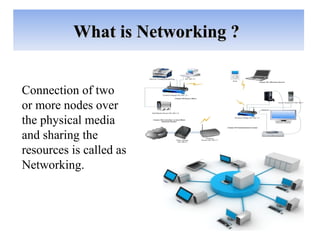
Connection of two
or more nodes over
the physical media
and sharing the
resources is called as
Networking.
What is Networking ?What is Networking ?
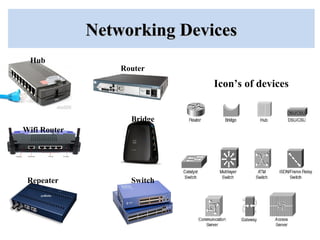
Networking DevicesNetworking Devices
Hub
Router
Wifi Router
Repeater
Bridge
Switch
Icon’s of devices
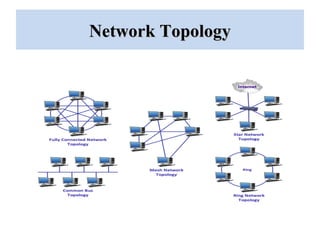
Network TopologyNetwork Topology
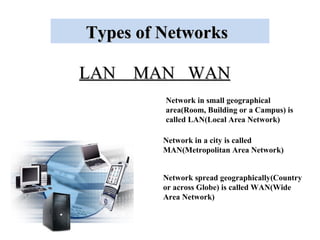
LAN MAN WANLAN MAN WAN
Types of NetworksTypes of Networks
Network in small geographical
area(Room, Building or a Campus) is
called LAN(Local Area Network)
Network in a city is called
MAN(Metropolitan Area Network)
Network spread geographically(Country
or across Globe) is called WAN(Wide
Area Network)
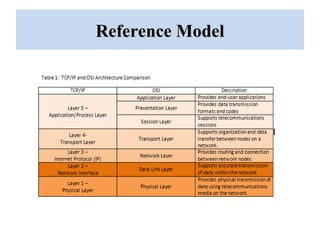
Reference ModelReference Model
Internet ProtocolInternet Protocol
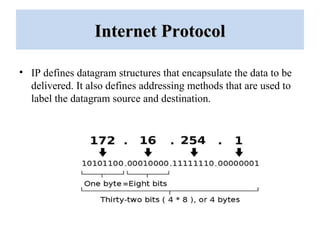
• IP defines datagram structures that encapsulate the data to be
delivered. It also defines addressing methods that are used to
label the datagram source and destination.
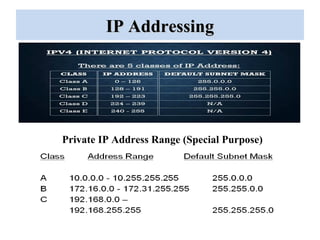
IP AddressingIP Addressing
Private IP Address Range (Special Purpose)
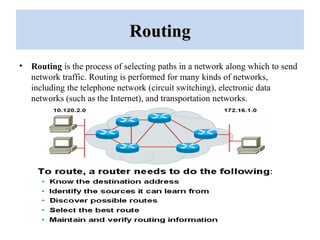
RoutingRouting
• Routing is the process of selecting paths in a network along which to send
network traffic. Routing is performed for many kinds of networks,
including the telephone network (circuit switching), electronic data
networks (such as the Internet), and transportation networks.
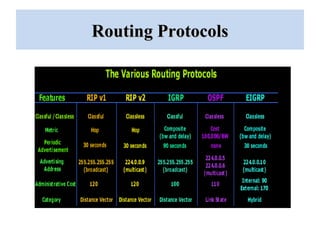
Routing ProtocolsRouting Protocols
Security technique in NetworkingSecurity technique in Networking
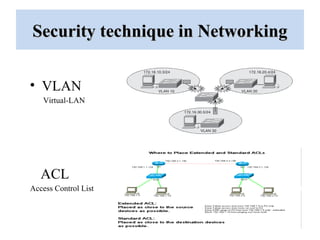
• VLAN
ACL
Access Control List
Virtual-LAN
Security technique in NetworkingSecurity technique in Networking
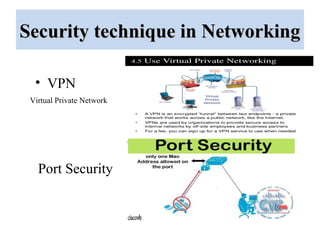
• VPN
Virtual Private Network
Port Security
Security technique in NetworkingSecurity technique in Networking
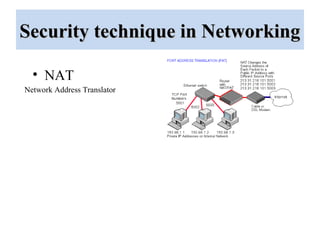
• NAT
Network Address Translator
VoIPVoIP
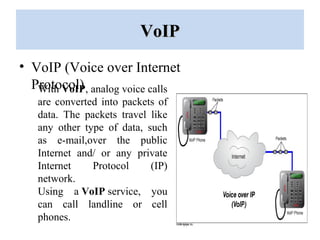
• VoIP (Voice over Internet
Protocol)With VoIP, analog voice calls
are converted into packets of
data. The packets travel like
any other type of data, such
as e-mail,over the public
Internet and/ or any private
Internet Protocol (IP)
network.
Using a VoIP service, you
can call landline or cell
phones.
Project WorkProject Work
• Introduction of the project
• Components used in the project
• Networking techniques used in
the project
• Working description of the
project
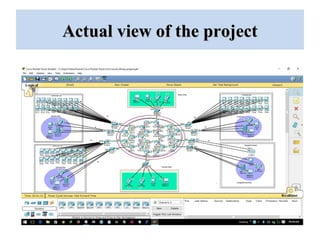
• Actual topological view of the
project
• Conclusion and future prospects
of the project
Introduction of ProjectIntroduction of Project
• Name : “Network security policy for Campus”.
In this project we have tried to draw a schematic working
model of a Campus Security. The main motive of this project
was to understand the Campus Networking & apply on
various security
Components used in the projectComponents used in the project
• As it is a project purely based on networking so
we have used all the basic components related to
it. which includes
-Routers
-Switches
-Connecting Cables
-IP phones
-Servers
-End devices (Laptops and Computers)
-Wi-Fi
Networking techniques usedNetworking techniques used
• As this project is some sort of enterprise network so we have tried to
apply most of the things that we have learnt during our training
period. some of them of them are mentioned below
-Topology design
-IP addressing
-Routing protocols(OSPF)
-VOIP
-ACL
-VPN
-Telnet
-Port Security
-VLAN
General workingGeneral working
• In order to describe the general working of the project first of all we
are going to explain the topology of the network.
• Here the topology consists-
- Student Lab
-HOD Office
-Director Office
-Chairman Office
-Library
-Account Section
-Reception
-Visitor Lounge
General workingGeneral working
• In Student Lab the student can communicate with every student in
the Campus and their respective HOD’s. They can’t communicate
with other branch HOD’s, Director office & Chairman office.
• In HOD’s office they can communicate with any student and
Director office. They can’t communicate with Chairman office.
• In Director office they can communicate with any of the person in
Campus.
• In Chairman office they can only communicate with Director office.
There will be VPN technology will be implemented so no one can
trace the route between Chairman office to Director office.
General workingGeneral working
• In Library section, it consist a E-Journal Lab, Reception Counter,
Conference Hall.
• In Account Section, it consist 3 Student Help-Desk. Each desk
contains a PC and there will be port security implemented, so no one
can change the PC without permission of Administrative Officer.
• In Reception, It consists 2 IP Phone for communicating and a Help-
Desk
• In Visitor Lounge there are a wireless router for Wi-Fi. Any visitor
can access the Wi-Fi service.
Actual view of the projectActual view of the project
Conclusion and future prospectsConclusion and future prospects
• This project actually gives the overview that how enterprise
networking is done and how it works.
Future prospects
• As far as future prospects are concerned nothing is for ever in the
field of technology.
• There is lot of space for improvement in the field of networking like,
-Better topological arrangements.
- Introduction of new smart devices
-Introduction of better security techniques.
-The introduction of wireless networking.
ReferencesReferences
•Cisco Systems, Inc., (2003, March 14). CCNA:
network media types. Retrieved from ciscopress.com
•www.wikepedia.com
•www.google.com
•www.youtube.com/ccna
•www.hclcdc.com/networking
Networking ppt hcl
Networking ppt hcl

Networking ppt hcl

  • 1.
    Bhai Gurdas Instituteof EngineeringBhai Gurdas Institute of Engineering & Technology , Sangrur& Technology , Sangrur Prepared By :- Vishal KumarVishal Kumar (1238755)(1238755) Ravi RanjanRavi Ranjan NetworkingNetworking 6 Month Training at
  • 2.
    Company ProfileCompany Profile •The company came into existence in 1976, became • the largest IT company in India in 1986,launched • the CDC’s in 2006. • HCL Info systems is one of the leading System Integration Companies in the country. • HCL CDC, the training arm of HCL Info systems, is an initiative that enables individuals and organizations to benefit from HCL's deep expertise. • CDC offers a complete spectrum of quality training programs on software, hardware, networking as well as global certifications in association with leading IT organizations worldwide.
  • 3.
    Connection of two ormore nodes over the physical media and sharing the resources is called as Networking. What is Networking ?What is Networking ?
  • 4.
    Networking DevicesNetworking Devices Hub Router WifiRouter Repeater Bridge Switch Icon’s of devices
  • 5.
  • 6.
    LAN MAN WANLANMAN WAN Types of NetworksTypes of Networks Network in small geographical area(Room, Building or a Campus) is called LAN(Local Area Network) Network in a city is called MAN(Metropolitan Area Network) Network spread geographically(Country or across Globe) is called WAN(Wide Area Network)
  • 7.
  • 8.
    Internet ProtocolInternet Protocol •IP defines datagram structures that encapsulate the data to be delivered. It also defines addressing methods that are used to label the datagram source and destination.
  • 9.
    IP AddressingIP Addressing PrivateIP Address Range (Special Purpose)
  • 10.
    RoutingRouting • Routing isthe process of selecting paths in a network along which to send network traffic. Routing is performed for many kinds of networks, including the telephone network (circuit switching), electronic data networks (such as the Internet), and transportation networks.
  • 11.
  • 12.
    Security technique inNetworkingSecurity technique in Networking • VLAN ACL Access Control List Virtual-LAN
  • 13.
    Security technique inNetworkingSecurity technique in Networking • VPN Virtual Private Network Port Security
  • 14.
    Security technique inNetworkingSecurity technique in Networking • NAT Network Address Translator
  • 15.
    VoIPVoIP • VoIP (Voiceover Internet Protocol)With VoIP, analog voice calls are converted into packets of data. The packets travel like any other type of data, such as e-mail,over the public Internet and/ or any private Internet Protocol (IP) network. Using a VoIP service, you can call landline or cell phones.
  • 16.
    Project WorkProject Work •Introduction of the project • Components used in the project • Networking techniques used in the project • Working description of the project • Actual topological view of the project • Conclusion and future prospects of the project
  • 17.
    Introduction of ProjectIntroductionof Project • Name : “Network security policy for Campus”. In this project we have tried to draw a schematic working model of a Campus Security. The main motive of this project was to understand the Campus Networking & apply on various security
  • 18.
    Components used inthe projectComponents used in the project • As it is a project purely based on networking so we have used all the basic components related to it. which includes -Routers -Switches -Connecting Cables -IP phones -Servers -End devices (Laptops and Computers) -Wi-Fi
  • 19.
    Networking techniques usedNetworkingtechniques used • As this project is some sort of enterprise network so we have tried to apply most of the things that we have learnt during our training period. some of them of them are mentioned below -Topology design -IP addressing -Routing protocols(OSPF) -VOIP -ACL -VPN -Telnet -Port Security -VLAN
  • 20.
    General workingGeneral working •In order to describe the general working of the project first of all we are going to explain the topology of the network. • Here the topology consists- - Student Lab -HOD Office -Director Office -Chairman Office -Library -Account Section -Reception -Visitor Lounge
  • 21.
    General workingGeneral working •In Student Lab the student can communicate with every student in the Campus and their respective HOD’s. They can’t communicate with other branch HOD’s, Director office & Chairman office. • In HOD’s office they can communicate with any student and Director office. They can’t communicate with Chairman office. • In Director office they can communicate with any of the person in Campus. • In Chairman office they can only communicate with Director office. There will be VPN technology will be implemented so no one can trace the route between Chairman office to Director office.
  • 22.
    General workingGeneral working •In Library section, it consist a E-Journal Lab, Reception Counter, Conference Hall. • In Account Section, it consist 3 Student Help-Desk. Each desk contains a PC and there will be port security implemented, so no one can change the PC without permission of Administrative Officer. • In Reception, It consists 2 IP Phone for communicating and a Help- Desk • In Visitor Lounge there are a wireless router for Wi-Fi. Any visitor can access the Wi-Fi service.
  • 23.
    Actual view ofthe projectActual view of the project
  • 24.
    Conclusion and futureprospectsConclusion and future prospects • This project actually gives the overview that how enterprise networking is done and how it works. Future prospects • As far as future prospects are concerned nothing is for ever in the field of technology. • There is lot of space for improvement in the field of networking like, -Better topological arrangements. - Introduction of new smart devices -Introduction of better security techniques. -The introduction of wireless networking.
  • 25.
    ReferencesReferences •Cisco Systems, Inc.,(2003, March 14). CCNA: network media types. Retrieved from ciscopress.com •www.wikepedia.com •www.google.com •www.youtube.com/ccna •www.hclcdc.com/networking