Networking for Work: http://networkingforwork.org.uk
The benefits of
an online profile
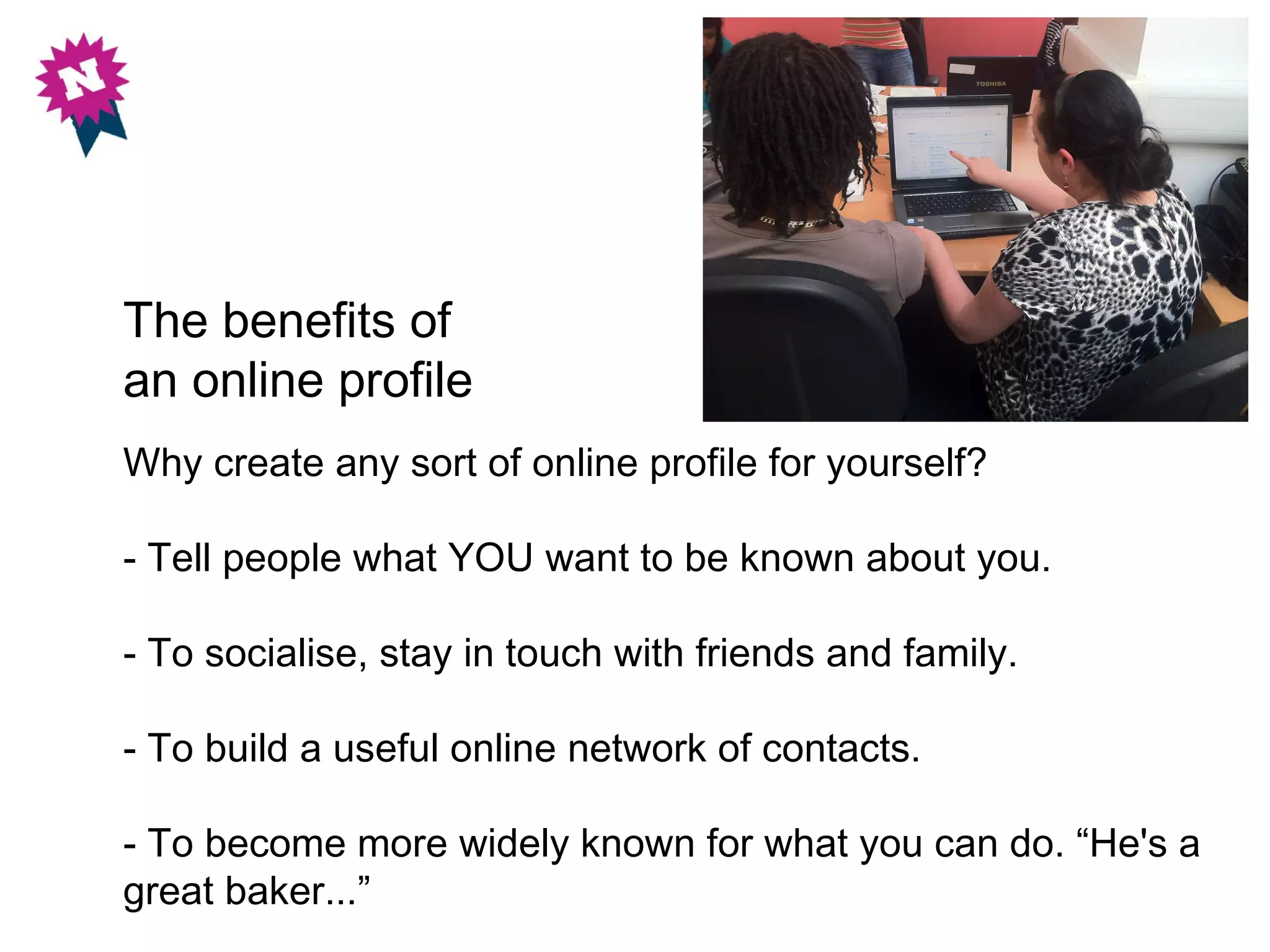
Why create any sort of online profile for yourself?

- Tell people what YOU want to be known about you.

- To socialise, stay in touch with friends and family.

- To build a useful online network of contacts.

- To become more widely known for what you can do. “He's a
great baker...”
Shout about yourself – people can't know about you until you tell them!
Market yourself. The more people who know about your skills and know
that you want to work, the more likely you are to get a job.
                                                              [Photo by Claumoho]
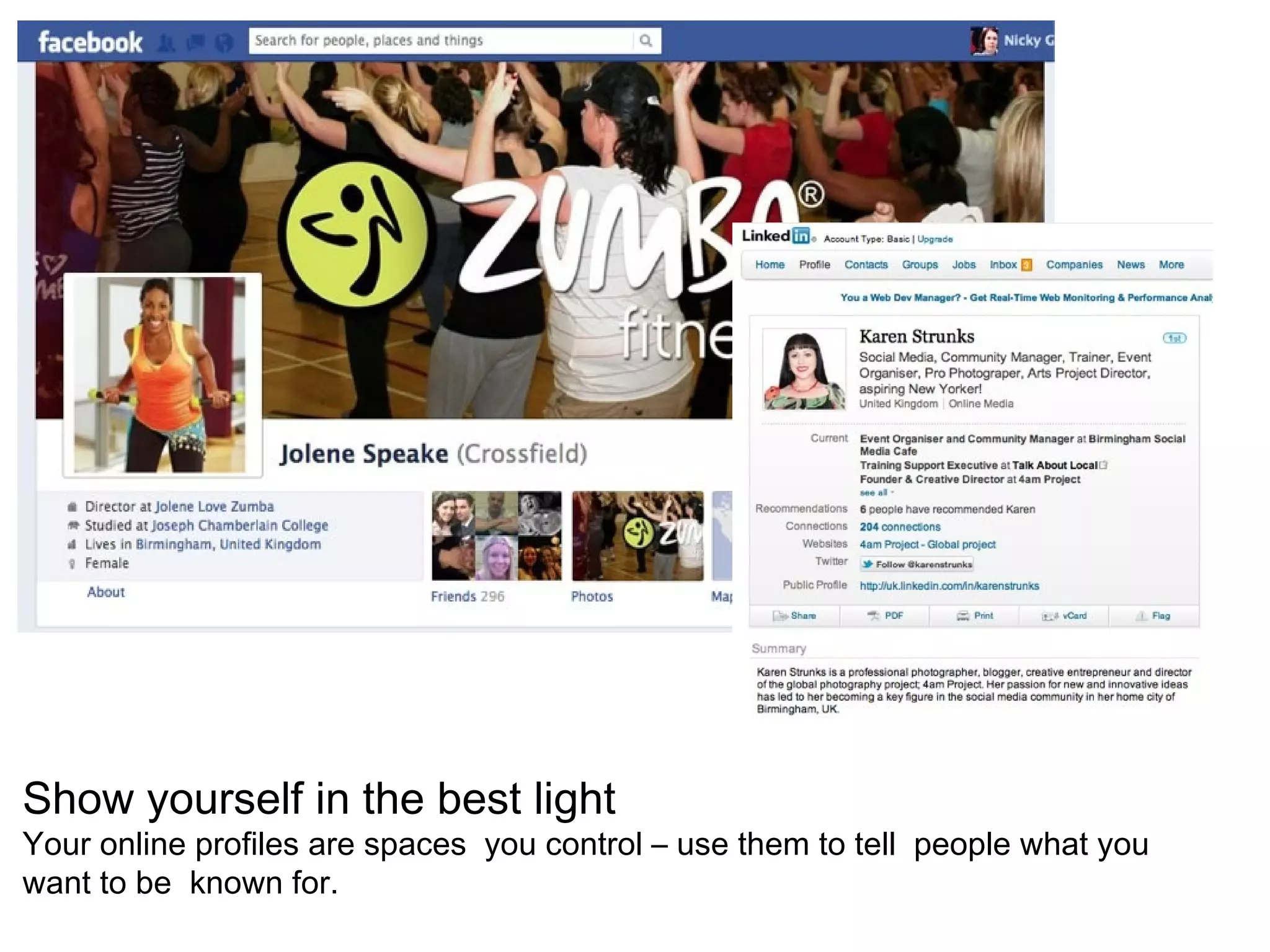
Show yourself in the best light
Your online profiles are spaces you control – use them to tell people what you
want to be known for.
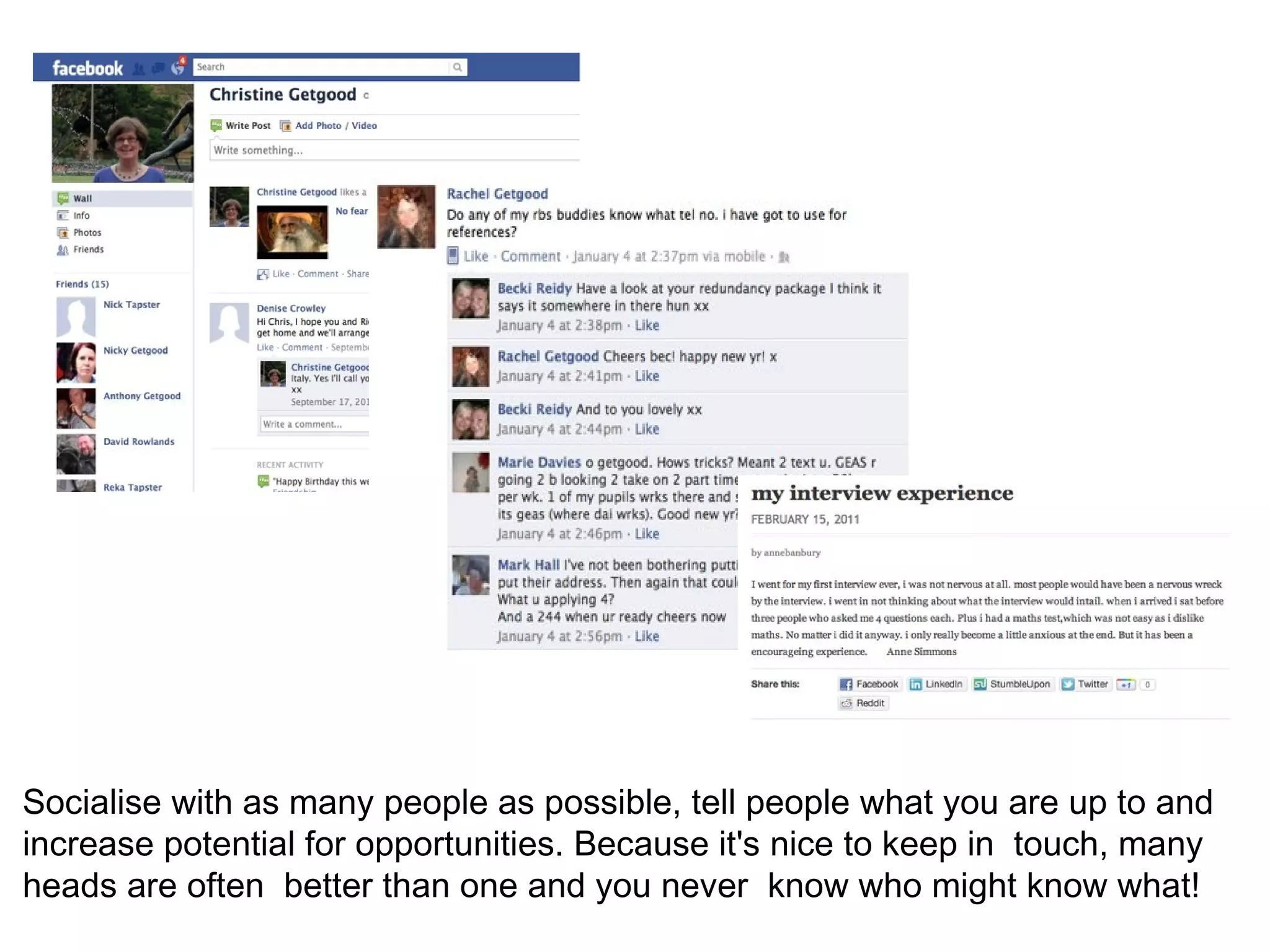
Socialise with as many people as possible, tell people what you are up to and
increase potential for opportunities. Because it's nice to keep in touch, many
heads are often better than one and you never know who might know what!
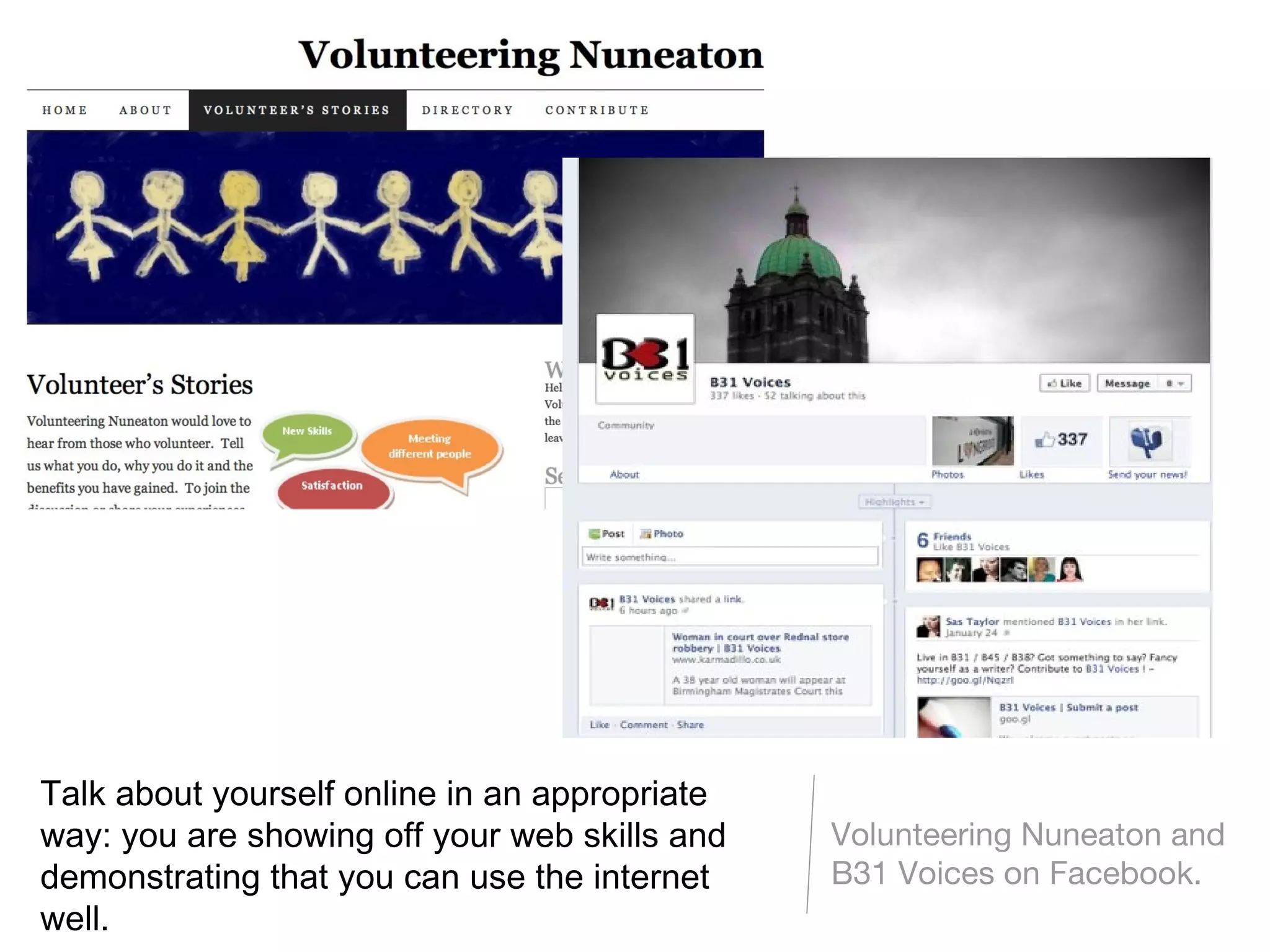
Talk about yourself online in an appropriate
way: you are showing off your web skills and   Volunteering Nuneaton and
demonstrating that you can use the internet    B31 Voices on Facebook.
well.
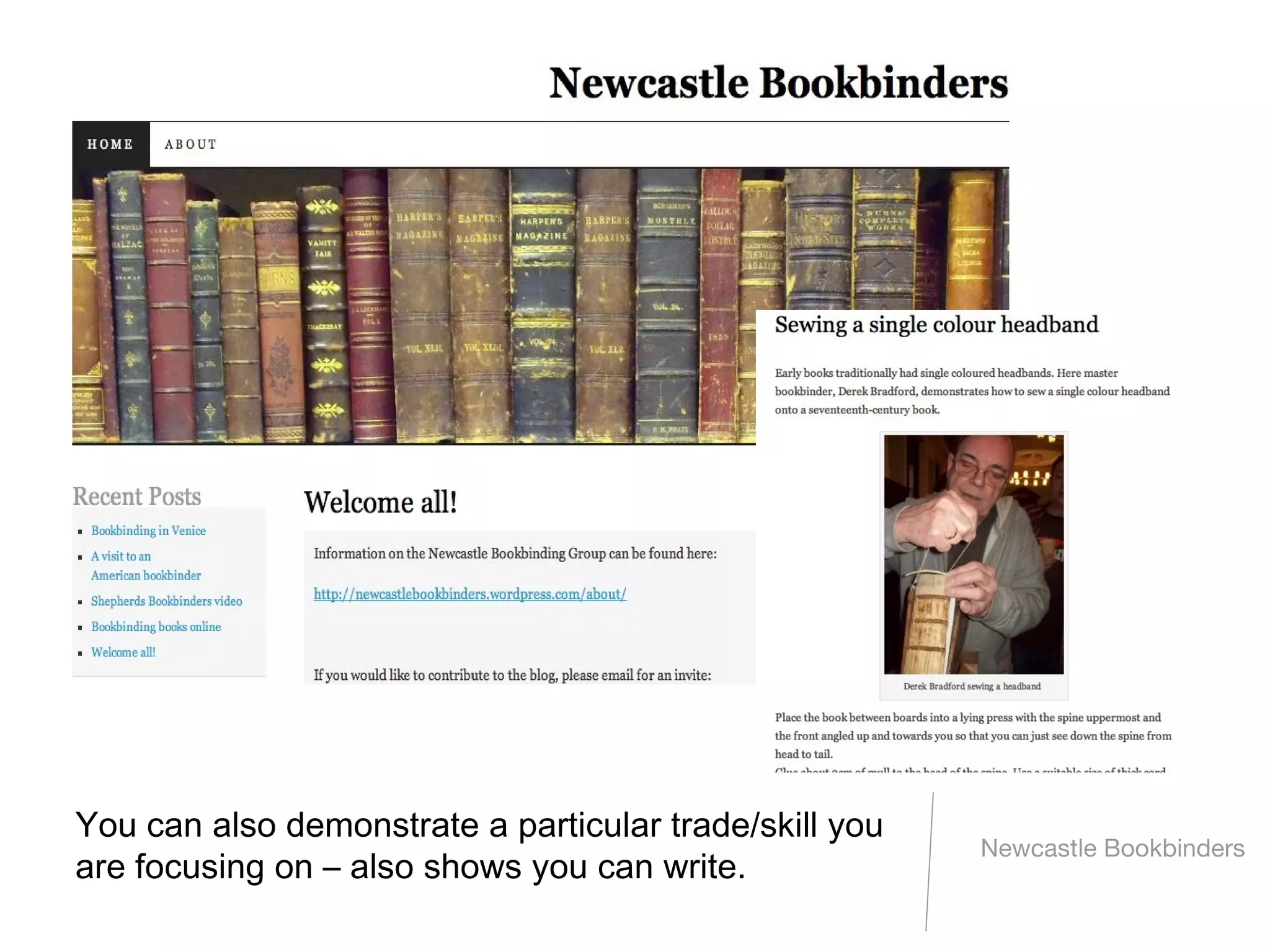
You can also demonstrate a particular trade/skill you
                                                        Newcastle Bookbinders
are focusing on – also shows you can write.
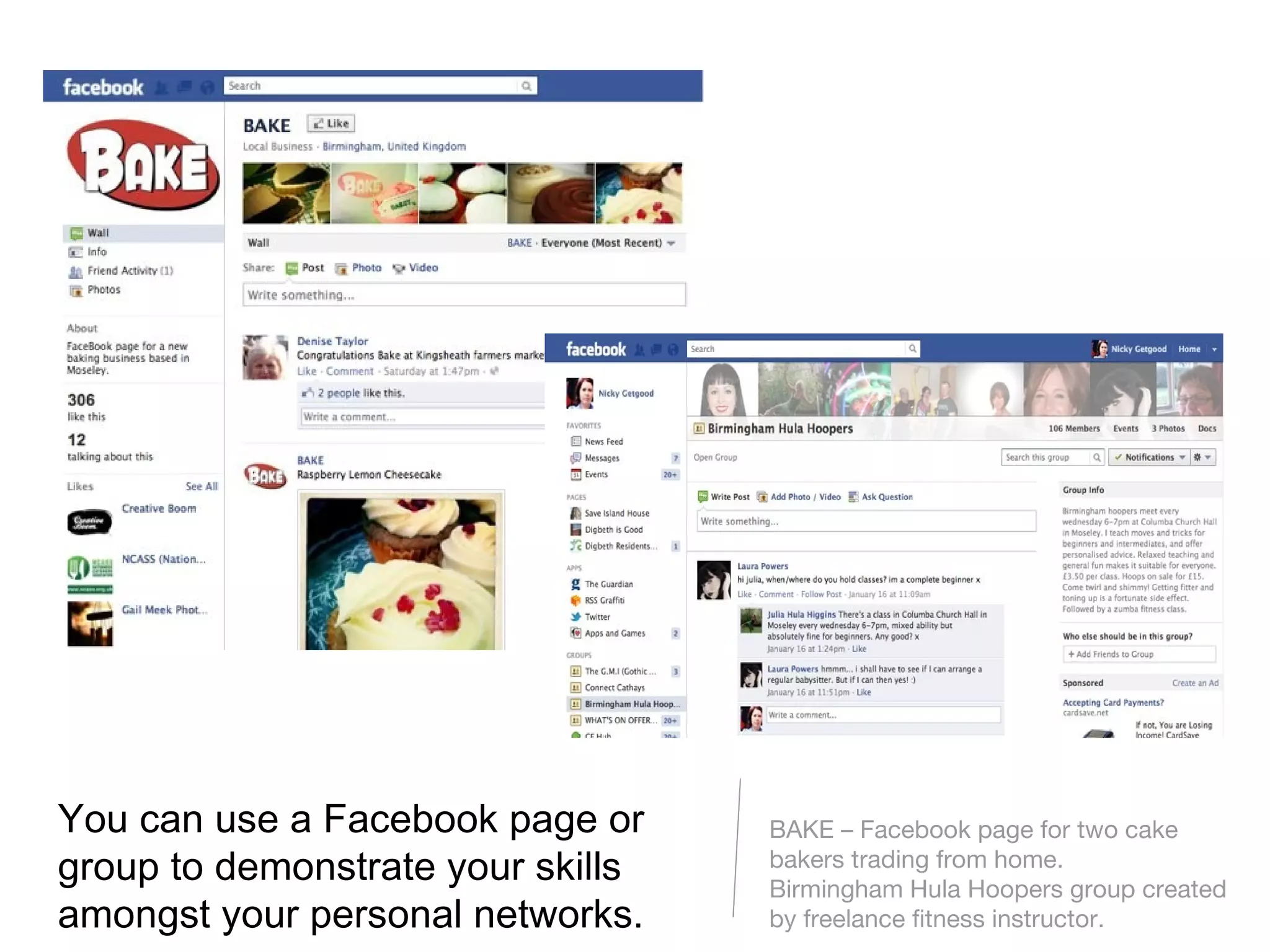
You can use a Facebook page or     BAKE – Facebook page for two cake
group to demonstrate your skills   bakers trading from home.
                                   Birmingham Hula Hoopers group created
amongst your personal networks.    by freelance fitness instructor.
Things to think about with an online profile
Just as with crossing the road, there are some risks to posting online. It's
how you manage that risk that's important.
                                                            [Photo by Massimiliano]
Do you want a potential employer to read that?
What you say online is more permanent than what you say down the pub.
                                                       [Photo by Garrett Coakley]
Check your account settings on personal profiles
Look at your profiles whilst logged out or view them as a 'non-friend' would see
them. Tighten the privacy settings to restrict access if you want to.
                                                                      [Photo by Ell Brown]
Are you being tagged in photos?
Or are friends writing on your Facebook wall or elsewhere online? Untag/delete
content if you can, request others to alter/delete content about you that you're
unhappy with.
                                                                    [Photo by Davi Ozolin]
What's your current online profile?
- Try doing a Google search for yourself. What comes up?
What might a potential employer think of the content?

- Do you have a Facebook profile? Go to your profile and click
'View as...' to see what the public can view about you.

- Use the resources at networkingforwork.org.uk to help you
market yourself effectively online, build useful networks and
protect yourself from employers' inappropriate online
searching for your information.
Further support:

http://networkingforwork.org.uk

Email: hello@talkaboutlocal.org
Tel. 0121 288 2910

Networking for Work: the benefits of an online profile

  • 1.
    Networking for Work:http://networkingforwork.org.uk
  • 2.
    The benefits of anonline profile Why create any sort of online profile for yourself? - Tell people what YOU want to be known about you. - To socialise, stay in touch with friends and family. - To build a useful online network of contacts. - To become more widely known for what you can do. “He's a great baker...”
  • 3.
    Shout about yourself– people can't know about you until you tell them! Market yourself. The more people who know about your skills and know that you want to work, the more likely you are to get a job. [Photo by Claumoho]
  • 4.
    Show yourself inthe best light Your online profiles are spaces you control – use them to tell people what you want to be known for.
  • 5.
    Socialise with asmany people as possible, tell people what you are up to and increase potential for opportunities. Because it's nice to keep in touch, many heads are often better than one and you never know who might know what!
  • 6.
    Talk about yourselfonline in an appropriate way: you are showing off your web skills and Volunteering Nuneaton and demonstrating that you can use the internet B31 Voices on Facebook. well.
  • 7.
    You can alsodemonstrate a particular trade/skill you Newcastle Bookbinders are focusing on – also shows you can write.
  • 8.
    You can usea Facebook page or BAKE – Facebook page for two cake group to demonstrate your skills bakers trading from home. Birmingham Hula Hoopers group created amongst your personal networks. by freelance fitness instructor.
  • 9.
    Things to thinkabout with an online profile Just as with crossing the road, there are some risks to posting online. It's how you manage that risk that's important. [Photo by Massimiliano]
  • 10.
    Do you wanta potential employer to read that? What you say online is more permanent than what you say down the pub. [Photo by Garrett Coakley]
  • 11.
    Check your accountsettings on personal profiles Look at your profiles whilst logged out or view them as a 'non-friend' would see them. Tighten the privacy settings to restrict access if you want to. [Photo by Ell Brown]
  • 12.
    Are you beingtagged in photos? Or are friends writing on your Facebook wall or elsewhere online? Untag/delete content if you can, request others to alter/delete content about you that you're unhappy with. [Photo by Davi Ozolin]
  • 13.
    What's your currentonline profile? - Try doing a Google search for yourself. What comes up? What might a potential employer think of the content? - Do you have a Facebook profile? Go to your profile and click 'View as...' to see what the public can view about you. - Use the resources at networkingforwork.org.uk to help you market yourself effectively online, build useful networks and protect yourself from employers' inappropriate online searching for your information.
  • 14.