© OCR 2016
NETWORK TOPOLOGIES,
PROTOCOLS AND LAYERS
© OCR 2016
Thought for the day –
• Networks transfer and receive a lot of
data!! The amount of traffic on the internet
is incredible!
• Click on the link in the resources sidebar
to see for yourself
© OCR 2016
The Big Picture:
Network topologies, protocols and layers
Star and mesh network topologies
Networks using wifi and ethernet
Wi-fi : frequency and channels
Encryption
The uses of IP addressing, MAC addressing, and
commonly used protocols
• The concept of layers
• Packet switching
© OCR 2016
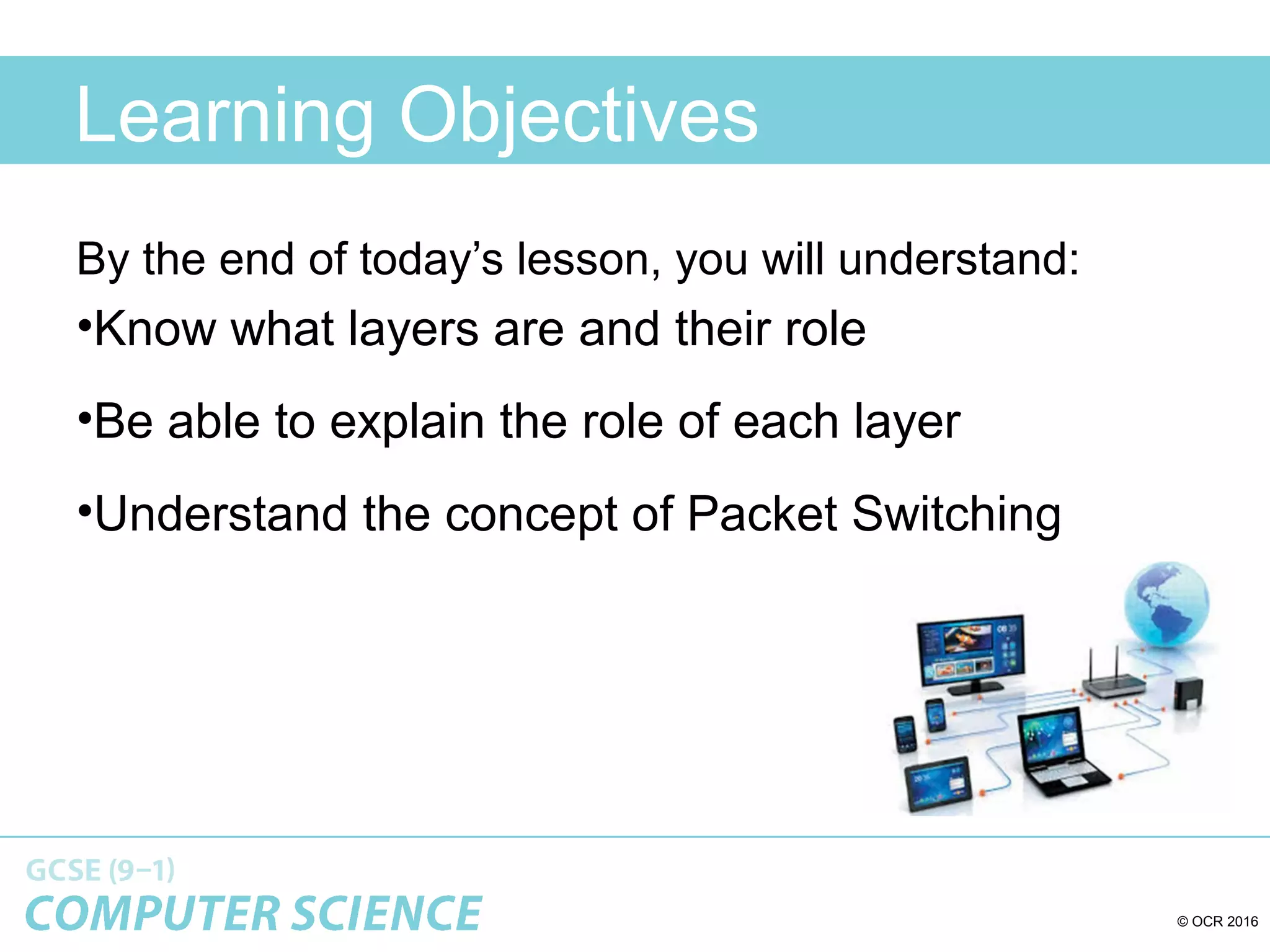
Learning Objectives
By the end of today’s lesson, you will understand:
•Know what layers are and their role
•Be able to explain the role of each layer
•Understand the concept of Packet Switching
© OCR 2016
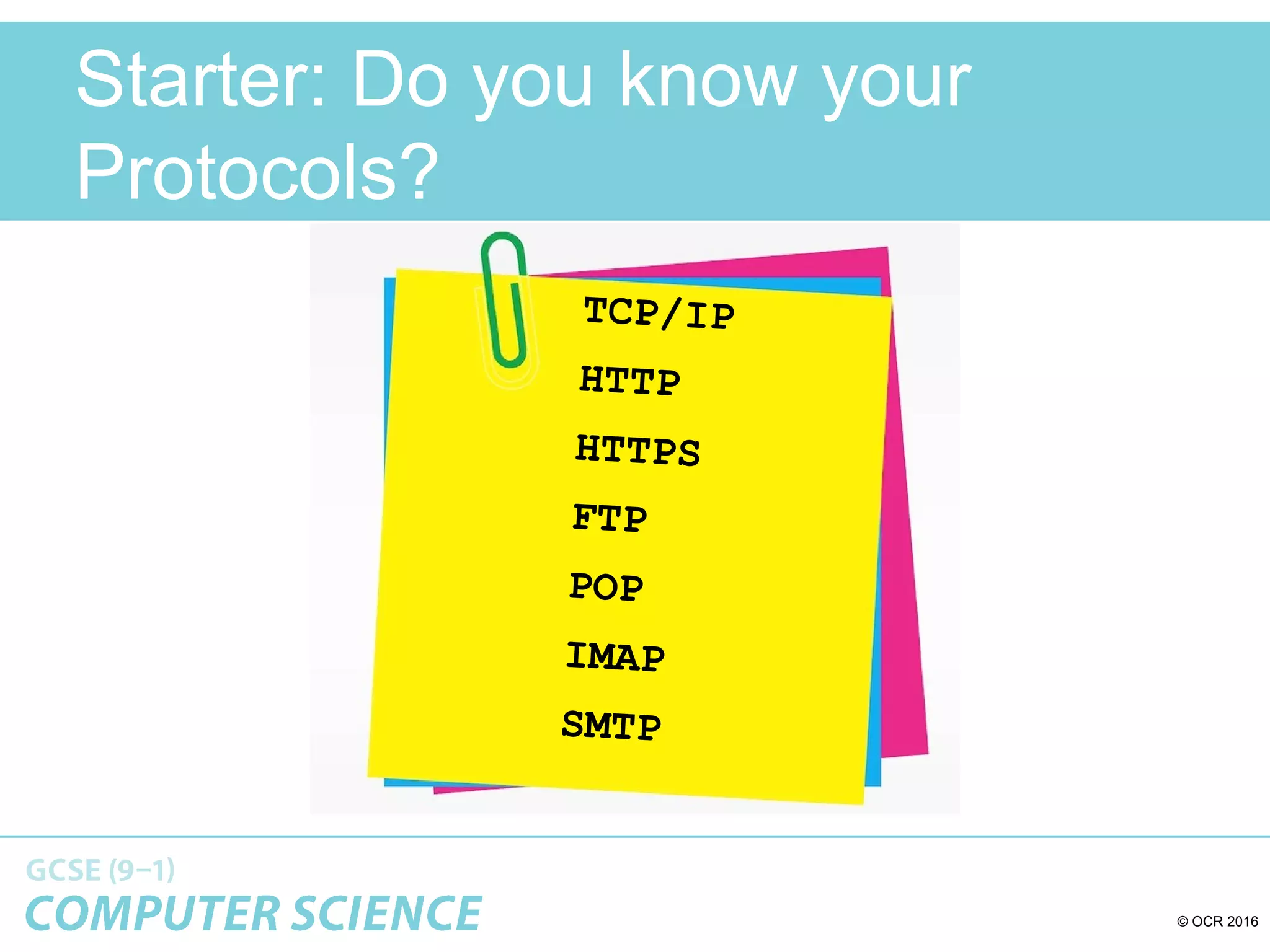
Starter: Do you know your
Protocols?
TCP/IP
HTTP
HTTPS
FTP
POP
IMAP
SMTP
© OCR 2016
Do you know your Protocols? - Answers
• TCP/IP (Transmission Control Protocol/Internet
Protocol)
• HTTP (Hyper Text Transfer Protocol)
• HTTPS (Hyper Text Transfer Protocol Secure)
• FTP (File Transfer Protocol)
• POP (Post Office Protocol)
• IMAP (Internet Message Access Protocol)
• SMTP (Simple Mail Transfer Protocol)
© OCR 2016
Quick recap:
How DNS works
123.45.67.89 174.25.46.77322. 55.24.12
www.bbc.co.uk
1.
2.3.
1. You can’t remember the IP
address of the computer
which hosts the BBC website,
so you type in the URL into
the browser.
2. The URL is sent to your ISP
and they look up the URL in
their DNS ‘address book’.
They find it and send back to
you the website’s URL
address or passes it on to
another DNS server to see if
that can find it.
3. Now you can communicate with the computer which hosts
the website on the internet, directly.
© OCR 2016
Packet Switching
• Imagine that you have a large LEGO model to
post through a letter box but, it does not fit.
• What could you do?
• What if you could take the model apart and then
post it through the letter box and then
reassemble it?
• This is packet switching
© OCR 2016
Packet Switching
• Now image you want to email a photo, first it is
broken down into small packets of data
• Each packet is then given a header which
contains the IP address of the network and
device that it is being sent to.
• It also contains the IP address of the network
that it was sent from
© OCR 2016
Packet Switching
• The header also contains the packet number as
well as the total number of packets, for example
packet 4 of 60, packet 45 of 60.
• When the packets arrive at the destination this
information is used to reassemble the data.
• Packets can be lost so sometimes the computer
request the packet to be sent again, if a packet
never arrives then it is deleted by the router.
© OCR 2016
Data Packets
• When files are sent over the internet they are split into millions
of data packets.
– Packets get sent by different routes according to availability.
– When you send a file online, the parts of the file might travel one
way around the world and the other parts may go in the opposite
direction!
– Packets are reassembled at receiving end.
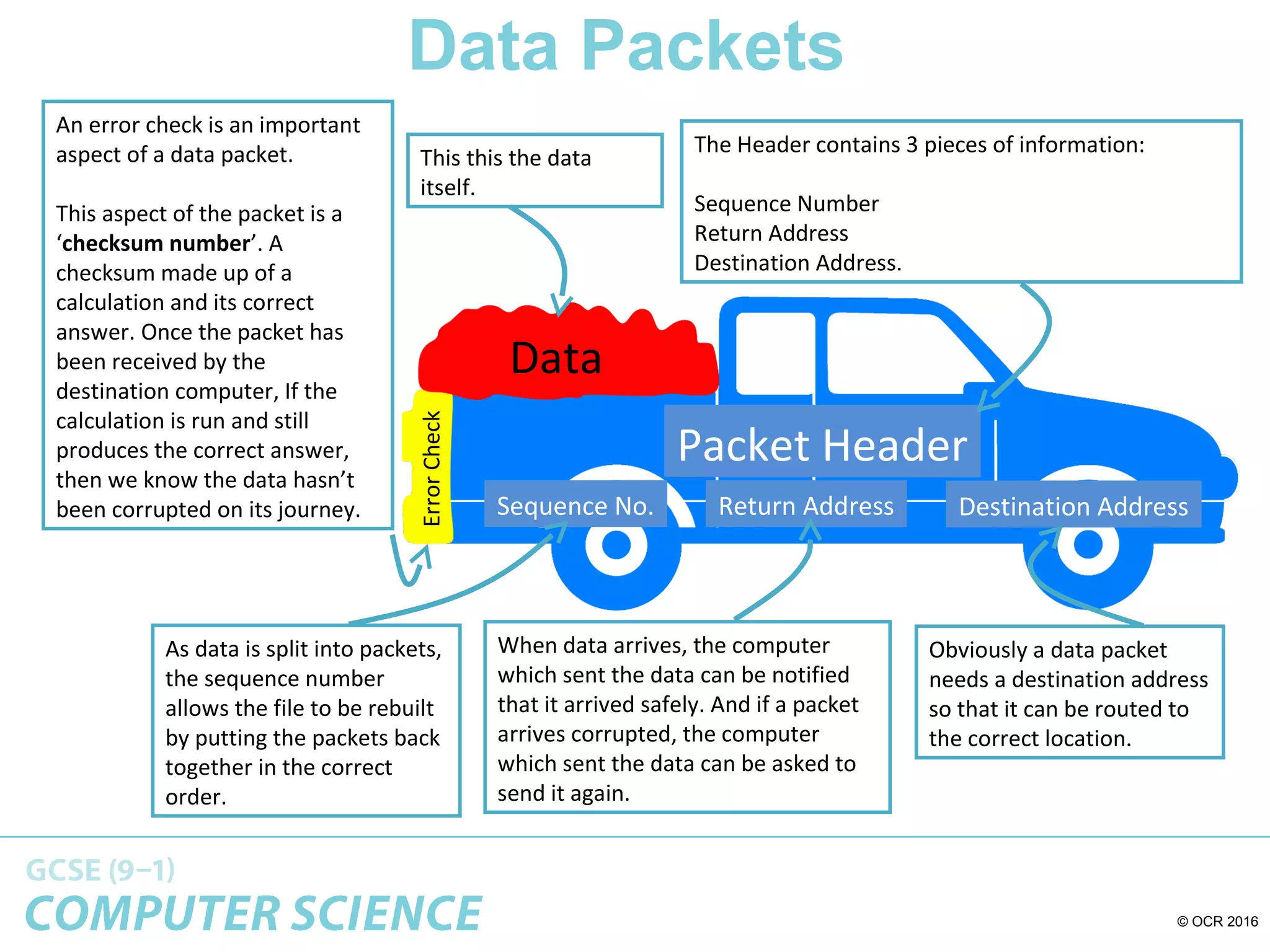
• Typical packet structure:
Data
Packet Header
Destination AddressReturn AddressSequence No.
ErrorCheck
© OCR 2016
Data Packets
Data
Packet Header
Destination AddressReturn AddressSequence No.
ErrorCheck
This this the data
itself.
The Header contains 3 pieces of information:
Sequence Number
Return Address
Destination Address.
As data is split into packets,
the sequence number
allows the file to be rebuilt
by putting the packets back
together in the correct
order.
When data arrives, the computer
which sent the data can be notified
that it arrived safely. And if a packet
arrives corrupted, the computer
which sent the data can be asked to
send it again.
Obviously a data packet
needs a destination address
so that it can be routed to
the correct location.
An error check is an important
aspect of a data packet.
This aspect of the packet is a
‘checksum number’. A
checksum made up of a
calculation and its correct
answer. Once the packet has
been received by the
destination computer, If the
calculation is run and still
produces the correct answer,
then we know the data hasn’t
been corrupted on its journey.
© OCR 2016
The amazing way that data is
sent across the internet!
© OCR 2016
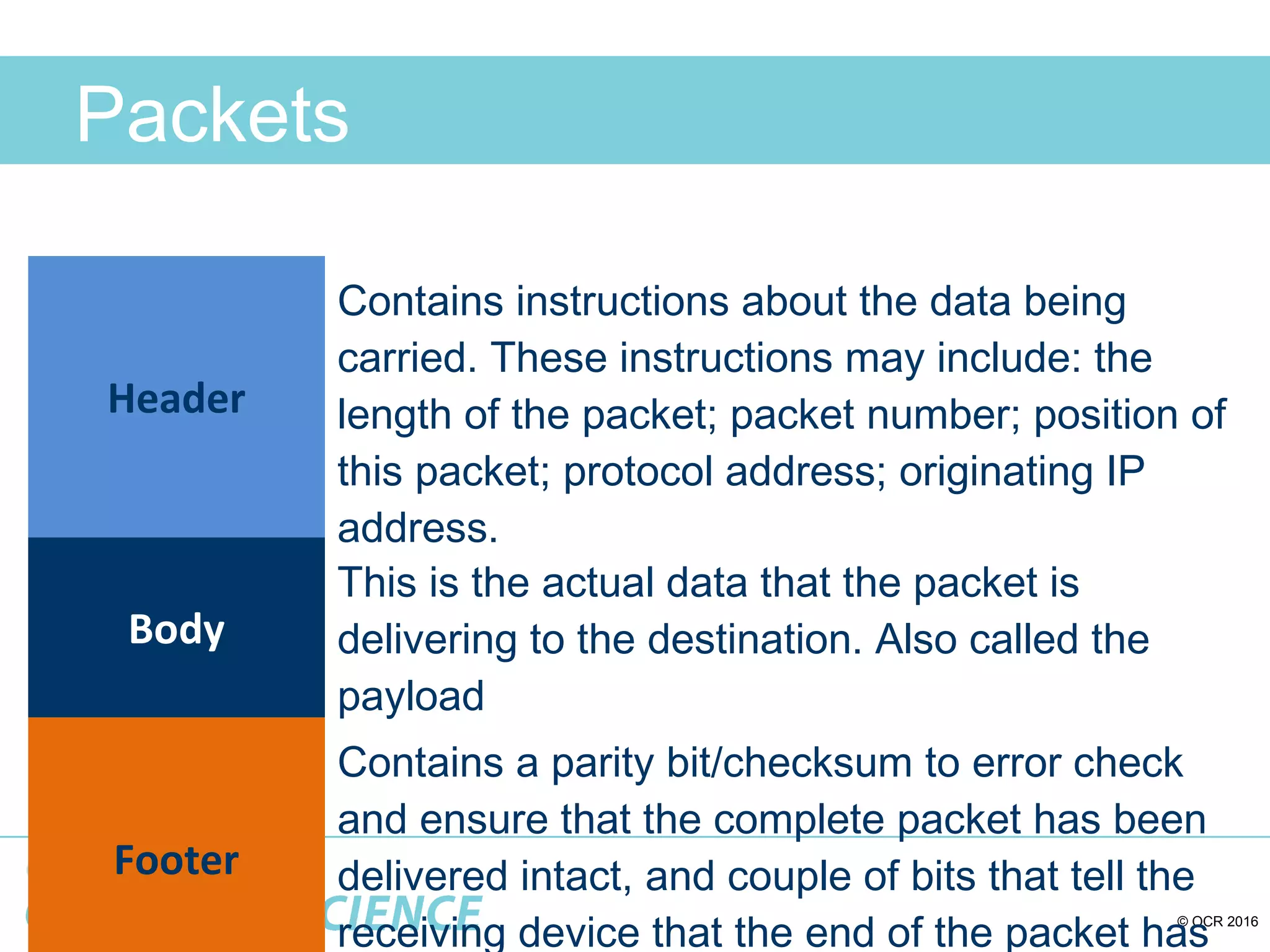
Packets
Header
Contains instructions about the data being
carried. These instructions may include: the
length of the packet; packet number; position of
this packet; protocol address; originating IP
address.
Body
This is the actual data that the packet is
delivering to the destination. Also called the
payload
Footer
Contains a parity bit/checksum to error check
and ensure that the complete packet has been
delivered intact, and couple of bits that tell the
receiving device that the end of the packet has
© OCR 2016
Which protocol …?
An internationally agreed protocol. It starts by establishing a
‘handshake’ to set up a connection between two devices. The data is
then transferred as packets between the two devices. It specifies
exactly how data must be transmitted.
© OCR 2016
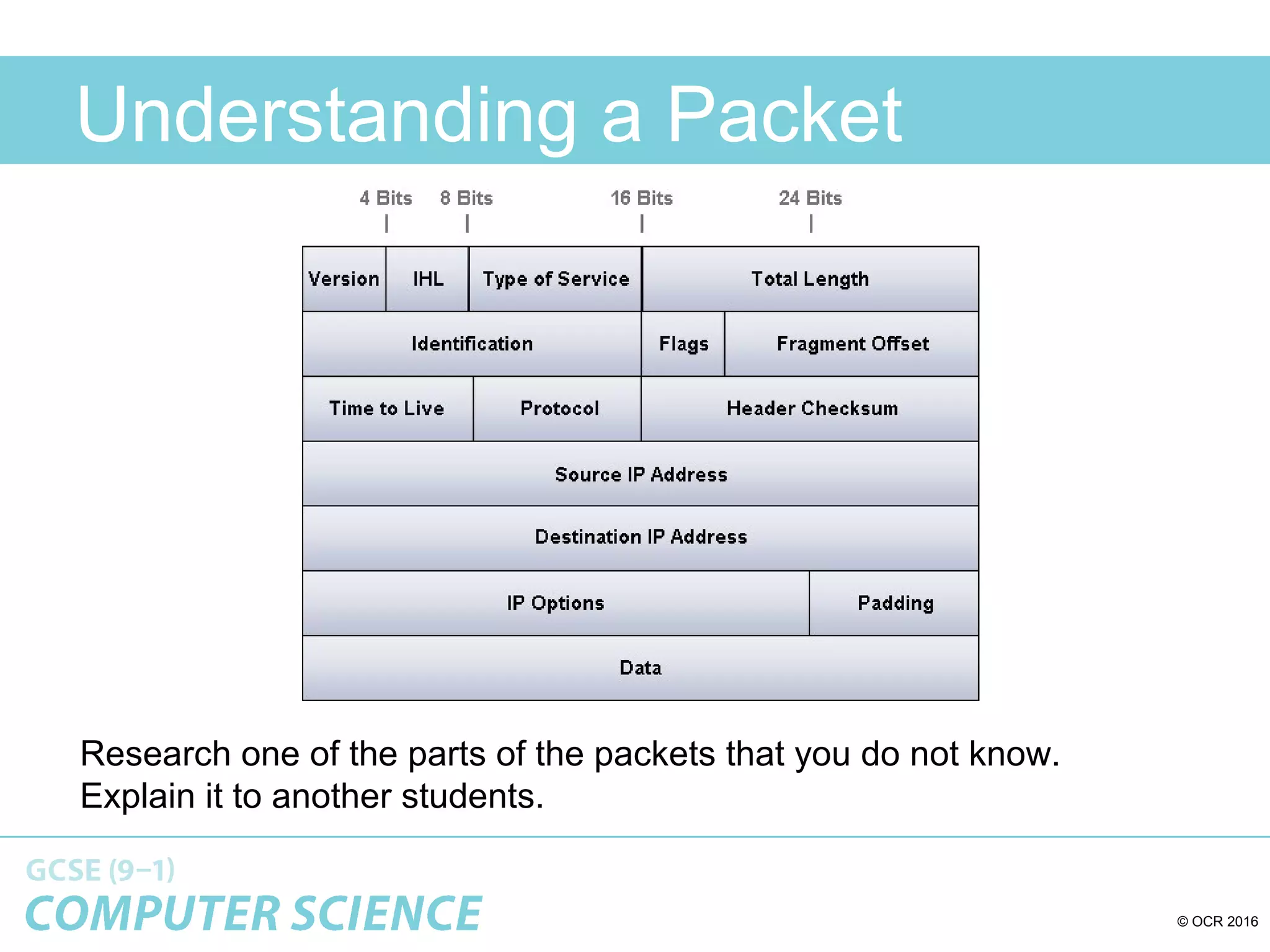
Understanding a Packet
Research one of the parts of the packets that you do not know.
Explain it to another students.
© OCR 2016
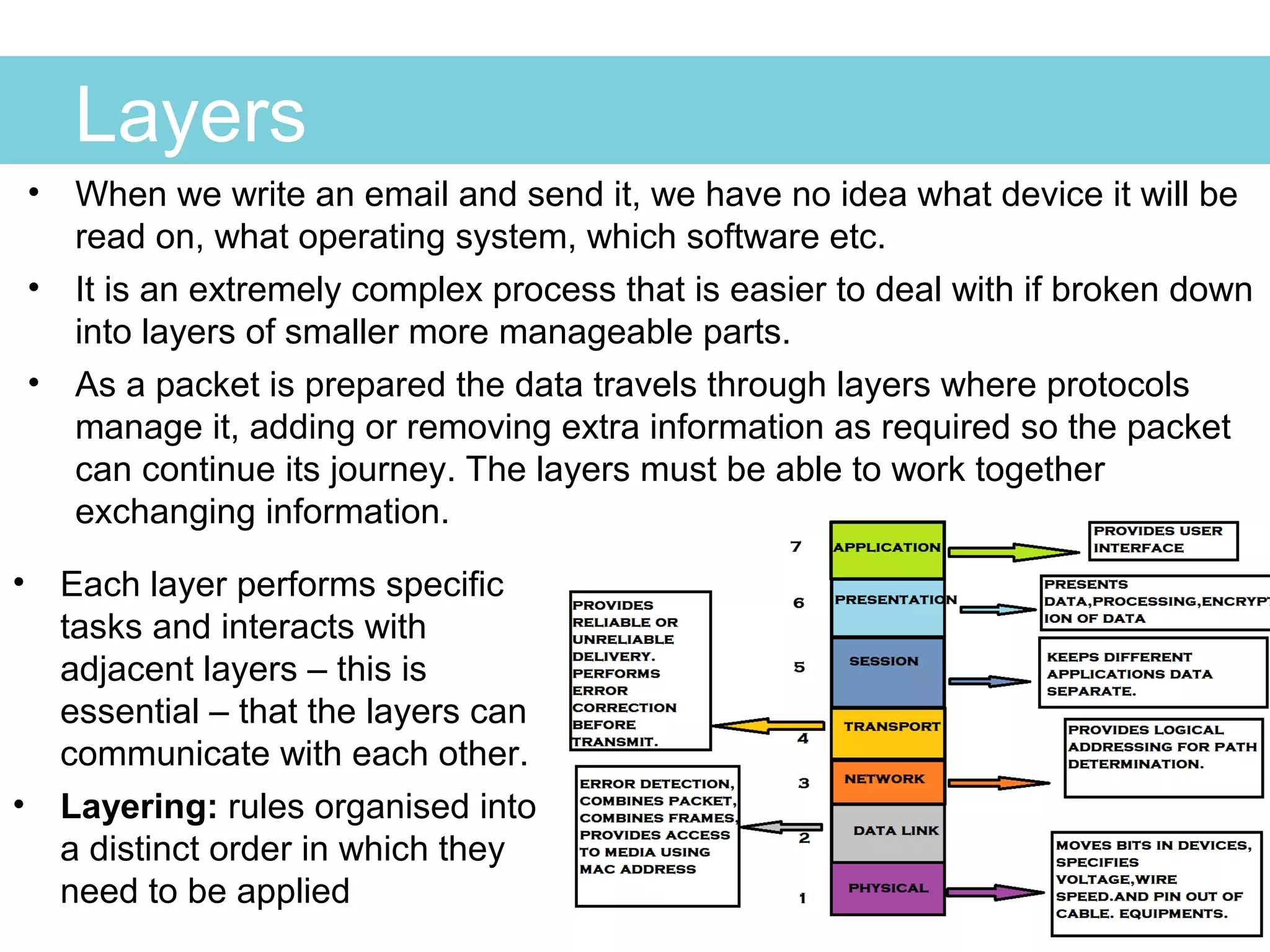
Layers
• When we write an email and send it, we have no idea what device it will be
read on, what operating system, which software etc.
• It is an extremely complex process that is easier to deal with if broken down
into layers of smaller more manageable parts.
• As a packet is prepared the data travels through layers where protocols
manage it, adding or removing extra information as required so the packet
can continue its journey. The layers must be able to work together
exchanging information.
• Each layer performs specific
tasks and interacts with
adjacent layers – this is
essential – that the layers can
communicate with each other.
• Layering: rules organised into
a distinct order in which they
need to be applied
© OCR 2016
Why have layers?
The benefits are:
•Simplifies things by dividing into parts
•Different layers can be combined in different ways as
required
•One layer can be develop or changed without affecting
others
•Makes it easier t identify networking errors and problems
•Is a universal standard for manufacturers to follow so all
devices can communicate with each other
•For example, software for an Ethernet system can easily
be adapted to a fibre-optic network by changing only the
network layer – other layers are not affected
© OCR 2016
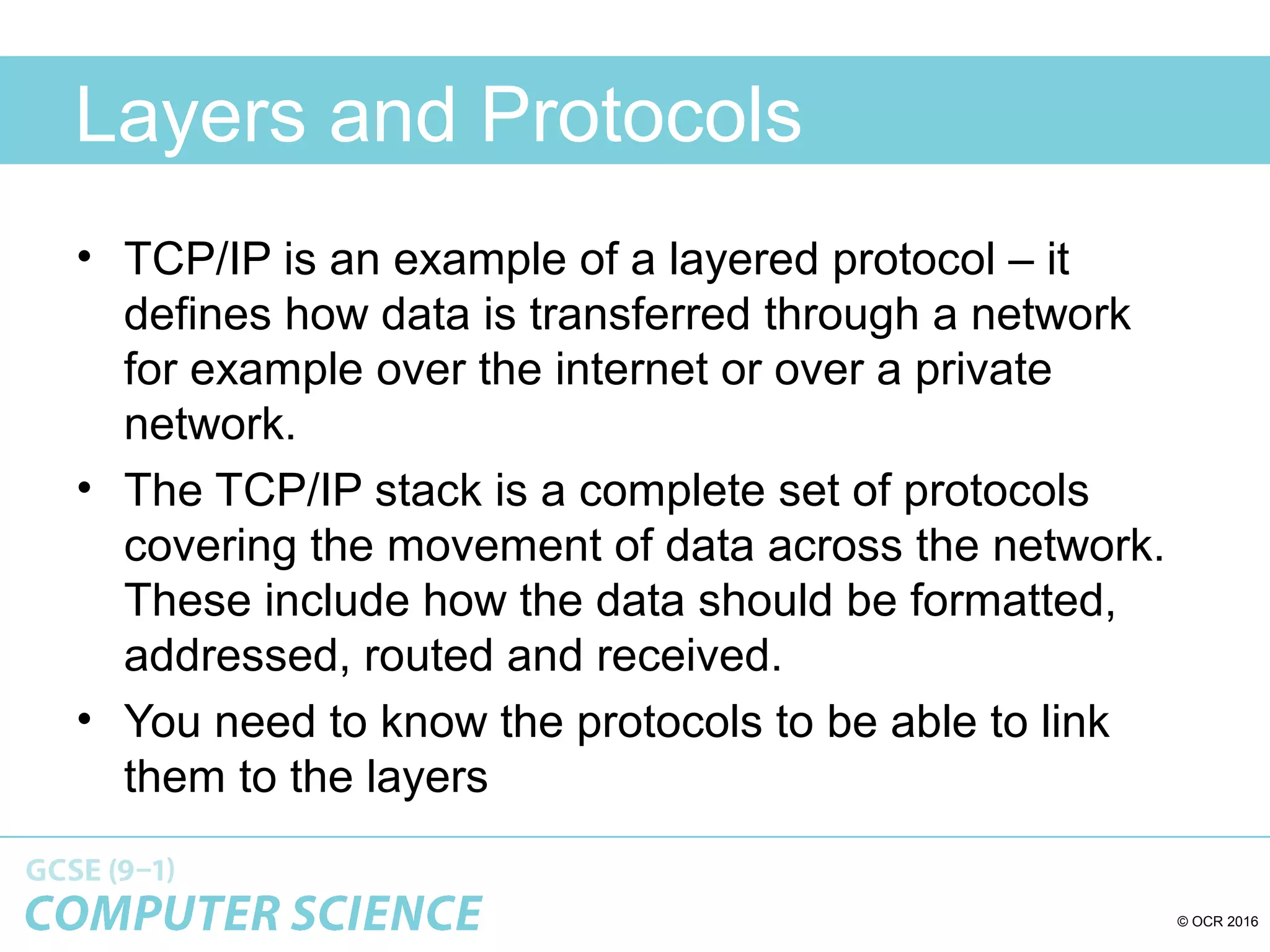
Layers and Protocols
• TCP/IP is an example of a layered protocol – it
defines how data is transferred through a network
for example over the internet or over a private
network.
• The TCP/IP stack is a complete set of protocols
covering the movement of data across the network.
These include how the data should be formatted,
addressed, routed and received.
• You need to know the protocols to be able to link
them to the layers
© OCR 2016
Also called Network Layer
TCP/Ip is set of protocols arranged in 4 layers, the names sometimes vary a little. Data to be
transmitted or received must pass through the layers where packaging data is added or read.
Also called Network Access
Layer or Data Link Layer
© OCR 2016
Layers
Stop hereStop here
And watch the twoAnd watch the two
videos belowvideos below
Before continuingBefore continuing
© OCR 2016
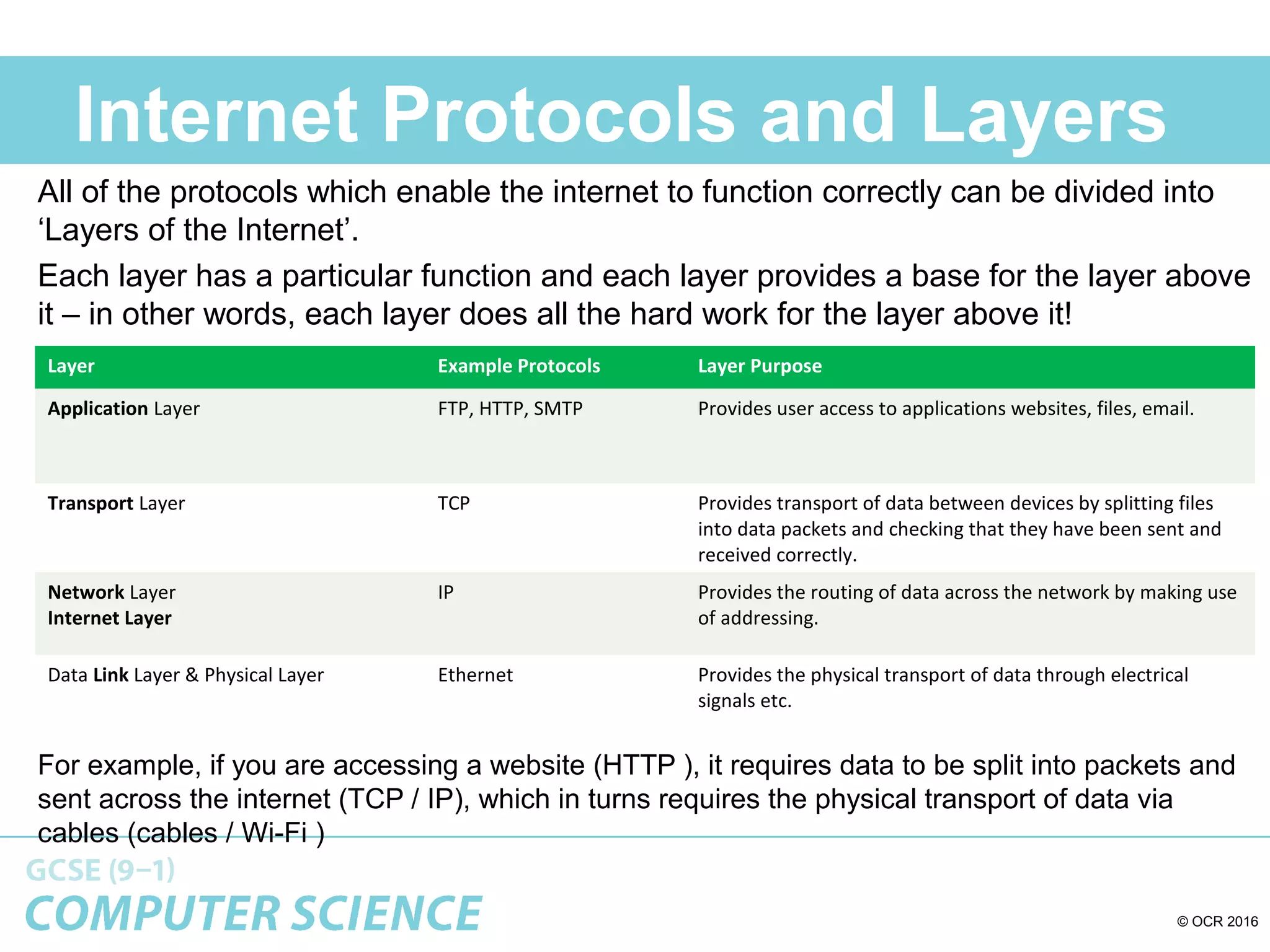
Internet Protocols and Layers
All of the protocols which enable the internet to function correctly can be divided into
‘Layers of the Internet’.
Each layer has a particular function and each layer provides a base for the layer above
it – in other words, each layer does all the hard work for the layer above it!
For example, if you are accessing a website (HTTP ), it requires data to be split into packets and
sent across the internet (TCP / IP), which in turns requires the physical transport of data via
cables (cables / Wi-Fi )
Layer Example Protocols Layer Purpose
Application Layer FTP, HTTP, SMTP Provides user access to applications websites, files, email.
Transport Layer TCP Provides transport of data between devices by splitting files
into data packets and checking that they have been sent and
received correctly.
Network Layer
Internet Layer
IP Provides the routing of data across the network by making use
of addressing.
Data Link Layer & Physical Layer Ethernet Provides the physical transport of data through electrical
signals etc.
Application Layer
I want to send a picture
to my friend so I take it
to the posting people.
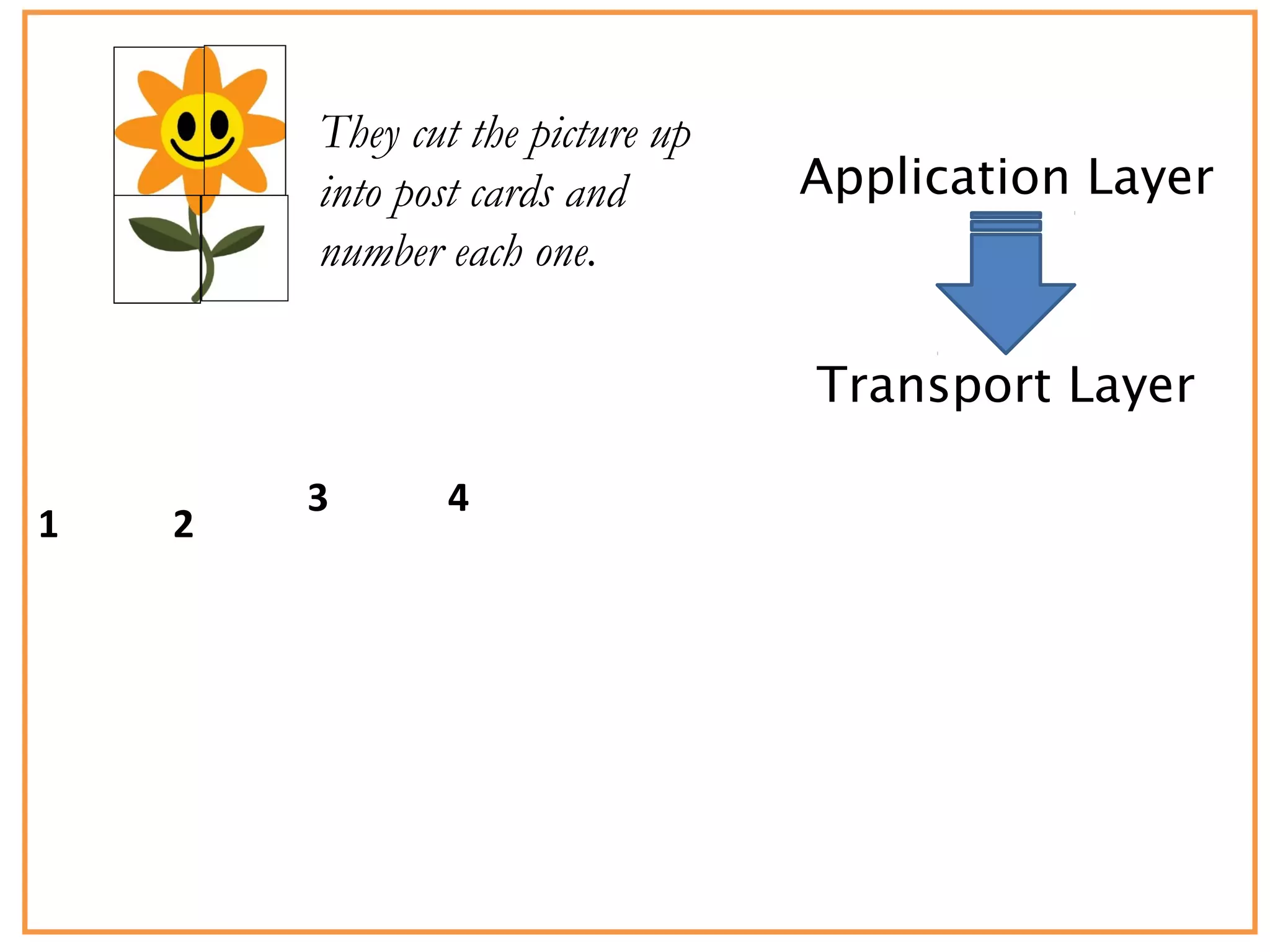
Application Layer
Transport Layer
They cut the picture up
into post cards and
number each one.
1 2
3 4
Application Layer
Transport Layer
Internet Layer
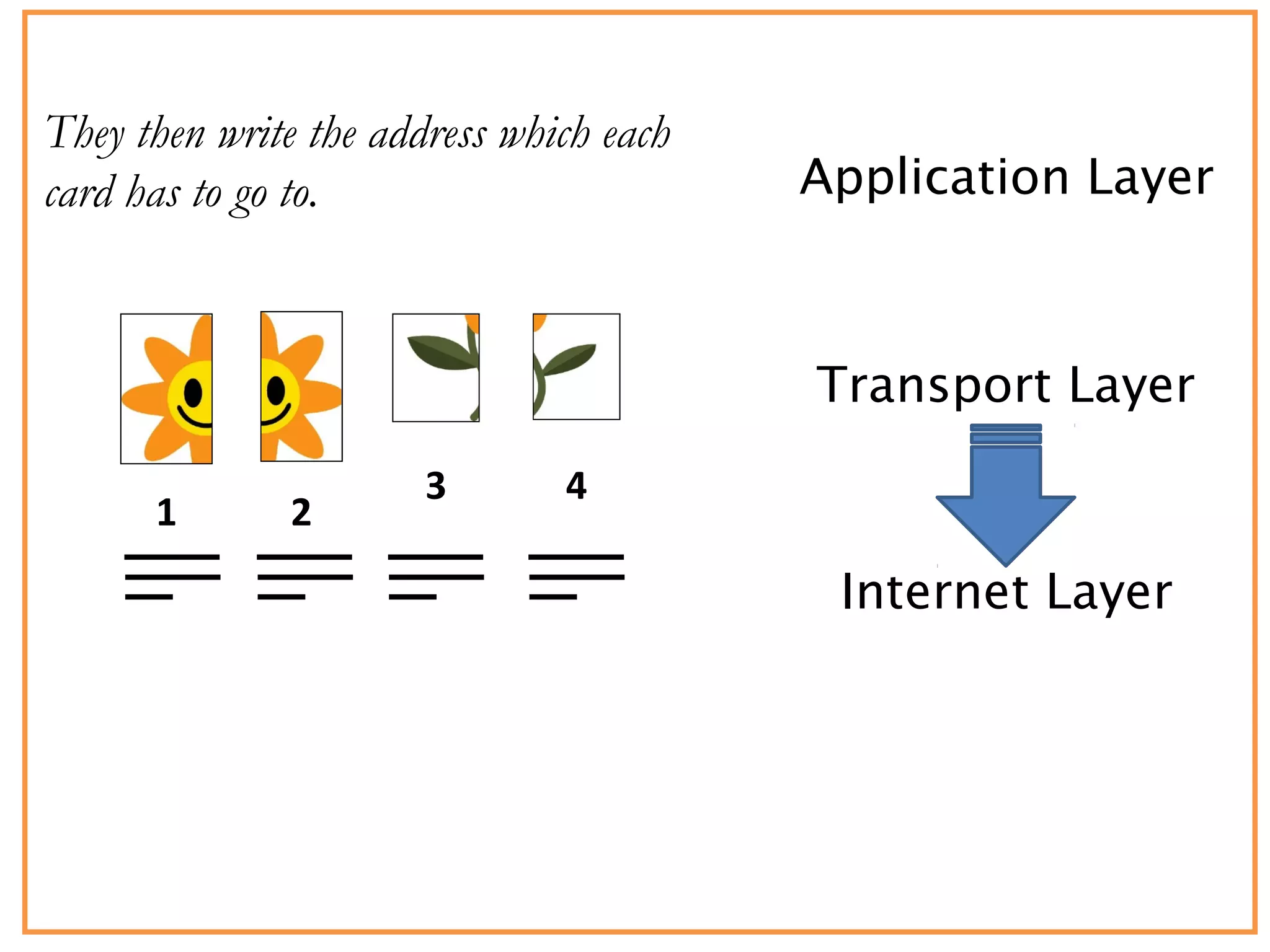
They then write the address which each
card has to go to.
1 2
3 4
Application Layer
Transport Layer
Internet Layer
The post cards are loaded into the post van
and the van driver sets off.
1 2
3 4
Network Interface
(Link) Layer
Application Layer
Transport Layer
Internet Layer
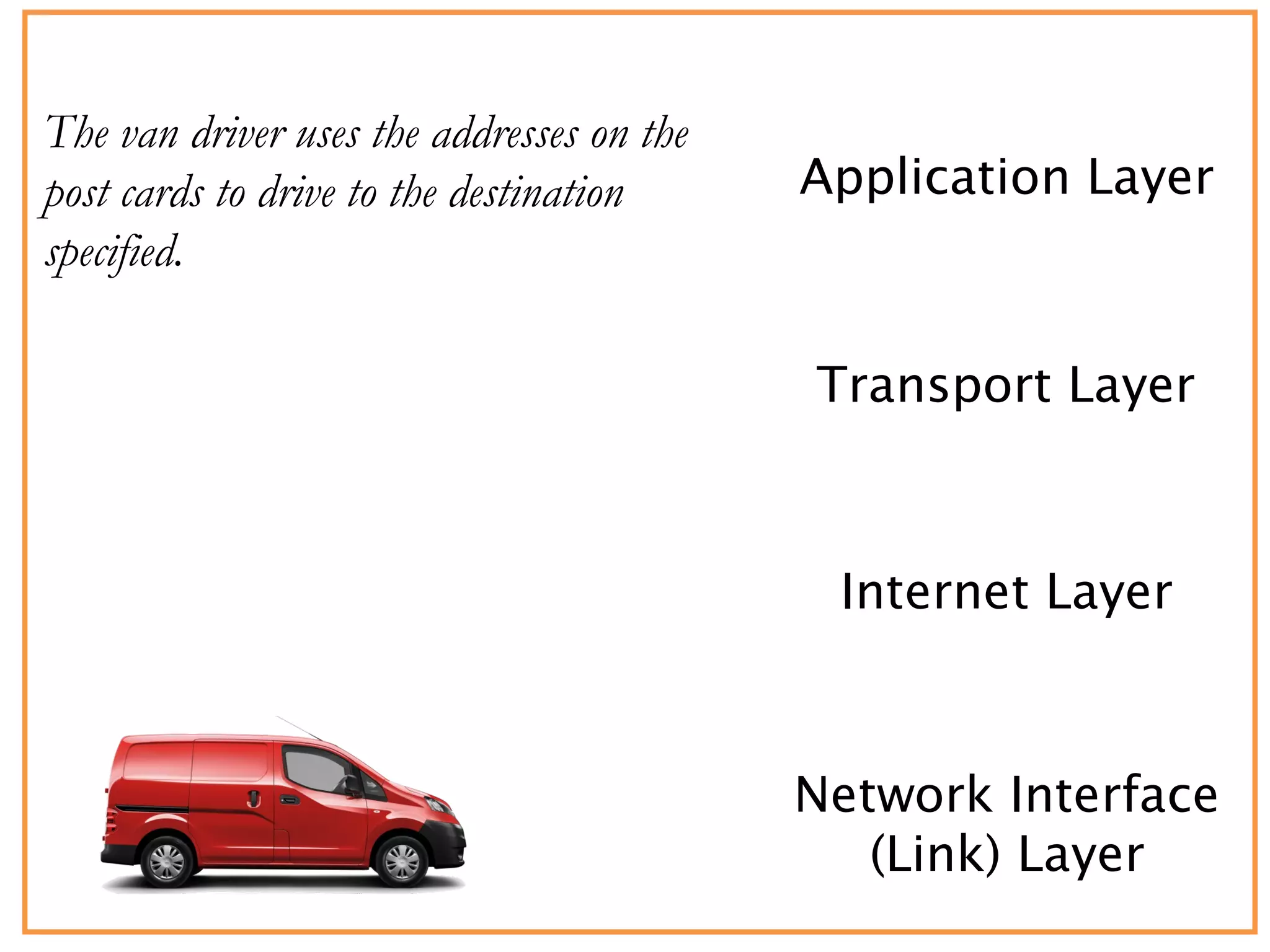
The van driver uses the addresses on the
post cards to drive to the destination
specified.
Network Interface
(Link) Layer
Application Layer
Transport Layer
Internet Layer
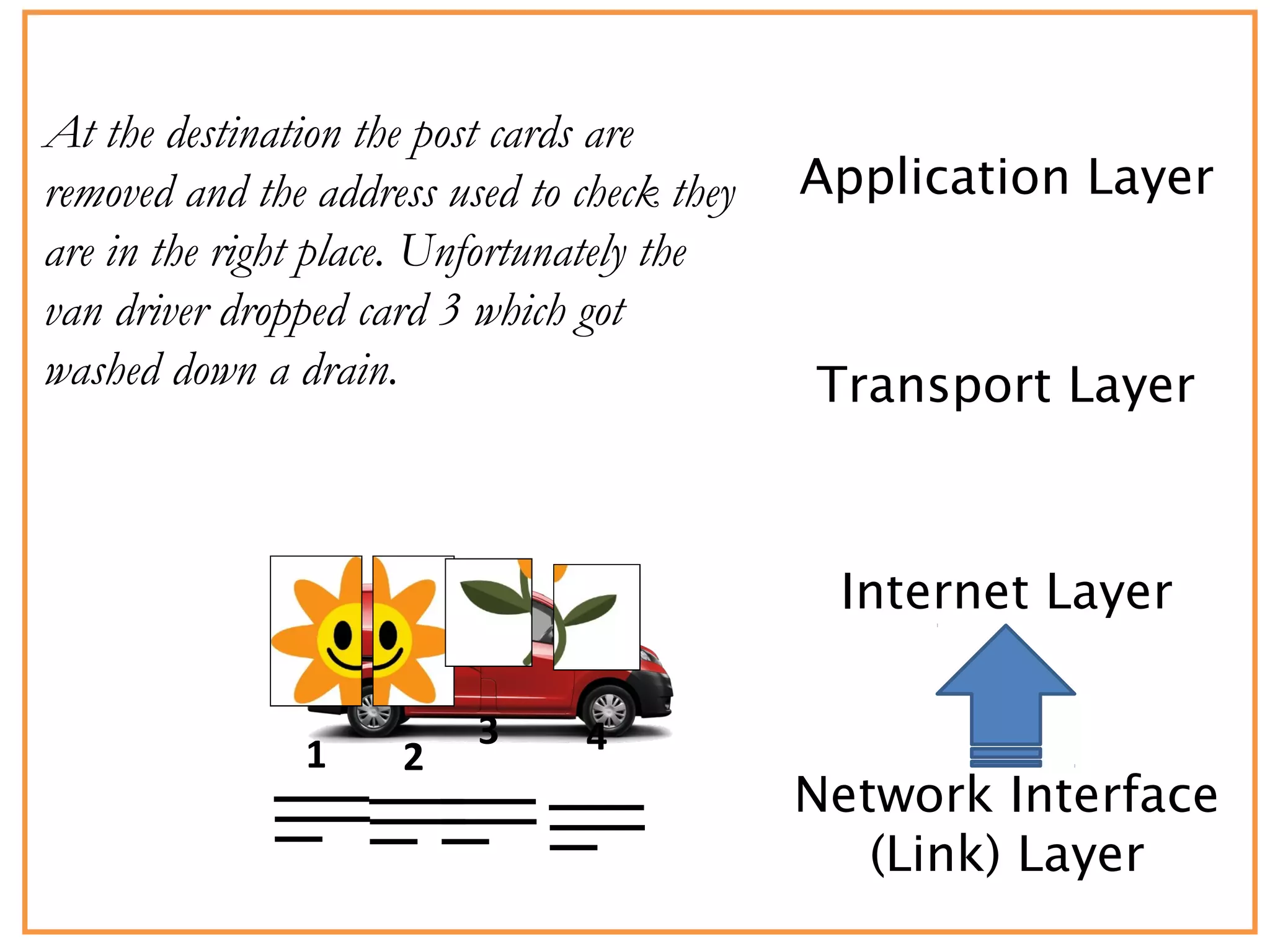
At the destination the post cards are
removed and the address used to check they
are in the right place. Unfortunately the
van driver dropped card 3 which got
washed down a drain.
Network Interface
(Link) Layer
1 2
3 4
Application Layer
Transport Layer
Internet Layer
The delivered cards are checked and the
missing number 3 is redelivered. The cards
are passed in order to the delivery office.
Network Interface
(Link) Layer
1 2
4
3
Application Layer
Transport Layer
Internet Layer
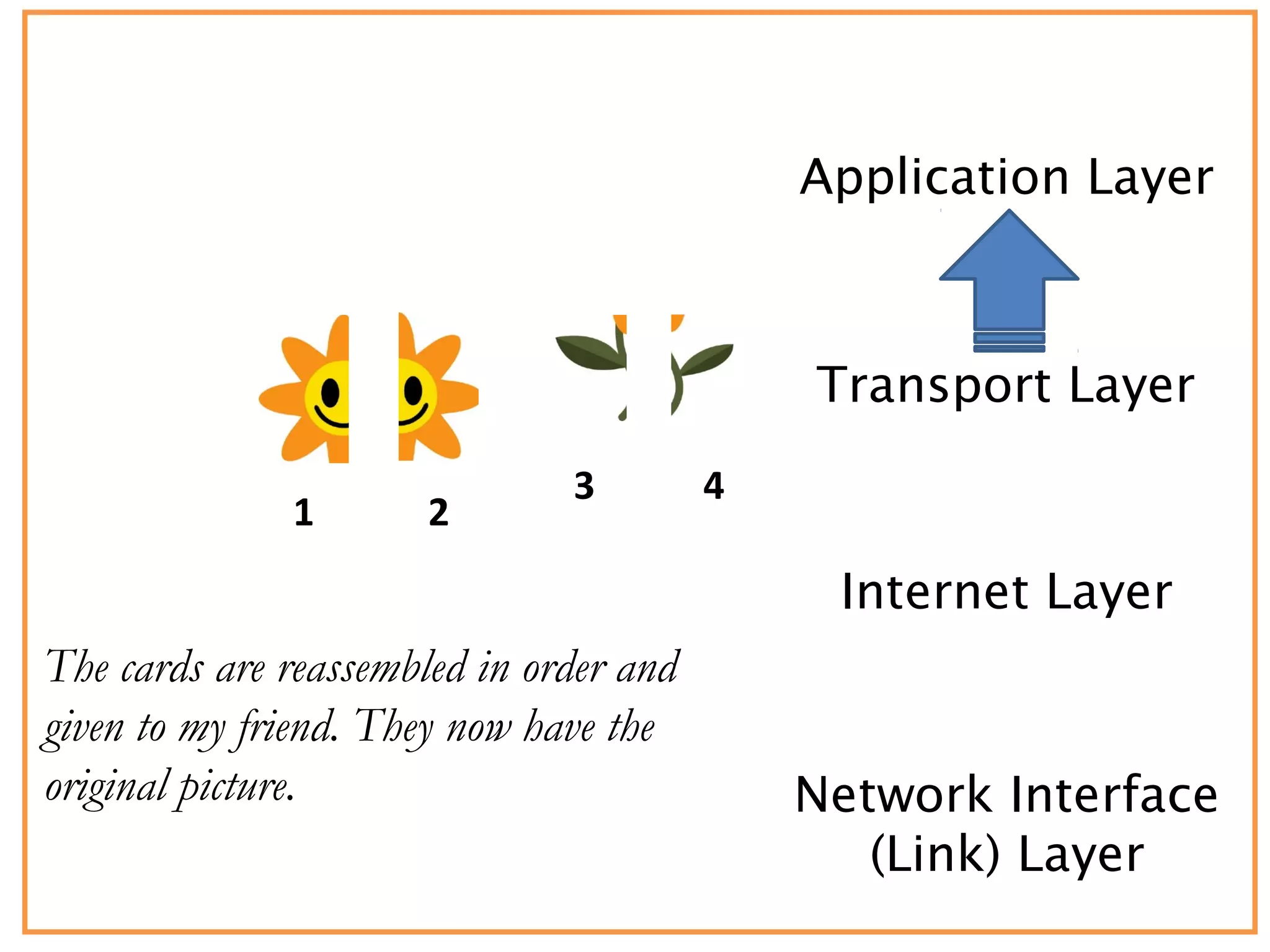
The cards are reassembled in order and
given to my friend. They now have the
original picture. Network Interface
(Link) Layer
1 2
43
© OCR 2016
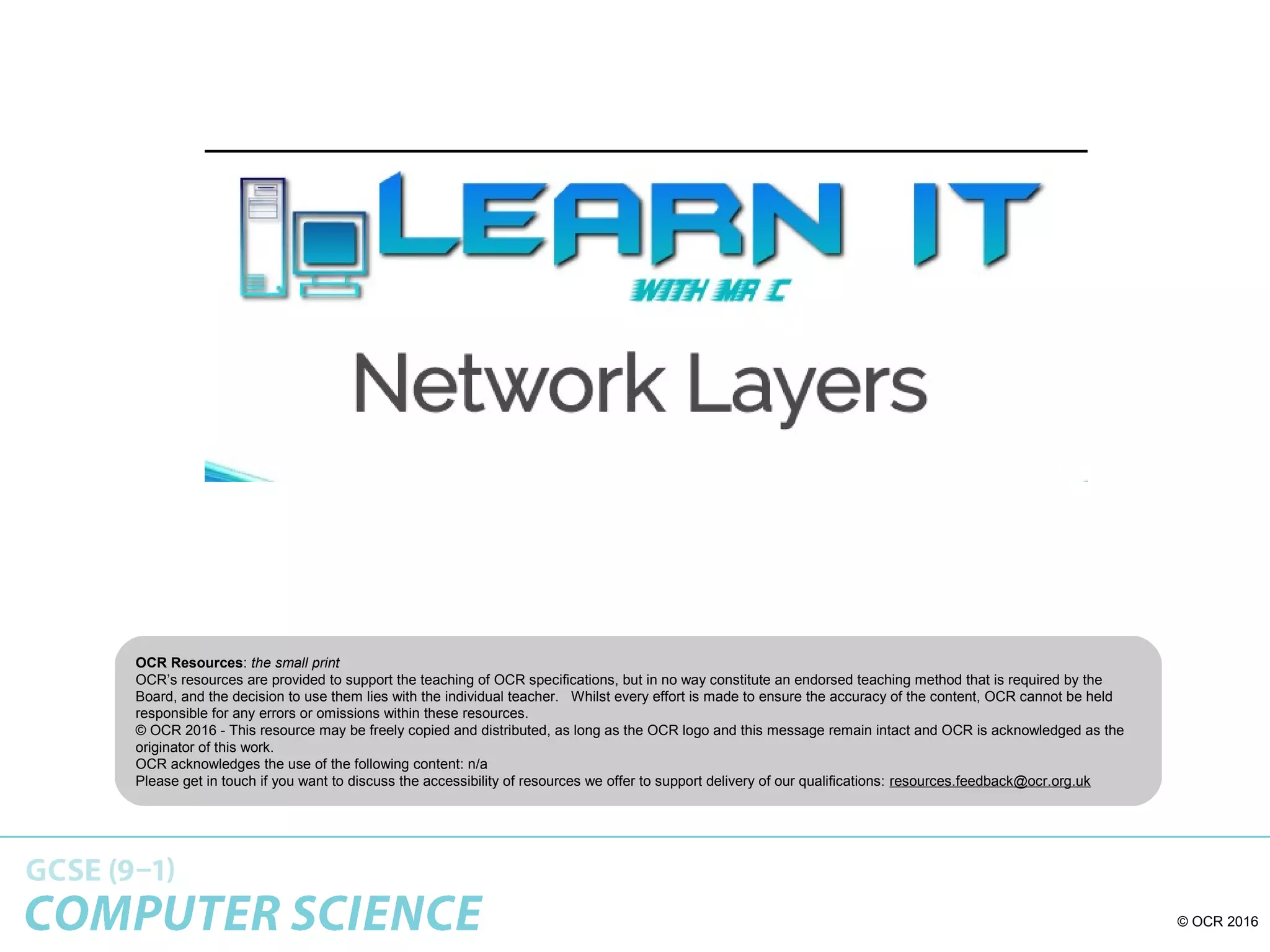
You need to remember the layers!
A
Turtle
Never
Lies
Layer Example Protocols Layer Purpose
Application Layer FTP, HTTP,
SMTP
Provides user access to applications
websites, files, email.
Transport Layer TCP Provides transport of data between
devices by splitting files into data
packets and checking that they have
been sent and received correctly.
Network Layer
Internet Layer
IP Provides the routing of data across
the network by making use of
addressing.
Data Link Layer &
Physical Layer
Ethernet Provides the physical transport of
data through electrical signals etc.
© OCR 2016
© OCR 2016
OCR Resources: the small print
OCR’s resources are provided to support the teaching of OCR specifications, but in no way constitute an endorsed teaching method that is required by the
Board, and the decision to use them lies with the individual teacher. Whilst every effort is made to ensure the accuracy of the content, OCR cannot be held
responsible for any errors or omissions within these resources.
© OCR 2016 - This resource may be freely copied and distributed, as long as the OCR logo and this message remain intact and OCR is acknowledged as the
originator of this work.
OCR acknowledges the use of the following content: n/a
Please get in touch if you want to discuss the accessibility of resources we offer to support delivery of our qualifications: resources.feedback@ocr.org.uk

Network layers

  • 1.
    © OCR 2016 NETWORKTOPOLOGIES, PROTOCOLS AND LAYERS
  • 2.
    © OCR 2016 Thoughtfor the day – • Networks transfer and receive a lot of data!! The amount of traffic on the internet is incredible! • Click on the link in the resources sidebar to see for yourself
  • 3.
    © OCR 2016 TheBig Picture: Network topologies, protocols and layers Star and mesh network topologies Networks using wifi and ethernet Wi-fi : frequency and channels Encryption The uses of IP addressing, MAC addressing, and commonly used protocols • The concept of layers • Packet switching
  • 4.
    © OCR 2016 LearningObjectives By the end of today’s lesson, you will understand: •Know what layers are and their role •Be able to explain the role of each layer •Understand the concept of Packet Switching
  • 5.
    © OCR 2016 Starter:Do you know your Protocols? TCP/IP HTTP HTTPS FTP POP IMAP SMTP
  • 6.
    © OCR 2016 Doyou know your Protocols? - Answers • TCP/IP (Transmission Control Protocol/Internet Protocol) • HTTP (Hyper Text Transfer Protocol) • HTTPS (Hyper Text Transfer Protocol Secure) • FTP (File Transfer Protocol) • POP (Post Office Protocol) • IMAP (Internet Message Access Protocol) • SMTP (Simple Mail Transfer Protocol)
  • 7.
    © OCR 2016 Quickrecap: How DNS works 123.45.67.89 174.25.46.77322. 55.24.12 www.bbc.co.uk 1. 2.3. 1. You can’t remember the IP address of the computer which hosts the BBC website, so you type in the URL into the browser. 2. The URL is sent to your ISP and they look up the URL in their DNS ‘address book’. They find it and send back to you the website’s URL address or passes it on to another DNS server to see if that can find it. 3. Now you can communicate with the computer which hosts the website on the internet, directly.
  • 8.
    © OCR 2016 PacketSwitching • Imagine that you have a large LEGO model to post through a letter box but, it does not fit. • What could you do? • What if you could take the model apart and then post it through the letter box and then reassemble it? • This is packet switching
  • 9.
    © OCR 2016 PacketSwitching • Now image you want to email a photo, first it is broken down into small packets of data • Each packet is then given a header which contains the IP address of the network and device that it is being sent to. • It also contains the IP address of the network that it was sent from
  • 10.
    © OCR 2016 PacketSwitching • The header also contains the packet number as well as the total number of packets, for example packet 4 of 60, packet 45 of 60. • When the packets arrive at the destination this information is used to reassemble the data. • Packets can be lost so sometimes the computer request the packet to be sent again, if a packet never arrives then it is deleted by the router.
  • 11.
    © OCR 2016 DataPackets • When files are sent over the internet they are split into millions of data packets. – Packets get sent by different routes according to availability. – When you send a file online, the parts of the file might travel one way around the world and the other parts may go in the opposite direction! – Packets are reassembled at receiving end. • Typical packet structure: Data Packet Header Destination AddressReturn AddressSequence No. ErrorCheck
  • 12.
    © OCR 2016 DataPackets Data Packet Header Destination AddressReturn AddressSequence No. ErrorCheck This this the data itself. The Header contains 3 pieces of information: Sequence Number Return Address Destination Address. As data is split into packets, the sequence number allows the file to be rebuilt by putting the packets back together in the correct order. When data arrives, the computer which sent the data can be notified that it arrived safely. And if a packet arrives corrupted, the computer which sent the data can be asked to send it again. Obviously a data packet needs a destination address so that it can be routed to the correct location. An error check is an important aspect of a data packet. This aspect of the packet is a ‘checksum number’. A checksum made up of a calculation and its correct answer. Once the packet has been received by the destination computer, If the calculation is run and still produces the correct answer, then we know the data hasn’t been corrupted on its journey.
  • 13.
    © OCR 2016 Theamazing way that data is sent across the internet!
  • 14.
    © OCR 2016 Packets Header Containsinstructions about the data being carried. These instructions may include: the length of the packet; packet number; position of this packet; protocol address; originating IP address. Body This is the actual data that the packet is delivering to the destination. Also called the payload Footer Contains a parity bit/checksum to error check and ensure that the complete packet has been delivered intact, and couple of bits that tell the receiving device that the end of the packet has
  • 15.
    © OCR 2016 Whichprotocol …? An internationally agreed protocol. It starts by establishing a ‘handshake’ to set up a connection between two devices. The data is then transferred as packets between the two devices. It specifies exactly how data must be transmitted.
  • 16.
    © OCR 2016 Understandinga Packet Research one of the parts of the packets that you do not know. Explain it to another students.
  • 17.
    © OCR 2016 Layers •When we write an email and send it, we have no idea what device it will be read on, what operating system, which software etc. • It is an extremely complex process that is easier to deal with if broken down into layers of smaller more manageable parts. • As a packet is prepared the data travels through layers where protocols manage it, adding or removing extra information as required so the packet can continue its journey. The layers must be able to work together exchanging information. • Each layer performs specific tasks and interacts with adjacent layers – this is essential – that the layers can communicate with each other. • Layering: rules organised into a distinct order in which they need to be applied
  • 18.
    © OCR 2016 Whyhave layers? The benefits are: •Simplifies things by dividing into parts •Different layers can be combined in different ways as required •One layer can be develop or changed without affecting others •Makes it easier t identify networking errors and problems •Is a universal standard for manufacturers to follow so all devices can communicate with each other •For example, software for an Ethernet system can easily be adapted to a fibre-optic network by changing only the network layer – other layers are not affected
  • 19.
    © OCR 2016 Layersand Protocols • TCP/IP is an example of a layered protocol – it defines how data is transferred through a network for example over the internet or over a private network. • The TCP/IP stack is a complete set of protocols covering the movement of data across the network. These include how the data should be formatted, addressed, routed and received. • You need to know the protocols to be able to link them to the layers
  • 20.
    © OCR 2016 Alsocalled Network Layer TCP/Ip is set of protocols arranged in 4 layers, the names sometimes vary a little. Data to be transmitted or received must pass through the layers where packaging data is added or read. Also called Network Access Layer or Data Link Layer
  • 21.
    © OCR 2016 Layers StophereStop here And watch the twoAnd watch the two videos belowvideos below Before continuingBefore continuing
  • 22.
    © OCR 2016 InternetProtocols and Layers All of the protocols which enable the internet to function correctly can be divided into ‘Layers of the Internet’. Each layer has a particular function and each layer provides a base for the layer above it – in other words, each layer does all the hard work for the layer above it! For example, if you are accessing a website (HTTP ), it requires data to be split into packets and sent across the internet (TCP / IP), which in turns requires the physical transport of data via cables (cables / Wi-Fi ) Layer Example Protocols Layer Purpose Application Layer FTP, HTTP, SMTP Provides user access to applications websites, files, email. Transport Layer TCP Provides transport of data between devices by splitting files into data packets and checking that they have been sent and received correctly. Network Layer Internet Layer IP Provides the routing of data across the network by making use of addressing. Data Link Layer & Physical Layer Ethernet Provides the physical transport of data through electrical signals etc.
  • 23.
    Application Layer I wantto send a picture to my friend so I take it to the posting people.
  • 24.
    Application Layer Transport Layer Theycut the picture up into post cards and number each one. 1 2 3 4
  • 25.
    Application Layer Transport Layer InternetLayer They then write the address which each card has to go to. 1 2 3 4
  • 26.
    Application Layer Transport Layer InternetLayer The post cards are loaded into the post van and the van driver sets off. 1 2 3 4 Network Interface (Link) Layer
  • 27.
    Application Layer Transport Layer InternetLayer The van driver uses the addresses on the post cards to drive to the destination specified. Network Interface (Link) Layer
  • 28.
    Application Layer Transport Layer InternetLayer At the destination the post cards are removed and the address used to check they are in the right place. Unfortunately the van driver dropped card 3 which got washed down a drain. Network Interface (Link) Layer 1 2 3 4
  • 29.
    Application Layer Transport Layer InternetLayer The delivered cards are checked and the missing number 3 is redelivered. The cards are passed in order to the delivery office. Network Interface (Link) Layer 1 2 4 3
  • 30.
    Application Layer Transport Layer InternetLayer The cards are reassembled in order and given to my friend. They now have the original picture. Network Interface (Link) Layer 1 2 43
  • 31.
    © OCR 2016 Youneed to remember the layers! A Turtle Never Lies Layer Example Protocols Layer Purpose Application Layer FTP, HTTP, SMTP Provides user access to applications websites, files, email. Transport Layer TCP Provides transport of data between devices by splitting files into data packets and checking that they have been sent and received correctly. Network Layer Internet Layer IP Provides the routing of data across the network by making use of addressing. Data Link Layer & Physical Layer Ethernet Provides the physical transport of data through electrical signals etc.
  • 32.
  • 33.
    © OCR 2016 OCRResources: the small print OCR’s resources are provided to support the teaching of OCR specifications, but in no way constitute an endorsed teaching method that is required by the Board, and the decision to use them lies with the individual teacher. Whilst every effort is made to ensure the accuracy of the content, OCR cannot be held responsible for any errors or omissions within these resources. © OCR 2016 - This resource may be freely copied and distributed, as long as the OCR logo and this message remain intact and OCR is acknowledged as the originator of this work. OCR acknowledges the use of the following content: n/a Please get in touch if you want to discuss the accessibility of resources we offer to support delivery of our qualifications: resources.feedback@ocr.org.uk

Editor's Notes

  • #3 In May 2011, officers at South Yorkshire Police were informed by colleagues in Hertfordshire that they had identified an IP address from which more than 100 indecent images of children had been shared in April that year. The IP address passed on corresponded to an internet account held by Nigel's partner. But it had been typed incorrectly, with an extra digit added by mistake. When Nigel was arrested, all he could do was to repeatedly assure himself the police would discover the truth. "You say to yourself, 'Well they're going to find nothing and I haven't done anything, so I'll be alright.’ After three weeks, police returned Nigel's computers to him, and he had been found completely innocent. But the events had caused a deep psychological effect. "Because of what happened I felt unable to go back into the field of work I was working in," he says. His role as a drug recovery worker had involved helping teenagers. "It was the best job I'd had in my life, and I felt I was really good at it. "But I became fearful of working with young females in case any of them said I tried any sexual advances. It made me paranoid." 'Shouting my innocence' Eleven months after his arrest, and still without knowledge of why his home had been raided, Nigel began the search for answers - filing a complaint against South Yorkshire Police on grounds of racism and sexism Nigel decided to ask his solicitor to look deeper. The lawyer contacted Hertfordshire Police and discovered the truth of the incorrect IP address. Nigel received an apology, in writing, from Hertfordshire Police in 2014, which accepted responsibility for the error. 'Six years of fighting' Following Hertfordshire Police's admission, Nigel sought compensation for a breach of the Data Protection Act 1998, false imprisonment, police assault/battery, and trespass by police. In October 2016, Hertfordshire Police settled out of court. Nigel received damages of £60,000, plus legal costs.