Necto 16 Training
Save to a Private Root
Overview
• Necto enables the user to save a workboard to a Public Private folder
• A workboard saved under a private folder is not shared to all users
and is accessed only to the user who created that workboard
• User can later share the workboard on his private folder with other
users or copy and paste it to the public folder
• Folders can be accessed from the ribbon menu (WorkboardExplore)
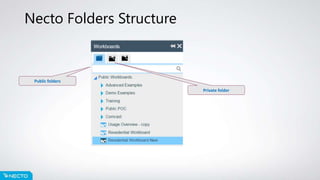
Necto Folders Structure
Public folders
Private folder
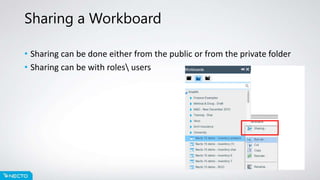
Sharing a Workboard
• Sharing can be done either from the public or from the private folder
• Sharing can be with roles users
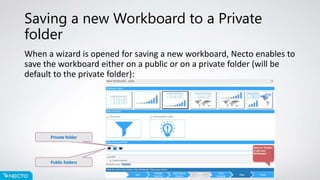
Saving a new Workboard to a Private
folder
When a wizard is opened for saving a new workboard, Necto enables to
save the workboard either on a public or on a private folder (will be
default to the private folder):
Public folders
Private folder

Necto 16 training 13 - save to a private root

  • 1.
    Necto 16 Training Saveto a Private Root
  • 2.
    Overview • Necto enablesthe user to save a workboard to a Public Private folder • A workboard saved under a private folder is not shared to all users and is accessed only to the user who created that workboard • User can later share the workboard on his private folder with other users or copy and paste it to the public folder • Folders can be accessed from the ribbon menu (WorkboardExplore)
  • 3.
    Necto Folders Structure Publicfolders Private folder
  • 4.
    Sharing a Workboard •Sharing can be done either from the public or from the private folder • Sharing can be with roles users
  • 5.
    Saving a newWorkboard to a Private folder When a wizard is opened for saving a new workboard, Necto enables to save the workboard either on a public or on a private folder (will be default to the private folder): Public folders Private folder