Navigating through Gale InfotracNavigating through Gale Infotrac
By: Marilyn Lalrindiki
Gale Infotrac
InfoTrac is a family of
full text databases of content
from academic journals and
general magazines, of which
the majority are targeted to
the English-speaking North
American market. As is typical
of online proprietary
databases, various forms of
authentication are used to
verify affiliation with
subscribing academic, public,
and school libraries. InfoTrac
databases are published by
Gale, a part of Cengage
Learning.
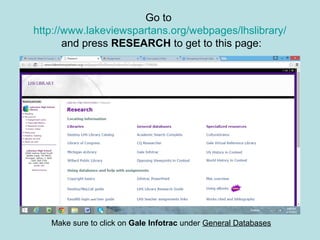
Go to
http://www.lakeviewspartans.org/webpages/lhslibrary/
and press RESEARCH to get to this page:
Make sure to click on Gale Infotrac under General Databases
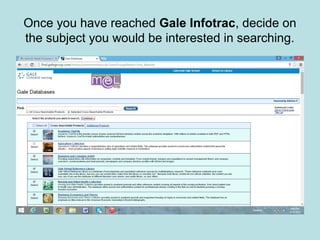
Once you have reached Gale Infotrac, decide on
the subject you would be interested in searching.
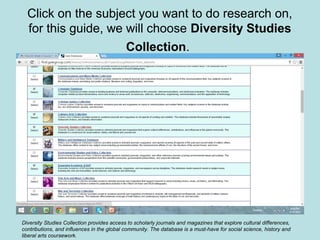
Click on the subject you want to do research on,
for this guide, we will choose Diversity Studies
Collection.
Diversity Studies Collection provides access to scholarly journals and magazines that explore cultural differences,
contributions, and influences in the global community. The database is a must-have for social science, history and
liberal arts coursework.
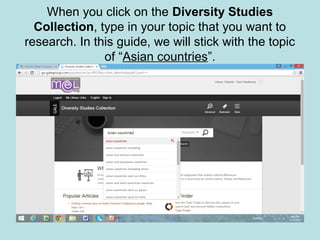
When you click on the Diversity Studies
Collection, type in your topic that you want to
research. In this guide, we will stick with the topic
of “Asian countries”.
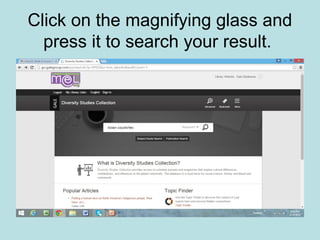
Click on the magnifying glass and
press it to search your result.
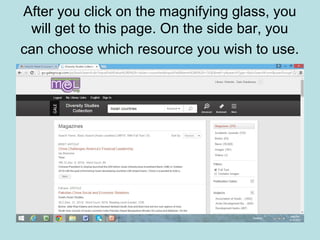
After you click on the magnifying glass, you
will get to this page. On the side bar, you
can choose which resource you wish to use.
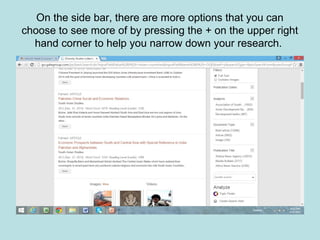
On the side bar, there are more options that you can
choose to see more of by pressing the + on the upper right
hand corner to help you narrow down your research.
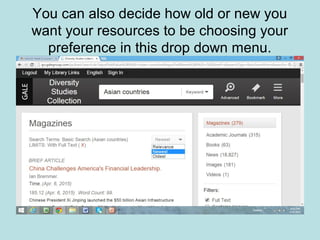
You can also decide how old or new you
want your resources to be choosing your
preference in this drop down menu.
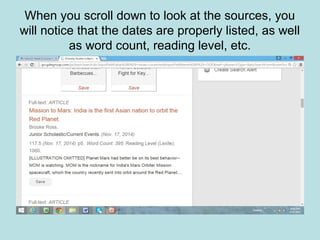
When you scroll down to look at the sources, you
will notice that the dates are properly listed, as well
as word count, reading level, etc.
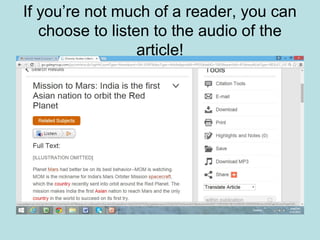
If you’re not much of a reader, you can
choose to listen to the audio of the
article!
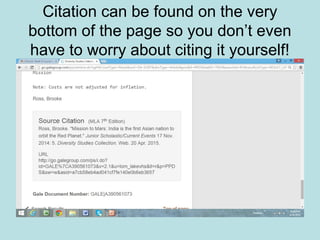
Citation can be found on the very
bottom of the page so you don’t even
have to worry about citing it yourself!
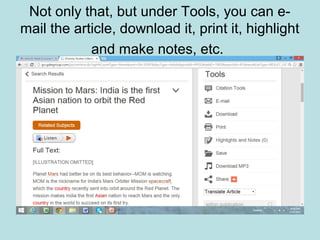
Not only that, but under Tools, you can e-
mail the article, download it, print it, highlight
and make notes, etc.
The End
And there you have it! You just learned how
to research and find resources for “Asian
countries”, what tools you can use to
narrow it and how to even cite your work
(which is literally provided for you!)
Works Cited
http://en.wikipedia.org/wiki/InfoTrac

Navigating through gale infotrac

  • 1.
    Navigating through GaleInfotracNavigating through Gale Infotrac By: Marilyn Lalrindiki
  • 2.
    Gale Infotrac InfoTrac isa family of full text databases of content from academic journals and general magazines, of which the majority are targeted to the English-speaking North American market. As is typical of online proprietary databases, various forms of authentication are used to verify affiliation with subscribing academic, public, and school libraries. InfoTrac databases are published by Gale, a part of Cengage Learning.
  • 3.
    Go to http://www.lakeviewspartans.org/webpages/lhslibrary/ and pressRESEARCH to get to this page: Make sure to click on Gale Infotrac under General Databases
  • 4.
    Once you havereached Gale Infotrac, decide on the subject you would be interested in searching.
  • 5.
    Click on thesubject you want to do research on, for this guide, we will choose Diversity Studies Collection. Diversity Studies Collection provides access to scholarly journals and magazines that explore cultural differences, contributions, and influences in the global community. The database is a must-have for social science, history and liberal arts coursework.
  • 6.
    When you clickon the Diversity Studies Collection, type in your topic that you want to research. In this guide, we will stick with the topic of “Asian countries”.
  • 7.
    Click on themagnifying glass and press it to search your result.
  • 8.
    After you clickon the magnifying glass, you will get to this page. On the side bar, you can choose which resource you wish to use.
  • 9.
    On the sidebar, there are more options that you can choose to see more of by pressing the + on the upper right hand corner to help you narrow down your research.
  • 10.
    You can alsodecide how old or new you want your resources to be choosing your preference in this drop down menu.
  • 11.
    When you scrolldown to look at the sources, you will notice that the dates are properly listed, as well as word count, reading level, etc.
  • 12.
    If you’re notmuch of a reader, you can choose to listen to the audio of the article!
  • 13.
    Citation can befound on the very bottom of the page so you don’t even have to worry about citing it yourself!
  • 14.
    Not only that,but under Tools, you can e- mail the article, download it, print it, highlight and make notes, etc.
  • 15.
    The End And thereyou have it! You just learned how to research and find resources for “Asian countries”, what tools you can use to narrow it and how to even cite your work (which is literally provided for you!)
  • 16.