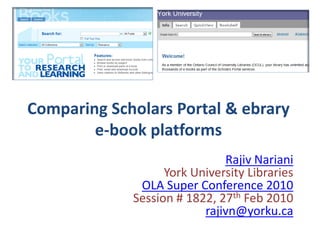
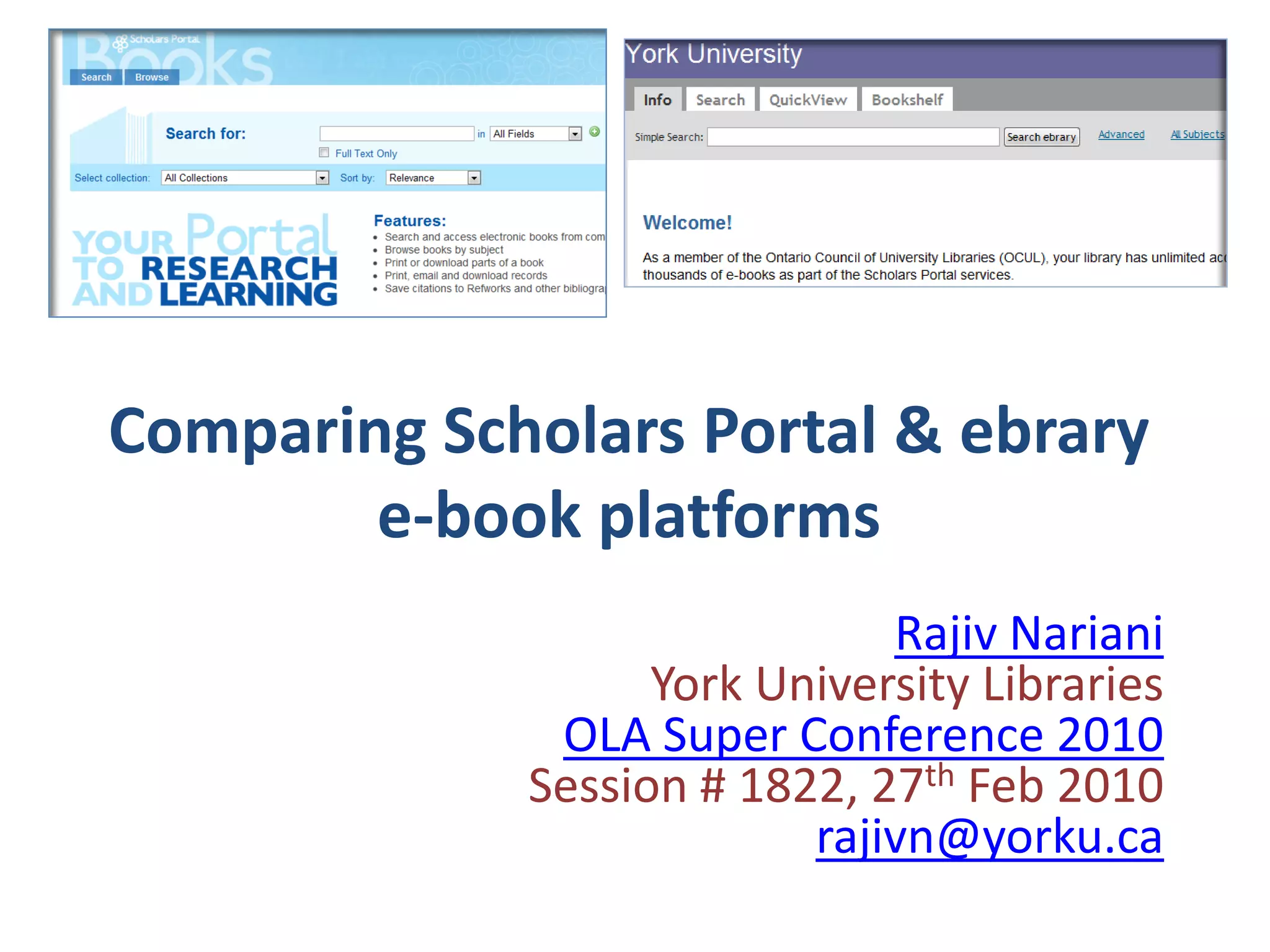
Comparing Scholars Portal & ebrary
        e-book platforms
                              Rajiv Nariani
                   York University Libraries
              OLA Super Conference 2010
             Session # 1822, 27th Feb 2010
                          rajivn@yorku.ca
Focus: Undergraduate students
• Explore Scholars Portal and ebrary e-book
  platforms: Undergraduate students
• Conduct searches: Mentioned the preferred
  features on both platforms & completed
  online survey
• Future research
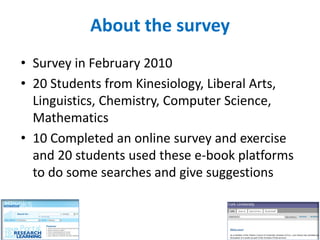
About the survey
• Survey in February 2010
• 20 Students from Kinesiology, Liberal Arts,
  Linguistics, Chemistry, Computer Science,
  Mathematics
• 10 Completed an online survey and exercise
  and 20 students used these e-book platforms
  to do some searches and give suggestions
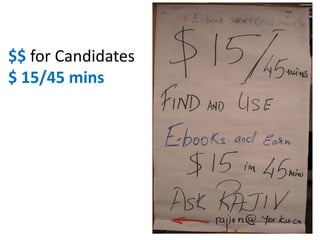
$$ for Candidates
$ 15/45 mins
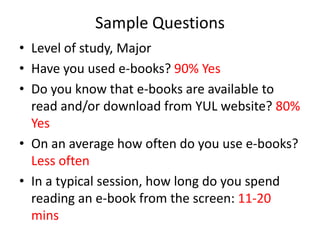
Sample Questions
• Level of study, Major
• Have you used e-books? 90% Yes
• Do you know that e-books are available to
  read and/or download from YUL website? 80%
  Yes
• On an average how often do you use e-books?
  Less often
• In a typical session, how long do you spend
  reading an e-book from the screen: 11-20
  mins
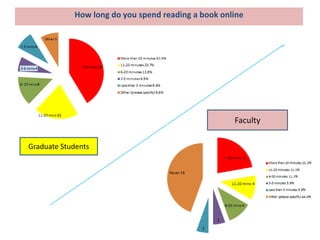
How long do you spend reading a book online


                                                    Faculty

Graduate Students
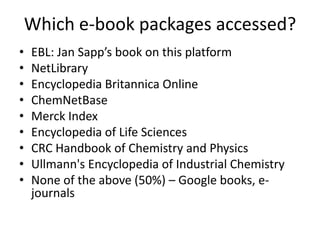
Which e-book packages accessed?
•   EBL: Jan Sapp’s book on this platform
•   NetLibrary
•   Encyclopedia Britannica Online
•   ChemNetBase
•   Merck Index
•   Encyclopedia of Life Sciences
•   CRC Handbook of Chemistry and Physics
•   Ullmann's Encyclopedia of Industrial Chemistry
•   None of the above (50%) – Google books, e-
    journals
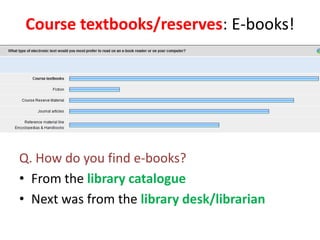
Course textbooks/reserves: E-books!


Q. How do you find e-books?
• From the library catalogue
• Next was from the library desk/librarian
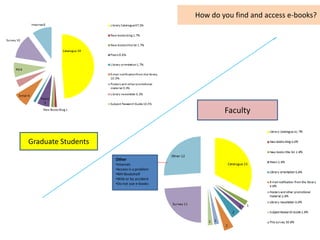
How do you find and access e-books?


                                                   Faculty


Graduate Students

                    Other
                    •Internet
                    •Access is a problem
                    •NIH Bookshelf
                    •Web or by accident
                    •Do not use e-books
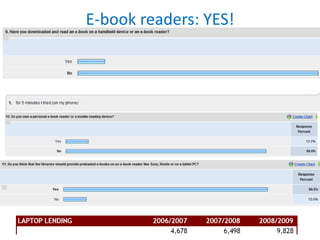
E-book readers: YES!
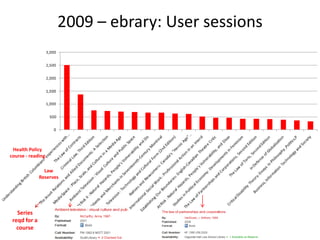
2009 – ebrary: User sessions


 Health Policy
course - reading

                Law
              Reserves


   Series
 reqd for a
   course
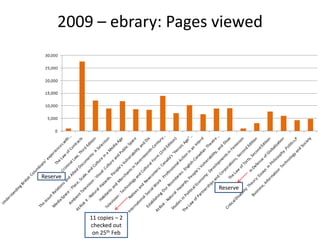
2009 – ebrary: Pages viewed


Reserve
                          Reserve


          11 copies – 2
          checked out
           on 25th Feb
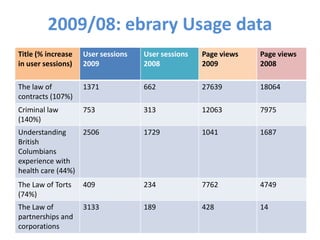
2009/08: ebrary Usage data
Title (% increase   User sessions   User sessions   Page views   Page views
in user sessions)   2009            2008            2009         2008

The law of          1371            662             27639        18064
contracts (107%)
Criminal law        753             313             12063        7975
(140%)
Understanding     2506              1729            1041         1687
British
Columbians
experience with
health care (44%)
The Law of Torts    409             234             7762         4749
(74%)
The Law of          3133            189             428          14
partnerships and
corporations
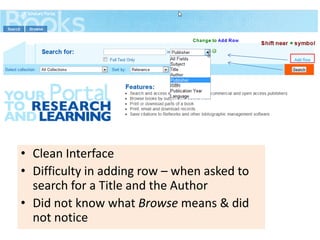
• Clean Interface
• Difficulty in adding row – when asked to
  search for a Title and the Author
• Did not know what Browse means & did
  not notice
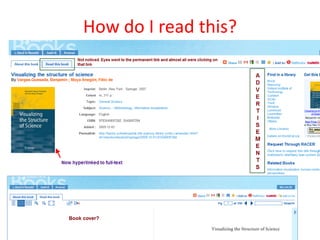
How do I read this?
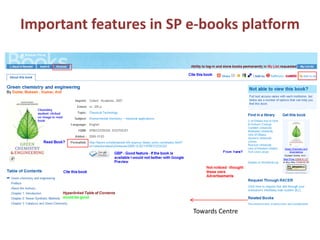
Important features in SP e-books platform


                         Towards Centre
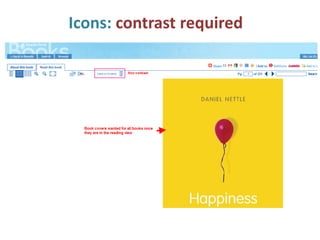
Icons: contrast required
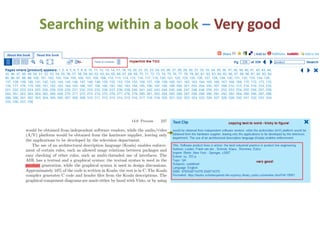
Searching within a book – Very good
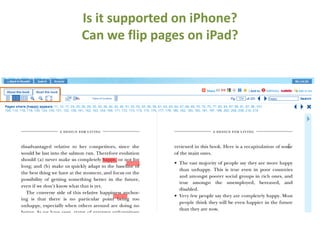
Is it supported on iPhone?
Can we flip pages on iPad?
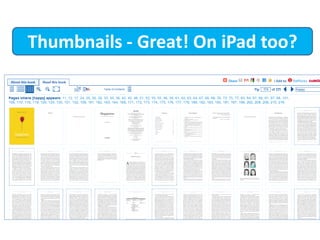
Thumbnails - Great! On iPad too?
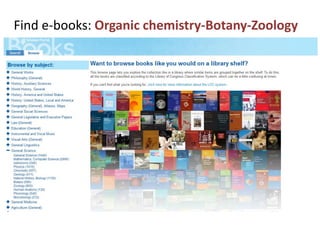
Find e-books: Organic chemistry-Botany-Zoology
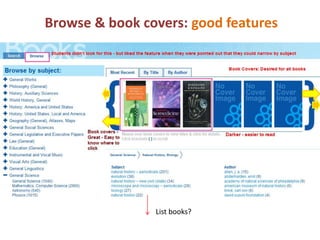
Browse & book covers: good features


                List books?
Features in Scholars Portal E-book platform
• Limit to free and/or subscribed collection
• Browse subject collections: not understood
• Print copy paste: desired
• Add to my personal list: desired
• Permanent link: not understood – full-text?
• Convert to PDF (good for reader): functionality
• Limit by subscribed and free content: teaching
  required
• AND - NOT - OR: Boolean operators supported
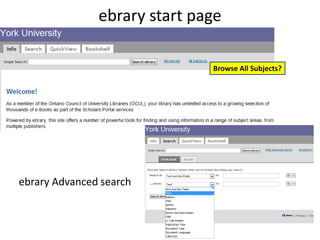
ebrary start page

                              Browse All Subjects?


ebrary Advanced search
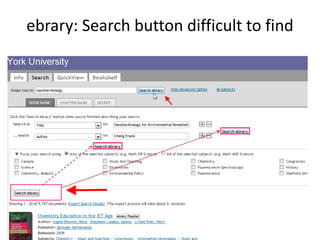
ebrary: Search button difficult to find
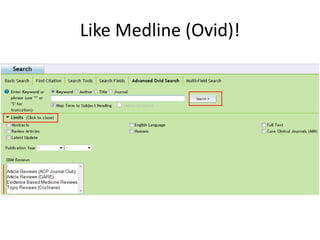
Like Medline (Ovid)!
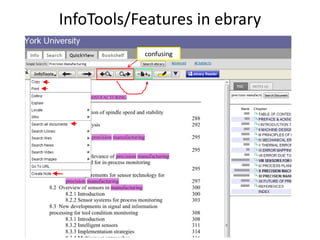
InfoTools/Features in ebrary
           confusing
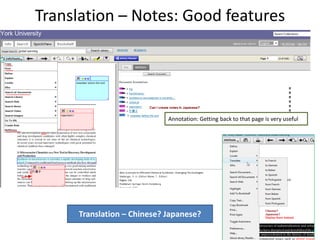
Translation – Notes: Good features


                            Annotation: Getting back to that page is very useful


     Translation – Chinese? Japanese?
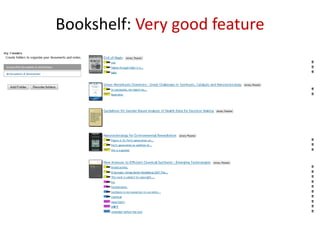
Bookshelf: Very good feature
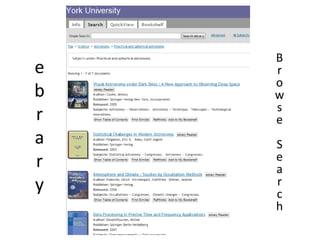
B
e   r
    o
b   w
    s
r   e
a   S
r   e
    a
y   r
    c
    h
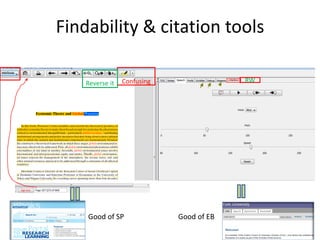
Findability & citation tools

    Reverse it   Confusing                RW


    Good of SP               Good of EB
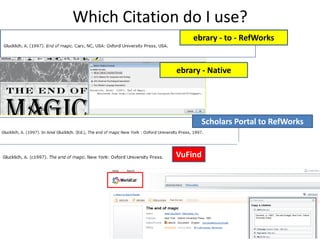
Which Citation do I use?
                  ebrary - to - RefWorks


              ebrary - Native


                    Scholars Portal to RefWorks


              VuFind
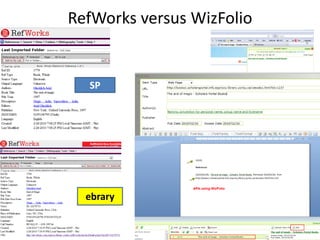
RefWorks versus WizFolio


  SP


  ebrary
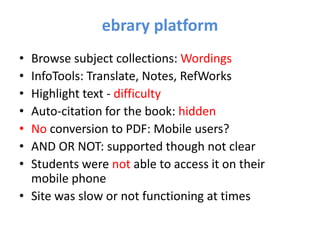
ebrary platform
• Browse subject collections: Wordings
• InfoTools: Translate, Notes, RefWorks
• Highlight text - difficulty
• Auto-citation for the book: hidden
• No conversion to PDF: Mobile users?
• AND OR NOT: supported though not clear
• Students were not able to access it on their
  mobile phone
• Site was slow or not functioning at times
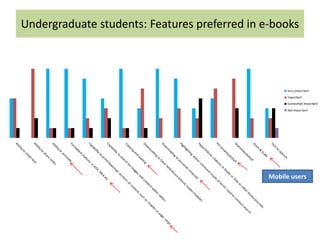
Undergraduate students: Features preferred in e-books


                                               Mobile users
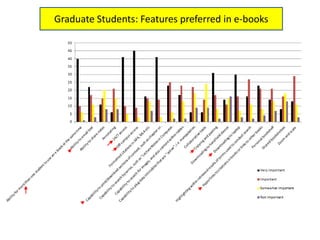
Graduate Students: Features preferred in e-books
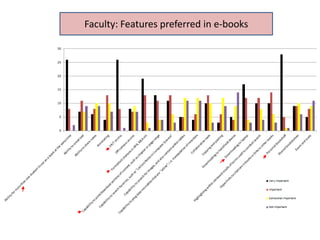
Faculty: Features preferred in e-books
Some desired features
• Copy - paste- print-download unlimited – 30 page
  limit in SP for extraction - 10 page ebrary
• Annotation & auto-citation feature in SP
• Hyper-linking to other books & journal articles
  from within the content
• Download to laptop in SP
• My list (personal book shelf)
• Having course reserves/textbooks as e-books and
  on e-book readers
• Less clicks to get to pages
• Compatibility with mobile devices
U.S. Universities: What are they saying
• High demand for reserves
• Switching to buy more reference e-books
• Libraries buying Sony e-book readers
• Demand is high in the sciences and social
  sciences
• Should be easy to print & use (DRM)
• Problems with Java based plug-in reader.
  Special instructions for Firefox3
• Library receives royalty from sales (if users
  click and buy from Amazon)
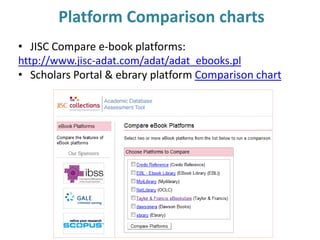
Platform Comparison charts
• JISC Compare e-book platforms:
http://www.jisc-adat.com/adat/adat_ebooks.pl
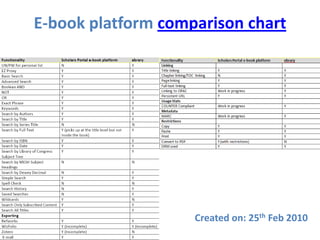
• Scholars Portal & ebrary platform Comparison chart
E-book platform comparison chart


                    Created on: 25th Feb 2010
Future……
• Experiment with e-book reader
• Is it being checked out
• What are the requests that we get
• Can we load full-text content – which
  publishers will allow that
• Compatibility with mobile devices
• Text-to-speech & Zoom features: Explore for
  students with special requirements

Nariani OLA2010 ebooks

  • 1.
    Comparing Scholars Portal& ebrary e-book platforms Rajiv Nariani York University Libraries OLA Super Conference 2010 Session # 1822, 27th Feb 2010 rajivn@yorku.ca
  • 2.
    Focus: Undergraduate students •Explore Scholars Portal and ebrary e-book platforms: Undergraduate students • Conduct searches: Mentioned the preferred features on both platforms & completed online survey • Future research
  • 3.
    About the survey •Survey in February 2010 • 20 Students from Kinesiology, Liberal Arts, Linguistics, Chemistry, Computer Science, Mathematics • 10 Completed an online survey and exercise and 20 students used these e-book platforms to do some searches and give suggestions
  • 4.
  • 5.
    Sample Questions • Levelof study, Major • Have you used e-books? 90% Yes • Do you know that e-books are available to read and/or download from YUL website? 80% Yes • On an average how often do you use e-books? Less often • In a typical session, how long do you spend reading an e-book from the screen: 11-20 mins
  • 6.
    How long doyou spend reading a book online Faculty Graduate Students
  • 7.
    Which e-book packagesaccessed? • EBL: Jan Sapp’s book on this platform • NetLibrary • Encyclopedia Britannica Online • ChemNetBase • Merck Index • Encyclopedia of Life Sciences • CRC Handbook of Chemistry and Physics • Ullmann's Encyclopedia of Industrial Chemistry • None of the above (50%) – Google books, e- journals
  • 8.
    Course textbooks/reserves: E-books! Q.How do you find e-books? • From the library catalogue • Next was from the library desk/librarian
  • 9.
    How do youfind and access e-books? Faculty Graduate Students Other •Internet •Access is a problem •NIH Bookshelf •Web or by accident •Do not use e-books
  • 10.
  • 11.
    2009 – ebrary:User sessions Health Policy course - reading Law Reserves Series reqd for a course
  • 12.
    2009 – ebrary:Pages viewed Reserve Reserve 11 copies – 2 checked out on 25th Feb
  • 13.
    2009/08: ebrary Usagedata Title (% increase User sessions User sessions Page views Page views in user sessions) 2009 2008 2009 2008 The law of 1371 662 27639 18064 contracts (107%) Criminal law 753 313 12063 7975 (140%) Understanding 2506 1729 1041 1687 British Columbians experience with health care (44%) The Law of Torts 409 234 7762 4749 (74%) The Law of 3133 189 428 14 partnerships and corporations
  • 14.
    • Clean Interface •Difficulty in adding row – when asked to search for a Title and the Author • Did not know what Browse means & did not notice
  • 15.
    How do Iread this?
  • 16.
    Important features inSP e-books platform Towards Centre
  • 17.
  • 18.
    Searching within abook – Very good
  • 19.
    Is it supportedon iPhone? Can we flip pages on iPad?
  • 20.
    Thumbnails - Great!On iPad too?
  • 21.
    Find e-books: Organicchemistry-Botany-Zoology
  • 22.
    Browse & bookcovers: good features List books?
  • 23.
    Features in ScholarsPortal E-book platform • Limit to free and/or subscribed collection • Browse subject collections: not understood • Print copy paste: desired • Add to my personal list: desired • Permanent link: not understood – full-text? • Convert to PDF (good for reader): functionality • Limit by subscribed and free content: teaching required • AND - NOT - OR: Boolean operators supported
  • 24.
    ebrary start page Browse All Subjects? ebrary Advanced search
  • 25.
    ebrary: Search buttondifficult to find
  • 26.
  • 27.
  • 28.
    Translation – Notes:Good features Annotation: Getting back to that page is very useful Translation – Chinese? Japanese?
  • 29.
  • 30.
    B e r o b w s r e a S r e a y r c h
  • 31.
    Findability & citationtools Reverse it Confusing RW Good of SP Good of EB
  • 32.
    Which Citation doI use? ebrary - to - RefWorks ebrary - Native Scholars Portal to RefWorks VuFind
  • 33.
  • 34.
    ebrary platform • Browsesubject collections: Wordings • InfoTools: Translate, Notes, RefWorks • Highlight text - difficulty • Auto-citation for the book: hidden • No conversion to PDF: Mobile users? • AND OR NOT: supported though not clear • Students were not able to access it on their mobile phone • Site was slow or not functioning at times
  • 35.
    Undergraduate students: Featurespreferred in e-books Mobile users
  • 36.
    Graduate Students: Featurespreferred in e-books
  • 37.
  • 38.
    Some desired features •Copy - paste- print-download unlimited – 30 page limit in SP for extraction - 10 page ebrary • Annotation & auto-citation feature in SP • Hyper-linking to other books & journal articles from within the content • Download to laptop in SP • My list (personal book shelf) • Having course reserves/textbooks as e-books and on e-book readers • Less clicks to get to pages • Compatibility with mobile devices
  • 39.
    U.S. Universities: Whatare they saying • High demand for reserves • Switching to buy more reference e-books • Libraries buying Sony e-book readers • Demand is high in the sciences and social sciences • Should be easy to print & use (DRM) • Problems with Java based plug-in reader. Special instructions for Firefox3 • Library receives royalty from sales (if users click and buy from Amazon)
  • 40.
    Platform Comparison charts •JISC Compare e-book platforms: http://www.jisc-adat.com/adat/adat_ebooks.pl • Scholars Portal & ebrary platform Comparison chart
  • 41.
    E-book platform comparisonchart Created on: 25th Feb 2010
  • 42.
    Future…… • Experiment withe-book reader • Is it being checked out • What are the requests that we get • Can we load full-text content – which publishers will allow that • Compatibility with mobile devices • Text-to-speech & Zoom features: Explore for students with special requirements