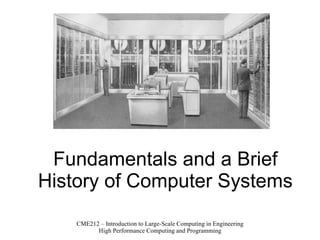
Fundamentals and a Brief History of Computer Systems
Q: What is a computer? A: A machine that manages information
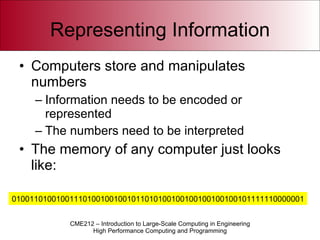
Representing Information Computers store and manipulates numbers Information needs to be encoded or represented The numbers need to be interpreted The memory of any computer just looks like: 010011010010011101001001001011010100100100100100100101111110000001
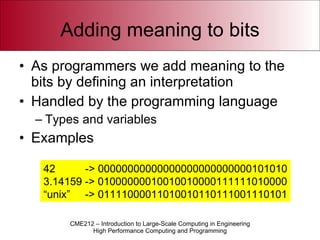
Adding meaning to bits As programmers we add meaning to the bits by defining an interpretation Handled by the programming language Types and variables Examples 42  -> 00000000000000000000000000101010 3.14159 -> 01000000010010010000111111010000 “ unix”  -> 01111000011010010110111001110101
Von Neumann Model Programs are also represented using numbers Instructions and data are numbers stored in memory Typical sequence: Read a number (an instruction) Decode it (using a predefined mapping) Produce new number (data or instruction)
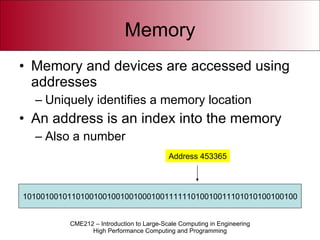
Memory Memory and devices are accessed using addresses Uniquely identifies a memory location An address is an index into the memory Also a number 10100100101101001001001001000100111111010010011101010100100100 Address 453365
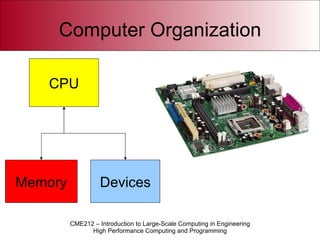
Computer Organization CPU Memory Devices
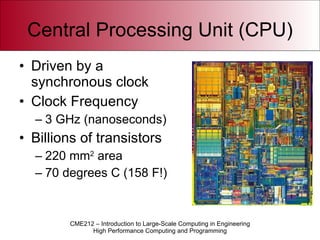
Central Processing Unit (CPU) Driven by a synchronous clock Clock Frequency 3 GHz (nanoseconds) Billions of transistors 220 mm 2  area 70 degrees C (158 F!)
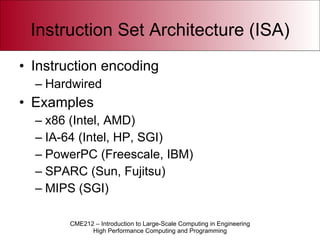
Instruction Set Architecture (ISA) Instruction encoding Hardwired Examples x86 (Intel, AMD) IA-64 (Intel, HP, SGI) PowerPC (Freescale, IBM) SPARC (Sun, Fujitsu) MIPS (SGI)
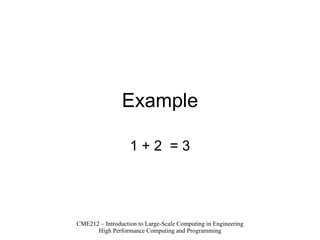
Example 1 + 2  = 3
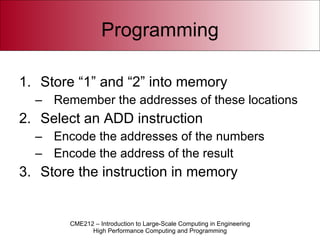
Programming Store “1” and “2” into memory Remember the addresses of these locations Select an ADD instruction Encode the addresses of the numbers Encode the address of the result Store the instruction in memory
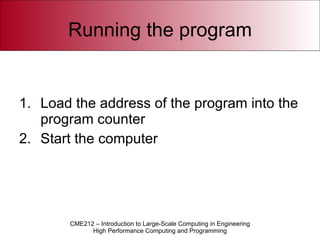
Running the program Load the address of the program into the program counter Start the computer
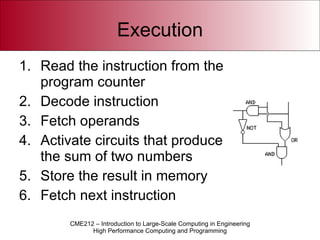
Execution Read the instruction from the program counter Decode instruction Fetch operands Activate circuits that produce the sum of two numbers Store the result in memory Fetch next instruction
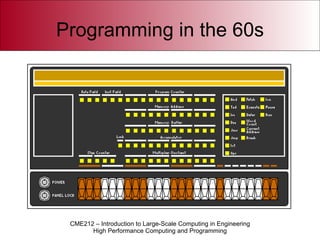
Programming in the 60s
Assembly Language First computer language Assembles instructions from ASCII text ADD 23,address(454433) Made programs human-readable (sort of!) An “assembler” creates the machine-language instructions from the code A program that outputs another program
Source Code Source code in ASCII Transformed into machine instructions by a special program Called a  compiler  or  interpreter Advantage Only the translator program needs to be rewritten for every new computer
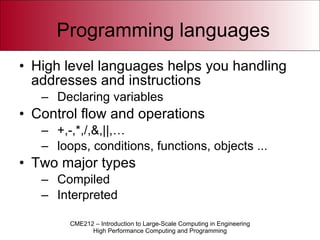
Programming languages High level languages helps you handling addresses and instructions Declaring variables Control flow and operations +,-,*,/,&,||,…  loops, conditions, functions, objects ... Two major types Compiled Interpreted
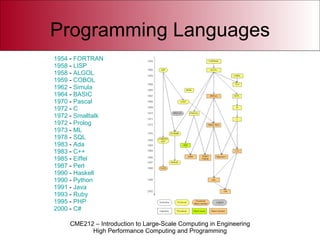
Programming Languages 1954  -  FORTRAN   1958  -  LISP   1958  -  ALGOL   1959  -  COBOL   1962  -  Simula   1964  -  BASIC   1970  -  Pascal   1972  -  C   1972  -  Smalltalk   1972  -  Prolog   1973  -  ML   1978  -  SQL   1983  -  Ada   1983  -  C++   1985  -  Eiffel   1987  -  Perl   1990  -  Haskell   1990  -  Python   1991  -  Java   1993  -  Ruby   1995  -  PHP   2000  -  C#
Variables A  variable  is a programming language abstraction to help you manage addresses and values Assigns a  name  or  symbol  to an address Hence, every variable has a name, address (storage) and a  value Variables in algebra do not have notion of storage Storage is provided automatically by the programming language
Types A variable is declared using a  type Determines representation Sets the context Makes sure that operations on variables are  closed  in the algebraic sense Results are of the same type as the operands No loss of information/precision
Interpreted Languages The code is executed by an  interpreter  program Transforms source code into machine code on the fly The program can be stopped at any given statement Interactivity Example languages Matlab Python Perl
Compiled Languages A  compiler  program translates the  entire  source code into some ISA Result is often called a  binary program  or  executable Allows for optimization Limited feedback on runtime errors compared to interpreted languages Examples C/C++ Fortran
Source code Text files describing the program, i.e., the  code  to be compiled or interpreted The code is defined by a language  grammar Set of rules and keywords that define the language Grammar is checked by the compiler or interpreter Code is not automatically correct just because it compiles! Code can be automatically generated or pasted together from several different sources Preprocessing
Compilation The compiler typically generates Source code Assembly Language code (.s) Object Code (.o or .obj) Executables (a.out or .exe) Object files are an intermediate program form where the names (symbols) of variables and functions are present Several objects can be  linked  to form a complete program Can be compiled from different languages
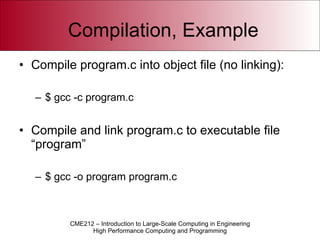
Compilation, Example Compile program.c into object file (no linking): $ gcc -c program.c Compile and link program.c to executable file “program” $ gcc -o program program.c
Computers as resources Computers were (and still are) an expensive and powerful resource In the early days, people where scheduled physically to the computer Now, programs are scheduled automatically Sharing the resource Processors Memory Devices
Operating System (OS) Manages the computer Allocation and assignment of resources Scheduling (priorities) Monitoring (interfaces) Multiple programs, multiple users Security Protection Scalability
Q: How do we actually share the resources? A: Virtualization
Virtualization A device, CPU or even the memory has an interface that can be virtualized Creates a virtual computer managed by the OS Virtual memory Multi-tasking
Multitasking A  process  is a program in execution Contains the execution context Acts like a bubble where the program lives The instruction streams are sliced into smaller quanta and scheduled onto the CPUs Time-sharing Preemptive multitasking
Context switches On a single-CPU system there is only one program in execution Only one process scheduled for execution At a given rate or a runtime exception a new process is scheduled Context switch Creates an illusion of parallel execution if context switch rate is sufficiently high
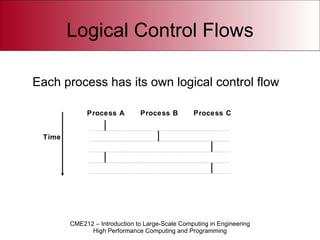
Logical Control Flows Time Process A Process B Process C Each  process has its own logical control flow
Concurrent Processes Two processes  run concurrently  ( are concurrent)  if their flows overlap in time. “Not exactly parallel” Otherwise, they are  sequential.
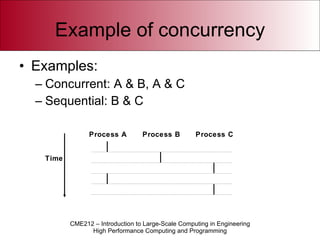
Example of concurrency Examples: Concurrent: A & B, A & C Sequential: B & C Time Process A Process B Process C
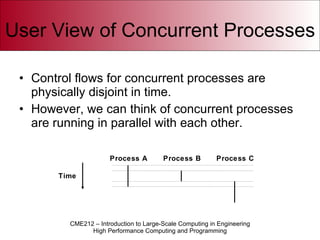
User View of Concurrent Processes Control flows for concurrent processes are physically disjoint in time. However, we can think of concurrent processes are running in parallel with each other. Time Process A Process B Process C
Virtual Memory Memory is virtualized by dividing the available memory into  pages Each processes has its own set of pages Total amount of pages is much larger than the available physical memory The contents is backed-up by either physical memory or disk Pages are  swapped  in and out to physical memory at context switches
Virtual Address Space Due to virtualization two programs can access memory at the same address The OS provides an address translation mechanism to map the virtual addresses to physical Totally transparent for the programmer Memory is categorized as  resident  if it is backed-up by physical memory
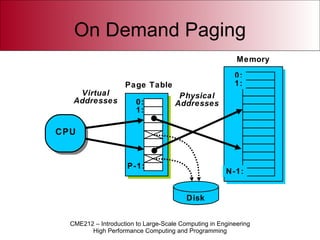
On Demand Paging Memory 0: 1: P-1: Page Table Disk Virtual Addresses Physical Addresses CPU 0: 1: N-1:
The Kernel The virtualization is handled by the OS kernel Processors execute in either user or kernel mode I/O can only be initiated from kernel mode Separates users from each other Part of the address space is reserved for kernel memory
System Calls User can indirectly access the kernel using system calls The system calls provides a service to the user though this interface In many cases this interface is enhanced by user-level libraries that use system calls
Sharing Memory As the memory is virtualized processes can share pages Especially useful for read-only data like programs Instead of loading multiple copies of the “firefox” program, one instance of the code is shared Faster loading Less memory
Running a program After booting the OS starts some kind of user interface GUIs (Windows) Command Line Interpreters (Prompts) A  shell  is created to host new programs Program cocoon The  program loader  copies the new program into the shell process
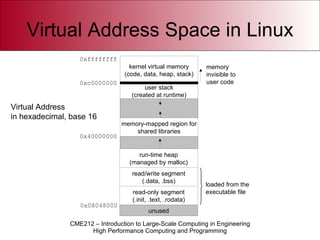
Virtual Address Space in Linux kernel virtual memory (code, data, heap, stack) memory-mapped region for shared libraries run-time heap (managed by malloc) user stack (created at runtime) unused memory invisible to user code 0xc0000000 0x08048000 0x40000000 read/write segment (.data, .bss) read-only segment (.init, .text, .rodata) loaded from the  executable file 0xffffffff Virtual Address in hexadecimal, base 16
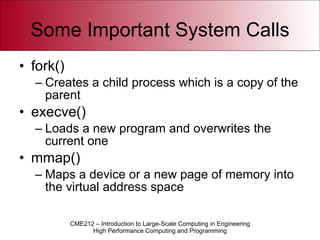
Some Important System Calls fork() Creates a child process which is a copy of the parent execve() Loads a new program and overwrites the current one mmap() Maps a device or a new page of memory into the virtual address space
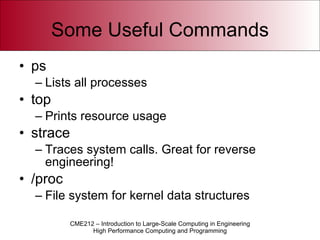
Some Useful Commands ps Lists all processes top Prints resource usage strace Traces system calls. Great for reverse engineering! /proc File system for kernel data structures
Linux Demo Accounts being created for you on ICME cluster at calving.stanford.edu Username is SUNet ID, you will be given an initial password (change right away!) To connect, go to vpn.stanford.edu and download VPN client, then connect Stanford VPN with SUNet ID/password Will demonstrate now
Grading Criteria Correctness and robustness (by far most important!) Follow the specification! Recover gracefully from errors Clarity and readability Modularity and maintainability Is code easy to re-use or enhance? Portability Avoid using nonstandard functionality Performance
Discussion Section Room reserved: Where: Bldg 320, Rm 220 (Main Quad, Geocorner) When: Thursdays, 4:15pm to 6:05pm Actual section time: 4:15-5:30pm First section held: TODAY! (Jan 10)

My cool new Slideshow!

  • 1.
    Fundamentals and aBrief History of Computer Systems
  • 2.
    Q: What isa computer? A: A machine that manages information
  • 3.
    Representing Information Computersstore and manipulates numbers Information needs to be encoded or represented The numbers need to be interpreted The memory of any computer just looks like: 010011010010011101001001001011010100100100100100100101111110000001
  • 4.
    Adding meaning tobits As programmers we add meaning to the bits by defining an interpretation Handled by the programming language Types and variables Examples 42 -> 00000000000000000000000000101010 3.14159 -> 01000000010010010000111111010000 “ unix” -> 01111000011010010110111001110101
  • 5.
    Von Neumann ModelPrograms are also represented using numbers Instructions and data are numbers stored in memory Typical sequence: Read a number (an instruction) Decode it (using a predefined mapping) Produce new number (data or instruction)
  • 6.
    Memory Memory anddevices are accessed using addresses Uniquely identifies a memory location An address is an index into the memory Also a number 10100100101101001001001001000100111111010010011101010100100100 Address 453365
  • 7.
  • 8.
    Central Processing Unit(CPU) Driven by a synchronous clock Clock Frequency 3 GHz (nanoseconds) Billions of transistors 220 mm 2 area 70 degrees C (158 F!)
  • 9.
    Instruction Set Architecture(ISA) Instruction encoding Hardwired Examples x86 (Intel, AMD) IA-64 (Intel, HP, SGI) PowerPC (Freescale, IBM) SPARC (Sun, Fujitsu) MIPS (SGI)
  • 10.
  • 11.
    Programming Store “1”and “2” into memory Remember the addresses of these locations Select an ADD instruction Encode the addresses of the numbers Encode the address of the result Store the instruction in memory
  • 12.
    Running the programLoad the address of the program into the program counter Start the computer
  • 13.
    Execution Read theinstruction from the program counter Decode instruction Fetch operands Activate circuits that produce the sum of two numbers Store the result in memory Fetch next instruction
  • 14.
  • 15.
    Assembly Language Firstcomputer language Assembles instructions from ASCII text ADD 23,address(454433) Made programs human-readable (sort of!) An “assembler” creates the machine-language instructions from the code A program that outputs another program
  • 16.
    Source Code Sourcecode in ASCII Transformed into machine instructions by a special program Called a compiler or interpreter Advantage Only the translator program needs to be rewritten for every new computer
  • 17.
    Programming languages Highlevel languages helps you handling addresses and instructions Declaring variables Control flow and operations +,-,*,/,&,||,… loops, conditions, functions, objects ... Two major types Compiled Interpreted
  • 18.
    Programming Languages 1954 - FORTRAN 1958 - LISP 1958 - ALGOL 1959 - COBOL 1962 - Simula 1964 - BASIC 1970 - Pascal 1972 - C 1972 - Smalltalk 1972 - Prolog 1973 - ML 1978 - SQL 1983 - Ada 1983 - C++ 1985 - Eiffel 1987 - Perl 1990 - Haskell 1990 - Python 1991 - Java 1993 - Ruby 1995 - PHP 2000 - C#
  • 19.
    Variables A variable is a programming language abstraction to help you manage addresses and values Assigns a name or symbol to an address Hence, every variable has a name, address (storage) and a value Variables in algebra do not have notion of storage Storage is provided automatically by the programming language
  • 20.
    Types A variableis declared using a type Determines representation Sets the context Makes sure that operations on variables are closed in the algebraic sense Results are of the same type as the operands No loss of information/precision
  • 21.
    Interpreted Languages Thecode is executed by an interpreter program Transforms source code into machine code on the fly The program can be stopped at any given statement Interactivity Example languages Matlab Python Perl
  • 22.
    Compiled Languages A compiler program translates the entire source code into some ISA Result is often called a binary program or executable Allows for optimization Limited feedback on runtime errors compared to interpreted languages Examples C/C++ Fortran
  • 23.
    Source code Textfiles describing the program, i.e., the code to be compiled or interpreted The code is defined by a language grammar Set of rules and keywords that define the language Grammar is checked by the compiler or interpreter Code is not automatically correct just because it compiles! Code can be automatically generated or pasted together from several different sources Preprocessing
  • 24.
    Compilation The compilertypically generates Source code Assembly Language code (.s) Object Code (.o or .obj) Executables (a.out or .exe) Object files are an intermediate program form where the names (symbols) of variables and functions are present Several objects can be linked to form a complete program Can be compiled from different languages
  • 25.
    Compilation, Example Compileprogram.c into object file (no linking): $ gcc -c program.c Compile and link program.c to executable file “program” $ gcc -o program program.c
  • 26.
    Computers as resourcesComputers were (and still are) an expensive and powerful resource In the early days, people where scheduled physically to the computer Now, programs are scheduled automatically Sharing the resource Processors Memory Devices
  • 27.
    Operating System (OS)Manages the computer Allocation and assignment of resources Scheduling (priorities) Monitoring (interfaces) Multiple programs, multiple users Security Protection Scalability
  • 28.
    Q: How dowe actually share the resources? A: Virtualization
  • 29.
    Virtualization A device,CPU or even the memory has an interface that can be virtualized Creates a virtual computer managed by the OS Virtual memory Multi-tasking
  • 30.
    Multitasking A process is a program in execution Contains the execution context Acts like a bubble where the program lives The instruction streams are sliced into smaller quanta and scheduled onto the CPUs Time-sharing Preemptive multitasking
  • 31.
    Context switches Ona single-CPU system there is only one program in execution Only one process scheduled for execution At a given rate or a runtime exception a new process is scheduled Context switch Creates an illusion of parallel execution if context switch rate is sufficiently high
  • 32.
    Logical Control FlowsTime Process A Process B Process C Each process has its own logical control flow
  • 33.
    Concurrent Processes Twoprocesses run concurrently ( are concurrent) if their flows overlap in time. “Not exactly parallel” Otherwise, they are sequential.
  • 34.
    Example of concurrencyExamples: Concurrent: A & B, A & C Sequential: B & C Time Process A Process B Process C
  • 35.
    User View ofConcurrent Processes Control flows for concurrent processes are physically disjoint in time. However, we can think of concurrent processes are running in parallel with each other. Time Process A Process B Process C
  • 36.
    Virtual Memory Memoryis virtualized by dividing the available memory into pages Each processes has its own set of pages Total amount of pages is much larger than the available physical memory The contents is backed-up by either physical memory or disk Pages are swapped in and out to physical memory at context switches
  • 37.
    Virtual Address SpaceDue to virtualization two programs can access memory at the same address The OS provides an address translation mechanism to map the virtual addresses to physical Totally transparent for the programmer Memory is categorized as resident if it is backed-up by physical memory
  • 38.
    On Demand PagingMemory 0: 1: P-1: Page Table Disk Virtual Addresses Physical Addresses CPU 0: 1: N-1:
  • 39.
    The Kernel Thevirtualization is handled by the OS kernel Processors execute in either user or kernel mode I/O can only be initiated from kernel mode Separates users from each other Part of the address space is reserved for kernel memory
  • 40.
    System Calls Usercan indirectly access the kernel using system calls The system calls provides a service to the user though this interface In many cases this interface is enhanced by user-level libraries that use system calls
  • 41.
    Sharing Memory Asthe memory is virtualized processes can share pages Especially useful for read-only data like programs Instead of loading multiple copies of the “firefox” program, one instance of the code is shared Faster loading Less memory
  • 42.
    Running a programAfter booting the OS starts some kind of user interface GUIs (Windows) Command Line Interpreters (Prompts) A shell is created to host new programs Program cocoon The program loader copies the new program into the shell process
  • 43.
    Virtual Address Spacein Linux kernel virtual memory (code, data, heap, stack) memory-mapped region for shared libraries run-time heap (managed by malloc) user stack (created at runtime) unused memory invisible to user code 0xc0000000 0x08048000 0x40000000 read/write segment (.data, .bss) read-only segment (.init, .text, .rodata) loaded from the executable file 0xffffffff Virtual Address in hexadecimal, base 16
  • 44.
    Some Important SystemCalls fork() Creates a child process which is a copy of the parent execve() Loads a new program and overwrites the current one mmap() Maps a device or a new page of memory into the virtual address space
  • 45.
    Some Useful Commandsps Lists all processes top Prints resource usage strace Traces system calls. Great for reverse engineering! /proc File system for kernel data structures
  • 46.
    Linux Demo Accountsbeing created for you on ICME cluster at calving.stanford.edu Username is SUNet ID, you will be given an initial password (change right away!) To connect, go to vpn.stanford.edu and download VPN client, then connect Stanford VPN with SUNet ID/password Will demonstrate now
  • 47.
    Grading Criteria Correctnessand robustness (by far most important!) Follow the specification! Recover gracefully from errors Clarity and readability Modularity and maintainability Is code easy to re-use or enhance? Portability Avoid using nonstandard functionality Performance
  • 48.
    Discussion Section Roomreserved: Where: Bldg 320, Rm 220 (Main Quad, Geocorner) When: Thursdays, 4:15pm to 6:05pm Actual section time: 4:15-5:30pm First section held: TODAY! (Jan 10)