The University of Dodoma
High level programming Languages
Programming Language
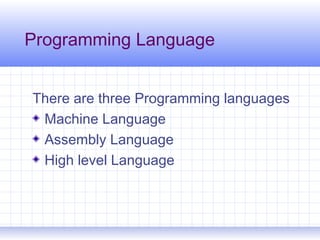
There are three Programming languages
Machine Language
Assembly Language
High level Language
3
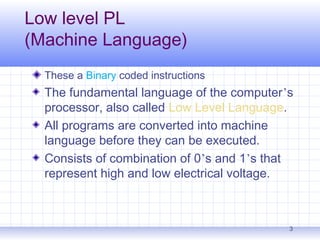
Low level PL
(Machine Language)
These a Binary coded instructions
The fundamental language of the computer’s
processor, also called Low Level Language.
All programs are converted into machine
language before they can be executed.
Consists of combination of 0’s and 1’s that
represent high and low electrical voltage.
4
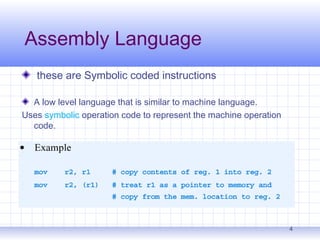
Assembly Language
these are Symbolic coded instructions
A low level language that is similar to machine language.
Uses symbolic operation code to represent the machine operation
code.
Many assembly languages exist, one for each processor.
Despite differences, many assembly languages share the same
fundamental structure.
5
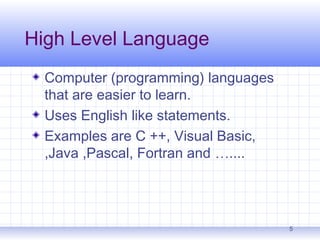
High Level Language
Computer (programming) languages
that are easier to learn.
Uses English like statements.
Examples are C ++, Visual Basic,
,Java ,Pascal, Fortran and …....
Programming Language Generations
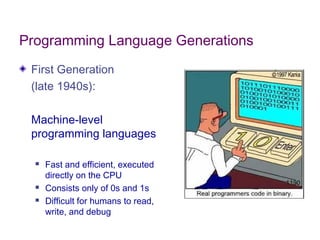
First Generation
(late 1940s):
Machine-level
programming languages
 Fast and efficient, executed
directly on the CPU
 Consists only of 0s and 1s
 Difficult for humans to read,
write, and debug
Programming Language Generations
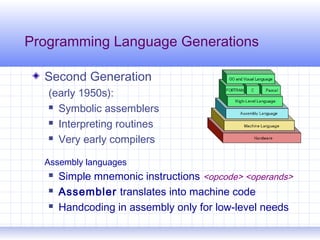
Second Generation
(early 1950s):
 Symbolic assemblers
 Interpreting routines
 Very early compilers
Assembly languages
 Simple mnemonic instructions <opcode> <operands>
 Assembler translates into machine code
 Handcoding in assembly only for low-level needs
Programming Language Generations
Third Generation
(mid 1950s - present):
High level, general-purpose
 FORTRAN, LISP, COBOL, ALGOL
(Ada, Basic, C, C++, Java, Pascal, Smalltalk, …)
 Easier for humans to read, write, debug
 Compiler translates into machine code before
running
 Interpreter translates into machine code at
runtime
Programming Language Generations
Fourth Generation (1970s - ):
Specification languages, query languages, report
generators, systems engineering
 Maple, Mathematica, Postscript, SPSS, SQL
Fifth Generation (1980s - ):
Solve problems using constraints rather than
algorithms, used in Artificial Intelligence
 Prolog
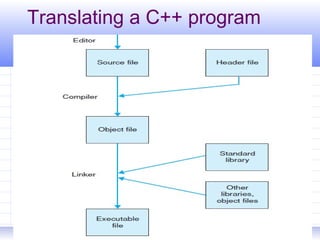
Translating a C++ program
University of Dodoma-cive 10
Creating a source file
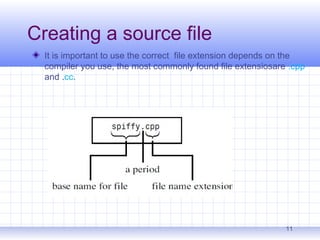
It is important to use the correct file extension depends on the
compiler you use, the most commonly found file extensiosare .cpp
and .cc.
11
Explanations
1.First, a text editor is used to save the C++
program in a text file. In other words,the
source code is saved to a source file.
2.The source file is put through a compiler for
translation. If everything works as planned, an
object file made up of machine code is
created. The object file is also referred to as a
module.
12
Compilers
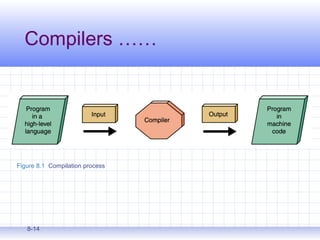
Compilers is a program that translate high-level language to
machine language
The compiler on your system converts
source code to object code.
 Source code
 the original program in a high level language
 Object code
 the translated version in machine language
8-14
Compilers ……
Figure 8.1 Compilation process
8-15
Interpreters
Interpreter: a translating program and executes the
statements in sequence
 Unlike an assembler or compiler which produce machine
code as output, which is then executed in a separate step
 An interpreter translates a statement and then immediately
executes the statement
 Interpreters can be viewed as simulators
Chapter 17 Programming Tools 17-16
Linkers
Searches program libraries to find library
routines used by the program
 Library: collection of pre-written functions and
subroutines made available to perform commonly
required activities
Determines the memory locations that code
from each module will occupy and relocates
instructions by adjusting absolute references
Resolves references among files
Finally, the linker combines the object file with other
modules to form an executable
file. These further modules contain functions from
standard libraries or
parts of the program that have been compiled
previously.
17
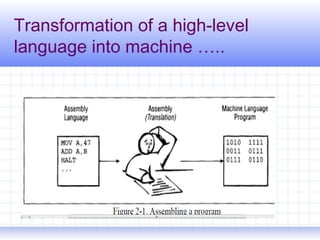
Transformation of a high-level
language into machine …..
18
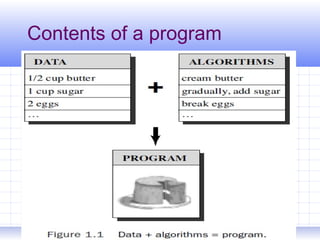
Contents of a program
19
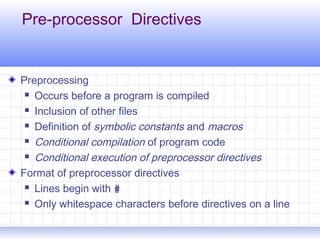
Pre-processor Directives
Preprocessing
 Occurs before a program is compiled
 Inclusion of other files
 Definition of symbolic constants and macros
 Conditional compilation of program code
 Conditional execution of preprocessor directives
Format of preprocessor directives
 Lines begin with #
 Only whitespace characters before directives on a line
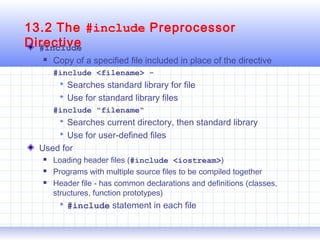
13.2 The #include Preprocessor
Directive#include
 Copy of a specified file included in place of the directive
#include <filename> -
 Searches standard library for file
 Use for standard library files
#include "filename"
 Searches current directory, then standard library
 Use for user-defined files
Used for
 Loading header files (#include <iostream>)
 Programs with multiple source files to be compiled together
 Header file - has common declarations and definitions (classes,
structures, function prototypes)
 #include statement in each file

2 c++ programming languages

  • 1.
    The University ofDodoma High level programming Languages
  • 2.
    Programming Language There arethree Programming languages Machine Language Assembly Language High level Language
  • 3.
    3 Low level PL (MachineLanguage) These a Binary coded instructions The fundamental language of the computer’s processor, also called Low Level Language. All programs are converted into machine language before they can be executed. Consists of combination of 0’s and 1’s that represent high and low electrical voltage.
  • 4.
    4 Assembly Language these areSymbolic coded instructions A low level language that is similar to machine language. Uses symbolic operation code to represent the machine operation code. Many assembly languages exist, one for each processor. Despite differences, many assembly languages share the same fundamental structure.
  • 5.
    5 High Level Language Computer(programming) languages that are easier to learn. Uses English like statements. Examples are C ++, Visual Basic, ,Java ,Pascal, Fortran and …....
  • 6.
    Programming Language Generations FirstGeneration (late 1940s): Machine-level programming languages  Fast and efficient, executed directly on the CPU  Consists only of 0s and 1s  Difficult for humans to read, write, and debug
  • 7.
    Programming Language Generations SecondGeneration (early 1950s):  Symbolic assemblers  Interpreting routines  Very early compilers Assembly languages  Simple mnemonic instructions <opcode> <operands>  Assembler translates into machine code  Handcoding in assembly only for low-level needs
  • 8.
    Programming Language Generations ThirdGeneration (mid 1950s - present): High level, general-purpose  FORTRAN, LISP, COBOL, ALGOL (Ada, Basic, C, C++, Java, Pascal, Smalltalk, …)  Easier for humans to read, write, debug  Compiler translates into machine code before running  Interpreter translates into machine code at runtime
  • 9.
    Programming Language Generations FourthGeneration (1970s - ): Specification languages, query languages, report generators, systems engineering  Maple, Mathematica, Postscript, SPSS, SQL Fifth Generation (1980s - ): Solve problems using constraints rather than algorithms, used in Artificial Intelligence  Prolog
  • 10.
    Translating a C++program University of Dodoma-cive 10
  • 11.
    Creating a sourcefile It is important to use the correct file extension depends on the compiler you use, the most commonly found file extensiosare .cpp and .cc. 11
  • 12.
    Explanations 1.First, a texteditor is used to save the C++ program in a text file. In other words,the source code is saved to a source file. 2.The source file is put through a compiler for translation. If everything works as planned, an object file made up of machine code is created. The object file is also referred to as a module. 12
  • 13.
    Compilers Compilers is aprogram that translate high-level language to machine language The compiler on your system converts source code to object code.  Source code  the original program in a high level language  Object code  the translated version in machine language
  • 14.
  • 15.
    8-15 Interpreters Interpreter: a translatingprogram and executes the statements in sequence  Unlike an assembler or compiler which produce machine code as output, which is then executed in a separate step  An interpreter translates a statement and then immediately executes the statement  Interpreters can be viewed as simulators
  • 16.
    Chapter 17 ProgrammingTools 17-16 Linkers Searches program libraries to find library routines used by the program  Library: collection of pre-written functions and subroutines made available to perform commonly required activities Determines the memory locations that code from each module will occupy and relocates instructions by adjusting absolute references Resolves references among files
  • 17.
    Finally, the linkercombines the object file with other modules to form an executable file. These further modules contain functions from standard libraries or parts of the program that have been compiled previously. 17
  • 18.
    Transformation of ahigh-level language into machine ….. 18
  • 19.
    Contents of aprogram 19
  • 20.
    Pre-processor Directives Preprocessing  Occursbefore a program is compiled  Inclusion of other files  Definition of symbolic constants and macros  Conditional compilation of program code  Conditional execution of preprocessor directives Format of preprocessor directives  Lines begin with #  Only whitespace characters before directives on a line
  • 21.
    13.2 The #includePreprocessor Directive#include  Copy of a specified file included in place of the directive #include <filename> -  Searches standard library for file  Use for standard library files #include "filename"  Searches current directory, then standard library  Use for user-defined files Used for  Loading header files (#include <iostream>)  Programs with multiple source files to be compiled together  Header file - has common declarations and definitions (classes, structures, function prototypes)  #include statement in each file