MULE JMS
JMS is an attractive option for application
integration. If you’re working in a Java
environment and have control over the network
between your applications, using JMS makes a lot
of sense—it’s asynchronous, secure, reliable, and
often very fast. It also gives you the ability to work
with arbitrary data payloads, in a purely Java
environment you can even pass around serialized
objects.
The JMS transport can be used to send and
receive JMS messages on queues and topics,
using either the 1.0.2b or 1.1 versions of the JMS
spec.
Mule doesn’t implement a JMS server, so
you’ll use the JMS transport in conjunction with a
JMS implementation such as ActiveMQ, OpenMQ,
or Tibco EMS.
Configuring JMS with your broker can
sometimes be a tricky proposition. As such, Mule
provides a wealth of options for JMS connectors
and endpoints to play nicely with the JMS
implementation at hand.
The JMS transport will create the specific type
of JMS message based on the source data. A
byte array will be instantiated as a BytesMessage ,
a Map will become a Map-Message, an
InputStream into a StreamMessage and a String
into a TextMessage, as we’ve just seen. If no
better match is found, and the object implements
Serializable, then an ObjectMessage will be
created.
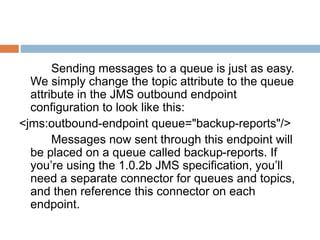
Sending messages to a queue is just as easy.
We simply change the topic attribute to the queue
attribute in the JMS outbound endpoint
configuration to look like this:
<jms:outbound-endpoint queue="backup-reports"/>
Messages now sent through this endpoint will
be placed on a queue called backup-reports. If
you’re using the 1.0.2b JMS specification, you’ll
need a separate connector for queues and topics,
and then reference this connector on each
endpoint.
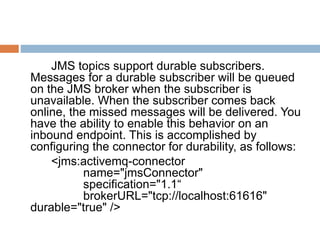
JMS topics support durable subscribers.
Messages for a durable subscriber will be queued
on the JMS broker when the subscriber is
unavailable. When the subscriber comes back
online, the missed messages will be delivered. You
have the ability to enable this behavior on an
inbound endpoint. This is accomplished by
configuring the connector for durability, as follows:
<jms:activemq-connector
name="jmsConnector"
specification="1.1“
brokerURL="tcp://localhost:61616"
durable="true" />
Filters can be used on JMS endpoints to be
selective about the messages they consume. This
is analogous to how we used filters on the file
inbound endpoint discussed previously. JMS
inbound-endpoint filters use the JMS selector
facility to accomplish this.
THANK YOU

Mule with jms

  • 1.
  • 2.
    JMS is anattractive option for application integration. If you’re working in a Java environment and have control over the network between your applications, using JMS makes a lot of sense—it’s asynchronous, secure, reliable, and often very fast. It also gives you the ability to work with arbitrary data payloads, in a purely Java environment you can even pass around serialized objects. The JMS transport can be used to send and receive JMS messages on queues and topics, using either the 1.0.2b or 1.1 versions of the JMS spec.
  • 3.
    Mule doesn’t implementa JMS server, so you’ll use the JMS transport in conjunction with a JMS implementation such as ActiveMQ, OpenMQ, or Tibco EMS. Configuring JMS with your broker can sometimes be a tricky proposition. As such, Mule provides a wealth of options for JMS connectors and endpoints to play nicely with the JMS implementation at hand.
  • 4.
    The JMS transportwill create the specific type of JMS message based on the source data. A byte array will be instantiated as a BytesMessage , a Map will become a Map-Message, an InputStream into a StreamMessage and a String into a TextMessage, as we’ve just seen. If no better match is found, and the object implements Serializable, then an ObjectMessage will be created.
  • 5.
    Sending messages toa queue is just as easy. We simply change the topic attribute to the queue attribute in the JMS outbound endpoint configuration to look like this: <jms:outbound-endpoint queue="backup-reports"/> Messages now sent through this endpoint will be placed on a queue called backup-reports. If you’re using the 1.0.2b JMS specification, you’ll need a separate connector for queues and topics, and then reference this connector on each endpoint.
  • 6.
    JMS topics supportdurable subscribers. Messages for a durable subscriber will be queued on the JMS broker when the subscriber is unavailable. When the subscriber comes back online, the missed messages will be delivered. You have the ability to enable this behavior on an inbound endpoint. This is accomplished by configuring the connector for durability, as follows: <jms:activemq-connector name="jmsConnector" specification="1.1“ brokerURL="tcp://localhost:61616" durable="true" />
  • 7.
    Filters can beused on JMS endpoints to be selective about the messages they consume. This is analogous to how we used filters on the file inbound endpoint discussed previously. JMS inbound-endpoint filters use the JMS selector facility to accomplish this.
  • 8.