SFTP Connector
SFTP Connector
 The SFTP Connector implements a secure file transport channel so that your Mule
application can exchange files with external resources. SFTP uses the SSH security
protocol to transfer messages. You can implement the SFTP endpoint as an
inbound endpoint with a one-way exchange pattern, or as an outbound endpoint
configured for either a one-way or request-response exchange pattern.
Configuration
SFTP endpoint configuration consists of two stages:
 Decide where you want to place the SFTP endpoint within your Mule flow, then drag it
from the Palette to the appropriate place in the sequence of building blocks that make
up your Mule flow.
 If you place the SFTP endpoint at the beginning of the flow, it acts as an inbound
endpoint (a message source), triggering the flow whenever it receives a message. (You
can also use the Composite Source scope to wrap the SFTP endpoint along with other,
similar endpoints (such as File or UDP) so that your flow can receive files through
multiple transport channels).
 If you place the SFTP building block in the middle or at the end of the flow, it serves as
an outbound endpoint, passing information out of the flow to external resources.
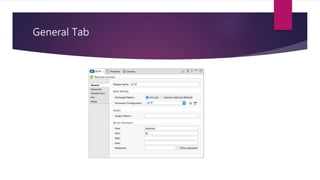
General Tab
Global Element Properties - General Tab
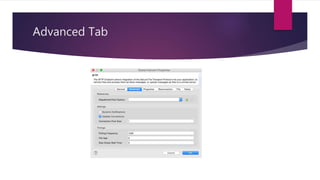
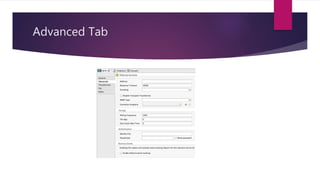
Advanced Tab
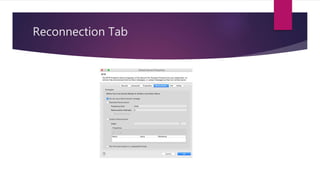
Reconnection Tab
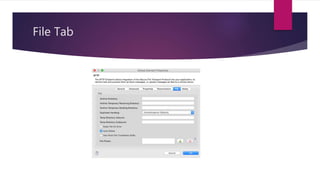
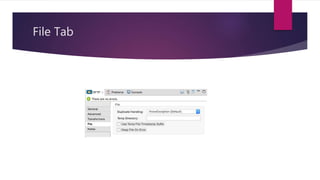
File Tab
Advanced Tab
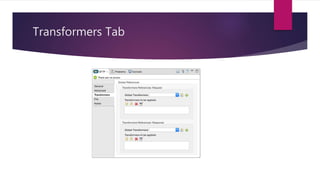
Transformers Tab
File Tab
Example Flow
<mule xmlns="http://www.mulesoft.org/schema/mule/core" xmlns:xsi="http://www.w3.org/2001/XMLSchema-instance"
xmlns:sftp="http://www.mulesoft.org/schema/mule/sftp" xmlns:file="http://www.mulesoft.org/schema/mule/file"
xmlns:spring="http://www.springframework.org/schema/beans" xsi:schemaLocation="
http://www.springframework.org/schema/beans http://www.springframework.org/schema/beans/spring-beans-current.xsd
http://www.mulesoft.org/schema/mule/sftp http://www.mulesoft.org/schema/mule/sftp/current/mule-sftp.xsd
http://www.mulesoft.org/schema/mule/file http://www.mulesoft.org/schema/mule/file/current/mule-file.xsd
http://www.mulesoft.org/schema/mule/core http://www.mulesoft.org/schema/mule/core/current/mule.xsd">
<!-- This placeholder bean lets you import the properties from the sftp.properties file. -->
<spring:bean id="property-placeholder" class="org.springframework.beans.factory.config.PropertyPlaceholderConfigurer">
<spring:property name="location" value="classpath:sftp.properties"/>
</spring:bean>
<flow name="sftp2file">
<sftp:inbound-endpoint host="${sftp.host}" port="${sftp.port}" path="/home/test/sftp-files" user="${sftp.user}"
password="${sftp.password}">
<file:filename-wildcard-filter pattern="*.txt,*.xml"/>
</sftp:inbound-endpoint>
<file:outbound-endpoint path="/tmp/incoming" outputPattern="#[message.inboundProperties.originalFilename]"/>
</flow>
</mule>
Thank you

Sftp connector

  • 1.
  • 2.
    SFTP Connector  TheSFTP Connector implements a secure file transport channel so that your Mule application can exchange files with external resources. SFTP uses the SSH security protocol to transfer messages. You can implement the SFTP endpoint as an inbound endpoint with a one-way exchange pattern, or as an outbound endpoint configured for either a one-way or request-response exchange pattern.
  • 3.
    Configuration SFTP endpoint configurationconsists of two stages:  Decide where you want to place the SFTP endpoint within your Mule flow, then drag it from the Palette to the appropriate place in the sequence of building blocks that make up your Mule flow.  If you place the SFTP endpoint at the beginning of the flow, it acts as an inbound endpoint (a message source), triggering the flow whenever it receives a message. (You can also use the Composite Source scope to wrap the SFTP endpoint along with other, similar endpoints (such as File or UDP) so that your flow can receive files through multiple transport channels).  If you place the SFTP building block in the middle or at the end of the flow, it serves as an outbound endpoint, passing information out of the flow to external resources.
  • 4.
  • 5.
  • 6.
  • 7.
  • 8.
  • 9.
  • 10.
  • 11.
  • 12.
    Example Flow <mule xmlns="http://www.mulesoft.org/schema/mule/core"xmlns:xsi="http://www.w3.org/2001/XMLSchema-instance" xmlns:sftp="http://www.mulesoft.org/schema/mule/sftp" xmlns:file="http://www.mulesoft.org/schema/mule/file" xmlns:spring="http://www.springframework.org/schema/beans" xsi:schemaLocation=" http://www.springframework.org/schema/beans http://www.springframework.org/schema/beans/spring-beans-current.xsd http://www.mulesoft.org/schema/mule/sftp http://www.mulesoft.org/schema/mule/sftp/current/mule-sftp.xsd http://www.mulesoft.org/schema/mule/file http://www.mulesoft.org/schema/mule/file/current/mule-file.xsd http://www.mulesoft.org/schema/mule/core http://www.mulesoft.org/schema/mule/core/current/mule.xsd"> <!-- This placeholder bean lets you import the properties from the sftp.properties file. --> <spring:bean id="property-placeholder" class="org.springframework.beans.factory.config.PropertyPlaceholderConfigurer"> <spring:property name="location" value="classpath:sftp.properties"/> </spring:bean> <flow name="sftp2file"> <sftp:inbound-endpoint host="${sftp.host}" port="${sftp.port}" path="/home/test/sftp-files" user="${sftp.user}" password="${sftp.password}"> <file:filename-wildcard-filter pattern="*.txt,*.xml"/> </sftp:inbound-endpoint> <file:outbound-endpoint path="/tmp/incoming" outputPattern="#[message.inboundProperties.originalFilename]"/> </flow> </mule>
  • 13.