Hasan Hosgel | ImmobilienScout24
Best Practices to develop the
Layouts for different Android Device
Classifications
About Me
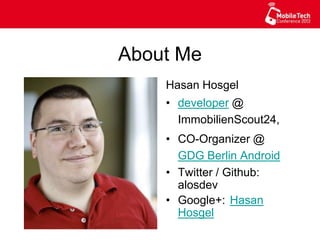
Hasan Hosgel
•  developer @
ImmobilienScout24,
•  CO-Organizer @
GDG Berlin Android
•  Twitter / Github:
alosdev
•  Google+:
Hasan Hosgel
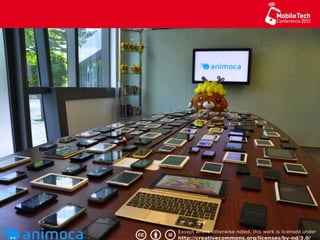
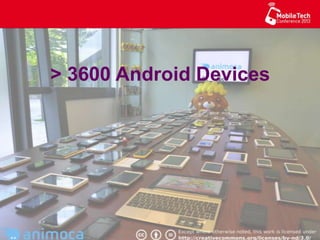
> 3600 Android Devices
Source: http://www.flickr.com/photos/hertenberger/1434191066/
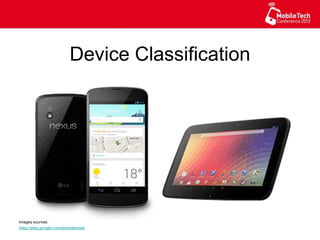
Device Classification
Images sources:
https://play.google.com/store/devices
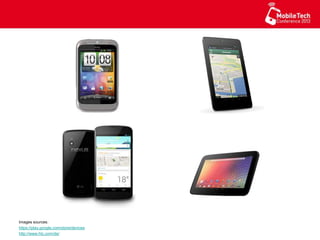
Images sources:
https://play.google.com/store/devices
http://www.htc.com/de/
Images sources:
http://www.sony.de/hub/google-tv
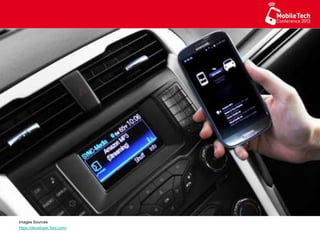
Images Sources
https://developer.ford.com/
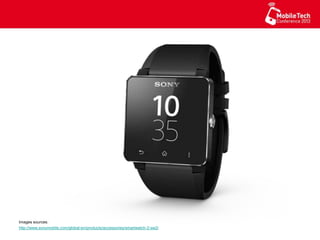
Images sources:
http://www.sonymobile.com/global-en/products/accessories/smartwatch-2-sw2/
Source: http://www.flickr.com/photos/paulbrigham/8452522044/
Resource Folders
You can use several qualifiers in the
resource folders name for serving the
best matching resource.
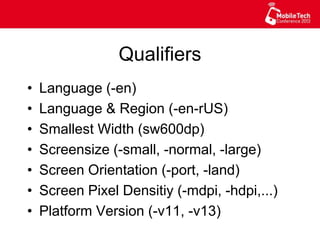
Qualifiers
•  Language (-en)
•  Language & Region (-en-rUS)
•  Smallest Width (sw600dp)
•  Screensize (-small, -normal, -large)
•  Screen Orientation (-port, -land)
•  Screen Pixel Densitiy (-mdpi, -hdpi,...)
•  Platform Version (-v11, -v13)
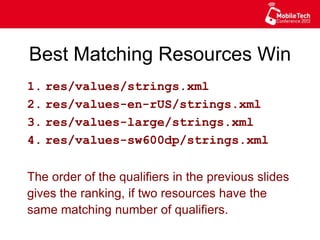
Best Matching Resources Win
1. res/values/strings.xml
2. res/values-en-rUS/strings.xml
3. res/values-large/strings.xml
4. res/values-sw600dp/strings.xml
The order of the qualifiers in the previous slides
gives the ranking, if two resources have the
same matching number of qualifiers.
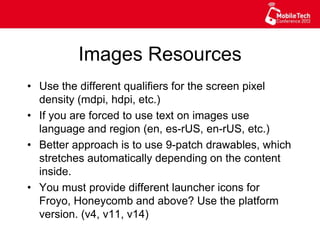
Images Resources
•  Use the different qualifiers for the screen pixel
density (mdpi, hdpi, etc.)
•  If you are forced to use text on images use
language and region (en, es-rUS, en-rUS, etc.)
•  Better approach is to use 9-patch drawables, which
stretches automatically depending on the content
inside.
•  You must provide different launcher icons for
Froyo, Honeycomb and above? Use the platform
version. (v4, v11, v14)
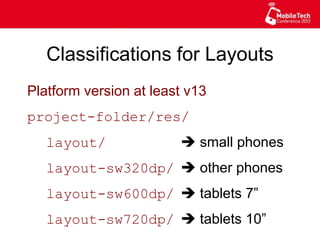
Classifications for Layouts
Platform version at least v13
project-folder/res/
layout/ è small phones
layout-sw320dp/ è other phones
layout-sw600dp/ è tablets 7”
layout-sw720dp/ è tablets 10”
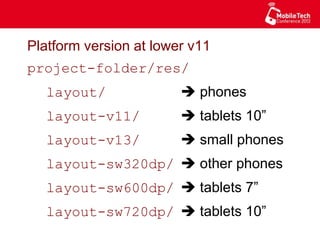
Platform version at lower v11
project-folder/res/
layout/ è phones
layout-v11/ è tablets 10”
layout-v13/ è small phones
layout-sw320dp/ è other phones
layout-sw600dp/ è tablets 7”
layout-sw720dp/ è tablets 10”
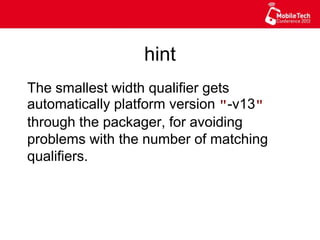
hint
The smallest width qualifier gets
automatically platform version "-v13"
through the packager, for avoiding
problems with the number of matching
qualifiers.
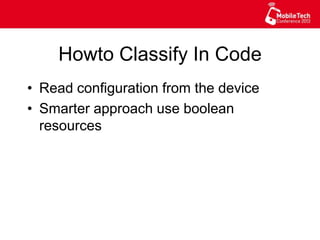
Howto Classify In Code
•  Read configuration from the device
•  Smarter approach use boolean
resources
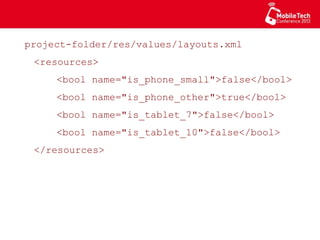
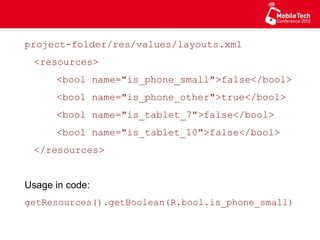
project-folder/res/values/layouts.xml
<resources>
<bool name="is_phone_small">false</bool>
<bool name="is_phone_other">true</bool>
<bool name="is_tablet_7">false</bool>
<bool name="is_tablet_10">false</bool>
</resources>
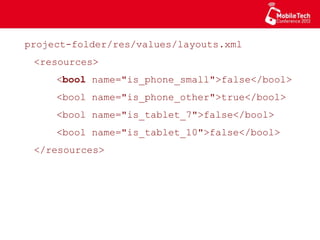
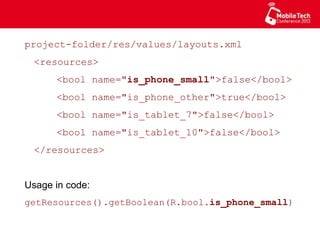
project-folder/res/values/layouts.xml
<resources>
<bool name="is_phone_small">false</bool>
<bool name="is_phone_other">true</bool>
<bool name="is_tablet_7">false</bool>
<bool name="is_tablet_10">false</bool>
</resources>
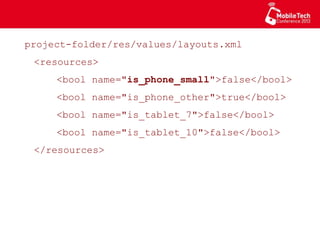
project-folder/res/values/layouts.xml
<resources>
<bool name="is_phone_small">false</bool>
<bool name="is_phone_other">true</bool>
<bool name="is_tablet_7">false</bool>
<bool name="is_tablet_10">false</bool>
</resources>
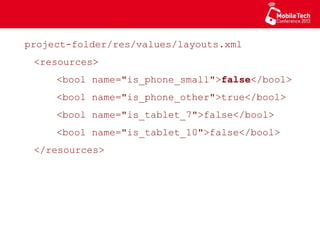
project-folder/res/values/layouts.xml
<resources>
<bool name="is_phone_small">false</bool>
<bool name="is_phone_other">true</bool>
<bool name="is_tablet_7">false</bool>
<bool name="is_tablet_10">false</bool>
</resources>
project-folder/res/values/layouts.xml
<resources>
<bool name="is_phone_small">false</bool>
<bool name="is_phone_other">true</bool>
<bool name="is_tablet_7">false</bool>
<bool name="is_tablet_10">false</bool>
</resources>
Usage in code:
getResources().getBoolean(R.bool.is_phone_small)
project-folder/res/values/layouts.xml
<resources>
<bool name="is_phone_small">false</bool>
<bool name="is_phone_other">true</bool>
<bool name="is_tablet_7">false</bool>
<bool name="is_tablet_10">false</bool>
</resources>
Usage in code:
getResources().getBoolean(R.bool.is_phone_small)
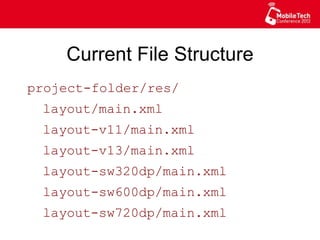
Current File Structure
project-folder/res/
layout/main.xml
layout-v11/main.xml
layout-v13/main.xml
layout-sw320dp/main.xml
layout-sw600dp/main.xml
layout-sw720dp/main.xml
Fixing one bug in the 10" layout has to
be done in two files
Fixing one bug in the 10" layout has to
be done in two files
è error prone
Fixing one bug in the 10" layout has to
be done in two files
è error prone
How to avoid this?
Fixing one bug in the 10" layout has to
be done in two files
è error prone
How to avoid this?
- Use resource aliasing.
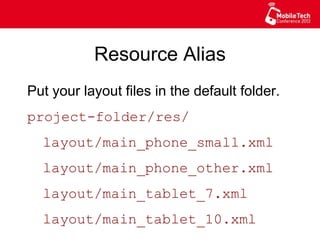
Resource Alias
Put your layout files in the default folder.
project-folder/res/
layout/main_phone_small.xml
layout/main_phone_other.xml
layout/main_tablet_7.xml
layout/main_tablet_10.xml
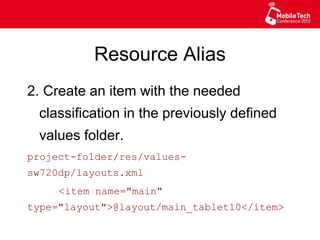
Resource Alias
2. Create an item with the needed
classification in the previously defined
values folder.
project-folder/res/values-sw720dp/
layouts.xml
<item name="main"
type="layout">@layout/main_tablet10</item>
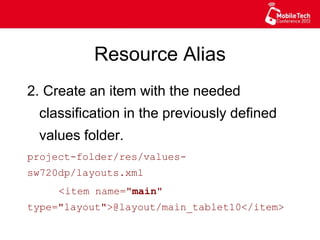
Resource Alias
2. Create an item with the needed
classification in the previously defined
values folder.
project-folder/res/values-sw720dp/
layouts.xml
<item name="main"
type="layout">@layout/main_tablet10</item>
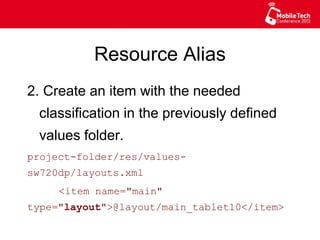
Resource Alias
2. Create an item with the needed
classification in the previously defined
values folder.
project-folder/res/values-sw720dp/
layouts.xml
<item name="main"
type="layout">@layout/main_tablet10</item>
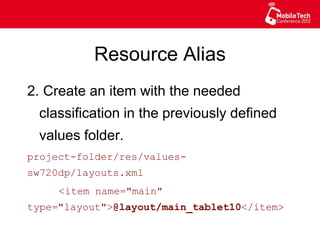
Resource Alias
2. Create an item with the needed
classification in the previously defined
values folder.
project-folder/res/values-sw720dp/
layouts.xml
<item name="main"
type="layout">@layout/main_tablet10</item>
CODE
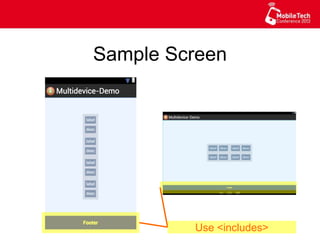
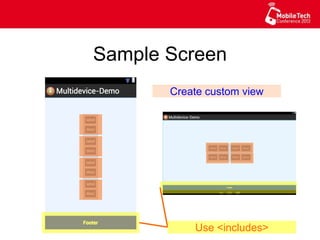
Sample Screen
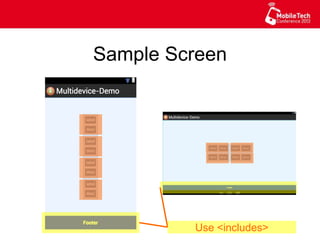
Sample Screen
Sample Screen
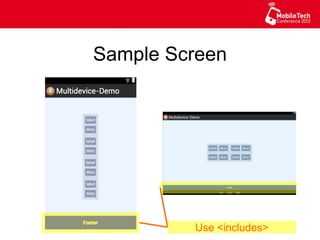
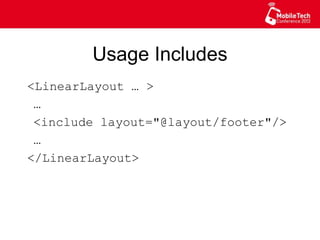
Use <includes>
Usage Includes
<LinearLayout … >
…
<include layout="@layout/footer"/>
…
</LinearLayout>
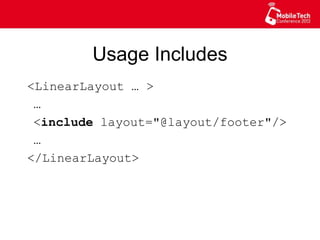
Usage Includes
<LinearLayout … >
…
<include layout="@layout/footer"/>
…
</LinearLayout>
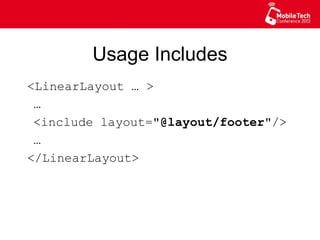
Usage Includes
<LinearLayout … >
…
<include layout="@layout/footer"/>
…
</LinearLayout>
CODE
Sample Screen
Use <includes>
Sample Screen
Use <includes>
Sample Screen
Use <includes>
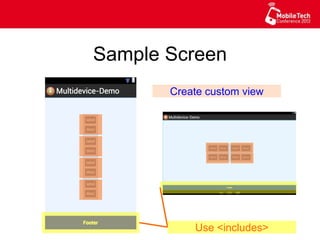
Create custom view
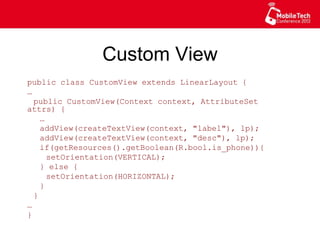
Custom View
public class CustomView extends LinearLayout {
…
public CustomView(Context context, AttributeSet
attrs) {
…
addView(createTextView(context, "label"), lp);
addView(createTextView(context, "desc"), lp);
if(getResources().getBoolean(R.bool.is_phone)){
setOrientation(VERTICAL);
} else {
setOrientation(HORIZONTAL);
}
}
…
}
Sample Screen
Use <includes>
Create custom view
Sample Screen
Use <includes>
Create custom view
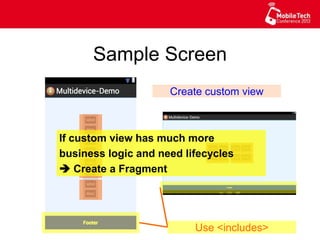
If custom view has much more
business logic and need lifecycles
 Create a Fragment
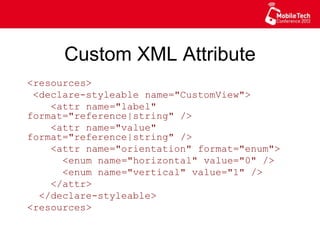
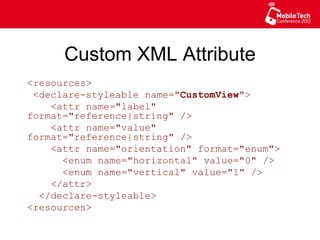
Custom XML Attribute
<resources>
<declare-styleable name="CustomView">
<attr name="label" format="reference|
string" />
<attr name="value" format="reference|
string" />
<attr name="orientation" format="enum">
<enum name="horizontal" value="0" />
<enum name="vertical" value="1" />
</attr>
</declare-styleable>
<resources>
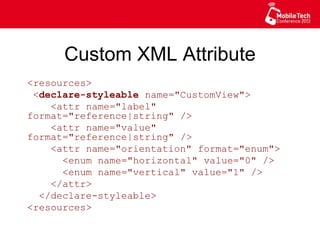
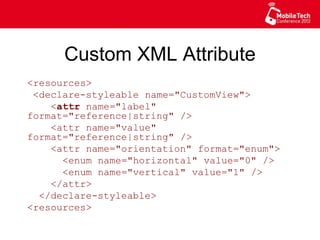
Custom XML Attribute
<resources>
<declare-styleable name="CustomView">
<attr name="label" format="reference|
string" />
<attr name="value" format="reference|
string" />
<attr name="orientation" format="enum">
<enum name="horizontal" value="0" />
<enum name="vertical" value="1" />
</attr>
</declare-styleable>
<resources>
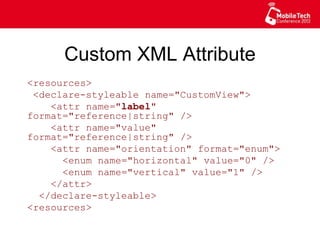
Custom XML Attribute
<resources>
<declare-styleable name="CustomView">
<attr name="label" format="reference|
string" />
<attr name="value" format="reference|
string" />
<attr name="orientation" format="enum">
<enum name="horizontal" value="0" />
<enum name="vertical" value="1" />
</attr>
</declare-styleable>
<resources>
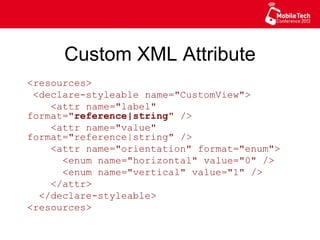
Custom XML Attribute
<resources>
<declare-styleable name="CustomView">
<attr name="label" format="reference|
string" />
<attr name="value" format="reference|
string" />
<attr name="orientation" format="enum">
<enum name="horizontal" value="0" />
<enum name="vertical" value="1" />
</attr>
</declare-styleable>
<resources>
Custom XML Attribute
<resources>
<declare-styleable name="CustomView">
<attr name="label" format="reference|
string" />
<attr name="value" format="reference|
string" />
<attr name="orientation" format="enum">
<enum name="horizontal" value="0" />
<enum name="vertical" value="1" />
</attr>
</declare-styleable>
<resources>
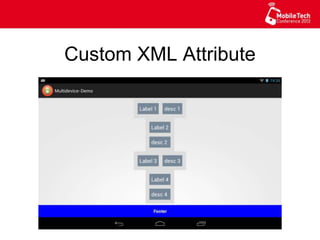
Custom XML Attribute
<resources>
<declare-styleable name="CustomView">
<attr name="label" format="reference|
string" />
<attr name="value" format="reference|
string" />
<attr name="orientation" format="enum">
<enum name="horizontal" value="0" />
<enum name="vertical" value="1" />
</attr>
</declare-styleable>
<resources>
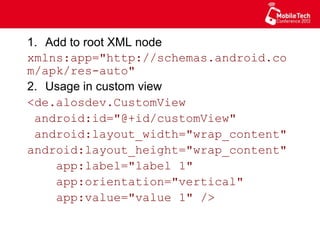
1.  Add to root XML node
xmlns:app="http://
schemas.android.com/apk/res-auto"
2.  Usage in custom view
<de.alosdev.CustomView
android:id="@+id/customView"
android:layout_width="wrap_content"
android:layout_height="wrap_content"
app:label="label 1"
app:orientation="vertical"
app:value="value 1" />
public class CustomView extends LinearLayout {
static final int[] ORIENTATION = new int[]
{ HORIZONTAL, VERTICAL };
public CustomView(Context context, AttributeSet
attrs) {
super(context, attrs);
…
TypedArray a =
context.obtainStyledAttributes(attrs,
R.styleable.CustomView);
try {
setOrientation(ORIENTATION[
a.getInt(R.styleable.CustomView_orientation,
0)]);
} finally {
a.recycle();
}
}
…
}
public class CustomView extends LinearLayout {
static final int[] ORIENTATION = new int[]
{ HORIZONTAL, VERTICAL };
public CustomView(Context context, AttributeSet
attrs) {
super(context, attrs);
…
TypedArray a =
context.obtainStyledAttributes(attrs,
R.styleable.CustomView);
try {
setOrientation(ORIENTATION[
a.getInt(R.styleable.CustomView_orientation,
0)]);
} finally {
a.recycle();
}
}
…
}
public class CustomView extends LinearLayout {
static final int[] ORIENTATION = new int[]
{ HORIZONTAL, VERTICAL };
public CustomView(Context context, AttributeSet
attrs) {
super(context, attrs);
…
TypedArray a =
context.obtainStyledAttributes(attrs,
R.styleable.CustomView);
try {
setOrientation(ORIENTATION[
a.getInt(R.styleable.CustomView_orientation,
0)]);
} finally {
a.recycle();
}
}
…
}
public class CustomView extends LinearLayout {
static final int[] ORIENTATION = new int[]
{ HORIZONTAL, VERTICAL };
public CustomView(Context context, AttributeSet
attrs) {
super(context, attrs);
…
TypedArray a =
context.obtainStyledAttributes(attrs,
R.styleable.CustomView);
try {
setOrientation(ORIENTATION[
a.getInt(R.styleable.CustomView_orientation,
0)]);
} finally {
a.recycle();
}
}
…
}
CODE
Custom XML Attribute
Best Practices
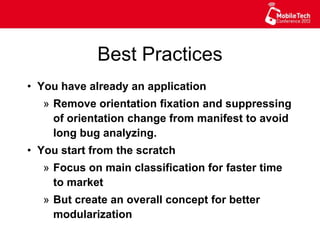
•  You have already an application
»  Remove orientation fixation and suppressing
of orientation change from manifest to avoid
long bug analyzing.
•  You start from the scratch
»  Focus on main classification for faster time
to market
»  But create an overall concept for better
modularization
Best Practices
•  If you support both orientations, save
the instance state while orientation
changes for more responsiveness
» Especially for states, that need a long
computation for creation.
» Make the state object Parcelable for
faster write & read and also to have a
smaller memory footprint
Developer Hints
•  You can start an activity for result from
a fragment, so the response can be
handled in the fragment.
•  If you want to register a special service
on every onCreate method of an activity
give the ActivityLivecycleCallbacks a
try. You can register them in the
onCreate method of the application.
(min v14)
•  If you get a BadParcelableException
with the cause ClassNotFound-
Exception, the source can be a
NullPointerException during the read or
write of the Parcelable. Exceptions are
hidden during the parcel process.
Listener Hell
If you have to many listeners or you think
the programming model is old school like
the “goto statements”. Give message/
event/ service bus a try. For Android:
•  Otto from Square
•  EventBus from greenrobot
See also: Callbacks as our Generations' Go To Statement
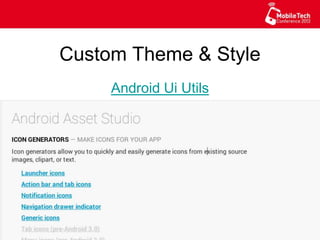
Custom Theme & Style
Android Ui Utils
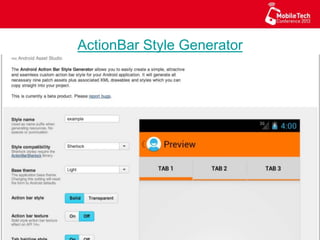
ActionBar Style Generator
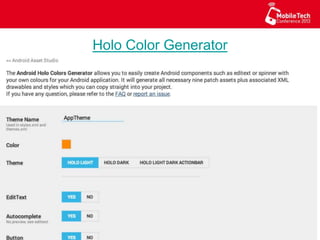
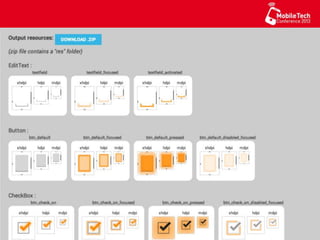
Holo Color Generator
Q & A
Source: http://www.flickr.com/photos/21496790@N06/5065834411/
www.immobilienscout24.dewww.immobilienscout24.de
Thanks for your attention
& we are hiring!
Contact:
Hasan Hosgel
Twitter: @alosdev
Github: alosdev
Best Practices to develop the Layouts for different Android Device Classifications
Repo: https://github.com/alosdev/multidevice-nightmare-demo
SlideShare: http://www.slideshare.net/hosgel/mtc-2013-berlin-best-practices-for-multi-devices

MTC 2013 Berlin - Best Practices for Multi Devices