[email_address]
[email_address] Montr eal On Rails, December 2007
Startup kit From a basic server deployment to an efficient solution
A happy machine that will play the role of a server  …  a 2.4Ghz with 2Giga Ram Linux dist.  …  Centos 5 DBMS  … . Mysql  Ruby kit …  Ruby, ruby gems, Rails A Rails application to deploy … .  www.thadsa.com An internet connexion
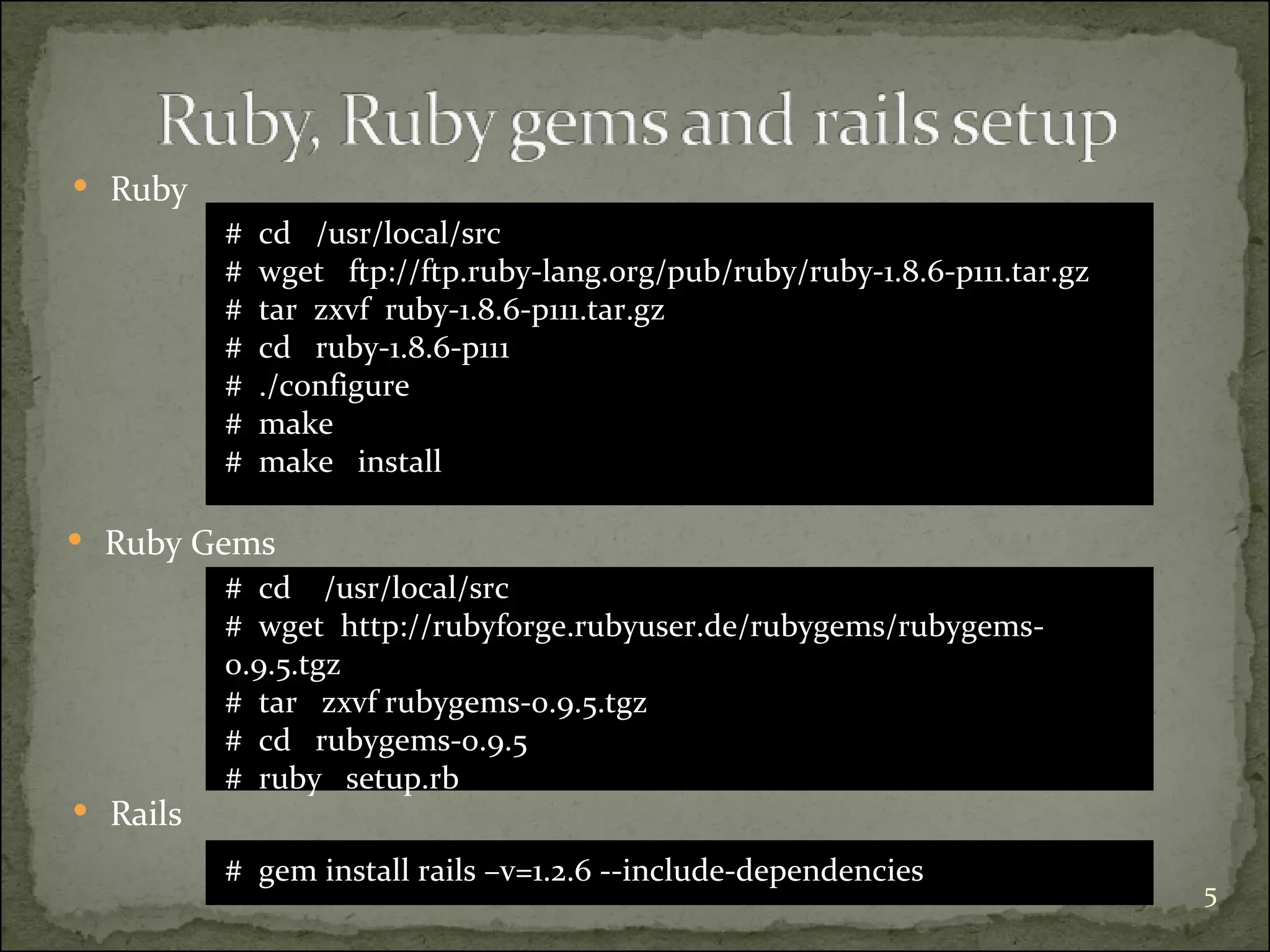
#  cd  /usr/local/src #  wget  http://rubyforge.rubyuser.de/rubygems/rubygems-0.9.5.tgz #  tar  zxvf rubygems-0.9.5.tgz #  cd  rubygems-0.9.5 #  ruby  setup.rb Ruby  Ruby Gems  #  gem install rails –v=1.2.6 --include-dependencies Rails #  cd  /usr/local/src  #  wget  ftp://ftp.ruby-lang.org/pub/ruby/ruby-1.8.6-p111.tar.gz #  tar  zxvf  ruby-1.8.6-p111.tar.gz #  cd  ruby-1.8.6-p111 #  ./configure #  make #  make  install
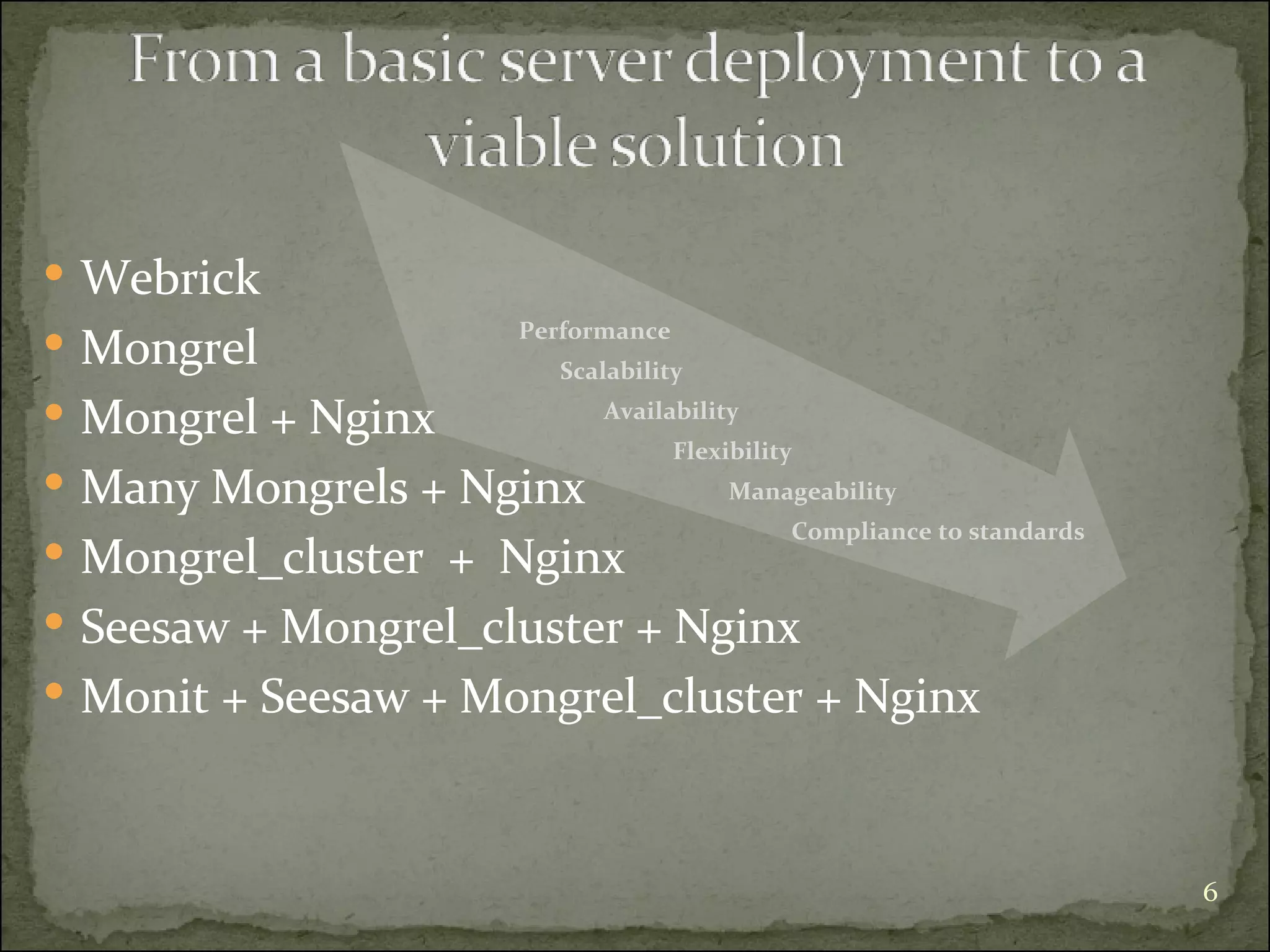
Webrick  Mongrel Mongrel + Nginx  Many Mongrels + Nginx Mongrel_cluster  +  Nginx Seesaw + Mongrel_cluster + Nginx Monit + Seesaw + Mongrel_cluster + Nginx Performance Scalability   Availability Flexibility     Manageability Compliance to standards
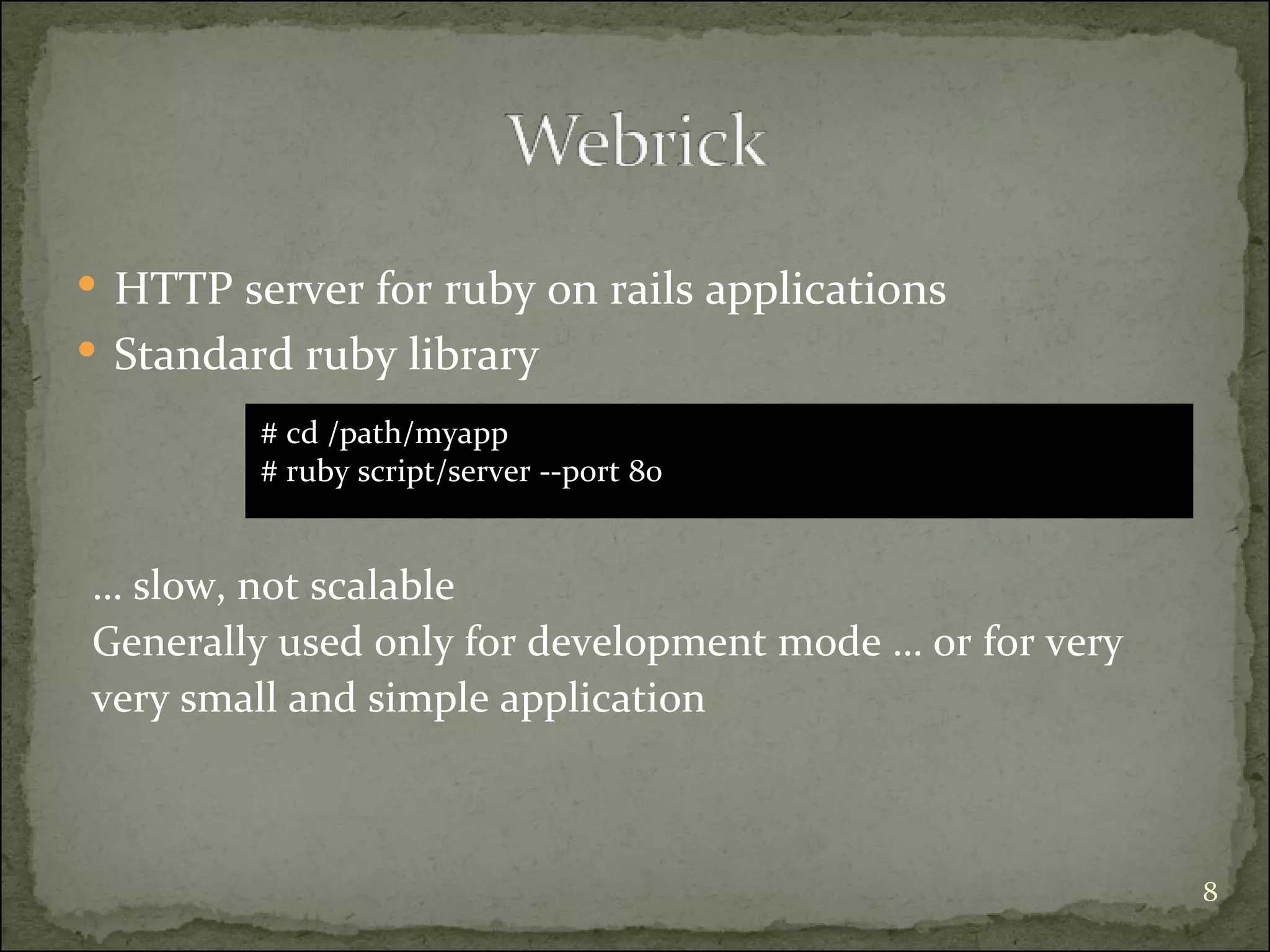
HTTP server for ruby on rails applications Standard ruby library …  slow, not scalable Generally used only for development mode … or for very  very small and simple application # cd /path/myapp  # ruby script/server --port 80
High performance HTTP application server Written in Ragel and C Supports Ruby On Rails, Og+Nitro, Camping, and IOWA, Merb …
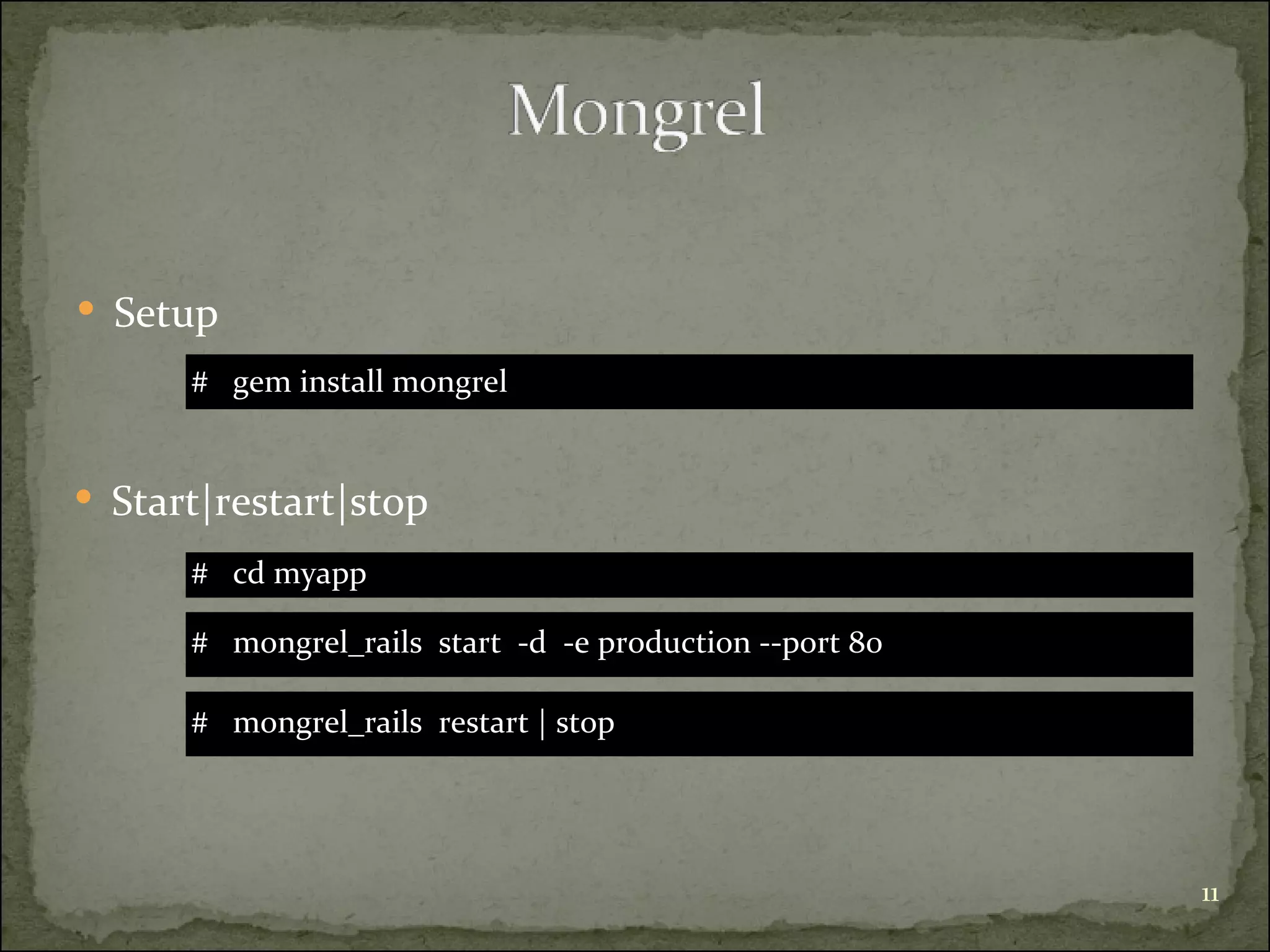
Setup #  gem install mongrel  #  mongrel_rails  restart | stop  #  mongrel_rails  start  -d  -e production --port 80 Start|restart|stop #  cd myapp
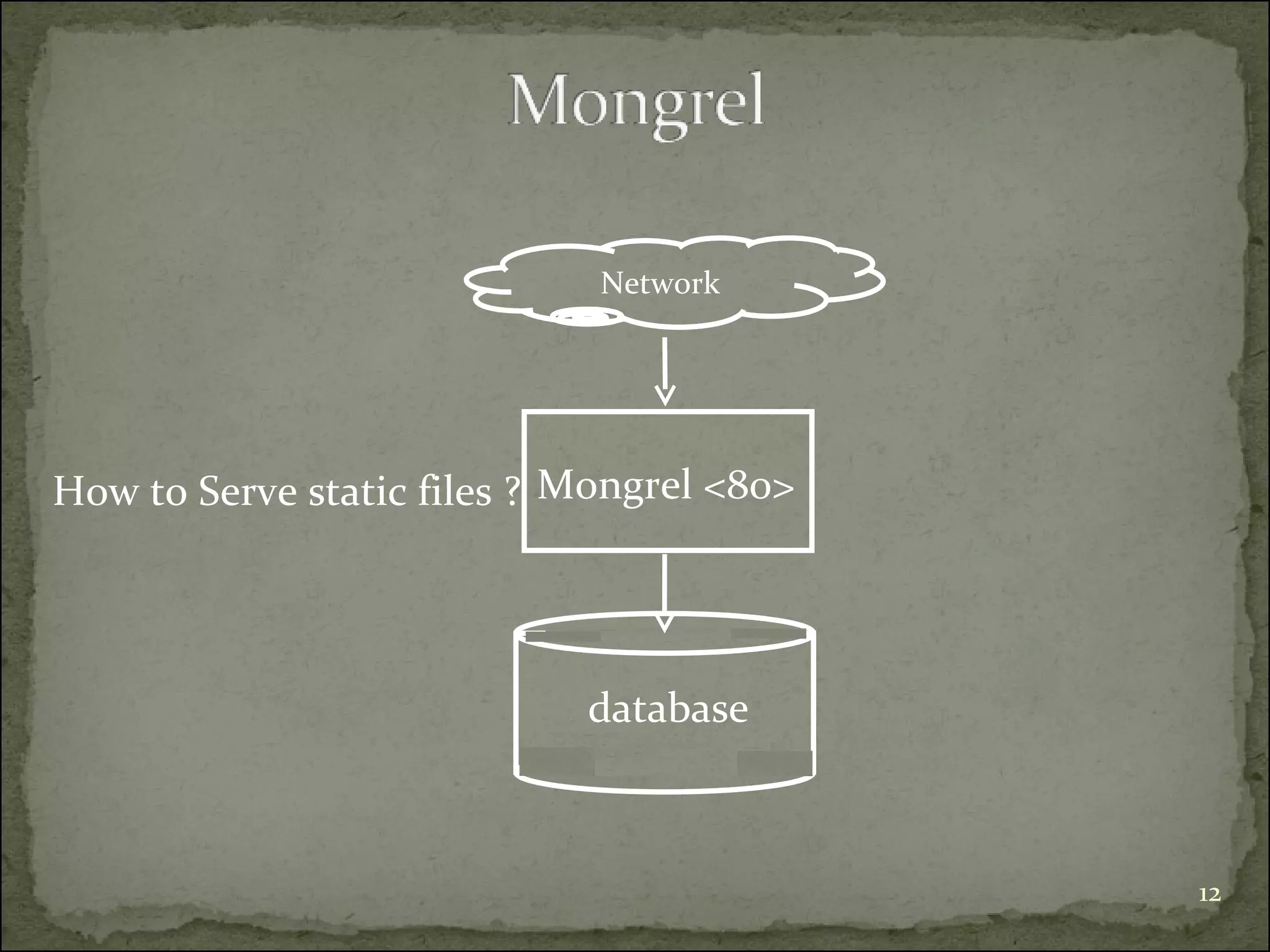
How to Serve static files ? database Mongrel <80> Network
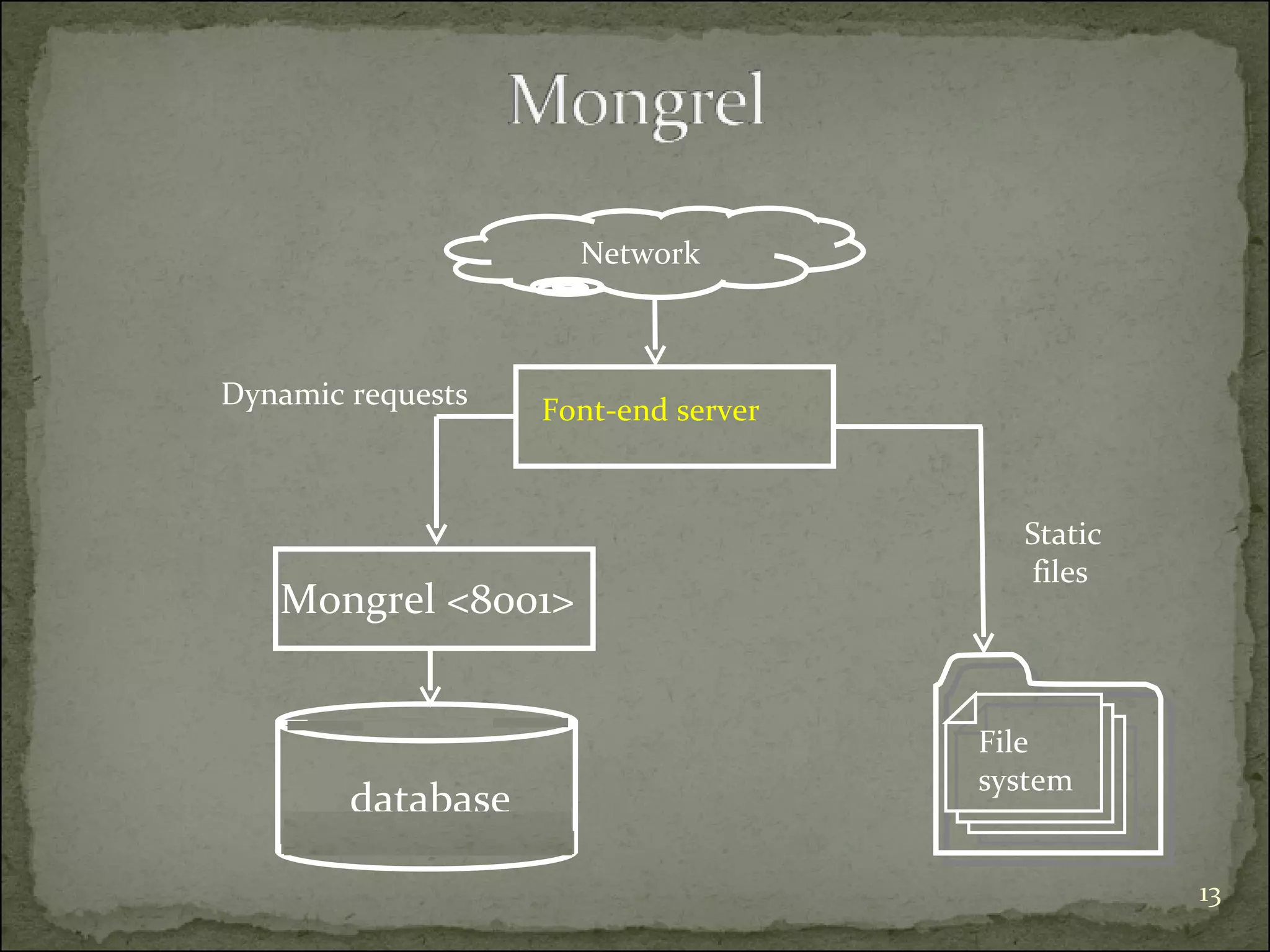
Mongrel <8001> Network Font-end server Dynamic requests Static files  File  system database
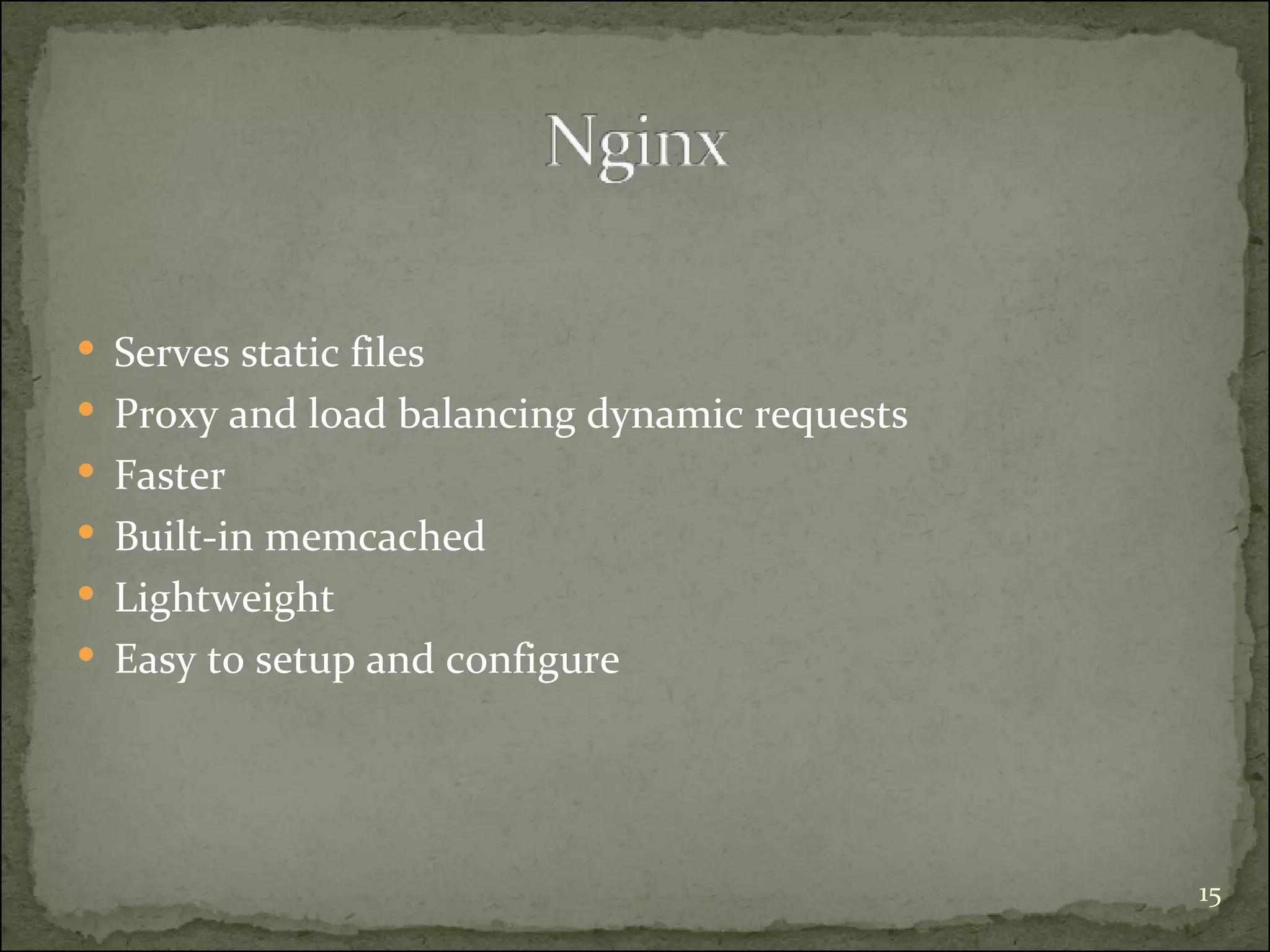
Serves static files  Proxy and load balancing dynamic requests Faster  Built-in memcached Lightweight Easy to setup and configure
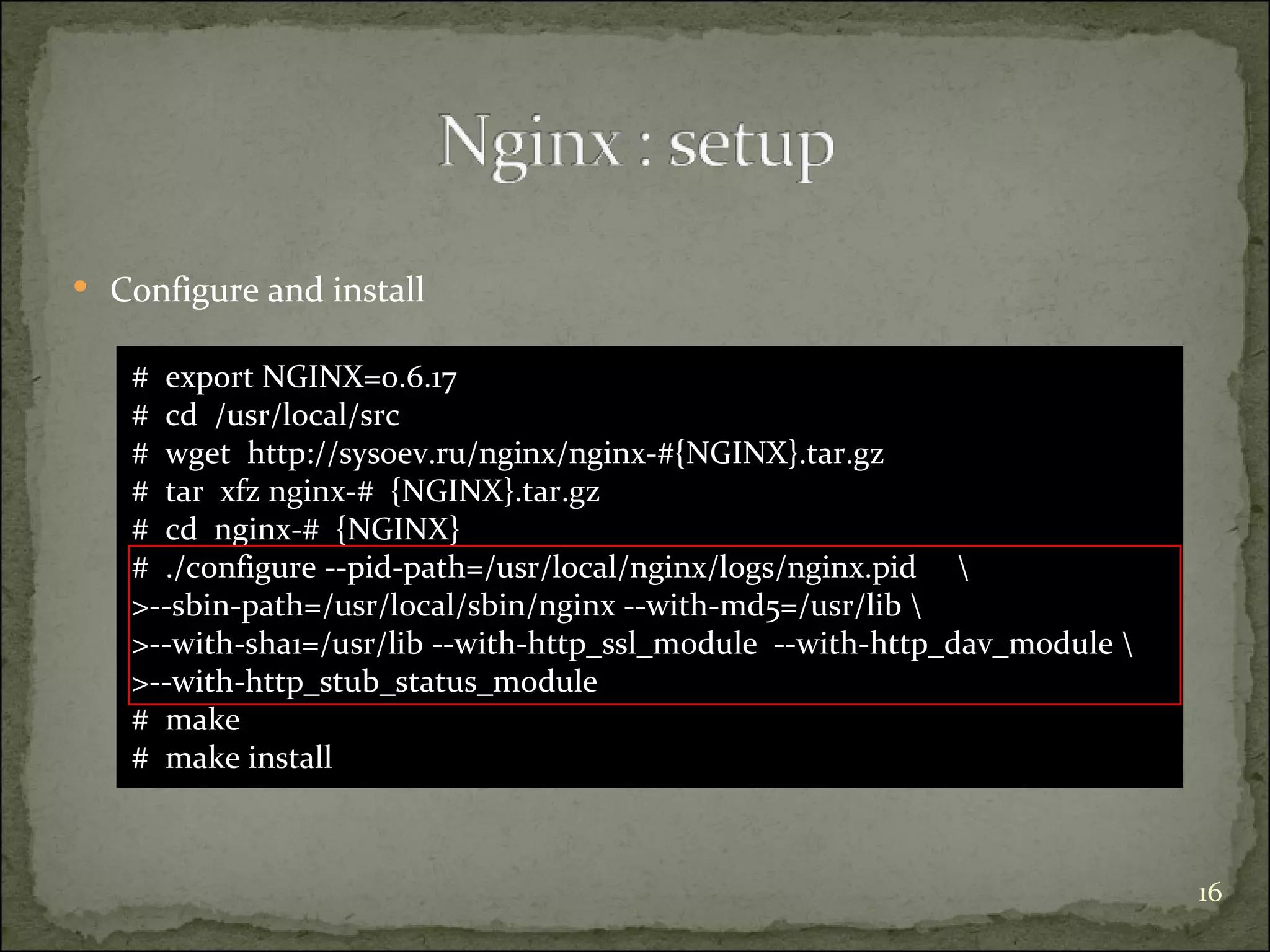
#  export NGINX=0.6.17 #  cd  /usr/local/src #  wget  http://sysoev.ru/nginx/nginx-#{NGINX}.tar.gz #  tar  xfz nginx-#  {NGINX}.tar.gz #  cd  nginx-#  {NGINX} #  ./configure --pid-path=/usr/local/nginx/logs/nginx.pid  \  >--sbin-path=/usr/local/sbin/nginx --with-md5=/usr/lib \ >--with-sha1=/usr/lib --with-http_ssl_module  --with-http_dav_module \ >--with-http_stub_status_module #  make #  make install Configure and install
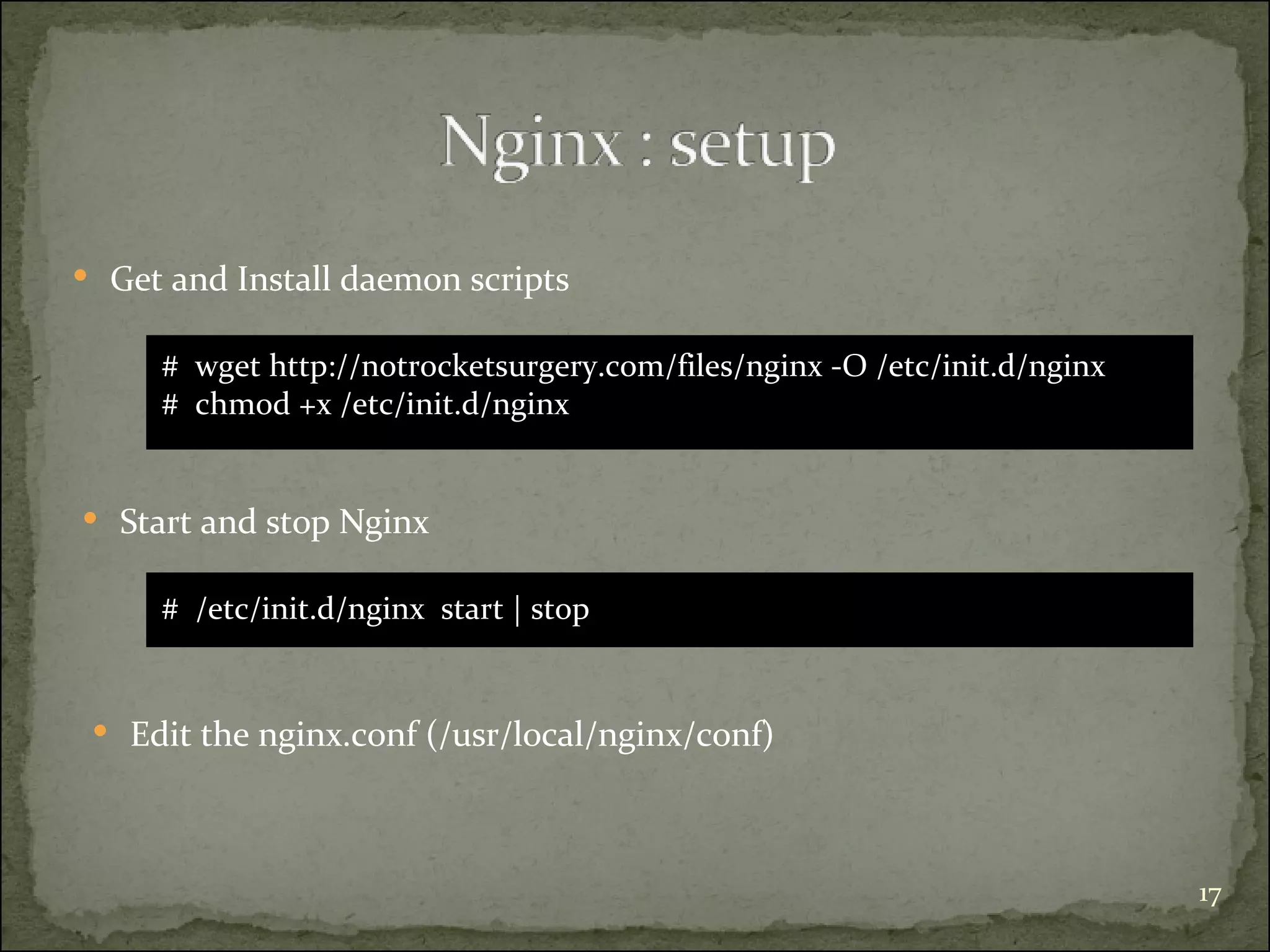
#  wget http://notrocketsurgery.com/files/nginx -O /etc/init.d/nginx #  chmod +x /etc/init.d/nginx Get and Install daemon scripts #  /etc/init.d/nginx  start | stop Start and stop Nginx Edit the nginx.conf (/usr/local/nginx/conf)
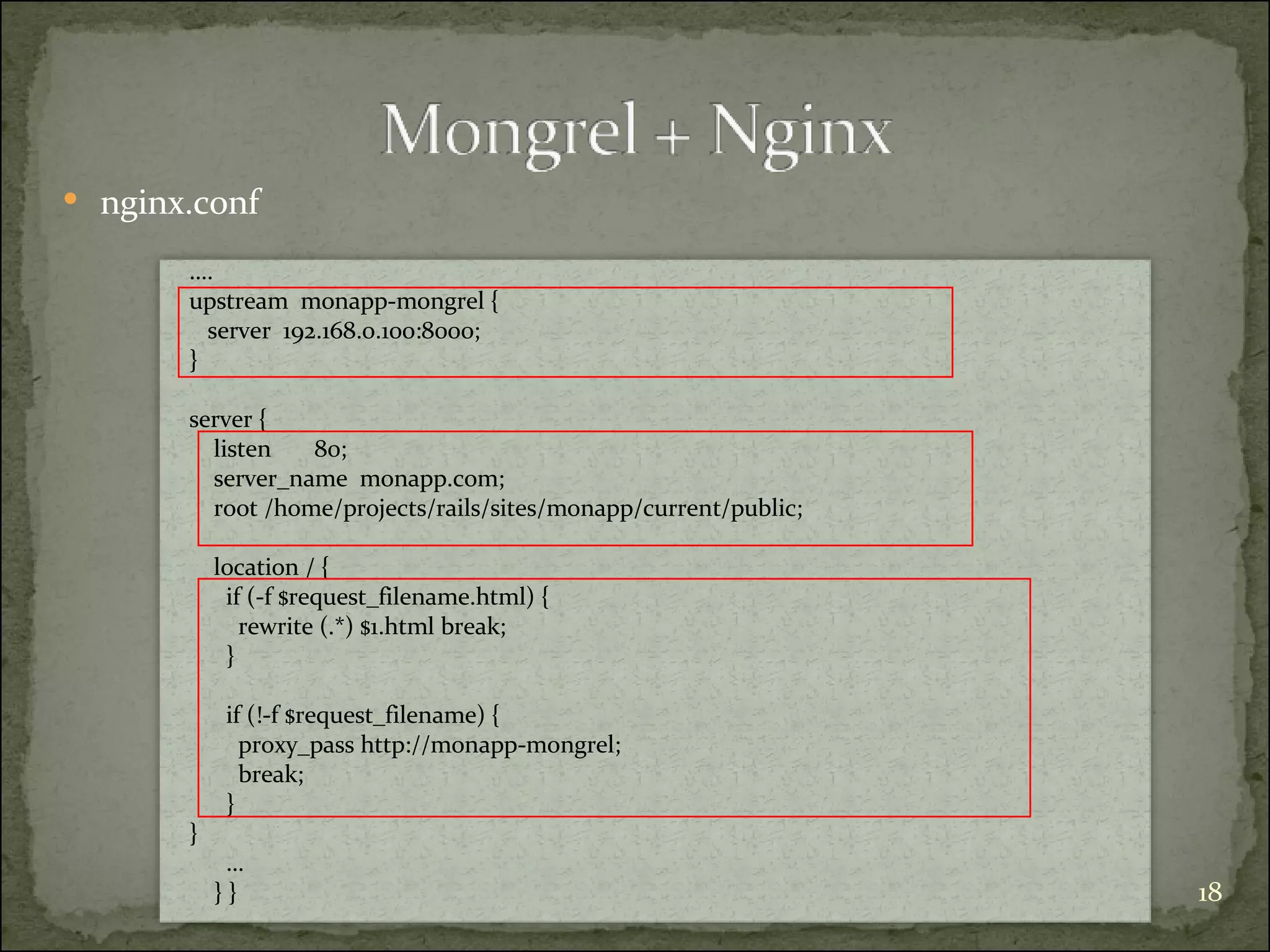
nginx.conf … . upstream  monapp-mongrel { server  192.168.0.100:8000; } server { listen  80; server_name  monapp.com; root /home/projects/rails/sites/monapp/current/public; location / { if (-f $request_filename.html) { rewrite (.*) $1.html break; } if (!-f $request_filename) { proxy_pass http://monapp-mongrel; break; }  } … } }
nginx.conf
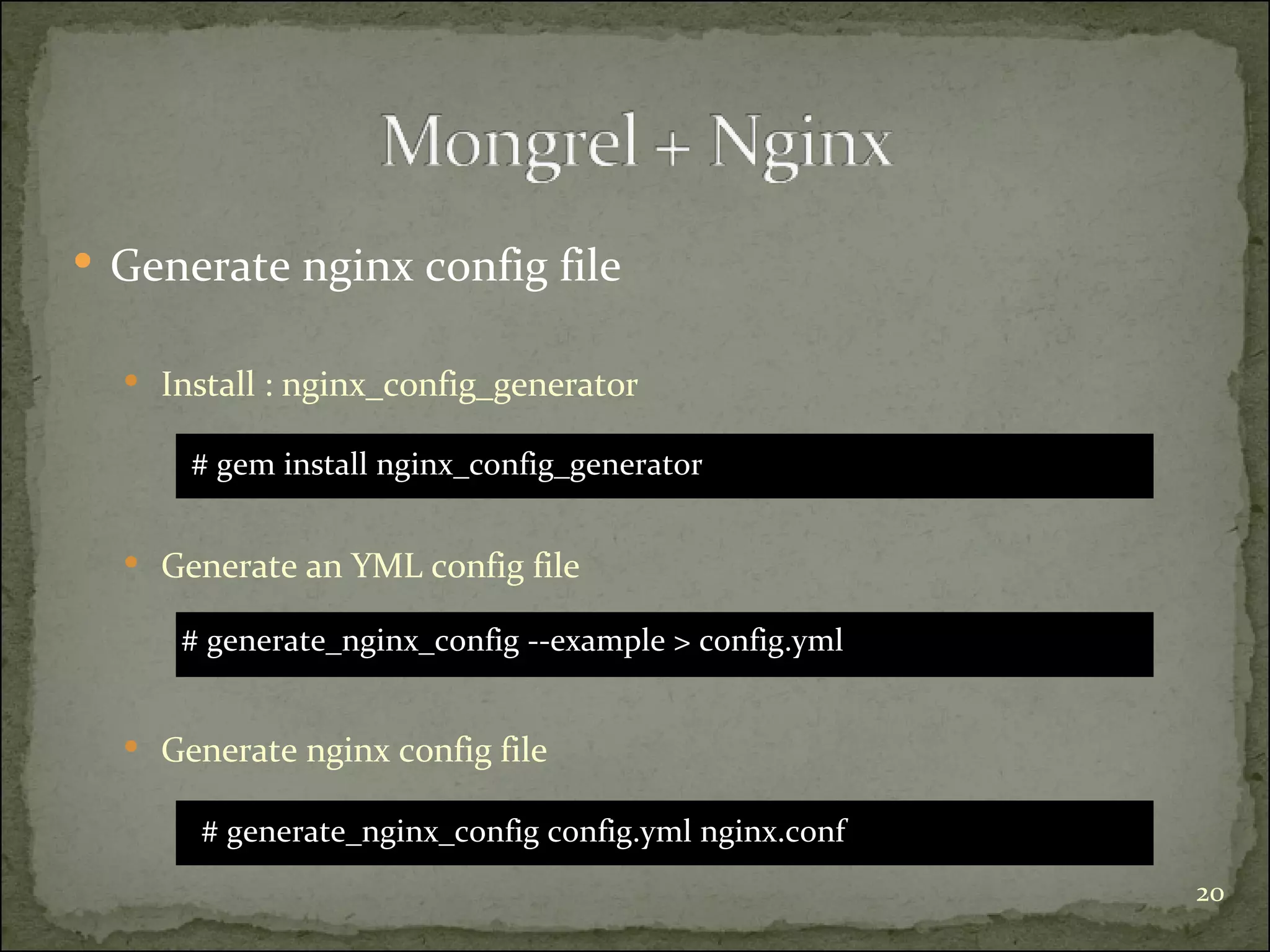
Generate nginx config file Install : nginx_config_generator # gem install nginx_config_generator Generate an YML config file # generate_nginx_config ‐‐example > config.yml Generate nginx config file  # generate_nginx_config config.yml nginx.conf
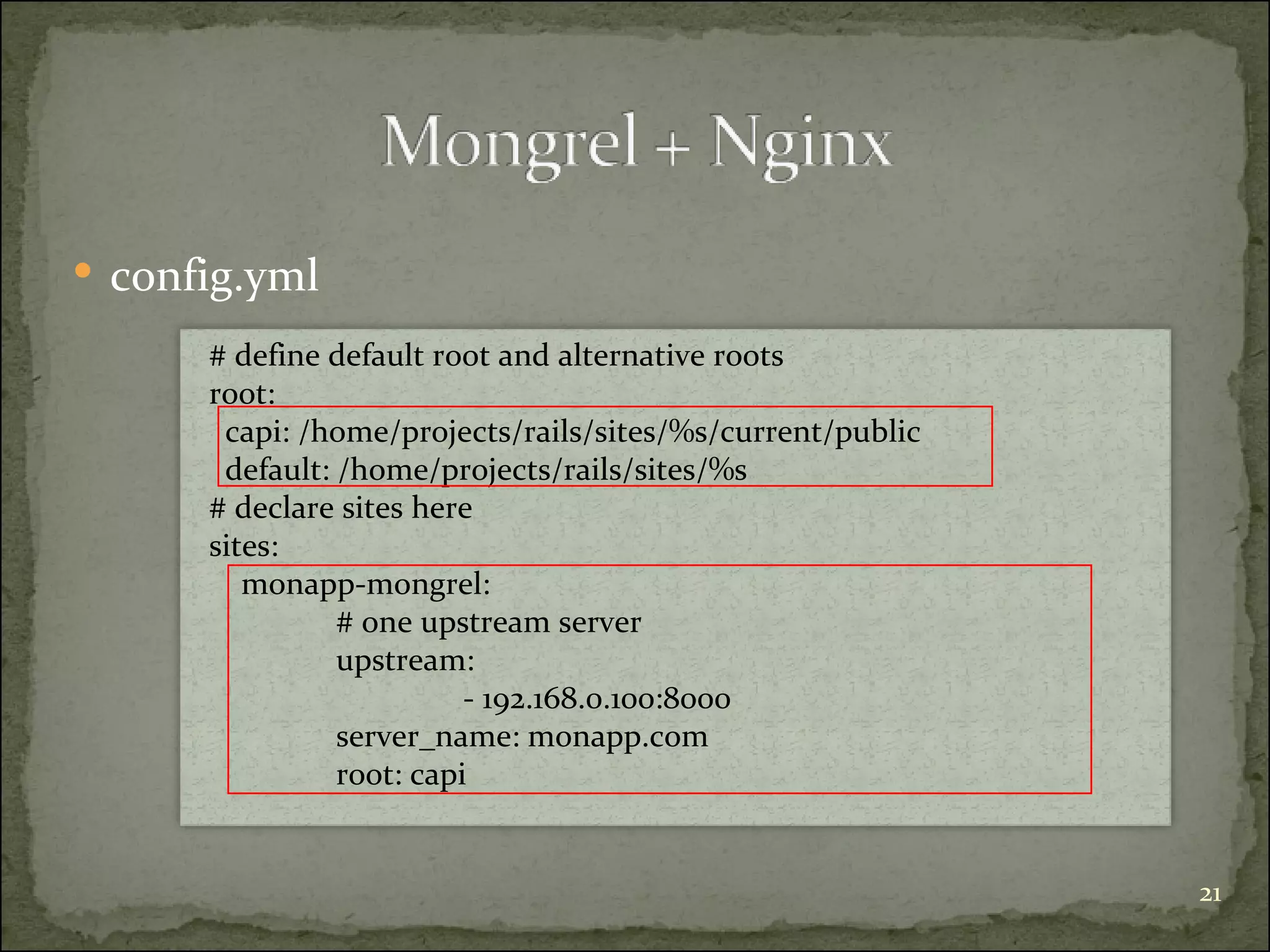
config.yml # define default root and alternative roots root:  capi: /home/projects/rails/sites/%s/current/public default: /home/projects/rails/sites/%s # declare sites here sites:  monapp-mongrel: # one upstream server  upstream:  - 192.168.0.100:8000 server_name: monapp.com root: capi
#  /etc/init.d/nginx  start
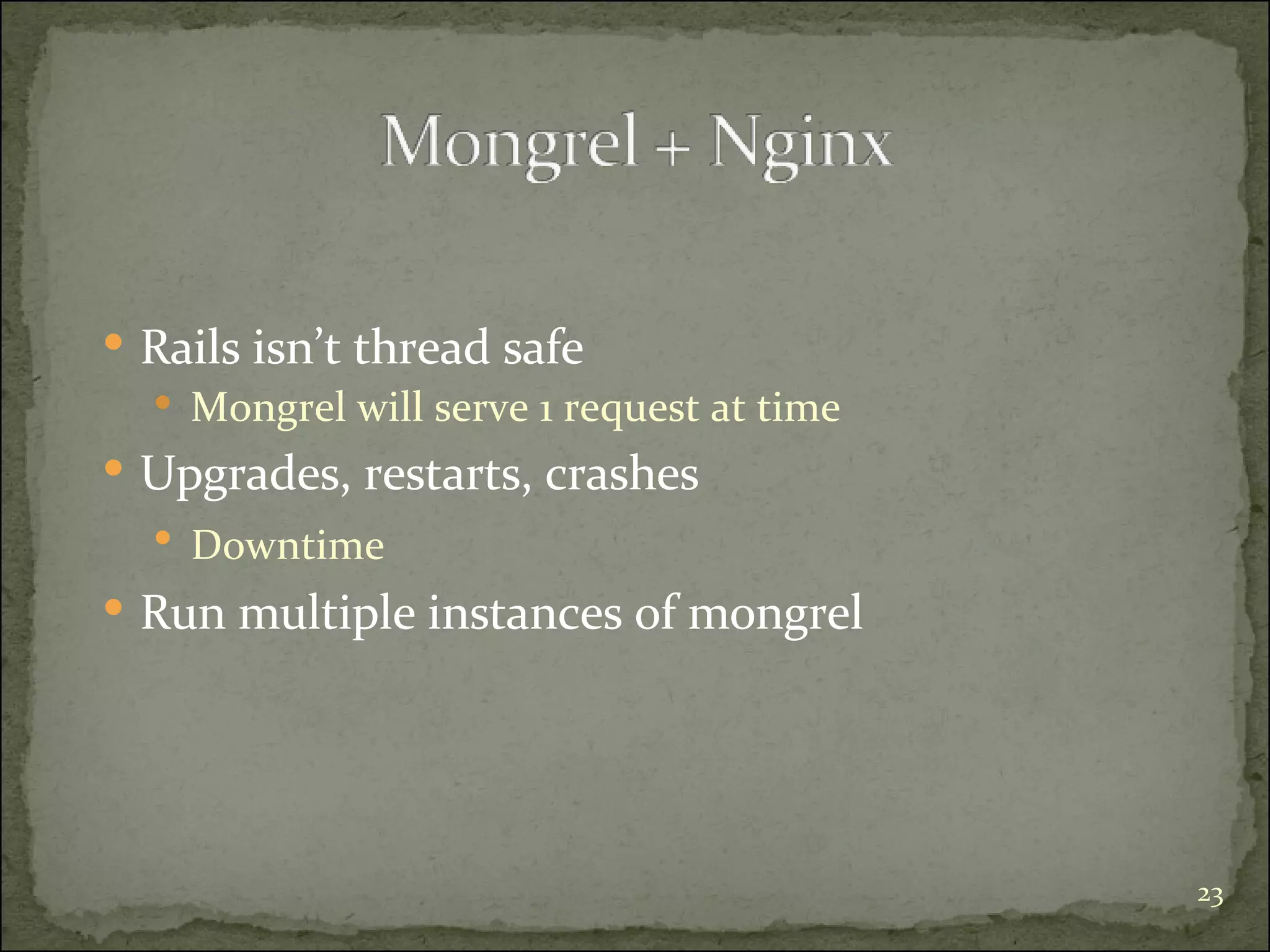
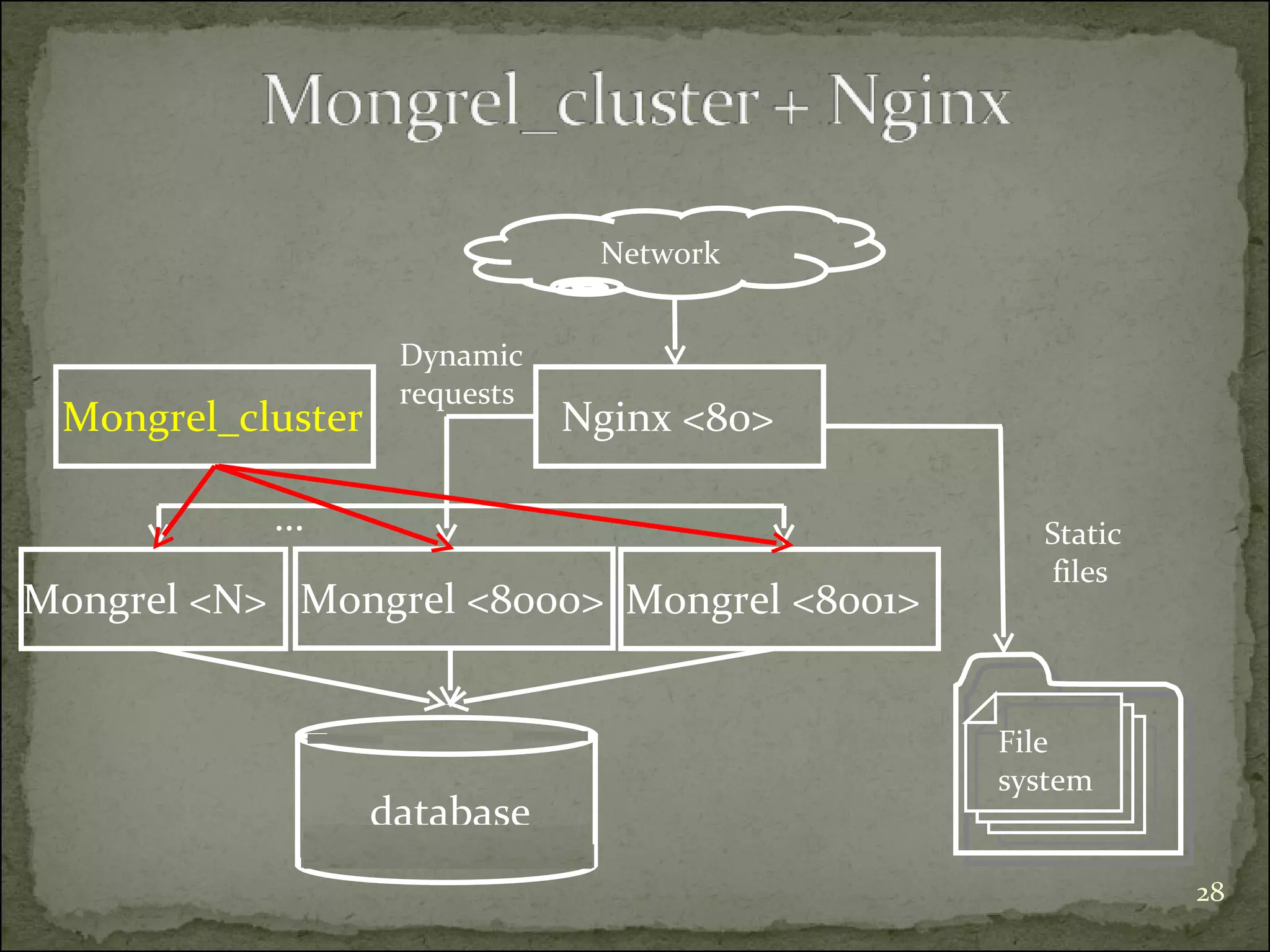
Rails isn’t thread safe Mongrel will serve 1 request at time Upgrades, restarts, crashes Downtime   Run multiple instances of mongrel
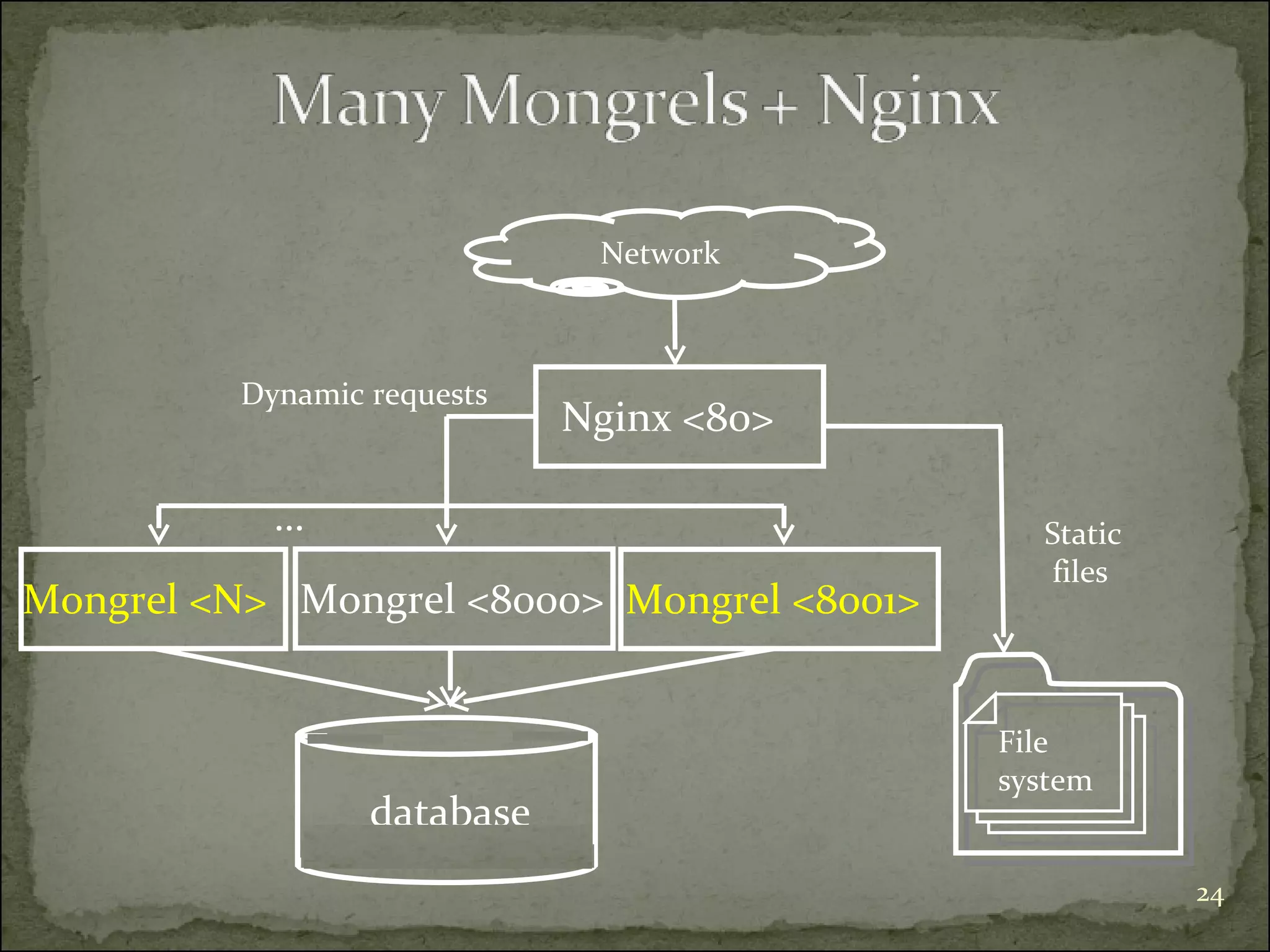
Mongrel <8000> Network Nginx <80> Dynamic requests Static files  File  system Mongrel <8001> Mongrel <N> … database
nginx.conf upstream  many-mongrels { server  192.168.0.100:8000; server  192.168.0.100:8001; server  192.168.0.100:8002; } server { listen  80; # sets the domain[s] that this host server requests for server_name  monapp.com; # doc root root /home/projects/rails/sites/monapp/current/public; location / { # add .html to the end of the url and check if it exists in fs  # if it exists then keep url with .html and serve it as static file if (-f $request_filename.html) { rewrite (.*) $1.html break; } # if the file doesn’t exist proxies the request to the mongrel upstream server if (!-f $request_filename) { proxy_pass http://many-mongrels; break; } } … } }
Restart Nginx #  /etc/init.d/nginx  start  Many Mongrels => each instance have to be started | restarted | stopped individually  Is it possible to manage them all as one cluster ?
Mongrel <8000> Network Nginx <80> Dynamic  requests Static files  File  system Mongrel <8001> Mongrel <N> … Mongrel_cluster database
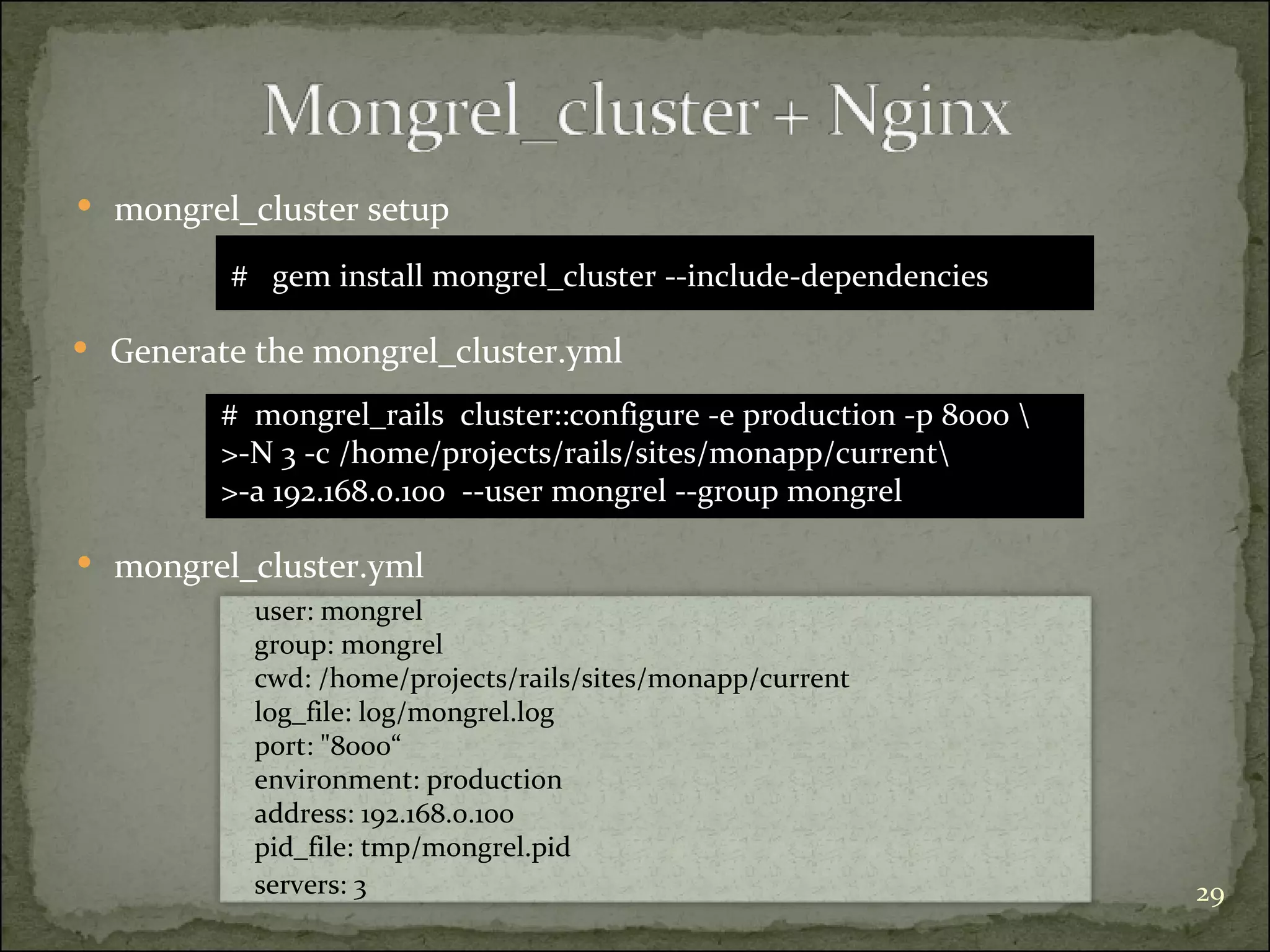
mongrel_cluster.yml mongrel_cluster setup  #  gem install mongrel_cluster --include-dependencies  Generate the mongrel_cluster.yml user: mongrel group: mongrel cwd: /home/projects/rails/sites/monapp/current log_file: log/mongrel.log port: &quot;8000“ environment: production address: 192.168.0.100 pid_file: tmp/mongrel.pid servers: 3 #  mongrel_rails  cluster::configure -e production -p 8000 \ >-N 3 -c /home/projects/rails/sites/monapp/current\ >-a 192.168.0.100  --user mongrel --group mongrel
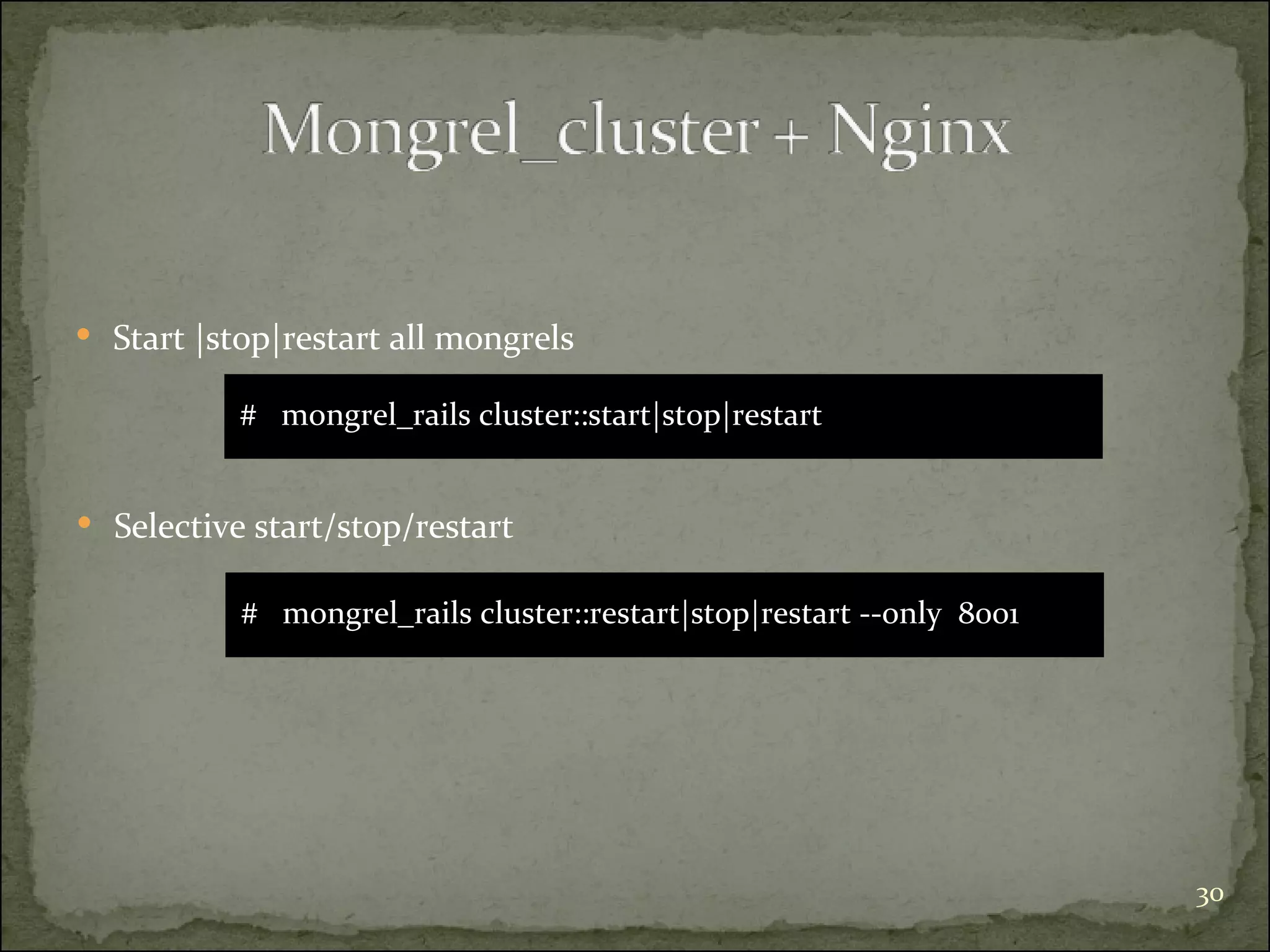
Start |stop|restart all mongrels #  mongrel_rails cluster::start|stop|restart Selective start/stop/restart #  mongrel_rails cluster::restart|stop|restart --only  8001
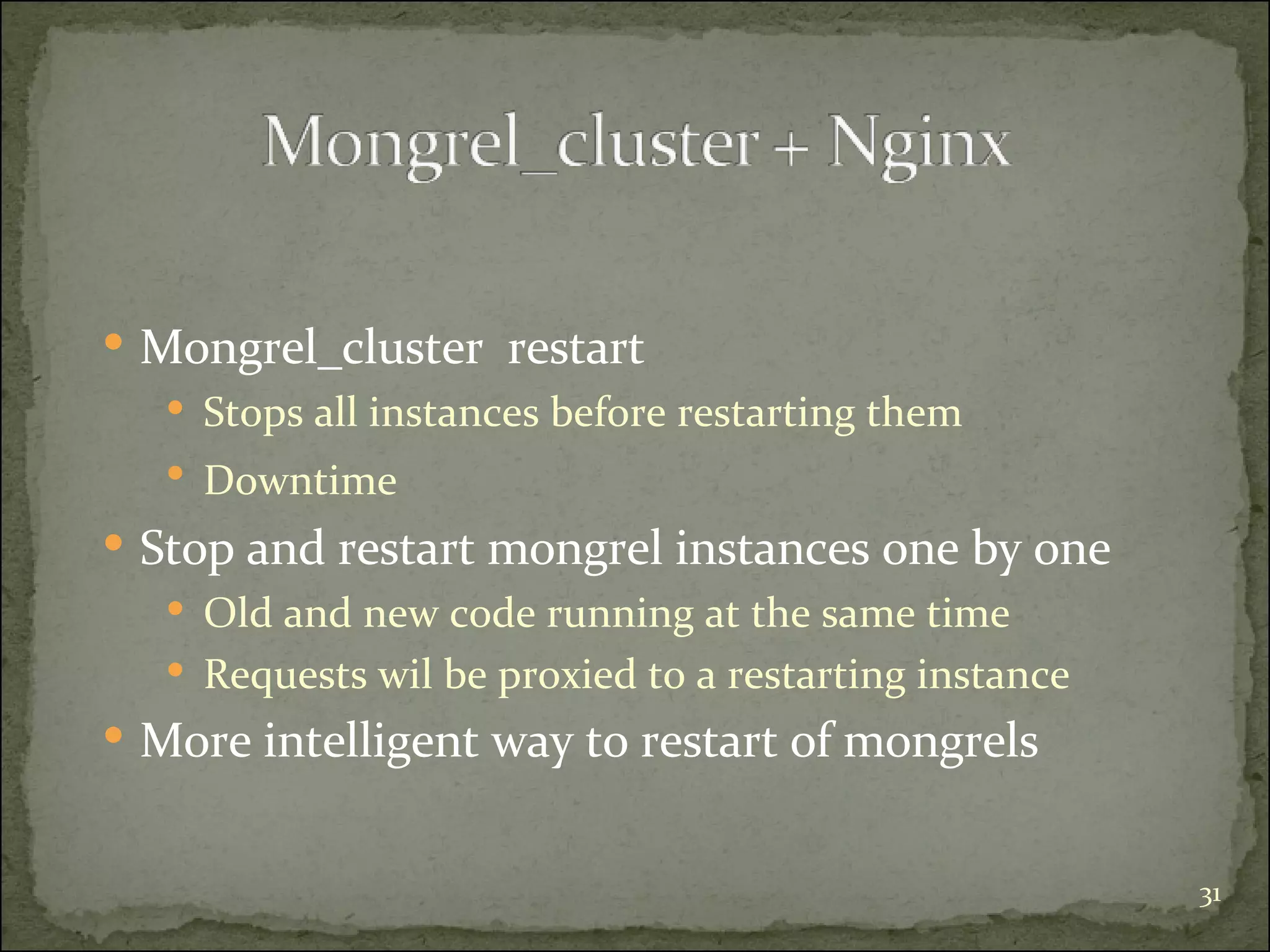
Mongrel_cluster  restart  Stops all instances before restarting them Downtime   Stop and restart mongrel instances one by one Old and new code running at the same time Requests wil be proxied to a restarting instance More intelligent way to restart of mongrels
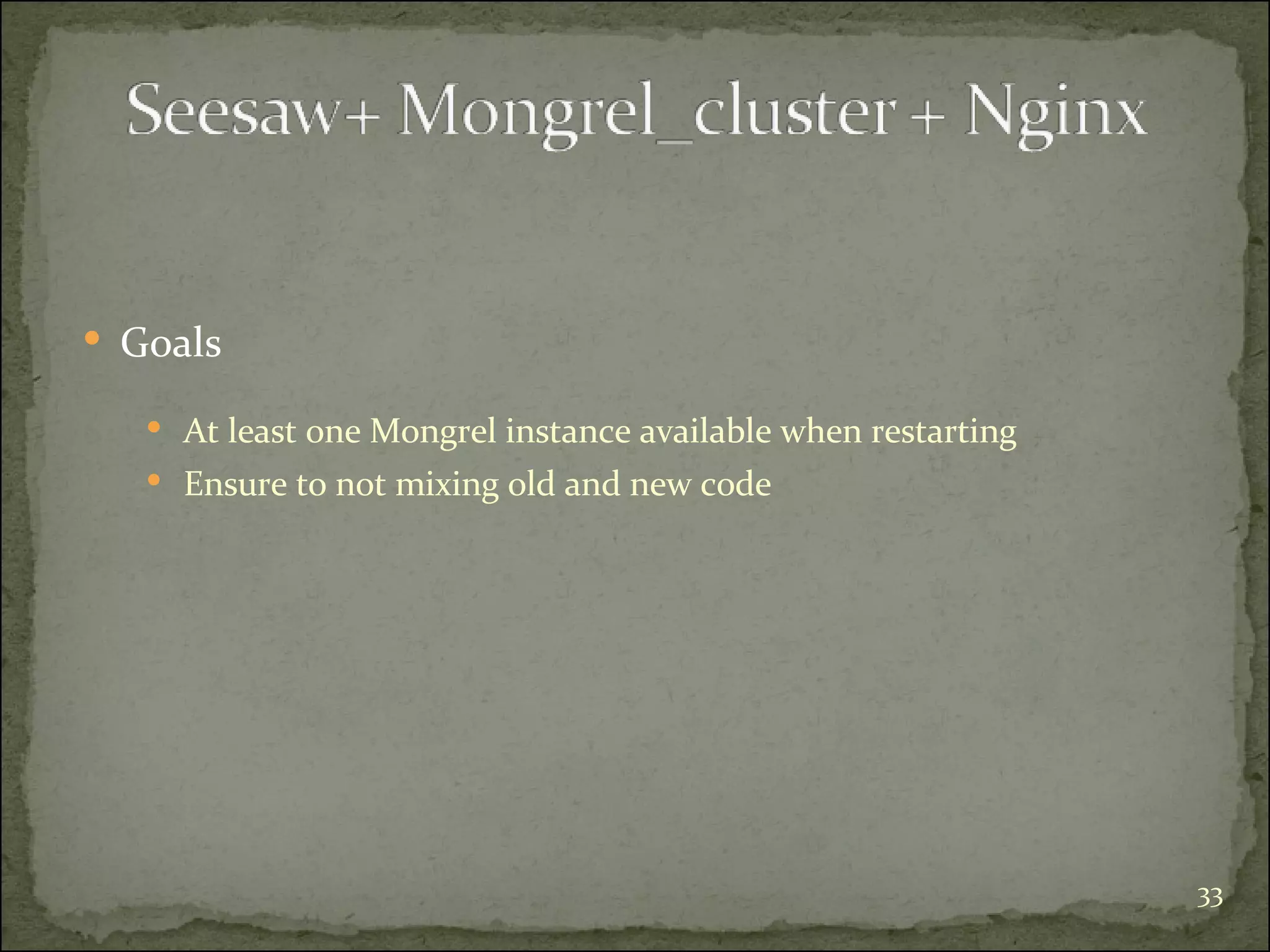
Goals At least one Mongrel instance available when restarting Ensure to not mixing old and new code
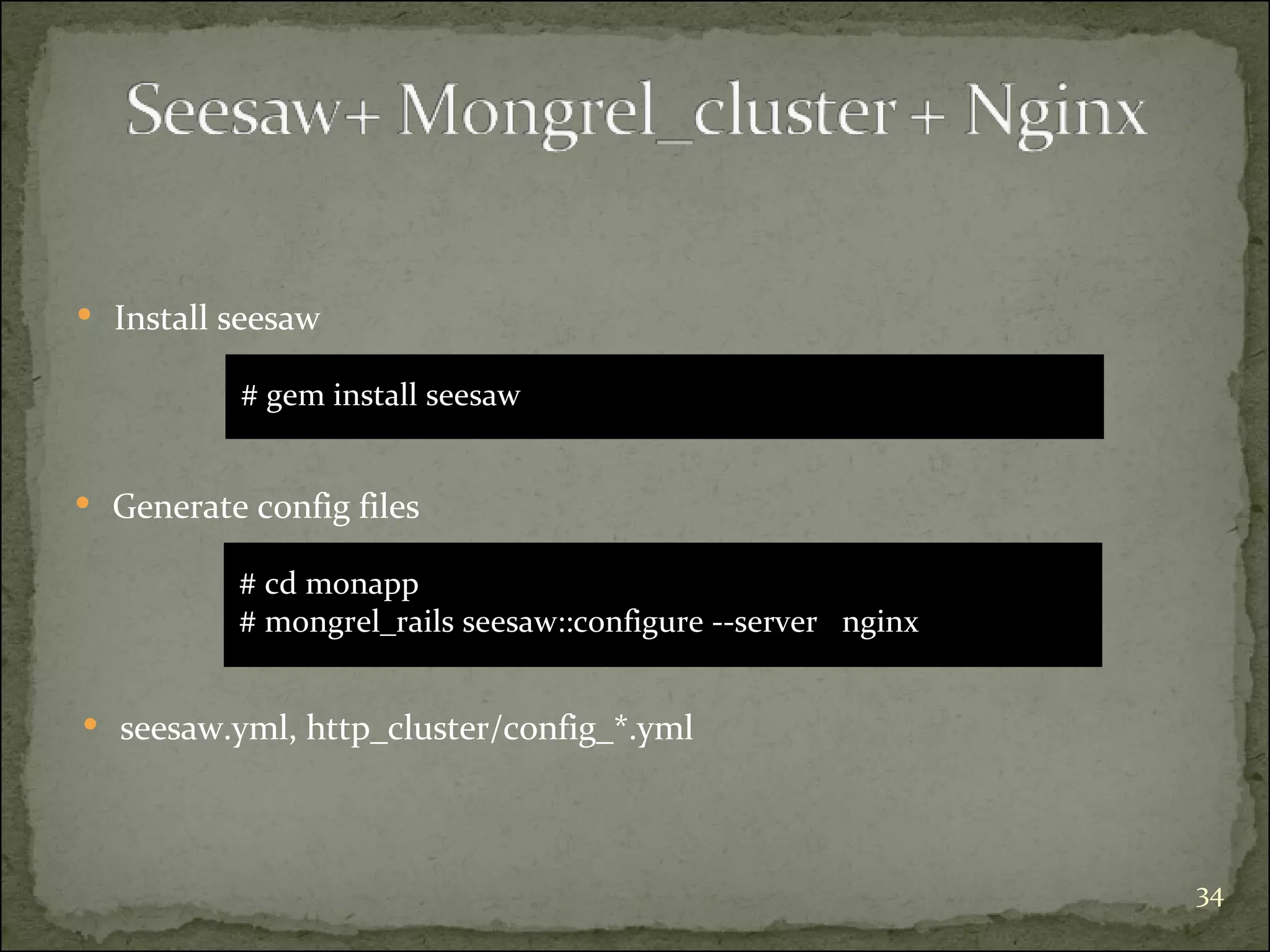
Generate config files # cd monapp # mongrel_rails seesaw::configure --server  nginx Install seesaw # gem install seesaw seesaw.yml, http_cluster/config_*.yml
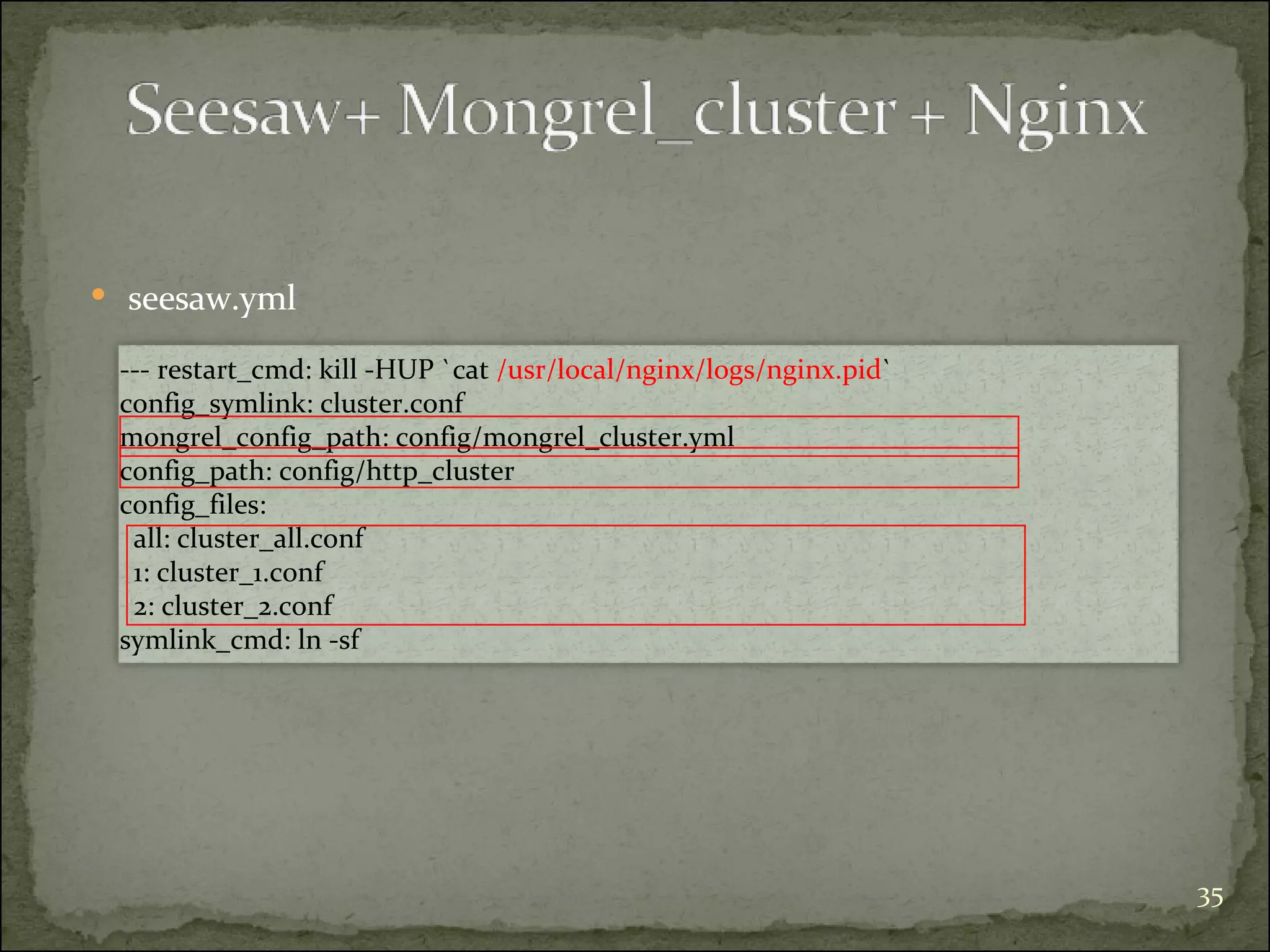
seesaw.yml --- restart_cmd: kill -HUP `cat  /usr/local/nginx/logs/nginx.pid ` config_symlink: cluster.conf mongrel_config_path: config/mongrel_cluster.yml config_path: config/http_cluster config_files:  all: cluster_all.conf 1: cluster_1.conf  2: cluster_2.conf symlink_cmd: ln -sf
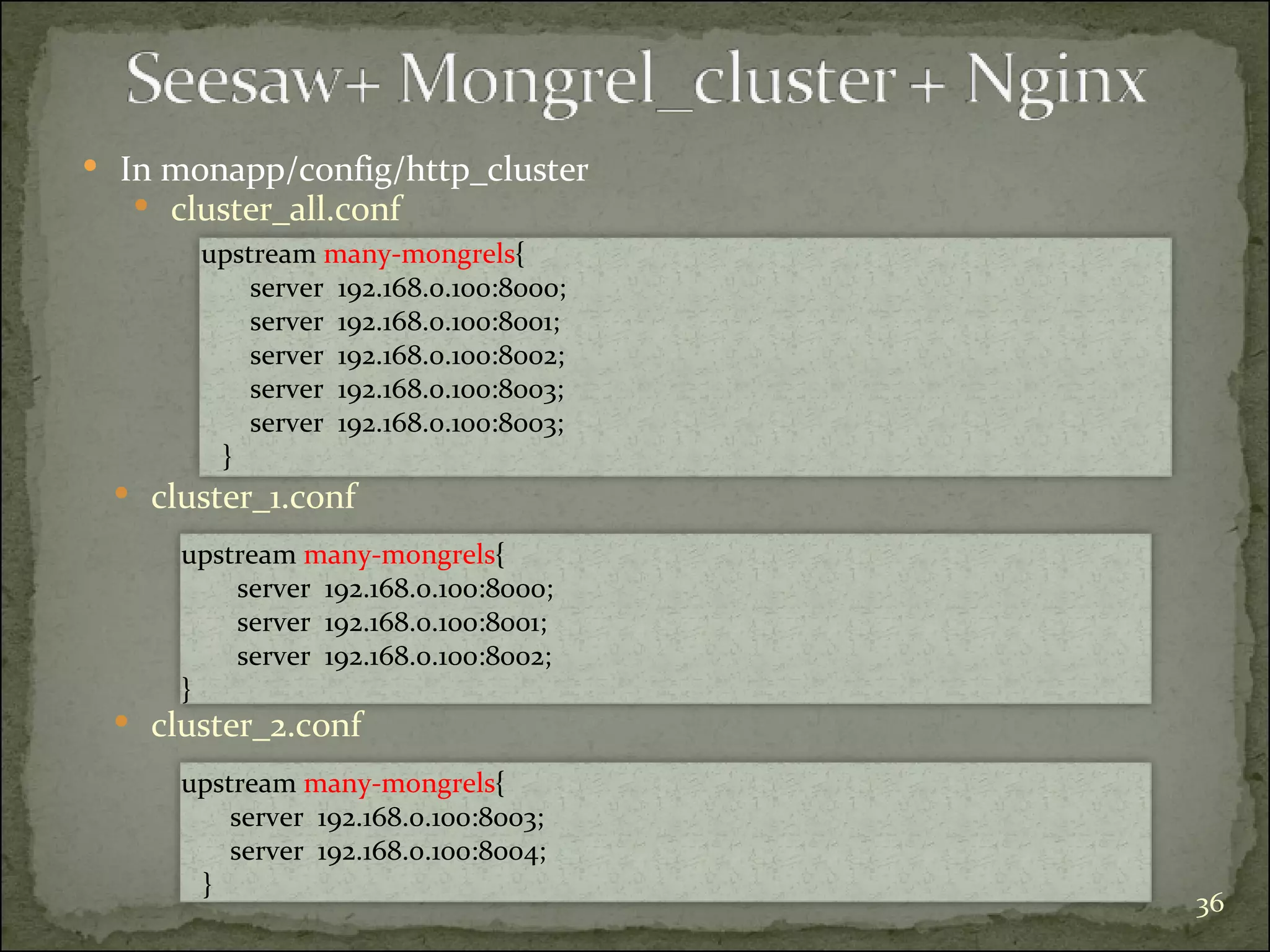
In monapp/config/http_cluster upstream  many-mongrels {  server  192.168.0.100:8000; server  192.168.0.100:8001;  server  192.168.0.100:8002;  server  192.168.0.100:8003;  server  192.168.0.100:8003;  } cluster_all.conf upstream  many-mongrels {  server  192.168.0.100:8000; server  192.168.0.100:8001;  server  192.168.0.100:8002; } cluster_1.conf upstream  many-mongrels {  server  192.168.0.100:8003;  server  192.168.0.100:8004;  } cluster_2.conf
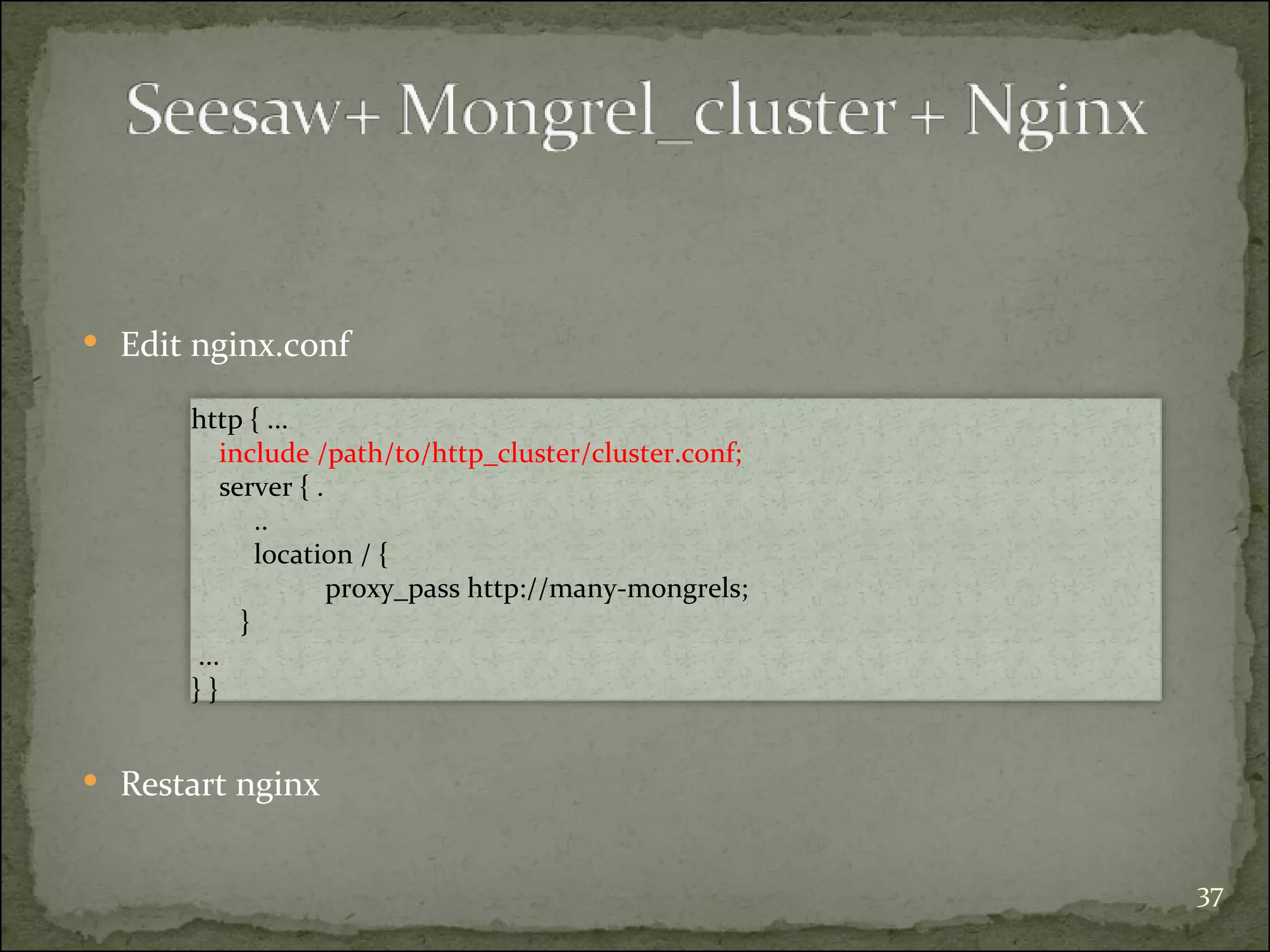
Edit nginx.conf http { ...  include /path/to/http_cluster/cluster.conf;  server { . ..  location / {    proxy_pass http://many-mongrels; } ...  } } Restart nginx
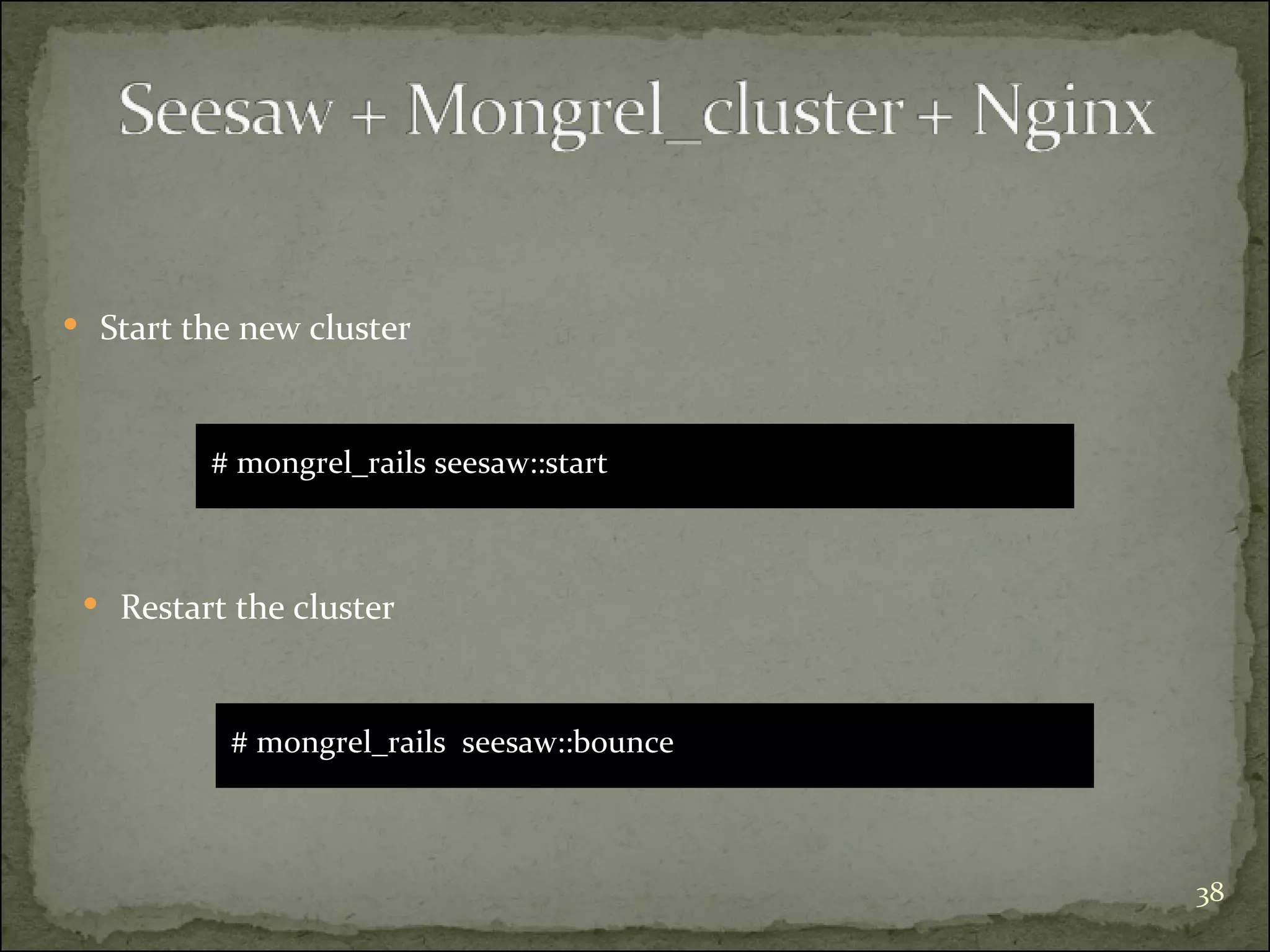
# mongrel_rails seesaw::start Start the new cluster # mongrel_rails  seesaw::bounce Restart the cluster
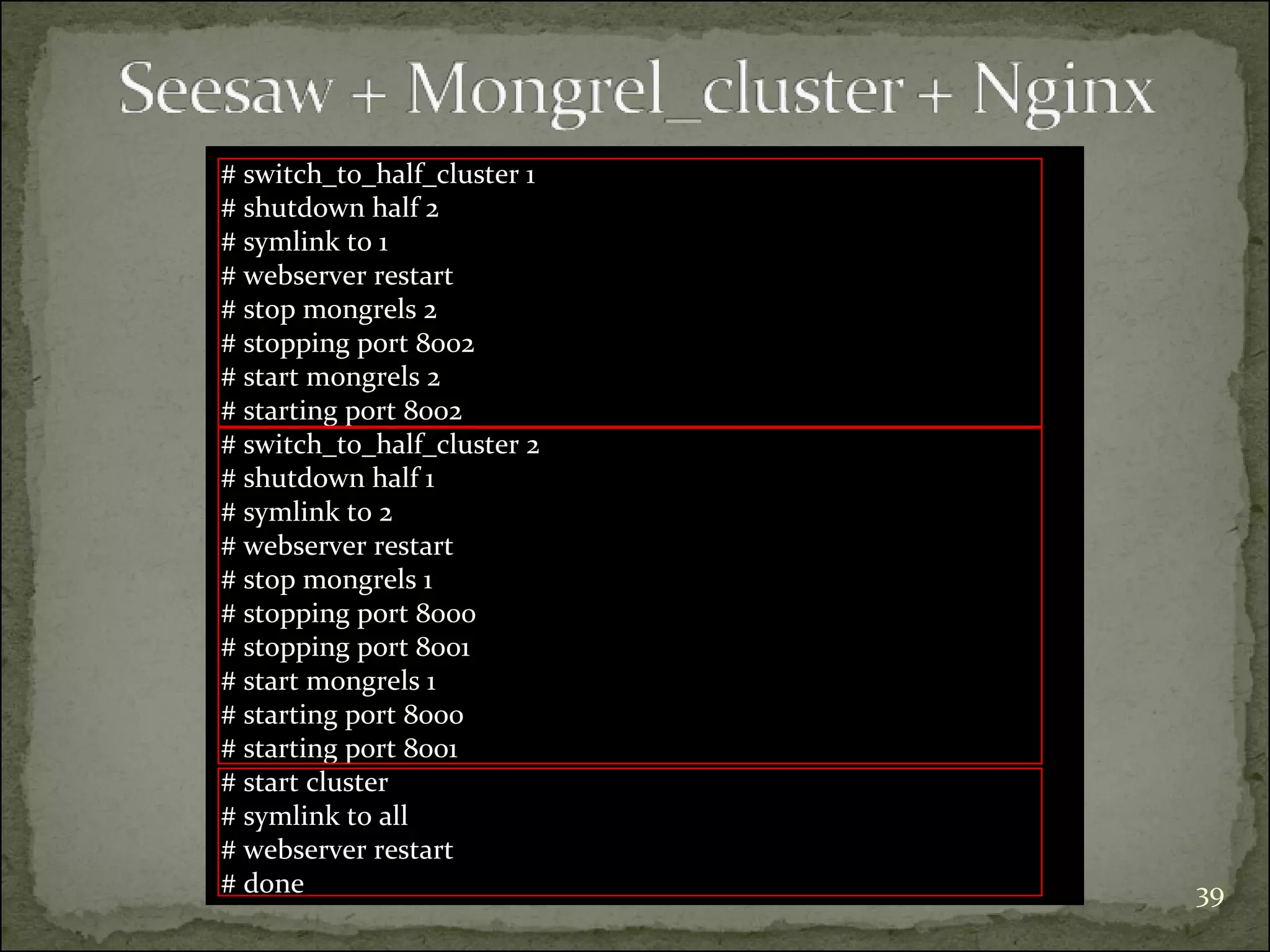
# switch_to_half_cluster 1 # shutdown half 2 # symlink to 1 # webserver restart # stop mongrels 2 # stopping port 8002 # start mongrels 2 # starting port 8002 # switch_to_half_cluster 2 # shutdown half 1 # symlink to 2 # webserver restart # stop mongrels 1 # stopping port 8000 # stopping port 8001 # start mongrels 1 # starting port 8000 # starting port 8001 # start cluster # symlink to all # webserver restart # done
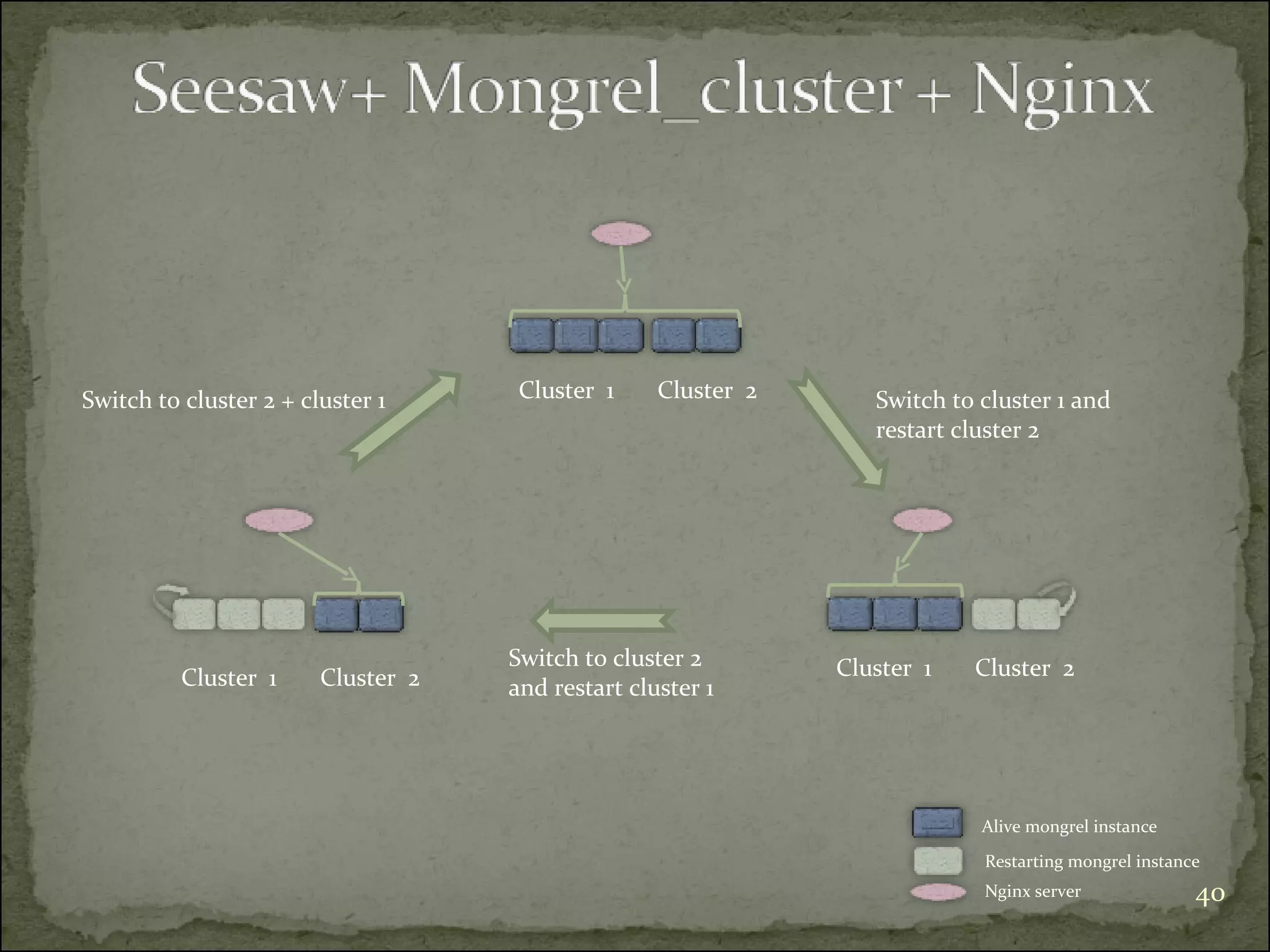
Alive mongrel instance Restarting mongrel instance Nginx server Cluster  1 Cluster  2 Cluster  1 Cluster  2 Cluster  1 Cluster  2 Switch to cluster 1 and restart cluster 2 Switch to cluster 2  and restart cluster 1 Switch to cluster 2 + cluster 1
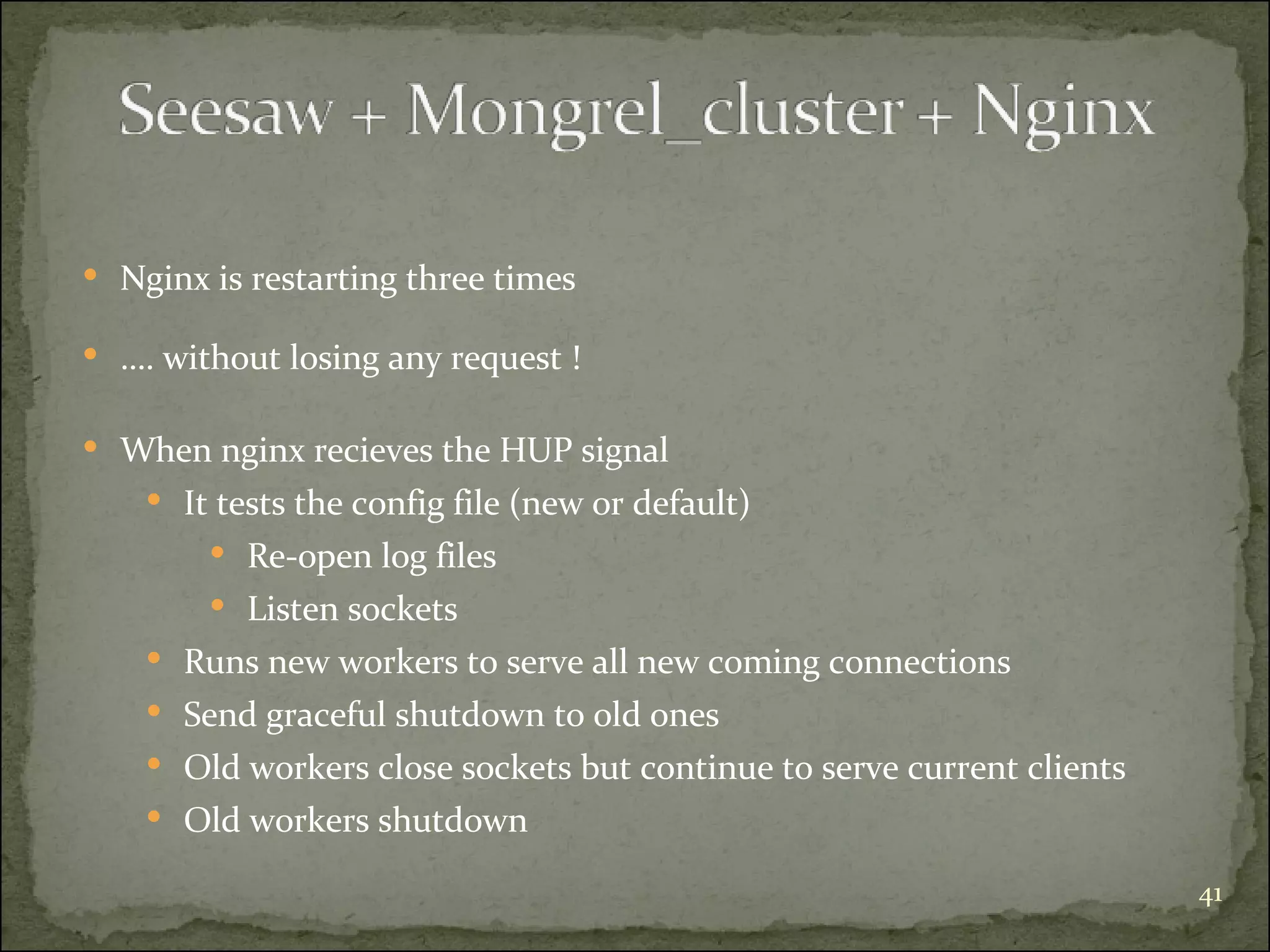
Nginx is restarting three times … . without losing any request ! When nginx recieves the HUP signal  It tests the config file (new or default) Re-open log files Listen sockets Runs new workers to serve all new coming connections  Send graceful shutdown to old ones Old workers close sockets but continue to serve current clients Old workers shutdown
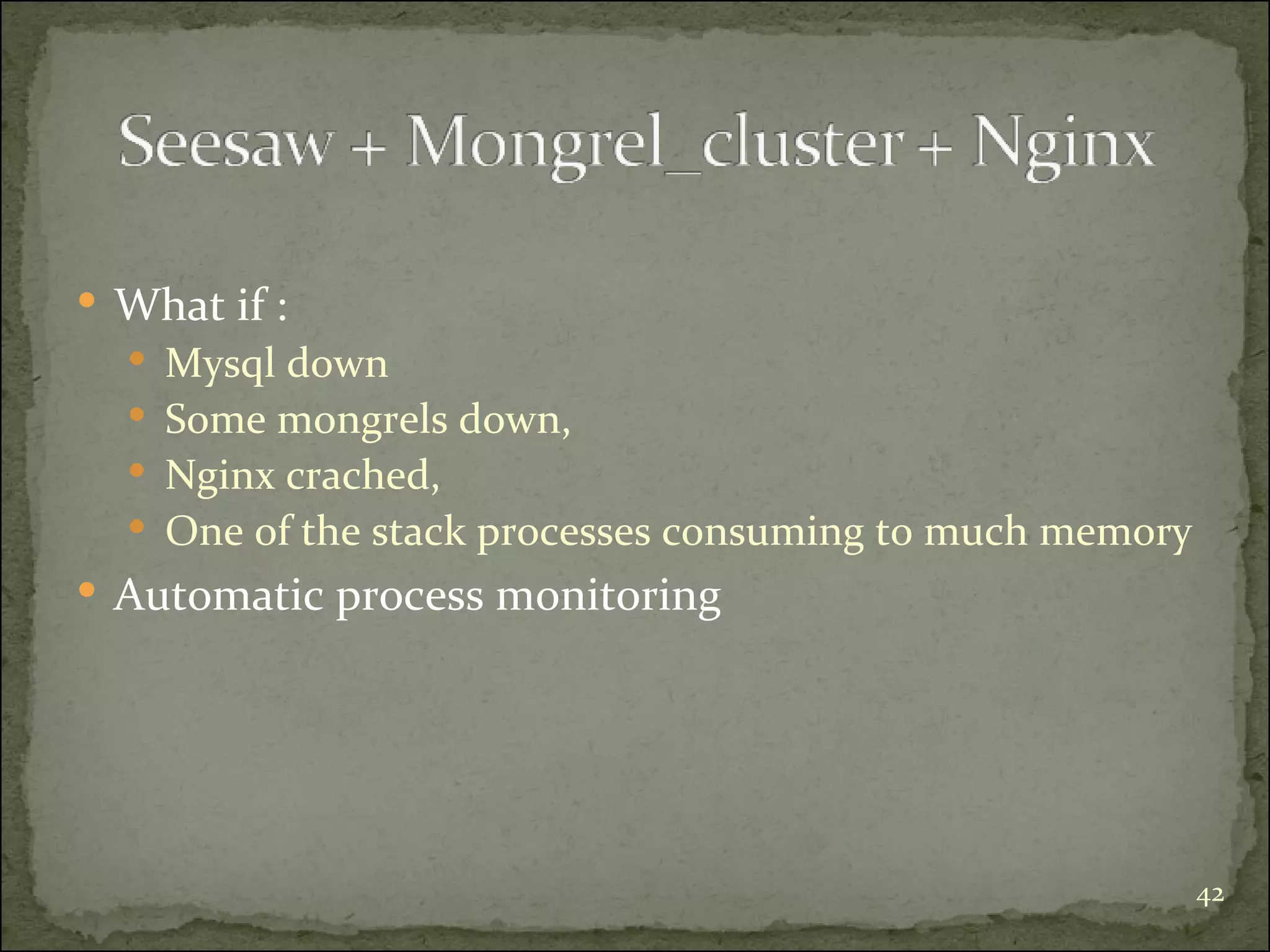
What if : Mysql down Some mongrels down,  Nginx crached, One of the stack processes consuming to much memory Automatic process monitoring
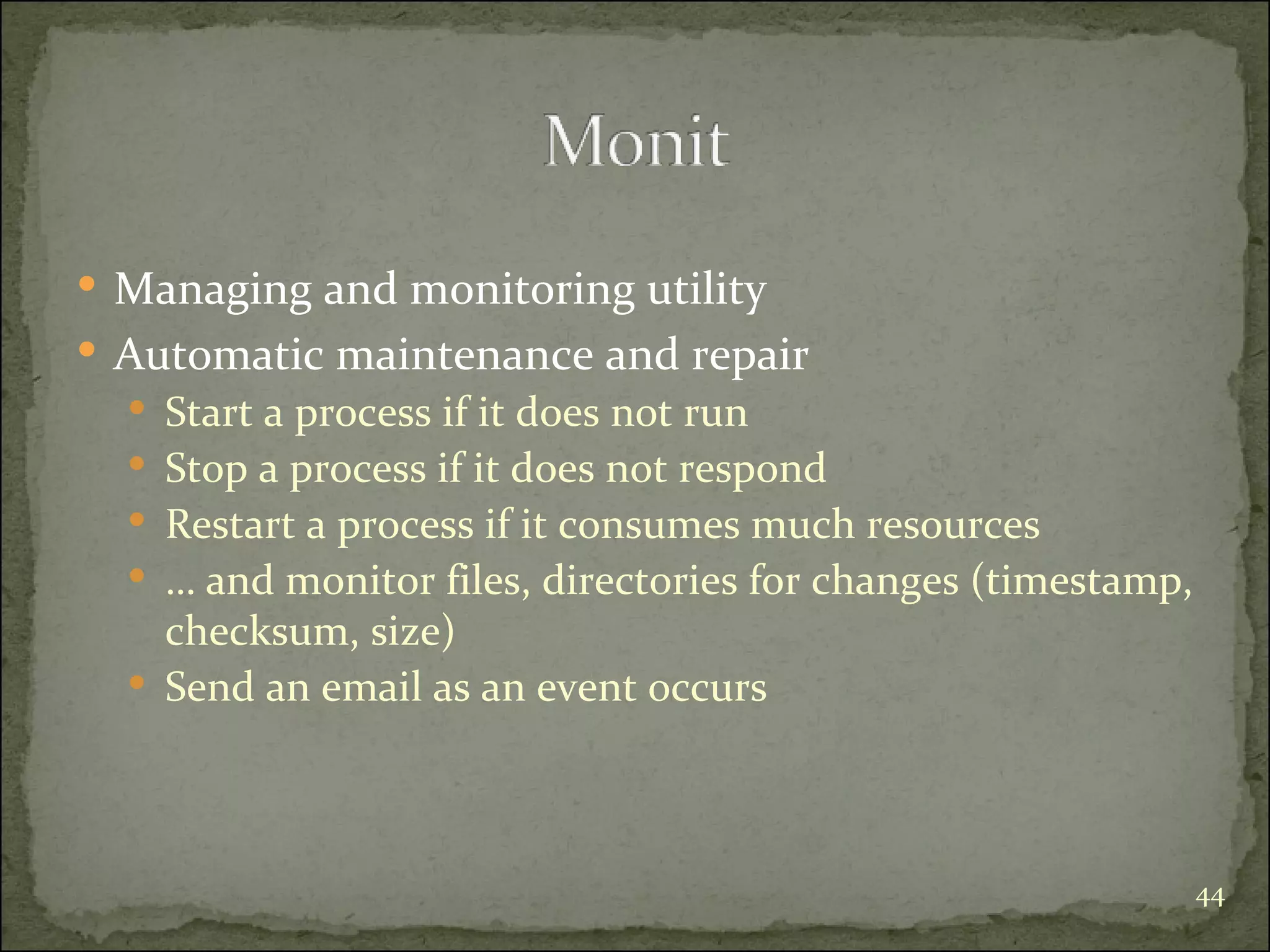
Managing and monitoring utility Automatic maintenance and repair Start a process if it does not run Stop a process if it does not respond Restart a process if it consumes much resources …  and monitor files, directories for changes (timestamp, checksum, size) Send an email as an event occurs
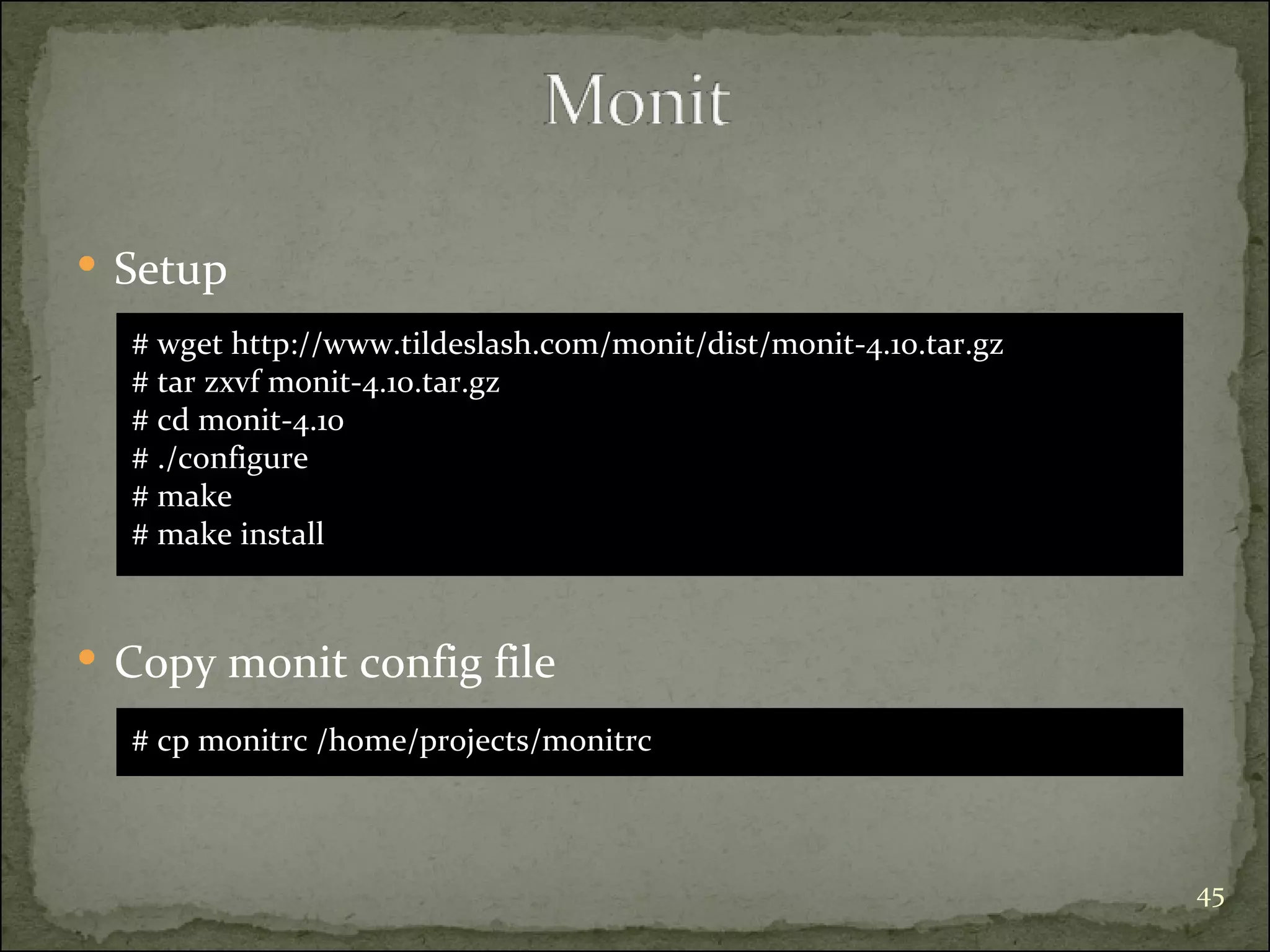
Setup  # wget http://www.tildeslash.com/monit/dist/monit-4.10.tar.gz  # tar zxvf monit-4.10.tar.gz # cd monit-4.10 # ./configure # make  # make install Copy monit config file # cp monitrc /home/projects/monitrc
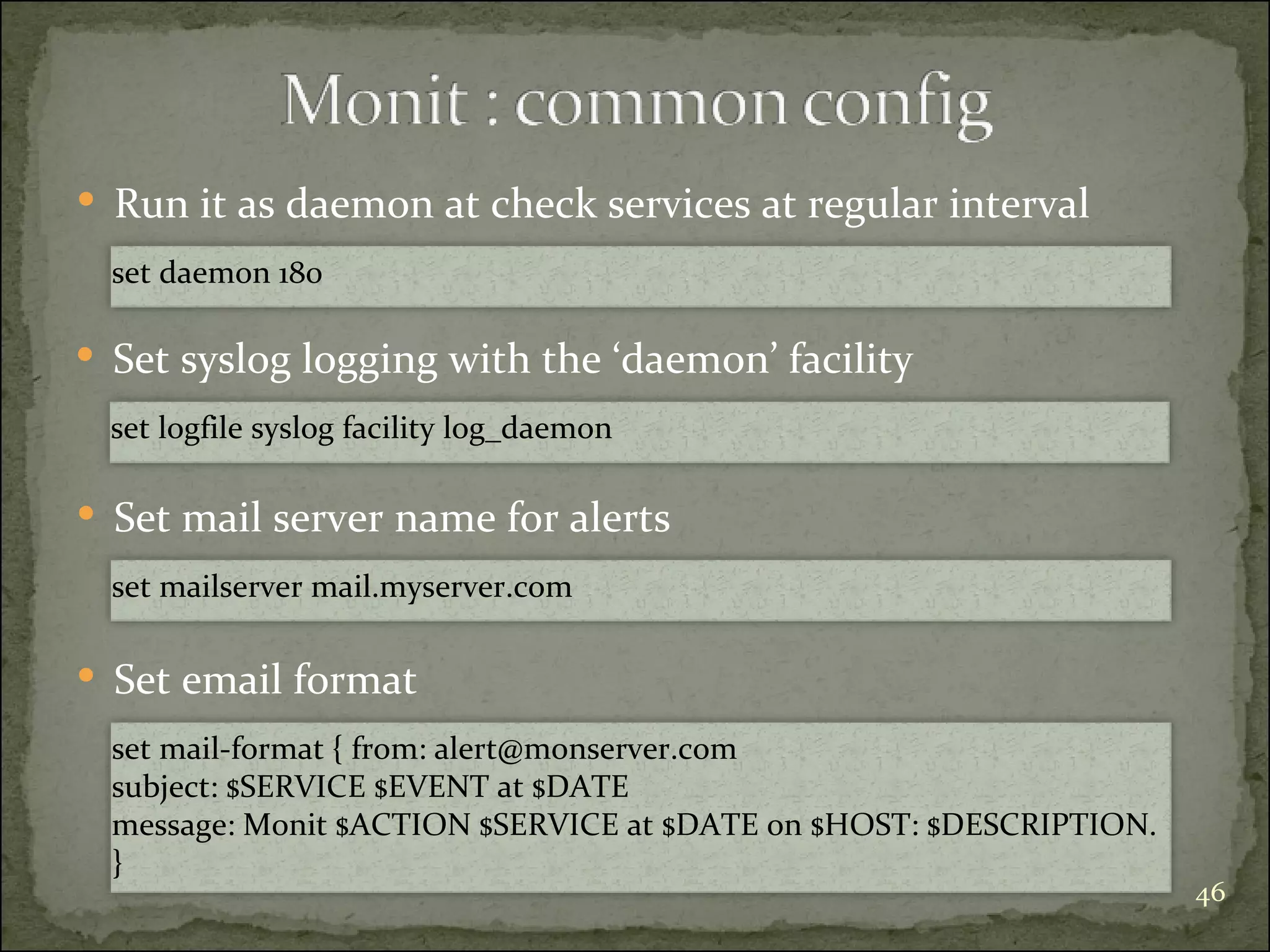
Run it as daemon at check services at regular interval set daemon 180 Set syslog logging with the ‘daemon’ facility set logfile syslog facility log_daemon Set mail server name for alerts set mailserver mail.myserver.com Set email format set mail-format { from: alert@monserver.com subject: $SERVICE $EVENT at $DATE message: Monit $ACTION $SERVICE at $DATE on $HOST: $DESCRIPTION. }
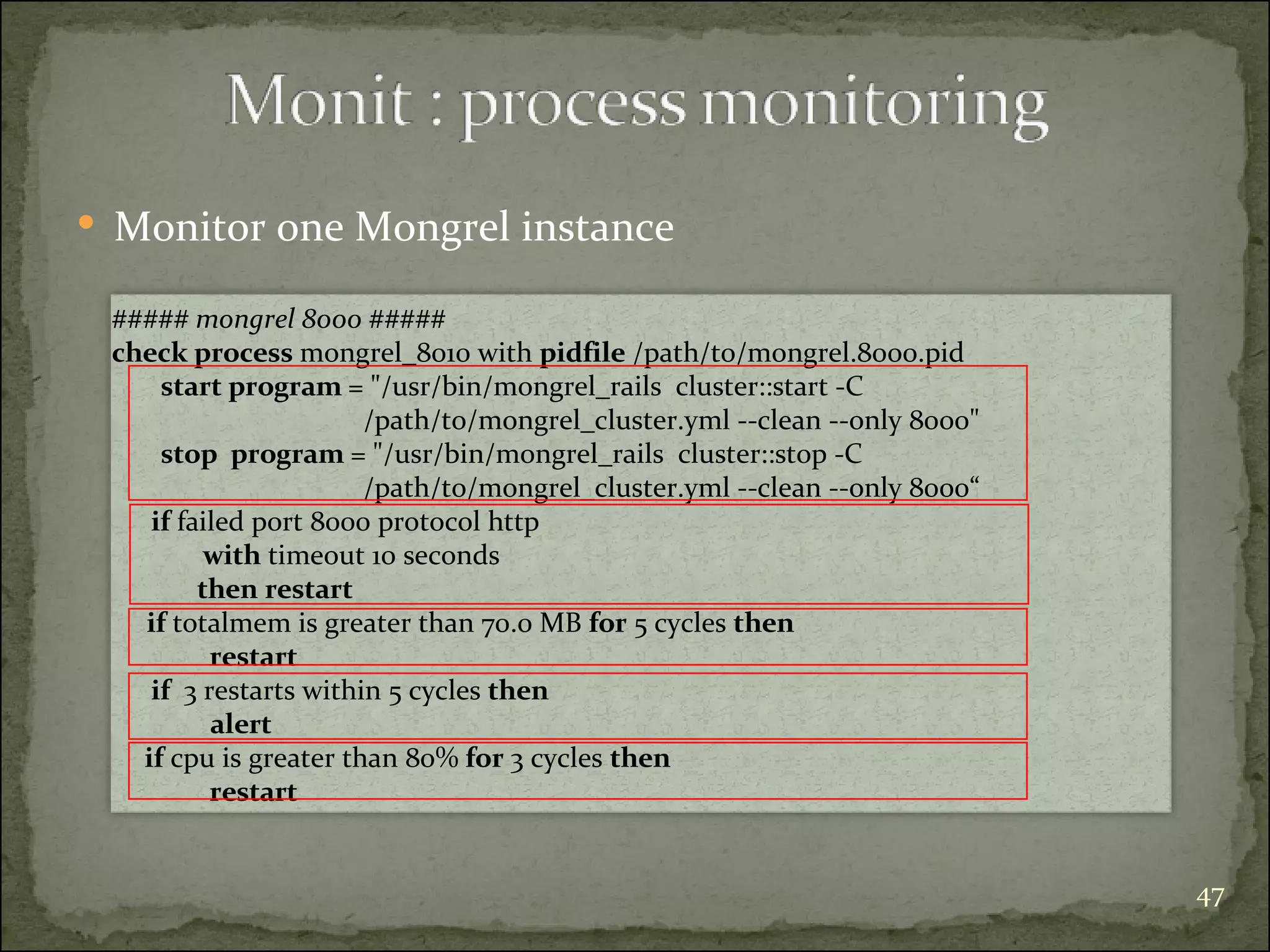
Monitor one Mongrel instance  ##### mongrel 8000 #####   check process  mongrel_8010 with  pidfile  /path/to/mongrel.8000.pid  start program  = &quot;/usr/bin/mongrel_rails  cluster::start -C  /path/to/mongrel_cluster.yml --clean --only 8000&quot; stop  program  = &quot;/usr/bin/mongrel_rails  cluster::stop -C  /path/to/mongrel_cluster.yml --clean --only 8000“ if  failed port 8000 protocol http  with  timeout 10 seconds  then   restart  if  totalmem is greater than 70.0 MB  for  5 cycles  then   restart   if   3 restarts within 5 cycles  then   alert if  cpu is greater than 80%  for  3 cycles  then   restart
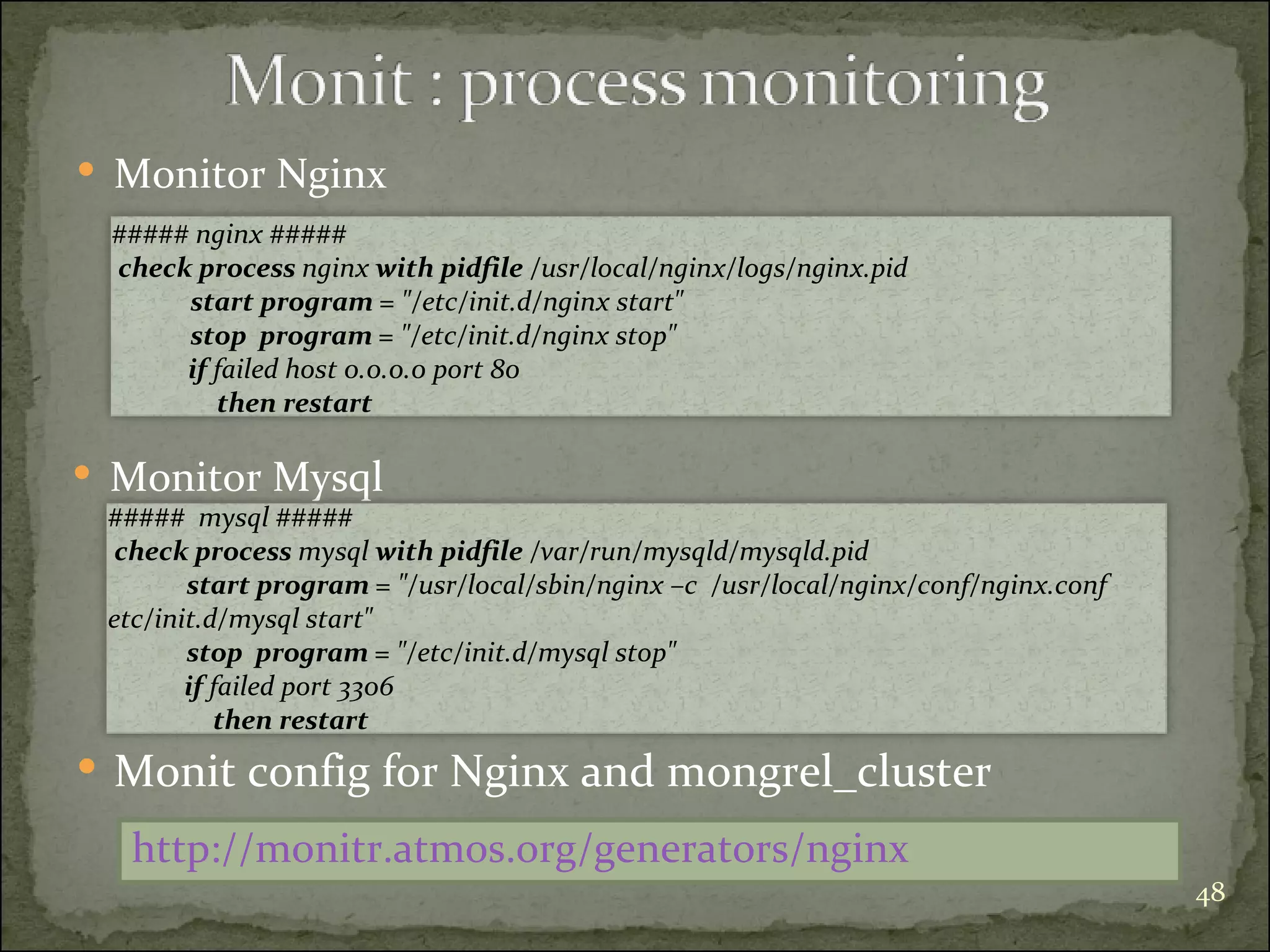
Monitor Nginx ##### nginx #####   check process  nginx  with   pidfile  /usr/local/nginx/logs/nginx.pid start program  = &quot;/etc/init.d/nginx start&quot; stop  program  = &quot;/etc/init.d/nginx stop&quot; if  failed host 0.0.0.0 port 80  then restart Monitor Mysql #####  mysql #####   check process  mysql  with   pidfile  /var/run/mysqld/mysqld.pid start program  = &quot;/usr/local/sbin/nginx –c  /usr/local/nginx/conf/nginx.conf etc/init.d/mysql start&quot; stop  program  = &quot;/etc/init.d/mysql stop&quot; if  failed port 3306  then restart Monit config for Nginx and mongrel_cluster  http://monitr.atmos.org/generators/nginx
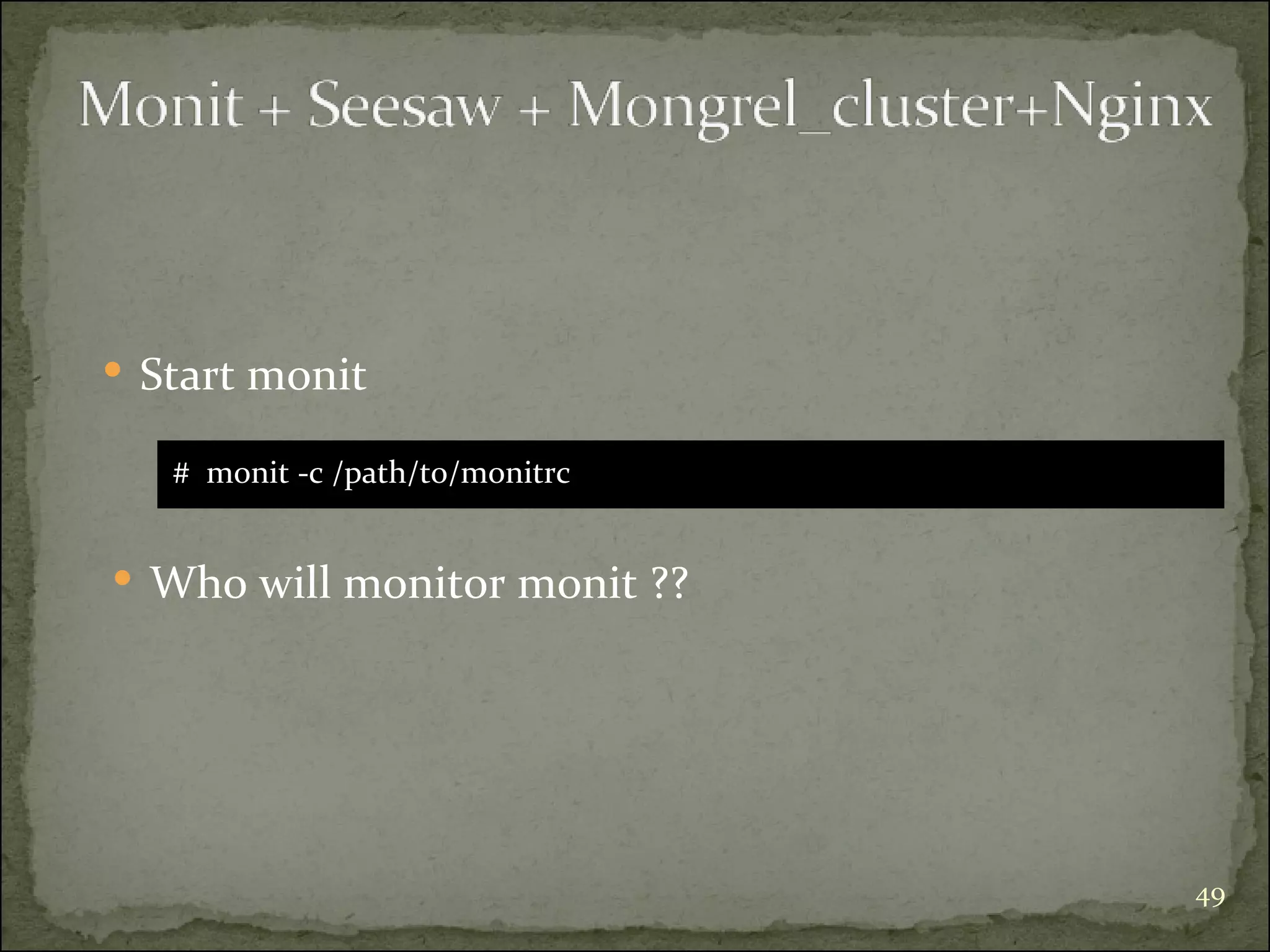
Start monit #  monit -c /path/to/monitrc Who will monitor monit ??
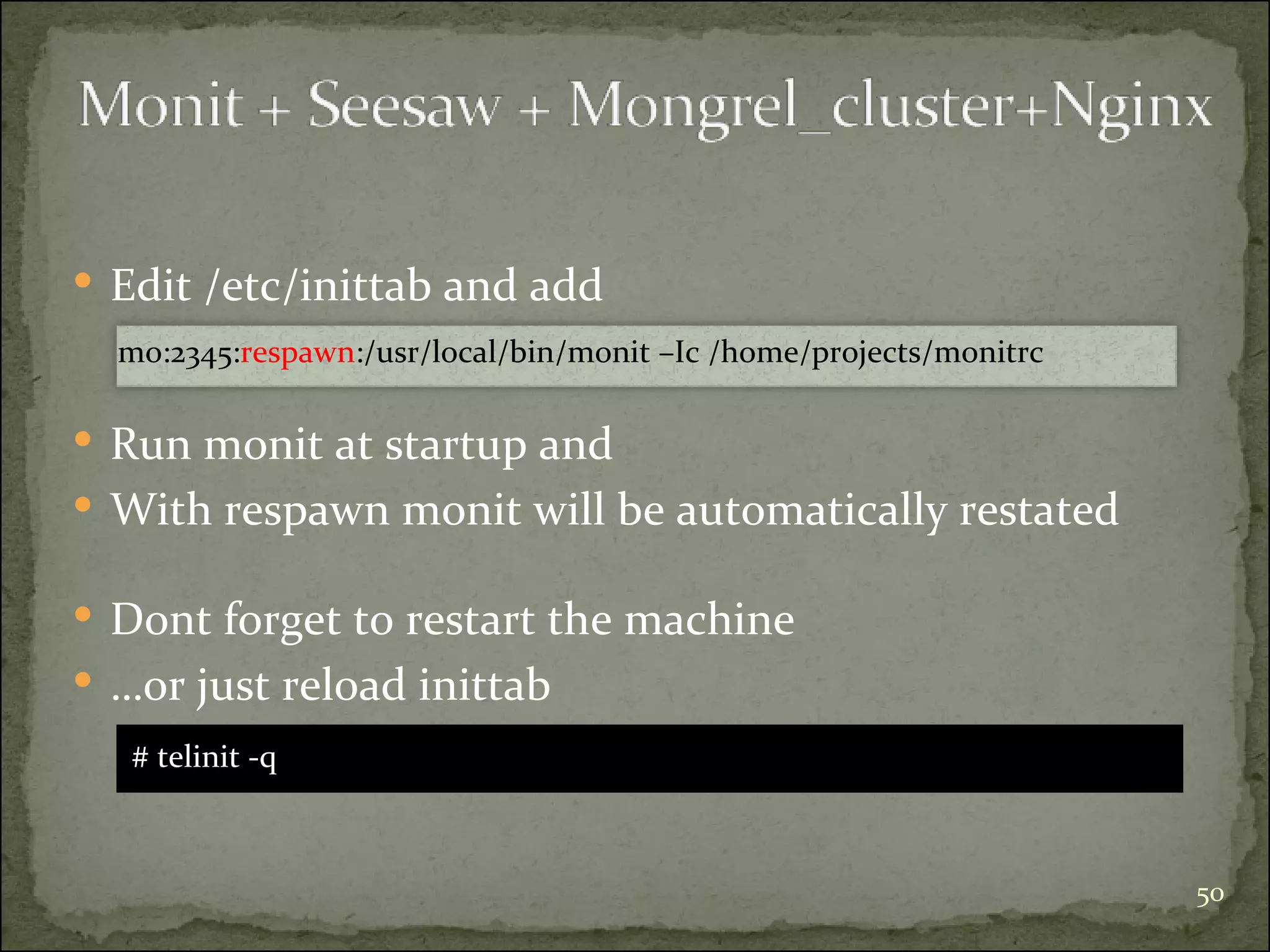
Edit /etc/inittab and add mo:2345: respawn :/usr/local/bin/monit –Ic /home/projects/monitrc Dont forget to restart the machine  … or just reload inittab # telinit -q Run monit at startup and  With respawn monit will be automatically restated
An efficient and scalable solution Easy to setup, configure and monitor If it meets your needs …. it’s perfect for you More fun with virtual machines ( xen ), event driven mongrels ( Swiftiply proxy ), and let’s have faith on  god  to monitor them all
http://wiki.codemongers.com/Main http://brainspl.at/ http://synaphy.com.au http://blog.kovyrin.net/ http://blog.codahale.com http://topfunky.net/ http://hostingfu.com/ http://rubyjudo.com/ http://errtheblog.com http://blog.tupleshop.com http://www.tildeslash.com/monit/ http://www.cyberciti.biz/ http://mongrel.rubyforge.org/ http://blog.labratz.net http://monitr.atmos.org/
Montreal On Rails 5 : Rails deployment using : Nginx, Mongrel, Mongrel_cluster, Seesaw, Monit

Montreal On Rails 5 : Rails deployment using : Nginx, Mongrel, Mongrel_cluster, Seesaw, Monit

  • 1.
  • 2.
    [email_address] Montr ealOn Rails, December 2007
  • 3.
    Startup kit Froma basic server deployment to an efficient solution
  • 4.
    A happy machinethat will play the role of a server … a 2.4Ghz with 2Giga Ram Linux dist. … Centos 5 DBMS … . Mysql Ruby kit … Ruby, ruby gems, Rails A Rails application to deploy … . www.thadsa.com An internet connexion
  • 5.
    # cd /usr/local/src # wget http://rubyforge.rubyuser.de/rubygems/rubygems-0.9.5.tgz # tar zxvf rubygems-0.9.5.tgz # cd rubygems-0.9.5 # ruby setup.rb Ruby Ruby Gems # gem install rails –v=1.2.6 --include-dependencies Rails # cd /usr/local/src # wget ftp://ftp.ruby-lang.org/pub/ruby/ruby-1.8.6-p111.tar.gz # tar zxvf ruby-1.8.6-p111.tar.gz # cd ruby-1.8.6-p111 # ./configure # make # make install
  • 6.
    Webrick MongrelMongrel + Nginx Many Mongrels + Nginx Mongrel_cluster + Nginx Seesaw + Mongrel_cluster + Nginx Monit + Seesaw + Mongrel_cluster + Nginx Performance Scalability Availability Flexibility Manageability Compliance to standards
  • 8.
    HTTP server forruby on rails applications Standard ruby library … slow, not scalable Generally used only for development mode … or for very very small and simple application # cd /path/myapp # ruby script/server --port 80
  • 10.
    High performance HTTPapplication server Written in Ragel and C Supports Ruby On Rails, Og+Nitro, Camping, and IOWA, Merb …
  • 11.
    Setup # gem install mongrel # mongrel_rails restart | stop # mongrel_rails start -d -e production --port 80 Start|restart|stop # cd myapp
  • 12.
    How to Servestatic files ? database Mongrel <80> Network
  • 13.
    Mongrel <8001> NetworkFont-end server Dynamic requests Static files File system database
  • 15.
    Serves static files Proxy and load balancing dynamic requests Faster Built-in memcached Lightweight Easy to setup and configure
  • 16.
    # exportNGINX=0.6.17 # cd /usr/local/src # wget http://sysoev.ru/nginx/nginx-#{NGINX}.tar.gz # tar xfz nginx-# {NGINX}.tar.gz # cd nginx-# {NGINX} # ./configure --pid-path=/usr/local/nginx/logs/nginx.pid \ >--sbin-path=/usr/local/sbin/nginx --with-md5=/usr/lib \ >--with-sha1=/usr/lib --with-http_ssl_module --with-http_dav_module \ >--with-http_stub_status_module # make # make install Configure and install
  • 17.
    # wgethttp://notrocketsurgery.com/files/nginx -O /etc/init.d/nginx # chmod +x /etc/init.d/nginx Get and Install daemon scripts # /etc/init.d/nginx start | stop Start and stop Nginx Edit the nginx.conf (/usr/local/nginx/conf)
  • 18.
    nginx.conf … .upstream monapp-mongrel { server 192.168.0.100:8000; } server { listen 80; server_name monapp.com; root /home/projects/rails/sites/monapp/current/public; location / { if (-f $request_filename.html) { rewrite (.*) $1.html break; } if (!-f $request_filename) { proxy_pass http://monapp-mongrel; break; } } … } }
  • 19.
  • 20.
    Generate nginx configfile Install : nginx_config_generator # gem install nginx_config_generator Generate an YML config file # generate_nginx_config ‐‐example > config.yml Generate nginx config file # generate_nginx_config config.yml nginx.conf
  • 21.
    config.yml # definedefault root and alternative roots root: capi: /home/projects/rails/sites/%s/current/public default: /home/projects/rails/sites/%s # declare sites here sites: monapp-mongrel: # one upstream server upstream: - 192.168.0.100:8000 server_name: monapp.com root: capi
  • 22.
  • 23.
    Rails isn’t threadsafe Mongrel will serve 1 request at time Upgrades, restarts, crashes Downtime Run multiple instances of mongrel
  • 24.
    Mongrel <8000> NetworkNginx <80> Dynamic requests Static files File system Mongrel <8001> Mongrel <N> … database
  • 25.
    nginx.conf upstream many-mongrels { server 192.168.0.100:8000; server 192.168.0.100:8001; server 192.168.0.100:8002; } server { listen 80; # sets the domain[s] that this host server requests for server_name monapp.com; # doc root root /home/projects/rails/sites/monapp/current/public; location / { # add .html to the end of the url and check if it exists in fs # if it exists then keep url with .html and serve it as static file if (-f $request_filename.html) { rewrite (.*) $1.html break; } # if the file doesn’t exist proxies the request to the mongrel upstream server if (!-f $request_filename) { proxy_pass http://many-mongrels; break; } } … } }
  • 26.
    Restart Nginx # /etc/init.d/nginx start Many Mongrels => each instance have to be started | restarted | stopped individually Is it possible to manage them all as one cluster ?
  • 28.
    Mongrel <8000> NetworkNginx <80> Dynamic requests Static files File system Mongrel <8001> Mongrel <N> … Mongrel_cluster database
  • 29.
    mongrel_cluster.yml mongrel_cluster setup # gem install mongrel_cluster --include-dependencies Generate the mongrel_cluster.yml user: mongrel group: mongrel cwd: /home/projects/rails/sites/monapp/current log_file: log/mongrel.log port: &quot;8000“ environment: production address: 192.168.0.100 pid_file: tmp/mongrel.pid servers: 3 # mongrel_rails cluster::configure -e production -p 8000 \ >-N 3 -c /home/projects/rails/sites/monapp/current\ >-a 192.168.0.100 --user mongrel --group mongrel
  • 30.
    Start |stop|restart allmongrels # mongrel_rails cluster::start|stop|restart Selective start/stop/restart # mongrel_rails cluster::restart|stop|restart --only 8001
  • 31.
    Mongrel_cluster restart Stops all instances before restarting them Downtime Stop and restart mongrel instances one by one Old and new code running at the same time Requests wil be proxied to a restarting instance More intelligent way to restart of mongrels
  • 33.
    Goals At leastone Mongrel instance available when restarting Ensure to not mixing old and new code
  • 34.
    Generate config files# cd monapp # mongrel_rails seesaw::configure --server nginx Install seesaw # gem install seesaw seesaw.yml, http_cluster/config_*.yml
  • 35.
    seesaw.yml --- restart_cmd:kill -HUP `cat /usr/local/nginx/logs/nginx.pid ` config_symlink: cluster.conf mongrel_config_path: config/mongrel_cluster.yml config_path: config/http_cluster config_files: all: cluster_all.conf 1: cluster_1.conf 2: cluster_2.conf symlink_cmd: ln -sf
  • 36.
    In monapp/config/http_cluster upstream many-mongrels { server 192.168.0.100:8000; server 192.168.0.100:8001; server 192.168.0.100:8002; server 192.168.0.100:8003; server 192.168.0.100:8003; } cluster_all.conf upstream many-mongrels { server 192.168.0.100:8000; server 192.168.0.100:8001; server 192.168.0.100:8002; } cluster_1.conf upstream many-mongrels { server 192.168.0.100:8003; server 192.168.0.100:8004; } cluster_2.conf
  • 37.
    Edit nginx.conf http{ ... include /path/to/http_cluster/cluster.conf; server { . .. location / { proxy_pass http://many-mongrels; } ... } } Restart nginx
  • 38.
    # mongrel_rails seesaw::startStart the new cluster # mongrel_rails seesaw::bounce Restart the cluster
  • 39.
    # switch_to_half_cluster 1# shutdown half 2 # symlink to 1 # webserver restart # stop mongrels 2 # stopping port 8002 # start mongrels 2 # starting port 8002 # switch_to_half_cluster 2 # shutdown half 1 # symlink to 2 # webserver restart # stop mongrels 1 # stopping port 8000 # stopping port 8001 # start mongrels 1 # starting port 8000 # starting port 8001 # start cluster # symlink to all # webserver restart # done
  • 40.
    Alive mongrel instanceRestarting mongrel instance Nginx server Cluster 1 Cluster 2 Cluster 1 Cluster 2 Cluster 1 Cluster 2 Switch to cluster 1 and restart cluster 2 Switch to cluster 2 and restart cluster 1 Switch to cluster 2 + cluster 1
  • 41.
    Nginx is restartingthree times … . without losing any request ! When nginx recieves the HUP signal It tests the config file (new or default) Re-open log files Listen sockets Runs new workers to serve all new coming connections Send graceful shutdown to old ones Old workers close sockets but continue to serve current clients Old workers shutdown
  • 42.
    What if :Mysql down Some mongrels down, Nginx crached, One of the stack processes consuming to much memory Automatic process monitoring
  • 44.
    Managing and monitoringutility Automatic maintenance and repair Start a process if it does not run Stop a process if it does not respond Restart a process if it consumes much resources … and monitor files, directories for changes (timestamp, checksum, size) Send an email as an event occurs
  • 45.
    Setup #wget http://www.tildeslash.com/monit/dist/monit-4.10.tar.gz # tar zxvf monit-4.10.tar.gz # cd monit-4.10 # ./configure # make # make install Copy monit config file # cp monitrc /home/projects/monitrc
  • 46.
    Run it asdaemon at check services at regular interval set daemon 180 Set syslog logging with the ‘daemon’ facility set logfile syslog facility log_daemon Set mail server name for alerts set mailserver mail.myserver.com Set email format set mail-format { from: alert@monserver.com subject: $SERVICE $EVENT at $DATE message: Monit $ACTION $SERVICE at $DATE on $HOST: $DESCRIPTION. }
  • 47.
    Monitor one Mongrelinstance ##### mongrel 8000 ##### check process mongrel_8010 with pidfile /path/to/mongrel.8000.pid start program = &quot;/usr/bin/mongrel_rails cluster::start -C /path/to/mongrel_cluster.yml --clean --only 8000&quot; stop program = &quot;/usr/bin/mongrel_rails cluster::stop -C /path/to/mongrel_cluster.yml --clean --only 8000“ if failed port 8000 protocol http with timeout 10 seconds then restart if totalmem is greater than 70.0 MB for 5 cycles then restart if 3 restarts within 5 cycles then alert if cpu is greater than 80% for 3 cycles then restart
  • 48.
    Monitor Nginx #####nginx ##### check process nginx with pidfile /usr/local/nginx/logs/nginx.pid start program = &quot;/etc/init.d/nginx start&quot; stop program = &quot;/etc/init.d/nginx stop&quot; if failed host 0.0.0.0 port 80 then restart Monitor Mysql ##### mysql ##### check process mysql with pidfile /var/run/mysqld/mysqld.pid start program = &quot;/usr/local/sbin/nginx –c /usr/local/nginx/conf/nginx.conf etc/init.d/mysql start&quot; stop program = &quot;/etc/init.d/mysql stop&quot; if failed port 3306 then restart Monit config for Nginx and mongrel_cluster http://monitr.atmos.org/generators/nginx
  • 49.
    Start monit # monit -c /path/to/monitrc Who will monitor monit ??
  • 50.
    Edit /etc/inittab andadd mo:2345: respawn :/usr/local/bin/monit –Ic /home/projects/monitrc Dont forget to restart the machine … or just reload inittab # telinit -q Run monit at startup and With respawn monit will be automatically restated
  • 51.
    An efficient andscalable solution Easy to setup, configure and monitor If it meets your needs …. it’s perfect for you More fun with virtual machines ( xen ), event driven mongrels ( Swiftiply proxy ), and let’s have faith on god to monitor them all
  • 52.
    http://wiki.codemongers.com/Main http://brainspl.at/ http://synaphy.com.auhttp://blog.kovyrin.net/ http://blog.codahale.com http://topfunky.net/ http://hostingfu.com/ http://rubyjudo.com/ http://errtheblog.com http://blog.tupleshop.com http://www.tildeslash.com/monit/ http://www.cyberciti.biz/ http://mongrel.rubyforge.org/ http://blog.labratz.net http://monitr.atmos.org/