GNU/Linux Monitoring Tools
2
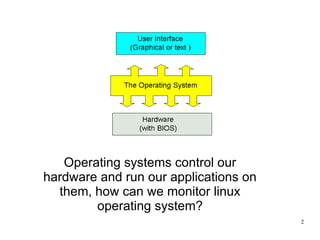
Operating systems control our
hardware and run our applications on
them, how can we monitor linux
operating system?
3
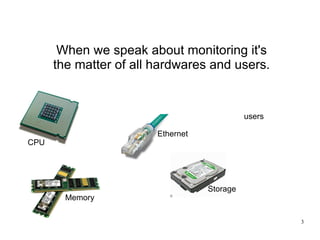
When we speak about monitoring it's
the matter of all hardwares and users.
users
CPU
Memory
Storage
Ethernet
4
The slides below will describe the
very common command line basic
tools for monitoring.
5
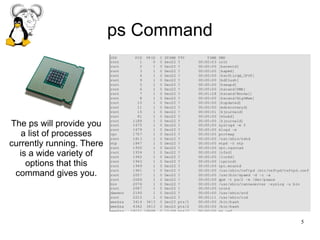
ps Command
The ps will provide you
a list of processes
currently running. There
is a wide variety of
options that this
command gives you.
6
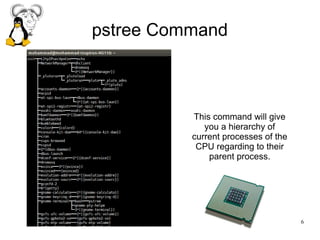
pstree Command
This command will give
you a hierarchy of
current processes of the
CPU regarding to their
parent process.
7
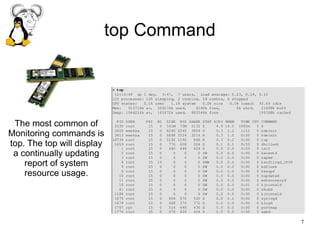
top Command
The most common of
Monitoring commands is
top. The top will display
a continually updating
report of system
resource usage.
8
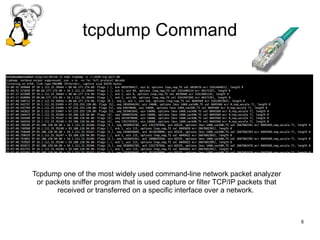
tcpdump Command
Tcpdump one of the most widely used command-line network packet analyzer
or packets sniffer program that is used capture or filter TCP/IP packets that
received or transferred on a specific interface over a network.
9
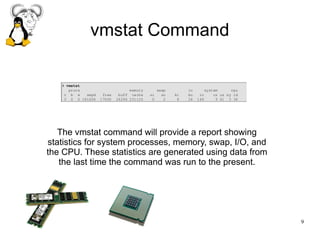
vmstat Command
The vmstat command will provide a report showing
statistics for system processes, memory, swap, I/O, and
the CPU. These statistics are generated using data from
the last time the command was run to the present.
10
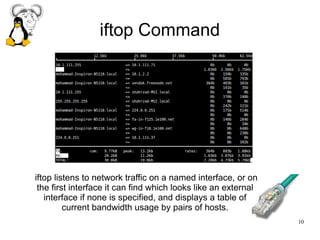
iftop Command
iftop listens to network traffic on a named interface, or on
the first interface it can find which looks like an external
interface if none is specified, and displays a table of
current bandwidth usage by pairs of hosts.
11
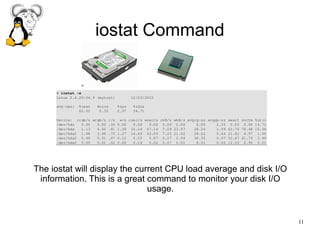
iostat Command
The iostat will display the current CPU load average and disk I/O
information. This is a great command to monitor your disk I/O
usage.
12
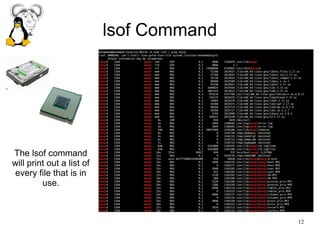
lsof Command
The lsof command
will print out a list of
every file that is in
use.
13
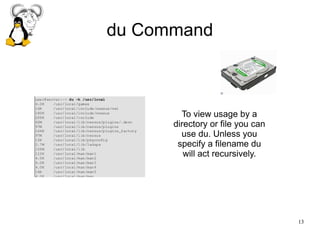
du Command
To view usage by a
directory or file you can
use du. Unless you
specify a filename du
will act recursively.
14
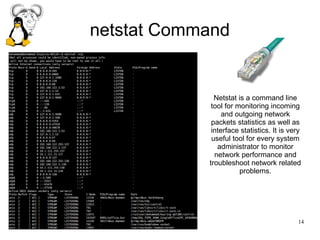
netstat Command
Netstat is a command line
tool for monitoring incoming
and outgoing network
packets statistics as well as
interface statistics. It is very
useful tool for every system
administrator to monitor
network performance and
troubleshoot network related
problems.
15
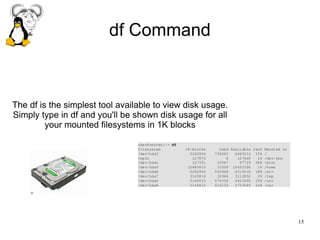
df Command
The df is the simplest tool available to view disk usage.
Simply type in df and you'll be shown disk usage for all
your mounted filesystems in 1K blocks
16
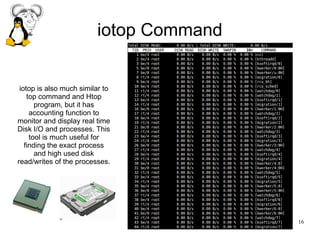
iotop Command
iotop is also much similar to
top command and Htop
program, but it has
accounting function to
monitor and display real time
Disk I/O and processes. This
tool is much useful for
finding the exact process
and high used disk
read/writes of the processes.
17
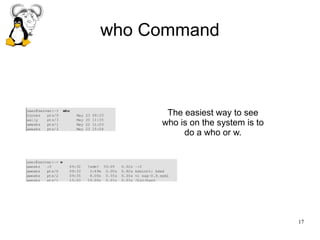
who Command
The easiest way to see
who is on the system is to
do a who or w.
18
It is important that what is going on around us.
Finish
http://linux.org
http://gnu.org
http://xamin.ir
19
● [1] http://tldp.org - The Linux System Administrator's Guide
● [2] http://www.tecmint.com/command-line-tools-to-monitor-linux-performance/
● [3] http://www.cyberciti.biz/tips/top-linux-monitoring-tools.html/top-output
References

Linux System Monitoring basic commands

  • 1.
  • 2.
    2 Operating systems controlour hardware and run our applications on them, how can we monitor linux operating system?
  • 3.
    3 When we speakabout monitoring it's the matter of all hardwares and users. users CPU Memory Storage Ethernet
  • 4.
    4 The slides belowwill describe the very common command line basic tools for monitoring.
  • 5.
    5 ps Command The pswill provide you a list of processes currently running. There is a wide variety of options that this command gives you.
  • 6.
    6 pstree Command This commandwill give you a hierarchy of current processes of the CPU regarding to their parent process.
  • 7.
    7 top Command The mostcommon of Monitoring commands is top. The top will display a continually updating report of system resource usage.
  • 8.
    8 tcpdump Command Tcpdump oneof the most widely used command-line network packet analyzer or packets sniffer program that is used capture or filter TCP/IP packets that received or transferred on a specific interface over a network.
  • 9.
    9 vmstat Command The vmstatcommand will provide a report showing statistics for system processes, memory, swap, I/O, and the CPU. These statistics are generated using data from the last time the command was run to the present.
  • 10.
    10 iftop Command iftop listensto network traffic on a named interface, or on the first interface it can find which looks like an external interface if none is specified, and displays a table of current bandwidth usage by pairs of hosts.
  • 11.
    11 iostat Command The iostatwill display the current CPU load average and disk I/O information. This is a great command to monitor your disk I/O usage.
  • 12.
    12 lsof Command The lsofcommand will print out a list of every file that is in use.
  • 13.
    13 du Command To viewusage by a directory or file you can use du. Unless you specify a filename du will act recursively.
  • 14.
    14 netstat Command Netstat isa command line tool for monitoring incoming and outgoing network packets statistics as well as interface statistics. It is very useful tool for every system administrator to monitor network performance and troubleshoot network related problems.
  • 15.
    15 df Command The dfis the simplest tool available to view disk usage. Simply type in df and you'll be shown disk usage for all your mounted filesystems in 1K blocks
  • 16.
    16 iotop Command iotop isalso much similar to top command and Htop program, but it has accounting function to monitor and display real time Disk I/O and processes. This tool is much useful for finding the exact process and high used disk read/writes of the processes.
  • 17.
    17 who Command The easiestway to see who is on the system is to do a who or w.
  • 18.
    18 It is importantthat what is going on around us. Finish http://linux.org http://gnu.org http://xamin.ir
  • 19.
    19 ● [1] http://tldp.org- The Linux System Administrator's Guide ● [2] http://www.tecmint.com/command-line-tools-to-monitor-linux-performance/ ● [3] http://www.cyberciti.biz/tips/top-linux-monitoring-tools.html/top-output References