Overnight to 60 Seconds
An IOT ETL Performance Case Study
Preventing Insanity
An IOT ETL Performance Case Study
Kevin Arhelger
Senior Technical Services Engineer
MongoDB
@kevarh
About Me
• At MongoDB since January 2016
• Senior Technical Services Engineer - I answer your support questions.
• Performance Driven - Software performance and benchmarking for
the last decade
• New to MongoDB, but not performance
• Loves data
• Programming Polyglot
Disclaimer
• This is my personal journey
• I made lots of mistakes
• You are probably smarter than me• (I’m hopefully smarter than I was two years ago)
My Project
• I’ve been collecting Water/Electric meter data since February 2015.
• Now that I work at a database company, maybe I should put this in a
database?
• See what I can learn about my consumption.
• Get access to my meter data on the internet.
IOT
• Internet of things
• I want my things (meters) to be connected to the Internet
• This would let me remotely monitor my utilization
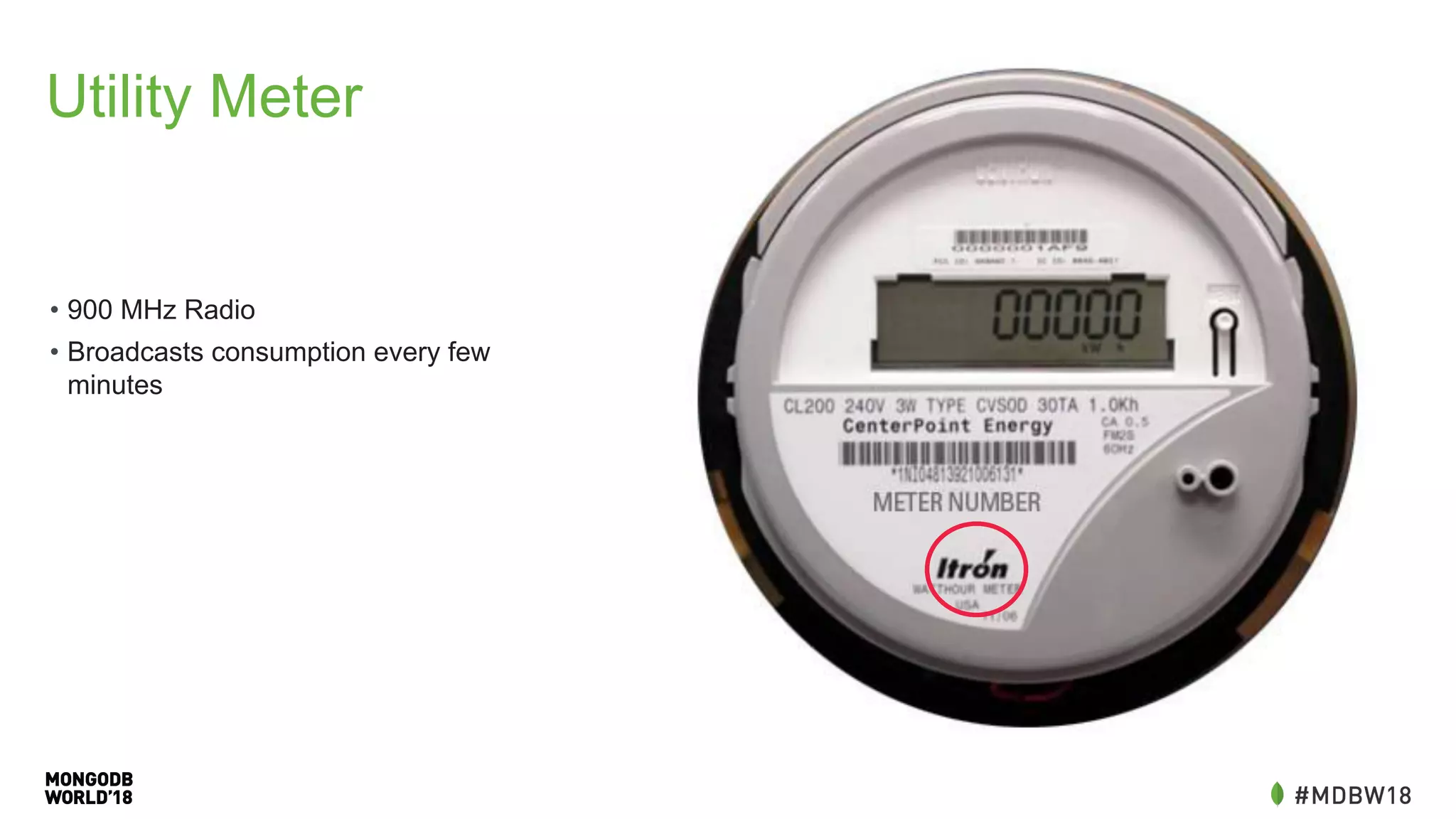
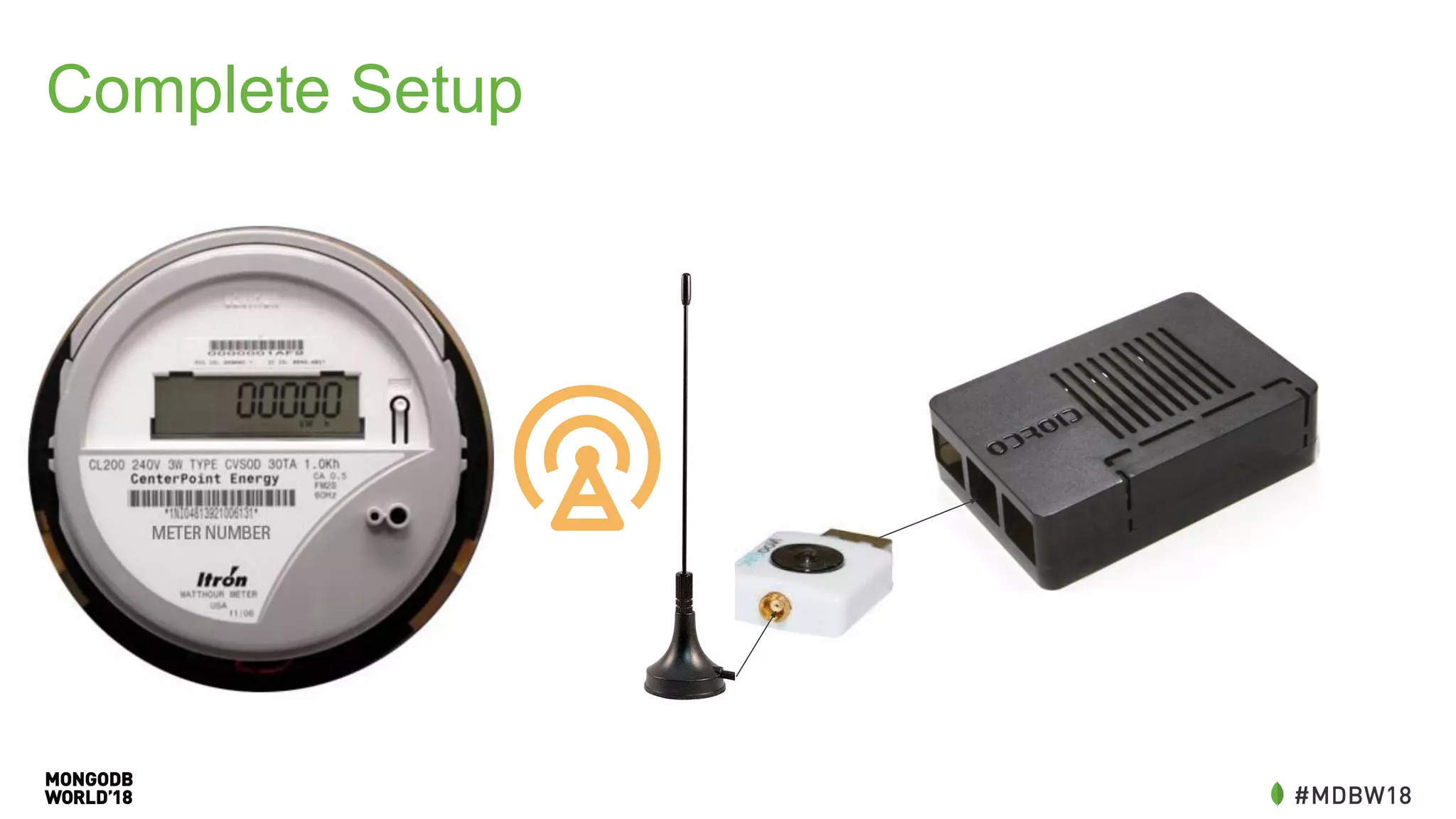
Utility Meter
• 900 MHz Radio
• Broadcasts consumption every few
minutes
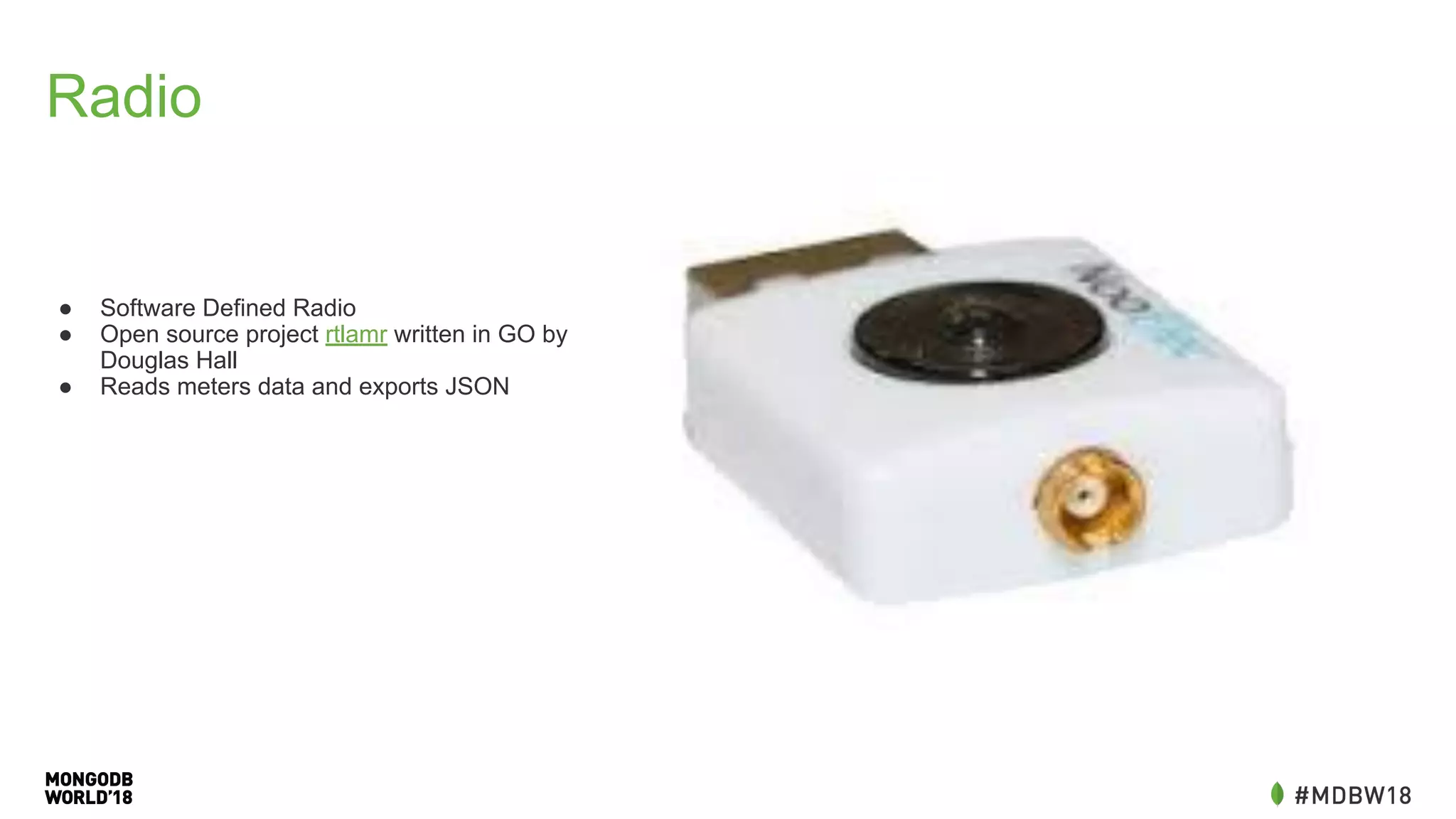
Radio
● Software Defined Radio
● Open source project rtlamr written in GO by
Douglas Hall
● Reads meters data and exports JSON
Single Board
Computer
Odroid C2 - Ubuntu 16.04
Quad Core ARM at 1.5 GHZ
More than enough horsepower
Complete Setup
ETL
• Extract, Transform, Load
• Not in the traditional sense (not already in another database)
• Many of the same characteristics
• Convert between formats
• Reading all the data quickly
• Inserting into another database
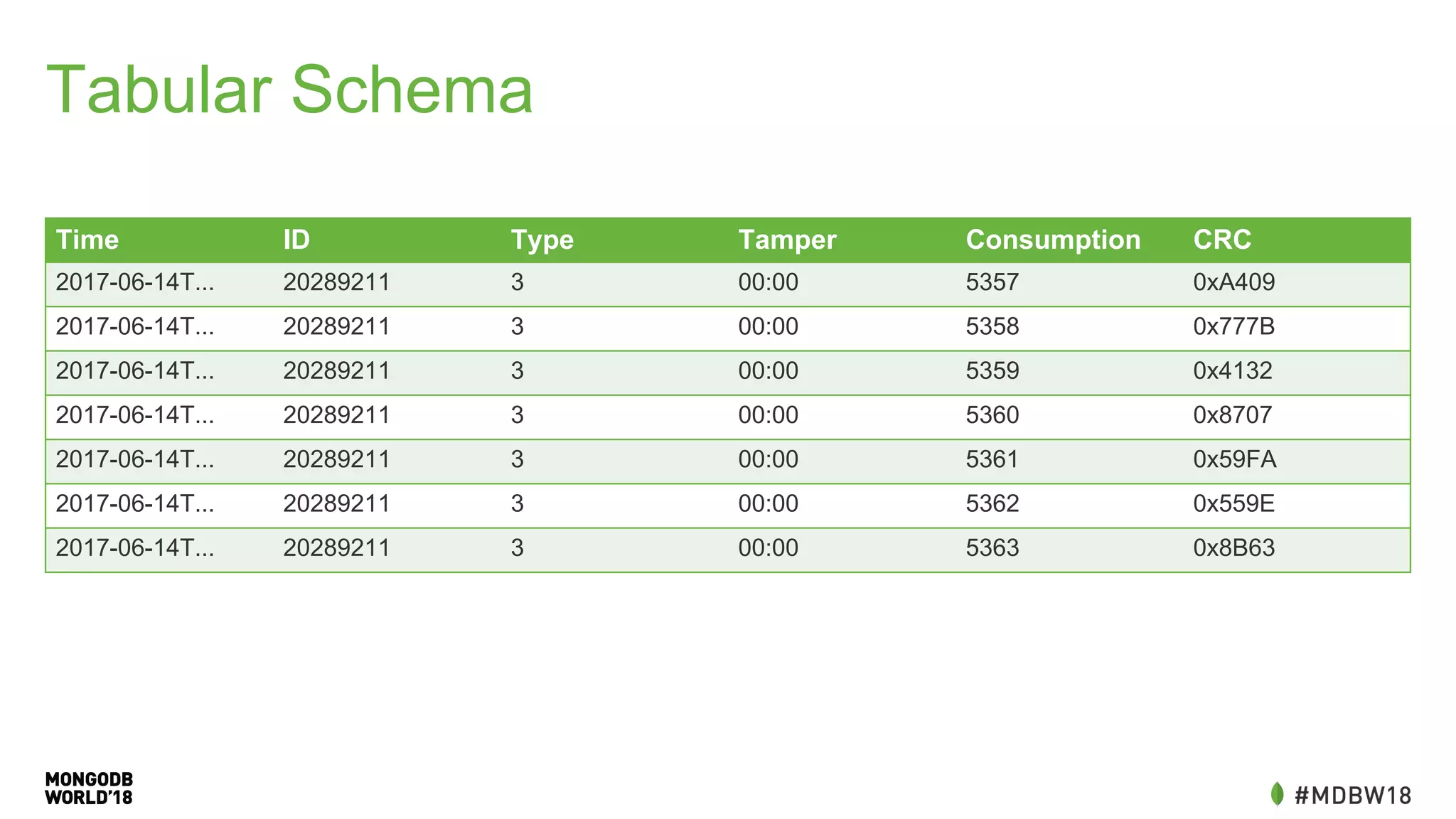
Tabular Schema
Time ID Type Tamper Consumption CRC
2017-06-14T... 20289211 3 00:00 5357 0xA409
2017-06-14T... 20289211 3 00:00 5358 0x777B
2017-06-14T... 20289211 3 00:00 5359 0x4132
2017-06-14T... 20289211 3 00:00 5360 0x8707
2017-06-14T... 20289211 3 00:00 5361 0x59FA
2017-06-14T... 20289211 3 00:00 5362 0x559E
2017-06-14T... 20289211 3 00:00 5363 0x8B63
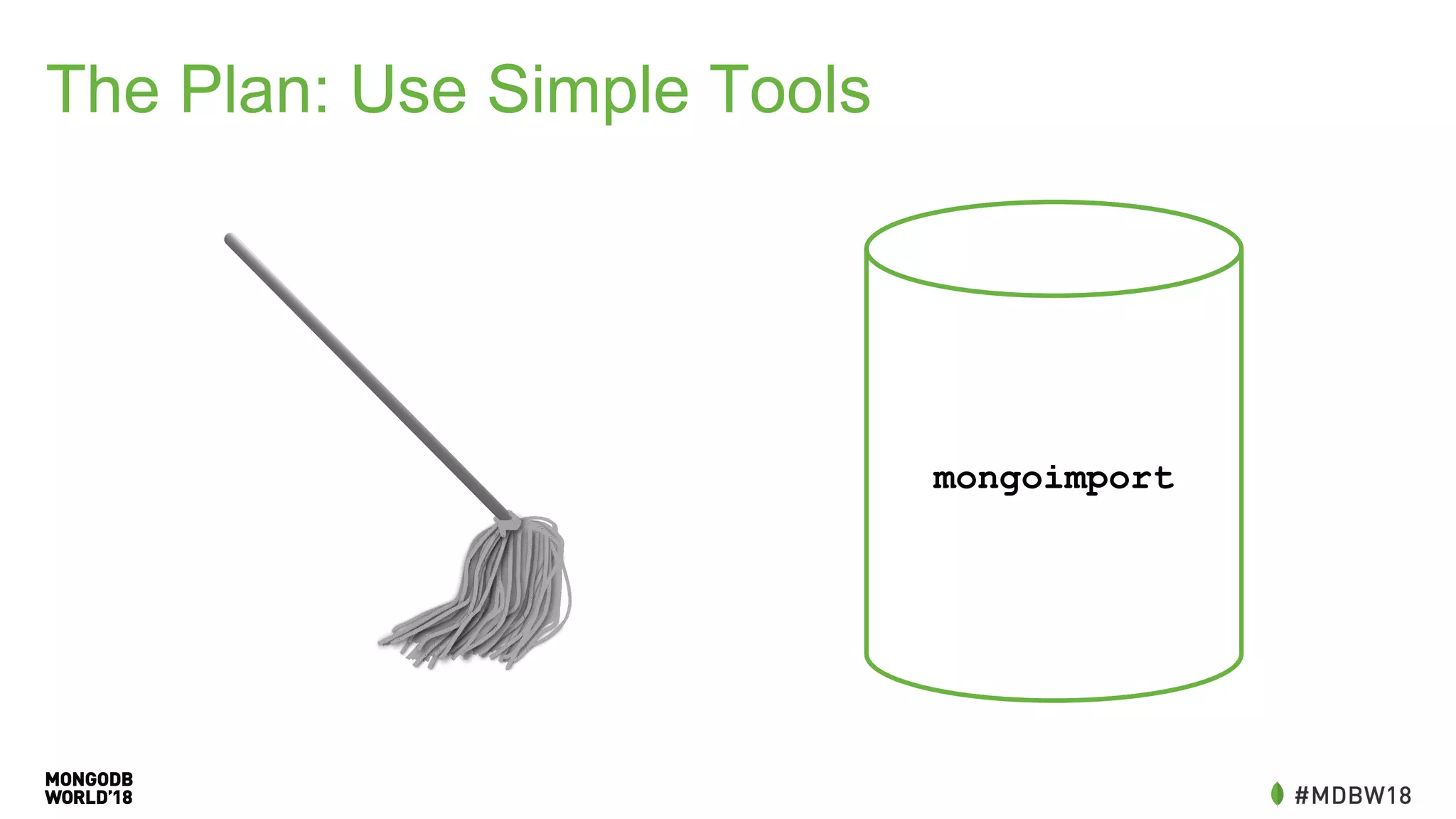
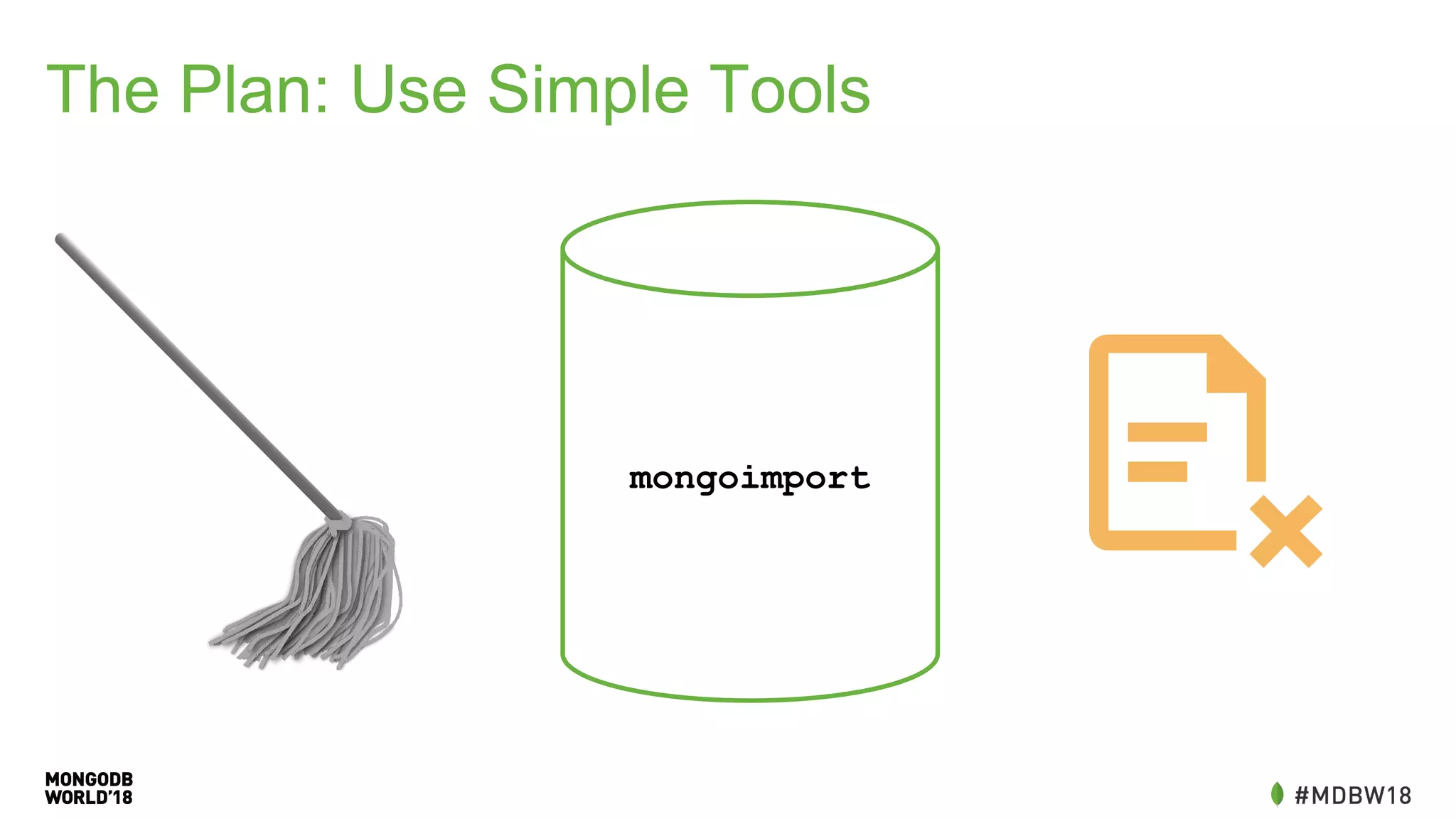
The Plan: Simple Tools
mongoimport
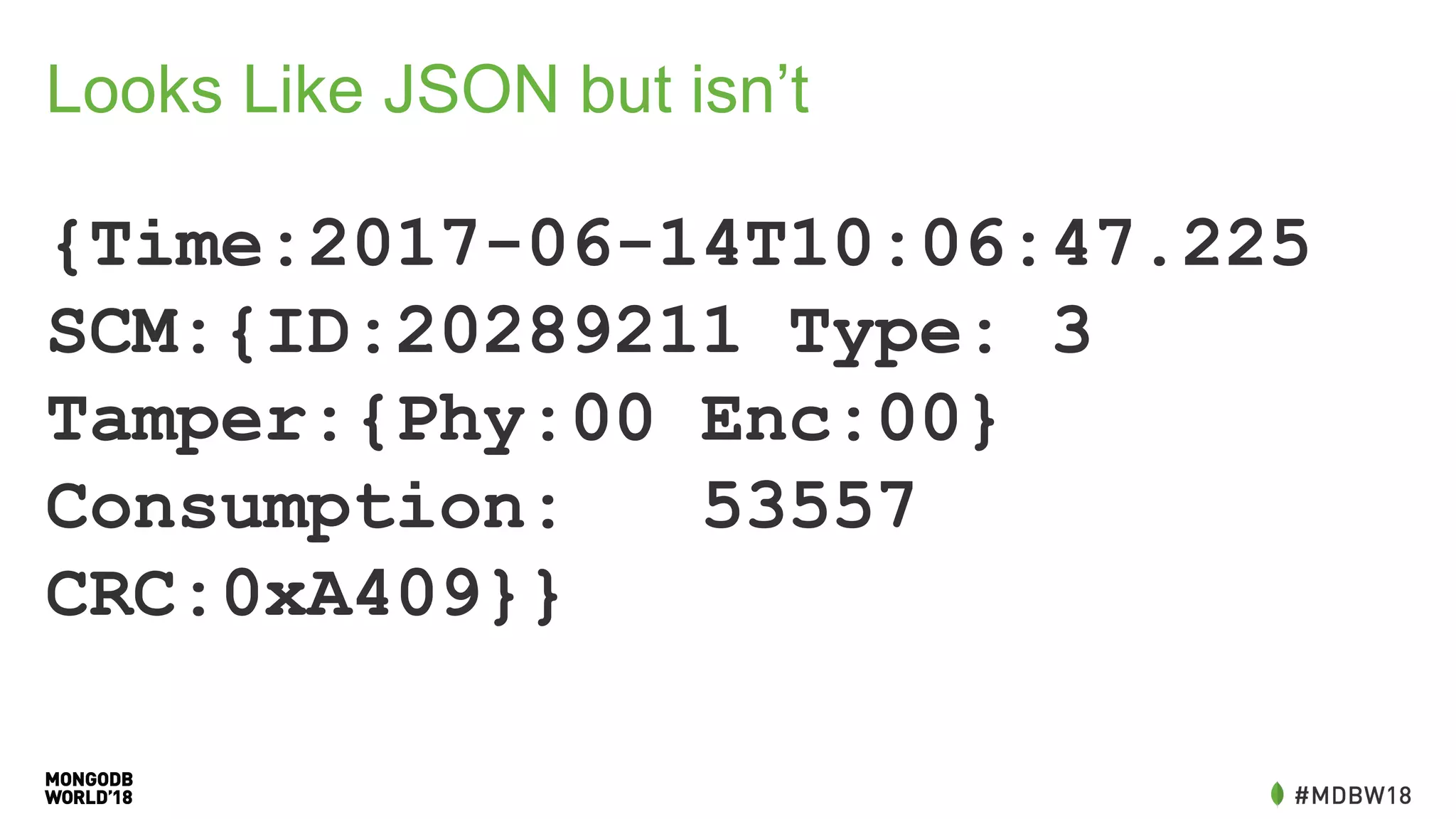
Looks Like JSON but isn’t
{Time:2017-06-14T10:06:47.225
SCM:{ID:20289211 Type: 3
Tamper:{Phy:00 Enc:00}
Consumption: 53557
CRC:0xA409}}
Data Cleaning
#!/bin/bash
cat - | grep -E '^{' | 
sed -e 's/Time.*Time/{Time/g' | 
sed -e 's/:00,/:@/g' | 
gsed -e 's/s+/ /g' | 
sed -e 's/[{}]//g' | 
sed -e 's/SCM://g' | 
sed -e 's/Tamper://g' | 
sed -e 's/^/{/g' | 
sed -e 's/$/}/g' | 
gsed -e 's/: +/:/g' | 
sed -e 's/ /, /g' | 
sed -e 's/, }/}/g' | 
sed -e 's/Time:([^,]*),/Time:{"$date":"1Z"},/g' | 
gsed -e 's/:0+([1-9][0-9]*,)/:1/g' | 
sed -e 's/([^0-9]):0([^x])/1:2/g' | 
sed -e 's/Time/time/g' | 
sed -e 's/ID/id/g' | 
sed -e 's/Consumption/consumption/g' | 
sed -e 's/:@,/:0,/g' | 
sed -e 's/Type:,/Type:0,/g' | 
grep -v 'consumption:,'
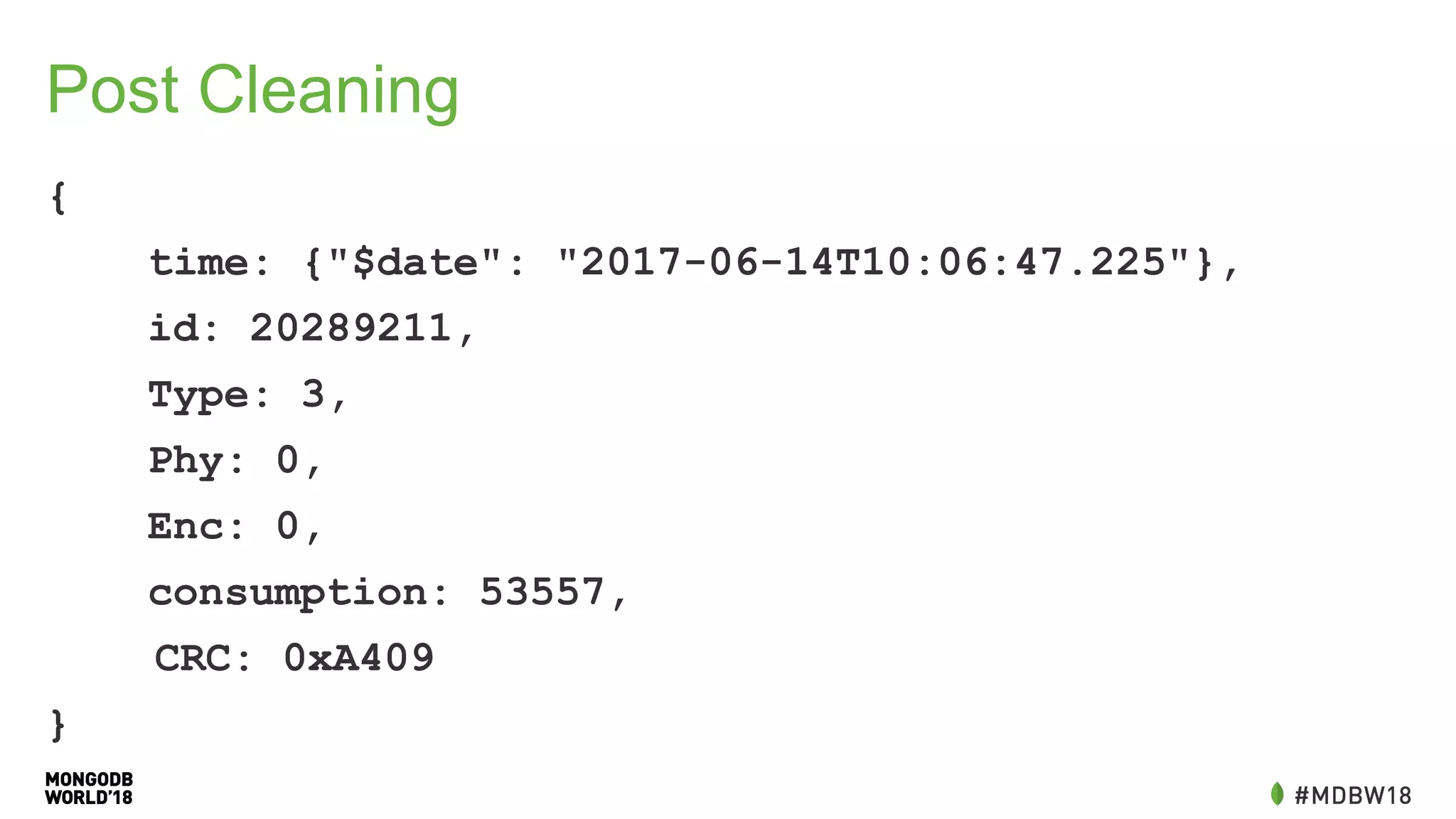
Post Cleaning
{
time: {"$date": "2017-06-14T10:06:47.225"},
id: 20289211,
Type: 3,
Phy: 0,
Enc: 0,
consumption: 53557,
CRC: 0xA409
}
The Plan: Use Simple Tools
mongoimport
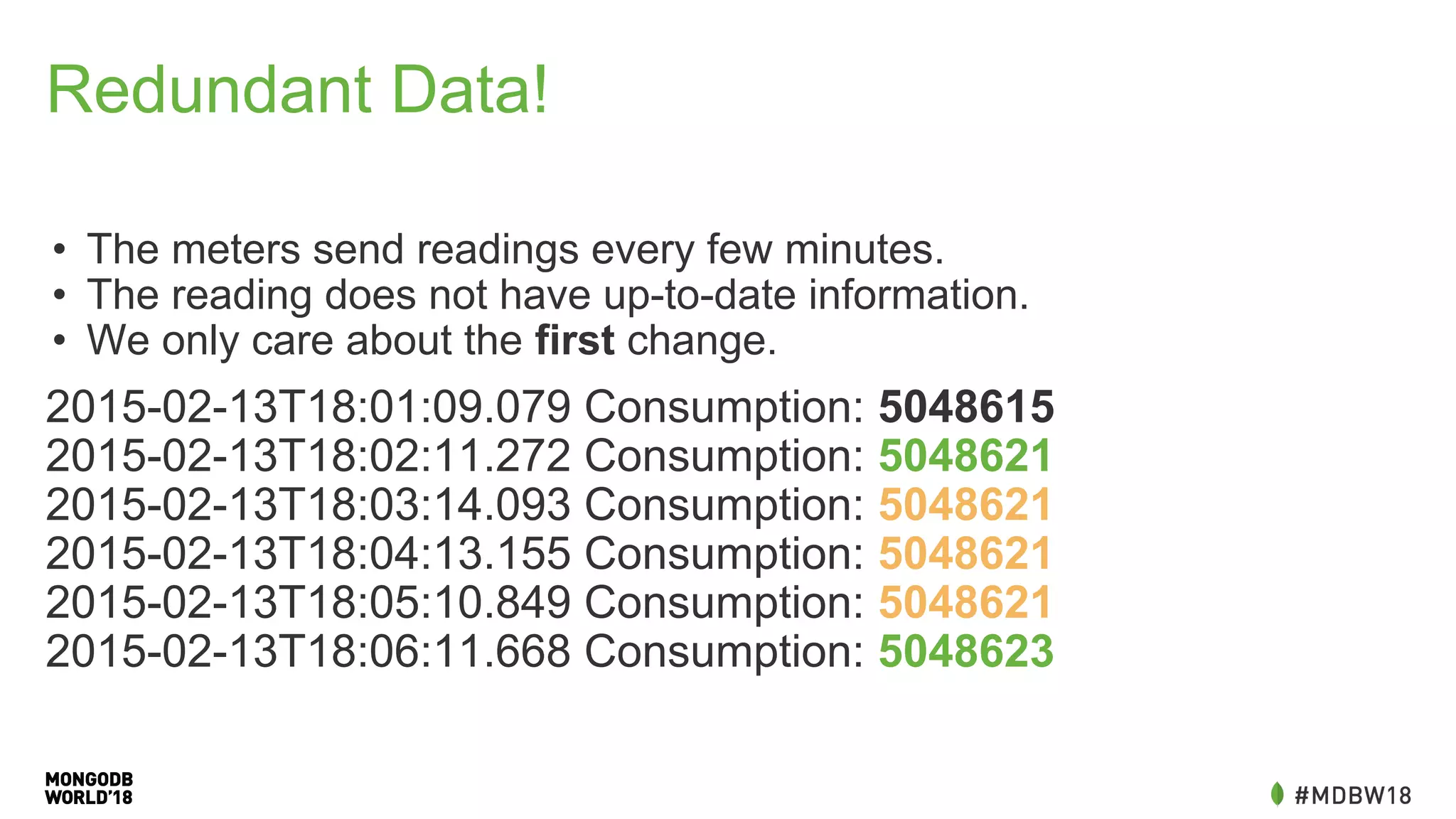
Redundant Data!
• The meters send readings every few minutes.
• The reading does not have up-to-date information.
• We only care about the first change.
2015-02-13T18:01:09.079 Consumption: 5048615
2015-02-13T18:02:11.272 Consumption: 5048621
2015-02-13T18:03:14.093 Consumption: 5048621
2015-02-13T18:04:13.155 Consumption: 5048621
2015-02-13T18:05:10.849 Consumption: 5048621
2015-02-13T18:06:11.668 Consumption: 5048623
The Plan: Use Simple Tools
mongoimport
It Works!
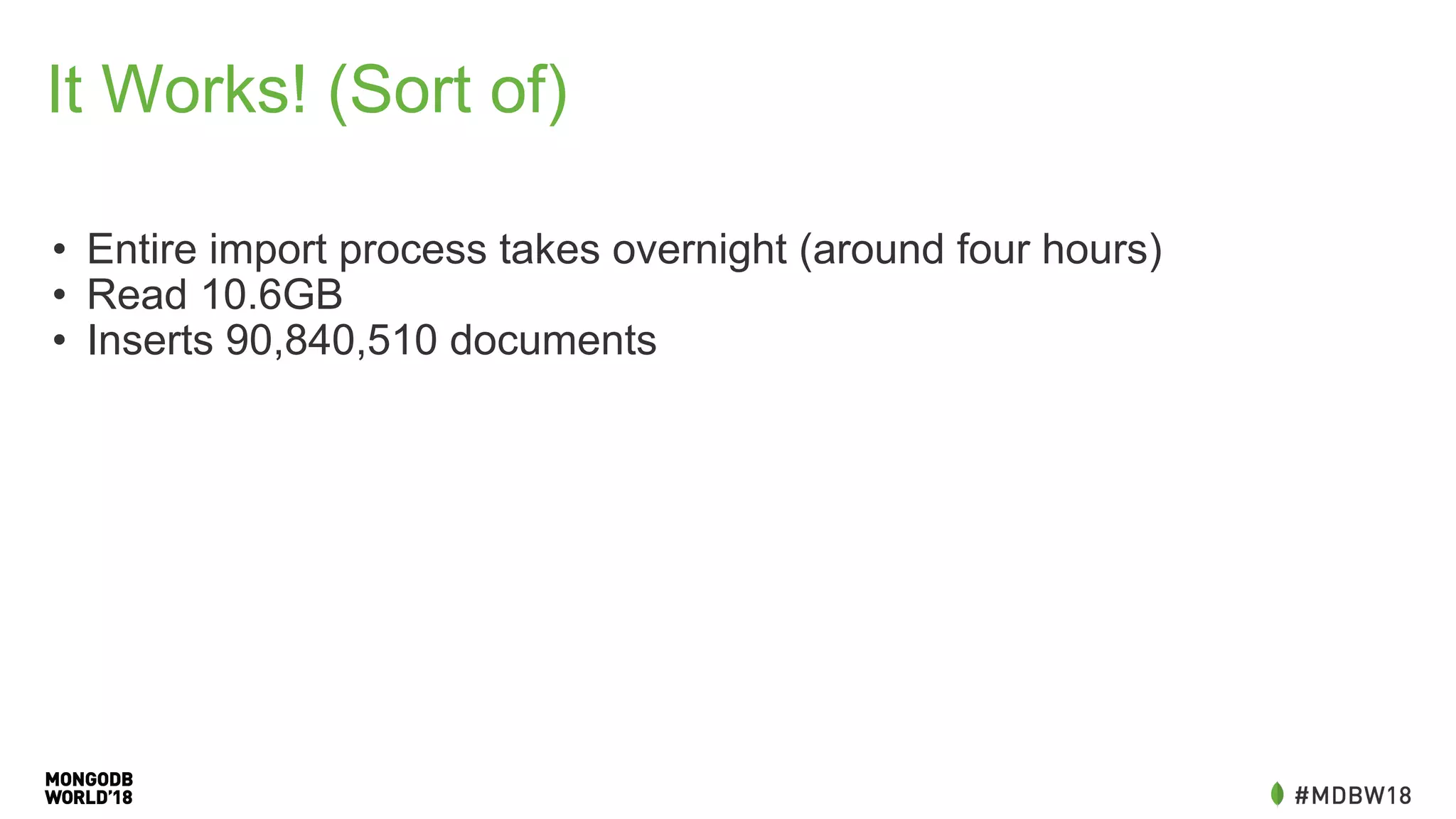
It Works! (Sort of)
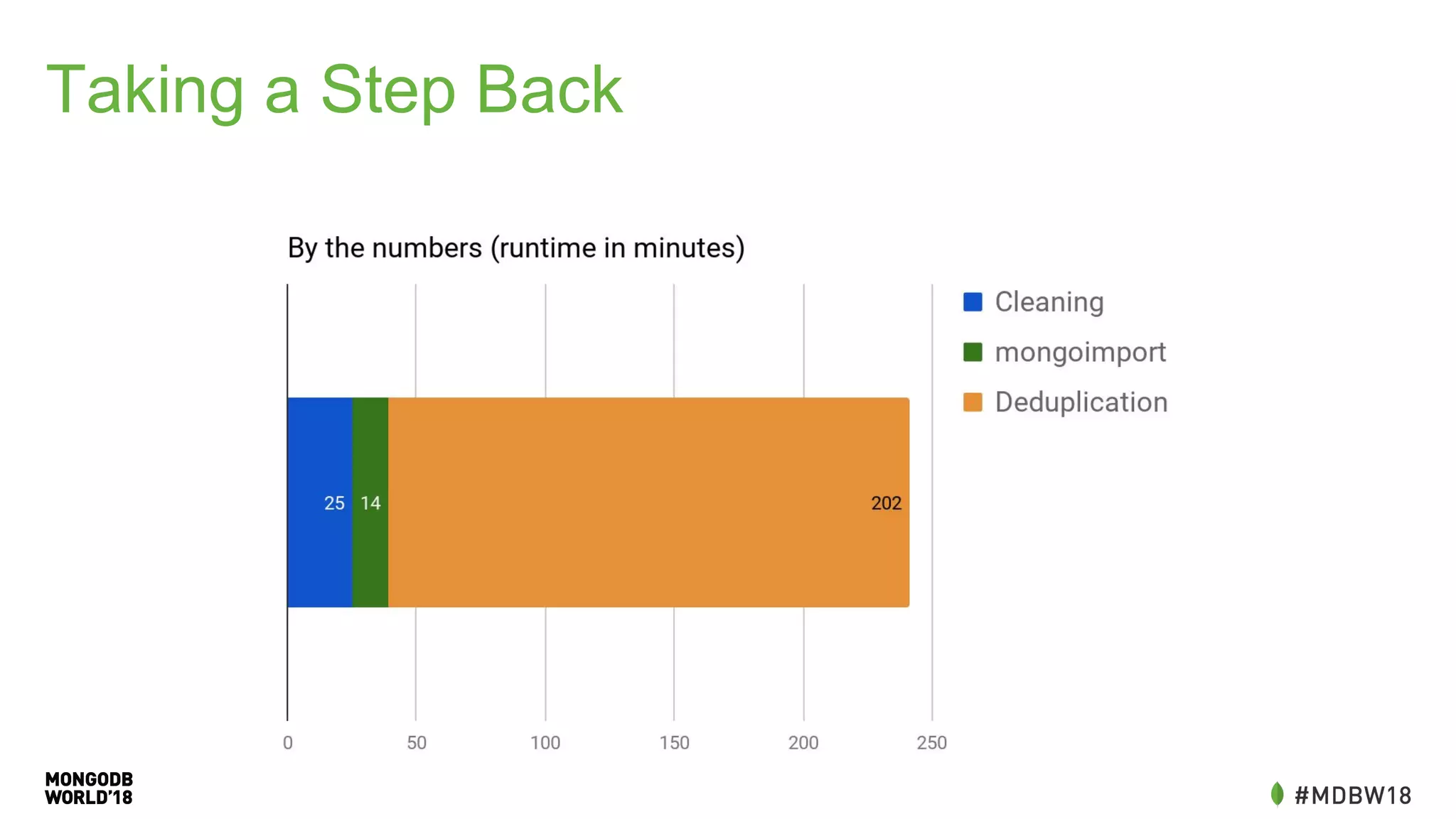
• Entire import process takes overnight (around four hours)
• Read 10.6GB
• Inserts 90,840,510 documents
Problem: Queries
• Query for monthly, daily, day of
week are similar.
• Generate ranges, grab a pair of
readings, calculate the
difference.
• Aggregation isn’t a great match.
before =
db.getSiblingDB("meters").mine.find({scm.id
: myid, time: {'$lte':
begin}}).sort({time:-1}).limit(1).toArray()
[0];
after =
db.getSiblingDB("meters").mine.find({scm.id
: myid, time: {'$gte':
end}}).sort({time:-1}).limit(1).toArray()[0
];
consumption = after.consumption -
before.consumption
Problem:
Missing Data
Missed Readings?
Power Outages?
Results could be far removed from actual usage.
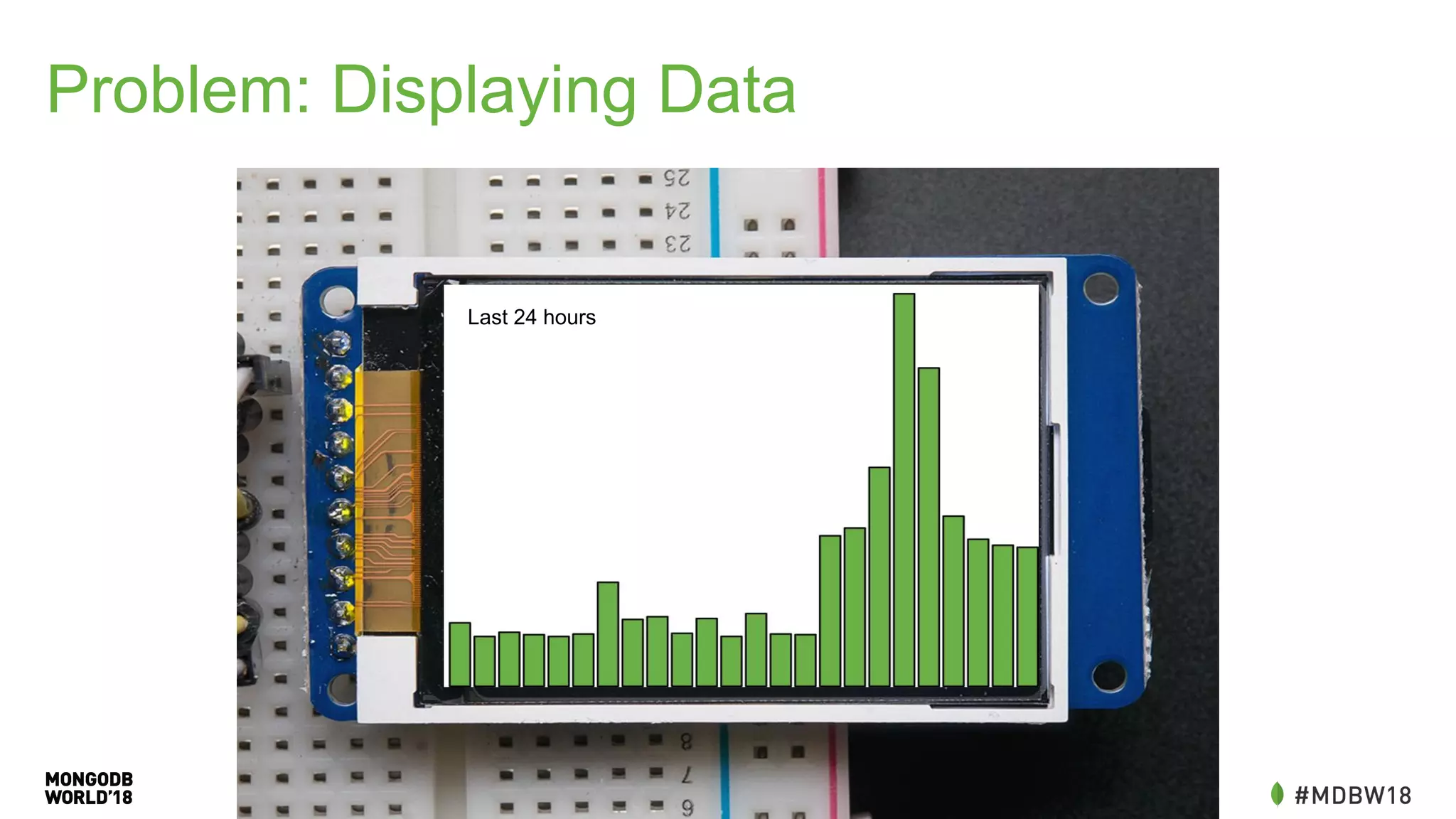
Problem: Displaying Data
Last 24 hours
Problem: Displaying Data
• Requires multiple calls to the
database
• Could be off by depending on
when we see readings
before =
db.getSiblingDB("meters").mine.find({scm.id:
myid, time:{'$lte':
begin}}).sort({time:-1}).limit(1).toArray()[0];
readings = db.getSiblingDB("meters").mine.find({
scm.id: myid,
time: {$gte: before.time})
.sort({time:1})
var previous = readings.shift();
var count = 0;
var hourly = [];
readings.forEach(reading => {
if(hourly.length > 24) return;
if(reading.time.getHours() != previous.getHours()){
hourly.push(reading.consumption -
previous.consumption); previous = reading;
}
});
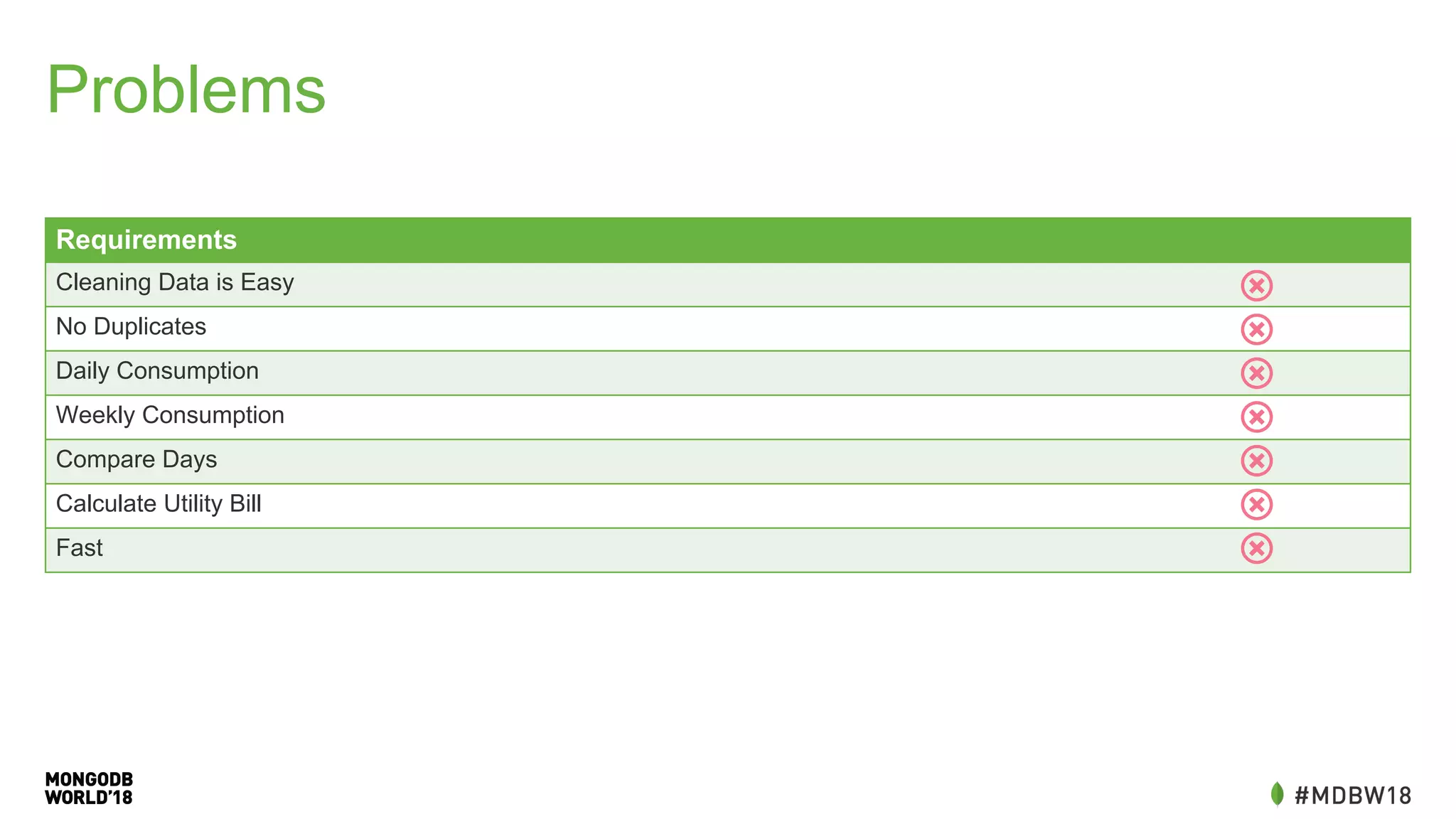
Problems
Requirements
Cleaning Data is Easy
No Duplicates
Daily Consumption
Weekly Consumption
Compare Days
Calculate Utility Bill
Fast
Performance: Rewrite in Go
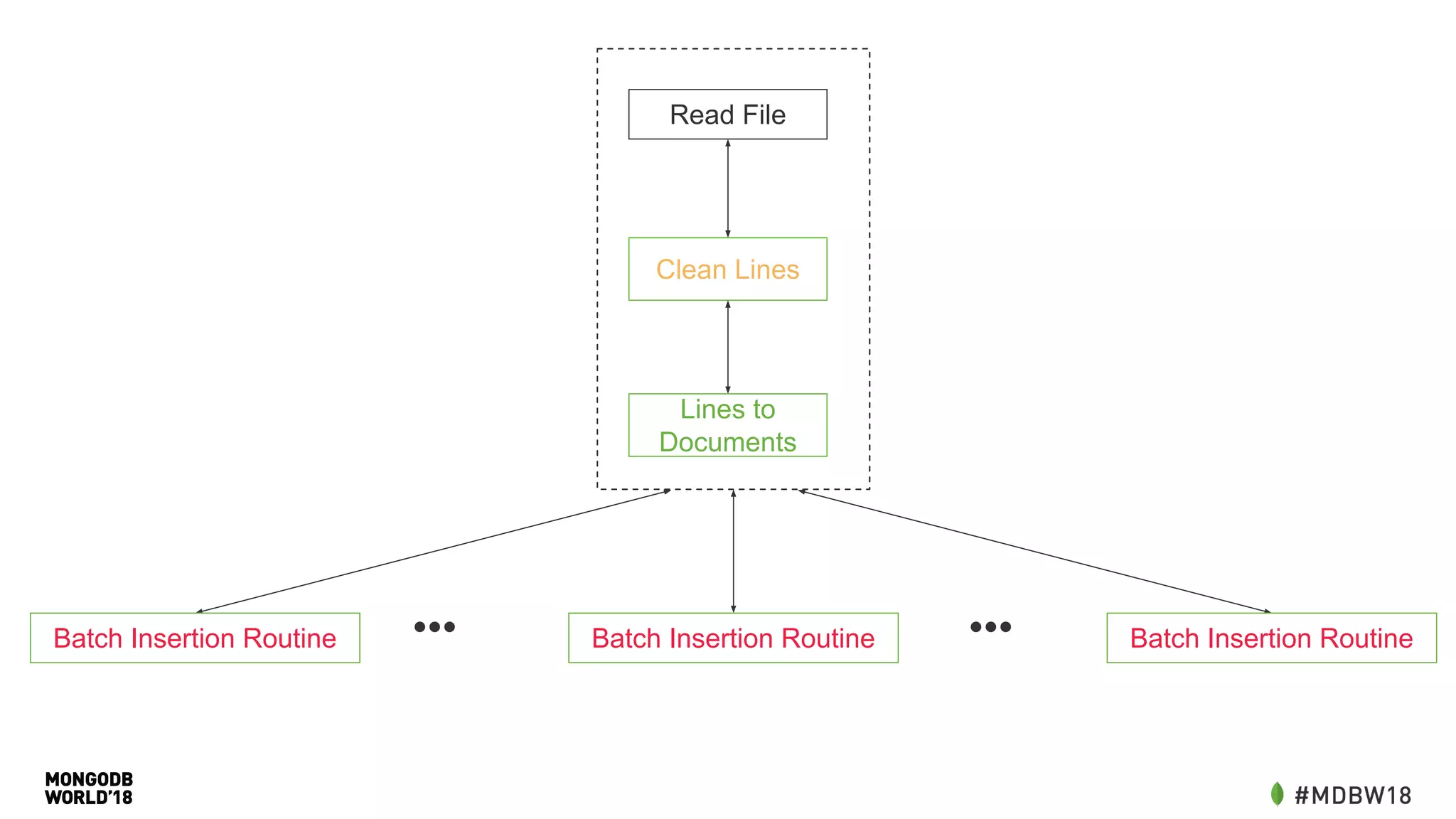
• More control over cleaning our data
• Driver allows easy batch insertion
• Split into multiple workers (goroutines) to distribute insertion load
• Take advantage of all our cores
Read File
Lines to
Documents
Batch Insertion Routine•••Batch Insertion Routine Batch Insertion Routine•••
Clean Lines
Taking a Step Back
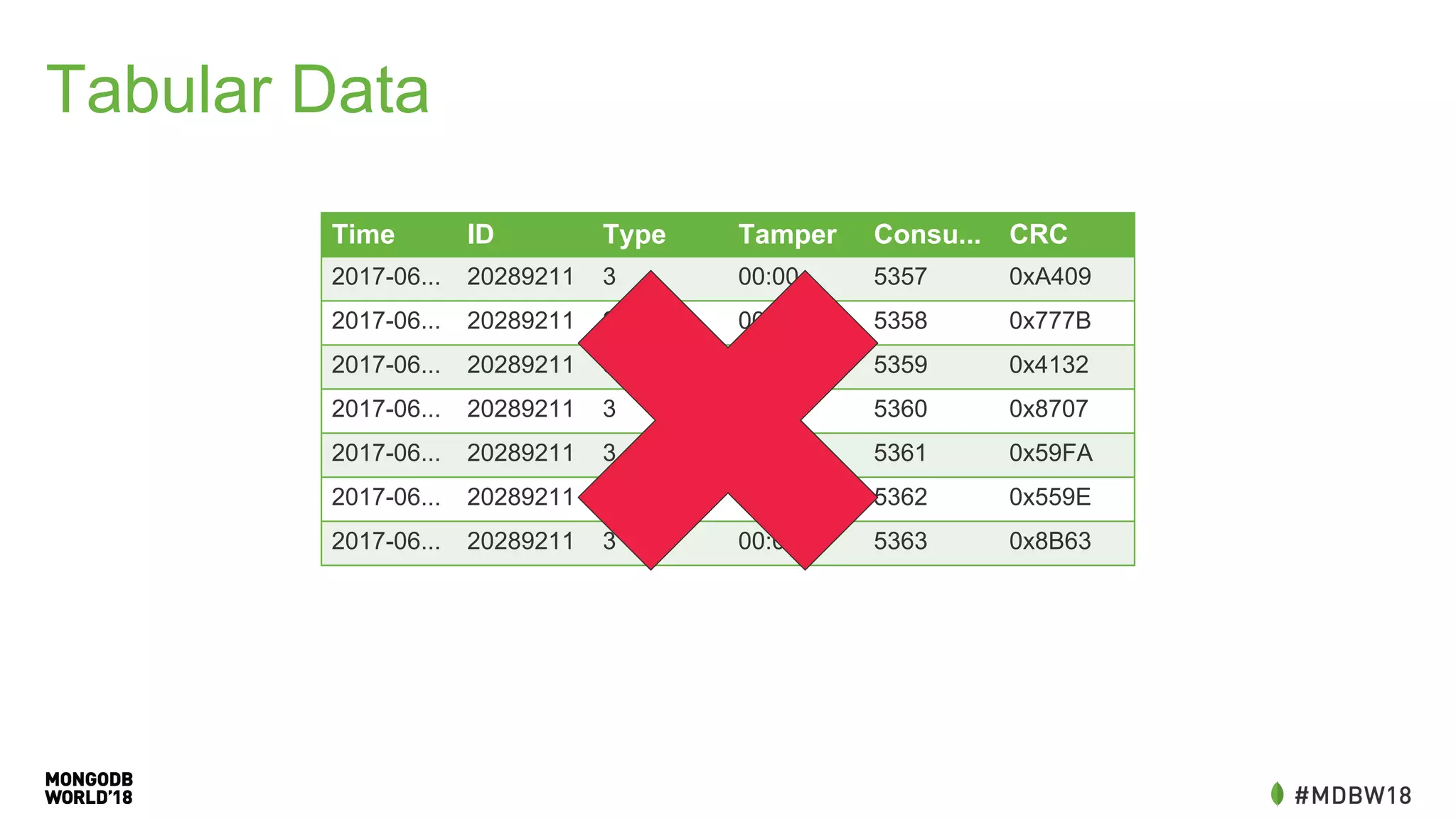
Tabular Data
Time ID Type Tamper Consu... CRC
2017-06... 20289211 3 00:00 5357 0xA409
2017-06... 20289211 3 00:00 5358 0x777B
2017-06... 20289211 3 00:00 5359 0x4132
2017-06... 20289211 3 00:00 5360 0x8707
2017-06... 20289211 3 00:00 5361 0x59FA
2017-06... 20289211 3 00:00 5362 0x559E
2017-06... 20289211 3 00:00 5363 0x8B63
Change The Schema
CHANGE THE SCHEMA!
• The schema I started with didn’t meet my requirements.
• Resisted this change as it required additional application work (writing
my own ETL tool).
• Think about how you will use your data!
New Schema
{
"_id" : ObjectId("54de8229791e4b133c000052"),
"meter" : 29026302,
"date" : new Date("2015-02-13T17:00:57"),
"hour" : 17,
"weekday" : 5,
"day" : 13,
"month" : 2,
"year" : 2015,
"consumption" : 5.526729939432698,
"begin" : 50480.575901639124,
"end" : 50486.10263157856,
"before" : {...},
"after" : {...},
"readings" : [ ... ]
}
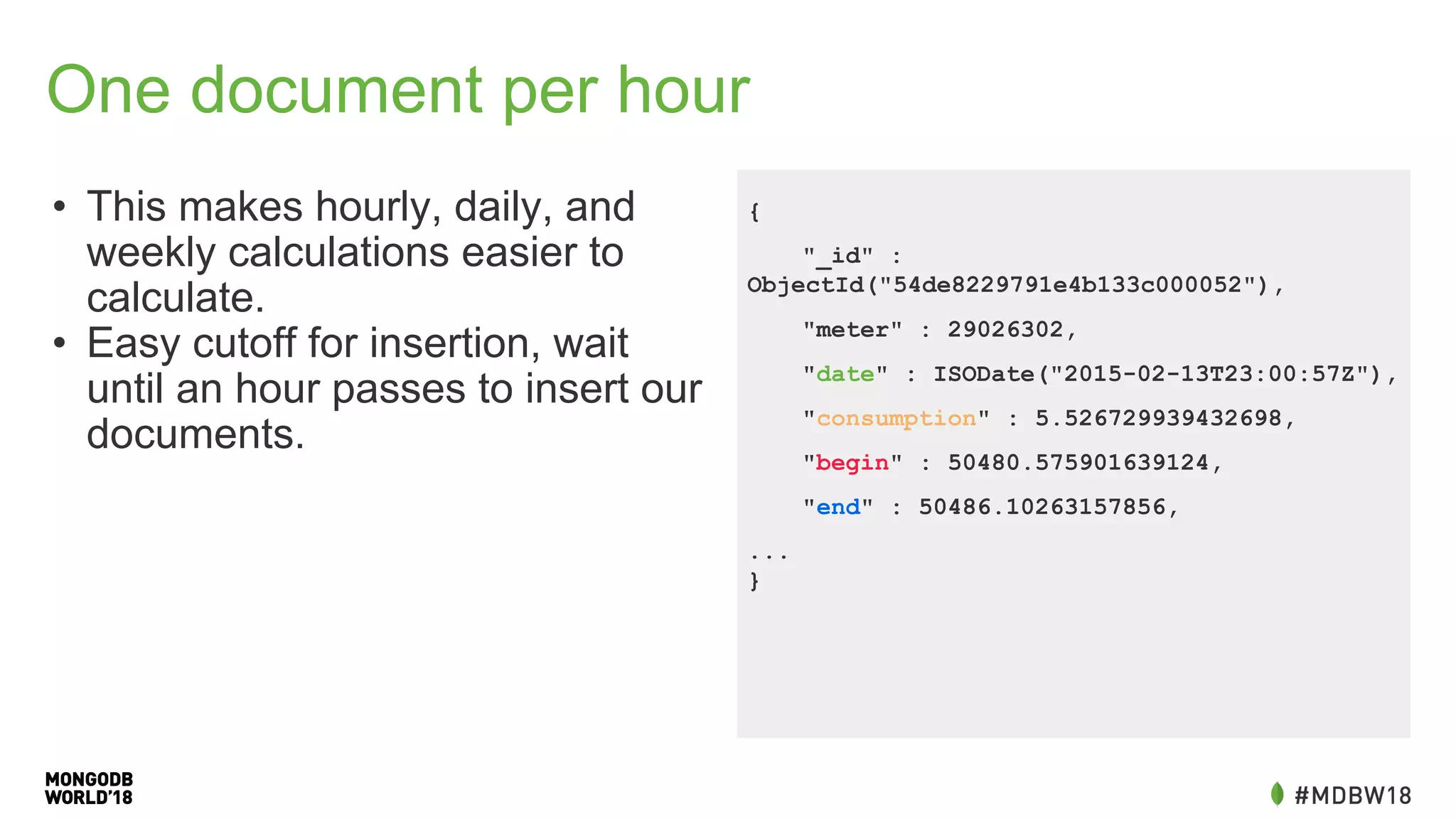
One document per hour
• This makes hourly, daily, and
weekly calculations easier to
calculate.
• Easy cutoff for insertion, wait
until an hour passes to insert our
documents.
{
"_id" :
ObjectId("54de8229791e4b133c000052"),
"meter" : 29026302,
"date" : ISODate("2015-02-13T23:00:57Z"),
"consumption" : 5.526729939432698,
"begin" : 50480.575901639124,
"end" : 50486.10263157856,
...
}
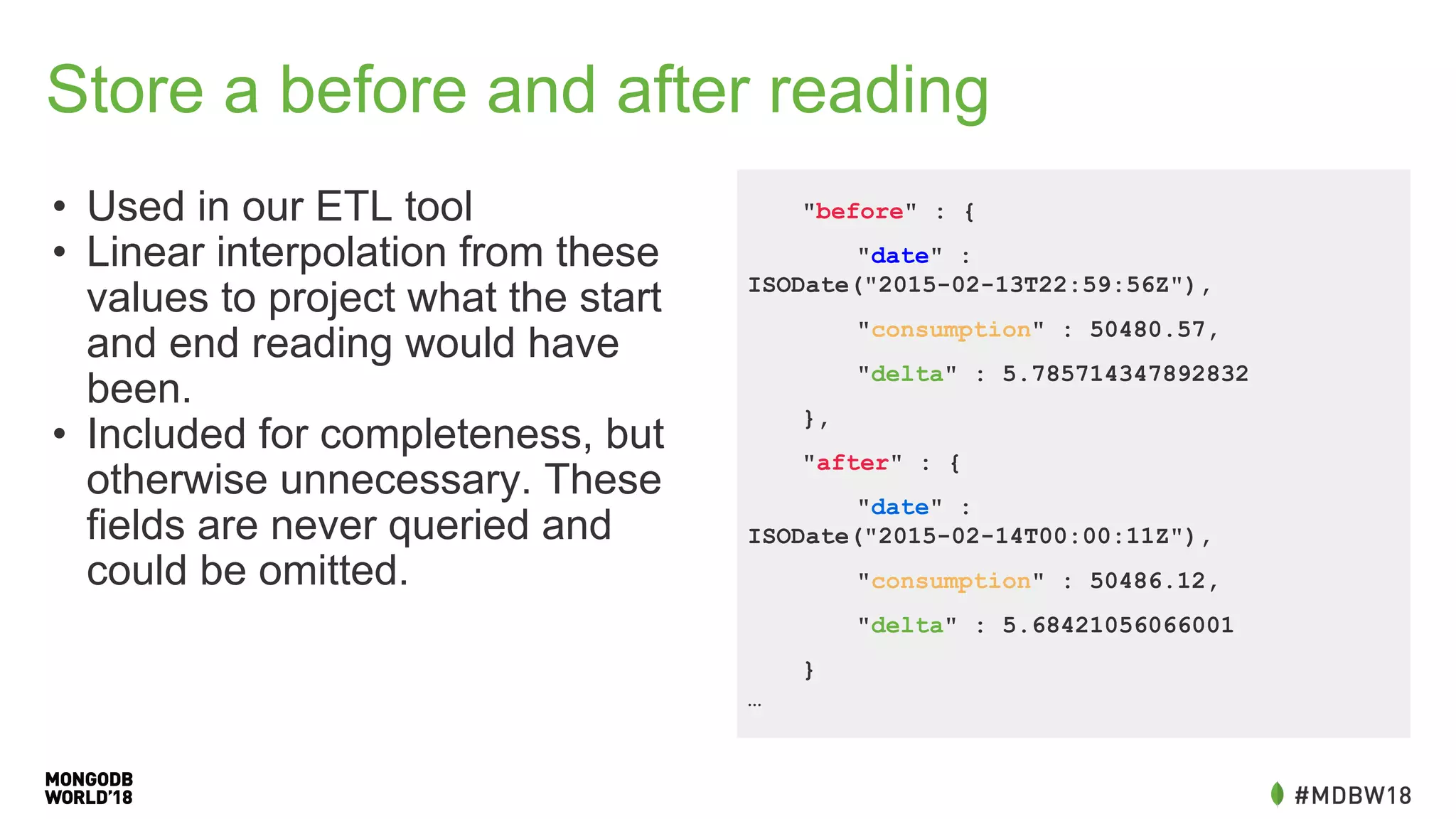
Store a before and after reading
• Used in our ETL tool
• Linear interpolation from these
values to project what the start
and end reading would have
been.
• Included for completeness, but
otherwise unnecessary. These
fields are never queried and
could be omitted.
"before" : {
"date" :
ISODate("2015-02-13T22:59:56Z"),
"consumption" : 50480.57,
"delta" : 5.785714347892832
},
"after" : {
"date" :
ISODate("2015-02-14T00:00:11Z"),
"consumption" : 50486.12,
"delta" : 5.68421056066001
}
…
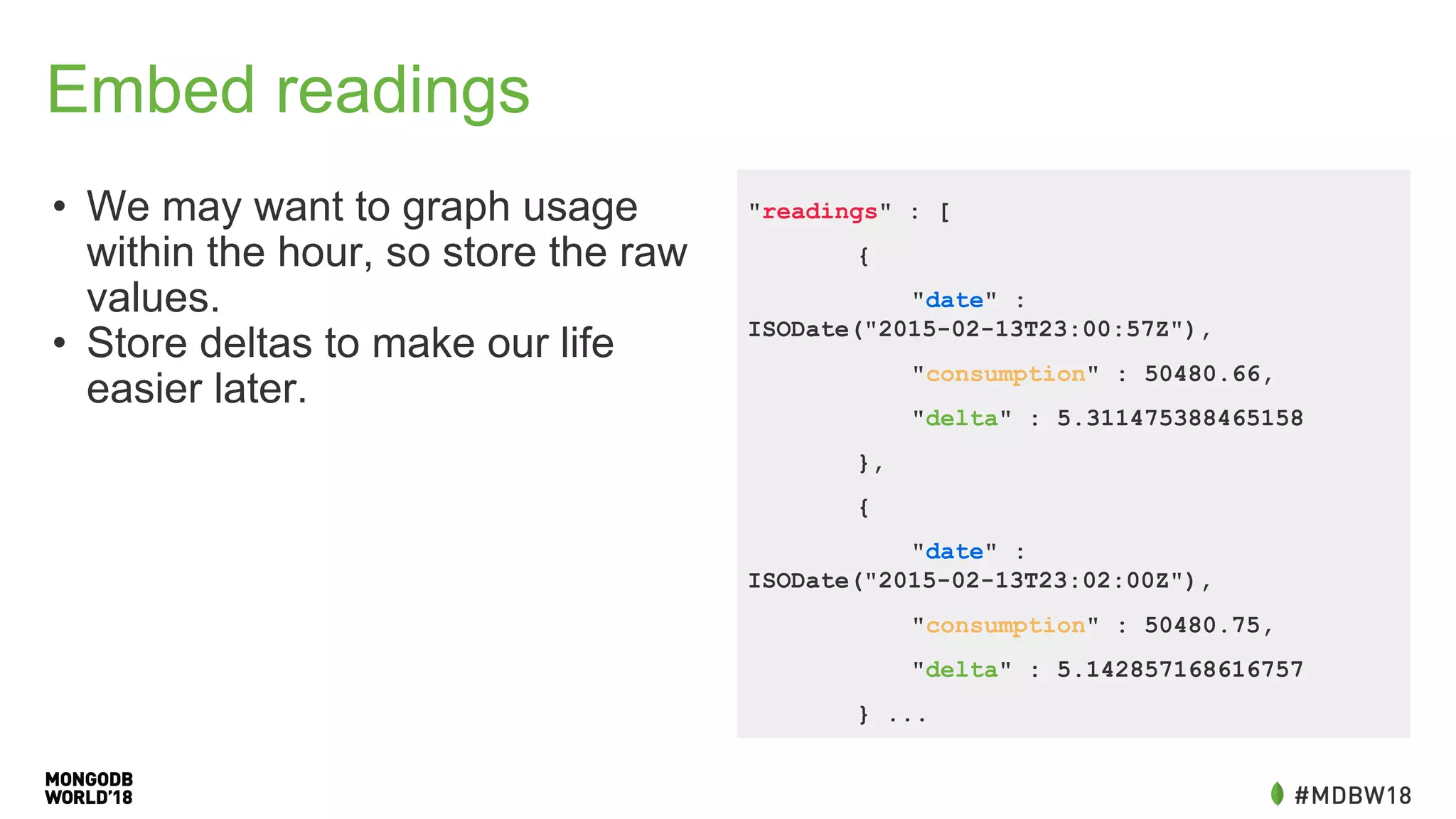
Embed readings
• We may want to graph usage
within the hour, so store the raw
values.
• Store deltas to make our life
easier later.
"readings" : [
{
"date" :
ISODate("2015-02-13T23:00:57Z"),
"consumption" : 50480.66,
"delta" : 5.311475388465158
},
{
"date" :
ISODate("2015-02-13T23:02:00Z"),
"consumption" : 50480.75,
"delta" : 5.142857168616757
} ...
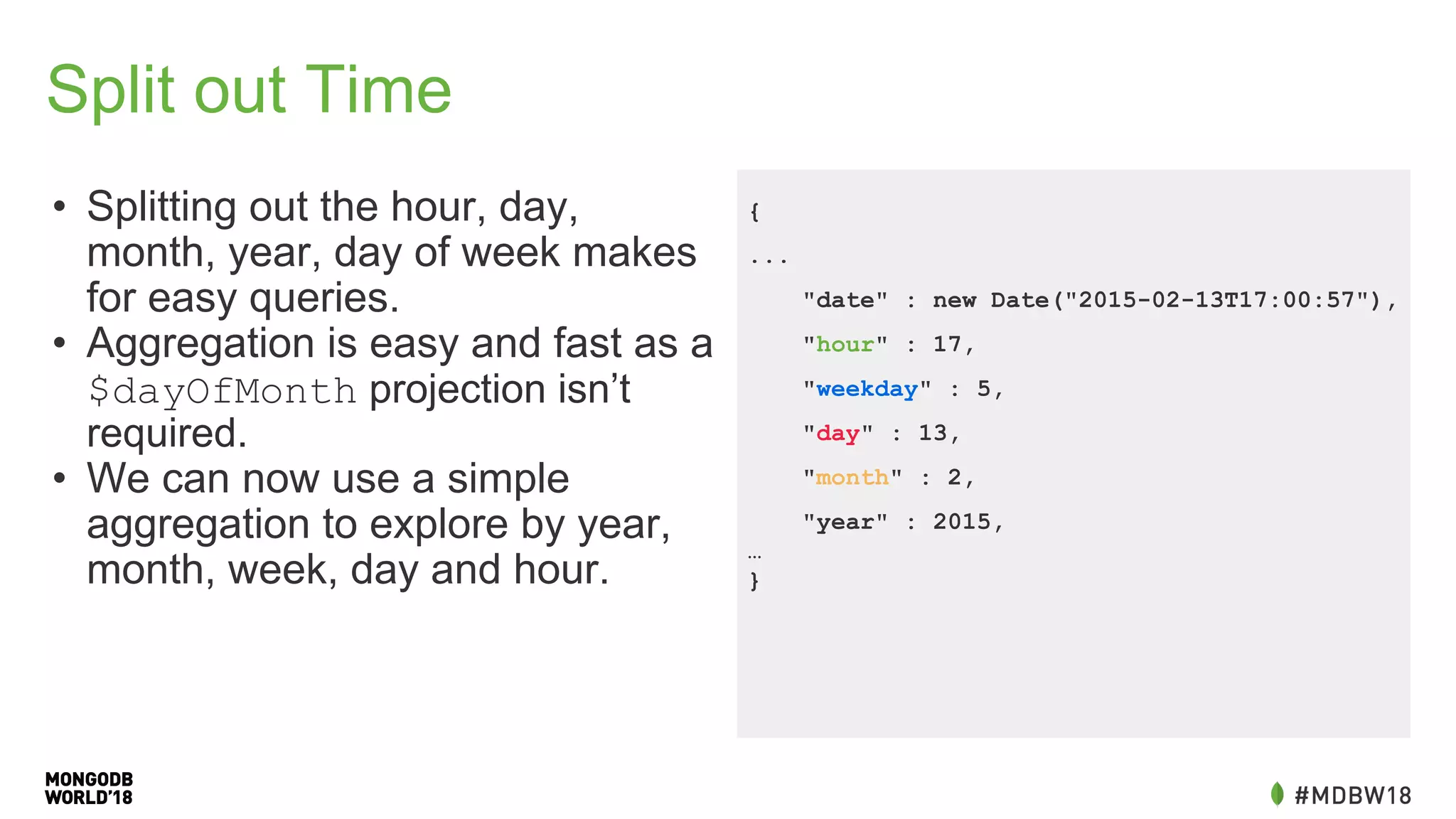
Split out Time
• Splitting out the hour, day,
month, year, day of week makes
for easy queries.
• Aggregation is easy and fast as a
$dayOfMonth projection isn’t
required.
• We can now use a simple
aggregation to explore by year,
month, week, day and hour.
{
...
"date" : new Date("2015-02-13T17:00:57"),
"hour" : 17,
"weekday" : 5,
"day" : 13,
"month" : 2,
"year" : 2015,
…
}
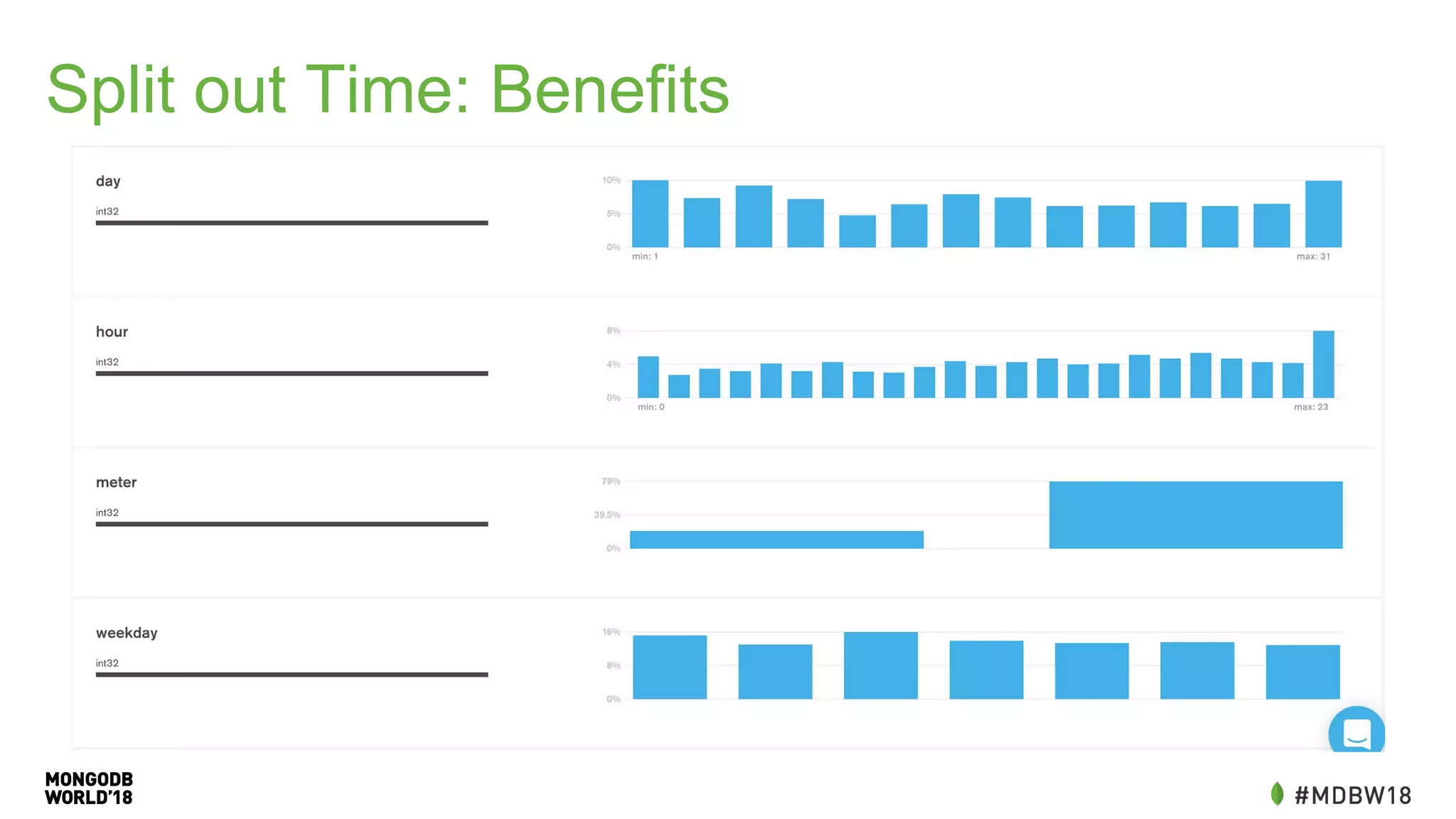
Split out Time: Benefits
Queries: Daily Consumption
• Grab the convenient fields
• Sum the consumption
daily =
db.getSiblingDB("meters").mine.aggregate([{
$match: {
meter: myid
year: 2018
month: 8
day: 26
}},
{$group: {“_id”: 1, total: {“$sum” :
consumption}}])[0].consumption
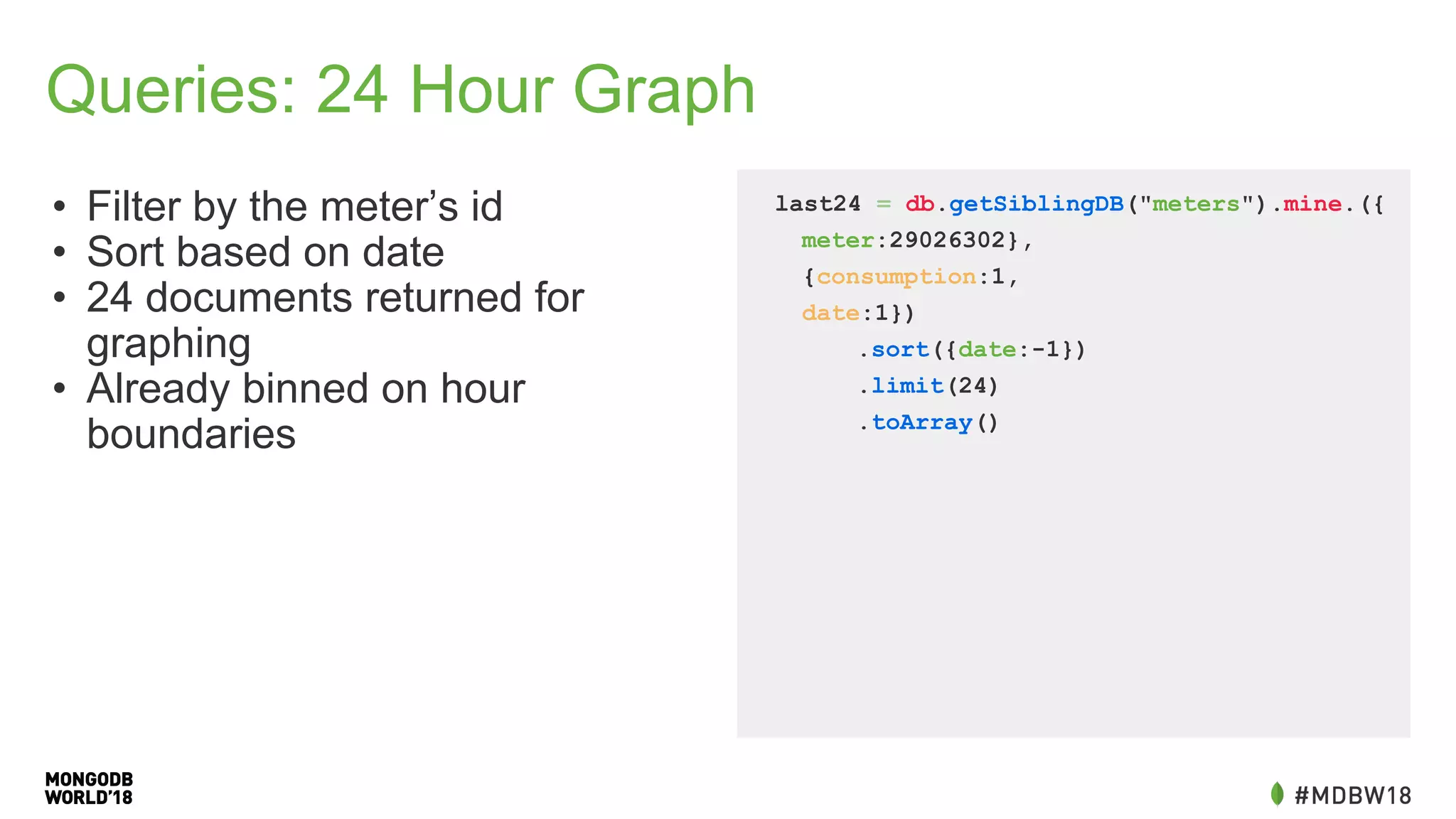
Queries: 24 Hour Graph
• Filter by the meter’s id
• Sort based on date
• 24 documents returned for
graphing
• Already binned on hour
boundaries
last24 = db.getSiblingDB("meters").mine.({
meter:29026302},
{consumption:1,
date:1})
.sort({date:-1})
.limit(24)
.toArray()
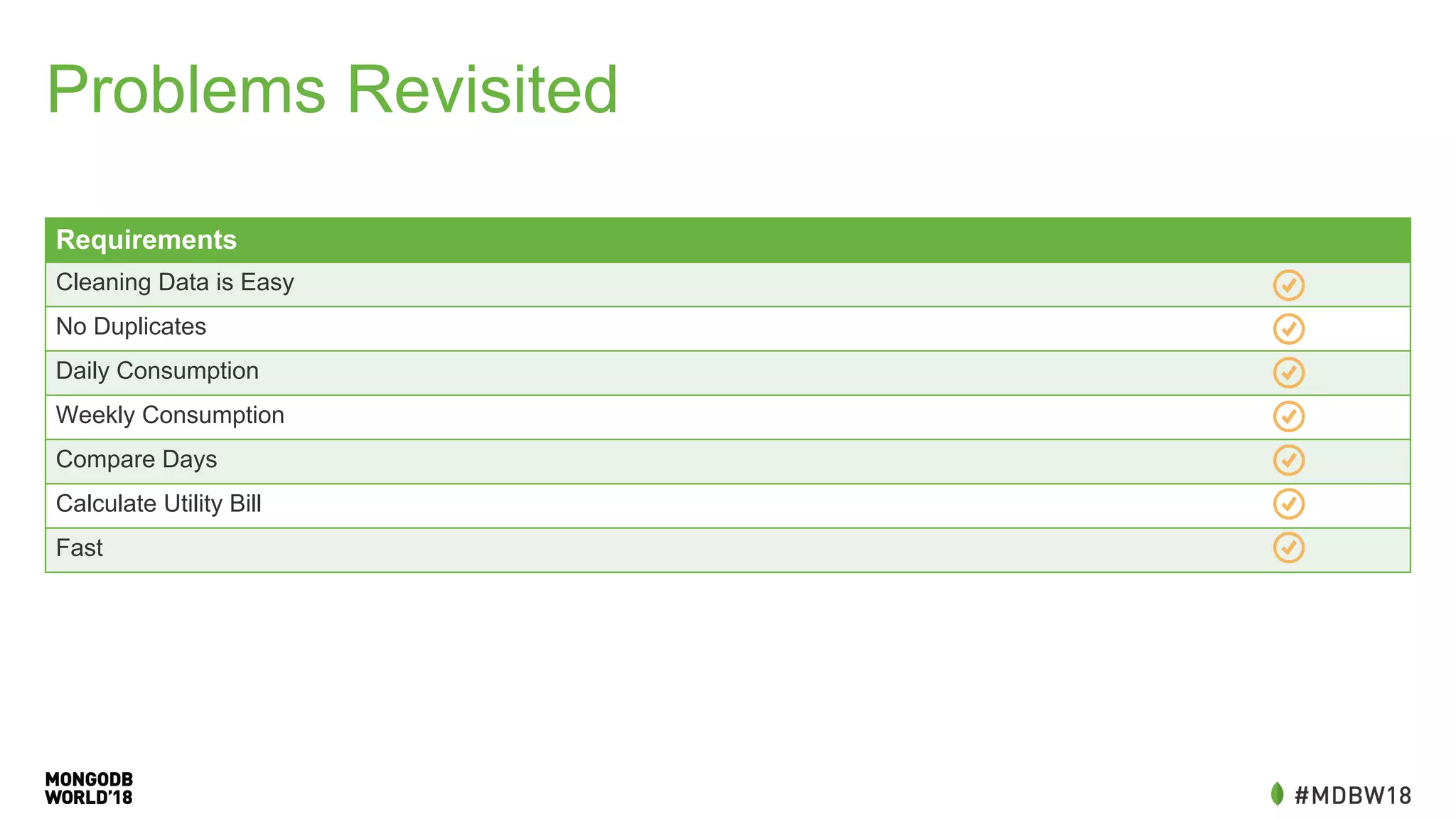
Problems Revisited
Requirements
Cleaning Data is Easy
No Duplicates
Daily Consumption
Weekly Consumption
Compare Days
Calculate Utility Bill
Fast
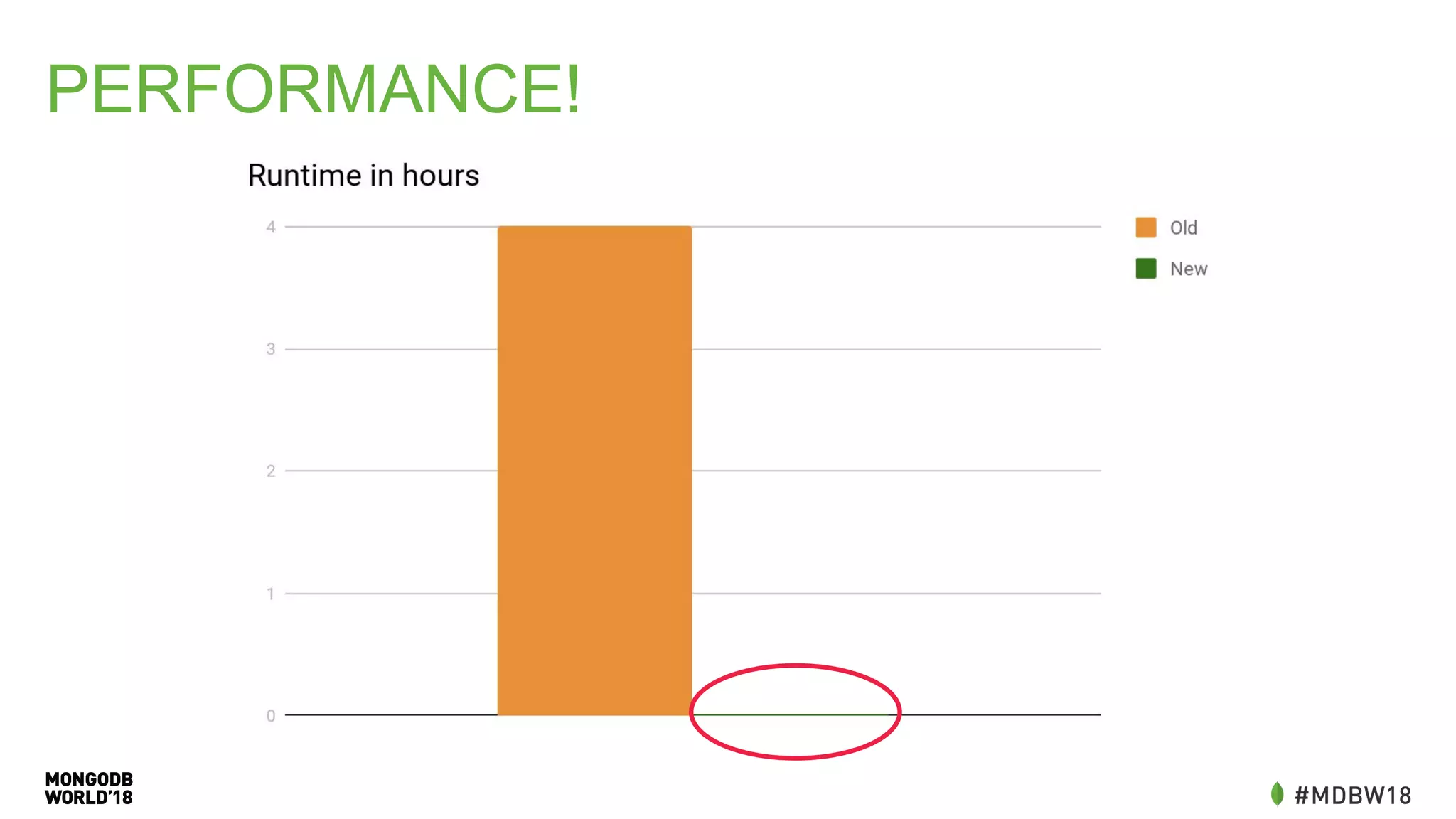
PERFORMANCE!
Changing schema was
the single biggest
performance win
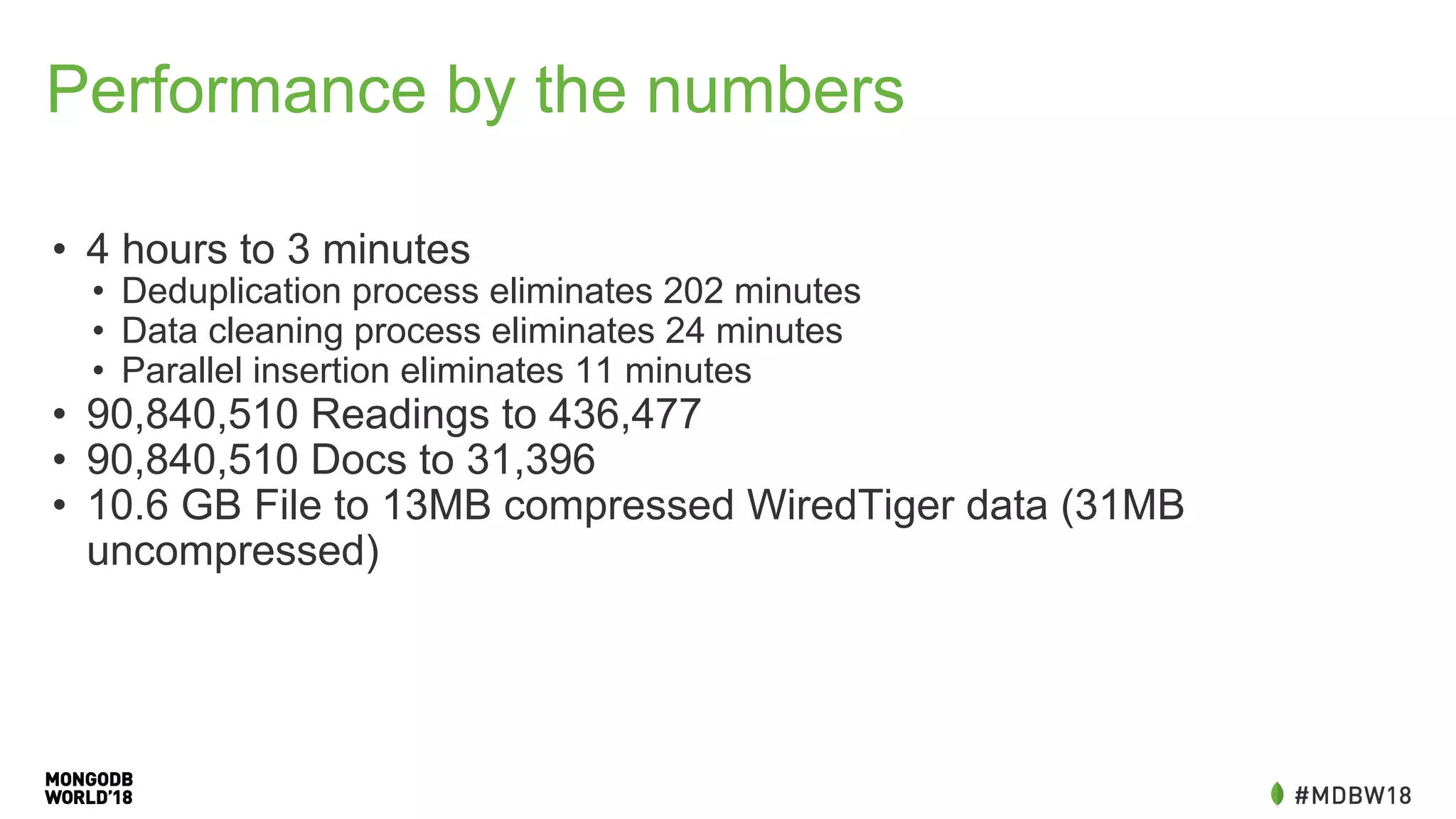
Performance by the numbers
• 4 hours to 3 minutes
• Deduplication process eliminates 202 minutes
• Data cleaning process eliminates 24 minutes
• Parallel insertion eliminates 11 minutes
• 90,840,510 Readings to 436,477
• 90,840,510 Docs to 31,396
• 10.6 GB File to 13MB compressed WiredTiger data (31MB
uncompressed)
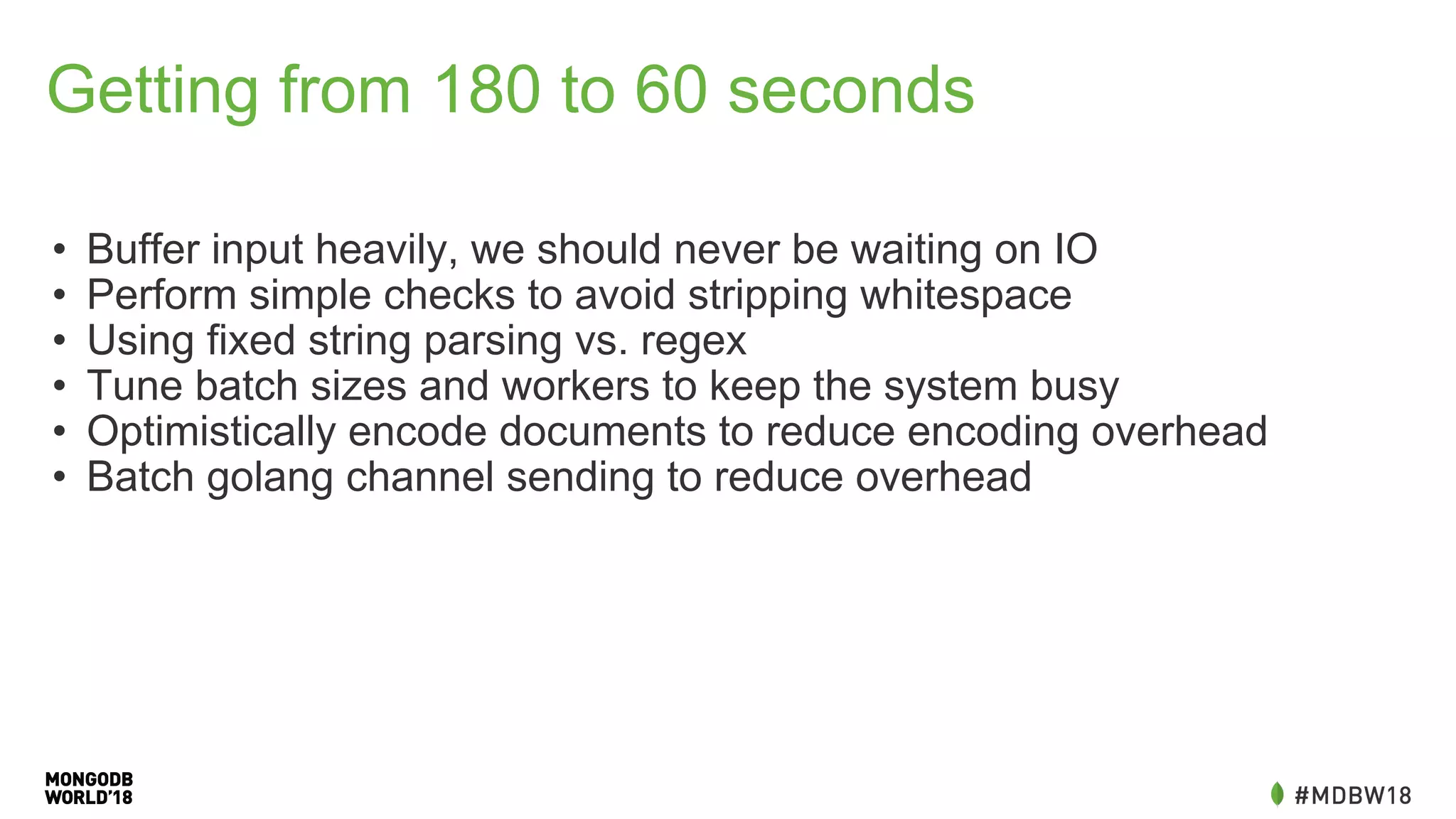
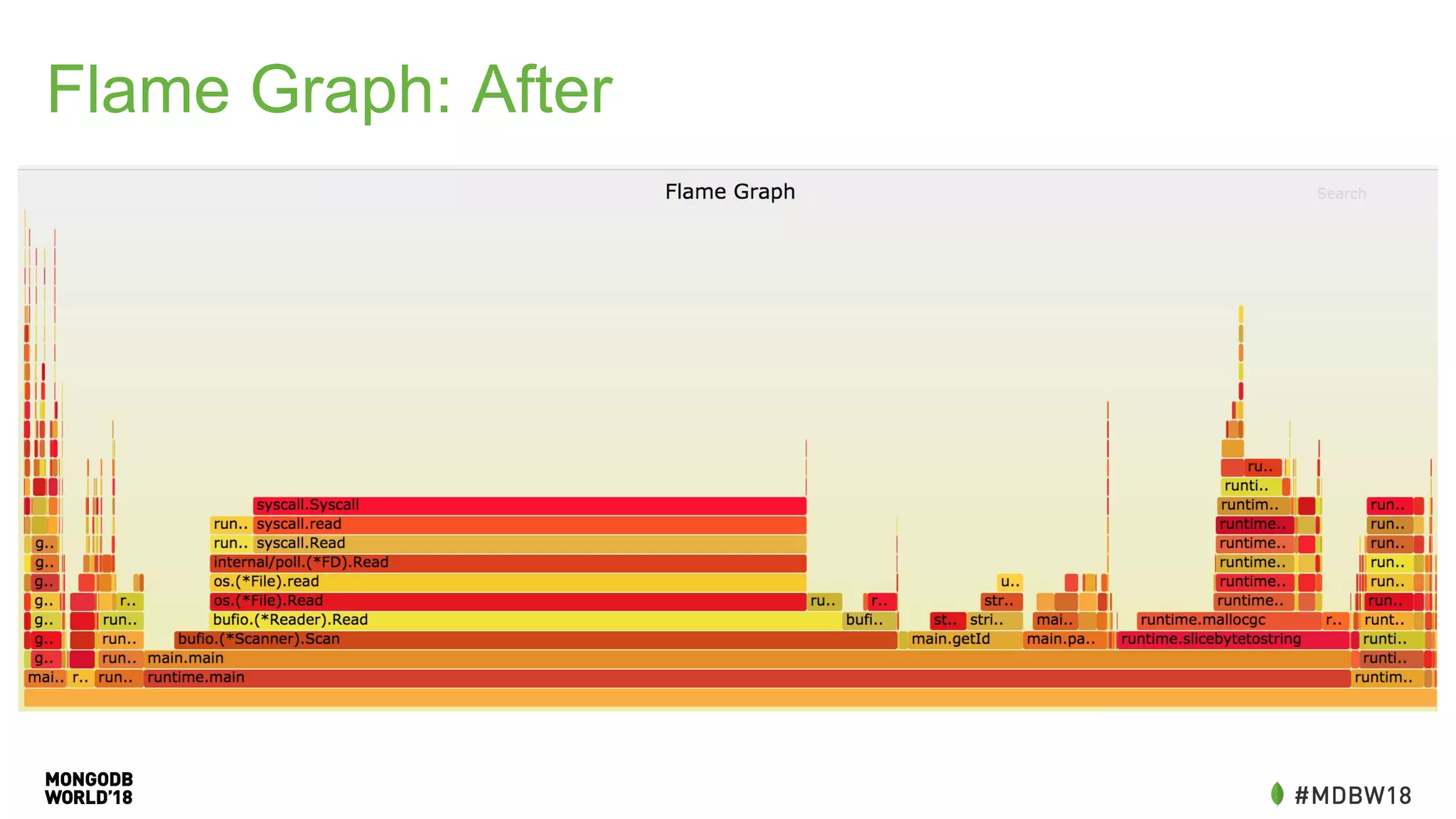
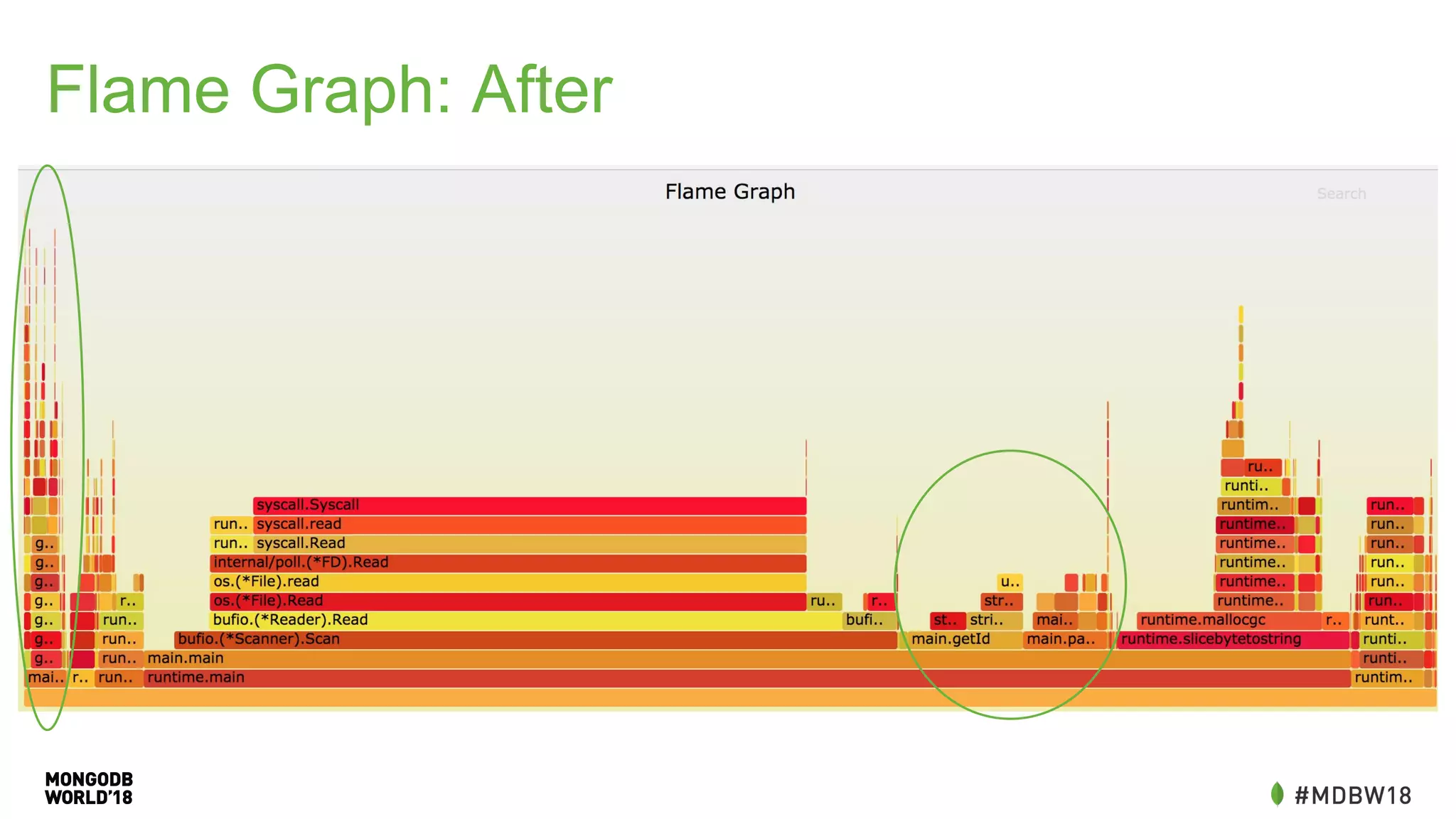
Getting from 180 to 60 seconds
• Buffer input heavily, we should never be waiting on IO
• Perform simple checks to avoid stripping whitespace
• Using fixed string parsing vs. regex
• Tune batch sizes and workers to keep the system busy
• Optimistically encode documents to reduce encoding overhead
• Batch golang channel sending to reduce overhead
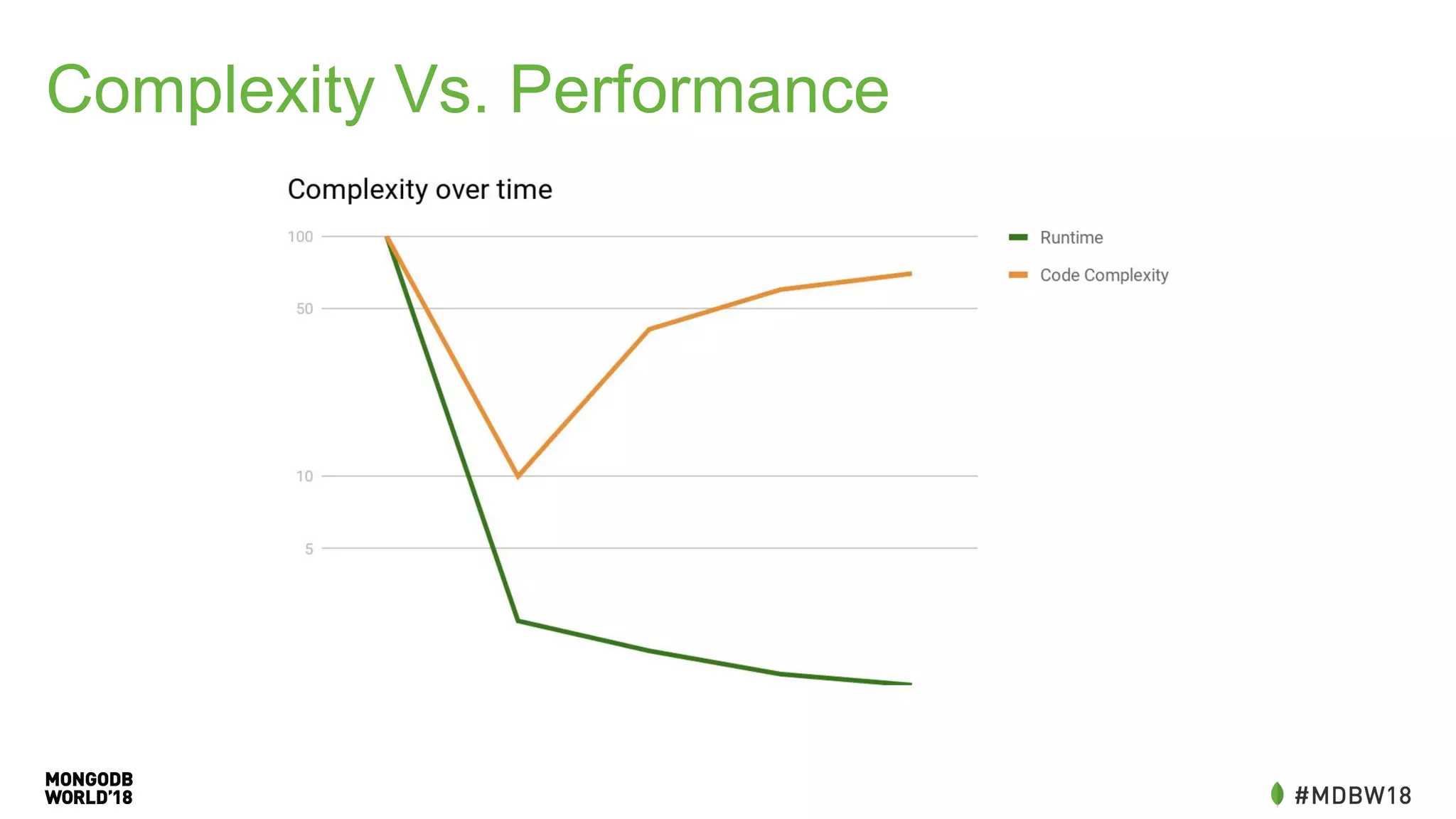
Complexity Vs. Performance
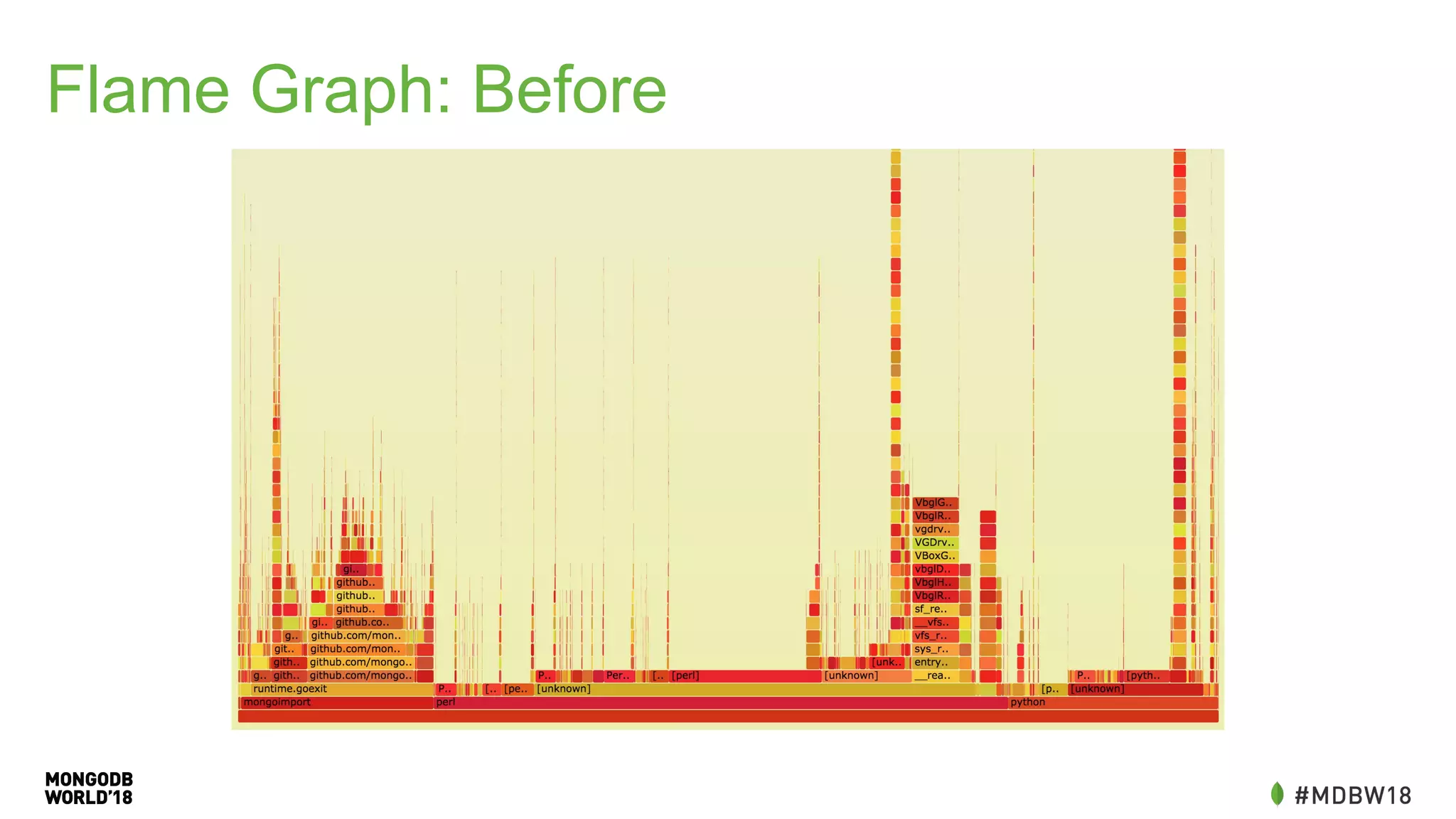
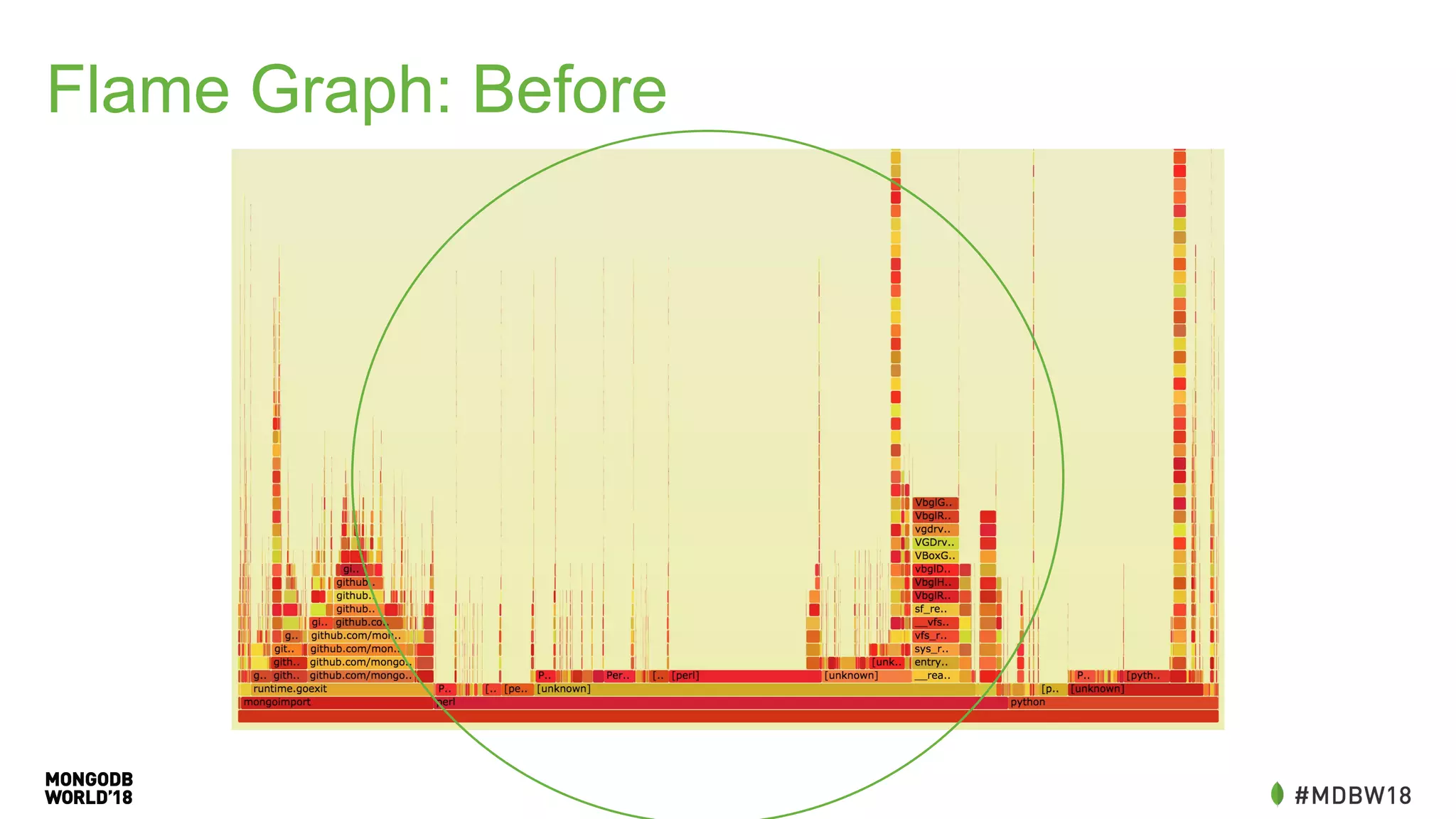
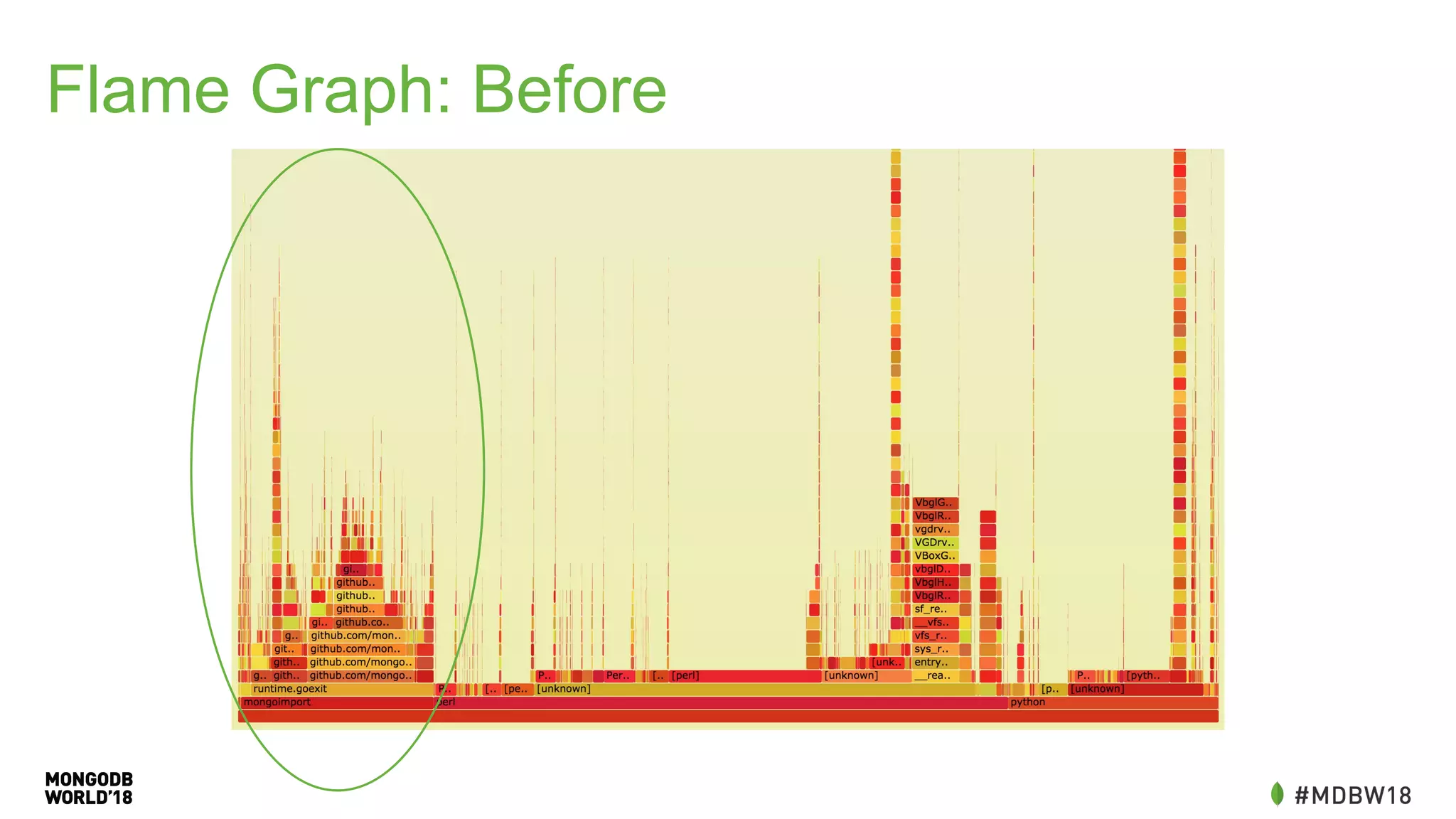
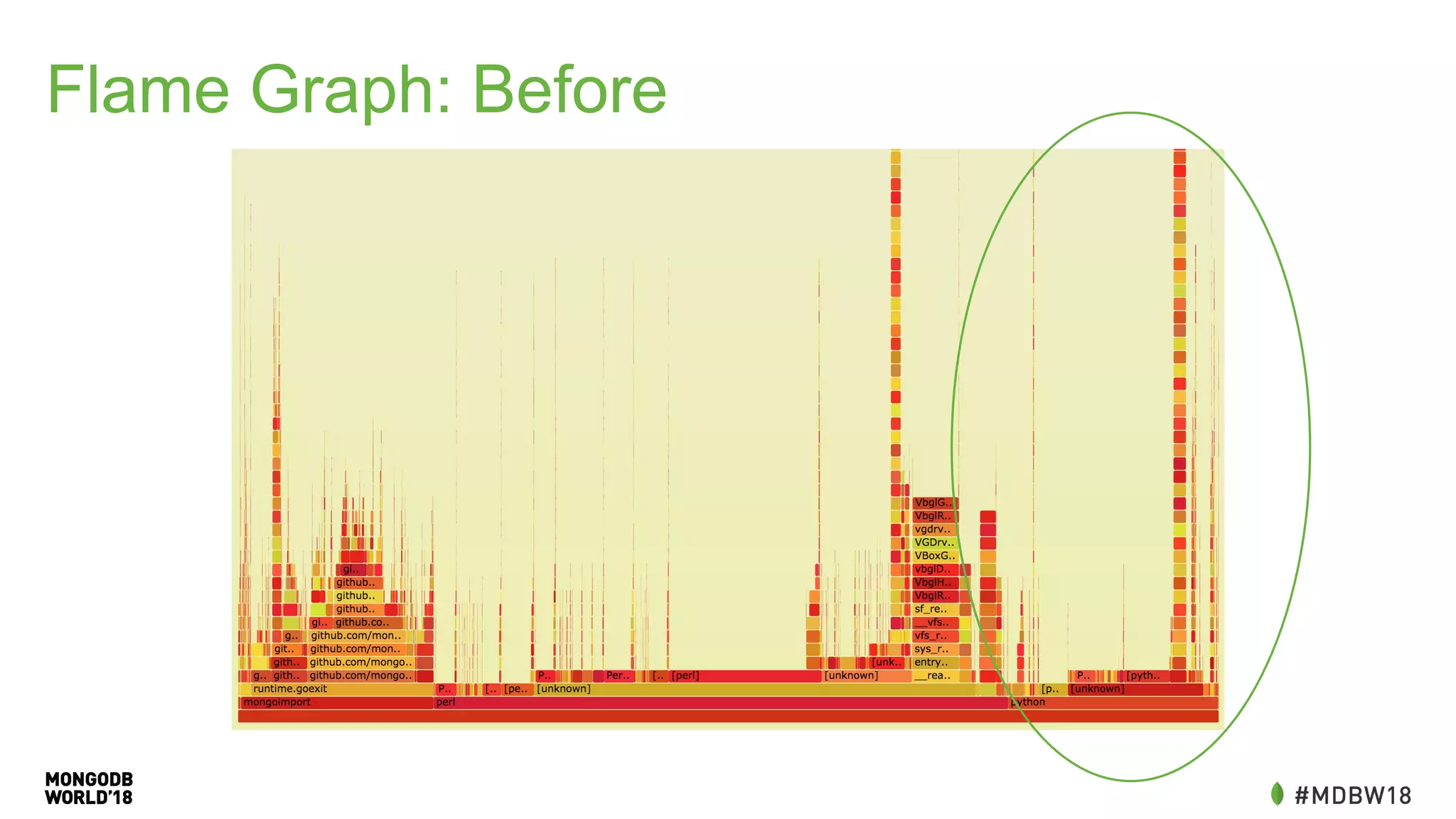
Flame Graph: Before
Flame Graph: Before
Flame Graph: Before
Flame Graph: Before
Flame Graph: After
Flame Graph: After
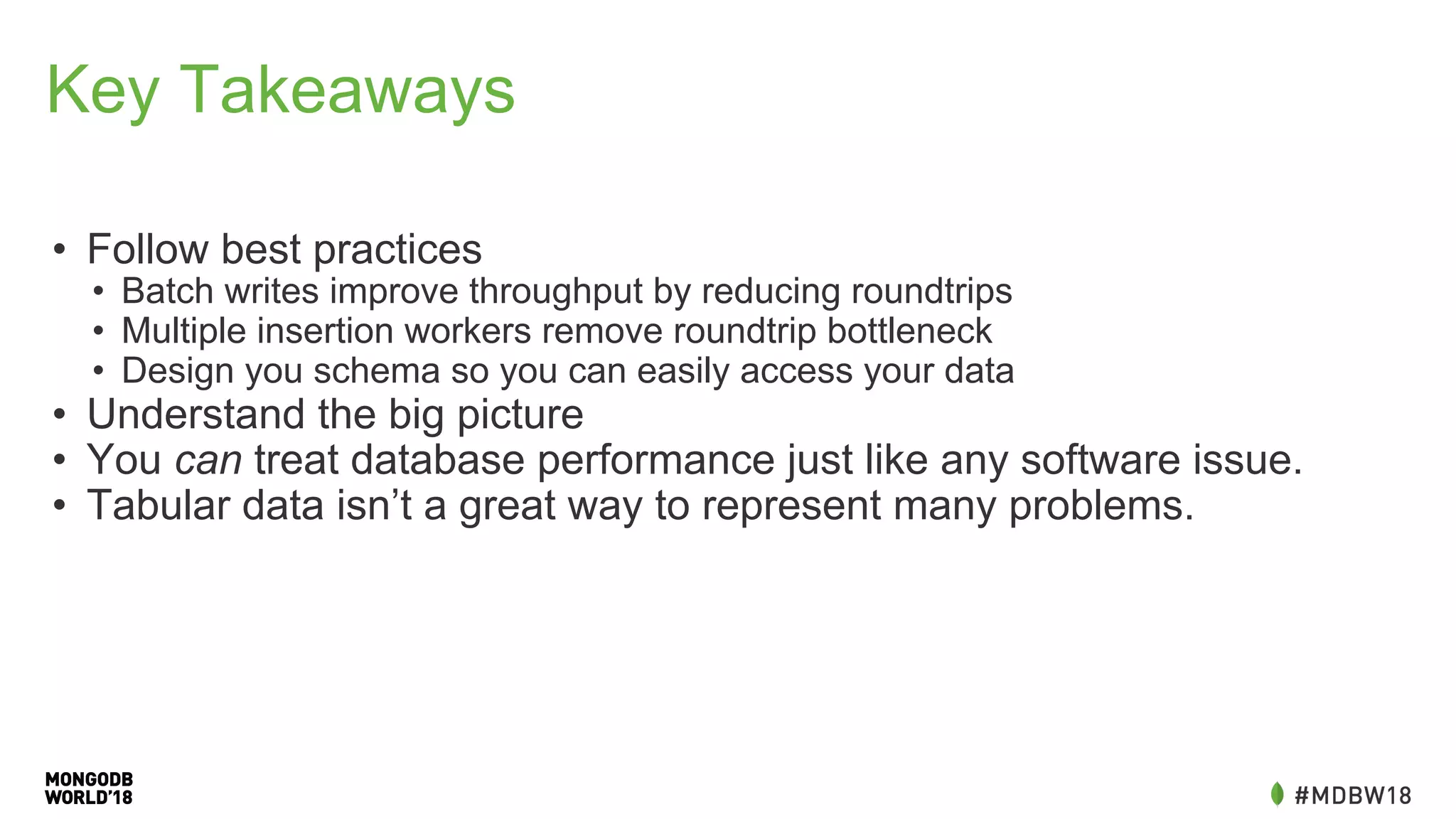
Key Takeaways
• Follow best practices
• Batch writes improve throughput by reducing roundtrips
• Multiple insertion workers remove roundtrip bottleneck
• Design you schema so you can easily access your data
• Understand the big picture
• You can treat database performance just like any software issue.
• Tabular data isn’t a great way to represent many problems.
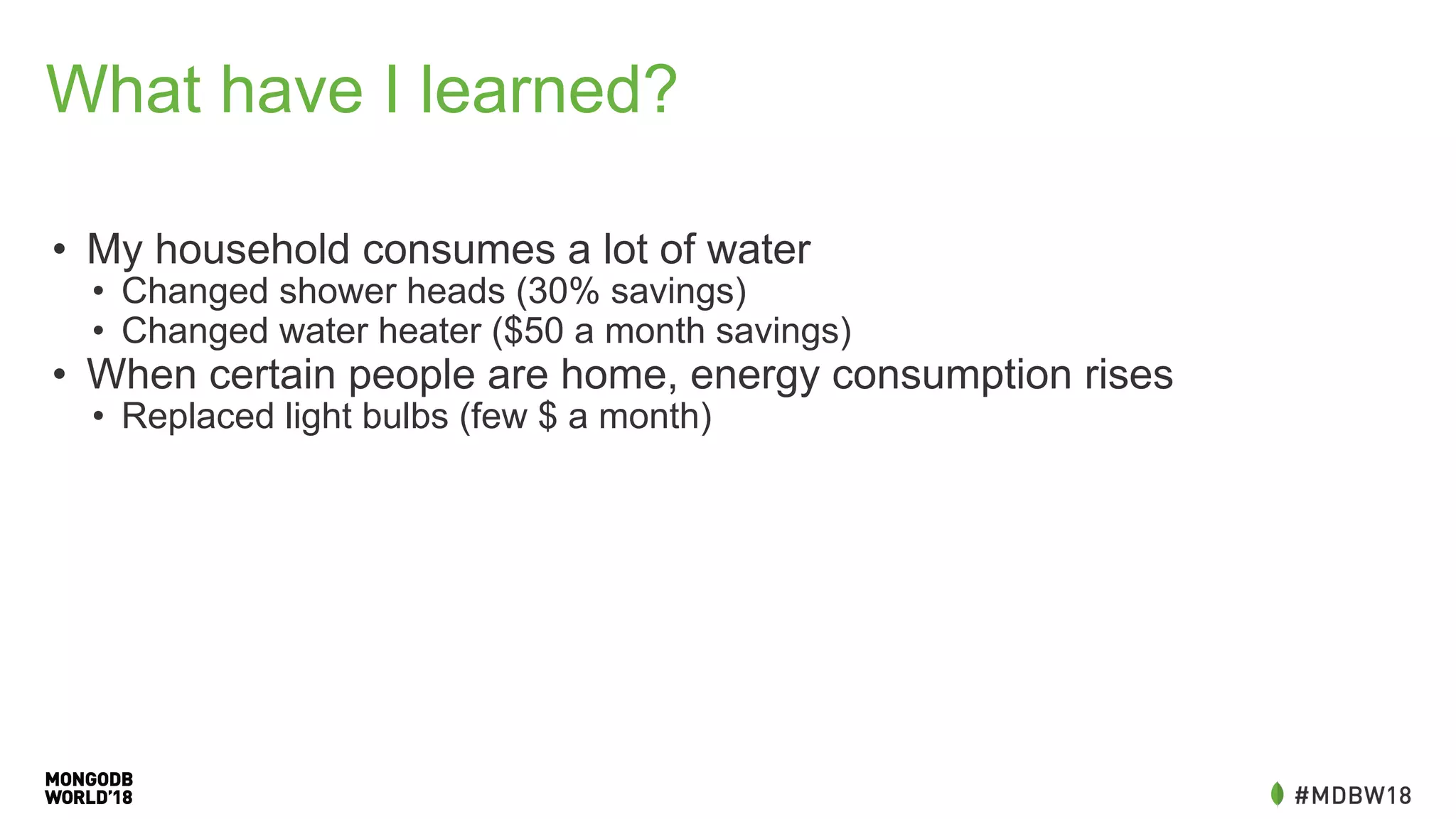
What have I learned?
• My household consumes a lot of water
• Changed shower heads (30% savings)
• Changed water heater ($50 a month savings)
• When certain people are home, energy consumption rises
• Replaced light bulbs (few $ a month)
The Document Model
Unleashes Data
MongoDB World 2018: Overnight to 60 Seconds: An IOT ETL Performance Case Study

MongoDB World 2018: Overnight to 60 Seconds: An IOT ETL Performance Case Study

  • 1.
    Overnight to 60Seconds An IOT ETL Performance Case Study
  • 2.
    Preventing Insanity An IOTETL Performance Case Study
  • 3.
    Kevin Arhelger Senior TechnicalServices Engineer MongoDB @kevarh
  • 4.
    About Me • AtMongoDB since January 2016 • Senior Technical Services Engineer - I answer your support questions. • Performance Driven - Software performance and benchmarking for the last decade • New to MongoDB, but not performance • Loves data • Programming Polyglot
  • 5.
    Disclaimer • This ismy personal journey • I made lots of mistakes • You are probably smarter than me• (I’m hopefully smarter than I was two years ago)
  • 6.
    My Project • I’vebeen collecting Water/Electric meter data since February 2015. • Now that I work at a database company, maybe I should put this in a database? • See what I can learn about my consumption. • Get access to my meter data on the internet.
  • 7.
    IOT • Internet ofthings • I want my things (meters) to be connected to the Internet • This would let me remotely monitor my utilization
  • 8.
    Utility Meter • 900MHz Radio • Broadcasts consumption every few minutes
  • 9.
    Radio ● Software DefinedRadio ● Open source project rtlamr written in GO by Douglas Hall ● Reads meters data and exports JSON
  • 10.
    Single Board Computer Odroid C2- Ubuntu 16.04 Quad Core ARM at 1.5 GHZ More than enough horsepower
  • 11.
  • 12.
    ETL • Extract, Transform,Load • Not in the traditional sense (not already in another database) • Many of the same characteristics • Convert between formats • Reading all the data quickly • Inserting into another database
  • 13.
    Tabular Schema Time IDType Tamper Consumption CRC 2017-06-14T... 20289211 3 00:00 5357 0xA409 2017-06-14T... 20289211 3 00:00 5358 0x777B 2017-06-14T... 20289211 3 00:00 5359 0x4132 2017-06-14T... 20289211 3 00:00 5360 0x8707 2017-06-14T... 20289211 3 00:00 5361 0x59FA 2017-06-14T... 20289211 3 00:00 5362 0x559E 2017-06-14T... 20289211 3 00:00 5363 0x8B63
  • 14.
  • 15.
  • 16.
  • 17.
    The Plan: SimpleTools mongoimport
  • 18.
    Looks Like JSONbut isn’t {Time:2017-06-14T10:06:47.225 SCM:{ID:20289211 Type: 3 Tamper:{Phy:00 Enc:00} Consumption: 53557 CRC:0xA409}}
  • 19.
    Data Cleaning #!/bin/bash cat -| grep -E '^{' | sed -e 's/Time.*Time/{Time/g' | sed -e 's/:00,/:@/g' | gsed -e 's/s+/ /g' | sed -e 's/[{}]//g' | sed -e 's/SCM://g' | sed -e 's/Tamper://g' | sed -e 's/^/{/g' | sed -e 's/$/}/g' | gsed -e 's/: +/:/g' | sed -e 's/ /, /g' | sed -e 's/, }/}/g' | sed -e 's/Time:([^,]*),/Time:{"$date":"1Z"},/g' | gsed -e 's/:0+([1-9][0-9]*,)/:1/g' | sed -e 's/([^0-9]):0([^x])/1:2/g' | sed -e 's/Time/time/g' | sed -e 's/ID/id/g' | sed -e 's/Consumption/consumption/g' | sed -e 's/:@,/:0,/g' | sed -e 's/Type:,/Type:0,/g' | grep -v 'consumption:,'
  • 20.
    Post Cleaning { time: {"$date":"2017-06-14T10:06:47.225"}, id: 20289211, Type: 3, Phy: 0, Enc: 0, consumption: 53557, CRC: 0xA409 }
  • 21.
    The Plan: UseSimple Tools mongoimport
  • 22.
    Redundant Data! • Themeters send readings every few minutes. • The reading does not have up-to-date information. • We only care about the first change. 2015-02-13T18:01:09.079 Consumption: 5048615 2015-02-13T18:02:11.272 Consumption: 5048621 2015-02-13T18:03:14.093 Consumption: 5048621 2015-02-13T18:04:13.155 Consumption: 5048621 2015-02-13T18:05:10.849 Consumption: 5048621 2015-02-13T18:06:11.668 Consumption: 5048623
  • 23.
    The Plan: UseSimple Tools mongoimport
  • 24.
  • 25.
    It Works! (Sortof) • Entire import process takes overnight (around four hours) • Read 10.6GB • Inserts 90,840,510 documents
  • 26.
    Problem: Queries • Queryfor monthly, daily, day of week are similar. • Generate ranges, grab a pair of readings, calculate the difference. • Aggregation isn’t a great match. before = db.getSiblingDB("meters").mine.find({scm.id : myid, time: {'$lte': begin}}).sort({time:-1}).limit(1).toArray() [0]; after = db.getSiblingDB("meters").mine.find({scm.id : myid, time: {'$gte': end}}).sort({time:-1}).limit(1).toArray()[0 ]; consumption = after.consumption - before.consumption
  • 27.
    Problem: Missing Data Missed Readings? PowerOutages? Results could be far removed from actual usage.
  • 28.
  • 29.
    Problem: Displaying Data •Requires multiple calls to the database • Could be off by depending on when we see readings before = db.getSiblingDB("meters").mine.find({scm.id: myid, time:{'$lte': begin}}).sort({time:-1}).limit(1).toArray()[0]; readings = db.getSiblingDB("meters").mine.find({ scm.id: myid, time: {$gte: before.time}) .sort({time:1}) var previous = readings.shift(); var count = 0; var hourly = []; readings.forEach(reading => { if(hourly.length > 24) return; if(reading.time.getHours() != previous.getHours()){ hourly.push(reading.consumption - previous.consumption); previous = reading; } });
  • 30.
    Problems Requirements Cleaning Data isEasy No Duplicates Daily Consumption Weekly Consumption Compare Days Calculate Utility Bill Fast
  • 31.
    Performance: Rewrite inGo • More control over cleaning our data • Driver allows easy batch insertion • Split into multiple workers (goroutines) to distribute insertion load • Take advantage of all our cores
  • 32.
    Read File Lines to Documents BatchInsertion Routine•••Batch Insertion Routine Batch Insertion Routine••• Clean Lines
  • 33.
  • 34.
    Tabular Data Time IDType Tamper Consu... CRC 2017-06... 20289211 3 00:00 5357 0xA409 2017-06... 20289211 3 00:00 5358 0x777B 2017-06... 20289211 3 00:00 5359 0x4132 2017-06... 20289211 3 00:00 5360 0x8707 2017-06... 20289211 3 00:00 5361 0x59FA 2017-06... 20289211 3 00:00 5362 0x559E 2017-06... 20289211 3 00:00 5363 0x8B63
  • 35.
  • 36.
    CHANGE THE SCHEMA! •The schema I started with didn’t meet my requirements. • Resisted this change as it required additional application work (writing my own ETL tool). • Think about how you will use your data!
  • 37.
    New Schema { "_id" :ObjectId("54de8229791e4b133c000052"), "meter" : 29026302, "date" : new Date("2015-02-13T17:00:57"), "hour" : 17, "weekday" : 5, "day" : 13, "month" : 2, "year" : 2015, "consumption" : 5.526729939432698, "begin" : 50480.575901639124, "end" : 50486.10263157856, "before" : {...}, "after" : {...}, "readings" : [ ... ] }
  • 38.
    One document perhour • This makes hourly, daily, and weekly calculations easier to calculate. • Easy cutoff for insertion, wait until an hour passes to insert our documents. { "_id" : ObjectId("54de8229791e4b133c000052"), "meter" : 29026302, "date" : ISODate("2015-02-13T23:00:57Z"), "consumption" : 5.526729939432698, "begin" : 50480.575901639124, "end" : 50486.10263157856, ... }
  • 39.
    Store a beforeand after reading • Used in our ETL tool • Linear interpolation from these values to project what the start and end reading would have been. • Included for completeness, but otherwise unnecessary. These fields are never queried and could be omitted. "before" : { "date" : ISODate("2015-02-13T22:59:56Z"), "consumption" : 50480.57, "delta" : 5.785714347892832 }, "after" : { "date" : ISODate("2015-02-14T00:00:11Z"), "consumption" : 50486.12, "delta" : 5.68421056066001 } …
  • 40.
    Embed readings • Wemay want to graph usage within the hour, so store the raw values. • Store deltas to make our life easier later. "readings" : [ { "date" : ISODate("2015-02-13T23:00:57Z"), "consumption" : 50480.66, "delta" : 5.311475388465158 }, { "date" : ISODate("2015-02-13T23:02:00Z"), "consumption" : 50480.75, "delta" : 5.142857168616757 } ...
  • 41.
    Split out Time •Splitting out the hour, day, month, year, day of week makes for easy queries. • Aggregation is easy and fast as a $dayOfMonth projection isn’t required. • We can now use a simple aggregation to explore by year, month, week, day and hour. { ... "date" : new Date("2015-02-13T17:00:57"), "hour" : 17, "weekday" : 5, "day" : 13, "month" : 2, "year" : 2015, … }
  • 42.
  • 43.
    Queries: Daily Consumption •Grab the convenient fields • Sum the consumption daily = db.getSiblingDB("meters").mine.aggregate([{ $match: { meter: myid year: 2018 month: 8 day: 26 }}, {$group: {“_id”: 1, total: {“$sum” : consumption}}])[0].consumption
  • 44.
    Queries: 24 HourGraph • Filter by the meter’s id • Sort based on date • 24 documents returned for graphing • Already binned on hour boundaries last24 = db.getSiblingDB("meters").mine.({ meter:29026302}, {consumption:1, date:1}) .sort({date:-1}) .limit(24) .toArray()
  • 45.
    Problems Revisited Requirements Cleaning Datais Easy No Duplicates Daily Consumption Weekly Consumption Compare Days Calculate Utility Bill Fast
  • 46.
  • 47.
    Changing schema was thesingle biggest performance win
  • 48.
    Performance by thenumbers • 4 hours to 3 minutes • Deduplication process eliminates 202 minutes • Data cleaning process eliminates 24 minutes • Parallel insertion eliminates 11 minutes • 90,840,510 Readings to 436,477 • 90,840,510 Docs to 31,396 • 10.6 GB File to 13MB compressed WiredTiger data (31MB uncompressed)
  • 49.
    Getting from 180to 60 seconds • Buffer input heavily, we should never be waiting on IO • Perform simple checks to avoid stripping whitespace • Using fixed string parsing vs. regex • Tune batch sizes and workers to keep the system busy • Optimistically encode documents to reduce encoding overhead • Batch golang channel sending to reduce overhead
  • 50.
  • 51.
  • 52.
  • 53.
  • 54.
  • 55.
  • 56.
  • 57.
    Key Takeaways • Followbest practices • Batch writes improve throughput by reducing roundtrips • Multiple insertion workers remove roundtrip bottleneck • Design you schema so you can easily access your data • Understand the big picture • You can treat database performance just like any software issue. • Tabular data isn’t a great way to represent many problems.
  • 58.
    What have Ilearned? • My household consumes a lot of water • Changed shower heads (30% savings) • Changed water heater ($50 a month savings) • When certain people are home, energy consumption rises • Replaced light bulbs (few $ a month)
  • 59.