DATA VISUALIZATION FOR MANAGERES
MBA III SEM
SPECIALIZATION
BUSINESS ANALYTICS
As per RTMNU,Nagpur
MODULE -2
 Connecting Data – How to connect Data, What are
generated values, Use of Data Connection and Data
Extract, Joining Database Table with Tableau, Blending
different Datasources in single Worksheet, Data Quality
Problem
HOW TO CONNECT YOUR DATA
CONNECTING YOUR DATA SCREEN
CONNECTING TO DESKTOP SOURCES
CONNECTION TO YOUR DATABASE SOURCES
CONNECTING PUBLIC DATA SOURCES
 Public domain data sets
 Commercial data services
 Cloud database platforms
Tablue Provides
 Google Analytics
 Google Big Query
 Amazon Redshift
 Salesforce
 Open Data Protocol (ODATA)
 Windows Azure Marketplace
WHAT ARE GENERATED VALUES?
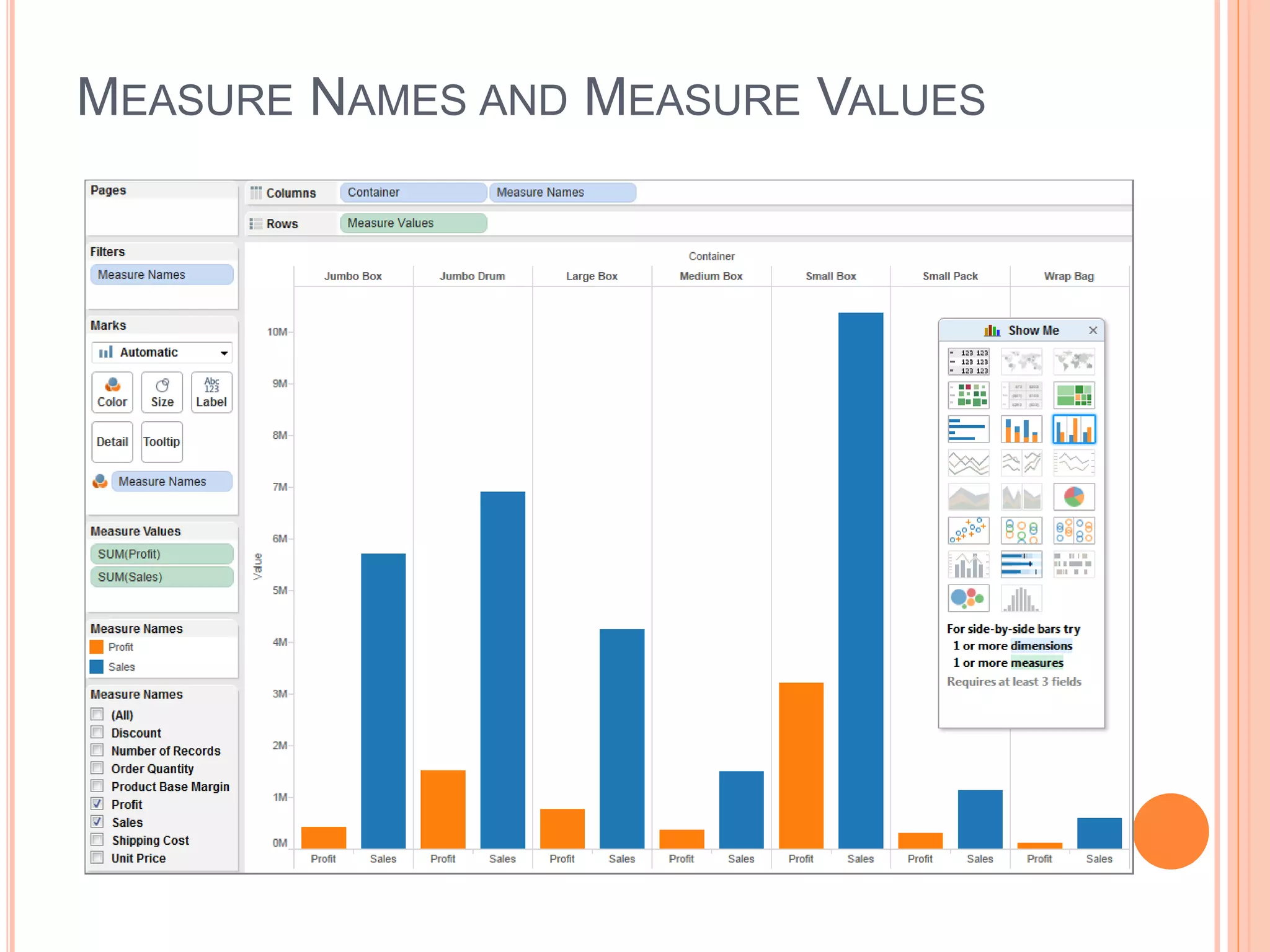
 Measure Names and Measure Values
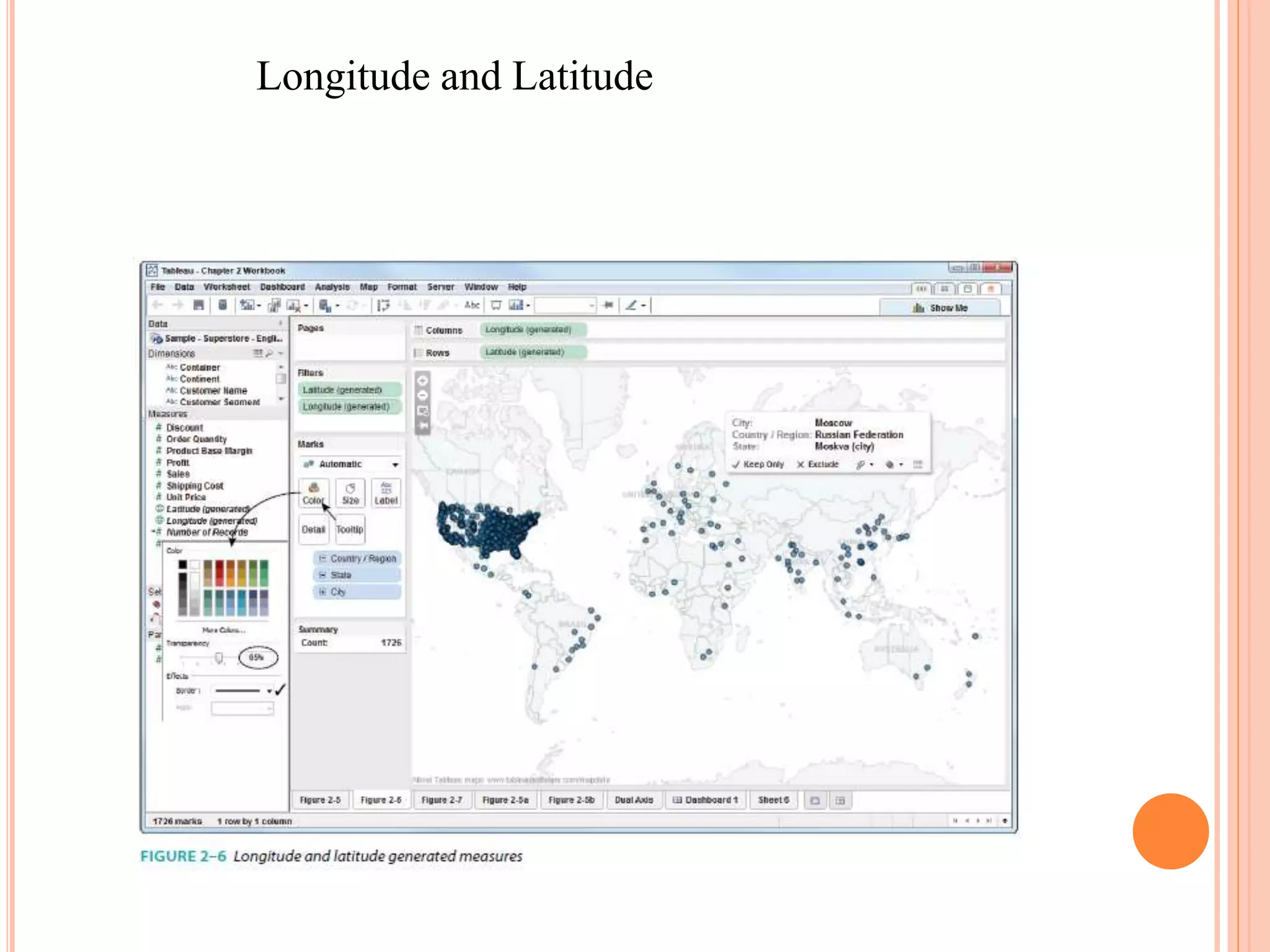
 Longitude and Latitude
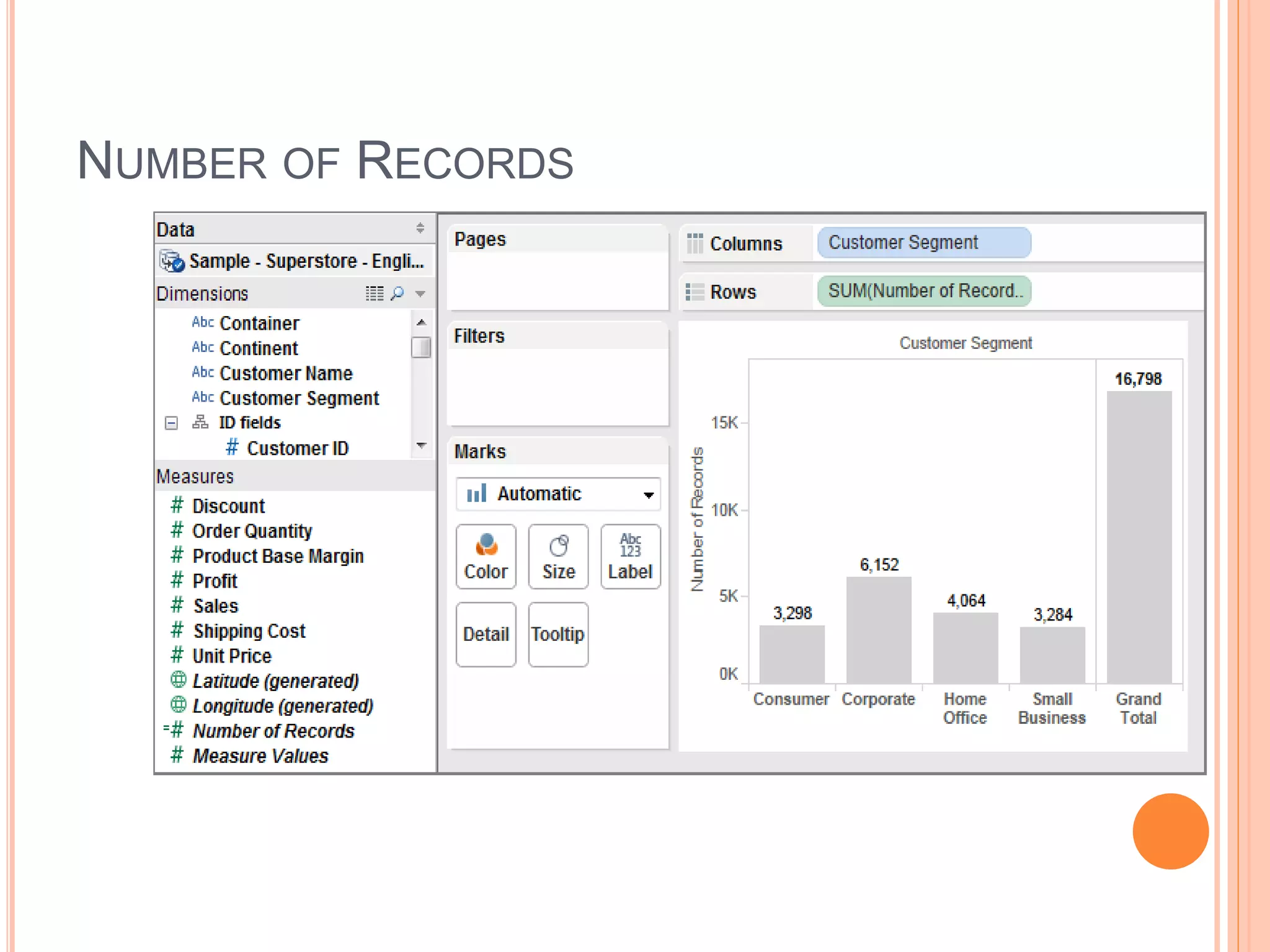
 Number of Records
MEASURE NAMES AND MEASURE VALUES
Longitude and Latitude
NUMBER OF RECORDS
DATA EXTRACT
 Performance improvement
 Additional functions
 Data portability
Tableau File Format
 Tableau Workbook (.twb)
 Tableau Packaged Workbook (.twbx)
 Tableau Datasource (.tds)
 Tableau Bookmark (.twb)
 Tableau Data Extract (.tde)
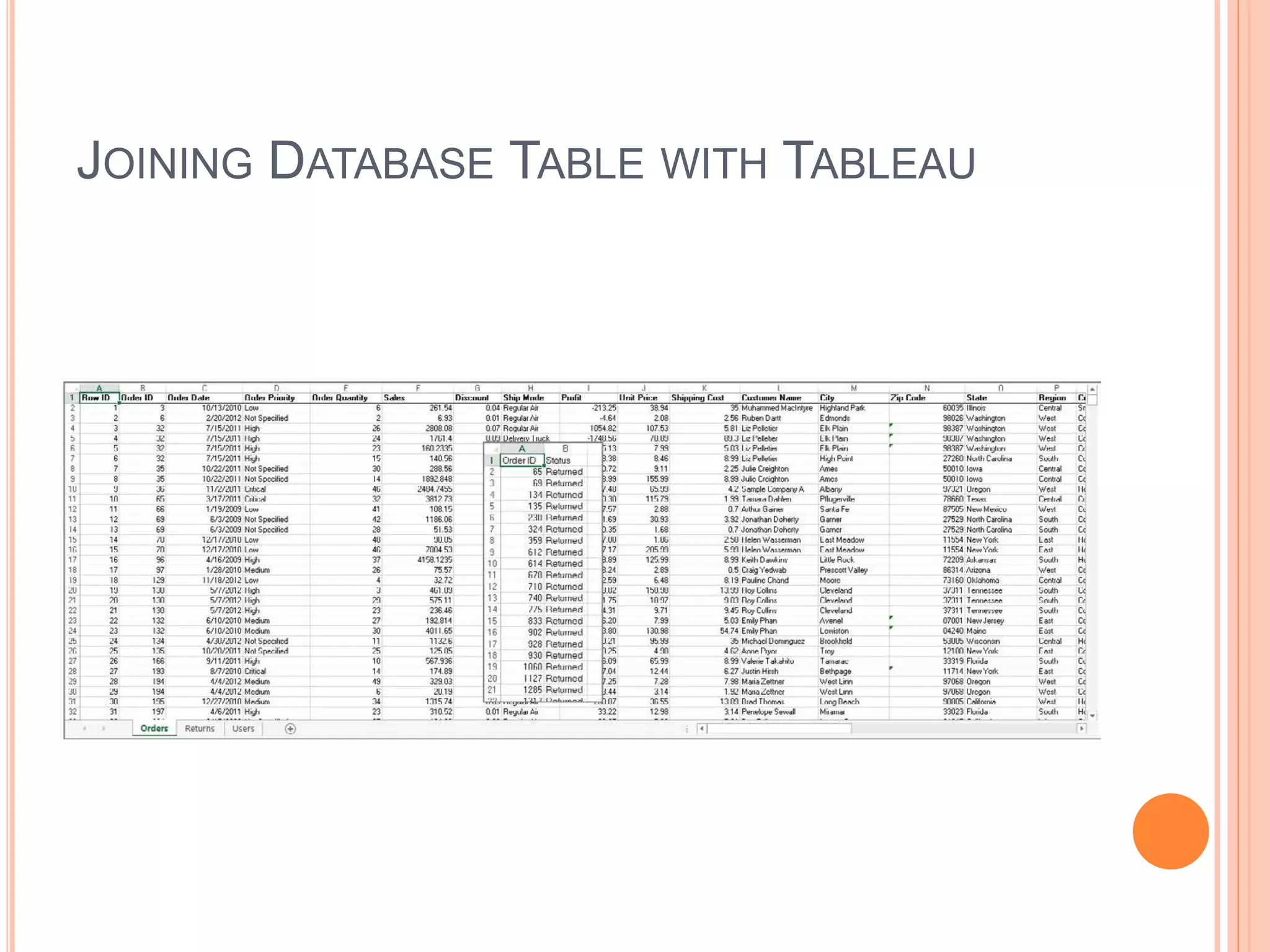
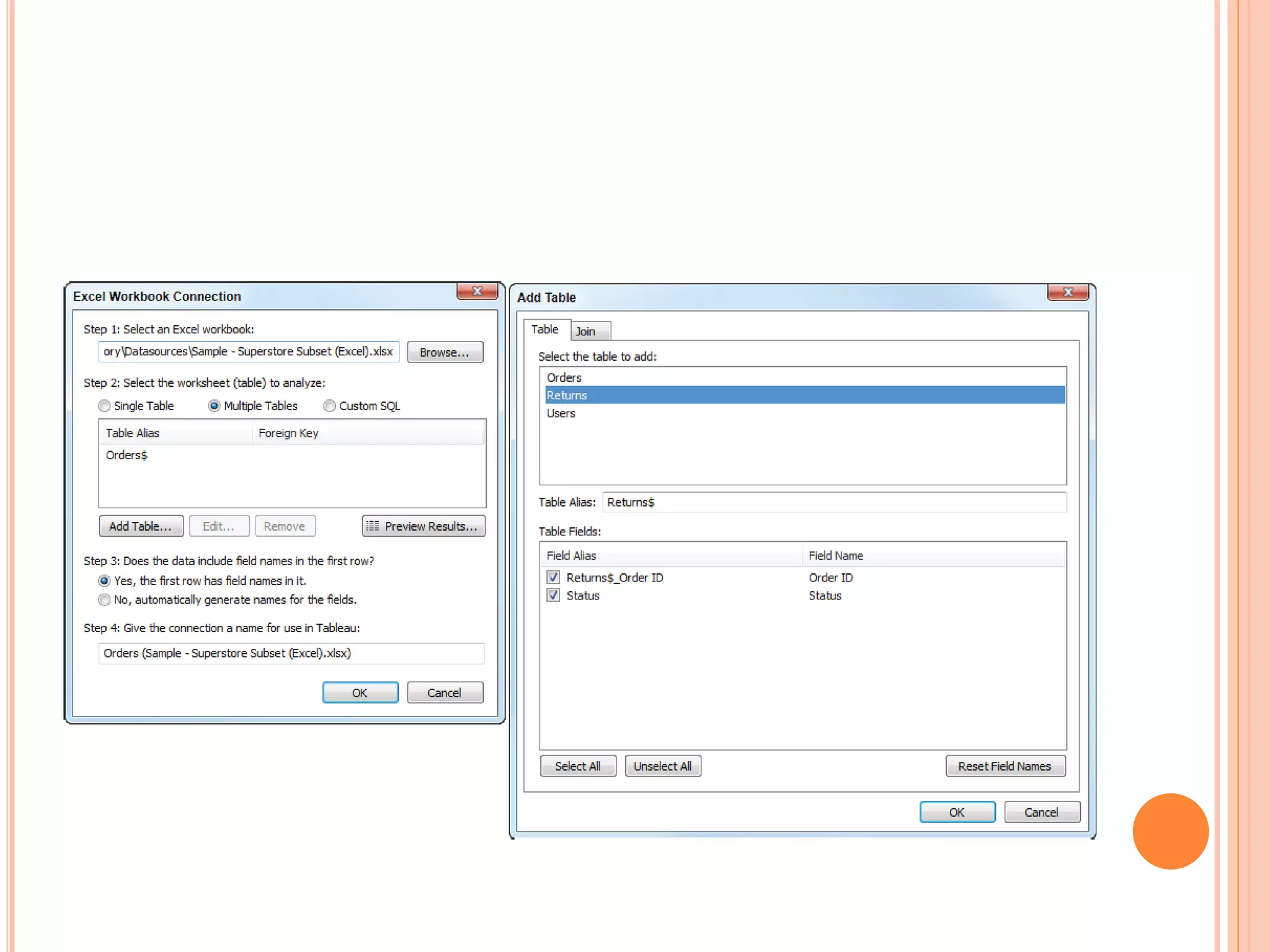
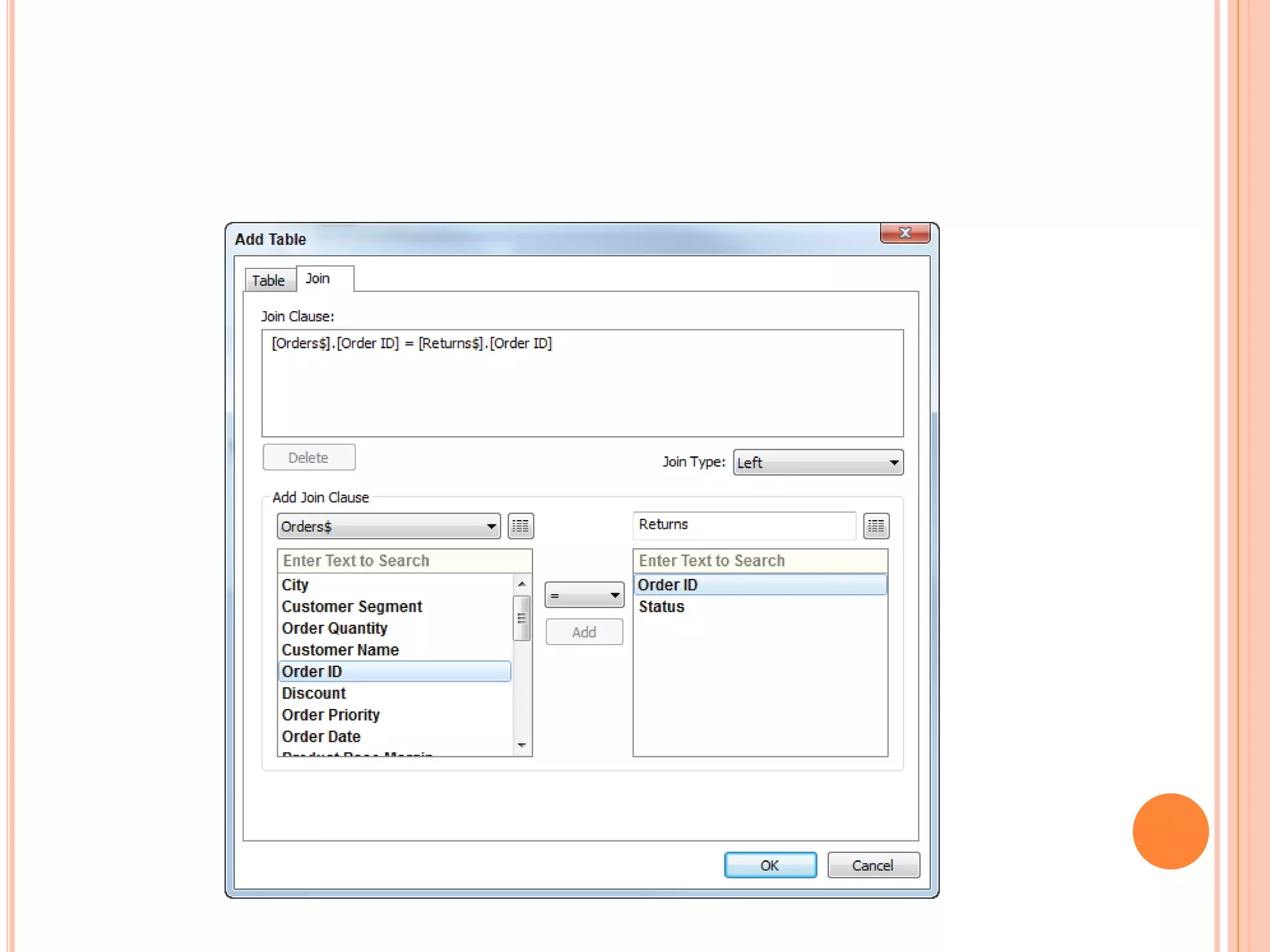
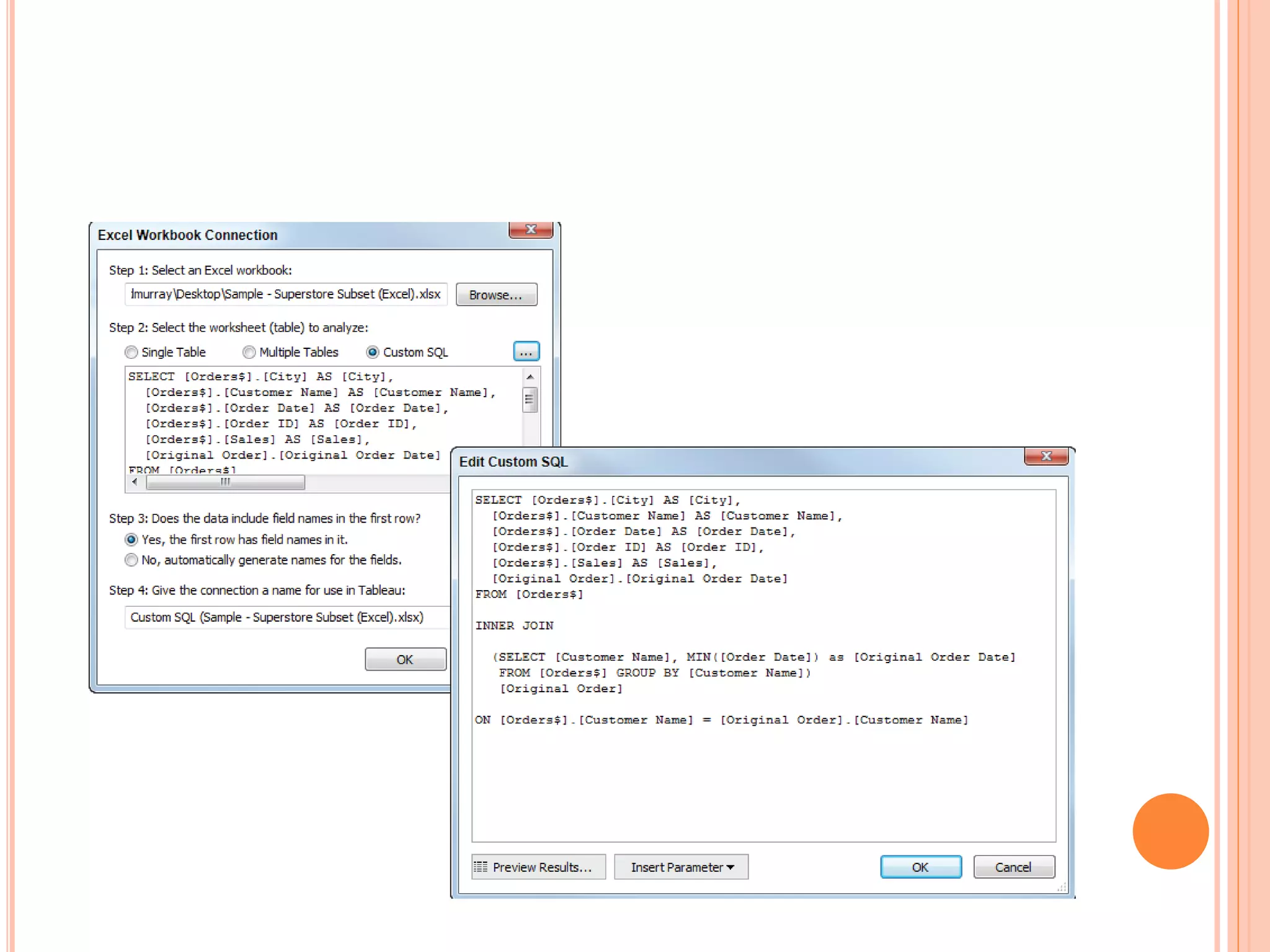
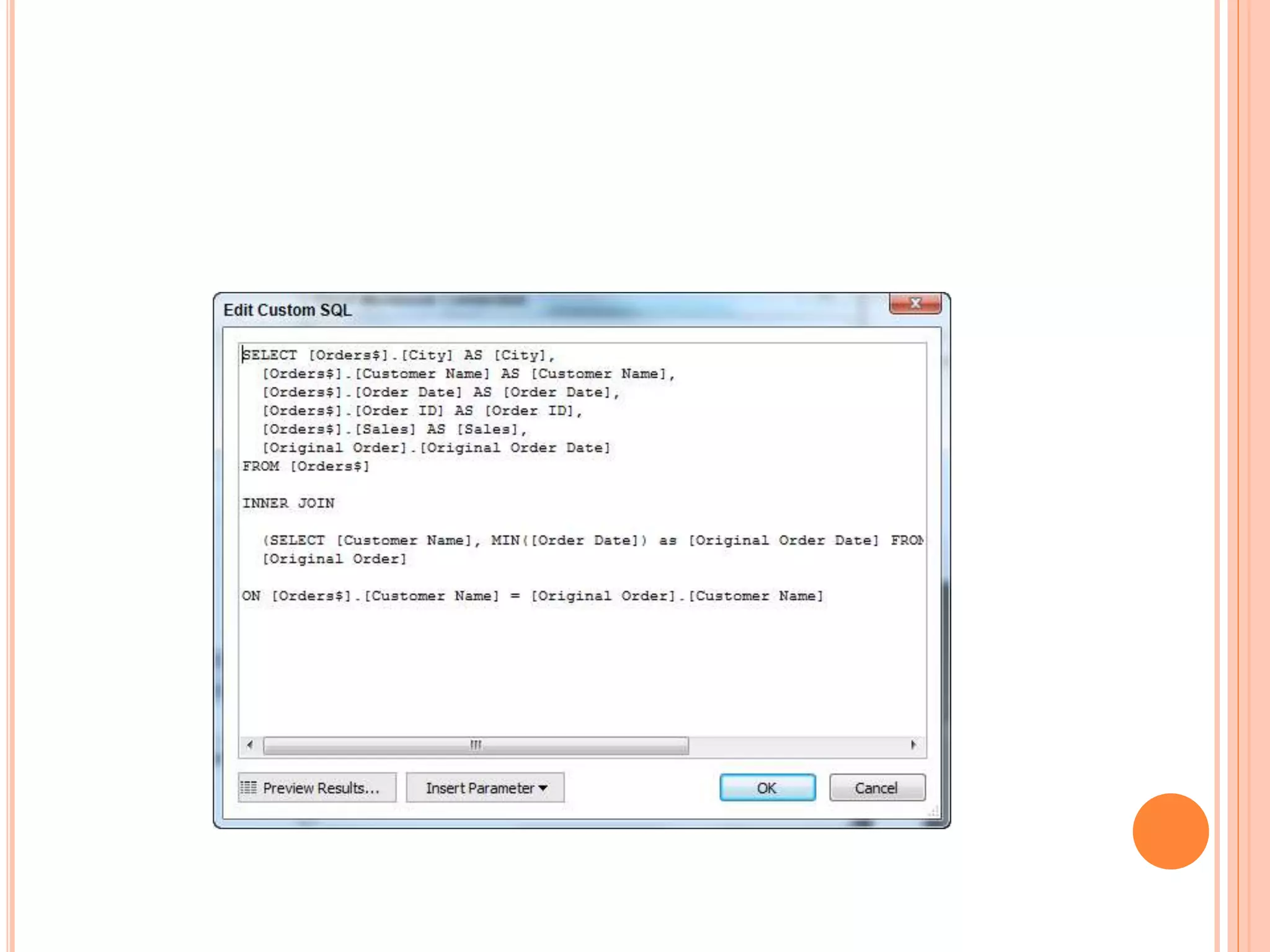
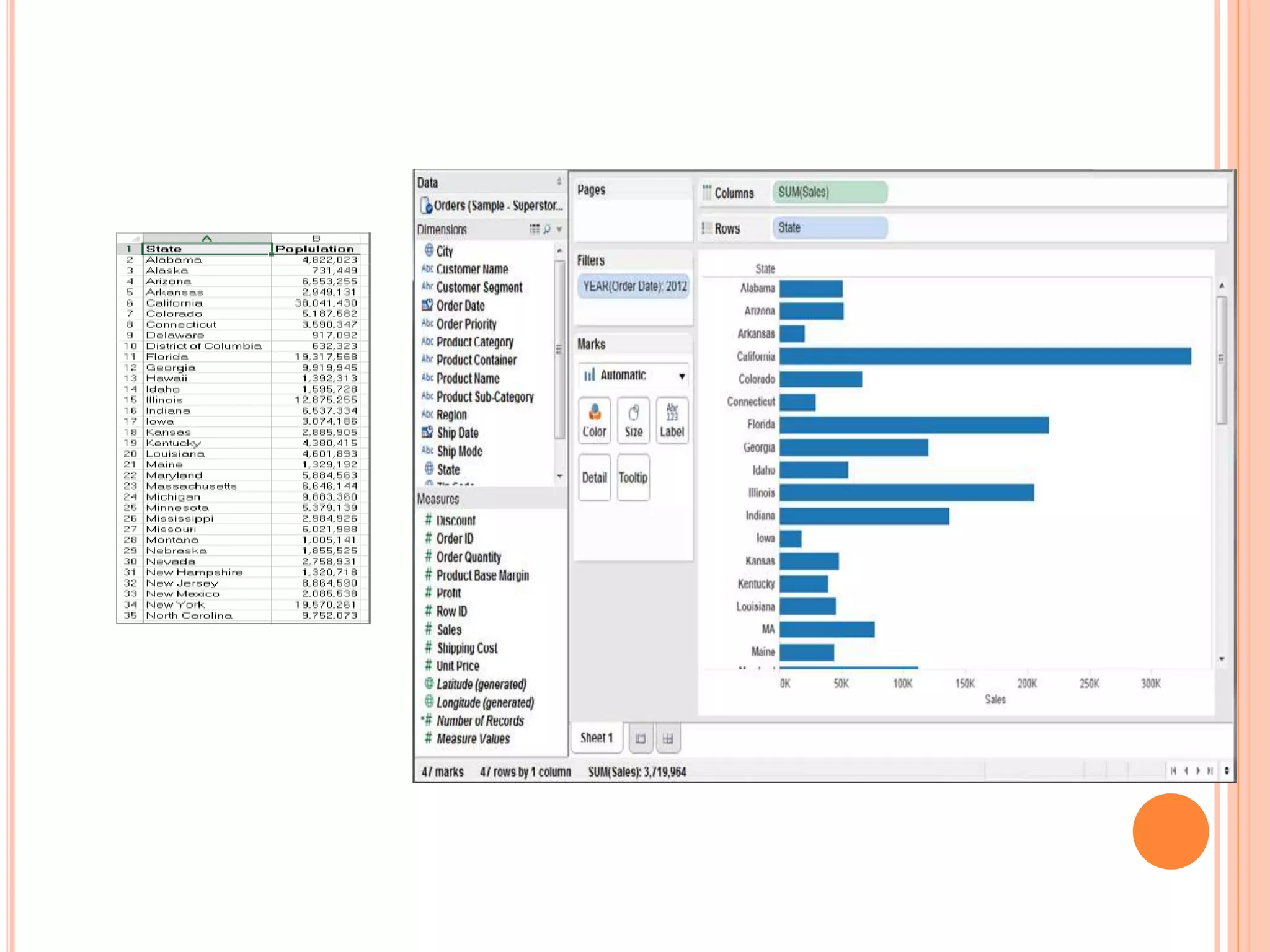
JOINING DATABASE TABLE WITH TABLEAU
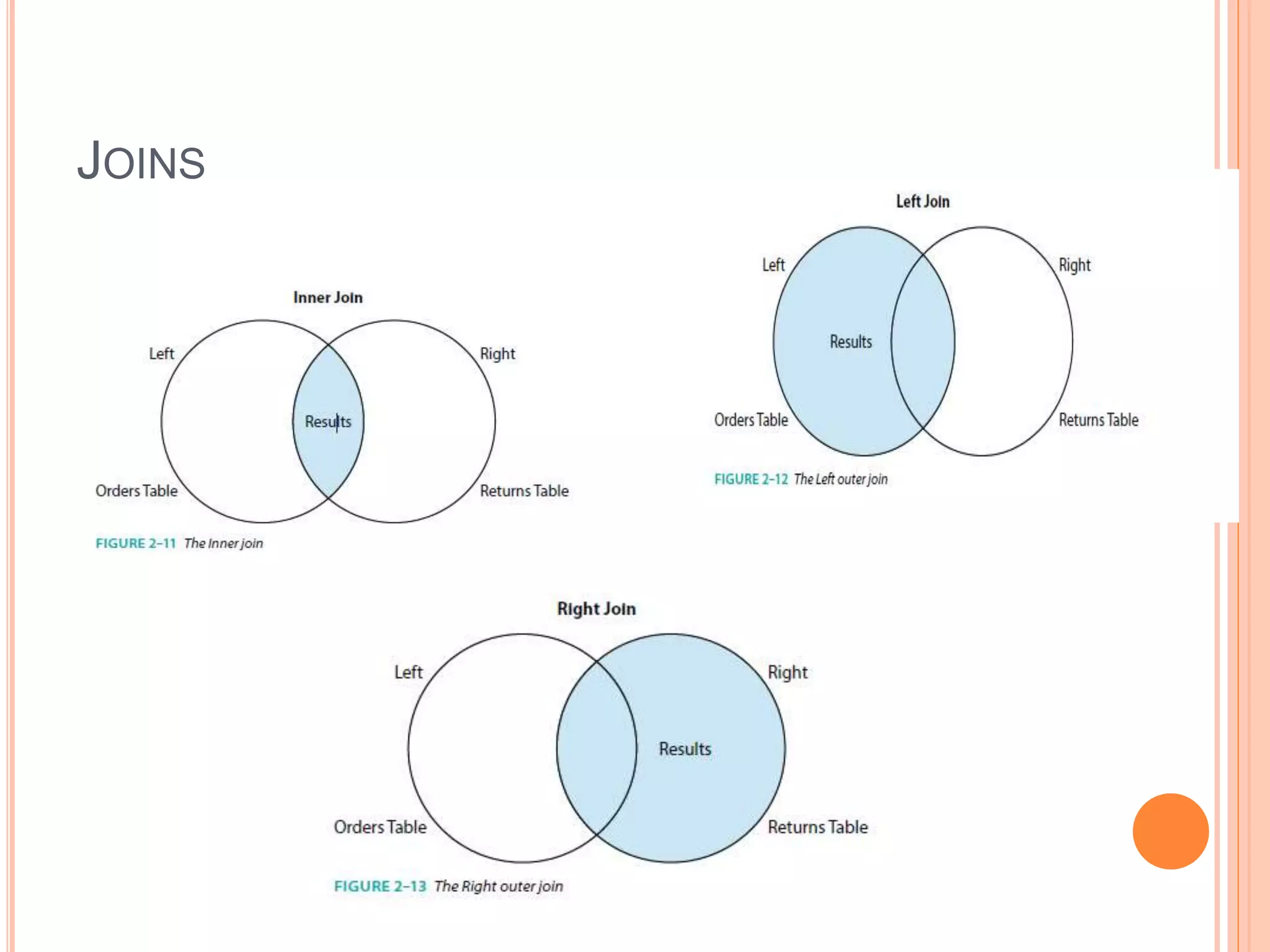
JOINS
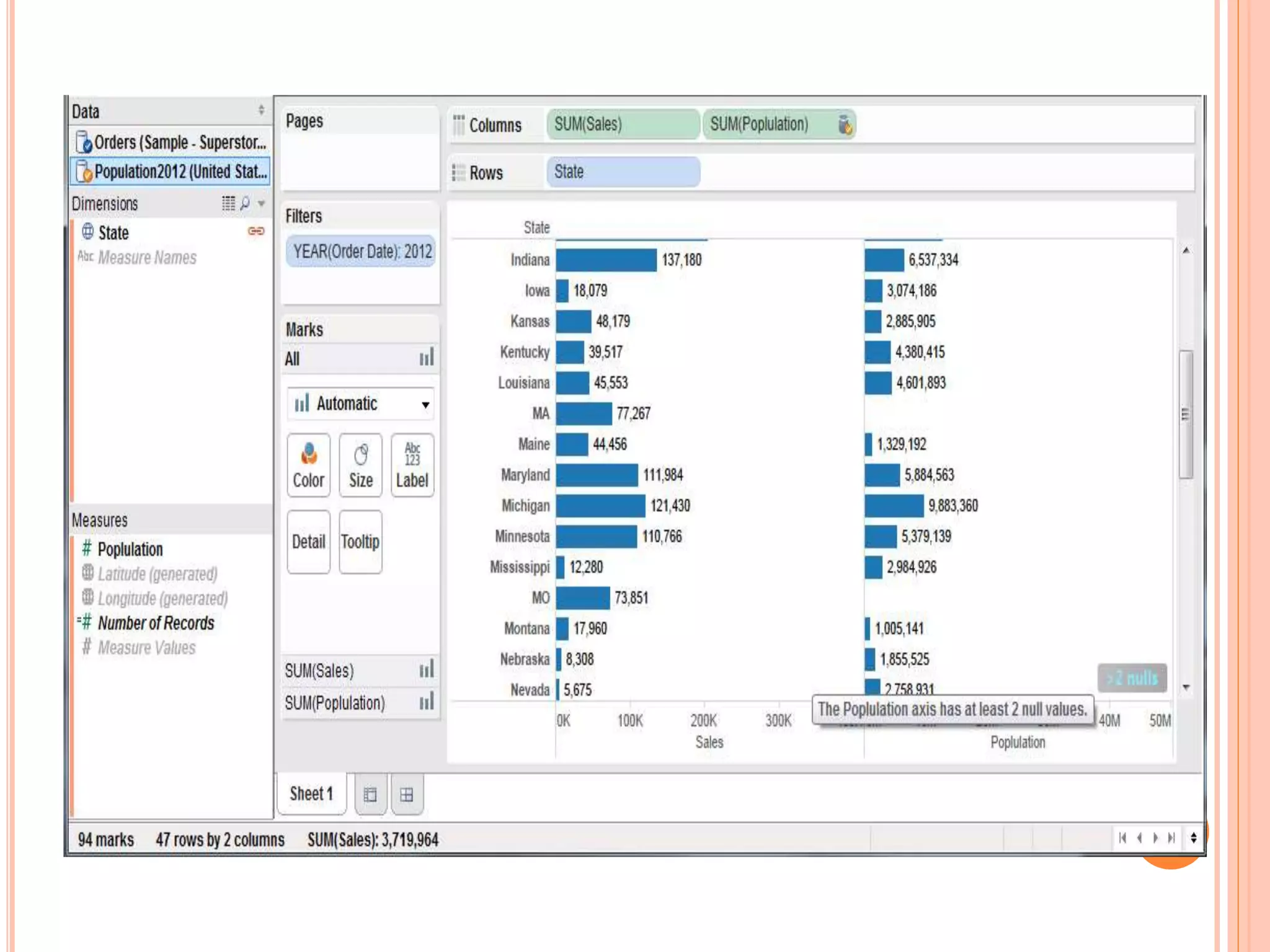
BLENDING DIFFERENT DATA SOURCES IN A
SINGLE WORKSHEET
 If your data isn’t in one place,blending provides a
viable way to quickly create a left-join-like
connection between your primary and secondary
datasources.
 Blends are more fragile than joins.
 They persist only on the worksheet page on which
they are created.
 Blends offer a different kind of flexibility—the ability
to alter the primary datasource for each worksheet
page
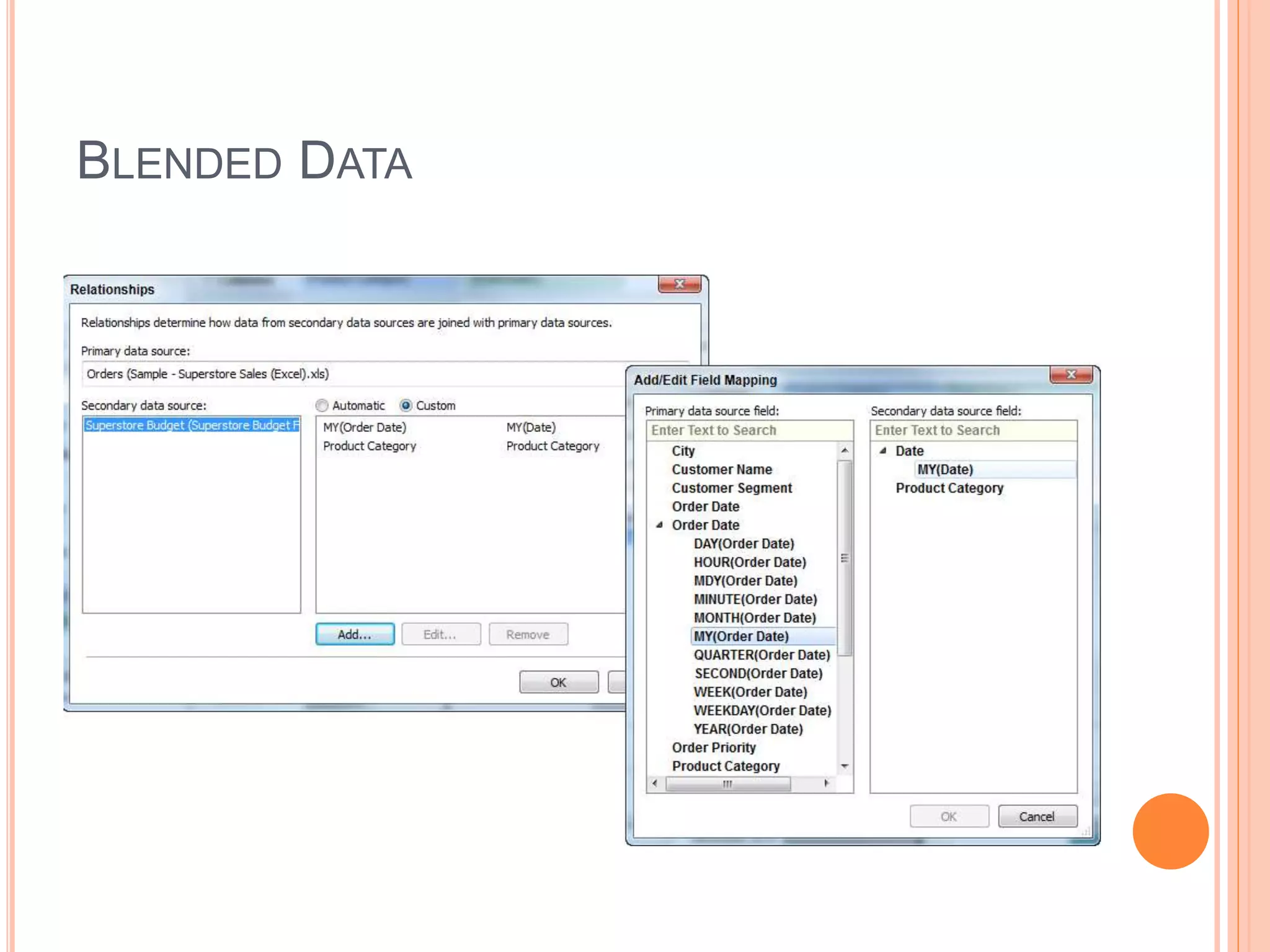
HOW TO CREATE DATA BLEND
 Creating data blends requires a little planning. If
you are going to bring data that doesn’t reside in
your primary datasource you have to think about
what field(s) you may need in order to achieve the
desired result.
 There are two ways you can create a blend—the
automatic method or manually defining the blend .
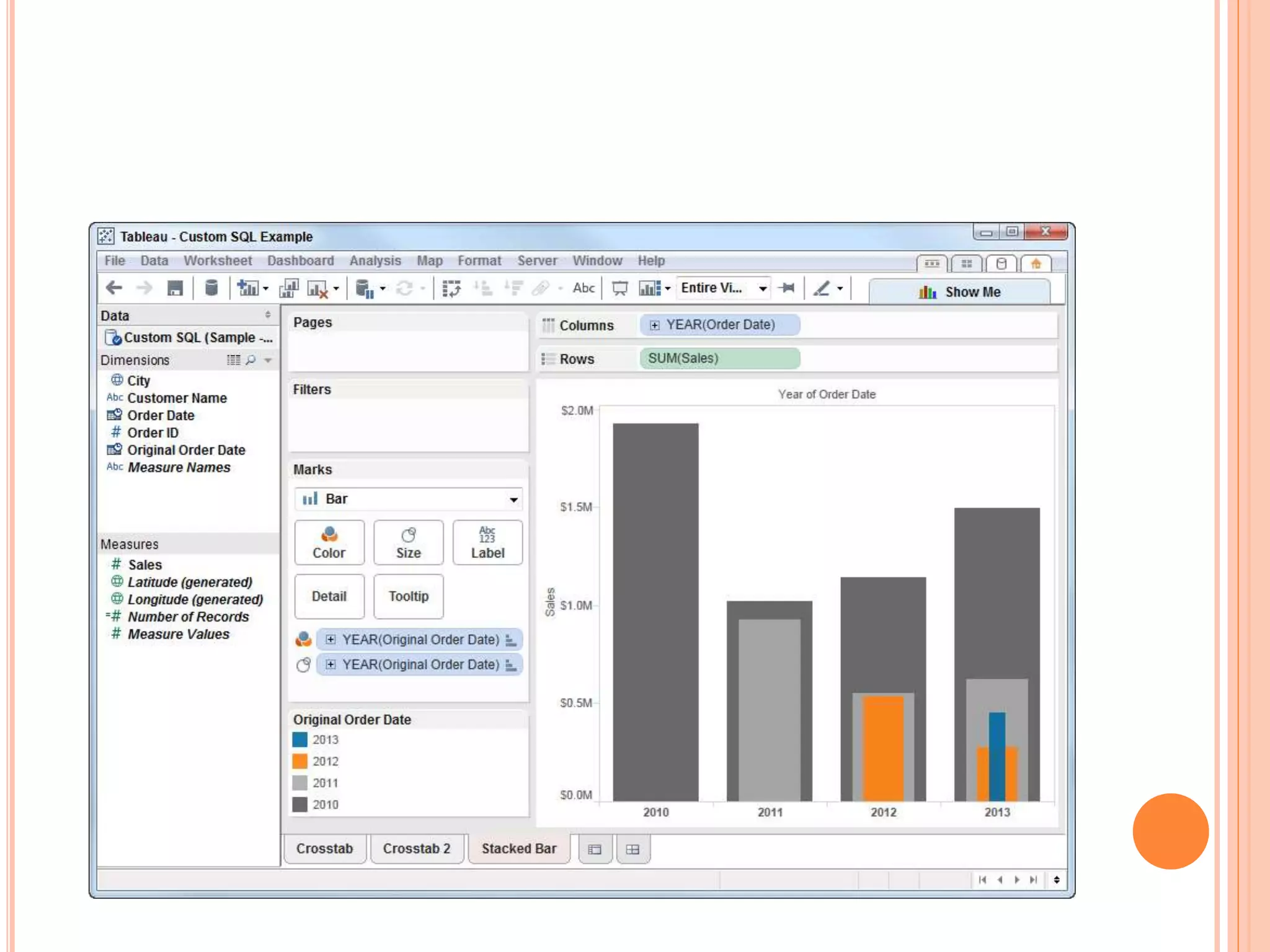
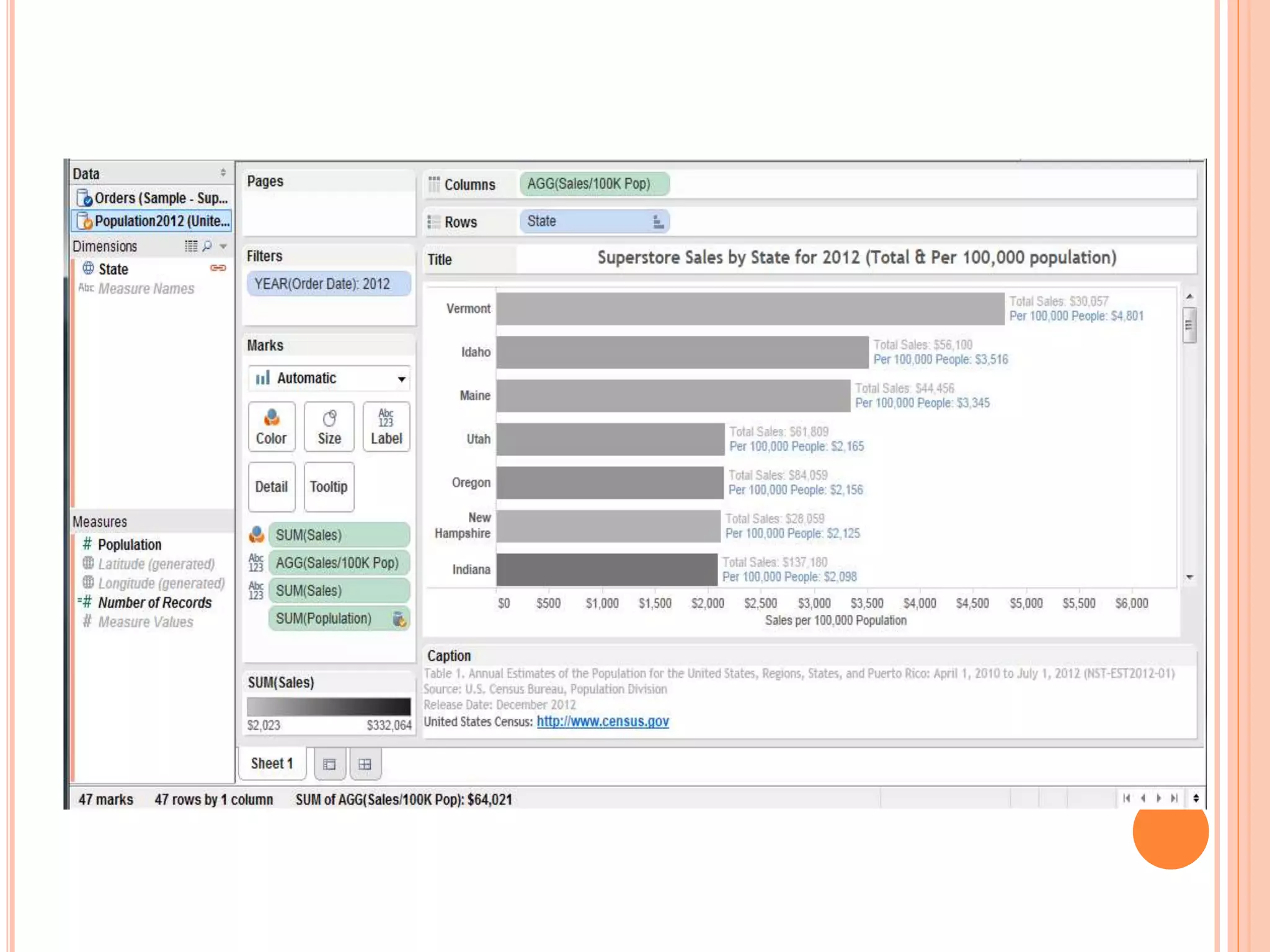
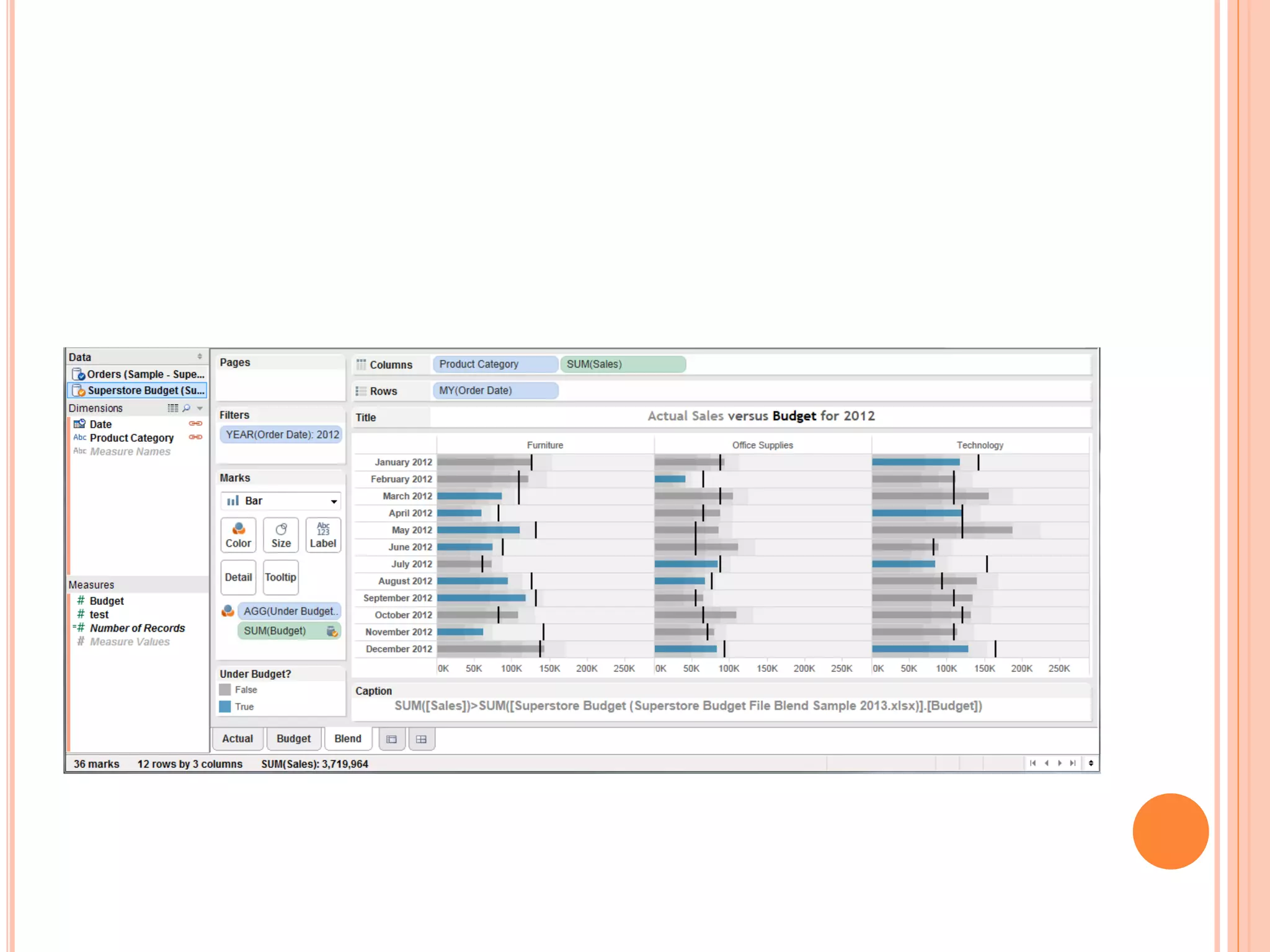
BLENDED DATA
FACTORS THAT AFFECT THE SPEED OF YOUR
DATA
CONNECTIONS
 The Server hardware, which hosts the database
 The database, which hosts the data
 The network, over which the data is sent
 Your own computer’s hardware, which has Tableau
Desktop
HOW TO DEAL WITH DATA QUALITY
PROBLEMS
 Renaming
 Grouping
 Aliases
 Geographic Errors
 Null Values
REFERENCE
 Tableau your Data, Daniel G Murray, 2nd Edition,
Wiley Publishing, ISBN-13: 978- 8126573448.
 www.wikipedia.com
 www.google.com
Module 2

Module 2

  • 1.
    DATA VISUALIZATION FORMANAGERES MBA III SEM SPECIALIZATION BUSINESS ANALYTICS As per RTMNU,Nagpur
  • 2.
    MODULE -2  ConnectingData – How to connect Data, What are generated values, Use of Data Connection and Data Extract, Joining Database Table with Tableau, Blending different Datasources in single Worksheet, Data Quality Problem
  • 3.
    HOW TO CONNECTYOUR DATA CONNECTING YOUR DATA SCREEN
  • 4.
  • 5.
    CONNECTION TO YOURDATABASE SOURCES
  • 6.
    CONNECTING PUBLIC DATASOURCES  Public domain data sets  Commercial data services  Cloud database platforms Tablue Provides  Google Analytics  Google Big Query  Amazon Redshift  Salesforce  Open Data Protocol (ODATA)  Windows Azure Marketplace
  • 8.
    WHAT ARE GENERATEDVALUES?  Measure Names and Measure Values  Longitude and Latitude  Number of Records
  • 9.
    MEASURE NAMES ANDMEASURE VALUES
  • 10.
  • 11.
  • 12.
    DATA EXTRACT  Performanceimprovement  Additional functions  Data portability Tableau File Format  Tableau Workbook (.twb)  Tableau Packaged Workbook (.twbx)  Tableau Datasource (.tds)  Tableau Bookmark (.twb)  Tableau Data Extract (.tde)
  • 13.
  • 16.
  • 20.
    BLENDING DIFFERENT DATASOURCES IN A SINGLE WORKSHEET  If your data isn’t in one place,blending provides a viable way to quickly create a left-join-like connection between your primary and secondary datasources.  Blends are more fragile than joins.  They persist only on the worksheet page on which they are created.  Blends offer a different kind of flexibility—the ability to alter the primary datasource for each worksheet page
  • 21.
    HOW TO CREATEDATA BLEND  Creating data blends requires a little planning. If you are going to bring data that doesn’t reside in your primary datasource you have to think about what field(s) you may need in order to achieve the desired result.  There are two ways you can create a blend—the automatic method or manually defining the blend .
  • 26.
  • 27.
    FACTORS THAT AFFECTTHE SPEED OF YOUR DATA CONNECTIONS  The Server hardware, which hosts the database  The database, which hosts the data  The network, over which the data is sent  Your own computer’s hardware, which has Tableau Desktop
  • 28.
    HOW TO DEALWITH DATA QUALITY PROBLEMS  Renaming  Grouping  Aliases  Geographic Errors  Null Values
  • 29.
    REFERENCE  Tableau yourData, Daniel G Murray, 2nd Edition, Wiley Publishing, ISBN-13: 978- 8126573448.  www.wikipedia.com  www.google.com