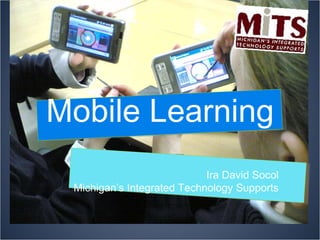
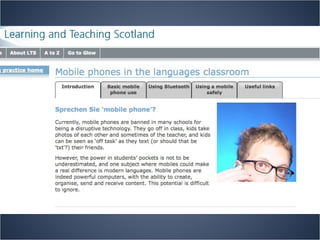
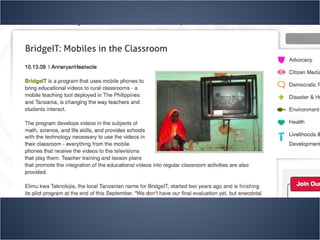

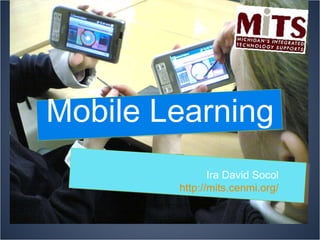
Mobile Learning Ira David Socol Michigan’s Integrated Technology Supports
Instant Access See how quickly you can  find the answers to the following questions, using your  computers or your phones…
What does “Home Nations” mean in soccer? What is the circumference of the earth? What is the temperature now in Paris? In C? in F? Who was the last emperor of Austria-Hungary? What were his titles? In German?  What is “Evacuation Day” in New York City? What is the traditional way of celebrating? I have €100, how much is that in British Pounds (£) today? My temperature is 38° C. Do I have a fever? Where are the Faroe Islands? Where does the opening scene of James Joyce’s novel  Ulysses  take place? Find a map? A photo?
Instant Access It is no longer what you can remember, but how effectively you can search for and discover the information you need. The jobs of today already require this skill. Being a consumer today requires this skill. Being a citizen today requires this skill.
The Mobile Phone The world’s basic research tool The world’s basic communication tool Camera Video Camera Voice Recorder Calendar Alarm Clock
The Mobile Phone Universal Design Tool Variety of input forms Variety of output forms Available in and out of school Breaks “digital divide” Often owned by students Lowers costs to schools


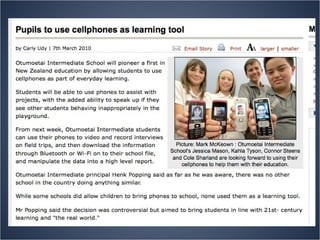
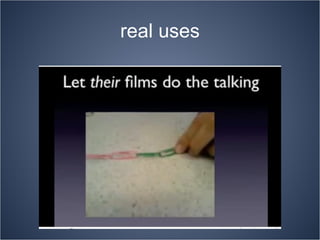
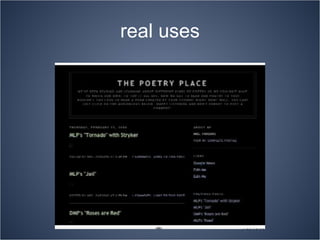
real uses
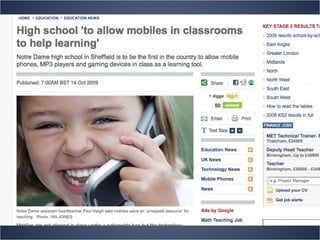
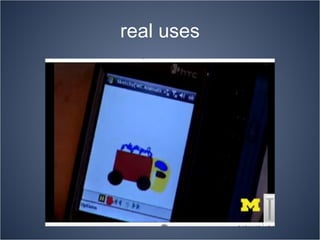
real uses
real uses
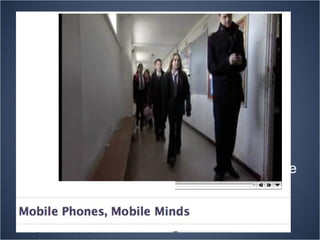
http://www.teachers.tv/video/21433#share
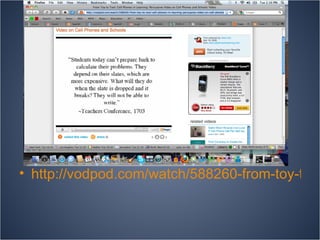
http://vodpod.com/watch/588260-from-toy-to-tool-cell-phones-in-learning-persuasive-video-on-cell-phones-and-schools
Issues Loss and theft of expensive devices Distraction and interruption Taking photos of tests and instantly passing them on to other pupils Texting answers of tests to other students Taking photos of pupils in changing rooms, toilets Spreading rumours fast Sex texting and cyber-bullying Non-filtered web access that can be used to spread content that some parents do not want their children exposed to. Recording teachers and pupils in the classroom – can be detrimental to teacher and student reputation and proper consent issues. Even bigger problem with younger children vis a vis Child Protection issues Privacy issues with shared personal phone numbers. Uneven access to devices and device quality. http://www.pontydysgu.org/2009/11/25-practical-ideas-for-using-mobile-phones-in-the-classroom/
Advantages Is cost effective for schools Reduces the need for all students to have access to computers in classroom Need less equipment like digital cameras, camcorders, mics etc If pupils are going to have them in schools anyway, irrespective of whether it is officially allowed, they may as well be exploited for learning. Overcomes some of the problems of ‘distraction’ etc. Uses cheap and familiar technology http://www.pontydysgu.org/2009/11/25-practical-ideas-for-using-mobile-phones-in-the-classroom/ ç
Advantages They are a good vehicle for teaching about ‘use-and-abuse’ issues such as digital identities, protocols, bullying, net safety etc Can be used as data collection and recording devices – audio, pics and video – for recording experiments, field work, voice memos etc Can be used as creative tool – making podcasts, picture blogs, twittering etc Can use the phone itself as learning aid – creating ringtones, wallpaper etc http://www.pontydysgu.org/2009/11/25-practical-ideas-for-using-mobile-phones-in-the-classroom/
Advantages Pupils can ask questions of the teacher they may be too embarrassed to ask publicly. Encourages engagement e.g SMS polling can ensure every pupils  voice is heard. SMS polling (e.g using Wiffiti or PollEverywhere) can be used for formative assessment Can be used for collaborative learning and communication Pupils are encouraged to use general reference books so why not phones – as dictionary, spell checker, thesaurus, encyclopaedia etc http://www.pontydysgu.org/2009/11/25-practical-ideas-for-using-mobile-phones-in-the-classroom/
Recording field trips  – using photos or voice or texting back observations to other pupils.  We did a nature walk where leaves / flowers / trees were observed by one group and identified by another group back in the classroom. We experimented by sending text only descriptions, pictures or voice calls and combinations of those to see which was the most effective. (Also posting back pictures to their blog / wiki whilst they are actually on the walk.) http://www.pontydysgu.org/2009/11/25-practical-ideas-for-using-mobile-phones-in-the-classroom/
Using twitter . History teachers chose a period in history (was the second world war) and had groups of evacuees, host families, parents of evacuees back in bombed cities sending messages to each other about their feelings. http://www.pontydysgu.org/2009/11/25-practical-ideas-for-using-mobile-phones-in-the-classroom/
be in different places working on the same project and be talking via instant-messaging .  Our example was a history  ‘Treasure Hunt’ where groups were competing to find objects and information. The groups split up and group members updated each other on progress using mobile phones. recording science experiments  and including the pictures /video with their written reports.  http://www.pontydysgu.org/2009/11/25-practical-ideas-for-using-mobile-phones-in-the-classroom/
Photoblogging using telephones . We did local landmarks and geographical features and a vocabulary exercise where each person was given a word to illustrate with three photographs by the end of the day.  Accessing Voicethread . You can use mobile phones to comment on Voicethread, which is a ‘digital conversation’ application. Brainstorming using wiffiti . Creating a communal, real time visual brainstorm, on a screen, from their cell phones. http://www.pontydysgu.org/2009/11/25-practical-ideas-for-using-mobile-phones-in-the-classroom/
Homework/Study Support http://www.mobilestudy.org/u/99/   (or  http://www.mobilestudy.org/u/99/m/  for mobile devices).
http://pbskids.org/mobile/ Ready Made
http://dailybooth.com/ Mobile Photo Blogging
Building Mobile Sites http://site.mobi/ http://www.ubik.com/
In Class Responses http://www.polleverywhere.com http://wiffiti.com/
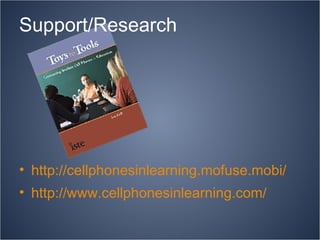
http://cellphonesinlearning.mofuse.mobi/ http://www.cellphonesinlearning.com/ Support/Research
Mobile Learning Ira David Socol http://mits.cenmi.org/

Mobile Learning in Your School

  • 1.
    Mobile Learning IraDavid Socol Michigan’s Integrated Technology Supports
  • 2.
    Instant Access Seehow quickly you can find the answers to the following questions, using your computers or your phones…
  • 3.
    What does “HomeNations” mean in soccer? What is the circumference of the earth? What is the temperature now in Paris? In C? in F? Who was the last emperor of Austria-Hungary? What were his titles? In German? What is “Evacuation Day” in New York City? What is the traditional way of celebrating? I have €100, how much is that in British Pounds (£) today? My temperature is 38° C. Do I have a fever? Where are the Faroe Islands? Where does the opening scene of James Joyce’s novel Ulysses take place? Find a map? A photo?
  • 4.
    Instant Access Itis no longer what you can remember, but how effectively you can search for and discover the information you need. The jobs of today already require this skill. Being a consumer today requires this skill. Being a citizen today requires this skill.
  • 5.
    The Mobile PhoneThe world’s basic research tool The world’s basic communication tool Camera Video Camera Voice Recorder Calendar Alarm Clock
  • 6.
    The Mobile PhoneUniversal Design Tool Variety of input forms Variety of output forms Available in and out of school Breaks “digital divide” Often owned by students Lowers costs to schools
  • 7.
  • 8.
  • 9.
  • 10.
  • 11.
  • 12.
  • 13.
  • 14.
  • 15.
  • 16.
    Issues Loss andtheft of expensive devices Distraction and interruption Taking photos of tests and instantly passing them on to other pupils Texting answers of tests to other students Taking photos of pupils in changing rooms, toilets Spreading rumours fast Sex texting and cyber-bullying Non-filtered web access that can be used to spread content that some parents do not want their children exposed to. Recording teachers and pupils in the classroom – can be detrimental to teacher and student reputation and proper consent issues. Even bigger problem with younger children vis a vis Child Protection issues Privacy issues with shared personal phone numbers. Uneven access to devices and device quality. http://www.pontydysgu.org/2009/11/25-practical-ideas-for-using-mobile-phones-in-the-classroom/
  • 17.
    Advantages Is costeffective for schools Reduces the need for all students to have access to computers in classroom Need less equipment like digital cameras, camcorders, mics etc If pupils are going to have them in schools anyway, irrespective of whether it is officially allowed, they may as well be exploited for learning. Overcomes some of the problems of ‘distraction’ etc. Uses cheap and familiar technology http://www.pontydysgu.org/2009/11/25-practical-ideas-for-using-mobile-phones-in-the-classroom/ ç
  • 18.
    Advantages They area good vehicle for teaching about ‘use-and-abuse’ issues such as digital identities, protocols, bullying, net safety etc Can be used as data collection and recording devices – audio, pics and video – for recording experiments, field work, voice memos etc Can be used as creative tool – making podcasts, picture blogs, twittering etc Can use the phone itself as learning aid – creating ringtones, wallpaper etc http://www.pontydysgu.org/2009/11/25-practical-ideas-for-using-mobile-phones-in-the-classroom/
  • 19.
    Advantages Pupils canask questions of the teacher they may be too embarrassed to ask publicly. Encourages engagement e.g SMS polling can ensure every pupils  voice is heard. SMS polling (e.g using Wiffiti or PollEverywhere) can be used for formative assessment Can be used for collaborative learning and communication Pupils are encouraged to use general reference books so why not phones – as dictionary, spell checker, thesaurus, encyclopaedia etc http://www.pontydysgu.org/2009/11/25-practical-ideas-for-using-mobile-phones-in-the-classroom/
  • 20.
    Recording field trips – using photos or voice or texting back observations to other pupils.  We did a nature walk where leaves / flowers / trees were observed by one group and identified by another group back in the classroom. We experimented by sending text only descriptions, pictures or voice calls and combinations of those to see which was the most effective. (Also posting back pictures to their blog / wiki whilst they are actually on the walk.) http://www.pontydysgu.org/2009/11/25-practical-ideas-for-using-mobile-phones-in-the-classroom/
  • 21.
    Using twitter .History teachers chose a period in history (was the second world war) and had groups of evacuees, host families, parents of evacuees back in bombed cities sending messages to each other about their feelings. http://www.pontydysgu.org/2009/11/25-practical-ideas-for-using-mobile-phones-in-the-classroom/
  • 22.
    be in differentplaces working on the same project and be talking via instant-messaging .  Our example was a history  ‘Treasure Hunt’ where groups were competing to find objects and information. The groups split up and group members updated each other on progress using mobile phones. recording science experiments and including the pictures /video with their written reports. http://www.pontydysgu.org/2009/11/25-practical-ideas-for-using-mobile-phones-in-the-classroom/
  • 23.
    Photoblogging using telephones. We did local landmarks and geographical features and a vocabulary exercise where each person was given a word to illustrate with three photographs by the end of the day. Accessing Voicethread . You can use mobile phones to comment on Voicethread, which is a ‘digital conversation’ application. Brainstorming using wiffiti . Creating a communal, real time visual brainstorm, on a screen, from their cell phones. http://www.pontydysgu.org/2009/11/25-practical-ideas-for-using-mobile-phones-in-the-classroom/
  • 24.
    Homework/Study Support http://www.mobilestudy.org/u/99/ (or http://www.mobilestudy.org/u/99/m/ for mobile devices).
  • 25.
  • 26.
  • 27.
    Building Mobile Siteshttp://site.mobi/ http://www.ubik.com/
  • 28.
    In Class Responseshttp://www.polleverywhere.com http://wiffiti.com/
  • 29.
  • 30.
    Mobile Learning IraDavid Socol http://mits.cenmi.org/