Mobile Computing
Lecture 4
August 30, 2024
Introduction to Mobile Computing
▶ Mobile computing refers to using wireless communication
and portable devices to perform computing tasks from any
location, at any time.
▶ It integrates multiple technologies such as:
▶ Mobile networking: Allows devices to connect and
communicate wirelessly (e.g., 4G, 5G, Wi-Fi).
▶ Mobile information access: Enables users to retrieve and
store data remotely through cloud services or local storage.
▶ Adaptive applications: Applications that adjust functionality
based on device resources or network conditions.
▶ Energy-aware systems: Optimizes power consumption to
extend battery life, especially important for mobile devices.
▶ Location sensitivity: Leverages GPS or network-based
location services to provide context-aware experiences.
Introduction to Mobile Computing
▶ Mobile computing plays a critical role in modern life, from
personal use to industries such as healthcare, education, and
transportation.
Example:
▶ A student using a smartphone to access educational content
from a cloud storage service while commuting, and receiving
location-based alerts (e.g., next bus stop), all while the phone
intelligently manages battery usage by dimming the screen.
Mobile Networking
▶ Mobile IP: Provides seamless mobility for IP devices.
▶ Ad hoc networks: Networks formed on the fly between
mobile nodes without a fixed infrastructure.
▶ Wireless TCP fixes: Techniques to improve TCP
performance over wireless links.
Mobile Networking
▶ Mobile IP: Provides seamless mobility for IP devices.
▶ Ad hoc networks: Networks formed on the fly between
mobile nodes without a fixed infrastructure.
▶ Wireless TCP fixes: Techniques to improve TCP
performance over wireless links.
Example:
▶ A mobile user accessing the internet while switching between
different wireless networks seamlessly using Mobile IP.
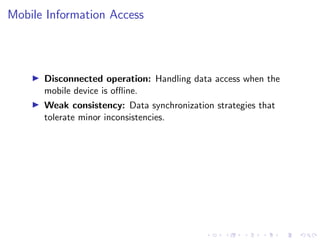
Mobile Information Access
▶ Disconnected operation: Handling data access when the
mobile device is offline.
▶ Weak consistency: Data synchronization strategies that
tolerate minor inconsistencies.
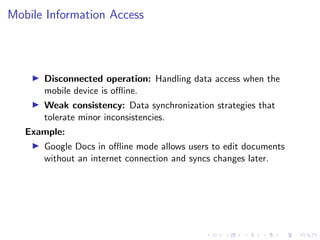
Mobile Information Access
▶ Disconnected operation: Handling data access when the
mobile device is offline.
▶ Weak consistency: Data synchronization strategies that
tolerate minor inconsistencies.
Example:
▶ Google Docs in offline mode allows users to edit documents
without an internet connection and syncs changes later.
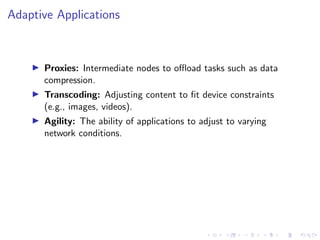
Adaptive Applications
▶ Proxies: Intermediate nodes to offload tasks such as data
compression.
▶ Transcoding: Adjusting content to fit device constraints
(e.g., images, videos).
▶ Agility: The ability of applications to adjust to varying
network conditions.
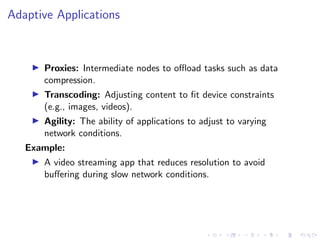
Adaptive Applications
▶ Proxies: Intermediate nodes to offload tasks such as data
compression.
▶ Transcoding: Adjusting content to fit device constraints
(e.g., images, videos).
▶ Agility: The ability of applications to adjust to varying
network conditions.
Example:
▶ A video streaming app that reduces resolution to avoid
buffering during slow network conditions.
Energy-aware Systems
▶ Goal-directed adaptation: Adjusting device behavior to
maximize battery life.
▶ Disk spin-down: Reducing energy consumption by spinning
down hard drives during inactivity.
Energy-aware Systems
▶ Goal-directed adaptation: Adjusting device behavior to
maximize battery life.
▶ Disk spin-down: Reducing energy consumption by spinning
down hard drives during inactivity.
Example:
▶ Smartphones reduce screen brightness and background
activity when battery is low.
Location Sensitivity
▶ GPS: Satellite-based location tracking system.
▶ WaveLan triangulation: Locating devices using WiFi signal
strength.
▶ Context-awareness: Adapting behavior based on the user’s
location and surroundings.
Location Sensitivity
▶ GPS: Satellite-based location tracking system.
▶ WaveLan triangulation: Locating devices using WiFi signal
strength.
▶ Context-awareness: Adapting behavior based on the user’s
location and surroundings.
Example:
▶ A navigation app that provides route suggestions based on
current traffic and GPS data.
Distributed Systems in Mobile Computing
▶ Distributed systems enable multiple devices to work together
to achieve a common goal.
▶ Mobile devices often rely on cloud services or peer-to-peer
communication.
Distributed Systems in Mobile Computing
▶ Distributed systems enable multiple devices to work together
to achieve a common goal.
▶ Mobile devices often rely on cloud services or peer-to-peer
communication.
Example:
▶ Mobile cloud gaming where game data is processed on servers
and streamed to mobile devices.
Pervasive Computing
▶ Smart spaces: Environments embedded with sensors and
devices that interact with mobile users.
▶ Invisibility: Technology that operates in the background
without requiring user intervention.
Pervasive Computing
▶ Smart spaces: Environments embedded with sensors and
devices that interact with mobile users.
▶ Invisibility: Technology that operates in the background
without requiring user intervention.
Example:
▶ A smart home system that adjusts lighting and temperature
based on the user’s location and preferences.
Conclusion
▶ Mobile computing is rapidly evolving, incorporating
technologies that enhance networking, adaptability, energy
efficiency, and location awareness.
▶ Future developments will lead to more seamless,
context-aware interactions between users and their devices.

Mobile Computing(Ubiquitious computing1)

  • 1.
  • 2.
    Introduction to MobileComputing ▶ Mobile computing refers to using wireless communication and portable devices to perform computing tasks from any location, at any time. ▶ It integrates multiple technologies such as: ▶ Mobile networking: Allows devices to connect and communicate wirelessly (e.g., 4G, 5G, Wi-Fi). ▶ Mobile information access: Enables users to retrieve and store data remotely through cloud services or local storage. ▶ Adaptive applications: Applications that adjust functionality based on device resources or network conditions. ▶ Energy-aware systems: Optimizes power consumption to extend battery life, especially important for mobile devices. ▶ Location sensitivity: Leverages GPS or network-based location services to provide context-aware experiences.
  • 3.
    Introduction to MobileComputing ▶ Mobile computing plays a critical role in modern life, from personal use to industries such as healthcare, education, and transportation. Example: ▶ A student using a smartphone to access educational content from a cloud storage service while commuting, and receiving location-based alerts (e.g., next bus stop), all while the phone intelligently manages battery usage by dimming the screen.
  • 4.
    Mobile Networking ▶ MobileIP: Provides seamless mobility for IP devices. ▶ Ad hoc networks: Networks formed on the fly between mobile nodes without a fixed infrastructure. ▶ Wireless TCP fixes: Techniques to improve TCP performance over wireless links.
  • 5.
    Mobile Networking ▶ MobileIP: Provides seamless mobility for IP devices. ▶ Ad hoc networks: Networks formed on the fly between mobile nodes without a fixed infrastructure. ▶ Wireless TCP fixes: Techniques to improve TCP performance over wireless links. Example: ▶ A mobile user accessing the internet while switching between different wireless networks seamlessly using Mobile IP.
  • 6.
    Mobile Information Access ▶Disconnected operation: Handling data access when the mobile device is offline. ▶ Weak consistency: Data synchronization strategies that tolerate minor inconsistencies.
  • 7.
    Mobile Information Access ▶Disconnected operation: Handling data access when the mobile device is offline. ▶ Weak consistency: Data synchronization strategies that tolerate minor inconsistencies. Example: ▶ Google Docs in offline mode allows users to edit documents without an internet connection and syncs changes later.
  • 8.
    Adaptive Applications ▶ Proxies:Intermediate nodes to offload tasks such as data compression. ▶ Transcoding: Adjusting content to fit device constraints (e.g., images, videos). ▶ Agility: The ability of applications to adjust to varying network conditions.
  • 9.
    Adaptive Applications ▶ Proxies:Intermediate nodes to offload tasks such as data compression. ▶ Transcoding: Adjusting content to fit device constraints (e.g., images, videos). ▶ Agility: The ability of applications to adjust to varying network conditions. Example: ▶ A video streaming app that reduces resolution to avoid buffering during slow network conditions.
  • 10.
    Energy-aware Systems ▶ Goal-directedadaptation: Adjusting device behavior to maximize battery life. ▶ Disk spin-down: Reducing energy consumption by spinning down hard drives during inactivity.
  • 11.
    Energy-aware Systems ▶ Goal-directedadaptation: Adjusting device behavior to maximize battery life. ▶ Disk spin-down: Reducing energy consumption by spinning down hard drives during inactivity. Example: ▶ Smartphones reduce screen brightness and background activity when battery is low.
  • 12.
    Location Sensitivity ▶ GPS:Satellite-based location tracking system. ▶ WaveLan triangulation: Locating devices using WiFi signal strength. ▶ Context-awareness: Adapting behavior based on the user’s location and surroundings.
  • 13.
    Location Sensitivity ▶ GPS:Satellite-based location tracking system. ▶ WaveLan triangulation: Locating devices using WiFi signal strength. ▶ Context-awareness: Adapting behavior based on the user’s location and surroundings. Example: ▶ A navigation app that provides route suggestions based on current traffic and GPS data.
  • 14.
    Distributed Systems inMobile Computing ▶ Distributed systems enable multiple devices to work together to achieve a common goal. ▶ Mobile devices often rely on cloud services or peer-to-peer communication.
  • 15.
    Distributed Systems inMobile Computing ▶ Distributed systems enable multiple devices to work together to achieve a common goal. ▶ Mobile devices often rely on cloud services or peer-to-peer communication. Example: ▶ Mobile cloud gaming where game data is processed on servers and streamed to mobile devices.
  • 16.
    Pervasive Computing ▶ Smartspaces: Environments embedded with sensors and devices that interact with mobile users. ▶ Invisibility: Technology that operates in the background without requiring user intervention.
  • 17.
    Pervasive Computing ▶ Smartspaces: Environments embedded with sensors and devices that interact with mobile users. ▶ Invisibility: Technology that operates in the background without requiring user intervention. Example: ▶ A smart home system that adjusts lighting and temperature based on the user’s location and preferences.
  • 18.
    Conclusion ▶ Mobile computingis rapidly evolving, incorporating technologies that enhance networking, adaptability, energy efficiency, and location awareness. ▶ Future developments will lead to more seamless, context-aware interactions between users and their devices.