Information Visualization 
Optimization 
Applied to Perceptive Process Mining 
 Emiliano “Max” Martínez Rivera 
 UI Design & Development 
User Experience Department.
 Check 
 Theory 
 Heuristics 
 Guidelines 
 Best Practices 
 User Research 
 Accessibility 
The Problem 
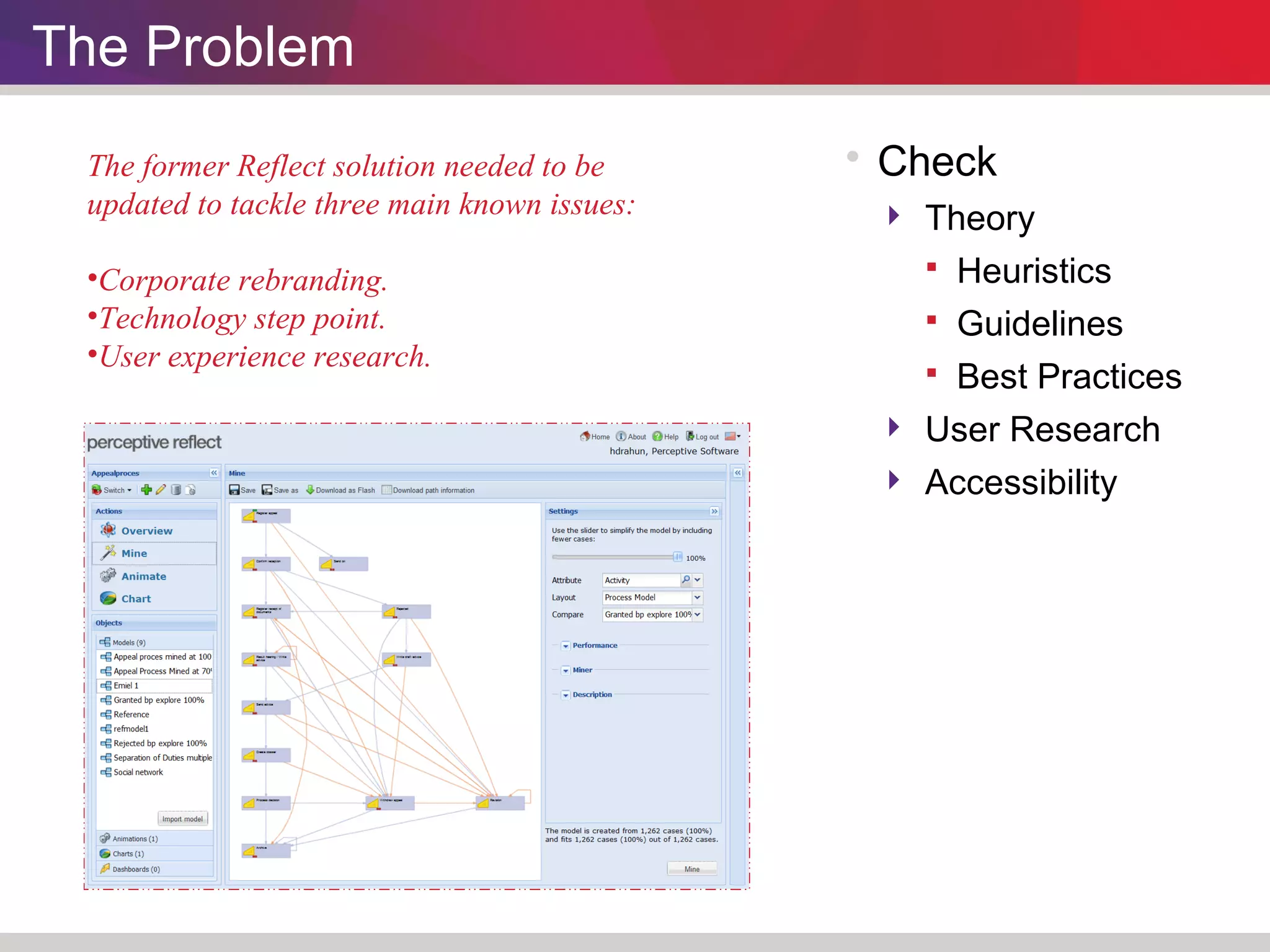
The former Reflect solution needed to be 
updated to tackle three main known issues: 
•Corporate rebranding. 
•Technology step point. 
•User experience research.
Improving the User Interface
User Interface 
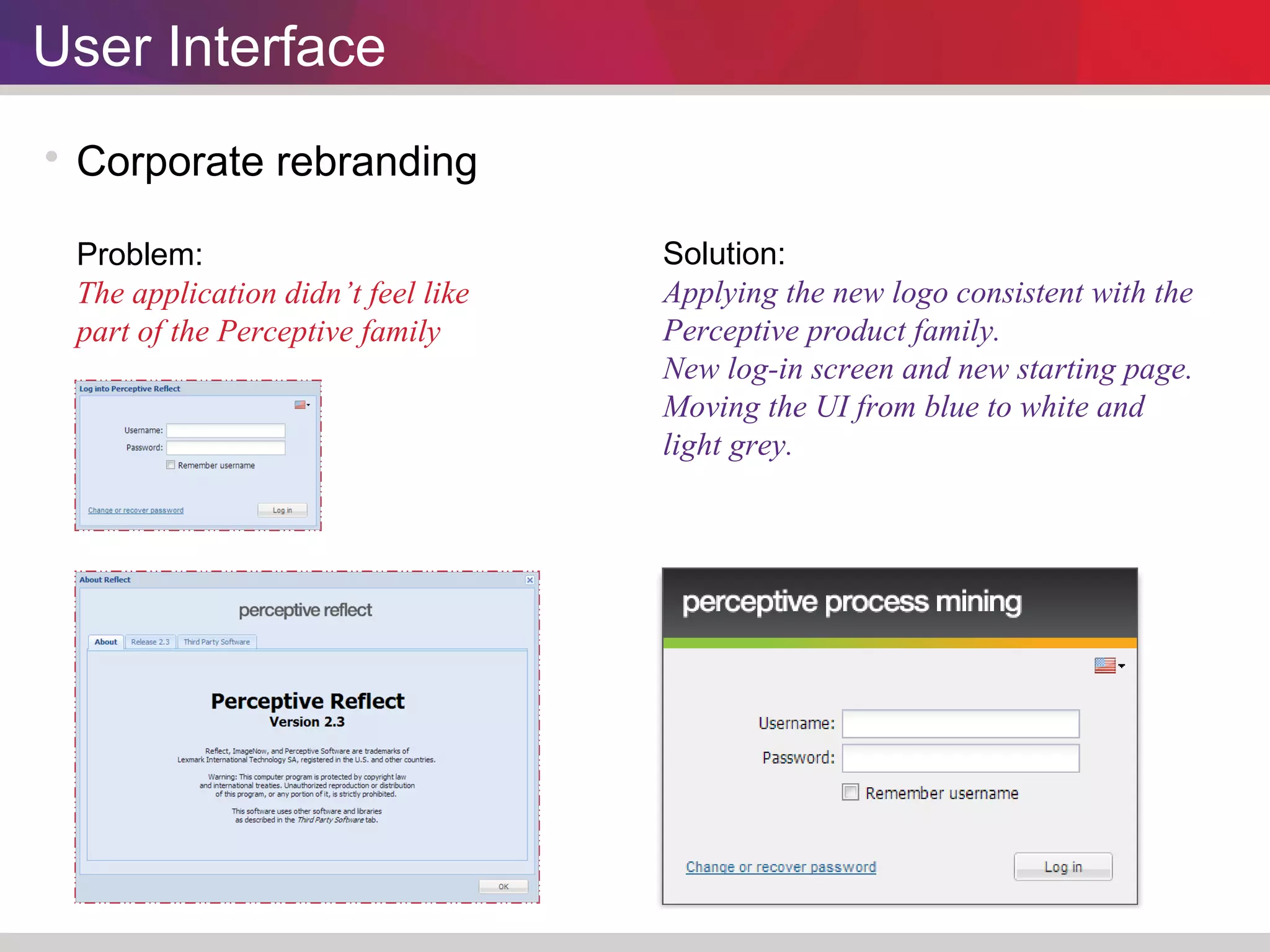
 Corporate rebranding 
Problem: 
The application didn’t feel like 
part of the Perceptive family 
Solution: 
Applying the new logo consistent with the 
Perceptive product family. 
New log-in screen and new starting page. 
Moving the UI from blue to white and 
light grey.
User Interface 
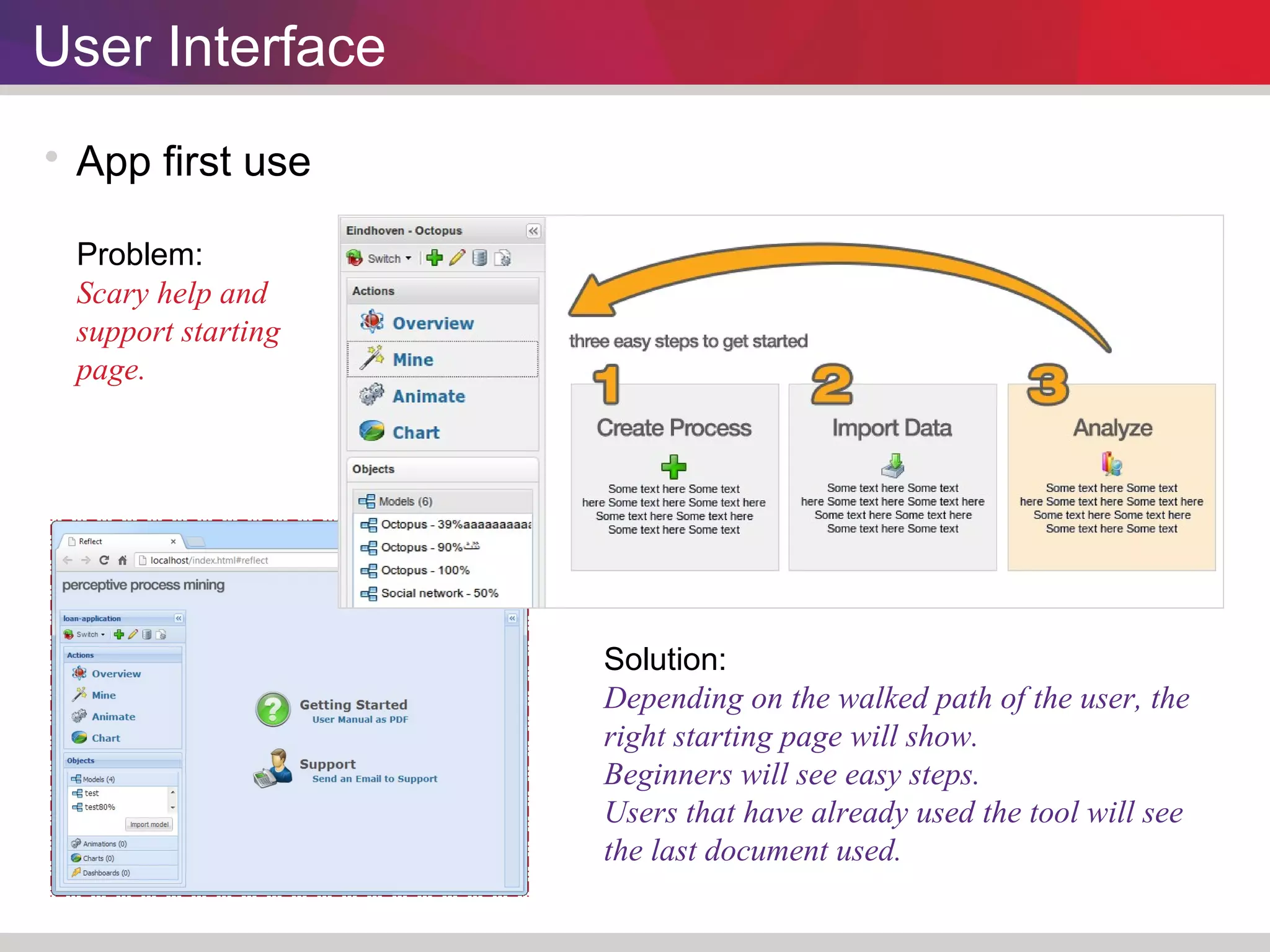
 App first use 
Problem: 
Scary help and 
support starting 
page. 
Solution: 
Depending on the walked path of the user, the 
right starting page will show. 
Beginners will see easy steps. 
Users that have already used the tool will see 
the last document used.
User Interface 
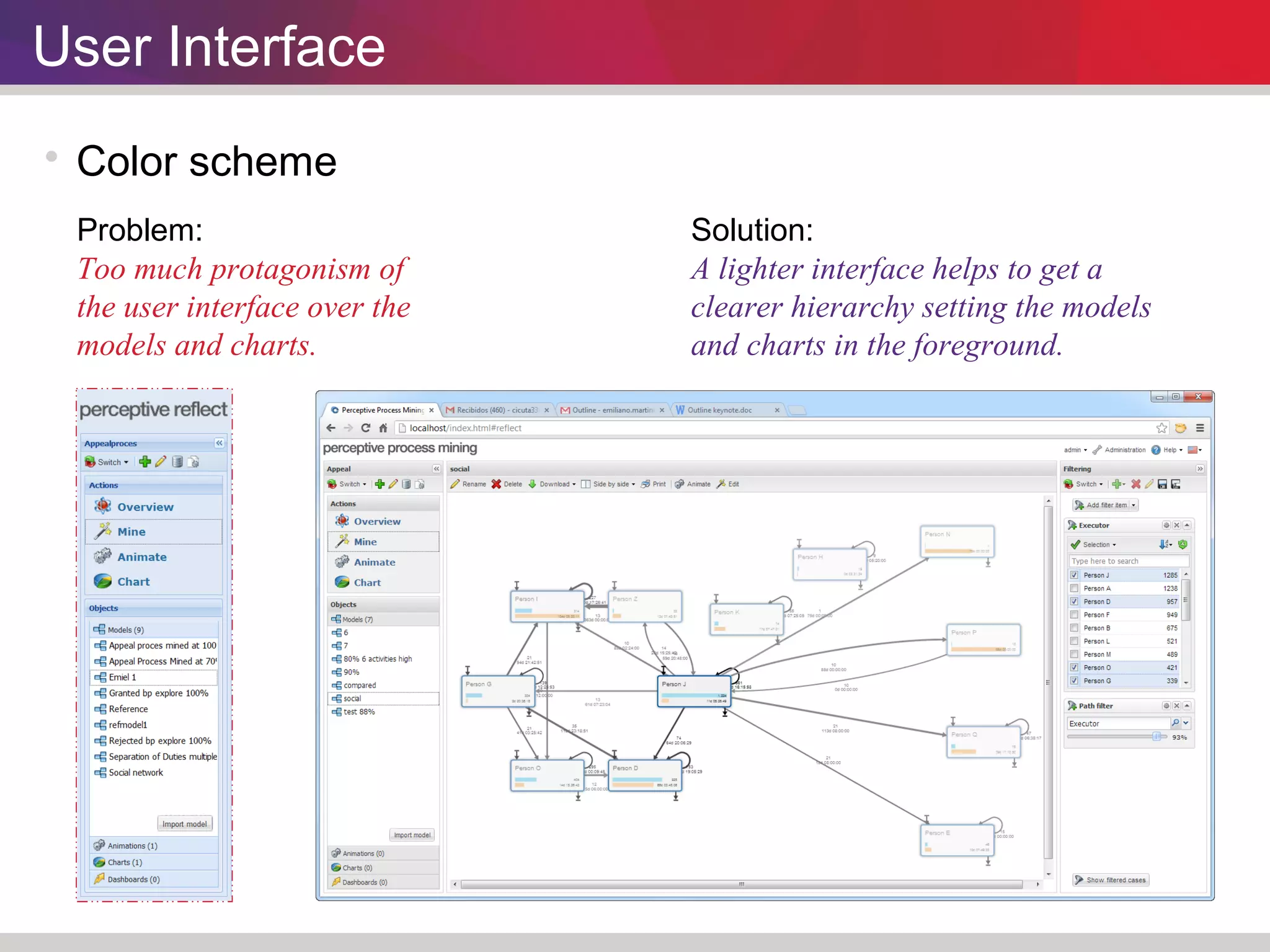
 Color scheme 
Problem: 
Too much protagonism of 
the user interface over the 
models and charts. 
Solution: 
A lighter interface helps to get a 
clearer hierarchy setting the models 
and charts in the foreground.
Improving the Process Model
Process Model 
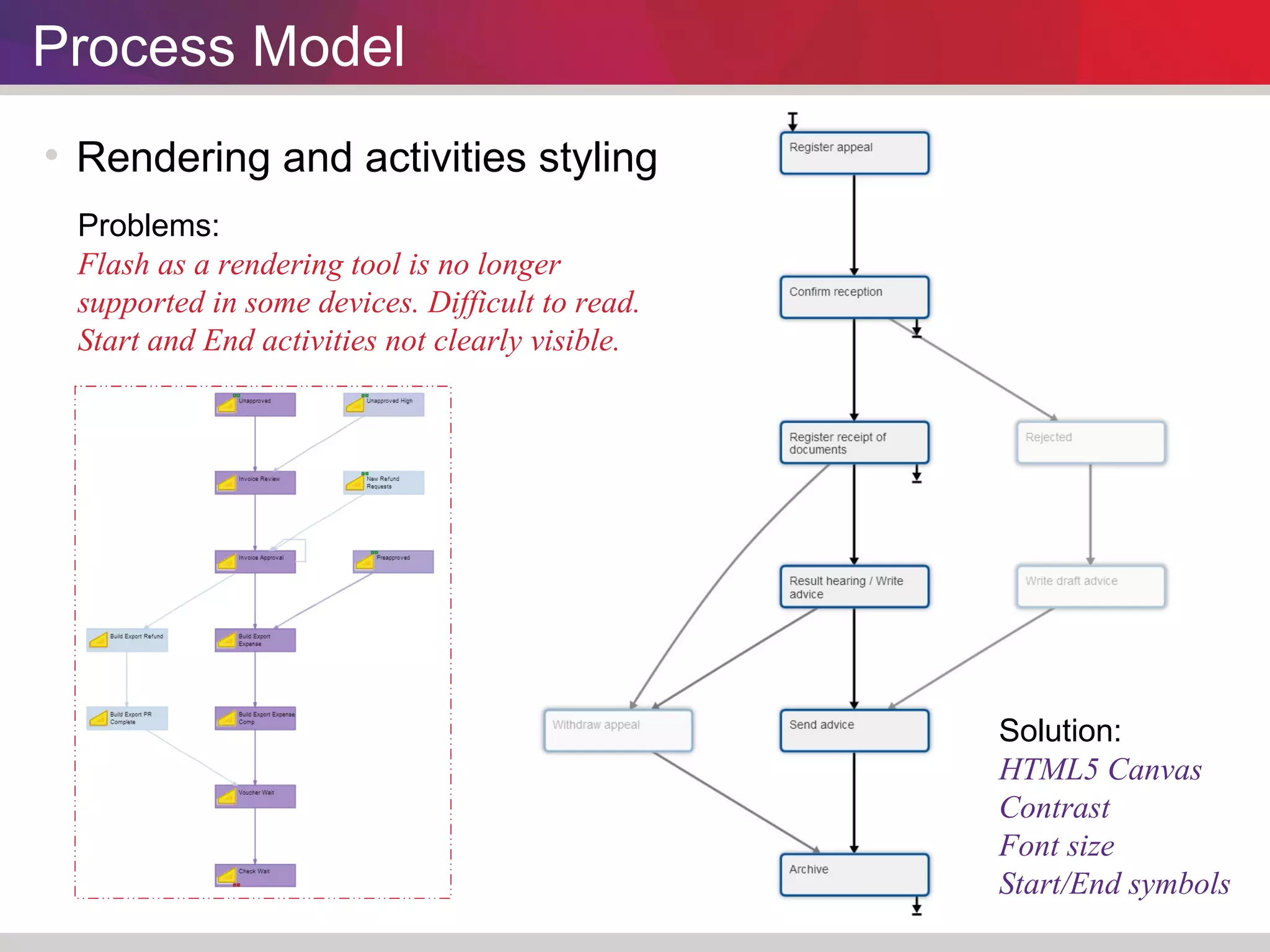
 Rendering and activities styling 
Solution: 
HTML5 Canvas 
Contrast 
Font size 
Start/End symbols 
Problems: 
Flash as a rendering tool is no longer 
supported in some devices. Difficult to read. 
Start and End activities not clearly visible.
Process Model 
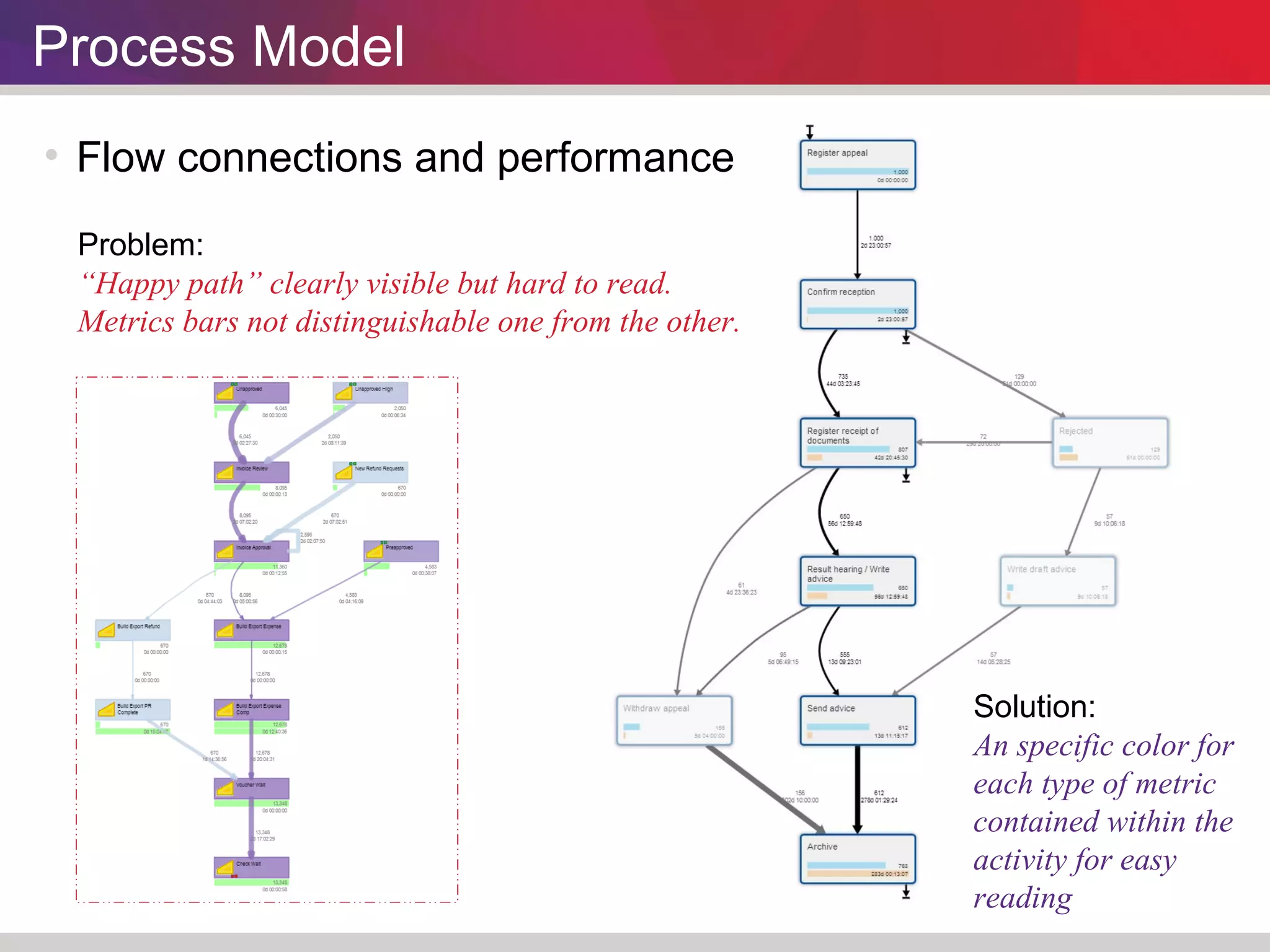
 Flow connections and performance 
Problem: 
“Happy path” clearly visible but hard to read. 
Metrics bars not distinguishable one from the other. 
Solution: 
An specific color for 
each type of metric 
contained within the 
activity for easy 
reading
Process Model 
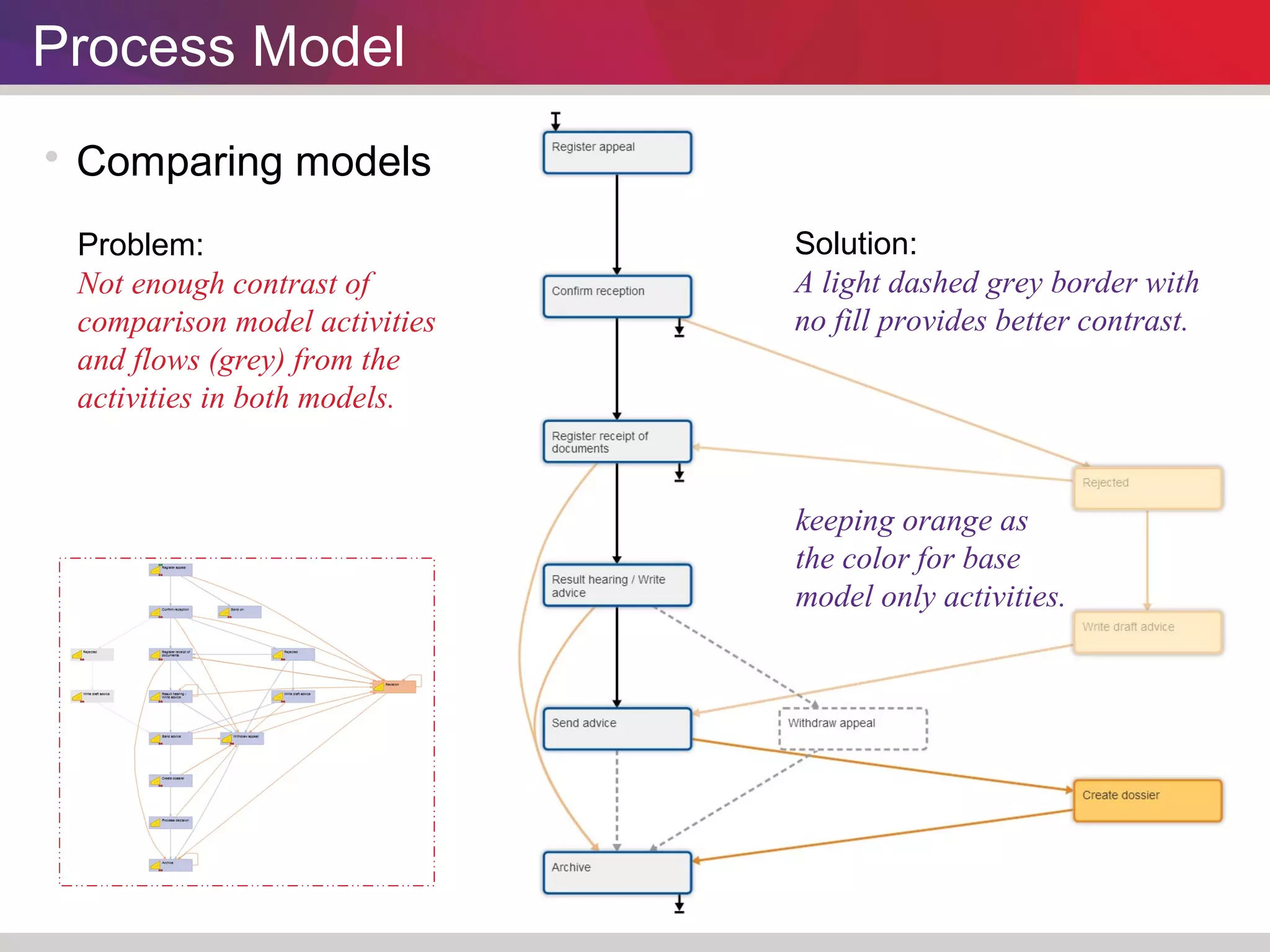
 Comparing models 
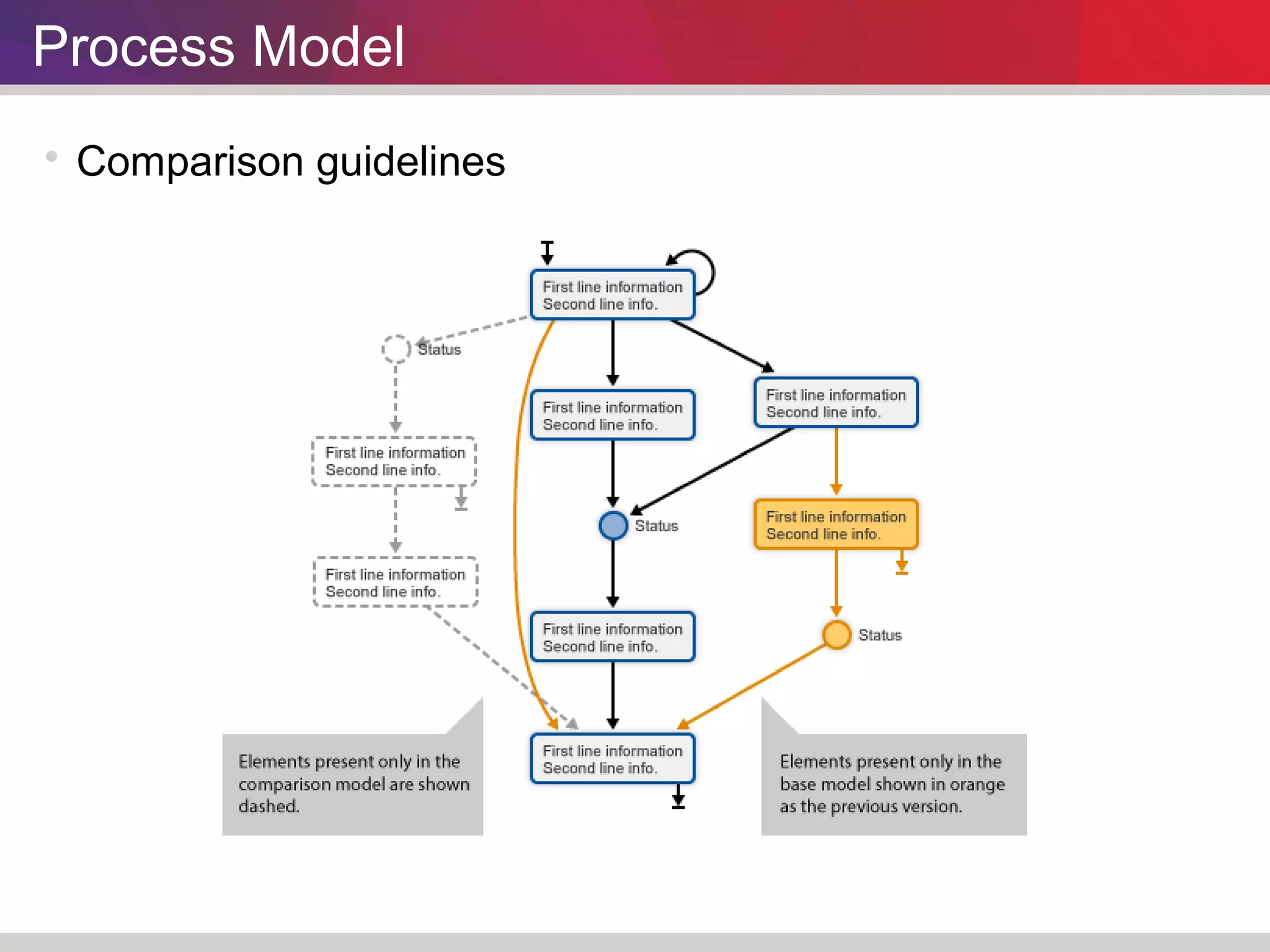
Problem: 
Not enough contrast of 
comparison model activities 
and flows (grey) from the 
activities in both models. 
Solution: 
A light dashed grey border with 
no fill provides better contrast. 
keeping orange as 
the color for base 
model only activities.
Process Model 
 Comparison guidelines
Improving Charts
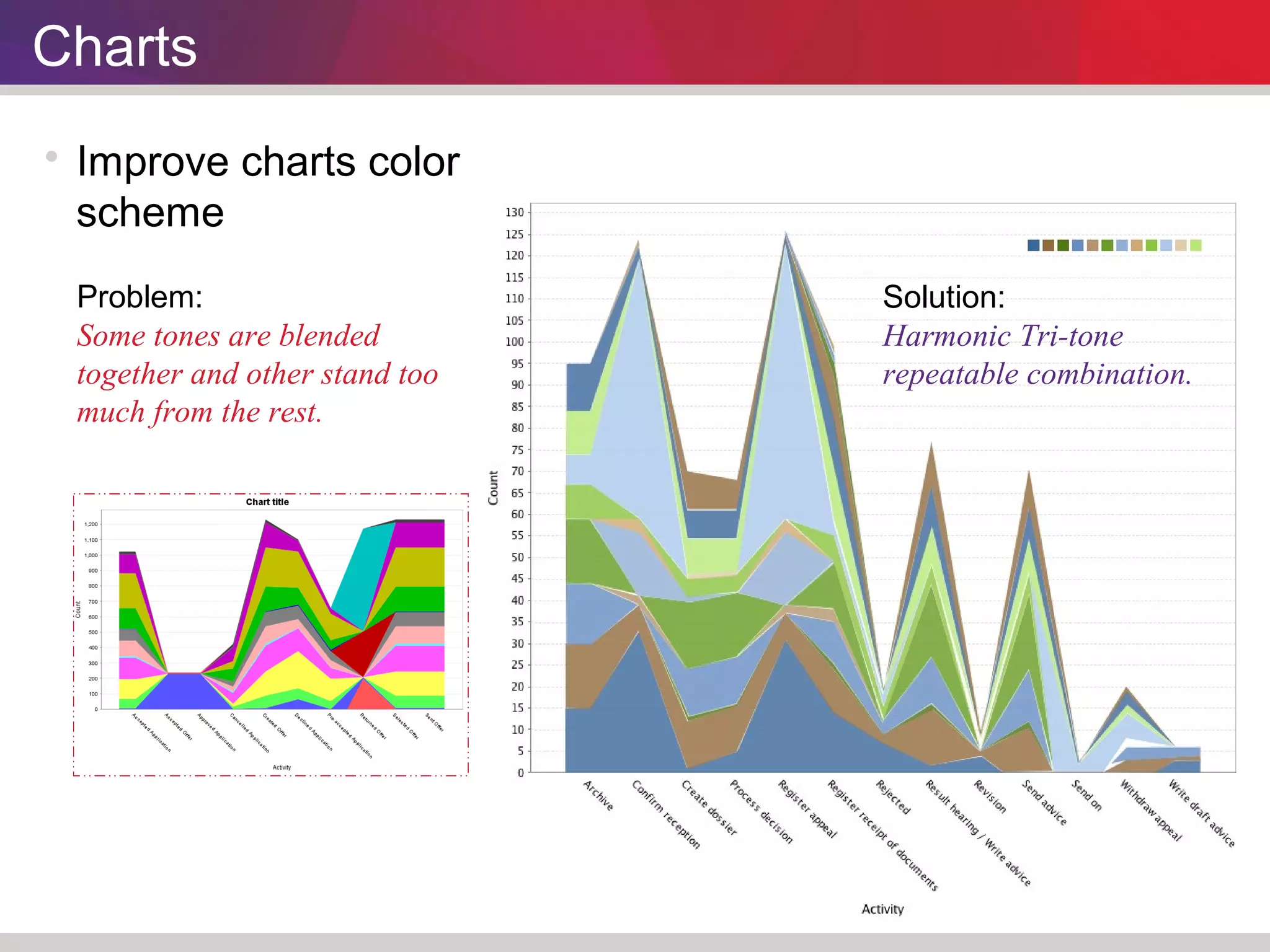
Charts 
 Improve charts color 
scheme 
Problem: 
Some tones are blended 
together and other stand too 
much from the rest. 
Solution: 
Harmonic Tri-tone 
repeatable combination.
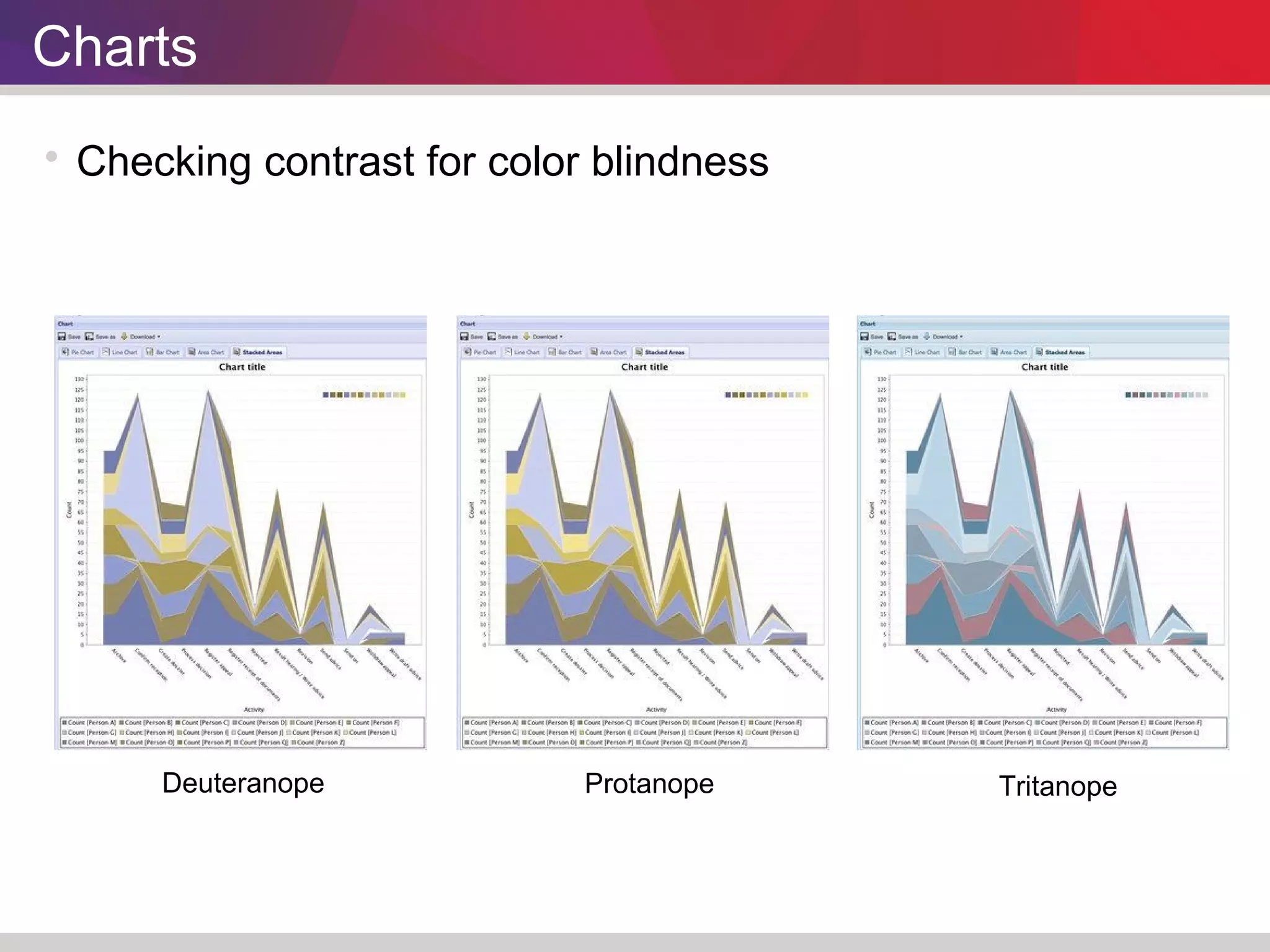
Charts 
 Checking contrast for color blindness 
Deuteranope Protanope Tritanope
Charts 
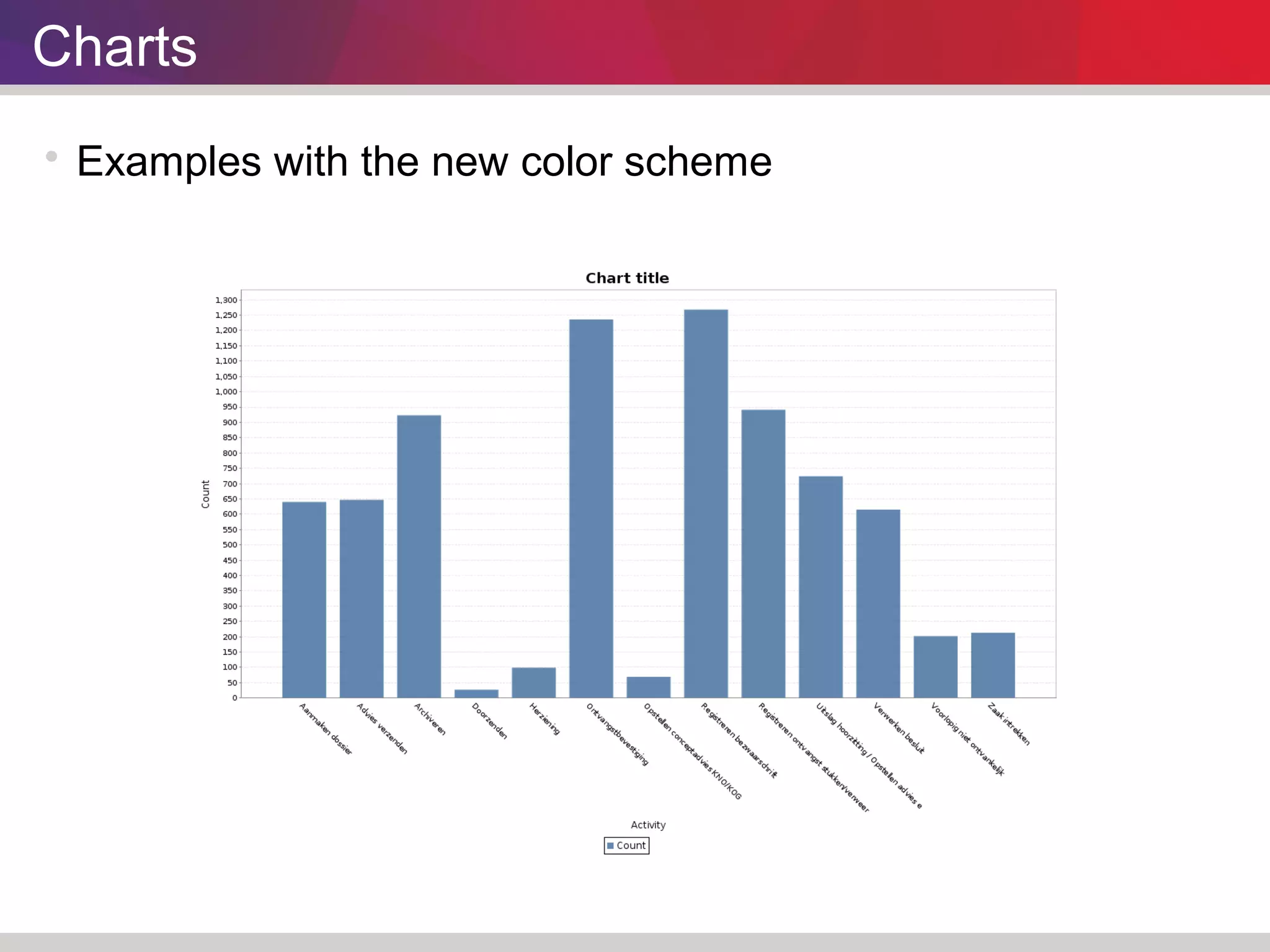
 Examples with the new color scheme
Charts 
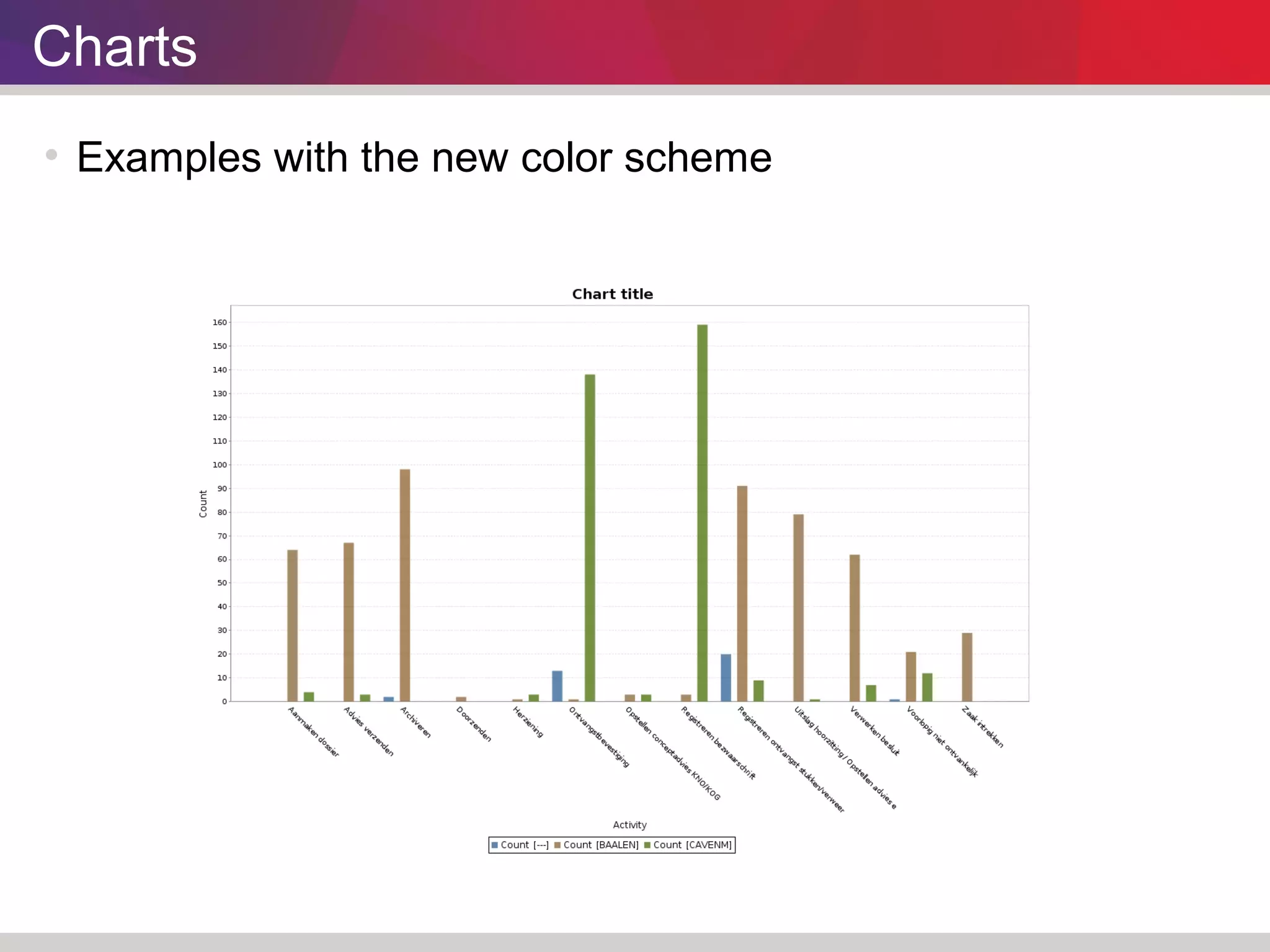
 Examples with the new color scheme
Charts 
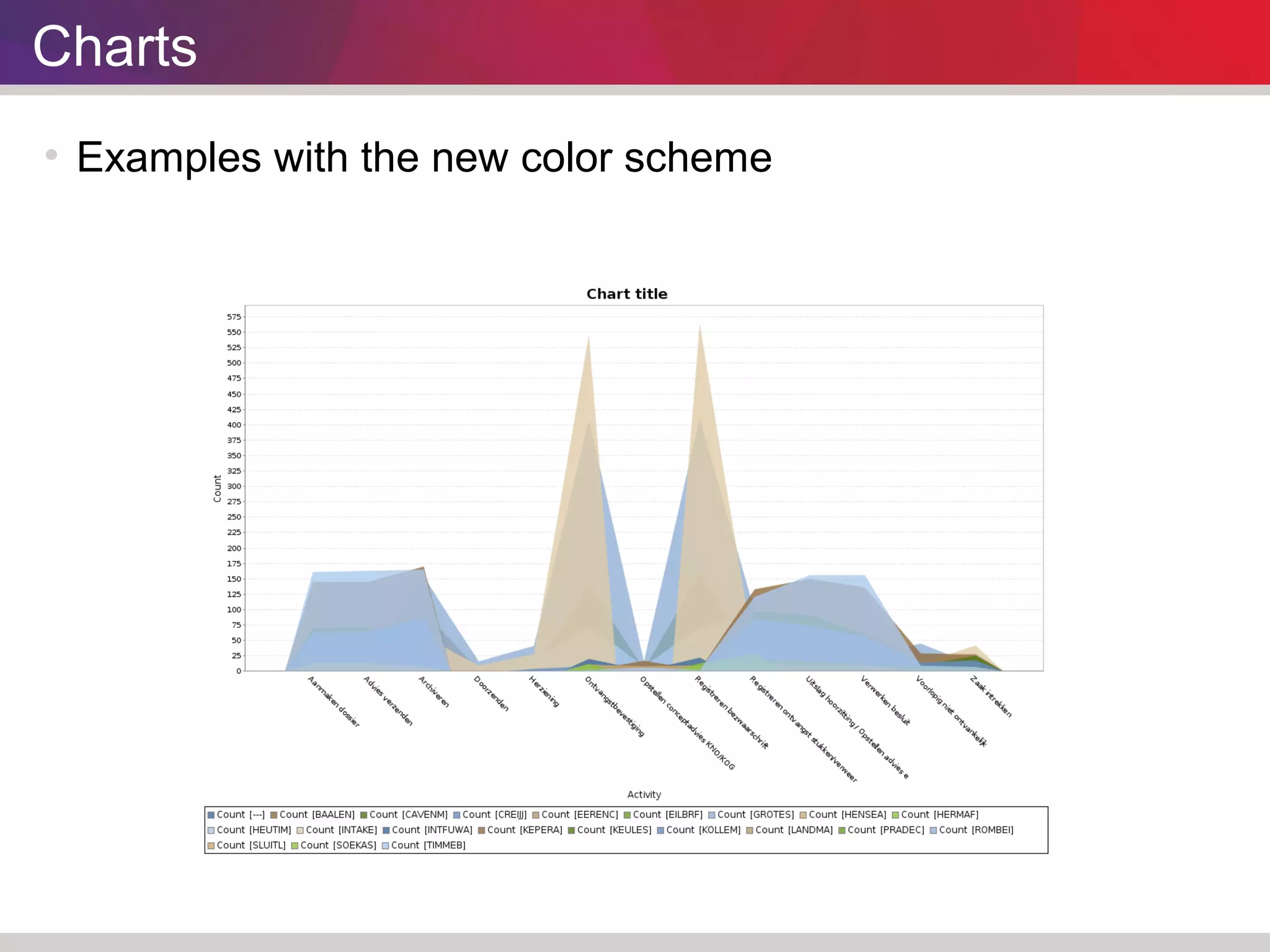
 Examples with the new color scheme
Charts 
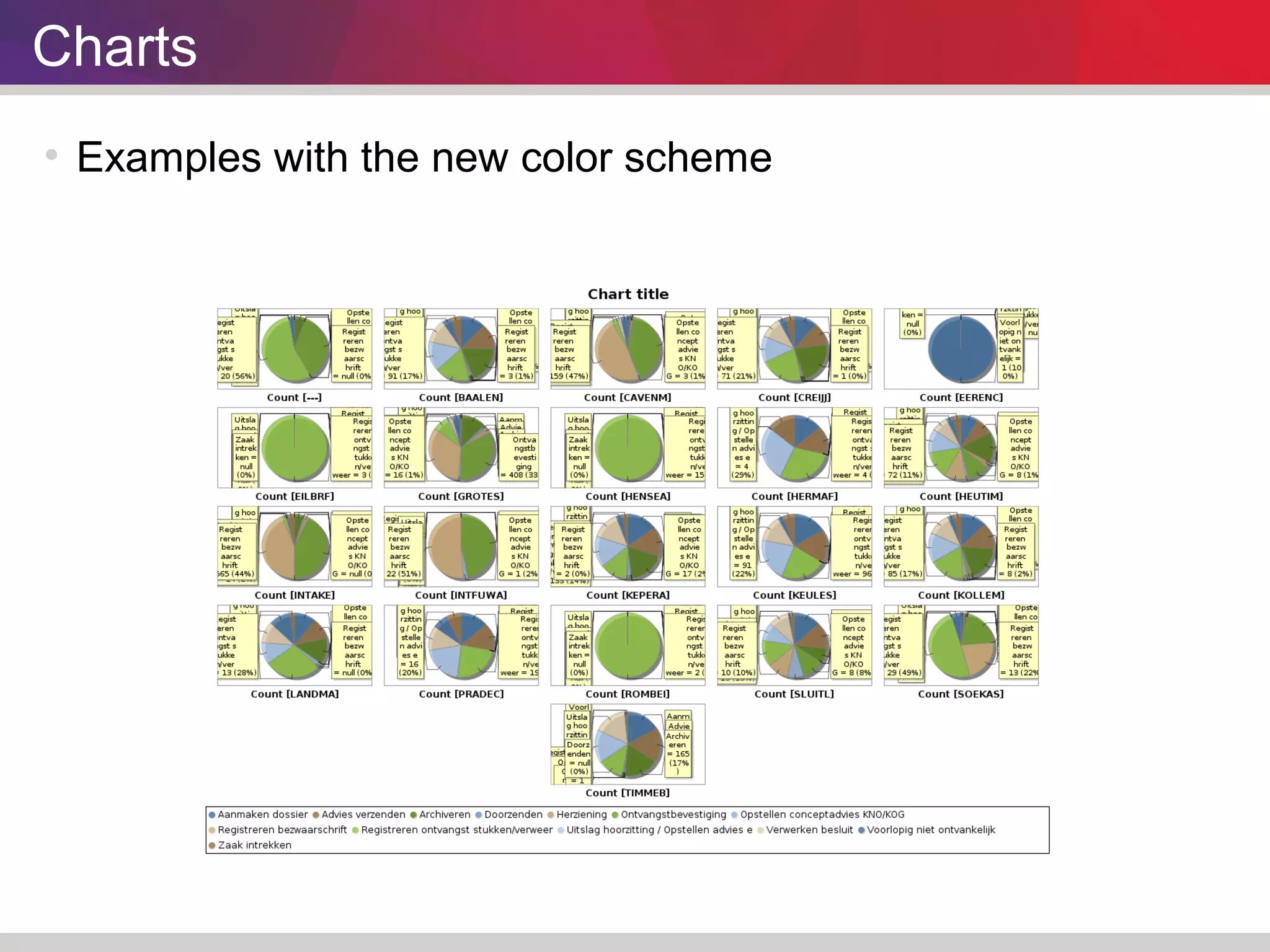
 Examples with the new color scheme
Improving Animations
Animation 
 Process Model 
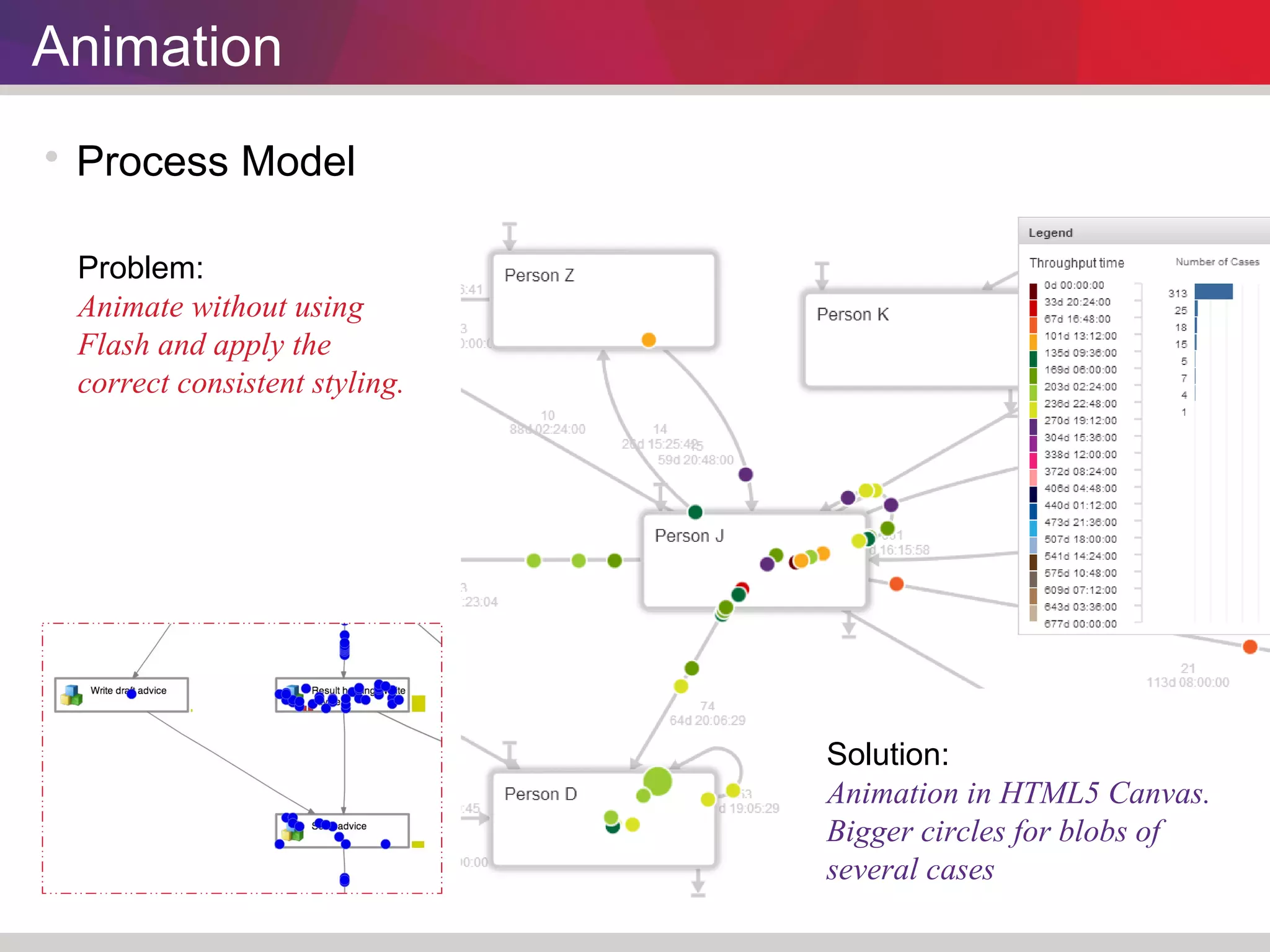
Problem: 
Animate without using 
Flash and apply the 
correct consistent styling. 
Solution: 
Animation in HTML5 Canvas. 
Bigger circles for blobs of 
several cases
Animation 
 Charts 
 Analyzing color scheme 
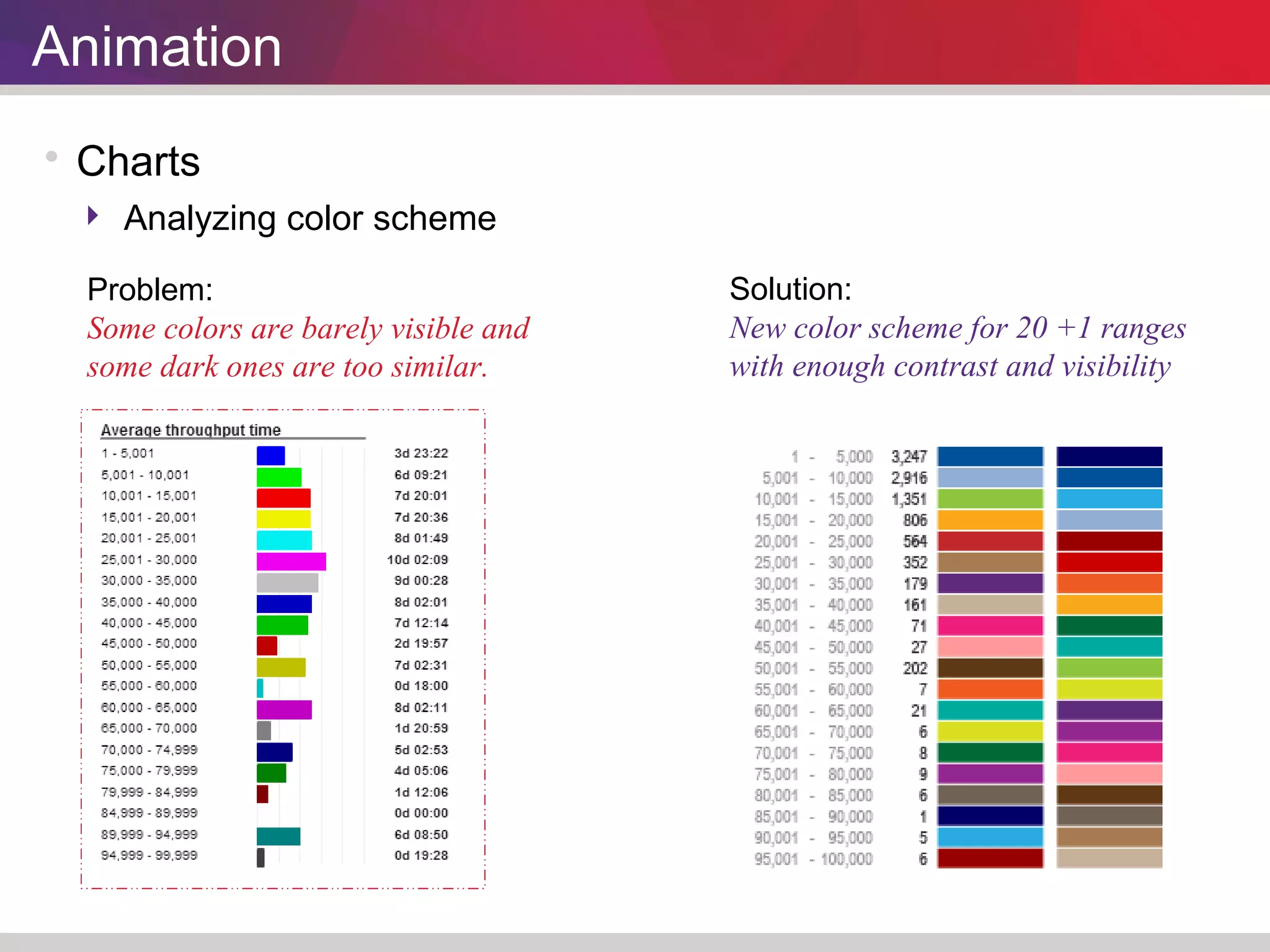
Problem: 
Some colors are barely visible and 
some dark ones are too similar. 
Solution: 
New color scheme for 20 +1 ranges 
with enough contrast and visibility
Animation 
 Charts 
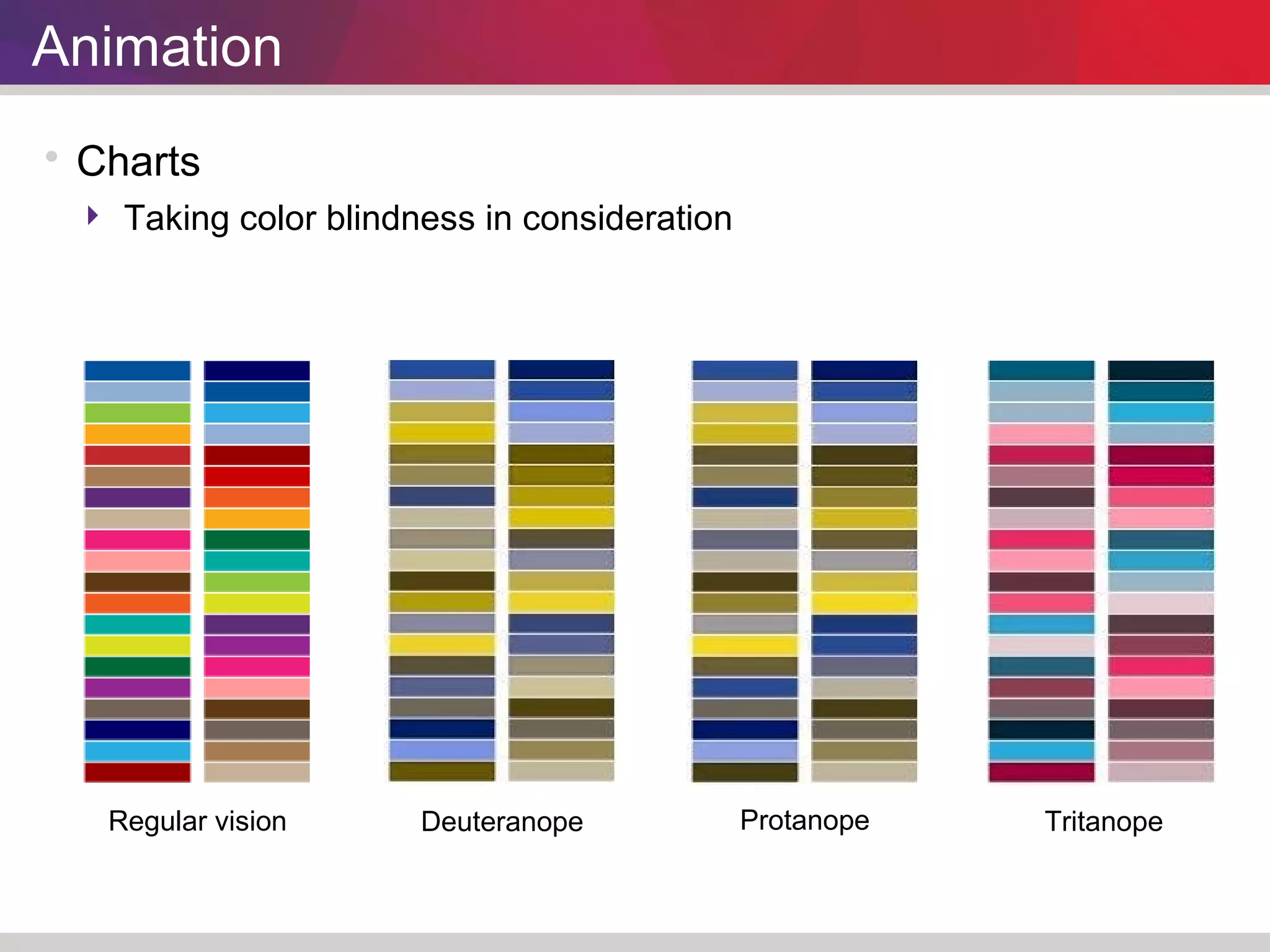
 Taking color blindness in consideration 
Regular vision Deuteranope Protanope Tritanope
Animation 
 Charts 
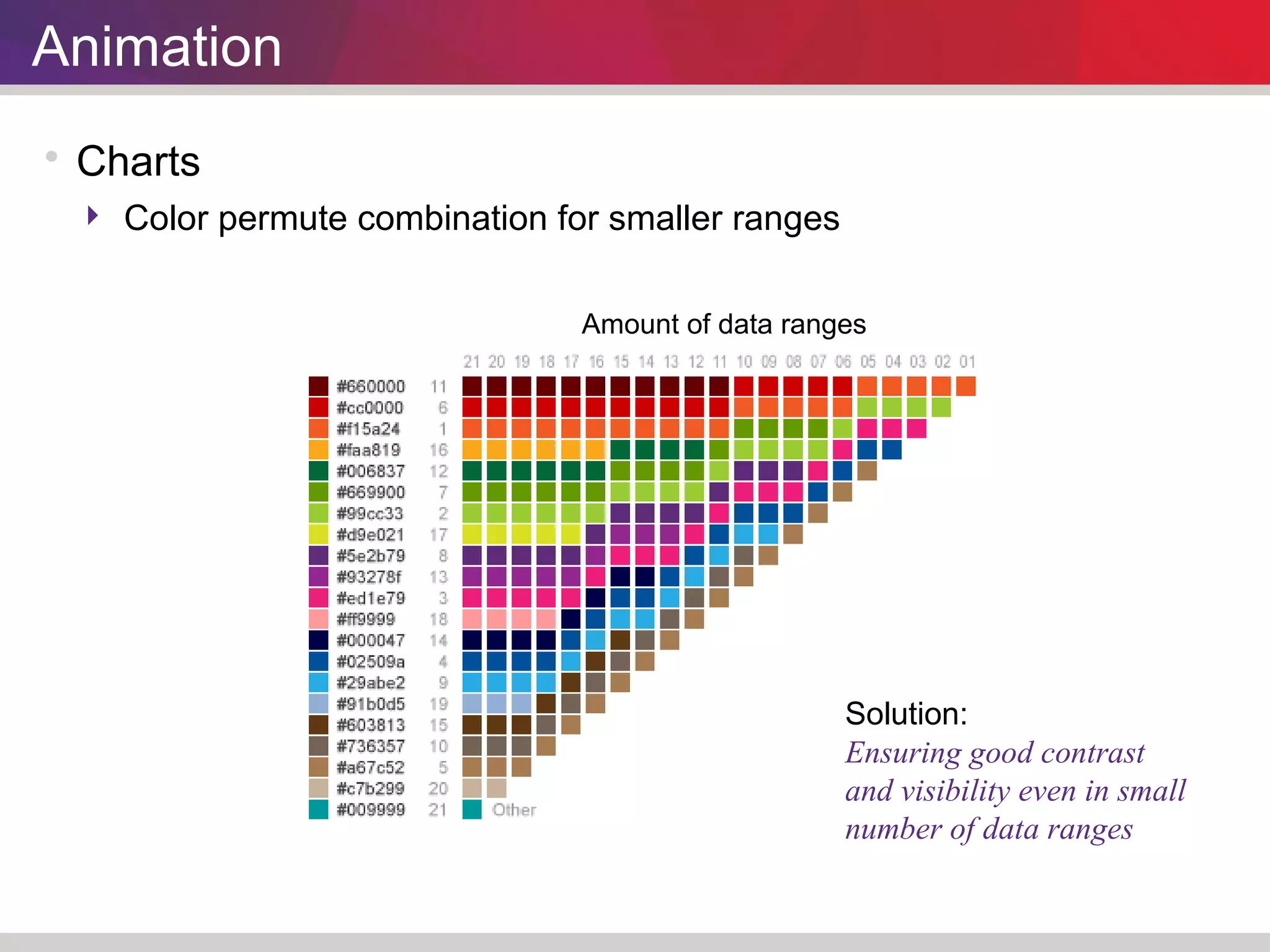
 Color permute combination for smaller ranges 
Amount of data ranges 
Solution: 
Ensuring good contrast 
and visibility even in small 
number of data ranges
Animation 
 Charts 
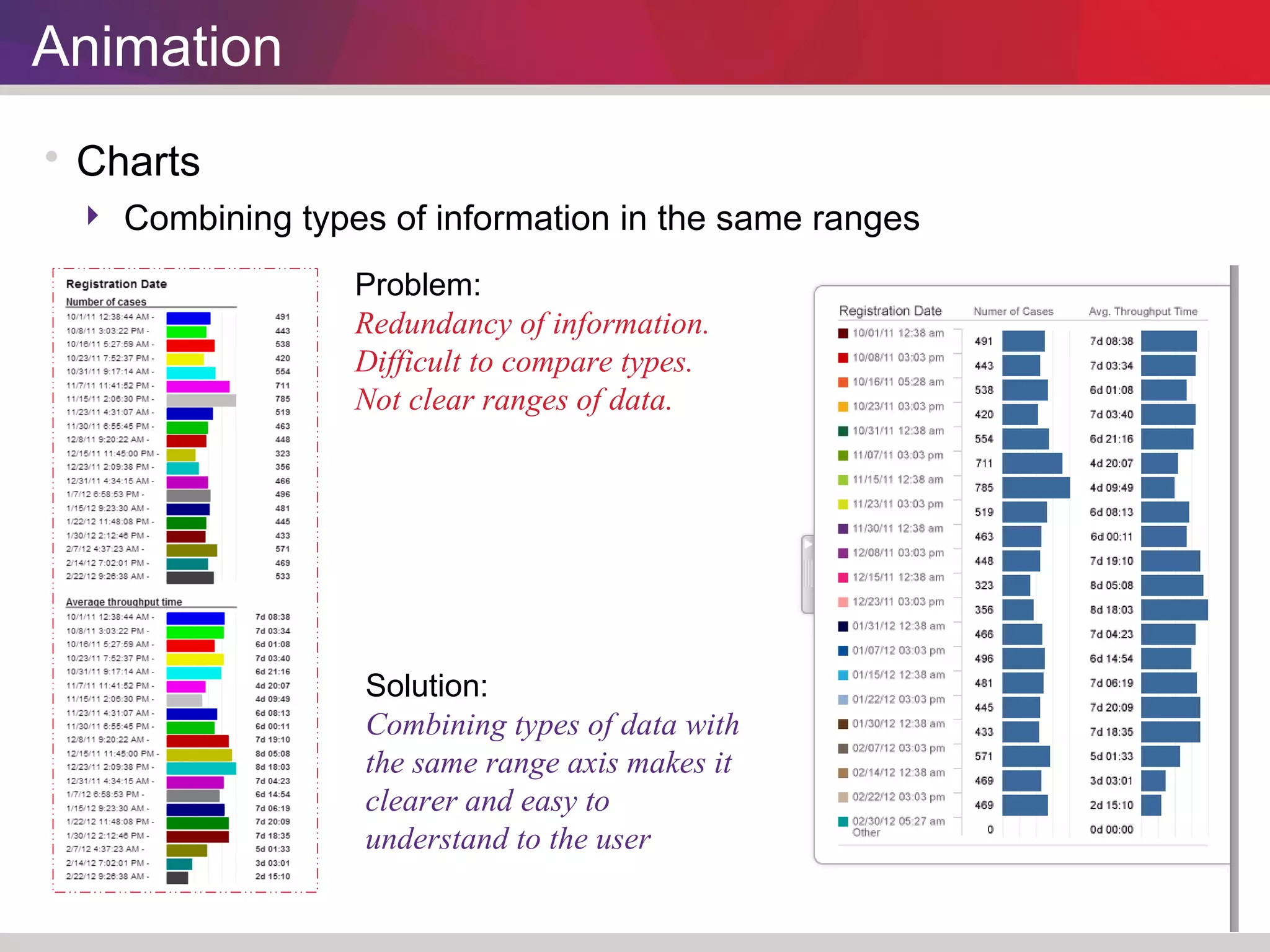
 Combining types of information in the same ranges 
Problem: 
Redundancy of information. 
Difficult to compare types. 
Not clear ranges of data. 
Solution: 
Combining types of data with 
the same range axis makes it 
clearer and easy to 
understand to the user

Process Mining Information Visualization Optimization.

  • 1.
    Information Visualization Optimization Applied to Perceptive Process Mining  Emiliano “Max” Martínez Rivera  UI Design & Development User Experience Department.
  • 2.
     Check Theory  Heuristics  Guidelines  Best Practices  User Research  Accessibility The Problem The former Reflect solution needed to be updated to tackle three main known issues: •Corporate rebranding. •Technology step point. •User experience research.
  • 3.
  • 4.
    User Interface Corporate rebranding Problem: The application didn’t feel like part of the Perceptive family Solution: Applying the new logo consistent with the Perceptive product family. New log-in screen and new starting page. Moving the UI from blue to white and light grey.
  • 5.
    User Interface App first use Problem: Scary help and support starting page. Solution: Depending on the walked path of the user, the right starting page will show. Beginners will see easy steps. Users that have already used the tool will see the last document used.
  • 6.
    User Interface Color scheme Problem: Too much protagonism of the user interface over the models and charts. Solution: A lighter interface helps to get a clearer hierarchy setting the models and charts in the foreground.
  • 7.
  • 8.
    Process Model Rendering and activities styling Solution: HTML5 Canvas Contrast Font size Start/End symbols Problems: Flash as a rendering tool is no longer supported in some devices. Difficult to read. Start and End activities not clearly visible.
  • 9.
    Process Model Flow connections and performance Problem: “Happy path” clearly visible but hard to read. Metrics bars not distinguishable one from the other. Solution: An specific color for each type of metric contained within the activity for easy reading
  • 10.
    Process Model Comparing models Problem: Not enough contrast of comparison model activities and flows (grey) from the activities in both models. Solution: A light dashed grey border with no fill provides better contrast. keeping orange as the color for base model only activities.
  • 11.
    Process Model Comparison guidelines
  • 12.
  • 13.
    Charts  Improvecharts color scheme Problem: Some tones are blended together and other stand too much from the rest. Solution: Harmonic Tri-tone repeatable combination.
  • 14.
    Charts  Checkingcontrast for color blindness Deuteranope Protanope Tritanope
  • 15.
    Charts  Exampleswith the new color scheme
  • 16.
    Charts  Exampleswith the new color scheme
  • 17.
    Charts  Exampleswith the new color scheme
  • 18.
    Charts  Exampleswith the new color scheme
  • 19.
  • 20.
    Animation  ProcessModel Problem: Animate without using Flash and apply the correct consistent styling. Solution: Animation in HTML5 Canvas. Bigger circles for blobs of several cases
  • 21.
    Animation  Charts  Analyzing color scheme Problem: Some colors are barely visible and some dark ones are too similar. Solution: New color scheme for 20 +1 ranges with enough contrast and visibility
  • 22.
    Animation  Charts  Taking color blindness in consideration Regular vision Deuteranope Protanope Tritanope
  • 23.
    Animation  Charts  Color permute combination for smaller ranges Amount of data ranges Solution: Ensuring good contrast and visibility even in small number of data ranges
  • 24.
    Animation  Charts  Combining types of information in the same ranges Problem: Redundancy of information. Difficult to compare types. Not clear ranges of data. Solution: Combining types of data with the same range axis makes it clearer and easy to understand to the user