MinimalOpenStack
StartingYourOpenStackJourney
Sean Dague / Aug 19th
, 2015
Twitter: @sdague
Blog: dague.net
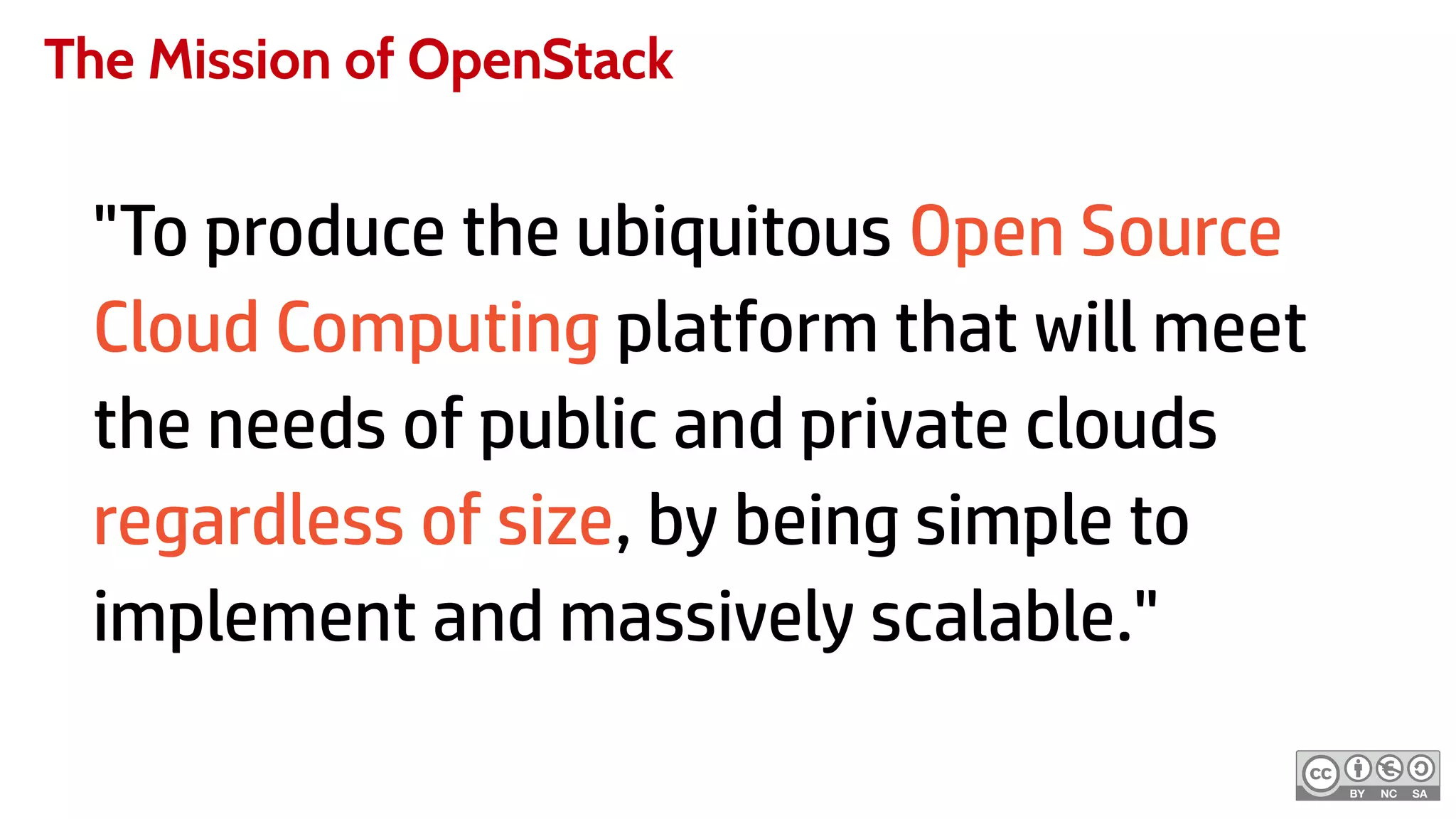
The Mission of OpenStack
"To produce the ubiquitous Open Source
Cloud Computing platform that will meet
the needs of public and private clouds
regardless of size, by being simple to
implement and massively scalable."
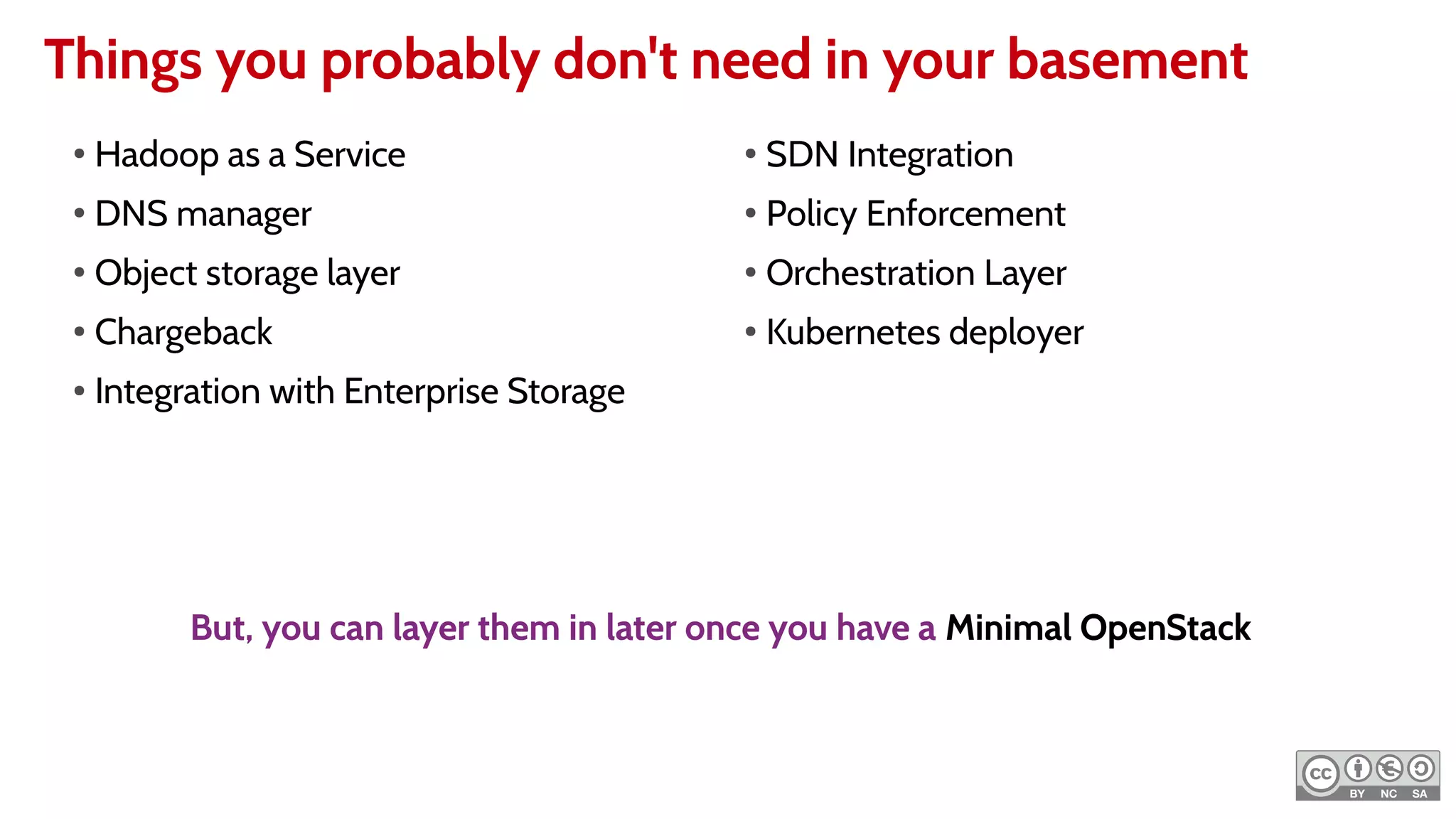
Things you probably don't need in your basement
●
Hadoop as a Service
●
DNS manager
●
Object storage layer
●
Chargeback
● Integration with Enterprise Storage
●
SDN Integration
●
Policy Enforcement
●
Orchestration Layer
●
Kubernetes deployer
But, you can layer them in later once you have a Minimal OpenStack
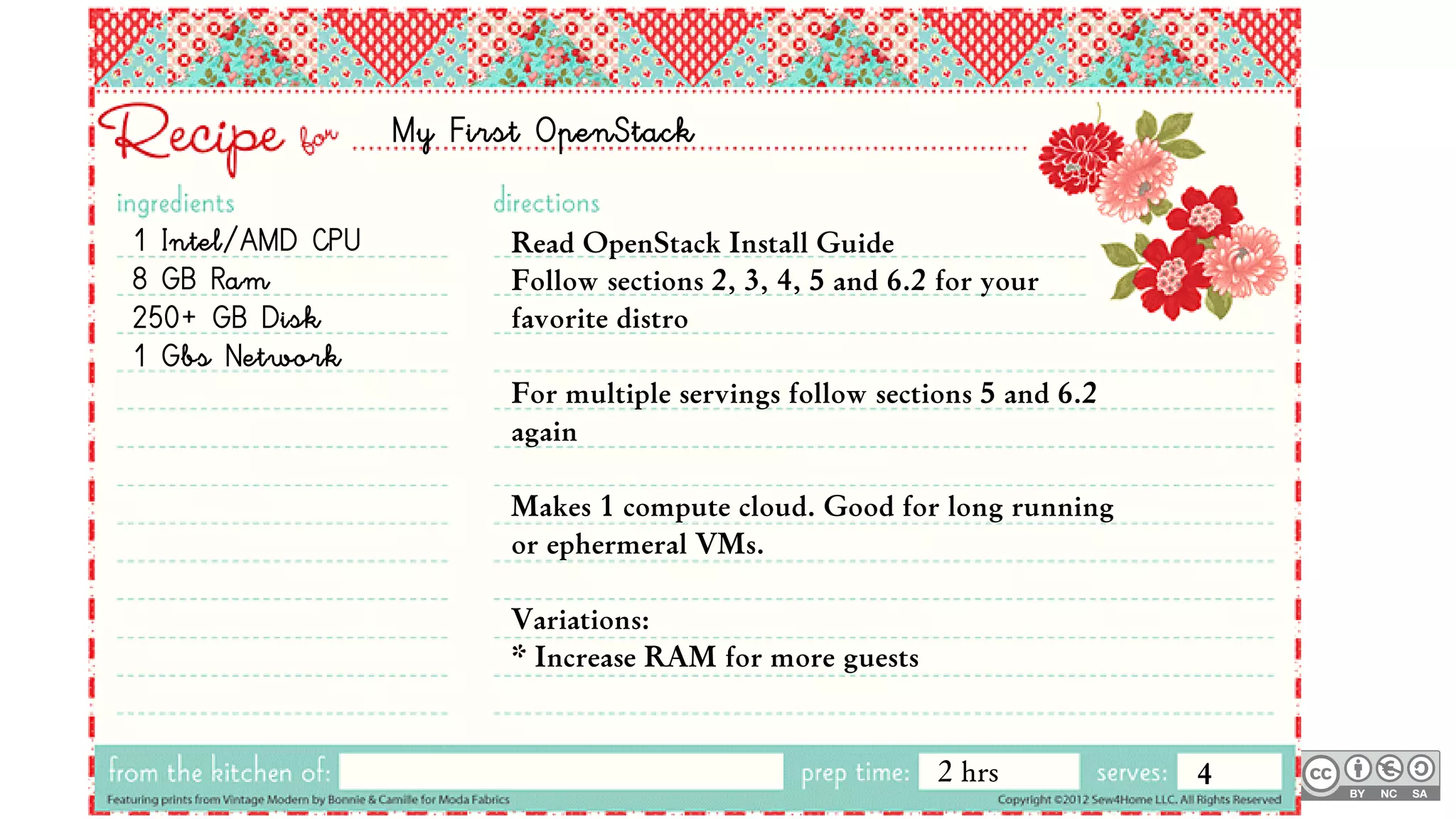
My First OpenStack
1 Intel/AMD CPU
8 GB Ram
250+ GB Disk
1 Gbs Network
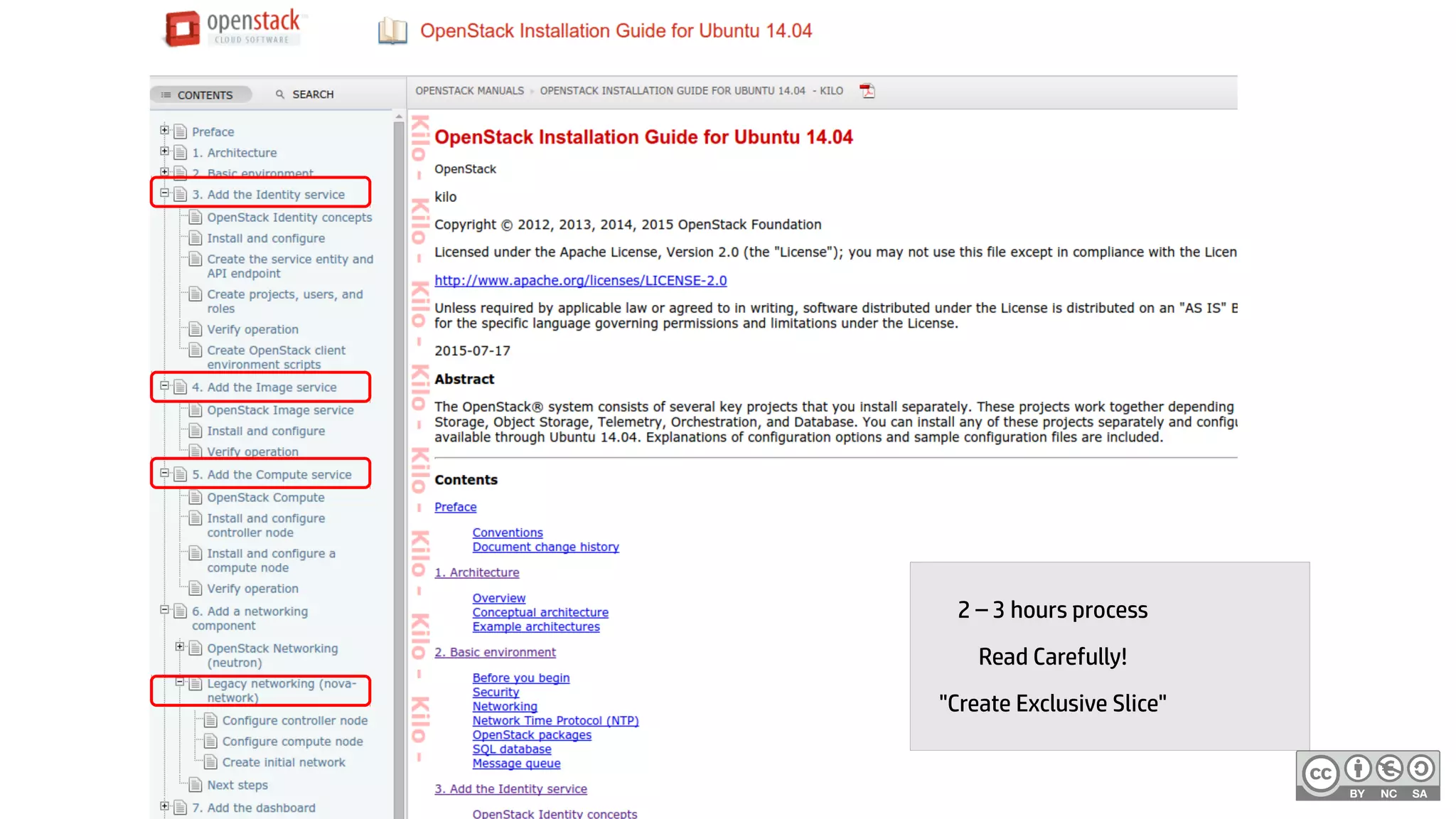
Read OpenStack Install Guide
Follow sections 2, 3, 4, 5 and 6.2 for your
favorite distro
For multiple servings follow sections 5 and 6.2
again
Makes 1 compute cloud. Good for long running
or ephermeral VMs.
Variations:
* Increase RAM for more guests
2 hrs 4
2 – 3 hours process
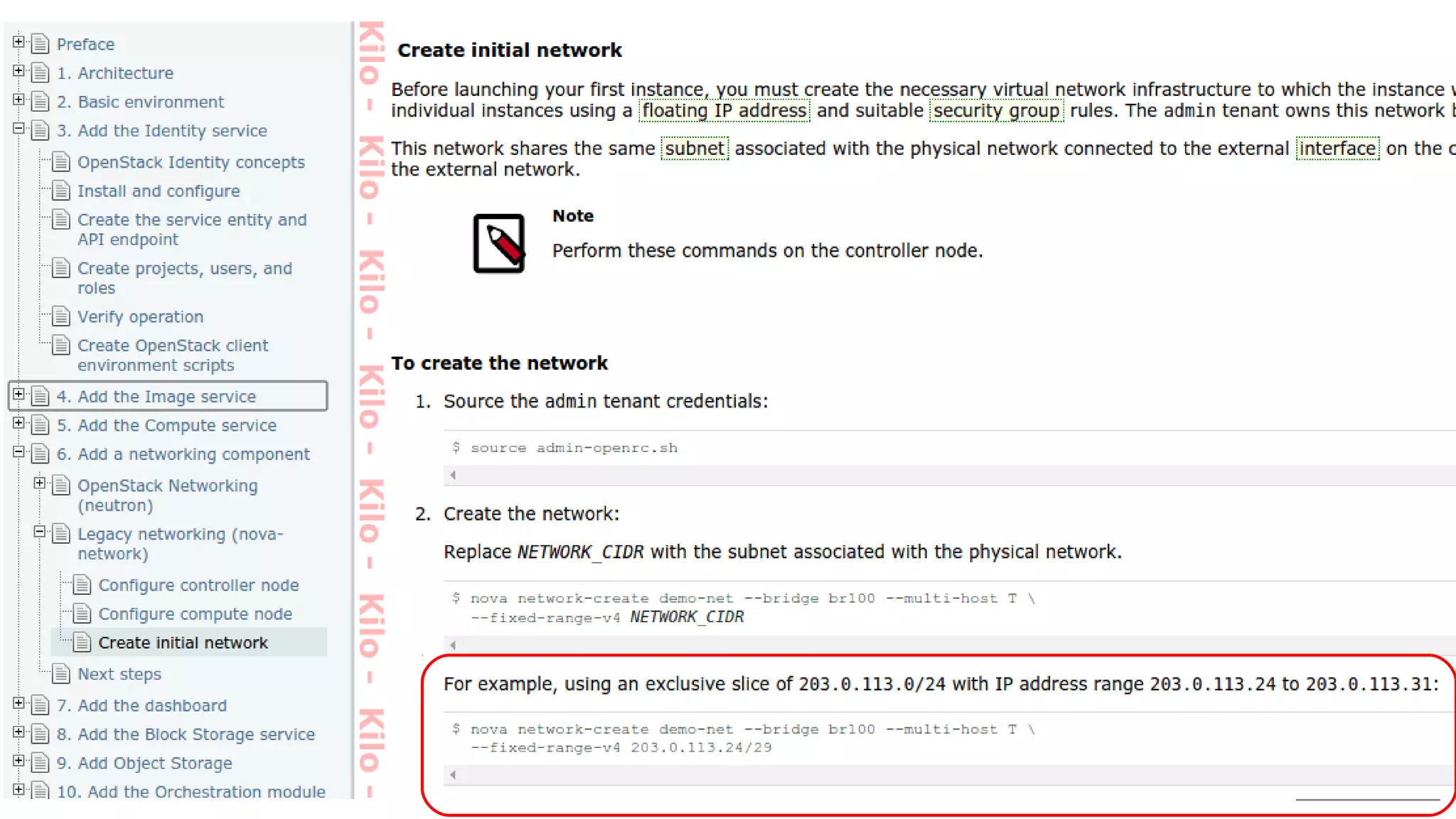
Read Carefully!
"Create Exclusive Slice"
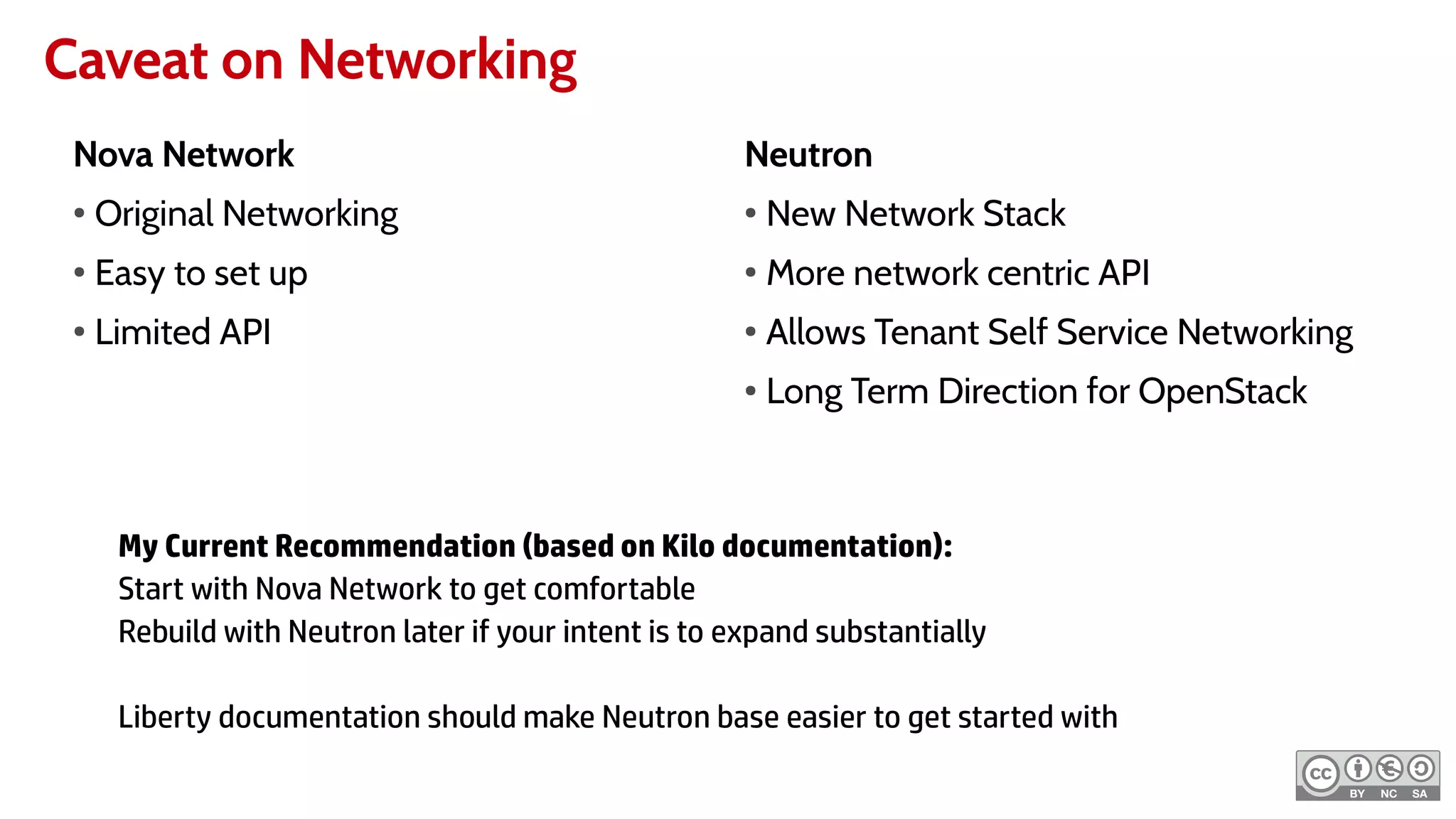
Caveat on Networking
Nova Network
●
Original Networking
●
Easy to set up
●
Limited API
Neutron
●
New Network Stack
●
More network centric API
●
Allows Tenant Self Service Networking
● Long Term Direction for OpenStack
My Current Recommendation (based on Kilo documentation):
Start with Nova Network to get comfortable
Rebuild with Neutron later if your intent is to expand substantially
Liberty documentation should make Neutron base easier to get started with
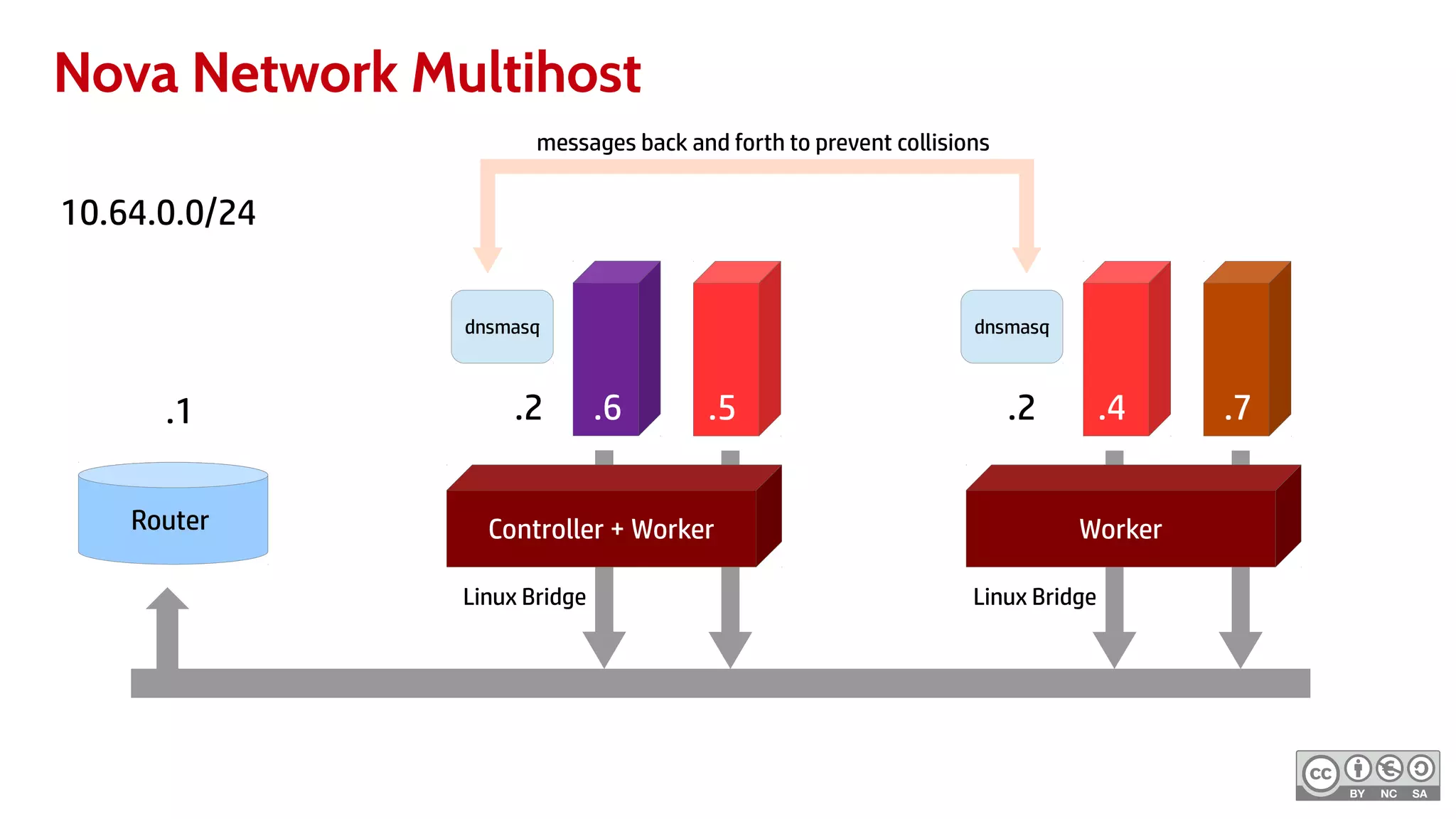
Nova Network Multihost
10.64.0.0/24
Controller + Worker Worker
.2 .2 .4 .7.5.6
Router
.1
dnsmasq dnsmasq
messages back and forth to prevent collisions
Linux Bridge Linux Bridge
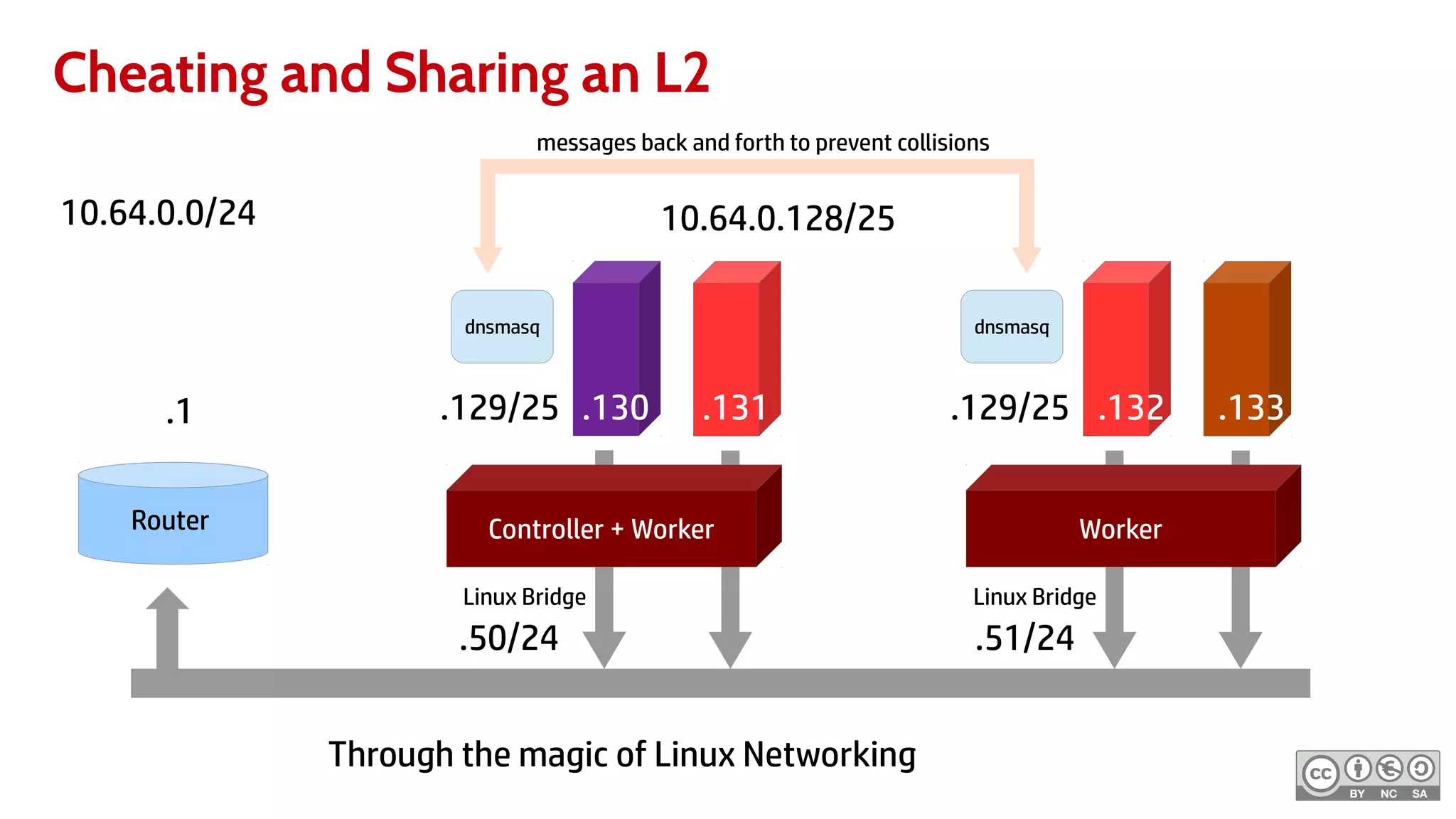
Cheating and Sharing an L2
10.64.0.0/24
Controller + Worker Worker
.129/25 .129/25 .132 .133.131.130
Router
.1
dnsmasq dnsmasq
messages back and forth to prevent collisions
Linux Bridge Linux Bridge
10.64.0.128/25
.51/24.50/24
Through the magic of Linux Networking
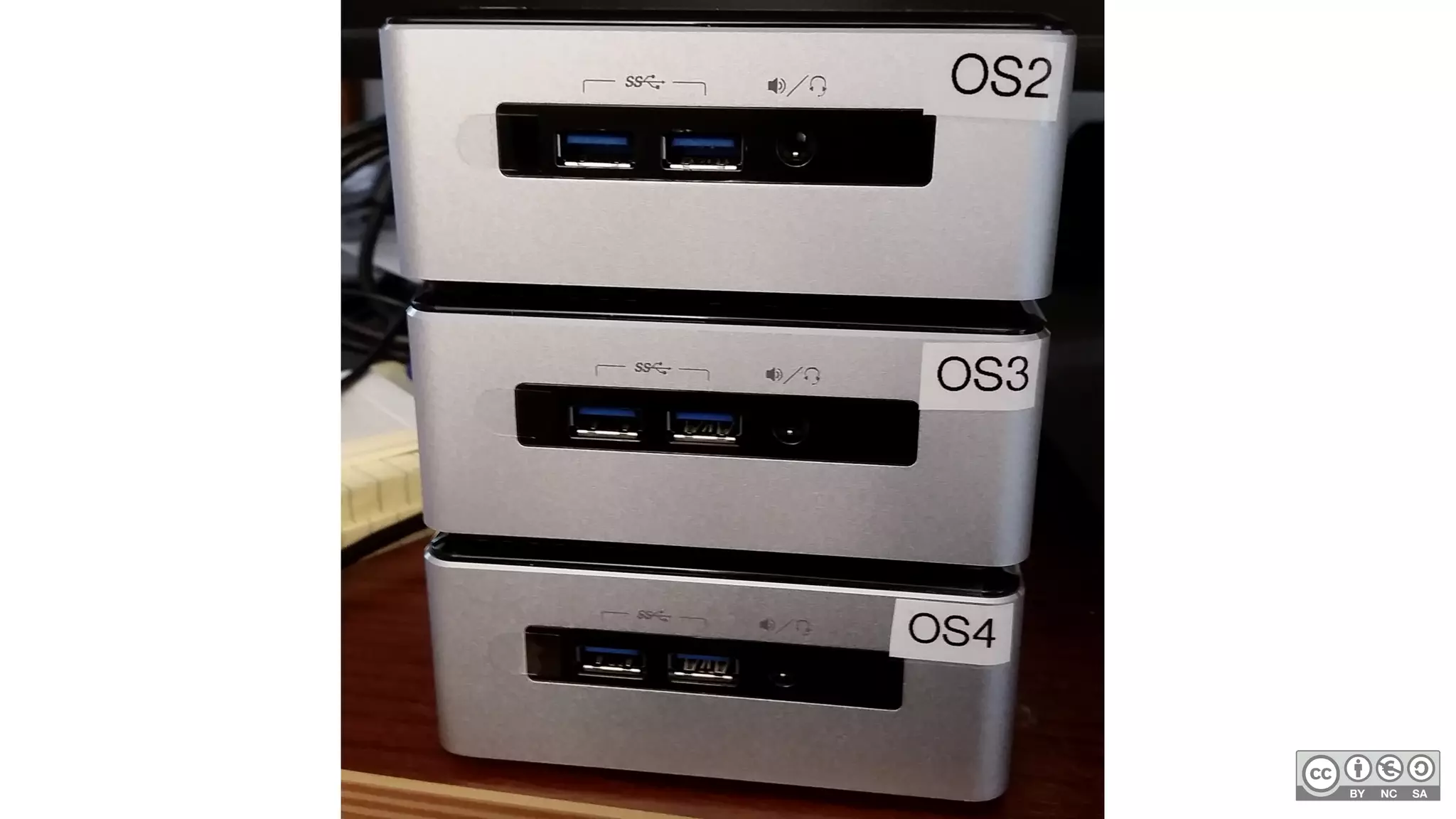
Networking at Home
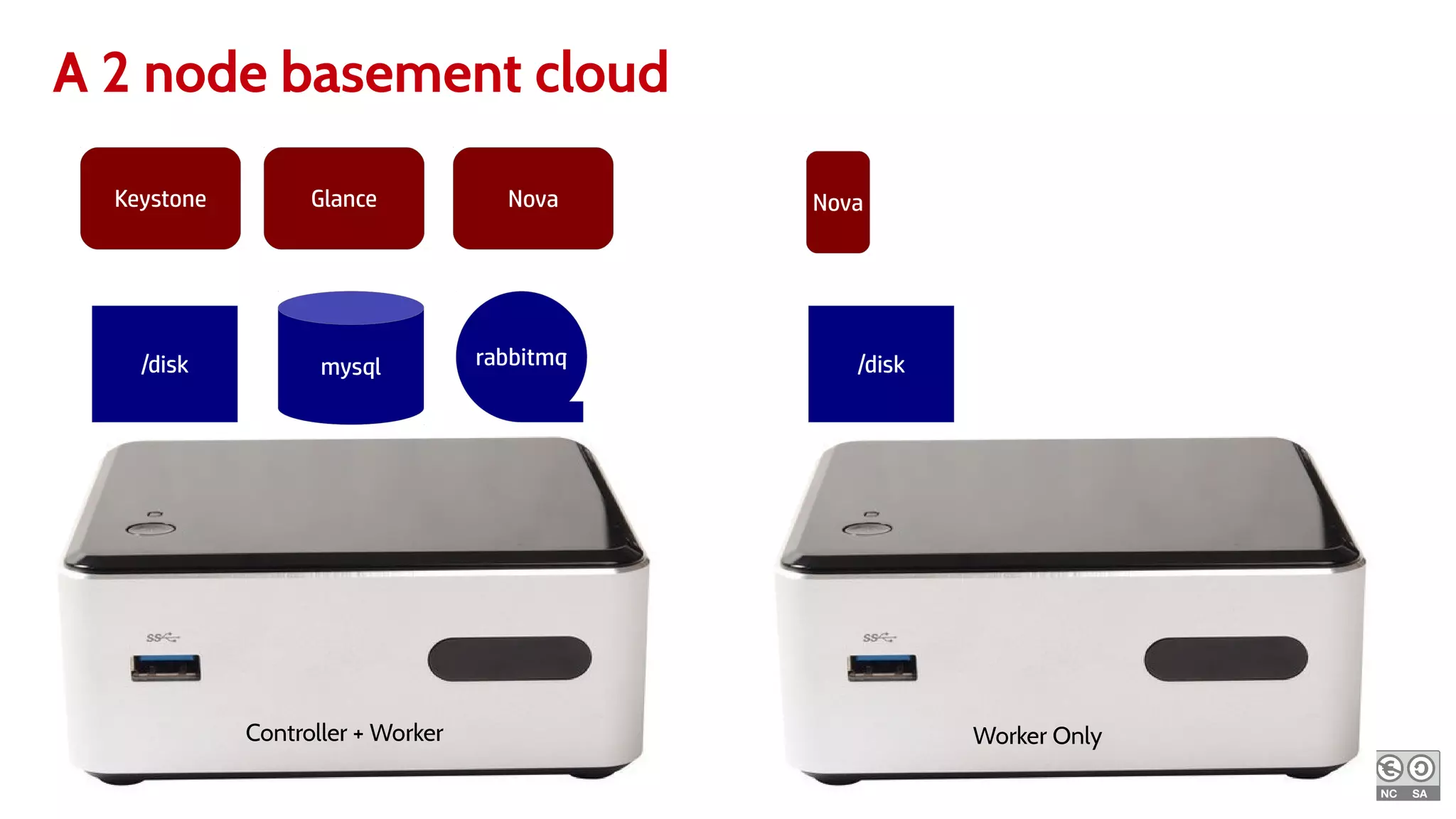
A 2 node basement cloud
Keystone
mysql rabbitmq/disk
Glance Nova
/disk
Nova
Controller + Worker Worker Only
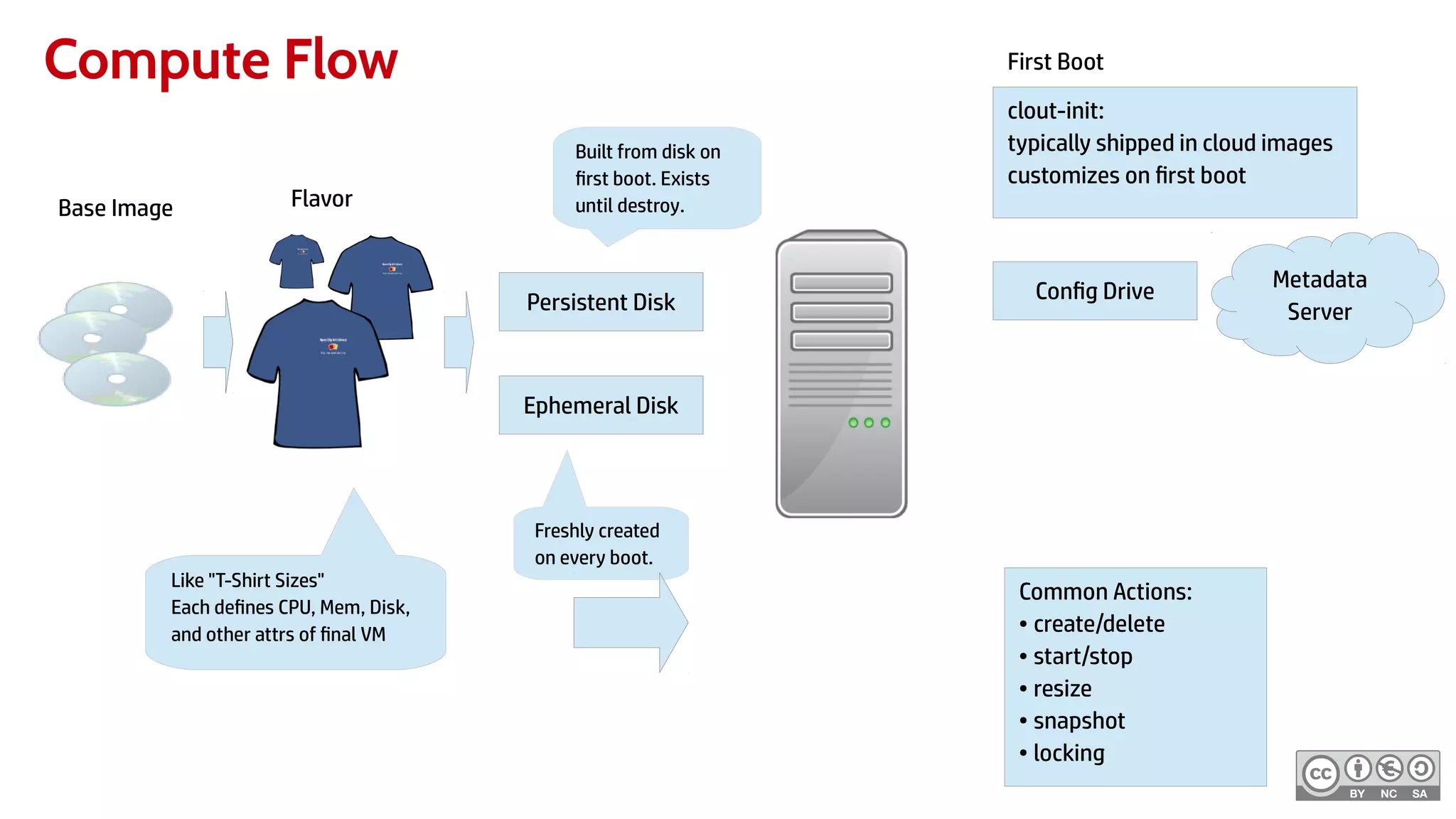
Compute Flow
Persistent Disk
Ephemeral Disk
Built from disk on
first boot. Exists
until destroy.
Freshly created
on every boot.
Common Actions:
● create/delete
● start/stop
● resize
● snapshot
● locking
clout-init:
typically shipped in cloud images
customizes on first boot
Metadata
Server
Config Drive
First Boot
Like "T-Shirt Sizes"
Each defines CPU, Mem, Disk,
and other attrs of final VM
Base Image Flavor
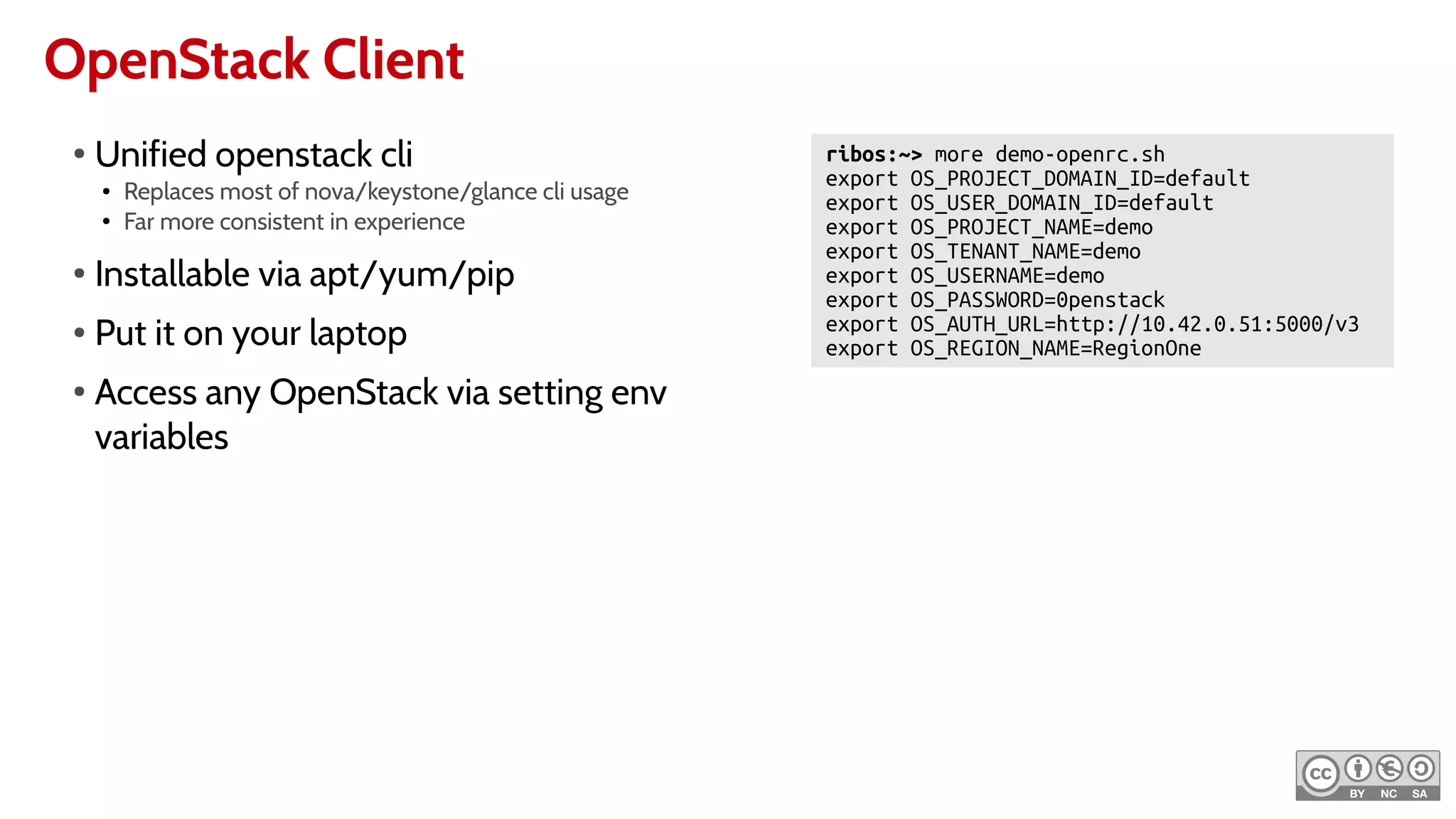
OpenStack Client
ribos:~> more demo-openrc.sh
export OS_PROJECT_DOMAIN_ID=default
export OS_USER_DOMAIN_ID=default
export OS_PROJECT_NAME=demo
export OS_TENANT_NAME=demo
export OS_USERNAME=demo
export OS_PASSWORD=0penstack
export OS_AUTH_URL=http://10.42.0.51:5000/v3
export OS_REGION_NAME=RegionOne
●
Unified openstack cli
● Replaces most of nova/keystone/glance cli usage
● Far more consistent in experience
●
Installable via apt/yum/pip
● Put it on your laptop
●
Access any OpenStack via setting env
variables
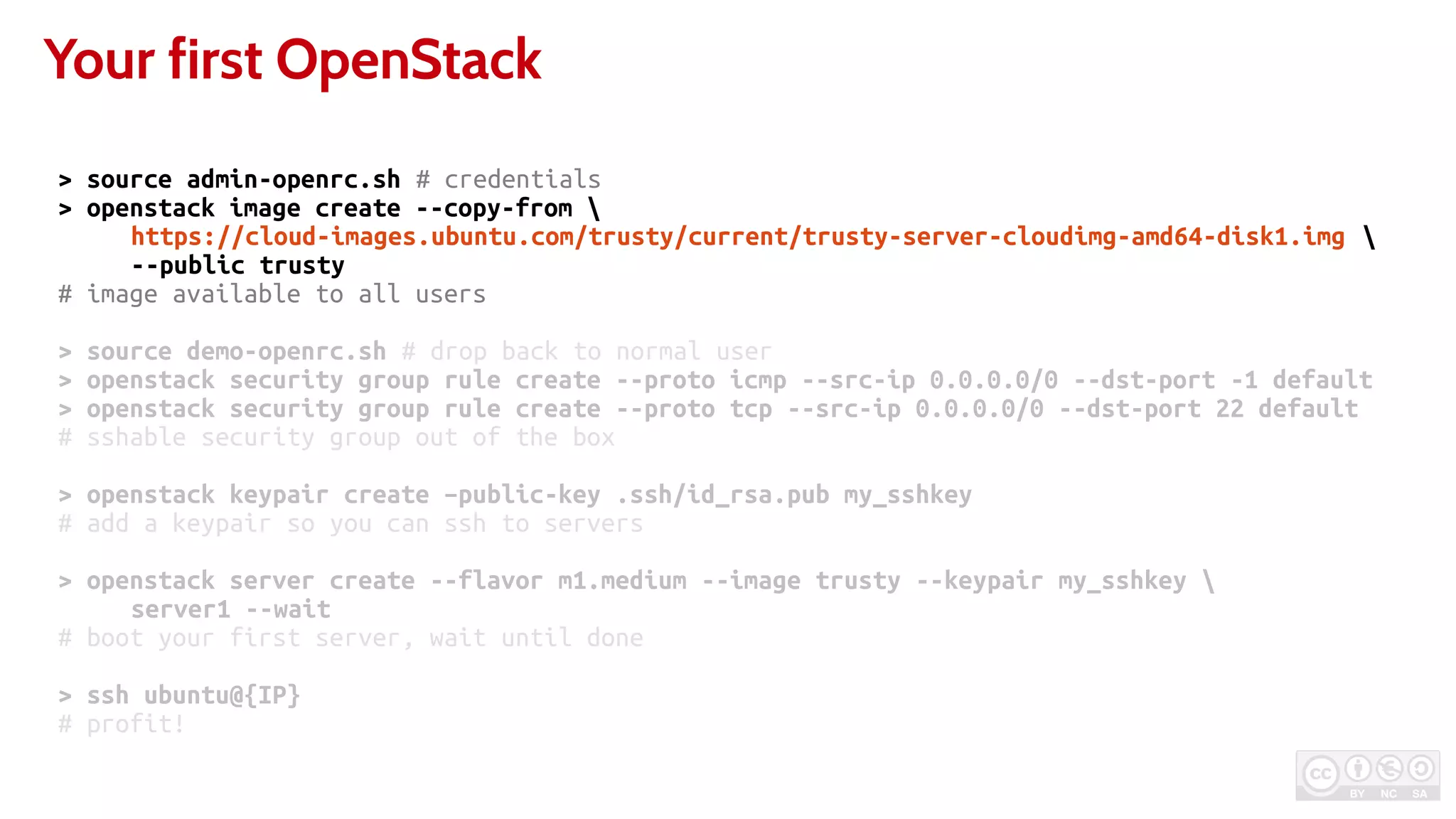
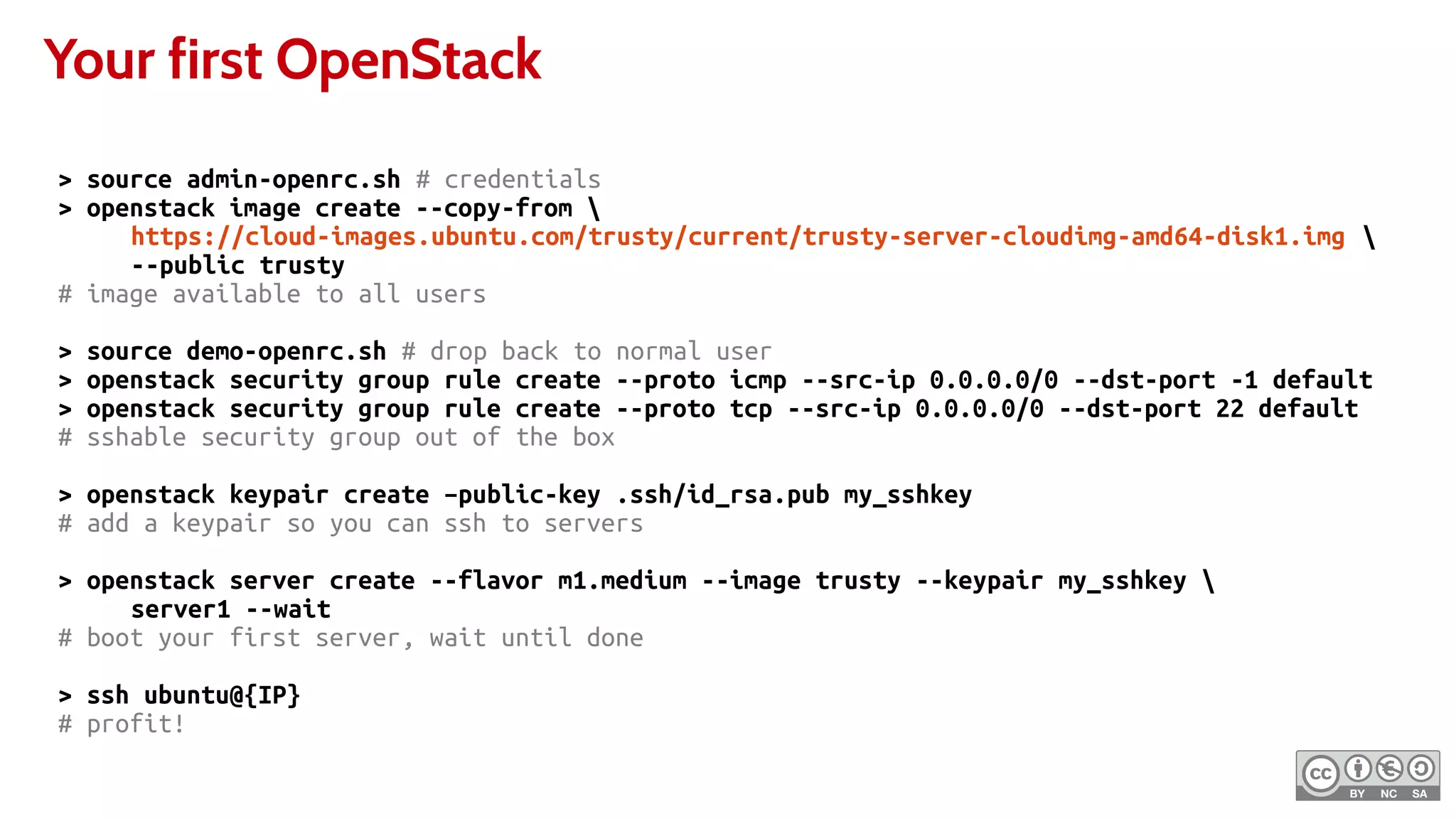
Your first OpenStack
> source admin-openrc.sh # credentials
> openstack image create --copy-from 
https://cloud-images.ubuntu.com/trusty/current/trusty-server-cloudimg-amd64-disk1.img 
--public trusty
# image available to all users
> source demo-openrc.sh # drop back to normal user
> openstack security group rule create --proto icmp --src-ip 0.0.0.0/0 --dst-port -1 default
> openstack security group rule create --proto tcp --src-ip 0.0.0.0/0 --dst-port 22 default
# sshable security group out of the box
> openstack keypair create –public-key .ssh/id_rsa.pub my_sshkey
# add a keypair so you can ssh to servers
> openstack server create --flavor m1.medium --image trusty --keypair my_sshkey 
server1 --wait
# boot your first server, wait until done
> ssh ubuntu@{IP}
# profit!
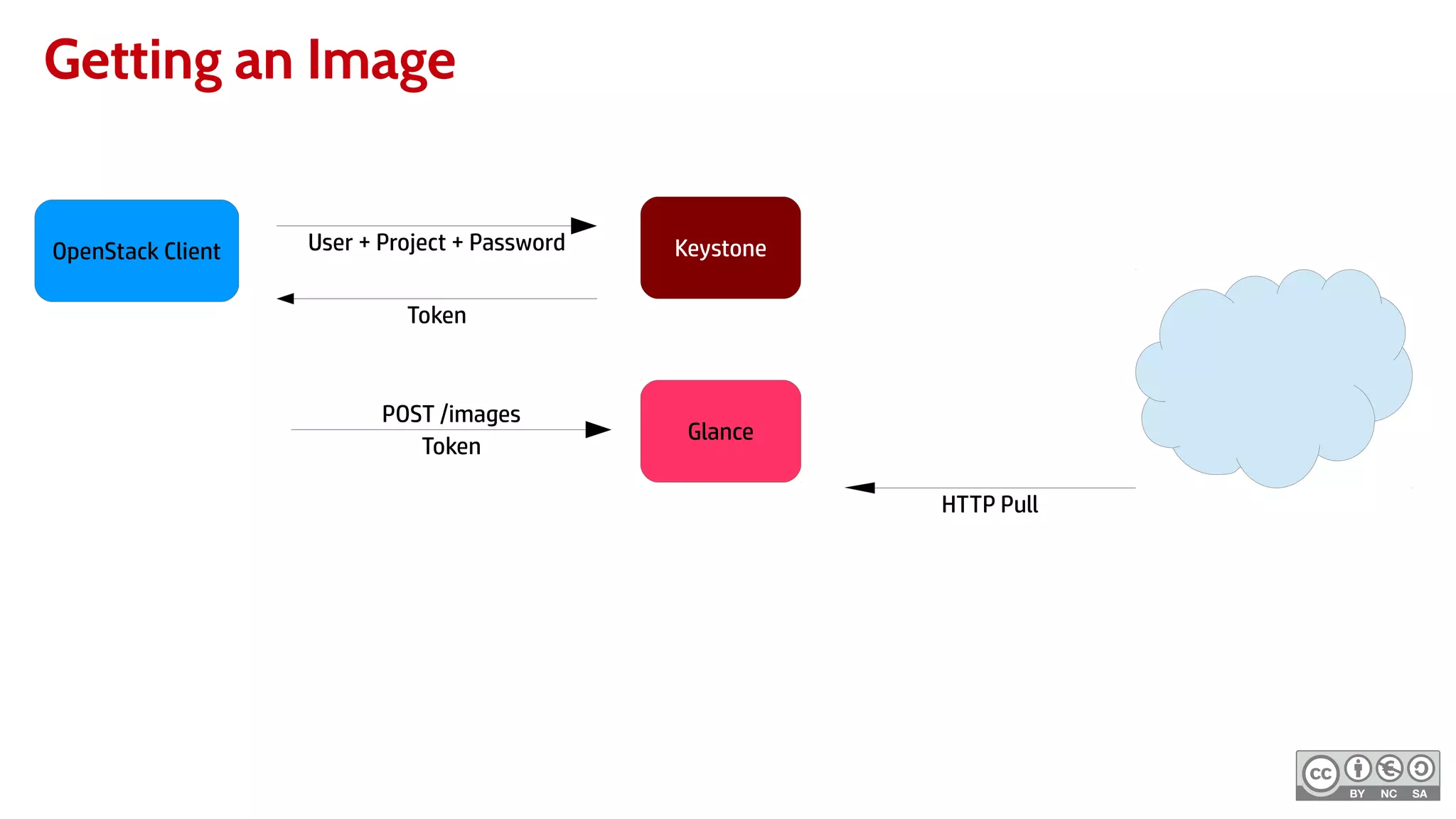
Getting an Image
KeystoneOpenStack Client User + Project + Password
Token
POST /images
Token
Glance
HTTP Pull
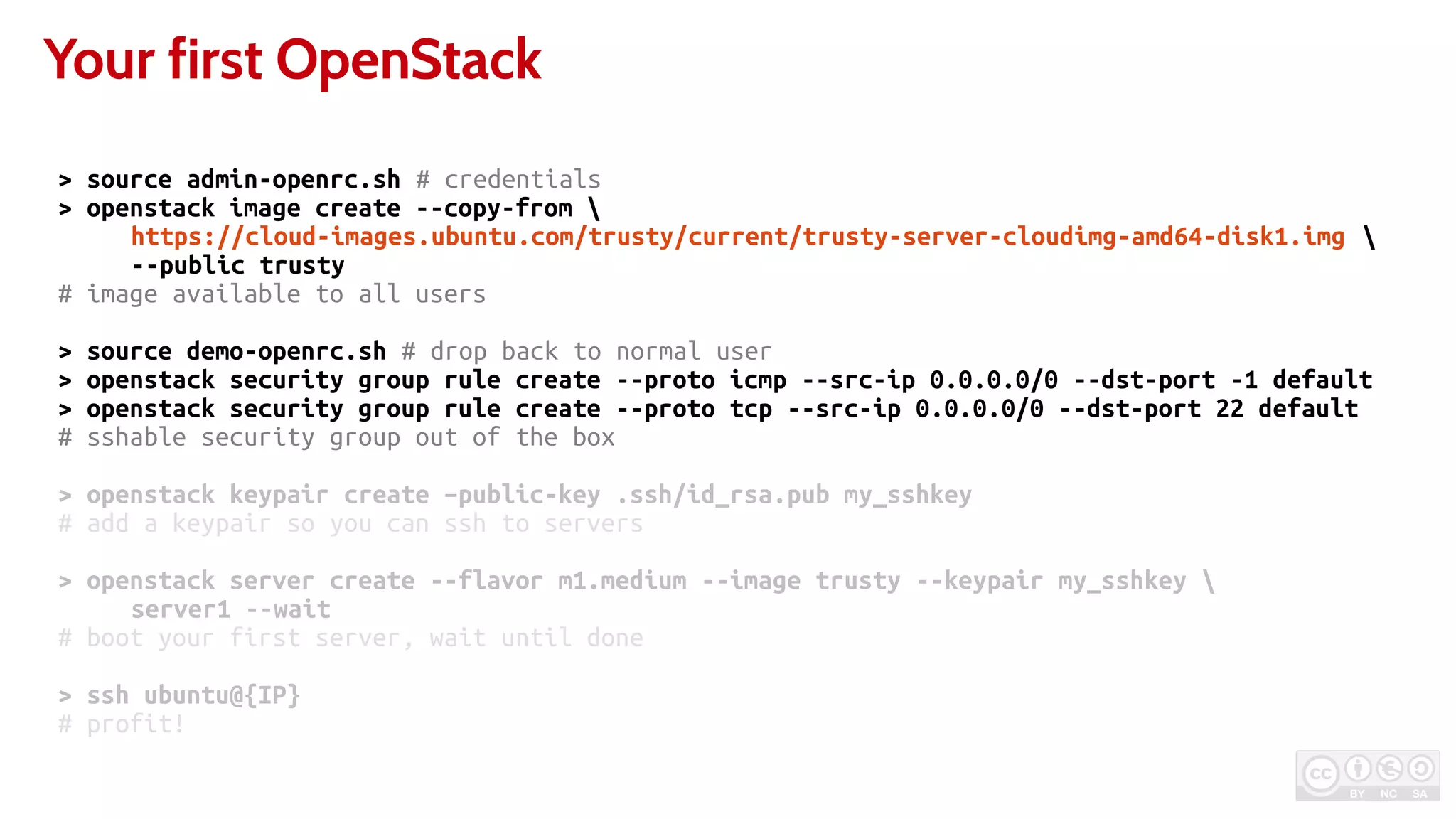
Your first OpenStack
> source admin-openrc.sh # credentials
> openstack image create --copy-from 
https://cloud-images.ubuntu.com/trusty/current/trusty-server-cloudimg-amd64-disk1.img 
--public trusty
# image available to all users
> source demo-openrc.sh # drop back to normal user
> openstack security group rule create --proto icmp --src-ip 0.0.0.0/0 --dst-port -1 default
> openstack security group rule create --proto tcp --src-ip 0.0.0.0/0 --dst-port 22 default
# sshable security group out of the box
> openstack keypair create –public-key .ssh/id_rsa.pub my_sshkey
# add a keypair so you can ssh to servers
> openstack server create --flavor m1.medium --image trusty --keypair my_sshkey 
server1 --wait
# boot your first server, wait until done
> ssh ubuntu@{IP}
# profit!
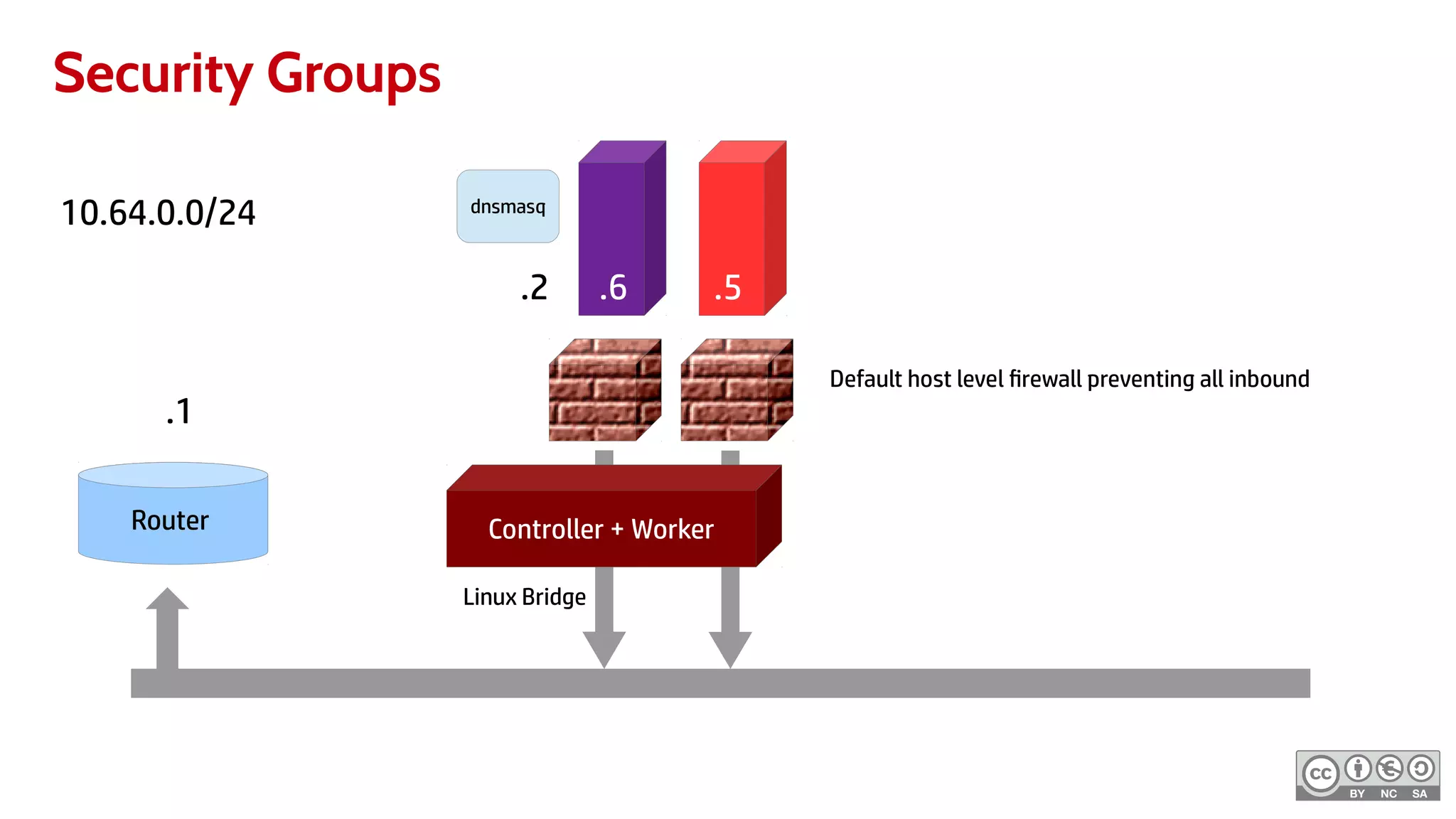
Security Groups
10.64.0.0/24
Controller + Worker
.2 .5.6
Router
.1
dnsmasq
Linux Bridge
Default host level firewall preventing all inbound
Your first OpenStack
> source admin-openrc.sh # credentials
> openstack image create --copy-from 
https://cloud-images.ubuntu.com/trusty/current/trusty-server-cloudimg-amd64-disk1.img 
--public trusty
# image available to all users
> source demo-openrc.sh # drop back to normal user
> openstack security group rule create --proto icmp --src-ip 0.0.0.0/0 --dst-port -1 default
> openstack security group rule create --proto tcp --src-ip 0.0.0.0/0 --dst-port 22 default
# sshable security group out of the box
> openstack keypair create –public-key .ssh/id_rsa.pub my_sshkey
# add a keypair so you can ssh to servers
> openstack server create --flavor m1.medium --image trusty --keypair my_sshkey 
server1 --wait
# boot your first server, wait until done
> ssh ubuntu@{IP}
# profit!
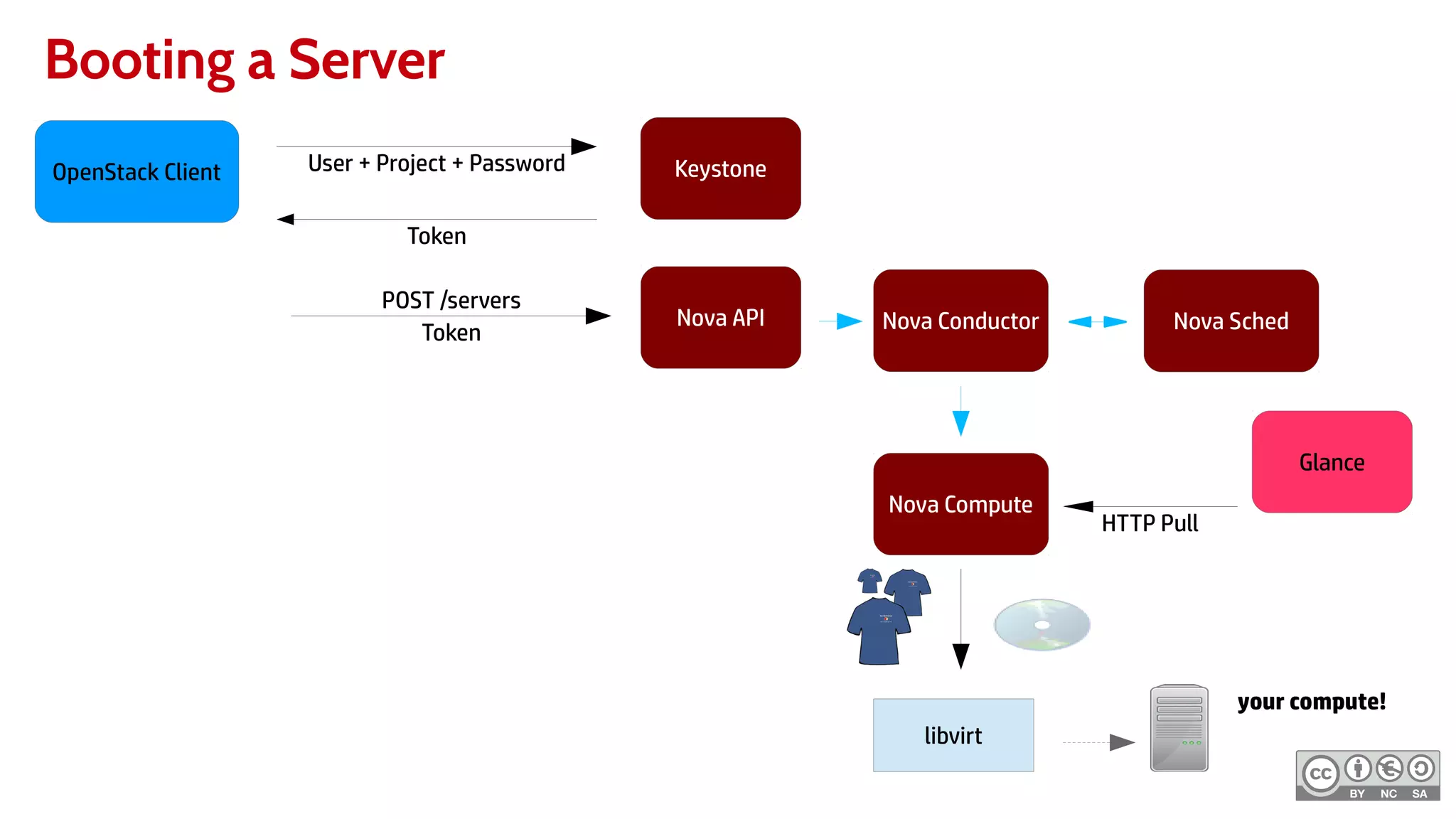
Booting a Server
KeystoneOpenStack Client User + Project + Password
Token
POST /servers
Token
Nova API
Glance
Nova Conductor Nova Sched
Nova Compute
HTTP Pull
libvirt
your compute!
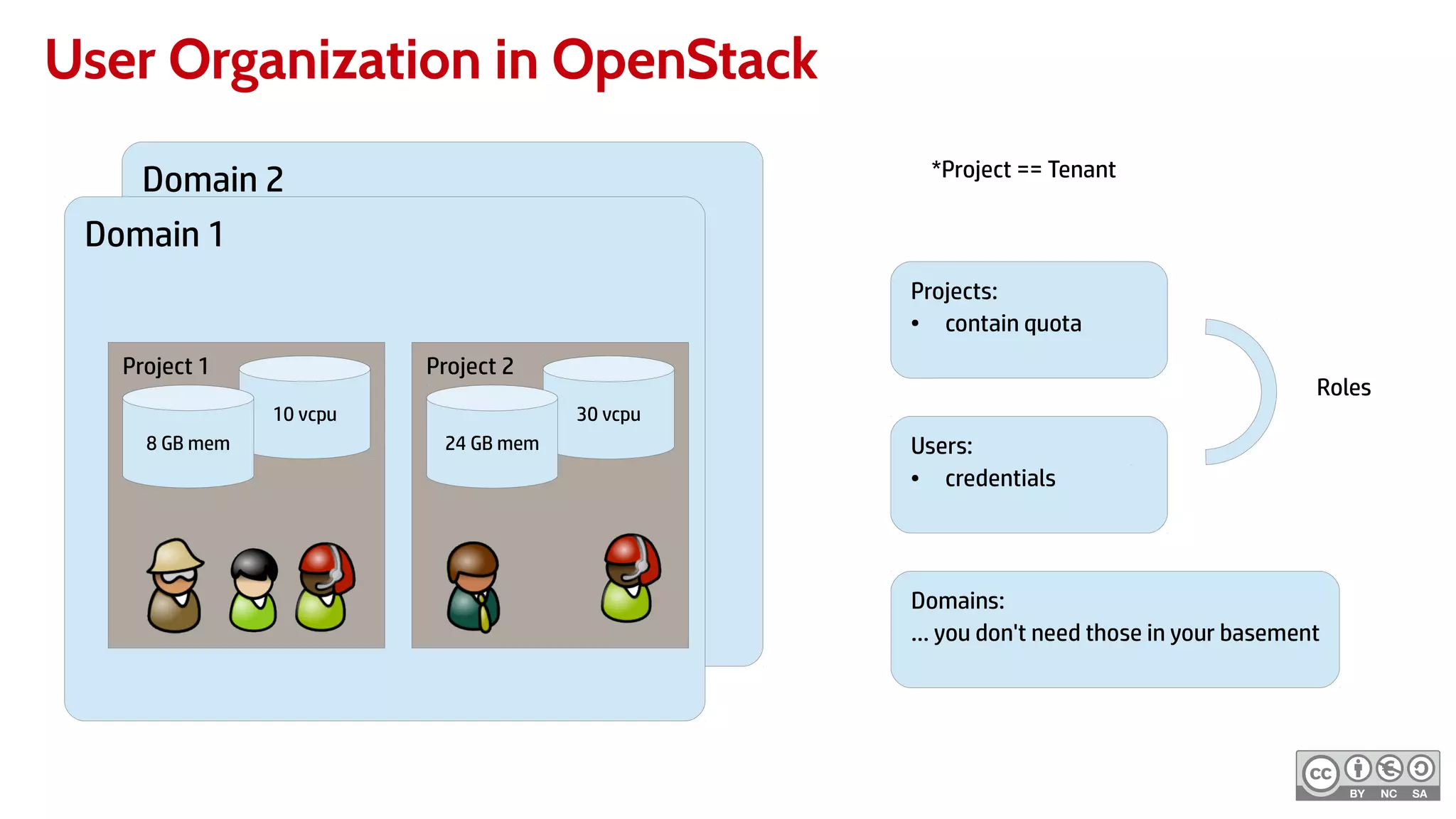
User Organization in OpenStack
Domain 2
Tenant 1
10 vcpu
8 GB mem 24 GB mem
Domain 1
Project 1
10 vcpu
8 GB mem
Project 2
30 vcpu
24 GB mem
Projects:
● contain quota
Users:
● credentials
Roles
Domains:
… you don't need those in your basement
*Project == Tenant
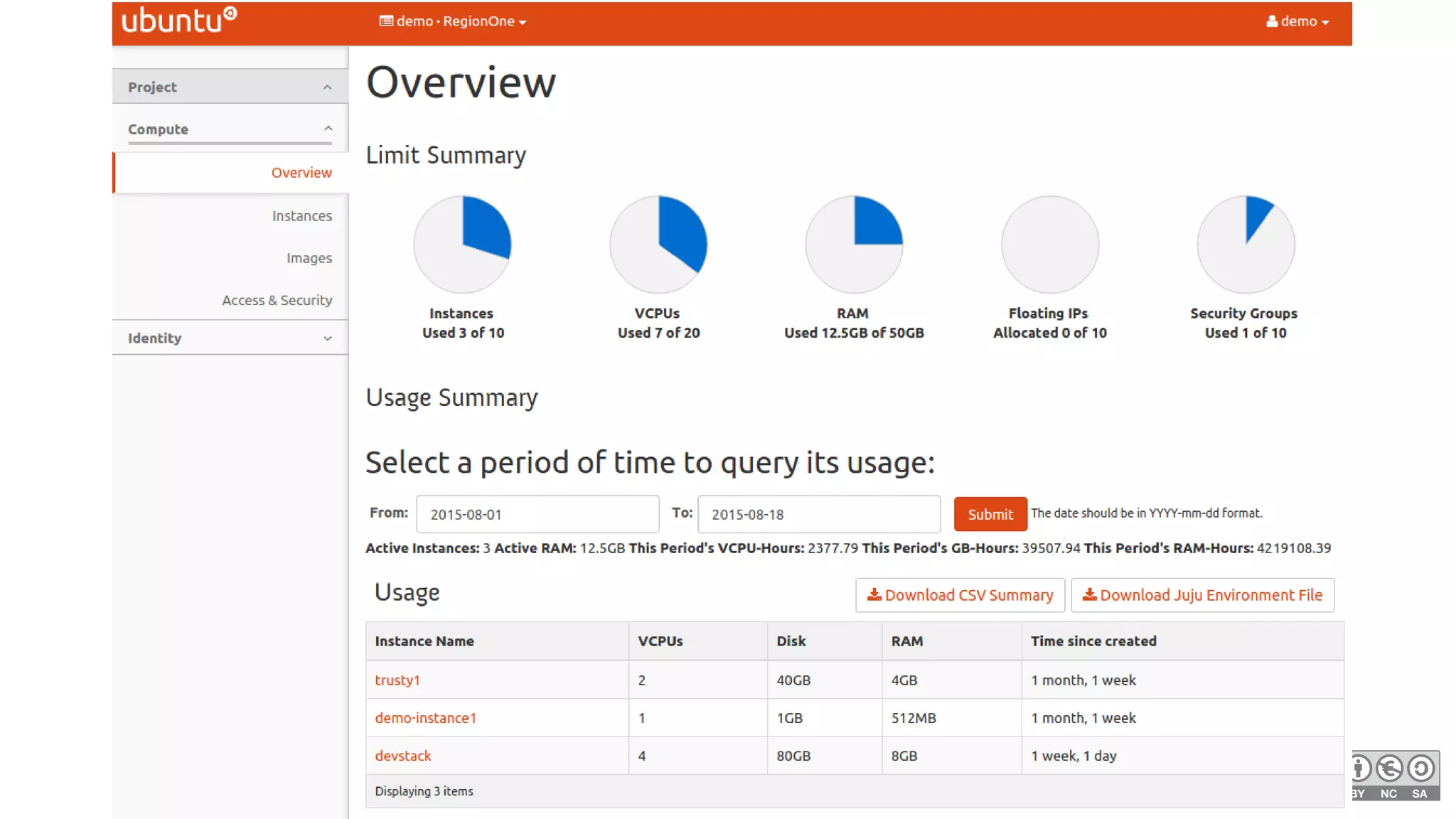
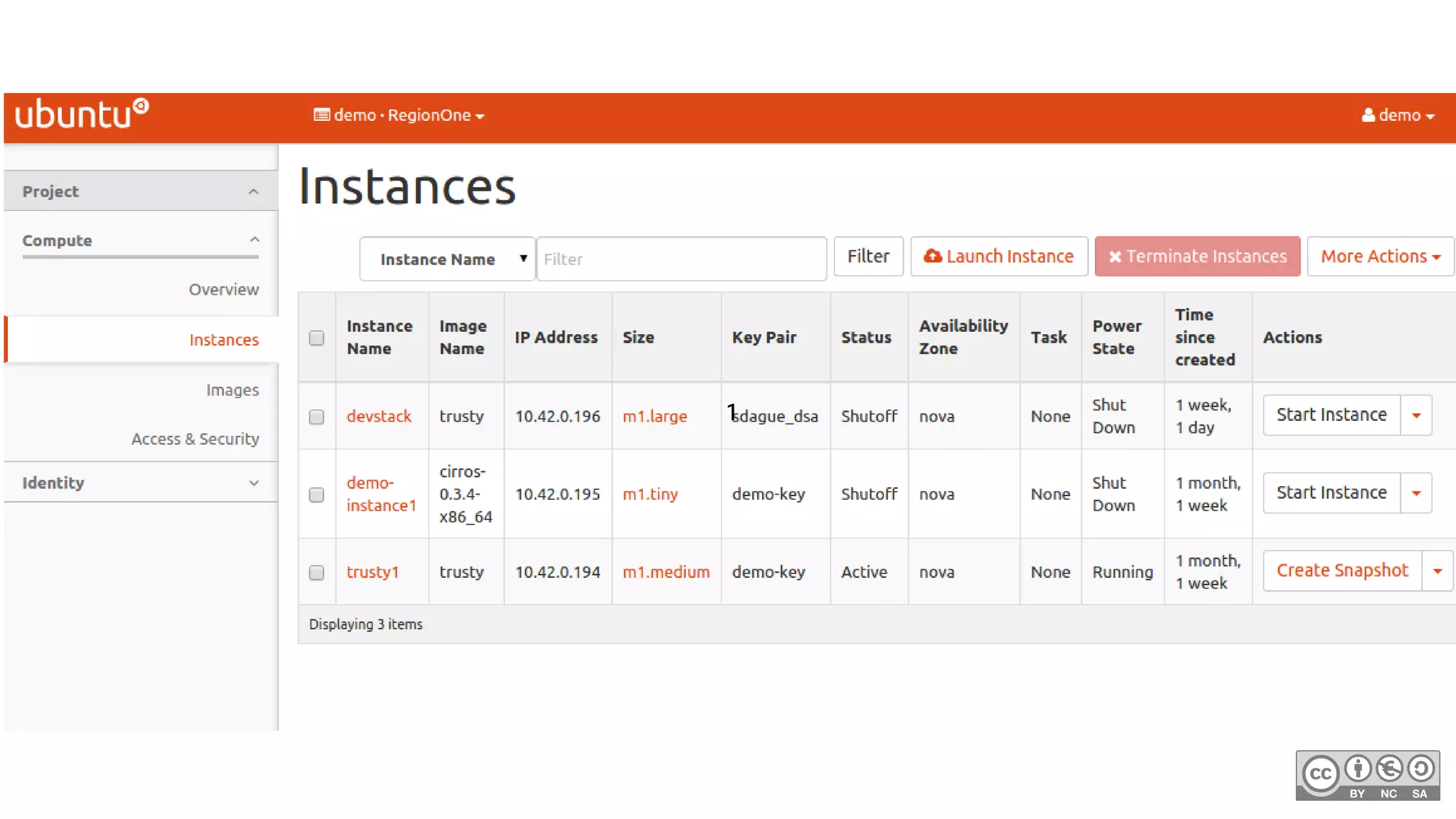
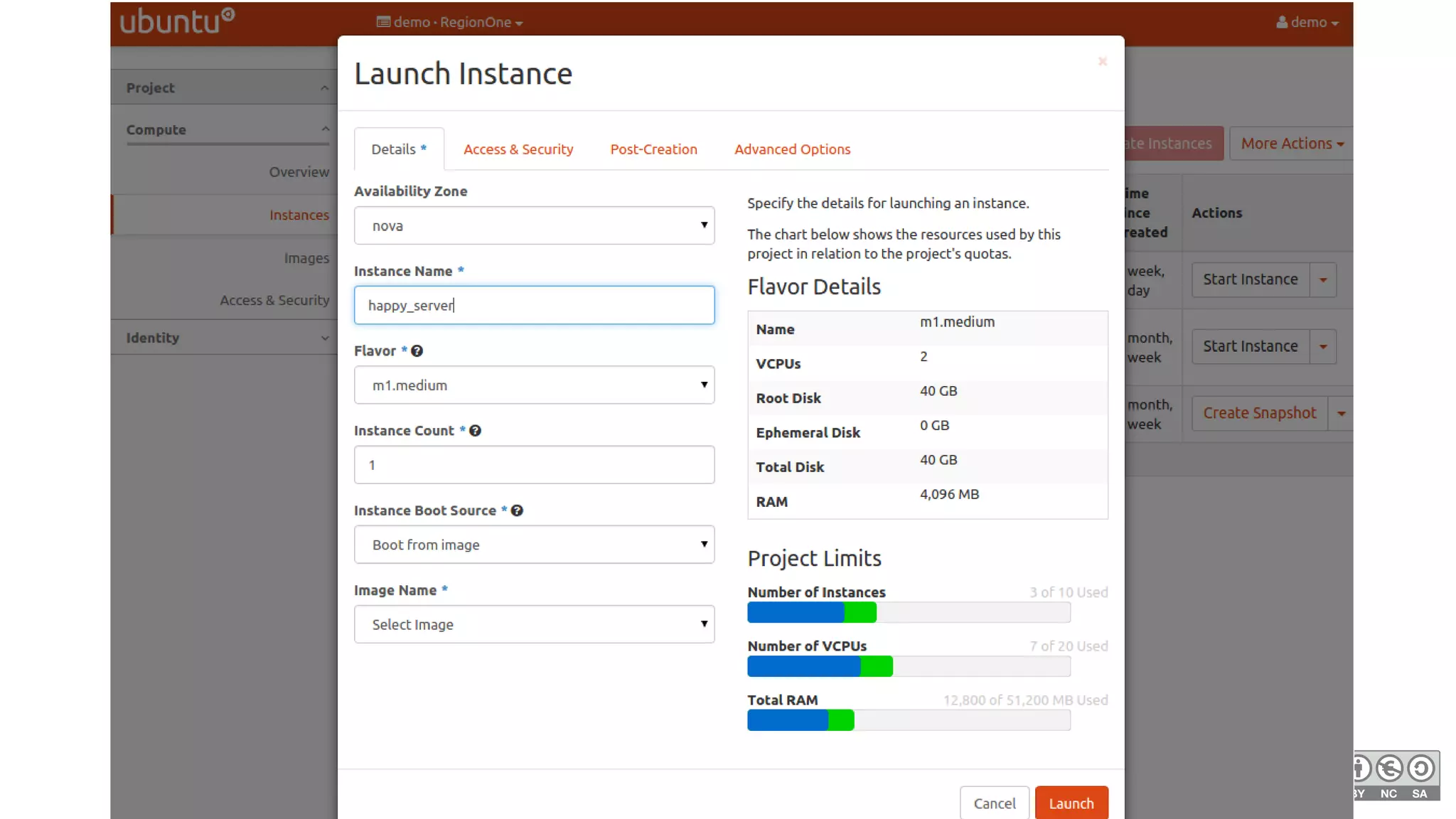
But I don't like the command line!
●
No problem!
●
Setting up Horizon is Section 7
●
Easy to use Web UI
1
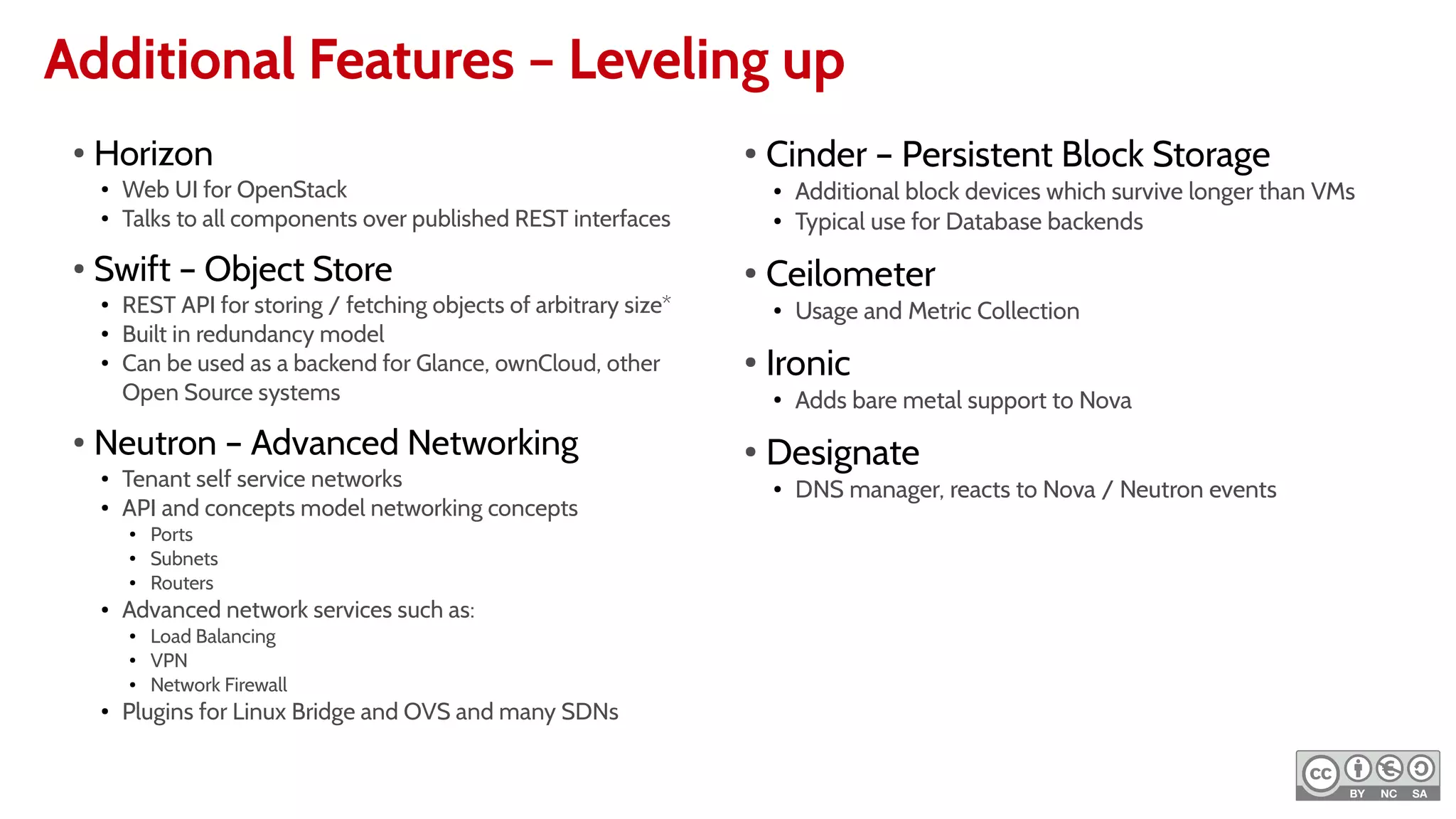
Additional Features – Leveling up
●
Horizon
●
Web UI for OpenStack
●
Talks to all components over published REST interfaces
●
Swift – Object Store
●
REST API for storing / fetching objects of arbitrary size*
●
Built in redundancy model
●
Can be used as a backend for Glance, ownCloud, other
Open Source systems
●
Neutron – Advanced Networking
●
Tenant self service networks
●
API and concepts model networking concepts
● Ports
● Subnets
● Routers
● Advanced network services such as:
● Load Balancing
● VPN
● Network Firewall
●
Plugins for Linux Bridge and OVS and many SDNs
●
Cinder – Persistent Block Storage
● Additional block devices which survive longer than VMs
● Typical use for Database backends
●
Ceilometer
● Usage and Metric Collection
●
Ironic
●
Adds bare metal support to Nova
●
Designate
● DNS manager, reacts to Nova / Neutron events
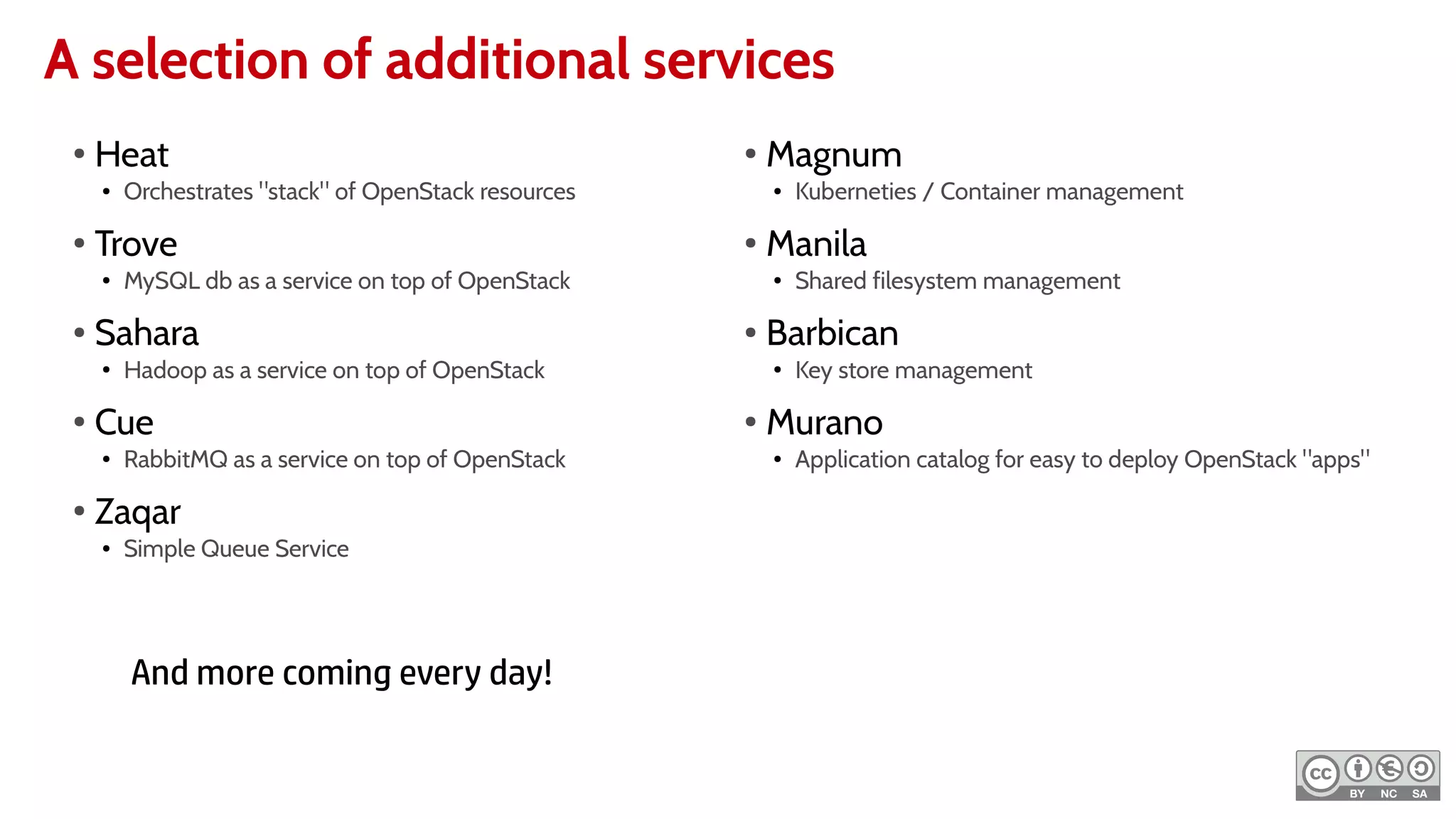
A selection of additional services
●
Heat
● Orchestrates "stack" of OpenStack resources
●
Trove
● MySQL db as a service on top of OpenStack
● Sahara
● Hadoop as a service on top of OpenStack
●
Cue
● RabbitMQ as a service on top of OpenStack
●
Zaqar
● Simple Queue Service
●
Magnum
● Kuberneties / Container management
●
Manila
● Shared filesystem management
● Barbican
● Key store management
●
Murano
● Application catalog for easy to deploy OpenStack "apps"
And more coming every day!
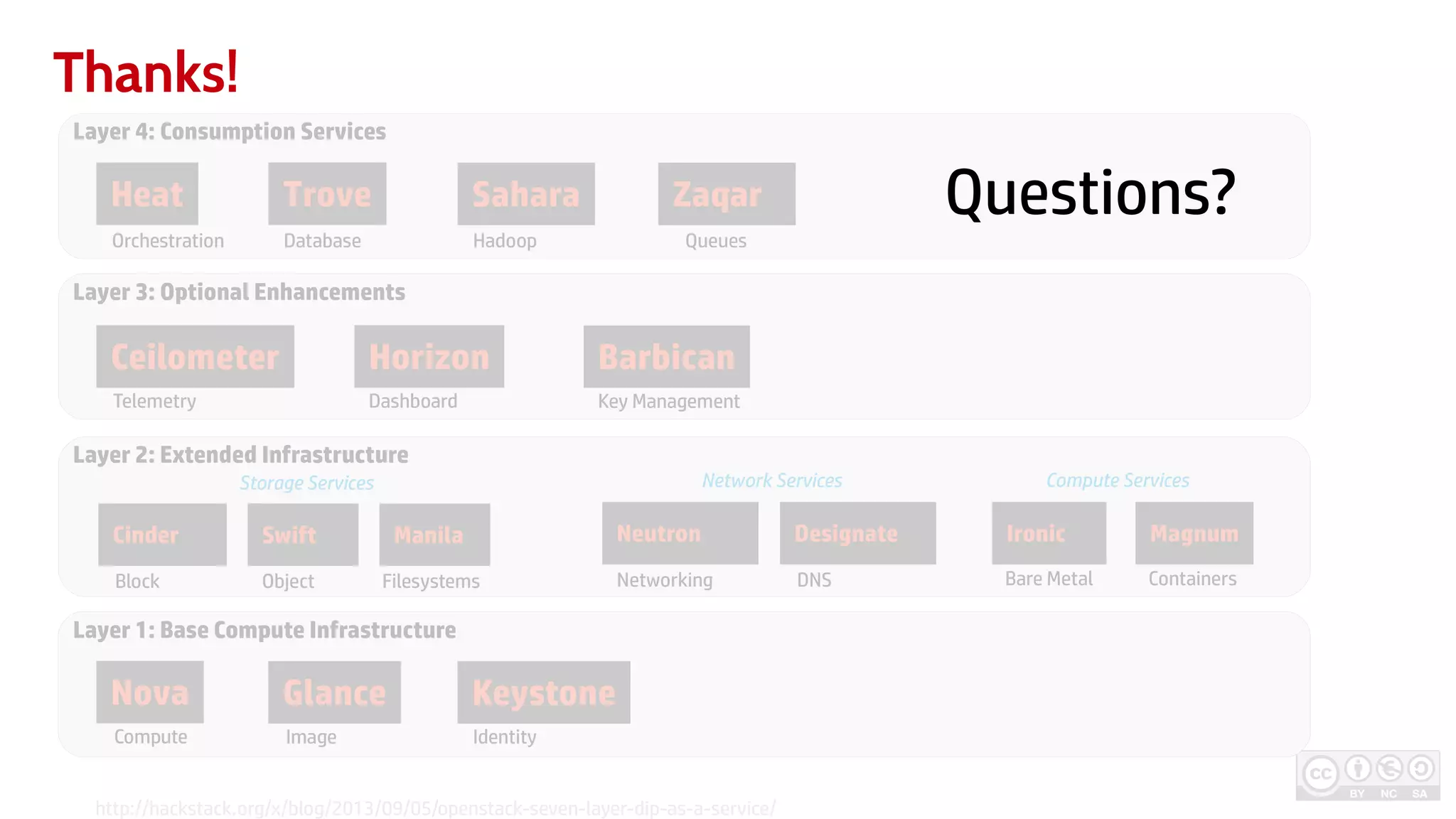
Thanks!
Layer 1: Base Compute Infrastructure
Layer 2: Extended Infrastructure
Layer 3: Optional Enhancements
Layer 4: Consumption Services
Nova Glance Keystone
Ceilometer Horizon
Heat Trove Sahara
Compute Image
Bare MetalNetworking DNS
Cinder Swift
ObjectBlock
Storage Services Compute ServicesNetwork Services
Identity
Telemetry Dashboard Key Management
Orchestration Database Hadoop Queues
http://hackstack.org/x/blog/2013/09/05/openstack-seven-layer-dip-as-a-service/
Zaqar
Barbican
Neutron Designate Ironic
Containers
MagnumManila
Filesystems
Questions?

Minimal OpenStack LinuxCon NA 2015

  • 1.
    MinimalOpenStack StartingYourOpenStackJourney Sean Dague /Aug 19th , 2015 Twitter: @sdague Blog: dague.net
  • 2.
    The Mission ofOpenStack "To produce the ubiquitous Open Source Cloud Computing platform that will meet the needs of public and private clouds regardless of size, by being simple to implement and massively scalable."
  • 3.
    Things you probablydon't need in your basement ● Hadoop as a Service ● DNS manager ● Object storage layer ● Chargeback ● Integration with Enterprise Storage ● SDN Integration ● Policy Enforcement ● Orchestration Layer ● Kubernetes deployer But, you can layer them in later once you have a Minimal OpenStack
  • 4.
    My First OpenStack 1Intel/AMD CPU 8 GB Ram 250+ GB Disk 1 Gbs Network Read OpenStack Install Guide Follow sections 2, 3, 4, 5 and 6.2 for your favorite distro For multiple servings follow sections 5 and 6.2 again Makes 1 compute cloud. Good for long running or ephermeral VMs. Variations: * Increase RAM for more guests 2 hrs 4
  • 5.
    2 – 3hours process Read Carefully! "Create Exclusive Slice"
  • 6.
    Caveat on Networking NovaNetwork ● Original Networking ● Easy to set up ● Limited API Neutron ● New Network Stack ● More network centric API ● Allows Tenant Self Service Networking ● Long Term Direction for OpenStack My Current Recommendation (based on Kilo documentation): Start with Nova Network to get comfortable Rebuild with Neutron later if your intent is to expand substantially Liberty documentation should make Neutron base easier to get started with
  • 7.
    Nova Network Multihost 10.64.0.0/24 Controller+ Worker Worker .2 .2 .4 .7.5.6 Router .1 dnsmasq dnsmasq messages back and forth to prevent collisions Linux Bridge Linux Bridge
  • 8.
    Cheating and Sharingan L2 10.64.0.0/24 Controller + Worker Worker .129/25 .129/25 .132 .133.131.130 Router .1 dnsmasq dnsmasq messages back and forth to prevent collisions Linux Bridge Linux Bridge 10.64.0.128/25 .51/24.50/24 Through the magic of Linux Networking
  • 9.
  • 10.
    A 2 nodebasement cloud Keystone mysql rabbitmq/disk Glance Nova /disk Nova Controller + Worker Worker Only
  • 12.
    Compute Flow Persistent Disk EphemeralDisk Built from disk on first boot. Exists until destroy. Freshly created on every boot. Common Actions: ● create/delete ● start/stop ● resize ● snapshot ● locking clout-init: typically shipped in cloud images customizes on first boot Metadata Server Config Drive First Boot Like "T-Shirt Sizes" Each defines CPU, Mem, Disk, and other attrs of final VM Base Image Flavor
  • 13.
    OpenStack Client ribos:~> moredemo-openrc.sh export OS_PROJECT_DOMAIN_ID=default export OS_USER_DOMAIN_ID=default export OS_PROJECT_NAME=demo export OS_TENANT_NAME=demo export OS_USERNAME=demo export OS_PASSWORD=0penstack export OS_AUTH_URL=http://10.42.0.51:5000/v3 export OS_REGION_NAME=RegionOne ● Unified openstack cli ● Replaces most of nova/keystone/glance cli usage ● Far more consistent in experience ● Installable via apt/yum/pip ● Put it on your laptop ● Access any OpenStack via setting env variables
  • 14.
    Your first OpenStack >source admin-openrc.sh # credentials > openstack image create --copy-from https://cloud-images.ubuntu.com/trusty/current/trusty-server-cloudimg-amd64-disk1.img --public trusty # image available to all users > source demo-openrc.sh # drop back to normal user > openstack security group rule create --proto icmp --src-ip 0.0.0.0/0 --dst-port -1 default > openstack security group rule create --proto tcp --src-ip 0.0.0.0/0 --dst-port 22 default # sshable security group out of the box > openstack keypair create –public-key .ssh/id_rsa.pub my_sshkey # add a keypair so you can ssh to servers > openstack server create --flavor m1.medium --image trusty --keypair my_sshkey server1 --wait # boot your first server, wait until done > ssh ubuntu@{IP} # profit!
  • 15.
    Getting an Image KeystoneOpenStackClient User + Project + Password Token POST /images Token Glance HTTP Pull
  • 16.
    Your first OpenStack >source admin-openrc.sh # credentials > openstack image create --copy-from https://cloud-images.ubuntu.com/trusty/current/trusty-server-cloudimg-amd64-disk1.img --public trusty # image available to all users > source demo-openrc.sh # drop back to normal user > openstack security group rule create --proto icmp --src-ip 0.0.0.0/0 --dst-port -1 default > openstack security group rule create --proto tcp --src-ip 0.0.0.0/0 --dst-port 22 default # sshable security group out of the box > openstack keypair create –public-key .ssh/id_rsa.pub my_sshkey # add a keypair so you can ssh to servers > openstack server create --flavor m1.medium --image trusty --keypair my_sshkey server1 --wait # boot your first server, wait until done > ssh ubuntu@{IP} # profit!
  • 17.
    Security Groups 10.64.0.0/24 Controller +Worker .2 .5.6 Router .1 dnsmasq Linux Bridge Default host level firewall preventing all inbound
  • 18.
    Your first OpenStack >source admin-openrc.sh # credentials > openstack image create --copy-from https://cloud-images.ubuntu.com/trusty/current/trusty-server-cloudimg-amd64-disk1.img --public trusty # image available to all users > source demo-openrc.sh # drop back to normal user > openstack security group rule create --proto icmp --src-ip 0.0.0.0/0 --dst-port -1 default > openstack security group rule create --proto tcp --src-ip 0.0.0.0/0 --dst-port 22 default # sshable security group out of the box > openstack keypair create –public-key .ssh/id_rsa.pub my_sshkey # add a keypair so you can ssh to servers > openstack server create --flavor m1.medium --image trusty --keypair my_sshkey server1 --wait # boot your first server, wait until done > ssh ubuntu@{IP} # profit!
  • 19.
    Booting a Server KeystoneOpenStackClient User + Project + Password Token POST /servers Token Nova API Glance Nova Conductor Nova Sched Nova Compute HTTP Pull libvirt your compute!
  • 20.
    User Organization inOpenStack Domain 2 Tenant 1 10 vcpu 8 GB mem 24 GB mem Domain 1 Project 1 10 vcpu 8 GB mem Project 2 30 vcpu 24 GB mem Projects: ● contain quota Users: ● credentials Roles Domains: … you don't need those in your basement *Project == Tenant
  • 21.
    But I don'tlike the command line! ● No problem! ● Setting up Horizon is Section 7 ● Easy to use Web UI
  • 23.
  • 25.
    Additional Features –Leveling up ● Horizon ● Web UI for OpenStack ● Talks to all components over published REST interfaces ● Swift – Object Store ● REST API for storing / fetching objects of arbitrary size* ● Built in redundancy model ● Can be used as a backend for Glance, ownCloud, other Open Source systems ● Neutron – Advanced Networking ● Tenant self service networks ● API and concepts model networking concepts ● Ports ● Subnets ● Routers ● Advanced network services such as: ● Load Balancing ● VPN ● Network Firewall ● Plugins for Linux Bridge and OVS and many SDNs ● Cinder – Persistent Block Storage ● Additional block devices which survive longer than VMs ● Typical use for Database backends ● Ceilometer ● Usage and Metric Collection ● Ironic ● Adds bare metal support to Nova ● Designate ● DNS manager, reacts to Nova / Neutron events
  • 26.
    A selection ofadditional services ● Heat ● Orchestrates "stack" of OpenStack resources ● Trove ● MySQL db as a service on top of OpenStack ● Sahara ● Hadoop as a service on top of OpenStack ● Cue ● RabbitMQ as a service on top of OpenStack ● Zaqar ● Simple Queue Service ● Magnum ● Kuberneties / Container management ● Manila ● Shared filesystem management ● Barbican ● Key store management ● Murano ● Application catalog for easy to deploy OpenStack "apps" And more coming every day!
  • 27.
    Thanks! Layer 1: BaseCompute Infrastructure Layer 2: Extended Infrastructure Layer 3: Optional Enhancements Layer 4: Consumption Services Nova Glance Keystone Ceilometer Horizon Heat Trove Sahara Compute Image Bare MetalNetworking DNS Cinder Swift ObjectBlock Storage Services Compute ServicesNetwork Services Identity Telemetry Dashboard Key Management Orchestration Database Hadoop Queues http://hackstack.org/x/blog/2013/09/05/openstack-seven-layer-dip-as-a-service/ Zaqar Barbican Neutron Designate Ironic Containers MagnumManila Filesystems Questions?