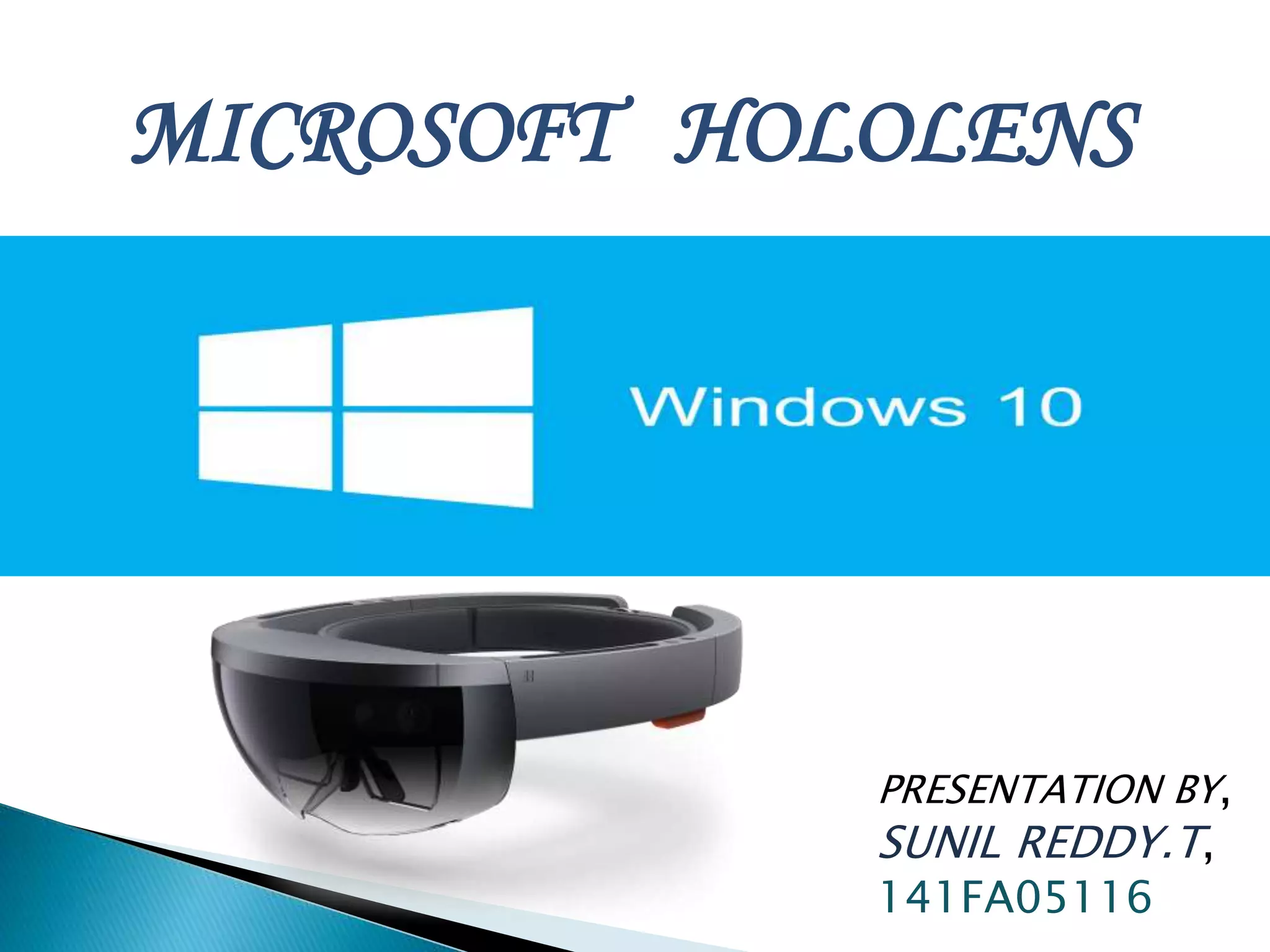
MICROSOFT HOLOLENS
PRESENTATION BY,
SUNIL REDDY.T,
141FA05116
 Introduction
 What is Hololens?
 What is Hologram?
 What is Augmented Reality?
 What is Virtual Reality?
 Features and description of HoloLens
 How does it work?
 Advantages
 Disadvantages
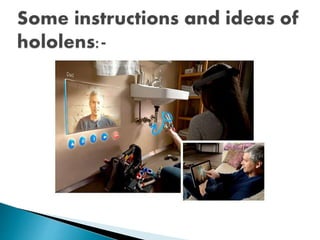
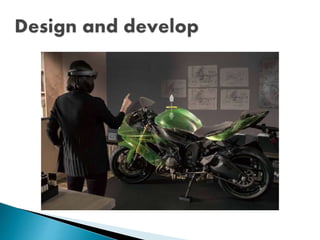
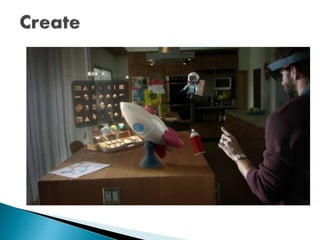
 Instruction and ideas of HoloLens
 Conclusion
Microsoft HoloLens is a smart
glass which is the first cordless, self-
contained holographic computer
running Windows 10.The HoloLens is
similar to Google Glass in that it uses
AR technology.
Alex Kipman is the person who pitched
the idea to kinect of microsoft hololens
 Microsoft HoloLens is the first
holographic computer running
exclusively only on Windows 10.
 It is completely untethered i.e. no wires,
phones or connection to a PC required.
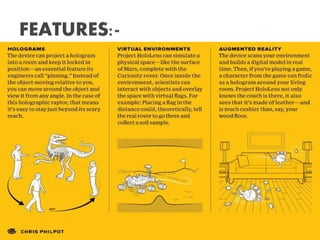
 Microsoft HoloLens uses Augmented
Reality (AR) Technology that allows it to
pin Hologram in your physical
environment.
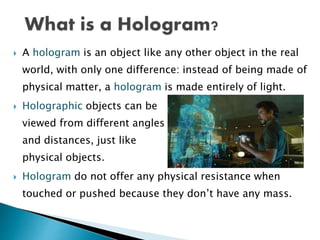
 A hologram is an object like any other object in the real
world, with only one difference: instead of being made of
physical matter, a hologram is made entirely of light.
 Holographic objects can be
viewed from different angles
and distances, just like
physical objects.
 Hologram do not offer any physical resistance when
touched or pushed because they don’t have any mass.
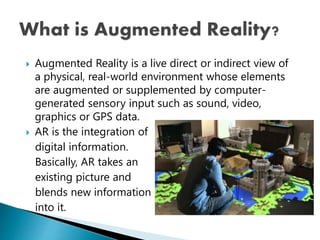
 Augmented Reality is a live direct or indirect view of
a physical, real-world environment whose elements
are augmented or supplemented by computer-
generated sensory input such as sound, video,
graphics or GPS data.
 AR is the integration of
digital information.
Basically, AR takes an
existing picture and
blends new information
into it.
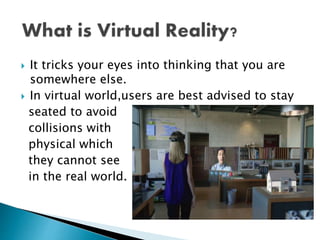
 It tricks your eyes into thinking that you are
somewhere else.
 In virtual world,users are best advised to stay
seated to avoid
collisions with
physical which
they cannot see
in the real world.
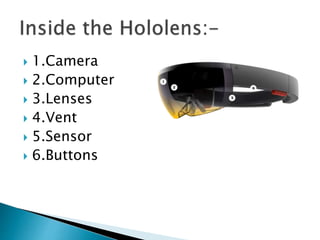
 1.Camera
 2.Computer
 3.Lenses
 4.Vent
 5.Sensor
 6.Buttons
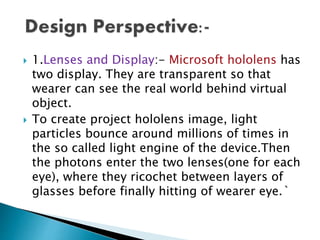
 1.Lenses and Display:- Microsoft hololens has
two display. They are transparent so that
wearer can see the real world behind virtual
object.
 To create project hololens image, light
particles bounce around millions of times in
the so called light engine of the device.Then
the photons enter the two lenses(one for each
eye), where they ricochet between layers of
glasses before finally hitting of wearer eye.`
 2.Sensor:- sensor track where the wearer is
looking and adjust the display.
 Motion sensor detect wearers movement.
 The sensor can also see wearers hands, the
hands are an input system: user can interact
with whatever he sees by just touching it.
 Wearer also give gesture as input sensor
enables the tracking of user movement.
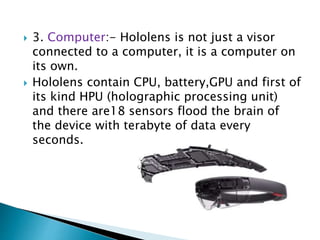
 3. Computer:- Hololens is not just a visor
connected to a computer, it is a computer on
its own.
 Hololens contain CPU, battery,GPU and first of
its kind HPU (holographic processing unit)
and there are18 sensors flood the brain of
the device with terabyte of data every
seconds.
 4.Camera:- the project hololens depth
camera has a field of vision that spans 120 by
120 degree, so it can sense what your hands
are doing even when they are nearly
outstretched.
 5.Vent:- the device is more powerful than a
laptop but won’t overheat- warm air flows to
the sides, where it vents up and out.
 6.Buttons:- on the right side buttons allow
user to adjust the volume and to control the
contrast of the hologram.
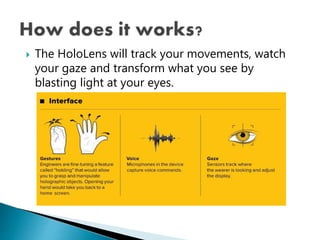
 The HoloLens will track your movements, watch
your gaze and transform what you see by
blasting light at your eyes.
 Hololens is completely different from goggle
glass. Google glass was design to perform
the function of smart phone. Like a phone it
support apps,take photos and video so
basically its a expensive version of handheld
device.
 Google glass support virtual reality where
user disconnect with real world but in
hololens user, see the real world in front of
them.They can walk around and talk to others
without worrying about bumping into walls.
 Easy to wear and use.
 Sensitive and responsive to the presence of
people.
 Hololens can be used in army battlefield,
where detailed instruction can be given to the
untrained person in the midst of combat.
 A spectacle based computer to reside directly
on your eyes rather than your pocket.
 Can be easily damaged or broken. User will
have a tough time taking care of it.
 It may lead to accidents while driving.
 High usage of the device drains the battery
faster.
 While using the device we should be careful
about the things around us as we may hit
them.
 HoloLens is a step into the future; A
future beyond your imagination…
That’s why
When you change the way you see the
world,
you can change the world you see.
Microsofthololens

Microsofthololens

  • 1.
  • 2.
     Introduction  Whatis Hololens?  What is Hologram?  What is Augmented Reality?  What is Virtual Reality?  Features and description of HoloLens  How does it work?  Advantages  Disadvantages  Instruction and ideas of HoloLens  Conclusion
  • 3.
    Microsoft HoloLens isa smart glass which is the first cordless, self- contained holographic computer running Windows 10.The HoloLens is similar to Google Glass in that it uses AR technology. Alex Kipman is the person who pitched the idea to kinect of microsoft hololens
  • 4.
     Microsoft HoloLensis the first holographic computer running exclusively only on Windows 10.  It is completely untethered i.e. no wires, phones or connection to a PC required.  Microsoft HoloLens uses Augmented Reality (AR) Technology that allows it to pin Hologram in your physical environment.
  • 5.
     A hologramis an object like any other object in the real world, with only one difference: instead of being made of physical matter, a hologram is made entirely of light.  Holographic objects can be viewed from different angles and distances, just like physical objects.  Hologram do not offer any physical resistance when touched or pushed because they don’t have any mass.
  • 6.
     Augmented Realityis a live direct or indirect view of a physical, real-world environment whose elements are augmented or supplemented by computer- generated sensory input such as sound, video, graphics or GPS data.  AR is the integration of digital information. Basically, AR takes an existing picture and blends new information into it.
  • 7.
     It tricksyour eyes into thinking that you are somewhere else.  In virtual world,users are best advised to stay seated to avoid collisions with physical which they cannot see in the real world.
  • 9.
     1.Camera  2.Computer 3.Lenses  4.Vent  5.Sensor  6.Buttons
  • 10.
     1.Lenses andDisplay:- Microsoft hololens has two display. They are transparent so that wearer can see the real world behind virtual object.  To create project hololens image, light particles bounce around millions of times in the so called light engine of the device.Then the photons enter the two lenses(one for each eye), where they ricochet between layers of glasses before finally hitting of wearer eye.`
  • 11.
     2.Sensor:- sensortrack where the wearer is looking and adjust the display.  Motion sensor detect wearers movement.  The sensor can also see wearers hands, the hands are an input system: user can interact with whatever he sees by just touching it.  Wearer also give gesture as input sensor enables the tracking of user movement.
  • 12.
     3. Computer:-Hololens is not just a visor connected to a computer, it is a computer on its own.  Hololens contain CPU, battery,GPU and first of its kind HPU (holographic processing unit) and there are18 sensors flood the brain of the device with terabyte of data every seconds.
  • 13.
     4.Camera:- theproject hololens depth camera has a field of vision that spans 120 by 120 degree, so it can sense what your hands are doing even when they are nearly outstretched.  5.Vent:- the device is more powerful than a laptop but won’t overheat- warm air flows to the sides, where it vents up and out.  6.Buttons:- on the right side buttons allow user to adjust the volume and to control the contrast of the hologram.
  • 14.
     The HoloLenswill track your movements, watch your gaze and transform what you see by blasting light at your eyes.
  • 15.
     Hololens iscompletely different from goggle glass. Google glass was design to perform the function of smart phone. Like a phone it support apps,take photos and video so basically its a expensive version of handheld device.  Google glass support virtual reality where user disconnect with real world but in hololens user, see the real world in front of them.They can walk around and talk to others without worrying about bumping into walls.
  • 16.
     Easy towear and use.  Sensitive and responsive to the presence of people.  Hololens can be used in army battlefield, where detailed instruction can be given to the untrained person in the midst of combat.  A spectacle based computer to reside directly on your eyes rather than your pocket.
  • 17.
     Can beeasily damaged or broken. User will have a tough time taking care of it.  It may lead to accidents while driving.  High usage of the device drains the battery faster.  While using the device we should be careful about the things around us as we may hit them.
  • 21.
     HoloLens isa step into the future; A future beyond your imagination… That’s why When you change the way you see the world, you can change the world you see.