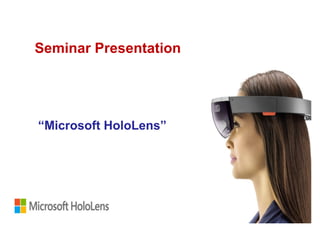
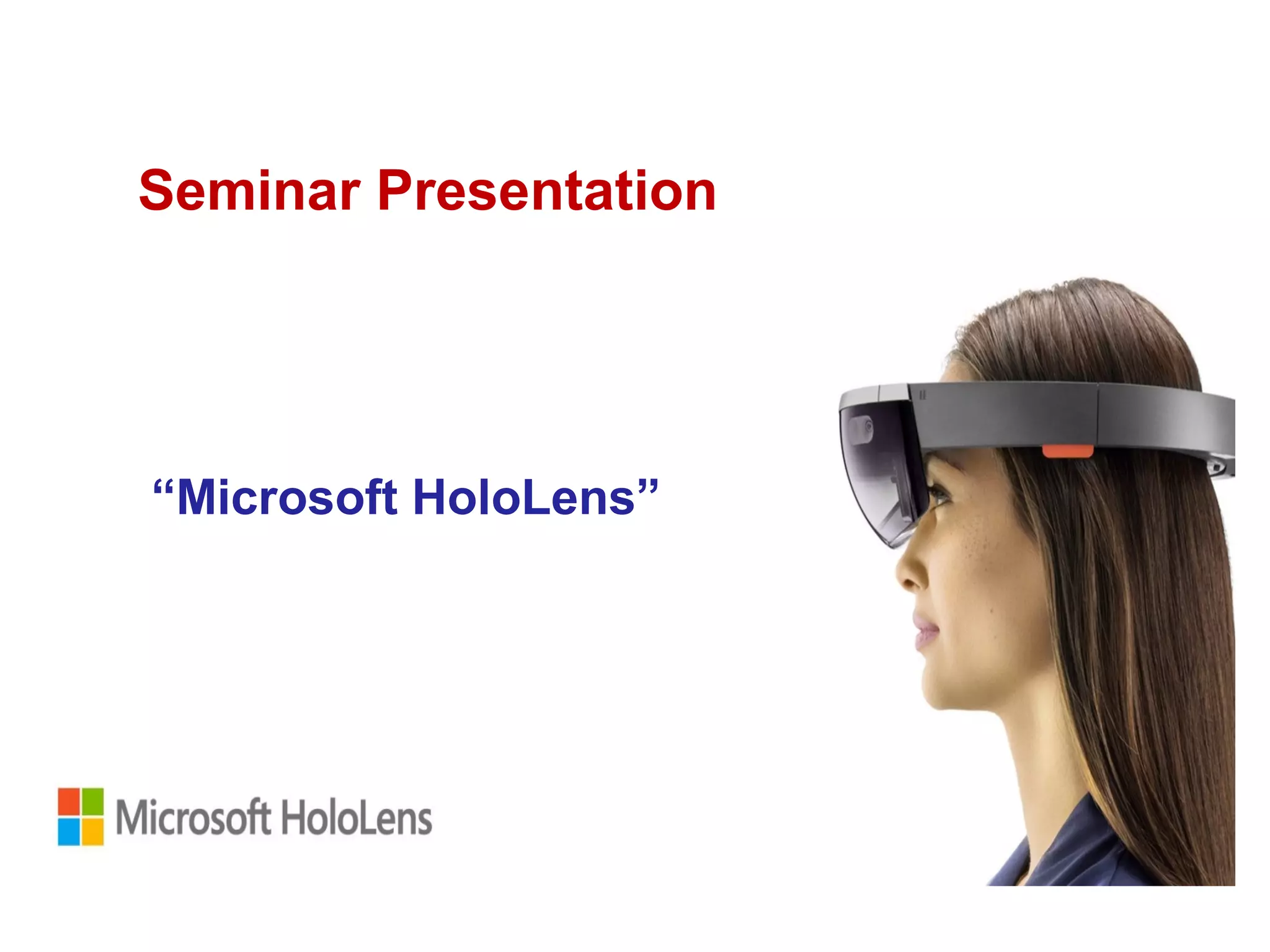
Seminar Presentation
“Microsoft HoloLens”
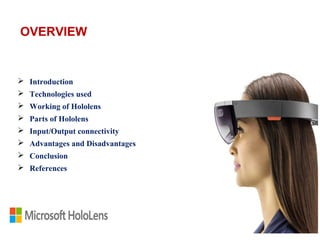
 Introduction
 Technologies used
 Working of Hololens
 Parts of Hololens
 Input/Output connectivity
 Advantages and Disadvantages
 Conclusion
 References
OVERVIEW
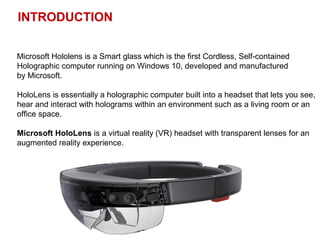
INTRODUCTION
Microsoft Hololens is a Smart glass which is the first Cordless, Self-contained
Holographic computer running on Windows 10, developed and manufactured
by Microsoft.
HoloLens is essentially a holographic computer built into a headset that lets you see,
hear and interact with holograms within an environment such as a living room or an
office space.
Microsoft HoloLens is a virtual reality (VR) headset with transparent lenses for an
augmented reality experience.
TECHNOLOGIES USED
 A HoloLens uses 3D holographic technology.
 To understand the technology used in HoloLens, we must understand the
term ‘Hologram’ .
 Holography is a technique that allows the light scattered from an object to
be recorded and later reconstructed. The technique to optically stores,
retrieve, and process information.
 The holograms preserve the 3-D information of a holo-graphed subject,
which helps to project 3D images.
Holography is a technique that is used to display objects or scenes
in three dimensions. These 3D images are called holograms.
MAN BEHIND HOLOLENS
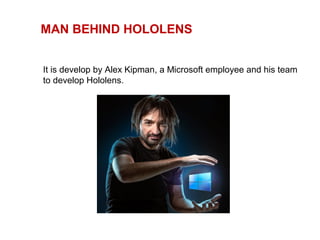
It is develop by Alex Kipman, a Microsoft employee and his team
to develop Hololens.
WORKING OF HOLOLENS
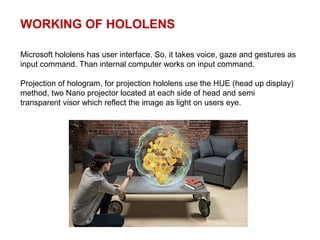
Microsoft hololens has user interface. So, it takes voice, gaze and gestures as
input command. Than internal computer works on input command.
Projection of hologram, for projection hololens use the HUE (head up display)
method, two Nano projector located at each side of head and semi
transparent visor which reflect the image as light on users eye.
PARTS OF HOLOLENS
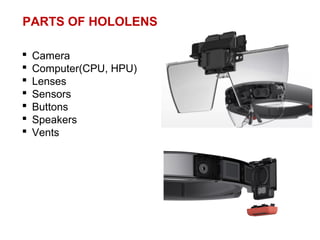
 Camera
 Computer(CPU, HPU)
 Lenses
 Sensors
 Buttons
 Speakers
 Vents
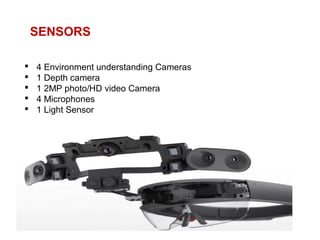
SENSORS
 4 Environment understanding Cameras
 1 Depth camera
 1 2MP photo/HD video Camera
 4 Microphones
 1 Light Sensor
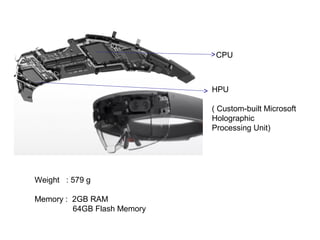
CPU
Weight : 579 g
Memory : 2GB RAM
64GB Flash Memory
HPU
( Custom-built Microsoft
Holographic
Processing Unit)
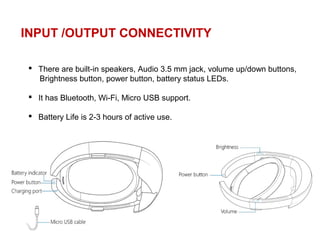
INPUT /OUTPUT CONNECTIVITY
 There are built-in speakers, Audio 3.5 mm jack, volume up/down buttons,
Brightness button, power button, battery status LEDs.
 It has Bluetooth, Wi-Fi, Micro USB support.
 Battery Life is 2-3 hours of active use.
ADVANTAGES OF HOLOLENS
 Easy to wear and use.
 Sensitive and responsive to the presence of people.
 Lightweight and Easily adjustable.
DISADVANTAGES OF HOLOLENS
It is Expensive.
It is sensitive. Proper care is needed. 
CONCLUSION
Hololens shows a glimpse of the future world, where the technology of
Sci-fi movies will come real.
It has the potential to replace the display technologies we presently
use.
HoloLens is a thing where you can connect, create and explore like
never before, Create what you imagine, visualize your work,
collaborate and explore.
 “Microsoft HoloLens”. Official Wikipedia articles.
https://en.wikipedia.org/wiki/Microsoft_HoloLens
 “Microsoft HoloLens”. Individual articles on Quora. (www.quora.com)
 “Documents on HoloLens”. Individual documentations on Scribd.
https://www.scribd.com/document/330853509/Holo-Lens
REFERENCE
THANK YOU

Microsoft holo lens

  • 1.
  • 2.
     Introduction  Technologiesused  Working of Hololens  Parts of Hololens  Input/Output connectivity  Advantages and Disadvantages  Conclusion  References OVERVIEW
  • 3.
    INTRODUCTION Microsoft Hololens isa Smart glass which is the first Cordless, Self-contained Holographic computer running on Windows 10, developed and manufactured by Microsoft. HoloLens is essentially a holographic computer built into a headset that lets you see, hear and interact with holograms within an environment such as a living room or an office space. Microsoft HoloLens is a virtual reality (VR) headset with transparent lenses for an augmented reality experience.
  • 4.
    TECHNOLOGIES USED  AHoloLens uses 3D holographic technology.  To understand the technology used in HoloLens, we must understand the term ‘Hologram’ .  Holography is a technique that allows the light scattered from an object to be recorded and later reconstructed. The technique to optically stores, retrieve, and process information.  The holograms preserve the 3-D information of a holo-graphed subject, which helps to project 3D images. Holography is a technique that is used to display objects or scenes in three dimensions. These 3D images are called holograms.
  • 5.
    MAN BEHIND HOLOLENS Itis develop by Alex Kipman, a Microsoft employee and his team to develop Hololens.
  • 6.
    WORKING OF HOLOLENS Microsofthololens has user interface. So, it takes voice, gaze and gestures as input command. Than internal computer works on input command. Projection of hologram, for projection hololens use the HUE (head up display) method, two Nano projector located at each side of head and semi transparent visor which reflect the image as light on users eye.
  • 7.
    PARTS OF HOLOLENS Camera  Computer(CPU, HPU)  Lenses  Sensors  Buttons  Speakers  Vents
  • 8.
    SENSORS  4 Environmentunderstanding Cameras  1 Depth camera  1 2MP photo/HD video Camera  4 Microphones  1 Light Sensor
  • 9.
    CPU Weight : 579g Memory : 2GB RAM 64GB Flash Memory HPU ( Custom-built Microsoft Holographic Processing Unit)
  • 10.
    INPUT /OUTPUT CONNECTIVITY There are built-in speakers, Audio 3.5 mm jack, volume up/down buttons, Brightness button, power button, battery status LEDs.  It has Bluetooth, Wi-Fi, Micro USB support.  Battery Life is 2-3 hours of active use.
  • 11.
  • 12.
    CONCLUSION Hololens shows aglimpse of the future world, where the technology of Sci-fi movies will come real. It has the potential to replace the display technologies we presently use. HoloLens is a thing where you can connect, create and explore like never before, Create what you imagine, visualize your work, collaborate and explore.
  • 13.
     “Microsoft HoloLens”.Official Wikipedia articles. https://en.wikipedia.org/wiki/Microsoft_HoloLens  “Microsoft HoloLens”. Individual articles on Quora. (www.quora.com)  “Documents on HoloLens”. Individual documentations on Scribd. https://www.scribd.com/document/330853509/Holo-Lens REFERENCE
  • 14.