HOW ARE YOU
TODAY?
M CR S FT
P W RP NT
MICROSOFT
POWERPOINT
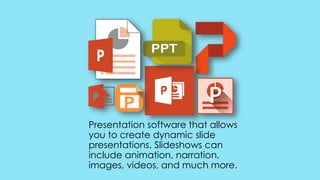
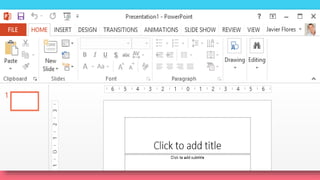
Presentation software that allows
you to create dynamic slide
presentations. Slideshows can
include animation, narration,
images, videos, and much more.
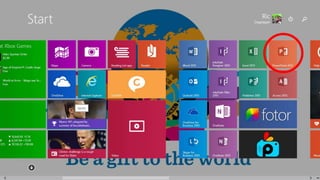
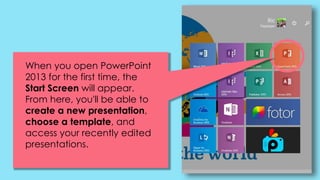
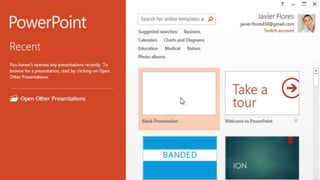
When you open PowerPoint
2013 for the first time, the
Start Screen will appear.
From here, you'll be able to
create a new presentation,
choose a template, and
access your recently edited
presentations.
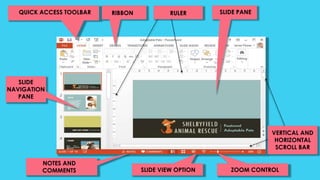
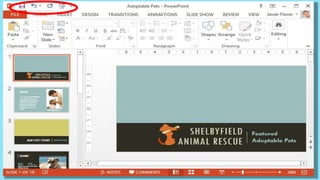
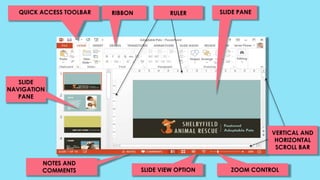
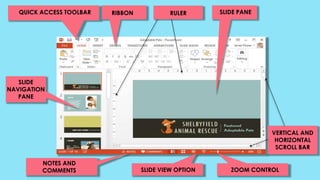
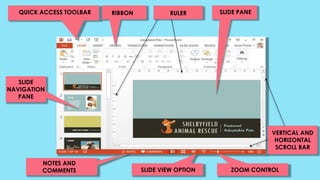
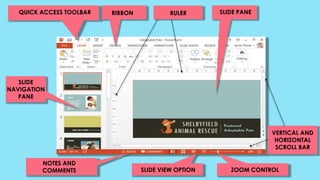
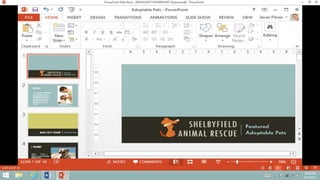
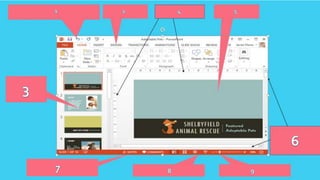
QUICK ACCESS TOOLBAR RIBBON RULER SLIDE PANE
SLIDE
NAVIGATION
PANE
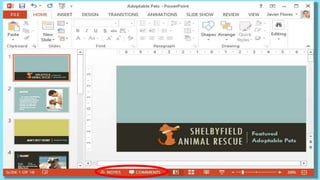
NOTES AND
COMMENTS
VERTICAL AND
HORIZONTAL
SCROLL BAR
ZOOM CONTROLSLIDE VIEW OPTION
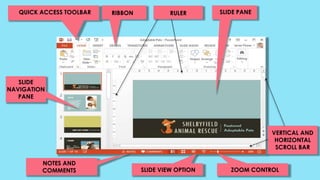
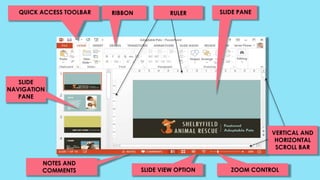
QUICK ACCESS TOOLBAR RIBBON RULER SLIDE PANE
SLIDE
NAVIGATION
PANE
NOTES AND
COMMENTS
VERTICAL AND
HORIZONTAL
SCROLL BAR
ZOOM CONTROLSLIDE VIEW OPTION
QUICK ACCESS TOOLBAR RIBBON RULER SLIDE PANE
SLIDE
NAVIGATION
PANE
NOTES AND
COMMENTS
VERTICAL AND
HORIZONTAL
SCROLL BAR
ZOOM CONTROLSLIDE VIEW OPTION
QUICK ACCESS TOOLBAR RIBBON RULER SLIDE PANE
SLIDE
NAVIGATION
PANE
NOTES AND
COMMENTS
VERTICAL AND
HORIZONTAL
SCROLL BAR
ZOOM CONTROLSLIDE VIEW OPTION
QUICK ACCESS TOOLBAR RIBBON RULER SLIDE PANE
SLIDE
NAVIGATION
PANE
NOTES AND
COMMENTS
VERTICAL AND
HORIZONTAL
SCROLL BAR
ZOOM CONTROLSLIDE VIEW OPTION
QUICK ACCESS TOOLBAR RIBBON RULER SLIDE PANE
SLIDE
NAVIGATION
PANE
NOTES AND
COMMENTS
VERTICAL AND
HORIZONTAL
SCROLL BAR
ZOOM CONTROLSLIDE VIEW OPTION
QUICK ACCESS TOOLBAR RIBBON RULER SLIDE PANE
SLIDE
NAVIGATION
PANE
NOTES AND
COMMENTS
VERTICAL AND
HORIZONTAL
SCROLL BAR
ZOOM CONTROLSLIDE VIEW OPTION
QUICK ACCESS TOOLBAR RIBBON RULER SLIDE PANE
SLIDE
NAVIGATION
PANE
NOTES AND
COMMENTS
VERTICAL AND
HORIZONTAL
SCROLL BAR
ZOOM CONTROLSLIDE VIEW OPTION
WHO AM I?
MICROSOFT
QUIZ BEE
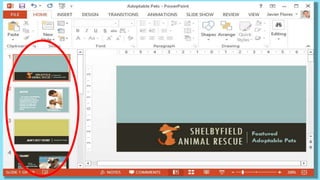
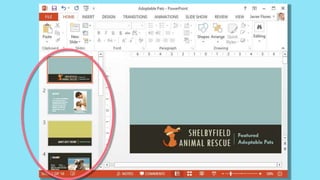
SLIDE
NAVIGATION
PANE
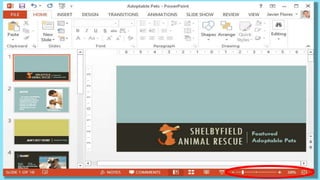
ADJUSTING YOUR SLIDE
VIEW CHOOSING;
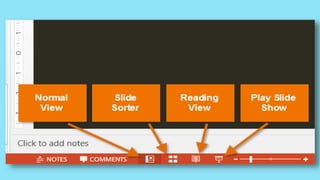
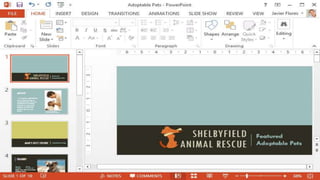
NORMAL VIEW
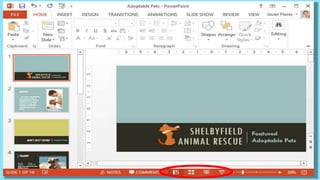
SLIDE SORTER DISPLAY
READING VIEW
PLAY SIDE SHOW
SLIDE VIEW
OPTION
POWERPOINT/
MS POWERPOINT
CLICK, HOLD, AND
DRAG DEPENDING ON
WHAT PART OF THE
SLIDE YOU WANT TO
SEE.
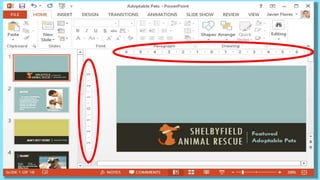
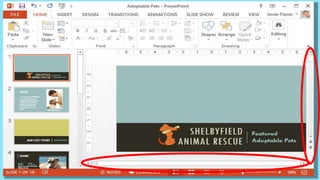
VERTICAL/
HORIZONTAL
SCROLL BAR
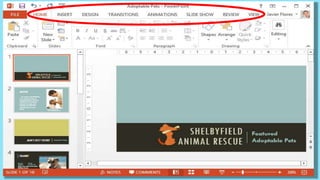
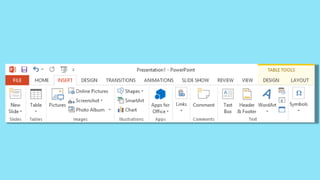
RIBBON
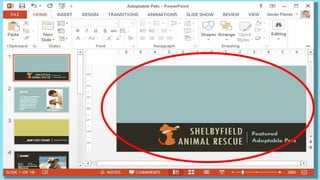
HERE, YOU CAN VIEW
AND EDIT THE
SELECTED SLIDE.
SLIDE PANE
GOOD JOB!
BABAWI
TAYO!
ASSIGNMENT
Continue getting to know MS PowerPoint 2013. Research
about new features of MS PowerPoint 2013.
1. Research all about the first Presentation App that were
used by different people
2. Research about its difference from MS PowerPoint 2007
and MS PowerPoint 2010.
3. Research the Tabbed Ribbon System of MS PowerPoint
2013.
4. Read and study the Tabbed Ribbon System of MS
PowerPoint 2013. Is there a new command on the Ribbon
System, what are those?

Microsoft again

  • 1.
  • 2.
    M CR SFT P W RP NT
  • 3.
  • 4.
    Presentation software thatallows you to create dynamic slide presentations. Slideshows can include animation, narration, images, videos, and much more.
  • 6.
    When you openPowerPoint 2013 for the first time, the Start Screen will appear. From here, you'll be able to create a new presentation, choose a template, and access your recently edited presentations.
  • 9.
    QUICK ACCESS TOOLBARRIBBON RULER SLIDE PANE SLIDE NAVIGATION PANE NOTES AND COMMENTS VERTICAL AND HORIZONTAL SCROLL BAR ZOOM CONTROLSLIDE VIEW OPTION
  • 11.
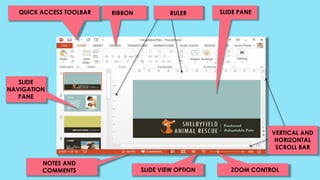
    QUICK ACCESS TOOLBARRIBBON RULER SLIDE PANE SLIDE NAVIGATION PANE NOTES AND COMMENTS VERTICAL AND HORIZONTAL SCROLL BAR ZOOM CONTROLSLIDE VIEW OPTION
  • 13.
    QUICK ACCESS TOOLBARRIBBON RULER SLIDE PANE SLIDE NAVIGATION PANE NOTES AND COMMENTS VERTICAL AND HORIZONTAL SCROLL BAR ZOOM CONTROLSLIDE VIEW OPTION
  • 15.
    QUICK ACCESS TOOLBARRIBBON RULER SLIDE PANE SLIDE NAVIGATION PANE NOTES AND COMMENTS VERTICAL AND HORIZONTAL SCROLL BAR ZOOM CONTROLSLIDE VIEW OPTION
  • 17.
    QUICK ACCESS TOOLBARRIBBON RULER SLIDE PANE SLIDE NAVIGATION PANE NOTES AND COMMENTS VERTICAL AND HORIZONTAL SCROLL BAR ZOOM CONTROLSLIDE VIEW OPTION
  • 19.
    QUICK ACCESS TOOLBARRIBBON RULER SLIDE PANE SLIDE NAVIGATION PANE NOTES AND COMMENTS VERTICAL AND HORIZONTAL SCROLL BAR ZOOM CONTROLSLIDE VIEW OPTION
  • 21.
    QUICK ACCESS TOOLBARRIBBON RULER SLIDE PANE SLIDE NAVIGATION PANE NOTES AND COMMENTS VERTICAL AND HORIZONTAL SCROLL BAR ZOOM CONTROLSLIDE VIEW OPTION
  • 23.
    QUICK ACCESS TOOLBARRIBBON RULER SLIDE PANE SLIDE NAVIGATION PANE NOTES AND COMMENTS VERTICAL AND HORIZONTAL SCROLL BAR ZOOM CONTROLSLIDE VIEW OPTION
  • 31.
  • 33.
  • 35.
  • 36.
    ADJUSTING YOUR SLIDE VIEWCHOOSING; NORMAL VIEW SLIDE SORTER DISPLAY READING VIEW PLAY SIDE SHOW
  • 37.
  • 39.
  • 40.
    CLICK, HOLD, AND DRAGDEPENDING ON WHAT PART OF THE SLIDE YOU WANT TO SEE.
  • 41.
  • 43.
  • 44.
    HERE, YOU CANVIEW AND EDIT THE SELECTED SLIDE.
  • 45.
  • 46.
  • 47.
  • 48.
    ASSIGNMENT Continue getting toknow MS PowerPoint 2013. Research about new features of MS PowerPoint 2013. 1. Research all about the first Presentation App that were used by different people 2. Research about its difference from MS PowerPoint 2007 and MS PowerPoint 2010. 3. Research the Tabbed Ribbon System of MS PowerPoint 2013. 4. Read and study the Tabbed Ribbon System of MS PowerPoint 2013. Is there a new command on the Ribbon System, what are those?