Microprocessor and Microcomputer
•A microprocessor is a programmable electronics chip that has
computing and decision making capabilities similar to central
processing unit of a computer.
• Any microprocessor-based systems having limited number of
resources are called microcomputers.
Nowadays, microprocessor can be seen in almost all types of electronics devices like
mobile phones, printers, washing machines etc. Microprocessors are also used in
advanced applications like radars, satellites and flights. Due to the rapid advancements in
electronic industry and large scale integration of devices results in a significant cost
reduction and increase application of microprocessors and their derivatives.
3.
Computer languages
• MachineLanguage
• The machine language is sometimes referred to as machine code or object code which is set of binary
digits 0 and 1. These binary digits are understood and read by a computer system and interpret it easily.
It is considered a native language as it can be directly understood by a central processing unit (CPU).
The machine language is not so easy to understand, as the language uses the binary system in which the
commands are written in 1 and 0 form which is not easy to interpret. There is only one language which
is understood by computer language which is machine language. The operating system of the computer
system is used to identify the exact machine language used for that particular system. The operating
system defines how the program should write so that it can be converted to machine language and the
system takes appropriate action. The computer programs and scripts can also be written in other
programming languages like C, C++, and JAVA. However, these languages cannot be directly
understood by a computer system so there is a need for a program that can convert these computer
programs to machine language. The compiler is used to convert the programs to machine language
which can be easily understood by computer systems. The compiler generates the binary file and
executable file. Example of machine language for the text “Hello World”.01001000 0110101 01101100
01101100 01101111 00100000 01010111 01101111 01110010 01101100 01100100.
4.
Computer languages
• AssemblyLanguage
• The assembly language is considered a low-level language for microprocessors and many other
programmable devices. The assembly language is also considered as second-generation
language. The first generation language is machine language. The assembly language is mostly
famous for writing an operating system and also in writing different desktop applications. The
operations carried out by programmers using assembly language are memory management,
registry access, and clock cycle operations. The drawback of assembly language is the code
cannot be reused and the language is not so easy to understand. The assembly language is
considered a group of other languages. It is used to implements the symbolic representation of
machine code which is used to program CPU architecture. The other name of assembly language
is assembly code. For any processor, the most used programming language is assembly language.
In assembly language, the programmer does the operation which can be directly executed on a
central processing unit (CPU). The language has certain drawbacks as it does not contain any
variables or functions in programs and also the program is not portable on different processors. The
assembly language uses the same structure and commands which machine language does use but
it uses names in place of numbers. The operations performed using the assembly language is very
fast. The operations are much faster when it is compared to high-level language.
5.
Computer languages
• High-LevelLanguage
• The development of high-level language was done when the programmers face the issue in
writing programs as the older language has portability issues which mean the code written in one
machine cannot be transferred to other machines. Thus lead to the development of high-level
language. The high-level language is easy to understand and the code can be written easily as
the programs written are user-friendly in a high-level language. The other advantage of code
written in a high-level language is the code is independent of a computer system which means
the code can be transferred to other machines. The high-level of language uses the concept of
abstraction and also focus on programming language rather than focusing on computer hardware
components like register utilization or memory utilization.The development of higher-level
language is done for a programmer to write a human-readable program that can be easily
understood by any user. The syntax used and the programming style can be easily understood
by humans if it is compared to low-level language. The only requirement in a high-level language
is the need of compiler. As the program written in a high-level language is not directly understood
by the computer system. Before the execution of high-level programs, it needs to be converted to
machine level language. The examples of high-level language are C++, C, JAVA, FORTRAN,
Pascal, Perl, Ruby, and Visual Basic.
Some important terms
•Bit: A bit is a single binary digit.
• Word: A word refers to the basic data size or bit size that can be
processed by the arithmetic and logic unit of the processor. A 16-bit
binary number is called a word in a 16-bit processor.
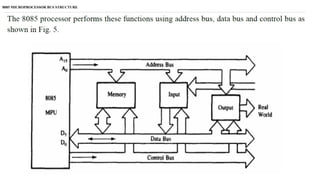
• Bus: A bus is a group of wires/lines that carry similar information.
• System Bus: The system bus is a group of wires/lines used for
communication between the microprocessor and peripherals.
• Memory Word: The number of bits that can be stored in a register or
memory element is called a memory word.
9.
Some important terms
•Address Bus: It carries the address, which is a unique binary pattern
used to identify a memory location or an I/O port. For example, an eight
bit address bus has eight lines and thus it can address 28
= 256 different
locations. The locations in hexadecimal format can be written as 00H –
FFH.
• Data Bus: The data bus is used to transfer data between memory and
processor or between I/O device and processor. For example, an 8-bit
processor will generally have an 8-bit data bus and a 16-bit processor
will have 16-bit data bus.
• Control Bus: The control bus carry control signals, which consists of
signals for selection of memory or I/O device from the given address,
direction of data transfer and synchronization of data transfer in case of
slow devices.
10.
Based on theirspecification, application and architecture
microprocessors are classified.
• Based on size of data bus:
4-bit microprocessor
8-bit microprocessor
16-bit microprocessor
32-bit microprocessor
Classification of Microprocessors
11.
• Based onapplication:
General-purpose microprocessor- used in general computer system and can
be used by programmer for any application. Examples, 8085 to Intel Pentium.
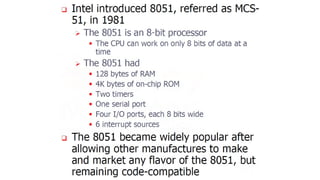
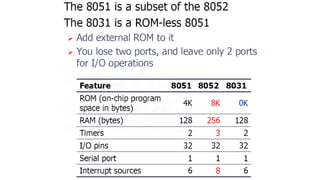
Microcontroller- microprocessor with built-in memory and ports and can be
programmed for any generic control application. Example, 8051.
Special-purpose processors- designed to handle special functions required
for an application. Examples, digital signal processors and application-specific
integrated circuit (ASIC) chips.
• Based on architecture:
Reduced Instruction Set Computer (RISC) processors
Complex Instruction Set Computer (CISC) processors
Classification of Microprocessors
12.
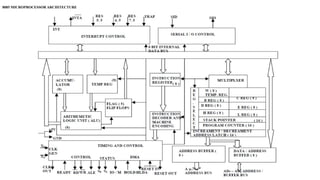
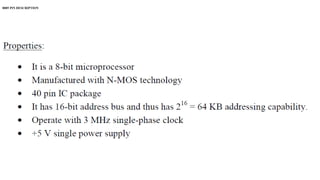
• The 8085microprocessor is an 8-bit processor available as a
40-pin IC package and uses +5 V for power. It can run at a
maximum frequency of 3 MHz. Its data bus width is 8-bit and
address bus width is 16-bit, thus it can address 216 = 64 KB of
memory.
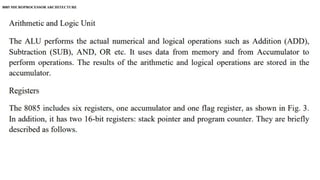
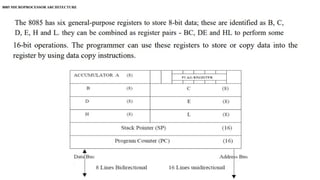
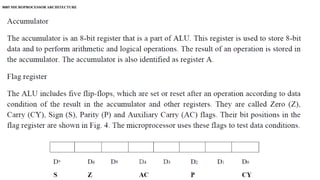
8085 MICROPROCESSOR ARCHITECTURE
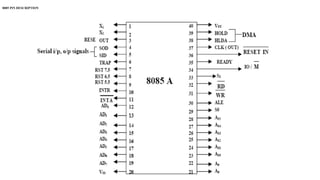
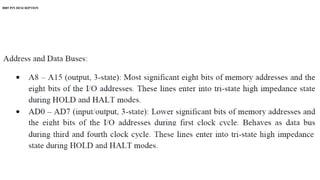
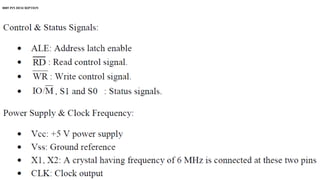
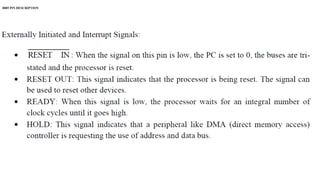
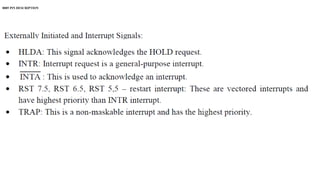
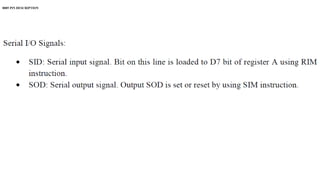
8085 PIN DESCRIPTION
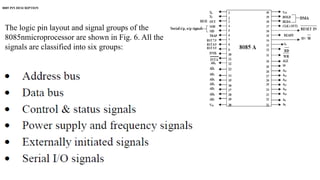
Thelogic pin layout and signal groups of the
8085nmicroprocessor are shown in Fig. 6. All the
signals are classified into six groups:
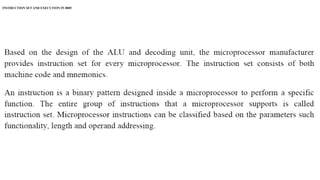
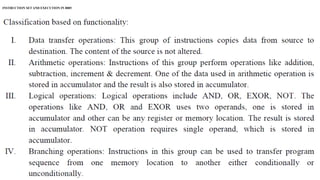
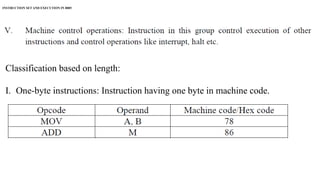
INSTRUCTION SET ANDEXECUTION IN 8085
Classification based on length:
I. One-byte instructions: Instruction having one byte in machine code.
Examples are depicted in following Table.
34.
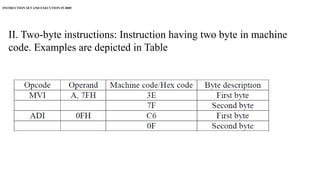
INSTRUCTION SET ANDEXECUTION IN 8085
II. Two-byte instructions: Instruction having two byte in machine
code. Examples are depicted in Table
35.
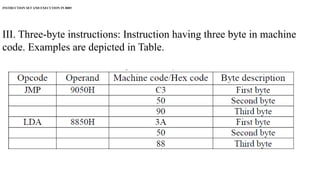
INSTRUCTION SET ANDEXECUTION IN 8085
III. Three-byte instructions: Instruction having three byte in machine
code. Examples are depicted in Table.
36.
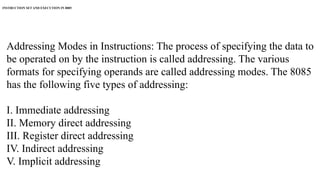
INSTRUCTION SET ANDEXECUTION IN 8085
Addressing Modes in Instructions: The process of specifying the data to
be operated on by the instruction is called addressing. The various
formats for specifying operands are called addressing modes. The 8085
has the following five types of addressing:
I. Immediate addressing
II. Memory direct addressing
III. Register direct addressing
IV. Indirect addressing
V. Implicit addressing
37.
INSTRUCTION SET ANDEXECUTION IN 8085
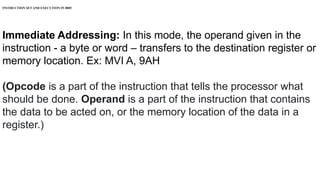
Immediate Addressing: In this mode, the operand given in the
instruction - a byte or word – transfers to the destination register or
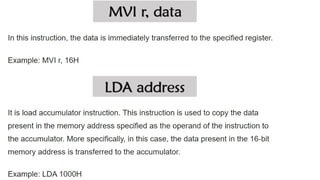
memory location. Ex: MVI A, 9AH
(Opcode is a part of the instruction that tells the processor what
should be done. Operand is a part of the instruction that contains
the data to be acted on, or the memory location of the data in a
register.)
38.
INSTRUCTION SET ANDEXECUTION IN 8085
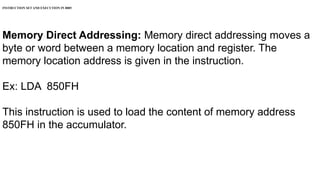
Memory Direct Addressing: Memory direct addressing moves a
byte or word between a memory location and register. The
memory location address is given in the instruction.
Ex: LDA 850FH
This instruction is used to load the content of memory address
850FH in the accumulator.
39.
INSTRUCTION SET ANDEXECUTION IN 8085
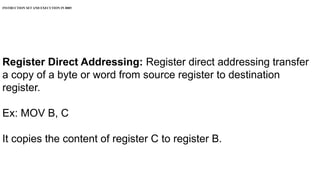
Register Direct Addressing: Register direct addressing transfer
a copy of a byte or word from source register to destination
register.
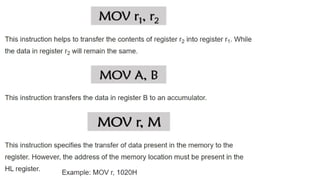
Ex: MOV B, C
It copies the content of register C to register B.
40.
INSTRUCTION SET ANDEXECUTION IN 8085
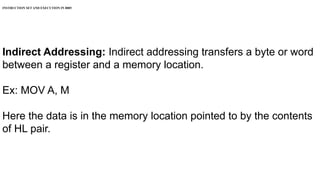
Indirect Addressing: Indirect addressing transfers a byte or word
between a register and a memory location.
Ex: MOV A, M
Here the data is in the memory location pointed to by the contents
of HL pair.
41.
INSTRUCTION SET ANDEXECUTION IN 8085
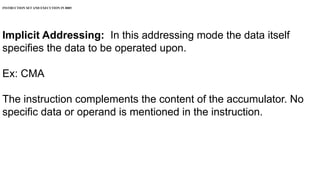
Implicit Addressing: In this addressing mode the data itself
specifies the data to be operated upon.
Ex: CMA
The instruction complements the content of the accumulator. No
specific data or operand is mentioned in the instruction.
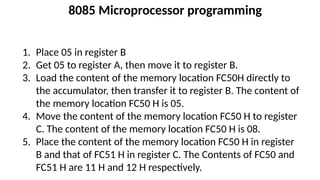
8085 Microprocessor programming
1.Place 05 in register B
2. Get 05 to register A, then move it to register B.
3. Load the content of the memory location FC50H directly to
the accumulator, then transfer it to register B. The content of
the memory location FC50 H is 05.
4. Move the content of the memory location FC50 H to register
C. The content of the memory location FC50 H is 08.
5. Place the content of the memory location FC50 H in register
B and that of FC51 H in register C. The Contents of FC50 and
FC51 H are 11 H and 12 H respectively.
74.
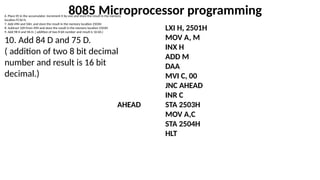
8085 Microprocessor programming
6.Place 05 in the accumulator. Increment it by one and store the result in the memory
location FC50 H.
7. Add 49H and 56H, and store the result in the memory location 2503H
8. Subtract 32H from 49H and store the result in the memory location 2503H
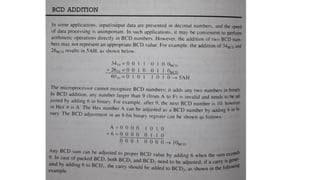
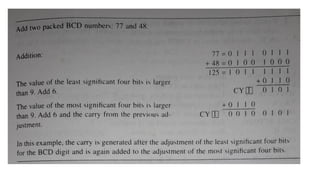
9. Add 98 H and 9A H. ( addition of two 8 bit number and result is 16 bit.)
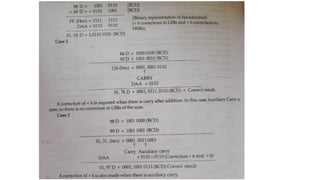
10. Add 84 D and 75 D.
( addition of two 8 bit decimal
number and result is 16 bit
decimal.)
LXI H, 2501H
MOV A, M
INX H
ADD M
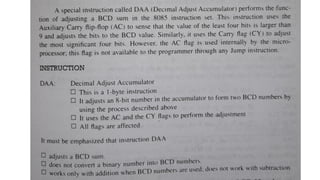
DAA
MVI C, 00
JNC AHEAD
INR C
AHEAD STA 2503H
MOV A,C
STA 2504H
HLT
76.
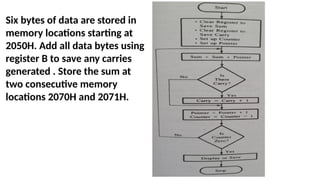
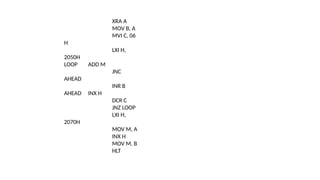
Six bytes ofdata are stored in
memory locations starting at
2050H. Add all data bytes using
register B to save any carries
generated . Store the sum at
two consecutive memory
locations 2070H and 2071H.
77.
XRA A
MOV B,A
MVI C, 06
H
LXI H,
2050H
LOOP ADD M
JNC
AHEAD
INR B
AHEAD INX H
DCR C
JNZ LOOP
LXI H,
2070H
MOV M, A
INX H
MOV M, B
HLT
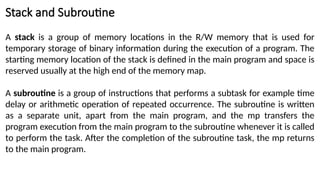
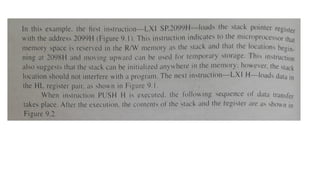
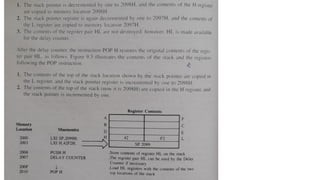
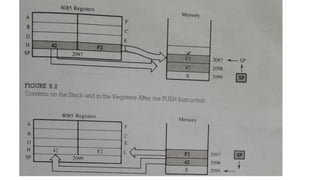
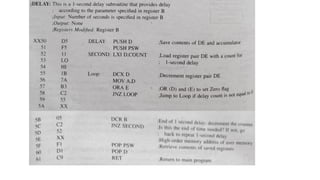
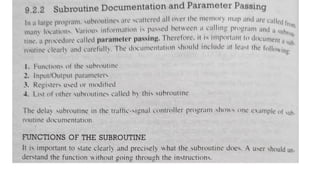
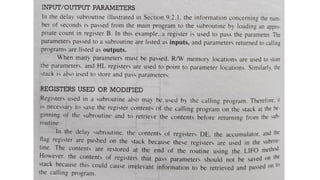
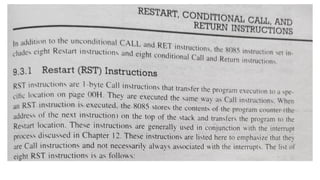
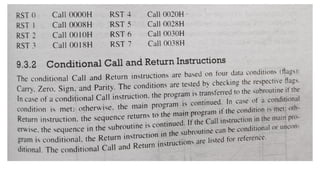
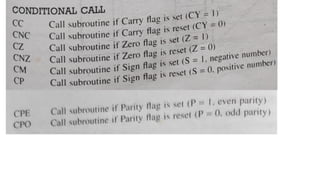
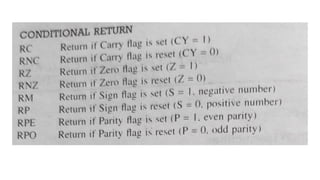
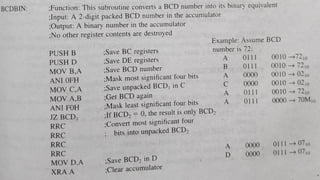
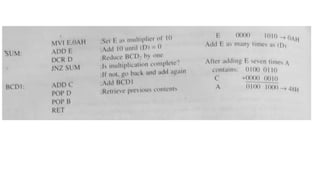
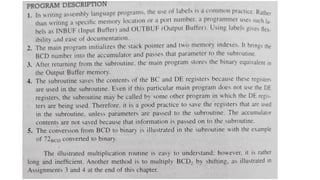
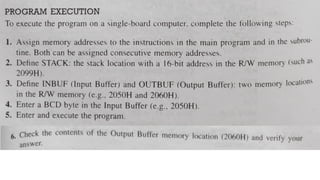
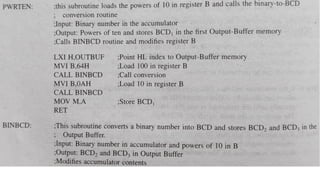
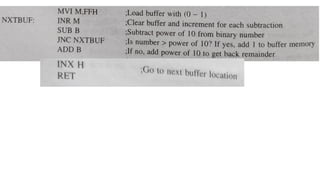
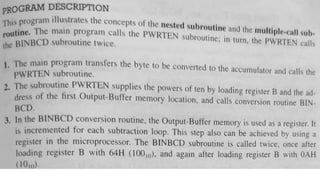
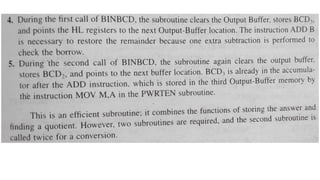
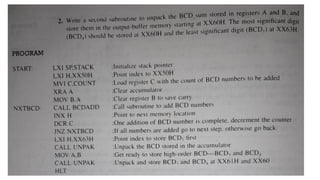
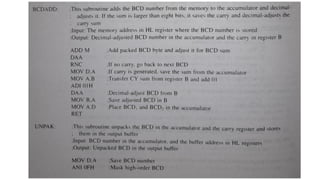
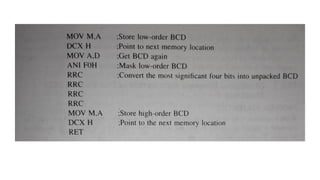
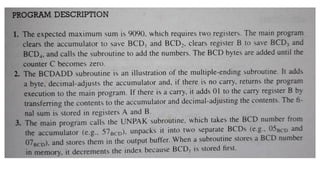
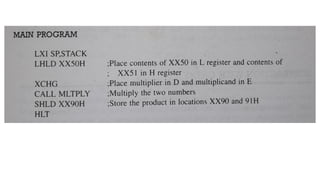
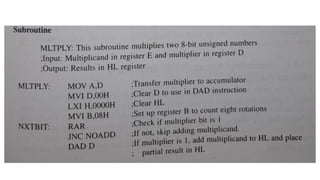
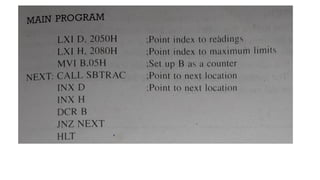
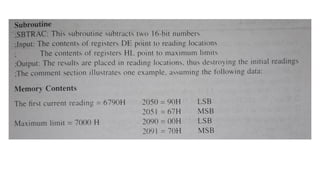
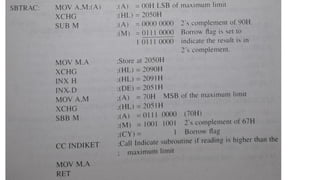
Stack and Subroutine
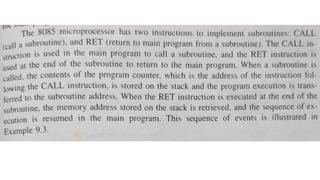
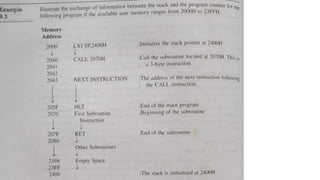
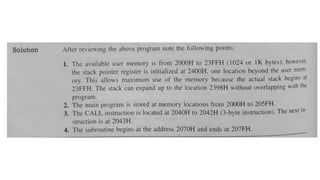
Astack is a group of memory locations in the R/W memory that is used for
temporary storage of binary information during the execution of a program. The
starting memory location of the stack is defined in the main program and space is
reserved usually at the high end of the memory map.
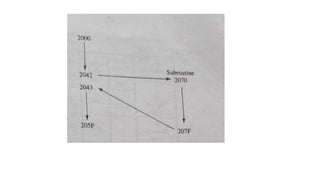
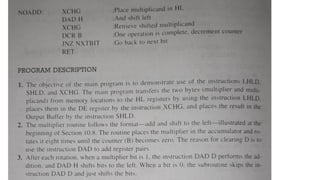
A subroutine is a group of instructions that performs a subtask for example time
delay or arithmetic operation of repeated occurrence. The subroutine is written
as a separate unit, apart from the main program, and the mp transfers the
program execution from the main program to the subroutine whenever it is called
to perform the task. After the completion of the subroutine task, the mp returns
to the main program.
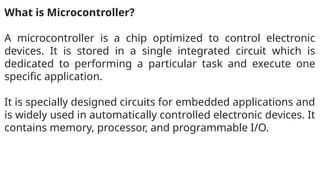
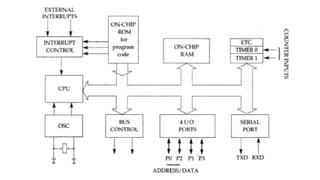
What is Microcontroller?
Amicrocontroller is a chip optimized to control electronic
devices. It is stored in a single integrated circuit which is
dedicated to performing a particular task and execute one
specific application.
It is specially designed circuits for embedded applications and
is widely used in automatically controlled electronic devices. It
contains memory, processor, and programmable I/O.
200.
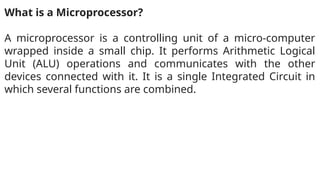
What is aMicroprocessor?
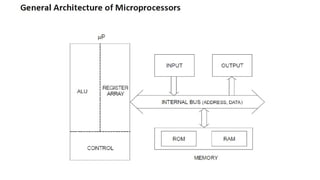
A microprocessor is a controlling unit of a micro-computer
wrapped inside a small chip. It performs Arithmetic Logical
Unit (ALU) operations and communicates with the other
devices connected with it. It is a single Integrated Circuit in
which several functions are combined.
201.
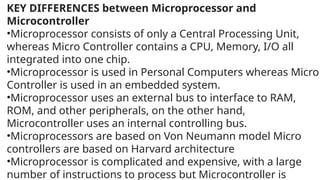
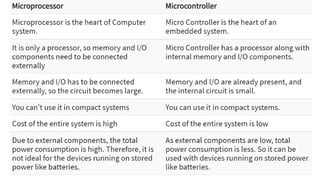
KEY DIFFERENCES betweenMicroprocessor and
Microcontroller
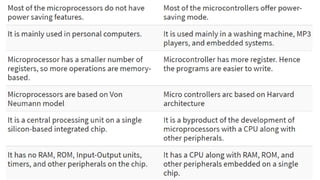
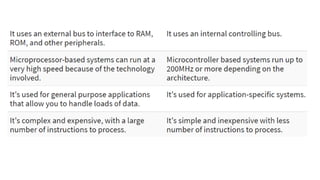
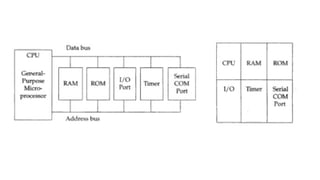
•Microprocessor consists of only a Central Processing Unit,
whereas Micro Controller contains a CPU, Memory, I/O all
integrated into one chip.
•Microprocessor is used in Personal Computers whereas Micro
Controller is used in an embedded system.
•Microprocessor uses an external bus to interface to RAM,
ROM, and other peripherals, on the other hand,
Microcontroller uses an internal controlling bus.
•Microprocessors are based on Von Neumann model Micro
controllers are based on Harvard architecture
•Microprocessor is complicated and expensive, with a large
number of instructions to process but Microcontroller is
206.
Reusable
The typical microcontrolleris programmable, which means it is
reusable. This is especially advantageous for prototyping control
circuitry.
When developing a complex control system, it is not unusual for it
to fail when first applied. As a matter of fact, a complex control
project may need to be rewritten and/or rewired many times
before it meets design expectations.
The fact that the control circuit can be modified by programming
rather than rewiring is very advantageous for fast project
prototype development.
207.
Dependable
Integrated circuits, suchas the microcontroller, are much more dependable
than relays. Before microcontrollers, control circuitry relied on many
electromechanical relays and timers to control the system.
Relays depend on electromagnets to move armature and contact parts, so
they eventually wear out due to mechanical friction. Relays are also
susceptible to damage caused by dust, dirt, corrosion, rust, insects, and
other contaminants that can interfere with the moving parts.
Microcontrollers have no moving parts. This provides a much higher rate of
reliability. Relays and high-power transistors can be incorporated for final
applications to motors, but the actual timing and control logic does not
need to rely on the mechanical action of relays.
208.
Cost Effective
Microcontrollers canbe produced at lower costs than their
electromechanical predecessors. Also, microcontrollers can be
reprogrammed if the designed application does not work correctly
or if the application for its use changes.
209.
Energy Efficient
Because themajority of the circuitry is made from integrated
circuits, the energy cost of using a microcontroller is much less
than if using individual components of a relay-type logic circuit.
Relay logic uses numerous relays wired in series and parallel to
form control circuit conditions similar in function to logic gates. A
microcontroller consumes less electrical energy than conventional
electromechanical devices.
Editor's Notes
#2 Nowadays, microprocessor can be seen in almost all types of electronics devices like mobile phones, printers, washing machines etc. Microprocessors are also used in advanced applications like radars, satellites and flights. Due to the rapid advancements in electronic industry and large scale integration of devices results in a significant cost reduction and increase application of microprocessors and their derivatives.