www.cybrosys.com
Method and decorator
INTRODUCTION
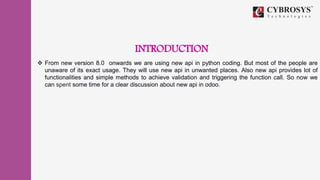
 From new version 8.0 onwards we are using new api in python coding. But most of the people are
unaware of its exact usage. They will use new api in unwanted places. Also new api provides lot of
functionalities and simple methods to achieve validation and triggering the function call. So now we
can spent some time for a clear discussion about new api in odoo.
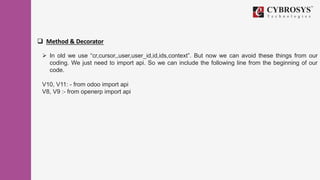
 Method & Decorator
 In old we use “cr,cursor,,user,user_id,id,ids,context”. But now we can avoid these things from our
coding. We just need to import api. So we can include the following line from the beginning of our
code.
V10, V11: - from odoo import api
V8, V9 :- from openerp import api
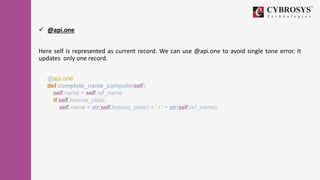
 @api.one
Here self is represented as current record. We can use @api.one to avoid single tone error. It
updates only one record.
@api.one
def complete_name_compute(self):
self.name = self.ref_name
if self.licence_plate:
self.name = str(self.licence_plate) + ' / ' + str(self.ref_name)
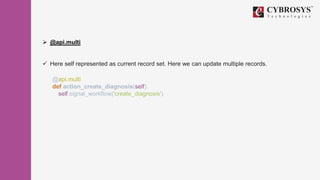
 @api.multi
 Here self represented as current record set. Here we can update multiple records.
@api.multi
def action_create_diagnosis(self):
self.signal_workflow('create_diagnosis')
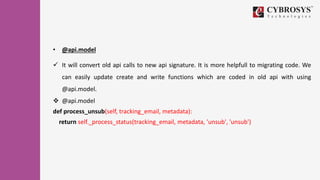
• @api.model
 It will convert old api calls to new api signature. It is more helpfull to migrating code. We
can easily update create and write functions which are coded in old api with using
@api.model.
 @api.model
def process_unsub(self, tracking_email, metadata):
return self._process_status(tracking_email, metadata, 'unsub', 'unsub')
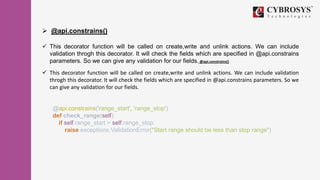
 @api.constrains()
 This decorator function will be called on create,write and unlink actions. We can include
validation throgh this decorator. It will check the fields which are specified in @api.constrains
parameters. So we can give any validation for our fields. @api.constrains()
 This decorator function will be called on create,write and unlink actions. We can include validation
throgh this decorator. It will check the fields which are specified in @api.constrains parameters. So we
can give any validation for our fields.
@api.constrains('range_start', 'range_stop')
def check_range(self):
if self.range_start > self.range_stop:
raise exceptions.ValidationError("Start range should be less than stop range")
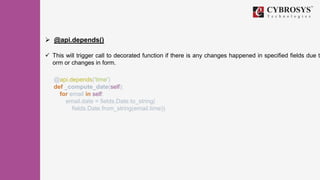
 @api.depends()
 This will trigger call to decorated function if there is any changes happened in specified fields due to
orm or changes in form.
@api.depends('time')
def _compute_date(self):
for email in self:
email.date = fields.Date.to_string(
fields.Date.from_string(email.time))
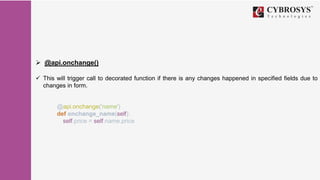
 @api.onchange()
 This will trigger call to decorated function if there is any changes happened in specified fields due to
changes in form.
@api.onchange('name')
def onchange_name(self):
self.price = self.name.price
 search
 We can use env for search. Also we can avoid cr, uid, context from search.
invoice_ids = self.env['account.invoice'].search([('origin',
'=', self.name)])
 Browse
 We can use env for browse the model. Also we can avoid cr, uid, context from
browse.
stage = self.env['hr.recruitment.stage'].browse(stage_id)
 search_read
 We can use search read to return list of dict values.
return self.search_read([], order='create_date DESC',
limit=limit)
 search_count
 It returns the count of searching objects.
has_tasks =
self.env['project.task'].search_count([('project_id', 'in',
projects.ids)])
 Here it returns the count of task which are under in specified project
 Get Current User
 We can use self.env.user to get current user from python
user = self.env.user
 Also we can use uid to get current user from xml.
<filter string="My" domain="[('user_id', '=', uid)]"/>
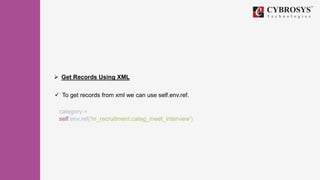
 Get Records Using XML
 To get records from xml we can use self.env.ref.
category =
self.env.ref('hr_recruitment.categ_meet_interview')
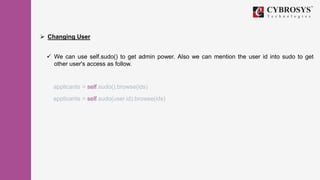
 Changing User
 We can use self.sudo() to get admin power. Also we can mention the user id into sudo to get
other user's access as follow.
applicants = self.sudo().browse(ids)
applicants = self.sudo(user.id).browse(ids)
Refer this link for more:
https://www.cybrosys.com/blog/method-and-deceorator
Thank You !
Cybrosys Technologies Pvt. Ltd.
Neospace, Kinfra Techno Park,
Kakkancherry,
Calicut University P.O.
Calicut
Kerala, India - 673635.
Cybrosys Ltd
15, ST Antonys Road,
Forest Gate, London
England,
E79QA.
Cybrosys Technologies Pvt. Ltd.
1st Floor, Thapasya Building,
Infopark, Kakkanad,
Kochi, Kerala,
India-682030.

Method and decorator

  • 1.
  • 2.
    INTRODUCTION  From newversion 8.0 onwards we are using new api in python coding. But most of the people are unaware of its exact usage. They will use new api in unwanted places. Also new api provides lot of functionalities and simple methods to achieve validation and triggering the function call. So now we can spent some time for a clear discussion about new api in odoo.
  • 3.
     Method &Decorator  In old we use “cr,cursor,,user,user_id,id,ids,context”. But now we can avoid these things from our coding. We just need to import api. So we can include the following line from the beginning of our code. V10, V11: - from odoo import api V8, V9 :- from openerp import api
  • 4.
     @api.one Here selfis represented as current record. We can use @api.one to avoid single tone error. It updates only one record. @api.one def complete_name_compute(self): self.name = self.ref_name if self.licence_plate: self.name = str(self.licence_plate) + ' / ' + str(self.ref_name)
  • 5.
     @api.multi  Hereself represented as current record set. Here we can update multiple records. @api.multi def action_create_diagnosis(self): self.signal_workflow('create_diagnosis')
  • 6.
    • @api.model  Itwill convert old api calls to new api signature. It is more helpfull to migrating code. We can easily update create and write functions which are coded in old api with using @api.model.  @api.model def process_unsub(self, tracking_email, metadata): return self._process_status(tracking_email, metadata, 'unsub', 'unsub')
  • 7.
     @api.constrains()  Thisdecorator function will be called on create,write and unlink actions. We can include validation throgh this decorator. It will check the fields which are specified in @api.constrains parameters. So we can give any validation for our fields. @api.constrains()  This decorator function will be called on create,write and unlink actions. We can include validation throgh this decorator. It will check the fields which are specified in @api.constrains parameters. So we can give any validation for our fields. @api.constrains('range_start', 'range_stop') def check_range(self): if self.range_start > self.range_stop: raise exceptions.ValidationError("Start range should be less than stop range")
  • 8.
     @api.depends()  Thiswill trigger call to decorated function if there is any changes happened in specified fields due to orm or changes in form. @api.depends('time') def _compute_date(self): for email in self: email.date = fields.Date.to_string( fields.Date.from_string(email.time))
  • 9.
     @api.onchange()  Thiswill trigger call to decorated function if there is any changes happened in specified fields due to changes in form. @api.onchange('name') def onchange_name(self): self.price = self.name.price
  • 10.
     search  Wecan use env for search. Also we can avoid cr, uid, context from search. invoice_ids = self.env['account.invoice'].search([('origin', '=', self.name)])
  • 11.
     Browse  Wecan use env for browse the model. Also we can avoid cr, uid, context from browse. stage = self.env['hr.recruitment.stage'].browse(stage_id)
  • 12.
     search_read  Wecan use search read to return list of dict values. return self.search_read([], order='create_date DESC', limit=limit)
  • 13.
     search_count  Itreturns the count of searching objects. has_tasks = self.env['project.task'].search_count([('project_id', 'in', projects.ids)])  Here it returns the count of task which are under in specified project
  • 14.
     Get CurrentUser  We can use self.env.user to get current user from python user = self.env.user  Also we can use uid to get current user from xml. <filter string="My" domain="[('user_id', '=', uid)]"/>
  • 15.
     Get RecordsUsing XML  To get records from xml we can use self.env.ref. category = self.env.ref('hr_recruitment.categ_meet_interview')
  • 16.
     Changing User We can use self.sudo() to get admin power. Also we can mention the user id into sudo to get other user's access as follow. applicants = self.sudo().browse(ids) applicants = self.sudo(user.id).browse(ids)
  • 17.
    Refer this linkfor more: https://www.cybrosys.com/blog/method-and-deceorator
  • 18.
    Thank You ! CybrosysTechnologies Pvt. Ltd. Neospace, Kinfra Techno Park, Kakkancherry, Calicut University P.O. Calicut Kerala, India - 673635. Cybrosys Ltd 15, ST Antonys Road, Forest Gate, London England, E79QA. Cybrosys Technologies Pvt. Ltd. 1st Floor, Thapasya Building, Infopark, Kakkanad, Kochi, Kerala, India-682030.