How to be hip online 101
THIS PRESENTATION WILL 
COVER 
1. Facebook 
2. “Memes” 
3. Twitter 
4. Pinterest
WHY DOES YOUR LIBRARY NEED 
TO BE ON FACEBOOK? 
Patrons need to see how cool we are! 
Updating patrons with important library 
news 
Building relationships 
Staying relevant with the public
BRANDING 
Would your patrons be able to pick 
your Facebook page out of a line 
up?
BE RECOGNIZABLE 
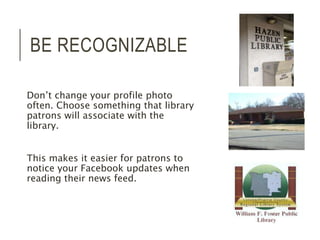
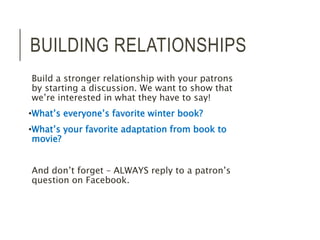
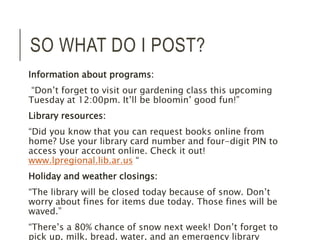
Don’t change your profile photo 
often. Choose something that library 
patrons will associate with the 
library. 
This makes it easier for patrons to 
notice your Facebook updates when 
reading their news feed.
BUILDING RELATIONSHIPS 
Build a stronger relationship with your patrons 
by starting a discussion. We want to show that 
we’re interested in what they have to say! 
•What’s everyone’s favorite winter book? 
•What’s your favorite adaptation from book to 
movie? 
And don’t forget – ALWAYS reply to a patron’s 
question on Facebook.
SO WHAT DO I POST? 
Information about programs: 
“Don’t forget to visit our gardening class this upcoming 
Tuesday at 12:00pm. It’ll be bloomin’ good fun!” 
Library resources: 
“Did you know that you can request books online from 
home? Use your library card number and four-digit PIN to 
access your account online. Check it out! 
www.lpregional.lib.ar.us “ 
Holiday and weather closings: 
“The library will be closed today because of snow. Don’t 
worry about fines for items due today. Those fines will be 
waved.” 
“There’s a 80% chance of snow next week! Don’t forget to 
pick up, milk, bread, water, and an emergency library
ENTERTAINING 
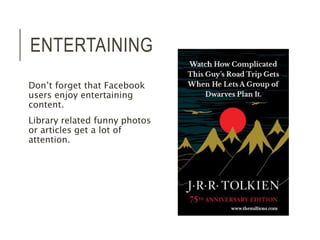
Don’t forget that Facebook 
users enjoy entertaining 
content. 
Library related funny photos 
or articles get a lot of 
attention.
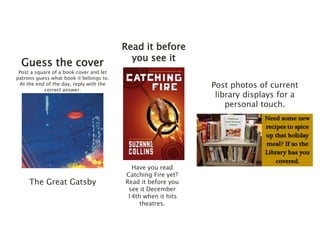
Guess the cover 
Post a square of a book cover and let 
patrons guess what book it belongs to. 
At the end of the day, reply with the 
correct answer. 
The Great Gatsby 
Read it before 
you see it 
Have you read 
Catching Fire yet? 
Read it before you 
see it December 
14th when it hits 
theatres. 
Post photos of current 
library displays for a 
personal touch.
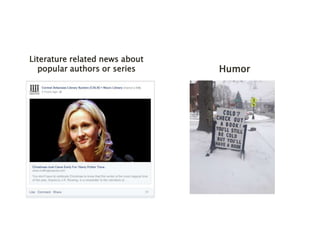
Literature related news about 
popular authors or series Humor
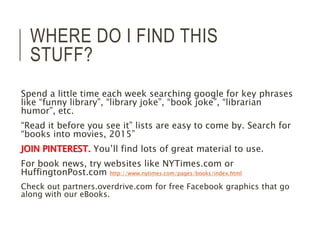
WHERE DO I FIND THIS 
STUFF? 
Spend a little time each week searching google for key phrases 
like “funny library”, “library joke”, “book joke”, “librarian 
humor”, etc. 
“Read it before you see it” lists are easy to come by. Search for 
“books into movies, 2015” 
JOIN PINTEREST. You’ll find lots of great material to use. 
For book news, try websites like NYTimes.com or 
HuffingtonPost.com http://www.nytimes.com/pages/books/index.html 
Check out partners.overdrive.com for free Facebook graphics that go 
along with our eBooks.
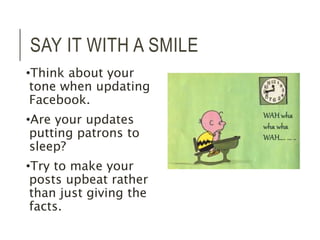
SAY IT WITH A SMILE 
•Think about your 
tone when updating 
Facebook. 
•Are your updates 
putting patrons to 
sleep? 
•Try to make your 
posts upbeat rather 
than just giving the 
facts.
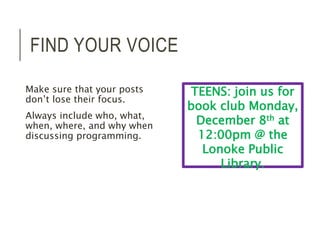
FIND YOUR VOICE 
Make sure that your posts 
don’t lose their focus. 
Always include who, what, 
when, where, and why when 
discussing programming. 
TEENS: join us for 
book club Monday, 
December 8th at 
12:00pm @ the 
Lonoke Public 
Library.
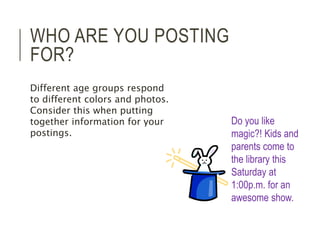
WHO ARE YOU POSTING 
FOR? 
Do you like 
magic?! Kids and 
parents come to 
the library this 
Saturday at 
1:00p.m. for an 
awesome show. 
Different age groups respond 
to different colors and photos. 
Consider this when putting 
together information for your 
postings.
HELP PATRONS FIND YOUR 
PAGE 
Try printing Facebook 
logos accented by your 
library name. 
Put them around your 
patron computers for 
easy recognition! 
Des Arc Public Library
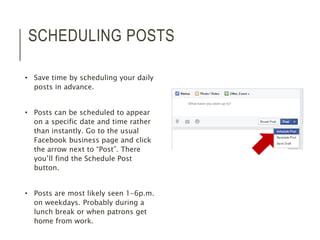
SCHEDULING POSTS 
• Save time by scheduling your daily 
posts in advance. 
• Posts can be scheduled to appear 
on a specific date and time rather 
than instantly. Go to the usual 
Facebook business page and click 
the arrow next to “Post”. There 
you’ll find the Schedule Post 
button. 
• Posts are most likely seen 1-6p.m. 
on weekdays. Probably during a 
lunch break or when patrons get 
home from work.
ROUTINES 
Get organized with a weekly posting 
routine! 
For example: 
•Monday - staff picks 
•Tuesday - great book quotes 
•Wednesday post a movie based on a 
book 
•Thursday - resources at the library 
that patrons might not know about 
•Friday - book trivia for patron Q&A
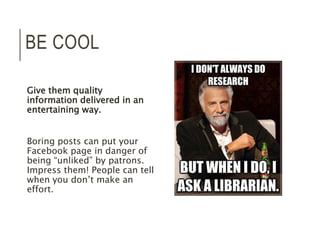
BE COOL 
Give them quality 
information delivered in an 
entertaining way. 
Boring posts can put your 
Facebook page in danger of 
being “unliked” by patrons. 
Impress them! People can tell 
when you don’t make an 
effort.
([meems] noun. 
“funny captions. usually 
cats.”)
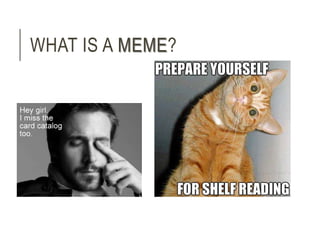
WHAT IS A MEME?
“A HUMOROUS IMAGE, VIDEO, 
PIECE OF TEXT, ETC. THAT IS 
COPIED (OFTEN WITH SLIGHT 
VARIATIONS) AND SPREAD 
RAPIDLY BY INTERNET USERS.” 
In other words, a meme is a photo with 
overlain text. The text is usually funny. 
The photo is usually of a cat.
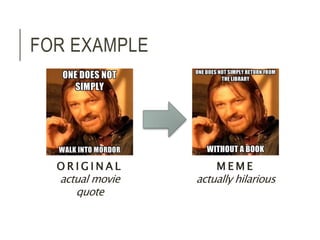
OR I G I N A L 
actual movie 
quote 
MEME 
actually hilarious 
FOR EXAMPLE
Q: WHY DO I NEED TO KNOW 
ABOUT MEMES? 
A: Because your patrons think they’re HILARIOUS! 
They’re everywhere! 
They’re considered cool! 
And libraries are cool, right?
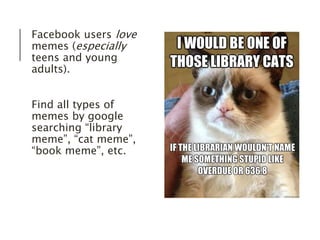
Facebook users love 
memes (especially 
teens and young 
adults). 
Find all types of 
memes by google 
searching “library 
meme”, “cat meme”, 
“book meme”, etc.
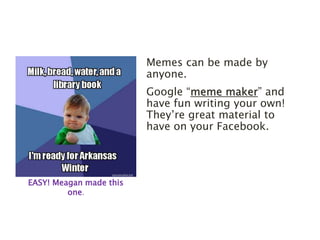
Memes can be made by 
anyone. 
Google “meme maker” and 
have fun writing your own! 
They’re great material to 
have on your Facebook. 
EASY! Meagan made this 
one.
#CABOT#CARLISLE#DESARC 
#DEVALLSBLUFF#ENGLAND#HAZE 
N 
#LONOKE#WARD
TWITTER BASICS 
•Twitter is very simple. If you had an entire website 
that was just Facebook’s “news feed” you’d (basically) 
have Twitter. 
•“Tweets” or status updates can only contain 140 
characters (letters, spaces, or numbers). 
•Search for key words or #hashtags that are important 
to a group of people. 
(If this powerpoint had a hashtag it’d be 
#TheInternetAndYou)
#HASHTAGS 
“A hashtag allows grouping of similarly tagged 
messages, and also allows an electronic search to return 
all messages that contain it.”
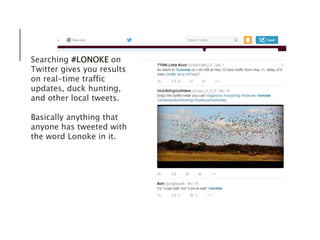
Searching #LONOKE on 
Twitter gives you results 
on real-time traffic 
updates, duck hunting, 
and other local tweets. 
Basically anything that 
anyone has tweeted with 
the word Lonoke in it.
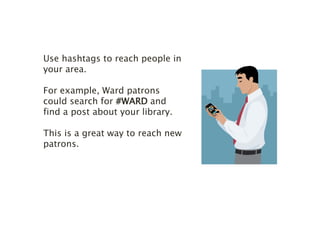
Use hashtags to reach people in 
your area. 
For example, Ward patrons 
could search for #WARD and 
find a post about your library. 
This is a great way to reach new 
patrons.
TO PIN OR NOT TO PIN-Those 
who use Pinterest love it and those who don’t 
hate it. 
Give Pinterest a try! 
You’d be surprised how much comes up when you 
search for “library program” (and they’re all DIY, too). 
Pinterest is a great way to organize ideas for 
programming. For example, I have a Pinterest board 
for each month. This is a great way to get a head start 
on programming. 
You can find good Facebook material on Pinterest 
as well.
QUESTIONS? 
Contact Meagan Ashcraft at 
mashcraft@lpregional.lib.ar.us 
Meagan is the Project Manager 
/ Technical Librarian for the 
Lonoke/Prairie County 
Regional Library System 
located in Central Arkansas.

The Internet and You

  • 1.
    How to behip online 101
  • 2.
    THIS PRESENTATION WILL COVER 1. Facebook 2. “Memes” 3. Twitter 4. Pinterest
  • 4.
    WHY DOES YOURLIBRARY NEED TO BE ON FACEBOOK? Patrons need to see how cool we are! Updating patrons with important library news Building relationships Staying relevant with the public
  • 5.
    BRANDING Would yourpatrons be able to pick your Facebook page out of a line up?
  • 6.
    BE RECOGNIZABLE Don’tchange your profile photo often. Choose something that library patrons will associate with the library. This makes it easier for patrons to notice your Facebook updates when reading their news feed.
  • 7.
    BUILDING RELATIONSHIPS Builda stronger relationship with your patrons by starting a discussion. We want to show that we’re interested in what they have to say! •What’s everyone’s favorite winter book? •What’s your favorite adaptation from book to movie? And don’t forget – ALWAYS reply to a patron’s question on Facebook.
  • 8.
    SO WHAT DOI POST? Information about programs: “Don’t forget to visit our gardening class this upcoming Tuesday at 12:00pm. It’ll be bloomin’ good fun!” Library resources: “Did you know that you can request books online from home? Use your library card number and four-digit PIN to access your account online. Check it out! www.lpregional.lib.ar.us “ Holiday and weather closings: “The library will be closed today because of snow. Don’t worry about fines for items due today. Those fines will be waved.” “There’s a 80% chance of snow next week! Don’t forget to pick up, milk, bread, water, and an emergency library
  • 9.
    ENTERTAINING Don’t forgetthat Facebook users enjoy entertaining content. Library related funny photos or articles get a lot of attention.
  • 10.
    Guess the cover Post a square of a book cover and let patrons guess what book it belongs to. At the end of the day, reply with the correct answer. The Great Gatsby Read it before you see it Have you read Catching Fire yet? Read it before you see it December 14th when it hits theatres. Post photos of current library displays for a personal touch.
  • 11.
    Literature related newsabout popular authors or series Humor
  • 12.
    WHERE DO IFIND THIS STUFF? Spend a little time each week searching google for key phrases like “funny library”, “library joke”, “book joke”, “librarian humor”, etc. “Read it before you see it” lists are easy to come by. Search for “books into movies, 2015” JOIN PINTEREST. You’ll find lots of great material to use. For book news, try websites like NYTimes.com or HuffingtonPost.com http://www.nytimes.com/pages/books/index.html Check out partners.overdrive.com for free Facebook graphics that go along with our eBooks.
  • 13.
    SAY IT WITHA SMILE •Think about your tone when updating Facebook. •Are your updates putting patrons to sleep? •Try to make your posts upbeat rather than just giving the facts.
  • 14.
    FIND YOUR VOICE Make sure that your posts don’t lose their focus. Always include who, what, when, where, and why when discussing programming. TEENS: join us for book club Monday, December 8th at 12:00pm @ the Lonoke Public Library.
  • 15.
    WHO ARE YOUPOSTING FOR? Do you like magic?! Kids and parents come to the library this Saturday at 1:00p.m. for an awesome show. Different age groups respond to different colors and photos. Consider this when putting together information for your postings.
  • 16.
    HELP PATRONS FINDYOUR PAGE Try printing Facebook logos accented by your library name. Put them around your patron computers for easy recognition! Des Arc Public Library
  • 17.
    SCHEDULING POSTS •Save time by scheduling your daily posts in advance. • Posts can be scheduled to appear on a specific date and time rather than instantly. Go to the usual Facebook business page and click the arrow next to “Post”. There you’ll find the Schedule Post button. • Posts are most likely seen 1-6p.m. on weekdays. Probably during a lunch break or when patrons get home from work.
  • 18.
    ROUTINES Get organizedwith a weekly posting routine! For example: •Monday - staff picks •Tuesday - great book quotes •Wednesday post a movie based on a book •Thursday - resources at the library that patrons might not know about •Friday - book trivia for patron Q&A
  • 19.
    BE COOL Givethem quality information delivered in an entertaining way. Boring posts can put your Facebook page in danger of being “unliked” by patrons. Impress them! People can tell when you don’t make an effort.
  • 20.
    ([meems] noun. “funnycaptions. usually cats.”)
  • 21.
    WHAT IS AMEME?
  • 22.
    “A HUMOROUS IMAGE,VIDEO, PIECE OF TEXT, ETC. THAT IS COPIED (OFTEN WITH SLIGHT VARIATIONS) AND SPREAD RAPIDLY BY INTERNET USERS.” In other words, a meme is a photo with overlain text. The text is usually funny. The photo is usually of a cat.
  • 23.
    OR I GI N A L actual movie quote MEME actually hilarious FOR EXAMPLE
  • 24.
    Q: WHY DOI NEED TO KNOW ABOUT MEMES? A: Because your patrons think they’re HILARIOUS! They’re everywhere! They’re considered cool! And libraries are cool, right?
  • 25.
    Facebook users love memes (especially teens and young adults). Find all types of memes by google searching “library meme”, “cat meme”, “book meme”, etc.
  • 26.
    Memes can bemade by anyone. Google “meme maker” and have fun writing your own! They’re great material to have on your Facebook. EASY! Meagan made this one.
  • 27.
  • 28.
    TWITTER BASICS •Twitteris very simple. If you had an entire website that was just Facebook’s “news feed” you’d (basically) have Twitter. •“Tweets” or status updates can only contain 140 characters (letters, spaces, or numbers). •Search for key words or #hashtags that are important to a group of people. (If this powerpoint had a hashtag it’d be #TheInternetAndYou)
  • 29.
    #HASHTAGS “A hashtagallows grouping of similarly tagged messages, and also allows an electronic search to return all messages that contain it.”
  • 30.
    Searching #LONOKE on Twitter gives you results on real-time traffic updates, duck hunting, and other local tweets. Basically anything that anyone has tweeted with the word Lonoke in it.
  • 31.
    Use hashtags toreach people in your area. For example, Ward patrons could search for #WARD and find a post about your library. This is a great way to reach new patrons.
  • 33.
    TO PIN ORNOT TO PIN-Those who use Pinterest love it and those who don’t hate it. Give Pinterest a try! You’d be surprised how much comes up when you search for “library program” (and they’re all DIY, too). Pinterest is a great way to organize ideas for programming. For example, I have a Pinterest board for each month. This is a great way to get a head start on programming. You can find good Facebook material on Pinterest as well.
  • 34.
    QUESTIONS? Contact MeaganAshcraft at mashcraft@lpregional.lib.ar.us Meagan is the Project Manager / Technical Librarian for the Lonoke/Prairie County Regional Library System located in Central Arkansas.