João Prado Maia Ipanema Labs, LLC http://ipanemalabs.com UIKit Programming (and some network stuff too)
Who? Web programmer by day, iOS developer by night. Consultant on iOS development projects. Contact me at  http://ipanemalabs.com Few apps on App Store since 2008. Personal site at  http://pessoal.org
Tonight’s session Hands on Lots of code to go through Ask questions at any time!
Table views Standard classes: UINavigationController UIViewController UITableViewController Goal: build a simple app with a drill down interface.
Saving data to SQLite FMDB! http://code.google.com/p/flycode/source/browse/trunk/fmdb Open source wrapper on top of SQLite. Actively maintained; easy to work with. Goal: change previous example to load information from a SQLite database.
Dealing with an API ASIHTTPRequest http://allseeing-i.com/ASIHTTPRequest/ Much more convenient than NSURLConnection. Open source; very easy to use. Goal: modify previous example to load data from an API dynamically.
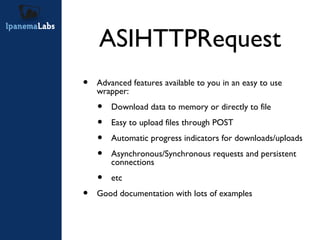
ASIHTTPRequest Advanced features available to you in an easy to use wrapper: Download data to memory or directly to file Easy to upload files through POST Automatic progress indicators for downloads/uploads Asynchronous/Synchronous requests and persistent connections etc Good documentation with lots of examples
ASIHTTPRequest (2) - (IBAction)grabURL:(id)sender { NSURL *url = [NSURL URLWithString:@"http://allseeing-i.com"]; ASIHTTPRequest *request = [ASIHTTPRequest requestWithURL:url]; [request startSynchronous]; NSError *error = [request error]; if (!error) { NSString *response = [request responseString]; } }
ASIHTTPRequest (3) - (IBAction)grabURLInBackground:(id)sender { NSURL *url = [NSURL URLWithString:@"http://allseeing-i.com"]; ASIHTTPRequest *request = [ASIHTTPRequest requestWithURL:url]; [request setDelegate:self]; [request startAsynchronous]; } - (void)requestFinished:(ASIHTTPRequest *)request { // Use when fetching text data NSString *responseString = [request responseString]; // Use when fetching binary data NSData *responseData = [request responseData]; } - (void)requestFailed:(ASIHTTPRequest *)request { NSError *error = [request error]; }
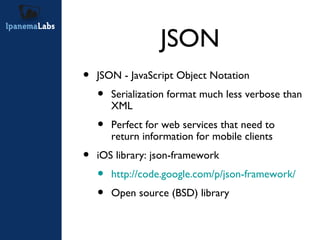
JSON JSON - JavaScript Object Notation Serialization format much less verbose than XML Perfect for web services that need to return information for mobile clients iOS library: json-framework http://code.google.com/p/json-framework/ Open source (BSD) library
JSON (2) Serialized hash/dictionary: {“key1”: “value1”, “key2”: “value2”} Serialized array: [“value1”, “value2”, “value3”] Mixed object (array of dictionaries): [{“name”: “Joao”, “ssn”:”12345678”}, {“name”:”Barry”, “ssn”:”98765432”}]
JSON parsing example NSArray *list; NSString *jsonString = @"[\"Meetup\", \"is\", \"cool\"]"; list = [jsonString JSONValue]; NSLog(@"first entry: %@", [list objectAtIndex:0]); NSLog(@"second entry: %@", [list objectAtIndex:1]); NSLog(@"third entry: %@", [list objectAtIndex:2]); [json release];
Q&A Any questions?

Meetup uikit programming

  • 1.
    João Prado MaiaIpanema Labs, LLC http://ipanemalabs.com UIKit Programming (and some network stuff too)
  • 2.
    Who? Web programmerby day, iOS developer by night. Consultant on iOS development projects. Contact me at http://ipanemalabs.com Few apps on App Store since 2008. Personal site at http://pessoal.org
  • 3.
    Tonight’s session Handson Lots of code to go through Ask questions at any time!
  • 4.
    Table views Standardclasses: UINavigationController UIViewController UITableViewController Goal: build a simple app with a drill down interface.
  • 5.
    Saving data toSQLite FMDB! http://code.google.com/p/flycode/source/browse/trunk/fmdb Open source wrapper on top of SQLite. Actively maintained; easy to work with. Goal: change previous example to load information from a SQLite database.
  • 6.
    Dealing with anAPI ASIHTTPRequest http://allseeing-i.com/ASIHTTPRequest/ Much more convenient than NSURLConnection. Open source; very easy to use. Goal: modify previous example to load data from an API dynamically.
  • 7.
    ASIHTTPRequest Advanced featuresavailable to you in an easy to use wrapper: Download data to memory or directly to file Easy to upload files through POST Automatic progress indicators for downloads/uploads Asynchronous/Synchronous requests and persistent connections etc Good documentation with lots of examples
  • 8.
    ASIHTTPRequest (2) -(IBAction)grabURL:(id)sender { NSURL *url = [NSURL URLWithString:@"http://allseeing-i.com"]; ASIHTTPRequest *request = [ASIHTTPRequest requestWithURL:url]; [request startSynchronous]; NSError *error = [request error]; if (!error) { NSString *response = [request responseString]; } }
  • 9.
    ASIHTTPRequest (3) -(IBAction)grabURLInBackground:(id)sender { NSURL *url = [NSURL URLWithString:@"http://allseeing-i.com"]; ASIHTTPRequest *request = [ASIHTTPRequest requestWithURL:url]; [request setDelegate:self]; [request startAsynchronous]; } - (void)requestFinished:(ASIHTTPRequest *)request { // Use when fetching text data NSString *responseString = [request responseString]; // Use when fetching binary data NSData *responseData = [request responseData]; } - (void)requestFailed:(ASIHTTPRequest *)request { NSError *error = [request error]; }
  • 10.
    JSON JSON -JavaScript Object Notation Serialization format much less verbose than XML Perfect for web services that need to return information for mobile clients iOS library: json-framework http://code.google.com/p/json-framework/ Open source (BSD) library
  • 11.
    JSON (2) Serializedhash/dictionary: {“key1”: “value1”, “key2”: “value2”} Serialized array: [“value1”, “value2”, “value3”] Mixed object (array of dictionaries): [{“name”: “Joao”, “ssn”:”12345678”}, {“name”:”Barry”, “ssn”:”98765432”}]
  • 12.
    JSON parsing exampleNSArray *list; NSString *jsonString = @"[\"Meetup\", \"is\", \"cool\"]"; list = [jsonString JSONValue]; NSLog(@"first entry: %@", [list objectAtIndex:0]); NSLog(@"second entry: %@", [list objectAtIndex:1]); NSLog(@"third entry: %@", [list objectAtIndex:2]); [json release];
  • 13.