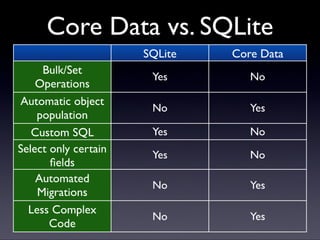
#7 No bulk operations
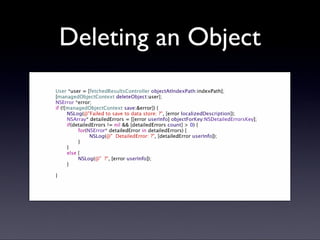
- no capability for “delete where x = y”, each object must be retrieved and deleted
- no sum, avg, etc
Object population
- core data removes the need for “plumbing code” to populate objects and save changes to them back
Custom sql
- most persistence frameworks take some of the sql out of the hands of developers. core data does this more than most
Select only certain fields
- you might want to only retrieve a field or two out of maybe 10, this isn’t possible in core data
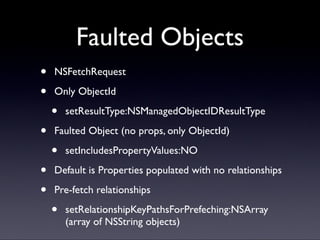
- faulting is only a partial solution (to be discussed when we get to querying objects)
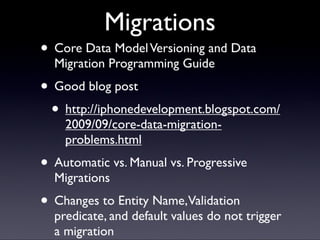
Automated Migrations
- core data provides some default migration capability
- there is a framework for developing quite complex migrations over multiple versions
Less Code
- related to automatic object population
- you will write a lot less code not only for plumbing, but for fault type situations as well
- SQLite api is a little complicated
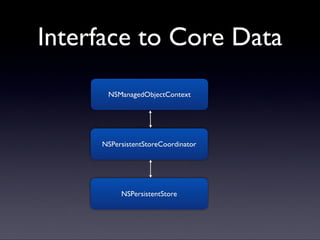
#8 NSPersistentStore encapsulates the actual storage format for the core data store
NSPersistentStoreCoordinator encapsulates the managed object model sitting on top of that storage format
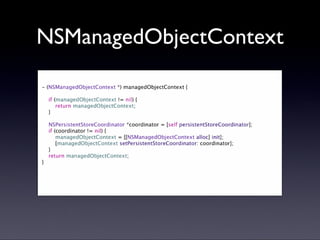
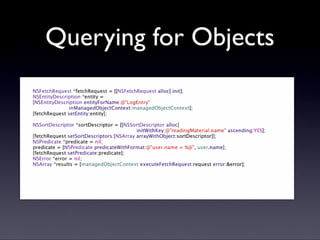
NSManagedObjectContext is our interface to query and change objects
#20 a hash value is stored with each version of a versioned core data store
automatic migrations represent a situation where there is a mapping model found that matches the user’s current hash and the desired target version
manual migration represent the opposite case - there is no mapping model found that matches the user’s current hash version and the desired target version
- desktop stores created in Tiger will have this issue
Progressive migrations are a special case of manual migrations where an intermediate mapping model is used before the final migration can take place to the bring the model to the desired target version
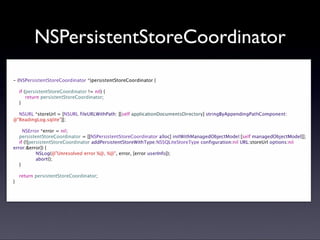
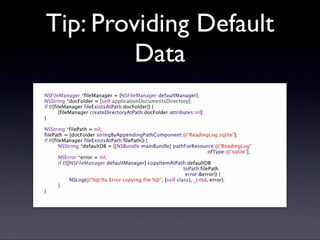
#23 After adding this code to the beginning of the persistentStoreCoordinator, create a desktop console app and use the same model to generate code and create a .sqlite db
The sqlite file should be added to your xcode project under resources