Publish a Book on Github
with Gitbook
Becky Peltz
Seattle University
Fall 2018
October 9, 2018
My Bio: Rebecca Peltz
Instructor at Seattle University
School of New and Continuing Studies
Web Application Technology Studies
MBA and 30+ years programming in Seattle
Companies include: Boeing, REI, Regence, Microsoft, go2Net, Expeditors, UW,
Seattle Public Schools, Seattle Children’s Hospital, F5 Networks, zulily, Globys,
Schweitzer Engineering Labs, North Seattle College, City University, Seattle
University
Objectives for Demo Talk
Create a book online
Learn about static site generators: Markdown to HTML
Use some tools:
Gitbook toolchain including Gitbook Editor
Npm
Visual Studio Code
Context
Seattle U WATS JavaScript Texts: Shawn Rider’s books
https://shawnr.gitbooks.io/practical-introduction-to-javascript/content/
https://shawnr.gitbooks.io/practical-javascript-2-building-applications/content/
My Lab FAQ
https://suwebdev.github.io/wats-lab-faq/
Static Generators vs Traditional CMS
** There is a legacy.gitbook.com and a www.gitbook.com - this talk is about
running my own gitbook toolchain
See my medium blog on this topic
https://medium.com/@rebeccapeltz/publish-your-book-online-with-gitbook-fc0ce9b7f12
Let’s look at some final products
WATS FAQ
JavaScript Text by Shawn Rider
Other...
Audience
Web developers?
Front end developers?
Writers?
Dev ops?
Teachers?
Markdown vs Markup
Look at a Readme.md on githhub.com
Inspect in Chrome Dev tools - it’s HTML!
Look at raw - it’s markdown
Look at a Markdown Cheatsheet:
https://github.com/adam-p/markdown-here/wiki/Markdown-Cheatsheet
https://en.wikipedia.org/wiki/Markdown
Prepare your environment
Node: a JavaScript runner
NPM: comes with Node a JavaScript package manager
Gulp: a task runner installable as an NPM package
Git: a program to help with versioning text
Github: a repository to store markdown and host HTML
Gitbook Editor: word processor that produces markdown
Visual Studio Code: stay organized
What is Git and Github
Is it worth learning?
Who uses it?
Who owns it?
Details
HTTPS and not SSH clone from Github
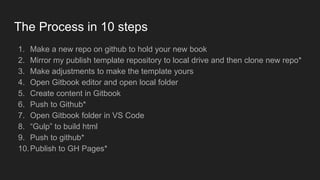
The Process in 10 steps
1. Make a new repo on github to hold your new book
2. Mirror my publish template repository to local drive and then clone new repo*
3. Make adjustments to make the template yours
4. Open Gitbook editor and open local folder
5. Create content in Gitbook
6. Push to Github*
7. Open Gitbook folder in VS Code
8. “Gulp” to build html
9. Push to github*
10.Publish to GH Pages*
Make a repo on github
This repository will hold the contents of your book as well as code to help publish
it.
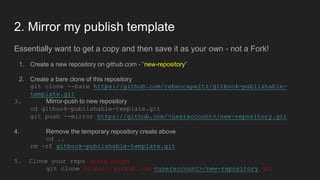
2. Mirror my publish template
Essentially want to get a copy and then save it as your own - not a Fork!
1. Create a new repository on github.com - “new-repository”
2. Create a bare clone of this repository
git clone --bare https://github.com/rebeccapeltz/gitbook-publishable-
template.git
3. Mirror-push to new repository
cd gitbook-publishable-template.git
git push --mirror https://github.com/<useraccount>/new-repository.git
4. Remove the temporary repository create above
cd ..
rm -rf gitbook-publishable-template.git
5. Clone your repo using https
git clone https://github.com/<useraccount>/new-repository.git
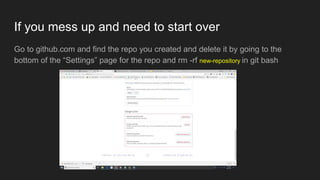
If you mess up and need to start over
Go to github.com and find the repo you created and delete it by going to the
bottom of the “Settings” page for the repo and rm -rf new-repository in git bash
3. Make adjustments to make the template yours
Open the repo locally in VS Code
code new-repository
Modify the file package.json:
name
url
author
license - you can leave MIT license if your don’t have a specific one
Homepage - https://github.com/<useraccount>/new-repository#readme"
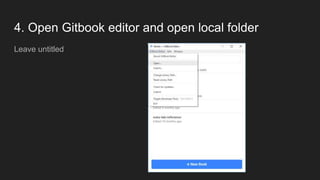
4. Open Gitbook editor and open local folder
Leave untitled
5. Create content in Gitbook editor
An editor that makes writing Markdown as easy as Word processing
Adding and formatting text
Adding links
Adding images
Update Readme and add Article
Save and Sync
Go to IDE (VS Code) and see that is it updated
Git pull verifies up to date
6. Save and push content from Gitbook Editor
Note that local content will be updated with this as well as Github content
7. Open folder in VS Code
8. “Gulp” to build HTML
What is gulp?
Our goal is to render web pages - has to be HTML
The format the of output of Gitbook Editor is Markdown.
The publish template has a JavaScript “gulp.js” file with instructions for create
HTML out of Markdown.
We want to produce a static html website so that we can read the content from a
web page.
Need to install npm packages and gitbook plugins and then we can run the gulp
build. ==>
Installing Code to support gulp build
Npm Install installs code library dependencies list in package.json
npm install
Gitbook plugins are list in book.json
gitbook install
I usually run these together. If there are no Gitbook plugins you’ll get an error
message that you can ignore.
gulp
This will create a static website under the docs directory.
8. Push to Github
Upload all code to github.com. From there is can be hosted for free on github.io.
git add .
git commit -m”build book”
git push
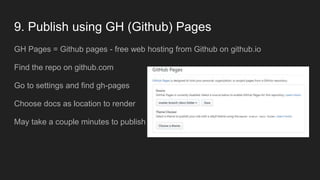
9. Publish using GH (Github) Pages
GH Pages = Github pages - free web hosting from Github on github.io
Find the repo on github.com
Go to settings and find gh-pages
Choose docs as location to render
May take a couple minutes to publish
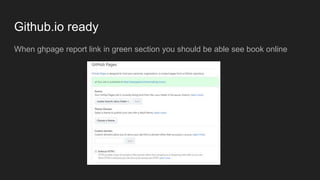
Github.io ready
When ghpage report link in green section you should be able see book online
Book or FAQ: Gitbook plugins
What’s the difference between a book and an FAQ
An article is a solution to a problem
Register in book.json
Plugins make it happen
Can also change title and add logo
book.json
{
"title": "Making Music",
"plugins": [
"theme-faq",
"-fontsettings",
"-sharing"
]
}
Gitbook plugins
https://plugins.gitbook.com/
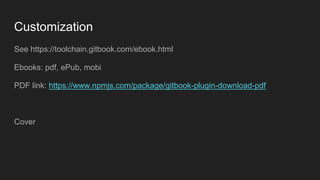
Customization
See https://toolchain.gitbook.com/ebook.html
Ebooks: pdf, ePub, mobi
PDF link: https://www.npmjs.com/package/gitbook-plugin-download-pdf
Cover
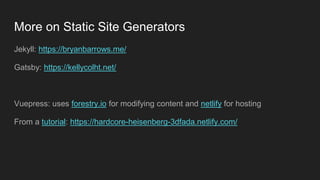
More on Static Site Generators
Jekyll: https://bryanbarrows.me/
Gatsby: https://kellycolht.net/
Vuepress: uses forestry.io for modifying content and netlify for hosting
From a tutorial: https://hardcore-heisenberg-3dfada.netlify.com/
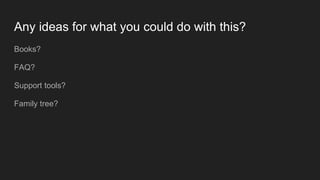
Any ideas for what you could do with this?
Books?
FAQ?
Support tools?
Family tree?

Meetup gitbook

  • 1.
    Publish a Bookon Github with Gitbook Becky Peltz Seattle University Fall 2018 October 9, 2018
  • 2.
    My Bio: RebeccaPeltz Instructor at Seattle University School of New and Continuing Studies Web Application Technology Studies MBA and 30+ years programming in Seattle Companies include: Boeing, REI, Regence, Microsoft, go2Net, Expeditors, UW, Seattle Public Schools, Seattle Children’s Hospital, F5 Networks, zulily, Globys, Schweitzer Engineering Labs, North Seattle College, City University, Seattle University
  • 3.
    Objectives for DemoTalk Create a book online Learn about static site generators: Markdown to HTML Use some tools: Gitbook toolchain including Gitbook Editor Npm Visual Studio Code
  • 4.
    Context Seattle U WATSJavaScript Texts: Shawn Rider’s books https://shawnr.gitbooks.io/practical-introduction-to-javascript/content/ https://shawnr.gitbooks.io/practical-javascript-2-building-applications/content/ My Lab FAQ https://suwebdev.github.io/wats-lab-faq/ Static Generators vs Traditional CMS ** There is a legacy.gitbook.com and a www.gitbook.com - this talk is about running my own gitbook toolchain
  • 5.
    See my mediumblog on this topic https://medium.com/@rebeccapeltz/publish-your-book-online-with-gitbook-fc0ce9b7f12
  • 6.
    Let’s look atsome final products WATS FAQ JavaScript Text by Shawn Rider Other...
  • 7.
    Audience Web developers? Front enddevelopers? Writers? Dev ops? Teachers?
  • 8.
    Markdown vs Markup Lookat a Readme.md on githhub.com Inspect in Chrome Dev tools - it’s HTML! Look at raw - it’s markdown Look at a Markdown Cheatsheet: https://github.com/adam-p/markdown-here/wiki/Markdown-Cheatsheet https://en.wikipedia.org/wiki/Markdown
  • 9.
    Prepare your environment Node:a JavaScript runner NPM: comes with Node a JavaScript package manager Gulp: a task runner installable as an NPM package Git: a program to help with versioning text Github: a repository to store markdown and host HTML Gitbook Editor: word processor that produces markdown Visual Studio Code: stay organized
  • 10.
    What is Gitand Github Is it worth learning? Who uses it? Who owns it?
  • 11.
    Details HTTPS and notSSH clone from Github
  • 12.
    The Process in10 steps 1. Make a new repo on github to hold your new book 2. Mirror my publish template repository to local drive and then clone new repo* 3. Make adjustments to make the template yours 4. Open Gitbook editor and open local folder 5. Create content in Gitbook 6. Push to Github* 7. Open Gitbook folder in VS Code 8. “Gulp” to build html 9. Push to github* 10.Publish to GH Pages*
  • 13.
    Make a repoon github This repository will hold the contents of your book as well as code to help publish it.
  • 14.
    2. Mirror mypublish template Essentially want to get a copy and then save it as your own - not a Fork! 1. Create a new repository on github.com - “new-repository” 2. Create a bare clone of this repository git clone --bare https://github.com/rebeccapeltz/gitbook-publishable- template.git 3. Mirror-push to new repository cd gitbook-publishable-template.git git push --mirror https://github.com/<useraccount>/new-repository.git 4. Remove the temporary repository create above cd .. rm -rf gitbook-publishable-template.git 5. Clone your repo using https git clone https://github.com/<useraccount>/new-repository.git
  • 15.
    If you messup and need to start over Go to github.com and find the repo you created and delete it by going to the bottom of the “Settings” page for the repo and rm -rf new-repository in git bash
  • 16.
    3. Make adjustmentsto make the template yours Open the repo locally in VS Code code new-repository Modify the file package.json: name url author license - you can leave MIT license if your don’t have a specific one Homepage - https://github.com/<useraccount>/new-repository#readme"
  • 17.
    4. Open Gitbookeditor and open local folder Leave untitled
  • 18.
    5. Create contentin Gitbook editor An editor that makes writing Markdown as easy as Word processing Adding and formatting text Adding links Adding images Update Readme and add Article Save and Sync Go to IDE (VS Code) and see that is it updated Git pull verifies up to date
  • 19.
    6. Save andpush content from Gitbook Editor Note that local content will be updated with this as well as Github content
  • 20.
    7. Open folderin VS Code
  • 21.
    8. “Gulp” tobuild HTML What is gulp? Our goal is to render web pages - has to be HTML The format the of output of Gitbook Editor is Markdown. The publish template has a JavaScript “gulp.js” file with instructions for create HTML out of Markdown. We want to produce a static html website so that we can read the content from a web page. Need to install npm packages and gitbook plugins and then we can run the gulp build. ==>
  • 22.
    Installing Code tosupport gulp build Npm Install installs code library dependencies list in package.json npm install Gitbook plugins are list in book.json gitbook install I usually run these together. If there are no Gitbook plugins you’ll get an error message that you can ignore. gulp This will create a static website under the docs directory.
  • 23.
    8. Push toGithub Upload all code to github.com. From there is can be hosted for free on github.io. git add . git commit -m”build book” git push
  • 24.
    9. Publish usingGH (Github) Pages GH Pages = Github pages - free web hosting from Github on github.io Find the repo on github.com Go to settings and find gh-pages Choose docs as location to render May take a couple minutes to publish
  • 25.
    Github.io ready When ghpagereport link in green section you should be able see book online
  • 26.
    Book or FAQ:Gitbook plugins What’s the difference between a book and an FAQ An article is a solution to a problem Register in book.json Plugins make it happen Can also change title and add logo
  • 27.
    book.json { "title": "Making Music", "plugins":[ "theme-faq", "-fontsettings", "-sharing" ] }
  • 28.
  • 29.
    Customization See https://toolchain.gitbook.com/ebook.html Ebooks: pdf,ePub, mobi PDF link: https://www.npmjs.com/package/gitbook-plugin-download-pdf Cover
  • 30.
    More on StaticSite Generators Jekyll: https://bryanbarrows.me/ Gatsby: https://kellycolht.net/ Vuepress: uses forestry.io for modifying content and netlify for hosting From a tutorial: https://hardcore-heisenberg-3dfada.netlify.com/
  • 31.
    Any ideas forwhat you could do with this? Books? FAQ? Support tools? Family tree?

Editor's Notes

  • #15 Create a new repo on github - say “making-music” Create a temp folder Cd temp Open git bash there Run the bare clone Push mirror to your account <git hub user account> Remove the template Go to github to see that the code is yours Clone your code with https: IMPORTANT because gitbook editor needs https to sync locally
  • #17 Git add . Git commit -m”make mine” Git push *** might have to enter user name and pw to push ***
  • #18 Add bongo: https://commons.wikimedia.org/wiki/File:Bongo_sound.wav https://commons.wikimedia.org/wiki/File:DK-Bongos.JPG Notice assets folder in VSNotice assets folder in VS Code The Web Dev Man (To Billy Joel’s The Piano Man) (Play the start of Piano Man recording on my phone) It's six o'clock on a Tuesday The regular crowd shuffles in There's a young man sitting next to me Organizing his obj and bin He says, "Son, can you write me a script I'm not really sure how it goes But it's rad and it's neat and as short as a Tweet And shared from your GitHub repo" La la la, di da da La la, di da da da dum Write us some code, you're the web dev man Just a few lines tonight Well, we're all in the mood for a GUI And you've got us feelin' alright Now Shawn at Hunthausen is a friend of mine He gets me my drinks at Optimism for free And he's quick with React or a function in bash And there's no place that he'd rather be Oh, la la la, di da da La la, di da da da dum Write us some code, you're the web dev man Just a few lines tonight Well, we're all in the mood for a GUI And you've got us feelin' alright It's a pretty good crowd for a Wednesday And the students give me a smile 'Cause they know that it's he they've been comin' to see To learn about coding for a while And the keyboards, they sound like a carnival And the mice clicking away And they sit in the chairs with excited glares And say, "Man, thanks for all the knowledge shares!" Oh, la la la, di da da La la, di da da da dum Write us some code, you're the web dev man Just a few lines tonight Well, we're all in the mood for a GUI And you've got us feelin' alright Notice assets folder in vs code
  • #20 Look at VS Code
  • #22 Show markdown vs html
  • #23 Look at _book Look at docs
  • #25 Update npm : npm install -g npm npm install --global gulp-cli npm install --save-dev gulp