Git
Hi
Robert
@rmaclean
sadev.co.za
devconf.co.za
developerug.org.za
What is Git?
Source control
Tool for sharing
Tool for learning
Tool to make experiments easy
A FREAKING TIME MACHINE
Going to show command line &
GUI
What do we
have to
cover
1. Get Git
2. Config
3. Init Git
4. Status
5. Add file
6. Commit
7. Log
8. Undo
9. Diff
10. GitHub
11. Clone
12. Fork
13. Push & Pull
14. Pull Request
How to get Git
Download from: git-scm.com
Or from your favourite package
manager
Mac: $ brew install git
Debian: $ apt-get install git
Windows: $ winget install git
Or it is in your favourite
development tools 💕
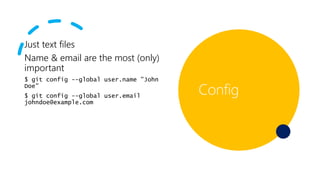
Just text files
Name & email are the most (only)
important
$ git config --global user.name "John
Doe"
$ git config --global user.email
johndoe@example.com
Config
Init
Creates a new empty repo
Status
Shows you the status
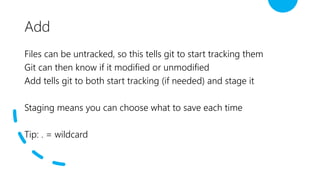
Add
Files can be untracked, so this tells git to start tracking them
Git can then know if it modified or unmodified
Add tells git to both start tracking (if needed) and stage it
Staging means you can choose what to save each time
Tip: . = wildcard
Commit
Tells Git to save a copy of the work
Add a message to help you remember it
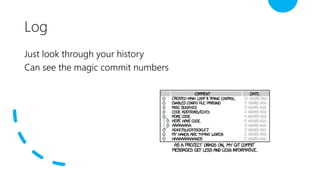
Log
Just look through your history
Can see the magic commit numbers
Undo
Restore an uncommit change (was also Reset before)
Reset is to rollback history
--hard undo rollback files vs. making files modified
Diff
See the differences…
Personally prefer gui tools for this
GitHub
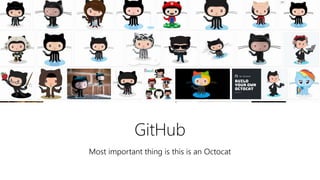
Most important thing is this is an Octocat
GitHub
Central location for your code, documents…
anything
Can be private or public
Great for sharing
github.com/South-Africa-Government-
Procurement/Data-cleaning
Clone
Make a copy of the source
Sets a remote location too so you
can update later
Something you do very rarely
Internal work, used
External work, not used
Fork
Make a copy of a repository in
GitHub
Gives you a place you control
All part of GitHub
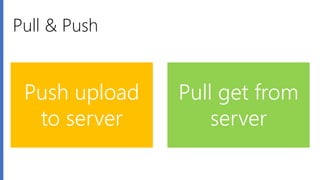
Pull & Push
Push upload
to server
Pull get from
server
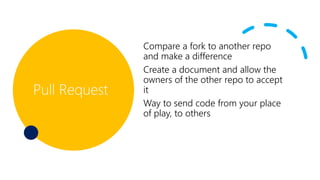
Pull Request
Compare a fork to another repo
and make a difference
Create a document and allow the
owners of the other repo to accept
it
Way to send code from your place
of play, to others
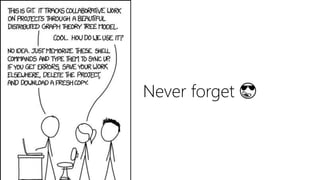
Never forget 😎

Git

  • 1.
  • 2.
  • 3.
    What is Git? Sourcecontrol Tool for sharing Tool for learning Tool to make experiments easy A FREAKING TIME MACHINE Going to show command line & GUI
  • 5.
    What do we haveto cover 1. Get Git 2. Config 3. Init Git 4. Status 5. Add file 6. Commit 7. Log 8. Undo 9. Diff 10. GitHub 11. Clone 12. Fork 13. Push & Pull 14. Pull Request
  • 6.
    How to getGit Download from: git-scm.com Or from your favourite package manager Mac: $ brew install git Debian: $ apt-get install git Windows: $ winget install git Or it is in your favourite development tools 💕
  • 7.
    Just text files Name& email are the most (only) important $ git config --global user.name "John Doe" $ git config --global user.email johndoe@example.com Config
  • 8.
  • 9.
  • 10.
    Add Files can beuntracked, so this tells git to start tracking them Git can then know if it modified or unmodified Add tells git to both start tracking (if needed) and stage it Staging means you can choose what to save each time Tip: . = wildcard
  • 11.
    Commit Tells Git tosave a copy of the work Add a message to help you remember it
  • 12.
    Log Just look throughyour history Can see the magic commit numbers
  • 13.
    Undo Restore an uncommitchange (was also Reset before) Reset is to rollback history --hard undo rollback files vs. making files modified
  • 14.
    Diff See the differences… Personallyprefer gui tools for this
  • 15.
    GitHub Most important thingis this is an Octocat
  • 16.
    GitHub Central location foryour code, documents… anything Can be private or public Great for sharing github.com/South-Africa-Government- Procurement/Data-cleaning
  • 17.
    Clone Make a copyof the source Sets a remote location too so you can update later Something you do very rarely Internal work, used External work, not used
  • 18.
    Fork Make a copyof a repository in GitHub Gives you a place you control All part of GitHub
  • 19.
    Pull & Push Pushupload to server Pull get from server
  • 20.
    Pull Request Compare afork to another repo and make a difference Create a document and allow the owners of the other repo to accept it Way to send code from your place of play, to others
  • 21.